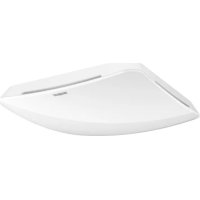
True Presence Multisensor Aerosol KNX - Motion detector STEINEL - Free user manual and instructions
Find the device manual for free True Presence Multisensor Aerosol KNX STEINEL in PDF.



| Product type | Multiple presence detector (multisensor) |
| Brand | STEINEL |
| Model | True Presence Multisensor Aerosol KNX |
| Dimensions (recessed) | 123 x 123 x 33 mm |
| Dimensions (surface-mount) | 142 x 142 x 44 mm |
| Supply voltage | 21 - 30 V (bus KNX) |
| Power consumption | 40 mA (True Presence KNX) / 15 mA (AIR KNX) |
| Detection area | 360° |
| Presence range | Ø 15 m |
| Movement range | Ø 15 m |
| True Presence range | Ø 9 m (max height 4 m) |
| Installation height | 2 - 12 m |
| Measured values | Brightness, temperature, humidity, CO2, VOC, atmospheric pressure |
| Brightness measurement | 0 - 2500 lx |
| Time delay | 30 s to 18 h 12 min 15 s |
| Protection rating | IP20 |
| Radar frequency | 7.2 GHz |
| Bluetooth | 2.4 - 2.48 GHz |
| Bluetooth transmission power | 5 dBm / 3 mW |
| Manufacturer warranty | 5 years |
| Maintenance | Clean with a damp cloth, no detergent |
| Mounting | Recessed or surface-mounted, indoor ceiling |
| Accessories | Surface-mount adapter (ref. 4007841 063870) |
Frequently Asked Questions - True Presence Multisensor Aerosol KNX STEINEL
User questions about True Presence Multisensor Aerosol KNX STEINEL
0 question about this device. Answer the ones you know or ask your own.
Ask a new question about this device
Download the instructions for your Motion detector in PDF format for free! Find your manual True Presence Multisensor Aerosol KNX - STEINEL and take your electronic device back in hand. On this page are published all the documents necessary for the use of your device. True Presence Multisensor Aerosol KNX by STEINEL.
USER MANUAL True Presence Multisensor Aerosol KNX STEINEL
GB....13 Follow written instructions!
- Please read carefully and keep in a safe place.
-Undercopyright.
Reproduction either in whole or in part only with our consent.
- Subject to change in the interest of technical progress.
Symbols

Hazard warning!

Reference to other information in the document.
2. General safety precautions

Disconnect the power supply before attempting any work on the sensor.
- This product must only be installed by a qualified electrician in accordance with national wiring regulations as defined in VDE 08 29 (DIN EN 5000 90).
- Fitted improperly, low-voltage installations can cause extremely serious personal injury or damage to property.
- This product must never be connected to a 230 V AC power supply as it is intended for connection to an extra-low voltage power supply.
- Only use genuine replacement parts.
- Repairs may only be made by specialist workshops.
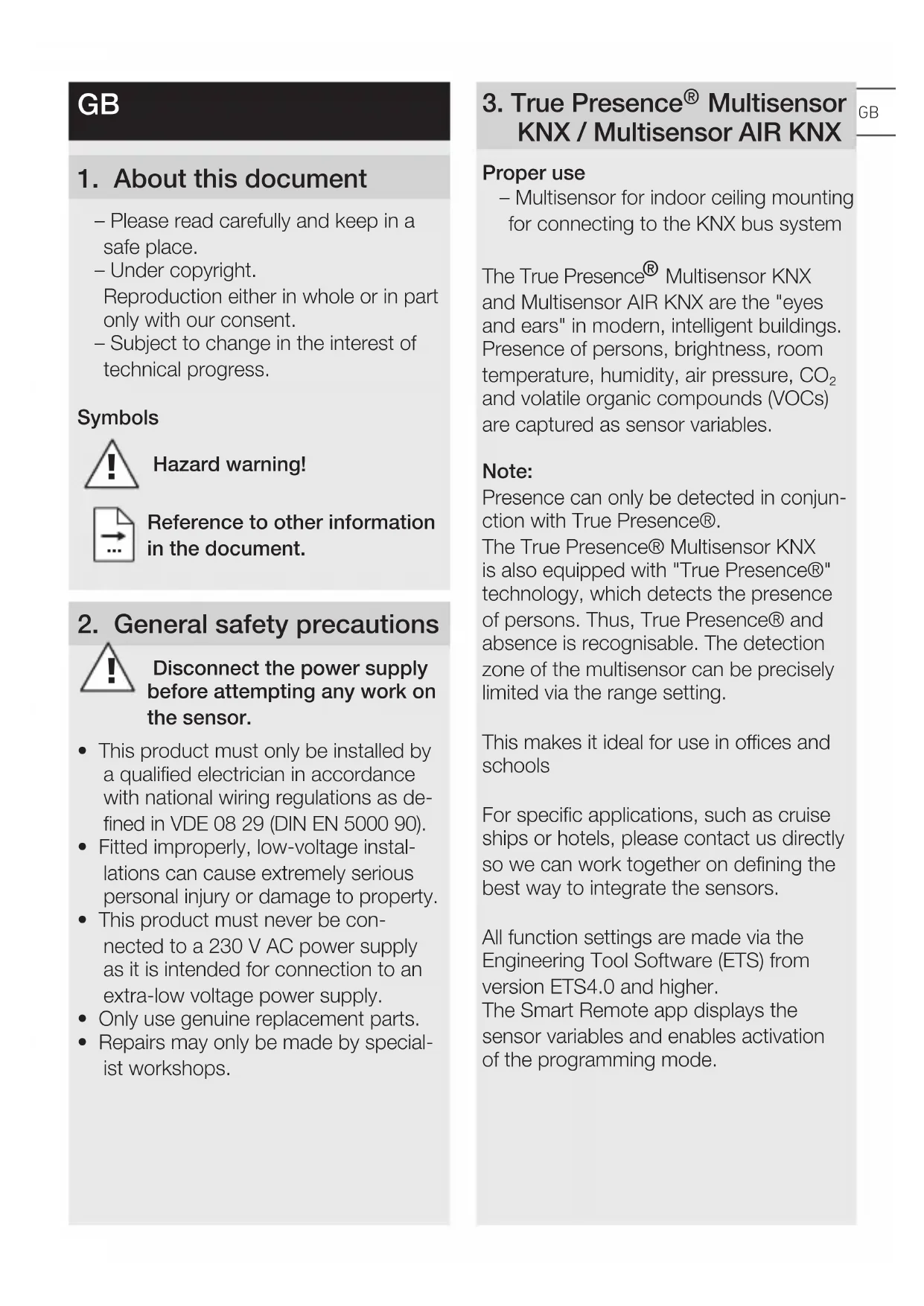
3. True Presence® Multisensor KNX / Multisensor AIR KNX
Proper use
- Multisensor for indoor ceiling mounting for connecting to the KNX bus system
The True Presence® Multisensor KNX and Multisensor AIR KNX are the "eyes and ears" in modern, intelligent buildings. Presence of persons, brightness, room temperature, humidity, air pressure, CO_2 and volatile organic compounds (VOCs) are captured as sensor variables.
Note:
Presence can only be detected in conjunction with True Presence®.
The True Presence® Multisensor KNX is also equipped with "True Presence®" technology, which detects the presence of persons. Thus, True Presence® and absence is recognisable. The detection zone of the multisensor can be precisely limited via the range setting.
This makes it ideal for use in offices and schools
For specific applications, such as cruise ships or hotels, please contact us directly so we can work together on defining the best way to integrate the sensors.
All function settings are made via the Engineering Tool Software (ETS) from version ETS4.0 and higher.
The Smart Remote app displays the sensor variables and enables activation of the programming mode.
Product components Installation (Fig. 3.1)
- Sensor
- Mounting frame
Product components Installation (Fig. 3.2)
- Sensor
- Mounting frame
- Surface-mounting adapter
Product dimensions, concealed installation (Fig. 3.3)
Product dimensions, surface-mounted installation (Fig. 3.4)
Detection zone (Fig. 3.5)
Note:
The CO2 sensor used in the multisensor comes with an auto-calibration function. For this to work properly and ensure correct measurement by the CO2 sensor, the multisensor must be permanently connected to the power supply.
Furthermore, the first seven days after switching on the power supply may show major variations in the levels measured.
The sensor must also be exposed to fresh air for at least an hour a day.
4. Installation
Wiring diagram (Fig. 4.1)
5. Mounting
- Check all components for damage.
- Do not use the product if it is damaged.
- Select an appropriate mounting location, taking the reach and presence detection into consideration.
- Switch OFF power supply (Fig. 4.1)
Mounting procedure, concealed installation
- Firmly screw the mounting frame onto the mounting box (Fig 5.1)
- Make plug connection (Fig. 5.2)
-
Position sensor on the mounting frame (Fig. 5.3)
-
The sensor is held on the frame by magnetic force.
Mounting procedure, surface-mounted installation
- Drill holes and screw on surface-mounting adapter (Fig. 5.4)
When mounting with exposed cable, break out the mounting tab (Fig. 5.4)
- Firmly screw the mounting frame onto the surface-mounting adapter (Fig 5.5)
- Make plug connection (Fig. 5.6)
-
Position sensor on the mounting frame (Fig. 5.7)
-
The sensor is held on the frame by magnetic force.
Note:
When setting the reach, the mounting height needs to be specified via the ETS
Note:
Surface-mounted installation has influences on the sensor variables measured. For this reason, correction factors are implemented in the software which take effect by activating the "surface mounting" type of installation in the ETS.
6. Function and settings
Factory settings
- See KNX application description
Startup
During initial commissioning, the presence detector creates a room image. The room must be free of movement for 2 to 2.5 minutes for this.
Note:
An image of the room is also created if reach or mounting height is changed. The ETS can adjust the sensitivity of the True Presence® Multisensor from 1 (= low) to 9 (= high).
The functions to be used (activated) are set in the "General Settings" parameter window using the ETS.
Note:
You will find an application description at knx.steinel.de.
- Issue physical address and generate application program in the ETS.
- Load the physical address and application program into the multisensor. When you are prompted, press the programming button A (Fig. 4.1).
Smart Remote app
To read off and activating the programming mode of the multisensor via smartphone or tablet, you must download the STEINEL Smart Remote app from your app store. You will need a Bluetooth-capable smartphone or tablet.

Android

ios
LED function
Initialisation: LED white
Normal mode: LED OFF
Bluetooth connection active: LED blue
Error:LED red
Programming mode:LED green
Application not configured or wrong:
LED lights up orange
7. Accessories
Surface-mounting adapter
(EAN: 4007841 063870)
8. Maintenance / care
The product requires no maintenance. The multisensor can be cleaned with a damp cloth (without detergents) if dirty.
9. Disposal
Electrical and electronic equipment, accessories and packaging must be recycled in an environmentally compatible manner.

Do not dispose of electrical and electronic equipment as domestic waste.
EU countries only
Under the current European Directive on Waste Electrical and Electronic Equipment and its implementation in national law, electrical and electronic equipment no longer suitable for use must be collected separately and recycled in an environmentally compatible manner.
10. Conformity
Hereby, STEINEL GmbH declares that the radio equipment type True Presence® Multisensor KNX / Multisensor AIR KNX is in compliance with Directive 2014/53/EU. The full text of the EU declaration of conformity is available at the following internet address:
www.steinel.de
11. Manufacturer's Warranty
Manufacturer's warranty of STEINEL GmbH, Diesel strasse 80-84, DE-33442 Herzebrock-Clarholz, Germany All STEINEL products meet the highest quality standards. For this reason, we, the manufacturer, are pleased to provide you, the customer, with a warranty under the following terms and conditions:
The warranty covers the absence of deficiencies which are proven to be the result of a material defect or fault in manufacturing and which are reported to
us immediately after detection and within the warranty period. The warranty shall cover all STEINEL Professional products sold and used in Germany.
Our warranty cover for consumers
The provisions below apply to consumers. A consumer is any natural person who, on entering into the purchase transaction, neither acts in exercising their commercial nor their self-employed activity.
You can opt for warranty cover in the form of repair or replacement which will be provided free of charge (if applicable, in the form of a successor model of the same or higher quality) or in the form of a credit note.
In the case of sensors, floodlights, outdoor and indoor lights, the warranty period for the STEINEL Professional product you have purchased is 5 years in each case from the date on which the product was purchased.
We shall bear the shipping costs but not the transport risks involved in return shipment.
Our warranty cover for entrepreneurs
The provisions below apply to entrepreneurs. Entrepreneur is a natural or legal person or partnership with legal personality who or which, on entering into the purchase transaction, acts in exercising their or its commercial or self-employed activity.
We have the option of providing warranty cover by rectifying deficiencies free of charge, replacing a product free of charge (if applicable, in the form of a successor model of the same or higher quality) or by issuing a credit note. In the case of sensors, floodlights, outdoor and indoor lights, the warranty period for the STEINEL Professional product you have purchased is 5 years in each case from the date on which the
product was purchased.
Within the scope of warranty cover, we shall not bear your expenses accruing from subsequent fulfillment nor shall we bear your expenses for removing the defective product and installing a replacement product.
Statutory rights accruing from defects, gratuitousness
The warranty cover described here shall be applicable in addition to the statutory rights of warranty - including special consumer protection provisions - and shall not restrict or replace them. Exercising your statutory rights in the event of defects is gratuitous.
Exemptions from the warranty
All replaceable lamps are expressly excluded from this warranty.
In addition to this, the warranty shall not cover:
any wear resulting from use or any other natural wear of product parts or any deficiencies in the STEINEL
Professional product that are attributable to wear caused by use or other natural wear,
any improper or non-intended use of the product or any failure to observe the operating instructions,
any unauthorised additions, alterations or other modifications to the product or any deficiencies attributable to the use of accessory,
supplementary or replacement parts which are not genuine STEINEL parts, any maintenance or care of products that is not carried out in accordance with the operating instructions,
any attachment or installation that is not in accordance with STEINEL's installation instructions,
any damage or loss occurring in transit.
Application of German law
The warranty shall be governed by German law excluding the United Nations Convention concerning the International Sale of Goods (CISG).
Making claims
If you wish to make a warranty claim, please send your product complete and carriage paid with the original receipt of purchase, which must show the date of purchase and product designation, either to your retailer or directly to us at STEINEL (UK) Ltd. - 25 Manasty Road, Axis Park, Orton Southgate, GB- Peterborough Cambs PE2 6UP United Kingdom. For this reason, we recommend that you keep your receipt of purchase in a safe place until the warranty period expires.
12. Technical specifications
| Dimensions (W × H × D in mm) | Concealed installation: 123 × 123 × 33 Surface-mounted installation: 142 × 142 × 44 |
| Current consumption True Presence® Multisensor KNX: 40 mA Multisensor AIR KNX: 15 mA | |
| Power supply KNX bus voltage 21 – 30 V | |
| Mounting height 2 – 12 m | |
| Detection zone 360° | |
| Reach Ø 9 m True Presence | ® (mounted up to a height of 4 m) Ø 15 m presence Ø 15 m movement (can be set to within one centimetre) |
| Sensor values True Presence | ® (only True Presence® Multisensor KNX) Light measurement Temperature: 0 – 40 °C Air pressure: 300 – 1,200 hPa Relative humidity: 0 – 100% VOC: 0 – 60,000 ppb CO2: 400 – 10,000 ppm |
| True Presence® Multisensor KNX outputs | 4× light output (ON / OFF, dimming level, scene) Dimming level with effect light 2× constant-lighting control with basic light level HVAC, presence, CO2, VOC, temperature, relative humidity, dew point, logic gate, anti-presence, air pressure, comfort |
| Time setting | 30 seconds to 18:12:15 hours (hh:mm:ss), IQ mode |
| Multisensor AIR KNX outputs | HVAC, VOC, temperature, relative humidity, dew point, logic gate, air pressure, comfort, CO2 |
| Twilight setting | 0 – 2,500 lux |
| Temperature range | 0 °C to +40 °C |
| IP rating | IP 20 |
| True Presence® frequency | 7.2 GHz (responds to micro-movements resulting from the vital functions) |
| UWB transmitter power | ≤ -41 dBm / MHz |
| Bluetooth frequency | 2.4 – 2.48 GHz |
| Bluetooth transmitter power | 5 dBm / 3 mW |
13. Troubleshooting
Malfunction Cause Remedy
| Light does not switch ON | No supply voltageSwitching threshold light level set too low | Check supply voltageSlowly increase switching threshold light level until light switches ONEnsure unobstructed sensor visionCheck detection zone |
| ■ No movement detection | ||
| Lights do not switch OFF | Switching threshold light level too high | Reduce switching threshold light level |
| Sensor switches OFF despite persons being present | Wrong scenario selectedReach set too lowSwitching threshold light level too low | Select scenario with True PresenceChange reachChange switching threshold light level |
| Sensor does not switch OFF quickly enough | Stay-ON time too long | Reduce stay-ON time |
| Sensor does not switch ON when persons are present despite it being dark | Switching threshold light level set too lowSemi-automatic mode activated | Increase switching threshold light levelActivate fully automatic mode or switch light ON at button |
| Sensor switches ON despite no persons being present | Movement within adjacent rooms and floor levels | Change reachSelect scenario with lower sensitivity |
| Wrong temperature indicated | Different layers of air | Enter correction factor into the ETS |
FR
Application Smart Remote
Initialiseren: led brandt wit
Storing: led brandt rood
Programmeermodus: led brandt groen
3. Multisensore KNX True Presence®/ Multisensore AIR KNX
Initialising: LED lyser vitt
Initialising: LED lyser hvitt
3. Multisensor True Presence® KNX / multisensor AIR KNX
3. True Presence® Multisensor KNX / Multisensor AIR KNX
YnoTpe6a no npedHa3HaueHne
- Ceh3op 3a MoHTaJx Ha cTeHa nIi TaBaH BbB BbTpEShn NOMEuEHNy 3a CBbp3BaHe KbM KNX-wnHa
True Presence® Multisensor KNX uMultisensor AIR KNX npedctablaBaat „OHTe n yuNTe" Ha MOdePHnte, INHTeJIINrEHTHn cTpaI. CeH3OpbT OTHTa pIncBCTBne, OCBeteHOCT, TempepaTypa Ha NOMEUHeHTo, BnaJxHOCT n HajraHe Ha Bb3dUxa, CO2 n JETJIINBn opraHnHn CbeDInHeHn (JOC).
CBeHeHne:
ПИСБCTВЕ e ВьзМОЖHO CamO BbBВрьзKa c True Presence®.
True Presence® Multisensor KNX e cHa6dEn DoIbJIHNTeJIHO C TexHOJOrnJaTa , True Presence®, KoYTo 3acNua PncBCTBHeTO Ha Xopa. ПО To3N NaUnH ce pa3No3HaBa peaJIHo PncBCTBHe NJI OTcBCTBHe. OblactTaN 3acUHaHe Na ceH3Opa MOnKe MHOrO TOnHO Da 6bJe OrpaHnueHa C HAcTpOiKInTe Ha 0xbaTa. ПО To3N NaUnH NaIbJIHo NOxOJaU 3a yIpOTpeBa B OΦiCs N yUnnla.
B cneuaJIHn ClyuAn, KaTo HApP. Kopabn nJn XOTeN, CBbpxKeTe Ce MOJr C Hac, 3a Da peaJIIN3IpaMe 3aeDHO ONTImaJIHa INHTerpaZnHa Ha CEH3OpntE.
BcunKnФyHKUHOHaJIHn HAcTpoiKn Moat Da 6bDaT npOMeHn C NOMOuTa Ha Engineering Tool Software (ETS) cIed Bercs ETS4.0.
ПрилобжениTo Smart Remote noka3Ba CTOnHOCHTe Ha ceH3Opa N daBa Bb3-MoЖHOCT 3a aKTHBnPaHe Ha peXIma 3a nporpaMnpaHe.
Пергелд ha урета монтуж по мазильka (pnc. 3.1)
- CeH3Op
- Pamka
MoHTaxHn CTbPkN Ka6eI noMa3uJa
- PamkaTа Дa ce 3aВиHTи 3a MOHTaK-HaTa KUТЯ (pnc.5.1)
- Cbpb3kata da ce noctabn (pnc. 5.2)
- Cen3opbT da ce noctabn Ha paMKkata (pnc. 5.3)
- Ceh30pBT ce nbpxn 3a pamkata c MaHNT.
MoHTaXHn CTbPkN Ka6eJI NaMa3uJka
-Да ce npobnT dynkn n da ce 3aBnHTn aanTepa (pnc.5.4)
-При монтык с OTКрптк Кабелда ce OTчуни монтыхня OTВор (pnc.5.4)
- PamkaTaJaCe 3aBnHTn 3a aanTepa (pnc.5.5)
Cbpb3kaTda ce nocTaBn (pnc. 5.6)
- Ceh3opbT da ce noCTaBN ha paMKata (pnc. 5.7)
- Ceh3OpbT ce nbpxn 3a paMKata c MaHHT.
CbeHeHne:
3a NaCTPOIka Ha 0xbaTa e Heo6xOIMOBbBexKaHTo Ha BnCOuHa Ha MOHTaXnpe3 ETS.
CbeHeHne:
MOHTaKbT C OTKpNTI Ka6JIbBIIaRe Ha 3aceHHe Tce H3OpHn NapaMeTpN. 3aToBa B coΦTyepa Ca BrpaIeHn KopuRIPAuI φaKTOpN, KOINTO Ce aKTINBpuT C N36Op Ha BIV MONTaK ,OTKpNT" B ETS.
6.ФункциЯинactrpoиkn
3aBoDcN HacTpoiKn
-BnK KNX yntBaHe
YyckaHe B eKcnIooTaunia
Pn nbpBOHaJHOTo NyCKaHe B eKC- PnloataucaNcH3OpbT Cb3daBa KapTnHa Ha NOMEeHNeTo. Pn TOBa B NOMEeHNeTo He Tp6Ba Da IMa DvXKeHne 3a 2 Do 2,5 MInHyTu.
CbeHne:
npi npomHa Ha DbJxHnHaTa Ha 0xbat NnHa BnCOuHnTa Ha MOHTaX Ce Cb3- daBa HOBa KaPTHa Ha NOMEeHneTO. CyBCTBnTeJIHocTtHa Ha True Presence Multisensor MoKe Da 6bDe HAcTpOeHa B ETS ot 1 (= HnCKa) Do 9 (= BnCoka). Kon fynKuN Da ce n3NoJ3BaT (aKTNBnPaT), ce HAcTpOuBa c NOMoUta Ha ETS, npe3 npo3opeua c napametpn „ObuHacTpOuKn".
CbeHne:
OncanHe Ha npIIOxKeHneTo ige Hamepnte Ha aIpec knx.steinel.de
1.Опраздя ce Физунескnaадреси ссьздава порогама 3a пиюхеньеВ ETS.
2.ФизческятадPECИnpINIOXHaTAporpaMa ce 3apeKДaT B cEH3Opa.HaTnchete 6byToHa 3a npoRpaMIPAHeA(pnc.4.1),KOrato ce nOBn cbo6-ueHne 3a TOBa.
Smart Remote App
3a npoHTaHe Ha cEH3Opa n aKTbINpaHe Ha peKIMa 3a npoRpaMpaHe cbc cMapTfoH nn Ta6JeT Tp6Ba da CBaJIte npJIoXeHneTo STEINEL Smart Remote ot BaIIraMa3n 3a npJIoXeHn. Heo6xOdIm e cMapTfoH nn Ta6JeT c Bluetooth.

Android

iOS
LED-Функця
HopmaJIeH pexKIM:LED He cBeTn
ATINBHa Bluetooth-Bpb3ka:LED cBeTn CINHbO
IapametpbI npnIOxKeHna He 3aHaHbI nn HeBepHbI:CN, ropnt opaHXKeBbIM CBETOM
7. Akceccyapbl
AanTep nIg OTKpbITOn npoBODk (EAN:4007841 063870)
8. TexHnueckoe obcIyXnBaHne / yxOd
IpoNyKT He Tpe6yET TexHnueckoro
06cnykBaHnY.
3aqr3HeHnHa MyJbTnCeHcope MoXHO
ydaJIbTB BJaXHbIM CyKHOM (He IcNoJIb-
3yra MOUuIe CpeDCTBa).
9. yTnIIN3a4nA

- Symbols
- Hazard warning!
- Reference to other information in the document.
- General safety precautions
- Disconnect the power supply before attempting any work on the sensor.
- True Presence® Multisensor KNX / Multisensor AIR KNX
- Proper use
- Note:
- Installation
- Mounting
- Mounting procedure, concealed installation
- Mounting procedure, surface-mounted installation
- Function and settings
- Factory settings
- Startup
- Smart Remote app
- LED function
- Accessories
- Maintenance / care
- Disposal
- EU countries only
- Conformity
- Manufacturer's Warranty
- Our warranty cover for consumers
- Our warranty cover for entrepreneurs
- Statutory rights accruing from defects, gratuitousness
- Exemptions from the warranty
- Application of German law
- Making claims
- Technical specifications
- Troubleshooting
- FR
- Application Smart Remote
- Multisensore KNX True Presence®/ Multisensore AIR KNX
- Multisensor True Presence® KNX / multisensor AIR KNX
- YnoTpe6a no npedHa3HaueHne
- CBeHeHne:
- MoHTaxHn CTbPkN Ka6eI noMa3uJa
- MoHTaXHn CTbPkN Ka6eJI NaMa3uJka
- 6.ФункциЯинactrpoиkn
- Akceccyapbl
- TexHnueckoe obcIyXnBaHne / yxOd
- yTnIIN3a4nA
Brand : STEINEL
Model : True Presence Multisensor Aerosol KNX
Category : Motion detector