LaserRangeMaster T4 Pro - Rangefinder Laserliner - Free user manual and instructions
Find the device manual for free LaserRangeMaster T4 Pro Laserliner in PDF.



| Product type | Compact laser distance meter |
| Brand | Laserliner |
| Model | LaserRangeMaster T4 Pro |
| Category | Distance meter |
| Measuring range (indoor) | 0.2 m - 40 m |
| Measurement accuracy | ± 0.2 mm (typical) |
| Angle measurement | Range ±90°, resolution 0.1°, accuracy 0.1° |
| Tilt sensor | 360° integrated |
| Laser | Class 2, < 1 mW, 650 nm, divergence < 1.5 mrad |
| Interface | Bluetooth LE 4.x (range max 10 m) |
| Measuring functions | Length, area, volume, Pythagoras 1&2, angle 1&2, continuous measurement |
| Measurement reference | Rear, thread, front (switchable) |
| Measurement units | m, ft, inch (''), inch fraction |
| Power supply | 2 AAA 1.5 V batteries |
| Dimensions (L x H x D) | 100 x 23 x 35 mm |
| Weight (batteries included) | 82 g |
| Operating conditions | -10 to 40°C, 20% to 85% RH (non-condensing), max altitude 2000 m |
| Storage conditions | -20 to 70°C, 80% RH (non-condensing) |
| Automatic shutdown | Laser: 30 s to 5 min, Device: 3 min to 8 min depending on mode |
| Maintenance | Clean with soft cloth, do not let water enter |
| Error codes | Err204, Err208, Err220, Err252, Err253, Err255, Err256, Err261, Err500 |
| Safety | Do not look into the laser beam, class 2, avoid eye exposure |
| Supplied accessories | User manual, safety instructions, batteries |
Frequently Asked Questions - LaserRangeMaster T4 Pro Laserliner
User questions about LaserRangeMaster T4 Pro Laserliner
0 question about this device. Answer the ones you know or ask your own.
Ask a new question about this device
Download the instructions for your Rangefinder in PDF format for free! Find your manual LaserRangeMaster T4 Pro - Laserliner and take your electronic device back in hand. On this page are published all the documents necessary for the use of your device. LaserRangeMaster T4 Pro by Laserliner.
USER MANUAL LaserRangeMaster T4 Pro Laserliner
LaserRange-Master T4 Pro
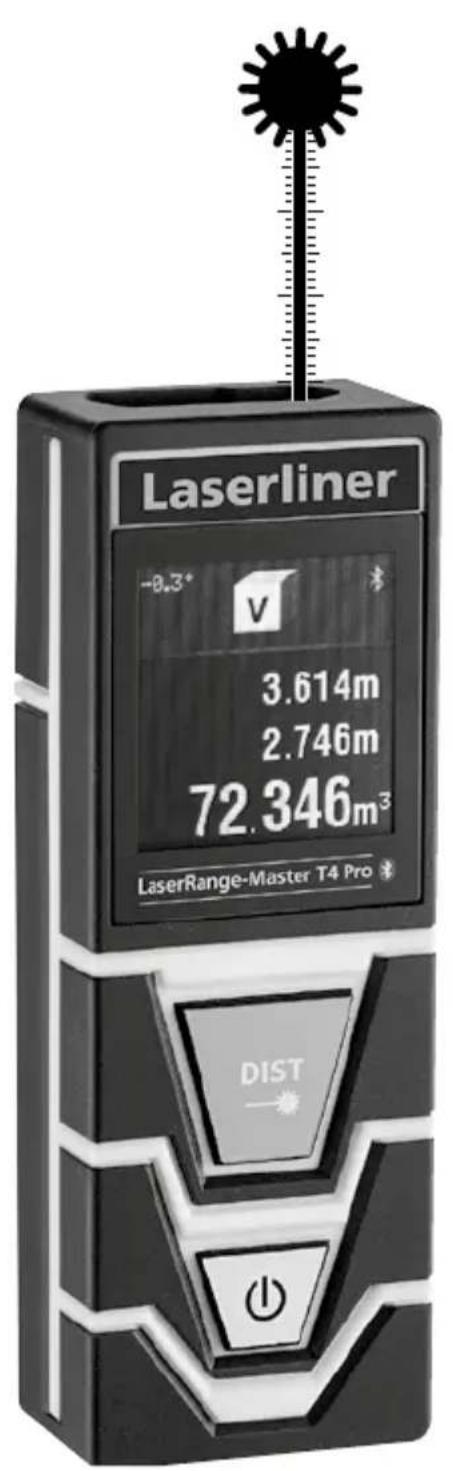

Laser
650 nm
SPEED
SHUTTER


Bluetooth
Laserliner
| DE | 04 |
| EN | 11 |
| NL | 18 |
| DA | 25 |
| FR | 32 |
| ES | 39 |
| IT | 46 |
| PL | 53 |
| FI | 60 |
| PT | |
| SV | |
| NO | |
| TR | |
| RU | |
| UK | |
| CS | |
| ET | |
| LV | |
| LT | |
| RO | |
| BG | |
| EL | |
| SL | |
| HU | |
| SK |
Laserliner
!
LaserRange-Master T4 Pro
Längenmessung:
Gerat an Messen / Hold

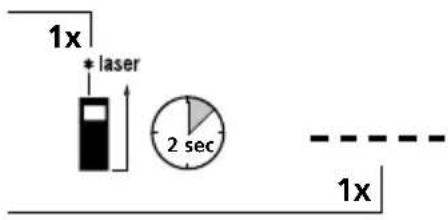


Completely read through the operating instructions, the "Warranty and Additional Information" booklet as well as the latest information under the internet link at the end of these instructions. Follow the instructions they contain. This document must be kept in a safe place and if the laser device is passed on, this document must be passed on with it.
Compact laser distance meter for measuring length, area and volume – with Bluetooth®* interface and angle measurement function
General safety instructions
- The device must only be used in accordance with its intended purpose and within the scope of the specifications.
- The measuring tools and accessories are not toys. Keep out of reach of children.
- Modifications or changes to the device are not permitted, this will otherwise invalidate the approval and safety specifications.
- Do not expose the device to mechanical stress, extreme temperatures, moisture or significant vibration.
- The device must no longer be used if one or more of its functions fail or the battery charge is weak.
- Please ensure compliance with the safety regulations set out by local and national authorities with regard to the correct and proper use of the device.
Safety instructions
Using class 2 lasers

Laser radiation!
Do not stare into the beam!
Class 2 laser
<1 mW·650 nm
EN 60825-1:2014
- Attention: Do not look into the direct or reflected beam.
- Do not point the laser beam towards persons.
- If a person's eyes are exposed to class 2 laser radiation, they should shut their eyes and immediately move away from the beam.
- Tampering with (making changes to) the laser device is not permitted.
- Under no circumstances should optical instruments (magnifying glass, microscope, binoculars)
Safety instructions
Dealing with electromagnetic radiation
- The measuring device complies with electromagnetic compatibility regulations and limits in accordance with the EMC Directive 2014/30/EU which is covered by the Radio Equipment Directive 2014/53/EU.
- Local operating restrictions – for example, in hospitals, aircraft, petrol stations or in the vicinity of people with pacemakers – may apply. Electronic devices can potentially cause hazards or interference or be subject to hazards or interference.
- The measuring accuracy may be affected when working close to high voltages or high electromagnetic alternating fields.
Laserliner
Safety instructions
Dealing with RF radiation
-
The measuring device is equipped with a wireless interface.
-
The measuring device complies with electromagnetic compatibility and wireless radiation regulations and limits in accordance with the RED 2014/53/EU.
-
Umarex GmbH & Co. KG hereby declares that the LaserRange-Master T4 Pro radio equipment complies with the essential requirements and other provisions of the European Radio Equipment Directive 2014/53/EU (RED). The EU Declaration of Conformity can be found in its entirety at the following address: http://laserliner.com/info?an=lrmt4
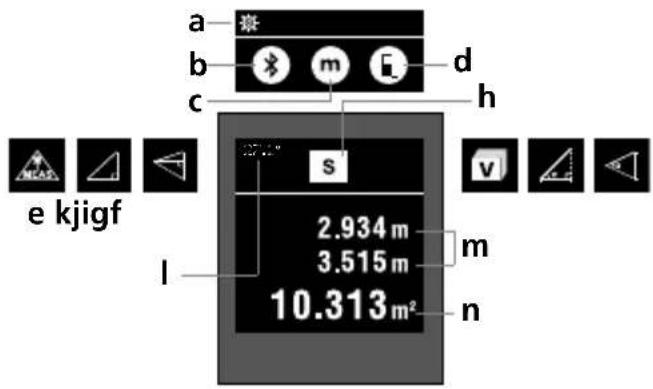
DISPLAY:
a Settings menu
b Bluetooth® function
c Unit of measure m/ft/inch/
d Measurement point (reference) rear / thread / front
e Continuous measurement / Length measurement
f Pythagoras 1
g Pythagoras 2
h Area measurement
Volume measurement
j Angle function 1
k Angle function 2
Measured value, angle function
m Intermediate values
n Measurement values / Measurement results Unit m / ft / inch / _
1.
KEYPAD:
1.Measure
2. ON/OFF
2.
- The Bluetooth® word mark and the logo are registered trademarks of Bluetooth SIG Inc.
LaserRange-Master T4 Pro
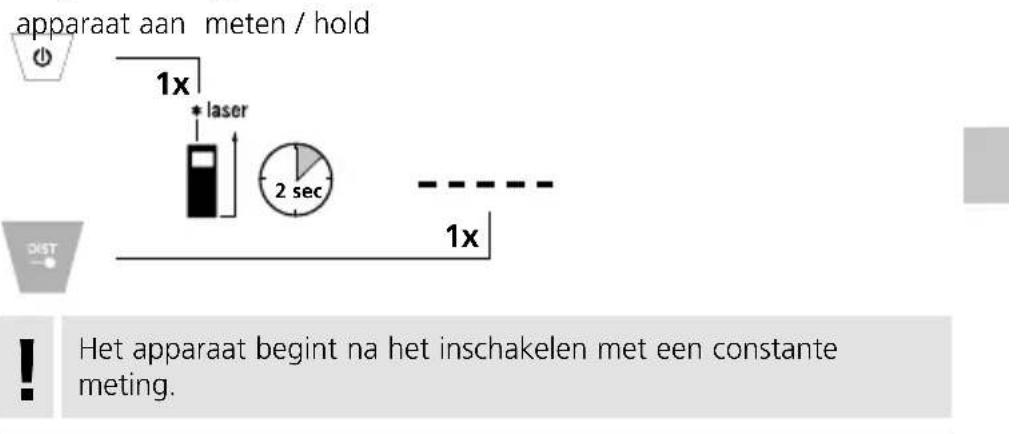
Switch on, measure and switch off:
device on measure device off
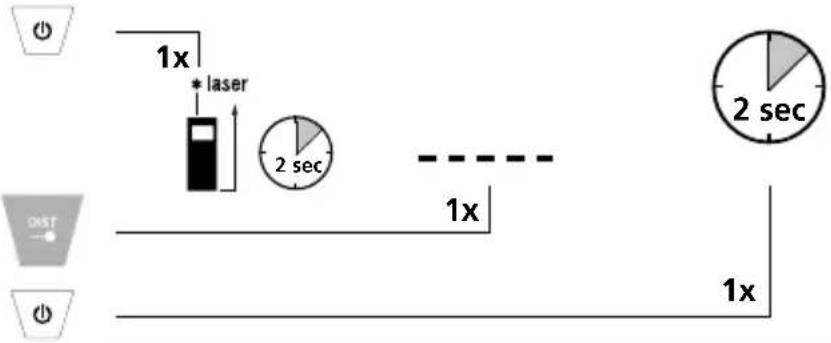
After switching on, the device starts with continuous measurement.
Change unit of measure:
m / ft / inch / ' "
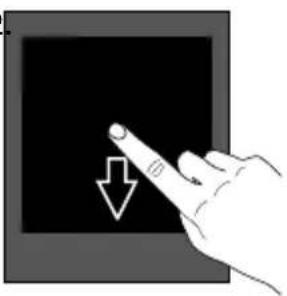
1.2
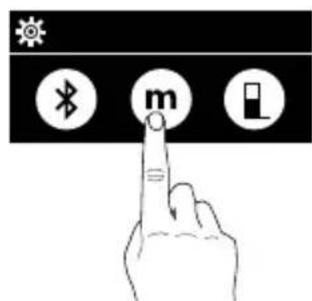
Change measurement point (reference):
rear / thread / front
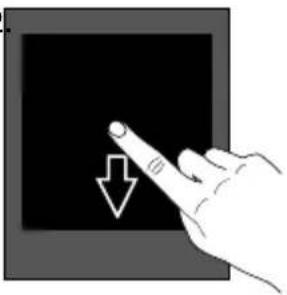
1.2
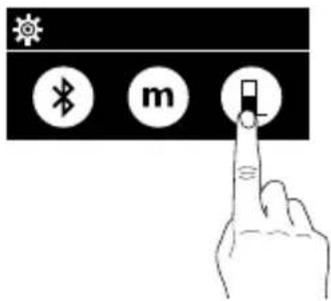
Change measurement function:
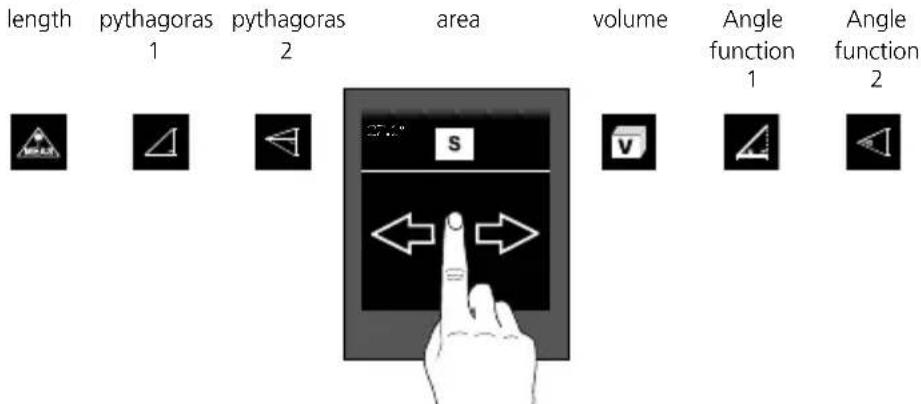
Laserliner
Length measurement:
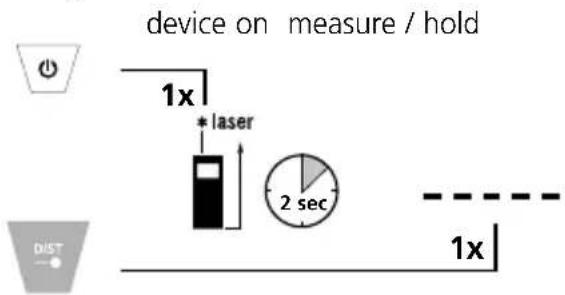
After switching on, the device starts with continuous measurement.
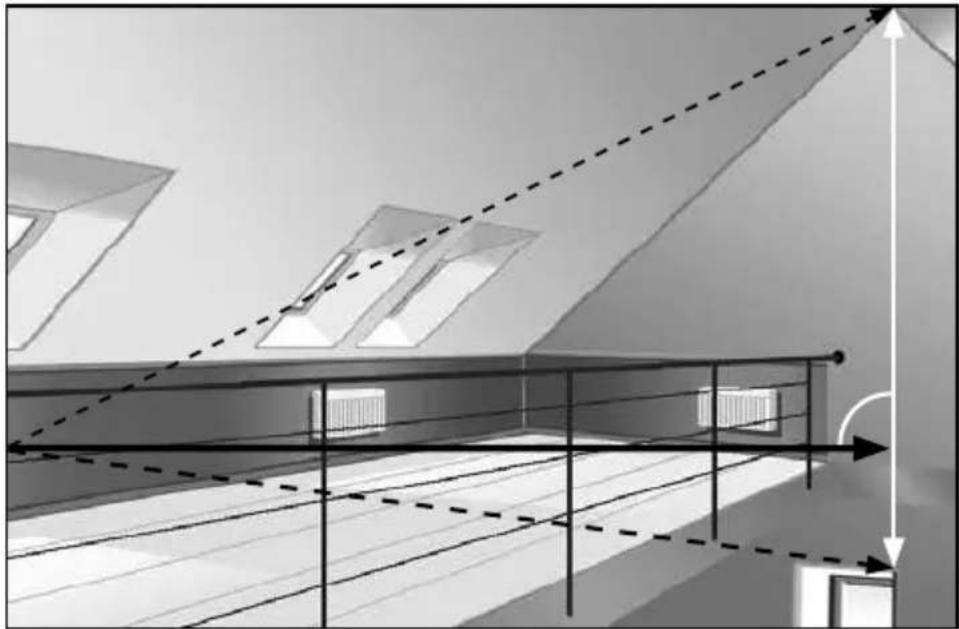
Pythagoras function 1:
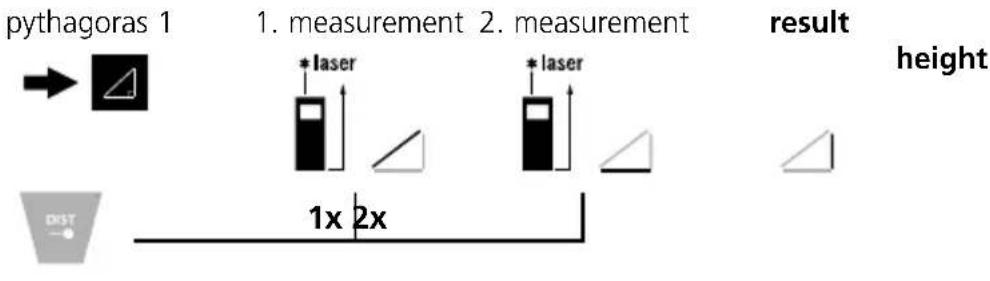
Pythagoras function 2:
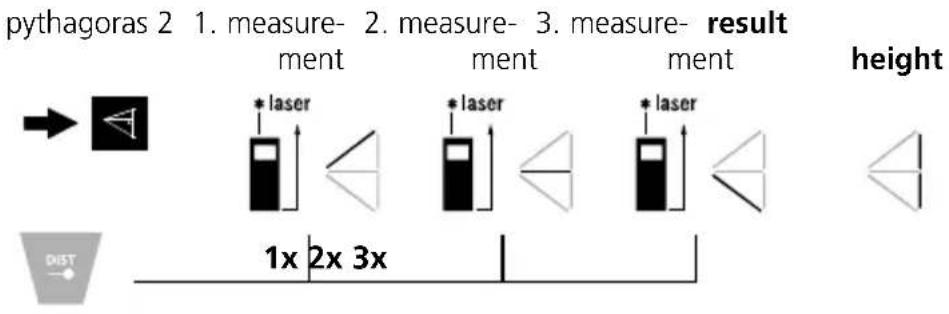
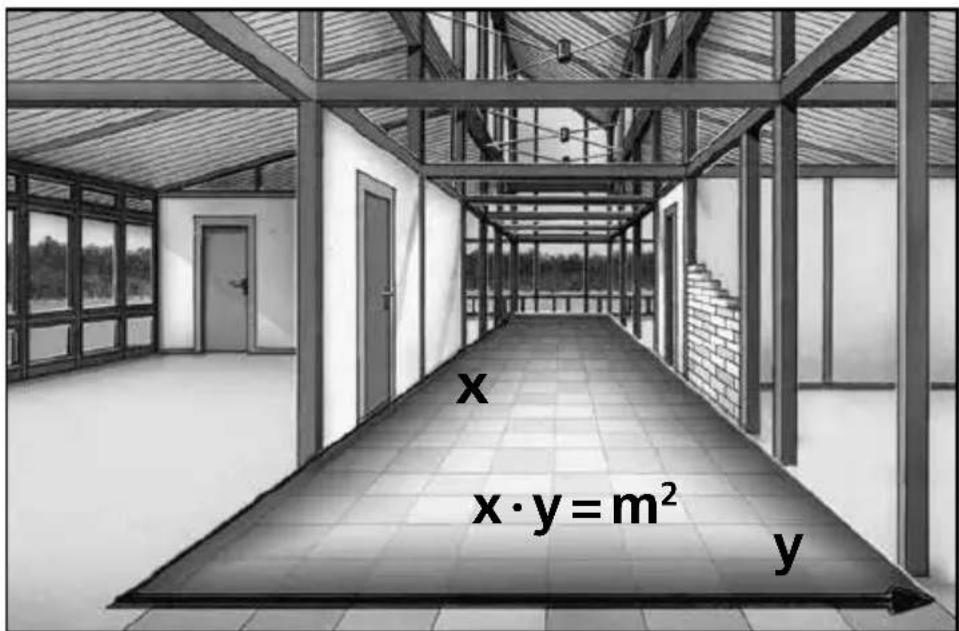
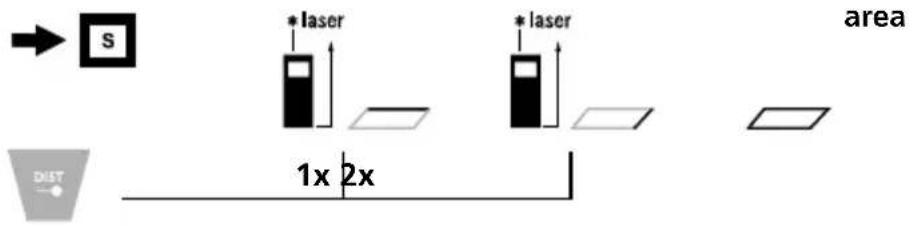
Area measurement:
area 1.measurement 2.measurement result
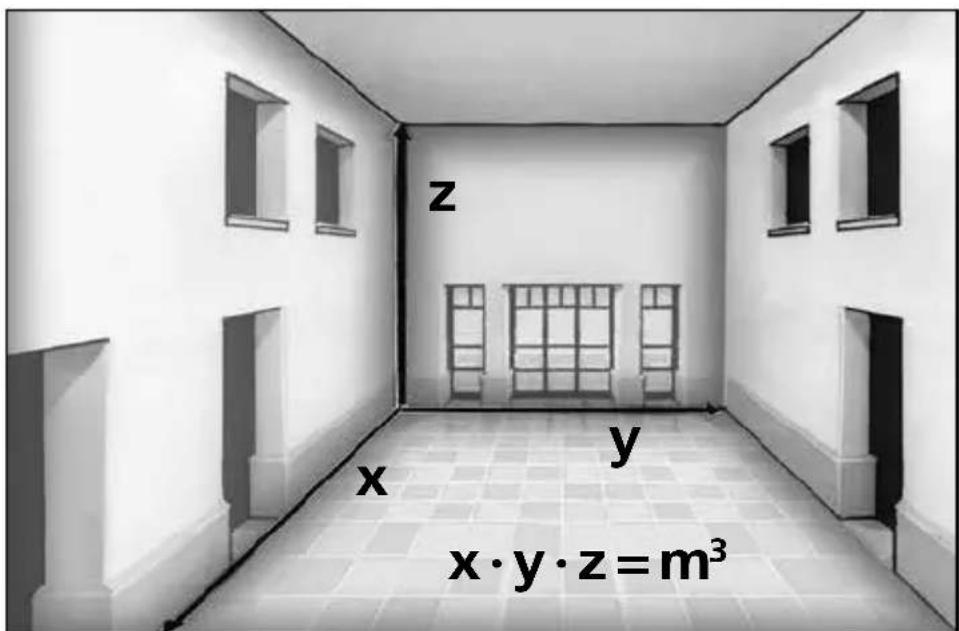
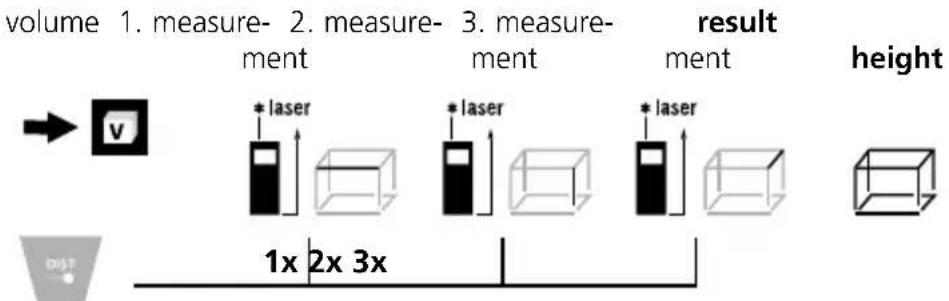
Volume measurement:
Angle function 1:
Angle function 1 measurement
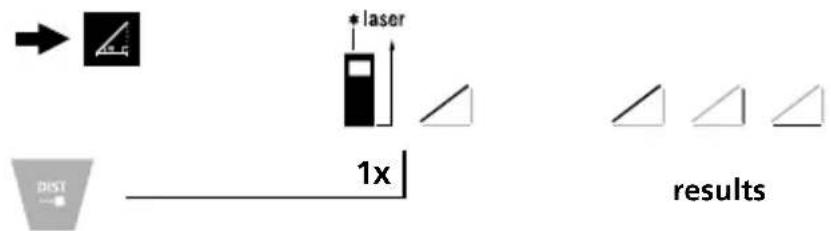
The measurement results are determined automatically by the 360^ inclination sensor.
The back of the device can be used as a reference surface for measuring angles.
Angle function 2:
Angle function 2 1.measurement 2.measurement result
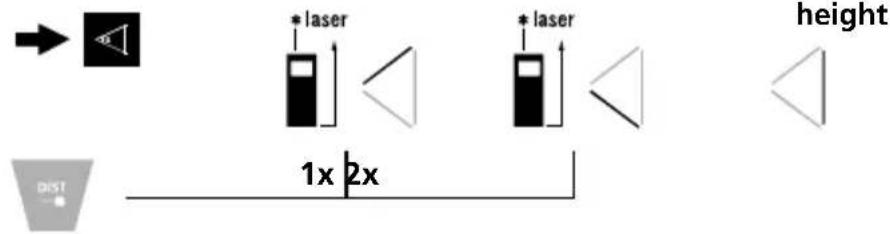
The measurement result is determined by the 360^ inclination sensor.
The back of the device can be used as a reference surface for measuring angles.
Data transfer
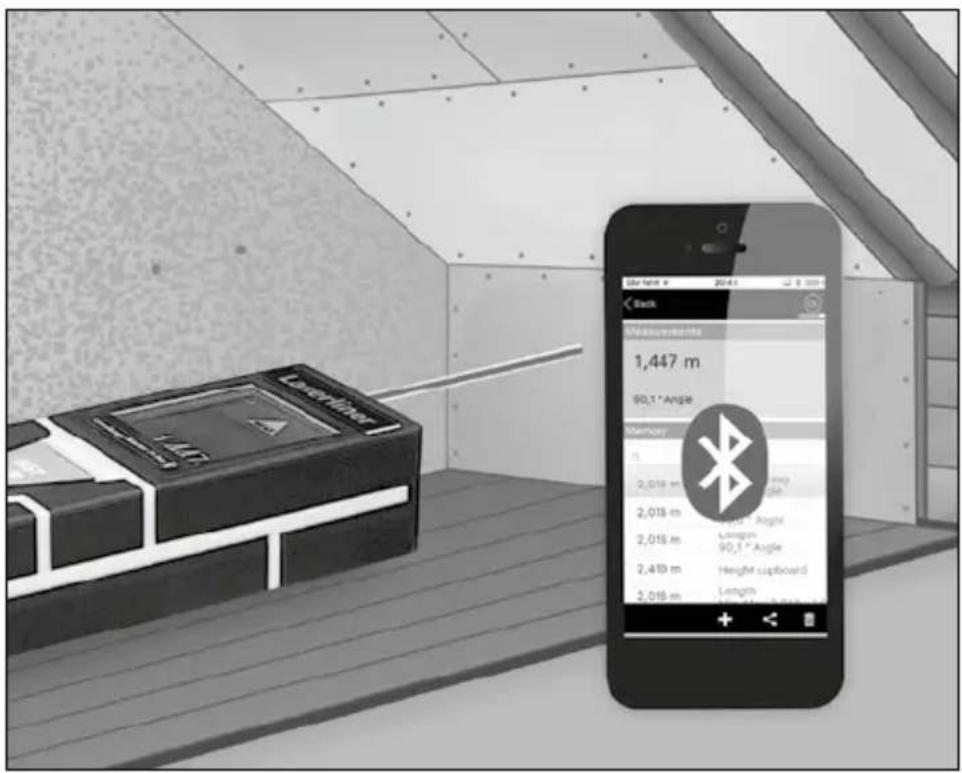
The laser distance meter features a Bluetooth® function that enables wireless data transfer to mobile devices with a Bluetooth® interface (e.g. smartphone, tablet).
The system prerequisites for a Bluetooth®* connection are specified at http://laserliner.com/info?an=ble
The device can set up a Bluetooth®* connection with Bluetooth 4.0 compatible devices.
The range is set to a maximum distance of 10m from the terminal device and greatly depends on the ambient conditions such as the thickness and composition of walls, sources of interference as well as the transmit / receive properties of the terminal device.
- The Bluetooth® word mark and the logo are registered trademarks of Bluetooth SIG Inc.
Enable / disable Bluetooth*:
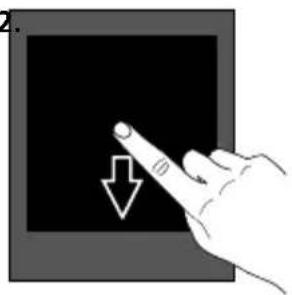
1.
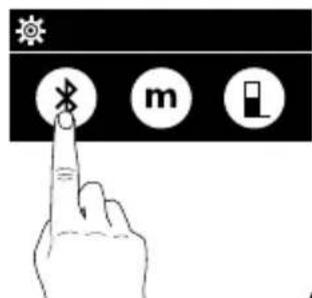
Laserliner
When enabled the Bluetooth®* symbol appears on the display. When the function is active, a mobile device can connect by means of an app to the measuring device.
- The Bluetooth® word mark and the logo are registered trademarks of Bluetooth SIG Inc.
Application (app)
An app is required to use the Bluetooth® function. You can download the app from the corresponding stores for the specific type of terminal device:



Make sure that the Bluetooth®* interface of the mobile device is activated.
After starting the app and activating the Bluetooth® function, a connection can be set up between a mobile device and the laser distance meter. If the app detects several active measuring devices, select the matching device.
This measuring device can be connected automatically the next time it is switched on.
- The Bluetooth® word mark and the logo are registered trademarks of Bluetooth SIG Inc.
Important notices
- The laser points to the location that will be measured. No objects may get into the laser's line of measurement
- The device compensates the measurement for different room temperatures. Therefore allow the device a brief adaptation period when changing locations with large temperature differences.
- The device is only conditionally useable in outdoor areas and cannot be used in strong sunlight.
- The measurement results of outdoor measurements may be influenced or falsified by rain, fog and snow.
- In unfavourable conditions, e.g. with poorly reflecting surfaces, the maximum deviation may be greater than 3mm .
- Carpenting, upholstery or curtains will not reflect the laser optimally. Measure to flat surfaces.
- Measurements made through glass (window panes) can falsify measurement results.
- An energy-saving function switches the device off automatically.
- Clean with a soft cloth. Water may not be allowed to penetrate the housing.
Error codes:
Err204: Calculation error
Err208: Internal fault
Err220: Replace the battery
Err252: Temperature is too high: >40^
Err253: Temperature is too low: < 0^
Err255: Received signal too weak or measuring time too long
Err256: Received signal too strong
Err261: Outside the measuring range
Err500: Hardware fault
Technical Data (Subject to technical changes without notice. 18W14)
Distance measurement
| Inside measurement range 0.2 m - 40 m | |
| Precision (typical)* ± 0.2 mm | |
| Angle measurement | |
| Measuring range ± 90° | |
| Resolution 0.1° | |
| Precision 0.1° | |
| Laser class 2 < 1 mW | |
| Laser wavelength 650 nm | |
| Strahldivergenz < 1.5 mrad | |
| Operating conditions | -10 ... 40°C, 20%rH ... 85%rH, no condensation, max. altitude 2000 m |
| Storage conditions -20 ... 70°C, 80%rH, no condensation | |
| Radio module operating data | Bluetooth LE 4.x interface; Frequency band: ISM band 2400-2483.5 MHz, 40 channels; Transmission power: max. 10 mW; Bandwidth: 2 MHz; Bit rate: 1 Mbit/s; Modulation: GFSK/FHSS |
| Automatic switch-off | Dynamic depending on measuring mode: Laser: 30 s - 5 min Device: 3 min - 8 min |
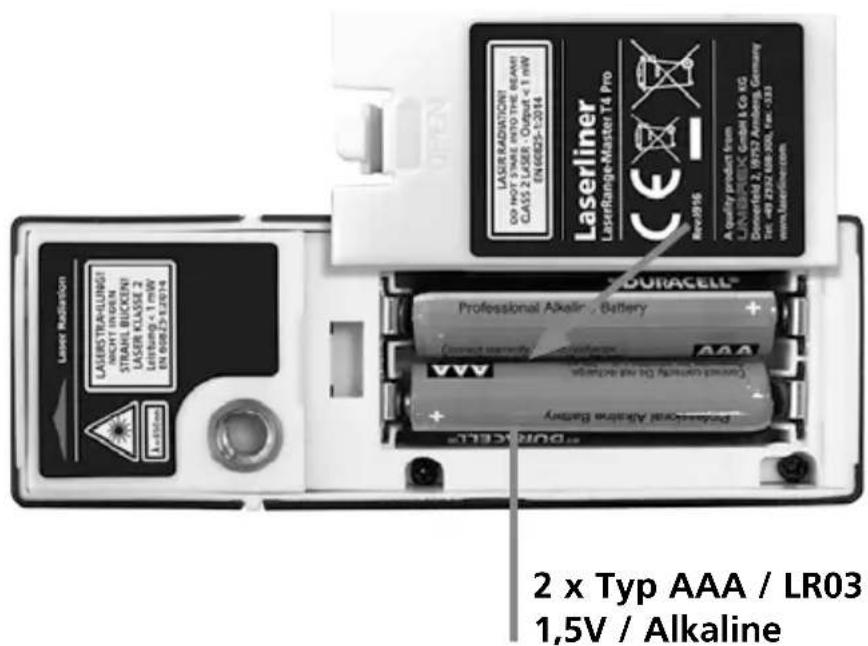
| Power supply 2 x AAA 1.5 Volt Batterien | |
| Dimensions (W x H x D) 100 x 23 x 35 mm | |
| Weight (incl. batteries) 82 g | |
- measuring distance up to 10 m with strongly reflective target surface and at room temperature. The measurement deviation may increase by ± 0.2 mm/m for greater distances and under unfavourable measuring conditions such as strong sunlight or weakly reflective target surfaces.
EU directives and disposal
This device complies with all necessary standards for the free movement of goods within the EU.
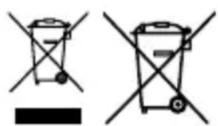
This product is an electric device and must be collected separately for disposal according to the European Directive on waste electrical and electronic equipment.
Further safety and supplementary notices at:
http://laserliner.com/info?an=Irrmt4

Laserliner
!
LaserRange-Master T4 Pro
Lengtemeting:
Err261: Uden for moleomradet
Err500: Hardware-fejI
LaserRange-Master T4 Pro
LaserRange-Master T4 Pro
Err500: Errore hardware
Laserliner
Dimensioni (L x H x P) 100 x 23 x 35 mm
LaserRange-Master T4 Pro
Pituuden mittaus:
LaserRange-Master T4 Pro
LaserRange-Master T4 Pro
SERVICE

Umarex GmbH & Co. KG
-Laserliner

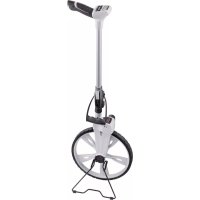
- LaserRange-Master T4 Pro
- Laserliner
- Längenmessung:
- Compact laser distance meter for measuring length, area and volume – with Bluetooth®* interface and angle measurement function
- General safety instructions
- Safety instructions
- DISPLAY:
- KEYPAD:
- Switch on, measure and switch off:
- Change unit of measure:
- Change measurement point (reference):
- Change measurement function:
- Length measurement:
- Pythagoras function 1:
- Pythagoras function 2:
- Area measurement:
- Volume measurement:
- Angle function 1:
- Angle function 2:
- Data transfer
- Enable / disable Bluetooth*:
- Application (app)
- Important notices
- Error codes:
- EU directives and disposal
- Lengtemeting:
- Pituuden mittaus:
Brand : Laserliner
Model : LaserRangeMaster T4 Pro
Category : Rangefinder