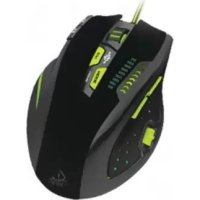
X9PRO - Mouse KeepOut - Free user manual and instructions
Find the device manual for free X9PRO KeepOut in PDF.



| Product Type | Gaming mouse |
| Brand | KeepOut |
| Model | X9PRO |
| Sensor | Avago 9800 optical |
| Resolution (DPI) | 800 - 8200 DPI (adjustable) |
| Refresh rate | 125 / 500 / 1000 Hz |
| Frames per second | 12,000 fps |
| Acceleration | 30 G |
| Internal memory | 512 Kb |
| Number of buttons | 9 (programmable) |
| Switches | Omron |
| Backlighting | Green, adjustable intensity (low/medium/high) |
| Cable length | 175 cm (nylon cable) |
| Additional weights | 8 x 4 g (32 g) |
| Power supply | USB (5 V) |
| Operating systems | Windows XP / Vista / 7 / 8 |
| Package contents | Mouse, quick guide, driver CD, weights |
| Configuration software | Keep Out (downloadable from www.keepoutgaming.com) |
| Care | Clean with a soft, dry cloth |
| Warranty | Check with retailer |
Frequently Asked Questions - X9PRO KeepOut
User questions about X9PRO KeepOut
0 question about this device. Answer the ones you know or ask your own.
Ask a new question about this device
Download the instructions for your Mouse in PDF format for free! Find your manual X9PRO - KeepOut and take your electronic device back in hand. On this page are published all the documents necessary for the use of your device. X9PRO by KeepOut.
USER MANUAL X9PRO KeepOut
BG
2.Profiles
natural_image
Line drawings of a computer mouse with internal components and control panel (no text or symbols)| A | Left Mouse Button | E | Next Track | I | Polling Rate | M | Volume - |
| B | Right Mouse Button | F | DPI Adjustment | J | Weight Adjustment | N | Volume - |
| C | Scroll Wheel | G | Mode: Change Profile | K | Browse: Forward | O | Profile Indicator |
| D | Previous Track | H | DPI Indicator | L | Browse: Back |
2.Profi les
natural_image
Line drawings of three computer mouse cases with purple dots indicating points of interest, shown from top, front, and side views (no text or symbols)| A | Left Mouse Button | E | Next Track | I | Polling Rate | M | Volume - |
| B | Right Mouse Button | F | DPI Adjustment | J | Weight Adjustment | N | Volume - |
| C | Scroll Wheel | G | Mode: Change Profile | K | Browse: Forward | O | Profile Indicator |
| D | Previous Track | H | DPI Indicator | L | Browse: Back |

CS

DE
2.Profi les
natural_image
Line drawings of three computer mouse cases with purple dots indicating points, shown from top, front, and side views (no text or symbols)| A | Left Mouse Button | E | Next Track | I | Polling Rate | M | Volume - |
| B | Right Mouse Button | F | DPI Adjustment | J | Weight Adjustment | N | Volume - |
| C | Scroll Wheel | G | Mode: Change Profile | K | Browse: Forward | O | Profile Indicator |
| D | Previous Track | H | DPI Indicator | L | Browse: Back |

- Menu "Support / Updates"
2.Profi les


Thank you for choosing the Keep Out gaming mouse X9PRO.
Product Description
The new X9 PRO by Keep Out was born to be your best professional partner in all kinds of games, allows you to access extra options, such as running macros or combinations of features that contribute, surely a real advantage against your enemies. It has 9 programmable buttons, a 3 position polling rate adjustment switch and a scroll button with 2 positions, button profi le switching, high quality Omron switches. Its Avago 9800 optical sensor lets you adjust up to 8200 DPI to get the most power for your games. Thanks to the "Keep Out" software, you can fully configure each and every one of the benefits that incorporates the X9PRO. You can create profi les for each game that you can switch easily and quickly.
Become the ultimate gamer with X9 PRO!
Technical Specifications
• Laser Sensor AVAGO: AVAGO 9800
• DPI: 800-8200 of Dpi
• Polling Rate: 125/500/1000Hz
• Frames per second: 12000fps
• Internal Memory 512Kb
- Acceleration: 30 G
- OMRON Switches
• 9 fully programmable buttons
- 1 DPI switch button, another to change the profile and another one to change the Polling Rate
• High quality Nylon Cable. Length 175 cm
• 8 weights of 4g each one
- Green Backlight
• Compatible with: Windows XP / Vista / 7/8
Package Contents
-Gaming Mouse X9PRO
-Quick Installation Guide in multiple languages
- Installation CD drivers
-Weights
Note:
Make sure that your package contains the items described above. If you find any items are missing or damaged, please contact your dealer.
Installation
1 Connection: Connect the X9PRO to a free usb port on your pc.
2 Installing software in Windows. Insert the installation CD in your drive and install the drivers or download them from www.keepoutgaming.com
3. Reboot your pc.
Software
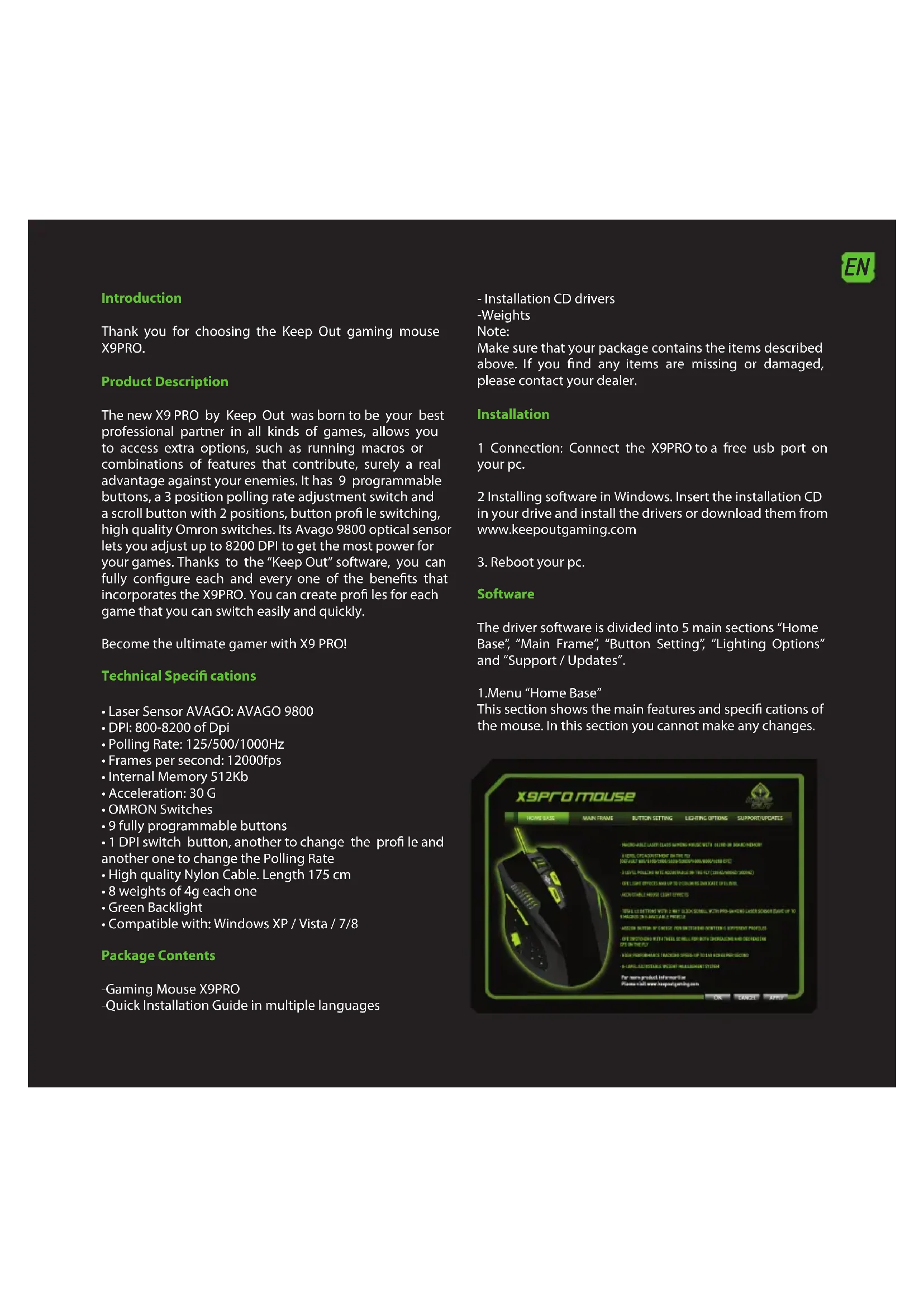
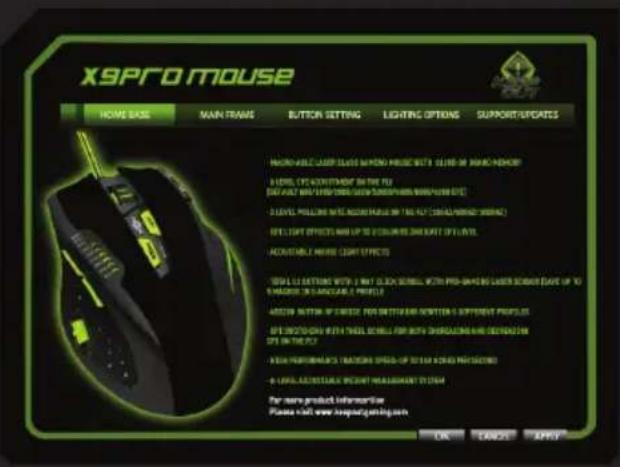
The driver software is divided into 5 main sections "Home Base", "Main Frame", "Button Setting", "Lighting Options" and "Support / Updates".
- Menu "Home Base"
This section shows the main features and specifications of the mouse. In this section you cannot make any changes.

EN
2.Profiles
In X9PRO we can save 5 different profi les. To switch profi les, you just have to press the "Mode" button and you will change to the profi le you want to. A LED will indicate which profi le you are in. You can also activate a profi le by clicking on it and "Apply".
You can create a backup of your profile by clicking the "Save" option.
You can restore backups of your profile by clicking the "Load" option.
3.Menu "Main Control
This will allow you to change the mouse sensitivity, speed, and acceleration. Here you can also change the speed at which the wheel button works "Scroll" and the double-click speed.
The "X" and "Y" axis can be adjusted independently.

4. Menu "Button Setting"
In this section we will modify and create macros to fit our needs.
We may also change the DPI level, the default mouse reset
load or save a profi le.

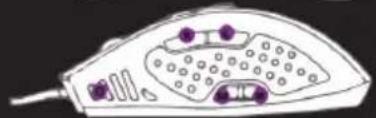
The X9PRO has set 11 default actions configured in accordance with the letter indicating its function. Any of these buttons can be configured.

natural_image
Line drawings of three different computer mouse heads with purple connectors, shown from top, front, and side views (no text or symbols)| A | Left Mouse Button | E | Next Track | I | Polling Rate | M | Volume - |
| B | Right Mouse Button | F | DPI Adjustment | J | Weight Adjustment | N | Volume - |
| C | Scroll Wheel | G | Mode: Change Profile | K | Browser: Forward | O | Profile Indicator |
| D | Previous Track | H | DPI Indicator | L | Browser: Back |

If we want to modify any of these 11 actions, we need to click on it and either assign a macro or assign any of the many options that the software offers.
MACRO PROGRAMMING
- Click the button in the software which we want to modify
- Select the "Macro Programming" option.
- Click "Start Record".
- Enter the desired key sequence.
- Click on "Stop Record" and then "Ok".
To set back to default, click "Reset to default".
- Menu "Lighting Options"
You can enable or disable the LED lighting by clicking ON / OFF "Light Options". You can control the intensity of illumination by clicking Low / Middle or High in "Intensity". You can control the flashing light by pressing OFF / SLOW / MIDDLE or FAST.
Remember that whenever you make a change you must click on "APPLY" to complete the profile settings and you have customized your Gaming Mouse.
- Menu "Support/Updates"
Here we cannot configure anything, you can visit our website where you can download the latest drivers or consult if you have any queries.
Technical Support
For more information on installing and configuring this product go to our website www.keepoutgaming.com or write an email to the following address: support@keep-out.eu
ES
Introducción
2.Perfiles
natural_image
Line drawing of three views of a computer mouse with purple dots on the head, front, and side (no text or symbols)| A | Left Mouse Button | E | Next Track | I | Polling Rate | M | Volume + |
| B | Right Mouse Button | F | DPI Adjustment | J | Weight Adjustment | N | Volume - |
| C | Scroll Wheel | G | Mode: Change Profile | K | Browse: Forward | O | Profile Indicator |
| D | Previous Track | H | DPI Indicator | L | Browse: Back |
ES
- Menú "Support/Updates"
- Installation CD draiverid
-Massid
Märkus:
natural_image
Line drawing of a computer mouse with internal components and a separate close-up view (no text or symbols)| A | Left Mouse Button | E | Next Track | I | Polling Rate | M | Volume - |
| B | Right Mouse Button | F | DPI Adjustment | J | Weight Adjustment | N | Volume - |
| C | Scroll Wheel | G | Mode: Change Profile | K | Browse: Forward | O | Profile Indicator |
| D | Previous Track | H | DPI Indicator | L | Browse: Back |
6. Menu "Support / Updates"
natural_image
Line drawing of a hair iron with purple connectors and perforated body (no text or symbols)| A | Left Mouse Button | E | Next Track | I | Polling Rate | M | Volume + |
| B | Right Mouse Button | F | DPI Adjustment | J | Weight Adjustment | N | Volume - |
| C | Scroll Wheel | G | Mode: Change Profile | K | Browse: Forward | O | Profile Indicator |
| D | Previous Track | H | DPI Indicator | L | Browse: Back |
FR
natural_image
Line drawing of three views of a computer mouse with purple connectors and control buttons (no text or symbols)| A | Left Mouse Button | E | Next Track | I | Polling Rate | M | Volume - |
| B | Right Mouse Button | F | DPI Adjustment | J | Weight Adjustment | N | Volume - |
| C | Scroll Wheel | G | Mode: Change Profile | K | Browse: Forward | O | Profile Indicator |
| D | Previous Track | H | DPI Indicator | L | Browse: Back |


HU
natural_image
Line drawing of a computer mouse with internal components and labeled parts (no text or symbols)| A | Left Mouse Button | E | Next Track | I | Polling Rate | M | Volume - |
| B | Right Mouse Button | F | DPI Adjustment | J | Weight Adjustment | N | Volume - |
| C | Scroll Wheel | G | Mode: Change Profile | K | Browse: Forward | O | Profile Indicator |
| D | Previous Track | H | DPI Indicator | L | Browse: Back |
natural_image
Line drawings of three different computer mouse heads with purple connectors, shown from top, front, and side views (no text or symbols)| A | Left Mouse Button | E | Next Track | I | Polling Rate | M | Volume + |
| B | Right Mouse Button | F | DPI Adjustment | J | Weight Adjustment | N | Volume - |
| C | Scroll Wheel | G | Mode: Change Profile | K | Browse: Forward | O | Profile Indicator |
| D | Previous Track | H | DPI Indicator | L | Browse: Back |
NL
- Menu "Support / Updates"

PL
2.Profiles
natural_image
Line drawings of three different computer mouse heads with purple connectors, shown from top, front, and side views (no text or symbols)| A | Left Mouse Button | E | Next Track | I | Polling Rate | M | Volume - |
| B | Right Mouse Button | F | DPI Adjustment | J | Weight Adjustment | N | Volume - |
| C | Scroll Wheel | G | Mode: Change Profile | K | Browser: Forward | O | Profile Indicator |
| D | Previous Track | H | DPI Indicator | L | Browser: Back |

3. Menu "controle principal

PT
natural_image
Line drawings of three different computer mouse heads with purple connectors, shown from top, front, and side views (no text or symbols)| A | Left Mouse Button | E | Next Track | I | Polling Rate | M | Volume - |
| B | Right Mouse Button | F | DPI Adjustment | J | Weight Adjustment | N | Volume - |
| C | Scroll Wheel | G | Mode: Change Profile | K | Browser: Forward | O | Profile Indicator |
| D | Previous Track | H | DPI Indicator | L | Browser: Back |


natural_image
Line drawings of three different electronic devices with purple connectors and labeled parts (no text or symbols present)| A | Left Mouse Button | E | Next Track | I | Polling Rate | M | Volume + |
| B | Right Mouse Button | F | DPI Adjustment | J | Weight Adjustment | N | Volume - |
| C | Scroll Wheel | G | Mode: Change Profile | K | Browse: Forward | O | Profile Indicator |
| D | Previous Track | H | DPI Indicator | L | Browse: Back |
SK
natural_image
Line drawings of three different computer monitors with purple connectors and labeled parts (no text or symbols present)| A | Left Mouse Button | E | Next Track | I | Polling Rate | M | Volume + |
| B | Right Mouse Button | F | DPI Adjustment | J | Weight Adjustment | N | Volume - |
| C | Scroll Wheel | G | Mode: Change Profile | K | Browser: Forward | O | Profile Indicator |
| D | Previous Track | H | DPI Indicator | L | Browser: Back |
EC DECLARATION OF CONFORMITY
We declare under our sole responsibility that the product:
Brand name: KEEP OUT
Model no: X9 PRO
Product description: Usb Gaming Mouse
The measurements shown in this test report were made in accordance with the procedures given in the:
-EMC DIRECTIVE: 2004/108/EC
-RoHS DIRECTIVE: 2011/65/EU
To which this declaration is based on with full conformance to the following European norms and standards:
-EN 55022:2010
-EN 55024:2010
Signed Jun 25, 2014

Jose Luis Ruiz Gómez
Managing Director
KEEP OUT
ADD: Polígono Industrial Guadalquivir
Gelves (Sevilla), Spain.
Website: www.keepoutgaming.com
CE
Importado por / Imported by:
APPROX IBERIA S. L.
CIF: B-91202499
Soporte técnico / Technical support:
support@keep-out.eu
The content of this guide is subject to typographical errors.

keepoutgaming.com


- BG
- 2.Profiles
- 2.Profi les
- CS
- DE
- Product Description
- Technical Specifications
- Package Contents
- Installation
- Software
- EN
- 3.Menu "Main Control
- Menu "Button Setting"
- MACRO PROGRAMMING
- Technical Support
- ES
- Introducción
- 2.Perfiles
- Menu "Support / Updates"
- FR
- HU
- NL
- PL
- Menu "controle principal
- PT
- SK
- EC DECLARATION OF CONFORMITY
Brand : KeepOut
Model : X9PRO
Category : Mouse