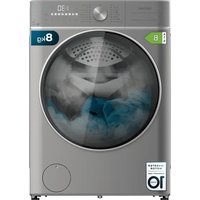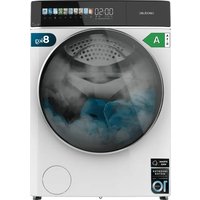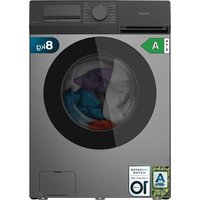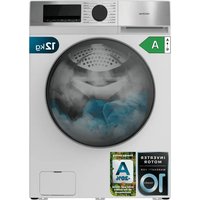
Bolero DressCode 9900 Inverter - Washing machine CECOTEC - Free user manual and instructions
Find the device manual for free Bolero DressCode 9900 Inverter CECOTEC in PDF.



| Product type | Washing machine |
| Brand | Cecotec |
| Model | Bolero DressCode 9900 Inverter |
| Load capacity | 9 kg |
| Drum volume | Not specified |
| Nominal voltage | 220-240 V ~ |
| Nominal frequency | 50 Hz |
| Nominal wash power | 2000 W |
| Water pressure | 0.03 MPa to 1 MPa |
| Maximum spin speed | 1400 rpm |
| Number of spin speeds | 5 (500, 700, 900, 1400 rpm) |
| Wash programs | ON SMART, Mixed, Bed linen, Cotton, Sterilization, Quick wash, Wool, 20 °C, Drum cleaning, ECO 40-60, Spin |
| Special functions | Steam, Delayed finish (up to 24h), Child lock, ON SMART wash, Rinse option, Time adjustment |
| Drum light | Yes |
| Motor type | Inverter (brushless) |
| Energy efficiency index | 51.9 (class A according to EN60456) |
| Water consumption of ECO 40-60 program (full load) | 69.8 L/cycle |
| Energy consumption of ECO 40-60 program (full load) | 0.863 kWh/cycle |
| Noise level (spin) | 76 dB(A) re 1 pW |
| Minimum/maximum water pressure | 0.03 MPa / 1 MPa |
| Protection degree | IP X4 |
| Weight | Not specified |
| Dimensions (W x D x H) | Not specified |
| Maintenance and cleaning | Drum cleaning (Drum Clean Plus), cleaning of pump filter, detergent drawer and mesh filter of inlet hose. |
| Safety | Door lock, child lock, automatic stop, leak protection (foam detection, load balancing). |
| Warranty and after-sales service | Cecotec after-sales service, +34 9 63 21 07 28 |
Frequently Asked Questions - Bolero DressCode 9900 Inverter CECOTEC
User questions about Bolero DressCode 9900 Inverter CECOTEC
0 question about this device. Answer the ones you know or ask your own.
Ask a new question about this device
Download the instructions for your Washing machine in PDF format for free! Find your manual Bolero DressCode 9900 Inverter - CECOTEC and take your electronic device back in hand. On this page are published all the documents necessary for the use of your device. Bolero DressCode 9900 Inverter by CECOTEC.
USER MANUAL Bolero DressCode 9900 Inverter CECOTEC
Safety instructions 12
- Parts and components 119
2.Before use 119
3.Appliance installation 120 - Operation 123
- Cleaning and maintenance 135
- Troubleshooting 138
- Technical specifications 144
- Technical sheets 145
- Disposal of old electrical and electronic appliances 147
- Technical support and warranty 148
- Copyright 148
SOMMAIRE
Read these instructions thoroughly before using the appliance. Keep this instruction manual for future reference or new users.
- Ensure that the mains voltage matches the voltage specified on the device rating label and that the plug is earthed.
- If the power cord is damaged, it must be replaced by the official Cecotec Technical Support Service or by a similarly qualified person to prevent hazards.
- This appliance is for indoor use only.
- Make sure the device is installed in places where the temperature is above 0^ C .
- The device is not designed for built-in installation.
- Use the hose set supplied with the appliance. Do not reuse old hoses.
- Check hose connections regularly to ensure that no water leaks out.
- Do not use the appliance if parts are missing or defective or if the power cord or plug is damaged.
- Do not use the appliance until you are sure that it is installed in accordance with the instructions provided in this manual and all water, drain, electrical and grounding connections comply with all applicable local regulations and/or other requirements.
- Before carrying out any maintenance or cleaning in the device, unplug the appliance from the mains.
-
As a safety measure, we advise you to unplug the appliance and cut the water supply after every use. Maximum water-inlet pressure: 1 MPa. Minimum water-inlet pressure: 0.03 MPa.
-
Never unplug the appliance with wet hands.
- For safety, be sure to connect the plug to a 3-pin socket. Check carefully and make sure that your socket is properly and reliably earthed.
- It must be possible to disconnect the appliance from the power supply by unplugging it if the plug is accessible, or by means of an all-pole switch upstream of the plug, in accordance with national electrical safety regulations.
- The maximum current of the device is 10A , make sure that the power supply system (voltage, current and cable) is applicable to the load of the device.
- Make sure that the socket outlet is capable of supporting the Maximum Power rating of the appliance as indicated on the rating plate.
- Water and electrical devices must be connected by a qualified technician in accordance with the manufacturer's instructions and local safety regulations.
- The glass door may reach high temperatures during operation. Keep children and pets away from the glass door. Never open the door during the washing stage.
- Do not operate the device in very wet rooms or in rooms with explosive or caustic gas.
- Adequate ventilation has to be provided to avoid the back flow of gases into the room from appliances burning other fuels, including open fires.
- Do not dry unwashed items in the appliance.
- Do not wash items that have been soiled with substances such as cooking oil, acetone, alcohol, petrol, kerosene, spot removers, turpentine, waxes, and wax removers.
- Do not wash articles that have been cleaned in, washed in, soaked in, or stained with flammable or explosive substances, like wax, oil, paint, petrol, degreasers,
dry-cleaning solvents, kerosene, etc., which may result in fire or explosion.
- Fabric softeners or similar products should be used as specified by manufacturer.
- Do not wash or dry articles that have been cleaned in, washed in, soaked in, or dabbed with combustible or explosive substances (such as wax, oil, paint, petrol, degreasers, dry-cleaning solvents, kerosene, etc.). This may result in fire or explosion.
- When washing fabrics that contain vegetable or cooking oil or have been contaminated by hair care products, they should first be washed in hot water with extra detergent. This will reduce, but not eliminate, the hazard.
- The exhaust air must not be discharged into a flue which is for exhausting fumes from appliances burning gas or other fuels.
- The air openings must not be obstructed by a carpet.
- Appliances with a single inlet valve can only be connected to a cold water supply. Appliances with a double inlet valve must be correctly connected to a hot water and cold water supply (depending on the washing machine model).
- The plug must be accessible after installation.
- The appliance must not be installed behind a lockable door, a sliding door, or a door with a hinge on the opposite side to that of the device.
- The appliance shall not be installed in a humid place.
- Do not place other items or appliances (such as microwaves) or objects under pressure on the device.
- The product is exclusive for household use and is only designed for the textiles suitable for machine washing.
- The product cannot be used for commercial or industrial
purposes. Do not use the appliance outdoors, even if the area is protected, as it may be exposed to moisture, rain or thunderstorms.
- Do not insert more laundry load than the allowed load (maximum allowed load indicated in the product data tables).
- The device is not designed to be operated by external switching devices such as timers or remote control systems.
- Do not use an extension lead or multiple sockets.
- Do not wash garments containing glass fibre, such as certain curtains or blinds, as particles may remain in the washing machine and adhere to other types of garments, causing skin irritation.
- Do not stand or sit on the appliance.
- Do not lean against appliance door.
- Flammable and explosive or toxic solvents are forbidden. Do not use detergents containing petrol, alcohol, etc. Use only detergents suitable for machine washing, especially for the drum.
- Garments containing oil may catch fire spontaneously, especially when exposed to heat sources such as a washing machine. The garments are heated, causing an oxidation reaction in the oil. Oxidation generates heat. If heat cannot escape, garments may become hot enough to catch fire. Piling, stacking or storing garments containing oil retains heat and therefore creates a fire hazard.
- Garments containing vegetable cooking oil or hair care products should first be washed in hot water with extra detergent, this will reduce the hazard, but will not completely eliminate it.
-
Make sure that no objects such as lighters, matches, etc. are introduced.
-
Close the door properly, if it is difficult to close, check that clothing does not prevent proper closing.
- Make sure that there is no water in the drum before opening the door.
- Once the washing cycle has finished, we recommend removing the laundry as soon as possible to prevent creases.
- This appliance can be used by children aged 8 and above and people with reduced physical, sensory, or mental capabilities or lack of experience and knowledge, as long as they have been given supervision or instruction concerning the use of the appliance in a safe way and understand the hazards involved. Do not allow children to play with the device. The cleaning and maintenance of the appliance should not be carried out by children without supervision.
- Children of less than 3 years should be supervised to ensure that they do not play with the appliance.
- Children should be supervised to make sure that they do not play with the device.
- Cleaning and maintenance should not be carried out by children without supervision.
- Be sure to use the child lock function and to switch off the appliance when not in use.
- Keep the cleaning products out of the reach of children.
Cautions during the handling of the appliance
- If you wish to change the location of the washing machine, make sure you install the transport bolts again in the device, as they will ensure the interior of the product is not damaged during transport.
-
Water accumulated inside the appliance must be drained out.
-
Handle the machine carefully. Never hold each protruded part on the machine while lifting. Do not use the door of the device as a handle during transport.
- The device is heavy. Transport it with care.
- Secure the drain and water-supply hose correctly.
- Do not insert hands into the running water extracting tub.
- Do not close the door with excessive force. If it is found difficult to close the door, please check if the clothes are put in or distributed well.
- It is forbidden to wash carpets.
- Never refill the water by hand during washing.
Installation
- The appliance must be handled and installed by 2 or more people to avoid risk of injury. Wear protective gloves when unpacking and installing the appliance to avoid cutting hazards.
- Keep children away during installation process.
- During installation, make sure that the power cable is not damaged to avoid possible risk of fire or electric shock.
- Before using the device, it is imperative to remove the transport screws.
- Keep the room dry and ventilated.
- Never place the appliance over the opening of an uncovered drain.
- Do not expose the device to temperatures below 5^ C or above 35^ C .
- Do not install in bathrooms or very damp rooms.
- Check that it is correctly levelled on the floor by means of the feet.
- WARNING! Cecotec accepts no liability for incidents caused by improper use outside the rules set out in this instruction manual.
INSTRUCTIONS DE SECURITE
- Water supply hose
- Door
- Drain hose
- Body
- Power cable
- Detergent/fabric softener drawer
- Control panel
- Drum
- Drain filter
- Adjustable feet
Accessories
Fig. 2.
- Instruction manual
- Cold water supply hose
- Fixed spanner
- Transport hole plug
2. BEFORE USE
- Unpack the appliance and keep the original packaging and materials in a safe place. It will help prevent any damage if the appliance needs to be transported in the future. In case the original packaging is disposed of, make sure all packaging materials are recycled accordingly.
- To remove the lower part of the packaging, do not tilt the appliance on its front side. Carefully tilt to the side. Never place the appliance directly on the floor on its back or front part.
- Make sure all parts and accessories are present and in good conditions. If there is any piece missing or not in good condition, contact the official Cecotec Technical Support Service immediately.
- Keep all packaging materials away from children.
- Before using the washing machine, the appliance shall be calibrated.
- Before the first wash, you must perform a complete washing cycle without laundry (i.e. with an empty drum).
ENGLISH
- Make sure that all pockets are empty. Sharp and rigid items such as coins, brooches, nails, screws or stones may cause serious damage to this appliance.
3. APPLIANCE INSTALLATION
- Place the device on a flat, stable and dry surface. Make sure the product does not stand on the power cord.
- Never install it on a soft carpet or wooden floor, or on any kind of mezzanine.
- The washer may move a little during operation due to overload factors.
- Avoid direct sunlight and ensure sufficient ventilation.
- Keep the room environment dry and avoid humidity.
- Remove the cardboard box and the extruded polystyrene packaging.
- Free the power cable and the drain hose from the rear.
- Remove any accessories that may be inside the drum, such as the water supply hose, instruction manual, etc.
- The washing machine should be operated within a temperature range of 5 - 40^ . If used under 0^ , the inlet valve and draining system may be damaged.
- Install the appliance ensuring sufficient space around it (Fig. 4):
a: minimum 3 cm.
b: minimum 5 cm.
c: minimum 5 cm on the left side.
d: minimum 5 cm on the right side.
e: minimum 70 cm.
CAUTION: Do not allow metal parts of the appliance to come into contact with metal sinks or other appliances.
Removing the transport screws (Fig. 3)
- The transport bolts must be removed from the backside of the device before using it.
- IMPORTANT: it is imperative to remove the transport screws before the first use, otherwise they may damage the drum during the operation of the device.
- The transport screws will be necessary again when moving the product, so make sure they are kept in a safe place.
- In order to remove the screws:
- Loosen 4 screws with a spanner and then remove them (A).
- Remove the 4 tube spacers (depending on model) (B).
- NOTE: during removal of the transport screws, occasionally the pipe spacers may fall into the machine, if this happens, they can be accessed by tilting the machine forward and picking them up from the floor or inside the base of the machine.
-
Cover the transport screw holes with the 4 supplied plugs (C).
-
Keep the transport screws properly for future use. You will need them again if the washing machine needs to be moved to another location.
-
If it is necessary to transport it to another location:
-
Reinstall the transport screws.
- Secure the power cable to the rear of the appliance.
Levelling the washing machine
- The appliance reaches high spin speeds to remove water at the end of the washing cycle.
- Therefore, it is important that it is level and that all 4 feet press against the floor with the same pressure.
- This will help to ensure quieter operation and less vibration.
Carry out the following steps:
- Install the appliance on a solid, level surface. Preferably in a corner of the room.
- If the floor is uneven, adjust the feet as necessary to level the device. Do not place any objects under the feet in an attempt to level it.
- Do not extend the feet more than necessary. The more extended, the more vibrations the device will suffer. Start with the feet all the way in and adjust each one as necessary.
- You can use a spirit level (not included) to check that the appliance is level.
- Press down on each corner of the top of the equipment to ensure that it does not "wobble".
- All feet must press equally against the floor.
- When the device is level and does not wobble, lock the feet by tightening the lock nuts against the bottom of the equipment. Be sure to do this without changing the height of the foot (hold the foot while tightening the lock nut). Fig. 5
Connection of the supplied hoses
Water supply hose connection
- Connect one end of the water supply hose to a cold water tap and tighten by hand (Fig. 6). Before making the connection, allow the water to run freely until it runs completely clear.
- Connect the other end of the water supply hose to the water inlet valve at the rear by turning clockwise (Fig. 7).
- Open the tap slowly and make sure there are no water leaks.
Warning
- Do not kink, crush, modify or sever the water inlet hose.
- Squeeze the end of the hose firmly by hand.
ENGLISH
- The water supply pressure must be within a range between 0.03 and 1MPa . If the pressure exceeds this value, a pressure reducing valve (not included) must be installed.
- If the hose is not long enough, please contact a specialised retailer, an authorised technician or the official Cecotec Technical Support Service.
- Never use a second-hand or used hose. Always use the hose supplied with the equipment.
Drain hose connection
- Drainage point height (Fig. 8)
- Height difference between the floor and the drain:
- Minimum 60 cm (24 inches)
Maximum 100 cm (39 inches)
Drainage connection types:
1. Tothe vertical drainage pipe
Connect the drain hose to the elbow (not included) of the drain pipe. Place the elbow on the hose 4 inches (100mm) from the end of the hose. Insert this section of hose into the pipe. If the hose is pushed down too far, it can cause the washing machine to self-siphon, i.e. to continuously empty as it fills with water. Secure the elbow and hose with a hose clamp (not included) to prevent the hose from slipping out of the tube during use.
Fig. 9
- Drainage pipe
- Cold water
2. To the sink trap
Secure the drain hose to the sink trap using a 0.9-1.6 inch (20-44 mm) hose clamp. Not included. Available in hardware or specialised shops. Fig. 10
3. To a sink/washbasin
WARNING: DANGER OF BURNS
When washing at high temperatures, there is a risk of burns when touching hot soapy water, e.g. when draining hot water with foam into the sink/washbin. Do not touch hot soapy water.
Note:
- Damage to the appliance/damage to textiles.
-
If the end of the drain hose touches the water drained by the washing machine, water can be sucked back into the washer and damage the appliance or the laundry inside the drum.
-
To ensure that this does not happen, make sure that:
- No plug in the sink/washbasin drain.
- The end of the drain hose does not touch the drained water.
- Water flows freely through the sink/washbasin drain and there are no blockages.
- The hose is securely connected.
Note:
- Do not twist, pull or bend the drain hose.
- Fix the hose with a hose clamp to the drain pipe, sink/washbasin, etc., so that the hose will not be forced out by the force of the water.
- For added safety, you can also use a drain hose holder (not included) and install the hose over a sink/washbasin or tank, as shown in Figure 11.
- The use of hose extensions is not recommended; if absolutely necessary, the extension should have the same diameter as the original hose and should not exceed 150~cm in length (Fig. 12).
- If drain hose is too long, do not force it into the washing machine as it will cause abnormal noises.
- Make sure that if you insert the drain hose into a standpipe, the end does not drop more than 15~cm . If the hose is pushed down too far, it can cause the washing machine to self-siphon, i.e. to continuously empty as it fills with water.
- After installation, wait a few hours before operating the appliance to allow it to acclimatise to the ambient conditions in the room.
- Only connect the device when the installation has been completed.
4. OPERATION
Note
Before washing the clothes for the first time, the product shall be operated in one round of the whole procedures without the clothes inside.
Control panel (Fig.13)
A: Washing cycle buttons
-
Used to programme the desired washing cycle.
-
Power button : Press and hold this icon to switch on the appliance. Then, select the desired washing programme by pressing on it. The indicator light of the washing programme will light up, and the display will show the operating time of the selected programme.
If you press the icon again, the appliance will stop operating and then it will switch off. If the machine is switched off during a washing cycle, the washing cycle will be cancelled.
ENGLISH
B: Functions and options buttons
DELAY END
Press this icon to set the end time of the washing programme.
TEMP
Press this icon to change the water temperature of the selected cycle, the temperature value will appear on the display.
SPEED
Press this icon to change the spin speed of the selected cycle, the speed value will appear on the display. The washing machine has 5 selectable speeds (500-700-900-1400 rpm).
WASH
Press this icon to change the time of the washing programme, you can adjust the time depending on the soiling degree of the laundry. The new time appears on the digital display.
RINSE
Press this icon to select the number of rinses in the selected programme; the number appears on the digital display.
This function is compatible with the following programmes:
| Programme Default nu | number of rinses | Configurable number of rinses |
| ON SMART 2 - | ||
| Mix 2 0-6 | ||
| Bedding 3 0-6 | ||
| Cotton 2 0-6 | ||
| Sanitise 2 0-6 | ||
| Quick Wash 2 0-4 | ||
| Wool 2 0-6 | ||
| 20 °C 2 0-4 | ||
| Drum Clean Plus 1 - | ||
| ECO 40-60 2 - |
CHILD LOCK
When a washing cycle is in operation, if you want to activate the child lock, press and hold this icon for some seconds.
STEAM

- Press this icon to add a steam wash process after the last water draining step of the selected washing programme.
- The following programmes are not compatible with the steam function:
Wool
Sanitise
ECO 40-60
20^ C
Spin
Drum Clean Plus
ONSMART


With the washing machine switched on, press and hold this icon for about 3 seconds to activate the ON SMART wash cycle directly.
START/PAUSE
Press and hold this icon to start or pause a washing cycle.
Sound cancellation (buzzer)
- Press and hold the SPEED icon and the ON SMART icon at the same time for at least 3 seconds.
- You can cancel the sound during a washing cycle.
- Perform the same operation to restore the sound.
Adding laundry during the execution of a washing programme
- Once the wash cycle has started, press and hold the START/PAUSE icon again. If the DOOR LOCK indicator light is off, the door can be opened, and laundry can be taken in or out of the drum.
- To resume the washing cycle from the point where it was interrupted, close the door and press the icon again.
- WARNING: if the water level or water temperature in the drum is too high, the door lock indicator light will come on and the door could not be opened.
“-” and “+” icons
Press these icons to set the time of the washing cycle. The display will show the selected time. Some programmes do not allow you to adjust the washing time.
ENGLISH
C: Digital display (Fig. 14)
1. Door lock indicator light
- The lit indicator light indicates that the door is locked. To avoid any damage, wait until the indicator light turns off before opening the door.
- To open the door while a washing cycle is in progress, press the START/PAUSE icon, if the Door Lock indicator light is off, the door can be opened.
- NOTE: for safety reasons it is not always possible to open the door once the washing cycle has started.
2. Child-lock indicator light
The lit indicator light means that the function is activated, the icons on the control panel will be locked (except for the power icon).
3. Process indicator bar
During the washing cycle, the indicator bar will light up indicating the remaining time to completion.
4. Delay end indicator light
The lit indicator light indicates that the Delay end function is activated. The countdown to the end of the selected washing cycle will appear on the digital display.
5. Steam indicator light

The lit indicator light means that the Steam function is activated.
6. ON SMART indicator light

The lit indicator light means that the ON SMART washing programme has been selected. There are 3 ways to set this washing programme.
7. Digital display
- Remaining washing cycle time (e.g. 1:28)
- Delay end time (e.g. 12 h)
- Temperature (e.g. 30^ )
- Washing time (e.g. 1:28)
- Rinse counter (e.g. 2 times)
- Spin speed (e.g. 1400 rpm)
- Error code (e.g. E03)
Before each washing
- Check the label on each garment.
- Empty the pockets of the clothes to be washed. Make sure that there are no metal
objects such as coins or paper clips, papers, etc. in the pockets.
- Tie a knot with straps or cords, close zips and fasten buttons on covers, cushions, etc.
- Remove the sliders from the curtains.
- Place small or particularly delicate garments such as stockings, lace, socks or handkerchiefs inside a net ball.
- Turn knitwear, trousers, T-shirts and sweatshirts inside out.
- Ensure that wire cup bras are machine washable and place them inside a net ball that can be securely closed with a zip or buttons. If the wire slips out of the cup, it can fall through the holes in the drum and cause major damage.
Classification of clothing according to colour and soiling degree
- Sort the laundry according to colour, soiling degree and recommended washing temperature range.
- Garments may discolour.
- Never wash new multicoloured garments together with other garments.
- Wash white garments separately from coloured garments. Otherwise, white items may tend to turn grey.
Degree of soiling
Low soiling
- No visible dirt or stains but may have absorbed some odour.
- Light summer clothing such as T-shirts or blouses worn only once.
- Also, to "freshen" bed linen or towels.
Normal soiling
-Visible soiling and/or some light staining.
- Light summer clothing such as T-shirts or blouses that have been worn several times.
- Kitchen towels, towels or bed linen used for a week or more.
- Stain-free curtains.
Heavy soiling
Visible dirt and stains.
- Kitchen towels, cloth napkins, baby bibs, children's clothing, sports shirts.
- Work clothes.
Classification of clothing according to the specifications of its care label
- The symbols on the garment labels will help you to choose the right washing programme, temperature, washing cycles and ironing methods.
- Don't forget to take a look at these tips!
Washing cycle table
| Washing cycle | Temperature °C (MAX) | Maximum load (Kg) | Specifications Type of detergent | |||
| Washing | Detergent | Fabric softener | ||||
| Universal Specific | ||||||
| Mix 60 9 | For washing mixed loads of cotton and synthetic fabrics with light to normal soiling, white and coloured garments together. | L/P - | O | |||
| Quick | 40 1 | For lightly soiled or lightly soiled garments | L/P - | O | ||
| Cotton 60 9 | For daily wear of cotton, linen and cotton blends | L/P - | O | |||
| Wool 40 1 | For machine washable woollen and wool-blend garments | - L/P | O | |||
| Sanitise | 85 | 3 | For clothing requiring disinfection | - | L | O |
| Bedding | 60 6 | For large bedding such as blankets and bedspreads. Also for curtains. | L/P - | O | ||
| ECO 40-60 | 40 | 9 | Energy efficiencyprogramme | L/P | - | O |
| 20 °C | 30 | 2 | For small quantities of easily discoloured garments | L/P - | O | |
| Spin | - | 9 | This cycle uses a spin cycle to shorten drying times for heavy fabrics or special care items washed by hand | - . | - | |
| Drum Clean Plus 85 | - | Cleans the drum by removing dirt and bacteria. Make sure the drum is empty. | - . | - | ||
| ON SMART | 40 5 | Special cycle that can be started by simply pressing the ON SMART icon. | L/P . | O | ||
- L= gel/liquid detergent
- P= powder detergent
- = optional
- If you use liquid detergent, it is not recommended to activate the delay end.
- We recommend the use of powder detergent for clothes from 20 to 80^ and specific detergent for wool from 20 to 40^ .
- Follow the detergent / softener manufacturer's recommended dosage.
WASH CYCLES
ON SMART washing cycle
The ON SMART wash cycle can intelligently detect the weight of the laundry and combine different wash times and temperatures for a smart wash.
-
It is shown on the display in the detection stage after the cycle starts, and the ON SMART wash cycle can be activated by the following 3 methods:
-
When the appliance is off, press and hold the ON SMART icon for at least 3 seconds, the appliance will run the ON SMART cycle directly with the ON SMART indicator light on.
- When the appliance is on, press and hold the ON SMART icon for at least 3 seconds, the appliance will run the ON SMART cycle directly with the ON SMART indicator light on.
- When the appliance is on, press the ON SMART icon lightly, the ON SMART indicator light will switch on, then press the START/PAUSE icon, the appliance will run the ON SMART wash cycle.
Wool
- Cycle designed for woollen garments.
- Before washing, confirm that the garment is labelled "machine washable".
- After completing the procedure, take out the laundry quickly, shape it and dry it to avoid deformation caused by being placed in the drum for a long time.
- To avoid damage to the laundry, the water temperature should not exceed 40^ .
- For best results and to reduce damage to the laundry, use a special detergent for wool and do not exceed 1.0kg of laundry.
IMPORTANT: after use, confirm that the garments have not been damaged or shrunk
Drum Clean Plus
- Once the machine is switched on, briefly press the Drum Clean Plus icon to activate the programme.
- In this programme, the water is heated to approximately 85^ and is sprayed at high pressure to rinse the drum, thus cleaning, removing impurities and sterilising.
IMPORTANT, do not use detergent or fabric softener
ENGLISH
Delay end
- After selecting the wash programme, press the Delay End button repeatedly to set the programme end time, which is incremented in one-hour intervals, up to a maximum of 24 hours. After selecting the desired wash programme, but before pressing the START/PAUSE icon, press the Delay End icon until the desired time is displayed, e.g. 8 h, with the Delay End indicator light on.
NOTE: the cycle time is included in the set deferred end time.
- Example of a cycle time of 1 hour and 30 minutes and a delay end time of 8 hours.
- 8 h is shown on the display and a countdown (approx. 6 hours and 30 minutes) until the washing cycle starts, then the cycle duration 1:30 is shown and starts. The total time is approximately 8 hours.
- Select another wash cycle after the Delay End function has started to cancel it.
NOTE:
- The actual end time of the washing cycle may be different from the set delay end time, depending on multiple factors such as water supply pressure, drainage, type of laundry, water temperature, as well as other conditions.
- The ON SMART and ECO 40-60 programmes are not compatible with the Delay End function.
Steam washing
Press the STEAM icon to add a steam washing process. In the steam washing process, the machine generates a large amount of high temperature steam that penetrates deep into the fabric, improving the softness and elasticity of the laundry and, at the same time, eliminates odour and refreshes the laundry.
This function is particularly recommended for cotton garments.
Child Lock
- The setting of the child lock function can prevent malfunctions or unwanted incidents.
- During operation, press and hold the SPEED icon for approximately 3 seconds to set or cancel the child lock function.
- After setting the child lock function, its indicator light will light up, the door cannot be opened and the control panel is locked, the icons remain inactive. The appliance can only be switched off by pressing the power icon. If the machine is switched off, the child lock function will be cancelled.
- If you switch off the appliance and switch it on again, the machine runs the selected programme directly before switching it off.
Setting the time of a programme
- Press the + or - buttons to adjust the time. The time setting value of a programme will be shown on the digital display and the appliance will operate according to that time.
- The Drum Clean Plus and ECO 40-60 programmes do not allow time adjustment.
Adding laundry during a washing cycle
When the programme is running, press and hold the START/PAUSE icon to pause the appliance. If the DOOR LOCK indicator light switches off, the door can be opened, you can add or remove laundry. Once the operation is complete, close the door, and press and hold the START/PAUSE icon again; the machine continues to run from the point where it was interrupted.
NOTE:
If the water level or water temperature in the drum is too high, the door lock indicator light comes on, the door cannot be opened, and laundry cannot be added or removed during the programme run (for safety reasons).
Drum illumination
- The drum shall remain illuminated during the whole process of setting programmes or functions.
- If a programme is cancelled, the lighting can be activated by opening the door of the washing machine.
- When a washing cycle is in operation, the illumination will be activated automatically when there is a change of status.
- Pressing any icon on the control panel (except the power icon) will also activate the lighting.
Load Balancing System
The washing machine has an automatic eccentric load detection system. In the spinning process, if the laundry is unevenly distributed, the appliance will level and adjust the laundry until it is evenly distributed before spinning. If the laundry cannot be evenly distributed within the specified time, the appliance will not rotate to avoid excessive vibrations. At this point, you should check whether the laundry is knotted or tangled and select the SPIN programme after rearranging the laundry. When you wash less laundry, such as a pair of trousers, a jumper, a bath towel, etc., the machine may not complete the spinning process due to balance protection. Wash large and small items together as much as possible so that they do not get tangled and in any case, it is easier to release them evenly and complete the spinning process smoothly.
NOTE:
Due to the different types and materials of laundry, the automatic adjustment and balancing system of the appliance can level and adjust the laundry several times to extend the spinning time. This is a normal phenomenon, not a machine malfunction.
ENGLISH
Before the first wash
-
All washing machines are tested before leaving the factory under strict quality control. This process involves running several washing cycles. As a result, a small amount of water may remain in the drum and drainage system. Run a Drum Clean Plus cycle without laundry to clean the system before your first load of laundry.
-
Wait for the cycle to finish.
Empty every pocket
- Coins, paper clips, etc. may damage the laundry and the components of the washing machine.
- Fabrics may be damaged during the washing cycle and the fragments must be removed manually afterwards.
- Close all zips, buttons and hooks. Tie all straps or belts.
- Put smaller garments (e.g. nylon stockings, belts, etc.) and garments with hooks (e.g. bras) in a cloth bag or pillowcase with a zip. Remove the rings from the curtains or place the curtains in a cloth bag together with the rings.
Type of fabric/labelling of clothing
- Cotton, mixed fibres, easy care/synthetics, wool, hand wash items.
- Colour: separate coloured and white items. Wash new coloured garments separately.
- Size: wash items of different sizes in the same wash to improve the washing efficiency and the distribution of items in the drum.
- Delicate garments: wash delicate separately; they require gentle treatment.
Using the washing machine
1. Load the laundry (Fig.15/16)
Open the door and insert the laundry into the drum. Load the items one at a time without squeezing them or overfilling the drum, place them evenly. Please note the load sizes indicated in the "Washing cycle table". Overloading of the machine will result in suboptimal washing and creasing of the laundry.
2. Close the door
Make sure that there are no dirty clothes between the door glass and the rubber seal.
Close the door, make sure you hear the "click" as it closes.
3. Open the tap
Make sure that the appliance is connected to the water mains. Open the tap.
4. Set the desired programme
Press the power icon for a few seconds to switch on the appliance and then select the desired programme (its indicator light will light up). The duration of the washing cycle is shown on the display. The machine automatically displays the default temperature and possible spin speed settings for the selected programme. Adjust the temperature and/or spin speed settings, if necessary, with the corresponding buttons.
- Change the temperature, if necessary
Press the TEMP (Temperature) button to progressively decrease the temperature setting until cold wash is reached ("--" will be displayed on the digital display). Pressing the button again sets the highest possible setting.
- Change the spin speed, if necessary
Press the SPEED icon to progressively decrease the spin speed until the spin cycle is switched off ("--" will be shown on the digital display). Pressing the icon again sets the highest possible setting.
- Select options, if necessary
Press the buttons to select the desired option; the indicator light of the corresponding option will turn on.
Press the button(s) again to cancel the option, the indicator light of the corresponding option will go out.
- If the selected option is incompatible with the configured programme, the incompatibility will be signalled by a beep of the buzzer and the indicator light of the corresponding option will flash.
- If the selected option is incompatible with a previously configured option, only the most recent selection shall remain active.
5. Add detergent
- Remove the detergent dispenser and add detergent and fabric softener (if applicable) into the corresponding compartments as described in figure 17.
- Compartment 1: detergent powder
- Compartment 2: liquid detergent (must not exceed the level marked MAX).
-
Compartment 3: additives such as softener (must not exceed the level marked MAX).
-
Observe the dosage recommendations of the detergent/softener manufacturer.
- The correct dosage of detergent/softener is important because:
- Optimises the cleaning result.
- Avoid excess detergent residues in your laundry, which can cause skin irritations.
- Saves money by avoiding waste of leftover detergent.
- Protects the washing machine preventing calcification of the components.
- It respects the environment by avoiding unnecessary environmental burdens.
ENGLISH
- Do not use detergents for hand washing as they create too much foam!
- Use powder detergent for cotton whites, for pre-washing and for washing at a temperature
- over 60^!
- When using concentrated, stringy or additive detergent, before pouring it into the detergent drawer, it is recommended to use water to dilute it slightly in order to avoid clogging the detergent drawer inlet or water leaking out when filling the drawer.
6. Delay end
If desired, use this function to end a programme at the programmed time.
7. Start-up programme
- Press the START/PAUSE button. The corresponding indicator light will illuminate, the door will lock and the DOOR LOCK Indicator light will illuminate.
- To avoid water spillage, do not open the detergent drawer during a running programme.
- The remaining duration of the programme may vary. Factors such as imbalance in the wash load or foam formation may affect the programme duration.
8. Change the configuration of a running programme, if necessary
- You can change the settings while a programme is running. The changes shall be implemented as long as the respective programme phase has not been completed yet.
- To change the configuration of a running programme:
- Press the START/PAUSE button to pause the running programme.
- Change your settings.
- Press the START/PAUSE button again to continue the programme.
- If you have changed the programme, do not add detergent for the new programme.
- To prevent a running program from being accidentally changed (e.g. by children), use the Child Lock function.
Pausing a running programme and opening the door
- Press the START/PAUSE button to pause the running programme.
- If the water level and/or temperature in the drum is/are not high, the DOOR LOCK indicator light will switch off. You can open the door, for example, to add more laundry or to remove laundry that was loaded by mistake. Press the START/PAUSE button again to continue the programme.
9. Cancellation of a running programme (if necessary)
- Press the power icon to switch off the appliance.
-
If the water level and/or temperature is low enough, the door will unlock and can be opened.
-
The door will remain locked if there is a higher water level in the drum. To unlock the door, first press the power icon to switch on the appliance, then press the SPEED icon to set the spin speed to "---", i.e. off ("--"should be displayed on the digital display).
- Press the START/PAUSE button to run the SPIN programme. Water will drain from the drum during the washing cycle. The door unlocks at the end of the programme.
10. Switching off the device after the end of a washing programme
- At the end of the cycle, the message "END" is shown on the digital display.
- The door can only be opened when the DOOR LOCK indicator light goes out.
- Check that the DOOR LOCK indicator light is off, then open the door and remove the laundry.
- Press the power icon to switch off the appliance.
- Leave the door ajar to allow the inside of the drum to dry out and prevent odours and mould growth.
5. CLEANING AND MAINTENANCE
Warning
Before cleaning or maintaining, unplug the appliance and close the tap.
- Proper maintenance on the washing machine can extend its working life. The surface can be cleaned with diluted non-abrasive neutral detergents when necessary. If there is any water overflow, use a cloth to wipe it off immediately.
- Do not use abrasive cleaners or scouring pads to clean the device.
- Do not use pressurised water to clean the equipment.
Cleaning the drum
- The rusts left inside the drum by the metal articles shall be removed immediately with chlorine-free detergents.
- Do not use steel wool.
Note
Do not put laundry in the washing machine during the drum cleaning.
- Cleaning the door seals and glass
- Wipe the glass and seal after each wash to remove lint and stains. If lint builds up it can cause leaks.
- Remove any coins, buttons and other objects from the seal after each wash.
ENGLISH
Descending of appliance
- As long as you use the correct amounts of detergent with the wash loads, descending is not necessary. If it is necessary to descale the drum of the appliance, follow the instructions of the manufacturer of the descending product.
- Small amounts of descending agent can be used to remove white stains on the washing machine drum caused by limescale or mineral deposits or small amounts of rust caused by metal objects left in the drum.
NOTE: descending agents contain acids which can attack parts of the appliance and discolour the laundry.
Checking the water supply hose
Check the water supply hose at least once a year. If there are cracks, it should be replaced immediately, during the washing cycle, the water pressure is very strong, and a cracked water supply hose could easily open.
Cleaning the detergent drawer
If there is a build-up of residual detergent or additives, or if the softener compartment is not rinsed well enough, the drawer must be cleaned to avoid water overflows due to blockages. Fig. 18
- Open the detergent drawer. Press down the tab (1) and pull the drawer (2) completely out of the washing-machine housing.
- Remove the liquid detergent cap (3) by holding it and pulling it upwards from the detergent drawer.
- Clean the lid and the drawer itself under running water. Lightly wipe off any remaining detergent residue.
- Replace the cap and reinsert the drawer back into place.
Tip: do not operate the appliance without the detergent drawer in place. If the appliance is not in use, always keep the drawer closed.
Warning
Do not use alcohol, solvents or chemical products.
You can use a soft brush to remove detergent residues adhering to the drawer.
Cleaning the mesh filter in the water supply hose and the water inlet valve
- Close the tap (stopcock) and unscrew the water supply hose (Fig. 19).
- Carefully clean the mesh filter at the end of the hose with a fine brush (Fig. 20).
- Now unscrew the water supply hose at the back of the appliance by hand. Remove the mesh filter from the water inlet valve at the back of the appliance with needle
nose pliers (be careful not to damage it) and clean it carefully (Fig. 21).
- Reinsert the mesh filter back into the back of the washing machine. Reconnect the water supply hose to the tap and to the appliance. Do not use a tool to connect the inlet hose. Open the water tap and check that all connections are tight (Fig. 22).
Cleaning the drain pump filter
WARNING: DANGER OF BURNS. Danger of skin injury from hot water!
Take special care when draining water from the appliance and opening the lid.
It is advisable to clean the filter of the drain pump from time to time to ensure that there are no problems.
The pump of the appliance may become blocked with loose debris (remember to check the drum and remove visible debris after each load). Fabrics that shed large amounts of lint can also cause blockages.
To access the drain pump filter, you must first open the cover on the bottom right-hand side. Press lightly to open the lid (Fig. 23). With the lid open, proceed as follows:
- If the appliance has not been drained, try draining it now. First, turn the washing cycle knob to select the SPIN programme, press the SPEED button until the display shows "-", then press the START/PAUSE button. Wait a moment for the pump to drain the water from the drum. If the pump is totally blocked, the water will not be able to drain, and the cycle will end.
- Turn off the tap so that no more water enters. Switch off the appliance. Disconnect the power cord from the plug.
- Use the removable drain hose located on the filter access opening to drain the remaining water into a suitable container (up to 20 litres of water can be drained). Remove the plug from the hose and place it over the side of a suitable container and allow the water to drain out of the drum. When finished, replace the sealing plug on the end of the hose and return the hose to its storage location. Be careful not to spill the drained water on the floor (Fig. 24).
- Turn the filter cover counterclockwise to remove the filter. A small amount of residual water may flow out when the lid is removed. Clean the inside, as well as the filter itself, removing any debris or foreign objects. Remove any lint, dirt or detergent residue from the filter thread. You can use water, a cloth or a soft brush. Reinstall it in its original position (Fig. 25).
- Close the lid and wipe up any water spillage (Fig. 26).
6. TROUBLESHOOTING
| Problem Cause and possible solution | |
| There are coloured stains and oil stains on the drum | The appliance requires a service wash. Run a DRUM CLEAN washing cycle without detergent and laundry. |
| Bad smells Due to the use of rubber parts, the machine will have a rubber smell at the beginning of use, but the rubber smell will gradually disappear during use. Leave the door ajar after each washing cycle. | |
| The door cannot be opened | The safety protection function is in operation and the water temperature and/or water level are too high. If the programme has finished normally, but there is a power failure. Is the CHILD LOCK function activated? Deactivate the child lock function. Turn off the delay end function. |
| Water spillage from detergent drawer | The drawer is blocked with detergent and requires cleaning. The water pressure is too high and needs to be lowered; close the tap on the water supply pipe slightly and try again. The appliance is tilted forward - It must be level when in its final position. |
| Water leaks Water supply hose | is loose, check connections. Water supply hose is tight but still leaks; if so, replace the rubber washers, or the water supply hose does not have the rubber washer. The drain hose is not positioned correctly. In case of water leakage inside the machine, turn off the power supply and contact Cecotec Technical Support. |
| Does not turn on Appliance is not fully plugged in or not plugged in enough to make contact. No power is reaching the socket. Check the fuses and control and protection elements of the electrical installation. | |
| Washing cycle does not start | The door is not properly closed. The START/PAUSE button has not been pressed. The water tap has not been turned on to allow water to flow into the appliance. A delay end function has been configured. |
| No water or detergent enters the drum. Error "E02" appears on the display | Water supply hose is kinked or bent. The water supply hose is not connected to the water supply. The water pressure is too low. The water tap has not been opened to allow water to flow into the machine. There is no water supply in the dwelling. The mesh filter in the water supply hose and/or the water inlet valve is/are blocked. Tap and/or water supply pipe is/are frozen. The START/PAUSE button has not been pressed. There is already enough water in the drum. |
| Water discharge when the programme starts | This is not an issue. Do not open the door to pour water directly into the drum before the programme is run, otherwise the machine may discharge the water that was poured into the drum when the programme was started. |
| The water level is too low when the machine is washing | This is not an issue. The water consumption in the wash cycle of this appliance is relatively small, the water level in the wash cycle is lower than that of other types of washing machines. |
| Overfilling of water during operation of the washing cycle | If the water level drops, the machine will automatically recover the water. When the amount of laundry to be washed is too large, the appliance can automatically fill the water several times during the operation of the washing cycle. |
| Too much foam in the drum or foam overflows from the detergent drawer | The detergent is not suitable for machine washing (must show the text "for washing machines" or "hand and machine wash" or similar). Too much detergent was used; less detergent is required in soft water. |
ENGLISH
| The high speed spin must be repeated many times (spinning) | Due to different types and materials of laundry, the load balancing system of the appliance may wobble and scatter the laundry many times to extend the spin time. This is a normal phenomenon, not an incidence of the machine. |
| Machine does not spin No spin | speed has been selected. The control panel displays "—" |
| The machine vibrates a lot during the spin cycle | The feet have not been adjusted, causing the machine to rock. New installation: the transport screws, including the plastic spacer, or the polystyrene packaging, has not been removed when installing the machine. The appliance is trapped between furniture and/or walls. The load is slightly unbalanced, and the device is rotating, but at a slower speed. |
| Spinning result is not optimal | When you wash less laundry, such as a pair of jeans, a jumper, a bath towel, etc., the machine may not complete the spin process due to balance protection. If the load is slightly unbalanced, the appliance will spin, but at a lower speed, not at the cycle's default spin speed or the spin speed setting for the cycle. |
| Machine does not drain, drains slowly or "E03" appears on the display | The top of the drain hose is too high. It should be installed at a height of 65-100 cm from the ground. The draining pump filter is blocked. Drain hose is kinked or bent. Drain hose is blocked or frozen. |
| The washing programme time stops counting before entering the high-speed spin process | This is not an issue. The load balancing system of the appliance tumbles and scatters the laundry in the drum for a long time to achieve balance and complete the high speed spin. In the process of tumbling and scattering, the programme time stops counting before the appliance reaches the high speed spin process. |
| Washing programme lasts too long | Programme times will vary due to water pressure, incoming water, temperature, etc. If the wash load becomes unbalanced, the time will increase. |
| Excessive noise There will always be some noise from the motor, pump and drum during spinning. The washing machine touches other objects. Foreign objects, such as hairpins or metal objects, fall into the drum. | The top of the drain hose is too low. It should be installed at a height of 65-100 cm from the floor. The end of the drain hose has been pushed too far down into the standpipe; the hose elbow must be installed 100 mm from the end of the drain hose. The end of the drain hose is submerged in the discharged water. |
| The machine is continuously filled with water and continuously emptied | |
| The drained water returns to the apparatus | If the end of the drain hose touches the discharged water (water drained from the washing machine), it (the discharged water) may be sucked back into the appliance and damage the appliance or garments. |
| Control panel gets hot This is a slight heating effect of the electronic components on the PCB board installed on the back of the control panel. | |
| General issues Your appliance contains sensors that monitor progress during the washing cycle (e.g. water level, temperature, unbalanced loads, wash time/progress). Normally, if your appliance completes the cycle successfully, it is unlikely that there will be a problem. | |
- Do not repair or replace any part of the appliance unless specifically instructed to do so in this instruction manual. It may lead to a dangerous incident that endangers your health and/or damages property.
- In the event of a malfunction, please contact the official Cecotec Technical Support Service.
- Use original spare parts.
IMPORTANT: do not come into contact with the following internal components while the appliance is connected: inlet valve(s), drain pump, motor controller heat sink, PCB.
ENGLISH
Errors
| Error Cause Solution | ||
| E02 No water in Check if the tap is open. | If the water supply is cut off. Are the mesh filter in the water supply hose and the water inlet valve blocked? What if the water supply hose of the appliance is frozen? Eliminate the above causes of failure. If the fault code still exists, please contact the Cecotec Technical Support. | |
| E03 Drain failure Clean the pump filter. | Check if the drain hose is bent, kinked or blocked. Eliminate the above causes of failure. If the fault code still exists, please contact the Cecotec Technical Support. | |
| U4 Door lock fault The door is not closed | properly and the door lock does not function normally. Close the door again, turn the washing cycle knob to the OFF position to turn off the power supply, and then turn the knob to select any washing programme and press the START/PAUSE button to restart the programme. Eliminate the causes of this failure. If the fault code still exists, please contact the official Cecotec Technical Support Service. If the fault code appears and you cannot open the door, the door lock may be faulty, please contact the official Cecotec Technical Support Service. | |
| H Drum temperature is | high | Press the START/PAUSE button to suspend operation of the appliance and wait a few minutes. When the temperature in the drum drops to a safe range and the fault code on the display is cleared, press the START/PAUSE button to continue with the rest of the programme. If the fault code still exists, please contact the official Cecotec Technical Support Service. |
| EXX Other errors Turn the knob | to turn off | the appliance, unplug the power cord and contact Cecotec Technical Support. |
Note: be sure to check the cause of the fault and clear the fault before pressing the START/ PAUSE button again. If the fault code is cleared, the appliance will continue to operate, and if the fault code still exists, unplug the power cord and call our Technical Support Service for assistance as soon as possible.
Failure to empty the contents of the pockets may cause blockages in the pump or drain hose or may damage the machine.
Do not wash items that do not have a laundry label, nor wash items that are not designed to be machine washed.
ENGLISH
7. TECHNICAL SPECIFICATIONS
You can find more information on this model by scanning the QR code (and the energy label as well).
| Reference 00155 00156 | 00157 | ||
| Model Bolero | DressCode9900 InverterFullColor A | BoleroDressCode9900 InverterFullColor Steel A | BoleroDressCode9900 InverterFullColor IceBlue A |
| QR code | |||
| Voltage 220-240V ~ | |||
| Rated frequency | 50 Hz | ||
| Washing capacity | 9 kg | ||
| Rated Washing Power | 2000 W | ||
| Standard water pressure: | 0.03 MPa~1 MPa | ||
| Protection rating | IP X4 | ||
Technical specifications may change without prior notice to improve product quality. Made in China | Designed in Spain
8. TECHNICAL SHEETS
Input method for the new energy efficiency standard (EN60456:2016 + FprAA:2020) Eco 40-60, (parameters are not set by default)
| 9 kg BLDC 20 °C Cotton Wool | Quick | |||
| Rated capacity / Kg 2 9 11 | ||||
| Programme length (h:min) | 0:39 0:57 0:50 0:15 | |||
| Energy consumption (Kw/cycle) | 0.24 1.25 0.20 0.10 | |||
| Water consumption (L/cycle) | 65 80 70 | 40 | ||
| Temperature MAX /°C | 30 | 55 | 35 | 35 |
| Remaining moisture content | 75% 70% | 85% | 75% | |
| Spin speed / (rpm) | 700 | 900 | 500 | 700 |
The Eco 40-60 programme can wash cotton laundry with normal soiling declared washable at 40^ or 60^ , together in the same cycle, and this programme is used to assess compliance with EU eco-design legislation.
- The most energy-efficient programmes are generally those that operate at lower temperatures and for longer durations.
- Noise and remaining moisture content are influenced by the spin speed: the higher the spin speed in the spin phase, the higher the noise and the lower the remaining moisture content.
- The values given for programmes other than the Eco40-60 programme, and the washing cycle are only indicative.
ENGLISH
| SETTING UNIT VALUE | ||
| Rated capacity for the washing cycle, at 0.5 kg(c) intervals kg 9.0 | ||
| Power consumption for ECO programme 40-60 at rated capacity (EW,w) | kWh/cycle 0.863 | |
| Power consumption for ECO programme 40-60 at half capacity (EW,w/1/2) | kWh/cycle 0.478 | |
| Power consumption for ECO programme 40-60 at one-quarter of rated capacity (EW,w/1/4) | kWh/cycle 0.191 | |
| Weighted energy consumption of ECO 40-60 programme (EW) | kWh/cycle 0.494 | |
| Standard energy consumption of ECO programme 40-60 (SCEw) | kWh/cycle 0.951 | |
| Energy efficiency index of the washing cycle (EEIw) - 51.9 | ||
| Water consumption of ECO programme 40-60 at rated capacity (Ww,full) | L/cycle 69.8 | |
| Water consumption of ECO 40-60 programme at half of rated capacity (Ww,1/2) | L/cycle 44.9 | |
| Water consumption of ECO 40-60 programme at one quarter of the rated capacity (Ww,t/d) | L/cycle 33.9 | |
| Washing cycle weighted water consumption (Ww)L/cycle 49 | ||
| Washing efficiency rating of ECO 40-60 programme at rated capacity (Iw) | -1.031 | |
| Washing efficiency index of the wash cycle at rated capacity (Iw) | -1.031 | |
| Washing efficiency rate of the wash cycle at half rated capacity (Iw) | -1.031 | |
| Rinsing efficiency of ECO 40-60 programme at rated capacity (Iw) | g/kg 5.0 | |
| Rinsing efficiency of ECO 40-60 programme at half the rated capacity (Iw) | g/kg 5.0 | |
| Rinsing efficiency of ECO 40-60 programme at one quarter of the rated capacity (Iw) | g/kg 5.0 | |
| ECO programme duration 40-60 at rated capacity (tw)(h:min) | 3:48 | |
| ECO programme duration 40-60 at half rated capacity (tw)(h:min) | 2:54 | |
| ECO programme duration 40-60 at one-quarter of rated capacity (tw) | (h:min) 2:54 | |
| Temperature reached for at least 5 min within the load during ECO 40-60 programme at rated capacity (T) | °C 35 | |
| Temperature reached for at least 5 min inside the load during ECO 40-60 programme at half rated capacity (T) | °C 30 | |
| Temperature reached for at least 5 min within the load during ECO 40-60 programme at one quarter of the rated capacity (T) | °C 20 | |
| Spin speed in the spin phase of the ECO programme 40-60 at rated capacity (S) | rpm 1400 | |
| Spin speed in the spin phase of the ECO programme 40-60 at half rated capacity (S) | rpm 1400 | |
| Spin speed in the spin phase of the ECO programme 40-60 at one quarter of the nominal capacity (S) | rpm 1400 | |
| Weighted residual moisture content after washing (D) % 62.0 | ||
| Airborne acoustic noise emissions during ECO 40-60 programme (spin phase) | dB(A) re 1 Pw 76 | |
| Power consumption in off mode (Po) (if applicable) W 0.50 | ||
| Standby power consumption (Ps) (if applicable) W 0.50 | ||
| Is information displayed in standby mode? - No | ||
| Standby power consumption (Ps) in mains standby conditions (if applicable) | W - - | |
| Power consumption in Delay Start (Ps) (if applicable) W 4.00 | ||
9. DISPOSAL OF OLD ELECTRICAL AND ELECTRONIC APPLIANCES
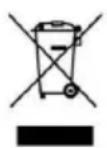
This symbol indicates that, according to the applicable regulations, the product and/or batteries must be disposed of separately from household waste. When this product reaches the end of its shelf life, you should dispose of the cells/batteries/accumulators and take them to a collection point designated by the local authorities.
ENGLISH
Consumers must contact their local authorities or retailer for information concerning the correct disposal of old appliances and/or their batteries.
Compliance with the above guidelines will help protecting the environment.
10. TECHNICAL SUPPORT AND WARRANTY
Cecotec shall be liable to the end user or consumer for any lack of conformity that exists at the time of delivery of the product under the terms, conditions, and deadlines established by the applicable regulations.
It is recommended that repairs are carried out by qualified personnel.
If at any moment you detect any problem with your product or have any doubt, do not hesitate to contact the official Cecotec Technical Support Service at +34 96 321 07 28.
11. COPYRIGHT
The intellectual property rights over the texts in this manual belong to CECOTEC INNOVACIONES, S.L. All rights reserved. The contents of this publication may not, in whole or in part, be reproduced, stored in a retrieval system, transmitted, or distributed by any means (electronic, mechanical, photocopying, recording or similar) without the prior authorization of CECOTEC INNOVACIONES, S.L.
C
FRANÇAIS
3. INSTALLATION DU PRODUIT
Input method for the new energy efficiency standard (EN60456:2016 + FprAA:2020) Eco 40-60, (parameters are not set by default)
| 9 kg BLDC 20 °C Cotton Wool | Quick | |||
| Rated capacity / Kg 2 9 11 | ||||
| Programme length (h:min) | 0:39 0:57 0:50 0:15 | |||
| Energy consumption (Kw/cycle) | 0.24 1.25 0.20 0.10 | |||
| Water consumption (L/cycle) | 65 80 70 | 40 | ||
| Temperature MAX /°C | 30 | 55 | 35 | 35 |
| Remaining moisture content | 75% 70% | 85% | 75% | |
| Spin speed / (rpm) | 700 | 900 | 500 | 700 |
The Eco 40-60 programme can wash cotton laundry with normal soiling declared washable at 40^ or 60^ , together in the same cycle, and this programme is used to assess compliance with EU eco-design legislation.
- The most energy-efficient programmes are generally those that operate at lower temperatures and for longer durations.
- Noise and remaining moisture content are influenced by the spin speed: the higher the spin speed in the spin phase, the higher the noise and the lower the remaining moisture content.
- The values given for programmes other than the Eco40-60 programme, and the washing cycle are only indicative.
FRANÇAIS
3. INSTALLATIE VAN HET APPARAAT
6. ON SMART indicator

Ovladacipanel (Obr.13)
A: Oblastikon „Pracícyklus“
ON SMART yikama dongusui
- A la canonada vertical deunexpected
Per obtaining information about all the forms, it is important to be aware that there are several different types of electronic devices. For example, there are a number of electronic devices such as computers, radio, and even the telephone.
El compliment de les normes anteriors ajudarà a protegir el medi ambient.