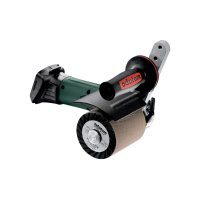
S 18 LTX 115 - Sander METABO - Free user manual and instructions
Find the device manual for free S 18 LTX 115 METABO in PDF.

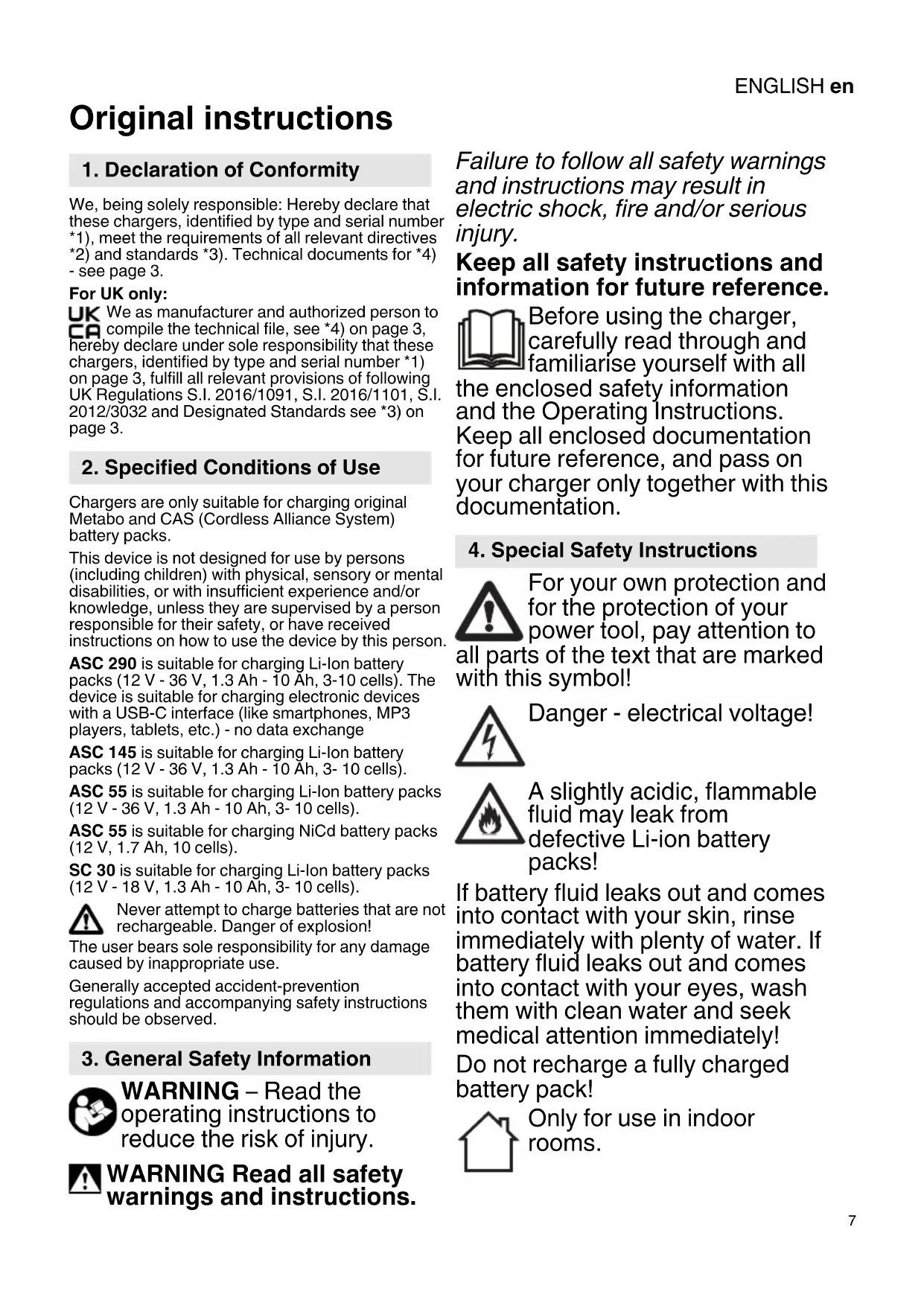


| Product type | Orbital cordless sander |
| Brand | Metabo |
| Model | S 18 LTX 115 |
| Nominal voltage | 18 V |
| Battery type | Li-Ion |
| Battery system | CAS (Cordless Alliance System) |
| Sanding pad diameter | 115 mm |
| Abrasive attachment | Hook-and-loop (Velcro) |
| Idle speed | 8,000 - 12,000 rpm |
| Orbit stroke | 2 mm |
| Weight (without battery) | Approx. 1.2 kg |
| Weight with battery | Approx. 1.5 kg |
| Acoustic pressure level | 80 dB(A) |
| Acoustic power level | 91 dB(A) |
| Vibrations (sanding) | 5 m/s² |
| Dust container capacity | 0.5 L |
| Power supply | 18 V Li-Ion battery |
| Compatible charger | Metabo ASC series |
| Variable speed function | Yes |
| Dust extraction function | Via holes in the pad |
| Protection class | II (via charger) |
| Recommended operating temperature | 0 °C to 40 °C |
| Housing material | Reinforced plastic |
Frequently Asked Questions - S 18 LTX 115 METABO
User questions about S 18 LTX 115 METABO
0 question about this device. Answer the ones you know or ask your own.
Ask a new question about this device
Download the instructions for your Sander in PDF format for free! Find your manual S 18 LTX 115 - METABO and take your electronic device back in hand. On this page are published all the documents necessary for the use of your device. S 18 LTX 115 by METABO.
USER MANUAL S 18 LTX 115 METABO
Original instructions
1. Declaration of Conformity
We, being solely responsible: Hereby declare that these chargers, identified by type and serial number 1), meet the requirements of all relevant directives 2) and standards 3). Technical documents for 4) - see page 3.
For UK only:
UK We as manufacturer and authorized person to compile the technical file, see *4) on page 3, hereby declare under sole responsibility that these chargers, identified by type and serial number *1) on page 3, fulfill all relevant provisions of following UK Regulations S.I. 2016/1091, S.I. 2016/1101, S.I. 2012/3032 and Designated Standards see *3) on page 3.
2. Specified Conditions of Use
Chargers are only suitable for charging original Metabo and CAS (Cordless Alliance System) battery packs.
This device is not designed for use by persons (including children) with physical, sensory or mental disabilities, or with insufficient experience and/or knowledge, unless they are supervised by a person responsible for their safety, or have received instructions on how to use the device by this person.
ASC 290 is suitable for charging Li-iron battery packs (12 V - 36 V, 1.3 Ah - 10 Ah, 3-10 cells). The device is suitable for charging electronic devices with a USB-C interface (like smartphones, MP3 players, tablets, etc.) - no data exchange
ASC 145 is suitable for charging Li-lon battery packs (12 V - 36 V, 1.3 Ah - 10 Ah, 3-10 cells).
ASC 55 is suitable for charging Li-ion battery packs (12 V - 36 V, 1.3 Ah - 10 Ah, 3-10 cells).
ASC 55 is suitable for charging NiCd battery packs (12 V, 1.7 Ah, 10 cells).
SC 30 is suitable for charging Li-lon battery packs (12 V - 18 V, 1.3 Ah - 10 Ah, 3-10 cells).

Never attempt to charge batteries that are not rechargeable. Danger of explosion!
The user bears sole responsibility for any damage caused by inappropriate use.
Generally accepted accident-prevention regulations and accompanying safety instructions should be observed.
3. General Safety Information

WARNING - Read the operating instructions to reduce the risk of injury.

WARNING Read all safety warnings and instructions.
Failure to follow all safety warnings and instructions may result in electric shock, fire and/or serious injury.
Keep all safety instructions and information for future reference.

Before using the charger, carefully read through and familiarise yourself with all
the enclosed safety information and the Operating Instructions.
Keep all enclosed documentation for future reference, and pass on your charger only together with this documentation.
4. Special Safety Instructions

For your own protection and for the protection of your power tool, pay attention to its text of the text that are marked in this symbol!

Danger - electrical voltage!

A slightly acidic, flammable fluid may leak from defective Li-ion battery packs!
If battery fluid leaks out and comes into contact with your skin, rinse immediately with plenty of water. If battery fluid leaks out and comes into contact with your eyes, wash them with clean water and seek medical attention immediately! Do not recharge a fully charged battery pack!

Only for use in indoor rooms.
ENGLISHen

Protect the charger from moisture.
Never allow children to use the device.
Children should be supervised to ensure that they do not play with the tool.
Keep children away from the battery charger and the working area!
Keep your battery charger out of reach of children!
Pull out the mains plug immediately if the battery charger starts to smoke or flames emerge!
Do not insert objects into the ventilation slots on the battery charger – there is a danger of electric shocks and short circuits!
Do not use faulty battery packs.
In areas with high metal dust exposure do not charge any battery packs with AIR COOLED chargers.
ASC 290: Only use the original Metabo network connection line.
5. Overview
See page 2. The illustrations are regarded as exemplary for all devices.
1 Battery pack (not in scope of delivery)
2 Sliding seat
3 Operation display
4 Warning display
5 Charge status indicator
6 USB cover
7 USB-C port *
8 LED indicator (USB-C port supplied with voltage) *
- depending on the model
6. Initial Operation

Before commissioning, check that the rated mains voltage and mains frequency stated on the type plate match your power supply.
Devices like these that generate direct current can influence simple earth leakage protection devices.
Use a type F or better, with a release current of max. 30mA

Before commissioning the charger, ensure that the air slots are free. Minimum distance to other objects is 5cm
6.1 Self-test
Plug in.
The warning display (4) and the operating indicator (3) light up one after the other for approx. 1 second and the installed fan runs for approx. 5 seconds.
7. Use
7.1 Charging battery pack
Push the battery pack completely to the stop on the sliding seat (2).



The operating indicator (3) flashes.
Note: To have the charge level displayed on Li-ion battery packs, first take the battery pack out of the charger and then press the button on the battery pack.
7.2 Conservation charge
Once the charging process has finished, the battery charger automatically switches to conservation mode.
The battery pack can remain in the battery charger and is therefore always ready for use.



The operating display (3) lights up continuously.
7.3 ASC 290 only: Charge USB device

Only connect USB devices which are compatible with the USB standard. Using compatible devices can lead to malfunctions, age or injuries.
Open the cover (6) and plug a USB device with a suitable cable into the USB-C port (7). The device is charged.
The USB-C port (7) is only supplied with voltage (LED indicator (8) illuminated) if no battery pack is charged.
If a battery pack and USB device are connected at the same time, the USB charging process will start automatically after the end of the battery pack charging process.
8. Faults
8.1 Warning display (4) lights up continuously


Battery pack is not charged. Excessive/insufficient temperature. When the temperature of the battery
pack is between 0^ and 50^ , the charging process begins automatically.
ASC 290: Warning display (4) lights up continuously and charge status indicator (5) flashes: Charger is hot, battery pack is charged with reduced charging capacity.
8.2 Warning display (4) flashes

- Battery pack is defective. Remove the battery pack immediately from the charger.
- The battery pack was not pushed correctly onto the sliding seat (2). See chapter 7.1.
- ASC 290: Warning display (4) lights up and charge status indicator (5) is off: battery pack is not charged. charger too hot.
9. Repairs
Repairs to the charger must only be carried out by qualified electricians.
If the mains connection cable of this device is damaged, it must be replaced by the manufacturer or the Customer Service department of the manufacturer or a similarly qualified person to prevent endangering personnel and property.
If you have Metabo charges that require repairs, please contact your Metabo service centre. See www.metabo.com for addresses.
10. Environmental Protection
Observe national regulations on environmentally compatible disposal and on the recycling of disused machines, packaging and accessories.
Packaging materials must be disposed of according to their labelling in accordance with municipal guidelines. Further information can be found at www.metabo.com in the "Service" section.

Only for EU countries: never dispose of power tools in your household waste!
According to European Directive 2012/19/EU
on Waste from Electric and Electronic Equipment and implementation in national law, used power tools must be collected separately and recycled in an environmentally-friendly manner.
11. Technical Specifications
See page 3.
U = voltage ranges of the battery packs
C = battery pack capacity
I_C =charging current
= charging time
USB = Voltage and max. charging current of the USB-C port
1) Example charging times for selected battery packs. Real charging times may deviate from the specifications depending on the residual capacity and the temperature of the battery pack.
Recommended ambient temperature when charging: 0^ to 40^ .
Subject to change in accordance with technical progress.
Device of protection class II
AC Power
Notice originale
Varning for livsfarlig elspanning!

Trasiga litiumjonbatterier kan lacka en nagot sur, brannbar vatska!
reducere risikoen for
personskader.

ADVARSEL Læs alle
HHTpyKuN N yHa3aHnI NO TexHNKe 6e3OnacHOCTN.
HecobJeHne HcTpyKnIyKa3aHn IO TexHnKe6e3OpaCHOCTN MoKeT npHBecTu KnpaKeHHo 3JIeKTPnuYeCKmTOkOM, BO3HKnHOBeHHIO NOJkaPaN/INN K NOpUyeHHIO TJaKeJIbIXTpabM.
Heo6xodnmo coxpaHЯTb Bce HNCTpyKuH N yKa3aHnno TExHnKe 6e3ONaChOCTnДЯ NCNoJb3OBaHHaB6yduYcE.

IpeepncOJIb3OBaHnem 3apJdHO yCTpoiCTBa BHIMaTeJIbHO pIoHOCtBJO
npouHTaTe npilaraembIe
yka3aHnI NO TexHnKe
6e3ONaCHoCTn INHCTpyKcNIO NO
HCNoJIb3OBAHnIO. CoxpaHnTe BCE
npilaraeMbIe DOkymeHTbl N
nepeDaBaIte 3apJdHoe
YCTPOHCTBO DpyrIM IInzam TOLbKO
BMECTe C HnMn.
4.Oco6bIe yHa3aHnI NO TEXHNHe 6e30NaChOcTH

Дя Baшew CO6CTBENHOJ 6e3OpaCHOCTNи 3aNTbI 3JIeKTPoHnCtpyMeHTa OT
IOBpeJdeHn Heo6xOdHMo CO6IyKa3aHn, OTMeueHHbIe B TeKCTe DaHHbIM CmBOJOM!
PYCCHNIRu
IpeDynpEJdEHe 6
OpanchOM 3JIeKTpNuecKOM
Ha npRjKeHn!

H3 HeNCppaBHOrO JNTnHOnHHOro aKHyMylrTOphoro 6JOKa MoKET BbITEKaTb
cIa6OKnCnaI rOpUoya JNdkoctb!
Ecnn 3JIeKTPoIHT npOIINCSn I
NONaI Ha KOJy, HeMeIJIeHNO
PpOMO'Te 3TOT yUacTOk 6OJIbShIM
KOJIuYeCTBOM BOdbl. B cIyuae
NONaIaHnA 3JIeKTPoIHTa B rIa3a
PpOMO'Te INX YNCTOi BODOn H
CpoUHO 6bpaTITecb K BpaCy!
He cTaBbTe Ha 3apRdKy
IOJIHoCTbIoo 3apRJKeHHbI
aKKymyIaTOpHbI 6Iok!

IpeHa3NaYeHO dIy 3KcPlyaTuCN TOJbKO BV NOMEeHnX.

Iprnnte Mepblno 3aunte 3apndHoro yctpoiCTBa OT nonadHnBlaIg!
He donyckaTb DeTei K nCnoIb3OBAHnIO HnCTpyMeHTa.
Cleinte 3a DeTbMn, YTO6bl OHn He nCNoJIb3OBAJI npI6Op B KaueCTBe nrgywn.
He donyckaTe deTei K 3apdHOMy yCTpoIcTBy/B pa6oYuO 3Ony!
XpaHnTe 3apAДHoe yCTpoIcTBO B HeIOCTyIhOM dIa DeTeI MeCTe!
IprnIOBLeHIn DbIMa B 3apJdHom yCTpoiCTBe NJIeEro BO3rOpAHn HEmeJleHNO BbIHbTe BNJIky I3 pO3eTKN!
He BCTaBJaTe HnKaKnx
PpeDMeTOB B BeHTnJIaCNoHHbIe
Npope3n 3apJdHOrO yCTpoiCTBa.
OnaChOcTB KOpOTKOro
3aMbIkaHnI NII NopaJKeHnI
3JIeKTpUYeCKnM TOKOM!
He noJb3yI TeCb HenCnpaBhIMn aKKymyJIaTOpHbIMN 6JOKamn!
He 3apJkaIte aKkUyJIaTOpHbIe 6IOKN 3apJdHbIMN yCTpoiCTBaMn C TexHOJorHeN «AIR COOLED» B 30Hax C BbICoHM CoOpJkaHNem MetaJIInueCKOINbln.
8.2 PpeDynpexKaOuHn HndHaTOp (4) Muraet

- AkKymyJIaTOpHbI 6JOK HeNCnPaBeH. HEmeJIeHHO BbIHbTe aKHymyJIaTOpHbI 6JOK N3 3apJdHorO yCTpOiCTBa.
AkkymyIaTOpHbI 6IOK HnPaBnIbHO BCTaBneH B cIaIep (2). Cm. rIaby 7.1.
ASC290: npdeynpejdaHoun HndnKaTOp (4) MnaeT, a nHdNkaTOp ypoBHa 3apra (5) BbIKIOueH: aKKyMylTOpHbI 6LOK He 3apraHaTeC, 3aprAHOe yCTpOiCTBO CInuKOM ropayee.
9. Pemoht
K peMOHTy 3apArdHoro yCTpOietBa dOnyckaIOTcToJIbKO KBaIIINΦuNtropoBAHHbI CneUaJIInCTbl-3JIeKTPnK!
B clyuae noBpeKdEHHa CTeBOro Ka6eJa daHHoro npbopa B ceJax 6e30nacHOCTn Heo6xOJHMO oecneHTb ero 3aMeHy n3rTOBnteJIem, CneuaJIncTOM cepBcHcHoi CnyK6bl IIn6 OpyHM IInCtom aHaIOnHcH KBaJIINΦkaUHN.
ДяpeMOHTa 3apHbix yCTpoiCTB Metabo
ObaaIteCb B peHoHaJIbHoe
IpeDcTaBnTeJIbCTBO Metabo.Adpec CM.Ha caIte
www.metabo.com.
10. 3auntata okpykaioe cpebl
Co6IIOdaIte HaunOHaJIbHbIe npedncaHnno 3KoIorUneckn 6e3OnaChOH yTIN3aCmN n nepepa6OTke OTCnyKBWnx MaUNH, yNaKOBKn n npHaJeKHOCTe.
YnakoOuhbIe MaTePnaIbI yTNIIN3NpyIOCTB COOTBETCTBnC Hx MapHnPOBKO CORlaCHO KOMMyHaJIbHbIM npaBnIaM. DOnoJIHnTeJIbHyIO INΦOpMaQUHO MOKHO HaHTNa Ha caITe www.metabo.com B pa3dene «CepBnC»
ToIbKO dIa cTpaH EC: He yTHIN3npoBaTb 3JIeKTPoHHCTpyMeHTb I BmecTe C 6bITOBBIMN OTXODAM! CorlachO eBpOneNcKoI dpeKrTne 2012/19/EC no OTXoam 3JIeKTPuYeCKoro N 3JIeKTPoHHOrO 6OpyIOBaHN I COOTBeTCTByIOUHM HaUNHOHaIBHbIM HOPMaM OTPa6oTabuHe 3JIeKTPoHHCTpyMeHTb I NOJLeXaT C6OpY C cEJIbIO IX NocLeDyUoSeI 3KOLOrnueckn 6e3OanCHO nepepa6OTKn.
11. Texnueckne xapaKtepncTnKn
CM. cTp. 3.
U=Haana30H HapnpeHn aHHyMylrTOpHOrO 6JIOKa
C = eMHoCTb aHHyMyJITOPHOrO 6JIOHa
IC =TOK3apAaKN 1) t=BpeMa3apAaKN
USB = HanpЯнkeHne mKaC. 3apЯньн ToK pa3bema USB-C
PYCCHNIRu
1)BpeM3apRKn BbI6paHHbIX BaueCTBe npimepa aKKymyIaTOPhbx 6loKOB.B 3aBnCnMoCTn OT OCTaTOOH EMKOCTN TEmpaTpybl aKKymyIaTOPHO 6JOKa pealbHoe BpeM3apRKn MoKeT He COBnaDaTb C yka3aHHbIMN 3HaueHnRAm.
PekomeHnyeMaTempePaTypaOkpyKaIoUeRo Bo3dyxa npn 3apAikHe: oT 0^ do 40^
OcTabnem 3a c06o npabo Ha n3MeHnna, oBycnOBnEHbIe TexHNueckm nporpeccom.
Pn60p COOTBETCTByET KlaCCy 3aunTbI II \~ nepemHHbIK
EAC
HΦopmaζηДЯ nokynataTeλ:
CepTnФнKaT COOTBETCTBnR:
№ EA3C RU C-DE.ΓБ09.B.00131/20, cpoK
deiCTBnRc 10.02.2020 no 09.02.2025 r., BbydAn
opraHOM nO ceTpNФнKaUu NpOdyKUu O6ueCTBO
C orpaHnueHHoI OTBEtCTBeHHOCbHO
"He3aBnCmMa JxKcpeTn3a"; MeCTo HaxOJdEHNr
(aDPEC UOpDnueeCKOrO Lnua) n Adepoc Mecta
ocyueCTBLeHn DaTeJIbHoCTn: 115280, Poccnr,
ropor MocRbA, yInuza JelenHcna CNo6oDa, Dom
19, 3aXk 2, KomHaTbI 21w8, 21w9, 21w10, 21w11;
TelefoH: +7 (495) 722-61-68; Adepoc
3JIeKTPOHnO NoTubl: info@n-exp.ru; ATTecTaT
aKKpeDiNauN NpOCC RU.0001.11ΓБ09 ot
09.09.2014 r.
ДeКлараця O cOTBeTCTBnN: № EA3C N RUД-DE.ΓБ09.B.00348/20,spOK DeiCTBnA C 04.03.2020 no 26.02.2025 r.,ЗaperиctprupobaHa opraHOM no cepTnФнkaци npodukuzn O6ueCTBO C OrpaHnueHHoI OTBeTCTBEHHOCtBu "He3aBnCmMaJ 3KcpeTpN3a";MeCTo haxOJdeHnA (aDpec kOpDnueckoro Lna) n aDpec Mecta oCyuSceTBJIeHn JdTeJIbHOCTN:115280,PocCn, ropoM MoCbA,yLInca JelenHcKa JcIo6Oda,dom 19,3TaJx2,KOMHaTbI 21w8,21w9,21w10,21w11; TelefoH:+7(495)722-61-68;Adpec 3JIeKTPOHnO NoTubl:info@n-exp.ru;ATTEcTaT aKKpeiHTaZnN No POCC RU.0001.11ΓБ09 ot 09.09.2014r.
hpngulip hugulhnuuif hupnulpG:
UqnnGmHg (4) h wJnnnWgfl gNlHmunnpGpI mjuTp
(3) nnuHg hnqnnpmp uunnnnpnu 1 pI.
cuPnuiu, glpuuupfud hnuguH uufuulupqp uwnnnl I
dnun. 5 pI. cuPnuiuI:
7. hpunnnu
7.1 4nnunuhh smpunngfip h hgfumnpuim
munu h uupunngn uupnnnpnnp, uhgh bpg
wnkghuwhn nwnkgnfgh (2) 1g:



U.wwuWfwhnbdh hqHlquwnnp (3) pppnnf;
Li-lon (hpun-hunwJh) hnmmh2 uupunnghtph
uhpunpuuulnukuln huuup, hnulf uupunug
hupunuuiuup, uyinchulnulqulldnucuipunng
ppm:
7.2 1nnuuhlsh [nuu]ugfunnpnii
bpIunmulhIgfwu npwL, hgfwnpwn uupf uunnnn hnwnuupnL puihfgwnnpuun ndu
C = Uwunlngh hqnnpnlpnlup
I_C & = lgfmlnmpmfihnmmif & = lgfmlnmpmfiduanmufiu 1)
USB=USB-C u npunb hgfudnpufuupnulp L unnuuJUqnlf hnuuufp
1) Lunulud hunulhy uupunl ngilph hglu npuuf
duuugulp: uulud lunulh uupunlgh pnh
uugnpnujh nulmpjng h gkpuwnhwhg,
hgluupuufhpulquf duunuulp hupnn t mppplf fucud
duunuulhg:
Zwunwnunwnwnwnwnwnwnwnwnwnwnwnwnwnwnwnwnwnwnwnwnwnwnwnwnwnwnwnwnwnwnwnwnwnwnwnwnwnwnwnwnwnwnwnwnwnwnwnwnwnwnwnwnwnwnwnwnwnwnwnwnwnwnwnwnwnwnwnwnwnwnwnwnwnwnwnwnwnwnwnwnwnwnwnwnwnwnwnwnwnwnwnwnwnwnwnwnwnwnwnwnwwnwwnwwnwwnwwnwwnwwnwwnwwnwwnwwnwwnwwnwwnwwnwwnwwnwwnwwnwwnwwnwwnwwnwwnwwnwwnwwnwwnwwnwwnwwnwwnwwnwwnwwnwwnwwnwwnwwnwwnwwnwwnwwnwwnwwnwwnwwnwwnwwnwwnww
qunun hunugl.info@n-exp.ru: zunununuupuufu [jpnjuq]p No POCC RU.0001.11F609 un 09.09.2014 p.:
Umuunpuiuulipjpp'9huununu, jIun
U. pnnnnpn: "Metabowerke GmbH", U1, uupnui, 1, D-72622 UJnpuhqli, Hpuihu
lipinldn anluuunwnlin
"Uunuunbuunuuu" UQC
nluunu,127273,Unu
. FpJnqnnWmLbun,nn65a,ch6-7,qpuubjwl106 hkn. +7 4959807841
Uunnnnpuu uunuuphui fucui 1 hguuulupu uunfhu n npuhf h uunuynpnuu dwnlun 7 uuph t: hnphmnp u npnun unuug uubuulu uunqua oqunqpdu qnpdp uunuunu uuuupuug ulw6'5 uuph cunntu wuf uwhnununng hinn (wnunnpu wunuuph up uunuwh)
2u.3bfbthy
ASC 290:
Upuuupiuuiu1p1p1'Qhuununuui, LJlunuui
Uunnnn "Metabowerke GmbH", UInuupnui,1, D72622 1nnpnfiqli, Hniuifhu
Upunlqn Pnluuununlin
"Utinupn bippuuhu" UNC
nnuunu, 127273, nulj
.f_p,q m m m k u, m 5 a, cfi.-f 7, qmuuuiu1 106
hl.n. +74959807841
KoIbIHaH MToIHdiK y3iHdiJepePi YCTaHbIHbI3!

Kayinti Šектпік Кер Hey TypaJIbE cKeptY!

AkaynblIHTN-NOHdbiKaKymyJTopJaapdaH cJI
KA3AKUAKk
KbIuKbIINDbI, XaHfblw CyNbIKTbIK UdbIfybl MymKiH!
AkkymyIaTOp cyIbIKTbIFbl 1bIFbIn, Tepire TnreH kafdaJa, OHbI Depey cydbH, KETKlIKTi MOnIepeImeH waiBIn WbIFbIHb3. AkkymyIaTOp cyIbIKTbIFbl K3Re TnreH kafdaJa, OHbl Ta3a CymeH KybIN WbIFbIHb3 Da, Depey MednucHaJIbIK JopdEmre KyrinHiz!
ToIbIK 3aprTaJFaH aKKyMylTOpDbI KaTadaH 3aprTaMaHbI3!

Tek iwTe naJaIaNyFa apHaJFaH.

3apraTafbiI KypblfbiHbI bIJaHaN KopFaHbi3!
Ewkaan 6aJanaapFa KypblfblHbI naJaAnaHyFa pyKcat 6epMeHi3.
BaJanaIapDbIH KypblfBIMeH OHaMaYbHa Ke3 JeTki3y ywiH, OApdbI KaIaFaJaan OTbIpy KepeK.
Балаларды 3аряДТаftыш Курьлфыдан Нemece КУМьIC aIMaftbIHah aЛшak YCTaHbI3!
3apraTafblw KypblfblHbI
6aIanap ywiN KOJKeTIMdi
6oImaHTbIHdae etin caKaTahbl3!
3apraTafblI KwpbIINFbIda TYTIH HeMece ePT TybIHdaFaH XaFdaIda Depey JeJIiIK aShaHbI cybIPbIN KObIHbI3!
3apraTafblkypblfblHj
KeJdety caHbIaybHa eWkaHdaa
6eTrde 3aTTapdbI cAlMaHbI3-TOK
COfy Hemece KbICKa TynbIKTaIy
Kayni 6ap!
AkaynblaakkymyJrTopnapdbi naJaIaN6aHbI3!
Metanl 7aHbIHbIH KyKTeMeci YJKeH aIMaKTapda
aKKymyITopnapIbI AIR COOLED 3apraTafblkypblfblnapbIMeH 3apraTamaHbI3.
ASC 290:Tek TynHcKa Metabo Kaat ka6eIn naiJaHaHbIbI3.
5. Wony
2-6etti kapaHbI3. CypTTeP 6apJIbIK Kypblfblnap yuH Mbican petiHe 6epiJireH.
1 AkkymyIaTOp (KeTki3iIm KnbiHTbIFbHa KipMeiDi)
2XbInXbMaIbI TipeK
3KyMbICnHdkaTopbI
4 Eckenpy uHdkaTopbI
5 3apn DeHreinHnHnKaTOpbl
6 USB KaKaNaFbI*
7 USB-C Kocblmbi
8 KapbIKnIOHnIInKaTOpBI (USB-C Kocblmbi Kepeymen KyaTTanaDbI)
- ynlire 6aɪnaHbɪctbl
6. Kɔлданьіcka eнri3y

KoIJaHbIcKa eHI3y aIbIHda cnpMaIbIK TaTaNwAda KepcetIJIReH HOMHaNDbI KepHey MeH HOMHaNDbI JxNiIiK TOK xeJIiHi3dIn DepeKeTepiHe caikec IHdiHrKe3 XeTIkiHi3.
TypaKbI TOK UbIFapatbIH OcbHdain Kypblfblnap
KapanaBIM DnOΦpepeHuaJNbI TOKtBiH
ABTOMaTTbI axbipaTkbluHa acep etyi MymKiH.
Axbipaty Torbl eH Ke6i 30 MA WamaCbIHdaFbl F
HeMece Xofapbipak caHaTbI naJaHaHbHbl3.

3apraTafbI W KpybINfbHbKOJdaHbicka eHri3y andbIHda JeNDeTy caHbIaynapbIHbH 6oc eKeHdiirHe Ke3 keTki3iHi3. Baca 6eGe 3aTTapdah
MUNHMaJIbI apaKaUbIKTbIK KEM DeReHne 5 cm KypaIbI!
II KOpFaHbIc KJIacbIHdaFbl KypblJFbl
AHybImaJIbI TOK
EAC
Catbin anywblifa apHaJfah aknapaT:
Caikecik ceptnkatai:
No E30 RU C-DE.Γ609.B.00131/20, KOndaHbIy
Mep3imi 10.02.2020 x. 6actan 09.02.2025 x.
deinH, «He3abncmaa ekcnepTn3a»
Xayankepwniri uekeyni cepiktectiri eHimdi
cepTNKaattay kehiHderi oprahbl bepren;
Ophanackan Jepi (3aHdbTyLFAhBm MekeHkaib)
Kehe KbImET opHbHIn MEeHHkaib: 115280,
Pceen, Mckey kana, JeHHckra Cnooba
Keewci, 19-yu, 2-ka6at, 21w8, 21w9, 21w10,
21w11 6emmepe; Tenefohbl: +7 (495) 722-61-
68; 3JeKTPoHdbIK noTuMeKeHHkaib: info@n-
exp.ru; AkKePeHTTey aTectaTbI No POCC
RU.0001.11Γ609, 09.09.2014 x.
Caikecik typanbi deklapaunia: No E3O N RU D-
DE.Γ609.B.00348/20, KOndaHbIy MEP3imi
04.03.2020 x. 6actan 26.02.2025 x. deiniH,
«He3abncmaa ekcnepTn3a» Xayankepwniri
wekeyni cepiktectiri oHimdi ceptnФKaTTAY
KeHHideri oprahbl tipkeren; Ophalanackan Jepi
(3aHdb TyLFAHbIMeKeHHkaib) Xane Kbl3Met
opHBInbIMeKeHHkaib: 115280, Pceen, Mckey
kana,bI, JeHHckar Cnooba Kaewci, 19-yu, 2-
ka6at, 21w8, 21w9, 21w10, 21w11 6emmepe;
Tenefohbl: +7 (495) 722-61-68; 3JeKTPoHdbIK
nowTa MeKeHHkaib: info@n-exp.ru; AkKePeHTTey
aTectaTbI No POCC RU.0001.11Γ609,
09.09.2014 x.
Ohdipywi en: Kblta, BbeTHam
Ohdipywi: "Metabowerke GmbH", Metaboallee 1,
D-72622 Nuertingen, FepmaHna
Peceire nMnpTayWBi:
XWK «Meta6o EBpa3nia>
Pceen, 127273, Macey
Bepezobar anner Keeweci, No 5 a, 7-KypbInbc, 106-
KeHce
Tei.: +7 495 980 78 41
Ohdipirre H KyHi 3aprdTaftbI W KypbInfbda
Kpcetilre
OhimHinJxapamDbIbIK Mep3imi 7 KbldbI KypaIdbI.
Ohdipirre KyHHen KeinH 5 KblncakTayda TpyfAhn
XaFdaJa aAndbH ana TeKcepmecTeH naJaHaHy
YcbHbIMaIdbI (ehdipirre H KyHIn XanCbIpMaadn
kapaHbI3).
C = BaTapeaHbIH cblnblIMdyIyIy
IC =DypMeTTeeuyarbiH
t=ДурмeTTee y6aKTbICbl 1)
USB=USB-CnopTyHyn YbHaJyyKaHa MaKcImaJdyy KyBaTTOO arbIMbl
1) Mucan KaTapbTaHdaIrah 6aTapey TOnTomOpuy3apAaDoo yBaKbITTapb. Batapeya KaIraH opyHa XaHa Tempepatypara XapaWa, YbHbIbI DymOTToO yBaKTbcBKePCeTyIroHDoH aibIpMaIaNbIbIMyMKyH.
KybaTTOO yUpyHda ueipeCyHDe cyHyTuAnraH TemnepaTypa: 0^ - 40^
TexHnKaIbIK nporpeccke 6aIIaHbIHTyy e3repyyIepdy anDbIH ana KapaBILA.
II KnaacctarbI Koproo MeHeH KaMcbI3daIraH Ka6DbIK
\~E3repMa arbH
EAC
Ayyuy yuy MaalbImaT:
WaiKeTNIK TAcTBkTAmacbl:
No EA3C RU C-DE.Γ509.B.00131/20,
JapaKtyyIkyMoeHety: 10.02.2020 - 09.02.2025-
J.Ke3 KapaHdbicbI3 3KcpeTpN3a" KooNkepUInnur
YekTeIReH KOOMy npOdyKuINHbI
ceptiФнkaциЯоOpraHbI TapabIHah H cepNJreH;
KajraUkAn Jepn (OpudnKaIbIK TapaNTbIH
dapeR) Jana NsKePdIK K yPry3vnyUy DapeK:
115280, PocSry, MockBa 7aapbl, IeHHckay
Cno6oDa Keuecy, 19-y, 2-Ka6aT, 21w8, 21w9,
21w10, 21w11 6eImepey; TelepoHy: +7 (495)
722-61-68; 3NeKeTpoHdyK noOtTacbIHbIH dapeRn:
info@n-exp.ru; 09.09.2014-#. No POCC
RU.0001.11Γ509 aKKpeDnTaCuaNIOo aTTecTaBtI.
KblIPfl3C4Aky
WaiKeTnK DeKnapauncbl: No EA3C N RU DE.Γb09.B.00348/20, KapaTyuKy MoeHToY: 04.03.2020-26.02.2025-., "Ke3 KapaHDbicbl3 3Kcneptn3a" KooNkepUInr YuKeTeJreH KoOMy npOdyKUnHbI CeTpNΦnKaunraJLOO orpaHbl TaPabHah KaTaNraH; KaIraWkaH Jepn (HopNiKaJIbIK TaPanTbIH dapeRi) Jana HsKePdNK Kypry3vnyuu dyapek: 115280, PocSry, MockBa 7aapbl, Jelenckay Cno6oJa KeueCy, 19-yi, 2-Ka6at, 21w8, 21w9, 21w10, 21w11 6eMEnepy; TelepoHy: +7 (495) 722-61-68; ΘneKtpOndyk noTuTacBihn dapeRi: info@n-exp.ru; 09.09.2014-#. No POCC RU.0001.11Γb09 aKKpeDnTaunraJloo attctaTbI.
Дардаган eнke: Kытай, Вьетham
Фндуруну: "Metabowerke GmbH", Metaboallee 1, D-72622 Nuertingen, Германя
Россаяды Импортуоу: OOO "Metafo Браэя"
Pocca, 127273, Mockba
Берозовая салег кech., 5 a,стp 7, 106-KeHce
TeJ.: +7 495 980 78 41
HnyrH KyHy KbyaTTOOuy TY3MeKTe KepCOTyIReH.
BiyomdyH KOJIOHOyy MoeHETy 7 Kbl.
OHypyIReHEn KnnH 5 Kbl CaKTanca, anDbIH
ana TeKwep6ecTe H NkKe KnprN3yy CyHyUaJIbAaT (daapdaIraH KyHyH 3TNKeTKaHaH KapaHbI3).
ASC 290:
Даразаган щлкe: Кытай, Вьетham
Чдунчу: "Metabowerke GmbH", Metaboallee 1, D-72622 Nuertingen, Германя
Россаягы ИМпорТоочу:
OOO "Me taboЕвраэя"
Pocca, 127273, Mockba
Бересовая салег кech., 5 a,ст 7, 106-KeHce
teJ.: +7 495 980 78 41
THypyrH KyHy Ky6aTTOOuy TY3MKeTo KepcTeYrH.
BiyomdyH KOJIOHOyy MoeHETy 7 Kbl.
OHypyIReHEn KnnH 5 KblCaKtaIca, aIbIH
aIa TeKwep6ecTe H NkKe KnprN3yy CyHyUtaJIaNT (daRpaIraH KyHyH 3TNKeTkaHaKapaHbI3).
OpnirhaIhna IInctpyKci3 ekCnlyatai
He 3apaKaTe aKymyIaTOpHi 6loKn 3a DOnOMoHO 3apdHnx npncTroOIB AIR COOLED y MiczAx 3PiBnueHm pIBhem MeTaJIeBOrO nnly.
ASC 290: Викорисовытни Викlioquho oprihaJIbHni Мерекеви ka6eIb Metabo.
5.Orna
3aIIuHaMo 3a co6oI npaBO Ha TexHiHi 3MiHN.
PpnilaKlacy3axnctyII
3MInHn cTpyM
YKPAIHcBRAuk

TOB "Metaabo YkpaHa"
Byl. 3opHa, 22
c.CBtOneTpIbCbKe
KniBcbka 06J.
08141, HiiB
www.metabo.com
auiuuiiuiuuiuuiuuiuuiuuiuuiuuiuuiuuiuuiuuiuuiuuiuuiuuiuuiuuiuuiuuiuuiuuiuuiuuiuuiuuiuuiuuiuuiuuiuuiuuiuuiuuiuuiuuiuuiuuiuuiuuiuuiuuiuuiuuiuuiuuiuuiuuiuuiuuiuui uuuuuuuuuuuuuuuuuuuuuuuuuuuuuuuuuuuuuuuuuuuuuuuuuuuuuuuuuuuuuuuuuuuuuuuuuuuuuuuuuuuuuuuuuuuuuuuuuuuuuuuuuuuuuuuuuuuuuuuuuuuuuuuuuuuuuuuuuuuuuuuuuuuuuuuuuuuuu uu
A. i. 11
.6
a 22y aai 22 y 50 50 50
J 1 J 1 J 1 J 1 J 1 J 1 J 1 J 1 J 1 J 1 J 1 J 1 J 1 J 1 J 1 J 1 J 1 J 1 J 1 J 1 J 1 J 1 J 1 J 1 J 1 J 1 J 1 J 1 J 1 J 1 J 1 J 1 J 1 J 1 J
15 5

C// = 12
S OBC = S COD + S_ BOC

设 = 12
1
a 5 a a a a
7.
(2) aai jai xie lii ie aai iiaai yai jai jai

(3)


- Original instructions
- Declaration of Conformity
- For UK only:
- Specified Conditions of Use
- General Safety Information
- Keep all safety instructions and information for future reference.
- Special Safety Instructions
- ENGLISHen
- Overview
- Initial Operation
- Self-test
- Use
- Charging battery pack
- Conservation charge
- ASC 290 only: Charge USB device
- Faults
- Warning display (4) lights up continuously
- Warning display (4) flashes
- Repairs
- Environmental Protection
- Technical Specifications
- Notice originale
- 4.Oco6bIe yHa3aHnI NO TEXHNHe 6e30NaChOcTH
- PYCCHNIRu
- PpeDynpexKaOuHn HndHaTOp (4) Muraet
- Pemoht
- 3auntata okpykaioe cpebl
- Texnueckne xapaKtepncTnKn
- EAC
- HΦopmaζηДЯ nokynataTeλ:
- hpunnnu
- 4nnunuhh smpunngfip h hgfumnpuim
- 1nnuuhlsh [nuu]ugfunnpnii
- 2u.3bfbthy
- KA3AKUAKk
- Wony
- Kɔлданьіcka eнri3y
- Catbin anywblifa apHaJfah aknapaT:
- KblIPfl3C4Aky
- OpnirhaIhna IInctpyKci3 ekCnlyatai
- 5.Orna
- YKPAIHcBRAuk
Brand : METABO
Model : S 18 LTX 115
Category : Sander