
OWR 230W - Radio OK - Free user manual and instructions
Find the device manual for free OWR 230W OK in PDF.

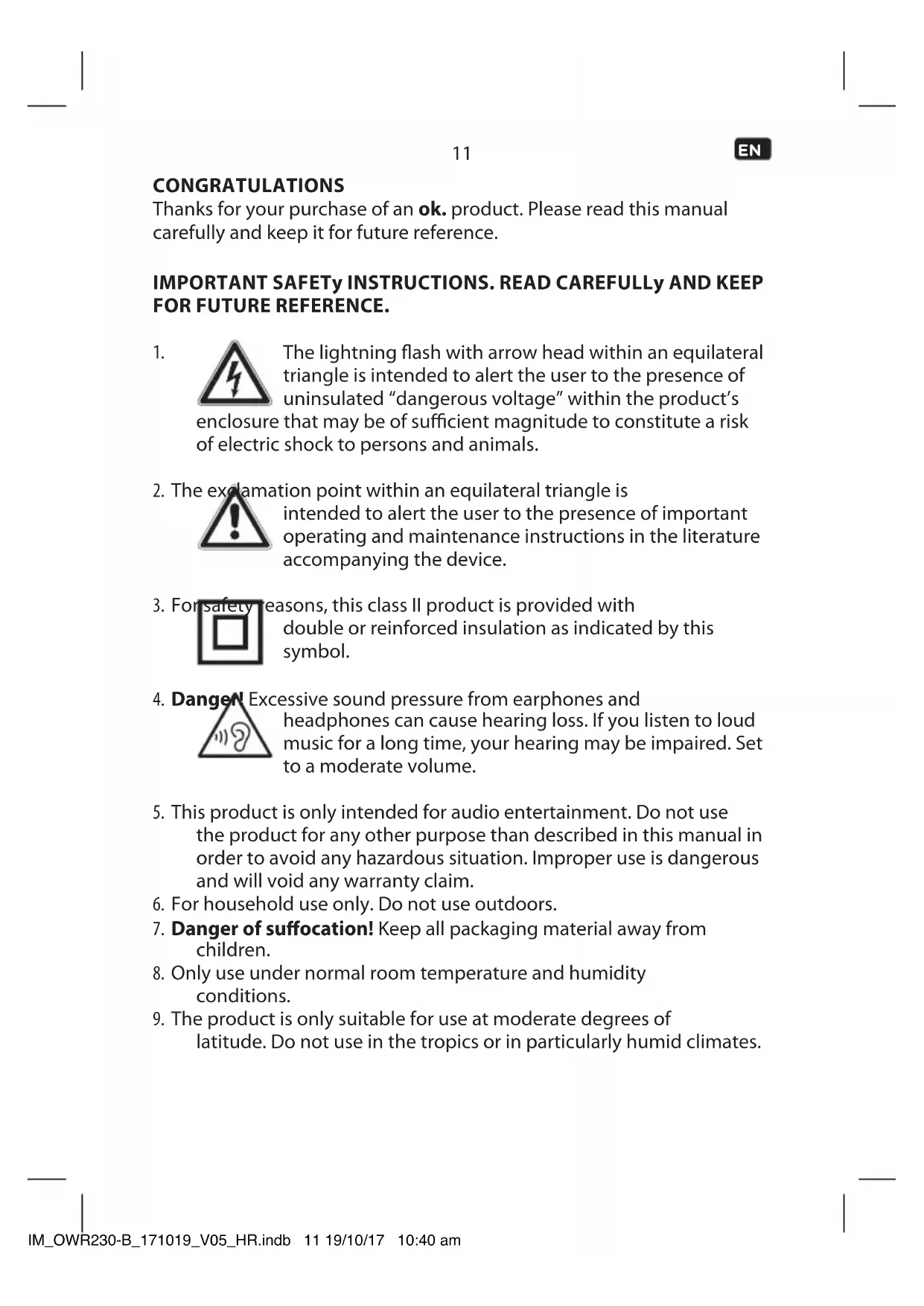


| Brand | OK |
| Model | OWR 230W |
| Category | Radio |
| Product type | Portable FM/AM radio |
| Mains power supply | AC adapter 100-240 V~, 50/60 Hz, output 5 V / 0.55 A |
| Battery power supply | 2 LR03/AAA batteries (1.5 V each, not supplied) |
| FM range | 87.5 - 108 MHz |
| AM range | 522 - 1620 kHz |
| Antenna | Telescopic antenna |
| Inputs | AUX IN socket (3.5 mm) |
| Outputs | Headphone socket (3.5 mm) |
| Speaker | Built-in speaker |
| Functions | FM/AM radio, AUX input, headphones, volume control, manual tuning |
| Cleaning | Soft damp cloth, mild cleaner; do not immerse |
| Safety | Double insulation, CE symbol; do not expose to water or heat; indoor use only |
| Repairability | Contact an authorized repairer; do not open yourself |
| Supplied accessories | AC adapter, user manual |
Frequently Asked Questions - OWR 230W OK
User questions about OWR 230W OK
0 question about this device. Answer the ones you know or ask your own.
Ask a new question about this device
Download the instructions for your Radio in PDF format for free! Find your manual OWR 230W - OK and take your electronic device back in hand. On this page are published all the documents necessary for the use of your device. OWR 230W by OK.
USER MANUAL OWR 230W OK
M_OW/20-8_OWW 230-W17105-05
www.ohm.com



OWR 230-B
OWR 230-W
RADIO//RADIO//RADIO//RADIO
02 电电电电电电电电电电电电电电电电电电电电电电电电电电电电电电电电电电电电电电电电电电电电电电电电电电电电电电电电电电电电电电电电电电电电电电电电电电电电电电
EN USER MANUAL
C5 MANUAL DCL USUANG 10
MOOCEDT
GAMNET
1
1
Thanks for your purchase of an ok. product. Please read this manual carefully and keep it for future reference.
IMPORTANT SAFETY INSTRUCTIONS. READ CAREFULLY AND KEEP FOR FUTURE REFERENCE.
1.
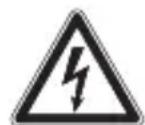
The lightning flash with arrow head within an equilateral triangle is intended to alert the user to the presence of uninsulated "dangerous voltage" within the product's that may be of sufficient magnitude to constitute a risk shock to persons and animals.
- The exclamation point within an equilateral triangle is

intended to alert the user to the presence of important operating and maintenance instructions in the literature accompanying the device.
- For safety reasons, this class II product is provided with

double or reinforced insulation as indicated by this symbol.
- Danger Excessive sound pressure from earphones and
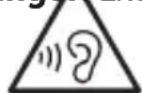
headphones can cause hearing loss. If you listen to loud music for a long time, your hearing may be impaired. Set to a moderate volume.
- This product is only intended for audio entertainment. Do not use the product for any other purpose than described in this manual in order to avoid any hazardous situation. Improper use is dangerous and will void any warranty claim.
- For household use only. Do not use outdoors.
- Danger of suffocation! Keep all packaging material away from children.
- Only use under normal room temperature and humidity conditions.
- The product is only suitable for use at moderate degrees of latitude. Do not use in the tropics or in particularly humid climates.
EN
- Do not move the product from cold into warm places and vice versa. Condensation can cause damage to the product and electrical parts.
- Do not use attachments or accessories other than recommended by the manufacturer or sold with this product. Install in accordance with this user manual.
- When installing the product, leave sufficient space for ventilation (minimum 10cm around the product). Do not install in bookcases, built-in cabinets or the like.
- Do not impede ventilation by covering the ventilation openings with items, such as newspapers, table-cloths, curtains, etc. Do not insert any objects.
- Do not install near any heat sources such as radiators, heat registers, stoves or other products (including amplifiers) that produce heat.
- Do not shift or move the product when powered on.
- Do not touch, push or rub the surface of the product with any sharp or hard objects.
- Danger! To reduce the risk of fire or electric shock, do not expose this product to rain or moisture.
- The product shall not be exposed to dripping or splashing and no objects filled with liquids, such as vases, shall be placed on the product.
- Care should be taken so that no objects or liquids enter the enclosure through openings.
- No naked flame sources, such as lighted candles, should be placed on the product.
- Refer all servicing to authorised service agent. Do not attempt to repair the product yourself. Servicing is required when the product has been damaged in any way, such as the supply cord or plug are damaged, liquid has been spilled, objects have fallen into the product, the enclosure is damaged, the product has been exposed to rain or moisture, does not operate normally, or has been dropped.
- Before connecting the product to a socket outlet, make sure the voltage indicated on the product corresponds to your local mains.
-
Only use the provided adaptor.
-
The adaptor power plug is used as the disconnect device; the disconnect device shall remain readily operable. To completely disconnect the power input, disconnect the adaptor power plug.
- The product may not function properly or not react to the operation of any control due to electrostatic discharge. Switch off and disconnect the appliance; reconnect after a few seconds.
- Protect the supply cord from being walked on or pinched particularly at the plug, convenience receptacles and the point where it exits from the product.
- Disconnect the adaptor power plug in case of faults during use, during lightening storms, before cleaning and when not using the product for a longer period of time.
- Danger! Before cleaning, switch the product off and disconnect the adaptor power plug from the socket.
- When the product has reached the end of its service life, make it defective by disconnecting the adaptor power plug from the socket and cutting the cord in two.
- Caution! There is danger of explosion from improper replacement of the battery. Replace battery only with the same or equivalent type of battery.
- Always exchange the entire set of batteries.
- Make sure the battery are correctly inserted. Observe the polarity (+) plus / (-) negative on the battery and the housing. Improperly inserted battery can lead to leakage or, in extreme cases, a fire or an explosion.
- Remove used batteries. Remove the batteries if you know that the product will not be used for a longer period of time. Otherwise, the batteries could leak and cause damage.
- Non-rechargeable batteries must not be recharged.
- The connections must not be short-circuited.
- Remove the batteries from the product before disposal.
- Never expose batteries to excessive heat (e.g. bright sun, fire), and never throw them into fire. The batteries could explode.
EN
14
- Keep batteries out of reach of small children. If batteries have been swallowed, seek immediate medical attention.
- If the batteries leak, remove them with a cloth and dispose of them accordingly. Prevent battery acid from coming into contact with skin and eyes. If you do get battery acid in your eyes, flush them thoroughly with lots of water and consult a physician immediately. If battery acid comes into contact with your skin, wash the affected area with lots of water and soap.
INTENDED USE
This product is intended for audio playback via FM/AM Radio, AUX IN or head phone. Any other use may result in damage to product or injuries. This product is designed for household use only and not intended for commercial use.
The Imtron GmbH assumes no liability for damage to the product, for property damage or for personal injury due to careless or improper usage of the product, or usage of product which does not meet the manufacturer's specified purpose.
COMPONENTS
The product may be available in different colors.
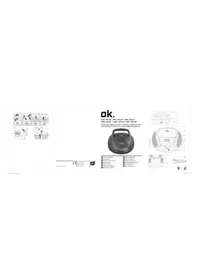
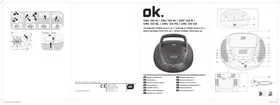
A. Telescopic antenna
B. Display
C. AM button
D. TUNE + button
E. TUNE - button
F. Volume control VOLUME -/+
G. FM button
H. ON/OFF button
I. Battery compartment
J. DCIN jack
K. Head phone jack
L. Audio input AUX IN
M. Power adaptor
N. Speaker
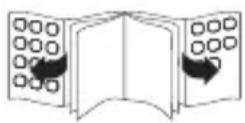
BEFORE FIRST TIME USE
Remove the product and accessories from the original packaging carefully. For disposal of the original packaging, follow applicable legal requirements. If you have questions about correct disposal, contact your local authority.
Check the package contents for completeness and damage. If the package content is incomplete or damages can be found, contact your place of purchase immediately.
EN
16
OPERATION
Aerial adjustment
For optimal reception, extend the antenna, move to fully extend and adjust it.
POWER SUPPLY
If operation by mains power is not possible the radio can be powered by batteries.
Operation by mains
2 Connect the DC connector of the power adaptor to the DC IN jack. Plug the power adaptor to a power socket.
Operation by batteries
3 1. Open the battery compartment.
-
Insert 2 × 1.5V battery (Type LR03/AAA, not included). Make sure the polarity is correct as indicated.
-
Close the battery compartment.
Switch on product
4 Press the ON/OFF button to turn the unit on.
Adjusting the volume
5 The volume can be adjusted during playback with the volume control.
FM/AM-Radio
Selecting stations
6 Select FM or AM band by pressing the relevant buttons.
Selecting FM frequencies
7 Push TUNE+/- buttons to change the frequency in 0.05 MHz (FM) / 9 kHz (AM) steps. Keep the TUNE+/- buttons pushed to set a next available frequency quickly.
AUX-IN
8 This radio allows you to listen to external audio devices.
- Connect a cable (not included) to the AUX IN-jack (3.5mm) at the back of the radio.
- Start playback from the device.
Note
Once an audio cable has been connected to the AUX socket FM or AM radio are muted.
Attention!
Before connecting an external playback device, carefully read the respective user guide and safety instructions as well as instructions concerning usage with other devices.
CLEANING AND CARE
- Disconnect the product from the power supply before cleaning it. Clean the product with a soft, damp cloth and a mild cleaning agent. Finish by wiping it with a dry cloth. Do not use alcohol, acetone, benzene, scouring cleansers etc. to clean the product. Do not use hard brushes or metal objects.
- Warning! Never immerse electrical parts of the product in water during cleaning or operation. Never hold the product under running water.
- Warning! When cleaning, never use solvents or abrasive materials, hard brushes, metallic or sharp objects. Solvents are harmful to human health and can attack plastic parts, while abrasive cleaning mechanisms and tools may scratch the surface(s).
EN
18
SPECIFICATION
Adaptor
Rated input: 100 - 240V 50 / 60Hz 0.15 A
Rated output:5V
0.55A
Radio
Input voltage : 5V 0.55 A
Operation power consumption : 2.5 W
Battery operation: 2 × 1.5 ~V
(Type LR03/AAA, not included)
Frequency range: 87.5 - 108 MHz (FM)
522-1620 KHz (AM)
DISPOSAL
Do not dispose of this product as unsorted municipal waste.
Return it to a designated collection point for the recycling of WEEE. By doing so, you will help to conserve resources and protect the environment. Contact your retailer or local authorities for more information.
Please dispose of batteries in an environmentally friendly manner. Do not put batteries into the household waste. Please use the return and collection systems in your community or contact the dealer where you purchased the product.
ENHORABUENA
3 1. Ouvrez le compartment de batteries.
CIMBOJ MOHIN CO CTpeNKoI Ha KOHcE BHyTpI
paBHOCTOpOHHeRo TpeyrolbHnKa cnJxNt dJIa
npdnypeKdeHnnoB3ObaTeIaHaNuyu
HEn3OJInpOBaHHOro ONaCHOro HApJxKeHnBHyTpN KOpNyCa
yCTPOINCTBa, KOTOPOROMOKeT 6bITb DOCTaTOUHO JIЯ BO3HnKHOBeHnA
pncKa nopaxeHnA 3JIeKTpueCKnM TOKOM IIOJe NIIJ XNBOTbIX.
2.CmBBOBCKnIaTeIbHOrO3HaKaBHyTpN

paBHOCTOpOHHeRo TpeyrolbHnKa CnyKNT JIa
npeynpeKdHnnoB3OBaTeIgOBaxHbIX INHCTpyKunx
No 3KcnnyaTaunn N TexHnueckomy o6cnyXnBaHIO,
PpeCTaBHeHbIX BCnpoBOAnTeJbHO JOKyMeHTaU N yCTPOICTBa.
3.ИЗ looopaKeHn 6e3OnaCHOCTn daHHoe yctpoiCTBO,
Knacca II, o6ecneueHo dBoiHOApMnpoBaHHo
n3OJIeN,HaYTOyKa3bIbAEaTdaHHbIN CmBOJ.
- Onachoctb! CnIshkom BblcOKoe 3BykoBoe daBJIeHne n3
HayuHnKOB-KaPeJIeK HAYuHnKOB MoXeT npUBeCTN K
noTepe cnyxa. Ecnn dOnIro cnyuata My3bIKy oueHb
rPOMKO, 3TO MoKTe NOBpeDntb Baaw cnyx. UcTaHaBnBaIte
YMepeHHyIO rpOMKOCTb.
5.Данhoeи3делпpeнHa3HaueHoToIbKOДЯpa3BneueHnA
nytem npocnyuubannay ayno3anncen. He ncnonb3yute 3to
n3dennne nna IIO6bIX cenei, OTNIuHbIX OT OINcaHHbIX B daHHOM
pykoBOIDCTBe, BO n36eXaHne KaKoJ-Im6o ONaCHO CnTyauCIN.
HeaJnHexKaUee nCNoJIb3OBAHne onaCHO n npuBeTeK npu3HaHIO
HeJeCTBnTeIbHbIMN IIO6bIX rapaHTnHbIX peKJaMaZn.
- Tontbko nIcnoJb3ObaHnB DomauHem Xo3aYCTBe. He
IcNoJIb3yIe Iprn6Op Ha OTKpbITOM Bo3dyXe.
RU
- Onachoctb ydyweHn! DepeKnte BeCb ynaKOBOHyMaTePnAn BdaIIN OT dTei.
- Историяприбор Толбко пи Нормальной Комнатуй Temпегаразу и усLOBИХ Влжно!.
- Издени поховдгся Incpoьбоганя ТолькВ умepeHHbIX shnpotax. He Incpoь3уITE npn6opВ ТрпнКах ИлвЧpe3BычанHO BlaЖHOM KJIIMaTe.
- HapyxHbI aHTeHHbI dOJIxHbI paCNoIaRaTbcra BdaII N OT IINHn 3JIeKTpOpepaN.
- He nepemeuTe n3dJIne n3 XoIOnHO B TeIIOe MeCTO n o6paTHo. KoHdEHCauN MaKcET BbI3BaTb NOBpeXdHeNue N3dJIIny I 3JIeKTpuCeCKNX DeTaJIeN.
- He nCnoB3yIte npncnoc6neHn nn akceccyapbl, OTnUHbIe ot peKOMeHDoBaHHbIX npOn3BOdnteJeM nn pOJaBAeMbIM BMeCTe C 3TnM np6Opom. YcTaHaBnBaIte np6Op B COOTBeTCTBnN C daHHbIM pyKOBoDCTBOM NO 3KcPnyaTuIN.
- Пи установке n3дениocтабы Te dioctaTOUHoe MeTo ДЯ BeHTnlaци. He yCTaHaBnBaIte B KHNKbIX WkaФax, BCTpoEHbIX WkaФax ИИТ.T.I.
- BeHTnIaun He doJxHo npenTCTBOBaTb 3aKpbBaHne BeHTnIaUNOHbIX OTBepCTn TaKIMN npedMeTaMn, KaK Ra3eTbI, cKaTePtn, 3aHaBeCKn n T.D. He BBOdnte HnKaKne npedMeTbIB n3deJIne. He cTabbTe Ha n3deJIne kaKoe-ln6o 3JeKtpOnHoe o6OpyDoBaHne nn ngpyuShKn. TaKne npedMeTbIMoRyT yNaCTb C BePxHeJ qactn I npnbecTn K nobpeJdeHIO n3DeJIy N/nnn POnyuHeHIO TpaBM.
- He yctaHaBnBaIte np6op B6n3n KaKnx-tn6o nCTOuHnKOB TeNla, HApimep, paNaTOPOB, OTOnNTeNbHbIX peRnCTpOB, neey nn dpyrnx np6opOB (BKnIOyA yCnInTeN), npON3BOJaXx TeNlNo.
- He nepectabIaIe n He nepeHocITe I3dJIne, haxoJaIueecn pod HanpJKeHnem.
- He npinkacaiTecb, He ToIkaIe N He Tpnte NOBepxHocTb 3dJIINKAKIMN-JI6O OCTpbIM NII TBePdbIM NpeDMeTaMn.
- Onachoctb! YuTo6bl yMeHbWntb pNCK noXapa nn yDapa 3JIeKTPnueckm TOKOM, He NOBepraTe n3dEJIne BO3dEICTBIO DOxJr nn BnaRn.
- ⅢdJIeHHe IOnKHO NOBepraTbCBA03deICTBnIO KaanaIoUeI nn pa36pbI3rNBaIOUSeIcR KNDKOCTN, HHa HeRo HeNb3r CTaBVtB npEdMeTbI, 3aONJHeHHbIe XNDKOCTbIO, HaPIMEp, Ba3bl.
-
Heo6xoJIMO npocneIb, cyO6bl npEaMeTb IIN XnKoCTn He nonaII B KOpNc Chepe3 OTBepCTnI.
-
Ha n3dennne 3anpeeHcTb OTKpbTbIe NCTOCHNKn PJIaMeHN, HapnMep, 3aXKeHHbIe CBeuN.
- Дялобого обслуживань образашитесь К abTOpN3OBaHOMy areHTу по обслуживаню. He nbTaiTecb понHTb n3deJIne camocToTeIbHo.Обслуживане Tpe6yeTcR, ecn n3deJIne 6blIO KaKIM-ЛИБО образом NOBpeJdeHO, HanpIMep, npn NOBpeJdeHIn IHNypa NITAHNЯ IIN BUNK, pOJNTNU XkIDKOCTN, NaDEHIN IpeDMeTOB BHyTpB n3deJInia, NOBpeJdeHIn KOpNyca, NOДВерраHIn n3deJINA BO3deIcTBnIO DoJxIЯ IIN BNaR, HeHOpMaIbHOJ pa6Ote IIN NaDEHIN n3deJInia.
- Перед подкюченим Идения К розтke y6eintecb В TOM,ЧTOбИ
Нашиженье, уka3aHHoe Ha Идении, COOTBETCTBYET MeCTHоI
эл ekт pineckeckо сети.
24.ИсповьуITEToJIbKONoCTaBЯEmblnpepeoxdHnK. - BnIka nepexoHnka nCNoIb3yeTcB KaueCTBe pa3beINHInTeIbHO yCTpOInCTBa; pa3beINHInTeIbHOe yCTpOInCTBO DOJXHO 6bITb B pa6Oyem COCTOHN. UTo6bl NOnHOCTbIO OTCoEINHInTB BXODHyIO MOUHOCTb, OTKlIOuHTe BNkY nepexoHnKa.
26.ИЗделно может He Функционюваь должным образим Или He pearюваь Ha pa6otу кakoro-ln60 yctpoiCTBa ynpabIeHnna No npuHne электpoCTaTnueckoro pa3pЯda. OTKlIOUHTe n OTcoeHNITE np6op; ChOBa NOДКЛIOUHTe erO uepe3 HeCKoJIbKO ceKyHd He dOnyckaIte, YTO6bl Ha cnloBOJ shHyp HAcTyPnIIIn IINI npuIeMnII, ocObeHNO B oblaCTN BnIKN, электpouecko рОЗТКИ N TOUKN, Гд OH BbIXODNT N3 ИЗдELNIA. - He npuemJIte, He crn6aIte n He npotraBaIte shHyp nHTAHy uepe3 ocTpbIe rpaHI.
- OToCoeHnHTe BnIky nepexoHnka B Cnyuae BO3HnKHOBeHnna HeNoJaOK BO Bpemr NcNoIb3OBAHnra, BO Bpemr rpo3bl, nepeD ouNCTKO n eCIn n3dJIne He nCNoIb3YeTecB TteHnne DnITeJIbHOro nepnoDa BpemeHn.
- Onachoctb!перд оочстков оTKлочи Te n3dene N OTcoeHnTe BnKу nepexoHNka ot pO3eTKn.
- Korda npodukT doCTnR OKOHuaHnCBOero cpoKa cnJx6bl, BbIBeNTe erO n3 CTPOr, OTKIIouvB BnIKy nepexoHnka OT po3eTKn I pa3pe3aB shHyr Ha DBe qactn.
- Bhumane! Ппн He npabunbHoi 3amHe 6aTapeek ectb onacHOCTb B3pbIBa. 3ameHnTe nCNoJb3ObaHHbIe 6aTapeKu TOnbKO Ha 6aTapeKu TAKORo Jne nIIa anAoRnuHoro Tnna. Bcerda 3ameHnTe nONHbIK KomPJIeKT 6aTapeek. He nCnoJb3yIte BmEcTe 6aTapeKu pa3HbIX TINOB nIIc STapBie I HOBbie 6aTapeKn.
- Bcerda o6MeHЯTb BeCb KOMJIeKr 6aTapei.
RU
- CneiTe, yTo6bI 6aTapeKn 6blN BCTaBHeHb IpabNlbHO. Co6IIOaIte COOTBeTCTBne NOIIOc (+) nIIoc / (-) mNHyc Ha 6aTapeKe nHa KOpnyce n3dEJn. HenpaBnIbHO yCTaHOBHeHHbIe 6aTapeKn MOryT Bbl3bIBaTb TeYb IIN, B KpaHnx cIyuaX, BO3rOpaHne IIN B3pbIB.
34.ИЗВLEKAΙTe Otpa6OtaHbIe 6aTapeйкN.IЗВLEKAΙTe 6aTapeйкN, ecn Bam N3BecTHO,чTO I3ДeJIne He 6yIeT ИСПОЛьЗОВаТбСЯВ TeueHne ДлteЛьНо Врemeи.ОнmoуТ дaBaTb TeчБИ Bbl3bIBaTb NOВpeЖdeHЯ. - HeIb3a 3apJkaTb He3apJkaemblc 6atapeiKn.
- B MecTe coeHHeHn He doJxHo 6bItb KOpOTKOrO 3aMbIkaHn.
- ɪЗbvěknte ᵇlèmēntbɪ nɪtənɪyaɪnɪ pɒdʊkta nepeć yɪtnɪnɪaúneɪ.
- He noDBepraTe 6aTapeKn BO3dEiCTBnIO n36bIToUHOro TeNla (HaNPmEp, JPKoro coHca, orH) n HeKOrda He 6pocaiTe INX B orOnb. BaTapeKu Moryr B3pbIBaTbcra.
- XpaHnTe 6aTapeeKn B MeCTax, HeIOCTyINHbIX dIЯ MaIbIX DeTei. EcII 6aTapeeKn nporloueHbl, HemeIeHHO o6paIaIteCb 3a MednUHCKO I NOMOUI.
- Ecnn 6aTapeKn TeKyT, n3BneKeIte nx C NOMOu KycKa TkaHn H36aBbTeCb OT Hnx HaJIeXaUIM O6pa3OM. He donyckaTae KOHTaKTA KncIoTbI 6aTaapeek C KoxKe IIN rIa3AmN. Ecnn KncIoTa 6aTaapeek nonana Bam B rIa3a, TuaTeNbHO npOMoIte nx 6OJbUIM KOInueCTBOM BOdbI N HeMeJeHNO pOKOHcybTpPyItecb CBpaQom. Ecnn KncIoTa 6aTaapeek nonana Bam Ha Koxy, npOMoIte 3aDeTbIe yuctkn 6OJbUIM KOInueCTBOM BOdbI IN MbIOM.
NCIOJIb3OBAHnE IO HA3HAUeHnIO
Данhoeи3делпpeнha3нayeho ДяВOCПОИЗБЕDEHЯ My3bIKN uepe3 FM/AM Radio, AUX IN nnn HayshNKOB.ЛIO6oe nHOe nCNoIb3OBAHne MOXET BbIbBaTb NOBpeKdEHne n3delenn IIN TpaBMbl. 3TO n3delenn PpeHa3HaueHo TOJIbKO DЯ DomaSHero nCNoIb3OBAHЯ N He nOxDxOJNT DЯ KOMMepueckoro npIMeHEnra.
Imtron GmbH He HeceT HnKaKoI OTBeTCTBHeHOctN 3a NOBpeXdHne
n3dJIy, yuep6 nMyuEcTBy nIITpaBMBI BCJeCDTBNe XaJaTHORO
OTHOseHnI NII NCNoJIb3OBaHnI N3dJIy He IIO Ha3HaueHIO,
IIIN NCNoJIb3OBaHnI N3dJIy, He OTBeuaUeero ONpeDeJeHHbIM
PPOIN3BOIDNTeJAM ueJAM.
ETALIN
Pn6op noCTaBnaTcB pa3nHbIX cBeTaX.
A. Teneckonnuecka aHTehHa
B. Дистпей
C. KhoNka AM
D. Khonka TUNE +
E. Khonka TUNE -
F. Perynatop rpoMkoCTN VOLUME-/+
G. Khonka FM
H. Khonka ON/OFF
I. Otcek dny 6aTaapeek
J. Pa3bema DC IN
K. Pa3bemДЯ Hayшнков
L. AynobxOJ AUX IN
M. CeteBoi aIaIantep
N.ДинhamNK
IPEPINEPBbIM nCIOJIb3OBAHnEM
AkkypaTHO ydaJIte n3dJIne n npHaJLeJxHocTn u3 opuHaJIbHOy ypaKOBKn. OcmOTpIte KOMJIeKT NOCTaBKn Ha npEdMeT NOJHotbl N haJIuNra NOBpeJdeHn. Ecnn KOMJIeKT HeNoJIbN nn IMeIoTcR IOBpeJdeHn, HemeJIeHNO o6paTntecb CBOE TOPROOE npedPnraTne.
RU
88
3KCNNYATAUHA
PerynipoBka AHTeHHbI
1ДЯ ONTIMaJIbHOrO npIeMa BblBnHbTe aHTeHHy, npeiDInTe K peKIMy NOnHOrO BblBnXeHnI OTopeRynpUyTe ee.
3JEKTPOCHABXKEHNA
Ecnn pa6ota ot cetn HeBO3MOxHa, paIIO MOXeT NITaTbC8 O T aTapei.
Pa6ota ot cetu
2 IopcoeHnTe WTekep NOCToHnHO ToKa ceTeBOrO aanTepa K B pa3bemy DC IN. IopKIOUHTe CeTeBOAaANTep K po3eTKe cETN 3JIeKTponNTAHNA.
Pa6ota ot 6atapei
3 1. OtkpoIte otdeIeHne nIy 6aTaapeek.
-
BCTaBbTe 2 x 6aTapeiKn 1,5 B (TnL R03/AAA, He BXoIb T B KOMnIeK) B OTdJIeHne dIy 6aTapeeK. Co6IouaIte npabNlbHyIO NOIrpHOCTb.
-
3akpoIte oTneJenHe nIg 6aTaapeek.
BkIoueHne ycTpoiCTBa
4 UTo6bl BkIIOUHTb npu6Op, HaxMnte Ha KhoNky ON/OFF (nntaHne/ pexm oXnDaHna).
Perylupobka rpoMkoCTn
5 3ByK MoXHo peRyIInpOBAbBo BpeMra BocPOn3BeDeHnC nOMoUbO peRyJIaTopa yPoBn rPOMKOCTn.
FM/AM-paio
BbI6Op cTaHcNIM
6 C nOMObIO COOTBeTCTByIOx KHOIOK Bbl6epnte dnaana3OH FM nn AM.
Bb6op yactot FM
7 C nOMOsbIO KHOJOK TUNE+/- n3MeHnTe yactOTy c warom 0,05 MΓu (FM) / 9 kΓu (AM). YdepxnbAte haxaTbIMN KHOJKN TUNE+/-, qTO6bl 6bICTpo HacTpontb cneDyUOyIO DOCTynHyIO yactOTy.
AUX-IN
8 To paIIO no3BOJAE T CnyaTb BHeHHe ayDNOyCToICTBa.
- Подключnte ka6ь (He BXoДNT B KOMпгКТ) к pa3ьему AUX IN (BcnoMOraTeNbHbI BxOД) (3,5 MM) Ha 3aДнe nAHeN npAINO.
- Nauchnite Bocnpon3BeJeHne Ha yctpoNCTBe.
PpmeHne
При посоeнHeHn ayInoka6eЯ K pa3bemy AUX, BblKIOUaETc8 3Byk FM nnn AM-paINo.
BhimaHne!
Ipeed nodkloueHem BHeuHero yctpoiCTBa Bocnpon3BeDeHnBHNMaTeJbHO npOHTaIte COOTBeTCTByIOUee pyKOBOCTBONOlb3OBaTeJI N IHCTpyKcNn NO 6e3OJaCHoCTn, a TaKKeINHCTpyKcNn, kacaIoUneC nCNoJb3OBaHn C dpyrUm np6bOpamn.
CHCTKA UYXOД
- Пераюстковся бра виные похони зети. Оспто Корпс с помоцью сегka смоунон Ткани.
BhImaHne! Bo Bpemr ounctkn nn EKcnnyataun 3anpeueho norgykaTb 3neKtpnueckne deTaNn 3dennB Body. HnkOrda He depxnte n3delle noD npoTOuHO BDOJ.
BHMMaHHe! Pn OunchKe 3anpeSeHO nCNoIb3OBaTb paCTBOpNTeIN nn a6pa3NBhBe MaTePnaJIbI, TBePdbie IeTKN, MeTaJInuYeCKne nn octpbIe npEIMtbl. PaCTBOpNTeIN HaHocrT Bpe 3DopOBbU yeNoBeKa nn MOryT pa3pyuHTb PnactMacCOBbie DeTaN, a abpa3NBhBe YnCTAunye yCTPOcTBa INHcTpymEtbl MOryT noCuapanaTb NOBepXHOCTb (-TN).
RU
90
CNEUΦUKAU
AanTep
HOMHaJIbHa MaOuHocTb Ha :100-240V\~,50/60Hz,0,15A
BxOa
HomHaJIbHaB BbIXOHa :5V-0,55A
MOUHOCTb
PaDnonpneMHNK
BxoHoeHa npjKeHne:5V0,55A
Notpe6nemamooHoctb:2,5W
Pa6ota ot 6atapeek:2x1,5V
(TIN LR03/AAA, HET B KOMNJIeKTe)
YacToTHbI dHaana3OH:87,5-108MHz (FM)
522-1620 KHz (AM)
YTNIN3AUIN
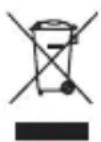
He cneyuET BbI6paCbIBaTb np6Op BMeCTe C 6bITOBbIMN OTXoamn. BepHnte erO B cneuaHn3npoBaHHbI pyHKT npHa eJekTKPOHnO rAn3JeKTKPOO6OpyDoBaHn Ha yTuIN3aUIO.
3a 6oJIe noIpO6Hoi nHΦOpMaünei o6paTntecb K BaIeMy npOdaBcU nn MeCTHbIM BnaCTaM.
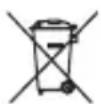
Ioxayncta, ytnn3npyTe 6aTapeKn 3KOJOnueckm cnoc6om. He Bb6paCbBaIte 6aTapeKu BMeCTe C 6bITOBbIM Mycopom. Ioxayncta, nOJIb3yITeCb CNCTeMOB BO3BpTa N c6opa, pa6oTaIOSeB BaSei MeCTHOCTN, INI o6paauTeCB B mara3nH, rpe Bbl npno6peNI u3dene.
GRATTIS

- IMPORTANT SAFETY INSTRUCTIONS. READ CAREFULLY AND KEEP FOR FUTURE REFERENCE.
- EN
- INTENDED USE
- COMPONENTS
- BEFORE FIRST TIME USE
- OPERATION
- Aerial adjustment
- POWER SUPPLY
- Operation by mains
- Operation by batteries
- Switch on product
- Adjusting the volume
- FM/AM-Radio
- Selecting stations
- Selecting FM frequencies
- AUX-IN
- Note
- Attention!
- CLEANING AND CARE
- SPECIFICATION
- Adaptor
- Radio
- DISPOSAL
- ENHORABUENA
- RU
- NCIOJIb3OBAHnE IO HA3HAUeHnIO
- ETALIN
- IPEPINEPBbIM nCIOJIb3OBAHnEM
- 3KCNNYATAUHA
- PerynipoBka AHTeHHbI
- 3JEKTPOCHABXKEHNA
- Pa6ota ot cetu
- Pa6ota ot 6atapei
- BkIoueHne ycTpoiCTBa
- Perylupobka rpoMkoCTn
- FM/AM-paio
- BbI6Op cTaHcNIM
- Bb6op yactot FM
- PpmeHne
- BhimaHne!
- CHCTKA UYXOД
- CNEUΦUKAU
- AanTep
- PaDnonpneMHNK
- YTNIN3AUIN
- GRATTIS
Brand : OK
Model : OWR 230W
Category : Radio