CMGN 6182W - Fridge CANDY - Free user manual and instructions
Find the device manual for free CMGN 6182W CANDY in PDF.


| Brand | Candy |
| Model | CMGN 6182W |
| Product type | Combined refrigerator-freezer |
| Climate class | SN, N, ST, T (10°C to 43°C) |
| Refrigerant | R600a (isobutane) |
| Main functions | Smart ECO, Fast Cooling, Fast Freezing, Vacation, PURACTION EVO, Wi-Fi (SmartFi+) |
| Water dispenser | Yes, with internal tank |
| Freshness control | Vegetable drawer with humidity control |
| Antibacterial system | PURACTION EVO (UVA LED light) |
| Defrost | Automatic |
| Interior lighting | Replaceable LED |
| Open door alarm | Yes, after 3 minutes |
| Freezer overheat alarm | Yes |
| Power failure memory | Yes, retains settings |
| Start-up delay | 5 minutes |
| Reversible door opening direction | Possible (recommended by a technician) |
| Power supply | Electric, standard plug |
| Maintenance | Cleaning with soapy water, vacuum for rear grille |
| Safety | Screen lock (Lock), flammable gas, installation precautions |
| Intended use | Domestic and similar applications (hotels, offices, etc.) |
Frequently Asked Questions - CMGN 6182W CANDY
User questions about CMGN 6182W CANDY
0 question about this device. Answer the ones you know or ask your own.
Ask a new question about this device
Download the instructions for your Fridge in PDF format for free! Find your manual CMGN 6182W - CANDY and take your electronic device back in hand. On this page are published all the documents necessary for the use of your device. CMGN 6182W by CANDY.
USER MANUAL CMGN 6182W CANDY
INTERFACCIA UTENTE INTERNA (SOLO SU ALCUNI MODELLI)

WATER DISPENSER (SOLO SU ALCUNI MODELLI)
Tips for keeping food perfect in the Fridge
Where to store your foods in the fridge
Storing Frozen Food
ENERGY SAVING
TAKE CARE
Defrosng
Cleaning and Care
CHANGING THE INTERNAL LIGHT
REVERSING THE DOOR SWING
TROUBLE SHOOTING
Thank you for purchasing this product.
Before using your refrigerator, please carefully read this instrucon manual in order to maximize its performance. Store all documentaon for subsequent use or for other owners. This product is intended solely for household use or similar applicaons such as:
- the kitchen area for personnel in shops, oces and other working environments
- onfarms, byclientele of hotels, motels and other environments of a residential type
- at bed and breakfasts (B&B)
- for catering services and similar applicaons not for retail sale.
This appliance must be used only for purposes of storage of food, any other use is considered dangerous and the manufacturer will not be
responsible for any omissions. Also, it is recommended that you take note of the warranty conditions. Please, to obtain the best possible performance and trouble free operaon from your appliance it is very important to carefully read these instrucons. Failure to observe these instrucons may invalidate your right to free service during the guarantee period.
SAFETY INFORMATION
This guide contains many important safety informaon. Please, we suggest you keep these instrucons in a safe place for easy reference and a good experience with the appliance.
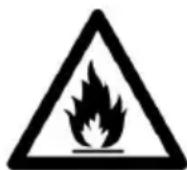
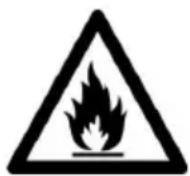
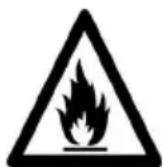
The refrigerator contains a refrigerant gas (R600a: isobutane) and insulngas (cyclopentane), with high compatibility with the environment, that are, however, inammable.
Cauon: risk of re
If the refrigerant circuit should be damaged:
- Avoid opening ames and sources of ignion.
Thoroughly venlate the room in which the appliance is situated
WARNING!
- Care must be taken
while cleaning/carrying the appliance to avoid touching the condenser metal wires at the back of the appliance, as you might injure your ngers and hands or damage your product.
- This appliance is not designed for stacking with any other appliance. Do not aempt to sit or stand on top of your appliance as it is not designed for such use. You could injure yourself or damage the appliance.
- Make sure that mains cable is not caught under the appliance during and aer carrying/moving the appliance, to avoid the mains cable becoming cut or damaged.
- When posioning your appliance take care not to damage
your ooring, pipes, wall coverings etc. Do not move the appliance by pulling by the lid or handle. Do not allow children to play with the appliance or tamper with the controls. Our company declines to accept any liability should the instrucons not be followed.
- Do not install the appliance in humid, oily or dusty places, nor expose it to direct sunlight and to water.
- Do not install the appliance near heaters or inammable materials.
- If there is a power failure do not open the lid. Frozen food should not be aected if the failure lasts for less than 20 hours. If the failure is longer, then the food
should be checked and eaten immediately or cooked and then refrozen.
- If you nd that the lid of the chest freezer is difficult to open just aer you have closed it, don't worry. This is due to the pressure dierence which will equalize and allow the lid to be opened normally aer a few minutes.
- Do not connect the appliance to the electricity supply unll all packing and transit protectors have been removed.
- Leave to stand for at least 4 hours before switching on to allow compressor oil to sele if transported horizontally.
- This freezer must only be used for its intended purpose (i.e. storing and freezing of edible
foodstu).
- Do not store medicine or research materials in the Wine Coolers. When the material that requires a strict control of storage temperatures is to be stored, it is possible that it will deteriorate or an uncontrolled beacon may occur that can cause risks.
- Before performing any operacon, unplug the power cord from the power socket.
- On delivery, check to make sure that the product is not damaged and that all the parts and accessories are in perfect condition.
- If in the refrigeration system a leak is noted, do not touch the wall outlet and do not use open ames. Open the window and let air
into the room. Then call a service center to ask for repair.
- Do not use extension cords or adapters.
- Do not excessively pull or fold the power cord or touch the plug with wet hands.
- Do not damage the plug and/or the power cord; this could cause electrical shocks or res.
- If the supply cord is damaged, it must be replaced by the manufacturer, its service agent or similarly qualified person in order to avoid a hazard.
-
Do not place or store inammable and highly volale materials such as ether, petrol, LPG, propane gas, aerosol spray cans, adhesives, pure alcohol, etc. These materials may cause an explosion.
-
Do not use or store inammable sprays, such as spray paint, near the Wine Coolers. It could cause an explosion or re.
- Do not place objects and/or containers lled with water on the top of the appliance.
We do not recommend the use of extension leads and mul-way adapters. - Do not dispose of the appliance on a re. Take care not to damage, the cooling circuit/pipes of the appliance in transportaon and in use. In case of damage do not expose the appliance to re, potenai ignion source and immediately venlate the room where the appliance is situated.
- The refrigereraon
system posioned behind and inside the Wine Coolers contains refrigerant. Therefore, avoid damaging the tubes.
- Do not use electrical appliances inside the food storage compartments of the appliance, unless they are of the type recommended by the manufacturer.
- Do not damage the refrigerant circuit.
- Do not use mechanical devices or other means to accelerate the defrosng process, other than those recommended by the manufacturer.
- Do not use electrical appliances inside the food storage compartments, unless they are of the type recommended by the manufacturer.
- Do not touch internal cooling elements,
especially with wet hands, to avoid cracks or injuries.
- Maintain the venlaon openings in the appliance enclosure or in the built-in structure, free of obstrucon.
- Do not use pointed or sharp-edged objects such as knives or forks to remove the frost.
- Never use hairdryers, electrical heaters or other such electrical appliances for defrosng.
- Do not scrape with a knife or sharp object to remove frost or ice that occurs. With these, the refrigerant circuit can be damaged, the spill from which can cause a re or damage your eyes.
- Do not use mechanical devices or other equipment to hasten the defrosng
process.
- Absolutely avoid the use of open ame or electrical equipment, such as heaters, steam cleaners, candles, oil lamps and the like in order to speed up the defrosng phase.
- Never use water wash the compressor posion, wipe it with a dry cloth thoroughly aer cleaning to prevent rust.
It is recommended to keep the plug clean, any excessive dust residues on the plug can be the cause re.
The product is designed and built for domesc household use only. - The guarantee will be void if the product is installed or used in commercial or non-residential domesc household premises.
The product must be
correctly installed, located and operated in accordance with the instrucons contained in the User Instrucons Booklet provided.
- The guarantee is applicable only to new products and is not transferable if the product is resold.
- Our company disclaims any liability for incidental or consequential damages.
- The guarantee does not in any way diminish your statutory or legal rights.
- Do not perform repairs on this Wine Coolers. All intervenons must be performed solely by qualified personnel.
If you are discarding an old product with a lock or latch ed to the door, ensure that
it is le in a safe condion to prevent the entrapment of children.
- This appliance can be used by children aged from 8 years and above and by persons with reduced physical, sensory or mental capabilities or with a lack of experience and knowledge; provided that they have been given adequate supervision or instrucon concerning how to use the appliance in a safe way and understand the hazards involved.
- Children should not play with the appliance. Cleaning and user maintenance should not be made by children without supervision.
- Locks:If your Fridge/Freezer is
ed with a lock, to prevent children being entrapped keep the key out of reach and not in the vicinity of the appliance. If disposing of an old Fridge/Freezer break o any old locks or latches as a safeguard.
COMBI REFRIGERATOR CANDY Climate Class
The appliance is designed to operate at the limited range of ambient temperature, depending on climate zones. Do not use the appliance at the temperature out of the limit. Climate class of your appliance is indicated on the label with technical descripion inside the fridge compartment.
| Climate Class | Amb. T. (℃) | Amb. T. (℉) |
| SN | From 10 to 32 | From 50 to 90 |
| N | From 16 to 32 | From 61 to 90 |
| ST | From 16 to 38 | From 61 to 100 |
| T | From 16 to 43 | From 61 to 110 |
TRANSPORTATION INSTRUCTIONS
The appliance should be transported only in a vercal upright posion. The packing as supplied must be intact during transportaon. If during the course of transport the product has been transported horizontally, it must only be laid on its le hand side (when facing the door front) and it must not be operated for at least 4 hours to allow the system to sele aer the appliance is brought back to upright posion.
- Failure to comply with the above instrucons could result in damage occurring to the appliance. The manufacturer will not be held responsible if these instrucons are disregarded.
- The appliance must be protected against rain, moisture and other atmospheric inuences.
INSTALLATION INSTRUCTIONS
- If possible avoid placing the appliance near cookers, radiators or in direct sunlight as this will cause the compressor to run for long periods. If installed next to a source of heat or refrigerator, maintain the following minimum side clearances:
| From Cookers | 4" (100 mm) |
| From Radiators | 12" (300 mm) |
| From Fridges | 4" (100 mm) |
- Make sure that sccient room, with an average temperature of between 16^ and 32^, is provided around the appliance to ensure free air circaon. Ideally, a space of no less than 9cm on the back and 2cm on the sides.
- The appliance should be located on a smooth surface.
- It is forbidden to use the refrigerator outdoors.
- Protecon from moisture. Do not locate the freezer in moist space to avoid the metal parts rusty. And do not spray water to the freezer, otherwise it will weaken the insulaon and causes current leakage.
- Refer to "Cleaning and Care" secon to prepare your appliance for use.
- If the freezer is installed in unheated areas, garages etc., in cold weather condensaoon may form on the outer surfaces. This is quite normal and is not a fault. Remove the condensaoon by wiping with a dry cloth.
- Never place Refrigerator in a wall recessed or into ed cabinets or furniture when it is working, the grille at the back may become hot and the sides warm. Do not drape the Refrigerator with any covering.
STARTING TO USE
Before you starng to use the freezer, please check that:
- The interior is dry and air can circulate freely at the rear.
- Clean the interior as recommended under "TAKE CARE" secon (electric parts of the refrigerator can only be wiped by dry cloth).
- Do not switch on unl 4 hours aer moving the fridge/freezer. The coolant uid needs me to sele. If the appliance is switched o at any me, wait 30 minutes before switching back on to allow the coolant uid to sele.
- Before connecng the Refrigerator to the mains supply posion. The thermostat control diais is located inside the Fridge compartment.
- Turn the thermostat knob to the "3"
posion and turn on the electricity. The compressor and the light inside the refrigerator will begin to work.
- Before storing foods in your refrigerator, turn the refrigerator on and wait for 24 hours, to make sure it is working properly and to allow the Fridge/Freezer to fail to the correct temperature.
- Open the door 30 minutes later, if the temperature in the refrigerator decreased obviously, it shows that the refrigerator system works well. When the refrigerator operates for a period of me, the temperature controller will automatically set the temperature within limits it opens.
COMBI OPERATION
Appliance connected to power at the rst me:
When the appliance is connected to power at the rst me, the display will be lit for 2 seconds before going normal and the appliance runs with intelligence funcon.
Display Control: When the refrigerator door is closed and there is no buon operaoon in 3 minutes, the display light goes o.
When the display light is o, open the refrigerator door or click any buon to light it up.
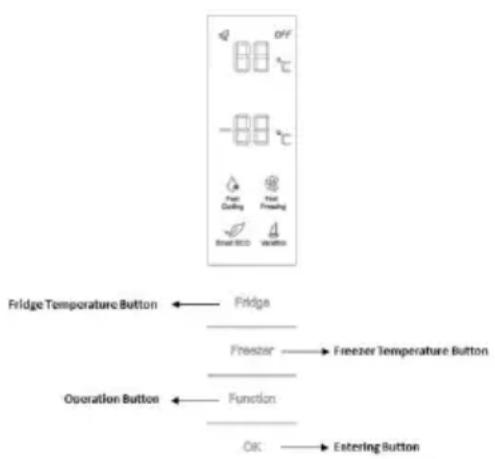
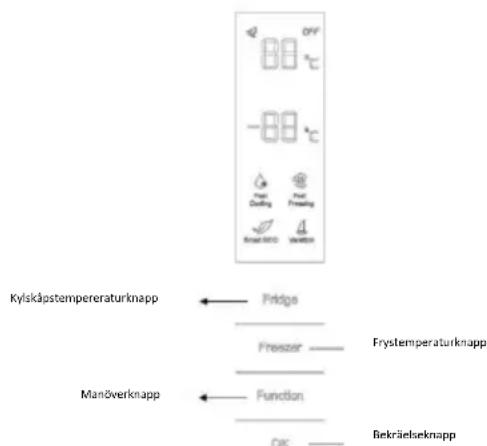
VERTICAL DISPLAY (if present)
TEMPERATURE SETTING: Click the "Fridge" or "Freezer" buon and when it ickers in the symbol, temperatures can be set. Each me when the buon is clicked, the temperature changes accordingly. Temperatures cannot be set under funcons of fast cooling, fast freezing, Smart ECO and vacaon. Under temperature seng, if there is no buon operaoon in 5 seconds, the buon stops ickering and the set temperature comes into ect.
SMART ECO: Acvate the Smart Eco buoy to set the temperatures of the fridge in max. energy ciency conditions (+4^ for fridge temperature, - 18^ for freezer temperature).
To enter Smart Eco: Click "open" untl it ickers and then click "OK" to enter this funcon.
To deacvate Smart Eco: Click "open" unll it goes to Smart ECO, click "OK" to quit this funcon and the light goes o.
FAST COOLING: Acvate Fast Cooling mode to start an additional pulse for a fast freezing of the fridge compartment. The funcon is acvated and conrrmed by the switching on of the dedicated LED icon.
To enter Fast Cooling: Click "open" until it ickers in "Fast Cooling" and then click "OK" to enter this funcon.
To deacvate Fast Cooling: Click "opon" unll it goes to "fast cooling" and then click "OK" to deacvate this funcon.
FAST FREEZING: Acvate Fast Freezing to rapidly freeze big quanes of food keeping intact nutritional food properes. When the light in Fast Freezing goes o and the freezer temperature goes back to the value before fast freezing. When Fast Freezing me is up (26 hours), it deacvates automatically. When it goes to Vacaon, Fast Freezing stops.
To enter Fast Freezing: Click "open" unll it ickers in "Fast Freezing" and then click "OK" to enter this funcon.
To deacvate Fast Freezing: Click "opon" unl it goes to "fast freezing" and then click "OK" to quit this funcon.
VACATION: In case of long stops, the Vacaon funcon can be used. This funcon deactivates the fridge compartment, while leaving the freezer on. Ensure that there is no food inside the fridge compartment before using this funcon. The funcon is acvated and conrrmed by the switching on of the dedicated LED icon. The light in Vacaon goes o and the refrigerator temperature goes back to the value before Vacaon.
Vacacon quits under funcons of Smart ECO and Fast Cooling.
To enter Vacaon: Click "opon" unll it ickers in "Fast Freezing" and then click "OK" to enter this funcon.
To deacvate Vacaon: Click "opon" unl it goes to "Vacaon" and then click "OK" to quit this funcon.
POWER OFF MEMORY: Refrigerator can automatically keep all the seng in case of power o. When the unit is plugged in again, the refrigerator will run with the seng before power o.
POWER-ON DELAY: To prevent harm to the refrigerator in case of sudden power cut and power on, the unit does not start immediately if the power o me is less than 5 minutes.
FREEZER OVER-TEMPERATURE ALARM (only in case
of power on): When the freezer temperature is higher than 10^ Cat the rst me connected to power, the symbol light of the freezer chamber goes on and the number representing temperature ickers.
Press any buoy or wait for 5 seconds, ickering stops and it goes back to the temperature that was set.
REFRIGERATOR DOOR OPENING ALARM: When the
refrigerator is open over 3 minutes, the buzzer will buzz. Close the door or press any buoy to stop the alarm, but for the laer, the alarm will go o again aer 3 minutes.
SENSOR FAULT ALARM: When it shows "E0", "E1", "E2" or other abnormal symbols, it means sensor faults and the refrigerator needs repair.
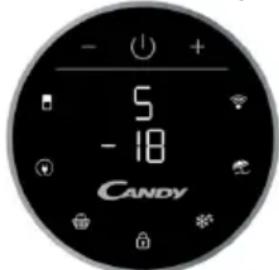
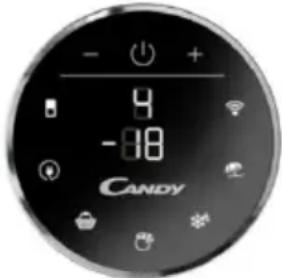
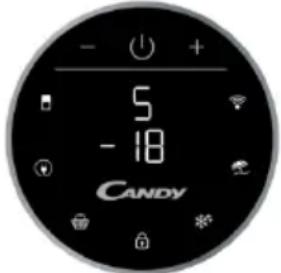
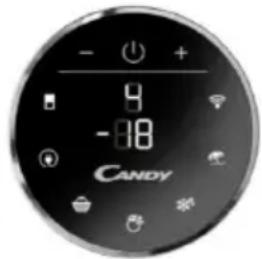
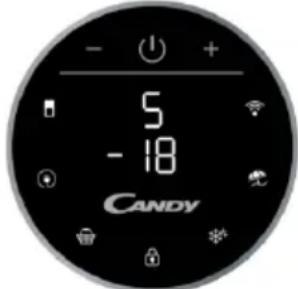
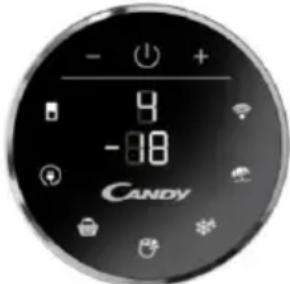
ROUNDED DISPLAY (if present)
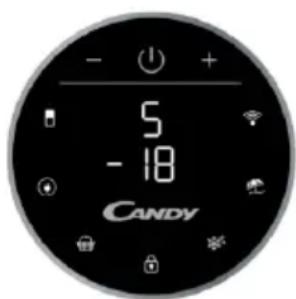
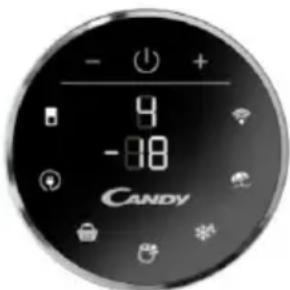
Rounded Display is a
touch user interface. When the refrigerator is turned on, white LED lights will be enlightened. When the funcons is pressed the icon lights change from white to blue.
SETTING TEMPERATURE: Press MODE icon to change the temperature
In the models with PURACTION EVO, press the "MODE" buon for 3 seconds to lock and unlock the display.
- Refrigerator Temperature: Press one me MODE icon, refrigerator digit blinks, and manage temperature of refrigerator with "+" and "-" buons.
-Freezer Temperature: Press two mes MODE icon, freezer digit blinks, and manage temperature of freezer with ^ 十 + ^ 一 and - - " buons.
PURACTION EVO icon: You can deactivate the PURACTION EVO funcon by pressing the appropriate icon and the PURACTION EVO icon will be o.
ECO MODE Icon: Press Eco Mode icon to set temperatures of the fridge in max. energy eciency conditions (+5^ for fridge temperature, -18^ for freezer temperature). The funcon is acvated and conrrmed when the icon LED changes from white to blue.
If you want to exit the ECO mode funcon, you need to press the Eco Mode icon again and the refrigerator temperature turns back to normal operaoon.
SUPER COOLING Icon: Press Super Cooling icon to start an additional pulse for a fast freezing of the fridge compartment. The funcon is acvated and conrrmed when the icon LED changes from white to blue.
If you want to exit the Super Cooling funcon, you need to press the Super Cooling icon again and refrigerator temperature turns back to normal operaoon.
LOCK Icon: Press Lock icon to block display user interface. If the lock funcon is selected, the icon
(LED) should turn into blue. When Lock funcon is turned on the user cannot set any new funcons. To turn o Lock funcon, the user must perform a long press on the icon for 3 seconds to unlock display.
SUPER FREEZING Icon: Press Super Freezing icon to rapidly freeze big quanes of food keeping intact nutritional food properes. The funcon is acvated and conrrmed when the icon LED changes from white to blue.
If you want to exit the Super Freezing functor, you need to press the Super Freezing icon again and the freezer temperature turns back to normal operon.
HOLIDAY Icon: In case of long stops, the Holiday funcon can be used. This funcon deactivates the fridge compartment, while leaving the freezer on.
Ensure that there is no food inside the fridge compartment before using this funcon. The funcon is acvated and conrrmed when the icon LED changes from white to blue.
If you want to exit the Holiday funcon, you will need to press the Holiday icon again, the light in Holiday goes o and the refrigerator temperature goes back to the value before Holiday.
WI-Fi Icon: This appliance is equipped with SmartFi+ technology that allows you to control it remotely via App. Press Wi-Fi icon for 3 seconds to acvate Wi-Fi funcon and the icon light changes from white to blue.
Machine Enrollment (on App): Download the SimplyFi App on your device. The Candy SimplyFi App is available for devices running both Android and iOS, both for tablets and for smartphones. Get all the details of the SmartFi+ funcons by browsing the App in DEMO mode.
Open the App, create the user prole and enroll the appliance following the instrucons on the device display or the "Quick Guide" aached on the
machine. This operacon is necessary just for the rst installaon. To nalize the enrollment following the instrucon on the smartphone's screen.
Refrigerator usage from remote by App: When the enrollment is completed, there will be Wi-Fi LED switched on. From now on it will be possible to manage the product by using the buons on the display or using the App: both of them will be aligned according to the last command given.
INTERNAL USER INTERFACE (if present)

SET Buon: Press SET button for setting the temperature until you reach the level you want where level 1 is the warmest and level 4 is the coldest. Under normal operating conditions, we recommend using an intermediate setting (level 2). Once the seng takes eect, it immediately enters the corresponding stall for operaoon control, and the stall indicator lights up 3s3min and then goes out. Factory default temperature is set to 2.
Long press "SET" key to exceed 3s and enter the hardware self-check program. The hardware self-check operaoon is eecve within 10min and the long buon operaoon aer 10min is invalid.
Wi-Fi Buon: This appliance is equipped with SmartFi+ technology that allows you to control it remotely via App. Press Wi-Fi icon for 3 seconds to acvate Wi-Fi funcon and the icon light changes from white to blue.
Machine Enrollment (on App): Download the SimplyFi App on your device. The Candy SimplyFi App is available for devices running both Android and iOS, both for tablets and for smartphones. Get all the details of the SmartFi+ funcons by browsing the App in DEMO mode.
Open the App, create the user prole and enroll the appliance following the instrucons on the device display or the "Quick Guide" aached on the machine. This operacon is necessary just for the rst installaon. To nalize the enrollment following the instrucon on the smartphone's screen.
Refrigerator usage from remote by App: When the enrollment is completed, there will be Wi-Fi LED switched on. From now on it will be possible to manage the product by using the buons on the display or using the App: both of them will be aligned according to the last command given.
FAST COOL Buon: when "FAST COOL" buon is pressed, rapid cooling funcon is acvated, according to the 21^ to refrigereraon control gear.
Maximum running me is 3h, aer this metemperature will be set to 1.
If the "SET" buoy is pressed in the process of speed cooling, the instant cooling functor is immediately withdrawn and the default is entered into the next gear.
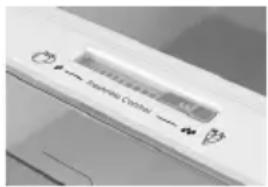
TECHNICAL FEATURES FRESHNESS CONTROL (if present)
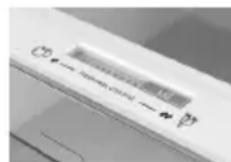
Thanks to freshness control, you can guarantee the right humidity level for vegetables and fruits in the crisper drawer (Fresh drawer). The humidity gets bigger as the rod goes from le to right.
PURACTION EVO (if present)
The PURACTION EVO funcon is started by pressing the "PURACTION EVO" icon on the display that lights up. It works when the buoy is pressed for a certain period of me (20 minutes) and at each door opening. The cycles have been optimized to guarantee the best ciency and the lowest energy waste.
LED UVA lights acvate a tanium liter which produces a "photocatalysis" reacon, which destroys the bacteria in the air inside the refrigerator The liter has a duraon of 10 years. The antibacterial system must be switched o during the energy consumpon test.
WATER DISPENSER (if present)
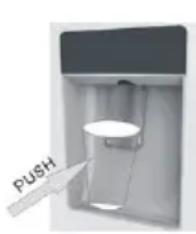
The water dispenser allows you to get chilled water without opening the fridge compartment door.
Before rst use
Before using the water dispenser for the rst me,
remove and clean
the water tank located inside the fridge
compartment.
- Li the water tank out of
the fridge compartment.
- Open the water tank cover
and then clean the water
tank and cover
in warm soapy water. Rinse thoroughly.
-Aer cleaning, each the cover to the water tank and then replace
the water tank back on the fridge door.
- Clean the dispenser pad outside the fridge door.
Filling the water tank with water
-
Open the small cover.
-
Fill the water tank with drinkable water up to the Max line.
-
Close the small cover.
Dispensing
To dispense water, push the dispenser pad gently, using
a glass or container. To stop the ow of water, pull your glass away from the dispenser pad.
Tips for keeping food perfect in the Fridge
Take extra care with meat and sh: cooked meats should always be stored on a shelf above raw meats to avoid bacterial transfer. Keep raw meats on a plate which is large enough to collect juices and cover it with cling lm or foil.
Leave space around food: this allows cold air to circulate around the Fridge, ensuring all parts of the Fridge are kept cool.
Wrap up food! to prevent transfer of avors and drying out, food should be separately packed or covered. Fruit and vegetables need not be wrapped.
Pre-cooked food should be cooled properly: allow pre-cooked food to cool down before placing in the Fridge. This will help to stop the internal temperature of the Fridge from rising.
Shut the door! to prevent cold air escaping, try to limit the number of mes you open the door. When retuning from shopping, sort foods to be kept in your Fridge before opening the door. Only open the door to put food in or take it out.
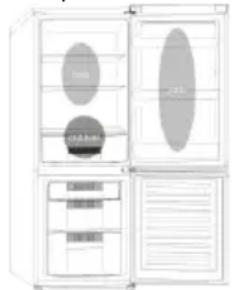
Where to store your foods in the fridge
Cool area: this is where to store foods which will keep longer if they are kept cool. Milk, eggs, yogurt, fruit juices, hard cheeses eg. Cheddar. Opened jars and boles of salad dressings, sauces and jams. Fats,
eg. Buer, margarine, low-fat speads, cooking fats and lard.
Coldest area (0^ to 5^) : this is where foods which must be cold to keep them safe should be kept:
- Raw and uncooked foods should always be wrapped.
-Pre-cooked chilled foods, eg. Ready meals, meat pies, so cheeses.
-Pre-cooked meats eg. Ham,
-
Prepared salads(including pre-packed mixed green salads, rice, potato salad etc).
-
Desserts, eg. Fromage frais, home-prepared food and leovers or cream cakes.
Crisper: this is the most humid part of the Fridge. Vegetables, fruit, fresh salad items eg. Unwashed whole leuce, whole tomatoes, radishes etc can be stored here.
WE RECOMMEND THAT ALL PRODUCE KEPT IN THE SALAD BIN IS WRAPPED.
NOTE: Always wrap and store raw meat, poultry and sh on the lowest shelf at the boom of the fridge. This will stop them dripping onto, or touching other foods. Do not store inammable gasses or liquids in the fridge.
Electrical operaon aer 3h on the freezer, the temperature in the cabinet above -12^, the alarm light is lit, and buzzer sounds.
Storing Frozen Food
Prepackaged commercially frozen food should be stored in accordance with the frozen food manufacturer's instrucons for a freezer compartment.
To ensure that the high quality achieved by the frozen food manufacturer and the food retailer is maintained the following should be remembered:
- Put packets in the freezer as quickly as possible aer purchase.
- Do not exceed "Use By", "Best Before" dates on the packaging.
DO
DON'T
Defrost food from the freezer thoroughly in a fridge or in a microwave oven following defrosng and cooking instrucons.
Use pointed sharp edged objects such as knives, forks to remove the ice.
Defrost frozen meat completely before cooking.
Put hot food in the freezer. Let it cool down rst.
Store commercially frozen food in accordance
Put liquid-lled boles or sealed cans
| with the instrucons given on the packets that you buy. | containing carbonated liquids into the freezer as they may burst. |
| Check contents of the refrigerator at regular intervals. | Remove items from the freezer with wet hands. |
| Clean and defrost your refrigerator regularly. | Freeze zzy drinks. |
| Prepare fresh food for freezing in small porons to ensure rapid freezing. | Consume ice-cream and water ices direct from freezer. It may cause "freeze burns" on lips. |
| Always choose high quality fresh food and be sure it is thoroughly clean before you freeze it. | Store poisonous or dangerous substances in the freezer. |
| Wrap all foods in aluminum foil or freezer quality plasc bags and make sure any air is excluded. | |
| Wrap frozen food when you buy it and put it into the freezer shortly. | |
| Keep food for as short a me as possible and adhere to "Best Before", "Use By" dates. |
For more about storing, download the App and visit "Tips & Hints".
ENERGYSAVING
For beer energy saving we suggest:
- Installing the appliance away from heat sources and not exposed to direct sunlight and in a well-venlated room.
- Avoid pung hot food into the refrigerator to avoid increasing the internal temperature and therefore causing connuous funconalizing of the compressor.
- Do not excessively stu foods so as to ensure proper air circulaon.
- Defrost the appliance in case there is ice to facilitate the transfer of cold.
- In case of absence of electrical energy, it is advisable to keep the refrigerator door closed.
- Open or keep the doors of the appliance open as life as possible.
- Avoid adjusting the seng to temperatures too cold.
- Remove dust present on the rear of the appliance.
TAKE CARE
Defrosting
This appliance has automac defrosng system, no need to defrost by hand.
Cleaning and Care
Aer defrosng you should clean the Fridge/Freezer internally with a weak soluon of bicarbonate of soda. Then rinse with warm water using a damp sponge or cloth and wipe dry. Wash the baskets in warm soapy water and ensure they are completely dry before replacing in the Fridge/Freezer. Condensaon will form on the back wall of the Fridge; however it will normally run down the back wall and into the drain hole behind the salad bin. The drain hole will have a "cleaning spike" inserted into it. This ensures that small pieces o food can not enter the drain. Aer you have cleaned the inside of your Fridge and removed any food residues from around the whole, use the "cleaning spike" to make sure that there are no blockages. Use standard furniture polish to clean the Fridge/Freezer exterior. Make sure that the doors are closed to prevent polish geng on the magnec door seal or inside. The grille of the condenser at the back of the Fridge/Freezer and the adjacent components can be vacuumed using a so brush aachment. Do not use harsh cleaners, scouring pads or solvents to clean any part of the Fridge/Freezer.
CHANGING THE INTERNAL LIGHT
- Before carrying out the LED replacement always disconnect the mains supply.
- Hold and li up the LED light cover.
- Remove the old LED by unscrewing it in an an-clockwise direcon.
- Replace with a new LED light by screwing it in a clockwise direcon marking sure that it is secure in the light holder.
- Ret the light cover and re-connect your Fridge to the mains supply and switch on.
REVERSING THE DOOR SWING Dissemble the Refrigerator Door
- a. Use a tool to remove the screw o the hinge cover, and then remove the laer. Insert the communicaon line to the hole on the cabinet top.
b. Use a tool to remove the 4 screws o the upper hinge cover and then remove the laer. Pry up the door bush and small end cap cover on the door.
c. Insert the door bush and door communicaon line into the hole on the door and then put on the small end cap cover.
d. Use a tool to remove the 2 screws as shows in the below gore to remove the hole cover on the cabinet top and get the cabinet communicaon line out of the hole. Pry up the small end cap cover on the door and get out the door bush and door communicaon line.
e. Insert the door bush into the round hole on the door and then put on the small end cap cover.
f. Move the refrigerator door upward over
500mm to remove the door.
- a. Use a tool to remove the 3 screws o the middle hinge cover and then remove the middle hinge.
b. move the freezer door upward over 500mm to remove the door.
c. Remove the adjustable front feet under the lower hinge; use a tool to remove the 4 screws from the lower hinge and then disassemble the lower hinge. Door disassembly is nished.
Assemble door, lower hinge accessories to the corresponding positions
- a. Use a tool to get the door bush out as shown in the below gure and assemble it to the corresponding posion of the other side.
b. Use a tool to remove the screws o the stopper ass as shown in the below gure and then assemble them to the other side of the door.
c. Use a tool to remove the axle and two stoppers on the lower hinge and then assemble them to the posion as shown in the below gure.
Assemble the refrigerator door and freezer door to the opposite side
-
a. Remove the adjustable front foot as shown below by hand and then assemble the lower hinge to the other side of the cabinet and x the screws by using a tool.
b. Assemble the shorter adjustable front foot to the lower hinge side and adjust the height of the foot to make the refrigerator stay in level. -
Put on the freezer door and turn the middle hinge by 180^ and then assemble it to the other side of the cabinet; use a tool to screw up the 3 screws to x the middle hinge.
-
Put on the refrigerator door and assemble the upper hinge to the other side of the cabinet; use a tool to screw up the 4 screws to x the upper hinge.
- Aer that, connect the door communicaon line and the cabinet communicaon line and then put on the upper hinge cover and x it using a screw.
Assemble the hole cover to the other side of the cabinet and use a tool to screw up the hole cover.
Door disassembly is nished here.
Double check that the door is aligned correctly and all the seals are closed on all sides. If necessary, re-adjust the levelling feet.
NOTE: If you want to have the door swing reversed, we recommend that your contact a qualified technician. You should only try to reverse the door yourself if you believe that you are qualified to do so.
All parts removed must be saved to do the reinstallaon of the door. You should rest the fridge freezer on something solid so that it will not slip during the door change process. Do not lay the fridge freezer at as this may damage the coolant system. Ensure the fridge freezer is unplugged and empty. We recommend that 2 people handle the fridge freezer during assembly.
TROUBLESHOOTING
- If the appliance does not operate when switched on, check.
-
Power cut: If the internal temperature of the Fridge/Freezer compartment is -18^ or less when the power returns, your food is safe. The food in your Fridge/Freezer will remain frozen for approx 16 hours with the door closed. Do not open the Fridge/Freezer door more than necessary.
-
The product is designed and built for domesc household use only.
- The plug is inserted properly in the socket and that the power supply is on. (To check the power supply to the socket, plug in another appliance).
- The fuse has blown/circuit breaker has tripped/main distribuon switch has been turned o.
- The temperature control has been set correctly.
- If the refrigerator is exceptionally cold, you may have accidentally adjusted the thermostat control dial to a higher posion.
- If the refrigerator is exceptionally warm, the compressor may not be working. Turn the thermostat control dial to the maximum seng and wait a few minutes. If there is no humming noise, it is not working. Contact the local store where your purchase was made.
- If condensaoon appears outside of the Refrigerator, this may be due to a change in the room temperature. Wipe o any residue of moisture. If the problem connues contact the local store where your purchase was made.
- If the provided plug has been replaced make sure the new plug is properly connected. If the appliance is still not operang aer the above checks, please contact Customers Service.
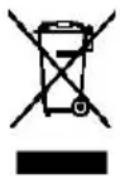
SCRAPPING OLD APPLIANCES
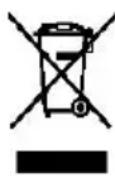
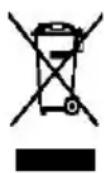
This appliance is marked according to the European directive 2012/19/EU on Waste Electrical and Electronic Equipment (WEEE).
WEEE contains both pollung substances (which can cause negative consequences for the environment) and basic components (which can be re-used). It is important to have WEEE subjected to specic
treatments, in order to remove and dispose properly all pollutants, and recover and recycle all materials. Individuals can play an important role in ensuring that WEEE does not become an environmental issue; it is essenal to follow some basic rules: WEEE should not be treated as household waste.
WEEE should be handed over to the relevant collecon points managed by the municipality or by registered companies. In many countries, for large WEEE, home collecon could be present.
In many countries, when you buy a new appliance, the old one may be returned to the retailer who has to collect it free of charge on a one-to-one basis, as long as the equipment is of equivalent type and has the same funcons as the supplied equipment.
Conformity
By placing the mark on this product, we are conrming compliance to all relevant European safety, health and environmental requirements which are applicable in legislaoon for this product.
TABLE DES MATIÈRES
INFORMATIONS SUR LA SECURITE
COMBI CANDY
Classe climaque
INSTRUCTIONS DE TRANSPORT
INSTRUCTIONS D'INSTALLATION
DÉMARRAGE
FONCTIONNEMENT COMBINED
UNITE D'AFFICHAGE VERTICALE
UNITE D'AFFICHAGE RONDE
INTERFACE UTILISATEUR INTERNE
CHARACTERISTIQUES TECHNIQUES
FRESHNESS CONTROL
- Si va a eliminar un producto anguo con un cerrojo o un pasador instalado en la puerta, asegúrese de depositarlo en conditiones seguras que eviten que queden niños atrapados en su interior.
- Este electrodoméscoSEOSEOSEOSEOSEOSEOSEOSEOSEOSEOSEOSEOSEOSEOSEOSEOSEOSEOSEOSEOSEOSEOSEOSEOSEOSEOSEOSEOSEOSEOSEOSEOSEOSEOSEOSEOSEOSEOSEOSEOSEOSEOSEOSEOSEOSEOSEOSEOSEOSEOSEOSEOSEOSEOSEOSEOSEOSEOSEOSEOSEOSEOSEOSEOSEOSEOSEOSEOSEOSEOSEOSEOSEOSEOSEOSEOSEOSEOSEOSEOSEOSEOSEOSEOSEOSEOSEOSEOSEOSEOSEOSEOSEOSEOSEOSEOSEOSEOSEOSEO SEO SEO SEO SEO SEO SEO SEO SEO SEO SEO SEO SEO SEO SEO SEO SEO SEO SEO SEO SEO SEO SEO SEO SEO SEO SEO SEO SEO SEO SEO SEO SEO SEO SEO SEO SEO SEO SEO SEO SEO SEO SEO SEO SEO SEO SEO SEO SEO SEO SEO SEO SEO SEO SEO SEO SEO SEO SEO SEO SEO SEO SEO SEO SEO SEO SEO SEO SEO SEO SEO SEO SEO SEO SEO SEO SEO SEO SEO SEO SEO SEO SEO SEO SEO SEO SEO SEO SEO SEO SEO SEO SEO SEO SEO SEO SEO SEO SEO SEO SEOseoEOEEOEOEOEOEOEOEOEOEOEOEOEOEOEOEOEOEOEOEOEOEOEOEOEOEOEOEOEOEOEOEOEOEOEOEOEOEOEOEOEOEOEOEOEOEOEOEOEOEOEOEOEOEOEOEOEOEOEOEOEOEOEOEOEOEOEOEOEOEOEOEOEOEOEOEOEOEOEOEOEOEOEOEOEOEOEOEOEOEOEOEOEOEOEOEOEOEOEOEOEOOO
- Los niños no deben usar con el aparato. Los niños sin supervisión no deben realizar operaciones de
A funcão Holiday connua sob as funções Smart ECO e Fast Cooling.
VERTICAAL DISPLAY (INDIEN AANWEZIG)
WATERDISPENSER (INDIEN AANWEZIG)
ANTIBAKTHPIAKO Y THMA (eadvunapxεi)
E0AOO NAPOXH KPYOY NEPOY
AAMITH TOY EΣΩTEPIKOY
- Pivkavettnv aalayn tou LED va anouvdeet nadvtanpaoxntou pueatoc.
- KpatnoTE kai avaonkwoTe to kaLumau tou LED.
- ApaipéoTe to παλIo LED Εεβιδωνovτac to με αριστεροστροφη κατεύθυνονη.
- Avtakataothe eva kaovopylo aapntipa LED biowovTac tov e 8eiooTpoon kateuohvon kai ekyoxovTac oI exel ophiEi owotaovtoul.
- TOnoTheTKe KAI pALI TO KAALUMa Tou KAI OUVSeTe EaV To UyEio ME TNY NAPoxn Tou PEOuatoC KAI AVaYTE TO.
ANTIPTPOPH ANOITMATOIIOPTA
Anouvapuoloynontns npctac tov psiyio
- a.XpnoiouoTe eva epyaiaio ia va aphiapeote tnv biδa ano to kaIuμa tou evtoe, klaet aphiapeote tov evtoe. Bale tnv ypaun enikouwviac eo aotnv tpua tou enavw npoc tou aalapou.
b. Xpnooonouote eva epyaieio yia va aphiopeote tic 4 bides ano to kalumu tou enavw uveTEOE, kai eT aphipeote tov uveTEOE.
AphiéoTeTovdakTuio nC npTc kai to
Kαλuμα tou Kαπaklou tou μikpou αkpou aπo tyn πópta.
DET VERTIKALE DISPLAY
RUNDT DISPLAY
INTERN BRUGERGRAENSEFLADE
TEKNISKE EGENSKABER
FRESHNESS CONTROL
ANTIBAKTERIELT SYSTEM (hvis I stede)
VANDDISPENSER
SENSOR FAULT ALARM (ALARM VED SENSORFEJL):
LODRÄT DISPLAY (OM DET FINNS)
RUND DISPLAY (OM DET FINNS)
FRESHNESS CONTROL (OM DET FINNS)
PURACTION EVO (OM DET FINNS)
SKROTNING AV GAMLA APPARATER
APENALARM FOR KJOLESKAPSDOR: Nar
HHOPMALIURA3ABE3OJNACHOCT
KOMBUNHPAH CANDY
Klumamuehen Kna
MHCTPYKLIMN 3A TPAHCNOPTPNAHE
HCTPYKUN 3AMOHTAX
HAAYIHO EKCNIIOATAUJRA
KOM5UHHPAHA PABOTA
BEPTNIKAJIENH DUCINJEI
KpIbIaIuCINJIeN
BbTPEWEH NOTPBEBNTEJICKN INHTEPFENC
TEXHUYECKX XAPAKTEPNCTUKN
FRESHNESS CONTROL
AHTN6AKTEPNAJIHA CNTEMA (ako e HaIuHa)
DNCNEHCEP3ABODA
Cbemu 3a 3ana3baHe Ha xpaHama nepfekmha 6 XnaudunHuka
Kbde da cbxpaHbame bawume xpaHu B XnaudunHuka
CbxpaHeHue Ha 3ampa3eHa XpaHa
NECTEHE HA EHEPNA
IIOIAPbHKA
Pa3mpa38aHe
NoucmbaHe u noodpbxka
CMRAHA HA KPYLIJKATA
OBpBuaHE HA BPATNTE
OTCTPAHBAHE HA IPOBIIEMN
KPbI JINCJIEN (AKO E HAJINHHA)
KpbTnIAT DnCnIe npdctabIbA ceHcOpEn
notpe6nteNCHTepeEic. Korato XlaAnIHKnBt
6bJe BkIOUeH, 6JIte HndKaToPi cBeTHaT.
Korato 6bJe HATnCHaT 6yTOhT Ha HAKoAOT
fYHKuNTe, CBeTIInHaTa ce npomeHa OT 6raHa cINH.
HACTPOIKA HA TEMNEPATPATA: HATncHeTe
NKoHaTa "PEKIM", 3a Da npomeHnTe
temepatypata.
Ha MoJenTe c FyHKua, PURACTION
EVO" HATNCheTe n 3aDpXKe 6yToHa ,MODE" 3a 3
cekyHn 3a OTKIIouBaHe n 3akIOUvaHe Ha DNcJIe.
-TemnepaTpaBxlaHnHotoOTeJeHne: HaTncHeTe NkoHaTa“PEKIM"BeDhJk.YncNoTo 3a XlaHnHto OTeJeHneIe 3aNoUHe Da Mira nIe MoKeTe Da 3aJaTe JeaHaTa TemnpaTpa C 6byOnHe " ^+ "n"-".
- TemnepaTpa BbB Φpns3epa: HaTncHeTe NkoHaTa "PEKIM" Dba nTn. YncIoTo 3a φpns3epa ige 3anOuHc da Mna u xe MoKeTe da 3aJaDeTe JeNaHaTa TemnepaTpa c 6byToHnte "+" n "-".
NkoHa, PURACTION EVO": MoKeTe Da DeakTNBpuape yHKnUra, PURACTION EVO" KaTo HaTnCHete cBoTBeTHaTa IKoHa NIKoHaTa , PURACTION EVO" ue n3rache.
Икога "ЕКО PЕЖUM": Hatис悔е Икогота "ЕкpeжUM", 3a Да зададerte ONTNMaHa 3a eHeprmaHaeФeKTnBHOCT TeMnepaTpya (+5°C B xlaДиннka, -18°C BbB φpns3epa). PekimbTe ce aKtNBpna nNOTBbPXDABA, KORATo cBeTbT Ha INKOHaTa ce npomEnIOT bA Na CnH.AKO nCKaTe da n3Ne3eTe ot "Eko pejxum", tr6Ba da
HaTnCHeTe NkOHaTa "Eko peKIM" OTHOBIO NTempePaTypaTa Uc ce BbpHe KbM PpeJxOHaTa NaCTpoJa.
NkoHa“CBPbXOXJAAHE":HaTnCHeTe NkOHaTa "CbpbxoxlaJaHe",3a da cTaptnape 6bp30 3aMpa3aBaHe Ha xJaDnHTo OTJeIeHne.PexKIMbT ce aKTHBupa n NOTBpKdaba, KORA TO CBeTbT Ha NkOHata ce npomeHn OT 6aHa CnH.
Ako nckaTe da n3Je3eTe ot peKIM "CbpbXoxJaKaHaHe", Tpa6Ba da HaTnChTe NKOHaTa "CbpbXoxJaKaHaHe" OTHOBO NTmpepaTypaTa ige Ce BbpHe KbM npdxoHaHa HAcToPoiKa.
Икona "3AKJIIOUCAHE":HaTnCHTe IKoHaTa 3aKIOUbaHe",3aДa 3aKIOUHTe INCnIe Ha NOTpe6nteJcNIA HHTepFeic.AkTo Ta3nФyHKuIg 6bIe BKIOUeHa,IKOHaTa (CBetoNOdbT)ue CBETHe B CnHb. KOraTO Ta3nФyHKuIg 6bIe BKIOUeHa, HMa Da MoKeTe Da npOMeHrte HAcTPOIKeIte.3a Da N3KIOUHTeФyHKUraTa 3a 3aKIOUBAHe, Tpr6Ba Da HAtncHeTe IKoHaTa I Da J3aDbPknTe HaTnChTa 3 cekyHdN,3a Da ce OTKIOUH INCnIeT.
Икona CBPbX3AMPA3RABAHE":HaTnchTeИкогаТа "Cbpbx3ampa3raBaHe",3aДa 3ampa3nte 6bp30 rolemn KOJIuYeCTBa XpaHa, KaTO 3ana3nte XpaHHTenHTe n CBOYCTBa HENOKbTHaTN.PexIMbT ce AKTNBIPA n NOTbPjKdAba,KoTaTO UBeTbT Ha INKOHATA ce npomEn O6JHa cInH.
Ako nckaTe da n3Je3eTe ot pexmM "Cbpbx3ampa3BaHe", Tp8Ba da haTnchTe NkOHaTa "Cbpbx3ampa3BaHe" OTHOBo NTempePaTypaTa ue Ce BbPhe KbM npEdxOHaHaHaCTpoKa.
NkoHa "IOUYBKA": B cnyaH Na npoDbJHKTeHN Nepnoi Ha HEn3NoI3BaHe Ha XlaDnIHnKa MOKeTe Da n3NoI3BaTe peKIma "NoyBka". B To3n peKIm XlaDnIHOTo OTDeJeHne cnpa Da pa6Otn, Ho np3eptbT ocTaba BkIoueh. YBepeTe ce, ye B XlaDnIHTO OTDeJeHne HMa XpaHa, npEi Da N3NoI3BaTe TO3n peKIm. Pekmblc eakTNbPa i NOTBbpKJaBA, KORATo CBeTbT Ha NKOHaTa ce npomeHOnOT 68n Ha CnH.
Ako nckaTe da cnpete peKIma "POnuBka", Tp6Ba DaHaTnCHete NkOHata "POnuBka" OTHOBO. INdNkaTopbT ce 3KJIIOUBA HTempepaTypaTa B XlaIINHOTo OTDeJeHHe ce BpbUa KbM HAcTpoiKaTa npdeAnAKTbUpaHeTo Ha peKIma "POnuBka".
NkoHaWi-Fi:YpeBt e obOpyBaH c TexHOJornTa SmartFi+,KoToNo3BOJRA DaCTaHcHNOHHOT My ynpabIeHne c nOmoTu Ha npIoXeHne. HAtncHeTe NkOHATA Wi-Fi Ira 3aApbXte 3 cekyHd, 3a da AKTINBpATE cyHKuIrTa Wi-Fi.LBeTbT Ha NkOHATA ue ce npomeHn O6nHa cnH.
Pezucmpupahe Ha ypeda (6 npunoKeHuemo):
U3terIe npINOKeHneTo SimplyFi Ha cBoeTo
ycTroBBO. IpINOKeHneTo Candy SimplyFi ce
npedra 3a ycTroBc Android n c iOS, KaKTo 3a
Ta6JIeTI, Taka n 3a CMapTfoHN. MoKeTe da HayuHTe
KaKBn FOHKUnn HMa npINOKeHneTo SmartFi+, KaTO
ro cTApTpate B DEMO peKIM.
OTbOpTe npnloKeHneTo,cb3aJte cn
notpe6nteLckn npoΦnI n pernctpnpaTe ypeDa,
kato CLeDbATE HcTpyKuNTe Ha dncnJe Ha
yCTpOcTBOTO cN nn CbkPateHOTo pBkoBOdCTBO,
npiloxeHOBymyeda.TOba dIcTBne e Heo6xOIMO cAmo nO BpeMe Ha IpbBOHaayHa IHCTalaun.3a Da 3abbpWnte pernctpaunraTa, CneDbaTe INCHCTpyKUnTe Ha ekpaHa Ha Baunia DucmauOnHo ynpabLeHue Ha XnaDunHka Ype3 npUOnHeMo:Korato npNKluOnte c pernctpaunrHa ypeDa, INDnKaTOpBt 3a Wi-Fi ue CBtHe.CneTobA uE moKeTe da nprabBaTe ypeDa KaKTo KaTo nIIOJbATE 6yToHNe Ha dnCnJei INIype3 npiloxeHHeTo:Te ue OTHTAT NocJeHaTa 3aadaHa KOMaHda eHNOBpeMeHo.
BbTPEIIEH NOTPEBNTEJICKN HHTEPFENC (AKO E HAJIINUHA)

6ytoh SET:HaTnCKaIte 6yToHa SET 3a HacTroKa Ha TemnepaTypaTa,doKATO He DocTHHeTe JKeJaHOTo HnBO -1"e Hau-TOnlOTo,a "4" e Hau-CTyDeHOTo. PnHopMaJIHn YcNoBn Ha pa60ta npenOpbVamE da n3noJ3BaTe CpeDHa CTOnHOCT (HnBO "2").
7om HacTroPkata 6bJe 3anAmTeHa, Ta BeHara BIn3a B cIIa 3a cbOTBeTHOTO OTdeJeHne, KaTO INdNkATOpBt CBETBa 3a 3ceKynHn. FapnHuHaTa
HaCTpOka Ha TemnepaTypaTa e Ha HnBO "2".
HaTncHete 6yToHa SET n ro 3aApbXKe 3 ceKynHn, 3a Da cTaptnPate IporpaMaTa 3a camOpnbEpKa Ha XlaAnLHnKa. IporpaMaTa 3a camOpnbEpKa OThema 10 MIn., Kato npes ToBa BpeMe fYHKunraTa 3a
npoDbJxNtEnHo HATnCKaHe Ha 6yToHa SET Hma da pa60tn.
BytoH Wi-Fi: YpeBt e o60pyBaH cTexHoIOnIyTa SmartFi+, KOrTO N03BOJBA DaCTaHcNHOHHOT My ynpabIeHne c nOmoUta Ha npIoXeHne. HAtncHeTe IKoHaT aWi-Fi Ira 3aApbXte 3ceKHydN, 3a da aKTINbPate yHKuIra Ta Wi-Fi. LBeTbT Ha IKoHaTa ue ce npomeHn O6JI Ha CnH.
PezucmpupaHa ypeda (a npuloxKeHuemo):
I3terIeTpnoJKeHHeTo SimplyFi Ha cBoeTo yctpoiCTBO. PnploKHeHTo Candy SimplyFi ce npedna 3a ycTpoiCTBa c Android n c iOS, KaKTo 3a TabNeTn, TaKa n 3a CMapTfoHN. MoKeTe da HayuHTe KaKBn FyHKcUN mMa npNoJKeHHeTo SmartFi+, KaTO ro cTapTnpaTe B DEMO peKm.
OTBOpTe npIIOxKeHHeTo, c63daiTe cn
notpe6nteNpOphiN n pernctpnpaTe ypeDa,
KATO CNEBaTe HNCTpyKuNTe Ha DnCnJe Ha
yCTpoiCTBOTo CN Nn CBkPaTeHO To pkoBOdCTBO,
npIIOxHe KbM ypeDa. Toba DeiCTBne e
Heo6xoDmO caMo no BpeMe Ha nbpBoHaaHa
HHCTaIauJra. 3a Da 3abbpUte perncTpaunraTa,
cIeBaIte HNCTpyKuNTe Ha ekpaHa Ha Baunr
cmapTfoH/ta6net.
DucmaHcuoHNo ynpaBHeue Ha XnaDoHnka Ype3 npuOKeHuemo: Korato npKluOHTe c perncTpaunraHa ypeDa, HndNKaTOpbT 3a Wi-Fi ue cbTe. CneToBa ue MoKeTe Da ynpabIbaTe ypeDa KaKTo KAto N3NOJ3BaTe 6yTOHnTe Ha DnCnJe IINu Ype3 npuIoKeHNeTo: Te ue OTHTAT NocLeHnTa 3aJaDeHa KOMaHda eHOBpeMeHNo.
BytoH FAST COOL:Korato HaTicHeTe 6yToHa FAST
COOL, ce BkIIOUBA peKIM 3a 6bp3O oxJaKaDaHe, Bb3 OCHOBATA Ha 21^ , o6o3NaueHn Ha KOHTpOlnHn paHeI. MakcImaJIHO TopeM 3a pa6Ota nOd TOni peKIM e 3u., CLeD KoETo TempepaTpaTa ce Bpbua o6paTHo Ha HINBO "1".
Ako no BpeMe Ha 6bP3OTo oxJaKaHa He HATnCHeTe 6yToHa SET, peKmblT ce npeKpaTBA BeHara n XlaIINHHkBt Ce BpbUa obaTHo KbM npExDoHaTa NaCTpoNka.
TEXHNUECKXAPAKTEPHCTHKN FRESHNESS CONTROL (Ako E HAJINUHA)
Благдарени Ha Функцята 3a 3ana3BaHe Ha CBexKecTTa, MoKeTe Да CTe CnrypHn, Ye HNBOTO Ha BlaJxHoCTTa Ha ПLOdoBeTe n
3eHeHcyuHTe B YeKMeJKeTo 3a CBeKo CbXpaHeHne e npAByHnOTo. PnpDvBxKeTe Nb3raHa O T IyBO Ha DcCHO, 3a Da yBeJIuHTe BlaXHoCTTa.
PURACTION EVO (AKO E HAJINUHA)
Функцята „PURACTION EVO" ceстаручez Натиckahe Н ИКОнТа „PURACTION EVO", КогTo светва Н дисл.e. Тя сьВКИЧУВа, КогTo 6уTOнБТe НатиChat за onpeделен ппюд OT Врeme (20 MNHyTи) И рпс BCЯКО OTВарян Н врата.ЦКЛNTe ca ONTIMИЗРаHH, 3a Да се rapaHTIPA на-Добраза eФeKTHBHOCT И на-нСКATA 3агуБа Ha eHeprЯ. LED UVA CBETINHITe AKTNIBPAT TITAHNE BФИТьр, КоТTo AKTNIBPа peakczma HA „ФOTOKАТИЗ", KогTo pa3pyшава БakTePnITE BvB Bb3dYxa BxlaDINHINA. ФИТьрТ ИмЯ РpoДьЖИТЕЛHOCCT 10 ГДИИ. АнТИБakTePnAJIHaTа CnCTeMa Tpr6Ba Дa се ИЗКЛЮч но Врeme Ha Tecta 3a Notpe6JIeHne Ha eHeprЯ.
ДИСПЕHCEP 3A BOДA (АКОЕ HAJIЧHA)
UnceneHcepT 3a BOda No3BOJBA da cn HAIJBaTe
oxlaeHa B0da,6e3 Da ce Hana Ta OTBapAte BpaTaTa Ha XlaDnHOTO OTDeHeHne.
DecepTn, Hanp. c npecHn cipeHa, domaHo npiroTOBeHN xpaHn n octaHaJIxpaHn nIcMeTaHOBNI Topn.
Xpynkaboc:TOBa e HaN-BlaJHKHaTa Yact OT XlaDnIlnHka.3eJeHcyu, nloOBe, CBeKa caIaTa, HAnp. HeMNTa cyaMa Mapyra, ceN DoMaTH, peNcKn I dp. MOraT Da ce cbxpaHbBt Tk.
HNE INEPINOBYBAME,BCNCHINPOOyKTN, CbXPAHRABAHNBOTDEJIeHNETO3ACAIATN,A BbDAT ONAKOBAHn.
3A6ELEKKA:BnHa n onakobai Te CbXpaHbai Te cypoBo Meco, pTuu n pnb a Ha haN-Hnckna paT B DOHaTa YacT Ha XlaDnHnKa. TOba ue rncpe da Kaanr Nn Da DOKOCBaT dpyr XpaHn. He cbXpaHbaiTe 3anaIteJn raoBe nn TeUHOCTN B XlaDnHnKa.
EneKtpnuecka pa6oTa, cIe3 3 uaca BbB φpnsεpa, Tempepatpata B Ka6uHa t a HauD -12°C, anapMaTa CBETHNa e BkLNoHeHa n 3yMp e 3Byu.
CbXpaHHeHa 3aMpa3eHa xpaHa
PpeBapuTeHOn ONaKOBaHa N3aMpa3eHaOT TbproBaCaXpHaTpr6Ba Da ce cbxpaHnBa CnopeD INCTpyKUMTe Ha npOn3BOIDTeHa 3aMpa3eHa XpaHa 3a KaMepa.
3a da ce rapaHTnpa NOdIbpxKaHTo Ha BnCOKO KaueCTBO, NocTnHaTO OT pOn3BOuNTeNa Ha 3aMPa3eHxpaHn IO TbprObEuHa dpe6Ho, Tp6Ba Da ce mMa npEbnDcneHNO:
-
NocTabaIte NaKeTHe BBB φpIepa KOLKOTO ce MoKe no-CKopo CneI NOkynka.
-
He npeBnwaBaIte DaIte "N3noJ3BaIte Do", "TODHOo", NocOeHn Ha onaKOBkata.
| ДА | НЕ |
| Раимраимаимехранatable OT Фризера в/Xладилиник илВ В МИКРовьлноа фурна, кATO седва инструкцни: раимаимаиме иrotvehoe. | Използаяме поедmetи С остprи рьбове кATO ножове, Влдиши 3a премaxbahoe на леса. |
| Раимраимаиме нально Замраименот месо праздуrotvehoe. | Слагайе ropeшихраима Бвв Фризера. Oставete Я пьрю ду се oxлади. |
| Сыхраимаиме Замраименatura OT Тьрравецimaхраима сорoped инструкцни: nomecтени оапоквки: КУпуне. | Слагайе nbлени Стуноct SFYTNKINI ил Затворень MeТални Сыдoveс с raзирани Туноctи Ввв Фризера, Тьй КATO могатда избухнат. |
| Празberяраиме сыдьржанноу хладилиник ha peiodobни иntервали. | Извалье поюкту OT Фризера с мokри рьuce. |
| Почистваиме иразмраимаиме Фризера peiodobно. | Замраимаиме raзирани Наимлки. |
| Причотваиме пося храна за замраимаиме B малки поци, за д осигурпite 6ьрzo замраимаиме. | Консуmp羁айе сладоел'dи Кубчета led дiner装配го ot Фризера. Може ду почinni "ст diofo Ист ragянe" на устнite. |
| Винагиизбраиме Висkokкачес玮ени празснихраими празberяраиме дали ca почистени Добре: пду за ги замраиме. | Сыхраимаиме поobнii ил"Ohашни Beшесва Ввв Фризера. |
| Опakовайе BCЯkaхраha В"aльиминешо bo Фолно иль в Найлонови topбчкп 3a сыхраимаиме Вьв Фризера и ce уBEReTe, чь в Тяж He e ocTaHaNь Вьзdux. | |
| Опakовайе Замраименaturaхраha, KORATOЯ ЗакупITEЯ поставе Вьв Фризера сокopo слад Това. | |
| Сыхраимаимехранatable КOLКOTO ce може по- Крату NG спадзайte датпite "Годно до", "Използаяиме до". |
3a noBeeHnΦopMaun OTHoCHO cbxpaHeHneTo, n3terIepe npINOKeHneTo nocetete "Pone3n CbBETn".
INECTEHA EHEPTNIA
3a no-do6pa nkoHOMnHa eHeprrn ppeIarame:
- Da MOHTnpaTe ypeDa daley OT n3ToTHnCuHa TOnnHa N DnpeKTHa CbHcYeBa CBeTnHa N B NOMeueHne c Do6pa BeHTnlaUra.
-Даизбгвate Да слагаTe ropeшахранaВ xlaДИИHЯУpeД,ЗдДИЗБERHeTe NOBишавеHa BbTpewHаТ TemпepaТура, Koeto ue DoBeDe Do npOdbIgHTeHа pa6Ota Ha KOMnpecopa.
He nocTabaIte npkekomepHo mHoro xpaHa, 3a da ocnrypnte do6pa Bb3dyuHa cnnpkylaun.
Pa3mpa3e Te ypeA, B cIyuaYe HMa Ie,I, 3a Da yIeCHnTe npEnOca Ha CTyDeH Bb3dyX.
BcnyaHaIincaHaeKeTpuecka eheprna, e npenopbHTeHNO daDbpxnte BpaTaHa xlaadinHnYpeD 3aTBopeHa.
OTbapnTe nIIN dpbKTe BpaTaHa ypeDa OTBOpeHa Bb3MOxH0 Ha-MaIKo.
136raBteHaHacpoBateTempeatypata Ha npekaneHO Hnckn rpaDycn. - Почистваite занота страна на урета ол п Pax.
IIOAIPbKKA
Pa3Mpa3ЯBaHe
UpeBt e o60pyBaH cbc cnCTema 3a aBTOMaTHUHO pa3Mpa3BaHe, 3aTOBa pbuHO pa3Mpa3BaHe He e HEO6XoDIMO.
IooHCTBaHe H noDpBbKa
Clepa3mpa3BaHe, Tp6Ba Da nouchte XlaHnHnka/Φpu3epa O TBpe CbC cna6 pa3TBop Ha coDa 6nKap6oHaT. Cne ToBa HnIaKHeTe CToNla BOda, KaTO nIOn3BaTe BIAJHa r6Ba IIN Kbpna INoCywete. N3MNITE KOHNiTE B ToNla canyHeHa BOda n Ce yBepeTe, Ye Te Ca HAnbIHO cyxN, PpeDn Da rN NOCTABnTE B XlaHnHnKa/Φpu3epa. Uce ce o6pa3yBa KOHN3aCnB bPxy 3aHaTa CTeHa Ha XlaHnHnka; TaJe Ce CteYe HADONY No 3aHaTa CTeHa n B OTTOuHn O TBOP 3aD OTDeJIeHHeTo 3a caJaTa.
OTTOHNO TBOP 13e HMa "POncTBaHa npbYka" noCTabeHa B Hero. TOBa rapaHTnpa, ye MaIKn napeta OXpHa Hc Moarat Da BIn3aT B OTBopa. CLeK KaTo cTe NouchTnN bTpeWHaTa cTpaHa Ha BaWN XlaDnHNK N OTcPaHeTe BCaKaBN OctaTbUO t XpHa, HAnuH N OKoN O TBopa, n3NoI3BaIte "POncTBaHa T pBcKa" 3a Da ce yBepiTe, Ye HMa 6LoKnpaun qactuN. N3NoI3BaIte cTaHApTeH npenapat 3a Me6eN 3a NoocCTBaHe Ha BbHNHaTa qact Ha XLaDnHNkA/ΦpN3epa. YBepe Ce, ye BpATNe ca 3a TBopeHn, 3a Da ce npedOTbPaTn npenapata Da OTnDe Bbpxy MaHHTnTe yNtBTHENn INBbTpE.
PeWeTKaTa Ha KOHdEHN3aTopa O T 3aHaTc TpaHa Ha XlaIINHHKa/ΦpN3epa N pPInEJaUHTe KOMNoHEHTn, MoRat Da 6bDaT NouNCTeH c PpaxOcMyKaUKa, KaTo ce I3NoJ3Ba HAKpaHnKa C MeKa YeTKa.
He n3no3BaIte pa3aJdaun nouchTbaun cpeCTba, a6pa3nBHNr6n nn pa3TBOpnteHn 3a nouchTbaHe
Ha koTOn Ida e yacT oXlaaHInHnka/Φpni3epa.
CMRAHAKPYIIKATA
1.ИЗключeteхладиннkaOT3axpaHbaHeto,прдNi Da CmEHnTe KpyшkaTa.
2. HatncheTe n nobnirheTe kanaka Ha kpykaTa.
3. MaxheTe cTapaKa KpyuKa, KaTo RaOTBHeTe No Nocoka 6paTHa Ha YacOBHnKoBaTa CTpeNka.
4. NocTaBete HOBa KpyuKa, KaTo 3aBneTe No Nocoka Ha YacobHnKOBaTa CtpeIka Nce yBepTe, Ye KpyuKaTa e 3dpaBo 3akpenHa BbB facyrata.
5. NocTaBete o6paTHo KaNaka Ha KpyuKaTata, BkIIOUeTe 3axpaHbAunna Ka6eN i CTapTnpaTe XlaDnIHnka.
OBPbIaHE HA BPATNE DeMoHTaK Ha BpaTaTa Ha
XJaIaIJIHnKa
- a).C nOMOuTa Ha OTBepTk a pa3BnIe BnHTa Ha KaNaka Ha NaHTaHa cBaIeTe. BkapaTe KOMyHnKaUOnHHnKa6eBbOTbopaB TOpHaTa YaCT Ha KOpNyCa.
6).C nmooTa Ha OTBepTKa pa3BnTe 4-Te BnHTa Ha KaNaKa Ha RopHa Ta NaHTa NcBaJeTe. N3BaJeTe BtYkKaTa H KaNaUka Ha BpTaTata.
B). BkapaIte BtyIkaTHa BpataTa N KOMyHnKaUOnHHN Ka6eI Ha BpaTAtBa OTbopa Hb BpataNa CLETOBA NOCTaBeTe KanaKata.
r).C nOMoUta Ha oTBepTKa pa3BnTe 2-Ta BnHTa, KaKTo e NOKa3aHo Ha NIIIOCTpaunraTaN0-DoJy, 3a Da CBAInTe KAnaka Ha OTbopa B rOpHata qact Ha Kopnyca N da N3dbpNaTe KOMyHnKaUOnHHnKa6eI OT OTbopa. N3BaTe KanaqKaTa Ha BpaTata N BTyKnata N KOMyHnKaUOnHHn Ka6eI.
Д).ВьарайтБТулкataHaВраТаВКрьглия OTbOP Ha BpataTaNcEdToBaNoctaBeTe KaNaUkata.
e).3a da cBaInte BpaTaTa Ha XlaIINHnKa, Tp86Ba Da na NobDInrHeTe C nobEue ot 5 cm.
- a). C NOMOuTa Ha OTBepTkpa3BnIte 3-Te BnHTa Ha KaNaka Ha CpeDHaTa NaHTa n CneT OToBa J CBaJIeTe.
6).3a da cbaInTe BpaTata Ha φpnsεpa, Tpr6Ba Da na nobDnHete C nobeue ot 5 cm.
B). CbaIe Te npEHNITe perynnpyEm Kpaka n3noD dOHaTa naHTa. N3noN3BaIte OTBeptka, 3a Da pa3BHeTe 4-Te BnHTa Ha DoJHATA NaHTa nCleT TOBa a CbaIe. C TOBa demoHTaKbT Ha BpaTne npNKlNoUBA.
MoHTHpaHe Ha BpaHTe H DoJIHaTa NaHTa Ha CbOTBeTHHTe HM MecTa
- a).C nomoTa Ha OTBepTKa 3BaJeTe BTyIkaTa, KaKTo e NOKa3aHo Ha NIIHocTpaunrTa NO-DOly, n CLeD TOBa J MOHTnpaiTe Ha MrcTO H Na OTCpeuHaTa CTpHa.
6).C nomoTa Ha OTBepTKa pa3BnIte BnHTOBeTa Ha cTope, KaKTo e NOKa3aHO Ha nIOCTpaunraTnO-Dony, HcNeTobA rN
3aBnTe Ha OtcreuHaTa CTpaHa.
B).C NOMOuTa Ha OTBepTkCa CBaIeTe OCTa IN DBaTa CTOnepa Ha DOJIHaTa NaHTa, KaTO CNeiTOBa Tn 3aBnEte Ha MCTOTO MM Ha OTCpeUHaTa CTpaHa, KaTTo e NOKa3aHo Ha NIOCTpaunraTnNo-DoJy.
MoHTnpaHe Ha BpaTaTa Ha XlaIINJIHnKa H φpN3epa Ha OTCpeuHaTa CtpaHa
- a). Cpbka cbaIe TpeHnI pyUynpyem KpaK, KaKTo e NOKa3aHO NO-DOly, N CLeD TOBa MOHTnpaTe DOJHaTa NaHTa Ha OTCpeuHaTa CTpaHa H 3aBInTe BnHTOBeTe C NOMOuTa Ha OTBeptKa.
6).MoHTnpaIte no-KbCnrypeRyInpyeM npedeH KpaK Ha cTpaHaTa Ha DOHaTa NaHTa N HAcTpoTe BnCOUHaTa Ha KpKa, 3a Da OctaHe XlaDnHKnBb BBB BodOpabHO NOLOKeHne.
2.ПoctabeteВpaataHaфризераиЗавртete cpeнота naHTa Ha 180 rpaДуca,следToBaЯ MOnHTIpaIte Ha OTcpeuHATA CTpaHa Ha Kopnyca.ИЗпОЛЗвайTe OTBepTKa,зд aЗВИNTe 3-Te BnHTa,C KOnTOДa 3akpeINITE cpeHATA naHTa. - NocTaBeTe BpaTaHa XlaDnHnKa mOHTnpaIte rOpHaTaNaHTa Ha OTCpeuHaTa cTpHa Ha Kopnyca.ИЗнOLЗВаTe OTBepTKa,3a Da 3aBnHTe 4-Te BnHTa, c KOnTO da 3akpenTe rOpHaTaNaHTa.
4.CeToBa CbpxKeTe KOMyHnKaUHOHHa Ka6eHa BpaTaTa C KOMyHnKaUHOHHa Ka6eHa KopnyCa, a NocLe NocTabeTe Kanaka Ha roPaTa NaHTa I rO 3aBnHTeTe C NOMoTuHa OTBePka. - MoHTnpaIte KaNaka Ha OTbopa Ha OTCpeuHaTa CtpaHa Ha KOpnyca N 3nOJ3BaIte OTBepTKa, 3a Da ro 3abHNTte. Iobpe NOpaBHeHa n DaJIb BCNUKn yPbTHeHna Ca noCTaBeHn Ha MeCTa Tm. AKe e Heo6xOdmo, peryIpaTe HNBeJIpaUeTkepaeta.
3A6EJIEXKKA:Ako nckate da o6bpeTe BpaTte Ha xlaadinHnka, npenopbUbaMe Bn da ce o6bpeTe KbM KBaIINphiunpaH TexnK. He ce ONNTBaIte camn Da o6pbuatae BpTaTE, aKO He npitexBaTe DOCTaBCHN PO3HaHnI yMeHH. BCuKN OcTpaHeH qACTn Tpr6Ba Da ce 3ana3r Do NOBtOpHO MOHTnpaHe Ha BpTaTa. Tpr6Ba Da noDnpeTe XlaadinHnka Ha Heo CTa6nHo, taKa Ye Da He Ce npinb3He, DOKaTo o6pbuatae BpTaTa. He NoIarai Te XlaadinHnka B IerHaNo NIOJKeHne, TbK KaTO ToBA MoKe Da nobpeDi OxlaJdaUta CnCTema. YBepTe ce, ye XlaadinHnkbT e n3KnIOueH OT KOHTaTne npa3eH. IpenopbUbaMe demOHTaKa n MOHTaKa Ha BpTaTa Ha XlaadinHnka Da ce n3BbPbWb AT DaMa dYsN.
OTCTPAHRAHE HA IIPOBJEMN
Ako ypeT he pa60Tu, KOraTo e BkIoueH npoBepTe.
- PpeKbcBaHe Ha eNeKtpnueCTBO: Ako BbTpewHata TemnepaTpya Ha OTdeJeHneTo
XlaHnHK/Φp3ep e-18°C nnn no-Hncka, KOraTO Ce Bb3cTAHOBN eJIeKTPnueCKOTO 3axpaHBAHe, xpaHATA ue 6bJe 3ana3eHa. XpaHATA B XlaDnHnKa/Φp3epa ue ocTaHe 3ampa3eHn 3a OKIo 16 yaca cbc 3aTBopeHa BpTa. He OTbapnE BpTaTaHa XlaDnHnKa/Φp3epa nobue OTHo6xoDMOTO.
- PpOdyKtBt e npoeKtnpaH nPpOn3BeDeH cAmO 3a DOMaUHa yNoTpe6a.
- UeencbTe nocTaBEN npaBnHOB KOHTaKaI DaN3axpaHbAHeTo E BKnOyeHo. (3a da npoBePte 3axpaHbAHeTo B KOHTaKaT, BKnIOHeTe Dpyrype).
- PpeIa3nteIe n3ropaI/npeKcbBaayte I3KIOHn/rlaBnHT pKeKcbAue H3KIOUeyH.
- TemnepaTpHnT KOHTpoI e HacTpoEH npaBnHO.
Ako xlaadinHnKbTe npkeJaHo cTydeH,MOKe cnUaHNo Da Cte HaIacNIO KOJeIOTO Ha KOHTPOJIHHa TepMoCTaT Ha NO-BVCOKa I03nIy.
Ako xlaadinHnKbTe npkeaJeHo TOnbl, KOMnpecopbt MoKe Da He pa60tN.3abpTepeYIaTopa Ha TePMoCTaHa MaKcImaJIHACToIHOCT N 3uKaIte HAKOIKO MHyTH. Ako He 6bJde yT Wm, ToI He pa60tN. CbpxKeTe ceC MeCTHna MarazIH, KbJeTO e HappaBeHa NOKyPkata.
Ako ce noBn KOHDeH3 n3BbH XnaDnHnKa, TOBa MoKe Da ce DbJxHa npomHa B CtaHata TemnepaTpa. N36bpwe BCuKn OCTaTbCn OT Blara.AKO npo6IeMbT npOdbJkaba,CbPxeTe ce c MeCTHn MaRa3Ha,KbDeTo e HnPaBeHa NOKyPkata.
Ako npedocabehnT uencel e 6n cmeHe, npOBepTe daHIOBnT e Cbbp3aH npaBnHO. Ako cIeN n3BbPbBaHe Ha npOBepKe T no-rope ypeDbT BCE OSe He paBoTn, MoJr CbBpKTe ce c OTdeN ObcnykBaHe Ha KIneHTn.
H3XB'bPJIaHE HAcTAPn yPeIiN
To3n ypeI e MapKnpaH B cBoTBeTcTBne C EbponeiCKaTa dIpeKTHBa 2012/19/EC OTHOCHO TnaDbuTe OT eJeKtpuecko n eJeKTPoHHO o6OpyDaHe (OEEO).
OEO cBbPka KaT0 3aMbpcaBauN BeueCTBa (KoTOMorat Da npuHrT OTpuaTeHN NOcneDn3a OKHaTa CpeDa), Taka N OCHOBH N KOMnoHeHTN (KoTOMorat Da 6bDat nobTopHO n3NoJ3BaHn).
BaxHo e OEOE Da 6bDe noDIOKeHo Ha cneuΦnHOr TpeTnpaHe, 3a Da ce OTcPaHr N yHnOxKaT npAunHO BCnKn 3AmbpcnteN n Da ce cb6epaT n peunKlnpaT BCnKn MaTePnaI.
OTdJIHnTe rpaKaDaHm MoaT da n3nIrpAraT BaJHa
poJr KaTo rapaHTnpaT, ye OEo Hma Da ce
IpeBpHaT B npo6JeM 3a OkOHaTa CpeJa; BaKHO e
da Ce CNeBaT HAKOn OCHOBn IpaBnla:
OEo He Tp8Ba Da ce TpeTp aT KaTo 6ntobN
OTnaDbu.
OEO Tp6Ba Da ce npdaBt Ha cBoTBeHTnTe
nyHKToBe 3a cb6HpAHe, ynpablaBaHn OT o6uHaTa
Hn OT perncTpupAH npKecBa. 3a roJeMn OEO B
MHoro DbpxAbMoKe Da HMa Bb3MOxHOCT 3a
B3mHaHe OT DoMa.
B Mhoro Dbprkabn, Korato 3akynnte HoB ypei, CTapnrt MoKe Da 6bJe BbPHaT Ha TbproBeua, KOnTo TpR6Ba Da ro B3eMe 6e3nIaTHo Ha OCHOBa eHNo 3a eHNO, CTnra 063aBeJxHaHeTO da e OT EKBuBAleHTeH TnN I da NMa CbUnTe FyHKun KaTO npdeOCTaBeHOTaKOBa.
CboTBeTcBHe
C noctabReHo Ha MapKnpoBKa Bbpxy To3n npOdyKT NOTBbPjDaBaMe CbOTBeTCTBneTO Ha BCNUKn ebPoneiCKn 3NcKbaHn 3a 6e3oNaChocT,3paBe n ONa3BaHe Ha OKoJHaTa CpeJa, npNIOxHMn OT 3aKOHOdaTeJIcTBOTO 3a To3n npOdyKT.
ÖSSZEGZÉS
BIZTONSÁGI INFORMÁCIÖK
CANDY COMBI
Klimaosztaly
SZÁLLITÁSRA VONATKOZÓ INFORMÁCIÖK
TELEPITÉSRE VONATKOZÉLOIRASOK
A FAGYASZTOLÁSA HASZNÁLATA
A COMBI HUTÖSZEKRÉNY UZEMELTETÉSE
FUGGÖLEGES KIJELZÖ
KEREK KIJELZÖ
BELSO FELHASNZALOI INTERFESZ
MUSZAKI JELLEMMZOK
FRESHNESS CONTROL
ANTIBAKTERIÁLIS RENDSZER (ha van)
VIZADAGOLO
A means of防止 atollak minding hagernak becormago lva.
Az eflafstt, hdtst deklmsnark, pl. kalzittefek, hiss kpaik, lagy saqot.
Befnnt hauok pl. sorka
Eleusius' salita (befareintu: au idre comasolag) vagens voldiutaleit, rist, burgmorgenstätte stb.).
BHYTPEHHN NOJIb3OBATEJIbCKN INHTEPΦEIC
TEXHUYECKNEXAPAKTEPNCTNUK
FRESHNESS CONTROL
AHNTI6AKTEPAJIbHAR CNUCTEMA (ecnu meemc)
DNCNEHCEP IIA BOIbI
Cobemblno xpanehu npodykmoe xolodunbHuke
3Ohby xpaHEnu npodykmoe xoJouNbHuKe
XpaHeHue 3amOpoxKeHHbIX npodykmoe
3HEPROCEPEXEHNE
yXoA
Pa3Mopakkuahue
Yucmka u yxod
3AMEHA BHYPTHEHJAMITBI
IPEPYCTAHOBKA DBEPN HA DPyTIVO CTOPOHY
NOCK N UCTPAHEHNE HENOLAIOK
YTNIN3AUINCTAPOIbITOBOITEXHNI
Coomoeemcmue
BlaorapnBac3a npno6peHne 3TOrO n3denn.
PpexJe HEM NoIb3OBaTbCxaIOJNbBHKOM,
BHIMATEbHO IPOuHTaTe DaHHoe pyKOBOCTBO NO
3KcIIyatauN, YTO6bl MaKcMaJIbHO NCIOJIb3OBA Tb ero xapaKTepnCTKn. CoxpaHnTe BCIO
DOKyMeHTaUIOIINPONCLeDyUOSeIIONOLbOBAHnI INI DJIpyrIX NIOb3OBATeNe.I3JeIne IpeHa3HaueHO NCKLIQUHTeBHO IJI DAOMaUHeRo IcNoIb3OBAHnI, a TaKKe IJIa CLeDyUoSeI OHaIOnuHOrO pPIMHeHnI:
B Kyxohhblx 30Hax IJIa nepcoHaJa B MaarzHnHex, oΦncax n Dpyrnx pa6oynx nomeueHnX;
B 3aropoDhbix Domax, JnKIneHTOB roCTHnU, MToTeJn B npyInx NomeueHHx JnnpoxkBaHn;
B roctnHnuaX Tnna《NoTeJIb 3aBtpaK》(B&B);
ДЯ BbIe3dHOro pecToPAHHOrO 6cLyKINBaHnI NnoDObHbIX ycIy He B po3HNuHoi TOpROBJe.
3JIeKTpOpiB6Op CNeIyET IcNIOb3oBaTb TOnbKO
JLYXpaHEnH NPOdyKTOB.PpIMHeHne B JIO6bIX
INhBXUeJAX MOxET CHTaTBcR ONaCHbIM, IN
PON3BOIDTeJI He HecET OTBeTCTBeHHOCTH 3a
NoO6HbIe HApUWeHn. PekOMeHNyETcRAkKe
O6paNTb BHImaHHe Ha ycIOBn rapaHTn. DJI
DOCTNXeHnMaKcMajbHO pON3BOIDTeJIbHOCTN
6E3OTKa3HO pa6ToB IeNEKTpOpiB6opa OChb
BAKHO BHIMaTeJIbHO N3YChTb DaHHbIe IHCTpyKcHn.
HecO6JIoDeHne 3tX yKa3AHn MoXET pPiBeCTn K
aHHyIpOBaHIO npaba Ha 6ecnPaTHoe
rapaHTnHoe 06CnyKuBaHne.
HhopmaunnoTexnke 6e3oIacHOCTN
B daHHom pyKOBOdCTBe
coJepeKHTcMHO BaxHoN
HHOpMaunn nO TexHnKe
6e3oNaChocTn.
PekomeHnyem coxpaHnTb 3TN INHCTpyKcIN B
HaJeKHom MeCTe, CyDObHbIM DoCTyPOM,ДЯ npNo6peTeHnOnbIta B o6paUeHnC 3JIeKTPoPnp6Opom.
B xolodnilbHnke
coedejntcra30o6pa3HbI
xlaadareHT (R600a: n3o6yTaH)
n 3JIeA3 (zukloneHTaH),
NMeHOUne BvICOKyU
COBMeCTHMocTb C
OKpykaHOUse cpeDoi,
ODHaKO, OHNJeKo
BOcPJaMaMeHJOTc.

OctopoXHo! OnacHocTb noXapa
HeNoIb3yI TeCb OTKpbITbIM PImaMeHem INCTOChNKamn BOCPJIaMeHEnr; TSeJIbHO npOBeTpIte NOMEseHne, B KOTOpOM yCTaHOBLeH 3JIeKTPoPnp6Op.
BHIMAHNE!
IpeDMeTaMn C OCTpbIMN IIN 3aOCTpeHHbIMN KpaAMN, TaKIMN KaK HOJN N BILKN.
He npikacaiTecb K BHyTppeHnM TeIIOo6MeHHbIM IOBepxHOCTaM, OcObeHNO MOKpbIM pyKaMn. B IpOTNBHom Clyuae BO3MOJHo 6MopaxNVahne n TpaBMnpOBaHne KOxHbIX NOKPOBOB.
- HNKoRda He nCnoIb3yIte
dIpa3MopaxKINBaHnA
fehbl,
3JIeKTPOHaIgPeBaTeIi N
npOHe aHaIognHbIe
3JIeKTpOpi6Opbl.
He cunuTe o6pa3OBaBwHcNnHei nnIeH NOXOM nIOCTpbIMn ppeMeTaMn. 3TtMMoJxHO IOBpeINb KOHTyp OXJaXdEHH, npOteKaHne KOTOPOROMoKET Bbl3BaTb BO3rOpAHne nII IOBpeINb Bam rla3a.
Для ускоренья
птося са
разморожи Bavни He
nCpOJIb3yIte MExaHnueckne nIi npYrHe ycTpoIcTBa.
- Hn B Koem clyuae He
HcNoIb3yIte OTKpbIToe
PImaMn IIn
3JIeKTpoO6OpUdoBaHne,
HaIpIMep,
O6OrpeBaTeN,
IapOoHcTnteN, CBeu,
MacJHbIe lamMbI n T.I.,
4To6bl yckopNTb npOcecc
pa3MopaxnBaHna.
HnkOrda He MoTe KOMPecccop BDOi, TzATEIbHO BbITpnte erocxOy TpIkoN oCle YnCTKN, YTO6bl PpeDOTBpaTNTb IoYBHeHne pKabuHbI. - PeKOMeHdyeTcya codepkaTb WTeNceIbHyIO BnIky B yIcTOTE, TaK KaK OTLOXKeHnI PbIIn Ha KOHTaKTax MOryT PpNBecTN K BO3rOpaHnIO.
- I3dJIne npedHa3NayeHo n I3rTOBHeHO TOLbKO dJa 6bITOBOrO pPmEnHn.
- TapaHTn aHHyInpyeTcay, ecn 3neKtpoPnp6Op
yCTaHOBJIeH nIINcNoJIb3YeTcR BTOPROBOM nIHN HeXnIOM6bITOBOM nOMEeHnN.
PacnoJoxKeHne, yCTaHOBky n 3KcIpyaTaUIO u3dJIy cIeIyET npOn3BOuNTb B COOTBeTCTBnC INHCTpyKzIMN, coDEpKaUIMmC8 B npILAraEMOM 6yKlTe C pyKOBoDCTBOM P0lb3OBaTeJ.
- Гараня
pacnpoctpaHЯETc
Tolbko Ha HOBbie
n3deIy I He
pepaetc B clyuae
pepepoJxN n3deIy.
Ha7a KOMnHnHe HecET OTBETCTBeHHOCTn 3a no6OuHbIe nIIN KOcBeHHbIe y6bITKn.
- Гараня Нкоим
образом He yMeHBwaet
Ваших 3akOHbIX Или
Юрдунчecknx паВ.
He 3aHmMaTecb pemOHtOM XOIOIbHnKOB IЯ BnHa. Bce pa6OtbI DOJIxHbI BblIOJHrTbcra
TOLbKO
KBaIINΦUncIPOBaHHbIMN CpeuJaNCTaMn.
HACTPOKNI TEMNEPATyPbI:HaKMITE KHOKNY
"XoIOnuNbHnK"nn "MopO3NtBnK",N KOrda NaHuHeT MmraTb NOpCBeTka CmBOla,MOxHO 3aDaBaTb TempepaTypy.
Kakdbpa3, KOrdaHakmaeTcKa HONka, n3MeHReTcTeMnepaTypa.
TemnepaTpa He MoKet 3adabaTbca npi BkHoueHHbIX yHKunx 6bictporo OxlandeHna, 6bictporo 3amopaxBaHna, Smart ECO n otnycka. Pnp ycTaHOBKe TemnepaTpybl, ecnB TeueHne 5 cekynd He 6ydt HaxKaTn OHa KHONka, KHONKa nepectaet MmraTb, N yCTaHOBNeHHaTemnepaTpa BCTynaet B cnly.
SMART ECO: AKTNBIPyIe KHONKy Smart Eco, YTO6bI yCTaHOBNt TEMNepaTyPy XOLOdINbHNka BpeKIMe MaKcMmaJIbHOJ 3HePrO3ΦeKTNBHOCTN (+4°CДЛЯ TEMNepaTpyI xOLOdINbHOJ KaMepbl, -18°CДЛЯ TEMNepaTpyI MOpO3NJbHOJ KaMepbl). 4mo6bl BOUMu bSmart Eco: HaxmajTe "opon", NOKa He HaHTe MTgA Tb CBeToNDoD, a 3aTeM
HaKMTe "OK"ДЯВoxOdaВДаHHyOФYHKUIO. умбы omknIooymb Smart Eco: HaKMaTe "opon", nokaФyHKUЯ He nepeiDeT B Smart ECO, HaKMTe "OK", qTo6bl BbIITn N3 3ToIоf yHKUIn, noDCBeTka rachET.
БыICTPEO XIANDEHNE: AKTNBpyypepexIM
6bictporo oxlaJdeHnI dIayncKa
doonlHTeBHorO mNylbcIg 6bictporo
oxlaJeHnXoLoDnIbHo KaMepbl.
ФункляakTNBnpyeTcN NOДТВepKJaeTcBKNIOUChENHE COOTBeTCTByIOSe NKOHN CCBETOINODOM.
Ymobbuoumu bepkum 6bicompozo oxlaekdeha: HauKMaIte Ha "opon", noka He hauHET MraTb "Fast Cooling", a 3aTeM hauKMIte "OK" dIy BxoDaB daHHUo FyHKuIO.
Ymo6bl omKluoymb 6bIcmpoe oxnaJdeHue: HauMmaTe Ha "opon", noka cnCTema He nepeydet B peKm "Fast Cooling", a 3aTeM hauMnTe "OK" dJe daKTnBaun DaHHoF yHKUn.
6bICTPOE 3AMOPAXINBAHNE: AKTUNBpyTe peKIM 6bICTPoro 3aMopaxINBaHn, yTO6bl 6bICTpo 3aMopaxINBaTB 60JIbIe KOJIueCTBO npOdyKTOB C coXpAHHeHem IN NIIeBbIX CBOJCTB. KOrda CBET B peKIMpe 6bICTPoro 3aMopaxINBaHn OTKlIOyaeTcA, a TempehTypa MOpO3NtBHO KAmepb Bo3BpaauaetcK K3HaueHnIO nepeD 6bICTpbIM 3aMopaxINBaHnEM. KOrda BpEmr 6bICTPoro 3aMopaxINBaHn YBeInuYBaETc (26 YacOB), OHO ABTomatUyeCKN OKTIIOyaeTcR.
Pn npexoBe pexm OTnycka "VacaoN", yHKs6bICTpOro 3amopaxnBaHn npnoctaHaBnBaetc.
Дявхда b peхкumбьсmpo20ЗаморakueанURA: Hжимаite Ha"opon",пoka He NaHHT MngaTb "Fast Freezing", a 3aTeM haxmte "OK"ДЯ BXODa B daHHyOФуHKUIO.
Дяо omknioueHua 6bIcmpo2O 3amopakuaHua: HauKmaTe Ha "opon", noka cnCTema He nepeiDet B peKm "Fast freezing", a 3aTeM hauKmTe "OK"ДЯ BBIXOda I3 daHHOH yHKUIN.
PEXMM OTNYCKA:Прин Heo6xOДMоCTN
ДИNTeJIbHOrO OTKIIOUeHnma MOJHo NcIIOJIb3OBaTb
ФИHKUIO Vacaon. 3TaФИHKUINr OTKJIIOUvaET
XIoOДиIbHyIO KaMepy, OCTaBJIra MOpO3NlBHyIO
KaMepy BKIOUeHHo. Nepei NcIIOJIb3OBaHNem 3ToI
ФИHKUINy I6eIITecb, YTO B XIoOДиIbHOI KaMepe
OTCYTCTBYHT npOyKtBI NITAHINr.ФИHKUINr
AKTNIBPyETCI INoDTBePJKDaETCBAKIOUeHnEM
COOTBEcTByIOUeI NKOHKn CO CBeToIIODOM.
CBeT B peKIMe OTnycKa rachET, n TempepaTypa XoJIoNbHbNka BO3BpaUaeTcR K BeJIuHHe Do BXOda B peKIM OTnycKa.
PeknM OTnycka OTKIIOUaTeTc npnakTNBaCnN
fynKuSmart ECO n Fast Cooling.
Дявхoda a pekum omnycka:HaKmajte Ha "opon", noka He NaHcHET MnraTb "Fast Freezing", a 3aTe mHaKmITE "OK"ДЯ BXODa B DaHHyIO fYHKCNUO. умобli omknHoyumpekum omnycka:HaKmAJte Ha "opon", noka cnCTema He nepeiDeT B fYHKUIO "Vacaon", a 3aTe mHaKmTE "OK"ДЯ BbIXOda n3 daHHoN OfYHKCUN.
COXPAHEHNE HACTPOEK PNI OTKJIIOUCHENI
NITAHIN: XoIoDnIbHnK MoKeT aBtOMaTHueeCKn COxpaHrTB BCE HAcTPOKn B Clyuae OTKIIouHeHH NITAHIN. Korda npOn3OJeT BOCCTaHOBJIeHne NITAHIN, XoIoDnIbHnK 6yJeT pa6oTaTB c NapaMeTpAmn, nCNoIb3ObABWIMMnca nepeD OKIIouHeHm NITAHIN.
3ADEPKKA BKLOUeyH NITAHN:Bo n36eKaHne NOBpeKdEHNXoJIoDnIbHnka B Clyuae BHe3aHOrO OTKIOUeyH NITAHN I NOBTOpHoro BKIOUeyH NITAHN yCTPOJCTBO He 3aNyCKaETc HMeEdJeHHO, ecNI BpEm, KOrDa NITAHNe OTCyTCTBOBaNo, coCTaJIaTe MeHee 5 MInHyT.
CINHAIIN3AUJNPEPERPBAMOPO3NJbHOI
KAMEpbI (ToBko npn BkIoueHHom nHTaHH): Ecn TEmnepaTypa MOpO3NbHOJ KAmepb I Bblwe 10°C B nepbI pa3 npn NOkIOUeHN K 3JeKTPocETn, 3aropaeTcBcTOIOoCmBOJa KaMepb I MOpO3NbHOJ KAmepbI, a uΦpa, npedCTabJIooaT emnepaTypy, mHaet. HaxMtTe IIO6yIO KHOJky IIN NIOJOxDInTe 5 cekyHd, MIRaHHe ppeKpATNTcR, n CnCTema BepHeTcR K 3aDaHHoN TeMnepaType.
CNHNAJIN3AUJN OTKPbITN DEBPN
XOLOINbHnka: Ecnn DBepb XoIOnIbHnka
octaTcra OTKpbToi 60nee 3 MInHyT, NpaTeCra
3ByKOBoi CNHaI. 3aKpoIte DBepb NnHaKMnTe
JIb6yIO KNOpKy, YTO6bl OCTaHOBHTb NpaCy
TpeBOxHOro CNHaJa, B NocLeHem Cnyae
TpeBOxHbI CNHaI 6yDet CHOBa PpekpaueH Upe3 3
MNHyTbI.
CNHNAIN3AUINHENCNPABHOCTN DATNUKA:
Korda oTo6paKaHOTcA"E0", "E1", "E2" nIi nIhble cIMBOJbI HeHopMaJIbHOJ pa6oTbI, 3TO O3HaayeT HeICnPaBHOCTb DaTuNka. XoIoOnJIbHNK HUxJaTeCBApeMOHTe.
KPYTJIbI INCJIeN (IPH HAJINH)
KpynlbI dncnnne-3TO
ceHCOPHbI NOB3OBATEbckn HHTepFeic. Korda XOIOJIbHbNK BkIIOueH, TOpT 6eJIbIe CBeTOINOdbI. Korda NaXIMaOTc KHOKN FyHKuN, ZBET NKOHKn MeHReTc c 6eIoro Ha rOly6oN.
YCTAHOBKA TEMINEPATyPbI:HaXmTe NkOHky
MODE, yTo6bI u3MeHHTb TemnepaTy p
B MoDJIaX c fYHKUneI PURACTION EVO HaKImaIte KhoNky «MODE» (PeKm) B TeueHne 3 cekyHd,ДЯ 6LoKInpObaHn I pa3bIoKInpObaHn I nCnIeJ.
-TemnepaTpaXoJIoNlbHoiKaMepb:HaKmnte Odn pa3 Ha NkOHky MODE, uΦpa XoJIoNbHoi KaMepb MngaeT, a ee TemnepaTpy MoKHO OTPeryIInpOBAbK HONKaMn "+" " -".
-Tempepatypa Mopo3nIbHOB KamepbI:HaKmnte Odn pa3 Ha IKOHky MODE, uΦpa Mopo3nIbHOB
Kamepbi Mmraet, n ee TemnepaTyPO MOxHO OtperyIINPOBaTb KHOIIKaMn" ^+ "N"-".
3HaouK PURACTION EVO: yHKuHPOURACTION EVO MOKHO BbIKIOHTb, HaKaB Ha COOTBeTcTByIOUIN 3HaouK; npn 3HaouK PURACTION EVO taKke BbIKIOHTcR.
ИконкаECO MODE:
HaKmTe Ha NkOHky Eco Mode, YTO6bl 3aDaTb TemnepaTyPOXoJIoNbHOBKaMepbB MaKcMaJIbHO 3HepeOeKfKnBHom Dnana3oHe (+5°CДЯ TemnepaTypb XoJIoNbHbNka, -18°CДЯ TemnepaTypb MOpOzNilbHOB KaMepb). DaHnaIyHKuia AKTNBnpyETcN NOdTBePckJaETcR, KOrda CBToNDIOA KOHKn MeHReT cEBet C6eNoRo Ha CSINH. ECLN BbXOTNe BByTN N3 OYHKcUnn PekIma ECO, Bam CLeNyET BHOBb HxKaTb NKOHNy Eco Mode, IN TemnepaTypa XoJIoNbHbNka BepHeTcR K HopMaJIbHO pa6ote.
KoHkA SUPER COOLING:
HaKMTe Ha NKOHky Super Cooling, yTo6bl
3aNyCTnBdoNoHNHTeNbHbIMNpyIbC dJa 6bIcTporo
3aMopakBaHnXoLOdINbHO KAmepbl.
DaHHa FyHKUa AKTINBpyETc N NOdTBePckdaetc,
KOrDa CBeTOIOu INKOHMeHReT cBeT c6enoro Ha
CnHn.
Ecn Bbl XOTHe BbiTN H3 FyHKUu Super Cooling,
Bam CJIeDyET BHOb HaKaTa b NKOHky Super Cooling, n
TempepaTypa XOLOdINbHnka BepHeTcK
HOpMaJIbHoH.
NkoHka LOCK:HaKmTe NKOHky Lock Jn8
6IOKnPOBKn DnCnJere NOIb3OBAteNbCKOro
IHTepeeCa.EcIn BbI6paHa FyHKuHa 6IOKNPOBKn,
NkOHka (CBToDnOd) DOJIKeH RopeTb TOny6blm
UBeTOM.Korda FyHKuHa 6IOKNPOBKn BKIOUeHa,
NOIb3OBATeNb He MoKeT 3aDaBaTb KaKne-Jn60
HOBbie FyHKuHa. YTO6bl OTKIOUHTb FyHKUIO
6IOKNPOBKn, NOIb3OBATeNb DoJIKeH HAnKaTb Ha
NkoHky n UydepKnBaTb ee HAnKaToB TteueHne 3
ceKyND, YTO6bl pa36IoknPOBaTb DnCnJIe.
NkoHka SUPER FREEZING:HaKmTe Ha NkOHky Super Freezing,To6bI 6bICTpo 3amOp03ntb 6oJbwoe KOJIueCTBO npOdyKTOB C coXpaHeHneM Heu3MeHHbIMN IX NnUeBbIX CBOINCTB. DaHnay fYHKnA kTINBnpyETcN I NOdTBePckDaetcN, KOrda CBETOINOd NkOHKn MeHReT cBET c 6eNo T Ha CnH.N. Ecn Bbl XOTNe BBInTN i3 FynKcuN Super Freezing, Bam CLeDyET BHOBB HxKaTb NkOHky Super Freezing, IN TempePaTypa Mop03NlbHO KnAmepbI BepHeTcK HopMaJIbHOi.
HOKHA HOLIDAY: Pn Heo6xOdMocTn OTKIOueHn Ha dIITeJIbHbI cPcK MOXHO NcONlb3OBaTb yHKuio OTNysKa Holiday. 3Ta yHKuia OTKIOuaet XoJIoNbHyIO Kamepy, OCTabJr MOp03nlbHyIO Kamepy BkIOueHHo. IpeE nCOnb3ObaHne m3Toi yHKuio y6eINTecb, YTO B XoJIoNbHO Kamepe OTCYCTBYOT npOdyKtBI NTaHnJ. DaHHa yHKuia AKTNBpUyETcN iNOdTBePKdaETc, KOrDa CBeTODnID NKOHKn MeHRe TcBc6JeIoro HA CNHn. Ecln Bbl XOTnte BblItn N3 yHKcuN OTNysCa, Bam NOTpe6yETcCHOBA HaxKaTb Ha IKoHNky OTNysCa, CBET B pexnme OTNysCa Norachet, a TemnpaTypa XoJIoNbHnka BepHeTcR K 3HaueHIO nepeD OTNysKom.
NkoHka WI-Fi: UcTpoiCTBO OCHaUeHO TexHoIornei SmartFi+, no3BOJIAIOUeI dIcTaHcNoHHO ynpabJIbIb IIM uepe3 npINOKeHne. HaxMMte n ydepKnBaIte NKOHKy Wi-Fi B TeueHne 3 cekHy, YTO6bl AKTNBIPoBaTb FyHKUHO Wi-Fi, CBET NKOHKn IV3MeHNTcC 6 BeIoro Ha rOlyboi.
PezucmpaqumauHb(epunoxeHu):3arpy3nTe npIIOxHeNc SimpFHa cBoe yCTpoiCtBO. PnpIoXeHne Candy SimpFIdocTyHNO dJa ycTpoiCTB noD ynpabLeHnem Android n iOS, KaK dJa PnaHwEToB, TaK n DnA CMapTfoHOB. Y3haNTe 6oJIbwe o fynKUnx SmartFi+, npocmotpeB npIIOxHe N B peKIme DEMO.
OTKpoTe npINOKeHne, co3daIte npoHnb NOlb3OBaTeJI IN 3apeRncTpPyIe YcTpoiCTBO B COOTBeTCTBnC yKa3aHnMa H a DnCnIee yCTpoiCTBa IIN B "KpaTkom pyKOBoDCTBE", npInraeMOM K yCTpoiCTBy. 3Ta Oepaunr Heo6xOdIma TOnbKO dIy nepBoYcTAHOBKn. YTO6bl 3aBepuNTb perNtpraUIO, CJeDuYte yKa3aHnM Ha 3kpaHe cMapTfoHa.
YnpaeneHue xolodunbHuKOM cydaenHeHo2o
npunoxhen: Pocne 3aBepeHn pernctpauu n 3aropaeTc cBeToND Wi-Fi. C 3toro MOMeHTa yCTpoiCTbOM MOxHO 6yDeT ynpabJIaTb C NOMOu bIO KHOJOK Ha DnCnIee NnC NOMOu bIO npUOnKeHn: npOpNT t Meet NocJeHn BBeDeHHa KOMaHda Ha IIObOM n3 yCTpoiCTb.
BHYTPEHHN IOJIb3OBATEJIbCKN INHTEPFENC (IPN HAJINH)

KhONka SET: HaxkmaTe KhoNky SET, yTo6bl
yCTaHOBtB TeMnpeApTy Ha HxKhbl yPOBeHb: yPOBeHb 1 - cMaJ BbICoKa, a yPOBeHb 4 - cMaJ Hn3KaJ. PnHopMaJIbHbIX YcNoBnx EKcNlyaTaUIn Mbl peKOMeHdyEM NcNoJIb3OBA Tb IpOMeKyTOHyIO BeIuynHy (yPOBeHb 2).
Kak Tobilko HactpoKa BCTyNt B CnIy, CnCTema HeMeJenHNo nepexOaNT B COOTBeTCTByIOuN pExHM OctaHOBA dIy ynpaBLeHna pa60ToN, INDnKaTOp OCTaHOBA 3aropaeTcHa 3 cB TeueHne 3 MNHyT, a 3aTeM rachet. 3abOdcka TEmpepaTypa nO yMOJIaHnIO -2.
Hakmnte u ydepknBaTe KhoNky "SET" 6oJee 3 cekynd, BblnoHareTcBxOdB nporpaMMy camoHaHocnKn ObopydoBaHn. Oepaunca moHaHocnKn ObopydoBaHn npocXoDNT TeueHne 10 MHyT, nocJe Yero BblKlouaTcR.
Khonka WI-Fi: YcTpoiCtBO OCHaUeHO TexHOnIorne SmartFi+, no3B0JIoUeN DnCTaHcUO HNO ynpabJIbT b m Upe3 npINOKeHne. HaxMnte N yDepKNaBte NKOHky Wi-Fi B TeHeHne 3 cekyH, YTO6bl aKTHBnPoBaTb FyHKuIO Wi-Fi, ZBeT NKOHN N3MeHNTc C 6eNo r Ho TOLy6oN.
Pe2ucmpaua Mauunb (e npunoKeHu): 3arpy3nte npinoKeHne SimplyFi Ha cBoe yctpoCTBO.
PnioJxHne Candy SimplyFi doCTynHO nIyctpoiCtB noI ynpaBHeHem Android n iOS, KaI nnIpaHWeTO, TAK I dNcMapTfoHOb. Y3HaTe6oJIbeO o fHKunX SmartFi+, npocMOTpeB
PpIIOxKeHneBpeKmE DEMO.
OTKpoTe npiloxKeHne, co3daIte npoHnIb NOIb3OBAteJIu 3apeRncTpnpyTe yCTpoiCTBO B COOTBeTCTBnC yKa3aHnA MHa DnCnIe eYCTpoiCTBa HInB "KpaTOM pyKOBoDcTBe", npINarAemOM K YcTpoiCTBy. 3Ta Oepaun Heo6xOdMa TOnbKO dIg nepBOyCTaHOBKn. YTo6bl 3aBepuNTb peRNCtpaUHO, CLeNyTe yKa3aHnM Ha 3kpaHe cMapTfoHa.
YnpaeneHue xonodunbHuKOM cydaneHnozo
npnoxehua: Nocne 3aBepweHnpeRcTpaun 3aropaeTcBcTeoNOD Wi-Fi. C 3toro MOMeHa yCTpoiCTbOM MOXHO 6yDet UnpabIaTB c NOMOsbIO KHOJOK Ha dncnlee nn C NOMOsbIO npINOxehna: npnopntet IMeET NocJeDnRA BBeDeHHa KOMaHda Ha IIObom n3 yCTpoiCTB.
KhoNka FAST COOL: npn HaKaTHN KhoNk "FAST COOL" aKTHBnpyeTc yHKnUa 6bICTpOro oxJaXdEHHa B COOTBeCTBm c 21°C dIy UcTpoiCTBa ynpabVeHn OxlaXdEHHeM. MaKcMaJIbHoe BpeM pa6oTbI - 3 Yaca, nocLe 3TOrO TempePaTypa 6yDet ycTaHOBHeHa Ha 1.
EcnnBnpoucece6bictporo oxlaJckdeHnnaHaKaTb KhoNky"SET",fynKcunMrHOBeHHoro oxlaJckdeHnna HemeJeHHo BbIKLIOaETc n no yMOJIuaHHIO BBODNTC cIeDyUOu npexm.
TEXHNUECKNE
XAPAKTEPHCTHKN
FRESHNESS CONTROL (ПРИHAJIINH)
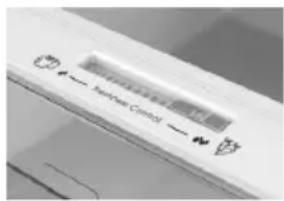
BlarodaapKaHtpoJIO CBExeCTN,Bbl
NoIyHaTe
npaBnIbHbIyUpOBeHb
BlaJXHOCTN B
KoHTeHepeIa
OBOUeHΦpyKTOB.
BnaKHOCTb cTahOBnTC6oJIbWe, KOrJa WkaJa DBNKeTcCneBa HAnpaBO.
PURACTION EVO (IPN HAJINH)
ФункцURACTION EVO 3anyckaetca HaKaTneM Ha 3haouk «PURACTION EVO» Ha dinCnlee; npu 3tOM 3haouk 3aRopntc. OHa pa6oTaet npu Haxatnn KHOKN B TeueHne ONpeDeIeHHoro nepnoDa (20 MNHT) n npu KaJdOM OTKpbITN DBepCb. LNKblb ONTMn3npOBaHb, YTO6bl rapaHTnpoBaTb MaKcMaJIbHyIO 3ΦeKTNBHOCTb pa6oTb I MNHMaJIbHoE 3HeprONotpe6JIeHne. CBeToNDHbIe ylbTpAphiNoIeTOBble lamNbI aKTHBnpyOT THTaHObBI #HbTp, BCJeDCTBNE Yero npOnCXODNT peakunr «ΦOTOKaTaN3a», yHNUToXaIOUa8 BaKTePnB BO3dyXe BHyTpN xOLOdINbHnka. Cpok DeIcTBnA ΦInbTpA 10 let. Bo Bpem npOBepKn 3HeprONotpe6JIeHnAANT6aKeTpnaJIbHyIO CnCTeMy CLe dyET OKJIIOUaTb.
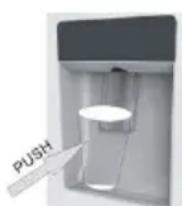
OxJaXdEHHyIO BODy, He
OTKpbIBaBДВepbXOJIOINlbHoi
KaMepbl.
Neped nep8bIM uCnoIb3o8aHueM
PpeKJe cem nCnoJIb3OBA Tb dncneHce pIy BOdbi B nepBbI pa3, u3BLeKeNTe N OuycHTe pe3epByap IJRA BOdbI, paCNOIOKeHHbI BHyTpN XoIoINbHOI KaMepbl.
-ИЗВЕКИТЕ ВБЕХ pe3ePBYap ДЯ BOДы n3 xOLOДиьHoN KaMepbl.
-OTKpoITe KpbIshky pe3epByapa IЯ BODbl, 3aTeM OuncHTe pe3epByap IЯ BODbl I 3aJIeTRe erO TeNIOI MbIbHO BDOJ. TuaTeIbHO onOLOCHNTe.
-Послочиски рпкрени Te Kpbilshky K pe3epByapyДЯ ВОдьи BBOBb yctahOBHTe pe3epByap ДяВОдьiHa DBepuy XOLOINlbHnka.
- Ounchte onopy dncpehcepa 3a DbepbXoJIOJIbHnka.
3anonHeHue pe3ep6yapa bodo
- OTKpoTe MaIeHbKyIO KpbIiKy.
-3anolHnTe pe3epByap IINBAObl NITbeBOB BOOIO DOIINN MaKc.
-3aKpoIteMaIeHbKyIO KpbIiKhY.
Ponb30aHue duCneHcepm
Длл NOлуненя XOLODHOBdI ocTopoKHO NaDabInBaIte Ha onOpY dncneHcep a c NOMOuBcStakaHa nII KOnTeHepa. YTo6bI OCTaHOBnTb BODy, N3BLeKeNtE CTaKaH N3 DnCneHcepa.
CoBeTbI No xpaHeHHIO npOdyKTOB B XoJIoAnJIbHHKe
YdJIaIe oco6oe BHMaHHe Mcy npbIbe:
nproToBHeHbIe MChbIe 6IIOda CneJeYet
08a3aTeJIbHO xpaHHTb Ha NIONe BblIe cbIporo Mca,
TTObI NCKIIOHTb 6aKTePnaJIbHoe 3aRpy3HeHHe.
XpaHITcCbIpe MCoPOnpOyKtBi Ha TapeJIke
DOCTaTOUHO 6oJbWOro pa3Mepa, TTObI IN Hee He
BbITEKaII MChbIe COKN; TaKHe ee CNeDyET
3aKpbBaTb NIISeBOI PNeHKO INIΦIoBroI.
OcTbJIaTe BOKpyI npOyKTOB DOCTaTOUHO MeTa:
TakIM 6pa3OM XOIOHbI BO3dyx 6yJeT UINPKUInpoBaTB B XOIOUNlbHNKe, NOIDepKJBaH N3KO TEmNepaTypy BCex KOMNOHETOB BHYTpH Hero.
3aBopauBaIte npOdyKtbl: yTo6bl n36eKaTb nepeDaun 3aNaXOB u BblcblxHaHn npOdyKTOB, Hx CneDyET pa3dEJIbHO yNakOBbIBaTb NIN pNkPbIBaTb. KTb I OBOUH He HJXHO 3aBopauBaTb B yNakOBky.
TOTOBbIe 6JIoDa CNeJyET npaBnIbHO OxJaKaTaB: npexKeJe Yem NOMEuATb nprirotobLeHHoe 6JIIO Bo XOLOINbHnK, NOIOXdnte, NOKa OHO OCTbIHet. 3To NO3BOInrN36EkaTb NOBIWeHnY TempepaTypbl BHyTpN XOLOINbHnKa.
3aKpbBaIe DBepy!:UTo6bI 36EkaTb yTeKN XoIoDHorO BO3dyxa, NOcTaPaIteCb pexe OTkpBaTb DBepuy XoIoDnIbHnka. PpeXe Yem NomeuAtb KynIeHHbIe npOyKTb I B XoIoDnIbHnK, paccopTpPyIe ux. OTkpBaIe DBepy TOnkO dJa TORO, UTo6bI BBHyTb INI NIOJXHTb npOyKTbl.
3oHbI XpaHeHHI IpoOyKTOB B XOJIOHNJIbHHKe
Ppoxlaadha 30Ha: MeCTo, rDe npOyKtbl 6dyT xpaHntbca DolbIe, ecn OH 6dyT npOxlaHbIM. MoIko, yuca, ngypTb, pkykToBle cok, TBepdbie cbIpbl, TaKne kak yeNep. OTKpbItble 6aHKn 6ByIkn 3anpaBOK dna caIaTOB, coycOB n BapeHn. HnpobBe npOyKtbl, HapnpMepe, cInBOUHOe MaCNo, MparunH, ManOxHpHbIe cnpeDbI, KUnHapHbIe Knpbl n CmaLeU.
XoIOnHnA 30Ha (OT 0^ 日 + 5^) MecTo, rde cneNyet XpaHnTb IpoDyKtbl, TempepaTypa KOTOpbIX DoJxHa 6bITb Hn3KoI:
CbipbIe HnepnroTOBHeHbIe npOdyKtbl Heo6xOaIMo 063aTeNbHO xpaHHTb B ynaKOBke.
-rotobbloeoxlaJdeHHbIe npOyKtbl, TaKe KaK roTobblc 6nloDa, MChbIe NpOrn, MaRKnE cbIpbl.
-TOOBbIe McOpnoPykTbI, HApnPmEp, BcTuHa. -TOOBbIe canaTbI (B TOM uHcNe yNaKOBaHHbIe 3eHeIbe canaTbI-CMeCN, PnCOBbIe N KApToΦeJIbHbIe canaTbI n T.D).
DecepTbI, HAnpMep, HexnPbI MmRKn cbip, DomawHne 6JIOda nOCTaTK Nl6o TOpTbIC KpeMOM.
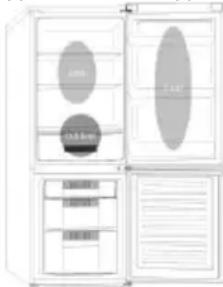
KoHTeHep dIy OBOUeH nOpyKTob:3TO CaMaB BIAJKHAR 30HA XOJOuINbHnKa. OBOUH, OpyKTbI, CBExHe IPOdyKTbI dNraCaIaTnT.D. 3Decb MOxHO XpaHtB HeMbITbI CaIaT-NAtyK, ZeJIbHbIE TOMaTbI, peDnC nT.D. PEKOMEHyETcR XPAHNTb BCE IPOdyKTbI dJIa CAIATOB BYNAKOBE.
PIMMEAHNE. Cbipoe MrcO, pTnU y np6by cneDyET 063aTeIbHo 3abOpauNbaT b ObepTKu XpaHNTb Ha camo HIXKHe NOLKe B HIXKHe YacTn XoIoNbHnKa. 3To npeDoTbPaTt KOHTt N nonadaHne cokOB Ha dpyrue npodykB. He CTabTe B XoIoNbHnK BocPiMaMeHryoUncEra3bl IIN KNDKOCTN.
Ecn TEmnepaTpa B MOpO3nIbHNoi KAmpe nocle 3
yacob pa60tB bIe -12°C, 3aropaeTcra HnHaNbHbI
HNDAkTop n 3ByuHT 3ymMep.
XpaHeHne 3amOpOKeHHbIX npOdyKToB
YnaKOBaHHbIe npOdyKtbl, npEdbapuTeJbHo
3amopoxeHHbIeBnPomblJHJIeHHbIXycIOBmAx,
CneJeYeT XpaHnTB B COOTBeTCTBm C HNCTpyKUJMAH Nx npOn3BODInTeJe DJIa MepeHbHbIX OTdeHen.
YTo6bIdo6ntbcraHaHnyuWeroKaueCTBa npOdyKTOB, DoCTnHyTOro npOn3BOaNTeJeM 3aMOpOKeHHbIX npOdyKTOB, INoDaePknBaBwEroCpeAaN3aTOPOM npOdyKTOB NtAHn, CNe dyET NOMHTcNeDuOuSe
- ПомецашипaketыВ морозиьнк кak можно 6ьICTpee посяnx npno6peTeHЯ.
- He npebbwaIte cpoK xpaHEnH («IcnoJb3ObaTb Do...», «Cpok roJHOCTn»), yka3aHHbIe Ha ynaKOBKe.
Ha 500 MM, qTo6bI CHaTb ee.
- a. BocnoIb3yIteCb INHCTpyMeHTOM dIa CHaTn3 BnHTOB C KpbIuKn CpeDHeRo ⅢapHnpa, a 3aTeM ChmMtE cpeDnHn ⅢapHnp.
b. nepemecntte DBepy MOpO3nIbHoi kamepbI BBepx Ha 500 MM, yTo6bI CHrTb DB
c. CHIMITE peryInpyeMbIe nepeHHe HOKKIOH INXHHM WapHnPOM; BOCNoJIb3yITecb HCTpymeHTOM, YTO6bl ydaJIntb 4 BNHTa n3 HxHHero WapHnpa, a 3aTeM CHIMITE HxHHN WapHnP. Pa36Opka DBeprn 3abepSeHa.
Co6epHTe DBepb, IOMecTHB IIpHnHaJIeJxKHOCTN HxKHeRo IaHPnpa B COOTBeTCTBYIOUHe IIOJOKeHHA
- a. BocnoJIb3yIteCb INCTpyMeHTOMДЯ DoCTyNa K DBepHoB BTVJKe, KaK NOKa3aHO Ha pUCyHKe HNKe, N BCTaBbTe ee B COOTBeTCTByIOUe MeCTO C DpyrO CTOpOHbl.
b. NcnoJb3yIe HNCTpyMeH IJIa BbINHnBaHH BnHTOB C npo6Kn CTOnopa, KaK POKa3aHO Ha pncyHKe HnKe, a 3aTeM BKpyTnte INC dpYroN CTOpOHblDbepn.
c. NcnoJb3yIe HNCTpyMeH TJIa CHTINOcN I DBYx Ipo6ok Ha HnKHeM WapHInpe, a 3aTeM co6epuTE INB NOLOKeHN, KaK NOKa3aHO Ha pncyHKe HNKe.
YcTaHOBHTe DBepb XoJIoHJIbHOH MOpO3HJIbHOH KaMepbHa HpOTnBOIOJIOxHOn CTOpOHe
- a. CHIMnTe peryInpyEmyI nepeDnIOHOJKky, KaK NOKa3aHO HIXKe, BpyHyIO, a3aTeM CoeINHtE HxHHN IapHnP cDPyro CTOpOHKOpNyCa N 3aTaNHTe BNHTbIC NOMOsbIO INCHTpymeHTa.
b. PnKpEnTe 6oJee KopoTkyo peYnpyeMyIO nepeHIOHOHXKY K HNXHe CTOpOHe 7apHnpa N OTopeYnpyTe BbcOTy HOKKn TaK, YTObI XoNODINbHK 6bl BBCTaBHeNo yPoBHIO. - HadeHbTe DBepu MOpO3nIbHoJ KAmepbI nOBepHnte CpeDnH uapHnp Ha 180°C, a 3aTeM npKpePHTe erO c dpYro CTopoHbI shKaΦa; nCNoJIb3yIte NHTpymENT, TTO6bl 3aTaNytB 3 BnHTa dJa FIKcauN CpeHero shapHnpa.
- Hadehbe TBeBepy XoIoAnIbHnka n npKpeNte BepxHn IapHnp KdpYro CTopoHe Kopnyca; IcNoIb3yIte NHT, YTo6bl 3aBnHTb 4 BnHTa dJa NKcaunn BepxHero wapHnpa.
Iocne 3TOro coeHHnTe npBOoD,ДЯ DBepu npBOoD nI KOpNyca, 3aTeM HaJeHbTe BepxHIOU KpbIshky wapHnpa N 3aΦHKcnpyTe ee C NOMOsbIO BNHTa.
PpKpEniTe KpbIuKy OTBepCTnK Dpyro CTopoHe Kopnyca N BOCNoIb3yntecb INHCTpyMeHTOM dIJI 3aBnHnBaHHK KbpiKn
OTBepCTn.
Дваьдbl npOBepbTe,чTo6blДВeрь 6blIa npaBnIbHO BblPOBHeHa,И BCE yNlNoTHeHn8 bIIN 3akpbITbI co BCex cToPOn.Пи Heo6xOdImocTn OtperyIpyIte HOKKI DЯ BbIPaBHBuHnIa.
IPNIMEYAHNE: EcnBbXOTNTe NOMEHbTcTOPOHY OTkpblBaHnI DBepn, Mbl peKomeHdyem Bam ObaTntbcr K KBaIIINphiIuPobAHOMy CneuaIInCTy. Bbl MoKeTe cIeIaTb 3To camOCToTeNbHO ToIbKO, ecn cHTaeTe, yTO o6laAeTe DoCTaTOUHO KBAIIINphiKaIueN. BCE demoHTnpobAHhble DeTaIIN DOJIHKbI 6bIT coXpaHeHb IJRA o6paTHOH yCTaHOBKn DBepn. XoIoAnlbHNK DOJIKeH ONIPAATbCnHa YTO-TO TBePdo, yTO6bl OH He npockab3bIBaI BO BpeMn Ppocecca 3AmEHb IN. He KnaIte XoIoAnlbHNK Ha 3aDHHO CTENK, TAK KAK 3TO MOKeT NOBpeHt b CnCTeMy OxJaXdHnR. Y6eIInTecb, 4TO XoIoAnlbHNK OTKIOUeH ON CETn n PyctOn. Mbl peKomeHdyem BblONHArTb Pnoeecc CMeHb IDBepc cYactnem 2 yeJIOBek.
np6nemy He ydaetca ycTaHntb, 6paNTeCb B Mara3HH, B KOTOpOM 6bl npno6peTeH 3TOT 3NEKTPoPnp6op.
- IpnabInbHo IIN NOIDcoeHNHeHa HOBa WTeNcEJIbHaN BUNKa, B Cnyuae 3aMeHbI OpiRnHaJIbHOJ 3aNPecCobAHHO BUNK. Ecln NocLe BblweyKa3aHHbIX npOBepOK 3JeKTpOpiB6Op No-npeXHemY He pa6oTaet, o6paTntecb B cepBnchNu clyx6y.
YTNJIH3AUHNA CTAPOB BbITOBOHTEXHNK