SLSX325 - Hi-Fi System PANASONIC - Free user manual and instructions
Find the device manual for free SLSX325 PANASONIC in PDF.



| Product type | Portable CD player |
| Brand | Panasonic |
| Model | SLSX325 |
| Dimensions (W × H × D) | 135 × 27.7 × 135 mm |
| Weight (with batteries) | 213 g |
| Weight (without batteries) | 168 g |
| Power supply | Batteries (2 × LR6/AA/UM-3) or AC adapter DC 4.5 V |
| Playback time (alkaline batteries) | Approximately 50 hours |
| Playback time (rechargeable batteries) | Approximately 25 hours |
| Charging time | Approximately 4 to 5 hours |
| Supported CD formats | CD audio, CD-R, CD-RW (finalized) |
| Playback functions | Normal playback, programmed (20 tracks), random, repeat, AB repeat |
| Anti-skip memory | 45 seconds (POS1 mode) or 10 seconds (POS2 mode) |
| Equalizer | Yes, selectable via EQ button |
| HOLD function | Yes, on the player and remote control |
| Auto power off | Automatic shutdown approximately 10 minutes of inactivity |
| Headphone output | Stereo headphone jack |
| Supplied accessories | Stereo earphones, AC adapter (depending on model), wired remote control (depending on model) |
| Maintenance | Clean with a soft, dry cloth; do not use alcohol, thinner, or benzine |
| Safety precautions | Do not expose to rain, moisture, heat sources; do not open the casing (laser) |
| Operating temperature range | 0 °C to 40 °C |
| Charging temperature range | 5 °C to 40 °C |
Frequently Asked Questions - SLSX325 PANASONIC
User questions about SLSX325 PANASONIC
0 question about this device. Answer the ones you know or ask your own.
Ask a new question about this device
Download the instructions for your Hi-Fi System in PDF format for free! Find your manual SLSX325 - PANASONIC and take your electronic device back in hand. On this page are published all the documents necessary for the use of your device. SLSX325 by PANASONIC.
USER MANUAL SLSX325 PANASONIC
2 Thank you for purchasing this product.
Before connecting, operating or adjusting this product, please read these instructions completely. Please keep this manual for future reference.
Table of Contents
Supplied Accessories 2
Location of controls/Connection to other equipment 3
Power Supply 4
How to Use 5
Other Play Methods 6
Specifications 7
Maintenance 7
Caution. 7
Troubleshooting guide 8
Display. 8
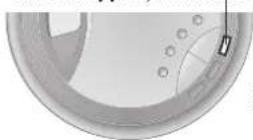
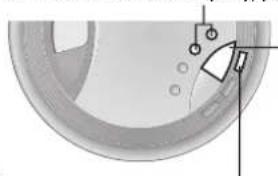
HOLD
This function causes the unit to ignore accidental button presses
Set to HOLD so the unit doesn't power on accidentally or play is interrupted.
The unit and remote control each have independent HOLD switches.
Note on CD-R and CD-RW
This unit can play CD-DA format audio CD-R and CD-RW that have been finalized* upon completion of recording. It may not be able to play some CD-R or CD-RW due to the condition of the recording.
Finalizing is a process that enables CD-R/CD-RW players to play audio CD-R and CD-RW.
Resume function
The player stores the track where you stopped play.
Opening the lid when the unit is in stop mode cancels the function.
Auto off function
If the unit is left in stop mode for approximately 10 minutes, the unit turns itself off automatically.
Supplied Accessories
Check the packing carton for these accessories.
-1 Pair of stereo earphones SL-SX332 ONLY
SL-SX332 SL-SX330 ONLY
-1 AC adaptor
CAUTION!
DO NOT INSTALL OR PLACE THIS UNIT IN A BOOKCASE, BUILT-IN CABINET OR IN ANOTHER CONFINED SPACE.ENSURE THE UNIT IS WELL VENTILATED. TO PREVENT RISK OF ELECTRIC SHOCK OR FIRE HAZARD DUE TO OVERHEATING,ENSURE THAT CURTAINS AND ANY OTHER MATERIALS DO NOT OBSTRUCT THE VENTILATION VENTIS.
DO NOT OBSTRUCT THE UNIT'S VENTILATION OPENINGS WITH NEWSPAPERS, TABLECLOTHS, CURTAINS, AND SIMILAR ITEMS.
DO NOT PLACE SOURCES OF NAKED FLAMES, SUCH AS LIGHTED CANDLES, ON THE UNIT. DISPOSE OF BATTERIES IN AN ENVIRONMENTALLY FRIENDLY MANNER.
WARNING:
TO REDUCE THE RISK OF FIRE, ELECTRIC SHOCK OR PRODUCT DAMAGE, DO NOT EXPOSE THIS APPARATUS TO RAIN, MOISTURE, DRIPPING OR SPLASHING AND THAT NO OBJECTS FILLED WITH LIQUIDS, SUCH AS VASES, SHALL BE PLACED ON THE APPARATUS.
The socket outlet shall be installed near the equipment and easily accessible or the mains plug or an appliance coupler shall remain readily operable.
This product may receive radio interference caused by mobile telephones during use. If such interference is apparent, please increase separation between the product and the mobile telephone.
Marking sign is located on bottom of the unit.
Notice about the rechargeable battery
The battery is designated recyclable.
Please follow your local recycling regulations.
THIS UNIT IS INTENDED FOR USE IN MODERATE CLIMATES.
CAUTION!
THIS PRODUCT UTILIZES A LASER. USE OF CONTROLS OR ADJUSTMENTS OR PERFORMANCE OF PROCEDURES OTHER THAN THOSE SPECIFIED HEREIN MAY RESULT IN HAZARDOUS RADIATION EXPOSURE. DO NOT OPEN COVERS AND DO NOT REPAIR YOURSELF. REFER SERVICING TO QUALIFIED PERSONNEL.
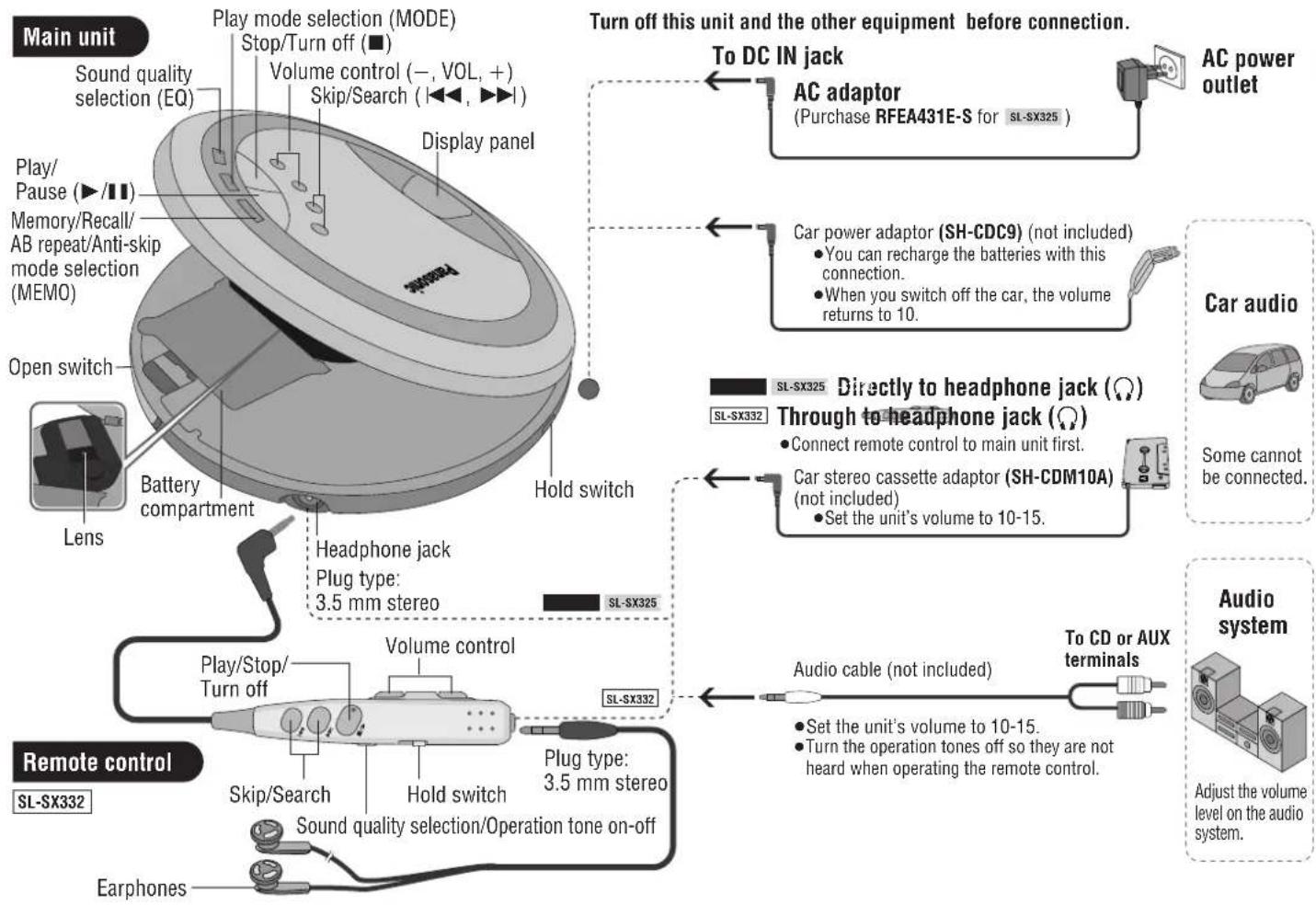
Location of controls/Connection to other equipment
References to the remote control apply only to SL-SX332.
Power Supply
Rechargeable batteries (not included) Recharge before initial use.
As a safety precaution this unit is constructed so it is impossible to recharge ordinary batteries. For details, check with your dealer.
Special rechargeable Ni-Cd batteries P-3GAVE/2B (set of 2)
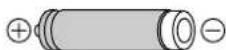
Ordinary dry cell batteries/ rechargeable batteries
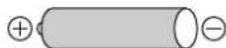
For SL-SX325
Be sure to obtain the optional AC adaptor RFEA431E-S.
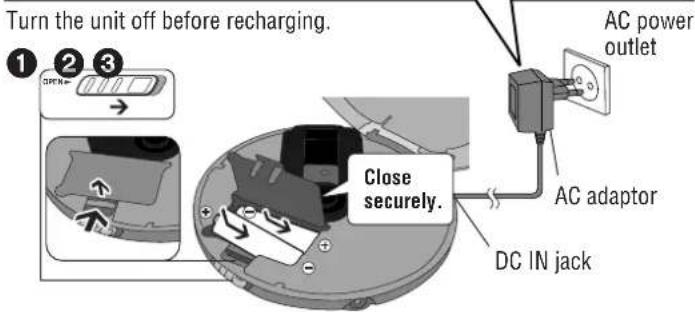
The battery indicator (100 rolls while recharging and disappears when finished (about 4 to 5 hours).
- You can recharge the batteries before they are fully discharged.
- Fit the battery lid so it is secure and flush with the battery compartment. If it comes loose, it may scratch your discs.
Dry cell batteries (not included)
After disconnecting the AC adaptor, insert two "LR6, AA, UM-3" alkaline batteries.
Insert the same way as the rechargeable batteries.
The battery indicator
This indicator appears when the unit is on.
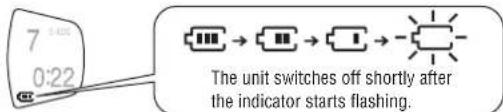
Before playing starts the battery indicator may flash although the batteries are not drained. It appears correctly once you start play.
General
Play time
Specifications, page 7
Removing batteries
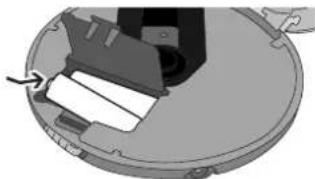
The unit is in the standby condition when the AC adaptor is connected. The primary circuit is always "live" as long as the AC adaptor is connected to an electrical outlet.
How to Use
References to the remote control apply only to SL-SX332.
Playback
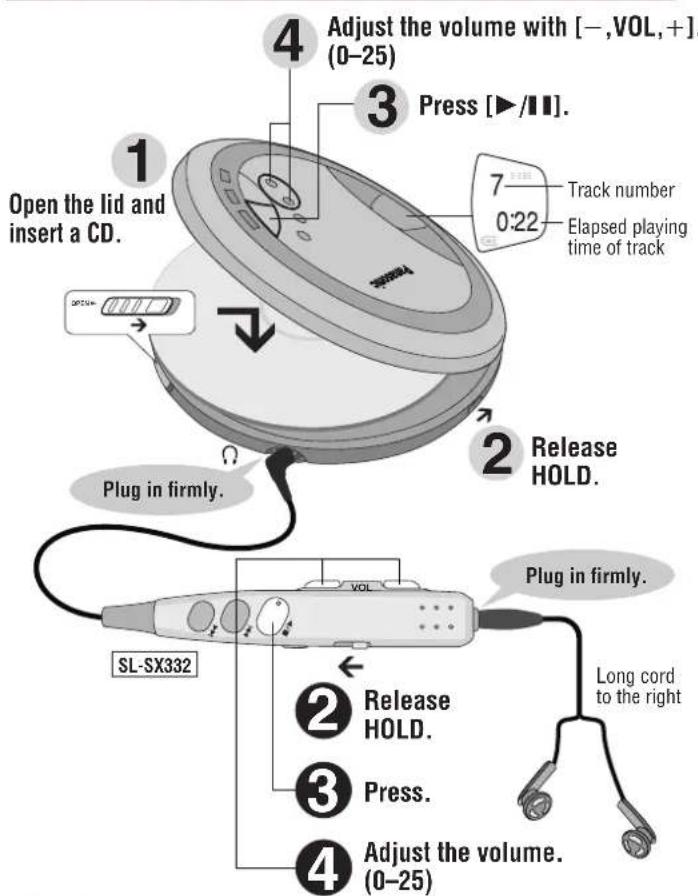
The volume returns to 10 when you disconnect the power source.
Pause
Remote control
Not available.
Main unit

Press.
Press again to restart play.
Search
Remote control
Press and hold during play.
Main unit
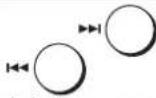
Press and hold during play.
- You can search only within the current track during program, one track repeat, random, random repeat and AB repeat play modes ( page 6).
Skip
Remote control
Main unit
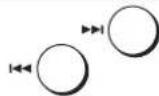
Press [ ] twice to skip to the beginning of the previous track during play.
- You cannot use [ ] to skip to the previous track during random play (← page 6).
Stop/Turn off
Remote control

Main unit
Press. Press.

Press and hold to turn the unit off.
Press again to turn the unit off.
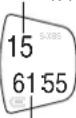
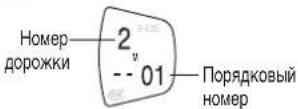
Number of tracks
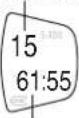
Total play time
Other Play Methods
References to the remote control apply only to SL-SX332.
Program Play Play modes
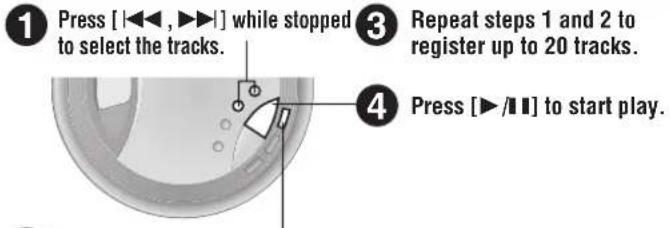
Press [MEMO] to register.
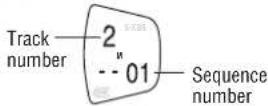
To confirm the contents of the program Press [MEMO] while the disc is playing.
To cancel program play Press [■].
Changing the sound quality
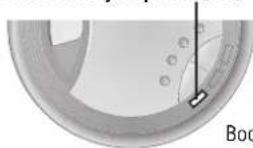
Each time you press [EQ]

SL-SX332
S-XBS S-XBS+ LIVE
Boosts the bass Enhanced Concert hall
S-XBS like sound
No display (canceled)
The effect may differ between different kinds of music.
Turning the remote control operation tone off
Press and hold [EQ] until "bP oFF" appears.
SL-SX332
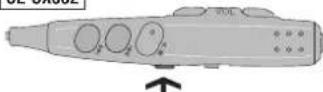
bP on bP oFF
Tone on Tone off
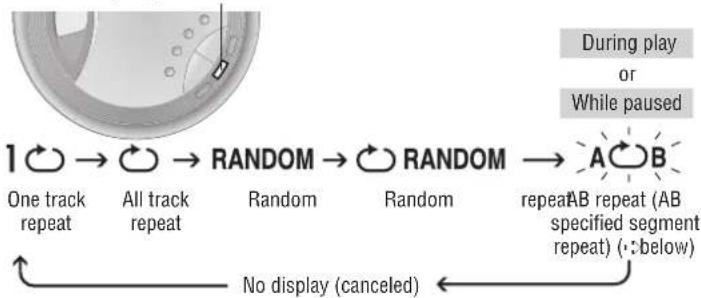
Each time you press [MODE]
■Specifying the AB segment
Press [MEMO] at the start point (A) and once more at the end point (B).
A0B A0B
-
Stop or skip (: page 5) to cancel.
-
If you do not specify point B and reach the end of disc, point B is set automatically and repeat begins. You can also specify point B again by pressing [MEMO].
Anti-Skip System
This system reduces the skipping caused by vibration to a minimum.
You can change the anti-skip memory time to improve sound quality.
While stopped, each time you press and hold [MEMO]
POS2 POS1
Sound enhanced mode.
10-second anti-skip memory
Anti-skip enhanced mode,
45-second anti-skip memory
Specifications
Audio
Sampling frequency: 44.1 kHz
No. of channels:
2 (left and right, stereo)
Headphone outp
RMS max. 6 mW+6 mW/ 16Ω(adjustable)
Frequency response:
20 Hz to 20,000 Hz
(+0dB to-7 dB)
Pickup
Light source: Semiconductor laser
Wavelength: 780 nm
(Norsk)
Bolgelengde 780 nm
Laserstyrike
Using AC adaptor: 0.8 W
Recharging: 3.2 W
Play time:
Using on a flat stable surface at 25^ - EQ is off, Hold is on, Anti-skip is on
POS 1. Play times are in hours and approximate.
| Batteries used | Play time |
| 2 optional alkaline batteries | 50 |
| 2 optional rechargeable batteries | 25 |
Recharging time: About 4 to 5 hours
The play time may be less depending on the operating conditions.
- Play time will be considerably reduced when playing CD-RW.
Dimensions (W× H× D)
135× 27.7× 135mm
Mass: 213 g (with batteries)
168 g (without batteries)
Operational temperature n
qe:
0°C-40°C Rechargeable temperature range:
5℃-40℃
Note:
Specifications are subject to change without notice.
Mass and dimensions are approximate.
Maintenance
If the surfaces are dirty wipe with a soft, dry cloth.
- Never use alcohol, paint thinner or benzine to clean this unit.
Before using chemically treated cloth, read the instructions that came with the cloth carefully.
Caution
- Do not expose the unit to direct sunlight or heat, such as from heating appliances, as these can damage the unit.
- Discontinue use if you experience discomfort with the earphones or any other parts that directly contact your skin. Continued use may cause rashes or other allergic reactions.
Batteries
- Do not peel off the covering on batteries and do not use if the covering has been peeled off.
Align the poles ^+ and - correctly when inserting the batteries. - Do not mix different types of batteries or old and new batteries.
- Remove the batteries if you do not intend to use the unit for a long time.
-
Do not throw into fire, short-circuit, disassemble, or subject to excessive heat.
-
Do not attempt to recharge dry cell batteries.
- When carrying batteries in a pocket or bag, ensure no metal objects such as necklaces are placed together with them. Contact with metal may cause short-circuiting which can cause a fire.
■Listening
- Do not play your headphones or earphones at a high volume. Hearing experts advise against continuous extended play.
If you experience a ringing in your ears, reduce volume or discontinue use. - Do not use while operating a motorized vehicle. It may create a traffic hazard and is illegal in many areas.
- You should use extreme caution or temporarily discontinue use in potentially hazardous situations.
Even if your headphones or earphones are the open-air type designed to let you hear outside sounds, don't turn up the volume so high that you can't hear what's around you.
CDs
- Do not use irregularly shaped CDs.
- Do not use non-specification discs
- Do not use CDs printed with label printers available on the market.
- Do not use CDs with labels and stickers that are coming off or with adhesive exuding from under labels and stickers.
Troubleshooting guide
References to the remote control apply only to SL-SX332.
Before requesting service, make the below checks. If you are in doubt about some of the check points, or if the remedies indicated in the chart do not solve the problem, consult your dealer for instructions.
| No play. | The HOLD function is on. Release HOLD ( \( \leftarrow \) page 5). The batteries may have run empty ( \( \leftarrow \) page 4). (If play is extremely short even after fully recharging the batteries, the batteries may have exceeded their life. Rechargeable batteries can be recharged approximately 300 times.) - The disc isn't correctly set. - The disc is scratched or dirty. (Tracks skipped.) - There is moisture on the lens. Wait for about an hour and then try again. - The lens is dirty: clean it with a blower (recommended product: SZP1038C).If the lens gets marked with fingerprints, gently wipe them off with a cotton swab. |
| No sound or there is a lot of noise. | - Ensure the plugs are inserted firmly. - Wipe the plugs clean with a clean cloth. - The elapsed playing time disappears and sound is interrupted if bumps continue repeatedly. |
| Play doesn't resume from the track where play stopped at. | This doesn't work if you open the lid while the unit is in stop mode. - This doesn't work during random play. - It may not work correctly under some conditions. |
| Play doesn't start from the first track. | Random play modes may be on ( \( \leftarrow \) page 6). Play resumes from the track where you last stopped play (play may start from a different track if you change discs after the power has been turned off). |
| Cannot specify the AB segment. | You may not be able to specify segment A or B at the end of disc. |
| SL-SX332 The unit malfunctions when connected to other equipment. | Be sure to connect other equipment through the remote control. Speakers connected directly to the unit should have an impedance of \( 1\mathrm{k}\Omega \) or less. |
| Cannot hear the remote control's operation tone. | The operation tone may be off (:page 6). |
| The remote control does not work properly. | Use only the included remote control to operate this unit. |
| Cannot recharge. | - You aren't using the special rechargeable batteries ( \( \leftarrow \) page 4). - You must insert two batteries before you can recharge them. - The unit must be off before you can recharge. |
| The AC adaptor becomes warm during recharging. | This is normal. |
| The batteries are taking a long time to recharge. | The batteries may take a maximum of 6 hours to recharge under some conditions. |
| Play time is short after recharging. | ·This may occur after the first time you recharge the batteries or haven't used them for a long time. Play time should be restored after a few recharges. ·The batteries can go flat if you leave the AC adaptor connected after recharging is complete. |
| The battery indicator fails to appear or is incorrect. | ·The indicator does not appear when the AC adaptor is connected. ·The indicator does not appear correctly under some conditions. |
| The unit stops working. | Disconnect then reconnect all power sources (batteries and AC adaptor). |
Display
| hold | The HOLD function is on. Release HOLD (←page 5). |
| no disc | ●You haven't inserted a disc or it isn't inserted correctly. ●You have inserted a disc this unit cannot play. |
| OPEN | The disc lid is open. |
| F | The program already contains 20 tracks. |
Sehr geehrter Kunde
PRODUKTET, MA DETTE APPARAT IKKE UDSAETTES FOR REGN, FUGT, VANDDRYP OG
VANDSTENK, DG DER MA IKKE ANBRIGGES BEHOLDERE INDEHOLDENDE VESKE, SOM FOR EKSEMPEL VASER, OVENPA APPARATET.
Tryk pā [↓←,▶▶] i stopindstilling for at vαlge sporene.
Lysnetadapter-input:
AC 220 V-230 V, 50/60 Hz
SL-SX332 SL-SX330
Stromforbrug
Ved drug af vekselstromsadapter:
0.8W
Genopladning: 3,2 W
Specificationer
Spiletid:
Ppnilaraemblpe npHnAdnlexKHOCTn 2
PacnoJoxHeOpraHOBynpaBHeNc/CoednHeNeCpyroannapatypoi.3
3JektponntaHne 4
IcnoJIb3OBAHne annapaTa. 5
IpyrncnocobblBocnpon3BeDHeH 6
TexnueckxapaKTepeHCTKKn 7
YxoJ3a n3dennm 7
Mepb npedoctopoxhoctn 7
PykoBocBo no noncky u yctpaHHeH HeHcnpaBHOtei. 8
UcTpoCTBA HnDnkaun (nucnnen) 8
ФУHKUЯ BЛOKMPOBKN-HOLD
3Ta dyHKnA 3actaBnREYCTPOXCTBO HOPPOBaTb CnyHaeHoe HxKATNE KHOIOK.
Yctahobonite NepeknoiatoBEN BOJNOEHEHOLD, TAKMIObpaOm yCtpoIcTB0 HE BKNHOHTCA cnhyaHIN NIN BCOPRMOBDEHnE He 6ydtneppBaHO.
Camo cytpoctnoBIO 6I0K DnCTAHUONCHHO ynpaBHeHNA HMeHT H3eABCNMBnepeKKnOcAteJIb 6I0KApOBKOH HOLD.
PpmeaHne no CD-Rn CD-RW
To yctpoctbo moxket Boocpono3bOanb aydno komnakT-dncktna CD-R nCD-RW fopmata
CD-DA, KOtOpHne NoCte 3aeePueHnA 3aNcN 6bJInФuHnAINpOBAHnI ^38 .YcTPOCTBO MOKET He Bocnpov3BouNTb HekOpTBe KOMNaKT-DnCKm TnA CD-R mN CD-RW n3-3a HecoCtBTcTBcyUcero COctONHnA 3aNNc.
ΦHnHn3aHn-3To npuecc, o6ceNcHnBaHooB03MOxHOCTb Bocnp43eDHeHn aydmoKOMnAKT-nckOB TnA CD-Rn CD-RW npoHrpBAtaleX, npEHa3NaHeHHbIX nIraTakXn DACKOB.
Bb He moxe He nObn3oBaTb [1],rTo6bl npOnyCTn PbpeDbyuH DoPoxKBy BoBpMa Bocpn03BeDHe H Bnp03BoNbHom nopRkE (CTp.6).
OctaHOBKa/BbIKIOUeHne
DuctaHIOHOHe ynpabneHne

HaxMMTe. HaxMMTe.
Hakmtte Hnyedjnte, YTO6bl BbIKKHTbYCTPOCTBO.
B Hauhano npdeblduyue Tpeka BO Bpemr
Ke (cTp.6).
OCHOBHOE yCTPOIcTBO
HaxnHTe noBToPno dIy BbIKNoCHEMyycTpoCTBa.
O nppeaDyUeero TpeKa BO
Uncno dopoxek
PoiHoeBepm BocpOIm3eDcHn
- YTO6bI Bb6paTb DpOxKKy.

TOBTOPHTe 1n2dIa3anOMHaHbBnIObdo20DopOKeK.
Haxmte [I]YTO6bHaayatb BocnpOn3BedeHne.

Haxmnte [MEMO] nla 3anomnHaHna.
A NoTBePKeHn CoepKaHn nporpaMbl HaxMe [MEMO Bo BpemnpoRpbHnAn DnKc.
TTO6bIOTMeHHTbPnOprpAMMHOe BOCPN03BeDeHne HaxMMTe [■].
N3MeHHeKe KaeeCTBa 3ByaHna
PnKaKdom HkaTnHa [EQ]
HUKHYHACTOT

SL-SX332
S-XBS
YBENHHE
S-
YcnpneHHbH
pexmm S-XBS
OTCYTCTBME Bm3yAIN3aAMM
HaDmCnJee (OTMeHa)
3cpeKToMKeTpaJInHbIMBaBNCMOCTOnOTBuJaMy3blKn.
Bbiklouehne npIbTa ductaunonHoro ynpabnene 3bykom
Hakmte n ydepkmbaTe KhONky [EQ] do tex nop, noka He noBNTc nOKa3aHne "bP oFF".

SL-SX332
bP on bP oFF
3ByKOoB CmHn BkIOOeH 3ByKOoB CmHn BbIKIOeH
Pexmbbl Bocnpoun3BedeHna
m = 311 ;
m = 311 ;
BOCIPONUM3BedeHME 3aDaHHOrO

2
CYCTBNE Bn3yAN3a
3aDahne ppaarmenta AB
Haxmte [MEMO] B HauaBHOI ToKe (A) H eue pa3 B KOHeuHOI ToKe (B).
AOB AOB
BbInonHnTe ocTaHObky nnn npOnyck (CTp.5),YTO6bl OTMeHnTb.
- EcnBb He 3a4nnte ToHy B n DoCTmHNTe KOHa DmKa, To ToTuKa B yctanabJIbaeTc ABOTAMtueckn HauHnaeTcNOBTOP. Bbl MoKet TaKoKe 3a4nTa b ToTuKy C, CHOBA HauKab [MEMO].
CnCTema 6nOKnpOBKn nponyckOB
3Ta CNTema CHNkaeTdo MMHMyma nepeCKOKB, Bb3BaHHbE BnOpauei. Bbl MOKeTe 3MeHHTb BpMaTn CNTembl 6NOKUPOBKINPONYCKOB, YTObl IyNHTb KaHeCTBO 3Byka.
Kaxdbi pa3, korga Bb haxmaete u ydepxmbaete [MEMO]B
peKIMeOCTaHOBKn
POS1
POS2
Pekm ynuuueHHoro
3BVKA.CNCTEMA
6nOKIPOBKN nponycOB C
10-CEKHyDHOI NaMaTbIO
Pexum ynuuHHO
CCTEMblDOKMDOKK
NPONVCKOB.CNCTEMA
6nokpOBKn npOnyckOB C
45-cekyHnHnI namrTbIO
TexHnueckne xapaKTepeNCTnKN
Aydno
Yactota Bblbopkn: 44,1 K
RMS MaKc.6 MBT+6 MBT/
16Ω (perynpmyoe)
HactoTHaXapakTepcntKa:
ot 20 Tg do 20.000 Tg
(0T+0D6D0-7D5)
3BYKOCHMATENB
IcTOHHK CBeta: POnynpoBODHkOBbI na3ep
ДиHA BoJIhbl: 780 HM
06nne daHHbIe
anpajxehne nTahn.
Upe3 BXoA dIy nocToaHHoro ToKa:
4,5 B noctoHHoro ToKa
SL-SX332 SL-SX330
Yepe3 BXoI aadantepa nepemehnoro Toka:
peMeHHoe HanpXKeHne
220B-230B,50/60Tg
SL-SX332 SL-SX330
Notpe6JMaM aMOUHocTb
PnncnoIb3OBAHnn aanTepa nepemehHoro
Toka: 0,8 Bt
IpeepaKa:3,2Bt
Bpemra BocnpnombedeHn:
IncnoIb3yra pOBHyO yCTOnHMBYIO NOBepXHOCTb
Bocnpoun3BeHnA DnCKOB Tnna CD-RW.
Pa3Mepbl(U×B×D):135 ×27,7×135MM
Macca:213r(c6aTapeMn)
168r(6e36aTaapei)
Pa60H TMnepaTyPbH dHaTa3oH: 0°C-40°C
TemnepaTpyHbI dnaana3OH npn
C-40 C
Приимеанно:
Texnueckne xapaKTePcNkMOryT 6bItb
m3MeHHeBb6e3yBeDOMJIeHnA.
Macca npa3Mepb npn6n3nteBhlb.
yxo3a n3dennem
EcnnoBepxHocn annapata 3aqr3Hehbl, Cneyet BbtepeBt MmKo, cyXoT KaHbO.
HnKoJaHe cIeJeTcNcIpb3OaBt aIknOrBo, tApCTbOpTeB IaR Kpackn nn 6EHN nI dnn Tck Hn annapata.
IpepeNcnoB3oBaHemXMmUeCKnO6pa60TaHHoTKaHN TcaTeJIbHO npOHTaTNE HCTpyKuIM NO pImMeHEHNO 3TOI TKaHI.
MepbI ppeOocTopoxHoctn
He noDBepraute yCTPOCTBO 03JeCTBNO PnPMORO COHHeHO CBAI NIN TENLAOT HArpeBaTeNbHbIX np6oPoB, NOCKOBky OHN MOrY TNOBpeNTb yCTPOCTBO.
-Ппекрати Рльзовима салларом, ecn BblncbltibaeTe duckomoptOT Hayшнков Илллбьх дугхЧастей, кOTOpь HeNOCpeCTBENH BOxOrtВ KOKTATC
Bawen Koxe. DnntelbHoe nCIOB3OBaHne MoKet BbIbBaTb NOBHeNe CbIMN NIMDpytne anlpeprueckne peakm.
BaTaPeiKn
He ydaIaIte nokpbItme Ha 6atapeKax H He IcNoIb3yIte 6atapeKn C hapyeHHbIM nokpbItnem.
PpabnBno COBmuaaTe noIOca+ n - npN BCTaBKe 6aTape.
He CmeuBaTe pa3nHbte TnIb 6aTapeek HIO CTapBie HOBBe 6aTapeKn
-yaIte 6aapeKn n3 yctpoCTBa,ecn Bbl He HamepeBaetecb nnonb30BaT ero B TeeyHne doJrTO BPemEH.
He 6pocaTe 6bapeKn B OOrb, He 3amblKaIte nx HakoPOTko, He pa3bpaTe n He noDBepraTe Nx Upe3MepHOMy BO3dECTBnO Tenna.
He nbTaiTebc nepe3apKxab cyXne baTaepaekn.
-Пи пенихочьбатаурахь в capmahe ИИВсмку удостоветсь ВTom,чTOннakким
Металлгнecкппрmedы, кak HanpIMMep, цочkn, He HaxoJATCR BMECTC HMMN.
Kohtak6atapeekcMetaIOMMOXETCTaTb npuHNOKopoTKO3aMbikaHn, KOTOpoe MOXETBb3BaTbBO3rOpAHne.
IpoocnyuBaHne
He Bocnpo3BODIte My3bky Upe3 CtepeohayuHnKn nn TOnOBhle TeJefohbl np
60nbom ypOBHe rpmKoCTn. 3KcneptbNo cnyxHcOBeTyOT OcyuIeCTBnrtb
npoDnKInTeBHO npocnyuBaHne pni NOBbIeHHOM ypOBHe.
-ECnBbNcNtBbAte3BOHByuax,ymEnbWnte ypoBeHbPOMKoCTNnnnpekpaTne NcNoJIb3OBAHHe npOrpblBaTeIa.
He nCnoIb3yIe annapa Bo BpEma BoXdEHHa TpaHcnpTHOro CpeJCTBa, 3TO MOKeT
PnBecTN K DpOxHOMy npomcseCTBnO, a TaKxe RaTcR He3aKOHbIM BO MHOHX pEmoHax.
BbI DnJXHbI 6bIbI npEeJIbHO OCToPoxHbI INB BPemHe NpEkpAaTb IcNOnb3ObaHne npomprbBaTeJI B NotEHuaJIbHO OAnchBIX CNTyaunx.
JaXe ecn BblncnoIb3yeTe cTepeoHayuHKn nnr tonOBhie Tepeohb otKpbToro
TINA, papa6oTaHbIe IJrTOF, YTObIb N03BOITb Bam cNbUaTb HApyXhBte 3ByK, He npDnMaTe ypoBeHfPOMKCTn HAcToJIbKO BbICO, YTObIb bJIIO H6B03MOxHO CbIuMb, YTO npOxCoDHT BOKpyBc.
KomnaKT-dnckn
He nnonb3ynte KOMnakT-dnckn HectaHapTHoIΦopMb.
He nCnoB3yIe DnCKn, KOTOpBle He COOTBeTCTBYOT TEXHnueckm Tpe6oBaHnM.
He mnonb3yIe KOMnAKT-dNCKN C 3TNKETKaMn, HaneaTaHbIMn C nMOObu
MMEOUXCBApoaKe npHTepOBn3TKeTOK
He mnonb3yIe KOMnAKT-DNCKCOTKNEBBAIOUMMNC 3TKKEKAMN CNTKePAMN
KOMnAKT-DnCKN,IN-NOd 3TNKeTOK IN CTnKePOB KOTOpbIX BbICTyNae TKnE.
64
PykoBODCTBO NO NONCKU yCtpaHEnIO HeNCnPaBHOCTeI
VHOpmauaO npbte dctanuHoro ynpabneHn OTHocTcTaToBko K SL-SX332.
IpeepBb3OBOM cepBcHOnClyK6bl BInoJHnTe pR npBBeHbIX HmKe npOBepOK. Ecn y Bac noaBnTcO mHeHn OTHOCHTbHO HeKOToPbIX n3 3TNx npOBepok, nn npBBeHbIe B TaBnue peKOMeHN aunn He peaaot npo6NeMy, npOKOHcybTpyntec b BaUNM dNepom dNppeJeHn DaJIbHeuX DeCTBn.
WTYM URZADZENIU ZNAJDUJE SIE LASER.
WYKONYWANIE REGULACJI INNYCH, NIZ OPIANE, LUB POSTEPOWANIE W SPOSOB
NIE PRZEWIDZANY W INSTRUKCJI OBLUGI GROZI NIEBEZPIECZNYM NASWIETLIENIEM PROMIENIAMI LASERA.
PROSIMY NIE OTWIERAC OBUDOWY I NIE DOKONYWAC NAPRAW SAMODZIELNIE.
PROSIMY POWIERZYC NAPRAWY KWALIFIKOWANEMU PERSONELOWI.
DETTE PRODUKTET ANVENDER EN LASER.
BETJENING AV KONTROLLER, JUSTERINGER ELLER ANDRE INNGREP ENN DE SOM ER BESKREVET I DENNE BRUKSANVISING, KAN FORE TIL FARLIG BESTRALING.
DEKSLER MA IKKE APNES, OG FORSOK ALDRI A REPARERE APPARATET PA EGENHAND. ALT SERVICE OG REPARASJONSARBEID MA UTFORES AV KVALIFISERT PERSONELL.
SUOMI
VAROITUS!
- ALA ASENNA TAI LAITA TATA LAITETTA KABINETTITYYPPISEEN KIRJAKAAPIIN TAI MUHUN SULJETTUUN TILAAN, JOTTA TUULETUS ONNISTUI SI. VARMISTA, ETTA VERHO TAI MIKAAN MUU MATERIALAI EI HUONONNA TUULETUSTA, JOTTA VALTETTAISIN YLIKUUMENEMISESTA JOHTUVA SAHKOISKU-TAI TULIPALOVAARA.
- ALA PEITA LAITTEEN TUULETUSAUKKOJA SANOMALEHDELLA, POYTLIINALLA, VERHOLLATAI MUULLA VASTAAVALLA ESINEELLA.
-ALA ASETA PALAVAA KYNTTILAA TAI MUuta AVOTULEN LAHDETTA LAITTEEN PÄLLE. - HAVITA PARISTOT LUONTOA VAHINGOITTAMATTOMALLA TAVALLA.
VAROITUS:
TULIPALO-, SÄHKOISKUVAARAN TAI TUOTETTA KOHTAAVAN MUUN VAHINGON VÄHENTÄMISEKSI EI LAITETTA SAA ALTISTAA SATEELLE, KOSTEUDELLE, VESIPISAROILLE TAI ROISKELLE, EIKÄ NESTETTA SISÄLTÄVIÀ ESINEITA, KUTEN ESIMERKIKSI MALJAKOITA, SAA ASETTAA LAITTEEN PÄÄLLE.
CLASS 1 LASER PRODUCT
LUOKAN 1 LASERLAITE KCLASS 1 LASER APPARAT
| ADVASREL-OSYNLG LASERSTRALING VED ANBIRN NAR SHIKVERHOSAFAHR- VYDER ER UAE AFFINUM. UNIGUA UNSATTELE SF SE STRALING VORSCHONT-SUCHBARLELASERSTRALING, AHUNG WENNE ABDEXCIBING GOFFEW ENT UNICHERHTISVERREHILGELING OBERBURKCT. NONGT DEM STRALING ADVISANCE-INSPECTIONL LASERSTRALING CINDER INMISEL E LASER RADATI ON WHEN OPEN AND INTERIOR DOK DEFECTED AVIDD DIRECT EXPOSURE TO BEAM | AVORY VAJANTEA,JA SUDAIU- KUTUS OTIMETTAEEO ASSETL ALTTINA NAKYUMONTA LASERSTRALLETY AALA KATO SATSESEN |
(Inside of product)
(Indersiden at apparatet)
4-bi CUMBON-MECAU 3ROTOBNEHNA
(A-HHBapb,B-ΦeBpaB,...,L-KeKa6pb)
PacnoJoxHeHne
MapKpOBKn:3aHnRn,HHNnIin60KOBa nHaHeNb yCtpoCTBa
Для Россим
"YctaHOBHeHHb npOn3BODHTeMe BnpAKe n.2 CT.5 FepaBbHoro 3aKaHO P O 3aunite npab Notpe6nte e cpoK cnkybblnDnna pabeH 7 roam C daTbI npOn3BODCTBA npyUCN0Bm, YTO n3dEne IcNoB3yETcB C TporOM COOTBeTcTBnC HactoJe IHCTpykUe N O KcNllyaTaUIM INPnMEnMbIMm TEXHNueckmm CTaHdaptAm."
MauyunTa 3NeKtpNK HndactpnJko, JTTa. 1006KaDoma,Ocaka,raonn
SL-SX325
CenahoB Kntae
SL-SX332 SL-SX330
CdehaBoBraonHm