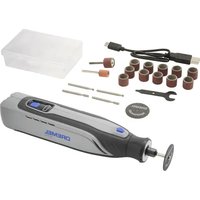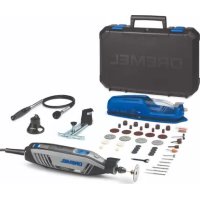
4300 - Multitools DREMEL - Free user manual and instructions
Find the device manual for free 4300 DREMEL in PDF.



| Product type | Rotary multi-tool |
| Brand | Dremel |
| Model | 4300 |
| Rated power | 200 W |
| Supply voltage | 220-240 V, 50-60 Hz |
| Speed range | 5,000 to 35,000 RPM (variable) |
| Max accessory diameter | 38.1 mm |
| Included collet sizes | 0.8 mm, 1.6 mm, 2.4 mm, 3.2 mm |
| Collet | Dremel collet (0.8 - 3.2 mm) |
| Integrated light | Adjustable LED module (2 CR1025 batteries) |
| Main functions | Grinding, sanding, wire brushing, polishing, engraving, cutting |
| Safety | Shaft lock, double insulation, anti-shatter guard (optional) |
| Maintenance | Clean ventilation slots with compressed air; replace carbon brushes every 40 to 50 hours |
| Available spare parts | Collets, carbon brushes, collet, light module, EZ Twist nose |
| Repairability | Have it serviced at an authorized Dremel service center |
| Warranty | In accordance with applicable legal regulations |
| Sound pressure level | 74.4 dB(A) |
| Vibration (triaxial sum) | 9.03 m/s² |
Frequently Asked Questions - 4300 DREMEL
User questions about 4300 DREMEL
0 question about this device. Answer the ones you know or ask your own.
Ask a new question about this device
Download the instructions for your Multitools in PDF format for free! Find your manual 4300 - DREMEL and take your electronic device back in hand. On this page are published all the documents necessary for the use of your device. 4300 by DREMEL.
USER MANUAL 4300 DREMEL
GB Original instructions 22
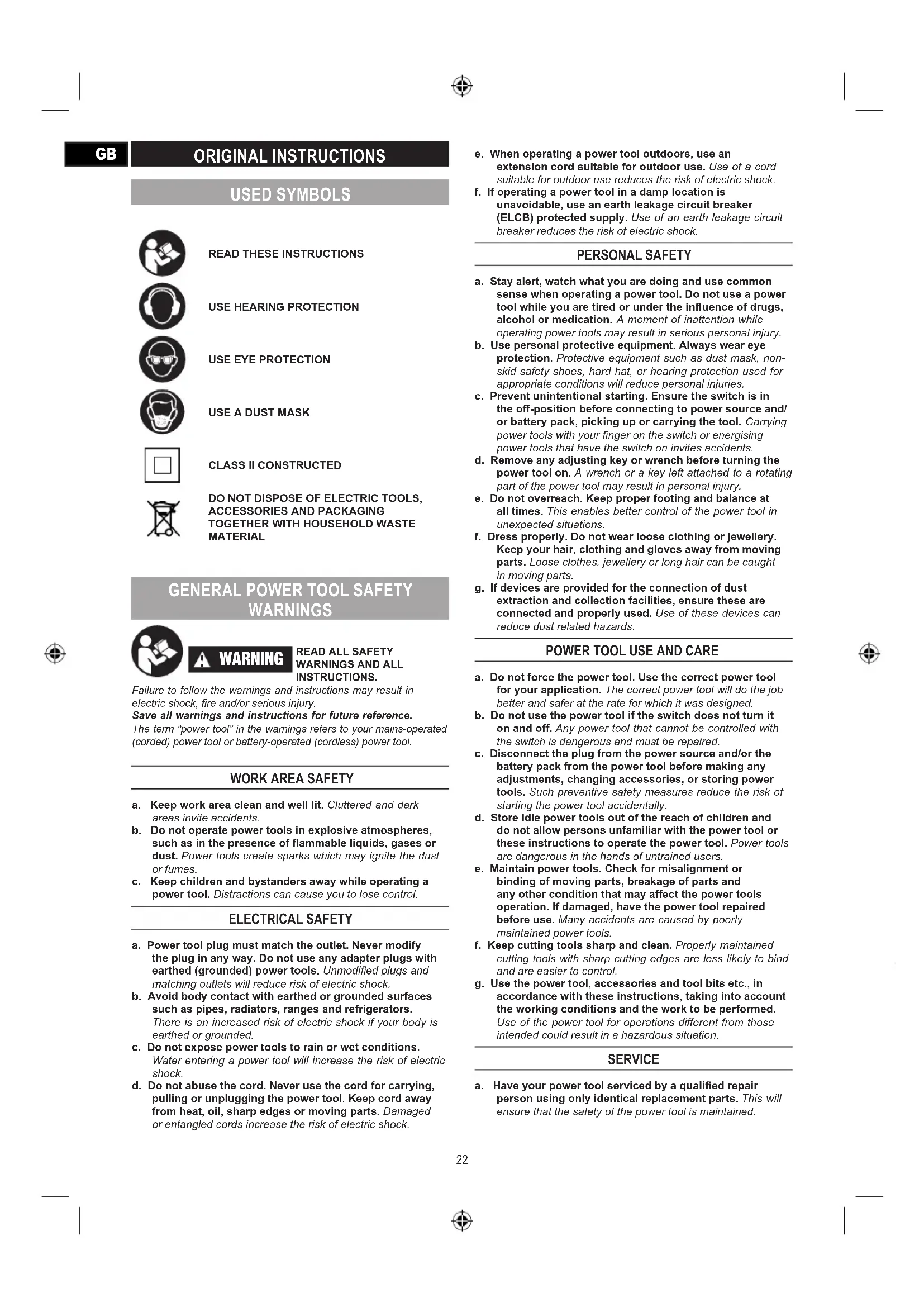
READ THESE INSTRUCTIONS

USE HEARING PROTECTION

USE EYE PROTECTION

USE A DUST MASK

CLASS II CONSTRUCTED

DO NOT DISPOSE OF ELECTRIC TOOLS, ACCESSORIES AND PACKAGING TOGETHER WITH HOUSEHOLD WASTE MATERIAL
GENERAL POWER TOOL SAFETY WARNINGS

WARNING
READ ALL SAFETYWARNINGS AND ALLINSTRUCTIONS.
Failure to follow the warnings and instructions may result in electric shock, fire and/or serious injury.
Save all warnings and instructions for future reference. The term "power tool" in the warnings refers to your mains-operated (corded) power tool or battery-operated (cordless) power tool.
WORK AREA SAFETY
a. Keep work area clean and well lit. Cluttered and dark areas invite accidents.
b. Do not operate power tools in explosive atmospheres, such as in the presence of flammable liquids, gases or dust. Power tools create sparks which may ignite the dust or fumes.
c. Keep children and bystanders away while operating a power tool. Distractions can cause you to lose control.
ELECTRICAL SAFETY
a. Power tool plug must match the outlet. Never modify the plug in any way. Do not use any adapter plugs with earthed (grounded) power tools. Unmodified plugs and matching outlets will reduce risk of electric shock.
b. Avoid body contact with earthed or grounded surfaces such as pipes, radiators, ranges and refrigerators. There is an increased risk of electric shock if your body is earthed or grounded.
c. Do not expose power tools to rain or wet conditions. Water entering a power tool will increase the risk of electric shock.
d. Do not abuse the cord. Never use the cord for carrying, pulling or unplugging the power tool. Keep cord away from heat, oil, sharp edges or moving parts. Damaged or entangled cords increase the risk of electric shock.
e. When operating a power tool outdoors, use an extension cord suitable for outdoor use. Use of a cord suitable for outdoor use reduces the risk of electric shock.
f. If operating a power tool in a damp location is unavoidable, use an earth leakage circuit breaker (ELCB) protected supply. Use of an earth leakage circuit breaker reduces the risk of electric shock.
PERSONAL SAFETY
a. Stay alert, watch what you are doing and use common sense when operating a power tool. Do not use a power tool while you are tired or under the influence of drugs, alcohol or medication. A moment of inattention while operating power tools may result in serious personal injury.
b. Use personal protective equipment. Always wear eye protection. Protective equipment such as dust mask, nonskid safety shoes, hard hat, or hearing protection used for appropriate conditions will reduce personal injuries.
c. Prevent unintentional starting. Ensure the switch is in the off-position before connecting to power source and/or battery pack, picking up or carrying the tool. Carrying power tools with your finger on the switch or energising power tools that have the switch on invites accidents.
d. Remove any adjusting key or wrench before turning the power tool on. A wrench or a key left attached to a rotating part of the power tool may result in personal injury.
e. Do not overreach. Keep proper footing and balance at all times. This enables better control of the power tool in unexpected situations.
f. Dress properly. Do not wear loose clothing or jewellery. Keep your hair, clothing and gloves away from moving parts. Loose clothes, jewellery or long hair can be caught in moving parts.
g. If devices are provided for the connection of dust extraction and collection facilities, ensure these are connected and properly used. Use of these devices can reduce dust related hazards.
POWER TOOL USE AND CARE
a. Do not force the power tool. Use the correct power tool for your application. The correct power tool will do the job better and safer at the rate for which it was designed.
b. Do not use the power tool if the switch does not turn it on and off. Any power tool that cannot be controlled with the switch is dangerous and must be repaired.
c. Disconnect the plug from the power source and/or the battery pack from the power tool before making any adjustments, changing accessories, or storing power tools. Such preventive safety measures reduce the risk of starting the power tool accidentally.
d. Store idle power tools out of the reach of children and do not allow persons unfamiliar with the power tool or these instructions to operate the power tool. Power tools are dangerous in the hands of untrained users.
e. Maintain power tools. Check for misalignment or binding of moving parts, breakage of parts and any other condition that may affect the power tools operation. If damaged, have the power tool repaired before use. Many accidents are caused by poorly maintained power tools.
f. Keep cutting tools sharp and clean. Properly maintained cutting tools with sharp cutting edges are less likely to bind and are easier to control.
g. Use the power tool, accessories and tool bits etc., in accordance with these instructions, taking into account the working conditions and the work to be performed. Use of the power tool for operations different from those intended could result in a hazardous situation.
SERVICE
a. Have your power tool serviced by a qualified repair person using only identical replacement parts. This will ensure that the safety of the power tool is maintained.
SAFETY INSTRUCTIONS FOR ALL OPERATIONS
SAFETY WARNINGS COMMON FOR GRINDING, SANDING, WIRE BRUSHING, POLISHING, CARVING OR ABRASIVE CUTTING-OFF OPERATIONS
a. This power tool is intended to function as a grinder, sander, wire brush, polisher, carving or cut-off tool. Read all safety warnings, instructions, illustrations and specifications provided with this power tool. Failure to follow all instructions listed below may result in electric shock, fire and/or serious injury.
b. Do not use accessories which are not specifically designed and recommended by the tool manufacturer. Just because the accessory can be attached to your power tool, it does not assure safe operation.
c. The rated speed of the grinding accessories must be at least equal to the maximum speed marked on the power tool. Grinding accessories running faster than their rated speed can break and fly apart.
d. The outside diameter and the thickness of your accessory must be within the capacity rating of your power tool. Incorrectly sized accessories cannot be adequately controlled.
e. The arbour size of wheels, sanding drums or any other accessory must properly fit the spindle or collet of the power tool. Accessories that do not match the mounting hardware of the power tool will run out of balance, vibrate excessively and may cause loss of control.
f. Mandrel mounted wheels, sanding drums, cutters or other accessories must be fully inserted into the collet or chuck. If the mandrel is insufficiently held and/or the overhang of the wheel is too long, the mounted wheel may become loose and be ejected at high velocity.
g. Do not use a damaged accessory. Before each use inspect the accessory such as abrasive wheels for chips and cracks, sanding drum for cracks, tear or excess wear, wire brush for loose or cracked wires. If power tool or accessory is dropped, inspect for damage or install an undamaged accessory. After inspecting and installing an accessory, position yourself and bystanders away from the plane of the rotating accessory and run the power tool at maximum no-load speed for one minute. Damaged accessories will normally break apart during this test time.
h. Wear personal protective equipment. Depending on application, use face shield, safety goggles or safety glasses. As appropriate, wear dust mask, hearing protectors, gloves and workshop apron capable of stopping small abrasive or workpiece fragments. The eye protection must be capable of stopping flying debris generated by various operations. The dust mask or respirator must be capable of filtrating particles generated by your operation. Prolonged exposure to high intensity noise may cause hearing loss.
i. Keep bystanders a safe distance away from work area. Anyone entering the work area must wear personal protective equipment. Fragments of workpiece or of a broken accessory may fly away and cause injury beyond immediate area of operation.
j. Hold power tool by insulated gripping surfaces only, when performing an operation where the cutting accessory may contact hidden wiring or its own cord. Cutting accessory contacting a "live" wire may make exposed metal parts of the power tool "live" and could give the operator an electric shock.
k. Always hold the tool firmly in your hand(s) during the start-up. The reaction torque of the motor, as it accelerates to full speed, can cause the tool to twist.
1. Use clamps to support workpiece whenever practical. Never hold a small workpiece in one hand and the tool in the other hand while in use. Clamping a small workpiece allows you to use your hand(s) to control the tool. Round material such as dowel rods, pipes or tubing
have a tendency to roll while being cut, and may cause the bit to bind or jump toward you.
m. Position the cord clear of the spinning accessory. If you lose control, the cord may be cut or snagged and your hand or arm may be pulled into the spinning accessory.
n. Never lay the power tool down until the accessory has come to a complete stop. The spinning accessory may grab the surface and pull the power tool out of your control.
o. After changing the bits or making any adjustments, make sure the collet nut, chuck or any other adjustment devices are securely tightened. Loose adjustment devices can unexpectedly shift, causing loss of control, loose rotating components will be violently thrown.
p. Do not run the power tool while carrying it at your side. Accidental contact with the spinning accessory could snag your clothing, pulling the accessory into your body.
q. Regularly clean the power tool's air vents. The motor's fan will draw the dust inside the housing and excessive accumulation of powdered metal may cause electrical hazards.
r. Do not operate the power tool near flammable materials. Sparks could ignite these materials.
s. Do not use accessories that require liquid coolants. Using water or other liquid coolants may result in electrocution or shock.
KICKBACK AND RELATED WARNINGS
Kickback is a sudden reaction to a pinched or snagged rotating wheel, sanding band, brush or any other accessory. Pinching or snagging causes rapid stalling of the rotating accessory which in turn causes the uncontrolled power tool to be forced in the direction opposite of the accessory's rotation.
For example, if an abrasive wheel is snagged or pinched by the workpiece, the edge of the wheel that is entering into the pinch point can dig into the surface of the material causing the wheel to climb out or kick out. The wheel may either jump toward or away from the operator, depending on direction of the wheel's movement at the point of pinching. Abrasive wheels may also break under these conditions.
Kickback is the result of power tool misuse and/or incorrect operating procedures or conditions and can be avoided by taking proper precautions as given below.
a. Maintain a firm grip on the power tool and position your body and arm to allow you to resist kickback forces. The operator can control kickback forces, if proper precautions are taken.
b. Use special care when working corners, sharp edges etc. Avoid bouncing and snagging the accessory. Corners, sharp edges or bouncing have a tendency to snag the rotating accessory and cause loss of control or kickback.
c. Do not attach a toothed saw blade. Such blades create frequent kickback and loss of control.
d. Always feed the bit into the material in the same direction as the cutting edge is exiting from the material (which is the same direction as the chips are thrown). Feeding the tool in the wrong direction causes the cutting edge of the bit to climb out of the work and pull the tool in the direction of this feed.
e. When using rotary files, cut-off wheels, high-speed cutters or tungsten carbide cutters, always have the work securely clamped. These wheels will grab if they become slightly canted in the groove, and can kickback. When a cut-off wheel grabs, the wheel itself usually breaks. When a rotary file, high-speed cutter or tungsten carbide cutter grabs, it may jump from the groove and you could lose control of the tool.
SAFETY WARNINGSPRECIFICFORGRINDINGAND ABRASIVE CUTTING-OFF OPERATIONS
a. Use only wheel types that are recommended for your power tool and only for recommended applications. For example: do not grind with the side of a cut-off wheel. Abrasive cut-off wheels are intended for peripheral grinding, side forces applied to these wheels may cause them to shatter.
b. For threaded abrasive cones and plugs use only undamaged wheel mandrels with an unrelieved shoulder flange that are of correct size and length. Proper mandrels will reduce the possibility of breakage
c. Do not "jam" a cut-off wheel or apply excessive pressure. Do not attempt to make an excessive depth of cut. Overstressing the wheel increases the loading and susceptibility to twisting or snagging of the wheel in the cut and the possibility of kickback or wheel breakage.
d. Do not position your hand in line with and behind the rotating wheel. When the wheel, at the point of operation, is moving away from your hand, the possible kickback may propel the spinning wheel and the power tool directly at you.
e. When wheel is pinched, snagged or when interrupting a cut for any reason, switch off the power tool and hold the power tool motionless until the wheel comes to a complete stop. Never attempt to remove the cut-off wheel from the cut while the wheel is in motion otherwise kickback may occur. Investigate and take corrective action to eliminate the cause of wheel pinching or snagging.
f. Do not restart the cutting operation in the workpiece. Let the wheel reach full speed and carefully re-enter the cut. The wheel may bind, walk up or kickback if the power tool is restarted in the workpiece.
g. Support panels or any oversized workpiece to minimize the risk of wheel pinching and kickback. Large workpieces tend to sag under their own weight. Supports must be placed under the workpiece near the line of cut and near the edge of the workpiece on both sides of the wheel.
h. Use extra caution when making a "pocket cut" into existing walls or other blind areas. The protruding wheel may cut gas or water pipes, electrical wiring or objects that can cause kickback.
SAFETY WARNINGS SPECIFIC FOR WIRE BRUSHING OPERATIONS
a. Be aware that wire bristles are thrown by the brush even during ordinary operation. Do not overstress the wires by applying excessive load to the brush. The wire bristles can easily penetrate light clothing and/or skin.
b. Allow brushes to run at operating speed for at least one minute before using them. During this time no one is to stand in front or in line with the brush. Loose bristles or wires will be discharged during the run-in time.
c. Direct the discharge of the spinning wire brush away from you. Small particles and tiny wire fragments may be discharged at high velocity during the use of these brushes and may become imbedded in your skin.
d. Do not exceed 15,000 RPM when using wire brushes.
WARNING
DO NOT WORK WITH MATERIALS CONTAINING ASBESTOS (ASBESTOS IS
THAT IS HARMFUL TO ONE'S HEALTH, COMBUSTIBLE OR EXPLOSIVE (SOME DUSTS ARE CONSIDERED CARCINOGENIC); WEAR A DUST MASK AND WORK WITH DUST/CHIP EXTRACTION WHEN CONNECTABLE.
ENVIRONMENT
DISPOSAL
The machine, accessories and packaging should be sorted for environmental-friendly recycling.
ONLY FOR EC COUNTRIES

Do not dispose of power tools with household waste! According the European Guideline 2012/19/EC for Waste Electrical and Electronic Equipment and its implementation into national law, power tools that are
no longer usable must be collected separately and disposed of in an environmentally-correct manner.
SPECIFICATIONS
GENERAL SPECIFICATIONS
| 300040004300 | |||
| Rated Power (W) 130 | 175 200 | ||
| Voltage Rating | 230 V,50 Hz | 230-240 V,50-60 Hz | 220-240 V,50-60 Hz |
| Collet Capacity 0.8 mm, 1.6 mm, 2.4 mm, 3.2 mm | |||
| Rated Speed (n) 33,000 RPM 35,000 RPM 35,000 RPM | |||
| Maximum diameter of accessory | 38.1 mm | ||
| Class II Construction | Double insulated construction tools | ||
EXTENSION CORDS
Use completely unrolled and safe extension cords with a capacity of 5 Amps.
MOTOR SPECIFICATIONS
Only 3000
This multilool utilizes a variable high speed motor. It is wired for operation on 230V 50Hz . Always check that the supply voltage is the same as the voltage indicated on the nameplate of the tool.
ASSEMBLY
ALWAYS UNPLUG MULTITOOL BEFORE CHANGING ACCESSORIES, CHANGING COLLETS, OR SERVICING THE TOOL.
GENERAL
The Dremel multitool is a high quality precision tool that can be used to perform detailed and intricate tasks. The wide range of Dremel accessories and attachments allow you to perform a large variety of tasks. These include tasks such as sanding, carving, engraving, routing, cleaning and polishing.
Only 4300
The light of this power tool is intended to illuminate the power tool's direct area of working operation and is not suitable for household room illumination.
PICTURE:2-4
A. Collet nut
B. Collet
C. Housing cap or EZ TwistTM integrated wrench/nose cap
D. Shaft lock button
E. On/Off switch
F. Hanger
G. Power cord
H. Brush cover
I. Ventilation openings
J. Variable speed dial
K. Collet wrench
Only 4300
L. Light module On/Off switch
M. Shaft
N. Light module
O. Dremel chuck
LIGHT MODULE

WARNING
ALWAYS UNPLUG ROTARY TOOL BEFORE CHANGING ACCESSORIES, S OR SERVICING YOUR ROTARY TOOL.
PICTURE 18
A. On/Off switch
B. Slider
C. Screw
D. Light module
E. Battery compartment
F. Batteries
Light module
The light module included with your tool is intended to provide you with improved visibility while working on your project. It uses 2 replaceable CR1025 batteries (included) to power the LED and can be rotated around the front of the tool depending on your needs.
Initial Setup
In order to use the light for the first time, you will have to remove the battery tab from the battery compartment. Pull this tab out and test the light using the switch on top. If the light does not work, use a small screwdriver to check the placement of the batteries and to check that all of the tab has been removed.
Changing Batteries

WARNING
CHEMICAL BURN HAZARD. KEEP BATTERIES AWAY FROM CHILDREN.
This product contains a lithium button/coin cell battery. If a new or used lithium button/coin cell battery is swallowed or enters the body, it can cause severe internal burns and can lead to death in as little as 2 hours. Always completely secure the battery compartment. If the battery compartment does not close securely, stop using the product, remove the batteries, and keep it away from children. If you think batteries might have been swallowed or placed inside any part of the body, seek immediate medical attention.
To change the batteries for the light module, begin by unscrewing the nose cap to remove the light module. Once it is removed, use a small screwdriver to loosen the screw on the battery compartment. Do not pull the screw out completely! Remove the battery compartment housing from the underside of the module. Slide the old batteries out and replace with new batteries making sure to replicate the orientation of the original batteries. With the new batteries in place, replace the battery compartment housing and re-tighten the screw. When reassembling make sure that the switch and the slider are both in the same ON (I) or OFF (O) position. This way the switch will match the "fork" of the slider.
Installation and Use
To install the light module on the tool, begin by unscrewing the nose cap from the end of the tool. Slide the light module onto the end of the tool with the light pointing forward. Re-tighten the nose cap on the end of the tool to squeeze the light module ring in place (PICTURE 18). The light module will only work with the new style nose cap that came with your tool. The difference between the old (A) and new nose cap (B) are shown in PICTURE 19. Depending on how you are using your rotary tool, you may find that the light module is either in the way or that you would like to illuminate your workpiece differently. To reposition the light module, simply loosen the nose cap, rotate the light module as desired, and re-tighten the nose cap.
COLLETS
The Dremel accessories available for the multitool come with various shank sizes. Four size collets are available to accommodate the different shank sizes. Collet sizes are identified by the rings on the back of the collet.
PICTURE 5
A. Collet nut
N. 3.2mm Collet without ring (480)
O. 2.4mm Collet with three rings (481)
P. 1.6 mm Collet with two rings (482)
Q. 0.8mm Collet with one ring (483)
R. Indentification rings
NOTE: Some multitool kits may not include all four collet sizes.
Collets are available separately.
Always use the collet that matches the shank size of the accessory you plan to use. Do not force a larger diameter shank into a smaller collet.
CHANGING COLLETS
PICTURE 10
A. Collet nut
C. Housing cap (EZ Twist™)
D.Shaft lock button
K. Collet wrench
S. To loosen
T. To tighten
- Press the shaft lock button, hold down and rotate the shaft by hand until it engages the shaft lock. Do not engage the shaft lock button while multitool is running.
- With the shaft lock button engaged, loosen and remove the collet nut. Use the collet wrench if necessary.
- Remove the collet by pulling it free from the shaft.
- Install the appropriate size collet fully into the shaft and reinstall the collet nut finger tight. Do not fully tighten the nut when there is no bit or accessory installed.
DREMEL CHUCK
PICTURE 20
D. Shaft lock button
O. Dremel chuck
Dremel Chuck allows you to quickly and easily change accessories on Dremel Rotary Tools without changing collets. Accepts accessories with 0.8mm - 3.2mm shank. To loosen, first press shaft lock button and rotate the shaft by hand until the lock engages the shaft preventing further rotation.

WARNING
DO NOT ENGAGE LOCK WHILE THE ROTARY TOOL IS RUNNING.
With the shaft lock engaged use the wrench or the EZ Twist Nose Cap to loosen the chuck and open the jaws. Remove the accessory from the chuck. If necessary, continue loosening the chuck so that the new accessory fits between the jaws. Insert the new accessory into the chuck far enough so that there is approximately 1/4 between the end of the chuck and the beginning of the working part of the accessory (drill bit flutes, sand paper, engraving end, etc.). With the shaft lock engaged, tighten the chuck using the EZ Twist Nose Cap or wrench to secure the accessory.
Helpful Tips when using the Dremel Chuck
- The Dremel Chuck and the collet and collet nut system are interchangeable on this tool. While the chuck will provide you with the best experience for changing accessories, the collet and collet nut will provide a more precise accessory holding solution especially in heavier side load applications. If you will be using your rotary tool for routing, heavy wood or metal cutting, heavy sanding, or carving you will probably have a better experience using the collet and collet nut.
- The Dremel Chuck needs to be securely tightened in order to retain the accessory during use. If you find the accessory slipping in the chuck, use the included EZTwist Nose Cap or wrench to tighten the chuck around the bit. If further slippage persists, switch to using the collet and collet nut.
The jaws of the chuck can become displaced if dropped, pried against, or filled with dust causing the accessory to no
longer run true and concentric. This is often called run-out. To reset the jaws, apply the following procedure:
- Remove the accessory from the chuck.
- Clean the chuck if necessary using compressed air.
WARNING
ALWAYS WEAR SAFETY GOGGLS WHEN CLEANING TOOLS WITH COMPRESSED AIR.
- Press shaft lock button and tighten the chuck until the jaws extend past the outer surface of the chuck, approximately 1/8".
- Push the end of the chuck firmly against a hard flat surface to be sure the jaws are all seated axially.
- Continue to hand tighten the chuck until the jaws completely close.
- Loosen the chuck, and reinsert a straight accessory.
- Turn the tool by hand and observe if there is any run-out. If there is obvious run-out, repeat the procedure.
WARNING
WITH THE SHAFT LOCK ENGAGED, TIGHTEN THE CHUCK USING THE EZ
TWIST NOSE CAP OR WRENCH TO SECURE THE ACCESSORY.
- Turn the tool on to the lowest speed setting and observe for run-out. If there is obvious run-out, check that the accessory is straight before repeating the procedure.
CHANGING ACCESSORIES
PICTURE 7,8,9 ^+ table on page 14 + 15
- Press the shaft lock button and rotate the shaft by hand until it engages the shaft lock. Do not engage the shaft lock button while multitool is running.
- With the shaft lock button engaged, loosen (do not remove) the collet nut. Use the collet wrench if necessary.
- Insert the bit or accessory shank fully into the collet.
- With the shaft lock button engaged, finger tighten the collet nut until the bit or accessory shank is gripped by the collet. Handle and store accessories carefully to avoid chipping and cracking. NOTE: Be sure to read the instructions supplied with your Dremel accessory for further information on its use.
Use only Dremel tested, high performance accessories.
EZ TWIST™ INTEGRATED WRENCH/NOSE CAP
PICTURE 10
C. EZ TwistTM integrated wrench/nose cap
This nose cap has an integrated wrench allowing you to loosen and tighten the collet nut without the use of the standard collet wrench.
- Unscrew the nose cap from the tool, line-up the steel insert on inside of the cap with the collet nut.
- With the shaft lock engaged twist nose cap counter clockwise to loosen the collet nut. Do not engage the shaft lock button while multitool is running.
- Insert the bit or accessory shank fully into the collet.
- With the shaft lock engaged twist nose cap clockwise to tighten the collet nut.
- Screw the nose cap back into its original position. NOTE: Be sure to read the instructions supplied with your Dremel accessory for further information on its use.
Use only Dremel tested, high performance accessories.
BALANCING ACCESSORIES
For precision work, it is important that all accessories be in good balance (much the same as the tires on your automobile). To true up or balance an accessory, slightly loosen collet nut and give the accessory or collet a 1/4 turn. Re tighten collet nut and run the Rotary Tool. You should be able to tell by the
sound and feel if your accessory is running in balance. Continue adjusting in this fashion until best balance is achieved.
USING ATTACHMENTS
Your Dremel can be equipped with different attachments that expand the functionality of your tool.
NOTE
Not all attachments listed below are included in your kit. Use only Dremel tested, high performance attachments! You can order attachments through the Dremel Service Center or go to www.dremel.com for attachment and accessory compatibility.
- Use the Flexible Shaft (225) for precise, detailed work or hard to reach places. SEE PAGE 7.
NOTE
For optimum performance allow your new Flexshaft to run at high speed on your multitool in a vertical position for 2 minutes before use.
- Use the Dremel Shaping Platform (576) to sand and grind at perfect 90 and 45 degree angles. SEE PAGE 8.
- Use the Dremel Detailer's Grip (577) to have even better control of your Multitool. SEE PAGE 8.
- Use the Multipurpose Cutting Kit (565/566) for controlled cutting in a variety of materials. SEE PAGE 9.
- Use the Wall & Floor Grout Removal Kit (568) for removing grout from between wall and floor tiles. SEE PAGE 10.
- Use the Line & Circle Cutter (678) to make perfect holes and straight cuts. SEE PAGE 11.
- Use the Right Angle Attachment (575) to use accessories in right angle for hard to reach places. SEE PAGE 12.
- Use the Comfort Guard Attachment (550) to protect you from dust and sparks. SEE PAGE 13.
GETTING STARTED
USE
The first step in using the multitool is to get the "feel" of it. Hold it in your hand and feel its weight and balance. Feel the taper of the housing. This taper permits the tool to be grasped much like a pen or pencil.
Always hold the tool away from your face. Accessories can be damaged during handling and can fly apart as they come up to speed.
When holding tool, do not cover the ventilation openings with your hand. Blocking the ventilation openings could cause the motor to overheat.
IMPORTANT! Practice on scrap material first to see how the tool's high-speed action performs. Keep in mind that your multitool will perform best by allowing the speed, along with the correct Dremel accessory and attachment, to do the work for you. Do not put pressure on the tool during use, if possible. Instead, lower the spinning accessory lightly to the work surface and allow it to touch the point at which you want to begin. Concentrate on guiding the tool over the work using very little pressure from your hand. Allow the accessory to do the work. Usually it is better to make a series of passes with the tool rather than to do the entire job with one pass. A gentle touch gives the best control and reduces the chance of error.
WARNING
SECURE THE WORKPIECE (A
WORKPIECE CLAMPED WITH A
CLAMPING DEVICE OR IN A VICE IS HELD MORE SECURELY THAN BY HAND).
AWARNING
WEAR PROTECTIVE GLASSES AND
HEARING PROTECTION, PROTECTIVE
GLOVES AND STURDY SHOES; WHEN NECESSARY, ALSO WEAR AN APRON.
HOLDING THE TOOL
For best control in close work, grip the multitool like a pencil between your thumb and forefinger. PICTURE 12. The "golf" grip method is used for heavier operations such as grinding or cutting. PICTURE 13.
OPERATING SPEEDS
To select the right speed for each job, use a practice piece of material.
SLIDE "ON/OFF" SWITCH
The tool is switched "ON" by the slide switch located on the top side of the motor housing.
TO TURN THE TOOL "ON", slide the switch button forward.
TO TURN THE TOOL "OFF", slide the switch button backward.
HIGH PERFORMANCE MOTOR
Your tool is equipped with a high performance rotary tool motor. This motor expands the versatility of the rotary tool by driving additional Dremel attachments.
ELECTRONIC FEEDBACK (4000 AND 4300)
Your tool is equipped with an internal electronic feedback system that provides a "soft start", which will reduce the stresses that occur from a high torque start. The system also helps to keep the preselected speed virtually constant between no-load and load conditions.
VARIABLE SPEED DIAL
Your tool is equipped with a variable speed dial. The speed may be adjusted during operation by presetting the dial on or between any one of the settings.
The speed of Rotary Tool is controlled by setting this dial on the housing. PICTURE 11.
Settings for Approximate Revolutions
| 3000 Model |
| Switch Settings Speed Range (RPM) |
| 1-2 10,000-14,000 |
| 3-4 15,000-19,000 |
| 5-6 20,000-23,000 |
| 7-8 24,000-28,000 |
| 9-10 29,000-33,000 |
| 4000 Model |
| Switch Settings Speed Range (RPM) |
| 5 5,000 |
| 10 10,000 |
| *15 15,000 |
| 20 20,000 |
| 25 25,000 |
| 30 30,000 |
| 33 33,000 |
| 4300 Model |
| Switch Settings Speed Range (RPM) |
| **5-10 5,000-10,000 |
| 15 13,000-17,000 |
| 20 18,000-23,000 |
25 23,000-27,000
30 28,000-32,000
35 33,000-35,000
- Do not exceed 15,000 RPM when using wire brushes.
** Wire brush setting.
Refer to the Speed Settings chart on pages 14-15 to help determine the proper speed for the material being worked on and the accessory to use.
Most jobs can be accomplished using the tool at the highest setting. However, certain materials (some plastics and metals) can be damaged by high-speed generated heat and should be worked on at relatively low speeds. Low speed operation (15,000 RPM or less) is usually best for polishing operations employing the felt polishing accessories. All brushing applications require lower speeds to avoid wire discharge from the holder. Let the performance of the tool do the work for you when using lower speed settings. Higher speeds are better for hardwoods, metals and glass and for drilling, carving, cutting, routing and shaping.
Some guidelines regarding tool speed:
- Plastic and other materials that melt at low temperatures should be cut at low speeds.
- Polishing, buffing and cleaning with a wire brush must be done at speeds no greater than 15,000 RPM to prevent damage to the brush and your material.
- Wood should be cut at high speed.
- Iron or steel should be cut at high speed.
If a high speed steel cutter starts to vibrate, it usually indicates that it is running too slowly.
Aluminium, copper alloys, lead alloys, zinc alloys and tin may be cut at various speeds, depending on the type of cutting being done. Use a paraffin (not water) or other suitable lubricant on the cutter to prevent the cut material from adhering to the cutter teeth.
NOTE: Increasing pressure on the tool is not the answer when it is not performing properly. Try a different accessory or speed setting to achieve the desired result.
MAINTENANCE AND REPAIR
WARNING ALWAYS UNPLUG THE TOOL FROM THE POWER SOURCE BEFORE YOU MAKE ANY ADJUSTMENTS, CHANGE ACCESSORIES, SERVICE, CLEAN, ETC. THIS REDUCES THE RISK OF STARTING THE TOOL ACCIDENTALLY.
WARNING HAVE YOUR POWER TOOL SERVICED BY A QUALIFIED REPAIR PERSON WHO USES ONLY IDENTICAL REPLACEMENT PARTS. WE RECOMMEND THAT ALL TOOL SERVICE BE PERFORMED BY A DREMEIL SERVICE CENTRE. THIS WILLENSURE THE SAFETY OF THE TOOL. MAINTENANCE PERFORMED BY UNAUTHORIZED PERSONNEL CAN RESULT IN INCORRECT CONNECTION OF INTERNAL WIRING AND COMPONENTS WHICH CAN CAUSE SERIOUS HAZARD.
NOTE You can only inspect and replace the carbon brushes. There are no other serviceable parts inside the tool.
CLEANING
- Clean ventilation openings, switch and levers of the tool with compressed dry air.

WARNING
DO NOT CLEAN THE TOOL BY INSERTING POINTED OBJECTS
THROUGH AN OPENING.

WARNING
WEAR SAFETY GOGGLES TO PROTECT YOUR EYES.
- Clean the surface of the tool with a damp cloth.
WARNING
DO NOT CLEAN THE TOOL WITH CLEANING AGENTS AND SOLVENTS, CARBON TETRACHLORIDE,
ANING SOLVENTS,AMMONIA AND
HOUSEHOLD DETERGENTS THAT CONTAIN AMMONIA. THEY CAN CAUSE DAMAGE TO THE PLASTIC PARTS.
MAINTAINING THE CARBON BRUSHES
Excluding 4000
To maintain peak efficiency of the motor, inspect the brushes for wear every 40-50 hours of use. Also inspect the brushes when the tool runs erratically, loses power, or makes unusual noises.
WARNING
USING THE TOOL WITH WORN BRUSHES WILL PERMANENTLY
DAMAGE THE MOTOR. USE ONLY ORIGINAL DREMEL REPLACEMENT BRUSHES.
- Unplug the tool and place it on a clean surface.
- Remove the two brush caps with the tool wrench as a screwdriver. PICTURE 14 (3000), PICTURE 16 (4300)
- Remove the two brushes from the tool by pulling the springs that are attached. PICTURE 15 (3000), PICTURE 17 (4300).
- Inspect both brushes. If a brush is less than 3mm long and/or the surface of the brush is rough or pitted, replace the carbon brush by a new one.
a. Remove the spring from the brush.
b. Throw away the old brush and place the spring on a new brush.
DE
NOTE If one brush is worn, you should replace both brushes for better performance of your tool.
- Place the carbon brushes (with spring) back into the tool. There is only one way the brush will fit back into the tool.
- Replace the brush caps by turning the caps clockwise. To tighten, use the wrench, but do not over tighten!
- Refer to First use to start using the tool again.
SERVICE AND WARRANTY

WARNING
NO USER SERVICEABLE PARTS INSIDE. PREVENTIVE MAINTENANCE
PERFORMED BY UNAUTHORIZED PERSONNEL MAY RESULT IN INCORRECT CONNECTION OF INTERNAL WIRING AND COMPONENTS WHICH COULD CAUSE SERIOUS HAZARD. We recommend that all tool service be performed by a Dremel Service Centre. SERVICETEM: Disconnect the tool and/or charger from the power source before servicing.
This DREMEL product is guaranteed in accordance with statutory/country-specific regulations; damage due to normal wear and tear, overload or improper handling are excluded from the warranty.
In case of a complaint, send the undismantled tool or charger and proof of purchase to your dealer.
CONTACT DREMEL
For more information on the Dremel product range, support and hotline, go to www.dremel.com.
Bosch Power Tools B.V., Konijnenberg 60, 4825 BD, Breda, The Netherlands
NOISE AND VIBRATION
Noise/Vibration 300040004300
Sound Pressure Level dB(A) 77.1 78.0 74.4
Sound Power Level dB(a)
(standard deviation 3dB)
88.1 89.0 85.4
Vibration m/s² (triax vector sum) 12.8 11.4 9.03
Uncertainty K m/s2
1.5 1.5 1.5
NOTE
The declared vibration total value has been measured in accordance with a standard test method and may be used for comparing one tool with another. It may also be used in a preliminary assessment of exposure.

WARNING
THE VIBRATION EMISSION DURING
LESEN SIE DIESE ANWEISUNGEN

TRAGEN SIE AUGENSCHUTZ

BEFESTIGEN SIE DAS WERKSTUCK SICHER (MIT EINER
SPANNVORRICHUNG ODER EINEM SCHRAUBSTOCK WIRD IHR WERKSTUCK SICHERER GEHALTEN ALS VON HAND).

WARNING
TRAGEN SIE SCHUTZBRILLE, GEHORSchUTZ,
ASSISTENZA (SERVICE)
SOLO PER I PAESI DELLA CE

INTERRUPTORE "ON/OFF" A SCORRIMENTO
LEES ALLE VEILIGHEIDSWAARSCHUWINGEN ENALLE INSTRUCTIES.
BEWERK GEEN ASBESTHOUDEND MATERIALAAL (ASBEST GELDT ALS
KANKERVERWEKKEND).
A LET OP
TREF VEILIGHEIDSMAATREGELEN
WANNEER ER BIJ WERKZAAMHEDEN
STOFFEN KUNNEN ONTSTAAN DIE SCHADELIJK VOOR DE GEZONDHEID, BRANDBAAR OF EXPLOSIEF ZIJN (SOMMIGE SOORTEN STOF GELDEN ALS KANKERVERWEKKEND); DRAAG EEN STOFMASKER EN GEBRUIK EEN AFZUIging VOOR STOF EN SPANEN ALS DEZE KAN WORDEN AANGESLOTEN.
MILIEU
AFDANKEN
SIKKERHED PÁ ARBEJDSSTEDT
UDSKIFTNING AF TILBEHOR
BILLEDE 7,8,9+tabelpa side14+15
AFBALANCERING AF TILBEHOR
Inledande installation
PETA IN VASSA FÖREMÄL I
OPPNINGARNA.
A VARNING
ANVAND SKYDDSGLASOGON FORT
SKYDDA OGONEN.
ANGIVNA TOTALA VIBRATIONSVARDET. GOR EN
UPPSKATTNING AV EXPONERINGEN UNDER VERKLIGA
ANVÄNDNINGSFÖRHALLANDEN OCH VIDTA
SKYDDSATGARDER FÜR PERSONALEN DAREFTER (TA
HANSYN TILL ALLA DELAR I ANVÄNDNINGSFÖRLOPPET,
SOM NAR VERKTYGET STÄNGS AV OCH UTOVER
STARTTIDEN, NAR DET GÄR P A TOMGANG).
OVERSETTALSE AV ORIGINALINSTRUKSJONENE
BRUKTE SYMBOLER

LES DISSE INSTRUKSEN

BRUK HØRSELVERN

BRUK VERNEBRILLER

BRUK EN STØVMASKE

KLASSE II KONSTRUERT

IKKE AVHEND ELEKTROVERKTØY OG EMBALLASJE SAMMEN MED HUSHOLDNINGSAVFALL
GENERELL SIKKERHETSADVARSEL FOR ELEKTKOVERKTØY

ADVARSEL
LES ALLE SIKKERHETSADVARSLER OG INSTRUKSER.
Hvis du ici ffolge advarsne og instruksene, kan det oppsta elektriske stot, brannskade og/eller alvorlg persanskade. Oppvaralle advarsler og instrukser for fremtidig referanse. Uftrykket "elektroverktayi advanslere henviser til elektroverktay med strmledning ether batteridrevet (tradlost) elektroverktoy.
SIKKERHET FOR ARBEIDSOMRADET
BRUK OG VEDLIKEHOLD AV ELEKTROVERKTØYET
IKKE BEARBEID MATERIALAIE SOM INNEHOLDER ASBEST (ASBEST ER
KREFTFREMKALLENDEN
ADVARSEL
TA NODVENDIGE FORHOLDSREGLER DERSOM HELSESKADELIG,
BRENNBART ELLER EKSPLOSIVT STØV KAN OPPSTA UNDER ARBEIDET (ENKELTE STØVTYPER ER KREFTFREMKALLYLENDE). BRUK EN STØVMASKE SAMT ET STØV-/SPONAVSUG, HVIS DETTE KAN KOBLES TIL.
MILJ0
AVHENDING
VEDLIKEHOLD OG REPARASJON

ADVARSEL
KOBLE ALLTID VERKTOYET FRA STRØMKILDEN FØR DU UTFØRER
JUSTERINGER, BYTTER TILBEHOR, UTFORER VEDLIKEHOLD, FORETAR RENGJORING ETC. DETTE REDUSERER RISIKOEN FOR AT VERKTOYET STARTER UTILSIKTET.

ADVARSEL
FA VEDLIKEHOLD AV VERKTØYET UTFØRT AV KVALIFISERT
REPARASJONGPERSONELL SOM KUN BRUKER IDENTISKER. ERSTATNINGSDELER.VI ANBEFALER AT ALL
VERKTØYVEDLIKEHOLD UTFFRES AV ET DREML- SERVICEVERKSTED.DETTE VIL OPPRETHOLDE
VERKTØYETS SIKKERHET.VEDLIKEHOLD SOM UTFFRES AV AAUTHORIZED PERSONELL KAN FORET TIL FEIL KOBLING AV INTERNE KABLER OG KOMPONENTER, NOE SOM KAN UTGJORE EN ALVORLIG RISIKO.
MERK
VEDLIKEHOLDE KULLBØRSTENE
Gjelder nikke for 4000
YLEISET TEKNISET TIEDOT
LUGEGE NEED JUHISED LABI

KASUTAGE KUULMISKAITSEVAHENDEID

KASUTAGE SILMAKAITSMEID

UKSNES ELI LIJKMESRIIKIDELE

VARIKLIO TECHNINIAI DUOMENYS
Tik 3000
a a a a a a a a a a a a a a a a a a a a a a a a a a a a a a a a a
Jauu Jauu 313 8051 1234567890123456789012345678901234567890123456789012345678901234567890123456789012345678901234567890123456789
d d aannnnn nnnn nn nnnn nnnn nnnn nnnn nnnn nnnn nnnn nnnn nnnn nnnn nnnn nnnn nnnn nnnn nnnn nnnn nnnn nnnn nnnn nnnn nnnn nnnn nnnn nnnn nnnn nnnn nnnn nnnn nnnn nnnn nnnn nnnn nnnn nnnn
1
DREML
Dremel
Bosch Power Tools B.V., Konijnenberg 60, 4825 BD, Breda The Netherlands
3333,000### ### ### ### ### ### ### ### ### ### ### ### ### ### ### ### ### ### ### ### ### ### ### ### ### ### ### ### ### ### ### ### ### ### ### ### ### ### ### ### ### ### ### ### ### ### ### ### ### ### ### ### ### ### ### ### ### ### ### ### ### ### ### ### ### ### ### ### ### ### ### ### ### ### ### ### ### ### ### ### ### ### ### ### ### ### ### ### ### ### ### ### ### ### ### ### ### ### ### ### ### ###
4300 J#d
## ### ### ### ### ### ### ### ### ### ### ### ### ### ### ### ### ### ### ### ### ### ### ### ### ### ### ### ### ### ### ### ### ### ### ### ### ### ### ### ### ### ### ### ### ### ### ### ### ### ### ### ### ### ### ### ### ### ### ### ### ### ### ### ### ### ### ### ### ### ### ### ### ### ### ### ### ### ### ### ### ### ### ### ### ### ### ### ### ### ### ### ### ### ### ### ### ### ### ### #25 23,000-27,0003028,000-32,000 3533,000-35,000 |
| 1513,000-17,000 2018,000-23,000 25 23,000-27,000 3533,000-35,000 |
### ### ### ### ### ### ### ### ### ### ### ### ### ### ### ### ### ### ### ### ### ### ### ### ### ### ### ### ### ### ### ### ### ### ### ### ### ### ### ### ### ### ### ### ### ### ### ### ### ### ### ### ### ### ### ### ### ### ### ### ### ### ### ### ### ### ### ### ### ### ### ### ### ### ### ### ### ### ### ### ### ### ### ### ### ### ### ### ### ### ### ### ### ### ### ### ### ### ### #y 15000 ### y y y y y y y y y y y y y y y y y y y y y y y y y y y y y y y y y y y y y y y y y y y y y y y y y y y y y y y y y y y y y y y y y y y y y y y y y y y y y y y y y y y y y y y y y y y y y y y y y y y y #y y y y y y y y y y y y y y y y y y y y y y y y y y y y y y y y y y y y y y y y y y y y y y y y y y y y y y y y y y y y y y y y y y y y y y y y y y y y y y y y y y y y y y y y y y y y y y y y y y y y
### ### ### ### ### ### ### ### ### ### ### ### ### ### ### ### ### ### ### ### ### ### ### ### ### ### ### ### ### ### ### ### ### ### ### ### ### ### ### ### ### ### ### ### ### ### ### ### ### ### ### ### ### ### ### ### ### ### ### ### ### ### ### ### ### ### ### ### ### ### ### ### ### ### ### ### ### ### ### ### ### ### ### ### ### ### ### ### ### ### ### ### ### ### ### ### ### ### ###### ### ### ### ### ### ### ### ### ### ### ### ### ### ### ### ### ### ### ### ### ### ### ### ### ### ### ### ### ### ### ### ### ### ### ### ### ### ### ### ### ### ### ### ### ### ### ### ### ### ### ### ### ### ### ### ### ### ### ### ### ### ### ### ### ### ### ### ### ### ### ### ### ### ### ### ### ### ### ### ### ### ### ### ### ### ### ### ### ### ### ### ### ### ### ### ### ### #### ### ### ### ### ### ### ### ### ### ### ### ### ### ### ### ### ### ### ### ### ### ### ### ### ### ### ### ### ### ### ### ### ### ### ### ### ### ### ### ### ### ### ### ### ### ### ### ### ### ### ### ### ### ### ### ### ### ### ### ### ### ### ### ### ### ### ### ### ### ### ### ### ### ### ### ### ### ### ### ### ### ### ### ### ### ### ### ### ### ### ### ### ### ### ### ### ### ###### ###### ###### ###### ###### ###### ###### ###### ###### ###### ###### ###### ###### ###### ###### ###### ###### ###### ###### ###### ###### ###### ##y #y y y y y y y y y y y y y y y y y y y y y y y y y y y y y y y y y y y y y y y y y y y y y y y y y y y y y y y y y y y y y y y y y y y y y y y y y y y y y y y y y y y y y y y y y y y y y y y y y y #y #y #y #y #y #y #y #y #y #y #y #y #y #y #y #y #y #y #y #y #y #y #y #y #y #y #y #y #y #y #y #y #y #y #y #y #y #y #y #y #y #y #y #y #y #y #y #y #y #y # y #y #y #y #y #y #y #y #y #y #y #y #y #y #y #y #y #y #y #y #y #y #y #y #y #y #y #y #y #y #y #y #y #y #y #y #y #y #y #y #y #y #y #y #y #y #y #y #y #y ######## ####### ####### ####### ####### ####### ####### ####### ####### ####### ####### ####### ####### ####### ####### ####### ####### ####### ####### ####### ####### ####### ####### ####### ####### ####### ####### ####### ####### ####### ####### ####### ####### ####### ####### ####### ####### ####### ####### ####### ####### ####### ####### ####### ####### ####### ####### ####### ####### ####### ######### ####### ####### ####### ####### ####### ####### ####### ####### ####### ####### ####### ####### ####### ####### ####### ####### ####### ####### ####### ####### ####### ####### ####### ####### ####### ####### ####### ####### ####### ####### ####### ####### ####### ####### ####### ####### ####### ####### ####### ####### ####### ####### ####### ####### ####### ####### ####### ####### ####### ######### ## ## ## ## ## ## ## ## ## ## ## ## ## ## ## ## ## ## ## ## ## ## ## ## ## ## ## ## ## ## ## ## ## ## ## ## ## ## ## ## ## ## ## ## ## ## ## ## ## ## ## ## ## ## ## ## ## ## ## ## ## ## ## ## ## ## ## ## ## ## ## ## ## ## ## ## ## ## ## ## ## ## ## ## ## ## ## ## ## ## ## ## ## ## ## ## ## ## ## #y #y y y y y y y y y y y y y y y y y y y y y y y y y y y y y y y y y y y y y y y y y y y y y y y y y y y y y y y y y y y y y y y y y y y y y y y y y y y y y y y y y y y y y y y y y y y y y y y y y #y # y # y # y # y # y # y # y # y # y # y # y # y # y # y # y # y # y # y # y # y # y # y # y # y # y # y # y # y # y # y # y # y # y # y # y # y # y # y # y # y # y # y # y # y # y # y # y # y # y # y # # # # # # # # # # # # # # # # # # # # # # # # # # # # # # # # # # # # # # # # # # # # # # # # # # # # # # # # # # # # # # # # # # # # # # # # # # # # # # # # # # # # # # # # # # # # # # # # # # # # ##y#y#y#y#y#y#y#y#y#y#y#y#y#y#y#y#y#y#y#y#y#y#y#y#y#y#y#y#y#y#y#y#y#y#y#y#y#y#y#y#y#y#y#y#y#y#y#y#y#y# y#y#y#y#y#y#y#y#y#y#y#y#y#y#y#y#y#y#y#y#y#y#y#y#y#y#y#y#y#y#y#y#y#y#y#y#y#y#y#y#y#y#y#y#y#y#y#y#y#y# |
EZ TWISTTM 1
10a
EZTwistTM 1/0
()
1
aaii aai iaiy 10000000000000000000000000000000000000000000000000000000000000000
gaii jaiil ai gaiu 4
5
A
Luljus pi jll gdlal Dremel Cldla sgs prn
aaii
L 1
Cldal
dDmE 1
dDreM 1234567890123456789012345678901234567890123456789012345678901234567890123456789012345678901234567890123456789
j 125 225 225 225 225 225 225 225 225 225 225 225 225 225 225 225 225 225 225 225 225 225 225 225 225 225 0
abgale
a 1
aal jai, jai (550) 8.13
1
p
gaiia 1
aag aalnlll lalld aalldla gssg jy 5g y s y y y y y y y y y y y y y y y y y
a a a a a a a a a a a a a a a a a a a a a a a
y j 1
2-4:5
A
B
C
□
F
G 43
H. gl. jol. c.
1
aal
4300
M
600001000N
Dremel
#
j 1
a1g 1111111111
A
18.
A
:D
图
43
山
5
()
m = 311
aai aaii aai iaiy y: 5aaai ai aai ai aai ai aai ai aai ai aai ai aai ai aai ai aai ai aai ai aai ai aai ai aai ai aai ai aai ai aai ai aai ai aai ai aai ai aai ai aai ai aai ai aai ai aai ai aai ai aai ai aai ai aai ai aai ai aai ai aai ai aai ai aai ai aai ai aal
J 1
a 1
g 1000000000000000000000000000000000000000000000000000000000000000000000000000000
aallll alalalalalalalalalalal
1 1 1 1 1 1 1 1 1 1 1 1 1 1 1 1 1 1 1 1 1 1 1 1 1 1 1 1 1 1 1 1 1 1 1 1 1 1 1 1 1 1 1 1 1 1 1 1 1 1 1
jai) uunuui 1e gni chai jai 2 (Aibjue Sla uunuui

A
2
a
aill aiey jy 8e e 8eall, 1al, ylll jj
a
12 12

C
aolcclalga
| 4300 | 4000 | 3000 | |
| 200 | 175 | 130 | (الله)%الله)%الله% |
| 220-240 الله 50-60 | 230-240 الله 50-60 | 230 الله 50 | الله)%الله%الله% |
| \( \text{م}3.2\text{,م}2.4\text{,م}1.6\text{,م}0.8 \) | |||
J 1 1 1 1 1 1 1 1 1 1 1 1 1 1 1 1 1 1 1 1 1 1 1 1 1 1 1 1 1 1 1 1 1 1 1 1 1 1 1 1 1 1 1 1 1 1 1 1 1 1 0
J 1
J 1
J 1
J 1
J 1
J 1
J 1
J 1
J 1
J 1
J 1
1
1
1
1
1
1
1
1
1
1
1
1
1
1
1
1
1
1
1
1
1
1
1
1
1
1
1
1
1
1
1
J 1000000000000000000000000000000000000000000000000000000000000000000000000000000
1
a
a
a
a
a
a
a
a
a
a
a
a
a
a
a
a
a
a
a
a
a
a
a
a
a
a
a
a
a
a
a
a
a
a
a
a
a
a
a
a
a
a
a
a
a
a
a
a
a
a
a
a
a
a
a
a
a
a
a
a
a
a
a
a
a
a
a
a
a
a
a
a
a
a
a
a
a
a
a
a
a
a
a
a
a
a
a
a
a
a
a
a
a
a
a
a
a
a
a
a
a
a
a
a
a
a
a
a
a
a
a
a
a
a
a
a
a
a
a
a
a
a
a
a
a
a
4y
e 1
Jiaadai ciuee guedjieiuyes
sll jy yj yj yj yj yj yj yj yj yj yj yj yj yj yj yj yj yj yj yj yj yj yj yj yj yj yj yj yj yj
gl 10000000000000000000000000000000000000000000000000000000000000000000000000000000000000000000000000000
auiy ciuiieill aji
s 2025 101 jayil jayil
Laiyckil 026 01
eannnnnne
y
jiee
aaii iiaii
y 1


y
e 1
a a


1y1y1y1y1y1y1y1y1y
Jnnnnnnnnnnnnnnnnnnnnnnnnnnnnnnnnnnnnnnnnnnnnnnnnnnnnnnnnnnnnnnnnnnnnnnnnnnnnnnnnnnnnnnnnnnnnnnn
()y 100000000000000000000000000000000000000000000000000000000000
Jalal alaia jalil
gaii i 1
0g 1
aag Jg Ls, jaiy 2y gblia a yy gll cgl y b
y
a0s1g a0y1 1
a 1
#
a
jaiy 1
aannn 1
y
aannnnae 1
1y 1y
g 11 g
a a 100000000000000000000000000000000000000
y 1
gj 1 g j g j g j g j g j g j
Aaal aagaae aee aae aee aee
juaia juaiaaii iie paaia
a 1
.a
.b
d.
e
S OBC = S COD + S BOC - S BOC
1 1
dydydx dx dydx


Bosch Power Tools B.V.
Konijnenberg 60
4825 BD Breda
The Netherlands