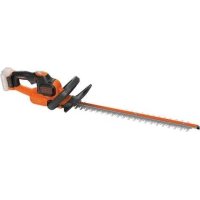
STC5433 - Brush cutter BLACK & DECKER - Free user manual and instructions
Find the device manual for free STC5433 BLACK & DECKER in PDF.


| Technical specifications | BLACK & DECKER STC5433 electric grass trimmer, 540 W power, 33 cm cutting width, 8500 rpm rotation speed. |
|---|---|
| Power supply type | Electric with cable. |
| Weight | 3.5 kg. |
| Usage | Ideal for garden maintenance, cutting grass and weeds in small spaces. |
| Cable length | 10 meters. |
| Maintenance | Regularly check the condition of the blade and power cable, clean after each use. |
| Safety | Use protective glasses, do not use in the rain, keep children away. |
| Included accessories | Cutting line spool, cutting guide. |
| Warranty | 2 years. |
Frequently Asked Questions - STC5433 BLACK & DECKER
User questions about STC5433 BLACK & DECKER
0 question about this device. Answer the ones you know or ask your own.
Ask a new question about this device
Download the instructions for your Brush cutter in PDF format for free! Find your manual STC5433 - BLACK & DECKER and take your electronic device back in hand. On this page are published all the documents necessary for the use of your device. STC5433 by BLACK & DECKER.
USER MANUAL STC5433 BLACK & DECKER
Your BLACK+DECKER STC5433, STC5433B trimmer has been designed for trimming and finishing lawn edges and to cut grass in confined spaces. This appliance is intended for consumer use only.
Safety instructions
Warning! When using mains-powered and battery powered appliances, basic safety precautions, including the following, should always be followed to reduce the risk of fire, electric shock, personal injury and material damage.
Warning! When using the machine the safety rules must be followed.
For your own safety and bystanders please read these instructions before operating the machine.
Please keep the instructions safe for later use.
- Read all of this manual carefully before operating the appliance.
The intended use is described in this manual.
The use of any accessory or attachment or the performance of any operation with this appliance other than those recommended in this instruction manual may present a risk of personal injury.
- Retain this manual for future reference.
Using your appliance
Always take care when using the appliance.
Always use safety glasses or goggles.
- Never allow children or people unfamiliar with the instructions to use the appliance.
- Do not allow children or animals to come near the work area or to touch the appliance or power supply cord.
- Close supervision is necessary when the appliance is used near children.
This appliance is not intended for use by young or infirm persons without supervision. - This appliance is not to be used as a toy.
- Only use the appliance in daylight or good artificial light.
Use in a dry location only.
Do not allow the appliance to become wet. - Avoid using the appliance in bad weather conditions, especially when there is a risk of lightning.
Do not immerse the appliance in water.
Do not open the body casing. There are no user-serviceable parts inside. - Do not operate the appliance in explosive atmospheres, such as in the presence of flammable liquids, gases or dust.
To reduce the risk of damage to plugs or cords, never pull the cable to remove the plug from a socket. - The appliance is only to be used with the power supply unit provided with the appliance.
Safety of others
This appliance can be used by children aged from 8 years and above and persons with reduced physical, sensory or mental capabilities or
lack of experience and knowledge if they have been given supervision or instruction concerning use of the appliance in a safe way and understand the hazards involved. Children shall not play with the appliance. Cleaning and user maintenance shall not be made by children without supervision.
Children must be supervised to ensure that they do not play with the appliance.
Residual risks.
Additional residual risks may arise when using the tool which may not be included in the enclosed safety warnings.
These risks can arise from misuse, prolonged use etc.
Even with the application of the relevant safety regulations and the implementation of safety devices, certain residual risks can not be avoided. These include:
Injuries caused by touching any rotating/moving parts.
Injuries caused when changing any parts, blades or accessories.
Injuries caused by prolonged use of a tool. When using any tool for prolonged periods ensure you take regular breaks.
Impairment of hearing.
Health hazards caused by breathing dust developed when using your tool (example:- working with wood, especially oak, beech and MDF.)
After use
- When not in use, the appliance should be stored in a dry, well ventilated place out of reach of children.
Children should not have access to stored appliances. - When the appliance is stored or transported in a vehicle it should be placed in the boot or restrained to prevent movement following sudden changes in speed or direction.
Inspection and repairs
Before use, check the appliance for damaged or defective parts.
Check for breakage of parts and any other conditions that may affect its operation.
- Do not use the appliance if any part is damaged or defective.
- Have any damaged or defective parts repaired or replaced by an authorised repair agent.
- Never attempt to remove or replace any parts other than those specified in this manual.
Additional safety instructions for grass trimmers
Warning! Cutting elements continue to rotate after the motor is switched off.
- Be familiar with the controls and the proper use of the appliance.
Always remove the battery from the appliance whenever the appliance is unattended. - Before clearing a blockage.
before cleaning and maintenance.
After striking a foreign object or whenever the appliance starts vibrating abnormally.
- Do not use the appliance if the cords are damaged or worn.
- Wear stout shoes or boots to protect your feet.
Wear long trousers to protect your legs.
Before using the appliance, check that your cutting path is free from sticks, stones, wire and any other obstacles.
- Only use the appliance in the upright position, with the cutting line near the ground. Never switch the appliance on in any other position.
Move slowly when using the appliance. Be aware that freshly cut grass is damp and slippery.
Do not work on steep slopes. Work across the face of slopes, not up and down.
- Never cross gravel paths or roads while the appliance is running.
- Never touch the cutting line while the appliance is running.
Do not put the appliance down until the cutting line has come to a complete standstill.
- Use only the appropriate type of cutting line. Never use metal cutting line or fishing line.
Be careful not to touch the line trimming blade.
- Take care to keep the mains cable away from the cutting line. Always be aware of the position of the cable.
- Keep hands and feet away from the cutting line at all times, especially when switching on the motor.
Before using the appliance and after any impact, check for signs of wear or damage and repair as necessary. - Never operate the appliance with damaged guards or without guards in place.
- Take care against injury from any device fitted for trimming the filament line length. After extending new cutter line always return the machine to its normal operating position before switching on.
Always ensure that the ventilation slots are kept clear of debris.
Do not use the lawn trimmer (edge trimmer), if the cords are damaged or worn. - Keep extension cords away from cutting elements.
Additional safety instructions for batteries and chargers
Batteries
- Never attempt to open for any reason.
Do not expose the battery to water. - Do not store in locations where the temperature may exceed 40^ .
- Charge only at ambient temperatures between 10^ and 40^ .
- Charge only using the charger provided with the tool.
- When disposing of batteries, follow the instructions given in the section "Protecting the environment".
Chargers
Use your BLACK+DECKER charger only to charge the battery in the tool with which it was supplied. Other batteries could burst, causing personal injury and damage.
- Never attempt to charge nonrechargeable batteries.
- Have defective cords replaced immediately.
Do not expose the charger to water.
Do not open the charger.
Do not probe the charger.

The charger is intended for indoor use only.

Read the instruction manual before use.
Important: Only the following chargers should be used to charge the 54v battery BL1554 & BL2554:
90589867, 90621477, 90590287-01, 90590289-01, 90602042-01, 90590287-02, 90590289-02, 90599854-02, 90599854-06, 90599853-05, 90634971, 90634972, 90634973, 90642266, 90642264, 90642265, BDC2A
Electrical safety

Your charger is double insulated; therefore no earth wire is required. Always check that the mains voltage corresponds to the voltage on the rating plate. Never attempt to replace the charger unit with a regular mains plug.
- If the supply cord is damaged, it must be replaced by the manufacturer or an authorised BLACK+DECKER Service Centre in order to avoid a hazard.
Labels on appliance
The following warning symbols are found on the appliance along with the date code:
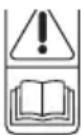
Read the manual prior to operation.
Wear safety glasses or goggles when operating this appliance.

Wear suitable ear protectors when operating this appliance.
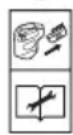
Always remove the battery from the appliance before performing any cleaning or maintenance.
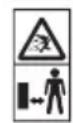
Beware of flying objects. Keep bystanders away from the cutting area.

Do not expose the appliance to rain or high humidity.
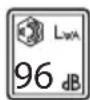
Directive 2000/14/EC guaranteed sound power.
Features
This appliance includes some or all of the following features.
- Trigger
- Lock off button
- Handle
- Speed-control switch
- Auxiliary handle
- Upper trimmer pole
- Lower trimmer pole
- Pole bracket
- Head rotate button
- Trimmer head
- Edge guide
- Guard
- Spool housing
- DUALVOLT battery pack (Only with STC5433 unit).
- Charger (Only with STC5433 unit).
- HDL spool
ENGLISH
(Original instructions)
Assembly
Warning! To reduce the risk of serious personal injury, turn unit off and remove the battery pack before making any adjustments or removing/installing attachments or accessories. An accidental start-up can cause injury.
Assembly tools required
Phillips Screwdriver (not supplied).
Hex wrench (supplied).
Installing the guard
Warning! Never operate appliance without the guard (13) firmly in place. The guard must always be properly attached on the appliance to protect the user.
Remove the screw from the guard.
Turn the trimmer upside down so that you are looking down at the spool cap (20).
Turn the guard (12) upside down and slide it fully onto the trimmer head (10). Make sure the tabs (16) on the guard engage the ribs (17) on the trimmer head as shown.
Continue to slide the guard on until you hear it "snap" into place. The locking tab (18) should snap into the housing slot (19) as shown in figure G.
Using a phillips screwdriver, insert the guard screw and tighten securely as shown in figure H to complete the guard assembly.
- Once the guard is installed, remove the covering from the line cut-off blade, located on the edge of the guard.
Assembling the Pole
To assemble the pole, line up the upper trimmer pole (6) and the lower trimmer pole (7) as shown in figure 1. Press down the latching button (20) and slide the upper pole into the lower pole. Ensure the latching button engages the latch hole (21).
Secure the poles by tightening the middle bolt (22) with the supplied hex wrench (23) as shown in figure J.
Attaching the auxiliary handle
Place the auxiliary handle (5) onto the top of the upper trimmer pole (6) as shown in figure K.
Slide the bracket (24) of the auxiliary handle onto the bottom of the handle.
Thread the handle bolts (25) through the handle and into the bracket from above.
Tighten the handle bolts. Ensure the handle is securely attached by closing the handle clamp (26).
To adjust the position of the auxiliary handle, open the handle clamp and slide the handle up and down the pole until it is in the desired location. Close the clamp to lock the handle in place.
Releasing the cutting line
For shipping purposes, the cutting line is taped to the spool housing.
Remove the tape holding the cutting line to the spool housing. See "Replacing the Spool" for instructions for removing the spool.
Charging procedure (STC5433 unit only)
BLACK+DECKER chargers are designed to charge BLACK+DECKER battery packs.
Plug the charger (15) into an appropriate outlet before inserting the battery pack (14).
Insert the battery pack (14) into the charger (15) as shown in figure A.
The green LED (15a) will flash indicating that the battery is being charged.
The completion of charge is indicated by the green LED (15a) remaining on continuously. The pack is fully charged and may be used at this time or left on the charger.
Note: Recharge discharged batteries as soon as possible after use or battery life may be greatly diminished. For longest battery life, do not discharge batteries fully.
It is recommended that the batteries be recharged after each use.
Leaving the battery in the charger
The charger (15) and battery pack (14) can be left connected with the LED glowing indefinitely. The charger will keep the battery pack fresh and fully charged.
Important charging notes
Longest life and best performance can be obtained if the battery pack is charged when the air temperature is between 65^ and 75^ (18^ - 24^) . DO NOT charge the battery pack in an air temperature below +40^ (+4.5^) or above +105^ (+40.5^) . This is important and will prevent serious damage to the battery pack.
- The charger and battery pack may become warm to touch while charging. This is a normal condition, and does not indicate a problem. To facilitate the cooling of the battery pack after use, avoid placing the charger or battery pack in a warm environment such as in a metal shed, or an uninsulated trailer.
If the battery pack does not charge properly:
- Check current at receptacle by plugging in a lamp or other appliance.
-
Check to see if receptacle is connected to a light switch which turns power off when you turn out the lights.
Move charger and battery pack to a location where the surrounding air temperature is approximately 65^ - 75^ (18^ - 24^)
If charging problems persist, take the tool, battery pack and charger to your local service center. -
The battery pack should be recharged when it fails to produce sufficient power on jobs which were easily done previously. DO NOT CONTINUE to use under these conditions. Follow the charging procedure. You may also charge a partially used pack whenever you desire with no adverse effect on the battery pack.
- Foreign materials of a conductive nature such as, but not limited to, steel wool, aluminium foil, or any buildup of metallic particles should be kept away from charger cavities. Always unplug the charger from the power supply when there is no battery pack in the cavity. Unplug charger before attempting to clean.
Do not freeze or immerse charger in water or any other liquid.
Warning! Do not allow any liquid to get inside charger. Never attempt to open the battery pack for any reason. If the plastic housing of the battery pack breaks or cracks, return to a service center for recycling.
State of charge indicator (Fig.B)
The battery is equipped with a state of charge indicator. This can be used to display the current level of charge in the battery during use and during charging. It does not indicate tool functionality and is subject to variation based on product components, temperature and end-user application.
Checking state of charge during use
Press the state of charge indicator button (B1).
The three LEDs (B2) will illuminate, indicating the percent of charge in the battery. See chart in figure B.
If LED light does not illuminate, charge battery.
Charger Diagnostics (Fig.E)
Refer to the indicators in figure E for the charge status of the battery pack.
Bad Battery
If you see a bad battery blink pattern, do not continue to charge this battery. Return it to a service center or a collection site for recycling.
Hot/Cold Pack Delay
When the charger detects a battery pack that is too hot or too cold, it automatically starts a Hot/Cold Pack Delay, suspending charging until the battery pack has reached an appropriate temperature. The charger then automatically switches to the pack charging mode. This feature ensures maximum battery pack life. A cold battery pack will charge at a slower rate than a warm battery pack. The pack will charge at that slower rate throughout the entire charging cycle and will not return to maximum charge rate even if the pack warms.
Installing and removing the battery pack from the tool
Warning! Make certain the lock-off button (2) is engaged to prevent switch actuation before removing or installing battery.
To install battery pack Fig. C)
Insert battery (14) into battery housing (14b) until an audible click is heard (Figure. C)
Ensure battery pack is fully seated and fully latched into position.
To remove battery pack (Fig.D)
Depress the battery release button (14a) as shown in figure D and pull battery pack (14) out of battery housing (14b).
DUALVOLT 54V Battery Pack (Fig F.)
The DUALVOLT 54V battery pack can be used on 54V & 18V Black+Decker Cordless tools. The battery can recognise the tool it is inserted into and will run at the relevant power, providing longer runtime in 18V tools. There is a State of charge button (14c) which will indicate the level charge at both 54V & 18V.
Setting trimming or edging mode
- The trimmer can be used in trimming mode as shown in figure N or in edging mode to trim overhanging grass along lawn edges and flower beds as shown in figure P.
Trimming mode (FIG. L, M)
For trimming, the trimmer head should be in the position shown in figure N. If it is not:
Remove the battery from the trimmer.
Press and hold the head rotate button (9).
While holding the auxiliary handle, rotate the head clockwise.
Release the head release button.
Lift the edge guide (11) into the closed position.
Edging mode (FIG. L, M)
Warning! When being used as an Edger, stones, pieces of metal and other objects can be thrown out at high speed by the line. The trimmer and guard are designed to reduce the danger. However, MAKE SURE that other persons and pets are at least 30m away. Optimum cutting results are achieved on edges deeper than 50~mm .
For edging, the trimmer head should be in the position shown in figure P. If it is not:
Remove the battery from the trimmer.
Press and hold the head rotate button (9).
While holding the auxiliary handle, rotate the head counterclockwise.
Release the head release button.
ENGLISH
(Original instructions)
Drop the edge guide (11) to the open position. Ensure that the edging guide is all the way down, an audible click will be heard.
Do not use this trimmer to create trenches.
Using the edge guide (11), guide the trimmer as shown in figure P.
Position the edge guide on the edge of the sidewalk or abrasive surface so the cutting line is over the grass or dirt area to be edged.
To make a closer cut, slightly tilt the trimmer.
Operation
Warning! To reduce the risk of serious personal injury, turn unit off and remove the battery pack before making any adjustments or removing/installing attachments or accessories. An accidental start-up can cause injury.
Warning! Always use proper eye protection.
Caution: Before you begin trimming, only use the appropriate type of cutting line - 2.0mm diameter, ROUND nylon line.
Caution: Inspect area to be trimmed and remove any wire, cord, or string-like objects which could become entangled in the rotating line or spool. Be particularly careful to avoid any wire which might be bent outwardly into the path of the appliance, such as barbs at the base of a chain link fence.
Proper hand position
Warning! To reduce the risk of serious personal injury, ALWAYS use proper hand position as shown in figure O. Proper hand position requires one hand on the main handle (3) and one hand on the auxiliary handle (5).
Warning! To reduce the risk of serious personal injury,
ALWAYS hold securely in anticipation of a sudden reaction.
Switching on and off
To switch the trimmer on, press in and hold the lock off button (2), depress the variable speed trigger (1). The trimmer's speed, power, and runtime depend on how far you press the switch. Lightly depressing the trigger will result in lower speed and power, but longer runtime. Fully depressing the trigger will result in maximum speed and power, but shorter runtime.
To switch the trimmer off, release both the trigger and the lock off button.
Warning! Never attempt to lock the on/off button in the on position.
Operating the trimmer
With the unit on, angle unit and slowly swing the trimmer side to side as shown in figure N.
Maintain a cutting angle of 5^ to 10^ . Do not exceed 10^ .
Cut with the tip of the line. To keep distance from hard surfaces use edge guide (11). Pull the guide out until it snaps securely into place
- Maintain a minimum distance of 24 inches (60cm) between the guard and your feet as shown in figure O.
Speed control & runtime extension modes
This string trimmer gives you the choice to operate at a more efficient speed to extend the runtime for larger jobs, or accelerate the trimmer speed for high-performance cutting (figure Q).
To extend runtime, pull the speed-control switch (4) back toward the battery (14) into position #1. This mode is best for larger projects that require more time to complete.
To accelerate the trimmer, push the speed-control switch forward toward the motor housing (10) into position #2. This mode is best to cut through heavier growth and for applications that need higher RPM.
Note: When in acceleration mode (#2), runtime will be decreased as compared to when trimmer is in extended runtime mode (#1).
Helpful cutting tips
Use the tip of the string to do the cutting; do not force string head into uncut grass. Use edge guide along such things as fences, houses and flower beds for best practices.
Wire and picket fences cause extra string wear, even breakage. Stone and brick walls, curbs, and wood may wear string rapidly.
Do not allow spool cap to drag on ground or other surfaces.
In long growth cut from the top down and do not exceed 300~mm high.
Keep trimmer tilted toward the area being cut; this is the best cutting area.
- The trimmer cuts when passing the unit from the right to left. This will avoid throwing debris at the operator.
Avoid trees and shrubs. Tree bark, wood moldings, siding, and fence posts can easily be damaged by the string.
Replacing the spool
Warning! Remove the battery from the trimmer before making any assembly, adjustments or changing accessories. Such preventive safety measures reduce the risk of starting the appliance accidentally. From time to time, especially when cutting thick or stalky weeds, the line feeding hub may become clogged with sap or other material and the line will become jammed as a result. To clear the jam, follow the steps listed below.
Remove the battery from the trimmer.
Press the release tabs (29) on the line spool cap (30), as shown in figure R and remove the cap by pulling it straight off.
Pull the spool (31) out of the spool cap and clear any broken line or cutting debris from the spool area.
Before placing a new spool, "park" the cutting line (32) in the holding slots (33).
Feed the end of each line through the two holes (34) on either side of the the spool cap ( 31 ) as shown in figure S
Slide the spool back into the spool cap. Take care to keep the line from becoming trapped under the spool.
Pull slack line through until it pulls out of the holding slots.
Align the tabs on the spool cap with the slots in the housing (figure R).
Push the cap onto the housing until it snaps securely into place.
Note: Make sure that cap is fully positioned, listen for two audible clicks to ensure both lugs are correctly located. Power the appliance on. In a few seconds or less you'll hear the nylon line being cut automatically to the proper length.
Caution: To avoid appliance damage, if the cutting line protrudes beyond the trimming blade, cut it off so that it just reaches the blade.
Note: Other replacement parts (guards, spool caps, etc.) are available through BLACK+DECKER service centers. To find your local service location visit www.blackanddecker.com.
Warning! The use of any accessory not recommended by BLACK+DECKER for use with this appliance could be hazardous.
Note: The tool has two cutting systems:
AFS: Single line autofeed for light trimming and edging.
HDL: Heavy Duty Dual Line cutting system for more overgrown areas.
Note: The HDL spool may be used in trimming mode only.
Fitting a new piece of heavy duty cutting line (fig. T & U)
Replacement packs of 10 heavy duty cutting lines are available from your BLACK+DECKER dealer (cat. no. A6489). To fit a new piece of cutting line, proceed as follows:
Unplug the tool.
Keep the tabs (37) depressed and remove the HDL cap (16) from the housing (12).
Remove any dirt and grass from the HDL cap (16) and housing.
Remove the used piece of line from the HDL cap (16).
Thread a new piece of line (35) through the eyelets (36) in either side of the HDL cap.
Put the central ferrule (39) in the indicated position (Fig. U).
Re-fit the HDL cap.
Rewinding spool from bulk line (use only 20mm round diameter line)
Do not use square, star or other shaped line or larger diameter. These may cause feeding issues or overload the motor.
Bulk line is also available for purchase from your local retailer.
Note: Hand wound spools from bulk line are likely to become tangled more frequently than BLACK+DECKER factory wound spools. For best results, factory wound spools are recommended.
To install bulk line, follow the steps below:
Remove battery from appliance.
Remove the empty spool from the appliance as described in "Replacing the spool."
Remove any remaining cutting line from the spool.
First, wind new line in the channel of the spool closest to the holding slots as shown in Figure V.
Place the end of the cutting line (32) into the retaining hole (40) (Figure W).
Wind the cutting line onto the spool in the direction of the arrow on the bottom of the spool. Make sure to wind the line on neatly and in layers. Do not crisscross.
When the wound cutting line reaches the beginning of the holding slots, cut the line approximately 106~mm
Push the line in the holding slot on one side of the spool to hold the first line while you wind the second line.
Repeat the above procedure for the second cutting line on the lower section of the spool.
Fit the spool into the appliance as described in "Replacing the spool".
Maintenance
Your BLACK+DECKER corded/cordless appliance/tool has been designed to operate over a long period of time with a minimum of maintenance. Continuous satisfactory operation depends upon proper tool/appliance care and regular cleaning.
Your charger does not require any maintenance apart from regular cleaning.
Warning! Before performing any maintenance on corded/ cordless power tools:
Switch off and unplug the appliance/tool.
Or switch off and remove the battery from the appliance/ tool if the appliance/tool has a separate battery pack.
Or run the battery down completely if it is integral and then switch off.
Unplug the charger before cleaning it. Your charger does not require any maintenance apart from regular cleaning.
- Regularly clean the ventilation slots in your tool/appliance and charger using a soft brush or dry cloth.
ENGLISH
(Original instructions)
- Regularly clean the motor housing using a damp cloth. Do not use any abrasive or solvent-based cleaner.
Regularly clean the cutting line and spool using a soft brush or dry cloth.
Regularly use a blunt scraper to remove grass and dirt from the underneath of the guard.
Troubleshooting
| Problem | Solution |
| Appliance runs slowly. Remove battery from trimmer. Check that the spool housing can rotate freely. Carefully clean it if necessary. Check that the cutting line does not protrude more than approximately 122mm from the spool. If it does, cut it off so that it just reaches the line trimming blade | |
| Overfeeding Ensure you are cutting | with the tip of the line 177mm from the spool. Use the edge guide if needed to ensure proper space is maintained. Ensure you are not exceeding a 10° angle as shown in (Fig.M). Avoid contact of the line with hard surfaces such as brick, concrete, wood etc. This will prevent excessive wear and/or overfeed of line. Cut with the tip of the line |
| Line unravels when cap or spool is removed | Make sure to park the lines in holding slots (Figure R) before removing. |
Protecting the environment

Separate collection. Products and batteries marked with this symbol must not be disposed of with normal household waste.
Products and batteries contain materials that can be recovered or recycled, reducing demand for raw materials. Please recycle electrical products and batteries according to local provisions. Further information is available at www.2helpU.com
Technical data
| STC5433 | STC5433B | ||
| Input Voltage | Vsc | 54V 54V | |
| No-Load Speed | min. | 0-4600/0-5100 0-4600/0-5100 | |
| Weight | kg | 4.25 net, 6.81 gross 3.25 | net, 5.32 gross |
| Battery | N476407 Bare unit | (no Battery) | |
| Voltage V | ∞ | 54/18v DUALVOLT | |
| Capacity | Ah | 1.5 | |
| Type | LI-Ion | ||
| Charger | 9064226* Bare unit | (no Charger) | |
| Input voltage V | ∞ | 230 | |
| Current mA 2000mA | |||
| STC5433 | STC5433B | ||
| Approx. charge time | h | 2.75 |
Hand/arm weighted vibration value according to EN 50636-2-91:
Main handle: ah: 2,7m / s^2 K = 1,5m / s^2
Auxiliary handle, ah: 3,3m / s^2 K = 1,5m / s^2
sound pressure level at operator position L_PA 80dB(A), K = 2,5dB(A)
EC declaration of conformity MACHINERY DIRECTIVE OUTDOOR NOISE DIRECTIVE

STC5433, STC5433B Cordless String Trimmer
Black & Decker declares that these products described under
"technical data" are in compliance with:
2006/42/EC, EN 60335-1:2012 + A11:2014
EN 50636-2-91:2014
2000/14/EC, Lawn Trimmer, L ≤ 50 cm, Annex VI
DEKRA Certification B.V.
Meander 1051 / P.O. Box 5185
6825 MJ ARNHEM / 6802 ED ARNHEM, Netherlands
Level of acoustic power according to 2000/14/EC
(Article 12,Annex III, L≤ 50~cm
Measured sound power level L_WA : 94,0dB(A); K = 2,0dB(A)
The guaranteed sound power level: L_WA : 96dB(A)
These products also comply with Directive 2014/30/EU and
2011/65/EU.
For more information, please contact Black & Decker at the
following address or refer to the back of the manual.
The undersigned is responsible for compilation of the technical file and makes this declaration on behalf of Black & Decker.
R. Laverick
Director of Engineering
Black & Decker Europe, 210 Bath Road, Slough,
Berkshire, SL1 3YD
United Kingdom
13/01/2017
ENGLISH
(Original instructions)
Guarantee
Black & Decker is confident of the quality of its products and offers consumers a 24 month guarantee from the date of purchase. This guarantee is in addition to and in no way prejudices your statutory rights. The guarantee is valid within the territories of the Member States of the European Union and the European Free Trade Area.
To claim on the guarantee, the claim must be in accordance with Black&Decker Terms and Conditions and you will need to submit proof of purchase to the seller or an authorised repair agent. Terms and conditions of the Black&Decker 2 year guarantee and the location of your nearest authorised repair agent can be obtained on the Internet at www.2helpU.com, or by contacting your local Black & Decker office at the address indicated in this manual.
Please visit our website www.blackanddecker.co.uk to register your new Black & Decker product and receive updates on new products and special offers.
DEUTSCH
Director of Engineering
Black & Decker Europe, 210 Bath Road, Slough,
Berkshire, SL1 3YD
Black & Decker Europe, 210 Bath Road, Slough,
Berkshire, SL1 3YD
Royaume-Uni
03/10/2016
Garantie
Black & Decker Europe, 210 Bath Road, Slough,
Berkshire, SL1 3YD
Regro Unito
03/10/2016
Garanzia
Director of Engineering
Black & Decker Europe, 210 Bath Road, Slough,
Berkshire, SL1 3YD
Verenigd Koninkrijk
3-10-2016
Garantie
Black & Decker Europa, 210 Bath Road, Slough,
Berkshire, SL1 3YD
Reino Unido
03/10/2016
Garantía
Director de Engenharia
Black & Decker Europe, 210 Bath Road, Slough,
Berkshire, SL1 3YD
Reino Unido
03/10/2016
Garantia
Director of Engineering
Black & Decker Europe, 210 Bath Road, Slough,
Berkshire, SL1 3YD
Storbritannien
2016-10-03
Garanti
Black & Decker Europe, 210 Bath Road, Slough,
Berkshire, SL1 3YD
Storbritannia
03.10.2016
Garanti
Black & Decker er trygg på kvaliteten av produitene sine og tilbyr en 24 maneders garanti fra kjopsdato. Denne garantierklæringenkommen i tillegg til dine lovbestemte rettigheter og er ikke i konflikt medppe. Garantien er gyldig innen områdene tilhorende medlemslandene i den Europeiske Union (EU) og det Europeiske Frihandelsområdet (EFTA).
Read the manual prior to operation.

Black & Decker Europe, 210 Bath Road, Slough,
Berkshire, SL1 3YD
Storbritannien
03/10/2016
Garanti
Black & Decker Europe, 210 Bath Road, Slough,
Berkshire, SL1 3YD
Iso-Britannia
3.10.2016
Black & Decker Europe, 210 Bath Road, Slough,
Berkshire, SL1 3YD
United Kingdom
03/10/2016
Eyyunon
H Black & Decker éivaloiyoupn yia tv nioiota wv
tpoiovtwv tnc kai pooapeei otouc katavaawtecs eyyunon
24 mnuw aio tnv nuepounvia ayopac. Autn n eyyunon
ouptanpwvei kai me kaveva tpoTTOBv TapaalattTEI
ta vopiia dikaiwpataraoc. H eyyunon iayxuei Evtoc tnc
eikpateiaoc twv xwpwv eawv tnC Eupwntaikns Evwongkai
tns Eupwntaikcn Zwngs Eaeuthetaewu Suvaalaywv.
Tia va utoBalaTe aGioan baoi Tns Eyyunons, n aGioon tha
TpeTie va eivai ouuawyn ne touc Opouc kai TpoUtoeOeIc
Tng Black&Decker kai 0a xpeiaotei va utoBalaTe atofoEgn
ayopac otov wAnthn h oe Eouoiodotnevo avtipooWTO
eepic. MTopeite va atoktnote Touc Opuc kai
tpouTtoeoeis Tnc Eyyunons 2 Etuv Tns Black&Decker kai va
mutheta Tnv toTtoeia Tou PAnoiotepou Eouoiodotnevou
avTTPOoWtou ETIOKEUw oTo Internet oTo www.2helpU.com,
nETIKOVWVVTAC ME TO TOTIKO aC ypaEio Black & Decker
oTn DIEUbuvon Tou UTODEIKVUEta OTo napov EYxepidio.
Iapakaloue EITIOKEpEITE TNY IOTOeIIDA maC www. blackanddecker.gr yia va kataxwpioTe to veo oac npoiov Black & Decker kai yia va evnepwveote yia ta vea npoiovta kai tic EIokc TPOOPoPcS.

| Belgié/Belgique/Luxembourg Stanley Black & Decker Belgium BVBA Tel. NL +32 15 47 37 65 www.blackanddecker.be Egide Walschaertsstraat 16 Tel. FR +32 15 47 37 66 enduser.be@sbdinc.com 2800 Mechelen Fax. +32 15 47 37 99 | |||
| Danmark Black & Decker kundeservice.dk@sdbinc.com Roskildevej 22 www.blackanddecker.dk 2620 Albertslund | |||
| Deutschland Stanley Black & Decker Deutschland GmbH Tel. 06126 21-0 www.blackanddecker.de Black & Decker Str. 40, D - 65510 Idstein Fax 06126 21-2980 infobfge@sbdinc.com | |||
| Eλλαδα Stanley Black & Decker (EλλΑΩ) E.I.E ΓΡΑΦΕΙΑ:Στράβωνος 7 & Bουλιαγμένης Φαξ 210-8981616 www.blackanddecker.gr greece.service@sbdinc.com 166 74 Γλυφάδα - Aθήνα | |||
| SERVICE: Μιερος Κότος 2-Xáνι Αδάμ Φαξ 210-5597598 Tηλ. Service 210-8985208 | |||
| Espana Stanley Black & Decker Ibérica, S.C.A. Tel. 934 797 400 www.blackanddecker.es respuesta(posventa@sdbinc.co 08820 El Prat de Llobregat (Barcelona) | |||
| France Stanley Black & Decker (France) S.A.S. 5 allée des Hétres Fax 04 72 20 39 00 Tel. 04 72 20 39 20 | |||
| www.blackanddecker.fr B.P. 30084 69579 Limonest Cédex | |||
| Helvetia ROFO AG 026-6749393 www.blackanddecker.ch service@rofoag.ch 3213 Kleinösingen | |||
| Italia Stanley Black & Decker Italia 039-9590200 www.blackanddecker.it service.italia@sdbinc.com 20871 Vimercante (MB) Fax 039-9590313 Numero verde 800-213935 | |||
| Nederland Stanley Black & Decker Netherlands BV 031 164 283 065 www.blackanddecker.nl enduser.nl@sdbinc.com 08820 El Prat de Llobregat (Barcelona) | |||
| Norge Stanley Black & Decker kundeservice.no@sdbinc.com | |||
| Postboks 4613, Nydalen 0405 Oslo www.blackanddecker.no | |||
| Österreich Stanley Black & Decker Austria GmbH 01 66116-0 www.blackanddecker.at service.austria@sdbinc.com | |||
| Portugal Stanley Black & Decker Limited SARL 214667500 www.blackanddecker.pt Quinta da Fonte - Edificio Q55 D. Diniz 2770 - 071 Paço de Arcos Rua dos Malhões, 2 e 2A - Piso 2 Esquerdo | |||
| Suomi Stanley Black & Decker asiakaspalvelu.fi@sdbinc.com PL47 www.blackanddecker.fi | |||
| Sverige Stanley Black & Decker AB kundeservice.se@sdbinc.com Box 94, 431 22 Mönndal www.blackanddecker.se | |||
| Türkije KALE Hrdavat ve Makina AŞ. 0212 533 52 55 www.blackanddecker.com.tr Defterdar Mah. Savaklar Cad. No:15 Fax. 0212 533 10 05 Edirnekapä / Eyüp / Istanbul 34050 | |||
| United Kingdom & Stanley Black & Decker 01753 511234 Republic Of Ireland 210 Bath Road Fax 01753 512365 www.blackanddecker.co.uk emeaservice@sdbinc.com Slough, Berkshire SL1 3YD | |||
| Middle East & Africa Stanley Black & Decker 0971 4 8863030 www.blackanddecker.ee service.mea@sdbinc.com P.O.Box - 17164 Fax 0971 4 8863333 UAE UAE |