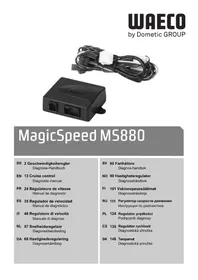
MagicSpeed MS880 - Cruise control WAECO - Free user manual and instructions
Find the device manual for free MagicSpeed MS880 WAECO in PDF.



| Product type | Cruise control |
| Brand | Waeco |
| Model | MagicSpeed MS880 |
| Supply voltage | 12 V DC |
| Speed signal voltage range | 1.5 V - 24 V |
| Speed signal frequency range | 6 Hz - 8.5 kHz |
| RPM signal voltage range (coil) | 6 V - 250 V |
| RPM signal frequency range (coil) | 6 Hz - 488 Hz |
| Minimum activation speed | Approximately 40 km/h |
| Adjustment modes | Automatic, INIT, GAIN |
| Integrated diagnostics | Yes (LED and audible signals) |
| Safety protection | Deactivation by brake, over-rev protection for manual transmission |
| Connector | Compact 8-pin connector, color-coded |
| Number of pages in the manual | 156 pages |
| Manufacturer | Dometic (formerly Waeco) |
Frequently Asked Questions - MagicSpeed MS880 WAECO
User questions about MagicSpeed MS880 WAECO
0 question about this device. Answer the ones you know or ask your own.
Ask a new question about this device
Download the instructions for your Cruise control in PDF format for free! Find your manual MagicSpeed MS880 - WAECO and take your electronic device back in hand. On this page are published all the documents necessary for the use of your device. MagicSpeed MS880 by WAECO.
USER MANUAL MagicSpeed MS880 WAECO
1 Troubleshooting. 13
2 Recording travel speed signals/engine speed signals 17
2.1 Recording travel speed signals 17
2.2 Recording engine speed signals 18
2.3 Testing the signal. 18
3 Setting the sensitivity 19
3.1 Starting setup mode. 19
3.2 Starting automatic mode 19
3.3 Setting the sensitivity (INIT mode). 21
3.4 Setting the control sensitivity manually (GAIN mode) 22
3.5 Quitting setup mode. 23
1 Troubleshooting
This section contains a list of possible problems and recommended tests you can perform to find a solution.
The LED on the electronic module does not light up when you press the buttons on the control element
Check that the 8-pin compact plug of the electronic module is properly connected to the control element.
Check the colour code on the connecting plug of the control element and make sure that the terminals are correctly plugged into the control element.
If the plugs are correctly inserted, check the power supply and earth connection of the electronic module.
There should be a voltage of +12V on the orange cable when the ignition is switched on.
The green cable should have a good earth connection.
The LED on the electronic module does not light up when you apply the brake

NOTE
For reasons of safety, the cruise control does not work when there are problems with the original brake light circuit.
Therefore, check that the brake lights are working properly.
Make sure the LED on the electronic module lights up when you press the buttons on the control element.
If the LED does not light up, check the power supply and earth connection of the electronic module.
There should be a voltage of +12V on the orange cable when the ignition is switched on.
The green cable should have a good earth connection.
Check the connection of the brown and brown/white cable to the brake light switch using a voltmeter.
Test the cables with the ignition switched on, because some brake light circuits are powered via the ignition.
The brown/white cable of the electronic module should be connected to a brake light switch cable which is connected to either the permanent positive terminal (terminal 30) or to the ignition (terminal 15).
The brown cable should be connected to the brake light switch cable, which connects the brake light lamp and the brake light switch. This gives an earth signal from the brake light lamp supply cable when the brake pedal is not applied, and a positive signal (+12V) when the brake pedal is applied.
The LED does not flash when an engine speed signal is received (yellow cable)
This is how to check whether the cruise control is receiving an incorrect engine speed signal:
Check the engine speed signal using a voltmeter or an oscilloscope.
Make sure the signal is between 6 V and 250 V and the frequency range is between 6 Hz and 488 Hz.
Check that the yellow cable is not damaged and is properly connected to the engine speed signal.Test the engine speed signal on the electronic module of the cruise control:
- Connect the red cable of the voltmeter or oscilloscope to the yellow cable in the connecting plug of the electronic module.
- Connect the second cable of the voltmeter or oscilloscope to earth.
Make sure the signal at the electronic module matches that of the vehicle.
If the engine speed signal on the electronic module matches that of the vehicle, the fault may be due to an incorrect PPM setting. If you chose to record the travel speed or engine speed signal using the blue cable, the speed controller does not operate using the engine speed signal (yellow cable).
To change the PPM setting, see "Starting automatic mode" on page 19
The LED does not flash when a travel speed signal is received (blue cable)
This is how to check whether the cruise control is receiving an incorrect engine speed signal:
Check the travel speed signal using a voltmeter or an oscilloscope.
Make sure the signal is between 1.5V and 24V and the frequency range is between 6Hz and 8.5kHz .
Check that the blue cable is not damaged and is properly connected to the travel speed signal.
Test the travel speed signal on the electronic module of the cruise control:
- Connect the red cable of the voltmeter or oscilloscope to the blue cable in the connecting plug of the electronic module.
- Connect the second cable of the voltmeter or oscilloscope to earth.
Make sure the signal at the electronic module matches that of the vehicle.
If the travel speed signal on the electronic module matches that of the vehicle, the fault may be due to an incorrect PPM setting. If you chose to record the travel speed or engine speed signal using the yellow cable, the cruise control does not operate via the travel speed signal (blue cable).
To change the PPM setting, see "Starting automatic mode" on page 19
The electronic module does not change the engine speed in diagnosis mode B
Perform all the other diagnosis mode tests again to make sure that the problem is not caused by the electrical connections or by the control element.
Switch the ignition off.
Quit diagnosis mode.
Leave the ignition switched off for several seconds.
Press the SET button again and hold it down.
Start the vehicle again to start diagnosis mode.
Repeat diagnosis mode B again.
Make sure the starter is not working.
Check the plug connection to the electronic module, make sure the cables are correctly positioned and pay attention to the colour code of the plug.
Use a voltmeter to test that none of the cables in the wiring harness are damaged.
The cruise control does not work evenly in control mode
If the cruise control reacts too suddenly or the vehicle speeds up too much in control mode, you must decrease the GAIN value (see "Setting the control sensitivity manually (GAIN mode)" on page 22).
If the cruise control operates too slowly in control mode, you must increase the GAIN value (see "Setting the control sensitivity manually (GAIN mode)" on page 22).
2 Recording travel speed signals/ engine speed signals
2.1 Recording travel speed signals

NOTICE!
On vehicles with manual transmission, an engine overspeed protection must be installed.
You can record the travel speed signal at the following positions:
| Position | Voltage V | Frequency Hz |
| Speed signal transmitted via the engine controller 1,5 – 24 6 – 8500 | ||
| Electronic speed sensor (on the rear of the instrument assembly or as part set of the instrument assembly) | 1,5 – 24 6 – 8500 | |
| Travel speed sensor (this is installed in the transmission and generally has three cables) | 1,5 – 24 6 – 8500 | |
| Car radio (near the radio, if the vehicle has an ISO connection. The travel speed signal is in chamber 3, contact pin 1 or 5) | 1,5 – 24 6 – 8500 | |
2.2 Recording engine speed signals
You can record the engine speed signal at the following positions:
| Position | Voltage V | Frequency Hz |
| Engine speed signal transmitted via the engine controller | 1,5 – 24 6 – 8500 | |
| Electronic speed sensor (on the rear of the instrument assembly or as part set of the instrument assembly) | 1,5 – 24 6 – 488 | |
| Negative terminal end of the ignition coil (terminal 1) | 6 – 250 6 – 488 | |
| (The yellow cable must be used for this type of connection) |
2.3 Testing the signal
Use a voltmeter to test the signal, proceeding as follows:

NOTE
Make sure all digital voltmeters measure the effective voltage when operating in the AC range.
Connect the red lead of the voltmeter to the selected speed signal.
Connect the black lead of the voltmeter to the vehicle earth.
Drive the vehicle at the activation speed of the cruise control (approx. 40km / h ).
Measure the effective voltage of the signal.
3 Setting the sensitivity
3.1 Starting setup mode

NOTE
- To begin one of the adjusting and teach modes you must always carry out the following procedure.
For automatic mode (page 19), you first have to start the motor. - For any of the other modes, you first simply have to switch the ignition off and on again.
To start setup mode, proceed as follows:
Depending on the mode, do one of the following:
- For automatic mode: start the motor.
- For the other modes: switch the ignition off and on again.
Press the ON/OFF button on the control element.
Apply the brake within one minute and hold it down.
Press the setup button four times in rapid succession.
Release the brake.
√You will hear four acoustic signals.
√You are now in setup mode and can set the cruise control.
3.2 Starting automatic mode
In automatic mode, the PPM and GAIN parameters are automatically synchronised with your vehicle. You can still fine-tune both parameters anytime.
Start setup mode ("Starting setup mode" on page 19).
Apply the brake and hold it down.
Press the RES button twice.
√You will hear two low-pitched signals.
Release the brake.
√You will hear two high-pitched signals.

NOTE
If you hear more than two signals, repeat the procedure.
Drive the vehicle at a speed of 70km / h to allow the PPM and GAIN parameters to be set automatically.
Press the SET button.
✓The cruise control switches itself on.
If the cruise control does not take on the speed gently or the save value is not applied:
Press the SET button again to increase the value or
press the RES button to decrease the value.
√You will hear a signal each time you press the button.
The current value is indicated by the number of beeps (3 - 14 beeps). The factory setting is 5 beeps.
Apply the brake to save the set values (PPM and GAIN).
✓ Normally, your cruise control should be ideally preset for your vehicle.
Quit setup mode ("Quitting setup mode" on page 23).
You can now use MagicSpeed MS880.

NOTE
If, during operation, you notice that the vehicle reacts too slowly or too suddenly, or the speed is not being regulated correctly, you must set the control sensitivity manually (see "Setting the control sensitivity manually (GAIN mode)" on page 22).
3.3 Setting the sensitivity (INIT mode)
In INIT mode you can set the sensitivity of speed reaction. If the speed regulator reacts to the speed too slowly you must increase the INIT value. If it reacts too suddenly to the speed, you must decrease the INIT value.
Start setup mode ("Starting setup mode" on page 19).
To set the sensitivity, apply the brake and hold it down.
With the brake applied, press the RES button three times.
√ You will hear a low-pitched signal each time you press the button.
Release the brake.
√You will hear three high-pitched signals.

NOTE
If you do not hear three signals, repeat the procedure.
With the speed controller activated, drive at any speed above the activation speed (40 km / h)
Press the SET button until the speed regulator takes on the speed you are driving at.
Switch off the speed regulator by applying the brake.
Press the SET button.
√ You will hear a high-pitched signal each time you press the button.
The speed regulator gently takes on the speed.

NOTE
The normal functions of the SET and RES buttons are disabled in this mode, which means you can use the buttons to make the settings.
If the reaction to the speed is too slow, press the SET button to increase the INIT value.
If the reaction to the speed is too sudden, press the RES button to decrease the INIT value.
√ You will hear a low-pitched signal each time you press the button.
To save the set sensitivity values, press the brake.
✓If the INIT value is changed, the speed regulator calculates the optimum GAIN value and deletes the previous value in the control element.
Normally, no more settings on the control element are required. Therefore, quit setup mode and test the speed controller in normal operation.
If the speed regulator works too slowly or too suddenly in control mode, you must make the GAIN setting manually (see "Setting the control sensitivity manually (GAIN mode)" on page 22).
3.4 Setting the control sensitivity manually (GAIN mode)
The GAIN value must be increased if the vehicle slows down when the cruise control is activated or if it reacts too slowly, for example excess loss of speed driving uphill or excess acceleration driving downhill.
The GAIN value must be decreased if the vehicle speeds up when the cruise control is activated or if it works too suddenly.
Example: You set a speed of 70km / h and the vehicle's speed fluctuates between 65 and 75km / h during control mode. Normally the GAIN value ensures that the cruise control operates smoothly in control mode.
To alter the GAIN value, proceed as follows:
Start setup mode ("Starting setup mode" on page 19).
Apply the brake and hold it down.
With the brake applied, press the RES button four times.
√You will hear four low-pitched signals.
Release the brake.
√You will hear four acoustic signals.
Start the engine.
Drive the vehicle at any speed above the activation speed (40km / h) to set the GAIN value.
Press the SET button.
✓The cruise control switches itself on.
Press the SET button again to increase the GAIN value or
press the RES button to decrease the GAIN value.
√You will hear a signal each time you press the button.
To save the set values, apply the brake.
Quit setup mode ("Quitting setup mode" on page 23).
3.5 Quitting setup mode
To quit setup mode, proceed as follows:
Stop the vehicle.
Apply the brake and hold it down.
Press the SET button four times.
√You will hear a long signal.
√You have now quit setup mode.
Sommaire
3 Stille inn folsomhet 96
3.1 Starte oppsett-modus 96
3.2 Starte automatikkmodus 96
3.3 Stille inn folsomhet (INIT-modus) 97
3.4 Stille inn reguleringsfolsomhet manuelt (GAIN-modus). 99
3.5 Avslutte oppsett-modus 100
1 Feilsøking
3 Stille inn folsomhet
3.1 Starte oppsett-modus

MERK
Ecnn CnHaJ YactOTbI BpaueHn J DBnraTeJn Ha ModyJle 3JIeKTPoHnKn COOTBETCTByET CnHaJy ABtOMoBnJn, To npuHnOH HeNCnPpABHOCTN MOKeT 6blTbHeBepNa HacToPka PPM. Ecnn 6bla BbIbpaHa perncTaun CnHaJa cKOPOCTN INCnHaJya YactOTbI BpaueHn NO CInHemy npOBdy, To peryJrTopCKOpocTn He pa6otaet no CnHaJy YactOTbI BpaueHn DBnraTeJn (KeJTbIN npOBoD).
Измене настюку PPM,см.«3anyck abTomatueckoro pexima» ha ctp.119.
CBeToIIOHe Mnraet npn noctynJeHn CNrHaJa CKOpOCTn (CNHn npoBOd)
IpoBepbTe cJeDyUoIIM o6pa3OM, He nOlyuAeT Ii peRyIaTOp ckopoCTn HeBepHbI CNrHaI CKopoCTN:
Поверпесногал ckopoctи BOЛьтметром Ил OCUДЛLOCKONOM.
Y6eIITecb B TOM, yTO BeJIuHHa CnIHa ncoCTaBnreT oT 1,5 B do 24 B, a dnaana3OH uactOT - ot 6 Tq do 8,5 Kt.
Y6eIInTeScb B TOM, yTO CINHn IpoBOd He NMeET NOBpeKDeHn I DoJI-XHbIM 06pa3OM COeDnHeN C CnHaJOM CKOpOCTn.
Проверътсигнадскорocин ha moуле эл ektrpoикп рergларopa ckopoctn:
- PnpcoeHnHTe KpaChbI npoBOB BoJIbTMetpa IIN OcunllOckOna K CInHeMy npoBOy B CoeHNHTeJbHOM UTeKepe MoDyJRA 3JeKTPoHnKN.
-ПисоeДиHHTeВTOPOI npOBOD BOJbTMeTp a IJI N OCUJIIOCKOHa KaOpNyc.
Y6eIITecb B TOM, yTO CnHaN Ha MoDyJe 3NeKTPoHnKn COOTBeTCTByET CnHaNy aBTOMO6nJ.
Ecni CnHaJI CKOpOCTn Ha MoDyIe 3JIeKTPoHnKn COOTBeTCTByeT CnHaIy aB- TOMo6nJIa, To npuHHoH HeNCnPpABHOCTn MOKeT 6bITb HeBepHaJ HAcTPOJa PPM. EcNI 6bla Bbl6paHa perNcTpaIa nCnHaIa CKOpOCTn IIN CnHaIa Ya- cT0tbl BpaIeHnI NO JKeIToMly IpOBoY, To peryIaTOp CKOpOCTn He paBoTa- et No CnHaIy CKOpOCTn (CnHi NpOBoD).
Ecn 3ByuHT 6oJee DByx aKcTnuecknx CnHaIOB, To NOBTOpe npOeDpy.
DoCTnHInTeCKOpOcTbOKoJIO70KM/4,HTo6blMOrJIM6bITbABTOMaTHueCKn HAcTpoEhblnapaMeTpblPPM nGAIN.
Haxmte KhoNky SET.
Peryjatop ckopoCTn BkIIOuyeTcra.
Ecn nperyIaTOp cKOpOCTn He nepeHmaeT nIaBHO cKOpOCTb IIN ecNn CoXpaHeHHoe B nAmrTn 3HaueHne He nepeHmaeTc:
Haxmte KhoNky SET, yTo6bl yBeIuHTb 3HaueHne, IJI
... Haxmte Khonky RES, yTo6bl yMeHbIITb 3HaueHne.
√Пи Кждом Нжатин KНОК 3ByuNT OДИN aKуCTnueckN CnHаJI. TeKyuшee 3NaYeHne npedctaBЯETcR KOЛчeCTbOM aKуCTnueckNX CnHa-JIOB (3-14). Пи 3aBoDcKoн hAcTpoIke 3ByuAT 5 aKуCTnueckNX CnHа-JIOB.
Для coхраненя настpoehньх 3начени (PPMи GAIN) в память нажмITE peдаль TOPMO3a.
06bIyHO TeIepb CnCTema ONTImaJIbHbIM o6pa3oM hAcTpoEHa dJa BaSe- ro aBTOMO6nJa.
BbIInTe n3 peXnMa HacTpoiKn («BbIXoN i3 peXnMa HacTpoiKn» Ha cTp. 123).
Tenepb Bbl moxe Te noIb30BaTbcra cncTeMoJ MagicSpeed MS880.

YKA3AHHE
EcnB O BpeM yBxHnB Bbl 3aMeuaTe, yTo aBTOMo6nIb pearpyet CnNtKOM MeDnEHHO nIi pe3KO nIi yTo peRyJrTOp He peryI npyeT DOJIxHbIM o6pa30M, To Bam Heo6xOIMO hAcTpOnTb cyBCTBNTeNbHOCTb peRyInpOBaHNy BpyHyU (cM. «HaCtpoJa cyBCTBNTeNbHOCTn peRyInpOBaHNy BpyHyU (peXm GAIN)» Ha cTp. 122).
3.3 Hactpoika yBCTBNTeJIbHOcTn (peXm INIT)
B pexime INIT Bbl mokeTe HacTpoNTb yBCTBnTEbHOCTb nepeHrTna ckopoctn. Ecnn peryIaTOp ckopoctn nepeHmaeT CKOPoCTb CInuKOM MeIeHHO, To Heo6xOIMo yBeJIuHTb 3HaueHne INIT. Ecnn ckopoctb nepeHmaeTcCNIuKOM pe3KO, To Heo6xOIMo yMeHbUHTb 3HaueHne INIT.
3anycnttepekmnHaCTpoKn(«3anyckpekmnaHaCTpoKn»Ha ctp.118).
IЯ Habtroponu ChBCTBNTbHOCn HaxMnte neaJIb TOpMo3a n ydepxnBaIte ee HaKaToi.
Пин haжатои peдалу TOPmo3a haxmnte trp pa3a Khonky RES.
√Пи Кждом Нжатин KHONOK 3ByuNT OdINH Hn3Km akyctnueckm CnHaJ.
OTnycntte neaJIb TOPMO3a.
3ByuAT TpN BBICOKNX aKycTnuecknx CnHaJa.

YKA3AHNE
EcnHHe 3ByuHT Tpex akyctnuecknx CnHaNoB,TO NOBTopnte npo- ceDpy.
IbnaiTecb cakTbBnpoBaHHbIM peryIaTOpOM CKOpOCTHaJIIO6oNCKOpOCTN, npeBbIshaIOUeN CKOpOCTb BKJIIOUeHnra (40 km/).
HaximaiTe KhoNky SET do Tex nop, noka peryIaTOp ckopoCTb He nepeHIMET MRHOBeHHyO CKopoCTb.
OTKIIIOHTe peYyIaTOp cKOpocTn, HaxaB neJaIb TOPMo3a.Haxmnte KhoNky SET.
Пи Кждом Нжатин KHONOK 3ByuNT OdINH BbICOKN aKycTnueckN cnHaJ.
Peryjntop ckopoctn nIaBHO nepenmaet ckopoctb.

YKA3AHHE
ObuHbIe yHKcNn KHOJOK SET n RES B 3tOM peXnme pa60Tb3a6IOKnpOBaHbI, TaK YTO 3TN KHOJKN MOxHO INCNOJIb3OBaTb dIЯ BBOda HacTpoEk.
Ecnn ckopoctb nepenHmaetcra cnuKOM MeJHeHHO, To HaxMnte KhoNky SET, yTo6bI yBEnnHTb 3HaueHne INIT.
Ecnn ckopoctb nepeHnMaetcra cnuKOM pe3KO, To HaxMnte KhoNky RES, yTo6bl yMeNbWntb 3NaueHne INIT.
√Пи Кждом HaЖаTNKHOJOK 3ByuNT OdINH Hn3Km aKyCTNueckm CnHaJI.
Дя coхраеня Bnamтн HaCTpoEHHOn YyBCTBHTeJIbHOCTn HaxMNTe peДаЛb TOPMO3a.
Ecnn 3NaueHne INIT 6bIIO n3MeHEno, TOperyJrTOp CKOpOCTn paCCHTbIBAe ONTImaJIbHoe 3NaueHne GAIN n ydaJIaER npexKHee 3NaueHne n3 opraHa ynpabJIeHn.
O6bIuHNO HnKaKnx DpyrNx HacTpoE K Ha opraHe ynpaBLeHna He Tpe6yETc.
Io3tOMy Bbl DoJXHb I BblTN n3 peXIma HacTpoiKn n npOBepNTb peYJrTop CKOpocTN B O6bIuHOM peXIme.
Ecnn peryIaTOp ckOPOCTn B peXnme peryIuPoBaHnra pa6oTaet cIIuKOM MeIJIeHHO nIIpe3KO, TO Heo6xOIMMO BbIIOJNHtB HAcTpoIky 3HaueHnRA GAIN BpyHyIO (cM. «HacTpoIka ChvBCTBnTeJIbHOCTn peYIuPoBaHnra BpyHyIO (peXmGAIN)» Ha cTp. 122).
3.4 Hac tropona chyBCTBNTeIbHocTn peRyIInpoBaHnBpyuHyIO (peXmGAIN)
3NaueHne GAIN Heo6xOIMMo yBelenuTb, ecn aBTOMo6nIb npi pa6oTe peryIaTopa ckopocTn TepreT ckopocTb nIpearnpyeT cNIshKOM MeIeHNO, HapnMep, pni Ype3MePHom NaedeHnckopocTn Ha IOnBeMax nIi Ype3-MepHom yBelenuHnCKopocTn Ha cnYcKaX.
3начене GAIN Heo6xOДIMо yMeHbIuTb, ecn aBTOMo6nIb npi pa6ote peryIaTopa ckopoCTn yBeJIuNBAeT CKopoCTb nIi pearInpyet cIIuKOM pe3-ko.
Overseas + Middle East

Dometic Australia
1 John Duncan Court
Varsity Lakes QLD 4227
+61755076000
+61755076001
Mail: sales@dometic-waeco.com.au

Dometic Switzerland AG
Riedackerstrasse 7a
CH-8153 Rümlang (Zürich)
+41448187171
+41448187191
Mail: info@dometic-waeco.ch

Domatic Benelux B.V.
Ecustraat 3
NL-4879 NP Etten-Leur
+31765029000
+31765029090
Mail: info@dometic.nl

WAECO Impex Ltd.
Suites 2207-2211 · 22/F · Tower 1
The Gateway 25 Canton Road,
Tsim Sha Tsui · Kowloon
Hong Kong
+852 24611386
+852 24665553
Mail: info@dometic-waeco.com.hk

Dometic Denmark A/S
Nordensvej 15, Taulov
DK-7000 Fredericia
+4575585966
+4575586307
Mail: info@waeco.dk

Dometic Poland Sp. z o.o.
Ul. Puławska 435A
02-801 Warszawa
Poland
+48224143200
+48224143201
Mail: info@dometic.pl

WAECO Impex Ltd.
Taipei Office
2 FL-3 · No. 56 Tunhua South Rd, Sec 2
Taipei 106, Taiwan
+886227014090
+886227060119
Mail: marketing@dometic-waeco.com.tw

Dometic Spain S.L.
Avda. Sierra del Guadarrama, 16
E-28691 Villanueva de la Canada
Madrid
+34902111042
+34 900 100 245
Mail: info@dometic.es

Dometic RUS LLC
Komsomolskaya square 6-1
107140 Moscow
Russia
+74957807939
+74959165653
Mail: info@dometic.ru

Dometic AB
Regional Office Middle East
PO Box 74775
Dubai, United Arab Emirates
云 +97143212160
+97143212170
Mail: info@dometic.ae

Domic S.N.C.
Dometic Marine Division
2000 N. Andrews Ave. Extension
Pompano Beach, FL 33069 USA
+19549732477
+19549794414
Mail: marinesales@domesticusa.com

Domatic Finland OY
Mestarintie 4
FIN-01730 Vantaa
+358207413220
+35897593700
Mail: info@dometic.fi

Domatic Slovakia s.r.o.
Tehelna 8
SK-98601 Filakovo
+421 47 4319 107
+421474319166
Mail: info@dometic.sk

Domatic Italy S.p.A.
Via Virgilio, 3
1-47100 Forli
+390543754901
+390543756631
Mail: info@dometic.it

Dometic UK Ltd.
Dometic House · The Brewery
Blandford St. Mary
DorsetDT119LS
+448446260133
+448446260143
Mail: sales@dometic.co.uk

www.dometic-waeco.com

- Troubleshooting
- The LED on the electronic module does not light up when you press the buttons on the control element
- The LED on the electronic module does not light up when you apply the brake
- NOTE
- The LED does not flash when an engine speed signal is received (yellow cable)
- The LED does not flash when a travel speed signal is received (blue cable)
- The electronic module does not change the engine speed in diagnosis mode B
- The cruise control does not work evenly in control mode
- Recording travel speed signals/ engine speed signals
- Recording travel speed signals
- NOTICE!
- Recording engine speed signals
- Testing the signal
- Setting the sensitivity
- Starting setup mode
- Starting automatic mode
- Setting the sensitivity (INIT mode)
- Setting the control sensitivity manually (GAIN mode)
- Quitting setup mode
- Sommaire
- Feilsøking
- Stille inn folsomhet
- Starte oppsett-modus
- MERK
- CBeToIIOHe Mnraet npn noctynJeHn CNrHaJa CKOpOCTn (CNHn npoBOd)
- YKA3AHHE
- Hactpoika yBCTBNTeJIbHOcTn (peXm INIT)
- YKA3AHNE
- Hac tropona chyBCTBNTeIbHocTn peRyIInpoBaHnBpyuHyIO (peXmGAIN)
- Overseas + Middle East
- Dometic Australia
- Dometic Switzerland AG
- Domatic Benelux B.V.
- WAECO Impex Ltd.
- Dometic Denmark A/S
- Dometic Poland Sp. z o.o.
- Dometic Spain S.L.
- Dometic RUS LLC
- Dometic AB
- Domic S.N.C.
- Dometic Marine Division
- Domatic Finland OY
- Domatic Slovakia s.r.o.
- Domatic Italy S.p.A.
- Dometic UK Ltd.
Brand : WAECO
Model : MagicSpeed MS880
Category : Cruise control