MagicWatch MWE650 - Parking assist WAECO - Free user manual and instructions
Find the device manual for free MagicWatch MWE650 WAECO in PDF.



Frequently Asked Questions - MagicWatch MWE650 WAECO
User questions about MagicWatch MWE650 WAECO
0 question about this device. Answer the ones you know or ask your own.
Ask a new question about this device
Download the instructions for your Parking assist in PDF format for free! Find your manual MagicWatch MWE650 - WAECO and take your electronic device back in hand. On this page are published all the documents necessary for the use of your device. MagicWatch MWE650 by WAECO.
USER MANUAL MagicWatch MWE650 WAECO
natural_image
Technical line drawing of an electronic device with various connectors and wiring (no text or symbols)MagicWatch MWE650
D 9 Ein park hil f
Installation and Operating Manual
We will be happy to provide you with further information about WAECO products. Please order our free catalogue with no obligation to buy on our homepage: www.waeco.com
F
natural_image
Pure geometric diagram with concentric circles and radial lines, no text or symbols presentMagicWatch MWE650


MagicWatch MWE650

natural_image
Technical line drawing of a welding process with arrows indicating motion (no text or symbols)
natural_image
Simple line drawing of a curved object with arrows indicating motion or force, no text or symbols present
text_image
Diagram of an electronic device with labeled components including a power supply unit, resistors, and a digital display.MagicWatch MWE650
5

bar
| Level | Value (m) | |---|---| | 1 | ~2,50 | | 2 | ~1,50 | | 3 | ~0,95 | | 4 | ~0,40 |6

natural_image
Side view line drawing of a car emitting a spray gun (no text or symbols)7

natural_image
Line drawing of a car emitting a radiation beam from a detector labeled A, B, and C (no text or symbols on the diagram itself)8

text_image
A BMagicWatch MWE650

text_image
9 A B B
text_image
10 0° 40 - 50 cm
text_image
11 > 40 cm ~ 0,4 m STOP
text_image
12 24 mm
text_image
13 A B


MagicWatch MWE650

natural_image
Line drawing of a car dashboard and steering wheel (no text or symbols)
natural_image
Pure geometric diagram with crosshair and circular shapes without any text or symbolsMagicWatch MWE650 Lieferumfang
natural_image
Pure geometric diagram with crosshair and circular shapes without any text or symbolsMagicWatch MWE650 MagicWatch montieren
natural_image
Pure geometric diagram with crosshair and circular shapes, no text or symbols presentMagicWatch MWE650 MagicWatch montieren

natural_image
Pure geometric diagram with crosshair and circular shapes without any text or symbolsPlease read this manual carefully before installing and starting up and store it in a safe place. If the system is resold, this instruction manual must be handed over to the purchaser along with the device.
Contents
1 Notes on using the instruction manual. 29
2 Safety and installation instructions....29
3 Scope of delivery 32
4 Proper use 33
5 Technical description 33
6 Installing MagicWatch 36
7 Testing functions 41
8 Using MagicWatch 42
9 Maintaining and cleaning MagicWatch 43
10 Searching for errors....43
11 Guarantee 44
12 Disposal 44
13 Technical data 45
MagicWatch MWE650 Notes on using the instruction manual
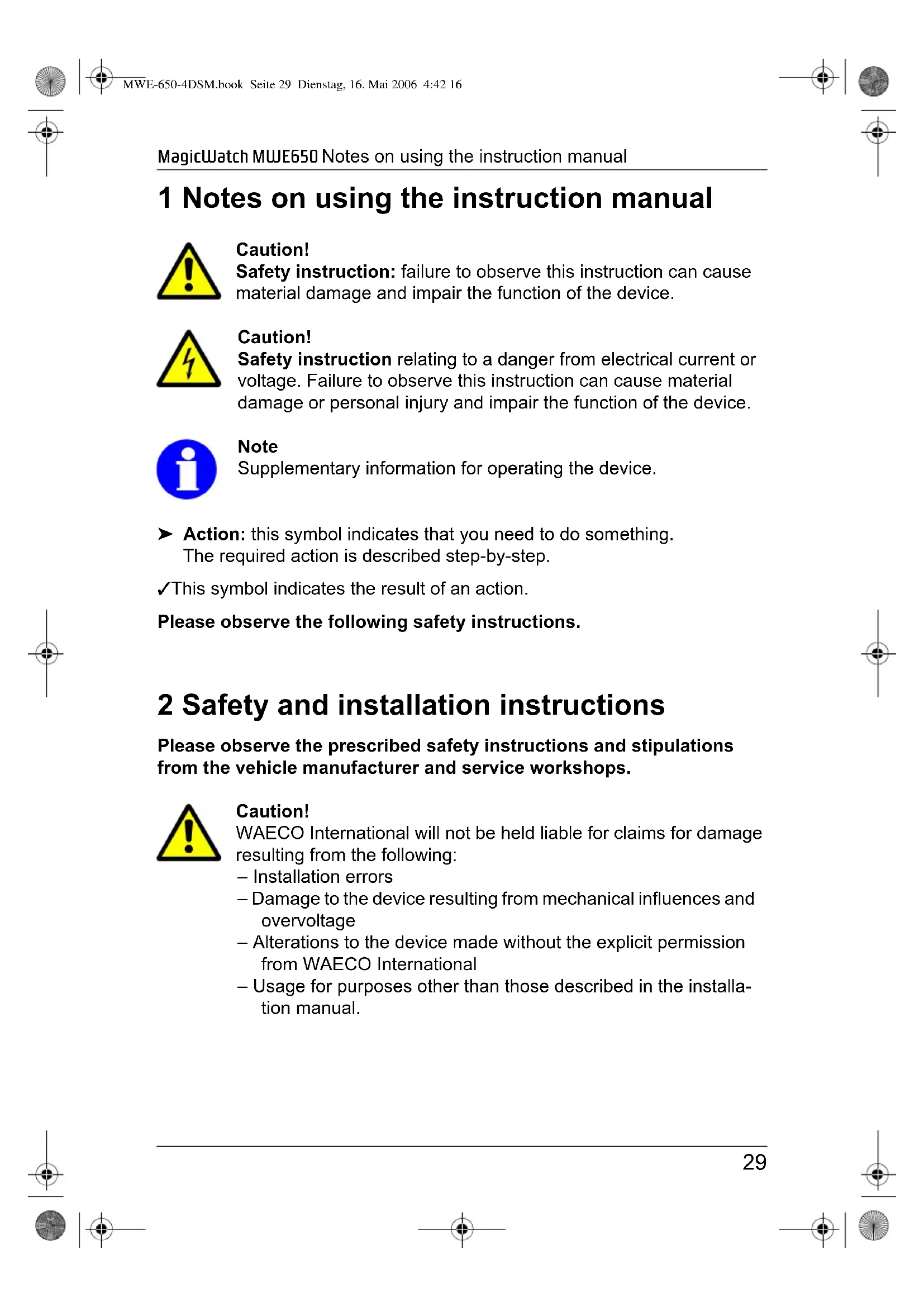
1 Notes on using the instruction manual

Caution!
Safety instruction: failure to observe this instruction can cause material damage and impair the function of the device.

Caution!
Safety instruction relating to a danger from electrical current or voltage. Failure to observe this instruction can cause material damage or personal injury and impair the function of the device.

Note
Supplementary information for operating the device.
▶ Action: this symbol indicates that you need to do something. The required action is described step-by-step.
√This symbol indicates the result of an action.
Please observe the following safety instructions.
2 Safety and installation instructions
Please observe the prescribed safety instructions and stipulations from the vehicle manufacturer and service workshops.

Caution!
WAECO International will not be held liable for claims for damage resulting from the following:
- Installation errors
– Damage to the device resulting from mechanical influences and overvoltage
– Alterations to the device made without the explicit permission from WAECO International
– Usage for purposes other than those described in the installation manual.
Safety and installation instructions MagicWatch MWE650

Warning!
To prevent short circuits, always disconnect the negative terminal of the vehicle's electrical system before working on it.
If the vehicle has an additional battery, its negative terminal should also be disconnected.

Warning!
Insufficient supply line connections could result in short circuits which
- Cause cable fires
- Trigger the airbags
– Damage electronic control devices - Cause electric functions to fail (indicators, brake light, horn, ignition, light).
Please observe the following instructions:
- When working on the following supply lines, only use insulated cable lugs, plugs and tab sleeves.
- 30 (direct supply from positive battery terminal),
- 15 (connected positive terminal, behind the battery),
- 31 (return line from the battery, earth).
Do not use porcelain insulating clamps.
- Use a crimping tool (see fig. 1.7, page 3) to connect the cables.
● When connecting to supply line 31 (earth)
- Screw the cable to the cable lug and gear disc to the vehicle's earth bolt or
- With a cable lug and a self-tapping screw to the bodywork sheet metal.
Ensure that there is a good earth connection.


natural_image
Pure geometric diagram with crosshair and circular shapes without any text or symbolsMagicWatch MWE650 Safety and installation instructions
When the negative terminal of the battery is disconnected, all volatile memories in the convenience electronics lose the stored data.
● The following data must be set again, depending on vehicle equipment:
- Radio code
- Vehicle clock
- Timer
- On-board computer
- Seat position
You can find instructions for making these settings in the appropriate operating instructions.
Observe the following instructions during installation:
- Secure the parts of the MagicWatch system installed in the vehicle in such a way that they cannot become loose under any circumstances (sudden braking, accidents) and cause injuries to the occupants of the vehicle.
- To prevent damage, when drilling ensure that there is sufficient room for the drill head to emerge once the hole has been made (see fig. 2, page 4).
Observe the following instructions when working with electrical parts:
- When testing the voltage in electrical cables, only use a diode test lamp (see fig. 1.5, page 3) or a voltmeter (see fig. 1.6, page 3).
Test lamps with an illuminant (see fig. 1.9, page 3) take up voltages which are too high and which can damage the vehicle's electronic system.
● When making electrical connections, ensure that
– They are not kinked or twisted
- They do not rub on edges
- They are not laid in sharp edged ducts without protection (see fig. 3, page 4).
● Insulate all connections.
- Secure the cables against mechanical wear with cable binders or insulating tape, for example to existing cables.
Scope of delivery MagicWatch MWE650
Please observe the following instructions in particular:
- Installing the reversing distance sensor can cause problems on vehicles with LED tail lights.
Please consult the manufacturer of your vehicle. - Whenever possible, do not mount the sensors directly above the end of the exhaust. Otherwise errors in the display may result.
- Observe the applicable legal regulations.
● The sensors may not cover signal lamps. - When reversing, make sure no other road users can be injured.
● Physical reflection properties mean you may not be able to recognise critical obstacles.
● MagicWatch is designed merely as an additional aid, which means it does not release you of the duty of taking due care when reversing. - MagicWatch can only provide a warning in time if you reverse slowly (at parking speed).
- Remove any snow, ice or dirt from the sensors so that the function is not impaired.
3 Scope of delivery
No. in fig. 4, page 4
Quantity
Description Item number
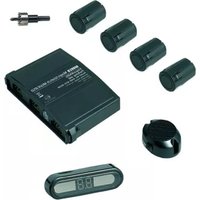
1 1 Control electronics MWZ-650
2 4 Ultrasonic sensors MWSE-650
3 1 Display MWD-650
4 4 Sensor extension cable MWCS-2
5 1 Display extension cable MWCD-4
- 1 Fastening material -
MagicWatch MWE650 Proper use
4 Proper use
MagicWatch is an ultrasonic reverse warning system. When reversing, it monitors the space behind the vehicle and provides an audible and visible warning signal for any obstacles it detects.
Since MagicWatch is designed merely as an additional aid for reversing, it does not relieve you of the duty to take proper care when reversing.
MagicWatch is designed for installation in large vehicles.
5 Technical description
5.1 Functional description
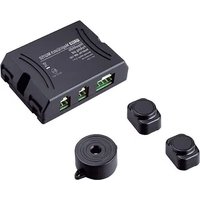
MagicWatch consists of four built-in sensors, a controller and a display with an integrated piezoelectronic speaker for audible and visible warning signals. The display can be mounted on the dashboard or on the rear view mirror on the windscreen.
It measures distances based on the echo time principle. The four sensors constantly emit ultrasonic signals when you reverse.
The sensors contain both transmitters and receivers, and capture any ultrasonic signals reflected by obstacles. The distance to the obstacle is calculated using the echo time, and signalled by the speaker using a sequence of impulse tones. The closer the obstacle approaches, the faster the succession of warning tones.
The DSM (digital signal memory) function creates a space profile during the measurement, which records any small fixed objects (such as trailer couplings). This means these are not signalled as obstacles. The system only signals an obstacle when the space profile changes.
The display signals the position of the obstacle using four rows of LEDs. A numerical display shows the distance in 1 cm increments.
The sensors are installed on the bumper.
Since the sensors are equipped with their own amplifiers, you can extend the connection between the sensors and the controller to up to 10 m.


Technical description MagicWatch MWE650

Only use WAECO cables (MWCS-1).
Otherwise, proper operation cannot be guaranteed.
Defective sensors can be replaced without removing the bumper. There is a plug connector just behind the sensor for this.
5.2 Detection range
The detection range of MagicWatch is divided into four zones (see fig. 5, page 5):
- Zone 1 This zone is the detection range for large objects, such as cars. Small or poorly reflective objects may not be detected in some circumstances. The distance is signalled audibly and using the numerical display.
- Zone 2 Small or poorly reflective objects are sometimes not detected in this zone. Other objects are signalled both visibly and audibly.
- Zone 3 Nearly all objects are displayed in this zone.
- Zone 4 Nearly all objects are displayed in this zone, but some objects may come into the blind spot of the sensors.

Situations may arise where MagicWatch does not detect objects or fails to signal their distance correctly, due to their physical characteristics.
Note the four following examples.
Example 1 (see fig. 6, page 5)
Objects which do not enter the detection area of the sensors cannot be recorded.
Example 2 (see fig. 7, page 5)
The distance to objects with large gaps in them may not be correctly signalled. In the example, A is not signalled, but only B or C instead.


natural_image
Pure geometric diagram with crosshair and circular shapes without any text or symbolsMagicWatch MWE650 Technical description
Example 3 (see fig. 8, page 5)
For diagonal obstacles, the shortest distance A is signalled.
Example 4 (see fig. 9, page 6)
In this case, MagicWatch displays the distance A. As the vehicle approaches the audible indicator goes over to the stop zone, and as it approaches further, the distance A goes into the blind spot, so that MAGIC WATCH signals the distance from point B.

Caution!
As these four examples show, situations can arise where the device fails to display an object or does not display the shortest distance.
The device does not relieve you of your obligation to take special care when reversing. Therefore, always be extremely careful when reversing.
If an object enters the blind spot of the sensors, MagicWatch automatically shows the distance to the next object. This means the speaker changes from fast to medium beeps and the numerical display shows a different distance.
In this case, always stop the vehicle immediately and check the situation.
The DSM function ensures that objects attached to the vehicle (such as trailer couplings) are not classified as obstacles. As a rule they do not protrude more than 0.4 m over the sensors. They are therefore in the close area (zone 4) of up to 0.4 m, in which MagicWatch gives a stop warning and where you should stop (see the „Testing functions“ on page 41 section).

Caution!
If loads or objects on the vehicle protrude over the close area of 0.4 m, there is a danger of accidents. An obstacle can collide with the load or the object before it is detected by the sensors in the close area and MagicWatch gives a stop warning (see fig. 11, page 6).
Installing MagicWatch MagicWatch MWE650
6 Installing MagicWatch
6.1 Tools required
For installation and assembly you require the following tools:
● Drill bit set (see fig. 1.1, page 3)
● Drill (see fig. 1.2, page 3)
● Screwdriver (see fig. 1.3, page 3)
- Set of ring or open-ended spanners (see fig. 1.4, page 3)
For making and testing the electrical connection the following tools are required:
● Diode test lamp (see fig. 1.5, page 3) or Voltmeter (see fig. 1.6, page 3)
● Crimping tool (see fig. 1.7, page 3)
● Insulating tape (see fig. 1.8, page 3)
● Cable bushing sleeves, if required
To secure the controller and the cable you may require additional screws and cable binders.
6.2 Fitting the sensors

The sensors must be correctly aligned for the device to work. If these point to the ground, bumps in the ground may be interpreted as obstacles. If they point too far up, obstacles will not be detected.
Note the following information during installation:
- The maximum range is around 2,5 m for the visual display and 1.5 m for the audible display.
- So that the corners of the vehicle (indicator lights etc.) can be monitored, the sensor should not be fitted more than 0.3 m away from them.
- The distance from the sensors to the ground must be between 40 cm and 50 cm (see fig. 10, page 6).


natural_image
Pure geometric diagram with crosshair and circular shapes (no text or symbols)MagicWatch MWE650 Installing MagicWatch
- The installation location should be as flat as possible so that the cover ring of the sensor is on the bumper.
The sensor is preset to have a vertical installation angle of approximately +5°. This means that the cover ring is thicker at the bottom.
Note that the sensors must be aligned in a particular direction. The top of the cover ring is thinner and gets thicker towards the bottom (see fig. 12, page 6).
- Fit the sensors at regular intervals along the total width of the vehicle in order to guarantee the optimum monitoring.
The installation procedure is as follows:
▶Choose an installation location on the bumper which is as perpendicular to the road surface as possible (see fig. 12, page 6).

Caution!
Before making any drill holes, ensure that no electrical cables or other parts of the vehicle can be damaged by drilling, sawing and filing.
For each sensor, drill a hole with a diameter of 24 mm in the bumper.
▶Insert the sensor in the drill hole.
▶Guide the cables of the sensors through the corresponding hole.
▶ Insert each sensor into the corresponding drill hole until it latches into place.
6.3 Laying the sensor extension cables
When laying cables, ensure that:
● They are not kinked or twisted
● They do not rub on edges
- They are not laid in sharp edged ducts without protection (see fig. 3, page 4).
- The plugs must be connected with the correct polarity. A blocking pin prevents reverse polarity (see fig. 13 A, page 6).


Installing MagicWatch MagicWatch MWE650
● Make sure the locking pin catches (see fig. 13 A, page 6). Only then is trouble-free operation guaranteed.
To release the connection press the holder and pull the plug and socket apart (see fig. 13 B, page 6).
- If the sensor cable is not long enough, you can order one-metre extension cables (MWCS-1) as accessories.

Note
The extension cables are marked: L (left), CL (centre left), R (right), CR (centre right).
This marking helps you connect them to the control electronics to ensure that the display is correct.

Caution!
Before making any drill holes, ensure that no electrical cables or other parts of the vehicle can be damaged by drilling, sawing and filing.
▶Take suitable precautions to protect holes made in the bodywork from water penetration, for example by spraying the cable and the sleeve with sealant.
▶ Where possible, use existing rubber bungs in the boot for laying the extension cables.
If there are no rubber bungs, make a suitable hole with a diameter of around 13 mm and insert a cable sleeve.

Note
Pull the plugs of the extension cables through the cable sleeve before inserting the sleeve in the body work.
▶ Lay out the cables so that they cannot be damaged under any circumstances (e.g. by flying grit).
▶Carefully fasten the extension cables behind the bumper.
▶Insert the sensor plugs into the sockets of the corresponding extension cables (see fig. 15 A, page 7).


natural_image
Pure geometric diagram with crosshair and circular shapes without any text or symbolsMagicWatch MWE650 Installing MagicWatch
6.4 Fastening the control electronics
Note the following information when selecting a place to fit the control electronics:
● Note the length of the sensor cables.
● The control electronics are watertight and can be fitted inside or outside the vehicle.
- The control electronics may not be damaged if you have luggage or objects in the boot.
- If you fit the control electronics to the outside of the vehicle, they must be protected against grit or similar dangers.
▶Fasten the control electronics in a suitable position.

Note
The extension cables are marked: L (left), CL (centre left), R (right), CR (centre right).
This marking helps you connect them to the control electronics to ensure that the display is correct. These markings can also be found on the control electronics.

The plug polarities cannot be reversed: They can be only be plugged into the connection in one way.
▶ Insert the plugs of the sensor extension cables into the corresponding sockets on the control electronics (see fig. 15 B, page 7). Make sure the locking pin catches.
6.5 Fastening the display
Note the following information when selecting a place to fit the display:
● The display must be easily visible when you are reversing.
● Fit the display so that there is no danger of injury, for example when sharply braking.
- Do not fit the display where an airbag may open. This could cause injury if the airbag opens.


Installing MagicWatch MagicWatch MWE650
- Its compact design means it can be fitted in many places in the vehicle. Good positions are (see fig. 14, page 7):
– Above the rear view mirror
- On the dashboard
- On the ceiling
- On the window beside the wing mirror
▶Pull off the protective foil and stick the display in a suitable position.

The plug's polarity cannot be reversed: It can be only be plugged into the connection in one way.
▶Insert the display plug into the socket of the corresponding extension cable (see fig. 16 A, page 7).
▶ Lay the extension cable to the control electronics and insert the plug of the extension cable into the socket on the control electronics (see fig. 16 B, page 7).
6.6 Connecting the control electronics

Caution!
Make sure the polarity is correct.

On some vehicles, the reversing light only works when the ignition is switched on. In this case, you must switch on the ignition in order to identify the positive and negative wires.
Connect the red cable (fig. 17.2, page 8) on the control electronics to the positive wire (+) of the reversing light (fig. 17.1, page 8).
Connect the black cable (fig. 17.3, page 8) to the earth wire (−) of the reversing light or to earth (bodywork).


natural_image
Pure geometric diagram with crosshair and circular shapes without any text or symbolsMagicWatch MWE650 Testing functions
7 Testing functions
Conduct the functional test as follows:
▶Switch on the ignition and engage reverse gear.
√ The numerical display shows the distance to an obstacle if there is one within the detection range of 2.5 m.
Be very careful when you first operate the device, and make sure you get to know the various sequences of beeps.
| Zone | Description (see fig. 5, page 5) Sound sequence | |
| 1 | From a distance of around 2,5 m, (measured from the sensor), MagicWatch detects any obstacles and indicates them in the display. The blue LED lights up. | - |
| 2 | From a distance of around 1.5 m (measured from the sensor), MagicWatch signals obstacles with a series of slow beeps from the piezoelectronic speaker. The green or yellow LEDs light up. | Beep BeepBeep Beep |
| 3 | From a distance of around 0.95 m (measured from the sensor) MAGIC WATCH switches to the medium sequence. The yellow or red LEDs light up. | Beep Beep BeepBeep Beep Beep |
| 4 At | a distance of around 0.4 m (measured from the sensor) and below, MagicWatch switches to the continuous tone. The round red LED lights up. When you reach this zone, stop the vehicle. Otherwise you might damage the vehicle or the obstacle. | Beeeeeep... |

In Zone 4 it can occur that obstacles are not detected, because they are no longer within range of the sensors (depending on design).
The device is equipped with a diagnostic function: If the sensors are defective, you will hear three short beeps when you engage reverse gear.
Using MagicWatch MagicWatch MWE650
8 Using MagicWatch
MagicWatch is activated automatically when you engage reverse gear with the ignition on or the motor running.
As soon as there is an obstacle within the detection range, a repeated signal tone sounds. At the same time, the display shows where the obstacle is: If the right side of the vehicle approaches an obstacle, the row of LEDs on the right light up. If the left side of the vehicle approaches an obstacle, the row of LEDs on the left light up. If the obstacle is in the detection range of one of the two middle sensors, the two corresponding middle rows of LEDs light up.
As you reverse, the sequence of beeps changes according to the zone you are in (see "Testing functions" chapter on page 41), thus indicating the distance. The numerical display shows the measured distance to the obstacle.
Be very careful the first time you use the system, until you are familiar with the various sequences of beeps.

Caution!
Stop the vehicle immediately and check the situation (getting out if necessary), if the following happens while you are reversing:
The device first shows an obstacle while you reverse, and the beeps speed up as normal (i.e. from slow to medium). Suddenly the beeps become slow again or no obstacle at all is shown.
This means that the original obstacle is in the blind spot of the sensors (depending on the design), and you might hit it.

Caution!
If loads or objects on the vehicle (e.g. bicycle racks) protrude over the close area of 0.4 m, there is a danger of accidents. An obstacle can collide with the load or the object before it is detected by the sensors in the close area and MagicWatch gives a stop warning (see fig. 11, page 6).
MagicWatch MWE650 Maintaining and cleaning MagicWatch
9 Maintaining and cleaning MagicWatch

Caution!
Do not use sharp or hard objects to clean the device as these may damage the sensors.
▶Clean the sensors with a damp cloth from time to time.
10 Searching for errors
The device indicates no function.
The cables to the reversing light are not connected or are switched.
The plug for the display is not connected or is not properly plugged into the control electronics.
The plugs for the sensors are not connected or are not properly plugged into the control electronics.
▶Check the plugs, and plug them in so that they latch in place.
A defective sensor is indicated (three beeps when you engage reverse gear)
If a defective sensor is indicated (see "Testing functions" chapter on page 41), this is what to do:
▶ Park the vehicle about a metre away from a large obstacle, such as a garage door.
▶Engage reverse gear.
√The slow beeps sound (Zone 1, see fig. 5, page 5) and the green LEDs of the intact sensors light up.
▶Then stand in front of each sensor in succession.
√ The beeps speed up. The beeps do not change on the defective sensor.


Guarantee MagicWatch MWE650
11 Guarantee
Our general guarantee conditions apply. If the product is defective, please send it back to the WAECO branch in your country (addresses on the back of the instruction manual) or to your specialist dealer. For repair and guarantee processing, the following documents must be sent along with the device:
● A copy of the receipt with purchasing date
● A reason for complaint or description of the fault
12 Disposal
▶Place the packaging material in the appropriate recycling waste bins wherever possible.

If you need to scrap the device, ask your local recycling centre or specialist dealer for details about how to do this in accordance with the applicable disposal regulations.
MagicWatch MWE650 Technical data
13 Technical data
Detection range: Up to 1.5 m (audible and visual)
Up to 2,5 m (visual only)
Ultrasound frequency: 38.5 kHz
Supply voltage: 10 – 24 Volts
Power consumption: 35 mA (standby mode)
60 mA (signal mode)
Operating temperature: -20^ to +70^
Piezoelectronic speaker volume: 100 dB (at 10 cm distance)
Versions, technical modifications and delivery options reserved.
Approval
The device has E13 approval.

natural_image
Pure geometric diagram with crosshair and circular shapes without any text or symbolsMagicWatch MWE650
5 Description technique
Description technique MagicWatch MWE650
MagicWatch MWE650 Description technique
natural_image
Pure geometric diagram with crosshair and circular shapes without any text or symbolsMagicWatch MWE650 Installation de MagicWatch
natural_image
Pure geometric diagram with crosshair and circular shapes without any text or symbolsMagicWatch MWE650 Installation de MagicWatch
natural_image
Pure geometric diagram with crosshair and circular shapes without any text or symbolsnatural_image
Pure geometric diagram with crosshair and circular shapes without any text or symbolsnatural_image
Pure geometric diagram with crosshair and circular shapes without any text or symbolsnatural_image
Pure geometric diagram with crosshair and circular shapes without any text or symbolsnatural_image
Pure geometric diagram with crosshair and circular shapes (no text or symbols)natural_image
Pure geometric diagram with crosshair and circular shapes (no text or symbols)MagicWatch MWE650
natural_image
Pure geometric diagram with crosshair and circular shapes without any text or symbolsnatural_image
Pure geometric diagram with crosshair and circular shapes without any text or symbolsnatural_image
Three abstract geometric symbols: a crosshair, a circular emblem, and a vertical line with crosshairs (no text or labels)natural_image
Pure geometric diagram with crosshair and circular shapes without any text or symbolsnatural_image
Pure geometric diagram with concentric circles and radial lines, no text or symbols presentnatural_image
Pure geometric diagram with crosshair and circular shapes (no text or symbols)MagicWatch MWE650 MagicWatch monteren
▶ Steek de sensor in de opening.
natural_image
Pure geometric diagram with crosshair and circular shapes without any text or symbolsMagicWatch MWE650 MagicWatch monteren
6.4 Besturingselektronica bevestigen
natural_image
Pure geometric diagram with crosshair and circular shapes (no text or symbols)natural_image
Pure geometric diagram with crosshair and circular shapes without any text or symbolsnatural_image
Pure geometric diagram with crosshair and circular shapes without any text or symbolsMagicWatch MWE650 Korrekt brug
4 Korrekt brug
natural_image
Three geometric crosshair symbols: a target, a circular emblem, and a vertical line intersecting the target (no text or labels)
natural_image
Pure geometric diagram with crosshair and circular shapes (no text or symbols)Teknisk beskrivelse MagicWatch MWE650

natural_image
Pure geometric diagram with crosshair and circular shapes (no text or symbols)MagicWatch MWE650 Teknisk beskrivelse
Eksempel 3 (se fig. 8, side 5)
Ved skrå forhindringer signaleres den korteste afstand A.
Eksempel 4 (se fig. 9, side 6)
natural_image
Pure geometric diagram with crosshair and circular shapes (no text or symbols)MagicWatch MWE650 Montering af MagicWatch
natural_image
Pure geometric diagram with crosshair and circular shapes without any text or symbolsMagicWatch MWE650 Montering af MagicWatch
natural_image
Pure geometric diagram with crosshair and circular shapes (no text or symbols)natural_image
Pure geometric diagram with crosshair and circular shapes without any text or symbolsnatural_image
Pure geometric diagram with concentric circles and radial lines, no text or symbols presentnatural_image
Pure geometric diagram with crosshair and circular shapes without any text or symbolsMagicWatch MWE650 Montera MagicWatch
natural_image
Pure geometric diagram with crosshair and circular shapes without any text or symbolsMagicWatch MWE650 Montera MagicWatch
6.4 Montera styrenheten
natural_image
Pure geometric diagram with crosshair and circular shapes (no text or symbols)natural_image
Pure geometric diagram with crosshair and circular shapes without any text or symbolsMagicWatch MWE650
natural_image
Pure geometric diagram with crosshair and circular shapes (no text or symbols)natural_image
Pure geometric diagram with crosshair and circular shapes without any text or symbolsMagicWatch MWE650 Teknisk beskrivelse

Bruk kun WAECO-kabel (MWCS-1).
natural_image
Pure geometric diagram with crosshair and circular shapes without any text or symbolsMagicWatch MWE650 Montere MagicWatch
natural_image
Pure geometric diagram with crosshair and circular shapes (no text or symbols)MagicWatch MWE650 Montere MagicWatch
MagicWatch MWE650 Bruke MagicWatch
8 Bruke MagicWatch
natural_image
Pure geometric diagram with crosshair and circular shapes without any text or symbolsMagicWatch MWE650 Garanti
11 Garanti
Våre generelle garantibetingelser gjelder. Hvis produktet skulle være defekt, sender du det til WAECO-filialen i ditt land (du finner adressene på baksiden av veiledningen) eller til din faghandler. Ved henvendelser vedrørende reparasjon eller garanti må du sende med følgende underlag:
natural_image
Pure geometric diagram with crosshair and circular shapes (no text or symbols)natural_image
Pure geometric diagram with crosshair and circular shapes without any text or symbolsnatural_image
Pure geometric diagram with concentric circles and radial lines, no text or symbols presentMagicWatch MWE650 MagicWatchin asentaminen

Huomio!
natural_image
Pure geometric diagram with crosshair and circular shapes without any text or symbolsnatural_image
Pure geometric diagram with concentric circles and radial lines, no text or symbols presentMagicWatch MWE650 Takuu
11 Takuu
Roman Hill Business Park
UK-Broadmayne
Fon: +44 1305 854000
Fax: +44 1305 854288
E-Mail: sales@waeco.co.uk
Overseas + Middle East

WAECO Pacific Pty. Ltd.
1 John Duncan Court
Varsity Lakes QLD 4227
Fon: +61 7 55076000
Fax: +61 7 55221003
E-Mail: sales@waeco.com.au

WAECO Impex Ltd.
Suites 3210-12 · 32/F · Tower 2
The Gateway · 25 Canton Road
Tsim Sha Tsui · Kowloon
Hong Kong
Fon: +852 2 4632750
Fax: +8 52 24639067
E-Mail: info@waeco.com.hk

WAECO Middle East FZCO
R/A 8, SD 6
Jebel Ali, Dubai
Fon: +971 4 8833858
Fax: +971 4 8833868
E-Mail: waeco@emirates.net.ae

WAECO USA, Inc.
8 Heritage Park Road
Clinton, CT 06413
Fon: +1 860 6644911
Fax: +1 860 6644912
E-Mail: customercare@waecousa.com