PerfectView M55LX - LCD Screen WAECO - Free user manual and instructions
Find the device manual for free PerfectView M55LX WAECO in PDF.




| Product type | TFT color LCD screen |
| Screen size | 5 inches (12.7 cm) |
| Resolution | 385,000 pixels |
| TV standard | PAL/NTSC (auto switching) |
| Brightness | Approx. 350 cd/m² |
| Supply voltage | 12 – 30 V= |
| Max power consumption | 10 W |
| Operating temperature | -20 °C to 70 °C |
| Storage temperature | -25 °C to 80 °C |
| Max humidity | 85% |
| Vibration resistance | 6 g |
| Dimensions (L x W x H) | 146 x 87 x 26 mm |
| Weight | 350 g |
| Certifications | E13 |
| Number of camera inputs | 4 (CAM1, CAM2, CAM3, CAM4) |
| Main functions | Manual and automatic camera switching, brightness/contrast/color/volume adjustment, auto dimmer, adjustable distance markers, mirror mode, auto search with timer |
| Optional accessories | Infrared remote control (ref. 9102200199) |
| Care and cleaning | Clean with a damp cloth; do not use sharp objects; disconnect before cleaning |
| Safety | Do not open, do not immerse in water, respect voltage, do not mount in airbag deployment zone, do not obstruct driver's view |
| Spare parts and repairability | Spare parts not listed; contact the manufacturer or authorized dealer for repairs |
Frequently Asked Questions - PerfectView M55LX WAECO
User questions about PerfectView M55LX WAECO
0 question about this device. Answer the ones you know or ask your own.
Ask a new question about this device
Download the instructions for your LCD Screen in PDF format for free! Find your manual PerfectView M55LX - WAECO and take your electronic device back in hand. On this page are published all the documents necessary for the use of your device. PerfectView M55LX by WAECO.
USER MANUAL PerfectView M55LX WAECO
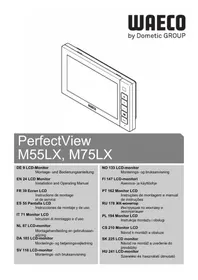
PerfectView M55LX, M75LX
DE 9 LCD-Monitor
Installation and Operating Manual
FR 39 Ecran LCD
Please read this instruction manual carefully before installation and first use, and store it in a safe place. If you pass on the product to another person, hand over this instruction manual along with it.
Table of contents
1 Explanation of symbols 24
2 Safety and installation instructions. 25
3 Scope of delivery 27
4Accessories 27
5 Intended use 28
6 Technical description 28
7 Installing the LCD monitor 30
8 Using the LCD monitor. 34
9 Cleaning and caring for the LCD monitor. 37
10 Warranty. 37
11 Disposal 37
12 Technical data 38
1 Explanation of symbols

CAUTION!
Safety instruction: Failure to observe this instruction can lead to injury.

NOTICE!
Failure to observe this instruction can cause material damage and impair the function of the product.

NOTE
Supplementary information for operating the product.
Action: This symbol indicates that action is required on your part. The required action is described step-by-step.
This symbol describes the result of an action.
Fig. 1 5, page 3: This refers to an element in an illustration. In this case, item 5 in figure 1 on page 3.
2 Safety and installation instructions
Please observe the safety instructions and stipulations issued by the vehicle manufacturer and service workshops.
The manufacturer accepts no liability for damage in the following cases:
- Faulty assembly or connection
- Damage to the product resulting from mechanical influences and excess voltage
- Alterations to the product without express permission from the manufacturer
- Use for purposes other than those described in the operating manual

NOTICE! Beware of damage
- To prevent the risk of short circuits, always disconnect the negative terminal of the vehicle's electrical system before working on it. If the vehicle has an additional battery, its negative terminal should also be disconnected.
- Inadequate supply cable connections could result in short circuits, causing:
- Cable fires
- The airbag being triggered
- Damage to electronic control equipment
- Electrical malfunctions (indicators, brake light, horn, ignition, lights)
Therefore, please observe the following instructions:
-
When working on the following cables, only use insulated cable terminals, plugs and flat sockets:
-
30 (direct supply from positive battery terminal)
- 15 (connected positive terminal, behind the battery)
- 31 (return cable from the battery, earth)
- 58 (reversing light)
Do not use porcelain wire connectors.
- Use a crimping tool (fig. 12, page 3) to connect the cables.
-
Screw the cable when connecting cable 31 (earth)
-
Screw on the cable using a cable terminal and serrated washer to one of the vehicle's earth bolts or
- Screw the cable to the bodywork using a cable terminal and a self-tapping screw.
Make sure there is a good earth connection.
If you disconnect the negative terminal of the battery, all data stored in the volatile memories will be lost.
The following data must be reset, depending on the vehicle equipment options:
Radio code
- Vehicle clock
- T i m e r
- On-board computer
- Seat position
You can find instructions for making these settings in the operating manual.
Observe the following installation instructions:

CAUTION!
- Secure the monitor in such a way that it cannot become loose under any circumstances (sudden braking, accidents) and cause injuries to the occupants of the vehicle.
- Do not attach the monitor in the air bag deployment path, as this could cause injury if the airbags are triggered.
Observe the following instructions when working with electrical parts:
- When testing the voltage in electrical cables, only use a diode test lamp (fig. 1 1, page 3) or a voltmeter (fig. 1 2, page 3).
Test lamps with a bulb (fig. 1 3, page 3) consume voltages which are too high and can damage the vehicle's electronic system.
-
When routing the electrical connections, ensure that:
-
They are not kinked or twisted
- They do not rub on edges
-
They are not laid in sharp-edged ducts without protection (fig. 3, page 4).
-
Insulate all connections.
- Secure the cables against mechanical wear by using cable binders or insulating tape, for example on existing cables.
Observe the following instructions when handling the LCD monitor:

CAUTION!
- People (including children) whose physical, sensory or mental capacities or whose lack of experience or knowledge prevent them from using this product safely should not use it without the supervision or instruction of a responsible person.
- Do not open the monitor (fig. 4, page 4).
- Do not submerge the monitor in water (fig. 5, page 4); the monitor is not waterproof.
- The monitor must not impair your vision when driving (fig. 8, page 5).
- Do not operate the monitor with wet hands.
- Do not operate the monitor if the housing has been damaged.

NOTICE!
- Connect it to the correct voltage.
- Do not use the monitor in areas which - Are subjected to direct sunlight,
- Are subject to strong temperature fluctuations,
- Have high levels of humidity,
- Are poorly ventilated,
- Are dusty or oily.
- Do not press against the LCD display.
- Do not drop the monitor.
- If you use the monitor in vehicles, the vehicle should be running during operation to prevent the vehicle battery from discharging.
- The picture quality can be impaired in the vicinity of electromagnetic fields. For this reason do not mount the monitor near loudspeakers.
3 Scope of delivery
| No. in fig. 9, Quantity Description page 5 | Item no. M55LX M75LX |
| 1 1 Monitor 9102100059 9102100058 | |
| 2 1 Monitor bracket 9102200193 | |
| 3 1 Monitor bracket cover 9102200194 | |
| 4 1 Sun guard 9102200200 9102200201 | |
| - 1 Connection cable | 9102200196 |
| -- Fastening material |
4 Accessories
Available as accessories (not included in the scope of delivery):
| Description | Item no. |
| IR remote control | 9102200199 |
5 Intended use
The LCD monitors PerfectView M55LX (item no. 9102100059) and M75LX (item no. 9102100058) are monitors which are primarily intended for use in vehicles. They can be used together with cameras (e.g. a reversing video system) or other video sources.
The LCD monitors are designed for use in all vehicles.
The LCD monitors are designed for commercial use.
6 Technical description
6.1 Function description
The LCD monitor can be connected to cameras (e.g. reversing video systems) or other video sources (e.g. DVD players). It is possible to switch back and forth between video sources.
The monitor features control cables which allow the cameras to be activated automatically.
It can operate up to four cameras. Alongside the usual controls, the four cameras can be switched consecutively in automatic mode. This monitor also features a distance indicator in the display which is activated automatically when the reverse gear is engaged (CAM1).
The monitor display is protected from glare by the detachable sun visor.
6.2 Control elements
The following control elements are located on the monitor:
| No. in fig. 10, page 6 | Descrip- tion | Description |
| 1 Sensor window for the dimmer function. The brightness of the display is automatically adapted to the ambient light. | ||
| 2 Switches the monitor on and off. The button lights up red when the monitor is in standby. It lights up green when the monitor is switched on. | ||
| 3 + 1. Increases the brightness. 2. Increases the value of the selected parameter if a menu is opened. | ||
| 4 - 1. Reduces the brightness. 2. Reduces the value of the selected parameter if a menu is opened. | ||
No. in Descrip-tion Description
-
Switches the menu on.
-
Calls up the parameters for setting.
The parameters are distributed over four screen pages in the following order:
Page 1: Picture
- Brightness
- C on t r a s t
Colour
Volume - Auto Dim
- Distance: Distance marker setting
Page 2: Options
- Language: German, English, French, Italian, Dutch, Spanish, Portuguese, Russian
- Scale: switches the distance markers on or off
- Camera 1/Camera 2/Camera 3/Camera 4: Normal or Mirrored
- Sensitivity: Setting of the switching threshold for the night dimmer function
Page 3: Auto search
- Automatic search Switches the automatic camera panning on (the cameras are activated in preset time intervals, e.g. for horse transporters with multi-box monitoring).
- Camera 1/Camera 2/Camera 3/Camera 4: Setting for the switching intervals
- Reset ("Default"): Default setting for all parameters
6 CAM Switches from one camera to the next.
7 Monitor bracket
8 Loudspeaker
7 Installing the LCD monitor
7.1 Tools required (fig. 1, page 3)
For installation and assembly you will need the following tools:
- Measuring ruler (4)
- Centre punch (5)
- Hammer (6)
- Drill head set (7)
- Drill (8)
Screwdriver (9)
To establish and test the electrical connection, the following tools are required:
- Diode test lamp (1) or voltmeter (2)
Insulating tape (10)
Heat shrinking sleeve
Hot air blower (11)
Crimping tool (12) - Soldering iron (optional) (13)
- Solder (optional) (14)
- Cable bushing sleeves (optional)
To fasten the cables, you may require additional cable binders.
7.2 Installing the monitor

CAUTION! Beware of injury
Select the location of the monitor so that it cannot injure the passengers in the vehicle under any circumstances (e.g. sudden braking, road traffic accidents).
Observe the following installation instructions:
- Select an installation location that provides an unobstructed view of the monitor (fig. 6 and fig. 7, page 4).
- Never install the monitor in areas where your head could hit it or in the airbag deployment path. This could cause injury if the airbag opens.
The monitor must not impair your vision when driving (fig. 8, page 5).
The installation location should be flat. - Check that there is sufficient space underneath the installation location to attach the washers and nuts.
- Check beforehand that there is sufficient space on the other side for the drill head to come out (fig. 2, page 4).
- Bear in mind the weight of the monitor. Provide reinforcement if necessary (larger washers or plates).
Make sure you can lay the connection cable to the monitor.
Choosing the installation location (fig. 11, page 7)
Place the monitor on the monitor bracket.
Position the monitor and the attached monitor bracket provisionally.
Mark the outlines of the corners of the support base on the dashboard.
Take the monitor off the monitor bracket.
Screwing the monitor bracket onto the dashboard (fig. 12, page 7)
Hold the support base within the outlines marked beforehand.
Fasten the monitor bracket with the self-tapping screws.
Fastening the monitor
Set the monitor on the monitor bracket and secure it with the knurled nut (fig. 11, page 7).
▶Slide the cover over the monitor bracket on the monitor.
7.3 Connecting the monitor electrically
The circuit diagram for the LCD monitor can be found in fig. 14, page 8:
| No. Description | |
| 1 Monitor | |
| 2 20-pin socket | |
| 3 Monitor line | |
| 4 20-pin plug | |
| 5 | 12 - 24 V positive cable (red): connected to the positive pole of the ignition (connected positive, terminal 5) or the positive pole of the battery (terminal 30). |
| 6 Earth cable (black): connected to the negative pole of the voltage source. | |
| 7 Cable (green): control input for video input CAM1, such as for connecting the reversing light | |
| 8 Cable (white): control input for video input CAM2, such as for the side camera | |
| 9 6-pin CAM1 socket (connection to video source 1) | |
| 10 6-pin CAM2 socket (connection to video source 2) | |
| 11 6-pin CAM3 socket (connection to video source 3) with video signal detection | |
| 12 6-pin CAM4 socket (connection to video source 4), with video signal detection) | |
| 13 Cable (blue): control input for video input CAM3 If the system is activated via this control line, none of the buttons have a function (according to DIN EN 1501-1). | |

NOTICE!
Cables and connections that are not properly installed will cause malfunctions or damage to components.
Correct installation of cables and connections ensures lasting and trouble-free operation of the retrofitted components.
Observe the following instructions when laying the connection cable:
- If possible, use original ducts for laying the cables, or other suitable options, such as ventilation grilles. If there are no existing ducts, you must drill a hole of 22mm . Check beforehand that there is sufficient space on the other side for the drill head to emerge (fig. 2, page 4).
- Cover the holes with the feed through (fig. 12 1, page 7) in the base of the monitor bracket.
- To prevent damage to the cables, when laying them ensure that there is always sufficient distance to vehicle components which can become hot (lights, heaters, ventilators etc.).
-
When laying the cables (fig. 3, page 4), make sure:
-
They are not kinked or twisted
- They do not rub on edges
- They are not laid in sharp-edged ducts without protection.
Connecting the monitor as a reversing video system (fig. 14, page 8)
Lay the connection cable for the monitor bracket on the dashboard.
Insert the plug of the monitor cable (2) into the socket (4) of the connection cable (3).
Wait until you hear the plug snap in.

NOTICE! Beware of damage
Make sure the polarity is correct when connecting to a voltage source.
Connect the red and black cables of the connection cable to a suitable voltage supply:
-
Connect the red cable (5) to terminal 15 (ignition).
-
Connect the black cable (6) to terminal 31 (earth).
If the monitor is to be activated when reverse gear is selected, connect the green
cable (7) to the positive cable of the reversing light.

NOTE
If voltage is present in the green cable (7), the reversing camera will be activated automatically. The reversing camera has priority.
If the monitor is to be activated e.g. when the indicator is flashing, connect the following control cable to a positive cable of the indicator:
- white cable (8), blue cable (13)

NOTE
If voltage is present in this control cable, the video input CAM2 and CAM3 will be activated.
This control cable is used as a signal cable for the activation of a side camera when an indicator is flashing, for example.
If necessary, connect the CAM1 socket (9) of the connection cable to the plug of video source 1 (e.g. reversing camera).
If necessary, connect the CAM2 socket (10) of the connection cable to the plug of the video source 2 (e.g. side camera).
If necessary, connect the CAM3 socket (11) of the connection cable to the plug of video source 3 (e.g. camera).

NOTE
Observe the power consumption of the video system. The cameras are equipped with heaters. A maximum current of 1.5 A can flow (three cameras in heating mode). Use a disconnector switch for direct connection to the battery. This allows you to disconnect the video system from the battery easily if you are no longer using the vehicle.
Connecting an additional reversing camera (trailer operation)
If necessary, connect socket CAM4 (12) of the connection cable to the plug of the additional reversing camera.
8 Using the LCD monitor
8.1 Switching on the monitor
If the monitor is switched off, press the button (fig. 10 2, page 6) to switch the monitor on.
The button lights up green.
√The picture appears.
8.2 Switching off the monitor
Press the button (fig. 10 2, page 6) to switch off the monitor.
The button lights up red.
The picture disappears.
8.3 Setting the monitor
To set the monitor to suit your requirements, proceed as follows (fig. 10, page 6):
Press the button (5) to call up the required parameter.
✓The parameters to be set appear in the following order:
Page 1: Picture
- Brightness: 0 - 100
- Contrast: 0 - 100
Colour:0-100
Volume:0-100 - Auto Dim On, Off
- Distance: distance marker setting (chapter "Setting the distance markers" on page 37)
Page 2: Options
- Language: German, English, French, Italian, Dutch, Spanish, Portuguese, Russian
- Scale: On, Off
(switches the distance markers on or off)
- Camera 1/Camera 2/Camera 3/Camera 4: Normal or Mirrored
Sensitivity: 1, 2
Setting of the switching threshold for the night dimmer function to avoid glare.
In dimming mode, the switching threshold can be set at two levels.
Page 3: Auto search
Automatic search: On, Off
Switches the automatic camera panning on (the cameras are activated in preset time intervals, e.g. for horse transporters with multi-box monitoring).
- Camera Delay: Setting of the delay intervals (2 to 20 s)
- Default: Default setting for all parameters
Press the "+" button (3) or the "-" button (4) to set the required parameter.
Press the "+" button (3) to increase the value of the selected parameter.
Press the “-” button (4) to reduce the value of the selected parameter.
8.4 Setting the video source
Proceed as follows to set the video source (fig. 10, page 6):
If you want to switch to a different video source, press the "CAM" button (6).
The monitor changes the camera in the order "Camera 1 - Camera 2 - Camera 3 - Camera 4".

NOTE
If you want the cameras to run automatically: see chapter "Setting the automatic search" on page 36.
8.5 Setting the automatic search
Proceed as follows to set the automatic search (fig. 10, page 6):
Press the "三" button (5) until the "Auto search" menu appears.
Press the "+" button (3) to switch on the automatic search.
The monitor starts the cameras in the order "Camera 1 - Camera 2 - Camera 3 - Camera 4" automatically in the preset time.
After the first run through, only the inputs with connected cameras are shown. No sound is available in this operating mode.
Setting the display time
You can set the display time from 2 to 20 seconds.
Press the " " button (5) until the "Cam Delay" menu appears.
Press the "+" button (3) to increase the camera display time.
Press the “-” button (4) to reduce the camera display time.
Quitting the automatic search
Press the "三" button (5) until the "Auto search" menu appears.
Press the "+" button (3) to switch off the automatic search.
8.6 Detecting the trailer camera
This function is required when using a trailer camera (fig. 13, page 7) if the system is activated automatically via the reverse gear.
- One camera connected (e.g. towing vehicle without a trailer): the camera connected to CAM1 (1) is activated.
- Two cameras connected (e.g. towing vehicle with a trailer): the camera connected to CAM4 (2) is activated (CAM1 is inactive).
8.7 Setting the distance markers
To set the distance markers, proceed as follows (fig. 10, page 6):
Press the " " button (5) until the "Scale" menu appears.
The distance markers to be set appear.
Press the "+" button (3) to move the red highlighted distance markers.
Press the “-” button (4) to select the next distance marker.
Press the "三" button (5) to exit the settings.
9 Cleaning and caring for the LCD monitor

NOTICE! Beware of damage
- Do not use sharp or hard objects for cleaning, as these may damage the monitor.
- Remove the cable before cleaning the monitor to prevent short circuiting.
Clean the monitor with a soft, damp cloth from time to time.
10 Warranty
The statutory warranty period applies. If the product is defective, please contact the manufacturer's branch in your country (see the back of the instruction manual for the addresses) or your retailer.
For repair and guarantee processing, please send the following items:
Defect components
A copy of the receipt with purchasing date
A reason for the claim or description of the fault
11 Disposal
Place the packaging material in the appropriate recycling waste bins wherever possible.
If you wish to finally dispose of the product, ask your local recycling centre or specialist dealer for details about how to do this in accordance with the applicable disposal regulations.
12 Technical data
| M55LX M75LX | ||
| Item no.: 9102100059 91021 | 00058 | |
| Type: Colour TFT LCD | ||
| Display size: 5" (12.7 cm) 7" | (17.8 cm) | |
| Brightness: approx. 350 cd/m² Approx. 400 cd/m² | ||
| Display resolution, H x V: 385 000 pixels | ||
| Video standard: PAL/NTSC (automatic switching) | ||
| Operating voltage: 12 - 30 V== | ||
| Power: | Max. 10 W | |
| Operating temperature: | -20 °C to 70 °C | |
| Storage temperature: | -25 °C to 80 °C | |
| Humidity: | Max. 85 % | |
| Vibration resistance: | 6 g | |
| Dimensions in mm W x H x D: | 146 x 87 x 26 | 190 x 110 x 26 |
| Weight: | 350 g | 400 g |
Approvals
The device has E13 certification.
6 Description technique
8.3 Stalla in monitor
6.1 OnscaHne pa6oTbI
KK-MOHHTOP - 3TO MOHHTOP, K KOTOPOMY MOXHO NOKJIIOHTb KaMepbl (HaNPIMep, BnDEOCNCTeMbI 3aADHeRo o630pa) INI INpyRne INCTOCHNK BnDEOCnIHAnOB (HaNPIMep, DVD- nIeep). Bo3MOxHo nepeKnIOueHne Tya n O6paTHo MeJy INCTOCHKaMn BnDEOCnIHAnOB.
MOnHTOp npedlaeraT ynpaBnaHouIe IINHn, C NOMOuKOTOpbIX MOxHO aBTOMaTHueCKN aKTUBnPOBaTb KaMepbl.
MOnHTOp MoXeT pa6oTaTb C YeTbIpBmKamepaMn. HApAу C obuHbIM ynpaBHeHEm, YeTbIpe KaMepbl MOrTy BKNIOUaTbCra ABToMaTuNueckn ODA 3a DpyroJ. MoHITop DOONHInTeNbHO NMeET Ha Diucnlee peRyINpUyeMbI INDnKaTOP pAcCTOraHn, KOtOpbl ABToMaTuNueckn AKTNBnPyEtcra Prn BKnIOUeHn NepeDaun 3aDHeRo XoJa (CAM1).
Дисплей монитopa мохно 3aцNTb OT COнца Cnomоцью CBemHOrO COInHcE3aцNT-HORO K03blpka.
6.2 OprahbI ynpaBneHnA
HaMOHTopeIIMEOTcCneDyUOuNe OpraHbI ynpaBHeHnA:
BbInonHareT nepeKniUoyehne OT OndHOJ KamepbI K dpyroJ.
7 KpoHwTeiH MoHTopa
8ДинамNK
7 MoHTaK KK-MOHITopa
7.1 Tpe6yeMbI INHcTpymeHT (pnc. 1, ctp. 3)
YcTaHOBnTe MoHITOp Ha KPOHHTeH N 3aΦnKcHpyte erO raIKoC hAkaTkoi (pnc. 11, cTp. 7).
BdHbTe KpbIuKy HaI KPOHHTeHOM B MOHITOp.
7.3 ΘleKtpnueckoe nokJIIOHHe MoHITopa
Cxema coeHHeHJ K-MOHHTopa npBedeHa Ha pnc. 14, ctp. 8.
| № | Наменованne |
| 1 | Мононтор |
| 2 | 20-конт. разьем |
| 3 | Линя пitaима моносторa |
| 4 | 20-конт.шт ekр |
| 5 | Посадудддддддддддддддддддддддддддддддддддддддддддддддддддддддддддддддддддддддддддддддддддддддддддддддддддд徳 (зожим 30) |
| 6 | Кабел ддддддддддддддддддддддддддддддддддддддддддддддддддддддддддддддддддддддддддддддддддддддддддддддддддддл (отрицатelledунм поюсу Источник Нашижения) |
| 7 | Кабел (зений): Вхod сигналу упавлиеня ддд вideobхда CAM1,Наширет, дд пасадддддддддддддддддддддддддддддддддддддддддддддддддддддддддддддддддддддддддддддддддддддддддддддддддддд� CAM2,Наширет, бokову камеры |
| 9 | 6-конт. разьем CAM1 (пroscadдддддддддддддддддддддддддддддддддддддддддддддддддддддддддддддддддддддддддддддддддддддддддддддддддддد (вideocinгнала 1) |
| 10 | 6-конт. разьем CAM2 (пroscadддддддддддддддддддддддддддддддддддддддддддддддддддддддддддддддддддддддддддддддддддддддддддддддд徳 (вideocinгнала 2) |
| 11 | 6-конт. разьем CAM3 (пroscadдддддддддддддддддддддддддддддддддддддддддддддддддддддддддддддддддддддддддддддддддддддддддддддддd (вideocinгнала 3)C раслоизнаване EM bideocinrgnala |
| 12 | 6-конт. разьем CAM4 (пroscadддддддддддддддддддддддддддддддддддддддддддддддддддддддддддддддддддддддддддддддддддддддддддддддд d (вideocinrgнала 4,C раслоизнаванe EM bideocinrgnala |
| 13 | Кабел (синий): Вхod сигналу упавлиеня ддд вideobхда CAM3Если система akтувирется чered зотот уравлицу провOD,TO BCE Kногки OCTаются 6e3 Функции (согласno DIN EN 1501-1). |

BHIMAHHE!
HenpaBnIbHa npoKlaJa n coeHHeHna KaBeJe BEdyT K NOCTOHHbIM BbIXoDAM N3 CTrPO IJI N IOBpeJdeHnA M DeTaJeN.
IpaBnIbHa n pOKlaKa n CoeHHeHna Ka6eNe - OCHOBHOe yCIOBne dIINTeJbHO, 6ecpe6oHoi pa6Otbl DOnONHITeJIbHO yCTaHOBJIeHHbIX KOMNOHEHTOB.
Pn npoknaKe coeHHntbHbIX ka6eNe co6IpaTe cJeDyUOune yka3aHnra:
- Дя ВBOДа COeHHTeJIbHbIX Ka6eIe IcNoIb3yIte, NO BO3MOxHOCrN, OpRiHaJIbHbIe BBOdBi IIN dpyrIe CKBO3HbIe OTBepCTnIa, HApPIMeP, BeHTnIaIIOHHbIe peJETK. EcII N cKBO3HbIe OTBepCTnIa OTCyTCTByIOT, Heo6XoIIMO npocBepnITb OTBepCTne 22 MM. ПрдВapNTeJIbHO npOBepbTe, IMeETcI JN DoCTaTOUHO CBO6OJHO rO MeCTa DЯ BbIXOda CBepNa (pnc. 2, ctp. 4).
3akpoTe OTBepCTne CBBODOM (pnc. 12 1, ctp. 7) Ha nlaCTnHe OCHOBaHnKPOHHTeHa MOHTopa.
Bo n36exaHne noBpeJdeHn KaBeJe Bcerda co6IouaTe npu nx npoknaKe doCTaToUHOe pacctOHaHne Do ropayux y3IOB aBTOMo6nJa (CBETUNbHNKOB, HArpeBaTeJeN, BeHTNJrTOPOB u T. n.). -
Пи порладke kaбел徳 (pnc. 3,ст. 4) сдente 3a Tem, утобь Oнн
-
He nepern6aannscb n He ckpyuBaannscb,
-He TepJIncb O KpOMKn, - He npoknaIbIbIaIc6e3 3aIITbIYepe3 BBOIbI, IMeIOUne OCTpbIE KpOMKn.
- Kamepa1/Kamepa2/Kamepa3/Kamera4
CTpaHnua 3: ABToMaTHuYeCKn NOnCK
- ABTomatnueckn nonck («Auto search»): BkIoueHne, BblKJIoueHne
BkIIOaET aBTOMaTnueckoe nepeKJIIOUeHne KaMep (KaMepbI BKIIIOuAOTc r c peryI npyeMoN nepnoDnUHOCtBu, HApnpMeP, nra aBTOMo6nJr dJa nepeBO3Kn IOna-Dei c KOHTpOJeM 3a HeCKoJIbKIMN CToIJaMn).
- 3aDépЖka kamepbI («Cam. Delay»): HactrpoJka nHTepBaJa nepeKJIoueHnra (ot 2do 20c)
- IcxoHbIe HacTpoKn (Default): 3aBoIDcKne HacTpoKn BCex npaMeTpO8
ДянстpoиТpe6уemornapaHaKmTe KHONKy «+» (3) nIIN KHOKNy «-» (4).
Haxmnte KhoNky 一 + 一 3,TO6bI yBEnuHTb 3HaueHne BblpaHHoro npaMeTpa.
Haxmnte KhoNky «-» (4), yTo6bl yMeHbUnTb 3HaueHne Bbl6paHHoro napaMeTpa.
8.4 HactpoKa nCTouHnKa BnDeocnHaJa
Дя Habстpoи Источиka BndeocnHaJaCo6JIHOaTe CNeyUOuN NOpAOK DeIcTBn (Pnc. 10, cTp. 6):
EcIIN Bbl XOTNTe nepeKJIIOHTb ICTOCHNK BnDEOCnHaJa, To HaxMnTe KHOkKy «CAM» (6).
✓ MoHntOp cMeHЯET n3O6paXeHnA O T KaMep B CneDyIouSei NocJeDoBaTeJIbHOCTN: «KaMepa 1 - KaMepa 2 - KaMepa 3 - KaMepa 4».

YKA3AHNE
EcnBbIXOTHTe,TO6bI KamepbI nepeKJIouaIINc b ABTOMaTnueCKN: CM. rII. 《HactoKa aBTOMaTnueCKO noncKa》Ha cTp.191.
8.5 HacToiKa aBTOMaTnueckoro noncka
Дя Habстpoин abTomatnueckoro noncka co6liodaTe cneDyUoHn NOpAdoK DeIcTBn (pnc. 10, ctp. 6):
HaximaiTe KhoNky (5) Do Tex nop, Noka He NOBITcMehIO ABTomaTnuecknNONCK).
IINBkIIOueHnA BToMaTnueCKoro NOncKa HaxMnte KHOInKy + (3).
✓ MoHITOp 3aIyckaet n3O6paXeHnA OT KaMep aBTOMaTnueCKn B IocJIeIOBaTeJIbHOCTN: «KaMepa 1 - KaMepa 2 - KaMepa 3 - KaMepa 4» c HacTpoEHNo IepNoDInuHoCTbIO.
Iocne nepBoi cepHn n3o6paXeHn noka3bIBaIOTCra TAKKe BXOdbIC NOdkNIOUeHHbIMN KaMepamn.
B 3TOM peKIme pa6Otbl OTCyTCTByET 3Byk.
Hactpoika dInTeBHOCTN OTo6paXeHHa
Bb mokeTe hactpoNTb dInteIbHocTb oTo6paXeHnO 2 c do 20 c.
Hajima Te KhoNky (5) Do Tex nop, noka He noBntc MeHIO 3aepKka KaMepbl).
HaxmTe KhoNky + (3), yTo6bl yBeIuHTb dInTeNbHOCTb OTo6paXeHnKaMep. HaxmTe KhoNky - (4), yTo6bl yMeHbUHTb dInTeNbHOCTb OTo6paXeHn KaMep.
3aBepseHne aBTOMaTnueckoro NONcka
HaximaiTe KhoNky (5) Do Tex nop, Noka He NOBITcMehIO ABTomatueCKNI ONCK).
Iy BbIKIOueHnA BtOMaTNUeCKOro NOnCKa HaxMITE KHOK Ky (^+ + ) (3).
8.6 Pacno3HaBaanke kamepbI npucepa
3TaФункцЯ Tpe6yeTcprnncnoIb3OBaHmKamepbl npuena (pnc.13, ctp.7),ecnCNCCTema aBTOMaTHUeCKn AKTNBnpyETcR C NOMOUsb0 3aDHei nepeDaun.
- ПпсоeДиHeHa OДHa KaMepa (HanpIMep, TЯraч 6e3 npuTeHa): aKTHBnpyeTcR npcOeDINHeHHa K CAM1 KaMepa (1)
- ПпсоeДинeны ДBE кaМерь (Hарпмер, Тягч с пицeнOM): aktNBИpyETсЯ псоeДинeнHaЯ K CAM4 kamepa (2) (CAM1 He aKtNBHa).
8.7 HactpoKa MeTOKpacCTOHHN
Принояke MeTOK paCToHnA coBIOdaIte cIeDyUOuN IopraDOK DeIcTBn (pnc. 10, cTp. 6):
HaximaiTe KhoNky (5) do tex nop, noka He noBntc MeHIO «UkaHa.
OTo6paXaIOTc HAcTpaNbaEmbIe MeTKn paCCTOHHra.
Haxmnte KhoNky + (3), yTo6bl yBeJIuHTb nepeMeCTn MeTKn pacCTOraHna, BbldeJIeHHbIe KpaCHbIM.
IyBb6opa cneyuOuEe MeTKn pacCToHna HaxMnte KHOKky - (4):
Дязавершенинострουннхимпкннхмnte KhoNky «()(5).
9 Yxod n ounstka KK-MOHHTopa

BHIMAHHE! Onachocmb noepejdeHua!
He nCnoB3OBaTb IJRA OUHCTKN OCTpbIe HIN TBepDble INHCTpyMeHTbl, T. K. 3TO MOKeT npNBecTI K NOBpeKdEHNrM MOHITopa.
- Перацякай монлора отоединITE кабел, утоны He BO3нКЛО KOPOTKoe 3amblkaHne.
Dometic Australia Pty. Ltd.
1 John Duncan Court
Varsity Lakes QLD 4227
+61755076000
+61755076001
Mail: sales@dometic-waeco.com.au
AUSTRIA
Domatic Austria GmbH
The Gateway 25 Canton Road,
Tsim Sha Tsui · Kowloon
Hong Kong
+852 24611386
+852 24665553
Mail: info@dometic-waeco.com.hk
HUNGARY
Domatic Plc. Sales Office
Kérékgyarto u.5.
H-1147 Budapest
+3614684400
+3614684401
Domatic Italy S.r.l.
Via Virgilio, 3
I-47100 Forli
+390543754901
+390543756631
Mail: info@dometic.it
NORWAY
Dometic Norway AS
Skolmar 24
N-3232 Sandefjord
+4733428450
+4733428459
Mail: firmapost@waeco.no
POLAND
Dometic Poland Sp. z o.o.
UI. Puławska 435A
02-801 Warszawa
Poland
+48224143200
+48224143201
Mail: info@dometic.pl
RUSSIA
Dometic RUS LLC
Komsomolskaya square 6-1
107140 Moscow
Russia
+74957807939
+74959165653
Mail: info@dometic.ru
SLOVAKIA
Domatic Slovakia Sales Office Bratislava
Nadražná 34/A
SK-900 28 Ivanka pri Dunaji
+421245529680
Mail: bratislava@dometic.com
SPAIN
Dometic Spain S.L.
Avda. Sierra del Guadarrama, 16
E-28691 Villanueva de la Canada
Madrid
+34 902 111 042
+34900100245
Mail: info@dometic.es
SWEDEN
Dometic Scandinavia AB
Gustaf Melins gata 7
Dometic Switzerland AG
Riedackerstrasse 7a
CH-8153 Rümlang (Zürich)
+41448187171
+41448187191
Mail: info@dometic-waeco.ch
TAIWAN
WAECO Impex Ltd.
Taipei Office
2 FL-3 · No. 56 Tunhua South Rd, Sec 2
Taipei 106, Taiwan
+886227014090
+886227060119
Mail: marketing@dometic-waeco.com.tw
UNITED KINGDOM
Dometic UK Ltd.
Dometic House · The Brewery
Blandford St. Mary
Dorset DT11 9LS
+448446260133
+448446260143
Mail: sales@dometic.co.uk
UNITED ARAB STATES
Dometic Middle East FZCO
P.O.Box 17860
S-D 6, Jebel Ali Freezone
Dubai, United Arab Emirates
+97148833858
+97148833868
Mail: info@dometic.ae
UNITED STATES OF AMERICA
Dometic Marine Division
2000 N. Andrews Ave. Extension
Pompano Beach, FL 33069 USA
+19549732477
+19549794414
Mail: marinesales@domesticusa.com

- PerfectView M55LX, M75LX
- DE 9 LCD-Monitor
- FR 39 Ecran LCD
- Table of contents
- Explanation of symbols
- CAUTION!
- NOTICE!
- NOTE
- Safety and installation instructions
- NOTICE! Beware of damage
- Scope of delivery
- Accessories
- Intended use
- Technical description
- Function description
- Control elements
- Page 1: Picture
- Page 2: Options
- Page 3: Auto search
- Installing the LCD monitor
- Tools required (fig. 1, page 3)
- Installing the monitor
- CAUTION! Beware of injury
- Choosing the installation location (fig. 11, page 7)
- Screwing the monitor bracket onto the dashboard (fig. 12, page 7)
- Fastening the monitor
- Connecting the monitor electrically
- Connecting the monitor as a reversing video system (fig. 14, page 8)
- Connecting an additional reversing camera (trailer operation)
- Using the LCD monitor
- Switching on the monitor
- Switching off the monitor
- Setting the monitor
- Setting the video source
- Setting the automatic search
- Setting the display time
- Quitting the automatic search
- Detecting the trailer camera
- Setting the distance markers
- Cleaning and caring for the LCD monitor
- Warranty
- Disposal
- Technical data
- Approvals
- Description technique
- Stalla in monitor
- OnscaHne pa6oTbI
- OprahbI ynpaBneHnA
- MoHTaK KK-MOHITopa
- Tpe6yeMbI INHcTpymeHT (pnc. 1, ctp. 3)
- ΘleKtpnueckoe nokJIIOHHe MoHITopa
- BHIMAHHE!
- CTpaHnua 3: ABToMaTHuYeCKn NOnCK
- HactpoKa nCTouHnKa BnDeocnHaJa
- YKA3AHNE
- HacToiKa aBTOMaTnueckoro noncka
- Hactpoika dInTeBHOCTN OTo6paXeHHa
- 3aBepseHne aBTOMaTnueckoro NONcka
- Pacno3HaBaanke kamepbI npucepa
- HactpoKa MeTOKpacCTOHHN
- Yxod n ounstka KK-MOHHTopa
- BHIMAHHE! Onachocmb noepejdeHua!
- Dometic Australia Pty. Ltd.
- AUSTRIA
- Domatic Austria GmbH
- HUNGARY
- Domatic Plc. Sales Office
- Domatic Italy S.r.l.
- NORWAY
- Dometic Norway AS
- POLAND
- Dometic Poland Sp. z o.o.
- RUSSIA
- Dometic RUS LLC
- SLOVAKIA
- Domatic Slovakia Sales Office Bratislava
- SPAIN
- Dometic Spain S.L.
- SWEDEN
- Dometic Scandinavia AB
- Dometic Switzerland AG
- TAIWAN
- WAECO Impex Ltd.
- UNITED KINGDOM
- Dometic UK Ltd.
- UNITED ARAB STATES
- Dometic Middle East FZCO
- UNITED STATES OF AMERICA
- Dometic Marine Division
Brand : WAECO
Model : PerfectView M55LX
Category : LCD Screen