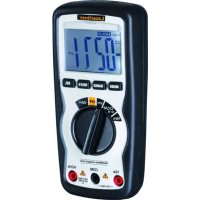
MultiMeterCompact - Multimeter Laserliner - Free user manual and instructions
Find the device manual for free MultiMeterCompact Laserliner in PDF.


| Product type | Digital multimeter |
| Brand | Laserliner |
| Model | MultiMeterCompact |
| Dimensions | 150 x 70 x 48 mm |
| Weight | 255 g |
| Power supply | 1 9V battery (NEDA 1604, IEC 6F22) |
| Overvoltage category | CAT III 1000V / CAT IV 600V |
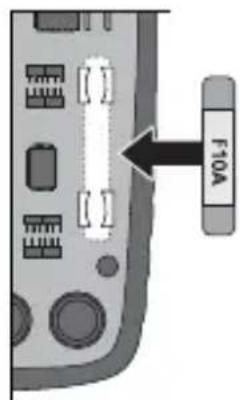
| Fuse | 10 A / 600 V instantaneous |
| Display | LCD 4000 counts (4 digits) |
| Measurement functions | DC/AC voltage, DC/AC current, resistance, capacitance, frequency, duty cycle, diode test, continuity test, non-contact voltage detection |
| DC voltage range | 400.0 mV / 4.000 V / 40.00 V / 400.0 V / 600 V |
| AC voltage range | 400.0 mV / 4.000 V / 40.00 V / 400.0 V / 600 V |
| DC/AC current range | 10 A max (30 s every 15 minutes) |
| Resistance range | 400.0 Ω / 4.000 kΩ / 40.00 kΩ / 400.0 kΩ / 4.000 MΩ / 40.00 MΩ |
| Capacitance range | 40.00 nF / 400.0 nF / 4.000 µF / 40.00 µF / 100.0 µF |
| Frequency range | 9.999 Hz / 99.99 Hz / 999.9 Hz / 9.999 kHz / 99.99 kHz / 999.9 kHz / 9.999 MHz |
| DC voltage accuracy | ±(0.5% + 2 digits) at 400.0 mV, ±(1.2% + 2 digits) for other ranges, ±(1.5% + 2 digits) at 600 V |
| AC voltage accuracy | ±(1.5% + 4 digits) at 400.0 mV, ±(1.2% + 2 digits) for 4 V, ±(1.5% + 3 digits) for 40/400 V, ±(2.0% + 4 digits) at 600 V |
| Operating temperature | 0 °C to 55 °C |
| Max. relative humidity | 80 % (non-condensing) |
| Protection class | Class II (double insulation) |
| Pollution degree | 2 |
| Standards | EN 61326, EN 61010-1, EN 61010-2-031 |
| Supplied accessories | Test leads, 9V battery, user manual |
| Maintenance and cleaning | Clean with a dry, lint-free cloth. Do not use abrasive products. |
| Spare parts and repairability | User-replaceable 10A/600V fuse; calibration recommended once a year. |
| Safety | Disconnect the instrument before opening the battery compartment; do not measure voltages >25V AC/60V DC without precautions; use appropriate categories. |
Frequently Asked Questions - MultiMeterCompact Laserliner
User questions about MultiMeterCompact Laserliner
0 question about this device. Answer the ones you know or ask your own.
Ask a new question about this device
Download the instructions for your Multimeter in PDF format for free! Find your manual MultiMeterCompact - Laserliner and take your electronic device back in hand. On this page are published all the documents necessary for the use of your device. MultiMeterCompact by Laserliner.
USER MANUAL MultiMeterCompact Laserliner
natural_image
Diagram of a mechanical component with rotational arrows indicating motion (no text or symbols)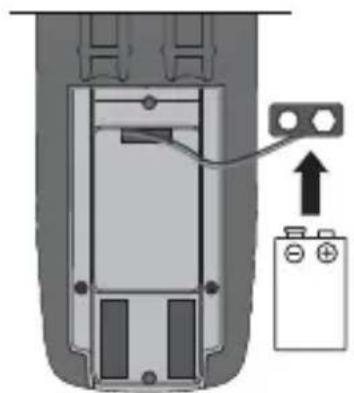
natural_image
Diagram of a battery connected to a component with an arrow indicating direction (no text or symbols present)1 x 9V NEDA 1604 / IEC 6F22
natural_image
Diagram of a handheld electronic device showing internal components and a separate terminal with probe tubes (no text or symbols)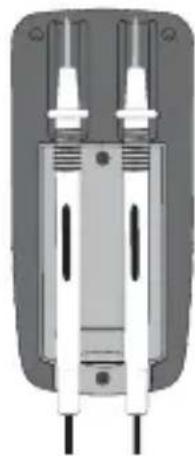
natural_image
Pure mechanical component diagram without any text, numbers, or symbols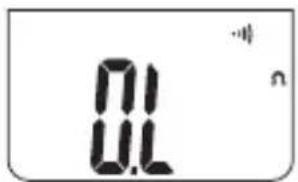
8 Diodenprüfung
natural_image
Simple diagram of a cylindrical object connected to two vertical rods with a plus sign, no text or symbols present.

natural_image
Diagram of a mechanical component with two rotating arrows indicating rotation (no text or symbols)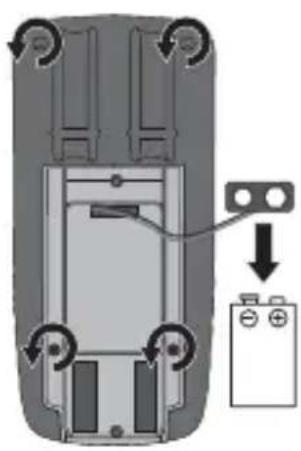
natural_image
Diagram of a car interior showing battery and battery casing with directional arrows indicating movement (no text or symbols)10A/600V Flink
18 Kalibrierung
Read the operating instructions and the enclosed brochure „Guarantee and additional notices“ completely. Follow the instructions they contain. Safely keep these documents for future reference.
Function/Application
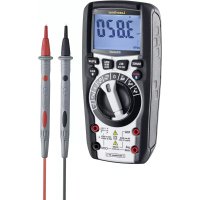
Multimeter for taking measurements in the range of the overvoltage category CAT III up to max. 1000 V/CAT IV up to max 600 V. The meter can be used to measure DC and AC voltages, direct and alternating currents, resistances, capacitances, frequencies and duty factors within the specified ranges; it can also be used for continuity and diode testing. In addition, the meter is fitted with a non-contact voltage detector and a vibration alarm.
Symbols

Hazardous electrical voltage warning:
Unprotected live components inside the device housing may pose a risk of electric shock.

Danger area warning

Protection class II: The test device has reinforced or double insulation.
CAT III
Overvoltage category III: Equipment in fixed installations and for applications where specific requirements with regard to the reliability and availability of equipment have to be met, e.g. circuit-breakers in fixed installations and devices used in industrial applications which are permanently connected to the fixed installation.
CAT IV
Overvoltage category IV: Devices such as electricity meters, overcurrent circuit breakers and ripple-control units, which are intended for use at or near the infeed into the electrical installation of buildings, and specifically from the main distribution to the supply system.
Safety instructions
- Make sure that you always select the correct connections, the correct rotary switch position and the correct range for the measurement to be taken.
- Before measuring or checking the resistance, continuity, diodes or capacitance, disconnect the power supply to the electric circuit. Check that all high-voltage capacitors are discharged.
- Isolate the device from all current sources before opening the battery compartment cover.
- If possible, do not work alone.
- If you have to take hold of the measuring spikes, do so by the grip sections only. Do not touch the measuring contacts whilst the measurement is being taken.
- If the device comes into contact with moisture or other conductive residue, work must not be carried out under voltage. At and above voltages of 25 V AC/60 V DC, the presence of moisture creates the risk of life-threatening electric shocks. Clean and dry the device before use. When using the device outdoors, make sure that the weather conditions are appropriate and/or that suitable protection measures are taken.
- If you are working with voltages higher than 25 V AC/60 V DC, exercise extreme caution. Touching the electrical conductors at such voltages poses a risk of life-threatening electric shocks.
- Do not use the device in environments in which there are conductive particles or where the occurrence of moisture (in the form of condensation, for example) can create transient conductivity.
- The device must only be used in accordance with its intended purpose and within the scope of the specifications.
- If you are taking measurements in the hazardous vicinity of electrical installations, do not work alone and seek guidance from an electrically skilled person before starting work.
- Before taking any measurements, make sure that both the area to be tested (e.g. a line), the test device and the accessories used (e.g. connection cable) are in proper working order. Test the device by connecting it to known voltage sources (e.g. a 230 V socket in the case of AC testing or a car battery in the case of DC testing). Stop using the device if one or a number of its functions fails.
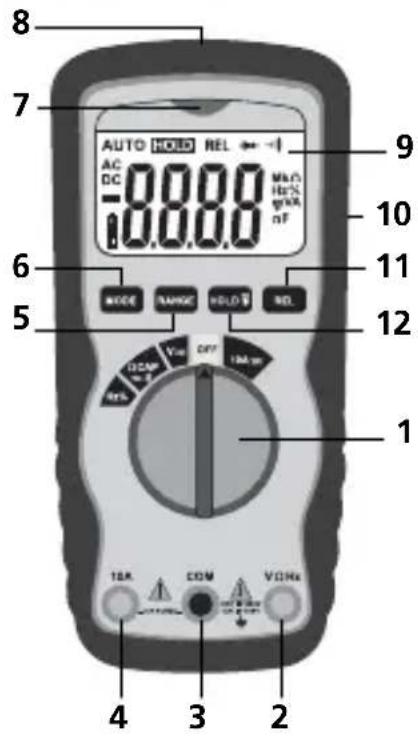
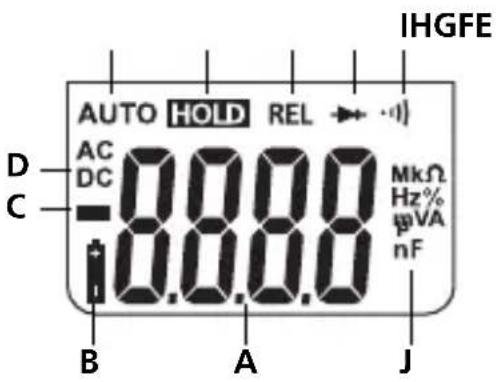
1 Rotary switch to set the measuring function
2 Red input socket (+)
3 Black COM socket (−)
4 Red 10 A input socket (+)
5 Select range manually
6 Switch over measuring function
7 Indicator (non-contact voltage detector)
8 Sensor (non-contact voltage detector)
9 LCD
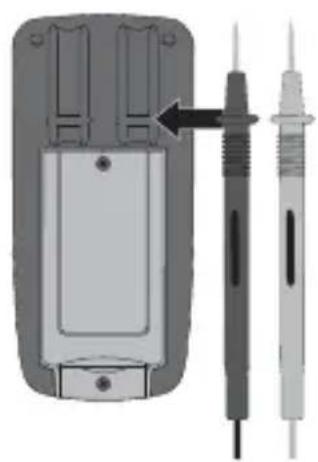
10 Holder for test prods
11 Relative function
12 Hold current measured value, LCD illumination
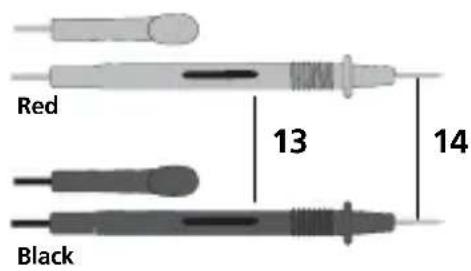
13 Test prods
14 Measuring contacts
A Measured value display (4 segments, 4000 digits)
B Low battery charge
C Negative measured values
D Direct (DC) or alternating (AC) variables
E Automatic range selection
F Current measured value is held
G Relative function
H Diode test
I Continuity test
J Measurement units: mV, V, μA, mA, Ohm, kOhm, MOhm, nF, μF, Hz, kHz, MHz, %
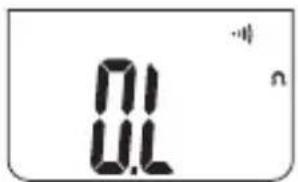
Display: O.L: open line/overfl ow: measuring circuit not closed or measuring range exceeded
Maximum input power
| Function Maximum input | |
| V DC/V AC 1000 V DC, 1000 V AC | |
| A DC/AC 10 A DC/AC (max. 30 seconds every 15 minutes) | |
| Frequency, resistance, capacitance, duty factor, diode test, continuity test | 1000 V DC/AC |
AUTO OFF function
In order to preserve the batteries, the meter switches off automatically if it is left idle for 15 minutes.
Insertion of batteries
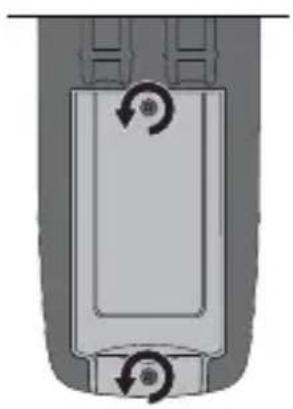
natural_image
Diagram of a mechanical component with two circular arrows indicating rotational motion (no text or symbols)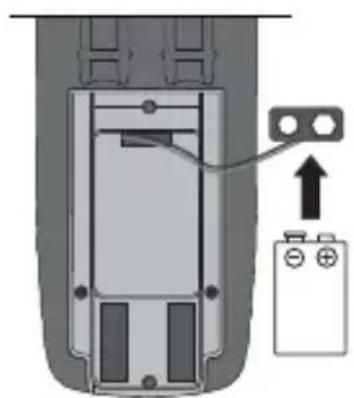
natural_image
Diagram of a device interior with a battery and cable, showing no text or symbols1 x 9V NEDA 1604 / IEC 6F22
Attaching the test prods
In order to avoid the risk of injury, the test prods must always be kept in the holder on the rear of the meter when not in use and during transport.
natural_image
Diagram of a handheld electronic device showing internal components and a separate terminal with probe tubes (no text or symbols)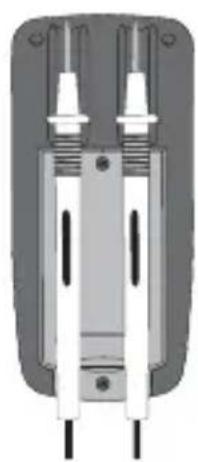
natural_image
Cross-sectional diagram of a mechanical or electrical component with two vertical posts and a central shaft (no text or symbols visible)3 Connection of test prods
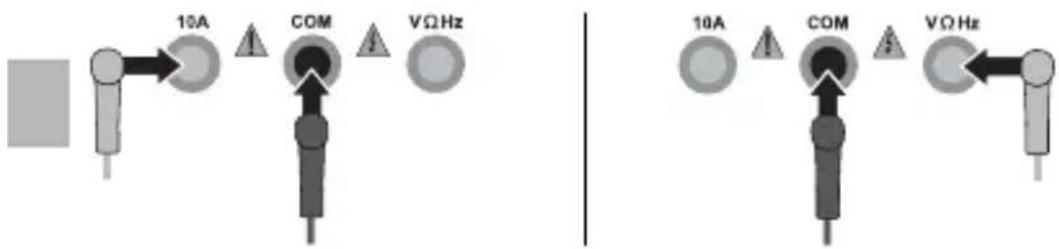
The black test prod (−) must always be connected to the „COM socket“. When taking current measurements, the red test prod (+) must be connected to the „10 A socket“. For all other measuring functions, the red test prod must be connected to the „VΩHZ socket“.

Please ensure that the test prods are connected correctly before each measurement. Taking a voltage measurement with 10 A current connections plugged in can cause the installed fuse to trip and result in damage to the measuring circuit.
10A Current measurement DC/AC
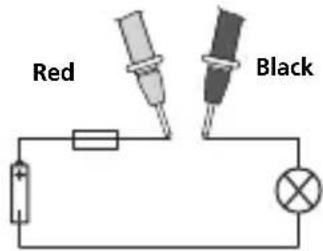
To take a current measurement, turn the rotary switch to position „10 A“ and press the „Mode“ button to set the voltage mode (AC, DC). Disconnect the circuit before connecting the meter. Then connect the measuring contacts to the object to be tested. The measured value acquired and the polarity appear on the display. Disconnect the circuit again before disconnecting the meter.
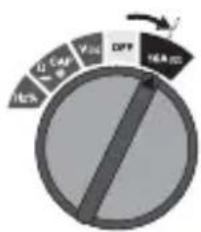
pie
| Category | Value (%) | |---|---| | CAP | 16.2 | | VII | 12.4 | | DPP | 12.4 | | S&P 500 | 16.2 |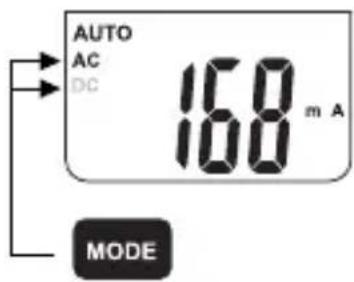

Do not measure currents above 10 A for longer than 30 seconds. This could damage the device or the test prods.
5 V Voltage measurement DC/AC
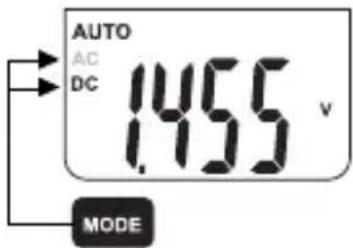
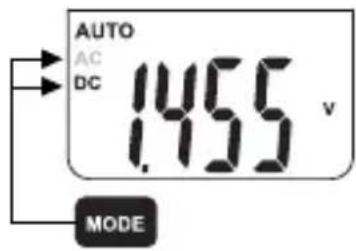
To take a voltage measurement, turn the rotary switch to position „V“ and press the „Mode“ button to set the voltage mode (AC, DC). Then connect the measuring contacts to the object to be tested. The measured value acquired and the polarity appear on the display.
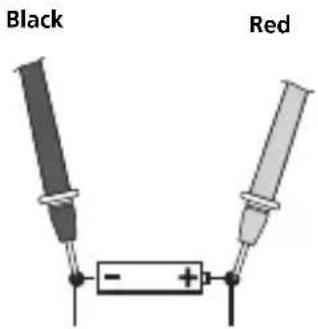
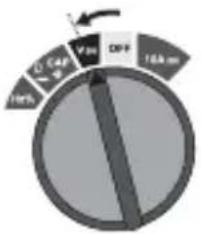
pie
| Category | Value (%) | |---|---| | Segment 1 | 10 | | Segment 2 | 24 | | Segment 3 | 75 | | Segment 4 | 16.6 |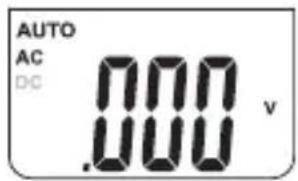
6 Ω Resistance measurement
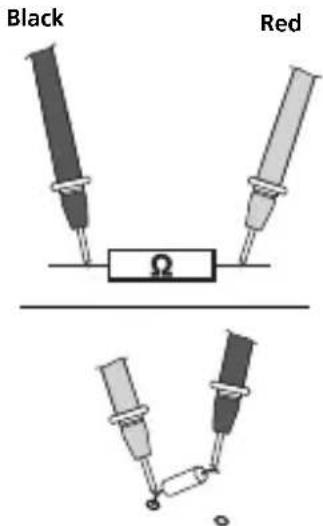
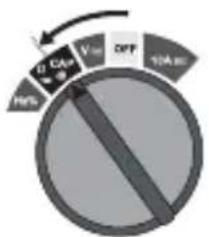
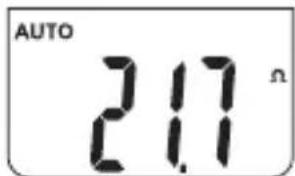
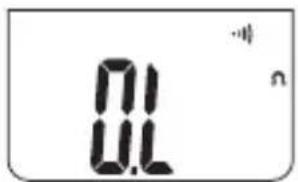
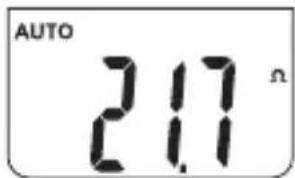
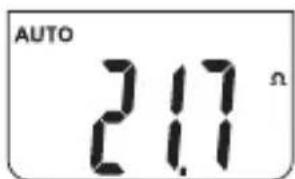
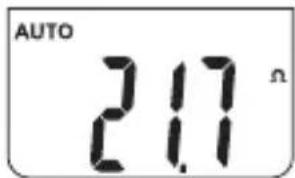
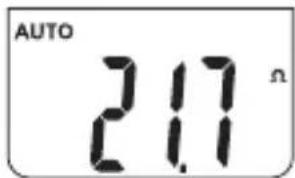
To measure the resistance, turn the rotary switch to position „Ω“. Then connect the measuring contacts to the object to be tested. The measured value acquired appears on the display. If „O.L.“ appears on the display instead of a measured value, either the measuring range has been exceeded or the measuring circuit is not closed or has been interrupted. Resistances can only be measured correctly in isolation; therefore, the components might need to be disconnected from the remainder of the circuit.
pie
| Category | Value (%) | |---|---| | 10A | 80 | | 10B | 50 | | 10C | 30 | | 10D | 20 |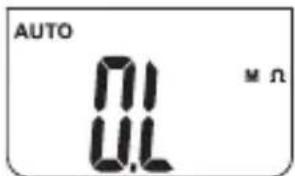

When measuring resistance, to avoid the risk of the results of a measurement being distorted, there must be no traces of dirt, oil, solder spray or other contamination on the test prods.
7 Continuity test
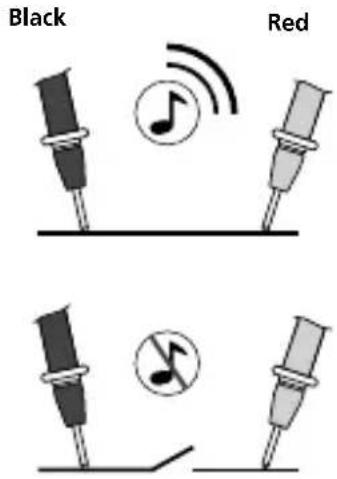
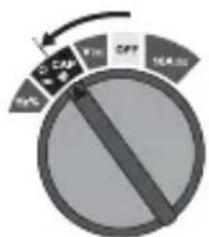
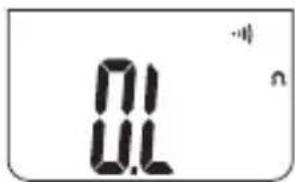
To test continuity, turn the rotary switch to position „Ω“ and press the „Mode“ switch twice to activate the „Continuity test“ function. Then connect the measuring contacts to the object to be tested. A measured value of < 150 ohms is recognised as continuity; this is confirmed by an audible signal. If „O.L.“ appears on the display instead of a measured value, either the measuring range has been exceeded or the measuring circuit is not closed or has been interrupted.
8 Diode test
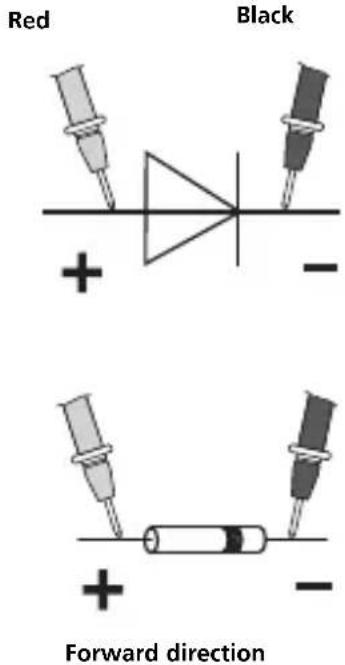
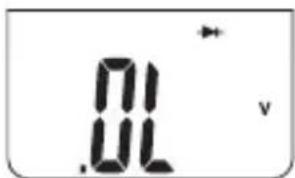
To test the diode, turn the rotary switch to position „Ω“ and press the „Mode“ button once to activate the „Diode test“ function. Then connect the measuring contacts to the diode. The measured value acquired for the forward voltage appears on the display. If „O.L.“ appears on the display instead of a measured value, the diode has either been tested in the reverse direction or is faulty. If 0.0 V is measured, the diode is faulty or a short-circuit has occurred.
Black
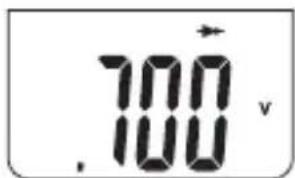
Reverse direction Forward direction
9 CAP Capacitance measurement
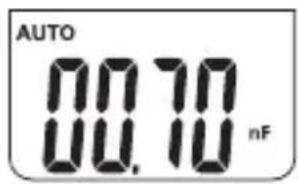
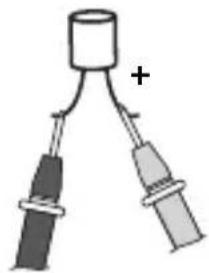
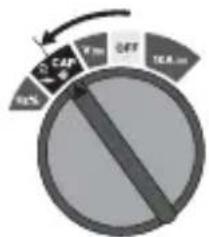
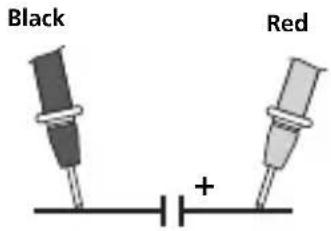
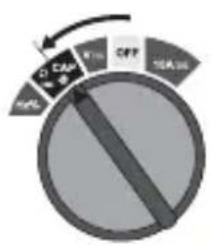
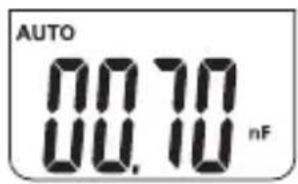
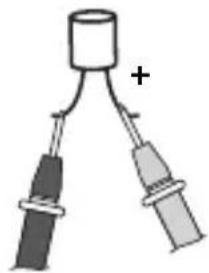
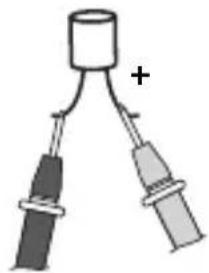
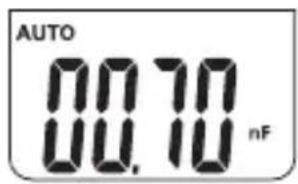
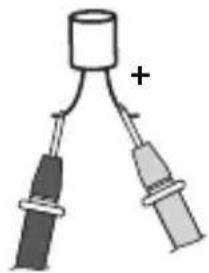
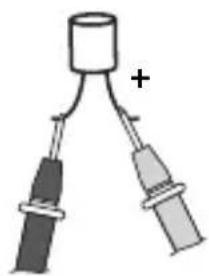
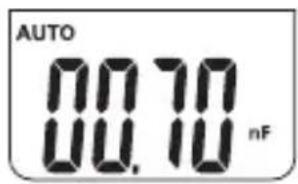
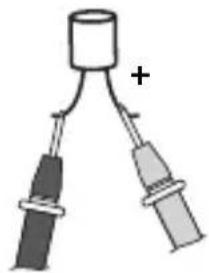
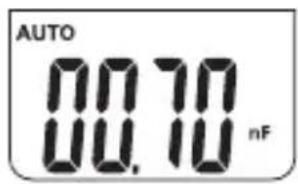
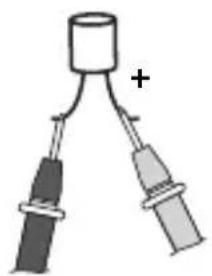
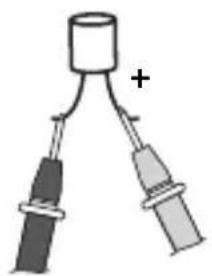
To take a capacitance measurement, turn the rotary switch to position „CAP“ and press the „Mode“ button three times to activate the „Capacitance measurement“ function. Then connect the measuring contacts to the object to be tested. In the case of poled capacitors, connect the positive pole to the red test prod.
natural_image
Simple diagram of a cylindrical object connected to two vertical rods, one with a plus sign, no text or symbols present.10 Hz % Frequency and duty factor measurements
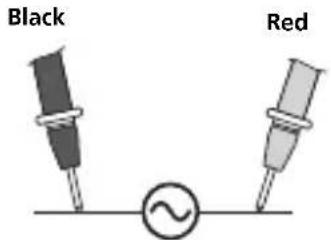
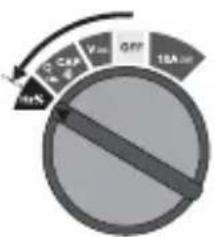
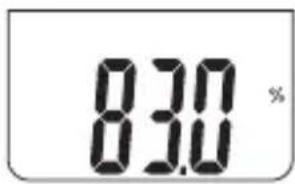
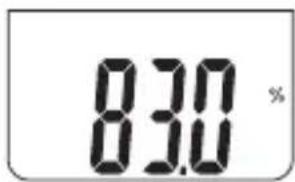
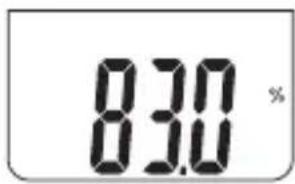
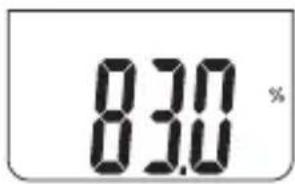
To take a frequency measurement, turn the rotary switch to position „Hz“. Then connect the measuring contacts to the object to be tested. Press the „Mode“ button to switch from Hz to % (duty factor).
pie
| Category | Value (%) | |---|---| | Low | 10 | | Medium | 25 | | High | 60 | | Total | 100 |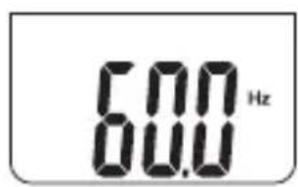
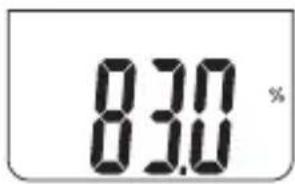
11 Auto range/Manual range
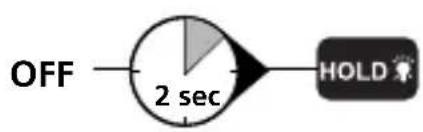
The „Auto range“ function is activated automatically when the meter is switched on. Auto range searches for the best possible range for each measurement in the corresponding measuring functions. Press the „Range“ button to activate manual range selection, then press the „RANGE“ button several times until you reach the desired range. Pay attention to changes in decimal places or units. To return to the „Auto range“ range, press the „RANGE“ button and hold it down for 2 seconds. „AUTO“ reappears on the display. The „Range“ function can only be used for voltage, current and resistance measurements.
12 Comparative measurement
The comparative measurement function takes a measurement relative to a reference value that has been saved previously. This enables the difference between the current measured value and the saved reference value to be displayed. Press the „REL“ button whilst a reference measurement is being taken in the corresponding measuring function. The display now shows the difference between the current measurement and the set reference value. Press the „REL“ button again to deactivate the function. The „Rel“ function can only be used for voltage, current and capacitance measurements, as well as continuity tests.
Hold function
The „Hold“ function enables you to keep the current measured value on the display. Press the „HOLD“ button to activate and deactivate the function.
LCD-Backlight

flowchart
graph LR
    A["ON"] --> B["2 sec"]
    B --> C["HOLD"]
    D["OFF"] --> E["2 sec"]
    E --> F["HOLD"]
15 Voltage detection, non-contact (AC warning)
The non-contact voltage detector integrated in the meter is able to detect AC voltages from 100 V to 600 V, thus enabling live cables or cable breaks, for example, to be identified. Turn the rotary switch to position „V“ and run the voltage sensor along the object to be tested (5 - 10 mm). The display lights up and the device starts to vibrate if AC voltage is detected.
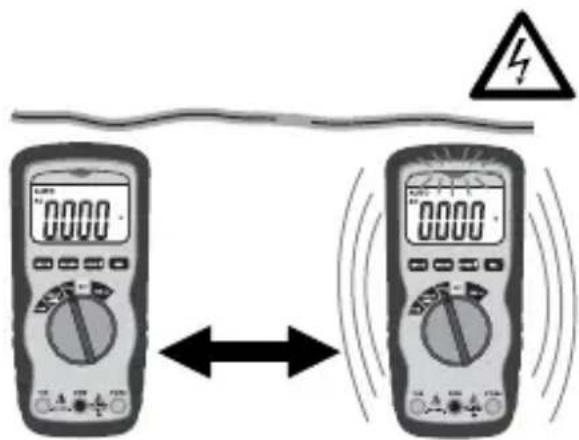

Non-contact voltage detection is no substitute for conventional voltage testing. As the device detects an electrical fi eld, it will react even to static charge.
16 Voltage detection, single-pole phase test
For reasons of safety, you must disconnect the black measuring lead from the COM socket on the device to take this measurement. Turn the rotary switch to position „V“. Connect the red test prod to the phase or neutral conductor. The red LED only lights up if the phase conductor is live. When the single-pole phase test is carried out on the outer conductor, the indicator function may be adversely affected under certain conditions (e.g. when insulating personnel protective equipment is used or at insulated locations).

The single-pole phase test is not suitable for checking for zero voltage. To do this, you need to carry out a two-pole phase test.
17 Replacing the fuse
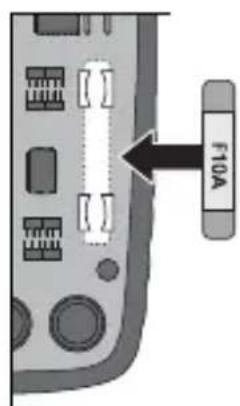
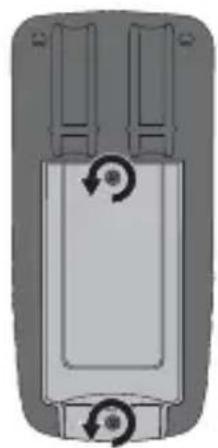
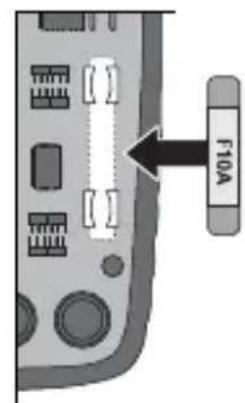
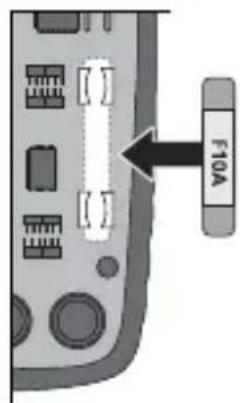
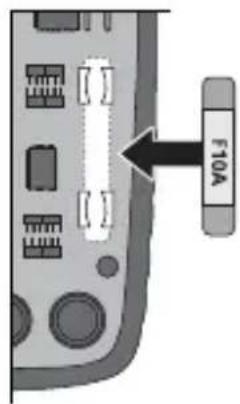
To replace the fuse, first disconnect the test prods from their voltage source and then from the device. Remove all screws from the rear of the meter and then remove the battery. Open the housing and replace the fuse with one of the same type and specification (10 A/600 V). Close the housing and carefully screw the meter back together.
natural_image
Top-down view of a mechanical component with two circular arrows indicating rotation (no text or symbols)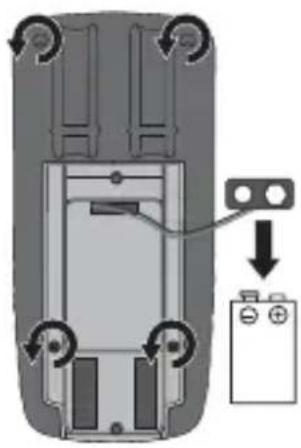
natural_image
Top-down view of a car interior showing a battery and switch mechanism (no text or symbols)10 A/600 V quick-acting
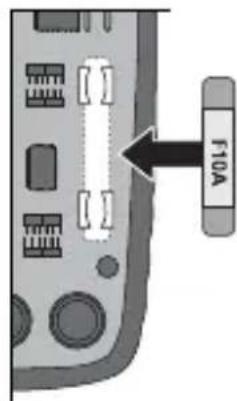
18 Calibration
The meter needs to be calibrated and tested on a regular basis to ensure it produces accurate measurement results. We recommend carrying out calibration once a year.
Subject to technical alterations. 06.2010
Technical data
| Function Range Accuracy | ||
| DC voltage | 400.0 mV ± (0.5% rdg ± 2 digits) | |
| 4.000 V40.00 V400.0 V | ± (1.2% rdg ± 2 digits) | |
| 600 V ± (1.5% rdg ± 2 digits) | ||
| AC voltage | 400.0 mV ± (1.5% rdg ± 4 mV) | |
| 4.000 V ± (1.2% rdg ± 2 digits) | ||
| 40.00 V400.0 V | ± (1.5% rdg ± 3 digits) | |
| 600 V ± (2.0% rdg ± 4 digits) | ||
| DC current | 10 A | ± (2.5% rdg ± 5 digits) |
| AC current 10 A ± (3.0% rdg ± 7 digits) | ||
| Resistance | 400.0 Ω ± (1.2% rdg ± 4 digits) | |
| 4.000 kΩ ± (1.0% rdg ± 2 digits) | ||
| 40.00 kΩ400.0 kΩ4.000 MΩ | ± (1.2% rdg ± 2 digits) | |
| 40.00 MΩ ± (2.0% rdg ± 3 digits) | ||
| Capacitance | 40.000 nF ± (5.0% rdg ± 50 digits) | |
| 400.0 nF | ± (3.0% rdg ± 5 digits)4.000 μF | |
| 40.00 μF | ||
| 100.0 μF ± (5.0% rdg ± 5 digits) | ||
| Frequency | 9.999 Hz | ± (1.5% rdg ± 5 digits) |
| 99.99 Hz | ||
| 999.9 Hz | ± (1.2% rdg ± 3 digits) | |
| 9.999 kHz | ||
| 99.99 kHz | ||
| 999.9 kHz | ||
| 9.999 MHz | ± (1.5% rdg ± 4 digits) | |
| Duty factor 0.1%...99.9 | % ± (1.2% rdg ± 2 digits) | |
| Diode test 0.3 mA ± (10% rdg ± 5 digits) | ||
| Polarity Sign for negative | polarity | |
| LCD 0 ... 3999 | ||
| Fuse 10 A/600 V quick-acting,240 A2/s (6.35 x 31.8 mm) | ||
| Protection class II, double insulation | ||
| Overvoltage CAT III - 1000 V, CAT IV - 600 V | ||
| Pollution degree 2 | ||
| Test standards EN 61326, EN 61010-1, EN 61010-2-031 | ||
| Max. rel. humidity 80% | non-condensing | |
| Operating temperature 0°C to 55°C | ||
| Power supply 1 x 9 V battery (NEDA 1604, IEC 6F22) | ||
| Dimensions | 150 x 70 x 48 mm | |
| Weight 255 g | ||
EU directives and disposal
This device complies with all necessary standards for the free movement of goods within the EU.
This product is an electric device and must be collected separately for disposal according to the European Directive on waste electrical and electronic equipment.
Further safety and supplementary notices at: www.laserliner.com/info
!
natural_image
Diagram of a mechanical component with two circular arrows indicating rotational motion (no text or symbols)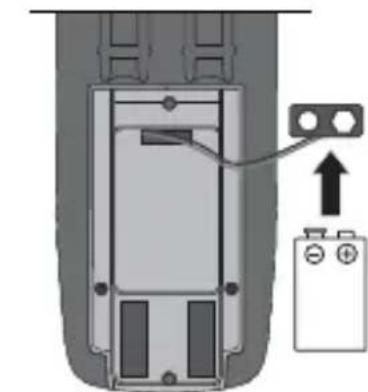
natural_image
Diagram of a device interior with battery and indicator lights, no text or symbols present1 x 9V NEDA 1604 / IEC 6F22
natural_image
Diagram of a mobile phone with two probes and a screen, showing internal components (no text or symbols)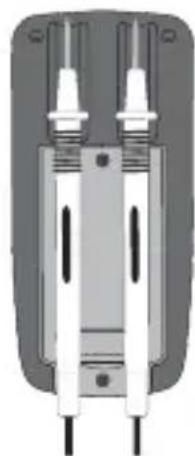
natural_image
Pure mechanical component diagram without any text, numbers, or symbols10A ≈ Stroommeting DC/AC
5 V Spanningsmeting DC/AC
pie
| Category | Value (%) | |---|---| | 10A | 8 | | 10B | 5 | | 10C | 4 | | 10D | 3 | The chart is a circular progress indicator with a curved arrow pointing from the top-left to the bottom-right. The label 'V' appears in the top-left corner.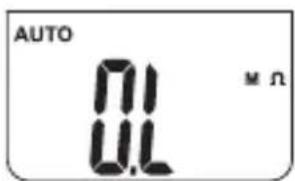


natural_image
Simple diagram of a cylindrical object with two connected rods, one labeled with a plus sign (no text or symbols on the object itself)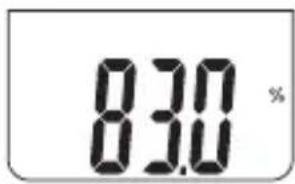

natural_image
Diagram of a device with two ports and a scroll wheel, showing rotational arrows (no text or symbols)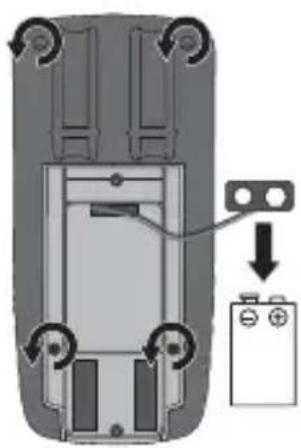
natural_image
Top-down view of a car interior with battery and switch components (no text or symbols)10 A/600 V fl ink
18 Kalibratie
mV, V, μA, mA, ohm, kohm, mohm, nF, μF, Hz, kHz, MHz, %
Display-visning:
O.L: Open line / Overflow:
natural_image
Diagram of a mechanical component with two circular arrows indicating rotational motion (no text or symbols)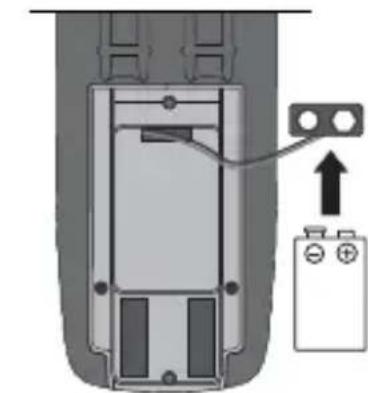
natural_image
Diagram of a battery pack with an attached terminal block and a battery symbol (no text or labels)1 x 9V NEDA 1604 / IEC 6F22
natural_image
Diagram of a handheld electronic device with two test probes and a close-up view of the internal components (no text or symbols)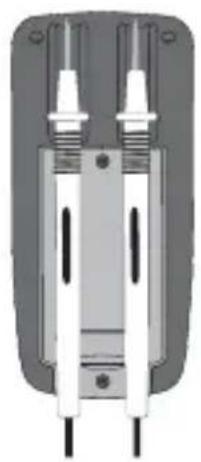
natural_image
Pure mechanical component diagram without any text, numbers, or symbols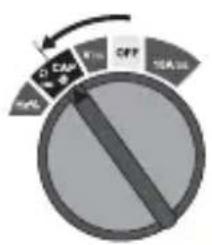
natural_image
Simple diagram of a cylindrical object with two connected rods, one labeled '+', no text or symbols present.10 Hz % Frekvens-, og duty-cycle-måling
11 Autorange / Manuelt område

natural_image
Top-down view of a mechanical component with two circular arrows indicating rotation (no text or symbols)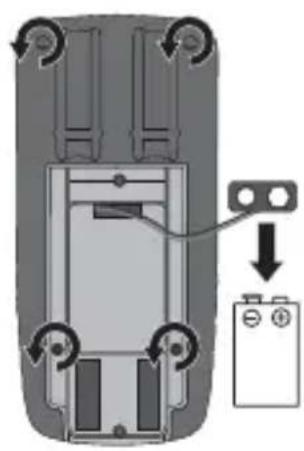
natural_image
Top-down view of a car's rear panel showing internal components and a battery symbol (no text or labels)10A/600V Flink
18 Kalibrering
natural_image
Diagram of a mechanical component with rotational arrows indicating motion (no text or symbols)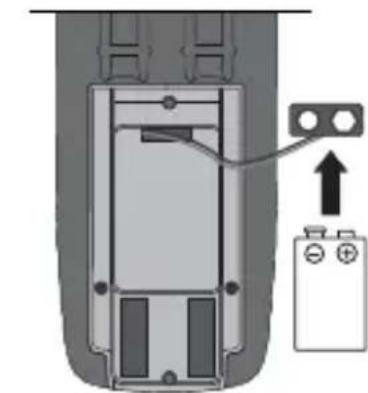
natural_image
Diagram of a battery pack with an attached terminal block and a battery symbol (no text or labels)1 x 9V NEDA 1604 / IEC 6F22
natural_image
Diagram of a mobile phone case with two different probes, one showing internal wiring and the other on top (no text or symbols present)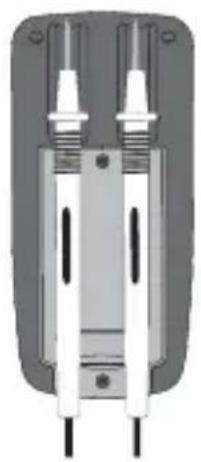
natural_image
Pure mechanical component diagram without any text, numbers, or symbolspie
| Category | Value (%) | |---|---| | CAP | 10 | | CAP | 2 | | CAP | 16 | The chart displays a single data point for each category. The values are explicitly labeled on the slices: 10, 2, 16. The arrow indicates direction from the center to the right.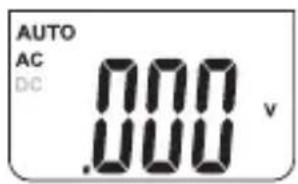
pie
| Category | Value (%) | |---|---| | C | 10 | | CA | 25 | | V | 30 | | DFT | 10 | The chart is labeled '10A m'. The arrow indicates a directional change from the center to the left side of the pie chart.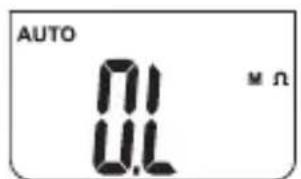

natural_image
Simple diagram of a transistor with two leads and a plus sign, no text or symbols presentpie
| Category | Value (%) | |---|---| | 10% Cap | 25 | | 10% Oil | 18 | | Oil | 15 | | 10A Oil | 10 |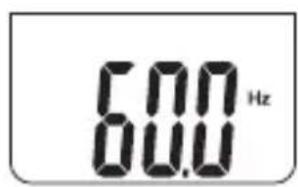
11 Autorange / Domaine manuel
12 Mesure comparative

natural_image
Diagram of a mechanical component with two ports and rotational arrows indicating motion (no text or symbols)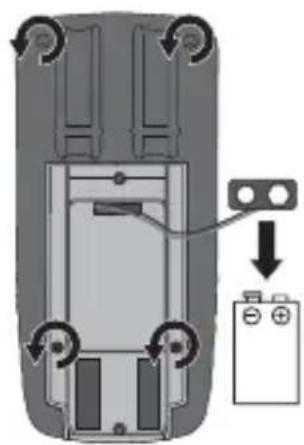
natural_image
Top-down view of a car interior with a battery and a switch, showing no text or symbolsnatural_image
Diagram of a mechanical component with two circular arrows indicating rotational motion (no text or symbols)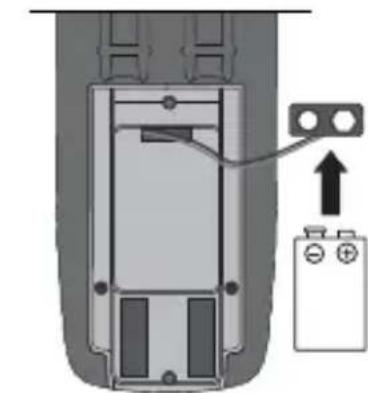
natural_image
Diagram of a battery pack inside a cylindrical device with an upward arrow indicating direction (no text or symbols)1 x 9V NEDA 1604 / IEC 6F22
natural_image
Close-up of a handheld electronic device with two different probes, one showing internal components and the other extending into a slot (no text or symbols visible)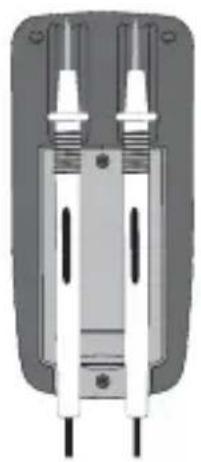
natural_image
Pure mechanical component diagram without any text, numbers, or symbolspie
| Category | Value (%) | |---|---| | 104.8% | 104.8 | | 103.6% | 103.6 | | 99.5% | 99.5 | | 98.7% | 98.7 |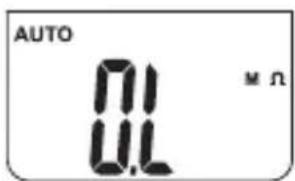

natural_image
Two stylized test tubes with musical notes inside, no text or symbols present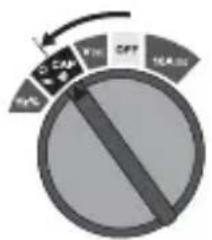
pie
| Category | Value | |---|---| | CAP | 164.35 | | FHL | 104.35 | | CFT | 104.35 | | Other | 104.35 |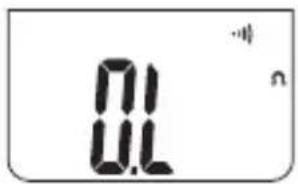
natural_image
Simple diagram of a cylindrical object with two connected rods, one labeled with a plus sign (no text or symbols on the object itself)pie
| Category | Value (%) | |---|---| | 10% Cap | 25 | | 10% Oil | 18 | | Oil | 15 | | 100% | 10 |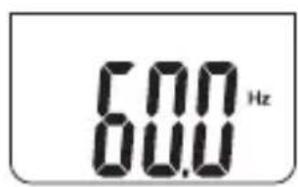
11 Rango auto/ manual
flowchart
graph LR
    A["ON"] --> B["2 sec"]
    B --> C["HOLD"]
flowchart
graph LR
    A["OFF"] --> B["2 sec"]
    B --> C["HOLD"]

natural_image
Diagram of a mechanical component with two ports and a central rotating button (no text or symbols)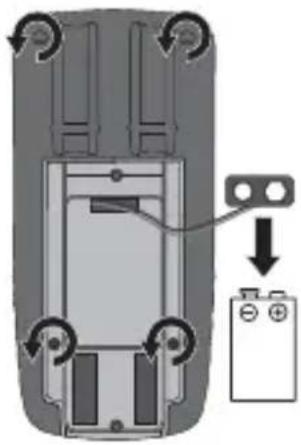
natural_image
Top-down diagram of a car interior with a battery and directional arrows indicating movement (no text or symbols)10A/600V rápido
18 Calibración
natural_image
Diagram of a mechanical component with two circular arrows indicating rotational motion (no text or symbols)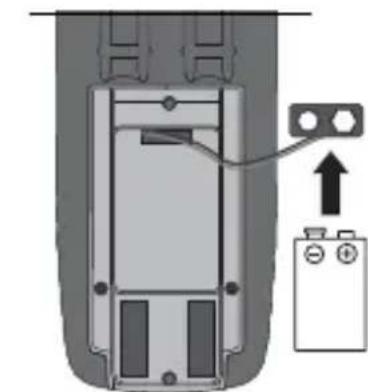
natural_image
Diagram of a device interior with a battery and a cable connector, no text or symbols present1 x 9V NEDA 1604 / IEC 6F22
natural_image
Diagram of a handheld electronic device with two connected probes and a close-up view of its internal components (no text or symbols visible)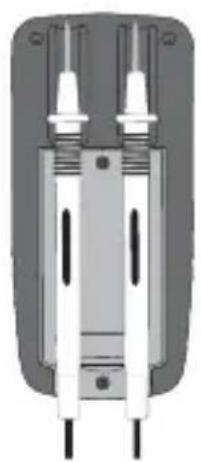
natural_image
Pure mechanical component diagram without any text, numbers, or symbolspie
| Category | Value (%) | |---|---| | BUY | 10 | | CAP | 25 | | Vcc | 15 | | OFF | 30 | | HOLD | 40 |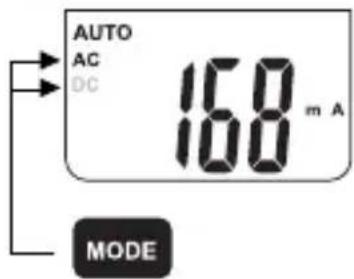

pie
| Category | Value (%) | |---|---| | 104.8% | 104.8 | | 103.6% | 103.6 | | 99.5% | 99.5 | | 98.5% | 98.5 |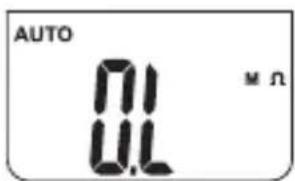

8 Test del diodo
natural_image
Simple diagram of a cylindrical object with two branches, one labeled with a plus sign (no text or symbols on the object itself)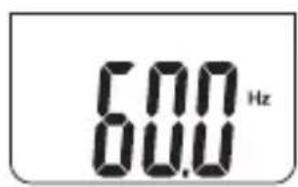
11 Range automatico/manuale

natural_image
Diagram of a mechanical component with two circular arrows indicating rotational motion (no text or symbols)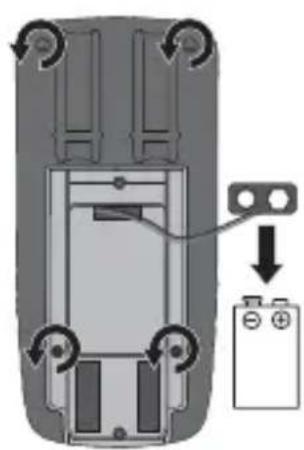
natural_image
Top-down view of a car's rear panel showing battery and switch components (no text or symbols)10A/600V rapido
18 Calibrazione
natural_image
Diagram of a mechanical component with two circular arrows indicating rotational motion (no text or symbols)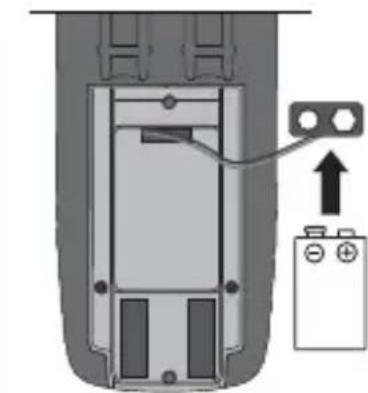
natural_image
Diagram of a battery terminal with an attached switch and power supply (no text or symbols)1 x 9V NEDA 1604 / IEC 6F22
natural_image
Diagram of a handheld electronic device with two connected probes and a close-up view of the internal components (no text or symbols)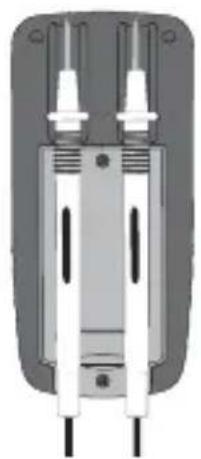
natural_image
Cross-sectional view of a mechanical or electrical component with two vertical connectors and internal channels (no visible text or symbols)natural_image
Illustration of two microphones with a musical note and signal waves, no text or symbols present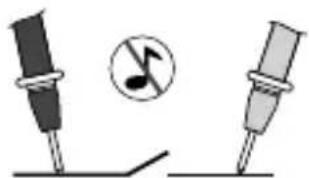
natural_image
Two stylized test tubes with musical notes inside, no text or symbols present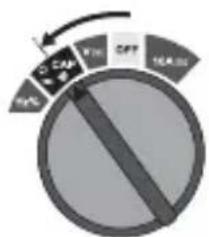


Badanie diod
natural_image
Pure electrical circuit symbol for a diode with two terminals and a plus/minus polarity indicator (no text or labels beyond basic markings)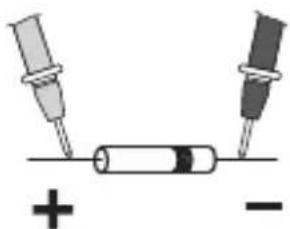
natural_image
Simple diagram showing two test tubes connected to a cylindrical component with polarity indicators (no text or symbols)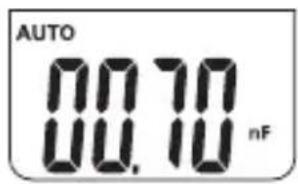
natural_image
Simple diagram of a cylindrical object with two branches, one labeled with a plus sign (no text or symbols on the object itself)