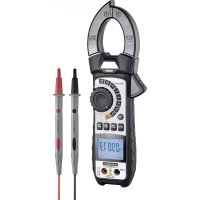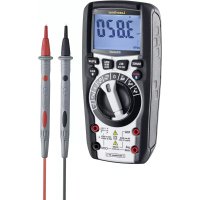
MultiMeter XP - Multimeter Laserliner - Free user manual and instructions
Find the device manual for free MultiMeter XP Laserliner in PDF.


User questions about MultiMeter XP Laserliner
0 question about this device. Answer the ones you know or ask your own.
Ask a new question about this device
Download the instructions for your Multimeter in PDF format for free! Find your manual MultiMeter XP - Laserliner and take your electronic device back in hand. On this page are published all the documents necessary for the use of your device. MultiMeter XP by Laserliner.
USER MANUAL MultiMeter XP Laserliner
Laserliner
!
natural_image
Top-down schematic of a vehicle showing internal components and screwdriver arrangement (no text or symbols)natural_image
Simple diagram of two probes connected to a voltage source (no text or symbols)natural_image
Simple electrical circuit diagram with two resistors and a battery (no text or symbols)natural_image
Pure electrical circuit symbol for a diode with two terminals and polarity indicators (no text or labels)natural_image
Simple diagram showing two test tubes connected to a cylindrical component with plus and minus signs (no text or symbols)Durchlassrichtung
natural_image
Simple diagram of two battery terminals with a plus sign, no text or symbols presentnatural_image
Simple diagram of two connected electrical components with polarity indicators (no text or symbols)natural_image
Illustration of musical notes and microphone positions (no text or symbols)PEAK aktivieren „Peak MAX“
Completely read through the operating instructions, the „Warranty and Additional Information” booklet as well as the latest information under the internet link at the end of these instructions. Follow the instructions they contain. This document must be kept in a safe place and passed on together with the device.
Function/Application
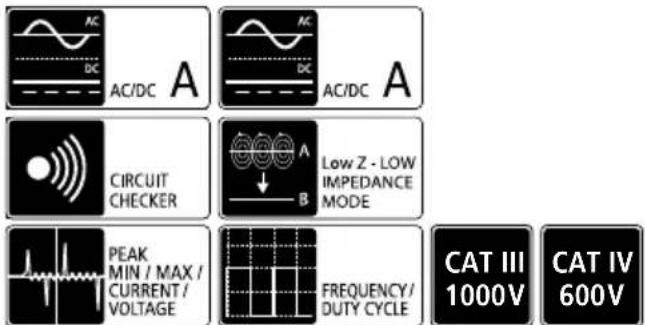
Multimeter for taking measurements in the range of the overvoltage category CAT III up to max. 1000 V/CAT IV up to max 600 V. The meter can be used to measure DC and AC voltages, direct and alternating currents, resistances, capacitances, frequencies and duty factors within the specified ranges; it can also be used for continuity and diode testing.
Symbols
Hazardous electrical voltage warning: Unprotected live components inside the devicehousing may pose a risk of electric shock.

Danger area warning

Protection class II: The test device has reinforced or double insulation.
CAT II
Overvoltage category II: Single-phase consumers that are connected to standard sockets, e.g. household appliances, portable tools.
CAT III
Overvoltage category III: Equipment in fixed installations and for applications where specific requirements with regard to the reliability and availability of equipment have to be met, e.g. circuit-breakers in fixed installations and devices used in industrial applications which are permanently connected to the fixed installation.
CAT IV
Overvoltage category IV: Devices such as electricity meters, overcurrent circuit breakers and ripple-control units, which are intended for use at or near the infeed into the electrical installation of buildings, and specifically from the main distribution to the supply system.
Safety instructions
- The device must only be used in accordance with its intended purpose and within the scope of the specifications.
- The measuring tools and accessories are not toys. Keep out of reach of children.
- Modifications or changes to the device are not permitted, this will otherwise invalidate the approval and safety specifications.
- Do not expose the device to mechanical stress, extreme temperatures or significant vibration.
- Exercise extreme caution when working with voltages higher than 24 V/AC rms or 60 V/DC. Touching the electrical conductors at such voltages poses a risk of life-threatening electric shocks.
- If the device comes into contact with moisture or other conductiveresidue, work must not be carried out under voltage. At and above voltages of 24 V/AC rms / 60 V/DC, the presence of moisture creates the risk of life-threatening electric shocks.
- Clean and dry the device before use.
- When using the device outdoors, make sure that the weather conditions are appropriate and/or that suitable protection measures are taken.
-
In overvoltage category III (CAT III - 1000 V), the voltage between the test device and earth must not exceed 1000 V.
-
In overvoltage category IV (CAT IV - 600 V), the voltage between the test device and earth must not exceed 600 V.
- The lowest overvoltage category (CAT), rated voltage and rated current apply when using the device together with the measuring equipment.
- Before taking any measurements, make sure that both the area to be tested (e.g. a line), the test device and the accessories used (e.g. connection cable) are in proper working order. Test the device by connecting it to known voltage sources (e.g. a 230 V socket in the case of AC testing or a car battery in the case of DC testing).
- The device must no longer be used if one or more of its functions fail or the battery charge is weak.
- The device must be disconnected from all power sources and measuring circuits before opening the cover to change the battery(ies) or fuse(s). Do not switch on the device with the cover open.
- Observe the safety precautions of local and national authorities relating to the correct use of the device and any prescribed safety equipment (e.g. electrician's safety gloves).
- If you have to take hold of the measuring spikes, do so by the grip sections only. Do not touch the measuring contacts whilst the measurement is being taken.
- Make sure that you always select the correct connections and rotary switch position with the correct measuring range for the measurement to be carried out.
- Do not work alone in the vicinity of hazardous electrical installations and only under the guidance of a qualified electrician.
- Disconnect the power supply to the electrical circuit before measuring or checking the diodes, resistance or battery charge.
- Check that all high-voltage capacitors are discharged.
- When connecting to a voltage, always connect the black measuring lead first before the red lead. Follow the reverse procedure when disconnecting.
- Only the original measuring leads may be used. Their voltage, category and ampere rated powers must match those of the measuring device.
Additional information on use
Observe the technical safety regulations for working on electrical systems, especially: 1. Safely isolating from power supply, 2. Securing to prevent system being switched on again, 3. Checking zero potential, two-pole, 4. Earthing and short-circuiting, 5. Securing and covering adjacent live components.
Safety instructions
Using artificial, optical emission (OStrV)
LED outlet
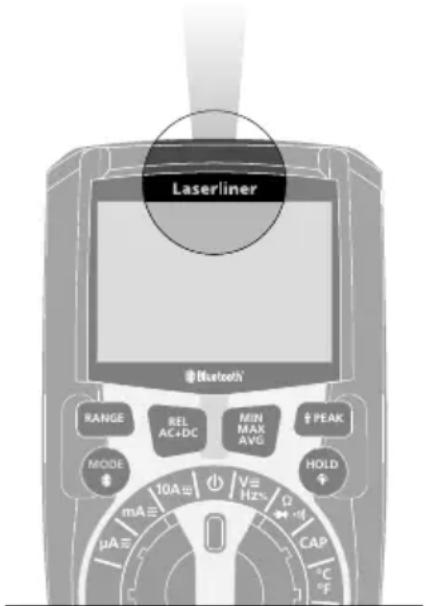
Laserliner
- The device works with LEDs of risk group RG 0 (exempt, no risk) in accordance with the latest versions of applicable standards relating to photobiological safety (EN 62471:2008-09ff / IEC/TR 62471:2006-07ff).
- Radiation power: Peak wavelength equals 456 nm. Mean radiance is below the limit values of risk group RG 0.
- When used for the intended purpose and under reasonably foreseeable conditions, the accessible radiation of the LEDs is safe for the human eye and skin.
- Temporary, irritating optical effects (e.g. dazzling, flash blindness, afterimages, colour vision impairment) cannot be completely ruled out, especially under low ambient light conditions.
- Do not intentionally look directly into the radiation source for longer periods of time.
- No specific measures are required to ensure the limit values of risk group RG 0 are maintained.
Safety instructions
Dealing with electromagnetic radiation
- The measuring device complies with electromagnetic compatibility regulations and limits in accordance with the EMC Directive 2014/30/EU which is covered by the Radio Equipment Directive 2014/53/EU.
- Local operating restrictions - for example, in hospitals, aircraft, petrol stations or in the vicinity of people with pacemakers - may apply. Electronic devices can potentially cause hazards or interference or be subject to hazards or interference.
Safety instructions
Dealing with RF radiation
- The measuring device is equipped with a wireless interface.
- The measuring device complies with electromagnetic compatibility and wireless radiation regulations and limits in accordance with the RED 2014/53/EU.
- Umarex GmbH & Co. KG hereby declares that the MultiMeter XP radio equipment complies with the essential requirements and other provisions of the European Radio Equipment Directive 2014/53/EU (RED). The EU Declaration of Conformity can be found in its entirety at the following address:
http://laserliner.com/info?an=mumexp
Test prods
With protective cap: CAT III up to max. 1000V / CAT IV up to max. 600V
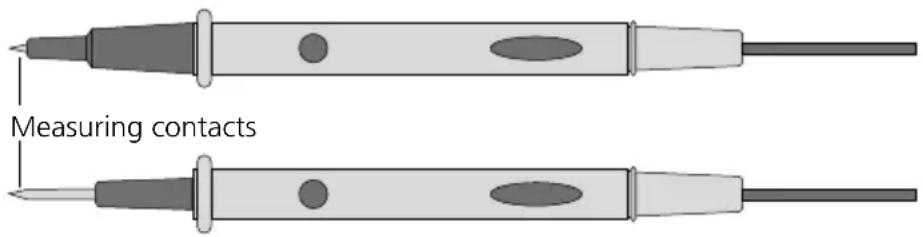
Without protective cap: CAT II up to max. 1000V
Auto power off
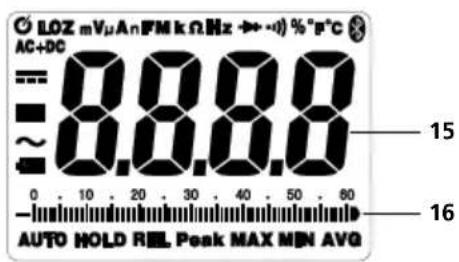
LOZ Low Z voltage measurement
m milli (10-3) (volt, ampere)
v Volt (voltage)
micro ( 10^-6 ) (ampere, capacitance)
A Ampere (amperage)
n nano (10 ^-9 ) (capacitance)
F Farad (capacitance)
M Mega (Ohm)
k Kilo (Ohm)
Ω Ohm (resistance)
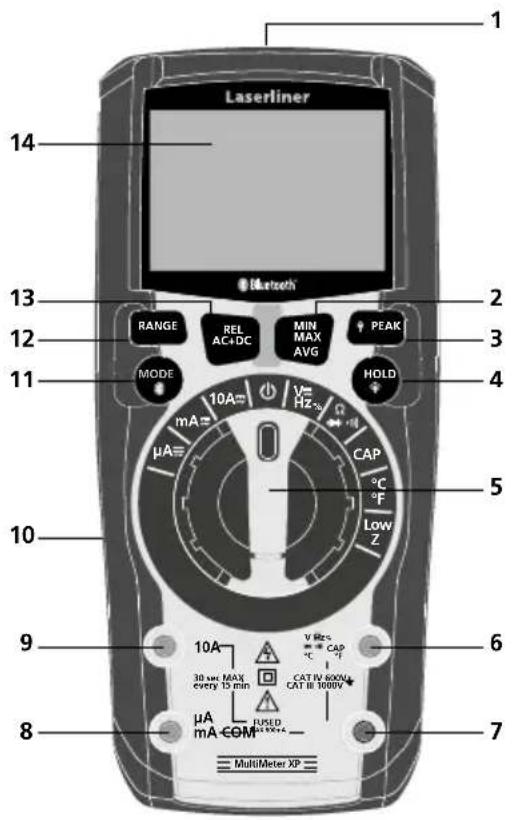
1 Flashlight
2 MIN-/MAX-/AVG measurement
3 PEAK function (voltage peak function), ON/OFF flashlight
4 Hold current measured value, LCD lighting ON/OFF
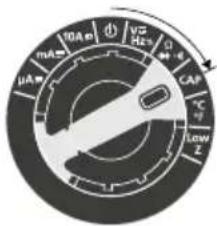
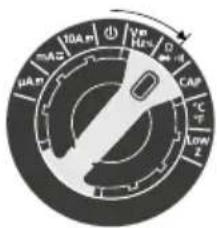
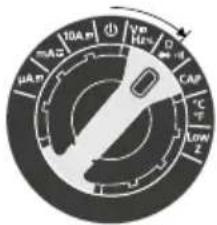
5 Rotary switch to set the measuring function
6 Red input socket (+)
7 Black COM socket (−)
8 μA / mA Red input socket (+)
9 10A Red input socket (+)
10 Battery compartment at rear of device
11 Switch over measuring function, Bluetooth ON/OFF
12 Select range manually
13 Comparison measurement (REL), AC+DC function
14 LCD
Hz Hertz (frequency)
Diode test
Continuity test
% Percentage (duty factor)
°F ° Fahrenheit
°C ° Celsius
Bluetooth active
AC+DC AC+DC function
DC measurements
■ Negative measured value
\~ AC measurements
Low battery charge
AUTO Automatic range selection
HOLD Current measured value is held
REL Comparison measurement
Peak PEAK function (voltage peak function)
MAX Maximum value
MIN Minimum value
AVQ Average value
15 Measured value display
16 Bar graph display
Maximum limit values
| Function | Maximum limit values |
| Max. input voltage between the respective input terminals and earth: | |
| V AC, V DC 1000 V AC RMS / 1000 V DC | |
| Low Z | 600 V AC RMS / 600 V DC |
| Resistance, continuity, diode test, capacitance, frequency, Duty factor | 600 V AC RMS / 600 V DC |
| Temperature (°C/°F) | 600 V AC RMS / 600 V DC |
| Max. input current and fuse protection in current measurement: | |
| μA AC/DC, mA AC/DC Fast-acting fuse 800 mA | (6,3 x 32 mm) / 1000 V rms |
| 10A AC/DC | Fast-acting fuse 10A (10 x 38 mm) / 1000 V rms(on-time max. 30 sec. every 15 min.) |
AUTO OFF function
In order to preserve the batteries, the meter switches off automatically if it is left idle for 15 minutes.
To protect the function the Mode button is held pressed during switch-on.
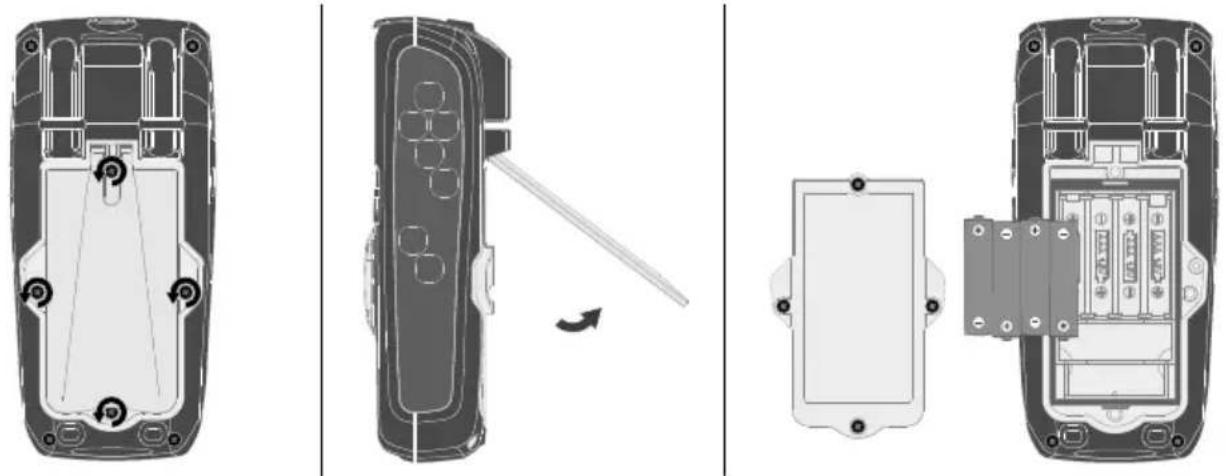
1Insertion of batteries
Open the battery compartment (10) and insert batteries according to the symbols. Be sure to pay attention to polarity.
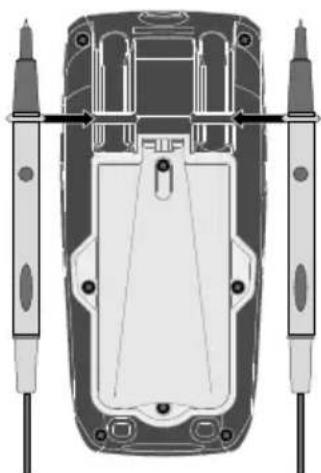
2 Attaching the test prods
To avoid the risk of injury, the test prods must always be kept in the holder at the rear of the device with the protective caps fitted when not in use and during transportation.
natural_image
Top-down schematic of a vehicle's rear view showing front, side, and top views with no text or symbols3. connection of test prods
The black test prod (−) must always be connected to the „COM socket”. Connect the red test prod (+) as illustrated.

Current measurement 10 A Vol
age, resistance, frequency, duty factor measurement, diode, continuity check, capacitance measurement, contact temperature measurement
Current measurement A and mA
Please ensure that the test prods are connected correctly before each measurement. Taking a voltage measurement with 10 A current connectors plugged in or in the mA range can cause the built-in fuse to trip and damage the measuring circuit.
4 current measurement AC/DC
! Disconnect the circuit before connecting the meter.
1.2.3.
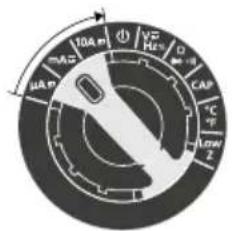
μA / mA / 10A AC/DC

selection
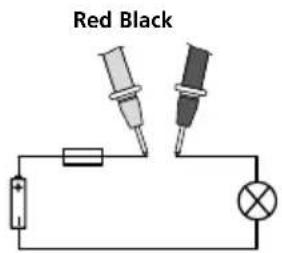
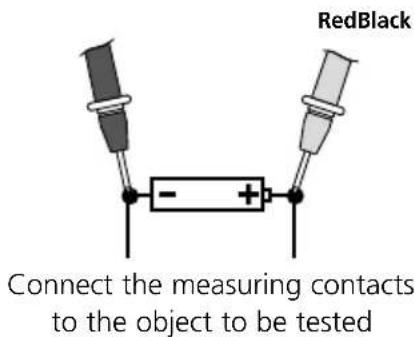
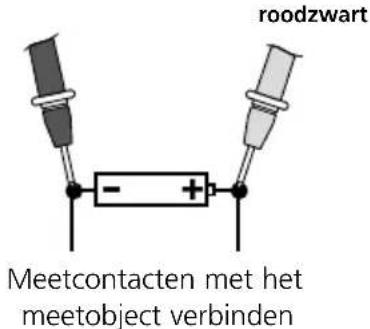
Connect the measuring contacts to the object to be tested
Do not measure currents in the 10 A for longer than 30 seconds. This could damage the device or the test prods.
5 voltage measurement AC/DC
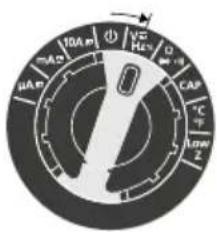
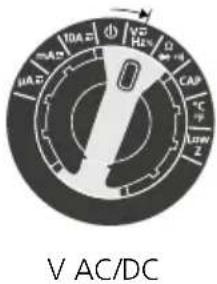
V AC/DC
2.3.

AC, DC, Hz and % selection
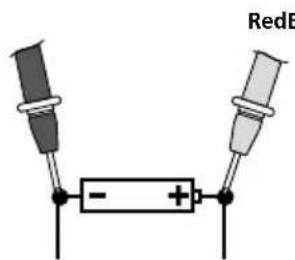
connect the measuring contacts to the object to be tested
6 frequency and duty factor measurements
1.2.3.
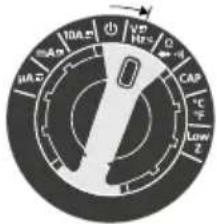
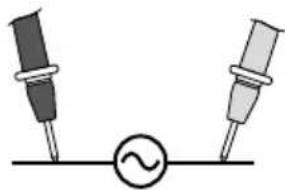
Hz / % Connect the measuring percentage

AC, DC, Hz
natural_image
Simple electrical circuit diagram with two probes and a voltage source (no text or symbols)to the object to be tested
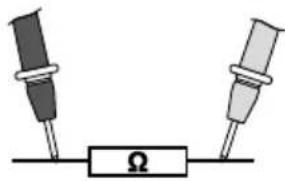
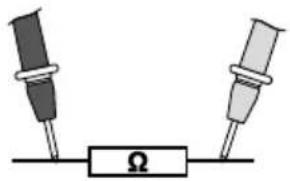
7 Resistance measurement
1.2.3.
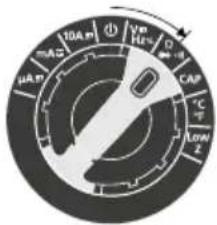
Ω

Ω, continuity check and diode check selection
natural_image
Simple electrical circuit diagram with two resistors and a voltage source labeled Ω (no text or symbols beyond basic components)Connect the measuring contacts to the object to be tested
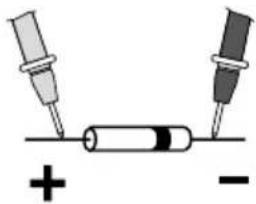
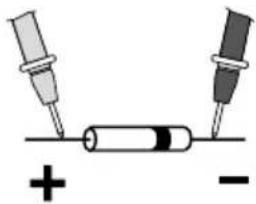
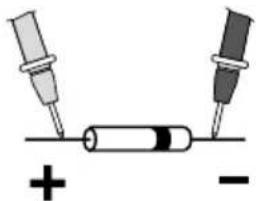
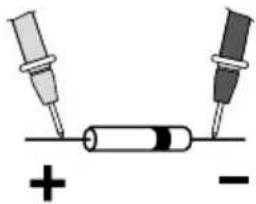
8 Diode test
1.2.3.
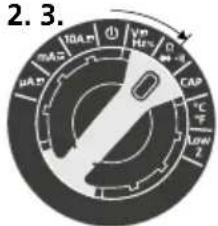
Diode test

Ω, continuity check and diode check selection
natural_image
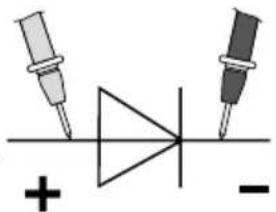
Pure electrical circuit symbol for a diode with two terminals and polarity indicators (no text or labels)BlackBlackRed Red

natural_image
Simple electrical circuit diagram with two probes and a battery, no text or symbols presentForward direction
If „O.L.“ appears on the display instead of a measured value, the diode has either been tested in the reverse direction or is faulty. If 0.0 V is measured, the diode is faulty or a short-circuit has occurred.
9. Capacitance measurement
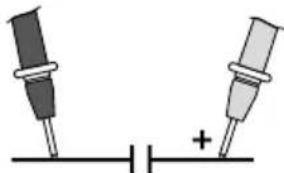
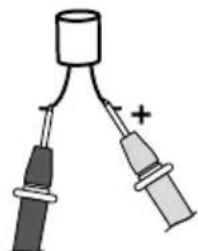
Capacitance measurement Connect the measuring contacts to the object to be tested
RedBlack
natural_image
Simple diagram of two battery terminals with a plus sign, no text or symbols present3.2.1.
natural_image
Simple diagram of two connected electrical components with polarity indicators (no text or symbols)In the case of poled capacitors, connect the positive pole to the red test prod.
| ! | Components (7: Resistors, 8: Diodes, 9: Capacitors) can only be measured correctly in isolation. It may therefore be necessary to disconnect the components from the rest of the circuit. |
| ! | To avoid incorrect results the measuring points must be free of dirt, oil, solder lacquer or similar. |
| ! | The components must be off-circuit. |
10ontinuity test
1.3.2.
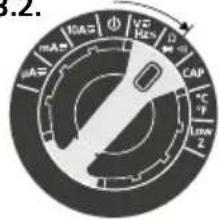
Continuity test

Ω, continuity check and diode check selection
Red RedBlack Black
natural_image
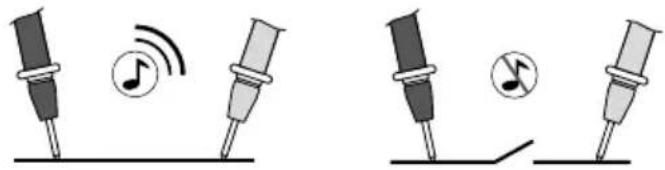
Illustration of two sets of musical notes and a switch, showing different sound wave patterns (no text or symbols)A measured value of < 50 ohms is recognised as continuity; this is confirmed by an audible signal. If „O.L.“ appears on the display instead of a measured value, either the measuring range has been exceeded or the measuring circuit is not closed or has been interrupted.

The components must be off-circuit.
11ontact temperature measurement
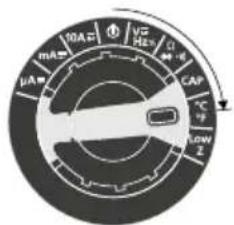
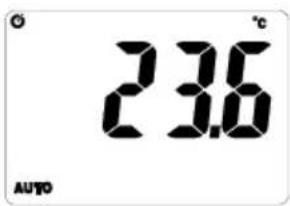
To measure contact temperature, connect the supplied temperature sensor (K-type) to the device. Ensure correct polarity.
°C / °F
2.3.

°C/°F selection
12w Z voltage measurement
1.2.3.
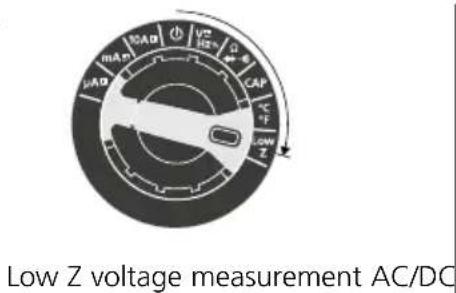
selection
13uto range
The "Auto range" function is activated automatically when the meter is switched on. Auto range searches for the best possible range for each measurement in the corresponding measuring functions.
14activate/deactivate Bluetooth
Bluetooth is activated and deactivated by long-pressing button 11.
15EL function (comparison measurement)
The comparison measurement function takes a measurement relative to a previously saved reference value. This enables the difference between the current measured value and the saved reference value to be displayed. Press the „REL“ button whilst a reference measurement is being taken in the corresponding measuring function. The display now shows the difference between the current measurement and the set reference value. Press the „REL“ button again to deactivate the function.
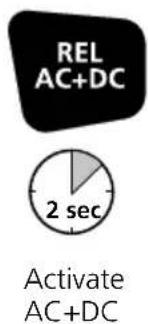
16C+DC function
The AC+DC function measures both the AC as well as the DC component to obtain the RMS.

17 AX-/MIN-/AVG function
The MAX/MIN/AVG function shows the highest, lowest and average measured values. The measured values are updated each time a higher or lower measurement is recorded. To activate the function, briefly press the MAX/MIN/AVG button. „MAX“ appears together with the highest value on the LC display. By briefly pressing the MAX/MIN/AVG button, the device switches from MAX to MIN and from MIN to AVG. Keep the MAX/MIN/AVG button pressed to exit MAX/MIN/AVG function and return to normal operation.
18EAK function (voltage peak function)
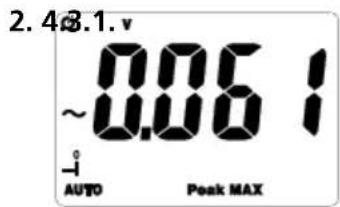
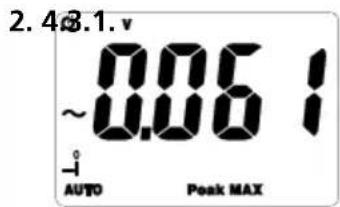
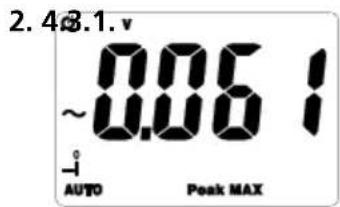
The PEAK function detects the highest positive and lowest negative peak in an AC voltage or AC current wave form. The measured values are updated each time a higher positive or lower negative PEAK is detected.
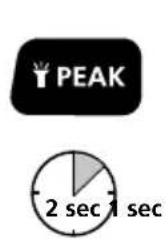
Activate PEAK "Peak MAX"
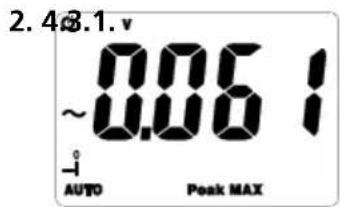
"Peak MAX" Highest positive peak
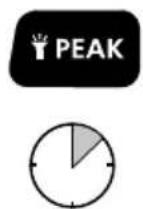
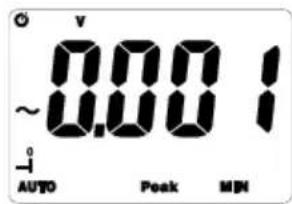
Switch to "Peak MIN"
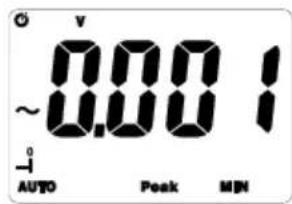
"Peak MIN" Lowest negative peak
Briefly keep the PEAK button pressed to switch between Peak MAX and Peak MIN. To return to normal operation, keep the PEAK button pressed until Peak on the LC display disappears.
19unction overview
The function described under point 15 to 18 are available in the measurement variable shown below:
 |  |  | |
| Current measurement AC (μA) | ●/– | ●/●/●● | |
| Current measurement DC (μA) | ●/– | ●/●/● | – |
| Current measurement AC (mA) | ●/– | ●/●/● | – |
| Current measurement DC (mA) | ●/– | ●/●/● | – |
| Current measurement AC (10A) | ●/– | ●/●/● | – |
| Current measurement DC (10A) | ●/– | ●/●/● | – |
| Voltage measurement AC | ●/●● | /●/●● | |
| Voltage measurement DC | ●/●● | /●/● | – |
| Frequency measurement | –/– | –/–/– | – |
| Duty factor measurement | –/– | –/–/– | – |
| Resistance measurement | ●/– | ●/●/● | – |
| Continuity test –/– | ●/●/● | – | |
| Diode test | –/– | ●/●/● | – |
| Capacitance measurement | ●/– | –/–/– | |
| Contact temperature measurement | –/– | ●/●/● | – |
| Low Z voltage measurement | –/– | –/–/– | – |
20 ashlight function
Short-press the button (3) to switch the flashlight on and off.
Laserliner
21acklight
Long-press the button (4) to switch the backlighting on and off. The backlighting switches on automatically in dark conditions.
22old function
The „Hold“ function enables you to keep the current measured value on the display. Press the „HOLD“ (4) button to activate and deactivate the function.
23eplacing the fuse
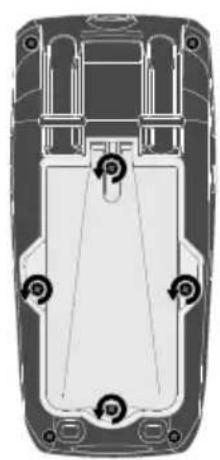
To replace the fuse, first disconnect the test prods from their voltage source and then from the device. Open the housing and replace the fuse with one of the same type and specification (10A / 1000V or 800mA / 1000V). Close the housing and carefully screw the meter back together.
natural_image
Top-down schematic of a vehicle's internal components, showing no text or symbols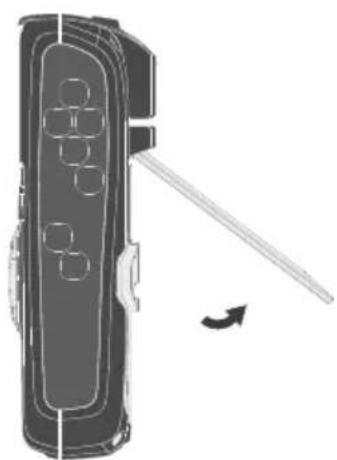
natural_image
Diagram of a handheld device with a lever and arrow indicating motion (no text or symbols)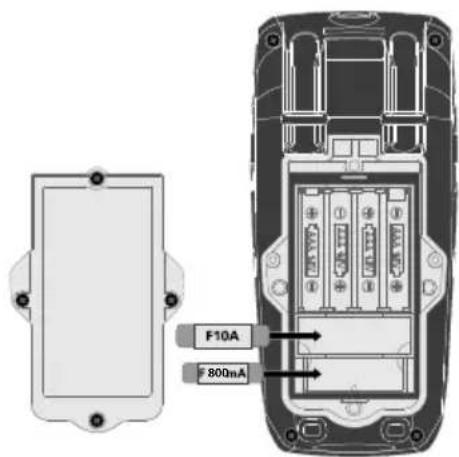
Information on maintenance and care
Clean all components with a damp cloth and do not use cleaning agents, scouring agents and solvents. Remove the battery(ies) before storing for longer periods. Store the device in a clean and dry place.
Calibration
The meter needs to be calibrated and tested on a regular basis to ensure it produces accurate measurement results. We recommend carrying out calibration once a year.
Data transfer
The device features a Bluetooth®* function that enables wireless data transfer to mobile devices with a Bluetooth®* interface (such as a smartphone or tablet).
The system prerequisites for a Bluetooth®* connection are specified at http://laserliner.com/info?an=ble
The device can set up a Bluetooth ^® * connection with Bluetooth 4.0 compatible devices.
The range is set to a maximum distance of 10 m from the terminal device and greatly depends on the ambient conditions such as the thickness and composition of walls, sources of interference as well as the transmit / receive properties of the terminal device.
Bluetooth ^® must be activated after switching on the device as the measuring system or measuring device is designed for very low power consumption.
A mobile device can link up to the active measuring device via an app.
Application (app)
An app is required to use the Bluetooth®* function.
You can download the app from the corresponding stores for the specific type of terminal device:


Make sure that the Bluetooth®* interface of the mobile device is activated.
After starting the app and activating the Bluetooth ^® * function, a connection can be set up between a mobile device and the measuring device. If the app detects several active measuring devices, select the matching device.
This measuring device can be connected automatically the next time it is switched on.
* The Bluetooth® word mark and the logo are registered trademarks of Bluetooth SIG Inc.
| Technical data (Subject to technical alterations. 18W09) | |||
| Function Range Resolution | Accuracy% of measured value (rdg)+ least significant digits | ||
| AC currentBandwidth: 50-400 Hz | 600.0 μA 0.1 μA | ± (1,0% rdg ± 3 digits) | |
| 6000 μA 1 μA | |||
| 60.00 mA 10 μA | |||
| 600.0 mA 0.1 mA | |||
| 10.00 A 10 mA ± (2,0% rdg ± 8 digits) | |||
| DC current | 600.0 μA 0.1 μA | ± (1,0% rdg ± 3 digits) | |
| 6000 μA 1 μA | |||
| 60.00 mA 10 μA | |||
| 600.0 mA 0.1 mA | |||
| 10.00 A 10 mA ± (1,5% rdg ± 3 digits) | |||
| AC voltageBandwidth: 50-1000 Hz | 6.000 V 1 mV | ± (1,0% rdg ± 5 digits)60.00 V 10 mV | |
| 600.0 V 0.1 V | |||
| 1000 V 1 V ± (1,2% rdg ± 5 digits) | |||
| FrequencyAccuracy: ± (1,0% rdg ± 5 digits)Sensitivity: >15 V RMS | |||
| TastgradAccuracy: 5% ... 95% ± (1,5% rdg ± 10 digits)Sensitivity: >15 V RMS | |||
| Function Range Resolution | Accuracy% of measured value (rdg)+ least significant digits | ||
| DC voltage | 600.0 mV 0.1 mV ± (0,5% rdg ± 8 digits) | ||
| 6.000 V 1 mV | ± (0,8% rdg ± 5 digits)60.00 V 10 mV | ||
| 600.0 V 0.1 V | |||
| 1000 V 1 V ± (1,0% rdg ± 3 digits) | |||
| AC+DC voltageBandwidth: 50-400 Hz | 6.000 V 1 mV | ± (1,5% rdg ± 20 digits)60.00 V 10 mV | |
| 600.0 V 0.1 V | |||
| 1000 V 1 V ± (1,5% rdg ± 5 digits) | |||
| AC/DC voltage (LOW Z)Bandwidth: 50-400 Hz | 6.000V 1 mV | ± (3,0% rdg ± 30 digits)60.00 V 10 mV | |
| 600.0 V 0.1 V | |||
| 1000 V 1 V ± (3,0% rdg ± 5 digits) | |||
| Resistance | 600.0 Ω 0.1 Ω | ± (1,5% rdg ± 5 digits) | |
| 6.000 kΩ 1 Ω | |||
| 60.00 kΩ 10 Ω | |||
| 600.0 kΩ 100 Ω | |||
| 6.000 MΩ 1 kΩ | |||
| 60.00 MΩ 10 kΩ ± (2,0% rdg ± 10 digits) | |||
| Capacitance | 60.00 nF 10 pF | ± (5,0% rdg ± 35 digits) | |
| 600.0 nF 100 pF | ± (3,0% rdg ± 5 digits) | ||
| 6.000 μF 0.001 μF | |||
| 60.00 μF 0.01 μF | |||
| 600.0 μF 0.1 μF | |||
| 6000 μF 1 μF | ± (5,0% rdg ± 5 digits) | ||
| Frequency | 9.999 Hz | 0.001 Hz | ± (1,0% rdg ± 5 digits) |
| 99.99 Hz | 0.01 Hz | ||
| 999.9 Hz | 0.1 Hz | ||
| 9.999 kHz 1 Hz | |||
| Pulse width: 100 μs ... 100 msFrequency: 10 Hz ... 1 kHzSensitivity: >8 V RMS | |||
| Duty cycle | 20% ... 80% | 0.1% | ± (1,2% rdg ± 2 digits) |
| Pulse width: 100 μs ... 100 msFrequency: 10 Hz ... 1 kHzSensitivity: >8 V RMS | |||
| Temperature | -20 ... 760°C | 0.1~1°C | ± (1% rdg ± 5°C) |
| -4 ... 1400°F | 0.1~1°F | ± (1% rdg ± 9°F) | |
| Function Range Max. input | |||
| AC current 10 A | |||
| DC current 10 A | |||
| Function Range Input protection | |||
| AC voltage 45 Hz ... 1000 Hz 1000V AC rms or 1000V DC | |||
| AC+DC voltage 50 Hz ... 400 Hz 600V AC rms or 600V DC | |||
| LOW Z voltage AC/DC 50 Hz ... 400 Hz 600V AC rms or 600V DC | |||
| DC voltage 50 Hz ... 400 Hz 600V AC rms or 600V DC | |||
| Resistance, capacitance, diode check, continuity, temperature | 600V AC rms or 600V DC | ||
| All accuracy ratings in AC ranges are specified for 5%...95% of measured value | |||
| Diode test | Test current/voltage 1 mA /open circuit voltage < 3 V DC typical | ||
| Continuity test Response threshold < 30Ω, Test current < 1 mA | |||
| LCD 0 ... 6000 | |||
| Measurement range 3 measurements/sec. | |||
| Input resistance 10 MΩ (VDC, VAC, V AC+DC), 3 kOhm (VDC Low Z, VAC Low Z) | |||
| Protection class II, double insulation | |||
| Overvoltage category CAT III - 1000V, CAT IV - 600V | |||
| Pollution degree | 2 | ||
| Operating conditions | 0 ... 40°C, 75%rH, no condensation, max. altitude 2000 m | ||
| Storage conditions | -10 ... 60°C, 80%rH, no condensation | ||
| Radio module operating data | Bluetooth LE 4.x interfaceFrequency band: ISM band 2400–2483.5 MHz, 40 channelsTransmission power: max. 10 mWBandwidth: 2 MHzBit rate: 1 Mbit/s; Modulation: GFSK/FHSS | ||
| Power supply | 4 x AAA 1.5 Volt batteries | ||
| Dimensions (W x H x D) | 75 x 170 x 48 mm | ||
| Weight (incl. batteries) | 416 g | ||
EU directives and disposal
This device complies with all necessary standards for the free movement of goods within the EU.
This product is an electric device and must be collected separately for disposal according to the European Directive on waste electrical and electronic equipment.
Further safety and supplementary notices at:
http://laserliner.com/info?an=mumexp
!
natural_image
Top-down schematic of a vehicle's rear view showing internal components and suspension points (no text or labels)natural_image
Simple diagram of two probes connected to a voltage source symbol (no text or labels)meetobject verbinden
roodzwart
7Veerstandsmeting
1.2.3.
Ω

Omschakeling Ω, doorgangstest en diodetest
natural_image
Simple electrical circuit diagram with two resistors and a voltage source (no text or symbols)natural_image
Pure electrical circuit symbol for a diode with two terminals and polarity indicators (no text or labels)zwartzwartrood rood
natural_image
Simple diagram showing two test tubes connected to a cylindrical component with plus and minus signs below (no text or symbols on the components)Doorlaatrichting
natural_image
Simple diagram of two battery terminals with a plus sign, no text or symbols presentnatural_image
Simple diagram of two connected electrical components with polarity indicators (no text or symbols)natural_image
Illustration of musical notes and sound waves on two different stand positions (no text or symbols)3.
PEAK activeren 'Peak MAX'
natural_image
Top-down schematic of a vehicle chassis showing internal components and mounting points (no text or labels)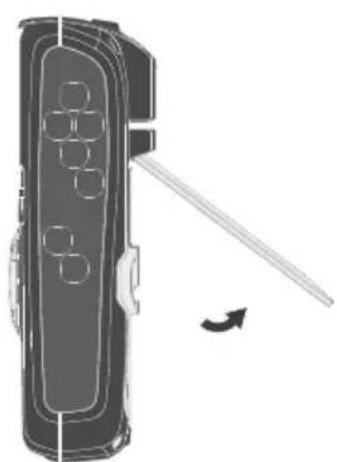
natural_image
Diagram of a handheld device with a lever and scroll, showing no text or symbols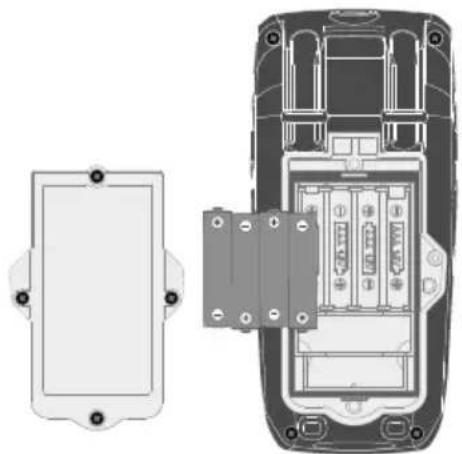
natural_image
Technical line drawing of a mobile phone casing showing internal components and mounting holes (no text or symbols)natural_image
Top-down schematic of a vehicle's rear view showing front, side, and top views with no text or symbolsnatural_image
Simple diagram showing two cylindrical devices connected to a voltage source with a small circle (no text or symbols)med måleobjektet
7Modstandsmåling
1.2.3.
Ω

natural_image
Pure electrical circuit symbol for a diode with two terminals and a plus/minus signs (no text or labels)sortsortrød rød
natural_image
Simple diagram showing two test tubes connected to a cylindrical component with plus and minus signs below (no text or symbols on the components)Gennemgangsretning
natural_image
Simple diagram of two battery terminals connected to a power source with a plus sign (no text or symbols)natural_image
Simple diagram of two connected electrical components with polarity indicators (no text or symbols)natural_image
Illustration of two sets of musical notes and a switch, showing different configurations (no text or symbols present)REL Mesure comparative
natural_image
Top-down schematic of a vehicle's rear view showing internal components and screwdriver (no text or labels)natural_image
Simple diagram of two probes connected to a voltage source with a small AC symbol (no text or labels)natural_image
Simple electrical circuit diagram with two resistors and a voltage source labeled Ω (no text or symbols beyond basic components)natural_image
Pure electrical circuit symbol for a diode with two terminals and polarity indicators (no text or labels)noirnoirrouge rouge
natural_image
Simple electrical circuit diagram with two probes and a battery, no text or symbols presentnatural_image
Simple diagram of two connected electrical components with a plus sign, no text or symbols presentnatural_image
Illustration of musical notes and sound waves on different stand positions (no text or symbols)17 nction MAX/MIN/AVG
natural_image
Top-down schematic of a vehicle showing front, side, and top views with no text or symbolsnatural_image
Simple diagram of two probes connected to a voltage source with a small circle (no text or symbols)natural_image
Simple electrical circuit diagram with two resistors and a voltage source labeled Ω (no text or symbols beyond basic components)natural_image
Pure electrical circuit symbol for a diode with two terminals and polarity indicators (no text or labels)negronegrorojo rojo
natural_image
Simple diagram showing two test tubes connected to a cylindrical component with plus and minus signs, no text or symbols present.Sentido de paso
natural_image
Simple diagram of two battery terminals connected to a power source with a plus sign (no text or symbols)natural_image
Simple diagram of two connected electrical components with polarity indicators (no text or symbols)natural_image
Illustration of musical notes and sound waves on different stand positions (no text or symbols)Activar PEAK "Peak MAX"
"Peak MAX" punta máxima positiva
Cambio a "Peak MIN"
"Peak MIN" punta máxima negativa