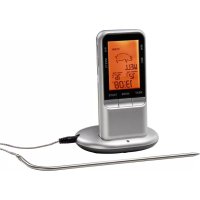
00111382 - Food thermometer Xavax - Free user manual and instructions
Find the device manual for free 00111382 Xavax in PDF.



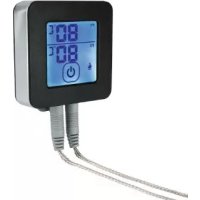
| Product type | Digital food thermometer |
| Brand | Xavax |
| Model | 00111382 |
| Power supply | 4 LR03/AAA 1.5 V batteries |
| Thermometer weight | 69 g |
| Base station weight | 57 g |
| Radio range | Approx. 8 m |
| Measuring range | -10 °C to 250 °C (14 °F to 482 °F) |
| Measurement accuracy | ± 1 °C |
| Radio frequency | 433.93 MHz |
| Max RF power | 13 dBm |
| Probe resistance | Up to 250 °C |
| Main functions | Auto setting by meat and doneness, manual setting, timer, stopwatch |
| Predefined meat types | Beef, lamb, veal, hamburger, pork, turkey, chicken, fish |
| Doneness levels | Well done, medium, medium rare, rare, blue (depending on meat) |
| Max timer | 99 min 59 s |
| Temperature units | °C / °F (switchable) |
| Care and cleaning | Probe washable with water, other parts cleaned with a damp cloth |
| Safety | Do not immerse, do not put in oven, probe hot, use oven mitts |
| Package contents | Thermometer, base station, stainless steel probe, 4 LR03/AAA batteries, instruction manual |
Frequently Asked Questions - 00111382 Xavax
User questions about 00111382 Xavax
0 question about this device. Answer the ones you know or ask your own.
Ask a new question about this device
Download the instructions for your Food thermometer in PDF format for free! Find your manual 00111382 - Xavax and take your electronic device back in hand. On this page are published all the documents necessary for the use of your device. 00111382 by Xavax.
USER MANUAL 00111382 Xavax
->00111382->Downloads.
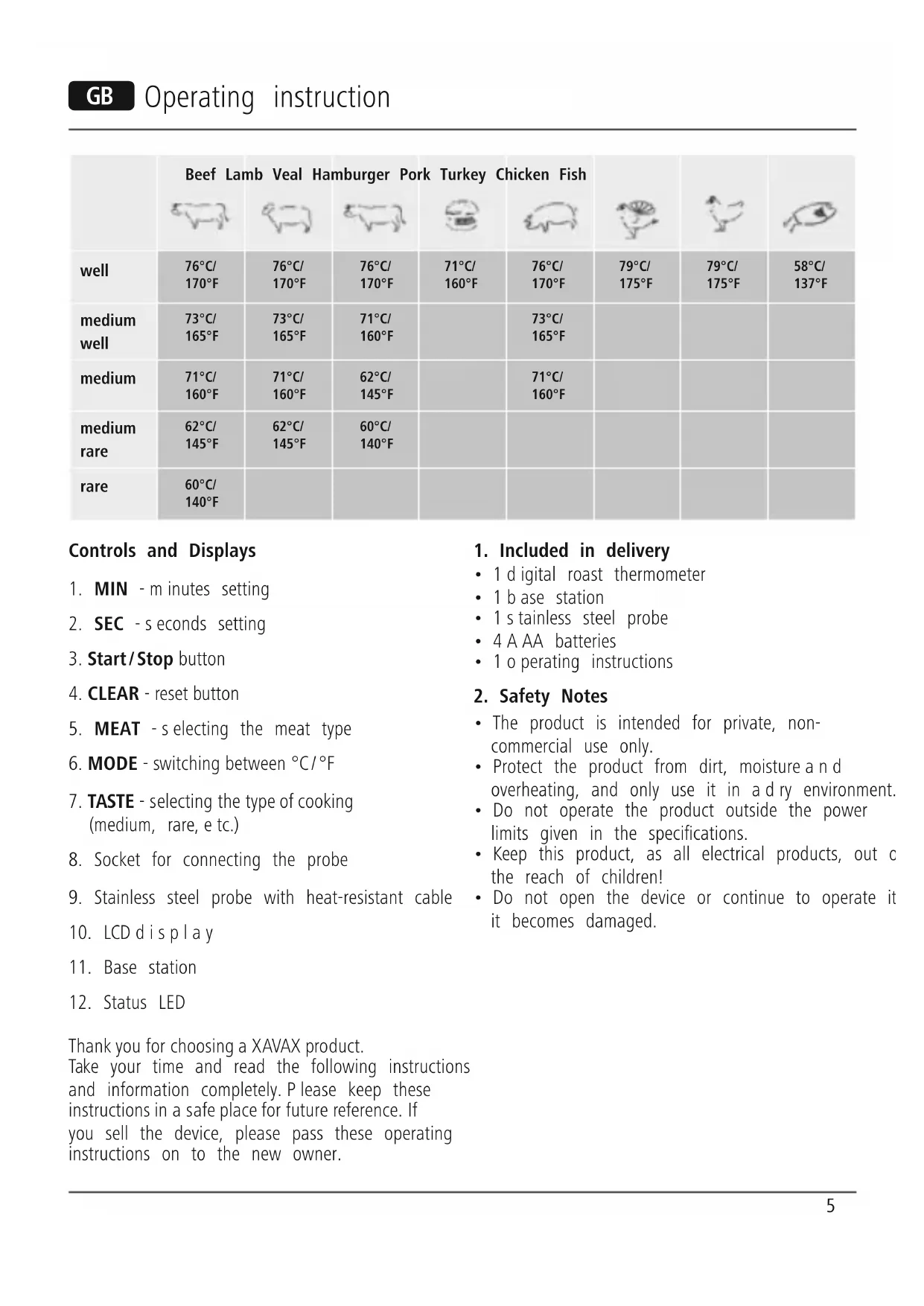
| Beef Lamb Veal Hamburger Pork Turkey Chicken Fish | ||||||||
| well | 76°C/170°F | 76°C/170°F | 76°C/170°F | 71°C/160°F | 76°C/170°F | 79°C/175°F | 79°C/175°F | 58°C/137°F |
| medium well | 73°C/165°F | 73°C/165°F | 71°C/160°F | 73°C/165°F | ||||
| medium | 71°C/160°F | 71°C/160°F | 62°C/145°F | 71°C/160°F | ||||
| medium rare | 62°C/145°F | 62°C/145°F | 60°C/140°F | |||||
| rare | 60°C/140°F | |||||||
Controls and Displays
- MIN - mutes setting
- SEC - seconds setting
3.Start/Stop button - CLEAR - reset button
- MEAT -s electing the meat type
- MODE - switching between ^ C / 口
- TASTE - selecting the type of cooking (medium, rare, etc.)
- Socket for connecting the probe
- Stainless steel probe with heat-resistant cable
- LCD display
- Base station
12.StatusLED
Thank you for choosing a XAVAX product.
Take your time and read the following instructions and information completely. Please keep these instructions in a safe place for future reference. If you sell the device, please pass these operating instructions on to the new owner.
1. Included in delivery
1 d qital roast thermometer
- 1 base station
1 s stainless steel probe
4 A AA batteries
1 operating instructions
2. Safety Notes
The product is intended for private, non-commercial use only.
- Protect the product from dirt, moisture and overheating, and only use it in a dry environment.
- Do not operate the product outside the power limits given in the specifications.
- Keep this product, as all electrical products, out of the reach of children!
- Do not open the device or continue to operate it it becomes damaged.

Warning
- Do not put the thermometer housing in the oven.
- The thermometer is not watertight.
- The stainless steel probe gets very hot. Always use a potholder to remove it.
- Do not use the thermometer to measure the temperature of the oven.

Warning -batteries
- O nly use batteries (or rechargeable batteries) that match the specified type.
- W hen inserting batteries, note the correct polarity (+ and - m arkings) and insert the batteries accordingly. Failure to do so could result in the batteries leaking or exploding.
- K eep batteries out of the reach of children.
- N ever open, damage or swallow batteries or allow them to enter the environment. They can contain toxic, environmentally unfriendly heavy metals.
- D o n ot tamper with or damage/heat/disassemble the batteries/rechargeable batteries.
- I immediately remove and dispose of dead batteries from the product.
- D o n ot short circuit the batteries/rechargeable batteries and keep them away from uncoated metal objects.
3. Getting Started
3.1 Inserting the batteries
- To insert or change the batteries, open the battery cover on the back of the device and insert two AAA batteries each into the battery compartments of the thermometer and the base station with the correct polarity.
- Close each battery compartment fully.
3.2 Switching on the base station and the thermometer
- Insert the probe's connection plug into the base station on the right side.
-
Switch the base station on by setting the power switch on the bottom to on.
-
Switch the thermometer on by setting the power switch on the back to on.
- After the thermometer is switched on, the status LED in the middle of the base station will light up in red and indicate that the station can receive temperature data.
4. Operation
Clean the probe with a mild cleaning agent under running water before starting up the device. Insert the probe at least 2cm into the thickest part of the food. Only the probe and the cable can withstand temperatures up to 250^ . Carefully guide the cable out of the oven. The oven sealing strip will adjust to it. Keep the base station and thermometer away from the source of heat. Do not use the device in the microwave. No part of the probe may come into contact with open flames. May only be used for ovens and grills.
4.1 Automatic temperature settings based on type of meat
- Use the MEAT button to select the appropriate type of meat. Each time you press the button, the display will move through the following options: beef > lamb > veal > hamburger > pork > turkey > chicken > fi sh (see tab. 1)
- Use the TASTE button to pick the appropriate cooking level: well > medium well > medium > medium rare > rare (see tab. 1)
The target temperature is set automatically based on the cooking level and type of meat selected. Press the MODE button to switch between the two units of temperature, ^ C and ^ F
An alarm signal will sound when the set temperature is reached.
4.2 Setting the temperature manually
You can also set the target temperature manually.
- Press the MODE button and hold it for 3 seconds.
- Use the MIN button to increase the target temperature and the SEC button to reduce it.
- Press MODE again to confirm the setting.
- An alarm signal will sound when the set temperature is reached.
4.3 Timer
- Press the MIN and SEC buttons to set the appropriate time (max. setting of 99 minutes and 59 seconds)
- Press the Start/Stop button to start the countdown. As soon as the countdown reaches zero, a signal sounds.
- To turn off the signal, press any button.
- Use the CLEAR button to reset the timer to zero
4.4 Stopwatch
- Press the Start/Stop button to start the stopwatch.
- To stop the time, press the Start/Stop button again.
- Use the CLEAR button to reset the stopwatch time to zero.
5. Cleaning
- Clean the stainless steel probe with water and mild cleaning agent after each use.
- Do not submerge the sensor and cable in water
- Only use a damp cloth to clean the cable, thermometer and base station.
- Not suitable for dishwashers.
6. Warranty Disclaimer
Hama GmbH & Co KG assumes no liability and provides no warranty for damage resulting from improper installation/mounting, improper use of the product or from failure to observe the open instructions and/or safety notes.
7. Service and Support
Please contact Hama Product Consulting if you any questions about this product.
Hotline: +49 9091 502-115 (German/English)
Further support information can be found here: www.xavax.eu
8. Technical specifications
| Power supply | 4 x 1.5 V AAA batteries |
| Range approx. 8m | |
| Measuring range | -10°C – 250°C, 14°F – 482°F |
| Weight 69 g; base station: 57 g | |
| Measuring accuracy | +/- 1°C |
| Frequency band(s) | 433.93 MHz |
| Maximum radio-frequency power transmitted | 13 dBM |
9. Recycling Information
Note on environmental protection:
After the implementation of the European Directive 2012/19/EU and 2006/66/EU in the national legal system, the following applies: Electric and electronic devices as well as batteries must not be disposed of
with household waste. Consumers are obliged by law to return electrical and electronic devices as well as Batteries at the end of their service lives to the pul collecting points set up for this purpose or point of sale. Details to this are defined by the national law the respective country. This symbol on the product, the instruction manual or the package indicates that a product is subject to these regulations. By recycling, reusing the materials or other forms of utilising old devices/Batteries, you are making an important contribution to protecting our environment.
nt0. Declaration of Conformity
Hereby, Hama GmbH & Co KG declares that the radio equipment type [00111382] is in compliance with Directive 2014/53/EU. The full text of the EU declaration of conformity is available at the following internet address: www.xavax.eu ->00111382->Downloads.
| Bœuf Agneau Veau | Vienne | hachée | Porc Dinde Poulet Poisson | ||||
| well | 76°C/170°F | 76°C/170°F | 76°C/170°F | 71°C/160°F | 76°C/170°F | 79°C/175°F | 79°C/175°F |
| medium well | 73°C/165°F | 73°C/165°F | 71°C/160°F | 73°C/165°F | |||
| medium | 71°C/160°F | 71°C/160°F | 62°C/145°F | 71°C/160°F | |||
| medium rare | 62°C/145°F | 62°C/145°F | 60°C/140°F | ||||
| rare | 60°C/140°F | ||||||
www.xavax.eu->00111382->Downloads.
| Gyürü Bárány Borjú | Vagdalthús | Disznóhús | Pulyka Cserke Hal | |
| well | 76°C/170°F | 76°C/170°F | 71°C/160°F | 76°C/170°F |
| medium well | 73°C/165°F | 73°C/165°F | 71°C/160°F | 73°C/165°F |
| medium | 71°C/160°F | 71°C/160°F | 62°C/145°F | 71°C/160°F |
| medium rare | 62°C/145°F | 62°C/145°F | 60°C/140°F | |
| rare | 60°C/140°F |
www.xavax.eu->00111382->Downloads.
| Воblastу Apvi Moхángi Kúmic XoIPIVó | Галовá | Kotónovλo | Ψáρι | |||||
| well | 76°C/170°F | 76°C/170°F | 76°C/170°F | 71°C/160°F | 76°C/170°F | 79°C/175°F | 79°C/175°F | 58°C/137°F |
| medium well | 73°C/165°F | 73°C/165°F | 71°C/160°F | 73°C/165°F | ||||
| medium | 71°C/160°F | 71°C/160°F | 62°C/145°F | 71°C/160°F | ||||
| medium rare | 62°C/145°F | 62°C/145°F | 60°C/140°F | |||||
| rare | 60°C/140°F | |||||||
3.1 Colocar as pilhas
www.xavax.eu->00111382-> Downloads.
| Nötkött Lamm Kalv Kottfärs Fläsk Kalkon Kyckling Fisk | ||||||||
| well | 76°C/170°F | 76°C/170°F | 76°C/170°F | 71°C/160°F | 76°C/170°F | 79°C/175°F | 79°C/175°F | 58°C/137°F |
| medium well | 73°C/165°F | 73°C/165°F | 71°C/160°F | 73°C/165°F | ||||
| medium | 71°C/160°F | 71°C/160°F | 62°C/145°F | 71°C/160°F | ||||
| medium rare | 62°C/145°F | 62°C/145°F | 60°C/140°F | |||||
| rare | 60°C/140°F | |||||||
Distributed by Hama GmbH & Co KG
86652 Monheim/Germany
+49 9091 502-0
www.xavax.eu
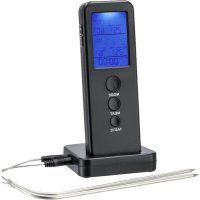
- Controls and Displays
- Included in delivery
- Safety Notes
- Warning
- Warning -batteries
- Getting Started
- Inserting the batteries
- Switching on the base station and the thermometer
- Operation
- Automatic temperature settings based on type of meat
- Setting the temperature manually
- Timer
- Stopwatch
- Cleaning
- Warranty Disclaimer
- Service and Support
- Technical specifications
- Recycling Information
- Note on environmental protection:
- nt0. Declaration of Conformity
- Colocar as pilhas
Brand : Xavax
Model : 00111382
Category : Food thermometer