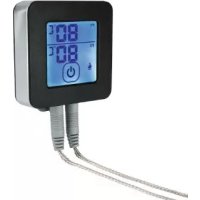
00111593 - Food thermometer Xavax - Free user manual and instructions
Find the device manual for free 00111593 Xavax in PDF.



| Product type | Food thermometer |
| Brand | Xavax |
| Model | 00111593 |
| Power supply | 1 button cell battery 3V CR2032 |
| Measuring range | -30 °C to 250 °C / -22 °F to 483 °F |
| Connectivity | Bluetooth 4.0 |
| Compatibility | Android 4.3+ / iOS 7+ |
| Number of probes | 2 stainless steel probes |
| Main functions | Cooking profiles, temperature alarm, timer (up to 23h59min59s), history, photo sharing |
| Display | LCD screen |
| Temperature units | °C or °F |
| Dimensions (approx.) | 10 x 5 x 2 cm |
| Weight (with battery) | Approx. 50 g |
| Cleaning | Probes cleanable with a damp cloth; do not immerse the housing |
| Safety | Do not place in oven; hot probes (use oven mitts); keep out of reach of children; observe battery polarity |
| Spare parts | Replacement probes available on request |
| Repairability | Not user-serviceable; contact customer service |
| Warranty | See Hama / Xavax warranty conditions |
| Package contents | Thermometer, 2 probes, battery installed, manual |
| Associated app | Grill-T (free) |
Frequently Asked Questions - 00111593 Xavax
User questions about 00111593 Xavax
0 question about this device. Answer the ones you know or ask your own.
Ask a new question about this device
Download the instructions for your Food thermometer in PDF format for free! Find your manual 00111593 - Xavax and take your electronic device back in hand. On this page are published all the documents necessary for the use of your device. 00111593 by Xavax.
USER MANUAL 00111593 Xavax
Operating Instructions
Mode d'emploi
Navod k použití
Návod na použitie
PykoBoDCTBO no 3KcnpnyatauH
- Controls and Displays. 10
- Safety Notes 10
- Getting Started 11
- Using the Thermometer 12
5.Start Page of the App. 12 - Main menu: 12
6.1 Profile 13
6.2 Temperature 13
6.3 Timer 14
6.4 History 14 - Camera 14
- Settings. 15
- Warranty Disclaimer 15
- Service and Support 15
- Technical Data 15
- Recycling Information 15
13.Declaration of Conformity 15
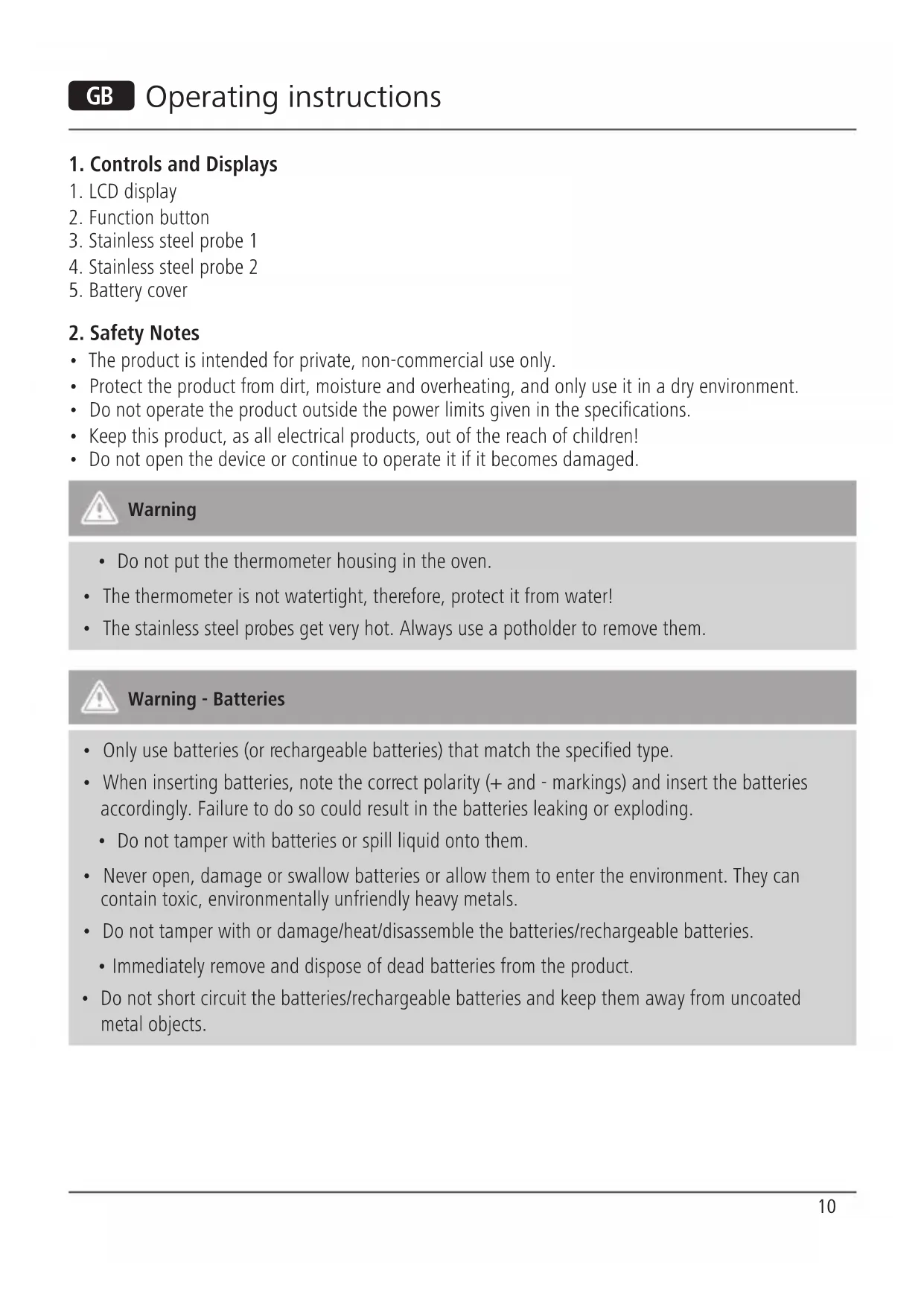
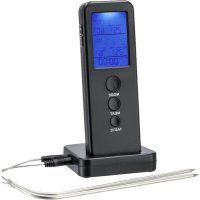
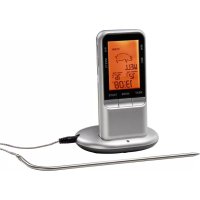
1. Controls and Displays
- LCD display
- Function button
- Stainless steel probe 1
- Stainless steel probe 2
- Battery cover
2. Safety Notes
- The product is intended for private, non-commercial use only.
- Protect the product from dirt, moisture and overheating, and only use it in a dry environment.
- Do not operate the product outside the power limits given in the specifications.
- Keep this product, as all electrical products, out of the reach of children!
- Do not open the device or continue to operate it if it becomes damaged.

Warning
- Do not put the thermometer housing in the oven.
- The thermometer is not watertight, therefore, protect it from water!
- The stainless steel probes get very hot. Always use a potholder to remove them.

Warning - Batteries
- Only use batteries (or rechargeable batteries) that match the specified type.
-
When inserting batteries, note the correct polarity (+ and - markings) and insert the batteries accordingly. Failure to do so could result in the batteries leaking or exploding.
-
Do not tamper with batteries or spill liquid onto them.
-
Never open, damage or swallow batteries or allow them to enter the environment. They can contain toxic, environmentally unfriendly heavy metals.
-
Do not tamper with or damage/heat/disassemble the batteries/rechargeable batteries.
-
Immediately remove and dispose of dead batteries from the product.
-
Do not short circuit the batteries/rechargeable batteries and keep them away from uncoated metal objects.
3. Getting Started
-
Have a Bluetooth 4.0-enabled terminal device ready (either a smartphone or tablet running Android 4.3 / iOS 7 or higher).
For Android: -
Start the Google Play Store on your smartphone/tablet.
- Install the Grill-T app for your operating system.
For Apple (iOS) devices:
- Start the App Store on your smartphone/tablet.
-
Install the Grill-T app for your operating system.
-
Open the battery cover on the back of the thermometer and remove the contact breaker. The thermometer is now activated and displays the current temperature.
- Close the battery cover.
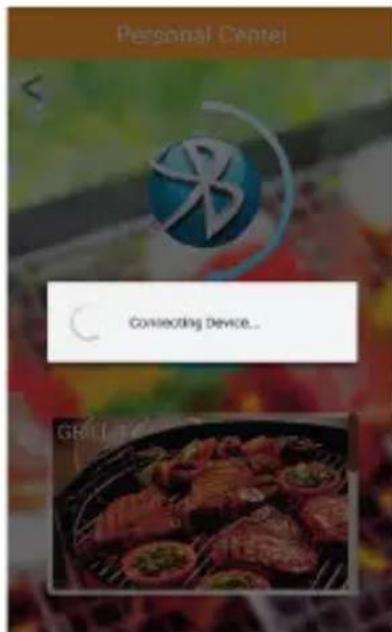
- Start the app. Then tap Search; once found, the thermometer automatically connects to your smartphone/tablet.


Note
- To turn the thermometer on, press the function button briefly.
- To select the unit (ircC or irc F) , press the function button briefly when the thermometer is turned on.
- To turn the thermometer off, press and hold the function button for approximately 3 seconds.
4. Using the Thermometer
- Connect the measuring probe(s) to the thermometer.
- Insert the tip of the stainless steel probe(s) into the thickest part of the food you are grilling, making sure that it does not come out the other side.
Press Start to begin one of the selectable programmes (Profile/Temperature/Timer). An alarm signal will sound once the target temperature has been reached or the set time has elapsed.

Note
- No part of the probe may come into contact with open flames.
5. Start Page of the App
Various functions may be selected on the start page of the app:
- BBQ: Thermometer main menu (see Point 6)
- Camera: Take pictures of your barbecue food and share your creations. (see Point 7)
- Settings: Menu for settings (see Point 8)
- Support: Quick reference guide

6. Main menu:
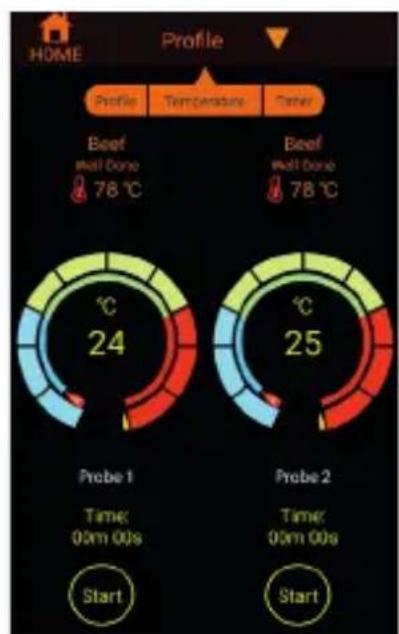
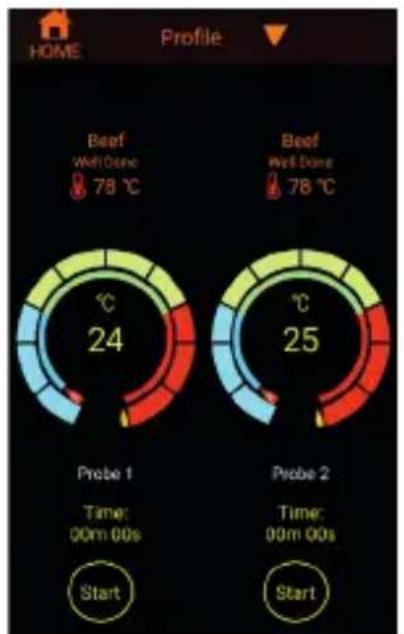
In the main menu, you can make various settings. You can select between three different modes: Profile, Temperature, Timer.
- To switch the mode, tap and select the desired mode.
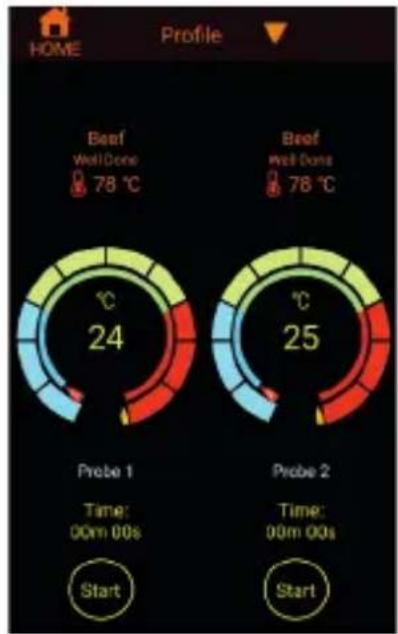
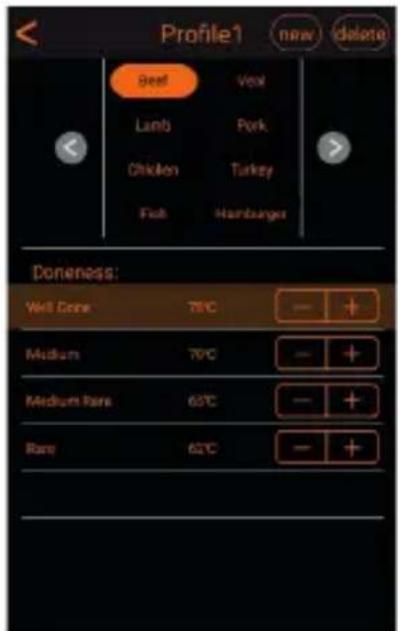
6.1 Profile
- Tap Beef (Probe 1) or Beef (Probe 2) to open the settings.
- Select from the different meats and cooking levels. You can use the +1 - controls to change the preset temperatures of the cooking levels.
- Tap the New button to add new variants and cooking levels.
- Tap the Delete button to delete your own variants.
- Tap Start to start temperature monitoring. An alarm tone will sound on the smartphone/tablet as soon as the set cooking temperature is reached.
6.2 Temperature
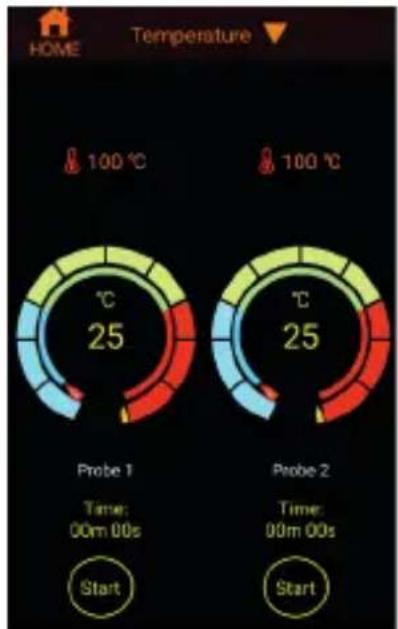
Here you set the desired cooking temperature (-30 - 250ircC)
- Tap g . mo -sired temperature.
- Tap Start to start temperature monitoring. An alarm tone will sound on the smartphone/ tablet as soon as the set cooking temperature is reached.

6.3 Timer
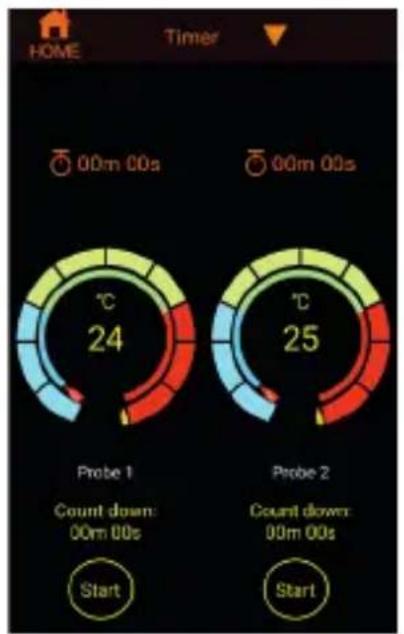
Use the Timer function to set a countdown of your choice (up to 23 h 59 m 59 s).
Tap 00m00sired countdown.
- Tap Start to start the countdown. An alarm tone will sound on the smartphone/tablet as soon as the set time has elapsed.

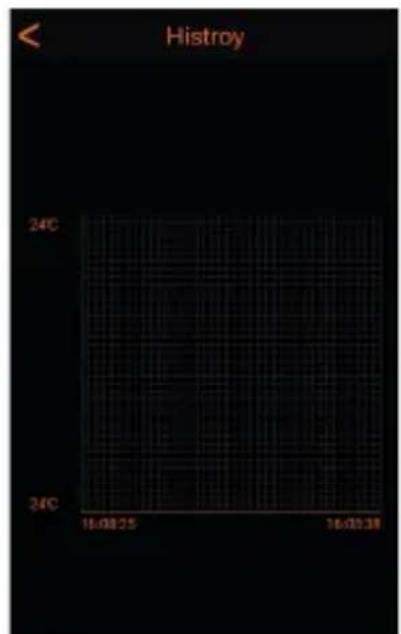
6.4 History
- During the grilling process, you can track the temperature course / time course. To do this, tap the temperature (probe 1 or probe 2). This will open
7. Camera
You can use this function to take photos of your food and share them directly with your friends (Facebook/Twitter/e-mail).
- Tap Camera on the start page.
Photograph your food. - Tap the Share button and select between Facebook, Twitter and e-mail.

Note
- In order to share your pictures via Facebook, Twitter or e-mail, your smartphone/tablet must be connected to your respective user account.
8. Settings
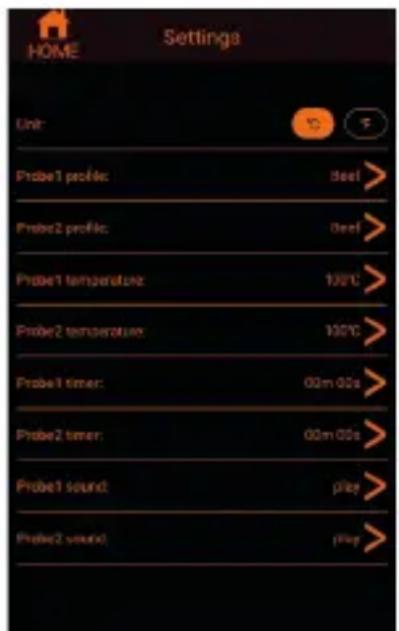
You can make the following changes in the settings.
- You can select the unit in which the app is to display the temperature (ircC or irc F)
- You can set the profile/temperature or the timer of stainless steel probes 1 and 2.
- You can select one of several alarm tones for stainless steel probes 1 and 2.
9. Warranty Disclaimer
Hama GmbH & Co. KG assumes no liability and provides no warranty for damage resulting from improper installation/mounting, improper use of the product or from failure to observe the operating instructions and/or safety notes.
10. Service and Support
Please contact Hama Product Consulting if you have any questions about this product.
Hotline: +49 9091 502-115 (German/English)
Further support information can be found here: www.xavax.eu
11. Technical Data
Power supply: 1 × 3 V button cell battery
Measuring range: -30 - 250 °C / -22 - 483 °F
12. Recycling Information
Note on environmental protection:
After the implementation of the
European Directive 2012/19/EU and
2006/66/EU in the national legal
system, the following applies: Electric
and electronic devices as well as batteries must not be disposed of with household waste.
Consumers are obliged by law to return electrical and electronic devices as well as batteries at the end of their service lives to the public collecting points set up for this purpose or point of sale. Details to this are defined by the national law of the respective country. This symbol on the product, the instruction manual or the package indicates that a product is subject to these regulations. By recycling, reusing the materials or other forms of utilising old devices/Batteries, you are making an important contribution to protecting our environment.
13. Declaration of Conformity

Hama GmbH & Co. KG hereby declares that the device complies with the
essential requirements and other
relevant provisions of Directive 2014/53/EU. See www.xavax.eu for the declaration of conformity with the relevant directive.
F Sommaire
- Pa3pewaetc npimHeTb aKKyMyJrTopbToIbKO yKa3aHHOro Tnna.
- Co6JIIOaTb NOJaRHOcTB 6aTapei (+n - ) .Hec6JIIOHeHne NOJaRHOcTN MoKET cTaB npUHHoB B3PbIBa 6aTapei.
-БатAPEn xpaHntbВбe3OanachOM MeCTe N He DaBaTb DeTAM. - AkkyjTOpbl n 6aTapeH He OTKpbIbTaB, He pa3bpaTb, He rIoTaTb, He yTuN3nPoBaTb C 6bITOBbIM Mycopom. B 6aTapeX MOyT COePkaTcBpeHbIe TJxKeJIbe MeTaJIbI.
- BaTapeH He neΦopMnpoBaTb, He HarpeBaTb, He pa36npaTb.
- I3pacxoioBaHHbIe 6aTapeH HeMeIJIeHNO ydaJIaTb n3 npi6Opa n yTuJIIN3nPoBaTb.
He 3akopauHBaTb KOHTaKTbI 6aTapeH. He xpaHITb pIOM C MetaJIInuecknMn obBeKtAmN.
3. BBOD B éKcπnyatauio
TicpuOioeic mnopeite va npaymuatoonoioe tic akolouoec aalayec.
Mnpoeite va eilalee oie nia movada 0a npoalaa tai n θ µp aoia otnv eapuoyn (C n°F)
Mnpoeite va putheta to npoip / tn 0epuokpaa n to xpvosiaoknt twv aohtnpw avoEicldwtou xaUba 1 kai 2
Mnpoeite va eilalee te tov nxo eloioinoc, meaoudeltaopetikwv nyaw, yia touc aoonntpec avoEisdwot u aulba 1 kai 2

9. Anωλεια εγγύησς
13. Declaration of Conformity
Distributed by Hama GmbH & Co KG
86652 Monheim / Germany
+49 9091 502-0
www.xavax.eu

All listed brands are trademarks of the corresponding companies. Errors and omissions excepted, and subject to technical changes. Our general terms of delivery and payment are applied.
- Controls and Displays
- Safety Notes
- Warning
- Warning - Batteries
- Getting Started
- Note
- Using the Thermometer
- Start Page of the App
- Main menu:
- Profile
- Temperature
- Timer
- History
- Camera
- Settings
- Warranty Disclaimer
- Service and Support
- Technical Data
- Recycling Information
- Note on environmental protection:
- Declaration of Conformity
- F Sommaire
- BBOD B éKcπnyatauio
- Anωλεια εγγύησς
Brand : Xavax
Model : 00111593
Category : Food thermometer