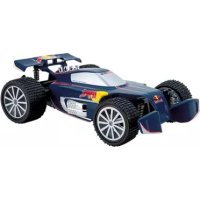
Red Bull NX1 - Remote control toy CARRERA - Free user manual and instructions
Find the device manual for free Red Bull NX1 CARRERA in PDF.



| Product Type | Remote-controlled toy (RC car) |
| Brand | Carrera |
| Model | Red Bull NX1 |
| Vehicle power source | Rechargeable Lithium-ion battery (included) |
| Remote control power source | 2 AA 1.5V batteries (non-rechargeable, included) |
| Maximum speed | 20 km/h |
| Transmission technology | 2.4 GHz (up to 16 vehicles simultaneously) |
| Driving functions | Forward/reverse, left/right steering, servo tronic |
| Battery charging time | Approximately 60 minutes (red light -> green) |
| Approximate runtime | Not specified, allow 15-20 minutes depending on use |
| Recommended age | From 6 years (beware of small parts) |
| Dimensions (approximate) | Approximately 30 cm long (not specified in manual) |
| Weight | Not specified |
| Maintenance and cleaning | Clean with a dry cloth; do not use aggressive solvents |
| Safety instructions | Do not use on road, lawn, or in rain; avoid jumps >15 cm; respect cooling breaks |
| Spare parts and repairability | Parts available at carrera-rc.com (service area) |
| Warranty | 24 months (excluding wear parts) |
| General information | Manufacturer: Stadlbauer Marketing + Vertrieb GmbH; CE declaration of conformity available at carrera-rc.com |
Frequently Asked Questions - Red Bull NX1 CARRERA
User questions about Red Bull NX1 CARRERA
0 question about this device. Answer the ones you know or ask your own.
Ask a new question about this device
Download the instructions for your Remote control toy in PDF format for free! Find your manual Red Bull NX1 - CARRERA and take your electronic device back in hand. On this page are published all the documents necessary for the use of your device. Red Bull NX1 by CARRERA.
USER MANUAL Red Bull NX1 CARRERA
Assembly and operating instructions 8
Subject to technical or design-related modification
Congratulations on purchasing a Carrera RC model car, manufactured in accordance with the latest technology. As it is our constant endeavour to develop and improve our products, we reserve the right to make modifications, either of a technical nature or with respect to features, materials, and design, at any time, and without prior notice. For this reason, no claims will be accepted for any slight deviations in your product from the data and illustrations contained in these instructions. These operating and assembly instructions are an integral part of the product. Non-observance of these operating instructions and the safety instructions they contain will render the guarantee null and void. These instructions are to be kept for future reference and in the event that the product is passed on to a third party.
Guarantee conditions
A Carrera product is built to high technical standards and is to be treated with care. Please ensure that you observe all the instructions contained in this guide. All components have been subjected to careful inspection (technical modifications and alterations to the model for the purpose of product improvement are reserved).
Should any faults nevertheless occur, guarantee is assumed within the scope of the following conditions:
The guarantee covers demonstrable material or manufacturing defects that existed at the time that the Carrera product was purchased. The guarantee period is 24 months beginning with the date of purchase. The guarantee does not extend to wearing parts (such as Carrera RC rechargeable batteries, antennas, tyres, gearbox components etc.), damage caused by improper treatment or use, or unauthorised interference. Repair may only be performed by Stadlbauer Marketing + Vertrieb GmbH itself or by a company it has authorised to do so. Within the scope of this guarantee, either the product as a whole or only the defective components will be replaced or equivalent substitution performed, as deemed appropriate by Stadlbauer Marketing + Vertrieb GmbH. The guarantee does not cover transport, packaging or travel costs or any damage for which the buyer is responsible. These costs are to be covered by the buyer. Guarantee claims will only be accepted from the original purchaser of the Carrera product.
Guarantee claims can only be accepted when:
The card has been filled in properly and sent in together with the defective Carrera product and the purchase receipt/invoice/cash-register receipt.
No unauthorised alterations have been made by the buyer to the guarantee card.
- The toy has been treated in accordance with the operating instructions and subjected to its intended use.
- The damage/faulty operation is not due to acts of God or normal wear and tear. Guarantee cards cannot be replaced.
Note for EU countries: Reference is hereby made to the seller's statutory guarantee obligation, to the extent that this guarantee obligation is not restricted by the product guarantee.
Declaration of conformity
Stadlbauer Marketing + Vertrieb GmbH hereby declares that this model including the controller conforms with the fundamental requirements of the following EC directives: EC Directives 2009/48 and 2004/108/EC regarding electromagnetic compatibility and the other relevant regulations of Directive 1999/5/EC (R&TTE).
The original declaration of conformity can be requested from carrera-rc.com.

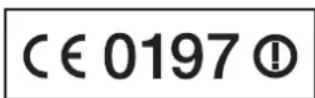
Warning!

WARNING! This toy contains small parts which can be swallowed and is therefore not suitable for children under 3 years of age. WARNING! danger of pinching during operation! Remove all packagials and wire fastenings before handling the toy over to the child. In the packaging and address for information and in the event of any
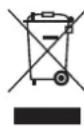
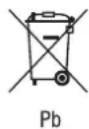
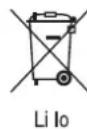
This symbol, showing refuse bins with a cross through them, denotes that empty batteries, rechargeable batteries, button cells, rechargeable battery packs, equipment batteries, discussed electrical equipment, etc. should not be
disposed of in domestic refuse, as they are harmful to the environment and health. Please help to preserve environment and health and talk to your children about the correct disposal of used batteries and disused electrical equipment. Batteries and disused electrical equipment should be handed in to the usual collection points where they can be properly recycled. Do not mix dissimilar battery types or employ new and used batteries together. Empty batteries should be removed from the product. Do not attempt to recharge non-rechargeable batteries. Rechargeable batteries are only to be charged by adults. Exhausted batteries are to be removed from the toy. Rechargeable batteries should be removed from the product before charging. Supply terminal are not to be short-circuited. Only use the batteries recommended or equivalent types. If in regular use the charger must be examined for damage to the cord, plug, covers and all other parts. If any signs of damage are found the charger may only be used again after repair work has been completed.
Requirement for FCC Part 15
Warning: Changes or modifications not expressly approved by the party responsible for compliance could void the user's authority to operate the equipment.
Note: This equipment has been tested and found to comply with the limits for a Class B digital device, pursuant to Part 15 of the FCC Rules. These limits are designed to provide reasonable protection against harmful interference in a residential installation. This equipment generates, uses and can radiate radio frequency energy and, if not installed and used in accordance with the instructions, may cause harmful interference to radio communications.
However, there is no guarantee that interference will not occur in a particular installation. If this equipment does cause harmful interference to radio or tele vision reception, which can be determined by turning the equipment off and on, the user is encouraged to try to correct the interference by one or more of the following measures:
Reorient or relocate the receiving antenna.
- Increase the separation between the equipment and receiver,
- Connect the equipment into an outlet on a circuit different from that to which the receiver is connected.
- Consult the dealer or an experienced radio/TV technician for help.
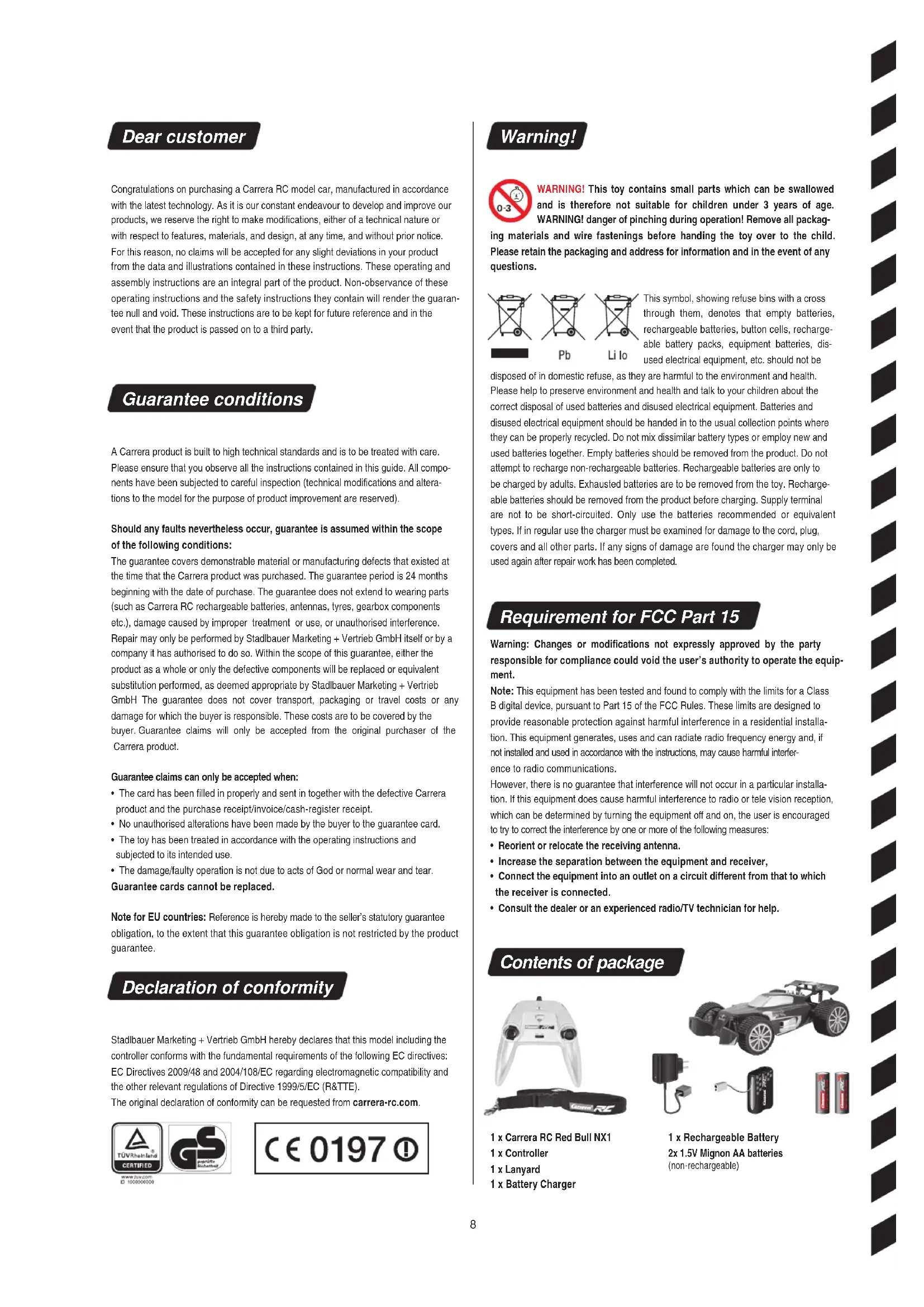
Contents of package
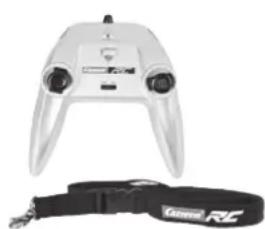
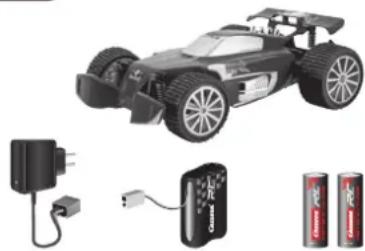
1 x Carrera RC Red Bull NX1
1 x Controller
1 x Lanyard
1 x Battery Charger
1 x Rechargeable Battery
2x 1.5V Mignon AA batteries (non-rechargeable)
Safety instructions
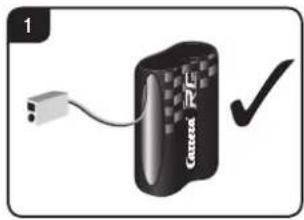
A Carrera RC vehicle is a remote-controlled model car that uses special rechargeable batteries for this purpose. Only original Carrera RC Li-Ion rechargeable batteries may be used. Rechargeable batteries are to be removed from the toy before being charged.
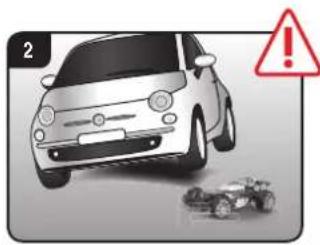
The Carrera RC vehicle is designed for hobby use only and may only be operated on tracks and in spaces especially intended for this purpose. CAUTION! Do not use the Carrera RC vehicle in road traffic.
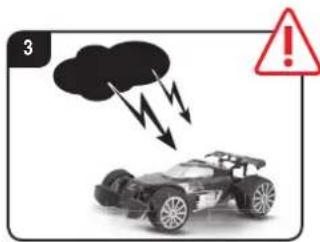
Do not operate the car beneath overhead high-voltage cables or broadcasting masts or during a storm! Atmospheric disturbances can affect the operation of the vehicle. When there is a large temperature differences between your car's garage and the running track, please wait until the vehicle has had time to acclimatise. This will help prevent condensation forming and the possibility of malfunctions resulting.
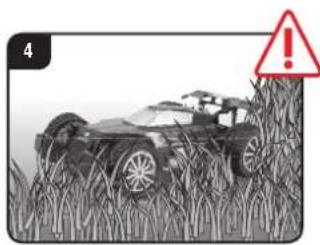
Never operate the product on grass surfaces. There is the risk of grass hindering the movement of the axles, which can lead to the motor overheating. Do not use the Carrera RC vehicle for transporting goods, persons or animals.
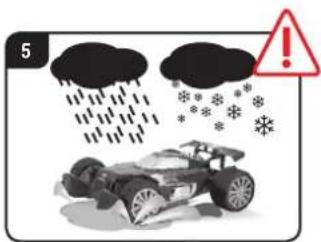
Never use the Carrera RC vehicle outdoors during rain or snowfall. The car must not be run through water, puddles and snow, and must always be kept stored in a dry place. Wet surfaces without puddles will not affect the car's performance as the electronic equipment is protected against spray.
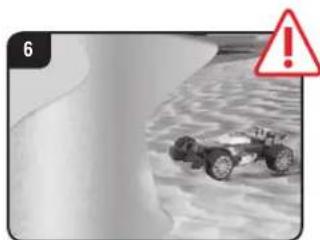
Never operate the vehicle near rivers, ponds or lakes, to avoid the risk of the Carrera RC car falling into the water. Avoid running on courses which are laid exclusively with sand.
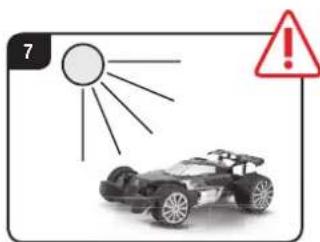
Do not expose the Carrera RC vehicle to direct sunlight. To avoid the electronics in the car overheating, when temperatures are above 35^ regular short pauses in operation are essential.
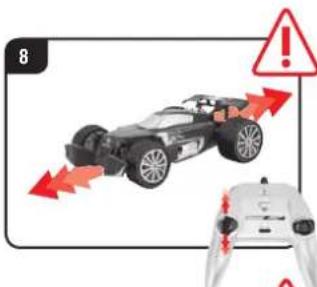
Never subject the Carrera car to repeated changes of load - that means continuously reversing it.
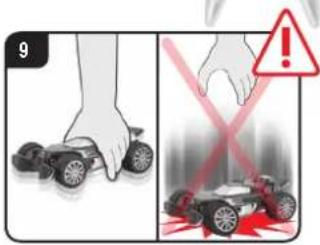
Always place the car on the floor by hand. Never throw the car on the floor from a standing position.
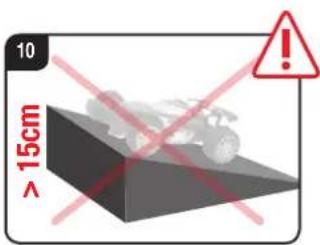
Avoid jumping from jumps or ramps higher than 15 cm (0.49 ft).
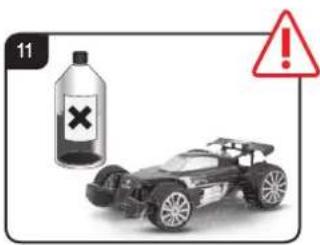
Never use strong solvents for cleaning the car.
To avoid malfunctions to the control system resulting in uncontrolled operation of the Carrera RC vehicle, check that the controller batteries and the rechargeable batteries in the vehicle have sufficient charge. Supply terminals are not to be short-cirng
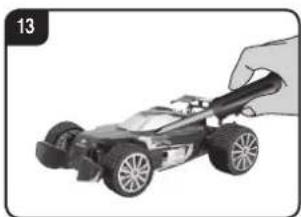
The Carrera RC vehicle must be inspected before and after operation, each time it is used, to ensure that it has not become disassembled. Any screws or nuts that may have become loosened during operation must be tightened.

Charging the rechargeable battery
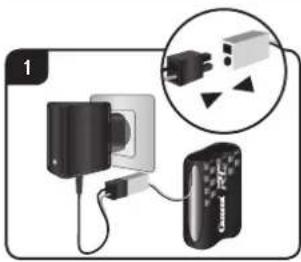
First connect the Carrera RC rechargeable battery to the battery charger supplied. The connection terminals between the battery and the charger are designed to prevent connection with the wrong polarity. Connect the charger to a power source.
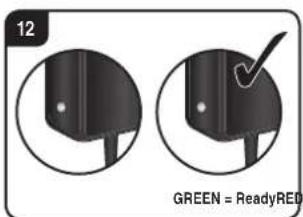
When the battery is properly connected and charging normally, the red LED is constantly lit. Once the battery is fully charged, the red LED switches to green.
The battery can now be disconnected and installed in the Carrera RC car. The car is now ready for use.
After use, the battery must be allowed to cool down for at least 20 minutes before it can be fully recharged. Failure to observe this pause may damage the battery.
GREEN = ReadyRED = Charging
Always recharge the battery immediately after use to prevent its becoming deep discharged. Recharge the battery occasionally (suggested every 2-3 months). Failure to treat the battery as described above can lead to its becoming defective. Rechargeable batteries are only to be charged by adults.
Installing the rechargeable battery
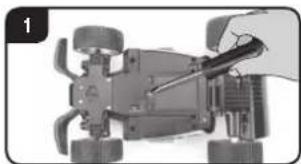
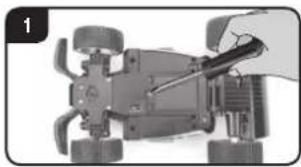
Using a screwdriver, remove the cover of the battery compartment in the Camera RC car.
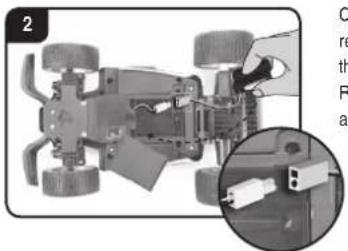
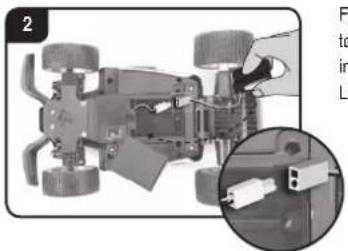
Connect the end of the cable from the Carrera RC vehicle with the charged battery. Put the battery in place. Replace the compartment cover using a screwdriver.
Inserting the batteries
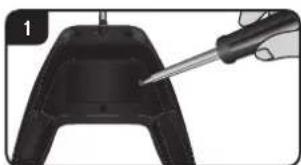
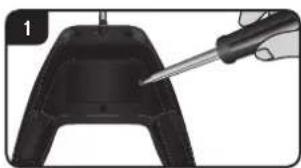
Open the battery compartment with a screwdriver and insert the batteries in the remote control. Please keep in mind the correct polarity. Different types of batteries or new and used batteries are not to be mixed. After having closed the compartment you can check all functions of the remote control with the help of the power-switch on the front. With the power-switch turned ON and proper functioning, the top center LED on the remote control will light up red.
an drive the car
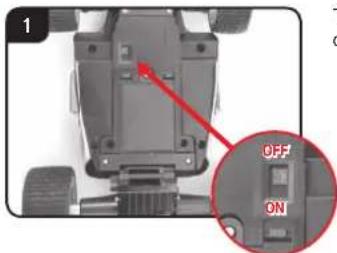
The Carrera RC car and the remote control are bound as a factory setting.
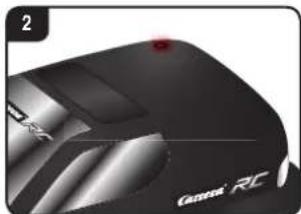
- Switch the car ON at the ON/OFF switch. The LED on top of the car will flash rhythmically.
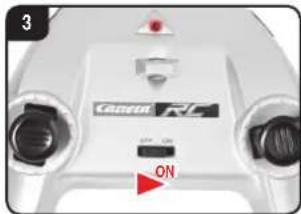
- Switch on the controller. The LED on top of the controller will flash rhythmically.
After a few seconds, the LEDs on the car and on the controller will light continuously, meaning the bind has been made.
Adjusting the steering
If the Carrera RC vehicle is found to pull towards the left or right while moving, use the adjuster control shown in the illustration to adjust the car's track precision.
Let's practise!
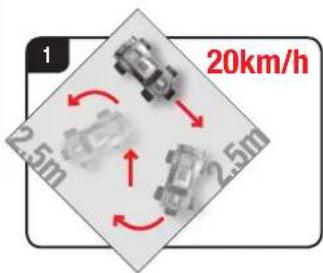
CAUTION! This vehicle reaches speeds up to 20km / h (13 mph). Practice on an empty surface at least 2.5 metres (8.2') square. When operating the model for the first time, be careful with the accelerator, as the car reacts very sensitively. You should practice slow running for at least two or three full battery charges before going on to faster manoeuvres.
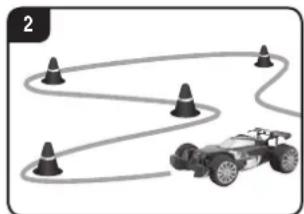
Now it's time to practise! Set up a Carrera RC vehicle racing track in a large empty area, using cornerposts, empty cans, or similar objects. The basic technique to adopt when operating a Carrera RC is to drive fast on the straight sections and to slow down in the curves.
- When changing from the first battery to the second battery, you must stop running for at least ten minutes. At the next change, a pause of at least 20 minutes is absolutely essential.
- Avoid constant motor operation.
- If the car switches itself off several times one after another, the battery is dead. Please recharge the battery.
- After 30 minutes inactivity, the controller and vehicle switch off automatically. To restart, switch the ON/OFF switch on the controller & the car to OFF and then back to ON.
- To switch off after use, follow the steps in the reverse order.
- After use, remove or disconnect the battery. Always recharge the battery immediately after use to prevent its becoming deep discharged.
Always keep the rechargeable battery stored outside the vehicle. - Clean the Carrera RC car after use.
Controller functions
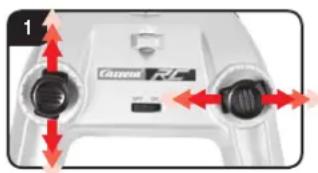
SERVO TRONIC
You can use the joysticks to carry out precise steering and driving manoeuvres.
Left joystick: forwards and backwards at different speeds
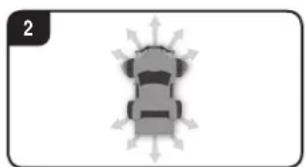
Right joystick: steering right and left with variable lock for precise steering
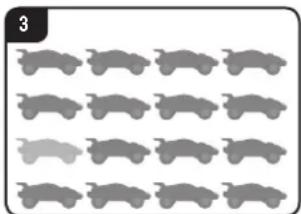
Thanks to 2.4 GHz technology, up to 16 cars can be run together on one race-track. This is possible even without harmonising frequencies between the racing drivers.
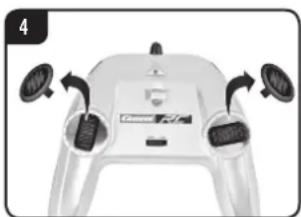
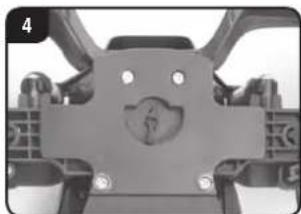
The joysticks are removable. Alternatively, the vehicle can be controlled with a rocker.
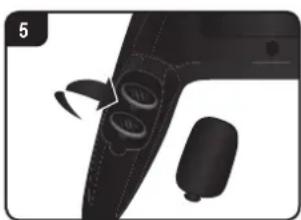
The joysticks can be stored in the special compartment at the back of the controller.
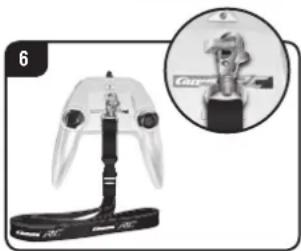
Attach the lanyard to the eyelet on the controller and let the controller hang from your neck.
CAUTION! Danger of strangulation!
Troubleshooting
| Problem Cause Solution | ||
| Car does not move | Either the switch on the controller or the car is set to OFF. Switch on. | |
| There is no rechargeable battery in the car or the battery is too weak. Insert charged battery. | ||
| The car has come to a stop at an obstacle. | The voltage surge protector has switched the car off. Turn the ON/OFF switch on the car to OFF, then back to ON, and place the car on a clear surface. | |
| The battery or rechargeable battery in the transmitter or model is too weak. | Insert new battery or recharged battery. | |
| The remote control is possibly not correctly frequency bound with the receiver on the model | Carry out a frequency bind between the model and the remote control as described in "Now you can drive the car" | |
| The transmitter has switched itself off after 30 minutes. | To restart, switch the ON/OFF switch on both controller & vehicle to OFF and then back to ON.. | |
| The vehicle is very warm. | Switch both car and controller off and allow the car to cool down for about 30 minutes. | |
| The overheat protection has caused the car's motor to cut out due to excess temperature. | Switch off the receiver. Leave the RC car to cool down for approx. 30 minutes. | |
| Car cannot be controlled | Vehicle starts moving unintentionally. | First turn on the transmitter, only then the vehicle. |
For the latest version of these operating instructions and information on replacement and spare parts available, please visit carrera-rc.com in the service area.

Chere client! Cher client!
Modo de colocar as pilhas
www.jzq.com D-100020002
Opozorila!

Sette inn akkumulator
Fjern dekselet til akkumulatorrommet i Carrera RC-kjoretoyet med en skrutrekker. Skyy fullopladet Carrera RC akkumulator med logotrykket pekende opp og pluggene pekende bak, heltninn rommet.
Forbind kabelenden til Carrera RC-kjoretoyet med akkumulatoren, og stuv kabelinn ved sider av akkumulatoren i rommet. Lukk deke sel med en skrutrekker.
OBS! Fare for kvelning!
Problemløsninger
Advarsler! Strangulationsfarel
Problemløsninger
Carrera of America Inc.
2 Corporate Drive
Cranbury, NJ 08512, USA
Phone ++16094098510
Fax++16094098610
Email reception@
carrera-toys.com
MEXICO
Carrera of America Inc.
2 Corporate Drive
Cranbury, NJ 08512, USA
Phone ++16094098510
Fax +16094098610
Email reception
carrera-toys.com
BENELUX
Stadlbauer Marketing +
Vertrieb GmbH
Landsheerlaan 33
6114 MP Susteren
The Netherlands
Phone ++31464493486
Fax + + 31 464495280
Email fredhahn@xs4all.nl
FRANCE
Stadlbauer Marketing +
Vertrieb GmbH
21 B, Route Nationale
Fairfield, Victoria 3078
Australia
Phone ++ 6138481 1000
Fax++61394811799
Email sales@zimbler.com.au
Internet: www.zimbler.com.au
BULGARIA
Ivantchev Ltd.
789, Maria Luiza Blvd.
BG-1202 Sofia
Phone ++35928322020
Fax +35928322020
Email kivanchev@del.bg
CHINA
ShanghaiWowgame Commercial
Company Ltd.
Room 110, Tower 1, German Centre,
88 Keyuan Road, Zhangjiang Hi-Tech
Park, Pudong, Shanghai, China
Phone ++86 21-53821692
++8615577449439
Email eddychan@wowgame.com.cn
Internet www wowgame.net.cn
CZECH REPUBLIC
ConQuest entertainment a.s.
Hloubetinska 11
C19800 Praha 9-Houbetai
Phone ++420 284 000 175
Fax +420 284 000 101
Email radlim.kalo@conquest.cz
Norway/Denmark/Sweden
SgnTEGAS
PO Box 1339 - Vestad
N-2406 Flverum
NOWAY
Phone ++4762425550
Fax +4762425551
Email post@scan-tac.no
Internet www.scan-tec.no
ESTONIA
AnvoI Ltd.
Madikse 7
E74114Mssrdu
Phone ++3726388100
Fax++3726388101
Email anval@anvoleee
Internet www.anvol.lee
FINLAND
ToyCenter Oy
Koivupuistantia 26
H01510 Vantaa
Phone ++35898702500
Fax++35898702501
Email info@toycenter.fi
Internet www.toycenter.hk
HONG KONG
Chun Lee [China] Industrial Limited
RM 18015.18/F
King Palace Plaza,
524 Sha Tsui Road, Tsuen Wan
N.T. Hong Kong
Email eddychan@yu-lee.com
Mobile: ++852 9103 6679
INDIA
Karma Solutions
- Swastik Society, 2A, Pace House
Vile Parle (W).Mumbai 400056
Maharashtra, India
Phone ++912226104497
Fax ++912226104497
Mobile ++91 9920075400
Email karmasolutions7@
gmail.com
Internet www.karma-toys.com
ITALY
Mac Due Sp.A.
Società Uninominale
Via Raffaello Sanzio N. 19
IT-20852 Villasanta MB
Phone++3903920581
Twin Towers Building BkA
Sarba High Way
Jouniah-Lebanon
Phone ++9613840505
Fax +961 9635473
Email fawad@dm.net.lb
SERBIA/MONTENEGRO
Cool Play d.o.o.
Gospodar Jovanova 1
SRB-11000 Beograd
Phone ++381112030353
Fax++381112030352
Email office@cooalplay.rs
Internet www.coalplay.rs
SLOVAKIA
Drack-Duvi s.r.o.
Brusnicova 7
SK-83101 Bratislava
Phone ++421 24594 4686
Fax++421245944628
Email dracik@tinaco.sk
Internet www.dracik.sk
SLOVENIA
Orbic d.o.o.
Verovskova 72
SI-1000 Ljubljana
Phone ++386 15886 800
Fax +386 15886900
Internet www.orbico.si
SWITZERLAND
Waldmeier AG
Neustrasse 50
CH 4623 Neuendorf
Phone ++41623879818
Fax+41623879820
Email info@waldmeier.ch
The Hobby Company Ltd.
Garforth Place, Knowhill
Milton Keynes MK5 8PG
UK
Phone ++44 1908 209 480
Fax +44 1908 235 900
Email enquiries@hobbyco.net
Internet www.hobbyco.net
UNITED ARAB EMIRATES
Toyworld Distributor
P.O.Box 289,Gibca Building
AI Wahda Street, Sharjah
United Arab Emirates
Phone ++97165337418
Fax++97165336682
Email toyworld@faisalholding.net

WARNING:
CHOKING
HAZABD-SMALL PARTS
NOT FOR CHILDREN UNDER 3 YEARS.

ATTENTION:
RASSE DETUENTMENT - PRESENCE DE PETITES PIES
NE CONVENT PAS AUX ENFANTS DE MOINS DE 36 MOIS