KTO 110 - Toaster Koenic - Free user manual and instructions
Find the device manual for free KTO 110 Koenic in PDF.



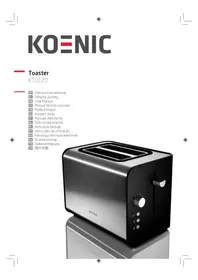
| Product type | Toaster |
| Brand | Koenic |
| Model | KTO 110 |
| Power supply | 220 - 240 V~, 50-60 Hz |
| Rated power | 820 - 980 W |
| Number of slots | 2 |
| Functions | Toasting, defrosting, reheating, manual stop |
| Browning levels | Adjustable (selector) |
| Included accessories | Croissant warmer attachment, crumb tray |
| Auto shut-off | Yes |
| Indicator light | Red STOP button |
| Crumb tray | Removable, cleanable |
| Cord length | Adjustable (wound under base) |
| Housing material | Plastic |
| Cleaning | Damp cloth, do not immerse |
| Usage | Household only |
Frequently Asked Questions - KTO 110 Koenic
User questions about KTO 110 Koenic
0 question about this device. Answer the ones you know or ask your own.
Ask a new question about this device
Download the instructions for your Toaster in PDF format for free! Find your manual KTO 110 - Koenic and take your electronic device back in hand. On this page are published all the documents necessary for the use of your device. KTO 110 by Koenic.
USER MANUAL KTO 110 Koenic
natural_image
Exterior view of a modern stainless steel KOT86C toaster with two shades of heat (no text or symbols visible)Deutsch-
Едэ-тек:
English
Español
Theorem
“
taliano -
Nederlands -
Poski -
Português -
Русский релук -
Soft Sea
TIBCO
又写
mtran GmbH
Wankelstrasse
2-05C43 Impolstadt
KTC102121210

natural_image
Close-up of a white electrical outlet plug with a black plug inserted, showing a red arrow pointing to the plug (no text or symbols visible)natural_image
Illustration of a toaster with a red downward arrow indicating a drop or reduction (no text or symbols present)natural_image
Close-up of a black mechanical component with a red arrow pointing to a small feature (no text or symbols visible)Toastvorgang starten.
natural_image
Close-up of a showerhead with a vertical tool and control buttons (no visible text or symbols)natural_image
Close-up of a camera lens with adjustment knobs and a red arrow pointing to the lens (no text or symbols visible)natural_image
Close-up of a control panel with a red downward arrow and a circular button, no visible text or symbols.natural_image
Close-up of a metallic appliance with a black handle and internal components (no visible text or symbols)natural_image
Two bread rolls on a flat conveyor belt (no text or symbols visible)Brötchen auflegen.
natural_image
Close-up of a white electrical outlet plug with a black cable, showing a red arrow pointing left (no text or symbols)natural_image
Close-up of a black mailbox with a red arrow pointing to it, no visible text or symbols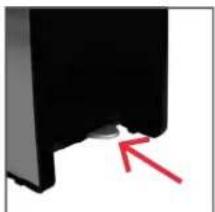
natural_image
Close-up of a black mechanical component with a red arrow pointing to a small feature (no text or symbols visible)natural_image
Close-up of a black electronic component with red arrows pointing to internal structure (no text or symbols visible)natural_image
Close-up of a white electrical outlet plug with a black cable, no text or symbols visiblenatural_image
Illustration of a toaster with a red downward arrow indicating a drop or compression (no text or symbols present)Βάλτε μέσα το ψωμί.
natural_image
Close-up of a black mechanical component with a red arrow pointing to a small feature (no text or symbols visible)natural_image
Close-up of a medical device with a cross-shaped tool and control buttons (no visible text or symbols)natural_image
Close-up of a white pen-like object with a red arrow pointing to it, no visible text or symbols.natural_image
Close-up of a metallic appliance with a black handle and internal components (no visible text or symbols)natural_image
Close-up of a white electrical outlet plug with a black socket, showing a red arrow pointing to the socket (no text or symbols visible)natural_image
Close-up of a black mechanical component with a red arrow pointing to a small feature (no text or symbols visible)natural_image
Two bread rolls on a flat surface, no text or symbols visiblenatural_image
Close-up of a black mailbox with a red arrow pointing to its left side (no text or symbols visible)natural_image
Close-up of a black plastic electronic component with red arrows pointing to internal structure (no text or symbols visible)Important safety instructions
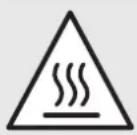
Danger of burns! The surface of the product can become very hot during operation.
- Bread can burn. Therefore, do not use this product near or below flammable materials such as curtains. Please be sure to keep a sufficient safe distance from flammable materials.
- Do not operate the product by means of an external timer or separate remote control system.
- Clean the crumb tray regularly and remove the crumbs.
- This product can be used by children aged from 8 years and above and persons with reduced physical, sensory or mental capabilities or lack of experience and knowledge if they have been given supervision or instruction concerning use of the product in a safe way and understand the hazards involved.
- Children shall not play with the product. Cleaning and user maintenance shall not be made by children unless they are old than 8 and supervised.
- Keep the product and its cord out of reach of children less than 8 years.
- A damaged power cord may only be replaced by the authorised service agent in order to avoid hazards.
Safety instructions
- Read this manual before first use thoroughly. It contains important information for your safety as well as for the use and maintenance of the equipment. Keep these instructions for future reference and pass it on with the product.
- Pay particular attention to the warnings on the product and in this instruction manual.
- Use the product only for its intended purpose. Improper use may lead to hazards.
• In the event of improper use or wrong operation, we do not accept any liability for resulting damages. - The use of accessories and components not expressly recommended by the manufacturer may result in injuries or damages and voids the warranty.
- Never leave the product unsupervised while it is switched on.
- Do not place heavy objects on top of the product.
- Never immerse electrical parts of the product in water during cleaning or operation. Never hold the product under running water.
-
Do not under any circumstances attempt to repair the product yourself. For servicing and repairs, please consult an authorised service agent.
-
The mains voltage must match the information on the rating label of the product.
- The power plug is used as the disconnect device. Please be sure that the power plug is in operable condition.
- Only unplug from the power socket can separate the product completely from the mains.
- Avoid damages to the power cord that may be caused by kinks or contact with sharp corners.
- Keep this product including power cord and power plug away from all heat sources like for example, ovens, hot plates and other heat-producing devices/objects.
- Only unplug from the power socket by the plug itself. Do not pull on the cord.
- Unplug the product when the product is not in use, in case of malfunctions, prior to attaching or removing accessories and prior to each cleaning.
- If the power cord or the casing of the product is damaged or if the product is dropped, the product may not be used before it is examined by an authorised service agent.
English
Safety instructions
- Place the product on a flat, sturdy and heat-resistant surface.
- Use this product in dry indoor areas only and never outdoors.
- Warning! Do not use this product near water or heavy moisture; e.g. in a damp basement or beside a swimming pool or bathtub.
- In order to reduce the risk of fire and electric shock, do not expose the product to fire (fireplace, grill, candles, cigarettes and so on) or water (water drops, water splashes, vases, tubs, ponds and so on).
- Keep this product including power cord and power plug away from all heat sources like for example, ovens, hot plates and other heat-producing devices/objects.
- Protect this product from extreme heat and cold as well as from direct sunlight and dust.
- This product is not suitable for commercial use. It is designed for household use only.
- Attention! Never remove toast slices while the device is in operation.
- If a slice of toast is stuck in the toaster:
- Pull the plug from the power socket and let the device cool off completely.
- Then remove the stuck slice from the toaster.
- Do not use any metal objects for this and avoid any contact with the
internal metal parts of the toaster.
- Risk of fire and electrical shock! Do not put any large slices of bread, metal foil, or metal tools into the toaster.
- Never cover the toaster while it is in operation – it could overheat and catch fire.
- Never toast bread with toppings or filling in order to prevent the filling from dripping and igniting.
- Never wrap the bread when you warm it on the roll attachment. Plastic wrap melts and can ignite. Aluminium foil reflects the heat and leads to damage of the toaster.
- If the toaster begins to smoke, stop it immediately and pull the plug.
- Remove the hot slice of toast from the toaster carefully in order to prevent injuries.
- Never operate the toaster without the crumb tray.
- Parts of the device become very hot. Unplug the power cord and allow the device to cool sufficiently before inserting or removing accessories, and before cleaning or storing.
- Clean the device and other accessories after each use. Refer to the chapter Cleaning and Care.
- Attention! Do not put bread, bun or croissant on the toaster for warming.
EN
Congratulations!
Thanks for your purchase of KOENIC product. Please read this manual carefully and keep it for future reference.
Intended use
This product is suitable for toasting bread only. The roll attachment is intended only for crisping up rolls or croissants. Any other use can lead to damage to the device or injuries.
Content
1 x Toaster
1 x Roll attachment
1 x Instruction manual
Toasting bread
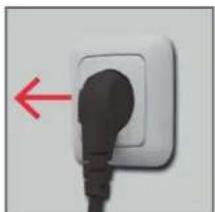
- Adjust the right length of the power cord and lead the cord out at the side of the toaster.
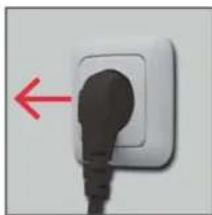
- Connect the plug to a suitable power outlet.
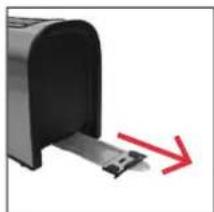
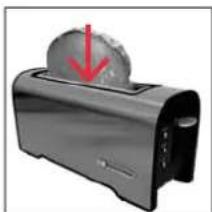
- Put one or two slices of bread into the bread slot.
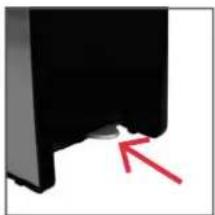
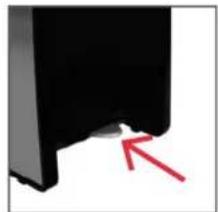
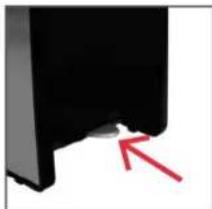
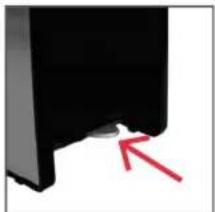
- Check whether the crumb tray is properly inserted.

Caution
Risk of burning hazard when not using typical bread for toasting. Due to smaller size or shape there is a risk of touching hot parts when taking out the toasted bread.
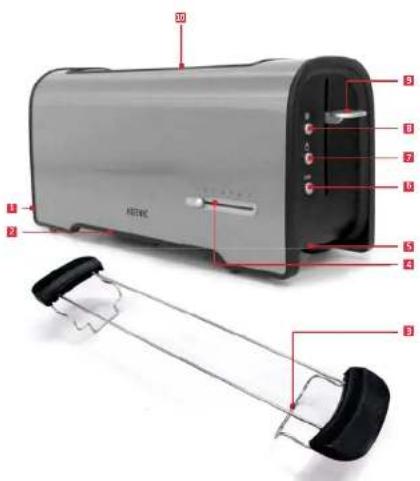
Partlist
1 Crumb tray (not shown)
2 Stem (not shown)
3 Roll attachment
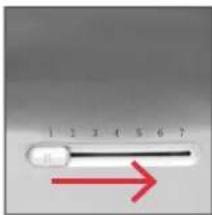
4 Toasting level setting
5 Powercord with plug (not shown)
6 STOP button
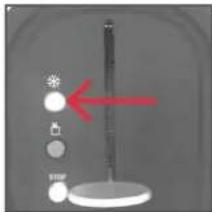
7 Reheat button
8 Defrost button
9 Control lever
10 Bread slot
Before first use
Operate the product for few cycles or about 10 minutes without bread in a properly ventilated room. Please ensure for sufficient ventilation, as this may lead to slight smell and smoke, but this is normal and will disappear after a short time.
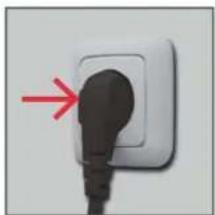
natural_image
Close-up of a white electrical outlet plug with a black cable inserted, showing a red arrow pointing to the plug (no text or symbols visible)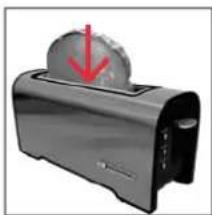
natural_image
Illustration of a toaster with a red downward arrow indicating a drop or reduction (no text or symbols present)Plug in the product. Put in the bread.
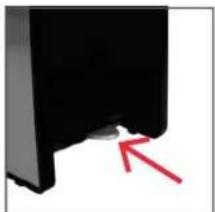
natural_image
Close-up of a black mechanical component with a red arrow pointing to a small feature (no text or symbols visible)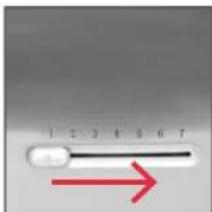
Check whether the crumb tray is inserted correctly.
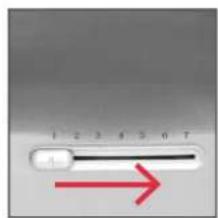
Set toasting level.
EN
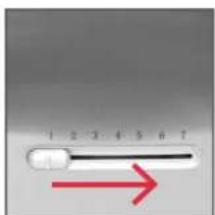
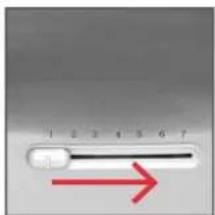
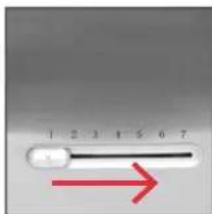
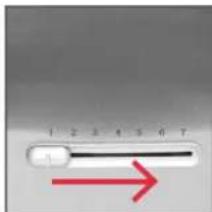
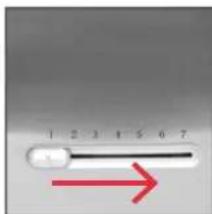
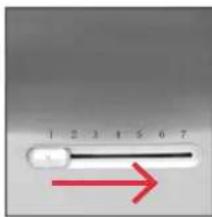
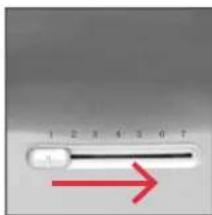
- Set the desired toasting level with the selector.
Note
The toasting is dependent on the type of bread. Levels 3 and 4 generally result in a gold-brown
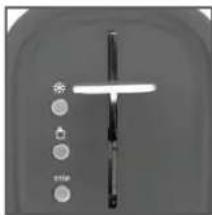
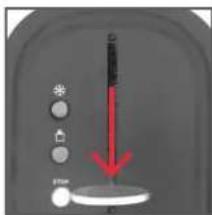
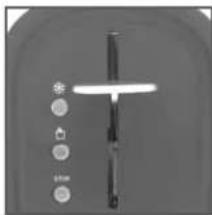
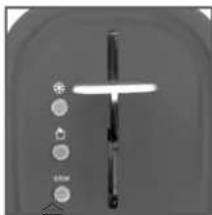
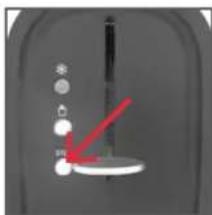
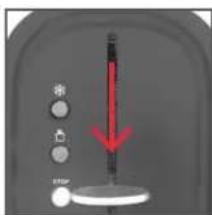
- Press the control lever down to start the toasting procedure. The STOP button lights on red.
- When the toast is ready, the control lever springs back to the start position and the device switches itself off automatically.
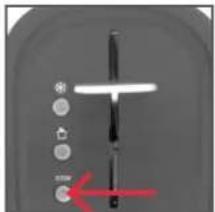
- You can manually end the toasting procedure at any time by pressing the STOP button. The control lever springs upwards and the toast can be removed.
Note
Should a slice of toast become trapped in the bread slot, unplug the toaster and let it cool down. Remove the toast carefully without touching the heating elements.
Toasting frozen bread
Follow the steps 1-6 in the chapter Toasting bread.
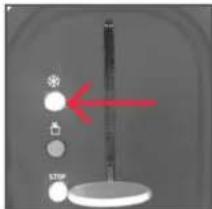
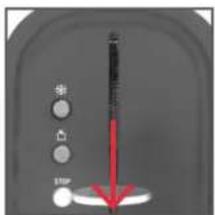
- Press the Defrost butto*, which will light on red, then follow steps 7-9 in the chapter Toasting bread.
Warming toasted bread
Follow the steps 1-6 in the chapter Toasting bread.
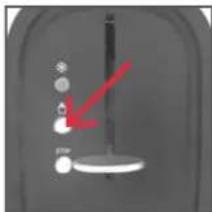
- Press the Reheat button, which will light on red, then follow steps 7-9 in the chapter Toasting bread.
Note
Do not warm up any toast bread which has butter or any spreads on it.
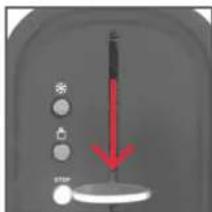
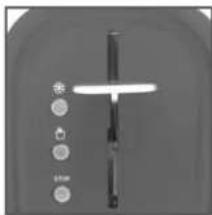
natural_image
Close-up of a kitchen utensil with control buttons (no visible text or symbols)Start toasting. The toast pops up after toasting.
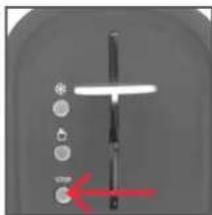
natural_image
Close-up of a mechanical component with a red arrow pointing to a circular feature (no text or symbols visible)Press STOP to stop toasting. Bread will pop up.
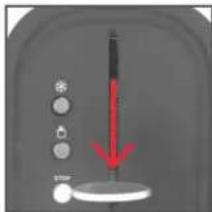
Press down control lever.
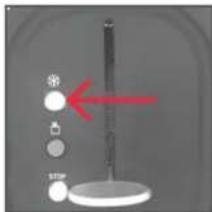
Press Defrost button.

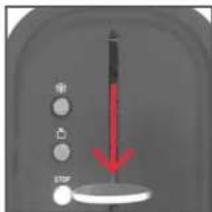
Press down control lever.
natural_image
Close-up of a mechanical component with a red arrow pointing to a small circular feature (no text or symbols visible)Press Reheat button.

EN
Using roll attachment
Use only the roll attachment included.
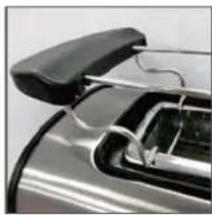
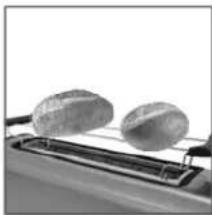
- Set the roll attachment by placing the supporting feet into the toasting slot
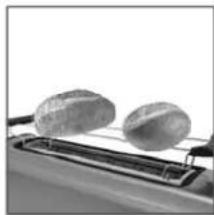
- Lay the rolls on the roll attachment.
- Select a medium toasting level with the selector and press the control lever downwards.
- Turn the rolls occasionally.

Caution
In order to prevent damages to the product, never lay the rolls directly on the bread slots.
Note
The feet of the roll attachment is fixed, please do not try to fold or press it.
Clean crumb tray
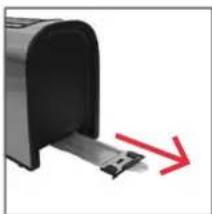
Regularly remove the crumb tray from the device and remove the crumbs.
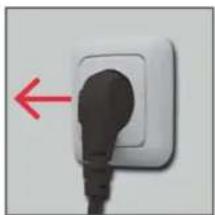
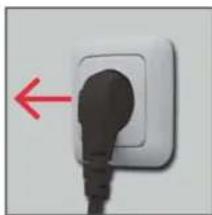
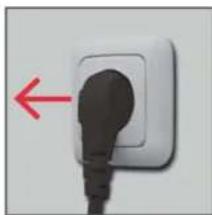
- Unplug and let the toaster cool down.
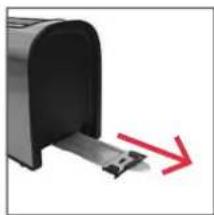
- Pull out the crumb tray and remove the crumbs.
- Wipe the crumb tray with a slightly damp cloth if there are heavy stains.
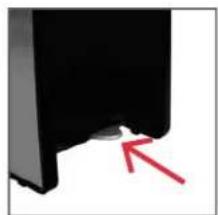
- Re-insert the crumb tray.

Caution
Never use the toaster without the crumb tray.
Note
Be sure to re-insert the crumb tray into the device properly.
natural_image
Close-up of a metallic appliance with a black handle and internal components (no visible text or symbols)Set both feet of the roll attachment into the slot
Note: Never put the feet out of the slot
natural_image
Two bread rolls on a conveyor belt, no text or symbols visibleLay the rolls on.
natural_image
Close-up of a black lever with a red arrow pointing to the left end (no text or symbols visible)Set roast level. Start toasting.
natural_image
Close-up of a white electrical outlet plug with a black socket, showing a red arrow pointing to the socket (no text or symbols visible)Unplug the toaster. Pull out the crumb tray.
natural_image
Close-up of a black mailbox with a red arrow pointing to it, no visible text or symbols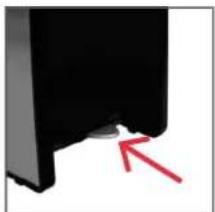
natural_image
Close-up of a black mechanical component with a red arrow pointing to a small feature (no text or symbols visible)Re-insert the crumb tray after cleaning.
EN
Cleaning and care
- Prior to cleaning, pull the power plug out of the power outlet. Wait until the device has completely cooled off..
- Clean the exterior surfaces of the housing with a slightly damp cloth.
- Never immerse electrical parts of the device in water during cleaning or operation. Never hold the device under running water.
- Never use solvents and abrasives, hard brushes, metallic or sharp objects for cleaning. Solvents are harmful to health and attack the plastic parts. Abrasive cleaners and tools do scratch the surface..
Storage
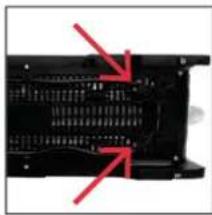
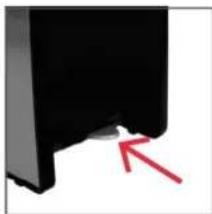
Wrap the power cord around the cord stem as indicated on the underside of the toaster. Store the toaster in a dry, cool area which is protected from humidity.

Do not dispose of this appliance as unsorted municipal waste. Return it to a designated collection point for
the recycling of WEEE. By doing so, you will help to conserve resources and protect the environment. Contact your retailer or local authorities for more information.
natural_image
Close-up of a black electronic component with red arrows pointing to internal structure (no text or symbols visible)Wrap the power cord.
Technical data
Rated voltage: 220 - 240 V\~
Rated input power: 820 - 980 W
Rated frequency: 50-60 Hz
natural_image
Close-up of a black plug inserted into a white socket, with a red arrow pointing to the plug (no text or symbols visible)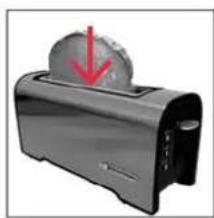
natural_image
Illustration of a toaster with a red downward arrow indicating compression or cooling (no text or symbols)natural_image
Close-up of a black mechanical component with a red arrow pointing to a small feature (no text or symbols visible)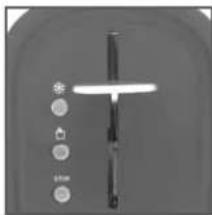
natural_image
Close-up of a kitchen utensil with a lever and control buttons (no text or symbols visible)natural_image
Close-up of a mechanical component with a red arrow pointing to a section (no visible text or symbols)natural_image
Close-up of a control panel with a red downward arrow and circular buttons, no visible text or symbolsnatural_image
Close-up of a gray appliance control panel with a red downward arrow and control buttons (no text or symbols visible)natural_image
Close-up of a mechanical component with a red arrow pointing to a small white object (no visible text or symbols)natural_image
Close-up of a metallic car front bumper with handle and internal components (no visible text or symbols)natural_image
Black and white photo of two bread rolls on a flat surface (no text or symbols visible)Coloque los bollos
Inicie el tostado.
natural_image
Close-up of a white electrical outlet plug with a black cable, showing a red arrow pointing left (no text or symbols)natural_image
Close-up of a black mailbox with a red arrow pointing to it, no visible text or symbolsnatural_image
Close-up of a black mechanical component with a red arrow pointing to a small feature (no text or symbols visible)natural_image
Close-up of a black electronic component with red arrows pointing to internal structure (no text or symbols visible)natural_image
Close-up of a white electrical outlet plug with a black socket, showing a red arrow pointing to the outlet (no text or symbols visible)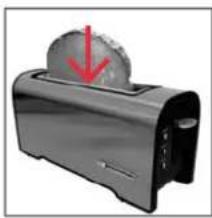
natural_image
Illustration of a toaster with a red downward arrow indicating a drop or compression (no text or symbols present)Branchez l'appareil. Placez le pain.
natural_image
Close-up of a black mechanical component with a red arrow pointing to a small feature (no text or symbols visible)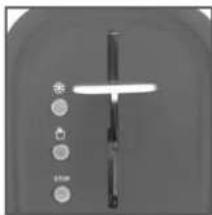
natural_image
Close-up of a metallic door handle with control buttons (no visible text or symbols)natural_image
Close-up of a mechanical component with a red arrow pointing to a specific part (no visible text or symbols)natural_image
Close-up of a mechanical component with a red arrow pointing to a circular feature (no text or symbols visible)natural_image
Close-up of a metallic car front bumper with handle and internal components (no visible text or symbols)natural_image
Black and white photo of two bread rolls on a flat surface (no text or symbols visible)Placez dessus les petits-pains.
natural_image
Close-up of a white electrical outlet plug with a black cable, showing a red arrow pointing to the plug (no text or symbols visible)natural_image
Close-up of a black mailbox with a red arrow pointing to it, no visible text or symbolsRetirez le plateau ramasse-miettes.
natural_image
Close-up of a black mechanical component with a red arrow pointing to a small feature (no text or symbols visible)natural_image
Close-up of a black plastic electronic component with red arrows pointing to internal channels (no text or symbols visible)natural_image
Close-up of a white electrical outlet plug with a black plug inserted, showing a red arrow pointing to the plug (no text or symbols visible)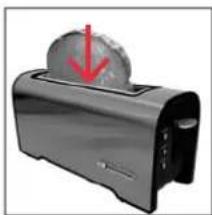
natural_image
Illustration of a toaster with a red downward arrow on the top (no text or symbols)natural_image
Close-up of a black mechanical component with a red arrow pointing to a small feature (no text or symbols visible)natural_image
Close-up of a metallic door handle with control buttons (no visible text or symbols)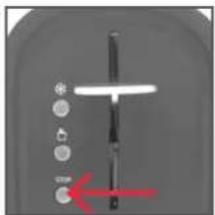
natural_image
Close-up of a mechanical component with a red arrow pointing to a specific part (no visible text or symbols)natural_image
Close-up of a vertical stand with circular buttons and a red arrow pointing to the left side (no text or symbols visible)natural_image
Close-up of a metallic car front bumper with handle and internal components (no visible text or symbols)natural_image
Two bread rolls on a conveyor belt, no text or symbols visiblenatural_image
Close-up of a white electrical outlet plug with a black socket, showing a red arrow pointing to the outlet (no text or symbols visible)natural_image
Close-up of a black mailbox with a red arrow pointing to it, no visible text or symbolsmorzsatálcát.
natural_image
Close-up of a black mechanical component with a red arrow pointing to a small feature (no text or symbols visible)natural_image
Close-up of a black electronic component with red arrows pointing to internal structure (no text or symbols visible)natural_image
Close-up of a white electrical outlet plug with a black socket, showing a red arrow pointing to the socket (no text or symbols visible)natural_image
Illustration of a toaster with a red downward arrow indicating a drop or compression (no text or symbols present)natural_image
Close-up of a black mechanical component with a red arrow pointing to a small feature (no text or symbols visible)natural_image
Close-up of a kitchen utensil with a lever and control buttons (no text or symbols visible)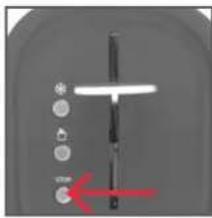
natural_image
Close-up of a mechanical component with a red arrow pointing to a specific part (no visible text or symbols)natural_image
Close-up of a mechanical device with a red arrow pointing to a small component (no visible text or symbols)natural_image
Close-up of a metallic appliance with a black handle and internal components (no visible text or symbols)natural_image
Close-up of two bread rolls on a conveyor belt (no text or symbols visible)natural_image
Close-up of a white electrical outlet plug with a black cable, showing a red arrow pointing left (no text or symbols)natural_image
Close-up of a black mailbox with a red arrow pointing to it, no visible text or symbolsnatural_image
Close-up of a black mechanical component with a red arrow pointing to a small feature (no text or symbols visible)natural_image
Close-up of a black electronic component with red arrows pointing to internal structure (no text or symbols visible)natural_image
Close-up of a white electrical outlet plug with a black cable, showing a red arrow pointing to the plug (no text or symbols visible)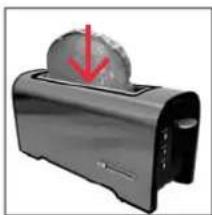
natural_image
Illustration of a toaster with a red downward arrow indicating a drop or reduction (no text or symbols present)natural_image
Close-up of a black mechanical component with a red arrow pointing to a small feature (no text or symbols visible)natural_image
Close-up of a metallic door handle with control buttons (no visible text or symbols)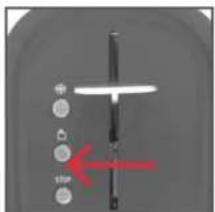
natural_image
Close-up of a mechanical device with a red arrow pointing to a circular component (no visible text or symbols)natural_image
Close-up of a metallic car front bumper with handle and internal components (no visible text or symbols)natural_image
Close-up of two bread rolls on a conveyor belt (no text or symbols visible)Leg de broodjes erop.
natural_image
Close-up of a white electrical outlet plug with a black socket, showing a red arrow pointing left (no text or symbols)natural_image
Close-up of a black mailbox with a red arrow pointing to it, no visible text or symbolsnatural_image
Close-up of a black mechanical component with a red arrow pointing to a small feature (no text or symbols visible)natural_image
Close-up of a black electronic component with red arrows pointing to internal structure (no text or symbols visible)natural_image
Close-up of a white electrical outlet plug with a black socket, no text or symbols visiblenatural_image
Illustration of a toaster with a red arrow pointing to the top surface (no text or symbols)Włożyć chleb.
natural_image
Close-up of a black mechanical component with a red arrow pointing to a small feature (no text or symbols visible)natural_image
Close-up of a kitchen utensil with a knife handle and control buttons (no visible text or symbols)natural_image
Close-up of a kitchen knife with a red arrow pointing to the handle (no text or symbols visible)natural_image
Close-up of a kitchen counter with a red downward arrow and control buttons (no text or symbols visible)natural_image
Close-up of a mechanical device with a red arrow pointing to a circular component (no visible text or symbols)natural_image
Close-up of a metallic car front bumper with handle and internal components (no visible text or symbols)natural_image
Two bread rolls on a conveyor belt, no text or symbols visiblePołożyć bułki.
natural_image
Close-up of a white electrical outlet plug with a black socket, showing a red arrow pointing left (no text or symbols)natural_image
Close-up of a mailbox with a red arrow pointing to it, no visible text or symbolsnatural_image
Close-up of a black mechanical component with a red arrow pointing to a small feature (no text or symbols visible)natural_image
Close-up of a black plastic electronic component with red arrows pointing to internal structure (no text or symbols visible)- A damaged power cord may only be replaced by the authorised service agent in order to avoid hazards.
natural_image
Close-up of a white electrical outlet plug with a black socket, showing a red arrow pointing to the outlet (no text or symbols visible)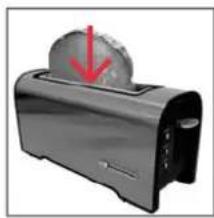
natural_image
Illustration of a toaster with a red downward arrow indicating a drop or compression (no text or symbols present)natural_image
Close-up of a black mechanical component with a red arrow pointing to a small feature (no text or symbols visible)Comece a torrar. A torrada salta
natural_image
Close-up of a kitchen utensil with a lever and control buttons (no visible text or symbols)Prima a alavanca de controlo.
natural_image
Close-up of a control panel with a red downward arrow and star icon, no readable text or symbolsnatural_image
Close-up of a mechanical device with a red arrow pointing to a white circular component (no visible text or symbols)natural_image
Close-up of a metallic appliance with a black handle and internal components (no visible text or symbols)natural_image
Close-up of two bread rolls on a flat surface, no text or symbols visibleInicie a torradeira.
natural_image
Close-up of a white electrical outlet plug with a black socket, showing a red arrow pointing left (no text or symbols)natural_image
Close-up of a black mailbox with a red arrow pointing to it, no visible text or symbols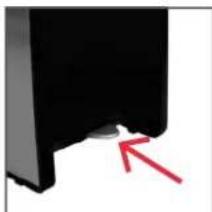
natural_image
Close-up of a black mechanical component with a red arrow pointing to a small feature (no text or symbols visible)natural_image
Close-up of a black electronic component with red arrows pointing to internal structure (no text or symbols visible)natural_image
Close-up of a white electrical outlet plug with a black plug inserted, showing a red arrow pointing to the plug (no text or symbols visible)natural_image
Illustration of a toaster with a red downward arrow indicating a drop or compression (no text or symbols present)natural_image
Close-up of a black mechanical component with a red arrow pointing to a small white mark (no text or symbols visible)natural_image
Close-up of a kitchen utensil with a lever and control buttons (no visible text or symbols)natural_image
Close-up of a mechanical component with a red arrow pointing to a circular feature (no text or symbols visible)natural_image
Close-up of a metallic car front bumper with handle and internal components (no visible text or symbols)natural_image
Two bread rolls on a flat conveyor belt (no text or symbols visible)natural_image
Close-up of a control panel with a red downward arrow and a circular button, no visible text or symbolsnatural_image
Close-up of a white electrical outlet plug with a black cable, showing a red arrow pointing left (no text or symbols)natural_image
Close-up of a mailbox with a red arrow pointing to it, no visible text or symbolsnatural_image
Close-up of a black mechanical component with a red arrow pointing to a small feature (no text or symbols visible)natural_image
Close-up of a black electronic component with red arrows pointing to internal structure (no text or symbols visible)Wrap the power cord.
Технические данные
natural_image
Close-up of a white electrical outlet plug with a black socket, showing a red arrow pointing to the plug (no text or symbols visible)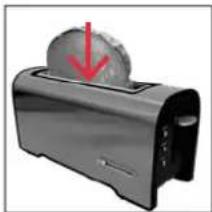
natural_image
Illustration of a toaster with a red downward arrow indicating a drop or compression (no text or symbols present)natural_image
Close-up of a black mechanical component with a red arrow pointing to a small feature (no text or symbols visible)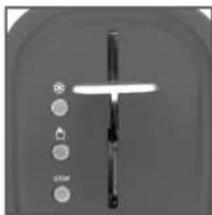
natural_image
Close-up of a kitchen utensil with control buttons and a lever (no visible text or symbols)natural_image
Close-up of a kitchen utensil with a red arrow pointing to a button (no text or symbols visible)Tryck ner kontrollspaken.
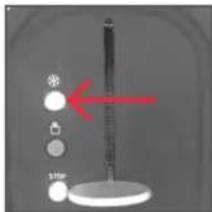
Tryck tinings ✱ knappen.
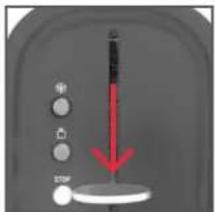
Tryck ner kontrollspaken.
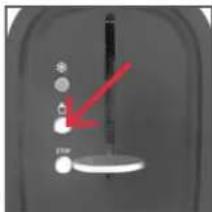
natural_image
Close-up of a kitchen appliance with a black handle and metal tray (no visible text or symbols)natural_image
Two bread rolls on a conveyor belt, no text or symbols visibleLägg på bullarna.
Starta rostning
natural_image
Close-up of a white electrical outlet plug with a black cable, showing a red arrow pointing left (no text or symbols)Dra ut nätsladden. Dra ut smulträget.
natural_image
Close-up of a black mailbox with a red arrow pointing to it, no visible text or symbols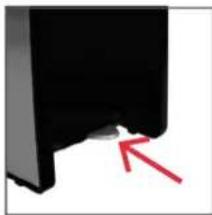
natural_image
Close-up of a black mechanical component with a red arrow pointing to a small feature (no text or symbols visible)natural_image
Close-up of a black electronic component with red arrows pointing to internal structure (no text or symbols visible)Linda nätsladden.
Tekniska data
Spänning: 220 - 240 V\~
natural_image
Close-up of a black plug inserted into a white socket, with a red arrow pointing to the plug (no text or symbols visible)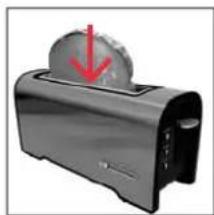
natural_image
Illustration of a toaster with a red downward arrow indicating compression or cooling (no text or symbols)natural_image
Close-up of a black mechanical component with a red arrow pointing to a small feature (no text or symbols visible)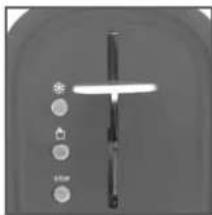
natural_image
Close-up of a kitchen utensil with a lever and control buttons (no visible text or symbols)natural_image
Close-up of a mechanical component with a red arrow pointing to a circular feature (no text or symbols visible)natural_image
Close-up of a kitchen keyboard with a red downward arrow and control knob (no text or symbols visible)natural_image
Close-up of a kitchen sink with white fixtures and a red arrow pointing to the drain (no text or symbols visible)natural_image
Close-up of a metallic car front bumper with handle and internal components (no visible text or symbols)natural_image
Close-up of two bread rolls on a conveyor belt (no text or symbols visible)natural_image
Close-up of a white electrical outlet plug with a black cable, showing a red arrow pointing left (no text or symbols)natural_image
Close-up of a black mailbox with a red arrow pointing to it, no visible text or symbolsnatural_image
Close-up of a black mechanical component with a red arrow pointing to a small feature (no text or symbols visible)natural_image
Close-up of a black electronic component with red arrows pointing to internal structure (no visible text or symbols)natural_image
Close-up of a white electrical outlet plug with a black socket, showing a red arrow pointing to the socket (no text or symbols visible)插入电源。放入面包。
natural_image
Illustration of a toaster with a red downward arrow indicating compression or cooling (no text or symbols)natural_image
Close-up of a black mechanical component with a red arrow pointing to a small feature (no text or symbols visible)检查面包屑托盘是否正确放置。
设置烘烤程度。
烘
- 用烘烤档位选择滑块设置期望的烤程度。
注
开始烘烤。 烤好后,
natural_image
Close-up of a white object with a vertical rod and circular icons on both sides (no visible text or symbols)面包弹出来。
natural_image
Close-up of a kitchen knife with a red arrow pointing to the handle (no text or symbols visible)按下停止按钮停止烘烤。面包弹出来。
烘烤冷冻后的面包
执行“烤面包”部分的第1到6步。
按下控制杆。
按下解冻按钮
按下控制杆。
natural_image
Close-up of a mechanical component with a red arrow pointing to a circular feature (no text or symbols visible)按下重新加热按钮
※

ZH
使用面包卷附件
只使用随机附带的面包卷附件。
natural_image
Close-up of a metallic appliance with a black handle and internal components (no visible text or symbols)将面包卷附件的两个支脚都放入面包槽内。
注:请勿将支脚放在槽外。
natural_image
Close-up of two bread rolls on a conveyor belt (no text or symbols visible)放上面包卷。
设置烘烤程度。 开始烘烤。
清洁面包屑托盘
natural_image
Close-up of a white electrical outlet plug with a black socket, showing a red arrow pointing to the outlet (no text or symbols visible)拔出烤面包机的电源插头。
natural_image
Close-up of a black mailbox with a red arrow pointing to it, no visible text or symbols取出面包屑托盘。
natural_image
Close-up of a black mechanical component with a red arrow pointing to a small feature (no text or symbols visible)清洁后重新放入面包屑托盘。
清洁与维护
natural_image
Close-up of a black electronic component with red arrows pointing to internal structure (no text or symbols visible)缠绕电源线。

此
- Important safety instructions
- Safety instructions
- English
- EN
- Congratulations!
- Intended use
- Content
- Toasting bread
- Caution
- Partlist
- Before first use
- Note
- Toasting frozen bread
- Warming toasted bread
- Using roll attachment
- Clean crumb tray
- Cleaning and care
- Storage
- Technical data
- Технические данные
- Tekniska data
- 烘
- 注
- 烘烤冷冻后的面包
- ZH
- 使用面包卷附件
- 清洁面包屑托盘
- 清洁与维护
Brand : Koenic
Model : KTO 110
Category : Toaster