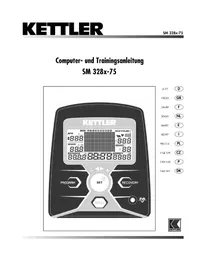
Rondo P - Exercise bike KETTLER - Free user manual and instructions
Find the device manual for free Rondo P KETTLER in PDF.


| Product type | Exercise bike |
| Brand | Kettler |
| Model | Rondo P |
| Power supply | Operates without external battery (energy generated by pedaling) |
| Display | LCD screen with areas for time, speed, distance, pulse, effort level, energy, profile |
| Training programs | 10 programs: Count-Up, Count-Down, profiles 1-6, HRC1, HRC2 |
| Pulse measurement | 3 methods: ear clip, wrist sensor, chest strap (optional) |
| Effort adjustment | 10 resistance levels, adjustable manually or automatically (HRC programs) |
| Recovery function | Measures pulse recovery after effort, calculates a fitness score |
| Displayable units | km/h or mph, kJ or kcal, distance in km or miles |
| Maintenance | Regularly check connections, use original spare parts, avoid prolonged humidity |
| Safety | Consult a doctor before any training, do not use if parts are defective, place on a solid base |
| Spare parts | Available only from Kettler, use original parts |
| Number of pages in the manual | 164 pages |
Frequently Asked Questions - Rondo P KETTLER
User questions about Rondo P KETTLER
0 question about this device. Answer the ones you know or ask your own.
Ask a new question about this device
Download the instructions for your Exercise bike in PDF format for free! Find your manual Rondo P - KETTLER and take your electronic device back in hand. On this page are published all the documents necessary for the use of your device. Rondo P by KETTLER.
USER MANUAL Rondo P KETTLER
HRC1-Count-Up 11
HRC2-Count-Down 11
Programme: Count up / Count down
- (PROGRAM) "Count Up"
- (PROGRAM) "Count Down"
- (PROGRAM) "HRC1 Count Up"
- (PROGRAM) "HRC2 Count Down"
(PROGRAM) "Count Up"
(PROGRAM) "Count Down"
(PROGRAM) "HRC1 Count Up"
(PROGRAM) "HRC2 Count Down"
Safety Instructions 18
Service 18
- Your Safety 18
Short Description 19
- Function Range / Keys 20
- Display 21-23
Quick Start (For Familiarisation) 23
- Start of Training 23
End of Training 23 - Snooze Mode 23
Training 24
... Through Exertion Settings
- Count-Up 24
- Count-Down 24
- Settings Range 24
Distance 24
Time 24
Energy 24
Age: 25
Target Pulse (FAT/FIT/Man) 25
Training Programme Ready 25
-Exertion Profiles 1-6 25
... Through Pulse Settings
HRC1 - Count-Up 26
HRC2-Count-Down 26
Training Functions 27
-
Display Change 27
-
Training Interruption/End 27
- Training Resumption 27
Recovery (Recovery Pulse Measurement)
Inputs and Functions 28
Table: Inputs/Functions 28
Time/Distance Switch 28
Table: Pulse Events 28
- Profile Adjustment 28
Individual Settings 29
- Deletion of total kilometres 29
Option: kJoule/kCal display 29
Option: km/miles display 29 - Initial Exertion HRC1/HRC2 29
General Instructions 30
System Sounds 30
Recovery 30
Time/Distance Switch 30
- Profile Display during Training 30
Instructions for Pulse Measurement 30
With Ear Clip 30
With Hand Pulse 30
With Chest strap 30
Computer Faults 30
Training Instructions 31
Stamina Training 31
Exertion Intensity 31
Exertion Scope 31
Glossary 32

This sign in the instructions refers to the glossary where the particular term is explained.
Safety Instructions
Note the following points for your own safety:
- The training apparatus must be set up on a suitable, stable surface.
Before the first use and also after approx. 6 operating days, the joints are to be checked for firmness.
In order to avoid injuries as a result of incorrect loading or excessive loading, the training apparatus must only be used in accordance with the instructions. - It is not recommended that the apparatus be set up in damp spaces, because this will in time lead to rusting.
- At regular intervals, check that the training apparatus is in correct working order and that it is in proper condition.
- The safety / technical checks are among the duties of the operator and must be carried out regularly and properly.
Defective and damaged parts are to be replaced immediately. Only use original KETTLER replacement parts.
The apparatus must not be used until it has been repaired.
- The safety level of the apparatus can only be maintained if it is regularly checked for damage and wear.
For your safety:
- Before taking up training, have your family doctor advise you on whether or not you are in suitable health for training with this apparatus. The medical findings should be the basis for the structuring of your training programme. Incorrect or excessive training can lead to damage to health.
Short Description
The computer has a function area with keys and a display with changeable symbols and graphics.

Training and Operating Instructions


Getting started
Scope of function
The basic functions of the keys will be explained subsequently.
The detailed application will be specified in the individual chapters. The name of the function keys will be used in these specifications.
SET
The SET key is combined with the + / - adjusting knob. The settings and functions selected by turning the knob can be confirmed by pressing the SET key.
By holding the SET key the training calculator can be restarted.
+/- Adjusting knob
The + / - adjusting knob is combined with the SET key. The settings can be modified step-by-step by turning the adjusting knob slowly. Turning the knob quickly will allow the settings to be modified quickly. The settings, menus, programmes and functions selected by turning the knob can be confirmed by pressing the SET key.
- Various pre-setting values can be set via the adjusting knob before the start of the training. The device must be in the STOP position for this.
- The incline or decrease of the tread can be adjusted via the knob during the training > graphic bar display.
- After selecting and confirming a training programme, the additional parameter settings for the training are modified via the + / - adjusting knob and confirmed by pressing the SET key.
- Increasing the pre-setting values.
The settings values can be increased by turning the adjusting knob (+) to the right.
- Decreasing the pre-setting values.
The settings values can be decreased by turning the adjusting knob (-) to the left.
Reset
By selecting this function key the current display is deleted and reset.
Program
The different programme modes are selected via this function key.
Pressing the key again > next programme
Holding the key > run through programmes
RECOVERY
The recovery pulse function is set via this function key.
Pulse Measurement
The pulse measurement can be carried out in 3 places:
- Ear Clip The plug is inserted into the socket and the hand pulse is switched off
- Hand Pulse The connector is plugged in on the rear side of the display
3.Chest strap Please observe respective instructions.
Display
The display provides information about the various functions and the settings modes selected.
Programmes: Count up / Count down
The programmes are differentiated through their numbering systems.
Programmes:
Exertions over time or distance
Pre-set profiles 1-6
Pulse-driven programmes: HRC1/HRC2
Target pulse over time
Two programmes which regulate exertion through the pre-set pulse value.
Display values
The sample displays show operation as Crosstrainer.
With corresponding speed with the sample displays, the values for speed and distance are lower for crosstrainer and higher for exercise bike.
For 60min^-1 (RPM)
Crosstrainer: = 9,5km / h
exercise bike: = 21,3km / h


Training and Operating Instructions

Step Frequency

Speed

Pulse
Distance


Exertion Levels

Time

-Value0-99:59

Quick Start (For Familiarisation)
Start of Training
Without special settings
- Welcome display on switch-on Display of total kilometres
After 3 seconds: "Count Up" Display All values show 0 Brake shows level 1 - Start of Training
- Display
- Speed, distance, energy, time, revolutions and exertion level and pulse (if pulse registration is active)
Changing the exertion during the training:
- " ^+ display value in the "Brake" window is increased in one-stage steps.
- "--" reduces it in one-stage steps.
Continuation of the training with this setting. Interim exertion changes are possible at all times.
End of Training
Average Values (0):Display Speed, revolutions, exertion level and pulse (if pulse registration is active)
Total Values Distance, energy and time
Snoopze Mode
4 minutes after the end of training the machine switches into the snooze mode.
Press any key and display restarts with "Count Up".

Training and Operating Instructions


Training
The computer is supplied with 10 training programmes. They are clearly differentiated in their exertion intensity and stamina.
1. Training using exertion settings
a)Manual Exertion Settings
- (PROGRAM) "Count Up"
- (PROGRAM) "Count Down"
b)Exertion Profiles
- (PROGRAMS) "1" - "6"
2. Training Using Pulse Settings
Manual Pulse Settings
- (PROGRAM) "HRCT Count Up"
- (PROGRAM) "HRC2 Count Down"
1. Training Using Exertion Settings
a)Manual Exertion Settings
(PROGRAM) "Count Up"
- Press "PROGRAM": Display "Count Up"
Start the training. All values count upwards.
Or
- Press "SET": Settings Range
- "+" or "-": Change the exertion. Start of training. All values count upwards.
(PROGRAM) "Count Down"
Press "PROGRAM": Display "Count Down"
The programme counts downwards from >0 to the pre-set values. When no input occurs, the training starts the "Count Up" Programme.
To start the programme at least one input for time, energy or distance must be input.
- Press "SET": Settings Range
Settings Range
Display: Distance Setting "Dist."
Distance Setting
- Input with "+" or "-" values (e.g. 22,50)
Confirm with "SET"
Display: Next Menu Time Setting "Time"
Time Setting
Input with 4^ or - values (e.g. 35:00)
Confirm with "SET".
Display: Next Menu Energy Settings "Ener."
Energy Setting
Input with "+" or "-" values (e.g. 1650)
Confirm with "SET".
Display: Next Menu Input Age - "Age"
Input Age
Input with ^ + ^ or "一" values (e.g. 34)
Confirm with "SET".
Display: Next Menu Target Pulse "Fat 65%
Target pulse (age-related)
Make selection with ^ + ^ or 一 ^
- Fat burning 65% , Fitness 75% , Manual 40 - 90% Confirm with "SET" (e.g. Manual 40 - 90%)
Enter values with ^ 十 + ^ 一 or - (e.g. Manual 83) Confirm with "SET" (end of default mode) Display: readiness for training with all defaults
or
target pulse (40 - 200)
- Deselect age entry with "+" or "-" Display: "AGE OFF" Confirm with "SET".
Display: next default "Pulse Off" (target pulse)
Enter value with "+" or "-" (e.g. 146) Confirm with "SET" (end of default mode) Display: readiness for training with all defaults
Comment
An overview of all settings options in the programmes is summarised in the tables. (See page 28)
Training Programme is now ready
Exertion
- Change exertion with "+" or "-" Start of Training
b) Exertion Profiles (PROGRAM) "1" - "6"
All profiles are selected by pressing "PROGRAM"
e.g. Display "1"
Fitness Newcomer I. Exertion Level 1-4. 27 Min
Press "SET": Settings Range. For settings see table on page 28
Start of Training
Press "PROGRAM" until Display "2" Fitness Newcomer II. Exertion Levels 1-5. 30 Min Press "SET": Settings Range. For settings see table on page 28
Start of Training
Press "PROGRAM" until Display "3" Advanced I. Exertion Levels 1-6. 36 Minutes. Press "SET": Settings Range. For settings see table on page 28
Start of Training
Press "PROGRAM" until Display "4" Advanced I. Exertion Levels 1-7. 38 Minutes. Press "SET": Settings Range. For settings see table on page 28
Start of Training


Training and Operating Instructions


- Press "PROGRAM" until Display "5"
Professional I. Exertion Levels 1-9. 36 Minutes.
Press "SET": Settings Range. For settings see table on page 28
Start of Training
Press "PROGRAM" until: Display "6"
Professional I. Exertion Levels 1-10. 36 Minutes.
Press "SET": Settings Range. For settings see table on page 28
Comment
For times over 25 minutes the programme view of the profile is displayed in 25 condensed columns.
2. Training Using Pulse Settings
Manual Pulse Settings
(PROGRAM) "HRC1 Count Up"
-
Press "PROGRAM" until Display "HRC1" (Count Up)
-
Press "SET": Settings Range
Start the training. All values count upwards.
The exertion is automatically increased until the target pulse is achieved (e.g. 130)
(PROGRAM) "HRC2 Count Down"
Press "PROGRAM" until Display "HRC2" (Count Down)
- Press "SET": Settings Range
The inputs and adjustment options are the same as the program point "Count Down".
Start of Training
The exertion is automatically increased until the target pulse is achieved (e.g. 130)
Comment
KETTLER recommends the pulse measurement to be carried out with either ear clip or Chest strap in the HRC Programmes.
Move as far as possible at a constant RPM rate as otherwise the pulse adjustment is negatively influenced.
Settings Options: (See table on page 28)
In HRC programs a power adjustment takes place for deviations of + / - 6 heartbeats.
Training Functions
Change of Display during Training
Manual Adjustment
"PROGRAM" changes the display in the points field in the following sequence:
Time / RPM / Speed / Dist. / Pulse / Brake / Ener. / (Profile) / Time ...
Automatic Adjustment: (SCAN)
Press the "PROGRAM" key for longer until the "SCAN" Symbol appears in the display. The display changes at a rate of 5 seconds. The SCAN function is ended by pressing again on the "PROGRAM" key, Recovery Function or Training Interruption.
Training Interruption/End
If there are less than 10 pedal revolutions/minute or "RECOVERY" is pressed, the electronics recognise a training interruption. The training data achieved is displayed. Speed, exertion, revolutions and pulse are displayed as average values with the symbol with a ^ 一 + ^ 一 or ^ 一 - ^ 一 change in the current display, e.g. rest values. The training data is displayed for 4 minutes. If you do not press any keys during this period and do not train, the electronics switch into the snooze mode with the room temperature is displayed.
Training Resumption
If training is continued within 4 minutes the last values are counted further or downwards.
RECOVERY - Function
Recovery Pulse Measurement
At the end of training press "RECOVERY".
The electronics measure your pulse for the last 60 seconds retrospectively.
If you press "RECOVERY", the current pulse value is saved under "RPM" and the pulse value is saved after 60 seconds under "SPEED". "DISTANCE" displays the difference between the two values.
This results in a fitness mark (Example F 2.6). The display stops after 20 seconds.
"RECOVERY" or "RESET" interrupts the function
Comment
If no pulse is recorded at the start or end of the time period, an error message is displayed.


Training and Operating Instructions
Inputs and Functions

* Pre-Selection Exertion Level 1-10 prior to start of training
Programme Switch Time / Distance


For load profiles 1-6 only
- Set with “-” or “+” (time or distance mode) Confirm with “SET”. Display: next menu “Age” (age entry)
The distance per column amounts to 0.2km (0.1 miles)
Exercise bike: 0.4km (0.2 miles)
Display for pulse events

If the training pulse input is not achieved (- 11 beats) the "LO" symbol is displayed.
If it is exceeded (+11 beats) the "HI" symbol is displayed.
If the maximum pulse is exceeded the "HI" arrow flashes and the text "MAX" is displayed.
Adjustment of the Exertion Profile

Comment: Only appears when the target pulse is achieved once.

If the exertion is adjusted during the course of the programme, the change works from the flashing column on the right. The columns on the left show the output data achieved and remain unchanged.
Individual Settings
Proceed according to the diagram opposite: Press "RESET":
Display: All Segments
Now press "SET" for longer: Menu: Individual Settings
Display: RESET + /
1. Deletion of the total kilometres
Press ^ 喜 + ^ 喜 and - are together
Function: Total kilometres are deleted
Press "SET": Jump to the next setting
Display: Energ.
2. Display of the energy consumption in kJoule / kcalorie
Press" ^ + ^ or"-
Function: Select the energy consumption display
Press "SET": Selected unit is adopted and it jumps to the next setting.
Display: Scale
3. Display of the unit in kilometres/miles
Press“+”or“-”
Function: Select kilometre or mile display
Press "SET": Selected unit is adopted and it jumps to the next setting.
Display: Exertion Settings in the HRC-Programmes.
4 Exertion Settings in the HRC-Programmes.
Press“+”or“-”
Function: The initial exertion in the HRC Programmes can be specified here from levels 1 to 10.
Press "SET": The displayed level is adopted and "Neu-start" - New Start - appears on the display.


Neustart
Training and Operating Instructions
General Instructions
Exercise bike
Speed calculation
60 pedal rotations per minute result in a speed of 21.3km / h
Crosstrainer
Speed calculation
60 pedal rotations result in a speed of 9.5km / h
Fitness value calculation
The computer calculates and assesses the difference between load pulse and recovery pulse and your resulting "fitness value" on the basis of the following formula:
$$ \text {N o t e} (\mathbf {F}) = 6 - \left(\frac {1 0 \times (P 1 - P 2)}{P 1}\right) ^ {2} $$
P1 = load pulse P2 = recovery pulse
Value 1 = very good Value 6 = unsatisfactory
The comparison of load and recovery pulse is a simple and fast method to control your physical fitness. The fitness value is a value of orientation with regard to your ability to recover after physical load. Before you press the recovery pulse button and have the computer calculate your fitness value you should train in your load range for a longer time, this means for at least 10 minutes. With regular cardiovascular training you will notice that your "fitness value" will improve.
System Sounds
Switching On
On switch-on during the segment test a small sound is emitted.
Programme End
A programme end (profile programme, countdown) is indicated by a short sound.
Maximum Pulse Overrun
If the preset maximum pulse is exceeded by one pulse beat then 2 short sounds are emitted every 5 seconds.
Error Display
In the case of errors, e.g. a recovery can not be carried out without a pulse signal, then 3 short sounds are emitted.
Switch On/Off Automatic Scan Function
When activating and deactivating the automatic Scan Function, a short sound is emitted.
Recovery
In the function the oscillating weight is automatically slowed down. Further training is unsuitable.
Time/Distance Switch
In the programs 1-6, switchover from time to distance mode is possible in the default section.
The distance per column is
Exercise bike: 0.4km (0.2 miles).
Crosstrainer: 0.2km (0.1 miles)
Profile Display during Training
At the start the first column flashes. According to the flow it moves further to the right.
And in profiles over 25 minutes it reaches the middle (column
13). Then the profile moves from the right to the left. If the profile end appears in the last column (column 25), the flashing column moves further to the right until the end of the programme.
Average Calculation
The average value is calculated per training unit.
Instructions for Pulse Measurement
The pulse calculation starts when the heart flashes in the display in rhythm with your pulse rate.
With Ear Clip
The pulse sensor works with an infrared light and measures the translucency changes of your skin, which are caused by your pulse beat. Before you tuck the pulse sensor onto your earlobe, rub it 10 times forcefully to increase the blood circulation.
Avoid interference impulses.
- Fasten the ear clip carefully onto your ear lobe and find the most opportune moment for its removal (heart symbol flashes without interruption).
- Do not train directly under strong light e.g. neon lights, halogen lights, spotlights, beams or sunlight.
- Totally remove all vibrations and shaking of the ear sensor including cables. Always secure the cable with clips to your clothing or even better to a sweatband.
With Hand Pulse
The extra-low voltage generated through the contraction of the heart is recorded through the hand-sensors and assessed by the electronics.
Always grip the contact areas with both hands.
- Avoid gripping jerkily.
- Hold the hands calmly and avoid contractions and rubbing on the contact areas.
With Chest strap
Observe the relevant instructions.
Failures in the pulse display
Should there once be any problems with pulse detection, please check the above mentioned points once again.
Comment
Only one way of pulse measurement is possible either with ear clip or hand pulse or Chest strap. If there is no ear clip or plug receiver in the pulse socket then the hand pulse measurement is activated. If there is contact between the ear clip/plug receiver in the pulse socket, then the hand pulse measurement is automatically deactivated. It is not necessary to remove the plug of the hand pulse sensors.
Faults in the Training Computer
Press the RESET Key
Training instruction
Training intensity (exercise bike)
The intensity of training with the exercise bike on the one hand is regulated through the pedalling frequency and on the other hand through the pedalling resistance.
Training intensity (Crosstrainer)
The intensity of training with the Crosstrainer on the one hand is regulated through the step frequency and on the other hand through the step resistance.
Cross training is a very effective whole-body workout, which stresses all large muscle groups, and simultaneously trains the cardiovascular system in an ideal manner and promotes the fat metabolism. The innovative elliptical sequence of movements of the treads strengthens the leg and gluteal muscles especially joint-sparing, the training of the upper part of the body coupled with the legwork mainly stresses the arm, shoulder, pectoral and dorsal muscles.
Before starting the training you should read the following notes carefully!
The above and following notes on training are recommended for persons without cardiovascular problems only.
Notes on training
Workout with the cross-trainer is to be designed methodically according to the principles of stamina training. stamina training mainly causes changes and adaptations in the cardiovascular system. This includes the decrease of the rest pulse frequency and the pulse under load. Thus the heart disposes of more time for filling the ventricles and blood flow in the cardiac musculature (through the coronary vessels). Furthermore, depth of breathing and amount of air inspired are increased (vital capacity). Further positive changes take place in the metabolic system. To achieve these positive changes the training must be planned according to certain guidelines.
Planning and control of your training
The basis for the planning of the training is your current physical condition. With an exercise tolerance test your general practitioner can diagnose your personal capability, which represents the basis for your planning of the training. If you did not have an exercise tolerance test executed, high training loads or overloading, respectively, have to be avoided in any case. You should remember the following principle for your planning: stamina training is controlled via the scope of load as well as via the height / intensity of load.
About load intensity
Pulse under load: the optimal load intensity is achieved at 65- 75% (comp. diagram) of the individual cardiovascular performance. This value changes age-related.

For the Crosstrainer, intensity is on the one hand controlled via the speed of movement and on the other hand via the resistance of the magnet braking system. With increasing speed of movement, the physical load is increased as well. It also increases, when the braking resistance is increased. As a beginner avoid a too high speed or training with a too high braking resistance, since in that the recommended pulse frequency range can be quickly exceeded. During the training check on the basis of your pulse frequency, whether you work out in your intensity range according to the diagrams shown.
About the scope of load
Beginners increase the scope of load of their training only gradually. The first training units should be relatively short and in intervals. Sports medicine considers the following load factors as fitness-positive:
Training frequency Duration of training
daily 10 minutes
2-3 times a week 20-30 minutes
1-2 times a week 30-60 minutes
- Beginners should not start with training units of 30-60 minutes.
- The beginner training can be planned as follows within the first 4 weeks:
Training frequency Extent of training session
1st week
3 times a week 2 minutes of training
Break of 1 minute for physical exercises
2 minutes of training
Break of 1 minute for physical exercises
2 minutes of training
2nd week
3 times a week 3 minutes of training
Break of 1 minute for physical exercises
3 minutes of training
Break of 1 minute for physical exercises
2 minutes of training
3rd week
3 times a week 4 minutes of training
Break of 1 minute for physical exercises
4 minutes of training
Break of 1 minute for physical exercises
3 minutes of training
4th week
3 times a week 5 minutes of training
Break of 1 minute for physical exercises
4 minutes of training
Break of 1 minute for physical exercises
4 minutes of training
Before and after each training unit, approx. 5 minutes of gymnastics serve warming up or cooling down, respectively. Between two training units there should be a day off (no training), when in the later course you prefer the 3 times a week training of 20-30 minutes. Otherwise there are no arguments against a daily 10 minute training.
Beside the individual planning of your stamina training you can fall back on the training programs integrated in the training computer of the Crosstrainer (comp. page 9 cont).
Training and Operating Instructions
Sequence of movements (Crosstrainer)
The sequence of movements of the cross training is already provided by the elliptic rotation of the treads and the position of the handlebars. Despite of that, the following should be observed:
Before the training, always check correct installation and standing of the equipment.
- When getting onto the equipment, one tread must be in the lowest and one in the highest position. Grab the handlebars with both hands and mount the lower treat first. When getting off the equipment, step off the upper tread first.
- Set the treads to the optimal distance to the handlebars for you; in that observe sufficient legroom to the handlebars.
■ Execute your training with respective sports shoes and observe secure standing on the treads.
- Do not work out with your hands off the handles. Grab the frame between the moving handlebars, if you only want to work out the lower part of your body.
Mind a uniform, round sequence of movements.
During the training, vary between forward and backward movements of the treads to work out the leg and gluteal muscles in different manners.
With regular training you can increase your stamina, your power and thus also your well-being. The training success is optimized by a health-conscious way of living, which is dominated by a well-balanced, wholesome nutrition.
Glossary
Recovery
Recovery pulse measurement at the end of the training. From start and end pulse of one minute the deviation and a fitness grade are determined. With the same training, the improvement of this grade is a measure for fitness increase.
Reset
Deletion of the display contents and restart of the display.
Programs
Possibilities for training, which require manual or program-determined loads or target pulses.
Profiles
Change of loads over time or distance represented in the points field.
Dimension
Units for display of km/h or mph, kjoule or kcal
Energy
Calculates the energy turnover of the body
Control
The electronic equipment controls the load or the pulse for manually entered or default values.
Points field
Display section with 25 × 16 points for representation of load and pulse profiles as well as text and value display.
Pulse
Recording of the heartbeat per minute
MaxPulse(s)
Calculated value from 220 minus years of age
Target pulse
Manual or program-determined pulse value, which is to be calculated.
Fat burning pulse
Calculated value of: 65% MaxPuls
Fitness pulse
Calculated value of: 75% MaxPuls
Manual
Calculated value of: 40 - 90% MaxPuls
Age
Here an entry for calculation of the maximum pulse.
HI symbol
With "HI" displayed, a target pulse is too high by 11 beats. With HI blinking, the maximum pulse is exceeded.
LO symbol
With "LO" displayed, a target pulse is too low by 11 beats.
Menu
Display, in which values are to be entered or selected.
Glossary
Collection of attempts for explanation.
Performance table
| Date | Restpulse | Stress pulse | Recovery pulse | Slope | Time(min) (km) | Distance(Kcal) | Energy consumption | Fitness | Mark |
F
Sommaire
HRC1-Count-Up 42
HRC2-Count-Down 42
Instructions succinctes
Zone fonctions
Programmes : Count up / Count down
- (PROGRAM) "Count Up"
- (PROGRAM) "Count Down"
b) Profils d'effort
- (PROGRAM) "1" - "6"
- (PROGRAM) "HRCTCount Up"
- (PROGRAM) "HRC2 Count Down"
(PROGRAM) "Count Up"
Affichage: Consigne de distance "Dist."
Consigne de distance
(PROGRAM) "HRC1 Count Up"
(PROGRAM) "HRC2 Count Down"
HRC1 - Count-Up 58
HRC2-Count-Down 58
Trainingsfuncties
Weergavewisseling 59
- Trainingsonderbreking/-einde 59
Hervatten van de training 59
Recovery (herstelpolsmeting) 59
Programma: Count up / Count down
- (PROGRAM) "Count Up"
- (PROGRAM) "Count Down"
b) Belastingprofil
- (PROGRAM) "1" - "6"
- (PROGRAM) "HRC1 Count Up"
- (PROGRAM) "HRC2 Count Down"
1. Training door belastingprogrammering
a) Manuele belastingprogrammering (PROGRAM) "Count Up"
- "PROGRAM" indrukken tot: weergave "Count Up" Training beginnen, alle waards tellen op.
Of
(PROGRAM) "HRC1 Count Up"
(PROGRAM) "HRC2 Count Down"
3 x per week 2 minutes trainen
3 x per week 3 minutes trainen
HRC1 - Count-Up 74
HRC2-Count-Down 74
Programas: Count up / Count down
- (PROGRAM) "Count Up"
- (PROGRAM) "Count Down"
- (PROGRAM) "HRC1 Count Up"
- (PROGRAM) "HRC2 Count Down"
(PROGRAM) "HRC2 Count Down"
- Pulsar "PROGRAM" hasta: visualización "HRC2" (Count Down)
- Pulsar "SET": rango de datos predeterminados
Visualization: RESET + / -
HRC1 - Count-Up 90
HRC2-Count-Down 90
Programmi: Count up / Count down
- (PROGRAM) "Count Up"
- (PROGRAM) "Count Down"
- (PROGRAM) "HRC1 Count Up"
- (PROGRAM) "HRC2 Count Down"
(PROGRAM) "Count Up"
(PROGRAM) "HRC1 Count Up"
(PROGRAM) "HRC2 Count Down"
Indicator: RESET + / -
HRC1 - Count-Up 106
HRC2-Count-Down 106
Funkje treningowe
Programy: Count up / Count down
PROGRAM HRC1 Count Up
- (PROGRAM) „HRC2 Count Down"
(PROGRAM) „HRC1 Count Up"
(PROGRAM) „HRC2 Count Down"
Nacisnag +^ lub -^
Programy: Count Up / Count Down
PROGRAM HRC1 Count Up
- (PROGRAM) „HRC2 Count Down"
1.Trnink pomoci zadani zatizeni
a) Manualni zadani zatiženi (PROGRAM) „Count Up"
[PROGRAM] "HRC1" Count Up
Programas: Count up/Count down
- (PROGRAM) "Count Up"
- (PROGRAM) "Count Down"
- (PROGRAM) "HRC1 Count Up"
- (PROGRAM) "HRC2 Count Down"
(PROGRAM) "Count Down"
(PROGRAM) "HRC2" Count Down
Distance
Tid
Energi
Alder
Valg of targetpuls (fit/fat/man.) 153
Klar til traening 153
modstand1-6 153
.....valg mellem puls
HRC1 - count up 154
HRC2 - count down 154
Träningsfunktion
- Skift of display 155
- Pause / slut traening 155
Genoptagelse of traening 155
Restitution 155
Input og Funktion
- Tabel: input / Funktion 156
Tid Distance skift 156 - Tabel: puls 156
Profiljustering 156
Individual indstilling
Slet total km 157
Valg mellem kjoule / kcal 157
Valg mellem km/miles 157
Ekstra HRC1/HRC2 157
Generelt:
System lyd 158
Restitution 158
- Skiflmeltemtidogdistance 158
Display profit under training 158
Pulsmaling 158 Med ereclip Med handsensor Med brystaelte
- Feil i computeren. 158
Træningsvejledning
PROGRAM: COUNT UP / COUNT DOWN
PROGRAM
Differentieres ved taelle fonctionen.
Forudindtastede profiler 1-6
PULSSTYREDE PROGRAMMER HRC1 / HRC2
2 programmer som kontrollere belastningen ud fra en forud indtastet vaerdi.
DISPLAY VARDIER.
Ending of modstand under training.
1. TRÄNING MED NIVENI INDSTILLING.
- (Program) "count up"
- (Program) "count down"
B) Traeningsprofiler
- (Program) 1 - 6
2. TRÄNING MED PULS INDSTALLING.
Manuel puls indstilling
- (Program) "HRC1" count up
- (Program) "HRC2" count down
1. TRÄNING MED NIVENI INDSTILLING.
A) Manuel niveau input
(Program) "count up"
- Tryk "program" til display "count up", start traeningen, alle vaerdier taeller op.
eller
Tryk "set": indstilling
- " ^+ " aller "-": aendre niveau Start travaingen, alle vardier taeller op. Program "count down"
Tryk "program" indtil display "count down"
Programmet taeller ned >0 fra den indtastede vardi. Hvis der ici er indtastet nogen vardi, starter programmet i "count up" for at starte programmet ma der vare indtastet en vardi i enten distance, tid aller energia.
Tryk "set" vaerdi bekraeftes.
VARDI DISTANCE
Kun for profiler 1-6
indstil med " - " eller ^ 十 (time ellerr distance mode) Bekraeft med "SET".
Display: næste menu "age" (indtast alder)
Distancen pr. kolonne er sat til 0,2 km (0,1 mile)
Motionscykler: 0,4 km (0,2 miles)
General information.
Beregning of hastighed.
Med traeningmaskine, Racer, Crossbike.
Beregning of fitnesskarakter
Feditforbraendingspuls.

- Programme: Count up / Count down
- Safety Instructions 18
- Short Description 19
- Quick Start (For Familiarisation) 23
- Training 24
- ... Through Exertion Settings
- Training Programme Ready 25
- ... Through Pulse Settings
- Training Functions 27
- Inputs and Functions 28
- Individual Settings 29
- General Instructions 30
- Training Instructions 31
- Glossary 32
- Safety Instructions
- Note the following points for your own safety:
- For your safety:
- Short Description
- Training and Operating Instructions
- Getting started
- Scope of function
- SET
- Reset
- Program
- RECOVERY
- Pulse Measurement
- Display
- Programmes: Count up / Count down
- Programmes:
- Pulse-driven programmes: HRC1/HRC2
- Display values
- Quick Start (For Familiarisation)
- Start of Training
- End of Training
- Snoopze Mode
- Training
- Training using exertion settings
- a)Manual Exertion Settings
- b)Exertion Profiles
- Training Using Pulse Settings
- Manual Pulse Settings
- Or
- Settings Range
- Distance Setting
- Time Setting
- Energy Setting
- Input Age
- Target pulse (age-related)
- target pulse (40 - 200)
- Comment
- Training Programme is now ready
- Exertion
- b) Exertion Profiles (PROGRAM) "1" - "6"
- Training Functions
- Change of Display during Training
- Manual Adjustment
- Automatic Adjustment: (SCAN)
- Training Interruption/End
- Training Resumption
- RECOVERY - Function
- Recovery Pulse Measurement
- Inputs and Functions
- Programme Switch Time / Distance
- Display for pulse events
- Adjustment of the Exertion Profile
- Individual Settings
- Deletion of the total kilometres
- Display of the energy consumption in kJoule / kcalorie
- Display of the unit in kilometres/miles
- Exertion Settings in the HRC-Programmes.
- General Instructions
- Exercise bike
- Speed calculation
- Crosstrainer
- Fitness value calculation
- System Sounds
- Switching On
- Programme End
- Maximum Pulse Overrun
- Error Display
- Switch On/Off Automatic Scan Function
- Time/Distance Switch
- Profile Display during Training
- Average Calculation
- Instructions for Pulse Measurement
- With Ear Clip
- With Hand Pulse
- With Chest strap
- Failures in the pulse display
- Faults in the Training Computer
- Training instruction
- Training intensity (exercise bike)
- Training intensity (Crosstrainer)
- Notes on training
- Planning and control of your training
- About load intensity
- About the scope of load
- Training frequency Duration of training
- Training frequency Extent of training session
- 1st week
- 2nd week
- 3rd week
- 4th week
- Sequence of movements (Crosstrainer)
- Glossary
- Programs
- Profiles
- Dimension
- Energy
- Control
- Points field
- Pulse
- MaxPulse(s)
- Target pulse
- Fat burning pulse
- Fitness pulse
- Manual
- Age
- HI symbol
- LO symbol
- Menu
- F
- Sommaire
- Instructions succinctes
- Zone fonctions
- Programmes : Count up / Count down
- Consigne de distance
- Trainingsfuncties
- b) Belastingprofil
- Training door belastingprogrammering
- a) Manuele belastingprogrammering (PROGRAM) "Count Up"
- Of
- Programas: Count up / Count down
- Programmi: Count up / Count down
- Funkje treningowe
- Programy: Count up / Count down
- 1.Trnink pomoci zadani zatizeni
- a) Manualni zadani zatiženi (PROGRAM) „Count Up"
- Programas: Count up/Count down
- Klar til traening 153
- .....valg mellem puls
- Träningsfunktion
- Input og Funktion
- Individual indstilling
- Generelt:
- Træningsvejledning
- PROGRAM: COUNT UP / COUNT DOWN
- PULSSTYREDE PROGRAMMER HRC1 / HRC2
- DISPLAY VARDIER.
- TRÄNING MED NIVENI INDSTILLING.
- TRÄNING MED PULS INDSTALLING.
- Manuel puls indstilling
- A) Manuel niveau input
- eller
- VARDI DISTANCE
- General information.
- Beregning of hastighed.
- Med traeningmaskine, Racer, Crossbike.
- Beregning of fitnesskarakter
- Feditforbraendingspuls.
Brand : KETTLER
Model : Rondo P
Category : Exercise bike