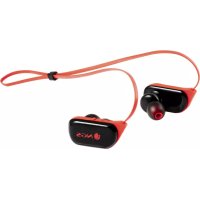
Artica Ranger - Earphones NGS - Free user manual and instructions
Find the device manual for free Artica Ranger NGS in PDF.



| Product Type | Sport Bluetooth Headphones |
| Brand | NGS |
| Model | Artica Ranger |
| Connection Technology | Bluetooth (range up to 10 meters) |
| Battery Life | Up to 7 hours of playback |
| Battery Type | Li-ion 120 mAh |
| Charging Time | Approximately 2 hours |
| Water Resistance | Yes (charging cover closed required) |
| Functions | Hands-free calls, music control (volume, track, pause/play), power on/off, pairing |
| Built-in Microphone | Yes |
| Indicator Light | LED (red for charging, blue for connected) |
| Pairing Capacity | Up to 8 devices |
| Audio Compatibility | A2DP (stereo streaming) |
| Estimated Weight | 22 g (approx) |
| Estimated Dimensions | 15 x 10 x 2 cm (with cable) |
| Package Contents | Headphones, USB cable, manual |
| Maintenance | Close charging cover after use; clean with a soft cloth |
| Safety | Do not dispose of battery in fire; recycle at waste facility |
| Warranty | 2 years (battery: 12 months) |
| Compliance | Directive 1999/5/EC (CE) |
| Country of Manufacture | Not specified (Spanish brand) |
Frequently Asked Questions - Artica Ranger NGS
User questions about Artica Ranger NGS
0 question about this device. Answer the ones you know or ask your own.
Ask a new question about this device
Download the instructions for your Earphones in PDF format for free! Find your manual Artica Ranger - NGS and take your electronic device back in hand. On this page are published all the documents necessary for the use of your device. Artica Ranger by NGS.
USER MANUAL Artica Ranger NGS
natural_image
Line drawing of a pair of VR headsets with earbuds and straps (no text or symbols)ARTICA RANGER
USER'S MANUAL
ENGLISH | FRANÇAIS | ESPAÑOL | DEUTSCH | ITALIANO | PORTUGUÊS | POLSKI | EΛΛΗΝΙΚΑ
WWW.NGS.EU


USER'S MANUAL
ARTICA RANGER
Welcome to use these sport Bluetooth stereo earphones, Artica Ranger. Please read this user's manual carefully before using it.
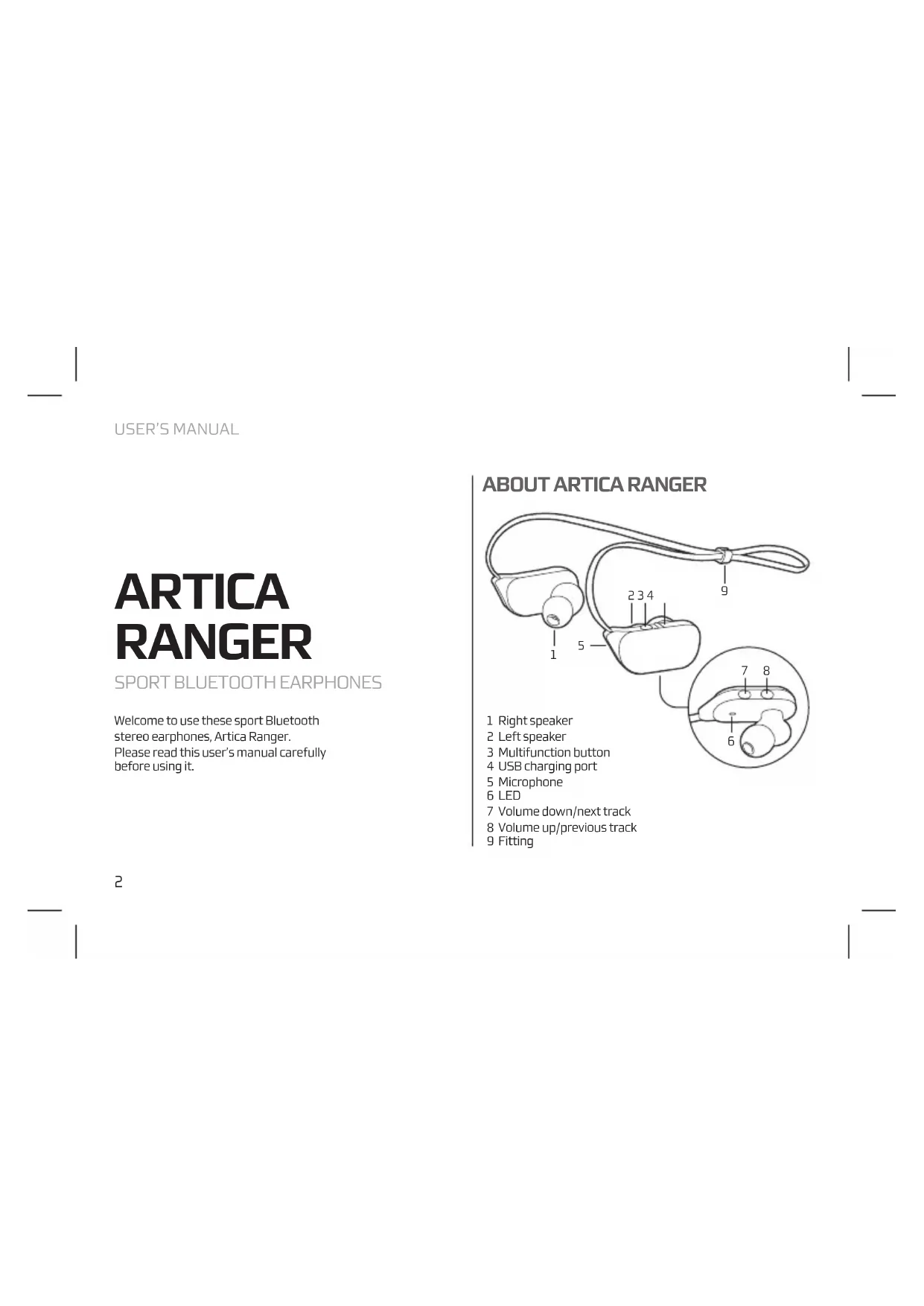
ABOUT ARTICA RANGER
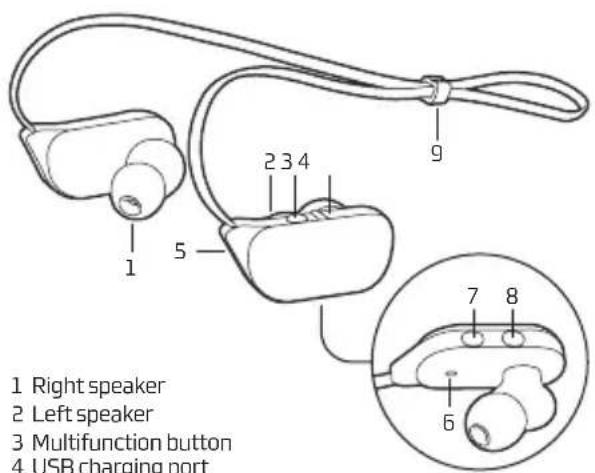
1 Right speaker
2 Left speaker
3 Multifunction button
4 USB charging port
5 Microphone
6 LED
7 Volume down/next track
8 Volume up/previous track
9 Fitting
Before you use these Bluetooth earphones, please charge the battery of Artica Ranger fully.
USB cable charger
- Plug USB cable into USB port of PC.
- Plug another side of USB cable into charging port of the earphones.
RED light on → Charging
BLUE light on → Finish charging - It will take about two hours to finish charging.
Note: Close the charger port correctly to prevent potentially damaging liquids from entering the system.

Warning :
- The battery is recyclable.
- Do not dispose of the battery in fire, as it may cause explosion.
Turn on Press multifunction button about 3-5 seconds and release it till the blue light blinks
Turn off Press multifunction button about 3–5 seconds and release it till the red light blinks
PAIRING EARPHONES WITH BLUETOOTH DEVICES
How to entering pairing mode
Function Operation Indicator light
| Enter pairing mode |
| Make sure the earphones are turned off, if not, please turn it off first. Press multifunction button about 6-7 seconds, and release it till blue light and red light blink alternately. |
Blue light and Red light blink alternately.
Note: Pairing mode will last 2 minutes, if the headset can not connect any other devices after 2 minutes, it will switch standby mode automatically.
Pairing earphones with Bluetooth devices
Prior to using the eaphones for the first time, you have to pair it with a Bluetooth-enabled device. The pairing procedures are subject to different models of cell phones. Please refer to your cell phone user's manual for further information. The general pairing procedures are as follows:
- Please keep the headset and mobile phone within 1 meter when pairing
- Make the headsets enter pairing mode (please refer to "How to entering pairing mode")
- Activate your mobile phone's Bluetooth function and search Bluetooth devices within available range, and select "NGS ARTICA RANGER" from the list of devices shown after search
- After pairing successfully, choose "NGS ARTICA RANGER" from the list of device shown and connect it
• After connect successfully, the blue light on the earphones flashes once every 8 seconds
Note:
- If the pairing is not successful, please switch off headset firstly, and then re-pair according mentioned above.
- After pairing is successful, the headset and the mobile phone will remember each other, they will no need to re-pair next time. The headset can remember 8 paired devices, when the number of paired devices exceeds 8, the first one will be replaced.
- If you want to pair the headset with other devices, please pair it with the new device according mentioned above.
MAKING CALLS WITH THE EARPHONES
Basic conversation operation
Function Operation
Answer call Tap the multifunction button once
Reject call Press the multifunction button for 2 seconds
End call Tap the multifunction button once
USER'S MANUAL
PLAYING MUSIC HOW TO USE
When the earphones connect to a mobile phone, tablet or Bluetooth transmitter which supports A2DP, you can enjoy music wirelessly through the earphones.
| Function Status of the earphones | Operation | |
| Volume up | Playing music Short press “+”button | |
| Volume down | Playing music Short press “-”button | |
| Previous song | Playing music Long press “+”button for 2 seconds | |
| Next song | Playing music Long press “-”button for 2 seconds | |
| Pause | Playing music Short press multifunction button | |
| Play Pausing | Short press multifunction button | |
natural_image
Side profile illustration of a human head with an eyeglasses resting on the forehead (no text or symbols)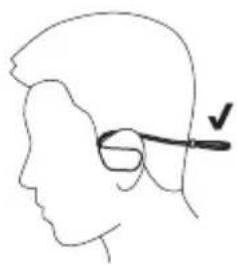
natural_image
Side profile sketch of a human head with an eyeglasses resting on the jaw (no text or symbols)SPECIFICATIONS
Wireless Bluetooth
Hands free
Control buttons
Water resistant: IPX4
Working distance: up to 10m
Lithium ion battery 120 mAh
Working time: 7 hours
WARRANTY
Limited warranty. NGS warrants that any hardware products accompanying this documentation shall be free from significant defects in material and workmanship for a period of two (2) years, three (3) years or five (5) years from the date of purchase. NGS's limited warranty is non-transferable and is limited to the original purchaser. This warranty gives you specific legal rights, and you may also have other rights, which vary under local laws.
Battery warranty. The battery is a consumer product, and as such it is under warranty for 12 months.
If at any time in the future you should need to dispose of this product please note that:
Waste electrical products should not be disposed of with household waste. Please recycle where facilities exist.
Check with your Local Authority or retailer for recycling advice.
(Waste Electrical and Electronic Equipment Directive)

HEREBY, LURBE GRUP S.A, DECLARES THAT THESE EARPHONES ARE IN COMPLIANCE WITH THE ESSENTIAL REQUIREMENTS AND OTHER RELEVANT PROVISIONS OF DIRECTIVE 1999/5/EC.
MANUEL DE L'UTILISATEUR
ARTICA RANGER
CASQUE SPORTIF BLUETOOTH
natural_image
Side-by-side line drawings of a human head and neck with a pair of eyeglasses, one showing a finger insertion (no text or symbols)CARACTÉRISTIQUES
Bluetooth sans fil
Mains libres
Boutons de contrôle
Étanche : IPX4
natural_image
Side-by-side line drawings of human head profiles with eyeglasses, showing posture changes (no text or symbols)ESPECIFICACIONES
Bluetooth inalámbrico
Manos libres
Botones de control
BLUETOOTH-HEADSET SPORT
natural_image
Side profile illustration of a human head with an eyeglasses and a black arrow pointing to the upper side (no text or symbols)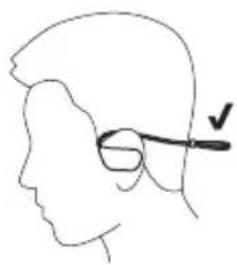
natural_image
Side profile sketch of a person's head with an eyeglasses resting on the jaw (no text or symbols)SPEZIFIZIERUNG
Bluetooth Wireless
natural_image
Side-by-side line drawings of human head profiles with eyeglasses, showing posture changes (no text or symbols)CARATTERISTICHE
Bluetooth wireless
Vivavoce
natural_image
Side profile illustration of a human head with an eyeglasses and a black arrow pointing to the ear area (no text or symbols)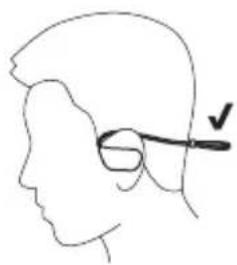
natural_image
Side profile sketch of a person's head with an eyeglasses resting on the jaw (no text or symbols)ESPECIFICAÇÃO
Bluetooth sem fios
Mãos livres
Botões de controlo
natural_image
Side profile illustration of a human head with an eyeglasses and a black arrow pointing to the ear area (no text or symbols)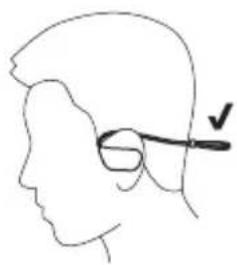
natural_image
Side profile sketch of a person's head with glasses and a checkmark indicating the eye (no text or symbols)SPECYFIKACJA
natural_image
Side-by-side line drawings of human head profiles with eyeglasses, showing posture changes (no text or symbols)ΠΡΟΔΙΑΓΡΑΦΕΣ
Ασύρματο Bluetooth
Handsfree
Πλήκτρα ελέγχου
Αδιάβροχο: IPX4


Brand : NGS
Model : Artica Ranger
Category : Earphones