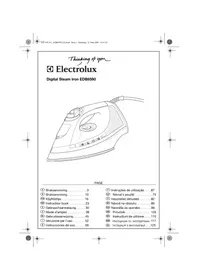
Perfect EDB8590 - Iron ELECTROLUX - Free user manual and instructions
Find the device manual for free Perfect EDB8590 ELECTROLUX in PDF.

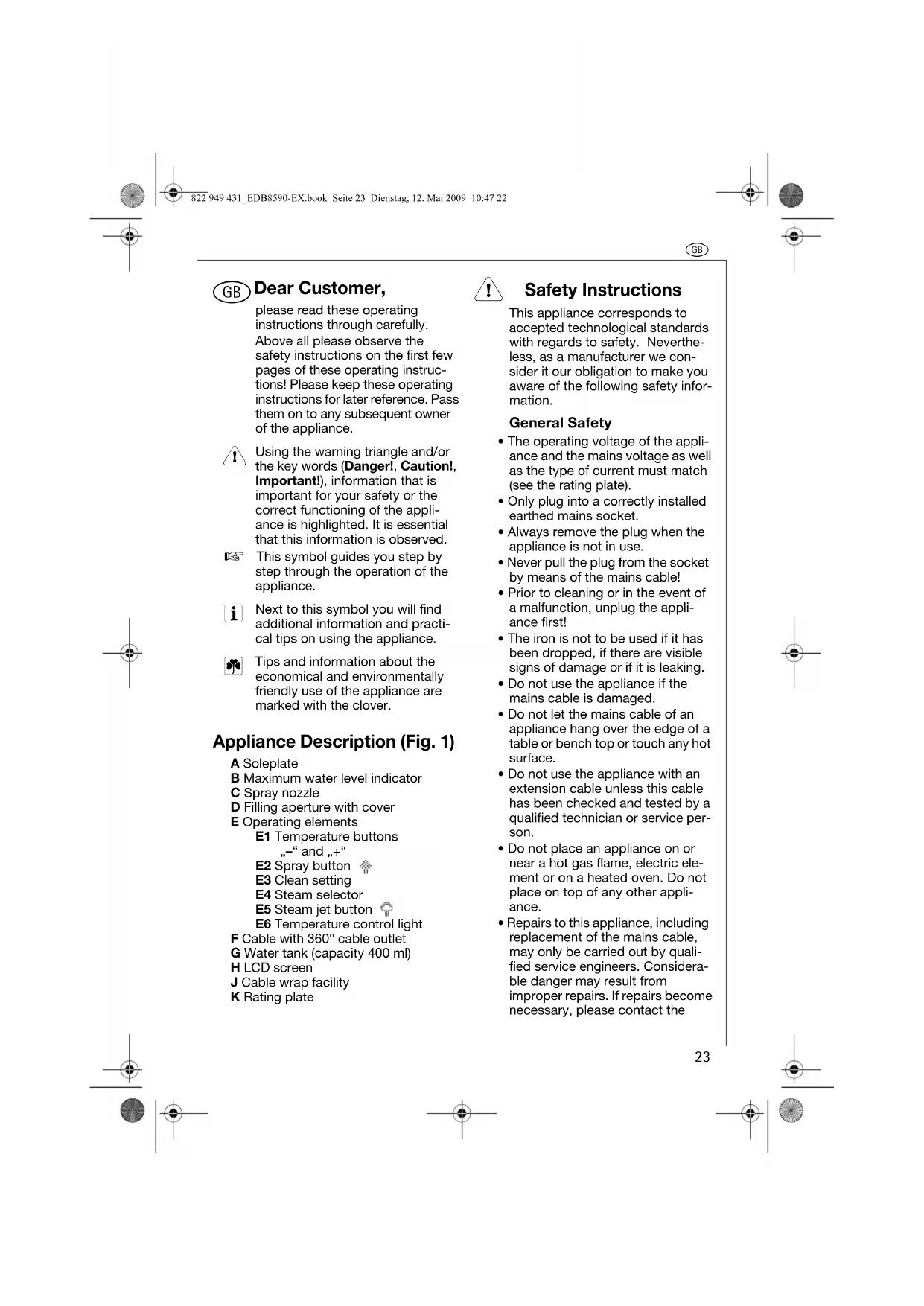


| Brand | Electrolux |
| Model | Perfect EDB8590 |
| Product Type | Iron |
| Power Supply | 220-240 V / 50 Hz |
| Power Consumption | 2000-2400 W |
| Water Tank Capacity | 400 ml |
| Heating Technology | Dual heating element (soleplate + vaporization chamber) |
| Temperature Adjustment | Digital via + and - buttons, LCD display with temperature in degrees Celsius |
| Steam Functions | Continuous steam, steam shot, spray, vertical steam shot |
| Safety | Automatic shut-off: 30 s in horizontal or tilted position, 15 min in vertical position; dual heating element |
| Maintenance | Removable anti-scale rod, cleaning of steam vents, wipe soleplate with damp cloth |
| External Cleaning | Soft damp cloth, no abrasive products |
| Repairs | Only by an authorized specialist |
| Cord Length | With integrated cord winder (not specified) |
| Weight | Not specified |
| Dimensions | Not specified |
Frequently Asked Questions - Perfect EDB8590 ELECTROLUX
User questions about Perfect EDB8590 ELECTROLUX
0 question about this device. Answer the ones you know or ask your own.
Ask a new question about this device
Download the instructions for your Iron in PDF format for free! Find your manual Perfect EDB8590 - ELECTROLUX and take your electronic device back in hand. On this page are published all the documents necessary for the use of your device. Perfect EDB8590 by ELECTROLUX.
USER MANUAL Perfect EDB8590 ELECTROLUX
please read these operating instructions through carefully.
Above all please observe the
safety instructions on the first few
pages of these operating instruc
tions! Please keep these operating
Instructions for later reference. Pass
them on to any so of the appliance.
Using the warning triangle and/or
the key words (Danger!, Caution!,
Important), information that is important for the success of the project.
Important for your safety of the correct functioning of the appli
correct functioning of the appli
once is highlighted. It is essential that this information is observed.
This symbol guides you step by
step through the operation of the
Next to this symbol you will find
additional information and practi
Tips and information about the
economical and environmentally
friendly use of the appliance are
Appliance Description (Fig. 1)
A Soleplate
B Maximum water level indicator
Spray nozzle
D Filling aperture with cover
E Operating elements
E1 Temperature buttons
and
E2 Spray button
E3 Clean setting
E4 Steam selector
E5 Steam jet button
E6 Temperature control light
F Cable with 360^ cable outlet
G Water tank (capacity 400 ml)
H LCD screen
J Cable wrap facility
K Rating plate
Safety Instructions
This appliance corresponds to accepted technological standards with regards to safety. Nevertheless, as a manufacturer we consider it our obligation to make you aware of the following safety information.
General Safety
The operating voltage of the appliance and the mains voltage as well as the type of current must match (see the rating plate).
- Only plug into a correctly installed earthed mains socket.
Always remove the plug when the appliance is not in use.
-
Never pull the plug from the socket by means of the mains cable!
-
Prior to cleaning or in the event of a malfunction, unplug the appliance first!
The iron is not to be used if it has been dropped, if there are visible signs of damage or if it is leaking.
-
Do not use the appliance if the mains cable is damaged.
-
Do not let the mains cable of an appliance hang over the edge of a table or bench top or touch any hot surface.
-
Do not use the appliance with an extension cable unless this cable has been checked and tested by a qualified technician or service person.
-
Do not place an appliance on or near a hot gas flame, electric element or on a heated oven. Do not place on top of any other appliance.
-
Repairs to this appliance, including replacement of the mains cable,
may only be carried out by quali
fied service engineers. Considera
ble danger may result from
improper repairs. If repairs become
necessary, please contact the
GB
Customer Care Department or your authorised dealer.
- If the appliance is used for purposes other than those intended or used incorrectly, no liability can be accepted for any damage that may be caused.
- This appliance is not intended for use by persons (including children) with reduced physical, sensory or mental capabilities or lack of experience and knowledge unless they have been given initial supervision or instruction concerning use of the appliance by a person responsible for their safety.
Child Safety
- Never leave the appliance unattended while in use. If children come into contact with a hot steam iron it could lead to serious burns.
- Keep children away from electrical appliances.
- Packaging material, e.g. plastic bags, should not be accessible to children.
- Children should be supervised to ensure that they do not play with the appliance.
Safety in operation
- The steam iron must be used and rested on a stable surface.
- When placing the iron on its stand, ensure that the surface on which the stand is placed is stable.
- Caution! When in use, the sole-plate and cover of the steam iron reach high operating temperatures.
- When steam ironing, steam is emitted from the holes in the soleplate - risk of burns.
-
A steam iron takes approximately 30 minutes to cool down. Only store the appliance once it is cool and after emptying any remaining water.
-
Do not wind the cord around the soleplate while the steam iron is still hot.
Always unplug the steam iron from the power outlet before filling or emptying the water tank.
Safety in cleaning and care
- Follow the cleaning instructions.
- Prior to cleaning, unplug the appliance first and allow the steam iron to cool completely.
- Do not immerse the appliance in water or any other liquid.
Operating
Twin element technology
Your steam iron contains two elements, one in the soleplate (Fig. 2/a) and another in the steam chamber (Fig. 2/b). This technology allows having steam performance even on one dot temperature setting · (synth). Steam generation is independent of the soleplate temperature. Unlike conventional single element irons, the soleplate temperature stays constant, as it is unaffected by the continual inflow of water from the steam valve and steam jet pump.
Before first use

Remove any adhesive stickers, plastic covers or cardboard sleeves from the soleplate.

Ensure that all adhesive is removed by rubbing the soleplate with a cloth dampened with methylated spirits.

Fill the water tank (see following chapter) and empty the water. This will rinse out any foreign particles remaining from the manufacturing process.

When turned on for the first time, your new steam iron may give off vapours for up to 10 minutes. This is due to the initial heating of the
materials used. It is safe, not detrimental to the performance of the steam iron, and will not reoccur.
Filling the steam iron with water
Before filling the steam iron with water ensure that the plug is removed from the power outlet. The steam iron can be filled with water while it is hot.
Turn the steam selector (Fig. 1/E4) to the Dry setting (①
Place the steam iron on its heel and open the filling aperture cover (Fig.1/D).
Using the beaker provided, slowly pour water into the filling aperture until the maximum water level (Fig. 1/B) is reached. Do not exceed the maximum water level indicator.
Push the filling aperture cover firmly to close.
It is safe to use tap water in your steam iron. The anti-calc cartridge removes minerals from the water, preventing scale build-up. However, in extremely hard water areas we recommend the use of distilled or demineralised water.
Do not fill the steam iron with fabric conditioner, starches or other solutions as these will damage the steam mechanism. Do not use contaminated water.
Using your steam iron
Plug the power cable into a 220-240 V power outlet. The LCD screen (Fig. 1/H) and the orange temperature control light (Fig. 1/E6, located between the temperature +/- buttons) will illuminate to indicate that the steam iron is switched on and heating.
Use the temperature +/- buttons (Fig. 1/E1) to select the desired temperature setting, as displayed
The bars on the LCD will flash as the steam iron heats up to the selected temperature setting. As each incremental temperature is reached, the bars will display solidly. The actual temperature in degrees Celsius will also be displayed on the LCD, in increments of 5 degrees.
Once the steam iron has reached the selected temperature, the green temperature control light (Fig. 1/E6) will illuminate to indicate that the steam iron is ready to use.
Select the desired steam output on the steam selector (Fig. 1/E4) or turn the steam selector to the Dry setting (O to iron without steam.
When steam ironing, ensure that the tank is at least 1 / 4 full of water. When changing from a high temperature to a lower temperature, the red temperature control light (Fig. 1/E6) will illuminate and the LCD will flash indicating that the steam iron is cooling down.
To reduce the cooling period, turn the steam selector (Fig. 1/E4) to any position on the steam band and press the steam jet button (Fig. 1/E5). Once the steam iron has reached the selected temperature, the green temperature control light (Fig. 1/E6) will illuminate and the bars on the LCD will display solidly, indicating that the steam iron is ready to use.
The steam iron's twin element construction allows you to iron with maximum steam, even on one dot temperature setting (synth).
Using the spray mist
The spray mist can be used when steam or dry ironing to dampen hard to iron fabrics.

GB
Ensure that the tank is at least 1 / 4 full of water.
Press the spray button (Fig. 1/E2) during ironing to release a fine mist from the spray nozzle (Fig. 1/C).
Using the steam jet function
The steam jet function can be used when dry or steam ironing.
Ensure that the tank is at least 1 / 4 full of water.
Select the desired temperature using the +/- buttons (Fig. 1/E1).
The steam iron's twin element construction allows you to iron with maximum steam, even on one dot temperature setting (synth).
Press the steam jet button (Fig. 1/E5) several times with the iron on the soleplate to prime the pump.
If the water tank has run dry, it may be necessary to re-prime the pump after filling the steam iron with water.
Steaming hanging items of clothing
The vertical steam jet function is ideal for steaming curtains, suits and delicate fabrics.
Hang the article concerned on a hanger and hold the steam iron at a distance of 10-20 cm from the material.
Now press the steam jet button (Fig. 1/E5).
Do not attempt to freshen up clothing whilst it is still being worn. Risk of burning!
The 3 way safety auto-off feature
For total safety and peace of mind, the steam iron will automatically switch itself off if left unattended. It will switch off if left in the ironing position for 30 seconds, or if it is knocked onto its side for 30 seconds (see Fig. 4/a). It will also
switch off if left unattended in the upright position for 15 minutes (see Fig. 4/b).
Should you leave the steam iron unattended, the red temperature control light (Fig. 1/E6) between the +/- temperature buttons will flash and a warning beep will sound to alert you that the auto-off function has been activated. 'standby' will appear on the LCD screen (see Fig. 4/c).
Power to the steam iron's heating element will be cut and the steam iron will start to cool.
To reset the safety auto-off feature, simply move the steam iron. The power to the steam iron's elements will then reconnect and it will begin heating again. Wait until the green light illuminates before recommencing ironing.
i After 30 seconds the frequency of the beep alarm will decrease.
Abnormal digital function
If you find that your steam iron is incapable of steaming or that the temperature control buttons have become inoperable, a fault has occurred.
In the event of a fault, the red temperature control light (Fig. 1/E6) located between the +/- temperature buttons will flash.
To reset the steam iron, simply unplug the appliance from the power outlet. After some seconds, plug in again. The steam iron can then be switched on again and should operate normally. If the fault persists contact the Customer Care Department.
Care and Cleaning
After each use
Turn the power off and remove the plug from the power outlet.
Allow the steam iron to cool before winding the cord around the built-in cord wrap (Fig. 1/J).
Storage
Always store the steam iron on its heel rest (see Fig. 5). Do not store the steam iron with the soleplate facing down, or in the carton.
Cleaning
To clean the exterior of the steam iron, wipe with a damp soft cloth and wipe dry.
Do not use harsh abrasives, chemical cleaners or solvents, as these will damage the surface.
Cleaning the removable steam valve
To remove the steam valve, turn the steam selector anticlockwise to the indented Clean setting ( Fig. 1/E3) so that the steam valve pops up (see Fig. 6).
Gently scrub the tip of the valve with a steel wool soap pad moistened in warm water.
Rinse and dry with a clean cloth.
Replace the steam valve and turn clockwise to lock into position.
Cleaning the steam holes
To remove scale build up in the steam holes that may affect your iron's steam performance, use a cotton wool tip moistened in methylated spirits.
Cleaning the soleplate
Wipe the soleplate with a soft damp cloth and wipe dry.
To remove burnt residue from the soleplate, iron over a damp cloth while the steam iron is hot.
Ironing Guide
Selecting the ironing temperature
Always read garment labels and follow the manufacturer's ironing instructions. Refer to the Ironing Chart on page 29 for temperature recommendations.
Hints
- Sort articles to be ironed according to the type of fabric. This will reduce the need to adjust the temperature to suit varying garments.
- Start with garments requiring lower temperatures and work your way through to items requiring higher temperatures.
- Fabrics such as velour, wool, linen and silk are best ironed with an ironing cloth to prevent shine marks.
- If you are unsure of the fabric content of a garment, test a small area such as a seam or inside hem section before ironing a visible area. Start with a low temperature and gradually increase the heat to find the best setting for ironing the garment.
- When reducing the temperature to iron sensitive fabrics, allow approximately 2 minutes for the steam iron to cool to the new setting.
Pure woollen fabrics (100%) wool can be steam ironed with the temperature dial set to Wool. Use an ironing cloth to prevent shine marks on the fabric. - Never iron areas of a garment where perspiration marks are visible, as the heat of the steam iron will fix the stains, making them permanent.
Technical Data
Mains voltage:
220-240V/50Hz
Power consumption:
2000-2400W
Disposal

Packaging material
The packaging materials are environmentally friendly and can be recycled. The plastic components are identified by markings, e.g.
PE<, >PS<, etc. Please dispose of the packaging materials in the appropriate container at the community waste disposal facilities.

Old appliance
The symbol on the product or on its packaging indicates that this product may not be treated as household waste. Instead it shall be handed over to the applicable collection point for the recycling of electrical and electronic equipment. By ensuring this product is disposed of correctly, you will help prevent potential negative consequences for the environment and human health, which could otherwise be caused by inappropriate waste handling of this product. For more detailed information about recycling of this product, please contact your local city office, your household waste disposal service or the shop where you purchased the product.

GB
Ironing Chart
| TEMPERATURE SETTING | FABRIC IRONING RECOMMENDATION | |
| minimum | Acrylic Dry iron on wrong side. | |
| synthetic | Acetate | Dry iron on wrong side while still damp or use spray to dampen. |
| Nylon & Polyester | Iron on wrong side while still damp or use spray to dampen. | |
| Rayon Iron on wrong side of fabric. | ||
| Viscose | Mainly dry iron. Steam can be used under manufacturer's instructions. | |
| silk | Silk | Iron on wrong side. Use an ironing cloth to prevent shine marks. |
| Cotton Blends | Check label and follow manufacturer's instructions. Use setting for the fibre requiring the lowest setting. | |
| wool | Wool & Wool Blends | Steam iron on wrong side or use an ironing cloth. |
| cotton | Cotton | Dry iron while still damp or use spray to dampen. Use steam medium to high. |
| Corduroy Steam iron on wrong side or use an ironing cloth. | ||
| linen | Linen | Iron on wrong side or use an ironing cloth to prevent shine marks, especially with dark colours. Dry iron while still damp or use spray to dampen. Use steam medium to high. |
| maximum | Denim Use maximum steam. | |
Varied ironing speeds and fabric dampness can mean that the optimal setting can differ from that recommended in the table!

D
Chere cliente, cher client,
YBaXaEmbI nokyNaTeB,
nojaiynta, BHIMATEIbHo npoHTaTe Hactouyo IHCTpyKuIO NO 3KcnIpyatau. Ipexde Bcero co6nOdaite IHCTpyKuIO NO TEXHKe 6e30naCHOCTN, pINBEeHNbte Ha nepBbIX cTpaHnuaX HAcToauei INCTpyKuIO COxpaHNTe 3Ty IHCTpyKuIO NO 3KcnIpyatau. dJa 6bpaUeHn K HeB BbydUeM. IpePaaiTe IHCTpyKuIO CJeNyHOeMy BnaDeJIbUy yctpoIcBa.

Ppeynpeintelhblm TpeyrolbHKOM n/INKIOHObEBIMn CNOBaMn (OnachOCTb!BHHMaHne! BaxHo!, bIeNEHa INΦopMaunr BaxHnA DnRA BaWei Be3oNaChOCTn INI npabNtBHorO fYHKUHOHPOBaHn yCTpOJCTBa. He6xOdmo cneobat daHNo INΦopMaunu.

3TOT CMBON 6yDen TNO CNEOBATeNbHO COPOBOXdTaB BAC NO BCEM INHCTpyKqIaM N0 3KcNnyatauyn yCTpoNCTBa.

PraDM C3TNM CNMBONOM BbI HauDeTe DOnOJIHHTeBHyIO INHOPMaCNIIO IpaKTNUeCKNe COBeTbI NO NcONb3OBaHNIO yCTpOCTBa.

IOncka3Kn INHΦopMaζuσo6 3KOHOMUHOM N 3KONOΓηeCKN 6e3onachOM NCNOJIb3OBaHm yCTpOJCTBa OTMeueHb 3HaYKOM KneBepa.
Onncahne yctpoiCTBa (pnc. 1)
A IpooBa yTiora
B INHINKaTOp MAKcIMMaJIbHOyPOBHa BObl
C PaenbInTeIbHaHa HacaKa
D 3aINBHOe OTBepCTne C KpbIJKOJ
E 3JemeHbI ynpabHeHHa
E1 KhoNk "+""-DnA HactpoKn Tempepatybl
E2 Khonka paacbinte Ta E3 HactpoKa dVHKUNO OY
E4 Pyka perynnpOBkn npa
E5 KhoKa Bb6pocnapa
E6 INdikatop perynipobkn TemnepaTpybI
F Ka6eBcBbIXoDOMKa6eN3 360°
G Pe3epByap IJRA BOdbI (06bem 400 mJ)
H Kndkokpnctaannueeckn 3kpan
J Pnpncno6nneHne dna HamaTbBaHnIshypa
K PnacnpTha Ta6nUka

ПраВида Тхнку ТeЗonaCHOCTN
3To yctpoCTBO OTBeueaTpeboAHm npHnTbIXTexHOJrueckx CTaHdaptOB BOTHOweHm6eOanchoCTN.TEm HeMehee,6ydyu npOn3BODHTeEMMbCHTaEM CBOEo 683aHHocTbO03HaKOMtB Bac CO CNeDyUOUMnPabINAMn TexHKn 6eOanchoCTN.
06nne noJoxeHn no 6e3onacHOCTn
Pa6ohee HAnpJKeHHe yCTpoiNCTBa, HAnpJKeHHe B cETn, a TaKKe TIN TOKa DOnJIKNbI COBnaJaTb (CM. NaCnOpTHyO Ta6nUky).
BCTaBnIte BnIKy TOnbKO BycTaHOBnEHHy DOnJHbIM O6pa3OM po3eTKy C 3a3EmHeHem.
Korda yctpoNCTBO Ha nCNOJb3yETcBcerda n3BnEkaTe BnKy n3po3eTkn.
HkoIa He n3BnkeKaIe BnIky n3 po3eKy 3a ceTeBOI shyp!
- Ipeed nctkoi nn B cnyae HncnpabHoi paobToi, chaana OTKIOHTe yCTpOCTBOOTcTn!
- YTOROM He CneIeYET NOJIb3OBAtbcra ecnIOcNE NaIeHnBnHbI npN3NaKn NOBpeXdEHNr NIN ecnnyTIO poteKaet.
RUS
He noJIb3yIteCb yCTpoIcTBOM C NOBpeKdEHHbIM CETeBBIM HHypOM.
He donyckaIte cbucanHc cTeBOrO shypa yepe3 kpa CTOna nn pa6oey nobepxHocTn, a TaKke He donyckaIte KacaHnA shypa c ropee noBepxHOCTbIO.
He nCnoNb3yIte yDnHnHTeB dI npokJIOUeHnYcTPOINCTBa DO npOBepKn INCbITAHN 3TOK Ka6eJI KBAInuPcnpoBaHHbIM CNEuaJIACCTOM IIN CNEuaJIACNTOM NO TEXHnueCKOMy OBCnykBaHHIO.
He cTaBbTe yCTpoiCTBO Ha ra3OByIO rOpEnky IINI pJOM C He, Ha 3NeKTPnueckyIO nnITy INN B HarpeTyIO dyXOBky. He cTaBbTe ero Ha KaKoe-Ni6o dpyroe yCTpoiCTBO.
Pemont daHHoro npbopa, BKIOUyA 3aMeHy cTeBOrO uHypa, DOJXHBI pOBODNTb TOnbKO KBaINuNcIupOBaHHbIe CNEuaJIInCTbI NO TEXHNueCKOMy OcCnyKBAHHo. HenpaINbHoe npObeHne peMOHTa onaCHO.EcnI npOBeHnepeMOHTa cTAHOBITcR HeoBXODMbIM, o6patntecb B OTdEn No 06CNYKBAHHIO KInHeHTOB INn YNoJHOMOeHHOMy DInepy.
Ecn yctponCTBO nCnOJIb3yETcB UeJAX OTNIuHbIX OT TEX,ДЯKOTOpbIX OHO npEDHa3HaYeHO,NIN NcNOJIb3yETc HEnpABuNbHO,IPOn3BODInTeH He HecETOTBETCTBEHHOCTN 3a BO3MOxHbIyUep6.
JaHHoe yctpoCTBO He npEHa3HaueHO dIg NcNoIb3OBAHn Iuamn (BkIouy aJeTei) C cn3NueCKIMn, HepBbIMn nIy MCTBeHHbIMn HeIOCTaTKAMn, A taKHe He oBnaJauOuIMn DOCTaTOHbIM ONbITOM n3HaHnAIMn 6e3 HaJIIOHeHn nn6e3 npoBeHnHn IHCTpyKtaXa O npRJaKe NOIb3OBAHn pInbOpom JINmO TBTCTBEHHbIM 3a IN 6e3OnaCHocTb
Be30nachoctb DeTei
BoBpemNcNoJIb3OBAHnHe octabIyTe yCTpoINCTBO 6e3
PnncMoTpa. PnKocHOBeHne K TOpryemy yTHy MoXe TpNBeCTN K Cepbe3HbIM OxOram pe6EHaKa.
-ДеркпгдетиHa paCToHmOT 3NeKtpponp6opOB.
-ynakobOHyIe MaTePnaJIbI, HanpImep, nIaCTNKOBIIe NaKepeI, DOJIKHb6bITb HeoctyHb IINr deten.
3a DeTbMn CneJeYeHabNIOaTb, YTO6bI He DOyCTNTb INrP C np6Opom.
Ee30nacHocTb BO BpeM 3KcnJyatauN
- NapoBoy yTOr cNeIyET IcNoJIb3OBAr b CTaBnTb Ha yCTOuHByIO NOBepxHOCTb.
- Pn yctaHOBKe yTOrHa nOndCTaBky, npOBepbTe, YTO6bI NOBepxHOCTb, Ha KOTopoPiacNoJIOKeHa NoCDTaBKa 6bIa YCTOIHBOI.
OcToPoxHo!BoBpEmnCNOJb3OBaHnNoD0UBaN KOpNycnapoBOrO yTHora DCtMraIbT BlicOKnx pa6OuX Tempepatyp. - PnO TnpaBHaHn Nap BbIpbBaetcN3 OTBepCTn B NOoWBe yTHora: pNCK OXKOROB.
-Дя OCTыВаньутюТpe6уетс npиблnteNBHO 30 MInyT.пepd nOMEseHnEM yCtpoiCTBa Ha xpaHeHne DoxKNTeCb erO noHoro OCTыВаньИ n CneIte OCTaBswIoc BODy.
He HamaTbIbAitweHyp BOKpyr NOOWBbl,ecn yTHOr eue He OCTbln. - Npei HanoHHeHem nIOnyctOWeHEm pe3epByapa dIbBOdbu 13BNEkaTe BNkY u3 p03ETK.
BézonaHocb npn uNCTke n yxoide
CobnDaiTe CneDyUOuNe HNCTpyKmN no NCTKe.
- Ppeq qNCTKo, Chayana OTKIOHHTe yCTPOIcTBO OT CETN I daTne napOBOMY yTHGY NNONHOCTbO OCTbTb.
He norpykaTe yctpoCTBO B BodyniKaKe-Im6o INHbE KnKocTn.
3Kcnnyatauia
TexHONORnCnapeHHbIX 3JemeHTOB
Bau napOBou yTIOU COCTOHT N3 DByx 3nEMENTOB - NOOUBbl (pnc. 2/a) n napOBou KaMepbl (pnc. 2/b). 3Ta TexHONORN No3BOJnE TcNOb3oBAtb Nap DaXe npyctAHOBKe H3KoI TempeATypbl (ODHa TOcKa) · (synth/CHTETnka). TeHepaunna papa He 3aBNCIT OT TempeATypbl NOOUBbl. B OTINuue OT o6bUhBX yTORO C OOnHApHbIM 3nEMENTOM TempeATypa NOLOWBbl OCTaETCn NOCTOHHoN, NOCKOJBky OHa He 3aBMCNT OT HENpePBIBHOrO NOTOKA BObl OT napOBoro Knanana H hAcoca dna Co3DaHnC STpyn napa.
IpeepnOJIb3OBaHneM B nepBbI pa3
YdaJIte BCE HaKNeiKN, IJIaCTMaCCOBbie KpbIuKN NIN KapToHHbI pyKaBa C NOIOUBBbyyTHoA.
PpOBeBte, YTO6bI BeCb KneB 6bl ydaJIeH, DnA 3TOro nOpTe NOIOuBy yTHOra TkaHbIO, CMOueHHo DeHaTypaTOM.
HanoHHte pe3epByap nI BA (CM. CNeDyUOyU rNaby), 3aTeM cIeIte BOy. 3TO NO3BOINr YdaNITb IIO6bI NOCTOPOHnue yactubl, OCTABWneCnOCnE npocecca npoN3BOIDCTBa.
i Pn nepBOM BKNIOUeHn BAu HObIy napOBoYyTOrMOKETnapNTb B TeueHMe, np6N3uTeNbHO 10 MUNHT. 3TO CBraHO C nepBOHaaybHbIM paoRpeBOM NCIOJIb3OBAHHbIX MaTePnaIOB. 3TO He ONaCHO, HE BInReT Ha cyHKIOHNOpOBaHne NapOBOr YoTHa N B NOCTBHN He NOBTOpNTcR.
HanoHHeHne napOBoro yTHora BDOI
IpeH HAnONHeHnEM yTHoB OBOO npOBepbTe, YTO6bl BNka 6blna n3BneHa n3 po3eKn. FopqyH yTHOr MOxHO HAnONHHTb BOOi.
NobepHnTe pyky BbIbopa npa (pnc.1/E4)B nnonoxeHne "cyxar" (O)
NocTaBbTe napOBo yTIO Ha nIaTy IOTKpOte KpbUk Ky 3aJIbHOrO OTBepCTra (PNC.1/D).
C NOMOJIbIO npnlaeraMOI MeH3ypK,MeDneHNO BneIe Boy B 3aJIIBHOE OTBepCTne Do DOCTNKeHMAkCMMaJIbHOrO ypOBHn (PNC.1/B).He IpeBbIaJte MaKcMaJIbHOe 3HaueHHe INdNKaTopa ypOBHn.
CnJIbHO TONKHTe KpbIuKy 3aINBHorO OTBepCTN, YTO6bl 3aKpbITb ero.
i C 3TUM yTHOR MOKHO 6e3oNaCHO NCNoJIb3OBAb TB BOIOpOBODHyO BODY.ΦIbTp yNAIBINBAOuN KAIbUy dAJIaNET N3 BOBbl MNHepaIbI, YTO npeDToBpaUaET CKONIIeHne KaIbUy. OHaKO B MECTAX C OeyH JXeCTKO BDOJ Mbl peKOMeHNyEM NCIOJIb3OBAbT DnCTNIIMPOBaHHy INI DEMInHEpaIN3OBAHHyO BODY.
He 3aIbAaTe B yTIOKoHdNtOHeP dT KTaHeu, KpaxMaI nn Dpyrne paCTBOpbl, NocKOJIbKy 3TO MoKET NOBpeNTbMexAHn3M napoo6pa3OBaHn. He NOnb3yTEcB 3arpr3HeHHo BOdoi.
Popraok noJb3OBAHn npoBBIM yTtORm
BCTABBe BUNky CTeBOrO SHypa
BCETeByo PO3EtKc HAnpJKeHnEM
220-240 B.
KNDOKPcStaJINuYeCKn 3KpaH
(pnc.1/H) n opAnXeBb mNdkKaTOp
TempePaTypb (pnc.1E6,
pacnoJOnKeHHb MeKdy KhoKamM
RUS
perynipOBk TemnepaTpyb+/-) 3aTropaeTc, YTO CBNDETeNbCTByET OT TOM, YTO napOBO yTOr BKNHOe H NaHAcIpa3oRpeB.
Ncnonb3yIe KhONKn HAcTPOIKn TEMnepaTypbI + / - (pnc.1/E1)ДЯ BbIBopa JeknaEMoH HAcTPOIK N TEMnepaTypbI, KOtOpa OTObpaXaETcRa Ha XIKOKPNCaTAnuYeCKOM 3KpaHe (pnc.3). IIO Mepe HarpeBaYrOraDo yCTAHOBJIeHHo TEMnpaTypbI NOLOCKn Ha XIKOKPNCaTAnuYeCKOM 3KpaHe 6BydY MrrA. IIO DOCTNXeHNl POMExKyTOUHO 3HaueHnE TEMnpaTypbIMRarHne NOLOCK NpeKpaUcaETCR. AKaTKueCKOE 3HaueHne TEMnpaTypbIB rpaDycax LcJIbCnRA TAKKe OTbOPxaETcRa Ha XIKOKPNCaTAnuYeCKOM 3KpaHe C UArO 5 rpaDycOB. KaK ToIbKO yTHOr DoCTnRaET BblbPAHHoT TEMnpaTypbI 3aRopaeTcR 3eNeHbINHmNKATOp TEMnpaTypbI (pnc.1/E6), YTO CBINDETeJIbCTByET O rOTOBHOCTn yTHORA K NCNOJb3OBAHnIO.
BbIbepnte Jekaemyo HHTehcHbHOCTb NOaun npa c NOMOsbIO pyuKN BbIbopa npa (pnc.1/E4)nn nobepnTe pyky B noJoxKeHe "Cyxar" () ,yTObbl npOBecTn InaKky 6e3 npa.
I Ipn rnaKe c napom npOBepBe, 106bpe3epByap 6bln HanoHHe He Mehee Yem Ha 14. Ipn nepeKIOueHN C BcIOKOI TempeaTpyi Ha 6Oee HN3kyo 3aTopaETc KpaCHb INHnKaTOp TempeaTpyi (Pnc. 1/E6) n HaunHaet MIRAtb KNDOKpCTaJIHnueckn 3KpaH, YTO CBnDEeJIbCTByET O TOM, YTO yTHOr OCTbIBaET.
YTO6bI COKPATnTB BPEM OCTbIBaHIN NOBepHNTe pyKy peryLnpOBKn npa (pnc.1/E4) B IIO6oe NIOXKeHne B CEKTope npa HAXMNTe KHOkKy
Bb6pocnapa (pnc.1/E5).
KakToJIbKOyTHOrIOCTnIaET
Bb6paHHOI TeMnePaTypbI
3arOpaeTc3eNeHbIMNdkaTOp
TeMnePaTypbI(pnc.1/E6),noIocKn
HaXnDKOKPNCaTIuNueCKOM
3KpaHe npekpaUaOT MIRATb,YTO
CBnDETeNbCTByET O rOToBHOCTn
yTHoRA K NcNoNb3OBaHNO.
KOHCTpykUna CnapeHHbIX 3NeMeHTOB yTHOra N03BOJnE8 Bam TlaNITb C MaKcMnAlhBbIM Bbl6pOcM napa daKe yCTaHOBKe Hn3KOI TempeTaPbI (OHa ToKa) (synth/CInHTeTka).
IcnoJIb3OBAHne paCnblEnHHOro TymHa
PacnbIeHHbTymaH MoXHO nCNoB3OBaBtpn TnaKeHN C napOM Nm CyXOM TnaKeHN DnmaCMAuBaHaT TaKeJIOJ DNRA TnaKeHNA TKAHN.
I IpoBepbTe, TTo6bpe3epByap 6bl HANOHNHe He MeHee Yem Ha 1/4.
HaxMNTe KONky paCnblnten (pnc.1/E2) BO Bpemr ImaKeHna, TTObI BbInyCTNtB paCnblneHHbI TYMaH n3 paCnblntenbHOH HacaKn (pnc.1/C).
IcnoJb3ObaHne cyHKuN cTpyn napa
NoCTABNB YTIOH HAnoOoBBy, Yo6bl 3aRpy3nTB HAcOC.
Ecnpe3epByapnB0bI npCT, BO3MOXHO, nocne 3anpaBKn BDOH HACOC pndetc 3arpy3ntb eue pa3. OTnapBaHne Odekbl B NOBBeeHHo COCTOHN
i FyHKnB A BepTNkAJIbHOI NOaHn napa NdeAIBHO NOxOHT DnI OTnapuBaHn ITOp, KOCTMOB IN HexhIx TKAHei.
IIOBecbTe NOJNEXKaUHOTnapuBaHHO ppeMHT Ha BeWauKyIePKeTte yTHOr Ha paCCToHn10-20 cm OT MaTePnAna.
3aTeM HaxMnte KhoNky Ctpyn napa (pnc.1/E5).
He nItaTecb pa3naxuBaTb odexdy Ha ce6e. Pnck Okora!
Функтуг Барнаюв abTomatueckoro OTKluoyehnB ueJx 6e3onachoctu
Дя obecneeyno noHOB 6e3oNaCHOCTN n CnOKoYCTBn npaBOy yTOr, ecn OH OCTaBNeH 6e3 BHNMaHnA, ABTomAtueeCKn OTKnIOHaeTCR. yTOr OTKnIOHaeTCR, ecn OCTaTeCn B NOxOeHHn Dn rIaxKeHHn B TeyeHne 30 ckyHn IIN ecn nponExkAn Ha 6oky B TeyeHne 30 ckyHn (pnc.4/a). Kpome TOrO, yTOr OTKnIOHaeTCr ecn OCTaTeCn B BEptTKaJIbHOM noXOeHHn B TeyeHne 15 MmHT (pnc.4/b).
EcIn BbOCTaBHTyTJr63
BHIMAHN, KpaCHbI INHdNKaTOP
TEMnepaTpybI (Pnc.1/E6),
pacnoIOxKeHHbM MeKdy KHOpKaMn
HaCtpnOKn TEMnepaTpyb+/-
HaCyHET MIRATb N pa3daCTcR
npEynpTeNBbHcRHaH, YTObbl
npEynpTeNBbACoAkTNBaun
fYHKuABOTMAUHeCKORO
OTKNHOENHa
KnDkoKpncTaannueckOM 3kpaHe
noBHTc coo6eHne "standby" (peKIM OxuDAnH) (pnc. 4/c). IpaHa nIaHn K HarpeBaTeNbHOMy 3IeMeHTy npoBOrO yTOra npEkaaETcN yTHor HaunHaet OCTbIBaTb.
YTO6bI nepeyctAHOBnTb cyHKUaO ABOTMaTHueCKOrO OTKHOeHnnpocCDBINhTe yTO. IOnaHa NITAHN K HArpeBaTeNBbIM 3JEMeHTAM npoBOrO yTOra BOCCTaHaBnBaETcN yTOH NaHnHaET HarpeBaTcR CHOBA. Peped npoDolKeHem rJaKeHn DOxDiTECb KOrDa 3arOpNTcR 3eHehN INDkATOp.
i Ypee3 30 ckynd yactota npdynpeDntelbHoro cnHana noBbIaetc.
Функци npdeynpeckdHnO6 aHOMaIbHoN pa6oTe
Ecnn Bbl 6hApynn, YTO BaW yTIO He CNOcOeH IaIbTB 6eJIbe c napom NNI KHOKN YCTaHOBKn TEMnepaTybl He pa6oTaIOT, 3HaHT npOn30wn c6oJ.
B cnyae oTKa3a kpaHbI
nHdkatop Tempeatypbl
(pnc.1/E6),pacnoIOxKeHHbIM MeKdy
KHONkAMN HAcTPOIK N TEMpepatypbl
+/-,HaCHET MURAtb.
YTO6bl nepe3arpy3ntb napOBOn yTtOr npocTo n3BNEKInTe BnIKy cTeBBOrO uHpyn3 p03eTKu. Ype3 HeCKoJIbKO CEkyHn BCTaBBte BnIKy 6paTHo. Nocne 3TORo napOBOn yTtOr MoXHO CHOBA BKNIOHTb N OH DOJKeH pa60TaTB B HopMaIbHOM peKIMe.
Ecni OTKa3 He yctpaHareTcO6paNTecb B OTdI NO6cbJyKuBaHnIO KIneHTOB.

RUS
YXoN uNCTKa
Iocne kaxdoRo IcNoIb3OBaHn
OTKIOUHTe NITAHNE H3BNEKNTe BUNKy 13 CETEBO p03ETKn.
IpeTeM, KaHAMOTb SHyp BOKpyy yCTpoNCTBa DnA HAMOTKN UHypa (pnc. 1/J), daTte yTtory OCTbITb.
XpaHeHne
Bcerda xpaHnTe yTHor BepTKKaIbHo, Ha nIaTe (pnc.5). He xpaHnTe napOBoYIhor noDooWBn BHN3 NIN B Kopo6Ke.
UcTka
TO6bBbIcNTbYrORChapyKn, npoTpTeeroMgKoBNaXHOH TkaHbIOHAcyxoBbITpTe.
He noIb3yIteCb JecTcKIMNUCTRAUIMN CpeCDTBAMNXMNUeCKMN UCTRAUMNCpeCDTBAMN ININ PACTBOPNTENAMN,NOCKOJIbky OHI NOBpeJNTOBepxHOCTb.
UcTka cbeMHoro napoBOrKJanaHa
TTO TTO TO6bI CHrTB napOBKnapanH NOBepHIne pyky Bbl6paexmnapa npOTNB YACOBONpENB NIOJXKeHne "NCTKa" (clean) ( ,PNC.1 / E3) 7TO6bnapOBKnanaH NoHNrCn (PNC.6).
Octopoxho nockpe6nte hakoHeHHK KnaHa r6koCo ctaIbHOI CTpyKo,CMoeyHoB B TenoB BOe.
CnoJocHnTe KJIanAH N BbCyuHnTe YHCTOITKahBIO.
BCTaBte napOBon knanH n NOBepHnTe no yacOBon cTpeNke, YTObI 3aФNKcnpoBaTb erO Ha MeCTe.
UncTkana napOBbIX OTBepctn
YTO6bI ydaNITb OCAIOK, CKONIBWINcB NapOBBX OTBepCTnIX,KOTOpBI MOKeT NOBNIATb Ha 300fekTNBHOCTb pa60tbyTOra,NCNoB3yTe BaTHyIO NaIOUky,CMOueHHyIO B DeHaTpyate.
YnctKa nooowBblyTOra
IpoTpnteNoDOWByMRAKOBnAaXHOI TKAHbIO HAcYxo BbITpNTe.
YTo6bI ydaJIntb 6Obpa3ObaBmHc HaraP C NOIOoBbI yTOra, npOBeJITe rOpAUM yTOrOM No BnaXHO TkaHn.
PykoBoOcTbO no rnaXeHnIO
Bb6op TemnepaTpybI rnaKeHH
Bcerda YHTaIte KpaChbIe npblkHn Ha OdEJKe I CNeDyTe Yka3aHnM npOn3BOJNTeR B OTHOWeHn INaXeHn. ObpaTntecb K CXeMe INaXeHn Ha cTpaHnue 124, Ipe npNBedeHb peKoMeHdaun B OTHOWeHn TEMNepaTpybl.
PoiDcKa3Kn
PaccopTpynte OJekny, NOJIeKaUyIO TJaKeHnIO, B COOTBETCTBnC TINOM TKaHN. 3TO CHN3NT Heo6xOIMOCtB B perynipOBke TempeaTypbI B COOTBETCTBnC TINOM OJekbl.
Haunhte c oJekbl, nlaKeHnKOTopoT Tpe6yETc 6oJee H3KaTeMnepaTypa nNoCTeNEHoNepexOInde K IJaKeHHIO OJekbl, dJa KOTopoT Tpe6yETc 6oJee BBICOKaTe MtnepaTypa.
TakneTKaHn, KAK BENHOP, WepCTb, NENI WENK LyUWe BCero rNaDHTb UpeE3 TKAHb Dnna npeOToBpaUeHnro Obpa3OBaHn6BnctrauxyHaCtKOB.
EcnBbHe yBepeHb B COCTabe TKAHN OJExDbI, NOnpOByTe Ha He6oJIbWOM yAcTKe, HApnIMep, Ha WBE INN BHyTpEHem NOUHTOM Kpae OJExDbI, NpeP rJaXeHEm BUNMOI Obnactn. HaChnte C H3KoN TEMpePaTybI NoCTeNEHHO YBeuHBaIte Harpe, YoBbHaHTN LyuYuH NaCTpoKy dIra INaXeHnB 6eIbIy.
- PnCnHexeHn TempeatpyblIgnaXaeHn yBCTBNTbHbIXTKaHeN,NOOxDnte np6bn3ntelbHO2MnHytbl,HTo6blnapOBOnyTHorOCTblIOHOBOrO 3HaHeHnTempeatpybl.
- UHCTO WepctHbIe TkaHn (100% Wepctb) MOXHO OTnapBaTb, YCTAHOBIN DnCK HAcTpoKn TEMNepaTypbHa "Wepctb" (Wool). NcNoB3yIne TkaHbDnRA JnaxKeHn, UTO6bI PpeoTbPaTb BO3MOxHOCTb ObpazOBaHHn 6nctAunx yAcTkoB.
HkoIa He IaIbTe yactKn ODEXbICBIMMbIMIITAHMn Nota, NCKoJIbKy TeNIO napOBOrO YTOra 3aΦNKcPpyET aΦNKcPpyET Hx Ha MecTe IN OH CTaHT HECMbIBaEMbIM.
TexHHueckne daHHbIe
Hanpxkene cetn nntaHna:
220-240B/50T
Iotppe6nemar mohoctb:
2000-2400BT
YTNn3aun

YnakoBOHbMATEpHa
YnakoOuHbIe MaTePnAJIbI
3KoIOnUHeCKn 6e3OnaChbI N
noJNeKAT nepepa60Tke.
PiactMaccOBoBie KOMNoHEtbl
mEHT MapKnPOBky, HApNIMep,
PE<, >PS< nT.D. PpOBoDnte
yTnIN3aUH OynakOBOHyIX
MaTePnAIOB B COOTBeTCTByIOUne
KOHTeHepbHa MeCHOM
npedpnraTn no nepepa60Tke
OTXODOB.

Ctapoe yctpoiCTBO

CnBON Ha n3dennn Hna
ero ynakOBKe yka3bBAeT, YTO C
daHHbIMM MaTePnAAMn HeIb3a
Obaaatbcra Kac C obuHbIMN
6bIOTbIMN OTXdAMn. IVx CneyET
nepeaTb B COOTBCTByoUnn
c6bpHbN PyHK TnA nepepa6OtKn
3NEKTPnuecknx N 3NEKTPoHHbIX
np6obop. IpoBOJnPaBnJIbHyO
yTNl3aUIO DaHHORo n3dENn, Bbl
nomoraete PpOToBpaNTb
NOTEHuaNBhIE HeraTHBHe
nocNeCTBn DnA OKpykAIOUe
crebl N3doPoBBn IIODe, KOtOpBle
BO3MOXHbl PnHepaBnBJHom
ObaaSeHHn C daHNbIM n3dENmE.
3a 60nee noPpObHn INfOpMaunie
O nepepa6OTke DaHHORo n3dENn
ObaPATNECb K MeCTbIM OprAHAM
BlaCTN, Cnyk6y NO yTUN3aUIN
6bITOBbIX OTXODOB INN B Mara3NH,
rde Bbl npno6peHn DaHHoe n3dENne.


Cxema rnajkeHnA
| HACTPOIJAKA TEMNEPATYPbI | TKAHb | PEKOMEHLAUJIH ПО ГЛAXЕHIQU |
| MHINIMYM СИNTeTNUeCKa 95° 115° 175° 195° | Акраловая АцетаTNЯ Нелони полиФир Иску检ТВе"H ы SEлК | Сухое Глaxжение с ИЗнанки. |
| Виックоза | Глaxжение с ИЗнанки увлaxженин.TаKHи и СпспьзOBaHиЕМ расьЛЛтЕгдя увлaxжени. Иск prelimожени. БSCP3OBaHeM pacsBЛITeДя увлaxжени. Иск prelimожени. БSCP3OBaHeM pacsBЛITeДя увлaxжени. | |
| шELK 115° 175° 195° | ШELК | Глaxжение с ИЗнанки. Иск prelimожени. Иск prelimожени. Иск prelimожени. БSCP3OBaHeM pacsBЛITeДя увлaxжени. БSCP3OBaHeM pacsBЛITeДя увлaxжени. |
| шERcTB 155° 175° 195° | ШERcTB. Смсob们 рSTYbIe ТКанИ | СбрatiTE BHMaHne Ha rapbIK i cnedyte INHCTpyKuzm прOn3BOdITeR. Иск prelimожени. БSCP3OBaHeM pacsBЛITeДя увлaxжени. БSCP3OBaHeM pacsBЛITeДя увлaxж苇. БSCP3OBaHeM pacsBЛITeДя увлaxж苇. |
| хлONOK 175° 195° | XlonOK | Сухое Глaxжение влaxнOH.TаKHи и ИСплььзOBaHиЕ pacbIbIteRЯ Дя увлaxжени. Иск prelimожени. БSCP3OBaHeM pacsBЛITeДя увлaxж苇. БSCP3OBaHeM pacsBЛITeДя увлaxж苇. |
| ВельБET | Олар�ванie с ИЗнанки, лioб c Иск prelimожени. Дя Глaxж苇. БSCP3OBaHeM pacsBЛITeДя увлaxж苇. | |
| ЛeH 115° 195° | ЛeH | Глaxжение с ИЗнанки. Лio6 c Иск prelimожени. БSCP3OBaHeM pacsBЛITeДя увлaxж苇. БSCP3OBaHeM pacsBЛITeДя увлaxж苇. |
| мakcIMyM 220° 220° 220° 220° 220° 220° 220° 220° 220° 220° 220° 220° 220° 220° 220° 220° 220° 220° 220° 220° 220°C 220°C 220°C 220°C 220°C 220°C 220°C 220°C 220°C 220°C 220°C 220°C 220°C 220°C 220°C 220°C 220°C 220°C 220°C 220°C 220° 220° 220° 220° 220° 220° 220° 220° 220° 220° 220° 220° 220° 220° 220° 220° 220° 220° 220° 220' |

UaHOBn nokyneb,
Byb-naCka, yBaxHo npOHTaIte 10 IHCTpyKuo.
Pepu3a BCEyDb-naCk a03HaiOMTeCb 3 Bka3IBKaMn 3
6e3neKn, uo HabeDeHi Ha deKeiNbKO nepuxxCtopiHKx Cuoro
kepiHniTuBa 3 ekcnnyataui. Byb- naCk, 36peekitb uio IHCTpyKuo dIra naoJIbWoTO BVKOpNCTAHII.
PepeaIe II hAcTyHmBlnchNKan npuaNy.

BnKOpNCaHnTpNkyTHOrO 3NaKy Ta/a6o 3actepexkHex CnIB (He6e3neKa!, O6epexkHo!, BaxnBo!), Bkaye Ha iHcpopMaio, Ra BaXnBa Dnra BaWo i 6e3neKn n npabnlbHorO fynKIOHyBaHH npnaNy. BaxnBO npnHnTn Do ybarn HabeDeny iHcpopMaio.

Lcimbo6yde cynpoBdyBatn BAc Kpok 3a Kpokom nJd Yac BkOpncTahHn npnaNy.

Iicra 1b0r cmboly HABOHTbcra
doataKOBa IHOpmaJr Ta npakTuHi
nopadn3actocybaHH npiaady.

IopadTaIHOpmauiOeKOHOMUHOrToaekonioruHOrBVKOpNCtAHn npnndy nomueHa3hakomKnibepa.
Onnc npnilaNy (man. 1)
AПдошва
B IHdKaTOp MaKcMaJIbHOro pIBHr BOIN
C P03npckyBa
D OTrBip nIra HAnOBHeHHa BOIO 3 KpuiKoIO
E OpraHn KepyBaHHa
E1 KhoNkTtemnepatypn-"Ta+
E2 Khonka po3npuckyBaay
E3NoIOXeHHaIyHHeHH
E4 Bn6ip npa
E5 KhoKa npa npa
E6 JAMnoKa KOHpOIO TEMpeAtypn
F Ka6enb 3 waphipom Ha 360^
G Pe3epByap nIa BOu (o6'cM 400 mN) H PKd ekpaH
J Micue nna 36epirahnna ka6eio
K TaBnUka 3 TexHiHIMN DaHIMN

Ppabnna 6e3neKn
Lepnpaad Biinobidae npnHrTm TexHOIorIHMM CTahdapTam 6e3neKn. Ipote, kBvpo6Hnk, MN BBaKaEMC CBOIM OOB'3KOM 03HaONMTBAC3HAcTyHNM npabuamnTexhikn6e3neKn.
3araJIbHI npaBnla 6e3neKu
- Poboya Hanpyra npnana y i Hanpyra B Mepeki, a TAKOX TIN CTpyMy NOBHHI cnIBNaDAtN (DNB. Ta6NHyKy 3 TexHCHMn DaHMM).
BmkaTe Bpo3eKy 3 npaBnBHO 3aemJeHO Mepexeo.
3aBKn BnMaTe BNky 3po3kN, KKIO He KopncTyecr npJlaDom.
HikoJIN He BNTaRyIe BUNKy 3 po3ekn 3a ka6enb!
Ipeqnctko 60y BNnAky HecnpabHocti, BID'EnHaTe npnnaB iD xkepeNa cTpyM!
KuBnOIOKnHn npckn HABHI NOMITHNOUKoJxHn, a60 npacka Teue, He BnKOpNCObyTe II.
He Kopnctyntecn npnaom, kku Ka6eBxKuBnHn N0wKoJKeHo.
Ka6eBxKINBnEHnHe NOBnHc H3BnCATN 3 KpaHO CTOna a6o IHooi NOBepxHi TOpKaTnCraPraOoi NOBepxHi.
He BIKOPNCOTByTe npnlaC NOOBKyBaem Ka6eIIO, RaIoo CeI NOOBKyBaH He 6yB NepeBipEHN KBaIqikOBaHm CneIaIcTOM.
He cTaBTe npuad Ha a6o 6iJa BIDKpntoro nOlym'A, enektponpuadib a6o po3irpiOt iDyXOBKn. He cTaBTe Ha 6yNb-aki iHsi npuaDi.
Pemont zuoro npnnay, BKNIOaOH3amHy KaebenXNBneHH,MOKytB BNKOHyBaTN TiIbKn KBAIipikOBaHfaxibci 3TexHvHOrO
UA
06cnyrobyaHH. HehalexHn peMOHT MOKe CTATN pInuHHO cepno3HOI He63neKn. Y pa3i BHNKHeHH Heo6XiDHOCTi peMOHTy 3BeptaiTecb y BiDin 3 06cnyrobyaHH NOKyniB abo do BAaworo ynOBHOBXeHOrO dInepa.
Bnpo6HnK He Hece BiJIOBiaIbHocT3a MoKnBn 36ntok npn HnpaBnBHomy BkOpNCtAHHi npnAady, afo npu BnKOpNCtAHHi NOro He 3a npn3HaueHHAM.
JaHn npnad He npn3haeHm dIa BnKOpNCTAHN OOCaMn (BKnIOuOauO nItei) 3HxkeHMM f3HNNM, CEHCOPHMn a6o pO3yMOBMM MOKNBOCTAM a6o HeoCTaTHIM DOCBIDOM Ta 3HaHHMa, KpIM BNnAdKB NkOpNCTAHN HNM npnady NiH HarJnDM a6o Ncna IHCTpyTBAHNR OOC6HO, BiNOBaJIbHOHO 3a ixHIO 6e3neky.
Be3neka ditei
He 3aIwaIte npnna6e3 HaJIyD niJ vac KOpNCTyBaHn! DToTpKaHHa DITINH Do rapaOi npack MoKe npn3BecTu Do cepNo3Hnx OnikIB.
ДITN NOBUNHI 3HAXOJNTNcH Na 6e3neuHi BiDCTaHi BiE neKtpnHnx npnadib!
- NakybaIbHI mATEpIaII, Taki KaNakETn, NOBHHI 3HAXOUNTCaB Micu, HeIOCTyHOMy dItei.
- DITIN NOBHHI 6yTN NID HarnlAOm DNRA3anobirahnny ncytouib 3 npnaDOM.
Be3neKa nizacpo6otn
- Ppacka Mae BnKOpNCToBbTa Ta 36epiratncb Ha CTiKm NOBepxHi.
- PnBCTaHOBJEnHi npackHa niiCTaBky, nepekoHaHTecb, 10 niCTaBka po3TaIOWaHa Ha CTiKni NOBepxHi.
- Ybara!Пд.Yac BnKOpNCTaHHЯ NiOuBa Ta KpUka npackn CnIbHO HarpiaKbCra.
Pnp npacybaHHi 3 npoIO, np BnynyckaTbC3 OTBOPIB Ha nIDowBI - He6e3neka onikIB.
Oxolokhen npacktpnBaepn6ln3HO 30 xBnH. 36epiraTe npacky TInbKn nicna II NOBHorO Oxolokhen Ta 3NBAHH BCIX 3aINsKIB BOni.
He Hamotyte Ka6eB XnBtHn HABKOIO nIOoBn, kIIO npacka ue rapya.
- IpeHnOBHeHHm pe3epByapy BOIOU 3INBaHHM 3aNIuKIB 3aBXnB iD'eHyTe npacky BiD MEpexi.
Be3neKa npn YnueHni iDorJdi
- DotpmyTeCn IHCTpyKuJ 3 NcTKn.
- IpeepuCTKO BuMItb Ka6enb XMBeHn npuady 3 po3eKn Ta daTe npacui NobHcTIO OxOnoHyTu.
He 3aHpyIOte npnnaD y BDOy u Hw pyiINHy.
Po6ota
BoxenemTha TexHonoria
Baasa napoba npacka Micntb
Dba enemehn - OINH y nIOoWbi (MaI. 2/a), a pynn - y
naporehepatopi (MaI. 2/b).
LcTexhONoria DO3BOJNe OTpIMaTI
NOTyHXHy npay HabITb npn
BCTaHOBNEHOMy 3NaueHHi
TEMnepaTyPi Ha ONDy NOdIKy · (synth/cnHT.). Tenepaui npn He
3aJIeXnTb BID TEMnpaTyPi
NiOuWBn. Ha BiIMHy BID
TPaNIzHIHO npackn 3 ODNIM
eMeHToM, TempePaTyA
NIOOWBn 3aIIWAeTcBc H3MiHNO,
OCKIbKn Ha He IHe BnINBaE NOTIK BOIN, 10No NODAcTcBc 3KnanaHa
napu nn Hacoca noDaqi napOBoro
CTpyMeHra.
Nepw HIX BnKOpNCToBvBaTH
呼
3HIMITb 3 niOoBn yci HaninKn, nIaTknOBI KpUkN Ta KapToHHi npoknaKn.
#
IpekoHaTecb,IOBecKJei 3HrTO.JIpyUbo npotpi niOoBy
UIMATKOMTKaHHN,3MOueHOY deHaTpati.
3anOBHITb npacky BoDoIO
3anOBHITb EMHcTB DnB OBD (INB. BIDNOBIDHH pOzIN) Ta 3niTe II. LHeo6xHDO nTOro 0o BmHTN BCI CTOpOHHi YAcTKn, 10 3aIIuNNncb NiD Yac BnPo6HnCTBa.
iPiJ qac nepworo BnKOpNCTAHn npacka MoKe daBAtn napy npotrO m 10 XBnInH. Ce BiD6yBaTbCBAhcnIIOK NOaTKOBOr nporpiBy MaTePiaJIb, Oo BNKOpNCTOBYtbcra. Lc6e3neHHO, He BnNBAe Ha ekCnnyatauio npackn Ta BiD6yBaTbCra TINbKn OOnn pa3.
IpeHnOBHeHHm npackn BDOHO nepeKoHaTecra, 00 Ka6enb KINBIEHHBNTRHyT 3 PO3ETKN. MoXHa HAnOBHOBaTH npacky BOHO HabITb kUO BOHa rapya.
Nobephitb perynatop napa (Ma1. 1/E4) Ha no3HaKy cyxoro npacyBaHHa (O)
IocTaBTe npacky Ha n'aty Ta BIDKpInTe OTbip dna HANOBHeHHa (Ma1.1/D).
BukopncTOByOuCtakH,3haxoDnTbc8 B KOMNKeTI NOCTaBK,NOBIbHO 3JIINBaIte BOy DOKn HE6yde DOcRHyTO MaKcMaJIbHorO pIBHa (MaI.1/B).He nepeBnuYTe no3HaKy MaKcMaJIbHorO pIBH.
3akpuTe OTBip DnHaHAnOBHeHHaJIbHO npNTNCHyBUN KpUkKy.
Bui npacmi MoKHa 6e3neHOBNKOpNCTOByBaTn 3BnuaHy BDOIOrHO.KapTpIck aHTiKaIbUHTHNI KAPTpIck BIDaJIeMiHEpaII N BOI,IO nonepdkaeNoRABy HakuNpy. Ipote,y paOnHax 3DyXe JOPcTKoHO BDOIO MN paIMOBNKOpNCTOByBaTI DInCTHJlBOaHy UN DemiHepani3OBAHy BOY.
He HanOBHIOte npacky NOM'KUWByaem DnT KaHH, KPOxMaIe Mu HUNM pO3HNAMN,
MOxTyb NooKoDnMexaH3m napa. He BnKOpNCToByTe 3a6pydHeHy Body.
Eknnnyatauia npackn
BCTABTE BUNKy KaBenIO XINBHeHHA Bpo3ETKy 220-240 B. 3arOpNTbCpKJ ekpaH (MaN.1/H) Ta KOBTO-rapnI INdkaTOp TEMnepaTyPn (MaN.1/E6), kN pO3TaUoBaHO MIX KHNkAMn TEMnepaTyPn +/-. Lc CblDnTb, IIO npackaYBMKeHa i HarpiBaTeCb.
106ob6patn 6aKaHy TemnepaTy, BIKOPNCOByTe KHOKN+-(Man.1/E1).3aHa TemnepaTypa BiO6paxKaETcb Ha PKD (Man.3). CMyKHa PKD MiraOTb NiJ Yac nporpby npacko Do 3aHaOH TeMnepaTpy. Iicna DoocRHeHHa 3aHaOH TEmnpaTpyn CMyKu BiO6paxKaOTbc NoCTiHo.Takox TemnepaTy y rpaucx LcIbci BIO6paxyETcb Ha PKD, 3 kpokom y5rpaucib.
Ak tibkn TemnepaTypa npackn DOcRHe 3aHaOH, 3arOpntbcr 3eHn iDnKATop TmnpaTpyn (MaI.1/E6).Le cBIDHTb npTo,IO npacka roTOBa dIy BIKOPNCtAHN.
Obepitb6aKaHn BnXid npapa 3a DonomoroperynTopa npap (Ma1.1/E4),a6o,io6 npacyBatn 6e3 npapa, nocTabte Noro Ha no3NaKy cyxoro npacyBaHHA (O).
I Iid yac npacyBaHHa 3 npoIO, EMHICTb DnB ODo Ma6 ByTu HAnOBHeHO He MeHs HIX Ha 1/4. Pnp NepexOdi BID BnCOKoi TEMNepatypn Do MeHooi, 3arOpntbcq YepBOHm iHdkatop Temnepatypn (MaI. 1/E6), a PKd 6yde Mrrtn. Lc CbiuHTb npo Te. 0 npacka OxOnoDkyctbcra.
Uo63meHunTnac oxonodKeHHn, nocTabTe peryIaTOp npa (Ma1.1/E4),y6yNb-kae noLoKeHHn npu Ta HATNCHTb KHOKNy npa (Ma1.1/E5).
UA
JIKINbKINTEMnepaTpynpackn IOOcRHe 3aHaOH,3aRopntbcz 3eHmIHnKaTOp TEMnepaTpyn (MaN.1/E6),aCMyKnHa PKD 6byTb ropi nocTIHO.Ce CbiDHTb npToTe,IO npacka rotoba dIra BNKOPNCaHH.
I IBOXeHemEHTHa KOHCTpyKUia npoBoi npackn Do3BONJe npacyBaTu 3 MaKcMaJIbHOIO npAO, HABiT npn npN BCTaHOBNeHOMy 3NaueHHI TempePtyn Ha Ody NODIKy · (synth/cntT.)
BukopncTaHH po3npckyBaHa
P03npNcKyBaMozKe BnKOpNCtOByBaTncbPiDac cyXoro npacyBaHHaY npacyBaHHa 3 npoO DnI NonepeHbOro 3BOIOKeHH TkaHH,RAU BOHa BaKKo npacyeTbc.
EMHICTb DnB OBO MAc 6yTN HANOBHEHO He MEHIXHK Ha1%
HaTnCHITb KONkY po3npncyBaHHa (MaI.1/E2) nID yac npacyBaHH, 06 BnPncHytn dp6Hn aeop3oJIb Kpi3b po3npncyBaay (MaI.1/C).
BukopncTahnH yHKuII noaui napa
Ipa napa moke BnKOpNCbBaTncb iD qac cyxoro npacybaHHy nnpacybaHHa 3 npaoio.
i CMHCTb DnB OBOu Ma6 6yTN HANOBHEHO He MeHs HIX Ha1/4.
Obepitb6aKaHy TemnepaTyp3a DOnOMOrOIO KHOIOK+/-(MaI.1/E1).
i BoxemehTha KOHCTpyKui npoBoI npackn Do3BOJne npacyBaTu 3 MaKcMaJIbHOIO npAO, HABITb npn nPn BCTaHOBNeHOMy 3NaueHHI Tempeatypn Ha OndHy NODIKy · (synth/cHT.)
Uo6 nirotoybaHn HAcoc Do p060n, HATNCHTb KhoNky noaHi npa (MaI. 1/E5) Jeiklbka pa3iB niJac 3haxodxKeHHn npackn Ha NiDowBi.
I RaKIO EMHicTb DnRA BODn 6yNa cyXoO, TO NiCn 3aONBHeHH npACKn BOHO MOKe 3HaDoBnTcN NOBTOpHO NiIroTyBaTH HAcOC Do pOboTu.
IpaCyBaHHn niDbiweHoro oJary
i FyHKijBepTKaJIbHOI NOaui npapa IeAJIbHa DnI npacyBaHHaTOp, KOCTOMIB Ta TKAHH, IO NOTpe6yIOb DeNikATHO NOBOJKeHH.
Nobicte pehi Ha Biwanky Ta TpMaTe npacky Ha BicTaH 10-20 cm BiMATEpiany.
Tenep haTncHtB KhoNky noaqui napa (MaI.1/E5).
He HamaraTeB po3rAaNTu OJy, Ayn B4rHeHO.He6e3neKa onikB!
Tpntynehi 3ano6ixhoro BUMNKAHH
Uo6 3a6e3neHTN NOBHy 6e3NeKy npacka ABtOMaTHNO BmMkaeTbcra, kIoo II 3aIIuNNn 6e3 DOrJy. Ipaacka BumKHeTbcyepe3 30 cekyH, kIIO O II 3aIIuNNn y noIOKeHHI nn pacyBaHH, a60 kIoo BOA npoTgrom 30 cekyHd neXtNb Ha 6oCi (MaN.4/a).TakOx BOHa BmKHeTcBA, kIIO II NIMHTn 6e3 DoRnEy y CToaryOMy NOnOKeHHi Ha 15 XbINH (MaN.4/b).
Kuo Niun npacky 63 DoTny, YepBoHn iHnKaTOp Tempepatyn (Ma1.1/E6),MK KhoNkamm TeMepeatpy +/- NoHrME rAtu Ta yBIMKHebC3yKObM CnHAn, knn nonepdxac, 0a AKTNBOBaHa FHyNKa ABtOMaTHORO BUMKHeHH Ha PKD 3'ABITbcra Hnnc 'standby' (OkiYBaHH) (Ma1.4/c).
KINBHeHnI npack6yDe BmKHeHO iBOHa NOHcOxONoJkyBaTNCb.
Ioo3yinnHnpo6OtyfynKuJI ABTOMATNHO BmNKaHH, IpOCTO npyxainTe npacky.
KnBHeHn npack 6yde BkNIOueHO i BOHa 3HOB PO3NOHc HarpibaHH. Nepu HIX PNOOBxNTn PpacyBaHH, DooekaIeTcB 3aropHn 3eJeHOro iHNkaTopa.
Yepe3 30 ckyHd qactota 3BykoBHX cnHaJIb TpeBOrN 3MeHunTbcR.
HenopmaNbHa po6oTa uΦpOBoi YaCTnH
Akuo Bu NOMITIN, 10 npacka noraHO rehepye nap, a6o KhoKn peYIOBaHHr TEMpeAtypn He diHb, ce CBIDHTb IPO BUNKHeHHN NOMJKN.
B TaKOMy BnnaDky cepBOHn iHNkaTOp Tempepatyn, knn pO3TaObaHO MxK KHONkAMN Tempepatyn +/- (MaI. 1/E6) 6ynde MRaTH.
Uo6 BiHOBHTn po60Ty npackn BuTARHITb Ka6eJIb XINBNEHHa 3 pO3eTK. YpeE3 DeKInbKa cekyHd 3HOB nPnEHaHTe Ka6eIb. Tenep MOxHa 3HOB yBMkHyTu I BIKOPNCTOByBATn npacky. RaKIO HeCnpabHicTB 3aJINuNlacb, 3B'XtBCr3 BiDINOM 3 O6cnyROByBaHHa.
UHENHa iDorna
Nicna Koxhoro BKNOPnCTaHH
BumkhHbXnBnEHHa Ta BnTnHItb Ka6eJb 3 po3ETKn.
Iepu HIX HAOTaTN Ka6enb KINBHeHH HaBKoNo NOrO Micu 36epiraHH, daTe npacui OxonoHyTu (MaI.1/J).
36epiraHHa
3aBxN 36epiraTe npacky Ha n'ari (MaI.5).
He 36epiraTe npack npn po3aWbAHNI iIOoWoBOHO Do HN3y, aO y KapToHHI Kopo6u.
YnueHH
I O6 ouHCTn npacky Ha3OBHI, npotpiB Kopnyc BONORO TKAHHHO, nicra yoro Bntpih Hacyxo.
He BnKOpncTObyIte abpa3nBn, ximiuHi 3ac06n dny uHcEHn yu
pO3HHHKN, OCKIbKn BOHN MOKyTb NIOJKoNDIT NOBepxHIO.
YnueHHa 3'EMHoro KJanaHa napu
1063nKnaH npa, noBepHtbperynTrop npapnpotn roDHHNKOBOTCPINK,do nONoKeHHN OHNHeHH(.MaI.1/E3),Tak 5o6KnanHnnHBcDorOpn (MaI.6).
OBepeXHO ONUCTb KHeUc KNaHa 3a DOnOMoROMuTeJeBOI MOaJIKN, 3MoUeHOy TEnnI BODi.
POMMNE NOTOKOM BODN, TBA BNTpIb Hacyxo.
BCTaHOBIb KnaHn npa Ta NOBepHIb 3a roDHHNKOBOo CTPIKIO, uO6 3aqiKcyBaTu Ha MiCi.
UHHeHHoTBoPiBdnap
3HHTN HAKIN 3OTBOPIB Dnna napa,ka MOKe BnNBaTN Ha NOro NOdaUy,BNKOpNCTOByTE BAHTNI TAMNOH 3MOeHN DeHaTypaTOM.
NueHHniooBn
OuNCTnTb BOJoroHO M'AKoHO TKAHNHOTo Ta npOpntb Hacyxo.
OoNHTH Hara3 NiOWBn, BIDnpacyTe BOIORY TKAHHy NOKn npacka ige rapya.
KepiBnTBo no npacyBaHHIO
Bn6ip Tempepatyn npackn
3aBxDn DoTpmyTecb IHcTpkyuBn Bnpo6Hnka 0do npacyBaHHra KHa HabeHeHa eTKeKax. PekomeHdaui 3 Bn6opy TempepaTyPi HaBeHei y po3diI cTopinci 131 IpacyBaHHra.
Iopadn
BicopTyTe pei BiNobiHNo TnnyTKaHHN.Le 3MeHNtB notpe6y y peryIIOBaHHI TemepaTpy nI npacyBaHHpiHHx TKaHHN.
IOnHITb 3peey 3HaMeHWOIO TemepaTPOIO,a NOTIM npacyTe peyi 3 BinbBnCOKOIO TemepaTPOIO npacyBaHH.

UA
Uo63ano6irtnnoBt6nckyuxnnm,TakiTKaHHNRAEINOp,WepcTb,lbOH Ta WOBK CnID npacyBatnYepe3 raHvipKy dI npacyBaHH.
KkO Bn He BneBHeH IooDcKnAHy TKAHNH, NepeBipTe ObaHm peXHM npacyBaHH Ha HeBeJIck NactNHi TKAHNH, HApNKnAd BCEpeDNHI WBA, nepu HIX npacyBaTn BNIMI 30H. Po3noCHITb 3 Manoi Tempepatyra Ta NoCTynoBO nIDBnUyte II, DOKn He 3HnDeTe HauKpAue HanaWtBuHH JnnpacyBaHH pevi.
- Pn 3MeHHeHHI TempeaTpyn pepe npacyBaHHN DeiKaTHNX TKAHN 3aueKaIte Pnp6n3HO 2 XBnINH, 06 DaTn npacui oxoNoHyTN.
UcTa WepCTHa TkaHnHn (100% Wepcti) MoKe npacyBaTncb npnperyIaTopi Temnepatypi, kIn BCTaHOBJIeHO Ha Wepctb. 06 nonepedntn NoBy 6nCKyux nIIM BnKOpNCTOByTe rHvipky dI npacyBaHH.
HikoJHe npacyTe pei,kaio Ha HnX NOMTHI NIAIM BiD NOTy,OCKJIbKn HarpB npnpacyBaHHI 3pO6ntb ci NIAIM NOCTIHUMN.
TexhihixapakTepeNCTKIN
Hanpyra B mepexi: 220-240B/50Tc CnoXnBaHa nOtuyHicTB: 2000-2400Bt
Ytulizuaia

NakyBaJIbHI MaTepiAn
Nakybanhi MaTepiAn e ekOnorH NoCTMn i MoKyTb 6Ty nOBtOHO BnKOpNCaHI. NlaCTNKoBI Detani No3HaHeHi MapkyBaHHm, HApP. >PE<, >PS<, i T.D. ByNb NaCa, BnKnJaTe NaKyBaBHi MaTepiAn y BiNDOBHN KOnTeHep KOMyHaBnHX opraHiaui DnI naKiBdauii BiXoDIB.

CTapi npnila
CMBON Ha npodykti abo Ha
HOrO ynyakBaHH O3Haue, 10 daHn
npodyKT He NiJrae yTunl3auiy
no6yTOBE CMIT. 3AmCTb zuoro
Heo6xIDHa NOro nepeDauy
BIDNOBIHN NyKHT 3bOpY DnA
nepep6Kn ENEKTPnuHoro i
eNEKTPOnHoro YcTaTkyBaHH.
3abe3NeuOu npabInbHy
ytINI3aIO DaHORo npOdyKTy, BN
DONOMARAE Te 3AnOBiTn HERATNBHM
HACNIkAM DnRA HABKOJIuHbOro
cepeOBOuia i 3dOpOB' IIODei,
PnPHNOI kXKMOE CTAu
HenpABINbHe NOBODKeHH3
BIXOaAMn DAHOrnpOdyKTy. DnA
OepeKaHHN DOkNaHIIwOIHΦopMaUii
npo nepe6Ky DAHOrnpOdyKTy,
6yNb NaCKa, 3'jXtbc3 BaUoo
MICUEBOO MICBkoO aMmHICTpaUio,
nPedCTABHNKOM BAoi CIyX6n
ytINI3aUII nobTyBOrO CMITA 60 3
KpAMHnueO, De BV npiu6aNN
npOdyKT.
Ta6n3 npacyBaHHa
| HAJIASTYBAHNA TEMPEPATYNA | TKAHINHA | PEKOMEHDAUJI 3 ПРACYBAHNA |
| minimym 80° CNHTeTnka | Akrnil | Сухе пасуваима 3 оборOTHOI CTOPОH.N. |
| Auzetat | Сухе пасуваима 3 оборOTHOI CTOPОH BOLANOГ TKAHINH (a60 3вOLNOKNTN розпсckувачм). | |
| Нейнон та попiocетер | Пасуваима 3 оборOTHOI CTOPОH BOLANOГ TKAHINH (a60 3вOLNOKNTN розпсckувачm). | |
| Штуни шовк | Пасуваима 3 оборOTHOI CTOPОH TKAHINH. | |
| Bicko3a | В осobному сухе пасуваимь. Мар може ВИКористовытись у рази наразиостл bIDПОВIDПИ Вka3iBOK вробнika. | |
| шовк 15° 1745 | шовк | Пасуваима 3 оборOTHOI CTOPОH IIОБ пonepeДТИ пось врпсstувчппяам ВИКористовуITE raHчIPKу дя прасуваимь. |
| Суши ha ochobii xллочу | Перевірte etIKeTу. Прасу'te y bIDПОВIDПОCTIdo Вka3iBOK вробнika. ВИКористовуITE нараштуваимь, яке bIDПОВIDдЕВОЛКHam, ЯкnotpebOуть найнЖЧо'tempepaTури пасуваимь. | |
| шерстb 155° 1745 | шерсты ta сушишерsti | Пасуваима 3 паоо 3 оборOTHOI CTOPОH Ch ВИКористовуITE raHчIPKу дя пасуваимь. |
| xллорok 175° 195° | xллорok | Сухе пасуваимя BOLANOГ TKAHINH (a60 3вOLNOKNTN pOЗпсckувачм). ВИКористовуITE ржIM пара вidnomірно до ВисокOTO. |
| Кордир | Пасуваима 3 паоо 3 оборOTHOI CTOPОH Ch ВИКористовуITE raHчIPKу дя пасуваимь. | |
| Льон 1745° 195° | Льон | Пасуваима 3 оборOTHOI CTOPОH a60 ВИКористовуITE raHчIPKу дя пасуваимя IIОБ пonepeДТИ паяв бИнSCyTHN pIЯM, oco6blVO Na TemhInx peчax. Сухе пасуваимя BOLANOГ TKAHINH (a60 3вOLNOKNTN pOZPnsckYBaueM). ВИКористовуITE ржIM пара вidnomірно do ВисокOTO. |
| мaksmальни 220° 220° | Груба Такинna 3 xллочу (деним) | ВИКористовуITE мakсmaлььни ржIM пара. |
Piaha WbUdkictb npacybaHH Ta BONoricb MaTePi MoxyTb np3Becn Do TORO, 10 ONTMaHbHa HanaTuBaHH bdyTB BiDpi3Hrncb BiD peKoMeHDoBAHH y Ta6nui!
Thinking of you
Electrolux

- Using the warning triangle and/or
- This symbol guides you step by
- Next to this symbol you will find
- Tips and information about the
- Appliance Description (Fig. 1)
- Safety Instructions
- General Safety
- GB
- Child Safety
- Safety in operation
- Safety in cleaning and care
- Operating
- Twin element technology
- Before first use
- Filling the steam iron with water
- Using your steam iron
- Using the spray mist
- Using the steam jet function
- Steaming hanging items of clothing
- The 3 way safety auto-off feature
- Abnormal digital function
- Care and Cleaning
- After each use
- Storage
- Cleaning
- Cleaning the removable steam valve
- Cleaning the steam holes
- Cleaning the soleplate
- Ironing Guide
- Selecting the ironing temperature
- Hints
- Technical Data
- Disposal
- Packaging material
- Old appliance
- Ironing Chart
- D
- Chere cliente, cher client,
- YBaXaEmbI nokyNaTeB,
- Onncahne yctpoiCTBa (pnc. 1)
- ПраВида Тхнку ТeЗonaCHOCTN
- 06nne noJoxeHn no 6e3onacHOCTn
- RUS
- Be30nachoctb DeTei
- Ee30nacHocTb BO BpeM 3KcnJyatauN
- BézonaHocb npn uNCTke n yxoide
- 3Kcnnyatauia
- TexHONORnCnapeHHbIX 3JemeHTOB
- IpeepnOJIb3OBaHneM B nepBbI pa3
- HanoHHeHne napOBoro yTHora BDOI
- Popraok noJb3OBAHn npoBBIM yTtORm
- IcnoJIb3OBAHne paCnblEnHHOro TymHa
- IcnoJb3ObaHne cyHKuN cTpyn napa
- Функтуг Барнаюв abTomatueckoro OTKluoyehnB ueJx 6e3onachoctu
- Функци npdeynpeckdHnO6 aHOMaIbHoN pa6oTe
- YXoN uNCTKa
- Iocne kaxdoRo IcNoIb3OBaHn
- XpaHeHne
- UcTka
- UcTka cbeMHoro napoBOrKJanaHa
- UncTkana napOBbIX OTBepctn
- YnctKa nooowBblyTOra
- PykoBoOcTbO no rnaXeHnIO
- Bb6op TemnepaTpybI rnaKeHH
- PoiDcKa3Kn
- TexHHueckne daHHbIe
- YTNn3aun
- YnakoBOHbMATEpHa
- Ctapoe yctpoiCTBO
- Cxema rnajkeHnA
- UaHOBn nokyneb,
- Onnc npnilaNy (man. 1)
- Ppabnna 6e3neKn
- 3araJIbHI npaBnla 6e3neKu
- UA
- Be3neka ditei
- Be3neKa nizacpo6otn
- Be3neKa npn YnueHni iDorJdi
- Po6ota
- BoxenemTha TexHonoria
- Nepw HIX BnKOpNCToBvBaTH
- 呼
- #
- 3anOBHITb npacky BoDoIO
- Eknnnyatauia npackn
- BukopncTaHH po3npckyBaHa
- BukopncTahnH yHKuII noaui napa
- IpaCyBaHHn niDbiweHoro oJary
- Tpntynehi 3ano6ixhoro BUMNKAHH
- HenopmaNbHa po6oTa uΦpOBoi YaCTnH
- UHENHa iDorna
- Nicna Koxhoro BKNOPnCTaHH
- 36epiraHHa
- YnueHH
- YnueHHa 3'EMHoro KJanaHa napu
- UHHeHHoTBoPiBdnap
- NueHHniooBn
- KepiBnTBo no npacyBaHHIO
- Bn6ip Tempepatyn npackn
- Iopadn
- TexhihixapakTepeNCTKIN
- Ytulizuaia
- NakyBaJIbHI MaTepiAn
- CTapi npnila
- Ta6n3 npacyBaHHa
- Electrolux
Brand : ELECTROLUX
Model : Perfect EDB8590
Category : Iron