MC 4407 CDMP3 - Hi-fi system AEG - Free user manual and instructions
Find the device manual for free MC 4407 CDMP3 AEG in PDF.



User questions about MC 4407 CDMP3 AEG
0 question about this device. Answer the ones you know or ask your own.
Ask a new question about this device
Download the instructions for your Hi-fi system in PDF format for free! Find your manual MC 4407 CDMP3 - AEG and take your electronic device back in hand. On this page are published all the documents necessary for the use of your device. MC 4407 CDMP3 by AEG.
USER MANUAL MC 4407 CDMP3 AEG
Overview of the Components.. Page 3
9 Instruction Manual. Page 38
Technical Data.. 41
3 Guarantee
FRANÇAIS
JE ZYK POLSKI
Sommaire
UKW = FM, Mittelwelle = AM (Mono)
D-47906 Kempen/Germany
CLASS 1 LASER
PRODUCT TO IEC 60825
LASER KLASSE 1
NACH IEC 60825
Ligaoes para as colunas
UKW = FM, Onda Media = AM (Mono)
General Safety Instructions
Read the operating instructions carefully before putting the appliance into operation and keep the instructions including the warranty, the receipt and, if possible, the box with the internal packing.
- To avoid the risk of fire or an electric shock, you should not expose the device to rain or moisture. Consequently, do not use the device in the immediate vicinity of water - for example near a bath tub, a swimming pool or in a damp cellar.
- Use the device only for the intended purpose.
- Only connect the device at a properly installed plug socket. Pay attention that the specified voltage corresponds to the voltage of the plug socket.
- When using external mains supply, pay attention to the correct polarity and voltage. Always place the batteries in the correct direction.
- Assemble the device in such a way that the available ventilation openings are not covered.
- Never open the housing of the device. Incorrect repairs can constitute a considerable risk for the user. Should the device become damaged, in particular the mains supply cable, do not operate the device any longer, but rather have it repaired by an expert. Check the mains supply cable regularly for damage.
- For safety reasons a broken or damaged mains lead may only be replaced by an equivalent lead from the manufacturer, our customer service department or a similary qualified person.
- If the device is not used for a longer period, remove the plug connector from the plug socket or take out the batteries.
These symbols may be found on the machine and are intended to indicate the following:
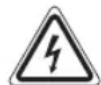


The lightning symbol should advise the user of parts in the inside of the device which carry dangerously high voltage levels.
The symbol with an exclamation mark should advise the user of important operation or maintenance instructions in the accompanying documentation.
Devices bearing this symbol work with a "class 1 laser" for tracing the CD. The built-in safety switches should prevent the user being exposed to dangerous laser light, which is invisible to the human eye, when the CD compartment is opened.
Under no circumstances should these safety switches be bypassed or manipulated, as this could result in a danger of exposure to the laser light.
Children
- In order to ensure your children's safety, please keep all packaging (plastic bags, boxes, polystyrene etc.) out of their reach.
Special safety information
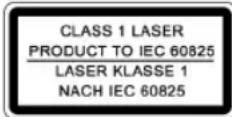
This device works with a class 1 laser.
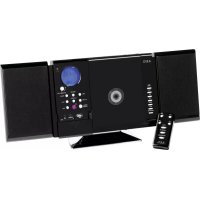
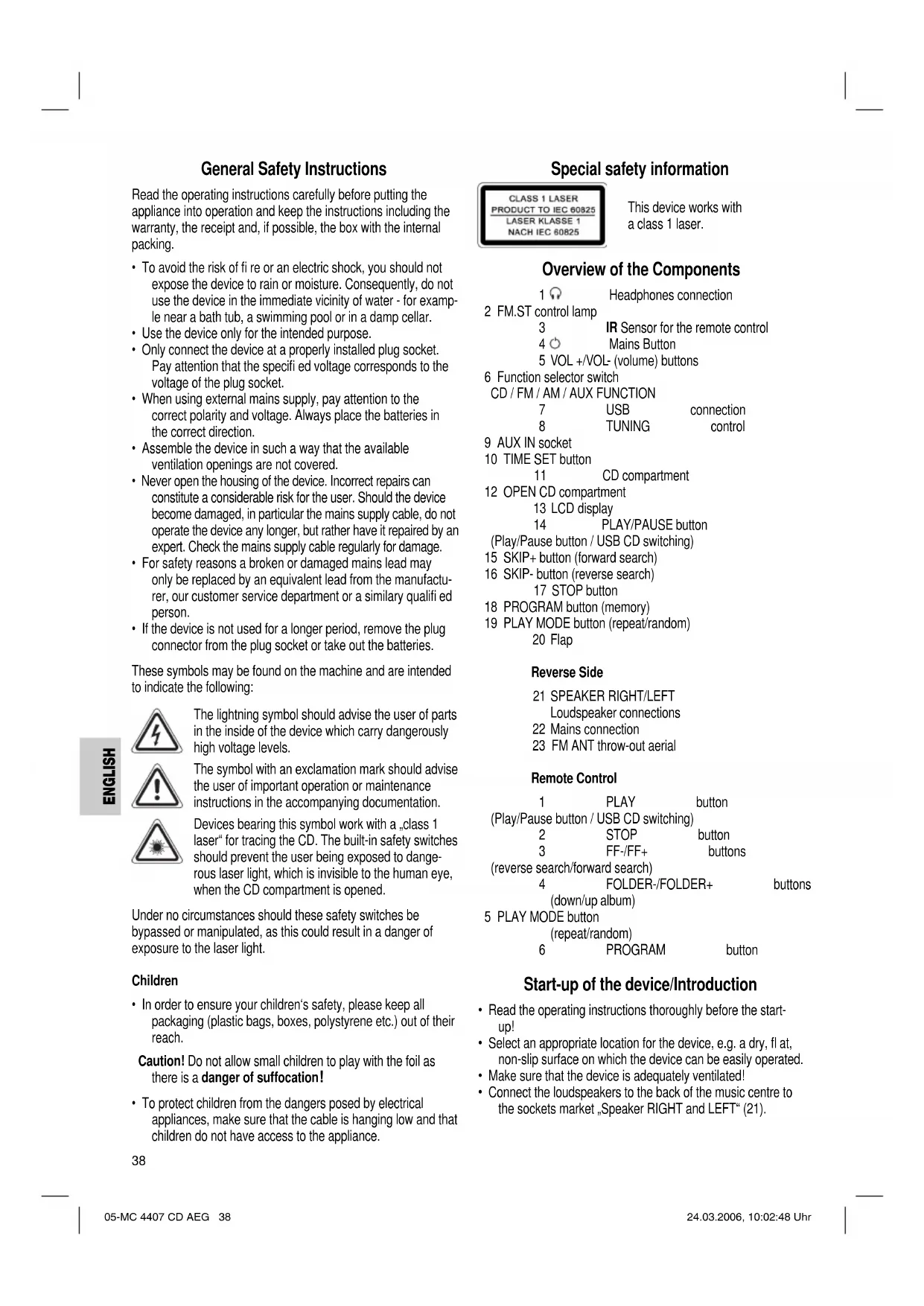
Overview of the Components
1
Headphones connection
2 FM.ST control lamp
3
IR Sensor for the remote control
4
Mains Button
5 VOL+/VOL- (volume) buttons
6 Function selector switch
CD / FM / AM / AUX FUNCTION
7
USB
connection
8
TUNING
control
9 AUX IN socket
10 TIME SET button
1
CD compartment
12 OPEN CD compartment
13 LCD display
PLAY/PAUSE button
Play/Pause button / USB CD switching
15 SKIP + button (forward search)
16 SKIP- button (reverse search)
17 STOP button
18 PROGRAM button (memory)
19 PLAY MODE button (repeat/random)
20 Flap
Reverse Side
Loudspeaker connections
22 Mains connection
23 FM ANT throw-out aerial
Remote Control
1
PLAY
button
(Play/Pause button / USB CD switching)
2
STOP
button
3
FF-/FF+
buttons
(reverse search/forward search)
4
FOLDER-/FOLDER+
buttons
(down/up album)
5 PLAY MODE button
(repeat/random)
6
PROGRAM
button
Start-up of the device/Introduction
- Read the operating instructions thoroughly before the start-up!
- Select an appropriate location for the device, e.g. a dry, flat, non-slip surface on which the device can be easily operated.
- Make sure that the device is adequately ventilated!
-
Connect the loudspeakers to the back of the music centre to the sockets market „Speaker RIGHT and LEFT" (21).
-
In order to ensure your children's safety, please keep all packaging (plastic bags, boxes, polystyrene etc.) out of their reach.
Caution! Do not allow small children to play with the foil as there is a danger of suffocation!
- To protect children from the dangers posed by electrical appliances, make sure that the cable is hanging low and that children do not have access to the appliance.
Caution! Do not allow small children to play with the foil as there is a danger of suffocation!
- To protect children from the dangers posed by electrical appliances, make sure that the cable is hanging low and that children do not have access to the appliance.
- Insert the plug into a properly installed 230V, 50Hz power socket. Please ensure that the mains voltage corresponds to the information on the type plate.
Setting the Time (in Standby Mode)
- Keep the TIME SET button (10) pressed down.
- Press the STOP button (17) in order to set the hours. Keep the button pressed down until the desired hour is reached.
- Press the PLAY/ PAUSE (14) button in order to set the minutes. Keep the button pressed down until the desired minutes are reached.
- The time is stored automatically.
Note: The lithium cell in the battery compartment of the remote control has been secured for transport with a foil. This prolongs the lifetime of the battery. Before initial use please remove this foil so that the remote control is ready for operation.
Inserting the Batteries
The battery of the remote control is a long-life lithium cell. If the range of the remote control is reduced during use, please proceed as follows:
- Open the battery compartment on the back of the remote control.
- Replace the cell by a battery of the same type. Ensure correct polarity.
- Then close the battery lid.
If the remote control is not used for a prolonged period, remove the batteries in order to prevent battery acid leaking.
Warning: batteries are not to be disposed of together with domestic wastes. Dispose of the used batteries at the relevant collection bin or at your dealer's.
Never throw batteries into the fire.
CD deck transport protection
- Please open the CD compartment (11) by pressing the OPEN button (12).
- Remove the transport protection from the CD player if present before use.
General Operation
Mains Button (4)
Switch the device to the standby mode with the "O" button (the time is displayed). If this button is pressed once more, the device switches on again.
Volume
You can set the desired volume using the VOL+/VOL-control (5).
Headphone Socket (1)
Please use headphones with a 3.5 mm stereo jack plug; these should be inserted into the socket. The loudspeakers are then switched off.
Infrared remote control
For operating the music centre from a distance of up to 5 metres without a lead. If the range of the remote control is reduced, the batteries have to be replaced. During operation ensure that there is nothing blocking the direct line between the remote control and the sensor (3) on the machine.
AUX IN socket (9)
To connect analogue replay devices. Use this jack to replay sound of other replay equipment such as DVD players, computers, etc. via the loudspeakers.
- Open the (20) fl ap.
- Please connect the external device with a 3.5mm stereo jack plug to the AUX IN socket.
- Turn the function selector switch (6) to the AUX position.
- Through the loudspeakers you will hear the sound played back from the external device; you can change the volume with the VOL+/VOL buttons (5). The CD buttons have no function in this mode.
- For the remaining procedure please see the operating instructions of the external sound source.
USB Connexion (7)
This device has been developed in accordance with the latest technical developments in the USB fi eld. Unfortunately the large number of different types of USB storage media on offer today makes it impossible to guarantee full compatibility with all USB storage media.
- In order to switch on the device please press the switch (4).
- Open the (20) fl ap.
- Turn the function selector switch (6) to the CD position.
- Connect a USB storage medium.
- Hold the PLAY/PAUSE (14/1) button down for approx. 3 seconds until the letters USB appear in the display. The device is now in USB mode. After a few seconds the total number of songs/tracks is shown in the display (13).
- The music files are played back from the first track on. The track currently being played, MP3 are shown in the display (13).
- For operating instructions please see the section "Playing CDs/MP3s".
- If the USB connection is no longer needed, hold the PLAY/ PAUSE (14/1) button down for approximately 3 seconds until the letters USB disappear from the display. The device is now in CD mode.
Important: Before you remove the USB storage medium turn the function selector switch (6) to the FM position.
Note: If you have problems with operation using the USB connexion, please use an appropriate adapter cable and proceed as described under AUX IN.
Listening to the Radio
- Turn the function selector switch (6) to the AM or FM position.
VHF = FM Medium wave = AM (mono)
- Tune in the desired station with the station adjustment knob TUNING (8).
- The FM.ST control lamp (2) only lights up if the selected station is being received in stereo quality. If reception is too weak and there is noise on the station being received, this lamp will flicker. Try to improve reception by turning and bending or twisting and altering the length of the antenna (23).
- An aerial is integrated into the device for the reception of AM stations. The machine can be aligned to the station by turning it. In this frequency band programs are transmitted in "mono" only.
Playing CDs/MP3
This is how you play a CD
- Turn the function selector switch (6) to the "CD" position.
- In order to open the CD compartment (11), press the OPEN button (12).
- Insert an audio CD with the printed side facing upwards on to the central cone so that the CD clicks into place and then close the lid of the CD compartment.
- If the letters USB light up in the display, hold the PLAY/ PAUSE (14/1) button down for approximately 3 seconds until the letters USB go off. The device is now in CD mode.
- After a few seconds the total number of songs/tracks is shown in the display (13).
- The CD will play from the first title. The track currently being played, or MP3 are shown in the display (13).
- To remove a CD, press the STOP key (17) (2 on the remote control), open the CD deck with the OPEN key (12) and take out the CD carefully.
Always keep the CD deck closed.
Note:
- Track running time: During the playback/automatic scan of a CD, MP3 CD or USB storage medium the track running time is not displayed.
- If a disc is inserted incorrectly or no disc is inserted, the letters ,Cd ,and,no appear in the display.
- Playback of CDs produced by the user cannot be guaranteed due to the large variety of software and CD media available.
Description of the CD buttons
PLAY/PAUSE (14/1)
- You can briefly interrupt and resume playback using this button. The symbol flashes in the display. Pressing again continues playback.
-
USB CD switching:
-
Hold the button down for approximately 3 seconds until the letters USB light up in the display. The device is now in USB mode.
-
Hold the button down for approximately 3 seconds until the letters USB disappear from the display. The device is now in CD mode.
SKIP-/SKIP+ /FF-/FF+ (16/15-3)
With an audio CD or a CD in MP3 format playing:
With SKIP + / FF + (15/3) you can jump to the next or previous track etc. If the button is kept pressed down, the machine starts to search through the tracks (the sound is muted).
The SKIP-/FF- button (16/3) can be used as follows:
Press once = This starts the current track again from the beginning.
Press twice = This jumps back to the previous track.
Press three times = This plays the song before etc. If the button is kept pressed down, the machine starts to search through the tracks (the sound is muted).
STOP (17/2)
The CD stops.
PLAY MODE (19/5)
Press once
(the REP emits
a fixed light): the current track is repeated continuously.
Press twice
(the REP) emits
a fixed light): the whole CD is played continuously.
Press three times : the display (13) contains the word RANDOM and the track number that is to be played first. All tracks are played back in random order.
Press four times: all functions are cancelled. The normal play mode is resumed.
Only for CDs in MP3 format
Press once: the current track is repeated continuously (REP appears in the display).
Press twice: the selected folder of the MP3 CD is repeated continuously (REPEAT ALBUM appears in the display). With the FOLDER+/FOLDER buttons (4 on the remote control) you can select the individual folders.
Press three times: the whole CD is played continuously (REP appears in the display).
Press four times: the display (13) contains the word RANDOM, MP3 and the track number that is to be played first. All tracks are played back in random order.
Press five times: the function is deactivated and the CD is played in the normal mode.
FOLDER- (4 on the remote control)
Press this button during playback to change to a folder further down. The display, e.g. ALBUM 01, fl ashes briefy. Then the CD begins to play back automatically.
FOLDER+ (4 on the remote control)
Press this button during playback to change to a higher folder. See the above paragraph for the following step.
Note: Some keys are to be found both on the device itself and on the remote control. Keys with the same designation have the same function.
Programmed Play
This can be used to program any desired sequence of tracks.
- Press the STOP key (17/2).
- Press the PROGRAM key (18/6). "P01" (memory location) appears in the display (13) together with the abbreviation PROG. Use the SKIP + / SKIP - / FF + / FF buttons (15/16/3) to select the desired track and then press the PROGRAM button (18/6) again. The display changes to memory slot P02.
- Select the next track with the SKIP + / SKIP - / FF + / FF key and press the PROGRAM key again. Repeat the procedure until all the desired tracks are selected.
- Press the PLAY/PAUSE key (14/1). The playback starts. The selected track numbers are shown in the display in the correct order and the symbol or MP3 and PROG light up. Press this button to pause briefly the playback.
- If the STOP button (17/2) is pressed, playback is stopped and the programme deleted. The abbreviation PROG goes off.
The device stops automatically once the entire sequence of programmed tracks is completed. The abbreviation PROG goes off and the programmed order of tracks is deleted from the memory.
It is also possible to combine the programmed tracks with the REPEAT function. After you have programmed and started the device, please press the PLAY MODE button (19/5) up to three times and then you can use the functions as described under "PLAY MODE".
Playing back Music in MP3 Format
With this device it is possible to play back pieces of music in MP3 format. The device also supports all standard CD types: CD, CD-RW, CD-R.
This machine of is able to play MP3 CDs. Up to 200 tracks can be compressed and stored on these CDs. Your machine detects an MP3 CD automatically (the total number of tracks and MP3s appears in the display). If you would like to play one of these CDs, proceed as described under „Playing CDs/MP3". Tracks can be programmed as described under „Playing Back Programmed Tracks".
Please note:
There are a number of different recording and compression methods, as well as quality differences between CDs and self-recorded CDs.
Furthermore, the music industry does not adhere to fixed standards (copy protection).
For these reasons it is possible that in rare cases there are problems with the playback of CDs and MP3 CDs. This is not a malfunction of the device.
Cleaning and Maintenance
- Always remove the mains plug before cleaning the machine.
- Any marks on the surface can be wiped off with a slightly damp cloth without any additives.
Technical Data
Model: MC 4407 CD/MP3
Power supply: 230 V, 50 Hz
Output rating: 100 W PMPO
Protection class: II
Radio section:
Frequency ranges: VHF / FM 87,5 ~ 108,0 MHz MW / AM 535 ~ 1650 kHz
This device has been tested according to all relevant current CE guidelines, such as electromagnetic compatibility and low voltage directives, and has been constructed in accordance with the latest safety regulations.
Subject to technical changes without prior notice!
Guarantee
The device supplied by our Company is covered by a 24 month guarantee starting on the date of purchase (receipt).
During the life of the guarantee any fault of the device or its accessories *) ascribable to material or manufacturing defects will be eliminated free of charge by repairing or, at our discretion, by replacing it. The guarantee services do not entail an extension of the life of the guarantee nor do they give rise to any right to a new guarantee!
Proof of the guarantee is provided by the proof of purchase. Without proof of purchase no free replacement or repair will be carried out.
If you wish to make a claim under the guarantee please return the entire machine in the original packaging to your dealer together with the receipt.
- Damage to accessories does not mean automatic free replacement of the whole machine. In such cases please contact our hotline. Broken glass or breakage of plastic parts are always subject to a charge.
Defects to consumables or parts subject to wearing as well as cleaning, maintenance or the replacement of said parts are not covered by the guarantee and hence are to be paid! The guarantee lapses in case of unauthorized tampering.
After the expiry of the guarantee
After the expiry of the guarantee repairs can be carried by the competent dealer or repair service against the payment of the ensuing costs.
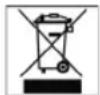
Meaning of the "Dustbin" Symbol
Protect our environment: do not dispose of electrical equipment in the domestic waste.
Please return any electrical equipment that you will no longer use to the collection points provided for their disposal.
This helps avoid the potential effects of incorrect disposal on the environment and human health.
This will contribute to the recycling and other forms of reutilisation of electrical and electronic equipment.
Information concerning where the equipment can be disposed of can be obtained from your local authority.
12 OPEN CD mechanika
13 LCD-displej
14 Tlačitko PLAY/PAUSE
(tlačitko prehravani/pauza /prepinán USB-CD)
URH = FM, kozéphullam = AM (mono)
3 KhoNk FF-FF+ (nonck Haazd/Bnepe)
4 KHOPIKIN
(BHm3/BBepx aJIb0OM)
5 KhoNka PLAY MODE (noBtop/ Bocnpo3BedeHne B cnuyaHOM npRdke)
6 KhoNka
PROGRAM
IoirotOBka K BkJIIOueHNO/BBeJeHne
- Pénéв BKHIOUeHEm TuaTeNbHO pOuHTaIte pyKOBODCTBO noJIb30BaTeJ!
I OIO6epnTe NOxOJ RAeE MeTO JIA YCTaHOBN CEHTPAn KOHOK. IOxOJaIM RJIReTc cyXoe,POBHOHeckOJb3KOE MeTO,Ha KOTOpOM 6yEt ydoHoNoJB3OBaTBcR CEHTPOM. - PpocneJeTe 3a TEM, YTo6bI ueHtp xOpOio o6dyBaICB O3dyXOM!
- PodkIoHHTe KOLOHKn KTHe3dAm "Speaker RIGHT" "Speaker LEFT" (21), Ha 3aJHeN CTOpOne ΚeHTpa.
BCTaBBTe CETeByIO BnIKy B po3eTKy C hAnpJKeHHeM cTn 230 B,50 Tc, yCTaHOBNeHHyIO B COOTBeCTBmC npEINHCANHM. Y6eINTecb TOM, UTO HApJKeHne 3JIeKTPocetn CoBnaJaet C HAnpJKeHHeM IITaHnU ceHTpa, yKa3aHHoe Ha TINOBOM rplbke.
IporpammpoBaHne yacob(BpeKHeMe OxHaHaStandby)
- Haxmte n depknte haxtoh khoNky TIME SET (10).
- HaxMMTE KhoNkY STOP (17), yTO6bI yCTaHOBnTb NOKa3aHnH YacOB. DepXHTe ee HxKaToI Do yCTaHOBnEHNr HyKhbIX NOKa3aHnH.
- TTo6bI yCTaHOBtB NOKa3AHN MHNHT HauKMnTe KHOKpy PLAY/PAUSE (14). DepeHNTe ee HaKaToI Do yCTaHOBHeHH HyKHbIX NOKa3AHN.
4.YctaHOBHeHHoe BpeMa 3anOMHaetcra ABOMatueeckn.
BHHMaHHe: IITHeBaB 6aTapeiKa, HaxOJaAraC B OTCKe, 3aUuIeHa Ha BpeM TpaHCnOpTnpOBKn 3aUINTHoI FOJIbTOI. 3To ydInHReT cPOK CnyKbI 6aTapeiKn.IpeE nepBbIM BKIOueHHeM ydaJIte 3Ty FOJIbry, YTObI npINBeCTn NylbT B paBOoe COCTOHRHe.
BctabHeHne 6aTapeHH
IyIbTINCTAHUHNOHHO ynpaBHeHnO cHaueH IHTHEBOB 6batapeKoC60JIbWMcPOKOM CnyKbE. EcIn CTeueHem BpemeHN DaJIbHOCTb dyNCTBnA INbTa INCTAHUHNOHO ynpaBHeHnYMeHbWNTCA,TOIOCTyNaTe CneIyoHUM 6pa3OM:
OTKpoTe OTEcK Dnla 6aTapeHKn Ha HnKHei CTopoHe nyIbTa.
3aMeHnTe 6bTaapeKHy Ha paBHO3NaHyU, Toi JKe KOHCTpyKcH. CneIte 3a npaBnIbHoN NOJIrpHocTbIO BO BpeM rOKnIOueHn.
3aKpoTe oTceK.
EcnIy DoJIroe BpMa He nCnObl3yETcB, BbHbTe 6aTapeKn H3OTcKa, YTObI npEDOTbPaNTb "BbITEkAHne" UeLOOH N3 HNX.
BHHMaHHe BbIbpaCbIbAte 6aTapeKn B DomaHm Mycop. IooKaanyIcTa CdaIte Otpa6oTaHHle 6aTapeKn Ha cneHaJIbHbI pyHKT pInema HINB TropOByTOky.
HnB Koem clyae He 6pocai Te 6atapeKn B orOHB.
TpaHcnpTHa ynakOBka CD nneepa
- OTKpoIte OTcK CD (11), HauKab KhoNky "OPEN" (12).
Ipeed nepBbIM BkIOHcHMe Heo6xOIMMo ydaNTb 0TCEKa CD TpaHCnOpTHyU ynaKOBky,ecIN TaKOBaN MeeTcR.
O6uhe npabnla noIb3oBaHn
KhoHka cTeH (4)
IpeeknOHTecb npn NOMOIN KHOKNB peKIM OHNDAHNN Standby (noBnHOTCNOKa3AHNA YACOB).Ecn HaKaTb 3Ty KHOKNK Ee pa3, My3bIKaJIbHbN CEHTP ONrTB BKNIOHTCRA.
PerynnpobKa rPomKocTH
PomKoCTb 3Byka peryI npyETc npn nmoOn KhoNk "VOL+/VOL-" (5).
THe3IIO NOIKnHoueHn HayuHnKOB (1)
I npocnyuBaHn3Byko3aHncen noh3yntecb CTpeoHayuHKamn CO CTpeo-BnIOUkO3.5 MM, KOTOPAR BCTabJIreTcB THe3do NnHaMKn pN 3TOM OTKJIOUaOTC
HnφpaKpaChbIπdY
IIN6cnpoBDOHOrO ynpaBHeHH C pacctOHHIO 5 MetpoB. Ecn nCTaHnY mEmhBuaeTc HEO6xOdmo CMeHtB 6atapeKn. IpocpaHCTBO MeKdy Iy N ceHCOPOM (3) Ha My3bKaJIbHOM ueHTpe DoJHXo 6bTb CBO6OdHbIMt.
THe3do AUX IN (9)
IIN NOKIIIOHcHn aHaIOROBbIX npONpRbATEeN. K 3TOy pa3bemy MOKHO NOKIIIOHTb BHEUHNIE NCTOHNK 3ByKa, KaK HApIMep DVD-PIeep, nepcoHaJIbHbIKOMMbOTep n IpocLyuBaTb IN YpeE3 rpoMkoTOrBOpNTeN.
- OTKPOIte OTKIMDHyO KpbIiKy (20).
2.ПОДКИLOHHTe BHEUHHee yCTpoIcTBO K rHe3dY AUX IN npn NOMOUI COEINHITeBHorO Ctepeo-Ka6eIc 3,5 MM BIIIOUOKI. - YCTAHOBNTe FyHKUHOHaJIbHbI NpeEKnHouaTeIb (6) B NOLOKHeHE AUX.
- Yepe3 DnHaMnKn IpocNyUHbAOTc 3aInc C BHeUHnx nToOuHKnOB 3ByKa, npn NmOun KhoNOK VOL+/VOL- (5) perynpyetc rpoMkoCTb 3ByKa. KhoNk ynpabJeHHa CD nIeepom B 3tOM pexIme He FyHKUHOHpyoT.
- Topdok danbHeuX DeIcTBn IpoHTaTe B INCTpyKuIN NO 3KcNpyatauIN BHeUHero NcTOHNka 3Byka.
Pa3beM USB (7)
JaHHoe n3dJIeHne cKHOCTpynpoBaHO C yUeTOM nocJeHNIX texHuecknx IOCTNKeHm B ObnaCTn nepeJauH daHbIX uepe3 USB nopt. OHaKO 6oJIbwoe KOINcTeBO BHeuHNX 3aONMHaOx yCTpOcTB USB pa3NIHOr KOHcTpkyuHn, KOTOpOE cerOJHn IpeJNaraeTcT ToproBJe, He rapaHTnpYIO, K coKaJIeHNO, INI ONHOr COBMeCTHMOCtN dpyr C dpyROM.
1.BkIOHHTe H3dJIe,HaKAB KHOJIKy (4).
2. OTKpoIte OTKmHHyo KpbIshky (20).
3.YCTAHOBHTe FyHKUHOHaJIbHbI nepeKJIHOaTeJIb (6) B NOJIOKeHHe CD.
4.BCTaBtBe B rHe3d0 USB BHeUHee 3aONMHaHouueyctpoNCTBO.
5. HaxMMTe n depKHTe HaKaToI npM. 3 cek. KhoNkY PLAY/ PAUSE (14/1), noka Ha dncnIee He noBnTcR coo6ueHne USB. Teepb ceHTp pa6Otaet B peKmE USB. Ypees HeckoJIbKO cekyHd Ha dncnIee (13) noBnTcR uCNo neceH Ha dncke.
6. Bocnpo3BeDeHHe My3bKaIbHbIX 3aNcei HaunHaetc n nepBoJdoP0KKn. Bocnpo3BOImMaJdoP0Kk coo6uHHe MP3 6yDyT OTo6paKaTbc Ha DncPiee (13).
7. KaY npaBnTb N3dennm OOnCaHO B rnaBe Bocpn03BeDHeHne DnCKOB CD/MP3".
8. Ecnn pa3bem USB 60nbue He hyxhen, haxmnte n depknte HaukaToI npim. 3 cek. KhoNky PLAY/PAUSE (14/1), noKa Haicnnee He norachet coo6uene USB. Tenepb n3dJIne pa6otaet B peKmme CD.
BaxHo: nepei TEM KaK BbHyTb 3n rhe3da USB MyIbTMHeMaJIbHyIO NaMBy, nepeKJIouHte FyHKUHOHaIbHbI nepeKJIouaTeIb (6) B noLoKeHne FM.
PpmeaHHe:ecnBBO Bpempa6oTbyepe3 pa3bEm USB BO3HNKHT np6nEmb,BOCNOIb3yIteCb COOTBeTCTByIOUcM COeINHITeJIbHbIM Ka6eIeM-epexOJHHKOM H NOCTyNaTe Ka 3TO ONCAHO Bpa3dene AUX IN.
PpocnyuHbAHne paHonepea
- PpeBnHbTe FyHKnHOHaIbHbI nepeKIOuAteIb (6) B nOJKeHHe AM nn FM.
$$ Y K B = F M, \text {c p e n h e} B O N H b l = A M (M O H O) $$
- HacrpoTecb Ha hyxHypo paHIOCTaHIO npn nOounperyIaTopa "TUNING" (8).
- CBeTONHnIKKatop FM.ST (2) CBETNTCR TOnIbKO B TOM CNYae, ecIN BBb6paHHa PAAnOCTAHmI PpHIMMaETCR B pexKMe Stereo.EcIn npHem IIOxOi N C NOMExAMN, lamNoYka 6ydet Mrratb. INonpOByTe ynyuWHTb npHEM, BpaUaA, CKpyuBaR INI packpyuBra aHTeHHy (23).
4.Ди npHema paIOnopepeaB DnAna3OHe CB (AM) B ceHTp BCTpoEHa aHTeHa. BpaAa HIN N3MeHRe ee NOIOKeHHe HAcTpoTeCb Ha paIIOCTaHcIO. B 3OM dIaNa3OHe paIOnopepeaTHpAHCNIPyOTcTObKO B peKIMe "MOHO".
PpOHRpbBaHne CD/MP3
Tak npoHrpBaETcKOMnKaT-Dnck
- PepeBnHbTe ΦyHKnHOHaJIbHbI nepeKIOuAteIb (6) B nOJXHe,CD*.
- OTKpoTe oTceK CD (11), HauKaB KhoNky "OPEN" (12).
3.BCTaBtBe BOTcEKNaHTpnpUOuNIMnKOMNaKT-DnCK C 3aINCbIO,ETNKETKOBBepxN3aKPOTe KpbIbKy OTcEka. - EcHn Ha nncnnee CBeTnCT Coo6eHne USB, HauKmTe n DePKeHte HauKaToI npM. 3 cek. KhoNky PLAY/PAUSE (14/ 1), noka coo6eHne He norachet. Tenepb ceHTp paBotaet B peKmE CD.
-
Yepe3 HeckoIbKO cekyHd Ha dncnnee (13) noRBHTcR YNCIO necenHa dncke.
-
Bocnpo3BedeHne HaueHTc n nepBoi neChn dNcKa. Bocnpo3BOHMaD npOxka H coo6eHne MP3 6ydt OTo6paKaTbCHa DInCnnee (13).
- TObb BbHytb KOMnAaT-DnCK HaKMITE ChaHaJa KHOIky "STOP" (17) (KHOIIka 2 Ha Iy), OTKpoTe OTcEe np NOMOUI KNOHKN "OPEN" (12) n OCTOpOxHb BOHbTe DnCK.
KOMnAKT-IMCKOCTaHOBHTCH.
PLAY MODE (19/5)
1x pa3 HaKaTb
(REPCBETITCR
HenpepbBHO): BOCIPON3BOIMMa Ha daHHb MOMeHT PecrhydET HENpepbBHO NOBOTpTaC.
2x paaHaKaTb
(BGGTNTCA
HEnpepbBHO): Becb KOMNaKT-DnCK 6yDet HEnpepbBHO NOBOTOPaTbCra.
3x paa HaaKb:HaHnCIIee (13) NOBHTcR COOeHne RANDOMnHOMep 3aHNCn, KOTOPa8yTe BocnpoIN3BOIDITBCr nepBOi. Bce 3aHcN 6yDyT BOCpOIN3BOIDITBCr OJHa 3a DpyToB CnyauHOM npHKe.
4x p3a HaKaTb: Bce FyHKnBvIKNIOaOTc. BocpnOu3BeDeHne npoJOnKHTbcra HOpMaJIbHOM peKHe.
ToIbKO dIa CD DnCKOB c3aIINcBko BΦopMaTe MP3
1x pa3 haKaTb: Tekuza dopokka Byet noCToHHNOBTOPAc (Ha DCnCIIee NoBHTcR REP).
2x pa3a HaaTb: Bb6paHnna nka CD ncka c 3anncbB BΦopMaTE MP3 6ydet NOCTORHHO BOCpON3BOIDTBcra (Ha DnCnIe NOBHTCR REPEAT ALBUM). Pn nOMoU KHOLOFOLDER+/FOLDER-(Homep 4 Ha Iy) MOKHO BB6paTb ONDHy n3 nanOK.
3x pa3a HaKaTb: Becb CD-ДИСК 6уDET NOCTOARHNOBTOPAbCn (Ha DInCnIe NoBHTcA REP
4x pa3a HauKatb: Ha dncnnee (13) noBntc coo6ueHne RANDOM, MP3 nHomep 3aInch, KOTopar 6ydt Bocnpn3BOuNTbcn nepBoi. Bce 3aInch 6ydyt BOCPOn3BOUHTbcn OHa 3a npYroB CnyaHOM npRKe.
5x pa3a HaKaTb: DeakTNBpyETcN BOCpOn3BeDeHHe CDnCKa nepeIeT B HopMaJIbHb peKHM.
FOLDER- (KHONKa 4 Ha ΠДY)
HaKMMTE 3Ty KHNkY BO BpEM BoCnpon3BeHeHn, YTo6bI nepeHn Ha OndHy NaNky HnKe. CoO6uHeHne, K npImepy ALBUM 01, Mnaet HeKOTOpoe BpEM. PocLe 3TOrO aBTOMaTHueckn CTapTeyETCA BOCPOn3BeHeHne CD-DnCKa.
FOLDER+ (KhoNka 4 Ha ΠdY)
HaKMTe 3Ty KHOIky BO BpEMBAOcPON3BeDEHnA, YTO6bI nepeHTHa Ody nAnky Bblwe. DaIbHeMwne Warr CMOTpn Ha a63aU Bblwe.
PpHMeaHHe: HeKOTOpBie KHNKn HMeOTc KaK Ha PnEepe, TaK Ha Ndy. OdnKaOBbIe KONKn HMeOT OOnKaOBbIe yHKuMn.
IporpamnoBaHne npAka BocnpOn3BeHeHH
IonyckaetcIIO6oI npOIOK BocPOn3BeEHH neCen.
- HaxMMTe KhoNky "STOP" (17/2).
- HaKMITE KhoNky "PROGRAM" (18/6). Ha dinCnIee (13) NOBnAeTcra, P01" (yueKa nAMrtn) u coo6eHne PROG. Pn noMoOn KhoNok "SKIP+/SKIP-/FF+/FF- (15/16/3) BbIePHTe HxKHyIO neCHIO HAKMITE NOBTOHO KhoNky "PROGRAM" (18/6). NOKa3AHNA DnCnJIe NepeiDyT Ha CNeDuOuYIO RHeKY nAMrtn "PO2".
3.ПиnomоинКнОК"SKIP+/SKIP-FF+FF-"БыбepTe CLEdIyOuIyNECHIOHaKMITE NOBTOPOK KHOKNY "PROGRAM".NOBTOPЯNTe 3Ty npoueDpy Do tex nop, noKa He BbEpTe BCE neChn. - HaKMITE KhoNky "PLAY/PAUSE" (14/1). HaHHaetcB OBCPOn3BeDeHHe. Ha DnCnIe 6yDyT NOBJIbTCr Homepa BbIbPaHHbIX DOPOJKeB I NOpRKe BOCPOn3BeDeHr N CBETNbC CoO6UeHne ▷, MP3 nII PROG. HaKab 3Ty KhoNky MoKHO npeBaTb nporpyMMy BOCPOn3BeDeHn Ha KOpOTKoe BpEMr.
- EcHn HaKaTb KOnKy STOP (17/2), BocnpOn3BeDeHne octaHOBntcR n npOrpaMma notyUnrC. Coo6eHne PROG notyxHET.
Pocne Bocnpo3BedeHn BCex neceH nporpamma
ABTomaTHueckn OCTaHOBHTC. CoO6eHHe PROG notyXnet n 3anporpammnoBaHHb nopAOK Bocnpo3BeHn 3anncen CTepaETc n NaMnTn.
HMeetcB03MOxHOCTb KOM6HNHPOBaTb 3aIporpaMMHPOBaHHBe NcCHN C FyHKUeR REPEAT. Iocne nporpaMMHPOBaHHn CTapTa nporpaMMbHaKMMTe KHOKNy "PLAY MODE" (19/5),do 3 pa3, n BCE FyHmIM MOxHo npimHeHb Ha nporpaMMy, KaK 3TO OINCAHO B pa3dJe "PLAY MODE".
Bocnpon3BeDeHHe My3bIKn B opMaTe MP3
HMeETcB03MOXHOCTb BOCIPON3BOOHTb 3ByKO3aHNC, CDeNaHHBe B fOpMaTe MP3. Kpome 3TOr OIIeep YHTaET NOHTB BCE paCnPoCtpaHeHHBe BNDbI DNCKOB: CD, CD-RW, CD-R.
Pnep Bocpon3BODNT CD-dnckn C 3aHNCAMN B FOpMaTe MP3. Ha noDobhni DNcke Moxho 3anncatb do 200
Dopokek. Pnep paCno3Haet 3OT FOpMaT aBOMaTHueckn (Ha nCpIe neonBtca obuee ynclo 3anncse n MP3).Jna BOCpOn3BeHEnn 3anncel B 3om FOpMaTe noctynate
kak 3TO OnCaHO B INaBe "BOcpon3BeHene CDs/MP3- DnCKOB".PporpaMMnpoBaHne npraKa BOCpOn3BeHEnn MOxHo npOn3BeHnte No ppoJeype, OnCaHO B INaBe "PporpaMMnpoBaHne npraKa BOCpOn3BeHEnn".
PonanyiCTa yHTte:
CyueCTByET 60nbIoe pa3Hoo6pa3ne nporpamM nIa KOMPpeCCn H 3aNNCH daHHbIX, a TaKKe pa3JIuH B KaueCTBeNpyctbix H 3aIIncAHbIX CD NcKOB.
Kpome 3TOrO My3bIaJIbHnA npOMbIJIeHHoCTb He npIepeKbIaBcTcYTBepKdEHHbIX CTaHapToB (3aIHTa OT KOnIpOBaHn).
Ito npuHHe, B peKnx CnyaX, MOrYT Bo3HNKHyTb np6nemblc TteHem CD nCKOB u nCKOB C 3aInCbHO B opMaTe MP3. To npocxOHT He no npuHHe HncnpabHObctbIO daHHoro mDeJIINr.
UcTka u yxoJ
-ПередчисковынмайтБИКуирэтК.
- PAnHa ChapyKo KOpNya MoKHO ydaJIb cIeRka BnaXHoi TpAKnO, 6e3 pImMeHeHn MOUox CpeCTB.
TexHnueckne daHHbIe
Moienb: MC 4407 CD/MP3
3JIeKtpoITaHHe: 230B,50Tc
BbIXOHaM MoUHocTb: 100 W PMPO
Klacc 3aunTbI: II
PaoonpnpemnHk:
ДианазоньчacOT: YKB / FM 87,5~108,0 MHz CB/AM535\~1650kHz
3To H3dJIeHHe npOJIO BCE Heo6xOaHmBle n AkTyAlbHbIe npOBepKn, npEtnncAHhBe DnpeKTHBOI CE, K npIM. Ha 3JIeKTPOMARHTHyO COBMecTUMOCt b COOTBetCTBHe Tpe6oBaHnM K Hn3KOBoTbTHOH TEXHKe, OHO 6bIIO TaKKe CCKHOpyPOBaHO N NOcTpoEO H C yUeTOM NocJeHNX Tpe6oBaHn ITO TexHKe 6e3OnaChOCTN.
Mbl octabnem 3a coboi npabo Ha texhueckne n3mehenra!
TapaHTHnHOe 683aTeJbCTBO
TapaHTnHbI cpoK h TaTeppHTOpHN PoCCHsCKo Feepaunu yCTaHABINBaETcN NOHOMOHyBMIM npeCTaBtEnAMn.
KaccobbyuekRbIeTcrapaHTnHbIM TaHOHom.Be3 Hero HeBO3MOKeH 6ecIIaTHbpeMOHT HIN 3ameHaN3dEInA.
B clyae Bo3HKnHOBKnHnI npTeH3n I no rapaHTn, npeIbRbTe H3dJIe B nIOHOHKOmIIeKtauCn, C opINHaJIbHO yNaKOBKO n KaccObIM YekOM TopROB ToKe, npDaBWe 3TO h3dJIeN.
*) DepeKbI npHnAdJeNKeHOcte He cnyKaT npuHNO dIa ABTomatuecko 3aMeHb BCero n3denn. B 3tOM cnuae no3BOHHTe HAM, noXaanyCTa, no ropRy e nnH! Pa3bIbe CTeknHHBe I NOLOMaHbI pnaCTMacCOBBe DetanB O3MeAaOTcra TOnbKO 3a DOnONHTeMbHy OnnAty!
DepeKtby 3HaWbAebMx npHnAdneKHOCTe Hn TpyuNXc deTane),a TaKHe YNCTKa,TexOcnyKuBAHne Hn 3aMeHa TpyuNXC deTane He nonaIOT nD rapaHTIO, Hno3Tomy npoBOJrTc3 a OTdeBHyO ONlany!
IapaHTnTepReTc npB BckpbITn H3dJIIN NOCTOpOHHIMN IInaMn.
Pocne rapaHTM
Iocne OKOHaHnCpoka rapaHTn,peMOHTn3dJIIN npOn3BODITcra 3a ONnATy,CooTBeTCTByOLUHMM MaCTepCKMN nI INyHKTaMn CepBnCHOrO O6ClyKnBaHN.
GARANTIE-KARTE
Garantiebewijs · Carte de garantie