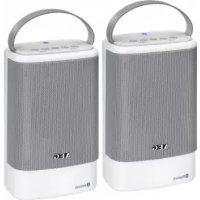
BSS 4833 - Loudspeaker AEG - Free user manual and instructions
Find the device manual for free BSS 4833 AEG in PDF.



| Product type | Portable Bluetooth stereo speaker |
| Brand | AEG |
| Model | BSS 4833 |
| Power supply | Rechargeable Lithium-Ion battery 3.7 V, 1000 mAh |
| Charging | Via micro USB B port (5 V, 500 mA), charging time approx. 3 h |
| Battery life | Approx. 5 h |
| Bluetooth version | V3.0 + EDR |
| Transmission frequency | 2.4 GHz |
| Bluetooth range | Approx. 15 m (depending on environment) |
| Bluetooth protocols | A2DP, AVRCP |
| Protection rating | IPX4 (splash-proof) |
| Net weight (per speaker) | Approx. 0.6 kg |
| Connectivity | LINE IN input (3.5 mm jack), micro USB B port for charging |
| Main functions | Bluetooth playback, paired mode (TWS) for stereo, integrated hands-free kit, touch controls, auto standby after 30 min |
| Maintenance and cleaning | Clean with a soft, damp cloth without detergent; do not immerse |
| Safety | Do not expose to water, excessive heat, or flames; keep out of reach of children |
| Disposal | Do not dispose of with household waste; battery must be removed by a professional |
Frequently Asked Questions - BSS 4833 AEG
User questions about BSS 4833 AEG
0 question about this device. Answer the ones you know or ask your own.
Ask a new question about this device
Download the instructions for your Loudspeaker in PDF format for free! Find your manual BSS 4833 - AEG and take your electronic device back in hand. On this page are published all the documents necessary for the use of your device. BSS 4833 by AEG.
USER MANUAL BSS 4833 AEG
GB Bluetooth speaker set
Overview of the Components
Portee: 10-15 metres environ
Cordless via Bluetooth
Supporto Bluetooth: V3.0 + EDR
Gamma: ca. 10-15 metric
Thank you for choosing our product. We hope you will enjoy using the appliance.
Symbols in these Instructions for Use
Important information for your safety is specially marked. It is essential to comply with these instructions in order to avoid accidents and prevent damage to the machine:
WARNING:
Warns of dangers for your health and indicates potential risks of injury.
CAUTION:
Indicates potential dangers for the device or other objects.
iNOTE:
Highlights tips and information for you.
General Safety Guidelines
Before using this device, carefully read this user manual and keep it together with the Warranty Certificate, cashier receipt and if possible, the original package inclusive its interior packing. If you hand on the device to any third person, include the user manual as well.
- To avoid the risk of fire or electric shock, you should not expose the device to rain or humidity. Do not use the device near water (e.g. bathroom, swimming pool, humid cellars).
- Do not use the unit in extremely hot, cold, dusty, or damp places.
- The unit is designed solely for private use and its in -tended purpose. This unit is not designed for commercial use.
- Keep the device away from heat, direct sunlight and sharp edges.
- Keep the device away from open flames.
- Avoid covering the device's vent openings.
- Never cover the vent holes with objects, such as magazines, tablecloths, curtains etc.
To ensure the splash-proof (IPX 4), keep the rubberized cover always closed. - No object filled with liquids such as vases shall be placed on the device.
- Open sources of fire, such as e.g. burning candles may not be placed onto the unit.
- Never open the device's case. Improper repairs can cause severe danger to the user.
- Do not expose the built-in battery to hard impacts or pressures.
- Check the device regularly for any signs of damage or material wear. In case of damage, do not use the device.
- Avoid high volume settings to prevent hearing damage.
These symbols may be found on the device and shall indicate the following:

The lightning symbol warns the user of dangerously high voltages inside the case.

The exclamation mark symbol points to important instruction or maintenance remarks in the accompanying guidelines.
Children and disabled persons
For the safety of your children, keep any packing parts (plastic bags, cartilage, Styrofoam etc.) out of their reach.
WARNING!
Don't let small children play with foils for danger of suffocation!
Overview of the Components
1 button
2 bttton
3 button
4 VOL - button
5 VOL + button
6 CHARGE Indicator lamp
7 LINE IN Input
8 DC IN (Micro-B USB) Charging port
9 ON OFF switch
10 Built-in microphone
11 BT/LINE Indicator lamp
Scope of delivery
2x Bluetooth speaker (1x Master, 1x Slave - can be selected and used individually)
1x Charging cable (type A USB to micro B USB)
1x Audio cable (3.5 mm jack)
1x Instruction Manual
First Use of the Device/Introduction
- Select a proper place for the device. A dry, level and slip proof surface is suitable.
Make sure the device is vented sufficiently! - Remove the protective film from the device, if present.
Charging the built-in Battery
Charge the built-in rechargeable batteries before using the devices.
- Flip the rubberized cover open.
-
Connect the micro-B USB plug of the charging cable to the DC IN socket (8) of the device. Connect the USB plug to a computer that is switched on. The indicator lamp lights up red and the battery charges.
-
When the battery has been fully charged, the CHARGE indicator lamp (6) turns off.
- Disconnect the charging cable from the speaker and PC.
- Then close the rubberized cover again.

CAUTION:
Never leave the unit unattended when it is charging.
NOTE:
The rechargeable battery can only be charged if the PC is switched on.
- Do not connect the device to a laptop for too long, if latter one is not connected to the mains power. Otherwise your laptop might discharge.
- Alternatively, charge the battery using a 5 V USB mains adapter (not included).
The charging time varies according to battery use.
- If the device is out of use for a long period of time, charge the battery at least once every 6 to 12 weeks. The battery will also constantly discharge when switched off.
- When the battery is almost empty, a warning signal sounds at intervals.
General Operation

OTE:
The buttons on the devices are touch controls. Lightly touch them with a finger in order to execute a function.
Turning the device on/off (9)
Switching on: Set the switch on the rear side to ON.
Switching off: Set the switch on the rear side to OFF.
iNOTE:
After approx. 30 minutes without a signal the devices will automatically turn to standby mode. In order to use the devices again, turn them off and on again using the switch.
Volume
Use the VOL+VOL- buttons (5/4) to adjust the volume accordingly.

DTE:
A signal sounds, once the maximum or minimum volume has been reached. If necessary, increase the volume on the external audio source.
Sound Settings
If necessary, change the EQ setting in your playback unit to create the best sound.
Simultaneous operation of both speakers (paired mode)
NOTE:
Make sure no cable is connected to the LINE IN socket. Bluetooth will be deactivated automatically, if an audio cable is being connected.
Connecting both speakers
The Bluetooth mode allows you to play music via both speakers simultaneously. That requires both speakers to be paired first.
- Switch on both speakers. Both speakers emit a signal sound and the indicator lamps (11) start flashing.
- Simultaneously press the button (2) on one device and the button (1) on the other device. Both speakers start pairing.
NOTE:
The speaker on which you have pressed the button will become the "Master" device.
If both speakers had been paired previously, the connection will be automatically established after approx. 4 seconds.
-
Both speakers emit a bell sound, indicating that both devices have been paired successfully.
-
The BT/LINE indicator lamp indicates the "Master" and the "Slave" respectively.
-
Flashes = Master (left channel)
-
Ligths up steadily = Slave (right channel)
-
Then connect your external audio appliance to both devices. Follow the instructions as provided in chapter "Playing back music files" "Cordless via Bluetooth".
NOTE:
In paired mode, the control buttons of both speakers will work simultaneously.
Changing "Master" and "Slave" assignment
As long as no audio appliance is connected to the speakers, you can change the speaker assignments.
- Press and hold the button on the current "Slave" and simultaneously press the button on the "Master".
- The speakers emit a sound. The BT/LINE indicator lamps flash two times every 2 seconds.
- The assignment of the speakers will be changed. Both devices emit a bell sound.
- A confirmation sound indicates that the new assignment has been successful. The BT/LINE indicator lamp on the new "Master" starts flashing.
32 English
Disconnecting the speakers
- Press and hold the button on the "Slave". The "Master" will be disconnected. If playing music while doing so, playback continues through the "Master".
- In order to reconnect both speakers, stop music playback on the "Master". Switch the "Slave" off and on again. Both speakers will be connected automatically.
Playing back music files
There are two ways to play music files: using a cable or cordless via Bluetooth.
By cable
- Flip the rubberized cover open.
- Connect the 3.5mm stereo cable to an external audio source. If required, use a suitable adapter (not included).
- Insert the other end of the cable into the LINE IN jack on the unit.
- The device activates AUX mode automatically. The BT/ LINE indicator lamp lights up red.
- Start the playback of your audio source.
- For the further procedure, please refer to the user manual of the external audio source.
Keep the rubberized cover closed when not in use.
NOTE:
- If possible, adjust the volume of the external unit to a comfortable level.
- Paired operation will require an appropriate adapter cable. (Adapter cable not included.)
Cordless via Bluetooth
Bluetooth involves a technology for wireless radio connection of devices over a short distance. Devices with Bluetooth standard are transmitting between 2.402 and 2.480GHz in the ISM band (Industrial, Scientific and Medical). Interference can be caused for example by WLAN-networks, DAB radios, cordless phones, or microwave ovens which work on the same frequency band.
This device offers you the possibility to use a Bluetooth-enabled device. The functional radius is limited to approx. 15 metres depending on the surroundings and the unit used. If your playing device supports the A2DP profile (Advanced Audio Distribution Profile) and has a music-player function, then you can also wirelessly transfer music to the device. The A2DP profile involves a multi-vendor Bluetooth profile. By streaming, stereo-audio signals are wirelessly transferred between the playing device (source) and the receiving device. To be able to remotely control the source, the playback device must support the AVRCP profile (Audio Video Remote Control Profile).
Due to the different device manufacturers, models, and software versions, a full functionality cannot be guaranteed.
NOTE:
Make sure no cable is connected to the LINE IN socket. Bluetooth will be deactivated automatically, if an audio cable is being connected.
- Logging on devices (Pairing)
Before you listen to music via the unit, you must pair the devices.
- Ensure, that the Bluetooth function is activated in your player (e.g. mobile phone). For this, refer to the operation manual of your player.
- Switch off one or both speakers. The device will beep several times and the BT/LINE indicator lamp (11) will flash blue. This indicates that the unit is in pairing mode.
- Choose the Bluetooth menu in your player and register the device in your player. For this, refer to the operation manual of your player. The device "AEG BSS 4833" will show in your player as a selection.
NOTE:
If both speakers have been connected for paired operation, only the BT/LINE indicator lamp on the "Master" will flash.
Only one playback unit can be connected to the speaker. If the speaker is already connected to another playback unit, the speaker will not appear in the BT selection menu.
- Now enter the password "0000" in your player, depending on the device manufacturers, model, and software version.
When the pairing was successful, a beep can be heard and the indicator lamp (11) lights blue.
For the further procedure, please refer to the user manual of the playback unit. If possible, adjust the volume of the external unit to a comfortable level.
NOTE:
Depending on the device manufacturer, you need to perform the registration (PAIRING) again to connect the devices.
- In the case of problems with the pairing of a playback device, deactivate the WiFi-/ and mobile data function in your playback device.
- The Bluetooth compatibility cannot be ensured for devices (e.g. mobile phones) getting released in the future.
To ensure an optimal connection, make sure that the battery of your player is completely charged.
NOTE:
- Some of the mobile phone brands have an energy-saving mode. Deactivate the energy-saving mode as it can otherwise result in problems during the data transfer through Bluetooth.
- To be able to transfer audio data, Bluetooth needs to stay activated in your player. Observe the operation manual of your player.
- If a mobile phone on which you are playing music receives a call, the music will be interrupted. The "Master" speaker emits a ringtone. Press the button (3) on the "Master" to answer the call. Audio will be rendered via the "Master" speaker. Use the microphone (10) of the "Master" speaker for talking or transfer the call to your mobile phone. Refer to the indicators in the display of your mobile phone. After the call has been finished, music playback will continue.
Description of the Bluetooth Operation Buttons
II/(3)
Press the button briefly to interrupt the playback. Pressing the button again continues the playback from the same position.

NOTE: Bluetooth music playback
Your playback device must support this function. Depending on the device, it may be necessary to start the music app in advance on your playback device.
Speakerphone operation (▶II/C)
- Press the button to answer or finish an incoming call.
- Press and hold this button to reject an incoming call.
- Press this button twice to redial the last dialed number.
iNOTE:
In paired mode, the speakerphone operation is only available on the "Master" speaker.
(1)
Press once = Starts the current title again from the beginning.
Press twice = Jumps to the preceding title.
Press three times = Plays a preceding title, etc.
(2)
You can use this button to jump to the next or overnext title etc.
Cleaning

CAUTION:
Do not submerge the device in water.
Before cleaning disconnect from mains power supply.
- Clean the device with a soft damp cloth without detergents.
Troubleshooting
| Fault Cause Solution | ||
| Unit cannot be operated. | Unit crashes and "hangs". | Turn off the device using the switch on the rear side and then turn it on again. |
| Speaker cannot be turned on | Rechargeable battery empty | Charge the battery (⇒ page 30) |
| No audio signal via the Bluetooth con- nection | Speaker is not paired to the audio source. | Check whether a connec- tion exists. If necessary, pair the speaker again to the audio source. |
| Volume too low | Increase the volume on the speaker. | |
| Increase the volume on the audio source. | ||
| Speaker cannot be connected | Pairing does not work | Check whether the audio source supports the A2DP protocol. |
| Audio source is switched off | Switch on the audio source | |
| Bluetooth is switched off at the audio source. | Switch on the Bluetooth function in the audio source. | |
| Bluetooth version is not supported. | Use a different playback unit. | |
| Audio cable con- nected to the LINE IN socket. | Disconnect the audio cable. | |
| The speakers cannot be paired (paired mode) | Bluetooth con- nection faulty | Turn off both speakers using the switch on the rear side. Then turn both devices on and pair them again. |
| Audio cable con- nected to the LINE IN socket. | Disconnect the audio cable. | |
34 English
Technical Data
Model: BSS 4833
Battery operation: 3.7 V, 1000mAh, Lithium-Ion
Charging time: approx. 3 h
Operating time: approx. 5h
Charging current: DC 5V, 500 mA-G-
Protection class:
Protection rating: IPX 4
Net weight: approx. 0.6 kg (each speaker)
Bluetooth
Bluetooth support: V3.0 + EDR
Range: approx. 10-15 metres
Transmission frequency: 2.4 GHz
Protocols: A2DP, AVRCP
The right to make technical and design modifications in the course of continuous product development remains reserved.
This device has been tested according to all relevant current CE guidelines, such as electromagnetic compatibility and low voltage directives, and has been constructed in accordance with the latest safety regulations.
Disposal
Battery disposal

The device has a rechargeable battery. Used batteries and accumulators do not belong in the household waste.
The batteries / accumulators must be removed before the product goes into the waste disposal. Contact qualified specialists to do so.
Environmentally friendly disposal
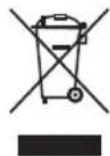
Do not dispose of the device at the end of its service life with normal household waste. Bring it to the official collection point for recycling. By doing this, you help protect the environment.
Instrukcja obslugi
CMMBOH, Aki BHKOPNCTOByOTbCA Buii HcTpyKu
BaxnBi Bka3iBKn DnBaWoI 6e3neKn CneliaJbHO BiMueHl. 3anobirahnHeuacnX BnAaKIB Ta noKoKeHb npu Jady oob'raKOBo npntpymyTecb nx Bka3iBOK:

TONEPEDKEHHA.
PonepeJxae npo He63neKy dna 3doopB' i no3Hauae NOTEHIN PN3NK TpaBMyBaHHa.

YBATA.
Ipo3hae noTeHuiHy He63neky Ipyncptpo 60 iHux npedmetiB.

PUMITKA.
HeBapraTe B6yDobAHn akymyIaTOp i He 3actocobyTe DO HbOHaMipHy Cnly.
Perynapno nepebipnTe npncTpiHa HaaBnCtb 03Hak noKoJKeHb 3Ocy. RaIoo npncTpi NoKoJKeHo, He BnKOpNCTOByTE MOrO.
- YHnkaTe nPoClyxOByBaHHa 3Byky 3 BnCOKm pIBhem rHuHOCTi, IHaKJMe MOXHa NOLIKQdNTn CInyX.
Ha npictpoi moxytb 6bytn po3miuehi cunboi, kki nonpeid XaioTb npo Take:

CmB0J 6nckabkn nopepeKjae np He63neky BncoKoi Hapnyn BCEpeHnI Kopnycy.

CIMBON 3Hky OKMky No3Haae BaxmBi IHCTpyKuji abo npaui TDO texHHoro OcbnyroByaHHB Noc6Hky, KNI DOaebcno pncTpoio.
DITI oO6n 3 Oo6JINBUM NOTpe6aM
3MeTOIO YHINKHeHH He6e3NeKN IINRABUNX DiTeE 36epiraTc Te 6yIbAkn nakYBaIbHN MaTePian (nNactIKOBi Kopo6Kn, nepeoropOKn, NiHOJIaCT ToUo) No3a MEXAMm IX DoC8XHOCTI.

NONIEPEJXEHHHI
He Do3B0JIeMaJIeHbKIM DIITAMrpaTnCA 3 OJbROIO, oKINbIKIcHyE6e3NeKa 3aDyWeHH!
Orlae enemehtib ynpablinna
1 Khonka
2 KhoNka
3 Khonka
4KHonKaVOL -
5 KhoNka VOL +
6 IIndikatop CHARGE
7 Bxj LINE IN
8 po3'em DC IN (Micro-B USB) dnn 3apaKaHH
9 Peremnikay ON OFF
10 B6yDobAHm MikpofoH
11 INIkaTOp BT/LINE
Kibkictb enemehrib, 0o noctaayotbcra
2x ryHOMOBUj Bluetooth (1x roJIOBHN, 1x daTkoBn -MOKHA Bn6paTn i BNKOpNCTOByBaTn OKpEMO)
1x Ka6eB JIJI 3apAJkaHHa (3 USB TnIy AHa Mikpo-USB TnIy B)
1x Ayioka6eIb (3,5-MM po3'EMN)
1xIHCTpykLj3BVKOpMCtHaHH
BnKOpncTaHnI npncTpoIO Bneppe/ 03HaioMJIeHH
Bn6epiB niXoAue Micue nI npCtpo. Ia Iboro npndaTbca xna nacka Hecn3bka noBepxHa.
- Ipebeipte, Hn npicpti npoBtpoeTbcH anekHM HINOM!
3HIMITb 3 npntpoIO 3axnCHy nIIBK, RkUo BOHa ue e.
3apxKaHnB6yDobaHOroakymyIaTopa
Iepu HIX BIKOPINCTOBYBATN INPCTPOI, 3apAITb B6yIOBAHI akymyTnTOH6BaTapei.
- BiiKpnIte KpUk Ky i3 rymOBm NOKpnTTAM.
2.ПД'Енайт po3'em Micro-B USB ka6eIIO ДЯЗAPA -ДжаннДо ГИЗда DC IN (8) npICtpoI.ПД'Енайт po3'em USBdo yBIMKHeHOrO kOMn'IOTepa.IINiKaTOp 3aCBITHTbCAчepBOHIM CBITLOM, iakymyIATOp NOHce 3apdkaTICA. - Kolin 6aTapei noBHCIO 3apAHTbC, iHdkatop CHARGE (6) BIMKHeTbC.
- BidaeHaTe KaebIb IaIra 3apaJkaHnB BiI rYHOMOBua i KOMIIOTEpa.
5.Пияцього зakршткршky 3гумOBIM NOKPNTTAM.

YBAGA.
Hikoln He 3aIiShaIe npicptpi 6e3 HaJIy, KOI BIn 3a pJxKaETbcra.
IPIIMITKA.
AkyMnyIToPHa 6aTape3aapJkaTumetbcra Jnue ToJI, KOJI KOMNIOTEp YBIMKHeHO.
He niklouaTe npctpiD ho Hoy6yka Ha Tpnbann Yac, kUToH He nIeHaHn Dmepexi KmbenHH. Ihakwe akymnatop HoY6yka MoKe po3paNTnca.
- BaTapeIO MoXHa 3apaJxKaTn 3a DOnOMoTO aAnTepa XnBHeHHa USB Ha 5B (He DoJaTeBa).
- Yac 3apJxKaHnB BiDpi3HaETbC3aIeXHo BID TORO, YN BIKOPINCTOByETbC3akymylATOp.
- Akguo npnnaH He BnKOpncTOByeTbca npOTROM Tpmba noro yacy, 3apJkaTe akymyIaTOp xOa 6 pa3 Ha 6 - 12 TnKHB. Akguo npncTpB BMKHeHm, akymyIaTOp 6yde noCTyIOBO po3paJxKaTncb.
Koln akymyntop manke po3pckeHO, npna nepioDnHOBuJaC 3ByKOBN CnHAn.
3araIbHa iHΦopMaζη npo po60Ty npucTpoU
IPIIMITKA.
KhONKn Ha npicTpoX - ceHcOpHi. Lio6 BnKoHaTu n cyHK zu, 3JIeRka TOpKaIteCb ix naBcem.
YBIMKHeHHBIMKHeHH npctpo10 (9)
YbIMKHeHHa: BCTaHOBITb nepemikau Ha 3aHn iNaHeJI B noIOxHeHHa ON.
BumKHeHH: BCTaHObit nepeMnKaH ha 3aHi nHaHeJI B noLoXeHH OFF.
IPIIMITKA.
Kuio npictroipnpotarom npin6n3HO 30 xBUNH He otpr MyBaTMyTb BXiDNHm CnHaN, BOH aBTOMaTHNO nepe- ytpexkM OHkyBaHH. LIO6 3HOBY KOPNCYBaTCA npICTPoAMN, BIMKHITb iX i YBMKHITb 3HOBY 3a DOnOMOHO npeMnKaHa.
TyHictb
Дяналаштуванна Гуности ВИКОПСТОВУITE KHONKU VOL/ VOL-(5/4) BiIDNOBIDNo.
ITPIMITKA.
Ypa3iDocarHHeHHMiHImaIbHOrO a6oMaKcIMaIbHOro pIBHryHOCTI npolyHae cInrHaJI.3a notpeBn HanaUHTyTe pIBeHryHOCTI Ha 3OBIIHbOMy dKepeJI ayDiocHrHaJIy.
HalauntyBaHH3Byky
KIO noTpi6HO,INa KpaIoro 3ByaHnHa npicTpoi BiTBOpEHnHaAaHTyBaHHn EO.
Ondouacho po6oTa IBOX rYHOMOBuB (cnapeHn peKm)
IPIIMITKA.
YneBhitcb, 10 do rH3da LINE IN he nii'ednHO kOdhoro kaebio. Raio nie'dnHO ayiokaeb, yHKi Bluteoth BIMKHTCB aTOMaTHHO.
PiδεHAAHH DBOX rYHOMOBUIB
Pekimu Bluetooth 03B0Ane OndoHocHO BIDTBOPUBaTN My3N Ky 3Dbox rYHOMOBUJ. Ane cnpuy Tpe6a cnapnTu obuBa rYHOMOBUJI.
- YBIMKHTb O6nBa rHOMOBu. O6nBa rHOMOBu no DaIyTb 3ByKOBI CNHaI, I NOHyTB MIROTITN IHINKATOPN (11).
- OndohacHO haTnCHiTB KhoNky (2) Ha OJHOMy npNCtpoi i KhoNky (1) Ha iHOMy npNCtpoi. Obua ryHOMOBuI NOHyTB cnapeHHa
IPIIMITKA.
YHOMOBU,HaKOMy Bn HAHTCHUYIN KHOJky, 6yde"roBHM"npICTPOEM.
- 田KIOObIIBaPnICTpoIcnapIOBaanicpaHIIe, 3'EDHaHH6yJeABTOMaTHUHO BIKOHaHO npN6JIM3-HoYepe34cekyHIN.
-
3 06ox ruyHOMOBiB npolyhae 3bYKOBn CnHaJ Ha no- 3HaueHHa YcniuHoro cnapeHHa.
-
IHHaKATop BT/LINE Bka3ye Ha „rOJOBHn" i „doTaKOBn" npIcTpo BiJIOBbIDHO.
MuroTntb roJIOBHH (JIIBH KAHA)
Cbitntbca=doataKOBn(npabniKahan)
YkpaIHcbka
- Todi nikioiTb 30Bhiue ayioo6laHaHndo o6ox npictpoi. DToPmmyTeca BkazIOK y po3di, BiTBopeHH My3uHnx paaiib" Be3npOTOBn cnocic Hepe3Bluetooth".
PIMMITKA.
YpeKIMi CnapeHKnOKN ynpaBNIHH Ha 06ox rHyHO-MOBUX npaUOBaTMMyTb OHOHaCHO.
3mHa rOBoHoro" i,doaTKOBoro"peXMMIB npu3HaHeHHA
Kuio do ryHOMOBUJB He niKJIIOHeO ayIOo6naHaHHaMOXHA 3MIHNI pN3HaHeHHr ryHOMOBUJB.
- HatncItb Ta ytpmmyTe KhoNky Ha ,doaTkoBOMy" npnCTpoi i OHOaCHO HATNCItb KhoNky Ha ,roNoBHO My" npnCTpoi.
- TyHOMOBUpi NOaIyTb 3ByKOBu CnHaJ. HnKaTOpN BT/ LINE MmrotITIMyTb Dba pa3n KOxHi 2 cekyHn.
- Pn3HaehHr rHyHomOBuB 3MiHtbcra. O6nBa npncTpoi NOdaTyb 3ByKOBI CNHAn.
- 3Byk NiITBepDKeHH Bka3ye Ha TE, IIO HOBe npn3Haeh Hn BnKoHaHO ycniuHo. NOpHe MInrOtiN iHnKaTOp BT/ LINE Ha HOBOMy ,roIobHOMy" npNCPTpoi.
Bid'edhaHHr rhyHOMOBuIB
HaTNCHTb iYTPMMyTE KHOHky △I/Ha,doaTKOBOMy" npncTpoi.,FOnOBHN" npncTpiB6ye BiEeHaHO.RkuO yue cAic BIDTBOPIOBaTMMeTbC My3NkA, BiTBopeHHn npoDBKNTbcYepe3,FOnOBHN" npncTpii.
Uo6 ue pa3 ni'd'edhATn 0bIa rhyHOMOJI, 3ynHtB BiTbOpEHnMy3NkHa ,rOIOBHOmy" npICTpoi. BIMKHTb i 3HOBy yBIMKHTb ,doaTKOBNI npICTpii. O6nBa rhyHOMOJI ni'd'edHaIObCAABOTMaTHNO.
BiTBopeHMy3mUHnx faJIIB
IChye DbCa CnOcBn BiD TBOpEHH My3uHnx paJiib: 3a DonoMoroIO Ka6eIIO uH uepe 6e3npOTOBn 3r'3OK Bluetooth.
DpOToBm cnoci6
- BiiKpnIte KpnUkY i3 rymOBm NOKpNITAM.
2.Пд' endaTe 3,5-MM ctepeokabJI do 30BHIuHbOTo dkepena ayiocnHaJy. RaIIO notpi6Ho, BkOpncTOBy Te BiNobiHn aanTep (He daTaTcR). - BCTaBTE iHsIn KHeu KaBeJIO y po3'EM LINE IN HbNpo6i.
4.Ппстprь abTomatTuHо akTbYe peXIM AUX.IHnkaTop BT/LINE 3acBITbCra YepBOHm CBITJOM. - 3anycttBbIDTBPOeHHI i3JKepeHa 3ByKy.
6.ПодалшинстукшиукайтВпociбнkykopиctува30BHIshBoRoДжерета3Byky.
KoI npuaed He BnKOpncToByeTbca, KpUkky 3 rymOBIM nO KpTTMa6yTN 3aKpNTO.
IIPNIMITKA.
KMOXJINBO,BCTAHOBITbNOTPI6HNIPIBEHBYHOCTI Ha30BHUIHbOMyPnCTpOI.
CnapenH peKIM BmMarae BiNobiHoro Ka6JIIO-NepeXiHnKa (Ka6JIb-NepexiDnK He DoaTbcA).
Be3dpoTobm cnoci6 uepe3 Bluetooth
Bluetooth 3actocoby TExHonorio 6e3dpoTOBORO
paio38kI3 npncTPOAMn Ha KopoTki BicCTaHI. Pnpctpoi i3
fhykujeIO Bluetooth BIKOPnCTOBYIOb YAcTOTy 2,402 i 2,480
TTu y diaanaOHl ISM (Industrial, Scientific and Medical) (npomncloBI, HayKoBI mEduNHi). IpeuKOIM MoKyTB 6Tu cnpuHHenl, HapnkLad, CnHaIamm Mepex WLAN, paio DAB, 6e3dpoTOBIMM TelefoHAm, MikpoxBnIbOBIMN NeaAMn, RKi
PpauHOITB TOMy X diaanaOHl YAcTOT.
Ley npictpi 3a6e3neyu MoKJIinBICTb BnKOpNCTaHHI HUNx npictpoIB Bluetooth. PaDiY cii oMexKeHO Do np6J. 15 M 3aHexHO BiD OTOHeHr I BnKOpNCTOByBaHOrO BnPo6y.
AkuoBaW npictpi niDTPmmy npoipjB A2DP (Advanced Audio Distribution Profile) i Mae cyHKuio BiTbOpenHMy3Kn, MoXHa TAKoX 6e3dpoTOBIM CNOCOBm nepeHecTN My3NHi faiJn Ha npictpi. IpOoiB A2DP BnKopncTOBye npoipinbl BluTooth KJIbKOx Mapok. IToKOM cTepeoayIOcH HAn npepaHOBC 6e3npOTOBIM CNOCOBm MIX npicTpOeM BiTbOpEHnH (JkepeNo) i npicTPOeMOtPmYbaem. LIO6 UnpaBnTn DKepeIOM CInHany BiDaJeHo, npicTpri BiTbOpEHnMa eNiTpMIyBaTH npocipInb AVRCP (Audio Video Remote Control Profile).
Mn He moxemog rapaHTyBaTIN NOBHOI cyHKUioHaJIbHOCTI, Ockijbkn icHy6 barato Bnpo6HnKIB npicrpoB, MoJeien i Bepci nporpamHOrO 3ae3neueHH.
IPIIMITKA.
YneBHITcA, 10 do rH3da LINE IN He nIeHaHO xOAnHoro Ka6eIIO. RaIIO nIDeHaHO ayioKa6eJIb, fyHKua Bluetooth BUMKHTcB ABTOMaTHHO.
- Peectpaia npuctpoio (cnapeHHa)
Iepu HIX MOKHa 6yde Cnyxatn My3NkY Ha Bnpo6i, npntcpo iCid cnapNTn.
- YneBHTcra, 10 Ha nporpaBaHi (Ha npKJaH, Ha Mo6iNbHOMy TelefoH) yBIMKHeHO cyHKJIO Bluetooth. HTaIte noc6HnK KopNCTyBaHa nporpaBaHa.
- BmKHiB OAn H a6o 6nBa rHOMOBu.IpnnaI no- daCTb KInbKa 3ByKObIX CnHaNIB, iHnKaTOp BT/LINE (11) noHHe 6ImaTH CNHIM KOJbOpom. Lc o3Haae, UO npCtpi Nepe6yBaB pexMm CIapenHH.
- Bn6epiB MeHIO Bluetooth Ha nporpaBai i 3apee cTpyIte Ha nporpaBai npicTpri. YntaIte noci6nK KopnctyBaay npicTpoi. Pnpicti "AEG BSS 4833" BiO6paxaTMMeTbCra Ha nporpaBai k Bn6paHm IyHKT.
IPTMIMTKA.
Akuo oBnBa rHyHOMO6I byo nIeHaHO IpaobTu y cnapeHomy pekmIM, MroTITMe Ine iHnkatop BT/LINE Ha "rOOBHOMy" np4 CTooi.
IIO rHyHOMOBU MoKHa IINKIIHOHTN IINWE OINH PnCTPI BIDTBOpEHn. RaIO rHyHOMOBEbBxE NIKIOHEnn DO INTOO pncTPOBIIBTBOpEHn, TAKNI rYHOMOBeB He 6yde BIDobpaXaTnCBA MeHo BVbOpBy BT.
- TeneB BBeiTb npoB "0000" Ha nporpaBaHi 3 ypaxyBaHHM Bnpo6Hnka pncIpto, MoJI i Bepci II nporpaMHOrO 3a6e3neueHHA.
KuCnapeHHBnKOHaHO ycnilHNO, npOlyHae 3BykOBn CnHai, a HmKATop (11) 3acBITnbCnHIM CBITLOM.
IpaJIbIi IcTpyKLIJI UyKaIte B NocioHky KopnctyBaHa npI CTPOI BIITBOpEHHH. RaIO MoXJINBO, BCTaHOBIT NotpHi pIBeHryHOCTI Ha 30BHUIHbOMy npICPToI.
IPIIMITKA.
3aIexHo BID Bnpo6Hnka npictpoIO nn pIeHaHHn npictpoIO MOKe 3Haio6bntnc3HOBY BIKOHaTN peec-ctpaJIO (PAIRING).
YBnnaKy BnHnKHeHH npo6Ie m nIac cnapHH 3 npncTpoeM BiITbOpeHH BmKHiB WiFi/ i fyHKJIO nepeaui MoibHnx daHx Ha npctpoi BiITbOpeHHA
Mn He MoKemO rapaHTyBaTc ymicHicTh i3 Bluetooth 1Ig nPcTpoB (HaPnIKJa, dIra MOJIbHnx TeJefoHIB), RkI BmDyTb Ha PnHOK y MaOyTHbOMy.
Lio63ae3neuHTOnTImaJIbHe 3'EnHaHHy,ynEBHITb- ca,io 6atape nporpaBaVa nobHicTo 3apAxDkeHa.
OkpemMoJeni MoJIbHx TepeHIB nIITPMMyOTb 0auaJKeHH eJeKtpoeHeprii BmKhITb 1O 0ckjbo HA Moe np3BcTn Do np6neMn nepaDiHaHX yepe3 Bluetooth.
IIO6 nepejabaTn ayioanH, cnid yimkhnyi Bluetooth Ha nporpaBau. YntaTe nociHK KopcTyBaHa npo- rpaBau.
Akkuo MOiNbHn pInctpi, Ha kOMy BiITBOpHOCTbCMy3Nka, OTPmYe BkLNK, BiITBOpEHn 6yde nepepBaHo. "IOnOBHn" npCTpi NOACTb 3ByKOBn CnHAn. HatNCHTb KhoNky /13Ha ,rOIOBHOMy"npCTpoI, Uo6 BiINOBICTn Ha BkLNK. 3ByK BnBOJNTIMeTbC Hpe3, rOIOBHn" rHyHOMOBeu. Lio6 nepeDatn BkLNK Ha MOiNbHn TeEcoH u n Dn po3MOBn, CKOpCTaHTecra MkiPofoHom (10), rOIOBHOrO rHyHOMOu. DnBiTBc DaHi Ha ekpaHI MOiNbHOrO TelefoHy. Picna 3aBepueHH BkLNIy BiITBOpEHn My3NKn IpoDoBxNtBCa.
Onnc enemntiv ynpablinnbla Bluetooth
II/ (3)
KopOTKO HATNCHTb KHONKy, 306 3yINHITn BiITBPOEHNA.
KIO 3HOBy HAATNCHYTN KONKY, BIDTBOPEHHAo3NOHETBCA
3 MCLJ 3yINHKN.

PIMTKA. BiTbOpENHMy3nKu Chepe3 Bluetooth
BaI npIcTpiB iITbOpeHH NOBHeH NiITpIMyBaTu I0
fynkuio.3aIexHo BID npICTpOIO,MOKJIINBO,NOTpioHO
6yde 3a3anerijB CbTaHOBHTn IpOrpAm y Ira BIDTBOpEH H
M3NkHa npIcTpiB iITbOpeHH
Rnpauooe ruyHOMOeueb II/
HaTNCHTb 10KHOHKy, 106 npHnA6o 3aBepuNTn BXIDH N BIKNk.
HaTnCHiBiyTpmyTe KhoNky, 06 Bixnntn BxHn BkNk.
HaTnCHITb 10 KOHONKy Dba pa3N, 106 noBtOpHO Ha6paTHOCTaHHI HOMep.

#
YpeKIMICnapeHnpeKIMrHOMOBUdOCTyTNMIJIe Ha,ROIOBOMY"npCTpoi.
(1)
HaTnCHiB oDHH pa3 = po3noHHeTBc BiITbOpEHnNoTOuHO ro 3aROnOBky 3 noTuKy.
HaTnCHITbDba pa3n = nepexiqdo nonepedhbo 3aorolOBky.
HaTnchItb Tpr pa3n = BiITBOpEHnI nonepEnbOro 3arone BKY TOIO.
(2)
3a donomorokuiei KHONMOKHa nepeHTn Do HactynHoro 3arolOBky a6o HactynHoro nicna Hboro.
UH

YBATA.
He 3aHypioIte npicTpi y BOy.
- Ipeed TmM AK YIcCTNTn PpncTpi, BiD'EDHaHTe NOro BiMepexKi KMBJIeHHa.
YnCTbTe npIcTpiBONoTOIO M'AKOHO raHhipKOIO,6e3 3aco-6IB DnA YnUeHHA.
YcyHeHH HeCnpaBHOCTeH
| ПомлкaВ робoti | ПричнаРiшени | Нэ |
| Пристriй не працоe. | Збий в робoti пристrodu, ВраздOK уго Ви"зви". | Вимкиль п riстрий за дο- nomогою поемпача на зади панeti, то di 3нову увимкиь. |
| He ВимkaeТьса dINHamik | Повистю розрджево akumyлалор | Зардь akumулалор (⇒стор.47) |
| Aydiosinhal Ne pepedaetbca чepesBluetooth | Гунomobец не с nanopedo З джерелом aydiocinhalу. | Перевірte.stan 3'едання.Якsonotriб- но,nobtopno с nanopуITE гунomobец i джерello aydiocinhalу. |
| Дужениькii pibehуruhosc- ti | 3бьшte pi bereь Гуностi нa Гунмовци. 3бьшte pi bereь Гунosti нa джерeliа удіосигалу. | |
| He bdaetbca ni'd'ednatni ryuHOMOBeць | He npaцоe с nanopенна | Перевірte,чджерello aydiocinhalу пдтpresу п探测ол A2DP. |
| Вимкин dжерello aydiocinhalу | Ybimknihь джерello audio- сinhalу. | |
| Ha джерelli aydiocinhalу Вlimkneho Фунksцio Bluetooth. | Ybimknihь Фунksцio Bluetooth на джерelli aydiocinhalу. | |
| Heniiztrpmy- baha verciar Bluetooth. | Викорисайе lnший pri- стriй вidтворень. | |
| До rhizda LINE IN ni'd'ednaho aydiokabel. | Bic'dehande aydiokabel. | |
| He bdaetbca с nanopitngунo- mobuCi (с nanopenhi рекim) | Помлка З'едання Bluetooth. | Вимкиь обида гуномовци за допомогою поемпача нa заши панeti. ТDi увимкиь Гуномовци i с nanopTeix ue pas. |
| До rhizda LINE IN ni'd'ednaho aydiokabel. | Bic'dehande aydiokabel. |
Texhihi napametpn
Modelb: BSS 4833
P6ota Bìd ākymyIàrTopa:......3,7 B, 1000 mArO, liTiǐ-iOHHN
Yac 3apAn: .. np6I. 3 ro
Yacpo6oTn: ..Pp6I.5 roJ
CTpyM 3apAdkaHH: .5B noctiHoro ctpymy,
500 mA Θ-C-
Klac 3axncty:
CTynih 3axncty: IPX4
Bara HETTO: npn6n.0,6 Kr (KoKeH rHyHomOBeBc)
Bluetooth
Пдтимува Всрсь Bluetooth: V3.0 + EDR
ДаьнICTb Dii.. ..npu6n.10-15 MeTpiB
Yactota nepeaabaHra: 2,4T
PpotoKo: A2DP,AVRCP
PpaboHaTexhiH3MiHnTa3MiHnYdN3aHi36epiraetbCn npoobk npouecy p03po6Kn npOdykTy.
LcI npicptiBjIOBjaE BCIMdIOHMMnpeKtBam Pa
EbpOIN,3OKPemaIooJeNEKTPomarHITHOiCYMICHOCTI I INpeKTHBiIoo Hn3bKOHaNPyrTaBipOpBeHnBIiD HOIO OCTAHIX BIMOR 6e3NeKn.
PykoBoCTBO nO 3KcPnyatauN
Cnacnbo 3a Bb6op HaJero npOyKta. Haeemc, OH Bam noHpabUTc.
CnMBOJI npIMeHReMbIe B daHHOM pyKOBoDCTBe NOJb3OBATeJIa
BaxhIbe peKOMeHdaUIN dIg o6ceueHHaBaIe 6e3oNa-HOCTN 063Haehb IIO OC6EHHomY. O63aTeJIbHO CNeyIte 3TIM peKOMeHdaUIN, YTO6bl PpeOTbPaTNTb HeCHAcTHbI CNyaui INI NOLMKY IN3dJIYRA:

IPEyIPEJKEHNE:
IpeDynpexKaet O6 onaChocTn DnIg 3IopOBbI N BO3MOXHOM PNCKE NOUYHeHr TpaBMbl.

BHIMAHINE:
Yka3bIbaeT Ha BO3MOxHyIO ONaCHOCTb IIN3dENNA INpyNX OKpyXKaHOUnx PpeMeTOB.

PIMEMAHIA:
Jaet COBtBu INHOpMaIIO.
06uhe yka3aHnno texHnke 6e3oNaCHOCTn
Ipeed Haayanom 3Kcnnyatau np6opabnHmATEbHO npouHTaTe npnaaraemyIO uHCTpykLIO NO 3KcnnyatauM COxpaHNTe ee B HadeXHom MecTe, BMeCTe C rapaHTNHBIM TaHOOM, KaccOBbIM YekOM I, NO BO3MOXHOCTN, KAPTOH-Ho Kopo6koC yNaKOBOHbIM MaTePnaJOM. EcIn daTe KOMyln6O nOnJIb30BaTbCpIN6OpOM, O83aTeNbHO daTe BpNDaHy dAnHyIO uHCTpykLIO IO 3KcnNyatauM.
Дянустараони рпсkaBo3roрани nIn ydapa 3JekTPnueckm TOKOM He noDBepraIte yCTpoiCTBO BO3-DeiCTBnIO DoxJa n BnAri. He npImeHnTe yCTpoiCTBO B6JIIM3N BOIbI (HaNPmEp, B BaHOn KOMHaTe, BaCCeHHe, MOKpOM NOBaJIe).
He npmehnTe yctpoCTBO B 3KCTpeMaJIbHO ropAUX, XOIOHbIX, 3aIbIeHHbIX IIN BLaXhBIX MecTax.
-Пользупесь пибором толькуастныIMобразиминоHAЗHAЧЕНИ.Пибор He npeДHAЗHAЧЕENДЯ KMМЕЧECKOrO ИСПОЛБ3OBAHИ.
-ДержпглпбогьддгOTNCTOчнкOBТENJI,пямьхCOЛнHeHbIXJUYeHnCOPNKOCHOBEHnC OCTpbIMn PpeMetam.
-ДержптпиборВдалгOTOKрьTOROФHA.
He onyckai Te nepekpbTne BeHTnAIOHHbIX OTBep CTNU yCTpoiCTBa.
He nepekpbBaIte BEHTnlaUIOHHbIe OTBepCTna NOCToPOHHMn IpeDMETAMn, HApNIMep Ra3eToI, CKaTePbIO, WTOPOH T.D.
Дяобсеньен6pb3ro3aunuehnoCTN(noKlaaccy IPX4)Bcerdaepxnteobpe3nHEnHyIOKpbUkky3akpIToI.
He cTaBbTe Ha 3dJIe HAnOJIHeHHbIe XnIKoCTbIO npEd-MeTbI, HApIMep, Ba3bl.
VcToHnIKN OTKpbItorO OTHa,HaPmIeRtopuIue CBeH, HeDOLXHbI paCnONarTaBCr HaYCTPOICTBE.
He OTKpbBaIte KOpnyc yCTpoIcTbA. HenpabIbHbI peMOHT MOKeT PnIBecTn K cepbe3HOJ ONaCHOCTN NOJIb- 3OBaTeJIIO.
He noDBepraIte BCTpoEHHyIO 6aTapeIKy CnIbHbIM ynapm I daBJIeHNIO.
Peynapno npoBepnTe np6op Ha haHnue npn3hakOB nObpexJeHm HnHcOHaTe pmaIa. PnHaHnHnNoBpexJeHm He nCNOJb3yTe np6op.
Длгпдотьшениновждениogrрановслуха HeHactpanBaIte npi6op Ha cInuKOM 6OJIbUyI rPOM-KOCTb.
HbIe CIMBOJIb MOYT 6bITb Yka3aHbHa yCTPOINCTBa Inra 0603aHeHna CNeDyUoEco:

CIMBOL MOHINIpeDynpexJaet NOJb3oBaTeJI6 ONaCHOM BlicOKOM HnpaXeHN BHTPN KOpnyca.

CIMBOL BOCJINLcATEJBHORO 3Haka OTMeueaET BaKHbI INHCTpyKLmN IIN 3aMeuHaNr O TEXHNeCKOM06CNyKINBaHnB pyKOBODCTBax N3 KOMJIeKTaIOCTABKN.
EtN IIMua HyKdaIoUneCBAIpcMOTpe
13 coo6paKeHn 6e30nacHOCTn DnA TeTeH He octaBnIte JExKaTb yNaKOBky (PiactNKOBbie MeUKN, KapTOH, neHONlaCT nT.D.) 6e3 npncMOtpa.

PENEYIPPEXKDEHNEI
He no3B0JnTe dETAM nIpaTb c nOJIaTnJIeHOBOI nJIeHKO. Onachocb ydyuBa!
O63op detalei npnbopa
1 Khonka
2 KhoNka
3 Khonka
4 KhoNkaVOL -
5 KhoNka VOL +
6 INHINKATOPHANAMNA CHARGE
7 Bxoi LINE IN
8 DC IN Гезд зардк (Micro-B USB)
9IpeKJIIOUaTeIbON OFF
10 BCTpoeHHbMmKpOPOH
11 INdikaTopha lamna BT/LINE
KOMnKeT NoCTaBKn
2x DnHAMIK Bluetooth (1x akTNBHA, 1x naccNBHA-MoKHO BbIOpaTb NcNoJb3OBaTb NO OTdJIbHOCTN)
1x Ka6eNb 3apAkn (OT rHe3da Tnna A USB K rHe3ny micro B USB)
1x aydnokabeb (pa3bem 3,5 MM)
1xPykoBOnCTBO nO 3KcNlnyaTaun
52 Pycckn
IepBoe npImeHne yctpoNCTBa/ BBeJeHne
Bb6epnteIyctpoiCTBaNoDxOJIueMeCTo.PnroHa cyXa,POBHARHECKONBJ3KaNOBepxHOCTb.
- Y6eIITecb B DOCTaTOHHOBHTINIAUy UCTPOYCTBA!
- CHIMITE 3aIHTHyIO pIeHky c yCTpOiC7Ba, ecIn OHa eCTb.
3apraika BCtpoeHHo6aTapeKn
Ipeep nCnoJIb3OBAHnEM npIbOpOB 3apIITe BCTpoEHhIE aKKyMylrTopbl.
- OtkpoIte IeJIcKOM npope3HHeHHyIO KpbIuKy.
2.BCTaBbTe pa3bEm MmKpO-B USB Ka6eIaNoZapAaKn B THe3do DC IN (8) np160pa. BCTaBbTe pa3bEm USB BO BKJIIOHHeHbI KOMbIoTeP. IHnIkaToPHaJ lamMa 3aOpa-ETcK pAcHbIM UBeTOM IbTapeKa 3apXaEtCra. - Korda akkymyntop 6ydt nonHocbTO 3apxkeH, INdkaTOp 3apxkCHARGE (6) noracHeT.
- OToeHInHe Ka6eIbNoJ3apAKn OT DnHaMnKa n PIK.
- Iocne 3TOrO cHOba 3akpoTe npope3InHeHHyko KpbuIky.
BHMMAHNE:
Hikorda He octabJrte yctpoNCTBO 6e3 npncmOTpa BO Bpem3aapdkn.
IINPIMMEYAHNIA:
- AkkyMnyTOp 6yIeT nO3apRkaTbCra, TOnbKO ecNn KOMMbIOTep BKNIOUeH.
He nodknHouaTe np6Op K HoTy6yKy Ha cInuKOM dInTeBHOe Bpemr,ecn OH He BKIOueh B CeTeByo po3ETky.B npOTNBOM Clyyae BAU HOY7yK MoKeT pa3PraNTbCt.
B KaheCTBe aJIbTePeHaTINbIb, MoKHO 3apAkaTb AKKyMyIaTOp uepe3 ceTeBoi aanTep 5 B c USB pa3beMOM (B KOMnJIeKT He BXoNT).
BpeMa 3apAdkn MeHaETCB 3aBNCIMOCTN OT NcNoJIb-30BaHn6BaTapeKn.
Ecln yctpoCTBO He nCIOIb3yeTc B TeueHne DInTeIbHorO nepoDgBpeMeHN,3apXaIte 6batapeky He pexe Yem pa3 B 6-12 HeJeB. BaatapeKa TaKxe pa3paXaETcB OTKIOHHeHOM COCTORHMN.
Ecn6batapeka noHTn pa3paXeHa,Yepe3 onpeJenH Hble npomexyTKn BpemeHn pa3daetc npedeynTeIbHbN CnHaJI.
OndHOBpeMeHHa pa60Ta 6oONx HnHaMMKOB (Pexm CoPaxKeHN)
I PIMMEYAHNIA:
Y6eNTecb, cTo B pa3bem LINE IN He BCtABHeH HnKaKoN Ka6eIb. Ppi noDKJIIOUeHN JIO6Oro ayDINO ka6eJIa CyHnur BluTeoth neAKTUNBIPyETcA BTOMaTmHeCKn.
IopKJIIOUeHHe 06oMx DnHaMMKOB
Pexim Bluetooth no3Bolaret npocnyuBaT My3bky uepe3 Dba DNHAMKAc OJHOBpEmHo. Tnra 3TOrO cHauana Tpe6yeT C8 yCTaHOBtB CONPAKeHne 0oONx DNHAMKOB.
- BkIIOHTe 06a INHAMKka. Pa3dactc cHnHaJI Ha oboix INHAMKax, ININKAtoPbI (11) HauHyT MInrA Tb.
- OndobpeMeHHo HaxMITE KhoNky (2) Ha npibope n KhoNky (1) Ha pyrom npibope. HayHeTc coPaxeHne.
I INPIMEYAHNIA:
-ДИнамИК,Ha KOTOpOM Bbl HaxMTe KHOHnKyCTaHET"akTINBbIM"ДИнAMИKOM.
Ecn pTaHe 06a dImMaHmMa yXe pa6oTaan ONoBpeMeHHO, coeInHeHne 6ydt YcTaHOBJIeHO abTomatNueckn npimepHo yepe3 4 ckyHbl.
-
Ha oboix DnHaMkax pa3dactc nHraH 3BOHka, YTO obo-3NaayaeT, YTO cOpJKeHHe 3aBepseHo yCneuHO.
-
INdkaTOp BT/LINE yka3bIbAeT Ha "aKTINBbI" n "naccNBbI" DInHAMIK COOTBECTBEHHO.
Miraet aKTHBbI (JIeBbI KaHaJI)
-TopT=naccuBHyi(npaBbKaHaJ) - 3aTeM CoeINHHe BaIe BHeUHee yCTpOcTBO c o6o- HnHaMKamn. BblIOJHrTe INHCTpyKlUm, daHHbIe B pa3Je "Bocpn03BeDeHne 3BykoBbIX paInob" "BecnpoBoHoe uepe3 Bluetooth".
ITPIMMEAHNIA:
BpeKIMe cOpJaeHn KONKn ynpaBHeHn Ha oObIX dImaHnKax paOtaIOT OHOBpemeHHO.
I3MeHHeHa3HaueHnAINHAMKOB“aKTNBbI"N "NaCCBbI"
EcINK DInHAMHKAM He nOIOKNIOHe HIKaKe aYIO yCTpOH CTBO,BbIMoKTe N3MeHHTb IX HA3HaHeHHe.
- HaxMMTe n ydepKnBaIte KHONky HaДИHAMNKe, KOToPbI B DaHHbIM MOMEH T RBAIRETCa "NaCCNBbIM", OJHOBpeMeHHO HAXMmIe KHONKy HA"akTNBHOM" DInHAMKe.
- Ha oboxu dHnHAMKax pa3dactc cnHan. HnHnKaTOp BT/ LINE 6yJeT Mngatb DbaXdbI uepe3 kaJdbie 2 cekHyDbI.
- Ha3haeHHe NINHAMKOB I3MeHNTc. Ha 06oNX DnHAMK Kax pa3daCTc CnHaJI 3BOHka.
4.ПодТВержДаюшсгнанУказыаET,чToИзмeHeHne npoшLOуспшно.ИндКaTop BT/LINEHaHOBOM"akTbHOBM"ДИнhamиke HauHET MmTaTb.
OTKIOUHeHNE DnHaMMKOB
HaxMMTe u ydepXnBaIe KhoNky II/Ha"naCCNBOM" DnHAMKe. "AKTNBHyI"OTKIOUHTc.EcIN BblONHITb 3TO DeiCTBnBE BO BpeMBOCpOn3BeDeHnMy3bIK, TO BOCpOn3BeHnE npOJnxTcR Hepe3 "akTNBHyI" DnHAMK.
ДяТОТOrOуTO6bI NOBtOPHO NOKJIIOHITb O6a DnHAMnKa, OCTaHOBInTe BOCpOn3BeDEHne MY3bIKn Ha "AKTNHBOM" DnHAMnKe. BbIKJIOHInTe N BkJIIOHInTe CHOBa "NACCINBHy" DnHAMnK. O6a DnHAMnKa 6yDyT NOKJIIOUeHbI ABTomAtn-HeCKn.
Bocnpon3BeHeHne 3ByKOBbIX paJIOB
CyuectByeT Dba BapnHaTb BocnpOn3BeDeHnMy3bIKu: uee3 kaebIb nn6ecnpoBDOHe uee3 Bluetooth.
PnKa6eJIbHOM CoeHNHeHHN
- OtkpoIte ⅢeIyKOM npope3nHeHHyIO KpbIIuKy.
2.ПОДКЛЮЧИТЕ Кавелco CTepeopazbemOM 3,5 MM K BHEUHEMY NCTOCHNYA ydno.Iprn Heo6xOДMOCTN,NE NOJIb3yITPe NOJXODaIu aadantep (He BXoNTB KOMPJIeKT NOCTABKU). -
BctaBbTe npyro pa3bem Ka6eIra B rHe3do LINE IN.
4.ПиборakTNBpyeTpeKIMAUXabTomuChekn.3a- ropaetc kpaChbIM uNdkaTop BT/LINE. -
HauHHTe BOCPON3BedeHHe DaHHORO IcTOCHNka aydno.
6.Даьншинсчкш,在KJIynta,CM.BpykoBoI-CTBE NO 3KcIIyataUNBHeuHeroNCTOHINKaaydIO.
Ecn npope3nHeHHa KpbIka He nCnOJIb3yETc, depXHTe ee 3akpItoi.
ITPIMMEAHM:
- EcIN BO3MOxH0, HAcTpoIte rPOMKocTb BHeUHeRo yCTPOIcTBa HA KOMΦopTHbI yPoBeHb.
-ДяЗКСТПУATAUINВржIMe copЯЖENI Tpe6yETc COOTBeTCTByIOUJI KabeJIb-aanTpE.(AanTeP He BXOJIT B KOMNJIeKT.)
BecnpoBoDnoe uepe3 Bluetooth
Bluetooth DeiCTByET Ha OCHOBE 6ecnpoBOJHO paIOOCB3n MEXdy UCTPOIcTBAMN HA KOPOTKJ DNCTAHU. YCTPOIcTBA c NOIDepkKO CTAndapTa Bluetooth ocUyEcTeBJIOT nepe daHy ha JAcTe OT 2,402 Do 2,480 TU, B DnAa3OHe ISM (Industrial, Scientific and Medical- npombuJeHHocb, Hayka m MeduHa). POMEXI MOrYt 6bITb Bb3BaHbI, HApIMeP 6ecnpoBOHbIM NLOkABHbIM CetTAM WLAN, paIOCTaHUNIM DAB, 6ecnpoBOHbIM TelefoHAMm INM MInKpOBIoHOBbIMn NeKamM, paOtaIOUIMN B CXODHom qACTOTHOM dNanpa3OHe.
JaHHoe yCTPOIcTBO NO3BOJAE TCBaTbC C yCTPOIcTBAMN, NOJIepKINBAIOUIMN BluethoH. PaNJyC JeIcTBnA ORpaHInBaETCR npIM. 15 MeTpamN, B 3aBNCIMOCTN OT BHeJHXY cNOBNI NCIOJIb3yEMORO 6Ioka.
EcnIyycTpoiCTBO BOCnpon3BeDEHnNoDcpeXnBaet npo
fA2DP (Advanced Audio Distribution Profile, yny+
weHHbI npoPnIb pacnpocTaHEnra aydno) n oBnaeT
dyHKUAMM My3bKaJIbHO rneepa, To c Hero MoKHo 6e3
npoBOoB nepeDaBaT My3bky Ha DInHAMK. IpOpNlb A2DP
OeBceHnBAeT corlacoBaHne ycTpoiCtB Bluetooth pa3hbx
KOMnAHm-H3rTOBHTeJe. 3a CcET NOTOKOBn pepeaH,
CTepeOFOHnueckne ayDIOscIRHaJIb 6e3 npoBOOB nepe
DAIoTc MExJy ycTPOiCTBOM BOCnpon3BeDEHnR (NCTOHNK)
IN PnIHMAIOUM YcTPOiCTBOM. IJa TOrO, UTo6bl YdaJIeHNO
YnpABIaTB NCTOCHNKOM, ycTpoiCTBO BOCnpon3BeDEHnR
doJHKHO noDcpeXnBaTb npoPnIb AVRCP (Audio Video
Remote Control Profile).
Ho n3-3a HecorlaocBaHHoCTNuYCTPOyCTB O pA3hIx n3rOte BHTeJe, MoJTeJe N BepCn IpOprpAMMHO oBeCEneHnE, He rapaHTnpyETc DaIeCTBNE BCEX cyHKn.
ITPIMMEAHAR:
Y6eNTecb, cTo B pa3bem LINE IN He BCtAbHeH HnKaKoI KaebI. Ppi noKnIOUeHN IIO6Oro ayDIO Ka6eJIa CyHnIa Bluoteoth deAKTNBIPyETcA BTOMaTmHeCKN.
BxoB CnCTembl yctpoiCTB (fOpMnpObaHne napbl)
IpeepnpocnyuBAAHmEMy3bIKHa yCTpOINCTBe He06xOIMo oBecneHTb peKIM npHOIN CBA3n MeJyUCTPOINCTBaMn.
54 Pycckn
- PpOBepeTcTo cyHKnIa Bluteoth aKTHBnPoBaHa Ha nIeepe (HaPnIMep, Ha MoNJIbHOM TeNefoHe). IINr 3TOrO CM. pyKOBoDCTBO no 3KcnIyatauMn 3TOrO nIeepa.
- OTKIIOHITe OIN INIIN O6a DnHaMnka.YCTPOINCTBO I3dAeT HeCKOJIbKO rIKOB INHINKATOPHAR JAMNA BT/LINE (11) HauHET MIRATb CINHM CBETOM.3TO NOKa3bIiBaET, YTO YCTPOINCTBO HAXODITcB B peXIMe 0bpazOBAHnnapbl.
- Bb6epTe MeHIO Bluteoth B nIepe n 3apeHCTpyrTe B HEm DnHaMk. Ira 3Toro cm. PykoBODCTBO no 3KcIIyatau nnIeepa.YctpoiCTBO“AEG BSS 4833"6ydtnoka3aHO B nIeepe B kaueCTBe Bbl6paHHoro dna napbl.
I P N M E Y A H N A:
-
EcnOndaHAMnKa He 6bInn cnpxKeHb, To HnDnKaTOp BT/LINE 6ydt MrrTaTb TOnbKO Ha "AKTNBHom" DnHAMnKe.
KINHAMKYMOXHO NOKIOHTbTOLbKO OINH 6IOK BOCPON3BedeH.N EcNINHAMKYUKe IOKJIIOUeH K DpyROMy BLOKY BOCPON3BedeH.NIHNAMK HE IOABNTCA B MeHIO BbIbopa IINI PnOTOKoJBA. -
3aTeM BBeDInTe npoJIb "0000" Ha nIpepe, B 3aBnCn - MoCTN OT KOMPAnHn-H3rOToBHTeJIa, MoJEln H BepCNn IporpAMMHO OecneueHna.
KordaobpaoBAnHe npblnpo3uNo yCneUHO,MOxHo CbIaTaB 3ByKOBo CNrHn, INHnKaTOpHaN lamna (11) 3a ropaetcroJy6bIM UBeTOM.
Дальншпи ИНСТУКЦИ, NOЖАЛYNICTA, CM.В руковоцгБЕ ЮЗКПУАТAZIM YCТРОИСТBA BOCПОИЗBEДENHA. ECNIN BO3MOKHO, HACTpoITe ГOMKOCTB BHEUHERO YCtPOnIcTB Ha KOMФOPTHBIM yPOBEHb.
IIPIMMEAHNIA:
B 3aBcIMOCTN OT KOMTaNHIN3ROTOBITeI MOKET NO- Tpe6oBaTBcNOBtOpHaa pernctpaunia (PAIRING) nIPOKJIIOUeHNA YCTpOJCTBa.
PnB03HNIKHOBEHINIPO6JIeM O6pa3OBAHnI napbIc yCTpoiCTBOM BOCIpON3BEJEHN IOTKJIIOHTe WiFi-/nФyHKUIO MO6NJbHbIX DaHHbIX B BaWEM YCTpoiCTBe BOCIpON3BEJEHN.
CoBMeCTMmOCTbNoBluetoothHe rapaHTnpyeTcIyCTPOIcTB(HapnpMEp,MoBILbHBIXTeJeFOHOB),KOTOpbIeMOrYbItbBbIpyeHbIBbdyuem.
Длгобспесеня ONTIMальбов CBa3Nу b6eNTecb, YTO akKymЛТOPHbIe 6aTapeKENB nIIepe NOHocTbO 3apJxehbl.
B HeKoToPbIX MoJEnIax MoBnIbHbIX TepeHoOB NMeETcR peXIM 3HePrc6epeXeHn. Ero Heo6xOIMO OTKIOHTb, HnAe OH MOKeT Bb3BaT np6neMbI npi nepeCbInke DaHHbIX nO coeDInHeHn BluTeoth.
ITPIMEMEAHIN:
IJIpebcbIKn ayIOaHbix yHKua Bluetho 10JXHa OCTaBaTbCa AKTNIBPOBaHHoB B nIeepe. Cm. pyKOBOcTBO NO 3KcIIyTaLIM 3TOrO nIeepa.
EclnMoBbHbTeleOCHcKOTOPoBOCpOn3- BOITcMy3bKa,IPINHMAeTteLEoHHbBb3OB, nepecbIka My3bIKu 6yET npepBaHa. Ha "akTNBHOM" DnHAMKe pa3daeTc pIHToH. Ia OTBeTa Ha 3BOHOK HaxMMTE KHOKNYII(3)Ha "AKTBHOM" DnHAMKe.AyDIO CnHAn 6yET nepeBedeH Ha "AKTNBHy" DnHAMNK.II BEdENpa3rOBopa BOCNoJb3yITecb MInkpofoHom (10) "rIabHO" akyCTuecko CnCTeMb IINnepeBdTe 3BOHOK Ha MoBbHbTIeFoH. OpaTtNE BHMAMHe Ha INdkaTopbHa dncPiee MOBnHoro TeleFOHa. No OKOHAHm 3BOHKa npoDjNkITcB OBCPON3BeDeHHe My3bIK.
OnncanHe KHONOK ynpaBneHnia Bluetooth
11/ (3)
KpatKOBpemEHHO HaxmMaete KHNky, TTo6bI npeBaTb BOC npOn3BeHHe. PnIOBTOPHom HaxaTN KHNKn BOCIpON3- BeHHe npOJIKHTC C TORO Xe NIOXKeHn.
IPIMMEAHNA: Bocnpon3BeHne My3bIKu cepe3 Bluetooth
Baue yctpoinCTBO BOCnpon3BeEeHnI DOLJHO NOIDep KINBA Tb TaKyo FyHKmIO. B 3aBNCIMOCTN OT yctpoiCTBa MOKeT Ntpe6oBaTaCn PpeDabPntJIbHoe BKIOUeHne Baueero yctpoinCTBA BOCnpon3BeEeHnI.
PexMM "rpoMkoCB3n" II/
HaKMITE KHONKY DIA NpINHATN INI OTKJIIOHeHRA BXOJa- UeTO 3BOHka.
HaxMMTe u ydepKuBaBae 3Ty KhoNky dIy OTKIOHeHH BxOJaUeTo 3BOHka.
HaxMMTe 3Ty KONky DbaxDbI dIra Habopa nocJeHero HabpaHHoro Homepa.
I PIMMEYAHN:
BpeKIMe coPRAKeHnpa3ROBOP BpeKIMe "rpoMkoCBa3"DOCTyPeHToJIbKOYepe3"akTINBbH"DNHaMnK.
(1)
HaxMMTe OIN pa3 = HaHHaETc CHOBA 3aINCb c TekyUIM HA3BaHnEM C HauJa.
HaxmTe DbaXdbI = POnCxOJNT nepeKIOueHHe Ha 3aNcB npEdbNyUeRo Ha3BaHn.
HaKMMTe TpNkDbI = PponPbIbAeTc3aHnCb npEdbIyUeRO Ha3BaHn, nT.D.
(2)
3Ty KONKy MOXHO NcNoJIb3OBAbI DnI nepexoJa Ha CneDyIO 1e ee I daJIbHeNlne Ha3BaHnI NO OdHOMY.
UcTka

BHIMAHINE:
He norpykaiTe ycTpoiCtBO B Bovy.
- Pered OuchKoN OTKIOHHTe OT cTeBOrO 3JNEKTPOHNTa-HnA.
OHTTEYCTPOCTBO MRAKOBJIAXHOI TKAHbIO 6e3 PIMMEHINMOUUXCpeCTB.


- Cordless via Bluetooth
- Symbols in these Instructions for Use
- WARNING:
- CAUTION:
- iNOTE:
- General Safety Guidelines
- Children and disabled persons
- WARNING!
- Overview of the Components
- Scope of delivery
- First Use of the Device/Introduction
- Charging the built-in Battery
- NOTE:
- General Operation
- OTE:
- Turning the device on/off (9)
- Volume
- DTE:
- Sound Settings
- Simultaneous operation of both speakers (paired mode)
- Connecting both speakers
- Changing "Master" and "Slave" assignment
- English
- Disconnecting the speakers
- Playing back music files
- By cable
- - Logging on devices (Pairing)
- Description of the Bluetooth Operation Buttons
- II/(3)
- NOTE: Bluetooth music playback
- Speakerphone operation (▶II/C)
- (1)
- (2)
- Cleaning
- English
- Technical Data
- Bluetooth
- Disposal
- Battery disposal
- Environmentally friendly disposal
- Instrukcja obslugi
- CMMBOH, Aki BHKOPNCTOByOTbCA Buii HcTpyKu
- TONEPEDKEHHA.
- YBATA.
- PUMITKA.
- DITI oO6n 3 Oo6JINBUM NOTpe6aM
- NONIEPEJXEHHHI
- Orlae enemehtib ynpablinna
- Kibkictb enemehrib, 0o noctaayotbcra
- BnKOpncTaHnI npncTpoIO Bneppe/ 03HaioMJIeHH
- 3apxKaHnB6yDobaHOroakymyIaTopa
- YBAGA.
- IPIIMITKA.
- 3araIbHa iHΦopMaζη npo po60Ty npucTpoU
- YBIMKHeHHBIMKHeHH npctpo10 (9)
- TyHictb
- ITPIMITKA.
- HalauntyBaHH3Byky
- Ondouacho po6oTa IBOX rYHOMOBuB (cnapeHn peKm)
- PiδεHAAHH DBOX rYHOMOBUIB
- YkpaIHcbka
- PIMMITKA.
- 3mHa rOBoHoro" i,doaTKOBoro"peXMMIB npu3HaHeHHA
- Bid'edhaHHr rhyHOMOBuIB
- BiTBopeHMy3mUHnx faJIIB
- DpOToBm cnoci6
- IIPNIMITKA.
- Be3dpoTobm cnoci6 uepe3 Bluetooth
- - Peectpaia npuctpoio (cnapeHHa)
- IPTMIMTKA.
- Onnc enemntiv ynpablinnbla Bluetooth
- II/ (3)
- PIMTKA. BiTbOpENHMy3nKu Chepe3 Bluetooth
- Rnpauooe ruyHOMOeueb II/
- #
- UH
- Texhihi napametpn
- PykoBoCTBO nO 3KcPnyatauN
- CnMBOJI npIMeHReMbIe B daHHOM pyKOBoDCTBe NOJb3OBATeJIa
- IPEyIPEJKEHNE:
- BHIMAHINE:
- PIMEMAHIA:
- 06uhe yka3aHnno texHnke 6e3oNaCHOCTn
- EtN IIMua HyKdaIoUneCBAIpcMOTpe
- PENEYIPPEXKDEHNEI
- O63op detalei npnbopa
- KOMnKeT NoCTaBKn
- Pycckn
- IepBoe npImeHne yctpoNCTBa/ BBeJeHne
- 3apraika BCtpoeHHo6aTapeKn
- BHMMAHNE:
- IINPIMMEYAHNIA:
- OndHOBpeMeHHa pa60Ta 6oONx HnHaMMKOB (Pexm CoPaxKeHN)
- I PIMMEYAHNIA:
- IopKJIIOUeHHe 06oMx DnHaMMKOB
- I INPIMEYAHNIA:
- ITPIMMEAHNIA:
- I3MeHHeHa3HaueHnAINHAMKOB“aKTNBbI"N "NaCCBbI"
- OTKIOUHeHNE DnHaMMKOB
- Bocnpon3BeHeHne 3ByKOBbIX paJIOB
- PnKa6eJIbHOM CoeHNHeHHN
- ITPIMMEAHM:
- BecnpoBoDnoe uepe3 Bluetooth
- ITPIMMEAHAR:
- Pycckn
- I P N M E Y A H N A:
- IIPIMMEAHNIA:
- ITPIMEMEAHIN:
- OnncanHe KHONOK ynpaBneHnia Bluetooth
- 11/ (3)
- IPIMMEAHNA: Bocnpon3BeHne My3bIKu cepe3 Bluetooth
- PexMM "rpoMkoCB3n" II/
- I PIMMEYAHN:
- UcTka
Brand : AEG
Model : BSS 4833
Category : Loudspeaker