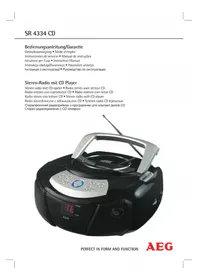
SR 4334 CD - Radio AEG - Free user manual and instructions
Find the device manual for free SR 4334 CD AEG in PDF.



| Product type | Stereo radio with CD player |
| Brand | AEG |
| Model | SR 4334 CD |
| Net weight | 1.42 kg |
| Mains power | 220-240 V, 50 Hz |
| Power consumption | 12 W |
| Battery power | 6 x 1.5 V, type UM2/R14 (not included) |
| Protection class | II |
| Radio frequency bands | FM/UKW : 88-108 MHz, AM/MW : 540-1600 kHz |
| Antenna | Telescopic antenna for FM, built-in antenna for AM |
| Number of speakers | 2 |
| AUX input | 3.5 mm stereo jack socket |
| CD playback | Audio CD (does not play MP3 files) |
| CD functions | Play, pause, skip, repeat (1 track or entire disc), random play, track programming |
| Display | LED screen |
| Light indicators | Power, FM Stereo, Memory, Repeat |
| Cleaning | Slightly damp cloth, without additives. Disconnect before cleaning. |
| Safety instructions | Do not expose to moisture, do not open the casing, use on a stable surface, observe the voltage. |
| Intended use | Private use: radio reception, audio CD playback, auxiliary input |
| Warranty | Keep the warranty card and receipt |
Frequently Asked Questions - SR 4334 CD AEG
User questions about SR 4334 CD AEG
0 question about this device. Answer the ones you know or ask your own.
Ask a new question about this device
Download the instructions for your Radio in PDF format for free! Find your manual SR 4334 CD - AEG and take your electronic device back in hand. On this page are published all the documents necessary for the use of your device. SR 4334 CD by AEG.
USER MANUAL SR 4334 CD AEG
Radio stereo con lettore CD • Stereo radio with CD player
natural_image
Black portable electronic device with control panel and digital display (no visible text or symbols)PERFECT IN FORM AND FUNCTION
AEG
Deutsch
Inhalt
Overview of the Components ...... page 3
Instruction Manual......page 35
Technical Data......page 38
Disposal/Meaning of the "Dustbin" Symbol ......page 38
JEZYK POLSKI
Spis treści
$$ \begin{array}{c} \text { UKW (Stereo) = FM.ST,UKW = FM,} \ \text { Onda Media = AM (Mono) } \end{array} $$
Lettura CD
Per suonare un CD
General Safety Instructions
Read the operating instructions carefully before putting the appliance into operation and keep the instructions including the warranty, the receipt and, if possible, the box with the internal packing. If you give this device to other people, please also pass on the operating instructions.
- To avoid the risk of fire or an electric shock, you should not expose the device to rain or moisture. Consequently, do not use the device in the immediate vicinity of water - for example near a bath tub, a swimming pool or in a damp cellar.
- The appliance is designed exclusively for private use and for the envisaged purpose. This appliance is not fit for commercial use.
- Only connect the device at a properly installed plug socket. Pay attention that the specified voltage corresponds to the voltage of the plug socket.
- When using external mains supply, pay attention to the correct polarity and voltage. Always place the batteries in the correct direction.
- Assemble the device in such a way that the available ventilation openings are not covered.
- Never open the housing of the device. Incorrect repairs can constitute a considerable risk for the user. Should the device become damaged, in particular the mains supply cable, do not operate the device any longer, but rather have it repaired by an expert. Check the mains supply cable regularly for damage.
- For safety reasons a broken or damaged mains lead may only be replaced by an equivalent lead from the manufacturer, our customer service department or a similar qualified person.
- If the device is not used for a longer period, remove the plug connector from the plug socket or take out the batteries.
These symbols may be found on the machine and are intended to indicate the following:
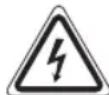
The lightning symbol should advise the user of parts in the inside of the device which carry dangerously high voltage levels.

The symbol with an exclamation mark should advise the user of important operation or maintenance instructions in the accompanying documentation.
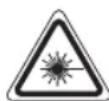
Devices bearing this symbol work with a "class 1 laser" for tracing the CD. The built-in safety switches should prevent the user being exposed to dangerous laser light, which is invisible to the human eye, when the CD compartment is opened.
Under no circumstances should these safety switches be bypassed or manipulated, as this could result in a danger of exposure to the laser light.
Children and Frail Individuals
- In order to ensure your children's safety, please keep all packaging (plastic bags, boxes, polystyrene etc.) out of their reach.
WARNING!
Caution! Do not allow small children to play with the foil as there is a danger of suffocation!
- This device is not intended to be used by individuals (including children) who have restricted physical, sensory or mental abilities and/or insufficient knowledge and/or experience, unless they are supervised by an individual who is responsible for their safety or have received instructions on how to use the device.
- Children should be supervised at all times in order to ensure that they do not play with the device.
Symbols in these Instructions for Use
Important information for your safety is specially marked. It is essential to comply with these instructions in order to avoid accidents and prevent damage to the machine:
WARNING:
This warns you of dangers to your health and indicates possible injury risks.
CAUTION:
This refers to possible hazards to the machine or other objects.
i NOTE:
This highlights tips and information.
Special safety information
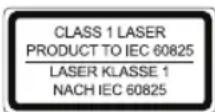
This device works with a class 1 laser.
Overview of the Components
1 Telescopic antenna
2 Handle
3 CD compartment
4 BAND Band selection switch (FM.ST / FM / AM)
5 Radio scale
6 TUNING control
7 Tab for opening the CD compartment (OPEN)
8 SKIP+ button (forward search)
9 SKIP- button (reverse search)
10 STOP button
11 PLAY/PAUSE button
12 PROG button (memory)
13 REPEAT button
14 RANDOM button (random playback)
ENGLISH
15 VOLUME MAX/MIN (volume control)
16 FUNCTION Function selector switch (OFF / CD / RADIO)
17 AUX IN connection
18 AC Mains connection
19 LED-display
20 POWER control lamp
21 FM ST. control lamp
22 Loudspeaker
23 Indicator lamp (memory)
24 Battery compartment
25 Indicator lamp (repeat)
Intended Use
This device is used for:
• The reception of radio programmes
- Playing back audio CDs
• Sound playback from external audio sources.
It is intended exclusively for this purpose and may only be used as such. It may only be used in the manner described in these instructions for use. The device must not be used for commercial purposes.
Any other use of this device is considered to be contrary to the intended use and may result in damage to materials or even personal injury.
The firm ETV – Elektro-Technische Vertriebsgesellschaft mbH does not accept any liability for damage caused as a result of the use of this device contrary to its intended use.
Start-up of the device/introduction
- Please read the operating instructions carefully before using the device for the first time!
- Select a suitable location for the device, such as a dry, flat, non-slip surface on which it is easy to operate the machine.
- Ensure that the device is sufficiently ventilated!
- Remove the protective film from the display if it is still present.
Power Supply
- Connect the power cable supplied (see battery compartment if necessary (24)) to a properly installed 230 V / 50 Hz safety power socket and the mains connector AC \~ (18) on the back of the machine.
- Ensure that the voltage is the same as that indicated on the model identification plate.
Inserting the Batteries (not supplied)
- Open the lid of the battery compartment (24) on the bottom.
- Insert 6 batteries of type UM2/R14 1.5 V. Please ensure that the polarity is correct (see the floor of the battery compartment)!
- If the device is not used for a long period of time, remove the batteries to avoid the spilling of battery acid.
- Then close the battery lid.
i NOTE:
When a mains cable is connected the batteries are automatically switched off.
CAUTION:
- Different battery types or new and used batteries must not be used together.
- Batteries are not to be disposed of together with domestic wastes. Dispose of the used batteries at the relevant collection bin or at your dealer's.
WARNING:
Do not expose the batteries to high temperatures or direct sunlight. Never throw batteries into the fire. There is a danger of explosion!
Transport Safety Device, CD Compartment
- Open the CD compartment (3) by pulling the lid upwards by the tab (7).
- Before operating the machine for the first time, remove the transport safety device from the CD player if it is still in place.
Volume
The desired volume can be sent using the VOLUME regulator (15).
Switch-off
The machine is switched off when the function selector switch (16) is turned to the OFF position. The POWER (19) control lamp goes off. Unplug the device.
AUX IN socket
To connect analogue replay devices. Via this socket you can also hear the sound of other playback devices such as MP3 players, CD players etc. through the loudspeakers.
- Please connect the external device with a 3.5 mm stereo jack plug to the AUX IN socket (17).
- Set the function selector (16) to RADIO. The device switches automatically to AUX IN operation. The radio sound is switched off.
- Through the loudspeakers you can hear the playback of the sound from the external device; with the VOLUME control (15) you can change the volume. The CD buttons do not have any function.
- For the remaining procedure please see the operating instructions of the external sound source.
i NOTE:
Adjust the volume of the external device to a comfortable level.
Listening to the Radio
- Turn the function selector switch (16) to the RADIO position.
- Use the band selector switch (4) to select the desired frequency band.
$$ \text { UKW (Stereo) } = \text { FMST }, \text { UKW } = \text { FM }, $$
$$ \text { Medium wave } = \text { AM (Mono) } $$
- Tune in the desired station with the station adjustment knob TUNING (6).
- The FM.ST control lamp (21) only lights up when you have selected UKW stereo and the station is being received in stereo quality. If reception is too weak and there is noise on the station being received, this lamp will flicker. Where reception is bad we recommend switching to FM.
- For UKW/FM mode pull out the telescopic antenna (1) and turn it to improve reception.
- An aerial is integrated into the device for the reception of AM stations. The machine can be aligned to the station by turning it. In this frequency band programs are transmitted in "mono" only.
Playing CDs
This is how you play a CD
- Turn the function selector switch (16) to the "CD" position.
- Open the CD compartment (3) by pulling the lid upwards by the tab (7).
- Insert an audio CD with the printed side facing upwards on to the central cone so that the CD clicks into place and then close the lid of the CD compartment.
- The display shows "-" and then the number of titles. Press the PLAY/PAUSE button (11) to play the CD. The CD will play from the first title.
i Important NOTE: Playing of CDs and CDRs in MP3 format!
The unit cannot play MP3s. The CD will rotate, but the sound cannot be reproduced.
- In order to remove a CD, please press the STOP key (10), open the CD compartment and lift the CD out carefully.
Always keep the CD deck closed.
i NOTE:
- If a disc is incorrectly inserted – or no disc has been inserted – the symbol “--” and the word "NO" appear in the display.
NOTE:
- Please observe: Many burning methods exist, as well as quality differences with CDs and burned CDs.
In addition, the music industry does not observe fixed standards (copy protection).
Because of this, in rare cases there may be problems with playback of CDs. This is not a malfunction of the device.
Description of the CD buttons
PLAY/PAUSE (11)
You can briefly interrupt and resume playback using this button. The current title number flashes on the display. Pressing again continues playback.
SKIP+/SKIP- (8/9)
When audio CD is playing.
With SKIP + you can jump to the next or previous track etc.
- If the button is kept pressed down, the machine starts to search through the tracks.
The SKIP - button can be used as follows:
Press once = This starts the current track again from the beginning.
Press twice = This jumps back to the previous track.
Press three times = This plays the song before etc. If the button is kept pressed down, the machine starts to search through the tracks.
STOP (10)
The CD stops.
REPEAT (13)
When audio CD is playing.
Press once = the current track is repeated continuously. The indicator lamp (25) flashes.
Press twice = the whole CD is played continuously The indicator lamp (25) is lit.
Press three times = all functions are cancelled. The normal play mode is resumed. The indicator lamp (25) goes out.
RANDOM (14)
Press once = The display shows the title number, which will be played first. All tracks are played back in random order. If function is activated, the current title and a rotation of the segment light- ing are shown alternately.
Press twice = all functions are cancelled. The normal play mode is resumed.
Programmed Play
This can be used to program any desired sequence of tracks.
- Press the STOP key (10).
-
Press the PROG key (12) "01" (storage location) and the indicator lamp (23) flash on the display. Use SKIP+/SKIP- buttons (8/9) to select the desired track and then press the PROG button again. The display changes to memory slot 02.
-
Select the next track with the SKIP+/SKIP- key and press the PROG key again. Repeat the procedure until all the desired tracks are selected.
i NOTE:
When the storage capacity of the titles to be programmed has been reached, the storage location 01 etc. is replaced.
- Press the PLAY/PAUSE key (11). The playback starts. The display shows the first selected title number. The indicator lamp (23) flashes. Press this button to pause briefly the playback.
- Press once the STOP key to stop the playback while retaining the program. The indicator lamp (23) continues to flash.
- To play the programme back again, press the PLAY/PAUSE button.
- To delete the program, press the STOP key twice. The indicator lamp (23) goes out.
The device stops automatically once the entire sequence of programmed tracks is completed. The programmed sequence is kept in memory until you switch to a different mode or until the CD or the storage device is removed or the unit is switched off.
It is also possible to combine the programmed tracks with the REPEAT function. After you have programmed and started the device, please press the REPEAT button (13) up to three times and then you can use the functions as described under "REPEAT".
Cleaning and Maintenance
- Always remove the mains plug before cleaning the machine.
- Any marks on the surface can be wiped off with a slightly damp cloth without any additives.
Troubleshooting
| Symptoms Course Solution | ||
| CD can not be played back. | CD is not inserted or inserted incorrectly. | Ensure that the disc is inserted with the label facing upwards. |
| Batteries too weak | Insert new batteries or operate the device with the mains lead. | |
| CD jumps during playback. | Check the disc for ingerprints, dirt or scratches. | Check the disc for ingerprints, dirt or scratches. |
| The unit does not work. | The unit is blocked and “hangs”. | Disconnect the mains plug for approximately 5 seconds. Then switch the unit back on. |
Technical Data
Model: SR 4334 CD
Power supply: 220-240 V, 50 Hz
Battery operation:....6 x 1.5 V, Type UM2/R14
Power consumption: 12 W
Protection class:....II
Net weight: 1.42 kg
Radio section:
Frequency ranges: VHF/FM 88 \~ 108.0 MHz ....MW/AM 540 \~ 1600 KHz
Subject to technical changes without prior notice!
This device has been tested according to all relevant current CE guidelines, such as electromagnetic compatibility and low voltage directives, and has been constructed in accordance with the latest safety regulations.
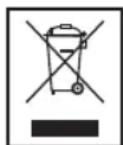
Disposal/Meaning of the "Dustbin" Symb
Protect our environment: do not dispose of electrical equipment in the domestic waste.
Please return any electrical equipment that you will no longer use to the collection points provided for their disposal.
This helps avoid the potential effects of incorrect disposal on the environment and human health.
This will contribute to the recycling and other forms of reutilisation of electrical and electronic equipment.
Information concerning where the equipment can be disposed of can be obtained from your local authority.




- Deutsch
- Inhalt
- JEZYK POLSKI
- Spis treści
- Lettura CD
- Per suonare un CD
- General Safety Instructions
- Children and Frail Individuals
- WARNING!
- Symbols in these Instructions for Use
- WARNING:
- CAUTION:
- i NOTE:
- Special safety information
- Overview of the Components
- ENGLISH
- Intended Use
- Start-up of the device/introduction
- Power Supply
- Transport Safety Device, CD Compartment
- Volume
- Switch-off
- AUX IN socket
- Listening to the Radio
- Playing CDs
- This is how you play a CD
- i Important NOTE: Playing of CDs and CDRs in MP3 format!
- NOTE:
- Description of the CD buttons
- PLAY/PAUSE (11)
- SKIP+/SKIP- (8/9)
- STOP (10)
- REPEAT (13)
- RANDOM (14)
- Programmed Play
- Cleaning and Maintenance
- Technical Data
- Disposal/Meaning of the "Dustbin" Symb
Brand : AEG
Model : SR 4334 CD
Category : Radio