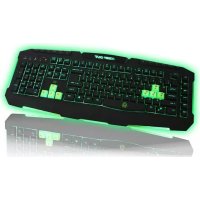
F90 - Keyboard KeepOut - Free user manual and instructions
Find the device manual for free F90 KeepOut in PDF.


| Product type | Wired gaming keyboard |
| Brand | KeepOut |
| Model | F90 |
| Number of keys | 123 silent membrane keys |
| Backlighting | Green LED, adjustable intensity (Fn + ScrLk) |
| Programmable keys | 6 macro keys (M1-M6) |
| Multimedia keys | 9 multimedia control keys |
| Interchangeable keys | 8 additional keys (WASD and arrow keys) |
| Game profiles | 3 customizable profiles in internal memory |
| Game mode | Windows key lock (Fn + Windows) |
| Polling rate | 125 / 250 / 500 / 1000 Hz adjustable |
| Key lifespan | Up to 20 million keystrokes |
| Connectivity | USB, 2-meter nylon cable |
| Power supply | Via USB (bus-powered) |
| Supported operating systems | Windows (installation CD included) |
| Configuration software | Built-in tool for lighting, macros, and profiles |
| Cleaning | Removable keys for deep cleaning |
| Package contents | Keyboard, quick guide, additional keys, installation CD |
| Technical support | www.keep-out.eu / support@keep-out.eu |
| Warranty | Contact the retailer |
Frequently Asked Questions - F90 KeepOut
User questions about F90 KeepOut
0 question about this device. Answer the ones you know or ask your own.
Ask a new question about this device
Download the instructions for your Keyboard in PDF format for free! Find your manual F90 - KeepOut and take your electronic device back in hand. On this page are published all the documents necessary for the use of your device. F90 by KeepOut.
USER MANUAL F90 KeepOut
TEXHUNECKX XAPAKTEPNCNTIKN
- OCBTeHEN KJIIOUOBE B 3eJIeHO C OCBtJIeHneДИМep.
-123 KIIOUOBE CMbJIaHHe Mm6paHa Ha roJHOCT do 20 MMIIHOHa HATnCKaHE Ha KJIaBNI
-3 aadantNBHn rpr npoΦnn cofoep. - TЯ Има Ocem ДОпьлнITEЛНСМЕняEMN 6уTOHIN,празднЗанчehи 3a NO-ДОбpa ПрОИЗБODИТeHOCT BnIrgPte.
- WASD u cTpeJknte.
-9MeiHnYnpaBnBaUHTeKnabu
-6 nporpaMnpyemn 6yToHa 3a cb3daBaHe Ha MaKpocn - 1Touch Gaming Mode, ковто позвюва akтувираHe / DeakтИВИране на Windows Клавиа
-2m haJIOH ka6eJ - Polling coΦTyep perуліруема 125/250/500/1000Hz CTaВka
ACKAGE CbIbPXAHNE
Gaming Keyboard F90
-PbKOBOIDCTBO 3a 6b3 MONTaX Ha pa3JIuHn e3IuN
Gaming KnaBnHte W,A,S,D nOonbHnTeHN KypcOpN
-KomnaKTdNcKa C NHCTaJauOHHncofTyep
3a6e9k:YbepTe ce,ye NaKeTbCTcbDbpXa enEmeHTte, onncaHn No-rope. Ako Heo IunCBA nn e NobpeDeHo, MOJc CBpXeTe ce C BaWn DnIbP.
MOHTAX
- Cbbp3BaHe: Cbbp3BaHe Ha Keyboard Gaming B Cbo6oDen nopT USB Ha Baunia KOMnIbP.
2.Инстацьпу Ha Windows:ПостаBetе Инстацьинь KMпakтДИСК Ha Baшeto yctpoiCTBO, И�рakHete DByKpaTHO Bbpyx ukoHATA Ha My PC ilnn KOMnIOТbp, a cneT TOBa UpakHete DByKpaTHO Bbpyx fIOnN yctpoiCTBOTO,Ha KOeTo CTe NOCTaBUNN CD n CTapTINpaTe INHстацьиньпат nporpaMa. - CnEa KaTo 6bJe HcTaInpaH, pecTApTpauTe KOMIOITbpa cn..
SOFTWARE
1.OCBETNEHME
-OTbopeTe cofoTyepa ot Start - BcnuKn nporpaMn nnn NkoHa Ha JeHTata Ha 3aDaunTe B DoJHnA DeceH bTbJI Ha BaWn pa6oTe HnOt.
BG
-3a da npomeHnte cBetaHa CBeTJnHaTa Ha KnaBnAtypata, HATNCHTe keysFn + SCRL Lock.
-3a da npomeHnTe ocBeTneHne ue3 coofTyep,KnKHeTe Bbpxy 6yToHa "Advanced Setting" n cIeI TOBa "nHTeH3nteTa Ha CBetnHata", 3a da n36epTe nHTeH3nBHOCTTa npednoHTate.
3aДаЗаразмerteпоменITEHaTINCHete"OK"испдTOBa "Apply"
2.ПОФИПИ
-B namet Ha F90 Gaming Keyboard, moxete da cneCTnTe do 3 npoqina. IpocTo KlnkHete Bbpxy HraKoI OT Tnx "Apply", 3a Da akTINBpate. NIn HAtncHete 6yToHa "Cb3daBaHe Ha npoqIn", TObapeHe npoqina HAtncKaHe Ha 6yToHa "Load Profile" n peJaKTnpate npoqina HAtncKaHe Ha 6yToHa "Edit Profiole"
3a NOBueH INHOpMaUH NTHOCHO HNCTaJIpaHaTe N KOHfHyprupaHaTo Ha To3n PPOdyKT, OTNDTe Ha HaaHna caT www.Keep-out.eu NNPiWte Ha cIeDNHaDpec: support@keep-out.eu
UVOD
Thank you for choosing Keep Out's Gaming Keyboard F90.
DESCRIPTION
The Gaming Keyboard F90 is a powerful keyboard, with a stunning design specially designed for the most demanding professional gamers.
Its size has been optimized to improve the management of the game space, and its keys have also been optimized in height and pressure for better performance, with a maximum response time of 5ms.
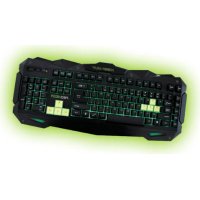
The F90 keys include LED backlit green, and its intensity can be changed with the key "Fn + Scroll Lock". It also includes 6 macro programmable keys. All keys are removable allowing perfect cleaning of the keyboard.
F90 has an internal memory which can store up to three profiles fully modifiable. These profiles can program macros that will be most useful for a unique gaming experience.
TECHNICAL SPECIFICATIONS
- Backlit keys in green with dimmer lighting.
-123 keys with silent membrane life up to 20,000,000 keystroke - 3 customizable profiles gaming software.
- It has 8 additional interchangeable keys designed for better gaming performance.
- WASD and cursor keys.
- 9 media control keys
- 6 programmable keys for creating macros
- 1Touch Gaming Mode, which allows the activation / deactivation of the Windows key
- 2 meter nylon cable
- Polling software adjustable rate 125/250/500/1000Hz
PACKAGE CONTENTS
Gaming Keyboard F90
- Quick Installation Guide in multiple languages
Gaming keys W, A, S, D and additional cursors
- Software Installation Cd
Note: Make sure that your package contains the items described above. If any item is missing or damaged, please contact your dealer.
INSTALLATION
- Connection: Connect the Gaming Keyboard in a free USB port on your PC.
- Installation on Windows: Insert the installation CD into your drive and double-click the icon for My PC or Computer, then double-click the floppy drive where you placed the CD and boot the installation program.
- Once installed, reboot your pc.
SOFTWARE
1. LIGHTING
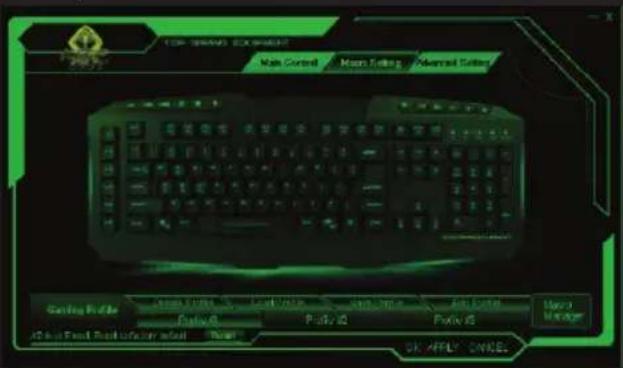
-Open the software from Start - All Programs or icon of the taskbar in the lower right corner of your desktop.
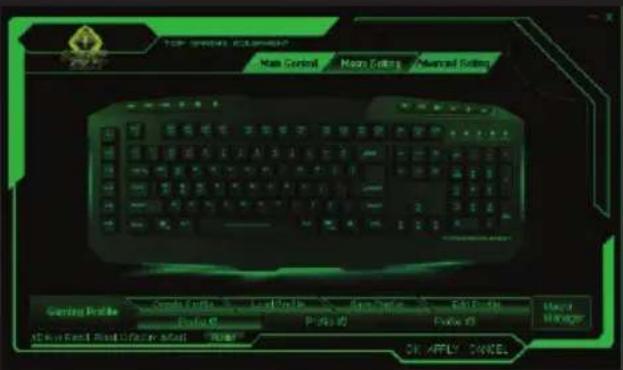


-To change the color of the light on the keyboard, press the keysFn + Scrl Lock.
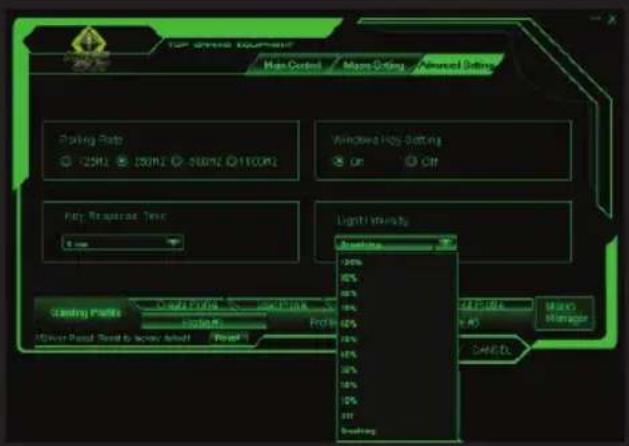
-To change the lighting via software, click on the button "Advanced Setting" and then "Light Intensity", you choose the intensity you prefer.
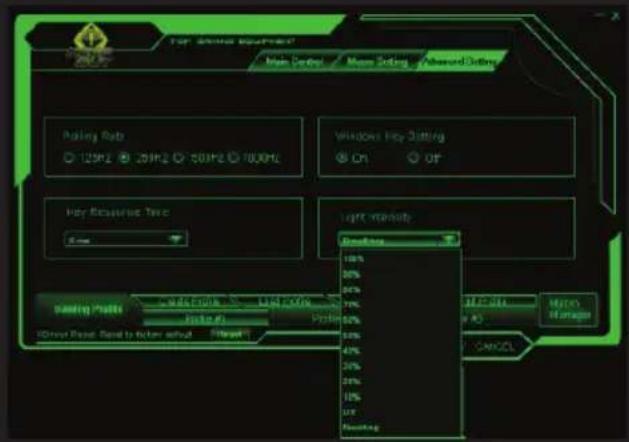
To save your changes press "OK" and then "Apply"
2.PROFILES
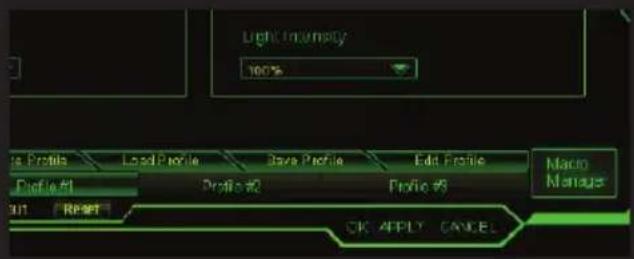
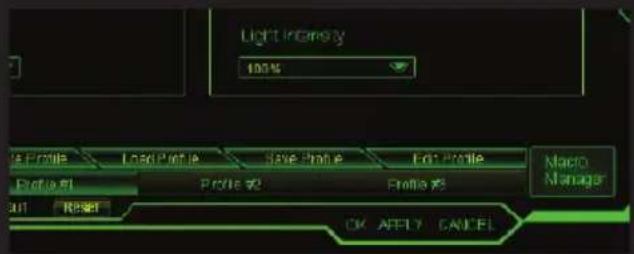
-In the memory of the Gaming Keyboard F90, you can save up to 3 profiles. Just click on any of them and "Apply" to activate. Or pressing the button "Create Profile", loading the profile pressing the button "Load Profile" and edit profile pressing the button "Edit Profile"
3.PROGRAMMABLEKEYS
All keys of the Gaming Keyboard F90 are programmable. The media keys are not programmed, they will continue to do the function indicated by the symbol.
4. MACRO FUNCTION
-
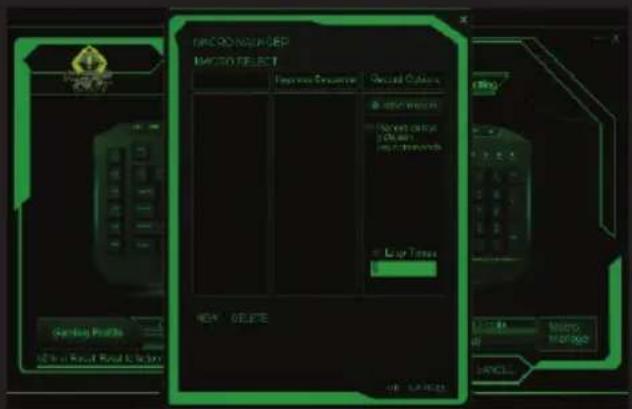
To program a macro, follow these steps: (For example we will set the key "M1")
-
First, let's click on "Macro Setting" and press on "M1" Assign Macro - Macro manager to open "Macro Manager"
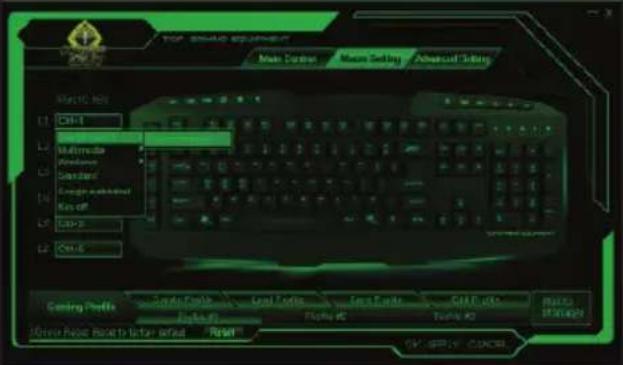
- To create a new 'Macro', click on "New" and enter a name for it. Then press the "Enter" key on your keyboard.
- If you click on "Record", it will start recording the "Macro". For example, if you want to burn the letter combination "WASD", press "Record" and then press on your keyboard the letters "WASD". When finished, click "STOP". (You can also check the "loop time" and fill in the time loop that also want to set or check the "Auto Delay")
3.1 The option "loop time" means how many times you will repeat the macro. For example, if you want the key "M1" to repeat the command "WASD" a certain number of times (only 1-5 times), check "loop time" and change from "1" to "5" times you want to repeat this macro.
3.2 The "Auto Delay" is the delay between the keystrokes that are entered in the macro. It is measured in milliseconds.
3.3 Once you have the macro to your liking, click on "Apply". Now every time you press the button "M1", you will be writing the command "WASD".
5. ADVANCED SETTINGS
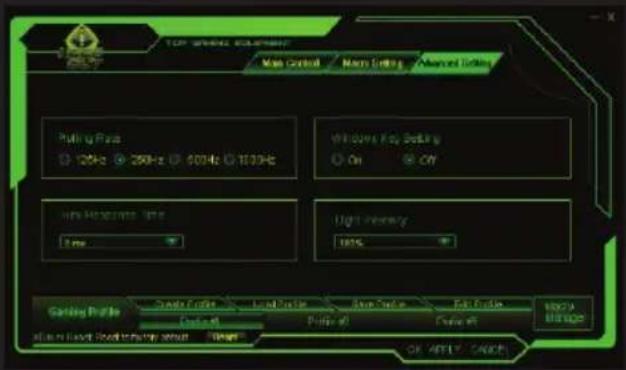
Pressing the tab "advanced settings" you can change the Keyboard features like the polling rate windows key settings, key response time and light intensity.
6 MULTIMEDIA KEYS
The media keys are not programmed, they will continue to do the function indicated by the symbol.
7. "FN" KEYS
The Fn key in combination with some of the F1 to F12 keys performs special multimedia functions, such as the FN + F3 or F4 allowing the response time is less or greater.
8. GAMING KEYS - "LOCK OF WINDOWS KEY"
Pressing the key "FN+Windows" allows you activate or deactivate that key, which sometimes it can hinder in your gaming.


9. RESET BUTTON
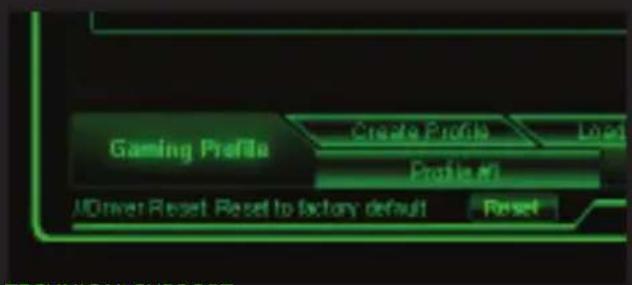
You can restore the keyboard defaults by pressing the "Reset button" of the software.
TECHNICAL SUPPORT
For more information on installing and configuring this product go to our website www_keep-out.eu or write an email to the following address:
support@keep-out.eu
INTRODUCCION
8. GAMING KEYS - "SLOT VAN WINDOWS TOETS"
3.PROGRAMOWALNE KEYS
8. GAMING KEYS - "WINDOWS KEY OF KILIIDI"
Importado por/Imported by:
APPROX IBERIA S. L.
CIF: B-91202499
Sopporté technique/Technical support:
support@keep-out.eu
The content of this guide is subject to typographical errors.

www. keep-out.eu


- TEXHUNECKX XAPAKTEPNCNTIKN
- ACKAGE CbIbPXAHNE
- MOHTAX
- SOFTWARE
- 1.OCBETNEHME
- BG
- 2.ПОФИПИ
- UVOD
- DESCRIPTION
- TECHNICAL SPECIFICATIONS
- PACKAGE CONTENTS
- INSTALLATION
- LIGHTING
- 2.PROFILES
- MACRO FUNCTION
- ADVANCED SETTINGS
- MULTIMEDIA KEYS
- "FN" KEYS
- GAMING KEYS - "LOCK OF WINDOWS KEY"
- RESET BUTTON
- TECHNICAL SUPPORT
- INTRODUCCION
- GAMING KEYS - "SLOT VAN WINDOWS TOETS"
- 3.PROGRAMOWALNE KEYS
- GAMING KEYS - "WINDOWS KEY OF KILIIDI"
Brand : KeepOut
Model : F90
Category : Keyboard