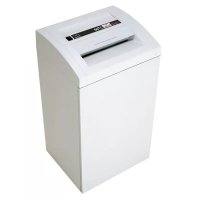
2700 Office - Shredder PRIMO - Free user manual and instructions
Find the device manual for free 2700 Office PRIMO in PDF.



| Product Type | Document shredder |
| Brand | Primo |
| Model | 2700 Office |
| Cut type | Strip cut or cross cut |
| Cut size (mm) | 5.8; 3.9; 3.9x40; 1.9x15; 0.78x11; 1x5 |
| Security level (DIN 32757-1) | 2, 3, 4, 5 or HSM Level 6 |
| Cutting capacity (sheets 70 g/m²) | 40-42 (strip) to 7-8 (Level 6) |
| Working width | 300 mm |
| Cutting speed | 126 mm/s (strip) or 135 mm/s (cross) |
| Noise level (idle / load) | 56 dB(A) / 62 dB(A) (strip); 56 / 70-73 dB(A) (cross) |
| Power supply | 230 V, 50 Hz (also 100-115 V, 50/60 Hz) |
| Power (for max sheets) | 1400 W |
| Dimensions (W x D x H) | 500 x 420 x 895 mm |
| Weight | 42 to 48 kg depending on cut type |
| Shred bin capacity | 105 liters |
| Materials destructible | Paper, credit cards, CDs, floppy disks (depending on cut) |
| Special functions | Auto-stop, reverse for jams, stop if door open |
| Safety | Warning light, door lock, hair/clothing protection |
| Maintenance | Oil the cutting block regularly with supplied special oil |
| Included accessories | 5 shredding bags, 1 bottle of oil 50 ml, manual |
Frequently Asked Questions - 2700 Office PRIMO
User questions about 2700 Office PRIMO
0 question about this device. Answer the ones you know or ask your own.
Ask a new question about this device
Download the instructions for your Shredder in PDF format for free! Find your manual 2700 Office - PRIMO and take your electronic device back in hand. On this page are published all the documents necessary for the use of your device. 2700 Office by PRIMO.
USER MANUAL 2700 Office PRIMO
natural_image
Exterior view of a white industrial waste sorting machine (no visible text or symbols)BETRIEBSANLEITUNG
AKTENVERNICHTER
OPERATING INSTRUCTIONS
PAPER SHREDDER
NOTICE D'UTILISATION
DESTRUCTEUR DE DOCUMENTS
MANUALE OPERATIVO
DISTRUGGIDOCUMENTI
INSTRUCCIONES DE SERVICIO
DESTRUCTORA DE DOCUMENTOS
West Chester, PA 19380
USA
Phone: 001 610 918 4894
Fax: 001 610 918 4899
E-mail: email@hsmofamerica.com
www.hsmofamerica.com
natural_image
Abstract black-and-white graphic with four stylized human figures and gear-like shapes (no text or symbols)Verletzungsgefahr!
natural_image
Interior view of a cabinet or enclosure with hanging fixtures and a wall-mounted bracket (no visible text or symbols)Vor Inbetriebnahme:
1. Proper use, warranty
The shredder is designed exclusively for destroying paper. Depending on the cutting type, it can also handle small quantities of the following materials:
Credit and charge cards:
3.9 / 5.8 / 1.9x15 / 3.9x40 mm only
CDs, disks: 3.9 / 5.8 / 3.9x40 mm only
Its sturdy drive mechanism is not damaged by paper clips and staples. Only on machines with safety level HS Level 6 (1 x 5 mm) can the paper not contain staples or paper clips.
We provide a warranty for the device in accordance with our general sales and delivery terms. This warranty excludes wear, damage due to improper handling, natural depreciation, and actions taken by third parties.
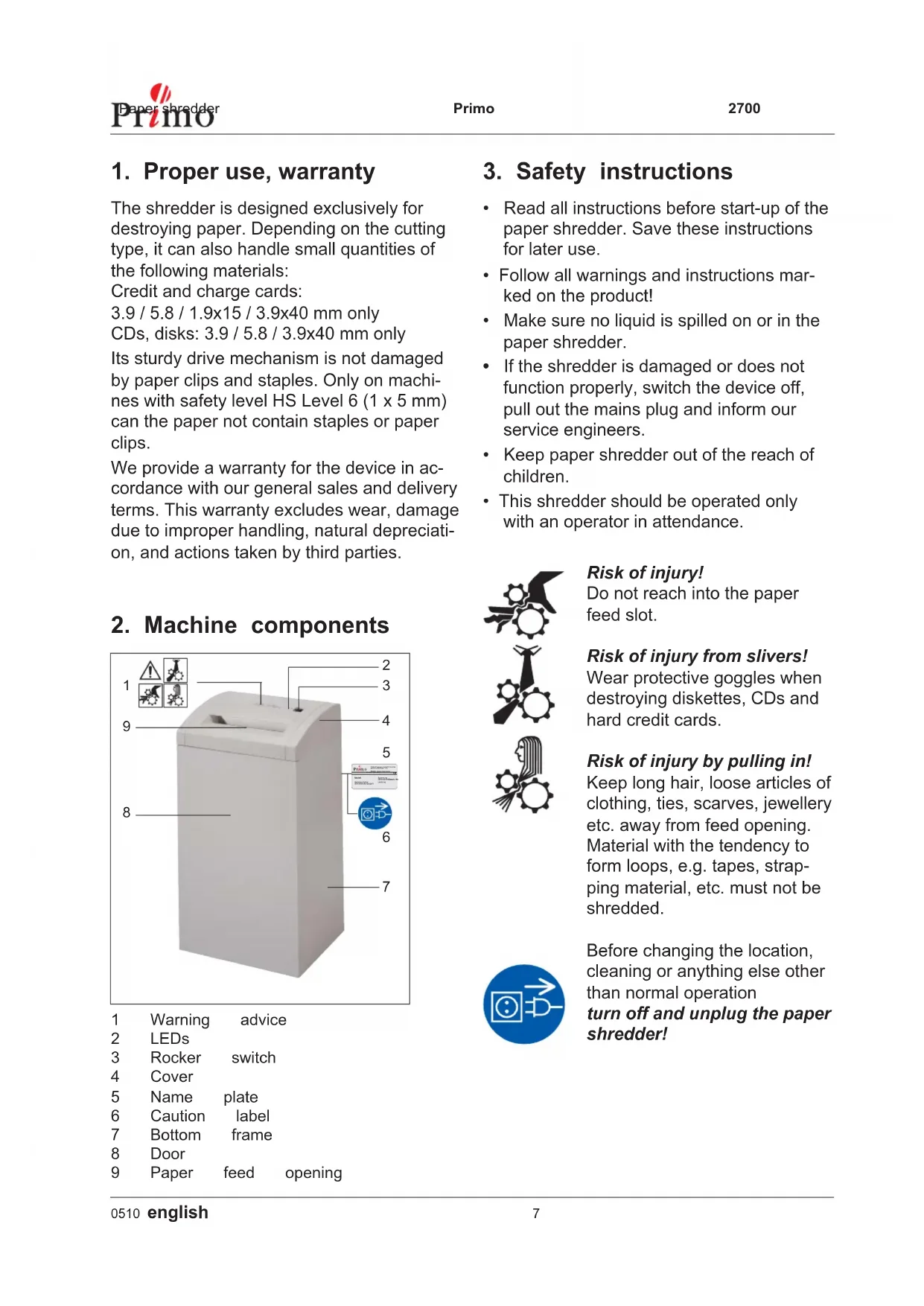
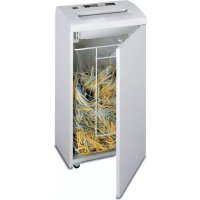
- Machine components

| 1 | Warning | advice |
| 2 | LEDs | |
| 3 | Rocker | switch |
| 4 | Cover | |
| 5 | Name | plate |
| 6 | Caution | label |
| 7 | Bottom | frame |
| 8 | Door | |
| 9 | Paper | feed opening |
3. Safety instructions
- Read all instructions before start-up of the paper shredder. Save these instructions for later use.
- Follow all warnings and instructions marked on the product!
- Make sure no liquid is spilled on or in the paper shredder.
- If the shredder is damaged or does not function properly, switch the device off, pull out the mains plug and inform our service engineers.
- Keep paper shredder out of the reach of children.
- This shredder should be operated only with an operator in attendance.

natural_image
Abstract black-and-white graphic with three stylized human figures and gear-like shapes, no text or symbols present.Risk of injury!
Do not reach into the paper feed slot.
Risk of injury from slivers!
Wear protective goggles when destroying diskettes, CDs and hard credit cards.
Risk of injury by pulling in!
Keep long hair, loose articles of clothing, ties, scarves, jewellery etc. away from feed opening. Material with the tendency to form loops, e.g. tapes, strapping material, etc. must not be shredded.

Before changing the location, cleaning or anything else other than normal operation turn off and unplug the paper shredder!
Maintenance and service work may be per for med on ly by:
• service technicians from our con tracting part ners
4. Installation
- This paper shredder should never be placed near or over a radiator or heat source.
- The ventilation slots must not be blocked or covered and they must be at a distance of at least 10 cm away from walls or furniture.
- Make sure the mains plug is easily accessible.
- Before plugging in the mains plug, check that the voltage and frequency of your local mains supply correspond to those stated on the type plate.
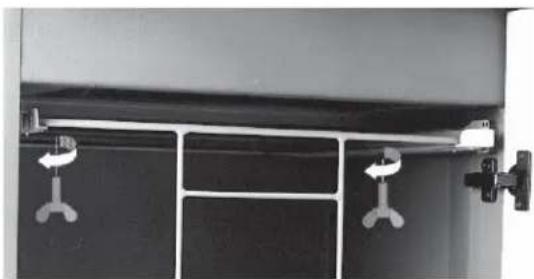
natural_image
Interior view of a cabinet with hanging clips and doors (no visible text or symbols)Before start-up:
Undo the wing screws securing the unit during transportation.
5. Scope of delivery
• Paper shredder, ready for connection, in carton packing
- 5 Bags for shredded material
• Special cutting block oil 50 ml (cross cut)
- Operating instructions
Acces so ries:
- Bag for shredded material, order No.: 1.410.995.000
• Special cutting block oil 250 ml, order No.: 1.235.997.401
6. Putting into operation
Switching the paper shredder on
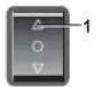

- Press rocker switch pos. 1.
- Rocker switch locks in.
- Green LED lights.
- Paper shredder is ready for operation (standby).
Feed paper
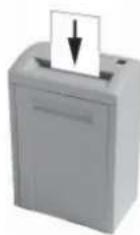
See „Technical data“ for sheet capacity.
- The shredding process is star-ted by a pho to -cell in the paper feeding opening.
- When the paper fee ding opening is free again, the cutting sy stem automatically switches off after app rox. 3 sec. and returns to standby.
Swit ching paper shredder off

- Tap rocker switch pos. 2.
- Rocker switch resets to zero position.
7. Troubleshooting
Pa per jam
You have fed in too much paper.
- Red LED on control panel lights.
- The cutting device runs in reverse for approx. 2 seconds automatically.
- Pa per is pus hed out. Caution!
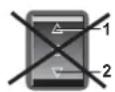
Do not press rocker switch alternately forwards/backwards (pos. 1 / pos. 2):
Cutting unit can be damaged.

• Devices with strip cut
If the paper is too low and cannot be taken out:
Activate the rocker switch - pos. 2 several times briefl y.
• Devices with particle cut
Pull out the paper from the paper feed opening. Light barrier must be free of obstacles.

- Se pa ra te pa per stack.
- Press rocker switch pos. 1.
- Feed pa per successively.
Cut material container full
- Red LED on control panel lights.
- Paper shredder switches off Empty the cut material container, because if it is too full, malfunctions can occur in the cutting system

- Tap rocker switch pos. 2.
- Remove full shredded material bag and insert new bag.

Door contact interrupted
- Red LED on control panel lights.
• Paper shredder switches off. - Check whether front door is closed properly.
If other faults occur, please check the following before calling our customer service:
• Is mains plug in ser ted?
• Is rocker switch tur ned on?
- Is the mo tor over lo aded?
al low mo tor to cool down for 15 - 20 min.
8. Maintenance and care
Cleaning:
- Switch off the shredder, pull out the mains plug.
- When cleaning only use a soft cloth and a mild soap-water solution. Never use scouring agents, cleaning fluid, petroleum or thinners.
When the cutting capacity drops or the noise increases (Cross cut):

- Switch paper shredder off: Tap rocker switch pos. 2.
- Spray special cutting block oil through paper feed opening across the whole width of the cutting system blades.

- Run cutting system backwards (pos. 2) without feeding paper.
- Paper dust and particles are shaken off.
9. Technical Data
| Cutting type | 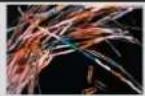 Strip cut Strip cut | 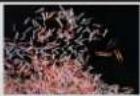 Cross cut Cross cut | |||||
| Shred size (mm) | 5.8 | 3.9 | 3.9x40 | 1.9x15 | 0.78x11 | 1x5 | |
| Safety rating DIN 32757 – 1 | 2 | 2 | 3 | 4 | 5 | Level 6* | |
| Cutting capacity (sheets), DIN A4 | 70 g/m2 | 40 - 42 | 31 - 33 | 25 - 27 | 17 - 19 | 10 - 11 | 7 - 8 |
| 80 g/m2 | 32 - 33 | 25 - 27 | 20 - 22 | 12 - 14 | 7 - 9 | 6 -7 | |
| Weight | 42 kg | 45 kg | 48 kg | ||||
| Noise level (Idle running/ load) | 56 dB(A) / 62 dB(A) | 56 dB(A) / 70 - 73 dB(A) | |||||
| Cutting speed | 126 mm/s | 135 mm/s | |||||
| Loading width | 300 mm | ||||||
| Voltage | 230 V, 50 Hz100 V, 50/60 Hz – 115 V, 60 Hz | ||||||
| Power for the maximum number of sheets | 1400 W | ||||||
| Dimensions W x D x H (mm) | 500 x 420 x 895 | ||||||
| Volume of shredded material bag | 105 l | ||||||
* HSM-specification Technical and optical modifications reserved
Declaration of Conformity
Machinery directive 98 / 37 / EG
EMC directive 89 / 336 / EWG
Low voltage directive 73 / 23 / EWG
The manufacturer HSM Pressen GmbH + Co. KG, Bahnhofstraße 115, D-88682 Salem declares herewith, that the paper shredders Primo 2700 aboved mentioned correspond with the EC Machine Directive including all relevant modifications.
Applied standards and technical specifications:
• EN 55014-1:2000 + A1:2001 + A2:2002 • EN 61000-4-4:1995 + A1:2001 + A2:2001
• EN 55014-2:1997 + A1:2001 • EN 61000-4-5:1995 + A1:2001
• EN 61000-3-2:2000 • EN 61000-4-6:1996 + A1:2001
• EN 61000-3-3:1995 + A1:2001 • EN 61000-4-11:1994 + A1:2001
• EN 61000-4-2:1995 + A1:1998 + A2:2001 • EN 60950-1:2001
• EN 294:1992
Salem, 01.04.2005
R. Gouteier
Rolf Gasteier - Technical Director
Machine type inspection for compliance with the requirements of the EC Machine Directive was carried out by the „Administration“/Inspection Authority Committee of Experts, Subject Area „Office Machines and Devices“, on the premises of the Verwaltungs-Berufsgenossenschaft, Deelbögenkamp 4, D-22297 Hamburg. This inspection authority is the authority responsible in accordance with Annex V of the EC Machine Directive.
natural_image
Abstract black-and-white graphic with three stylized human figures and gear-like shapes, no text or symbols present.natural_image
Interior view of a cabinet with hanging clips and doors (no visible text or symbols)natural_image
Abstract black-and-white graphic with three stylized human figures and gear-like shapes (no text or symbols)natural_image
Interior view of a cabinet with hanging lock and door handle (no text or symbols visible)natural_image
Three stylized black-and-white icons depicting human figures with gears and symbols, no text or labels present.Peligro de lesiones
natural_image
Close-up of a mechanical latch or lock mechanism mounted on a dark panel cabinet (no visible text or symbols)natural_image
Interior view of a cabinet with hanging clips and doors (no visible text or symbols)natural_image
Three stylized black-and-white icons depicting human figures with gears and tools, no text or symbols present.natural_image
Close-up of a black cabinet with metal hinges and hanging clips (no text or symbols visible)natural_image
Three stylized black-and-white icons: a hand holding gears, a sun with a bow tie, and a woman with a head and tail, arranged vertically (no text or symbols)Kvæstelsesfare!
natural_image
Interior view of a cabinet with hanging clips and doors (no visible text or symbols)Før ibrugtagning:
natural_image
Abstract black-and-white graphic with three stylized human figures and gear-like shapes, no text or symbols present.natural_image
Interior view of a cabinet with hanging clips and doors (no visible text or symbols)Innan maskinen tas i drift:
Lossa transportsäkringens vingskruvar.
5. Leveransomfång
natural_image
Abstract black-and-white graphic with four stylized human figures and gear-like shapes (no text or symbols)Loukkaantumisvaara!
natural_image
Interior view of a cabinet with hanging lock and door handle (no text or symbols visible)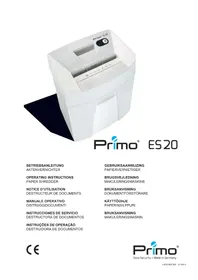
- Verletzungsgefahr!
- Vor Inbetriebnahme:
- Proper use, warranty
- Safety instructions
- Risk of injury!
- Risk of injury from slivers!
- Risk of injury by pulling in!
- Installation
- Before start-up:
- Scope of delivery
- Acces so ries:
- Putting into operation
- Switching the paper shredder on
- Feed paper
- Swit ching paper shredder off
- Troubleshooting
- Pa per jam
- You have fed in too much paper.
- Cut material container full
- Door contact interrupted
- Maintenance and care
- Cleaning:
- When the cutting capacity drops or the noise increases (Cross cut):
- Technical Data
- Declaration of Conformity
- Peligro de lesiones
- Kvæstelsesfare!
- Før ibrugtagning:
- Leveransomfång
- Loukkaantumisvaara!
Brand : PRIMO
Model : 2700 Office
Category : Shredder