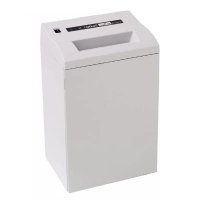
2600 Office - Shredder PRIMO - Free user manual and instructions
Find the device manual for free 2600 Office PRIMO in PDF.



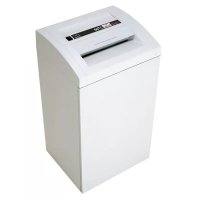
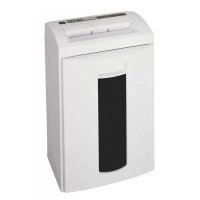
| Product Type | Document Shredder |
| Brand | PRIMO |
| Model | 2600 Office |
| Cut Type | Strip-cut or cross-cut (depending on version) |
| Cut Size (mm) | 5.8 / 3.9 / 1.9 (strip); 3.9x30 / 1.9x15 / 0.78x11 / 1x5 (cross) |
| Cutting Capacity (70 g/m² sheets) | 4 to 30 sheets depending on cut type |
| Security Level DIN 32757-1 | 2 to 6 (Level 6 HSM) depending on version |
| Working Width | 255 mm |
| Cutting Speed | 120 to 130 mm/s |
| Waste Bin Volume | 76 liters |
| Noise Level | 60-64 dB(A) idling, 64-70 dB(A) under load |
| Power Supply | 230 V, 50 Hz (100-115 V versions available) |
| Max Power | 670 W |
| Weight | 26 to 30 kg depending on version |
| Dimensions (W x D x H) | 448 x 347 x 773 mm |
| Destructible Materials | Paper, staples, paper clips, credit cards, CDs, floppy disks (depending on version) |
| Delivery Contents | Shredder, 5 waste bags, cutting oil (50 ml), manual |
| Maintenance | Regularly oil the cutting block with special oil |
| Cleaning | Soft cloth and non-corrosive soapy water |
| Safety | Automatic stop if door open, overheat protection |
| Warranty | According to general terms and conditions of sale |
| Spare Parts | Bags, cutting oil available as accessories |
Frequently Asked Questions - 2600 Office PRIMO
User questions about 2600 Office PRIMO
0 question about this device. Answer the ones you know or ask your own.
Ask a new question about this device
Download the instructions for your Shredder in PDF format for free! Find your manual 2600 Office - PRIMO and take your electronic device back in hand. On this page are published all the documents necessary for the use of your device. 2600 Office by PRIMO.
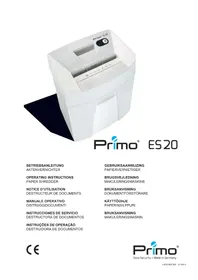
USER MANUAL 2600 Office PRIMO
West Chester, PA 19380
USA
Phone: 0016109184894
Fax: 0016109184899
E-mail: email@hsmofamerica.com
www.hsmofamerica.com
1. Proper use, warranty
The shredder is designed exclusively for destroying paper. Depending on the cutting type, it can also handle small quantities of the following materials:
Credit and charge cards:
1.9 / 3.9 / 5.8 / 1.9 x 15 / 3.9 x 30 mm only
Its sturdy drive mechanism is not damaged by paper clips and staples. Only on machines with safety level HS Level 6 (1 x 5 mm) can the paper not contain staples or paper clips.
We provide a warranty for the device in accordance with our general sales and delivery terms. This warranty excludes wear, damage due to improper handling, natural depreciation, and actions taken by third parties.
2. Machine components
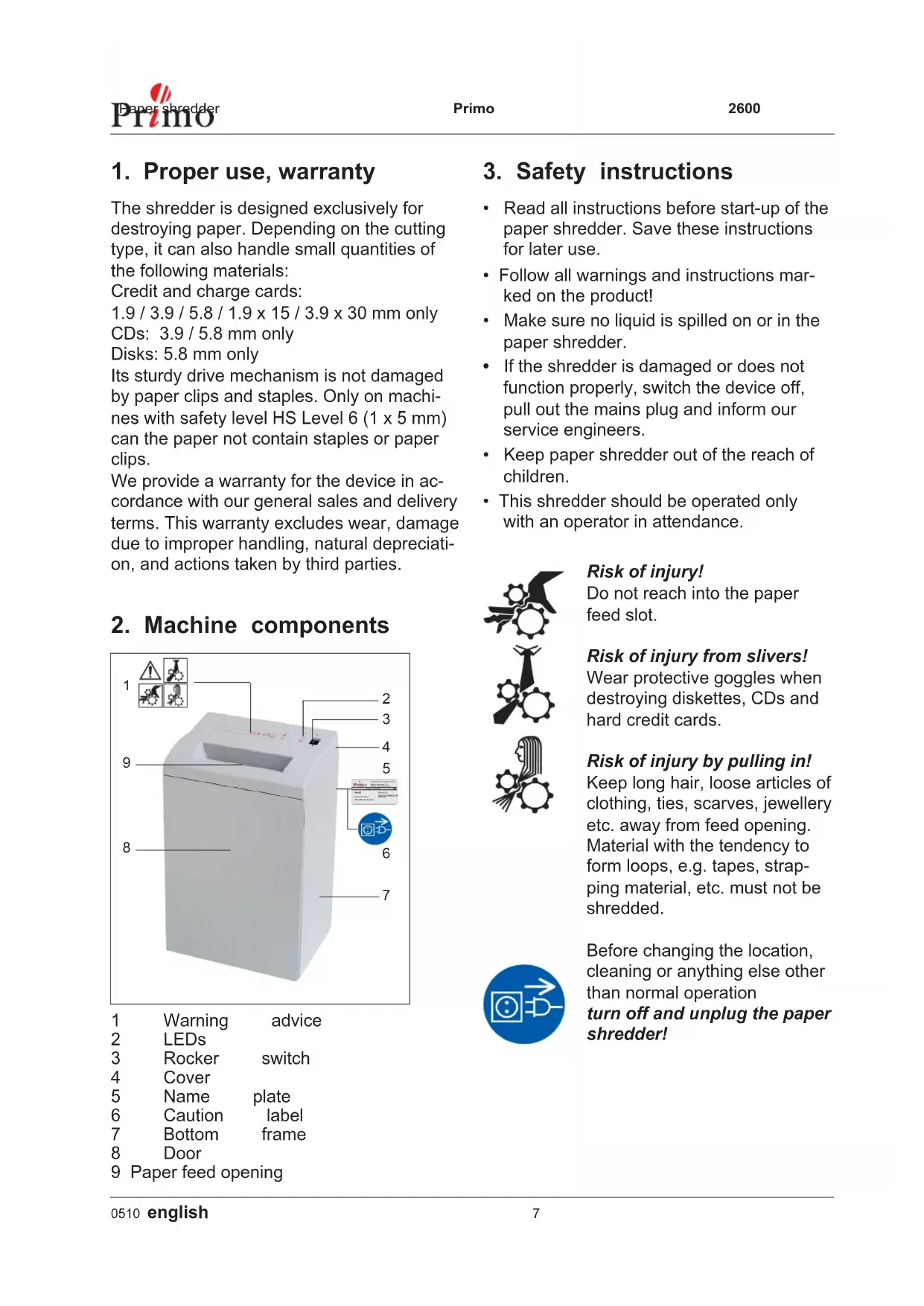
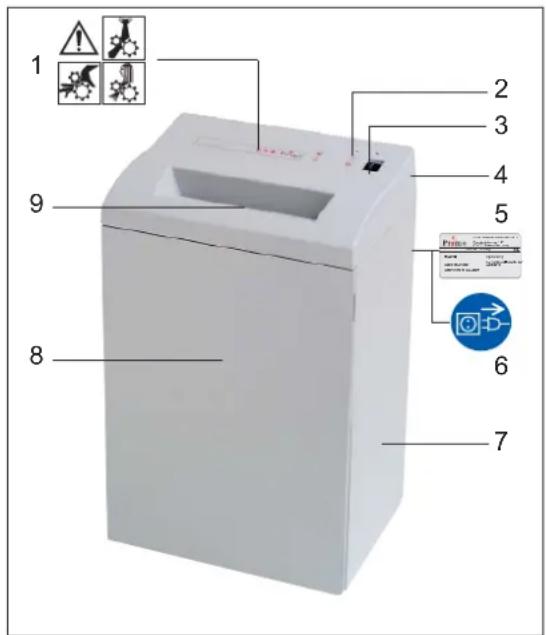
1 Warning advice
2 LEDs
3 Rocker switch
4 Cover
5 Name plate
6 Caution label
7 Bottom frame
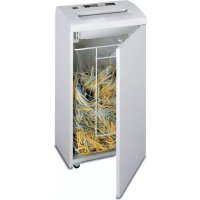
8 Door
9 Paper feed opening
3. Safety instructions
- Read all instructions before start-up of the paper shredder. Save these instructions for later use.
- Follow all warnings and instructions marked on the product!
Make sure no liquid is spilled on or in the paper shredder. - If the shredder is damaged or does not function properly, switch the device off, pull out the mains plug and inform our service engineers.
- Keep paper shredder out of the reach of children.
- This shredder should be operated only with an operator in attendance.

Risk of injury!
Do not reach into the paper feed slot.
Risk of injury from slivers!
Wear protective goggles when destroying diskettes, CDs and hard credit cards.
Risk of injury by pulling in!
Keep long hair, loose articles of clothing, ties, scarves, jewellery etc. away from feed opening. Material with the tendency to form loops, e.g. tapes, strapping material, etc. must not be shredded.

Before changing the location, cleaning or anything else other than normal operation turn off and unplug the paper shredder!

Maintenance and service work may be per for med on ly by:
HSM cu sto mer ser vice
- specially trained staff (e.g. qua li fi ed electri cians)
- service technicians from our contract tracing partners
4. Installation
This paper shredder should never be placed near or over a radiator or heat source.
- The ventilation slots must not be blocked or covered and they must be at a distance of at least 10cm away from walls or furniture.
- Make sure the mains plug is easily accessible.
- Before plugging in the mains plug, check that the voltage and frequency of your local mains supply correspond to those stated on the type plate.
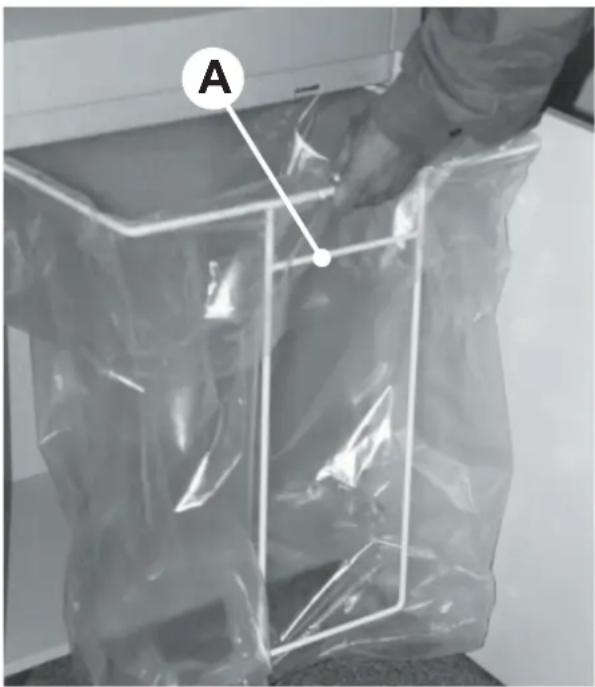
After putting the collection bag in place, push the frame (with bar A pointing to the front of the cupboard) back into the guide rails.
5. Putting into operation
Switching the paper shredder on


- Press rocker switch pos. 1.
- Rocker switch locks in.
- Green LED lights.
- Paper shredder is ready for operation (standby).
Feed paper
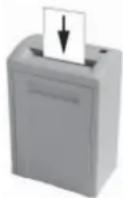
See "Technical data" for sheet capacity.
- The shredding process is started by a photo to -cell in the paper feeding opening.
- When the paper fee ding opening is free again, the cut ting sy stem automatically switches off after app rox. 3 sec. and returns to standby.
Swt ching paper shredder off

- Tap rocker switch pos. 2.
- Rocker switch resets to zero position.
6. Scope of delivery
- Paper shredder, ready for connection, in carton packing
- 5 Bags for shredded material
- Special cutting block oil 50ml (cross cut)
- Operating instructions
Acces sories:
- Bag for shredded material, order No.: 1.133.995.000
- Special cutting block oil 250 ml, order No.: 1.235.997.401
7. Troubleshooting
Pa per jam
You have fed in too much paper.
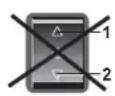
Caution!
Do not press rocker switch alternately forwards/backwards (pos. 1 / pos. 2):
Cutting unit can be damaged.

- Press and hold down rocker switch pos. 2.
- Paper is pus hed out.
- Se pa rata pa per stack.
Press rocker switch pos. 1.
Feed pa per successively.
Cut material container full
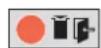
Red LED on control panel lights.
- Paper shredder switches off
Empty the cut material container, because if it is too full, malfunctions can occur in the cutting system
- Tap rocker switch pos. 2.
- Remove full shredded material bag and insert new bag.
Door contact interrupted
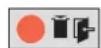
Red LED on control panel lights.
- Paper shredder switches off.
- Check whether front door is closed properly.
If other faults occur, please check the following before calling our customer service:
- Is mains plug in serTed?
Is rocker switch turned on?
Is the mo tor over lo aded?
alow mo tor to cool down for 15 - 20 min.
8. Maintenance and care
Cleaning:
- Switch off the shredder, pull out the mains plug.
- When cleaning only use a soft cloth and a mild soap-water solution. Never use scouring agents, cleaning fluid, petroleum or thinners.
When the cutting capacity drops or the noise increases (Cross cut):

- Switch paper shredder off: Tap rocker switch pos. 2.
- Spray special cutting block oil through paper feed opening across the whole width of the cutting system blades.
- Run cutting system backwards (pos. 2) without feeding paper.
- Paper dust and particles are shaken off.
9. Technical Data
| Cutting type | Strip cut | Cross cut | |||||
| Shred size (mm) | 5.8 | 3.9 | 1.9 | 3.9x30 | 1.9x15 | 0.78x11 | 1x5 |
| Safety rating DIN 32757 - 1 | 2 | 2 | 3 | 3 | 4 | 5 | Level 6* |
| Cutting capacity (sheets) 70 g/m² DIN A4 80 g/m² | 28 - 30 | 23 - 25 | 17 - 19 | 16 - 18 | 12 - 14 | 7 - 8 | 4 - 5 |
| 22 - 24 | 18 - 20 | 13 - 15 | 12 - 14 | 9 - 11 | 6 - 7 | 3 - 4 | |
| Weight | 26 kg | 30 kg | |||||
| Noise level (Idle running/ load) | 60 dB(A) / 64 dB(A) | 62 dB(A) / 64 - 70 dB(A) | |||||
| Cutting speed | 120 mm/s | 130 mm/s | |||||
| Loading width | 255 mm | ||||||
| Voltage | 230 V, 50 Hz100 V, 50/60 Hz - 115 V, 60 Hz | ||||||
| Power for the maximum number of sheets | 670 W | ||||||
| Dimensions W x D x H (mm) | 448 x 347x 773 | ||||||
| Volume of shredded material bag | 76 l | ||||||
*) HSM-specification Technical and optical modifications reserved
Declaration of Conformity
Machinery directive 98/37/EG EMC directive 89/336/EWG Low voltage directive 73/23/EWG
The manufacturer HSM Pressen GmbH + Co. KG, Bahnhofstraße 115, D-88682 Salem declares herewith, that the paper shredders Primo 2600 correspond with the above mentioned EC Machine Directive including all relevant modifications.
Applied standards and technical specifications:
- EN 55014-1:2000 + A1:2001 + A2:2002 - EN 61000-4-4:1995 + A1:2001 + A2:2001
EN55014-2:1997 + A1:2001 EN61000-4-5:1995 + A1:2001
EN 61000-3-2:2000 EN 61000-4-6:1996 + A1:2001
EN61000-3-3:1995+A1:2001 EN61000-4-11:1994+A1:2001
EN 61000-4-2:1995 + A1:1998 + A2:2001 EN 60950-1:2001
EN 294:1992
Salem, 01.07.2003
R. qutieiu
Rolf Gasteier - Technical Director
Machine type inspection for compliance with the requirements of the EC Machine Directive was carried out by the "Administration" / Inspection Authority Committee of Experts, Subject Area Office Machines and Devices, on the premises of the Verwaltungs-Berufsgenossenschaft, Deelbogenkamp 4, D-22297 Hamburg. This inspection authority is the authority responsible in accordance with Annex V of the EC Machine Directive.
Directive machines 98/37/EG
Directive CEM 89/336/EWG
Risk for skandor - splitter!
- Proper use, warranty
- Safety instructions
- Risk of injury!
- Risk of injury from slivers!
- Risk of injury by pulling in!
- Installation
- Putting into operation
- Switching the paper shredder on
- Feed paper
- Swt ching paper shredder off
- Scope of delivery
- Acces sories:
- Troubleshooting
- Pa per jam
- Cut material container full
- Door contact interrupted
- Maintenance and care
- Cleaning:
- When the cutting capacity drops or the noise increases (Cross cut):
- Technical Data
- Declaration of Conformity
- Risk for skandor - splitter!
Brand : PRIMO
Model : 2600 Office
Category : Shredder