
IMS 4439 PLL - Radio AEG - Free user manual and instructions
Find the device manual for free IMS 4439 PLL AEG in PDF.
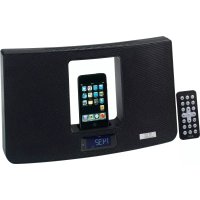

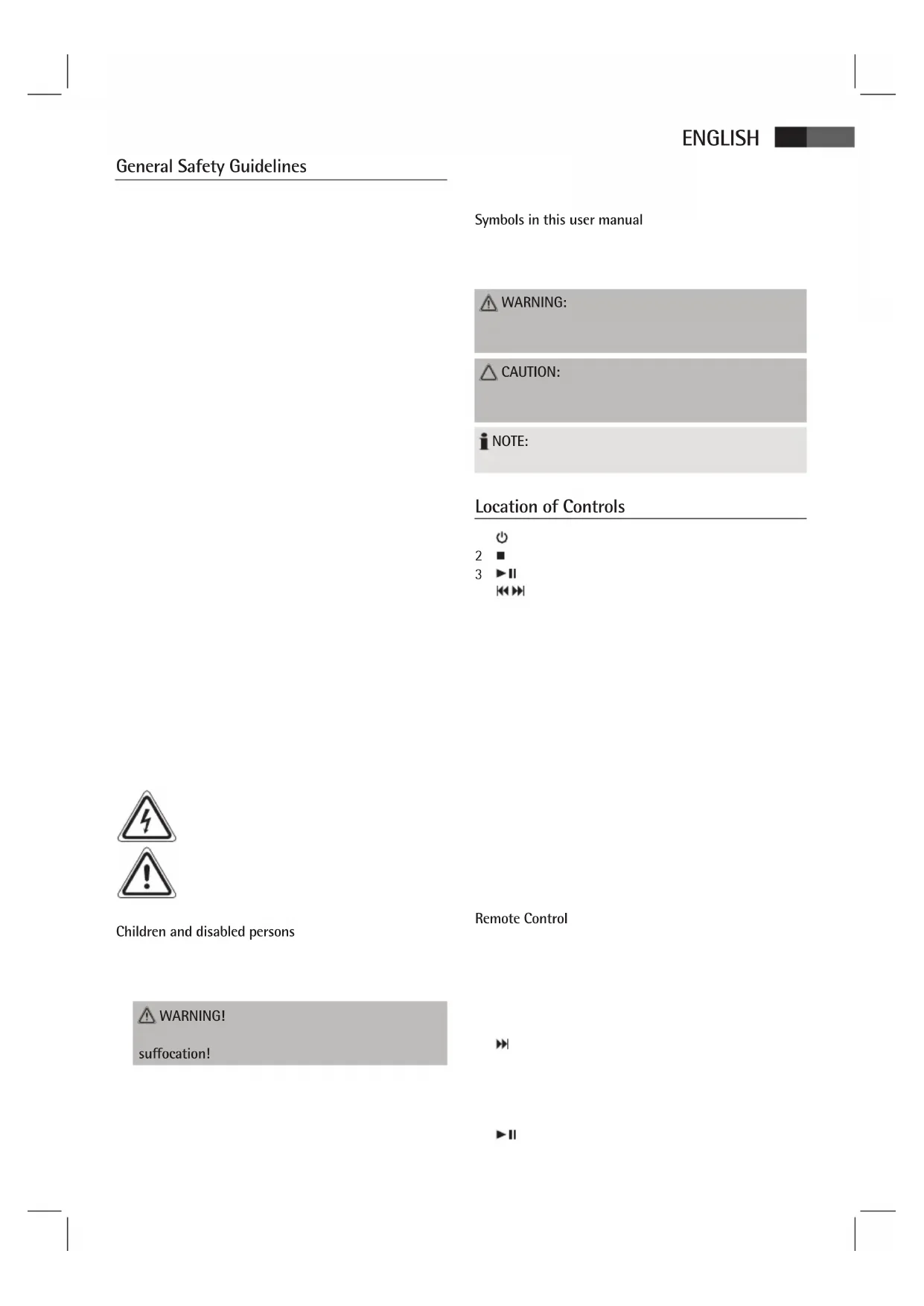


| Product type | Clock radio with iPod/iPhone dock |
| Brand | AEG |
| Model | IMS 4439 PLL |
| Dimensions (approx.) | 300 x 150 x 100 mm |
| Weight (approx.) | 1.5 kg |
| Main power supply | External mains adapter 230 V, 50 Hz |
| Backup power supply | 2 AAA batteries (not included) |
| Radio frequency bands | FM, MW (AM) |
| iPod/iPhone compatibility | Yes (docking) |
| Auxiliary input | 3.5 mm AUX jack |
| Main functions | Radio, alarm, snooze, sleep timer, equalizer (EQ), MBASS, MUTE |
| Display | LCD screen with adjustable brightness |
| Remote control | Yes, infrared |
| Maintenance and cleaning | Soft dry cloth, do not use solvents |
| Safety | Keep away from heat sources, do not expose to moisture |
| Spare parts and repairability | Contact AEG customer service |
Frequently Asked Questions - IMS 4439 PLL AEG
User questions about IMS 4439 PLL AEG
0 question about this device. Answer the ones you know or ask your own.
Ask a new question about this device
Download the instructions for your Radio in PDF format for free! Find your manual IMS 4439 PLL - AEG and take your electronic device back in hand. On this page are published all the documents necessary for the use of your device. IMS 4439 PLL by AEG.
USER MANUAL IMS 4439 PLL AEG
User manual... page 60
Technical specifications page 65
Control elements layout

German
REP/M+ (9) REPEAT (8 and the FB)
STOP (2/13)
MENU (10 on the FB)
ATTENTION:
ENTER (6 on the FB)

- " Y" (Radio):
- " " (iPod/iPhone):
ATTENTION:

iPod/iPhone music playback
REP/M+ (9) REPEAT (8 on the remote)
ATTENTION:
STOP (2/13)
REP/M+ (9) REPEAT (8 not CR)
STOP (2/13)
MENU (10 not CR)
NOTE:
Cleaning
PORTUGUESE
Symbols in this user manual
WARNING: CAUTION: NOTE:
Location of Controls
2
3
Children and disabled persons
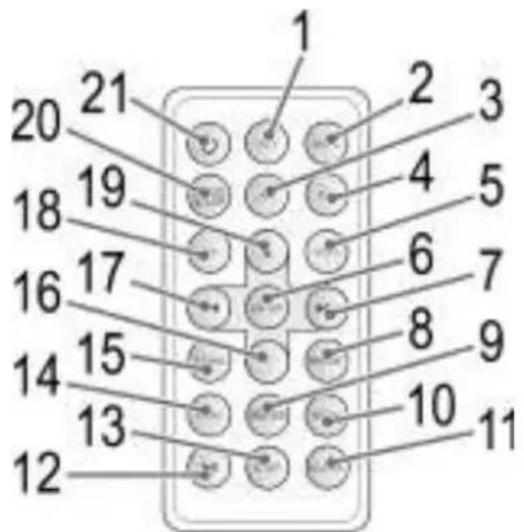
Remote Control
WARNING!
suffocation!
11
ENGLISH
First Use of the Device/Introduction
Inserting the batteries (Backup)
CAUTION:
iNOTE:
Insert/Replace Battery in Remote Control
i NOTE:
CAUTION:
WARNING:
explosion!
Power supply
WARNING:
of explosion!
CAUTION:
Set Current Time (in standby mode)


iPod/iPhone Compatibility
"This accessory was not developed for iPhone use. It is possible that noise occurs and signal strength is reduced."
General Operation
i NOTE:
Switch device on/off (1/21)
Display brightness
Volume
Infrared Remote Control
EQ (4 on RC)
i NOTE:
MBASS (9 on RC)
MUTE (2 on the RC)
NOTE:
Radio Tuning
ENGLISH


iNc
Save Radio Station

Recall Saved Radio Stations
ENGLISH
Alarm Function
Snooze Function
Deactivate Alarm


Sleep Timer (SLEEP button (7/20))
- "Buzzer": - "Radio":

- "iPod/iPhone":
CAUTION:
Music Playback from iPod/iPhone
CAUTION:
CAUTION:
NOTE:
CAUTION:


Turn Off Alarm

CAUTION:
NOTE:
Description of iPod/iPhone Controls
II (3/12)
(4/17)
(4/7)
REP/M+ (9) REPEAT (8 on RC)
STOP (2/13)
MENU (10 on RC)
ENTER (6 on RC)
iPod/iPhone Charging
NOTE:
AUX IN Jack (Rear)
NOTE:
Cleaning
Technical Specifications
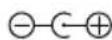
External power adaptor
ENGLISH
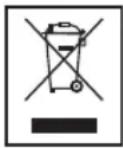
Meaning of the "Wheelie Bin" Symbol
iPod/iPhone compatibilities
Place the device in front, marked
on a level and non-slip surface, where it can be easily controlled.
NOTE!
Close the cover.
Installing the battery (reserve)
(The battery is not included in the delivery set)
The settings made before disconnecting the device will be preserved if the battery is installed.
- Open the battery compartment cover at the bottom of the device.
- Insert two "AAA" batteries, 1.5 V each. Check the polarity (shown on the bottom of the battery compartment)!
- If the device will not be used for a long time, remove the batteries from the device to prevent electrolyte leakage from the batteries.

ATTENTION.
Do not mix new and old batteries.
Dispose of used batteries at a collection point or return them to the point of purchase.

WARNING.
Do not expose the device to direct sunlight or high temperatures. Do not put batteries in water - there is a risk of explosion!
POWER SUPPLY
Three-pin socket 230 V, 50 Hz. Connection
Device power cord.
Ensure that the device is clean.
The socket and the plug will be worn out in the case of 360-degree rotation in the connection or when disconnecting the plug.

ATTENTION.
Use only with the supplied accessories. Do not use them with other accessories.
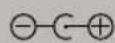
(-C+), the use of other materials may damage the device.

NOTE.
Do not use the device with a damaged plug.
Installation/Replacement of the battery in the remote control

NOTE.
The battery of the remote control is protected by a protective strip for transportation.
Remove the protective strip before using the remote control.
The battery in the remote control is a lithium battery with a long service life. If the remote control range has decreased after use, follow the steps below.
Remote control.
(CR 2025). Check the polarity.
If the remote control will not be used for a long time, remove the battery to prevent battery acid leakage.

Do not place batteries near fire. There is a danger of explosion!
With tools (pliers, screwdrivers, wrenches, etc.). There is a danger of short circuit
UKRAINIAN

WARNING.
May cause fire.
Do not touch contacts with a metal strip.
Do not get into eyes or on skin. If acid gets into eyes, rinse them with clean water and if symptoms persist, consult a doctor immediately.

ATTENTION.
Do not dispose of batteries with household waste. Take batteries to an authorized collection point or to a dealer.
Setting the clock (time setting)
- Press the CLOCK button (11 in the figure) and hold it for about 3 seconds. The hour indicator will blink.
Set the hours.
Confirm the selection by pressing the CLOCK button.
Set the minutes.
HanaWtYBaHHa Yacy.
Compatibility with iPod/Phone
For iPod and iPhone, available in stores, check
iPod/iPhone, check its compatibility.
This can guarantee full compatibility of the remote control functions. It is necessary that the iPod/Phone works normally, connect it to the dock.

NOTE.
Depending on the version of the software installed on the iPhone, the following messages may be displayed.
iPhone. Use may lead to reduced performance and weakened signal.
Press the "OK" button on the device.
General information about the device operation

NOTE.
Remote control. The central buttons perform the same functions.
Turning on/off the device (1/21)
Press and hold the button to enter standby mode. If you press the button again, the device turns on.
Display
You can adjust the brightness of the screen using the SNOOZE button (7).
Volume
The required volume can be adjusted using the VOL+/VOL- buttons (10/5/18).
Remote control
You can use the wireless control of the device at a distance of up to 5 m. The range of the remote control
The remote control must be positioned so that there are no obstacles between it and the device.
EQ (4 on the remote)
(Presetting the equalizer function).
Press the EQ button to select the desired setting.

NOTE.
EQ settings for iPod/iPhone.
MBASS (9 on the remote)
Used to enhance the bass. Activate
To activate it, press the EQ button (4 on the remote).
MUTE (2 on the remote)
VOL+/VOL-, to adjust the volume.

NOTE.
Press.
Tuning.
(1/21), to adjust the setting.
The display on the screen will not show the TUNER.
(4/7/17).
The stereo mode indicator ("ST" on the screen) will appear only when a stereo signal is being received. If the signal is very weak and there is interference, try to improve
the reception by adjusting the antenna or the orientation/position.
NOTE.
Press the ST/MO button to switch to mono mode, which will reduce noise interference.
Presetting stations.
- Press the MEMORY button (6 on the device) to save the current station to the preset memory.
The display will show (e.g., P01).
- Press the buttons (4/7/17) to select the desired preset station from P01 to P20.
- Briefly press the MEMORY button to save the radio station.
Turning on a saved station
Press the REP/M+ button (9 on the device) several times to turn on the sequential playback of the saved station.
Alarm clock
You can set two different alarm times on the device.
(1/21) to turn off the device.
seconds, press the AL1 (10/1) or AL2 (10/3) button. The current set alarm time will be displayed on the display. The alarm indicators will flash.
1 or
AL2. Press the hour button. Set the hours.
AL2.
Select the alarm mode. Confirm the selection with the AL1 or AL2 button.
- (Sound signal) At the set time, the alarm sound signal will sound. The signal volume will gradually increase. - Radio At the set time, the radio will turn on. The last tuned station will be played. The volume will gradually increase. - (iPod/iPhone):
ATTENTION.
if the radio is not in iPod mode.
UKRAINIAN
CONNECT THE DOCK TO YOUR iPod (11). The iPod can be installed in a reliable way.
adapter.
view.
Make sure the iPod/iPhone is installed
If you do not find the iPod/iPhone, place it
in the dock or on the iPod/iPhone.
The same mode as when the alarm was set. The alarm will sound at the set time.
NOTE.
In the user guide for the iPod/iPhone.
The alarm will sound at the BUZZER time.
The signal or the alarm will sound at the first or second alarm time.
Turning off the alarm
Press the ALARM button to turn off the alarm until the next day.
Snooze mode
Press the SNOOZE button (7/20) to turn off the alarm for about 9 minutes.
Press the AL1 button (10/1), do not remove it from the screen display.
Press the AL2 button (10/3), do not remove it from the screen display.
Sleep timer (SLEEP button (7/20))
In ON mode, set the time when the device automatically turns off. Select
Press this button, if the desired time is not displayed
SLEEP indicator. When the time is set, the device will turn off automatically.
Press the button (1/21) to turn on this function. The device switches to standby mode.
Ukrainian
Listening to music from iPod/iPhone
(iPod/iPhone not included in the package)
ATTENTION.
The radio is not in iPod/iPhone mode.
Connect the iPod (11). The iPod can be installed
ATTENTION.
Remove the device, 06 iPod/iPhone installed
If the iPod/iPhone is not installed, do not connect it to
iPhone.
- Press the button (1/21) to turn on the device. Press the FUNCTION button (5/14) several times until the word "iPHONE" appears.
To lock the buttons and stop music playback, if necessary, press button II (3/12).
- For the use of the control elements, refer to the iPod/iPhone user guide.
Attention.
Recycling.
Note.
When music is played from an external source, playback stops and the device turns off.
Description of the iPod/iPhone control elements
II (3/12)
Press once to continue playback.
(4/17)
1 press = starts playback from the beginning. 2 presses = skips to the previous track. 3 presses = skips to the track before the previous one, etc. Press and hold during playback to rewind.
(4/7)
Press and hold the button until the next track and the following tracks. Press and hold the button to fast-forward during playback.
REP/M+ (9) REPEAT (8 on PC)
Creation.
STOP (2/13)
Stop playback.
MENU (10 on PC)
Press the button to open the iPod/iPhone menu or return to the previous menu.
ENTER (6 on PC)
Confirm menu.
N(19/16 on FB)
Enter the iPod/iPhone menu.
Charging the iPod/iPhone
The iPod/iPhone battery will be charged.
NOTE.
Connect the device to the iPod correctly.
Charging.
Using the iPod/iPhone and the conditions of its use.
Radio operation.
AUX IN jack (33)
Connect such devices as MP3 players, CD players, etc., to listen to music through the speakers.
FUNCTION button (5/14).
- Instructions for use can be found in the user manual on the external page. 4. Play music from external devices through the speaker. Press the VOL+/VOL- buttons (10/5/18) to adjust the volume level.
NOTE.
Set the volume of the external device to a reasonable level.
This
is the shutdown key.
Power off.
Technical specifications
Power consumption 25 W
3oBHIHi aadTep KMBneHHA

Papio
TexhiH3miHMOKe 6yTN BHeceHO 6e3 nonepdkeHNr!
PaBn EbpOnn, 30KpeMa 1oO enEeKtpomarHitHOi cymicHOCTi I nPeKTHBi 1oO Hn3bKOi Hanpyr, Ta BInpO6JIeHn BiINOBiIDHO DO OCTaHHix BmOR 6e3NeKn.
I03NaUKn "Made for iPod" i "Made for iPhone" 03HaUoTb, 10 eNeKtpOnHe 6nlaHnHa8 6yNo BnroTOBLeHo dIe NkIoueHHcme Do iPod a6o iPhone iix CepTNΦIKOBaHO Bnpo6HnKOM 10oO BiNobIDHocTi cTaHdaptam po6OtN KOMnAHI Apple. Apple He HeceBiNObiDaIbHocTi 3a po6Otu npICTpOu 4n Ioro BiNObiDHiCTb CTaNdaptAm I HopMaM 6e3neKn.
GARANTIE-KARTE
TapaHTnHnaKapToUka
IMS 4439
063aTeJIbCTBA-CMOTpykoBOcTBO NOIb3OBeTEnA




- GERMAN
- IPOD/IPHONE MUSIC PLAYBACK
- PORTUGUESE
- LOCATION OF CONTROLS
- ENGLISH
- GENERAL OPERATION
- I NOTE
- NOTE
- RADIO TUNING
- INC
- ALARM FUNCTION
- PLACE THE DEVICE IN FRONT, MARKED
- INSTALLING THE BATTERY (RESERVE)
- ATTENTION
- WARNING
- POWER SUPPLY
- INSTALLATION/REPLACEMENT OF THE BATTERY IN THE REMOTE CONTROL
- UKRAINIAN
- SETTING THE CLOCK (TIME SETTING)
- COMPATIBILITY WITH IPOD/PHONE
- GENERAL INFORMATION ABOUT THE DEVICE OPERATION
- TURNING ON/OFF THE DEVICE (1/21)
- DISPLAY
- VOLUME
- REMOTE CONTROL
- EQ (4 ON THE REMOTE)
- MBASS (9 ON THE REMOTE)
- MUTE (2 ON THE REMOTE)
- TUNING
- PRESETTING STATIONS
- TURNING ON A SAVED STATION
- ALARM CLOCK
- VIEW
- TURNING OFF THE ALARM
- SNOOZE MODE
- SLEEP TIMER (SLEEP BUTTON (7/20))
- LISTENING TO MUSIC FROM IPOD/IPHONE
- DESCRIPTION OF THE IPOD/IPHONE CONTROL ELEMENTS
- II (3/12)
- (4/17)
- (4/7)
- REP/M+ (9) REPEAT (8 ON PC)
- STOP (2/13)
- MENU (10 ON PC)
- ENTER (6 ON PC)
- N(19/16 ON FB)
- CHARGING THE IPOD/IPHONE
- AUX IN JACK (33)
- THIS
- TECHNICAL SPECIFICATIONS
Brand : AEG
Model : IMS 4439 PLL
Category : Radio