
VCS - Canister vacuum KARCHER - Free user manual and instructions
Find the device manual for free VCS KARCHER in PDF.



| Product Type | Canister Vacuum Cleaner |
| Brand | KARCHER |
| Model | VCS (VC 3 Premium / VC 3) |
| Dimensions (L × W × H) | 396 × 270 × 332 mm |
| Weight (without accessories) | 4.4 kg |
| Power Supply | 220-240 V ~ 50/60 Hz |
| Rated Power Input | 700 W |
| Min. Vacuum Pressure | ≥ 16 kPa |
| Operating Radius | 7.5 m |
| Dust Container Volume | 0.9 L |
| HEPA Filter | HEPA 13 (VC 3 Premium) / HEPA 12 (VC 3) |
| Sound Power Level LwA | 76 dB(A) |
| Protection Class | II |
| Power Cord | With automatic rewind |
| Suction Power Control | Variable, on the handle |
| Intended Use | Private household use, dry vacuuming only |
| Included Accessories | Telescopic tube, floor nozzle, parquet nozzle, upholstery brush, crevice nozzle |
| Motor Filter Maintenance | Wash the foam piece in hot water (max. 40°C); dry for 24 h |
| HEPA Filter Maintenance | Tap to remove dust; do not wash |
| Cyclonic Separator Cleaning | Clean with a sponge or under running water (do not immerse) |
| Safety | Automatic thermal shutdown in case of overheating |
| Spare Parts and Repairability | Original parts available; KARCHER after-sales service |
| Warranty | According to country-specific conditions (material or manufacturing defects) |
Frequently Asked Questions - VCS KARCHER
User questions about VCS KARCHER
0 question about this device. Answer the ones you know or ask your own.
Ask a new question about this device
Download the instructions for your Canister vacuum in PDF format for free! Find your manual VCS - KARCHER and take your electronic device back in hand. On this page are published all the documents necessary for the use of your device. VCS by KARCHER.
USER MANUAL VCS KARCHER
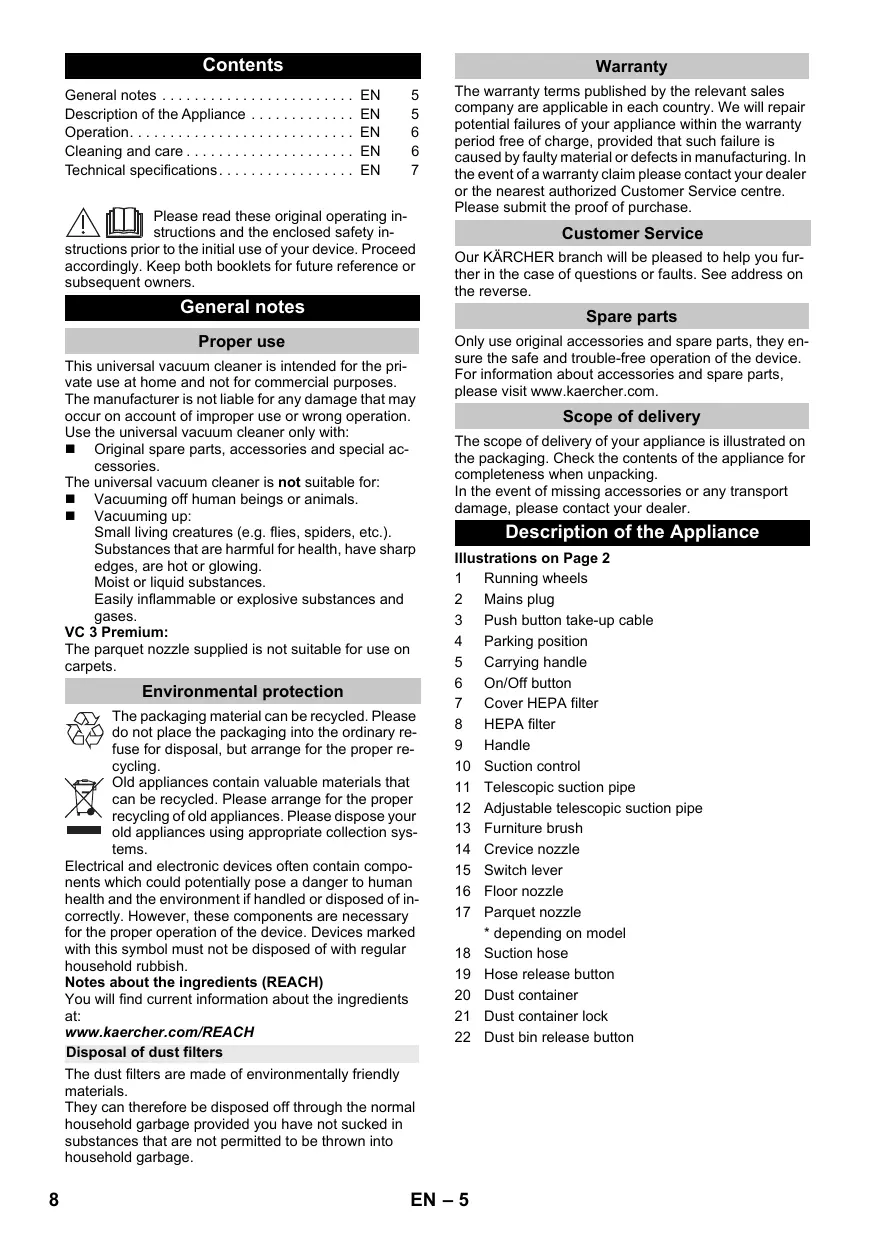
General notes EN 5
Description of the Appliance EN 5
Operation. EN 6
Cleaning and care. EN 6
Technical specifications EN 7

Please read these original operating instructions and the enclosed safety in
structions prior to the initial use of your device. Proceed accordingly. Keep both booklets for future reference or subsequent owners.
General notes
Proper use
This universal vacuum cleaner is intended for the private use at home and not for commercial purposes. The manufacturer is not liable for any damage that may occur on account of improper use or wrong operation. Use the universal vacuum cleaner only with:
- Original spare parts, accessories and special accessories.
The universal vacuum cleaner is not suitable for:
Vacuuming off human beings or animals. - Vacuuming up:
- Small living creatures (e.g. flies, spiders, etc.). Substances that are harmful for health, have sharp edges, are hot or glowing.
- Moist or liquid substances.
- Easily inflammable or explosive substances and gases.
VC 3 Premium:
The parquet nozzle supplied is not suitable for use on carpets.
Environmental protection

The packaging material can be recycled. Please do not place the packaging into the ordinary refuse for disposal, but arrange for the proper recycling.

Old appliances contain valuable materials that can be recycled. Please arrange for the proper recycling of old appliances. Please dispose your old appliances using appropriate collection systems.
Electrical and electronic devices often contain components which could potentially pose a danger to human health and the environment if handled or disposed of incorrectly. However, these components are necessary for the proper operation of the device. Devices marked with this symbol must not be disposed of with regular household rubbish.
Notes about the ingredients (REACH)
You will find current information about the ingredients at:
www.kaercher.com/REACH
Disposal of dust filters
The dust filters are made of environmentally friendly materials.
They can therefore be disposed off through the normal household garbage provided you have not sucked in substances that are not permitted to be thrown into household garbage.
Warranty
The warranty terms published by the relevant sales company are applicable in each country. We will repair potential failures of your appliance within the warranty period free of charge, provided that such failure is caused by faulty material or defects in manufacturing. In the event of a warranty claim please contact your dealer or the nearest authorized Customer Service centre. Please submit the proof of purchase.
Customer Service
Our KARCHER branch will be pleased to help you further in the case of questions or faults. See address on the reverse.
Spare parts
Only use original accessories and spare parts, they ensure the safe and trouble-free operation of the device. For information about accessories and spare parts, please visit www.kaercher.com.
Scope of delivery
The scope of delivery of your appliance is illustrated on the packaging. Check the contents of the appliance for completeness when unpacking. In the event of missing accessories or any transport damage, please contact your dealer.
Description of the Appliance
Illustrations on Page 2
1 Running wheels
2 Mains plug
3 Push button take-up cable
4 Parking position
5 Carrying handle
6 On/Off button
7 Cover HEPA filter
8 HEPA filter
9 Handle
10 Suction control
11 Telescopic suction pipe
12 Adjustable telescopic suction pipe
13 Furniture brush
14 Crevice nozzle
15 Switch lever
16 Floor nozzle
17 Parquet nozzle * depending on mo
18 Suction hose
19 Hose release button
20 Dust container
21 Dust container lock
22 Dust bin release button
Operation
Start up
Illustrations on fold-out page!
Illustration 1
Snap the suction hose hub into the suction opening.
For removal, compress the latch and pull off the suction hose hub.
Illustration 2
Connect handle and suction tube and insert.
Connect the floor nozzle and telescopic suction pipe and insert.
Illustration 3
Use the adjustment of the telescopic suction pipe and adjust the telescopic suction pipe to the desired length.
Illustration 4
For parking or during short breaks, hook the floor nozzle into the park bracket at the rear of the unit.
Illustration 5
Hold the mains cable on the plug and pull it out. Insert the mains plug into a socket.
Illustration 6
Turn on the machine.
Illustration 7
The power suction adjustment is at the power suction control:
- Suction control open, little suction power
- Suction control closed, high suction power
Adjust the suction power to suit the suction requirement:
Low suction power - for laced curtains, textiles, upholstered furniture, cushions
Medium suction power - for slightly dirty carpets/ carpeted floors, precious carpets.
Highest suction power - for hard floors, very dirty carpets and carpeted floors
Empty dust container when the marking -MAX- is reached at the latest.
See Chapter "Emptying the dust container".
Important notice! The appliance will shutdown automatically, if there is danger of overheating. Turn the appliance off and pull the power plug. Ensure that the floor nozzle, the telescopic suction pipe or the suction hose is not clogged or check if the filter must be changed. After the elimination of the disturbance, allow the appliance to cool down for a at least 1 hour; then the appliance is ready for operation again.
Suction using accessories
Using accessories
Furniture brush: for cleaning furniture and delicate objects with care, dusting books, air vents in the car, etc.
Crevicenozzle:for edges,joints and heaters
Replace the Accessories
Illustration 8
Insert the handle in the desired accessory until the stop.
Note: The accessories can also be used when the telescopic suction pipe is attached.
Floor nozzle
Reversible floor nozzle
Illustration 9
Carpets and carpeted floors: Select the following switch setting:

Illustration 10
Hard surfaces: Select the following switch setting:

Parquet nozzle
- depending on model
Used to vacuum sensitive and smooth floors (parquet, marble, terracotta etc.).
Finish operation
Illustration 11
Turn off the appliance and disconnect the mains plug. Illustration 12
Push the take-up cable button. The cable will pull itself automatically into the appliance.
Illustration 4
Hang the floor nozzle on the backside of the appliance into the parking holder, and push into the pause position.
Transport, storage
Hold the appliance at the carrying handle when you want to transport it and store it in dry rooms.
Note: It is recommended that you first completely push in the telescopic suction pipe.
Cleaning and care
ATTENTION
Before working on the appliance, switch it off and pull out the plug of the vacuum cleaner!
Only use the device when all filters and the dust container are installed.
Otherwise the motor can get damaged.
Defective filters and filters that can no longer be cleaned must be replaced.
Emptying the dust container
Illustration 13
Empty dust container when the marking -MAX- is reached at the latest.
Illustration 14
Push the lock and remove the dust container. Illustration 15
Hold the dust container over a dust bin. Operate the locking lever.
As soon as the dust container is empty, close the cover, the lock snaps into place.
Place the dust container into the device and snap it into place.
Note
Ensure the correct seating of the dust container upon insertion.
Cleaning the cyclone separator
Clean the cyclone separator in case of coarse soiling. Illustration 14
Push the lock and remove the dust container. Illustration 16
Turn the cover of the dust container in the counterclockwise direction so that the marking points to the unlocking symbol.
Remove dust container.
Illustration 17
For quick cleaning
Clean the cyclone separator by using a soft sponge and wipe with a moist cloth.
Illustration 18
For thorough cleaning:
Disassemble the cyclone separator and clean the sieve and ring under running water.
Note
The dust container can also be cleaned under running water.
ATTENTION
- Do not immerse the cyclone separator into water.
- Do not wash the parts using detergents or boiling water.
- Allow the cyclone separator and the dust container to dry completely before installing it in the device. Illustration 16
Turn the cover of the dust container in the clockwise direction so that the marking points to the locking symbol.
Place the dust container into the device and snap it into place.
Cleaning the motor protection filter
Wash the motor protection filter on a weekly basis or in case of visible soiling.
The motor protection filter is located in the casing above the dust container.
Illustration 14
Push the lock and remove the dust container.
Illustration 19
Unlatch the lock and open the cover.
Remove the motor protection filter.
Illustration 20
Remove the foam inlay from the frame.
Wash foam inlay in warm water (max. 40^ ).
Thoroughly rinse the foam inlay and allow it to air-dry.
ATTENTION
- Never clean the foam inlay in the washing machine and do not dry it by means of a hair dryer.
- Do not wash the parts using detergents or boiling water.
- Allow the foam inlay to dry completely before installing it in the device (at least 24 hours).
Insert the motor protection filter with the foam inlay into the top part of the dust container.
Snap in the cover.
Place the dust container into the device and snap it into place.
HEPA filter
Filter for pure blower air.
Note
Clean the HEPA filter in case of visible soiling.
Replace the HEPA filter in case of damage
ATTENTION
Material damage due to incorrect cleaning of the HEPA filter.
- Do not rinse out the HEPA filter!
- Never clean the filter in the washing machine and do not dry it by means of a hair dryer.
Illustration 21
Turn the cover in the counter-clockwise direction so that the marking points to the unlocking symbol.
Remove the HEPA-filter.
Carefully empty/knock dirt out of the HEPA filter.
Insert HEPA filter.
Turn the cover in the clockwise direction so that the marking points to the locking symbol.
Cleaning the accessories
Illustration 22
Handle and suction tube can be disconnected in order to clean or if clogged. Push the 2 interlocks and pull apart.
Connect handle and suction tube and insert.
Technical specifications
Subject to technical modifications!
| Kärcher | VC 3 Premium 1.198-135.0 | VC 3 1.198-125.0 | |
| Voltage | V | 220-240 | 220-240 |
| Current type | Hz | 50/60 | 50/60 |
| Protective class | II | II | |
| Weight (without accesso-ries) | kg | 4.4 | 4.4 |
| Action radius | m | 7.5 | 7.5 |
| Actual dust container vol-ume | l | 0.9 | 0.9 |
| Dimensions | |||
| Length | mm | 396 | 396 |
| Width | mm | 270 | 270 |
| Height | mm | 332 | 332 |
| Vacuum min. | kPa | ≥ 16 | ≥ 16 |
| HEPA filter | HEPA 13 | HEPA 12 | |
| Sound power level LWA | dB(A) | 76 | 76 |
| Rated power input | W | 700 | 700 |
Table des matieres
www.kaercher.com/REACH
Transport, conservation
www.kaercher.com/REACH
www.kaercher.com/REACH
www.kaercher.com/REACH
www.kaercher.com/REACH
www.kaercher.com/REACH
www.kaercher.com/REACH
Avfallshantering av dammfilter
www.kaercher.com/REACH
AToppiyn piaItpwOkovns
www.kaercher.com/REACH
Pn3TOMOTdIbHbIe cIΦpbl NMeHOT CNeDyUOue 3NaHeHne::
Приимер: 30190
3 roD BbInycka
0 CTOneTne BbInycka
1 DecTnIeTne BbInycka
9 BTOPAIuPpa Mecaa BbInycka
0 nepBaa znppa Mecaa BbInycka
TakIM o6pa3OM, B daHHOM npIMpe KoI 30190 03HaaeT DaTy BbInycka 09 /(2)013.
CepBnchna cny6a
KobpbI KOBpOBBie nOKpbITnA:
IonoKeHnnepeKIOuOaTeJIy BbIbpaTcIeNyo- UIM O6pa3oM:

PucyHOK 10
XeCTKne noBepxHocTn:
IonoKeHnnepeKIOuOaTeJIy BbIbpaTcIeNyo- UIM O6pa3oM:

NapkeTna HacaKa
- B 3aBnCmOCTN OT KOMnJIeKtauMn
→ДлЯчSTКИгладкINПОВ(napKeT,Мрмор,ТерakOTИТ.D.)
OkoHuaHne pa6oTbI
PncyHok 11
→ BbIKHouHTb npn6Op n BbITaUHTb cTeByIO BNkY.
PncyHOK 12
HaxaTb KhoNkIy CMOtKn Ka6eIa. Ka6eIb aBtOMaTtueckn BtAraBaetcB nip6Op.
PncyHok 4
HabeNsItNoIbOyU HacAdKyB I napKobOuHoe NonoJKeHne Ha 3aDHeN CTHeKpePiBopaNHaDaBnTbIpnFKnCaUmN BIOLOXeHN.
TpaHcnpTnpoBka, xpaHeHne
→ PtnpaHnOPTNIOBKe DEpKJIte pIpyKHy COxPOAHTBe B CYXOM NOMEseHn.
YkaaHHe: PeKoMeHdetyetcPneDbapntbHo NOnHOCTbO y6nPaTb TeNECKONHeckyo BCacbIBAIO-yuTo py6y
UmcTkauo6cnyxuBAHne
BHIMAHNE
- Pēπeô pnoēbēnem IIO6bIX paobc m npu6bOpOM, ebIKIQUOumb npu6pU ebIMHNm umencelHyo eunky nbIneocca!
- IcnoIb3oeamb np6op monbko e mom cnyuae, ecu ycmaHOeHb ece fumbmpbu KOHMueHep cna6opa nbnu.
B npomubHom cnyuae moxem 6bimnb noepexdeh deuaameIb.
- PoēpexdeHnble φuIbmpbl u φuIbmpbl, Kompbl 6oIbIe He nodāaomc yucmke, cneyem 3ameHumb.
OnopoxHeHne KOHTeHepa dna c6opa nbln
Pucyok 13
OnopoxHHbKoHTOHeHepIa6OpaPiIN,KAKToNkoypoBHe3aONIOHeHnEOCTiHETOTMekTNMAX
PncyHok 14
HakatbHa 3aMOKNIOCTaB KOHTeHep DnA c6opapblm.
PncyHok 15
DePkaTb KOHTeHep HaD MyCOPHbIM BeDpOM. HaxKaTb pbUar 6nOKIpOBKn.
→ Nocle onopoxKHeHn KOtheHepa 3akpbIt KpbIiKY, 3AMOK 3aJenIKHcTc.
BCTaBtB KOHTeHep B np6Op n 3aueKHyTb.
PpMueHne
Pn yctaHOBKe cneiNb3a npabuIbHbIM nIOLOXHeM KOHTeHepa dJa c6opApbln.
OuHCTka ceHTpo6eXHO cenapaTopa
IOnCTnTb ceHTpo6exhbl cenapatOp npn CnIbHOM 3aqr3HeHH.
PncyHok 14
HajatbHa 3amok NdoctaTb KOHTeHep DJIc6opa nblnn.
Pucyok 16
→ ニobepHyTB KpbIbUkO KOHTeHHePA npOTIB YacOBoi CTpeKN,HTObblMeTkaYka3bBalaHa CmMBoI pa3-6bnOKpOBKn.
→ ChrTb KOHTeHep dJa c6opa nbJIn.
Pucyok 17
ДябICTpo OuchTkn:
LcHtpo6exKhbCenapatopNouHCTnMbMraKoIy6koI INpOtepeBbnaXHOITKaHbIO.
Pncyok 18
ДЯТSUATEJIbHOnOuHCTKn:
→Pa3o6paTb ceHTpo6eXhbl cenapaTOp nOmbTb cTeTaTbIΦnIbTp INKOBIO NOI pTOPOUHOB OToI.
Приимechаиме
KoHTeHepIa c6opaa bIIN TaXKe MoXHO NOMbITb NOI pOToHNO BDOI.
BHIMAHNE
He npaykamb ueHmpo6exnbl cenapamop 8o- dy.
HeMbimb demaun MOouum cpeodmeom uu Ku-nmKoM.
- Pēne ycmaHoeKoI a πριδορ πολHocMbIo bIcyuWumb ueHmρo6eKhbl cenapamOp u KOHmeHep dσn δσopa nbiu.
Pncyok 16
→ ニ BosepHytb KpbIbKoHTeHepa No YaCoBOi CTpeJIke, YTObbl MTeKa yKa3bIbAJa Ha CIMBOJ 6No-KIOBKM.
BCTaBnTB KOHTeHep B npn6Op n 3aueKHyTb.
→PyKoRTy K v CacbIbAIOoiu IJnHaHr IJIy YIcTKn IINB CInyae 3aOpca MOXHO TDeIInb. IJIy 3TOr HOHaXbT2 B6NOKIpaToPn IApaBeDInHITb
→ Μιη coeɪnHeHry pyKOrTky COCTbIKOBaTb CO BCAcBbAIOUIM WJNaHROM 3aФИKNCuPObaTb.
TexHnueckne daHHbIe
www.kaercher.com/REACH
Porszurok artilmatlanitasa
www.kaercher.com/REACH
Likvidace prachovych filtru
www.kaercher.com/REACH
Odstranjevanje filtrov za prah
www.kaercher.com/REACH
www.kaercher.com/REACH
Eliminarea filtrelor de graf
www.kaercher.com/REACH
Likvidácia prachovych filtrov
www.kaercher.com/REACH
Zbrinjavanje filtra za prasinu
Filtri za prašinu izračeni su od materijala koji ne šteć okolišu.
www.kaercher.com/REACH
Odaganje filtera za prasinu OTPad
Filteri za prasinu su izrajeni od materijala koji ne stete zivotnoj sredini.
www.kaercher.com/REACH
OCTpaHbAhe HaФнлtpn 3a npax
ФИПТРITE 3a npax ca npoIN3BeHEn OT MaTePnAnI, KONTO He ca ONaCHN 3a OKoINHaTcpeJa.
Ako Te He CbIbPkJat 3acMyKaHn cy6ctanuM, KOITO ca 3aOpaHeHn 3a DOMaKHNCKITE OTnadlbuN, MOrAT da 6b- dAT OTcTpaHeHn 3aeDnO c HopMaHnHte DomaKnHcN OTnabuN.
Fapanz
Bb BcKa CtpaHa BaxaT rapaHIOHHTe yCIOBnA, ny6IbnKyaBHn OT OTOPI3nPAHATAOT HAC DnCTpnBcyTopcKa pIpmA. EBeHTyauHn NobpeDn Ha BaWn Uye 1e TOTCPaHIM B pAMKITHe TA rapaHIOHHN cPCK 6e3PiAtHO, aKO CE KAcae 3a DeEeKT B MaTePnaJIte NIn npn PnpMBOCTBO. B rapaHIOHEn Cnyuay Ce o6bPheTe KbM DnCTpnBPOToN IIN Na-6NI3KgO TOpN3pAn cepBn3, KATO npdctabnte kacobata6benkka.
Cnyk6a 3a pa6oTa c KIneHTn
PnBbnpocn NOBpeDN BaunrN DcTprbyTop Ha KARCHER 8e Bn nomorne C yDobONCTBNE. AApceHte 8e Hamepnte Ha zdaHaT a TpaHua.
Pe3epBn yactn
I3noI3BaIe caMo opnHnHaHn AkceCoapn I opnHnHaHN pe3epBnHu ChaTn, NO To3n HauN HCnYpRbATE 63oNaChata N 63np6JemHa eKcnPoaTaun Ha ypeDa.
Moxete da hamepnte inhopmaun 3a akcecoapn nepe3epBn uactn ha www.kaercher.com.
OsemHaIOcTaBkaTa
O6embT Ha ooctabKa Ha ypea e n3o6pa3eH ha onakobkata. Pn paonakokBaHe npOBepete daHn cbdbpXaHHeto e pblNO.
PnI JINCBAUH PnIHADNkHOCT NII INI pTpaHCNOPTH NUI TcTN MOJYBEDOMTe BaUNa TBPROBeU.
OnncanHe na ypeDa
Bnx n3o6paXeHHraHa cTpaHnca 2
1 XoOBOKoJIeJa
2 1
3 BytoH hABBaHe Ha Ka6ena
4 I03n3a npKnpaHe
5 DpbKka 3a HocHe
6 ByToH 3a BKNIOUBAHe n N3KJIIOUBAHe
7 Kanak Ha qntbP HEPA
8 Φπtp HEPA
9 PboKoXBaTka
10 Perynatop Ha cnlaTa Ha n3cMykBaHe
11 TeneckonuHa Tpb6a
12 Perynipane Ha TeleckonHaTa CmyKaTeHa Tpb6a
13 YeTeKa 3a Me6eJIi
14 JIO3a 3a NOUCTBaHe Ha yu
15 PneBknHouBaaJIoCT
16 POnOBAI03a
17Диэза запкетаслжа za parket* cnopeД OKOMЛЕKTOBkata
18 Mapkyu 3a 6oknyk
19 De6nokpa 6yToH 3a CmYkaTeJeH Mapkyu
20 Konektop 3a npax
21 3aTbOp Ha KoneKTopa 3a npax
22 1e6nokpaus 6ytoh 3a KOJekToP 3a npax
06cnyxbaHe
Pyskahe B eKcnJIoatauia
I3cMykBaHe c npHaJdJeXHOctn
Pon3BaHe Ha npHaadnExKHOCTN
Yetka 3a MebeJI: 3a ZdaIIO NOVICTBaHe Ha MeBeJIu N CyBCTBNTENH INpeDMTe, INcMcyBAHe Ha Ipax OT KHNr, BENTINaUHOHH NTBOpN B ABTOMO6JIINn Dp.
IIO3a 3aФуг:3a KaHTOBe,ФугИ N OTOJIINTeJIHn TeJa
CmHa Ha npHnAdnExNHOCTn
Φuγρa 8
→ PькoxBatkata Да ce Bkapa BжеланATA npинад-Jeхноct Do ynop.
Yka3aHHe: PnHaIeKHOCTMeMOrTa Da Ce I3NoI3BaT N C NOCTaBeHa TeNeCKOINuHa BCMyKaTeHa Tpb6a.
Ipooba IIO3a
PpeBknUoyBauna ce noOba IIO3a
Φnrypa 9
→ KJINMMI NOBbpxHOCTN C KJINMMI:
Ponokheneta Ha npekbcbaHTe da ce n3bepe kaKTo cneBa:

Furpa 10
→ TBbpn noBbpxHOCTN:
Поюженита на пекьсвачиTe дa ce Избеpe кakTo спеба:

Дюза запкетsaljka za parket
* cnopeK OKOMnNEKTOBkata
→ 3a n3cmykbahe Ha yBCTBnTeHn rnaKn nOIOBe (napKeT, MpaMOp, Tepakota n T.H.).
Kpaɪ ha pa6oTata
Φuγpa 11
I3KJIHcTe ypeJa n I3TeIeTe IeNceIa OT KOHTa-KTa.
Φnγρa 12
Да ce haTnche 6byToH habBaHe Ha Ka6eHa. Ka6eJIbT ce npB6Ipa ABOTMaTHUHO BypeJa.
Φnγρa 4
→Повobата ДIOЗа Да се 3akauи В hOcaча 3a napKpaine ha 3aHATA CTpaHa Ha ypeДи Да ce HATnCHEВ БКOKрИАО NOIOKXEИ.
TpaHcnpT,cbxpaHeHne
→ 3a trpaHcnpOypeJa da ce Jbpxn 3a npbXkata 3a HOceHe I Da CE cbXpaHraBa B Cyxo CbCToHne.
3a6eJekka: PpenOpbUHTeHNO e TeneckOINuHaTa Tpb6a npedBapuTeHNO da ce Ibxne do KpaI.
Nouchtahe n rpnx
BHIMAHNE
- Pnede u ckuHc deuocmo n oypea moi mpa6ea da ce u3knquo du ce u3eauu uencena unu uencenca na npaxocmykaqkama.
I3nON3eaUme ypeDa cAmO aKO ca MOHmUPaHu ecuKu pfImpu u KOleKmOpbM 3a npax. Bnpomueen cnuyau moke da ce cmuehe do noopeDu Ha Momopa.
-ДepekeMHuФuImpu uФuImpu,kuMoHeMoaam noeue da ce noucmeam,mpr6ea da ce cMeHnarm cHO8U.
U3npa3BaHe Ha KOJekTopa 3a npax
Φvγρa 13
N3npa3Hete KONKToTpa 3 npax, Hnai-KbCHO KOrato ce DoCTNuHe MapkopoBkata-MAX-.
Фигура 14
→ HaTncheTe 3aTBopa n CbaneTe KOJIeKTopa 3a npax.
Φnγρa 15
ДрьктЕ кОЛЕКТOPA 3a прах наД КOW 3a OТпадьц. 3а徳сгвайтблOKИРашияnot.
→ Korato KOleKToBpT 3a npax e n3npa3HeH, 3aTBopeTe KanaKa, 3aTBoPbT UpaKaBa.
Поставete кolektopa 3a npax OTHOBO B ypeda nФИКСИРайт.
Yka3aHne
Пиюставяно Вимаь Te 3a павиното мясту Na KOLEKTOPa 3a npax.
NouchBaHe Ha zukloHHn cenapaTop
POnCTBaTe UKKnloHHnCe npaTOp npi CmIHO 3aMbpcBaHe.
Furpa 14
→ HaTncheTe 3aTBopa n CbaneTe KOJIeKTopa 3a npax.
Phirypa 16
3aBbptete Kanaka Ha KOlektopa 3a npax no nocoka, o6paTHa Ha YacOBHnKoBaTa CTpeNka, Taka che MapKnpoBkata Da COUY KbM CNMBOna 3a De6loKnipae.
→ CbaIeTe KoneKtopa 3a npax.
www.kaercher.com/REACH
Transport, sāilitamine
www.kaercher.com/REACH
Puteklu filtru utilizescija
Puteklu filtri ir izgatavoti no videi nekaitigam izejvielam. Ja filtra un ta maior na visuktas vielas, kuru klatbute majsainnecibtas akritumos ir aziliegta, tors varutilizet kopar ar parastajemi majsainnecibtas akritumiem.
Garantija
Katra valsti ir spekma uznemuma atbildtgas sabiedribas izdotie garantijas nosacijumi. Garantijas terima ietvaros iespejamos Jusu ikartas darbibras trucejumus mses noversisim bez maksas, ja to celonis ir materiala vara rosoanas defekts. Garantijas remonta nepieci-samibas gadjumar pirkumu apiecino Su Dokumentu griezieties tie pirtogata ja vutvakaj palvarotaja klienta apkalposanas dienesta.
Klientu apkalpošanas centres
Jautajumu un aparata daribbas traucjumu gadijumajums labprat sniegs padomu firmas KARCHER filialesdarbinieike. Adres skaft aizmugure.
Rezerves dalas
Izmantot tikai originals pigeonumus un originalias re-zerves dalas, jo tie garanté drošu un nevainojamu ieri-ces daribu.
www.kaercher.com/REACH
Dulkiu滤toatliekvtarkymas
www.kaercher.com/REACH
Ytniiaqia fInbtpa nny
PpIbpaHn3doaTkoBmO6naHaHHM
3actocybaTN KOMNJIeKTyUOci
UItka DnA Me6NIB: dIe 6peKHOJ OCHKTKe Me-6JIb, DeIiKaTHNX npEIMTeB, OCHKTKN KHNKOK, BEH-TnLIuINHX OTBOPB I B ABTOMOJIToTO
Hacadka dIa CTNkB: KytB, CTNkB, paiaTOpB onaJIeHHa
3amHHTN KOMJIeKTyOci
PncyHok 8
BCTaBttn pyuKy do ynpOy Hne o6XiHne IoataKOBe 0bnaHaHH.
Bka3iBk: IdoatKOBe npnnaDЯ MOKe BnKOpNtOByaTbCb TaKoK i 3 NaIToHO TeNECKOniHNO BCMOKTyBaIbNoHO Tpy6KO.H.
Opcska nna ndn
ΦopcyHka nla niJlIorH, 10 nepeMnKaetbca
PncyHok 9
→ KJINIMMaKJINMOBIO NOKPNTT:
→ HATNCHTN 3aMOK Ta BNTARHyTN EMHICTb dny.
PncyHok 16
ΦΠbTp 3aXHCTY MOTOPA 3hAXOДNTbCBy B KOpIyCi NaD cMHNIO TnI pNly.
PncyHok 14
→ HATnCHyTN 3aMOK Ta BNTaRHyTN eMHicTb nIpy.
PncyHok 19
P036JIOKyBaTN 3aMOK Ta BiIDKpNTn KpnIky.
→ BmHrTn fInbTp 3axncty MOTopa.
PncyHOK 20
→ Bntarhytn npoponlaTObv BCTaBky 3 paMn.
→Помити порпастов Всавку в тени ворд (мк.40°C).
→ PetěnbHo nopròmīn nopòrǎnctóby BCTABky Ta dátu BùncoxHTy.
YB4A
Hi e komy pazi He Mmu noponnacmoey ecmaky e npaHni Mauuni ma He cyuumu 3a donomooio feha.
3abopohembcMmu demani 3eukopucmaHHa 3acoby dnyuueHnna 60okpony.
- PtoBicMIO uocuyuMu nOponnaCmoy ecmaKny neped ecmahOeNeHHa E npucmpi (MiHIMy 24 ooduHu).
BCTaHOBUNIΦiNbTp 3axncty MOTOPa3nopONa-CTOBO BCTaKBOUB BepXHi qactHI EMHOCTI dIaNIIY.
3aφikcyBaTN KpniKy.
BCTaBnTcEMHicbIpynny3HOB B npncptiTa 3a-phiKcyBaTu.
HEPA-φinbTp
ΦinbTp dny ONUCTK NOBITpy, 10 BnDyBaETbcra.
Bka3iBka
Ouictntn HEPA-phiIbTp 3a HaABHOcti RaBHOro 3a-6pydHeHH.
3amHHTn HEPA-phiJbTp npn noKoJxehHi
YBAGA
Mamepiabhi 3bumku y pe3ybnmami Hnnpaunbnoo uuehenr HEPA-phi mpy.
HEPA-phiBmp npomubam He nompi6ho!
- Hi é kamy pasi He Mumu φíntbmp e npanshi Ma uhuì m à He cyuùmu 3a òonomósoo Φéha.
PncyHok 21
→ Повернту Кршко npotru rodiHnHkoI CTPIKn, zuOБ маркувань ВаЗуВало Ha lo3HaЧу po3бNo-KyBAHNH.
BnHrTHHEPA-phiTp.
06epehxo ochniHTI pifIbTp HEPA bID 3a6pyHHeB.
BCTaBnTn pijbTp HEPA.
點蘿pHTn kpnKy 3a roDmHnKoBOO CTPIKIO, 06 MapkyBaHn BkazyBaNo Ha no3NaUky 6nOkyBaHH.
NoctnD OdaTkoB e 0bnaHaHHa.
PucyHOK 22
→Дячишеньта вдаленьзабудень мохнавдпгуку bIDТубкВСмКТУвнг.Длпцboro Heo6xidHOn HATnCHTu N2MexaH3Mn pO3-6NOKyBANHЯ та bIDINHTix ODNHbODNHO
→ 3'εdhaηte Ta 3aφikcyηte pyuKy Ta TepeckoniuHy Tpy6ky.
TexhiHi xapaKTePncTnKi
Kannbl Hycaynap. KK 5
Bvibim CnnaTamaCbl KK 6
KoIaHy KK 6
Ta3aJay XeHe TexHKnabIbIK KbI3MeT KepCeTy. KK 7
TexHnKaJIbIK MaFlyMaTTap. KK 8

BiybIMbHb3DbI anfaw pet KOndaHy andbHna ocbTynhcka naaDanahy
60biHnHa HcykayIbIKtbl KHeKaMTbIrfaH Kayinc3dk 60biHua HyckaynapdbI Okbl nbIbfIbH3. Onapra cai apeket etiH3. KitanTapdbIekeyIH de KeIH naJdaHany HeMece KeHHri naJdaHanybInap yuiH caTan KObiHbI3.
XaannbHyckaynap
BiybIMdbMaKCaTbHaCaiKeC KOJaHy
www.kaercher.com/REACH
UaH cy3rinepiK eDere kapaTy
Shan cyzrici Kopshaafn optara 3nH KeItipMeiTIN MaTePnAnDapdAn EHNipinreH.
Erep ykabiktapbyyuih pykcat etinmerehen 3aattap kok60nca,kanbntbyykanbiktapbmeb6pire tactayfa 60nably.
KenilneMe
BvIbIMdapMbI3 yIiH eApEe JxayantbI eTIm cepIKTecepIMi TapanbIHAN bIrapbIaNbIH KeniINMe Me IAPTTapbKUyTe 6oJIaB. Erep MaepnAndpabHk aKayIbIFb HEmec DaIIhDay 6apbcIHDaFb kateIKTepeTablca, 63 bIKmAM akayblKTapdbk KeniMep3imi iuiHHe aKbcI3XHHeM3. KeniMpe3imi iuHHe Hapa3bNbTcApbHb3 6oJcAcnanTbCatKaH caYda MeKemecine HEmec XaKbIHdArE kInetTi cepBNTKb3Met KepCteryOpbHaCatbin any YerH KepCtin, xAbapNaCbHbI3.
Theipinre KHy KepceiIreH Tpy KectecinHe nnppnHaH.
Keke caHapdbIH MaftbHaCbI KeleciJe 6oJaB:
MbicaJIbI:30190
3 ΘHДipijIReH kBJIbI
0 ΘHdpinre facbipbl
1 EHdiipijireh OHkblDbIK
9 ΘHdpinre aibHbEkiHsi caHb
0 ΘHdiipilireh aibihbH 6ipihicahbl
CoHbImeH 6yI MbIcaJIa 30190 KoIbI 09/(2)013 eHdipinre H KyHIn 6iJnipeJI.
Буйын Колдауншыларра Кьзмт Керсту 6eJimi
CypaKTapbHb3 HeMece Kepeprinep 6oJFaH
XaJaTnApda 6iDiH KARCHER KOMNaHnCbHbIH
EkiTeTTirHiMaMaHapBbIM3 3e3i3re e3 KMeKTePIH
6epeDi. MeKeH-XaInpDa 6etHiH apTkBi KaftbHaH
kapaHb3.
Kocajki b6eJweKeTep
Tek Tynhysca Kepek-KapaKapTap MeH Tynhyska Kocalkbi BcenlweKterdi KOnlaHbHb3,ce6edi onap dybIbMbnH Kayinci3 XeHe aKaaycb3 XyMbciBaHa KeniDik bepedi. Kepek-KapaKapTap MeH KocalkbI KypaIaIap Typalbl Aknapat www.kaercher.com Be6-caIbHda KOJXketIMdi.
KanTama iwiHdere 6eWekTeP
C3dH 6yIbMbIbI3dbH XeTki3jny KeNEMi KOpaIwa da BeHHeJIeHEn. BysIM KOpaIwacBn AwkaHaJa KOpaIwa iHiDi 6yIbIM MeH 6bnWeKTePiH TOnbIK XaHe 6y3JMaFAn Tpyde BoIraHDbIbH TeKcepi AnbIbI3. Erep KeBip XabdkTpA JOK Bonca Hemece TaCbIMdAay Ke3IHder akaynap Bocna, annpaTTb CaTkaH FInpMaHbXabapdAp etIH3.
ByiBIM cunnataTamacbi
CypTepdi 2-6eTe KapaHbI3
1 KeTeKuJi deHreJeKeTep
2 Kyat aawacbl
3 KaebnjopayTymeci
4 Typak Kyni
5 TaBImaIay TtKacbl
6 Kocy/ewipy TyImeci
7 HEPA cy3ricihkaknafbbl
8 HEPA cyarici
9 YCTAY TTKacbl
10 Copfbnay kywiH peTteriW
11 Teneckon copfblu tytiri
12 Teneckon copfblu tytiri pettey
13 KInha3XaKbIbI
14 CaHbJnay yMeri
15 Aybctbipbn-kocny nHtiperi
16 Edeh xyyra aphanfah wymeri
17 Napket wymeri
*KINHaKTaIyBaIbIa 6aIaNbIcTbl
18 Copfblw wnaHri
19 Copfbiu shaahriin 6ocat yMeci
20 WaaHxHaHaBbIa
21 ⅢaHxHaBfbiKyIbnI
22 WuHaJxHuaHbIuTbIH6OcaTyIyMecci
KoIlaHny
BvibMbI icke kocy
CypTepdi 6yKtemeni 6eTe KapaHbI3!
Cypet 1
Copfblw shnaHriin uTyepin Kipic cahblayra ehrizhi3.
→ AnbIn Tactay yuin wekteriwi tie bpre bacIn, copfblw shaHriH tapTbIn sbHrapbHb3.
Cypet 2
→ Koj TTKacbl MeH TeNeckoC copfblu Tytirih 6ipre eHri3iHjxHe bekemdeH3.
→ Elenh wJymeri MeH teneckon copbIu TtyirH ibpre eHH3iHa KHe6eKEMDeH3.
CypeT 3
TeNECKON copfblu TTYIRIH petTeyiH ICKe KocbIb3 XaHE TeNECKON copfblu TYIRIH KaIaNafAH Y3bIhDbIkKa OPhATbIbIb3.
CypeT 4
oalalaaegeoJrJaiaIla> j5
JlJI JzJgJgJgJgJg
cIbJl C
.1a aagw jall jz ssoI e
HEPA
aJl pJgJ
J
oje>lggaaal,glg>ll:gaaaiia
a9
laol
8 0jg
aag aallll lla
.
lll lalalol 1000
allaaalbaaaloo
jIg>ll
2 a>abla a>la yll
y = 0
aJ 2
JlJI 3
4
5
j 6
HEPA 7
HEPA 8
9
Iaawll o9 p2io 10
aIxio Iooaw oJgwo 11
aIlaIaII IaIaII OJgWlo Iaio 12
13
g 14
Jgj 15
a 16
aJla a 17
jzjjll
18
19
J 20
Jz 21
J 22
#
J
aagall aaxal jbll
1 0
a a b a wll gbs c l ocs
.bawl
a22,1c Jaiill wJia 4y
- bawll ggbjolc w jaa
2 0
alalalol oogwlog jaaal
Lagai jasllagai 9
1aaw oogwlog aiojll aqgl 0
Lagaa Jaaal Iagaaa aalal
3 0
gao aaiiaaiiiaoiogwlo J
4 0jg
0g 0g gglg jgllg glj s
gill oI 10 aJy Jd gll
jLgJU aUdUJI gUJI U
Jc aagjylg aai jaa Jlaa Jlaa L 100
aagl g aayg Jc ago Jkss aagco
Og yao g Jao Jolal all>
Jyao g oao Jn Jc .abcl
Jao Jyoo Jyoo Jk Jyoo J
aajll Oa Jyoo Jyoo J
(REACH) Jg>
Jg>
:W
www.kaercher.com/REACH
Jll
aall aagolgmo jll gio p 10
alal algolgo a lglgai Ialb
aljiaal aoall alw gaiall bajll
aall ajjial aoall alw gao
laiaai
g 11111111111111111111111111111111111111111111111111111111
#
13 0dlaal d pddn a k sck s h g 2g 2 1 1 1 1 1 1 1 1 1 1 1 1 1 1
g
aalil aallll lall alol j 100
jll jll jll jll jll jll jll jll jll jll jll jll jll jll jll jll jll jll jll jll jll jll jll jll jll jll jll jll jll jll jll jll jll jll jll jll jll jll jll jll jll jll jll jll jll jll jll jll jll jll jll
aal
a a2o 0 alolll ayj jll aaaiSall o
yaaa aag aeg jaiu
.
alaojol jaiyajgiosaaaill Joo
algalllallll 100000000000000000000000000000000
blaljaiilgl
go yI alolalwaiyJAAWkAALPD
:JlllglgKd
glaal alaal al aal al g
aLdyl aLdyl
alolsswU aJLO Jc alolll aJILgSJI aWSSJI
:JU
.
Jb
.(j).sLgJyBjI j0)o
glll lglal g aal jol
a2gaiIgl aiLwI slgaiI g oI
aLwJg aJgall
alall jlll alal alal al
..jllg ojai
:VC 3 Premium
auiu auiiui iuiiui iuiiui iuiiui
LJU
aui|la
oalwll oolgwl algl aoll alg 0a

aJgJgaaa aJgaaJia
aolalil yjg jooJI aaiJall
algaaa 1go lcaaaall ojey S
y jllg piaaayllg ooc

oo oolu 1.1.1.

aaiall gao go gglgla aal

THANK YOU!
MERCI! DANKE! iGRACIAS!

Register your product and benefit from many advantages.
www.kaercher.com/welcome


Rate your product and tell us your opinion.
www.kaercher.com/dealersearch