SENSIXX DI90 - Iron BOSCH - Free user manual and instructions
Find the device manual for free SENSIXX DI90 BOSCH in PDF.
User questions about SENSIXX DI90 BOSCH
0 question about this device. Answer the ones you know or ask your own.
Ask a new question about this device
Download the instructions for your Iron in PDF format for free! Find your manual SENSIXX DI90 - BOSCH and take your electronic device back in hand. On this page are published all the documents necessary for the use of your device. SENSIXX DI90 by BOSCH.
USER MANUAL SENSIXX DI90 BOSCH
natural_image
Close-up of a white collared shirt collar (no text or symbols visible)Register your new Bosch now: www.bosch-home.com/welcome
natural_image
Exterior view of a Bosch EasyComfort electric iron (no text or symbols visible on body)
natural_image
Stack of folded shirts with buttons, no visible text or symbolsSensixx'xDi90 EasyComfort

BOSCH
natural_image
Illustration of an open book with blank pages and a curved arrow indicating rotation (no text or symbols)
text_image
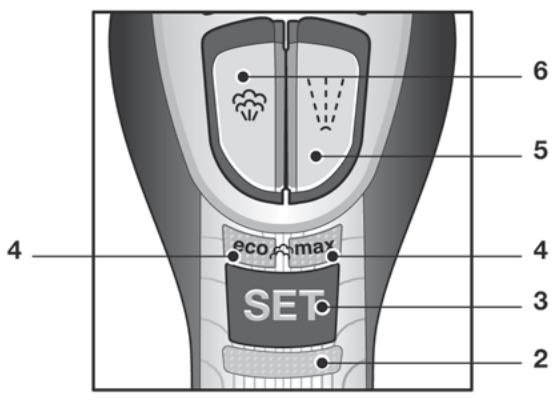
6 5 4 eco max 4 3 2 SET
text_image
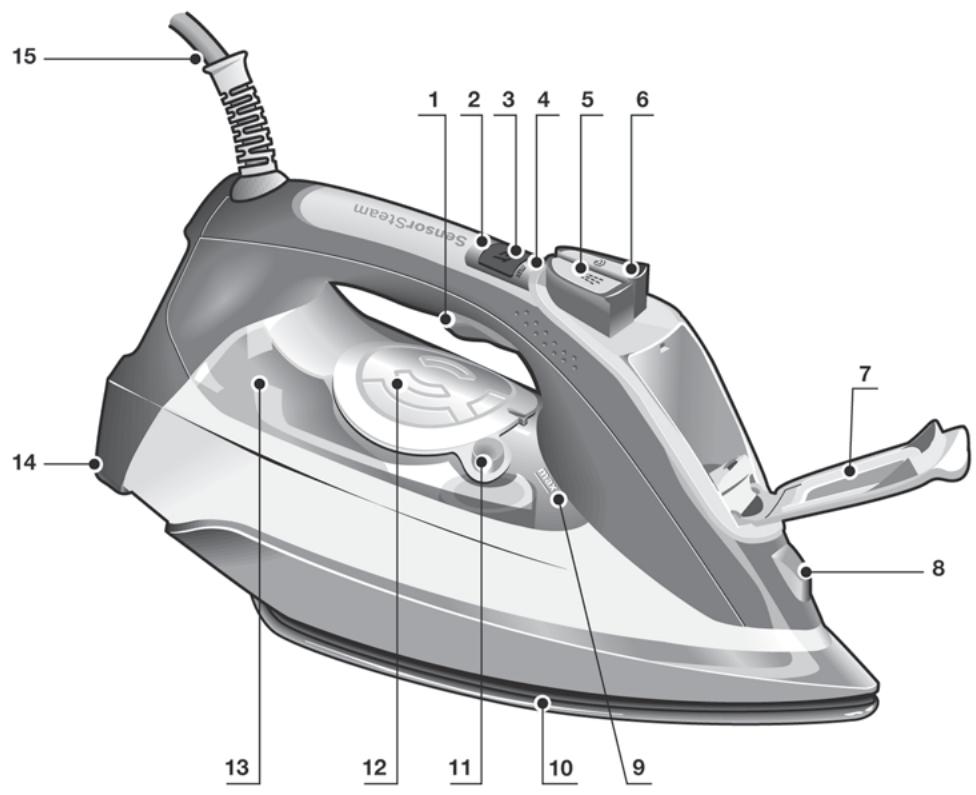
15 SensorSteam 1 2 3 4 5 6 14 7 8 13 12 11 10 9Index
| DEUTSCH | 6 |
| ENGLISH | 14 |
| FRANÇAISE | 22 |
| ITALIANO | 30 |
| NEDERLANDS | 38 |
| DANSK | 46 |
| NORSK | 54 |
| SVENSKA | 62 |
| SUOMI | 70 |
| ESPAÑOL | 78 |
| PORTUGUÊS | 86 |
| ΕΛΛΗΝΙΚΑ | 94 |
| TÜRKÇE | 102 |
| POLSKI | 110 |
| MAGYAR | 118 |
| УКРАЇНСЬКА | 126 |
| РУССКИЙ | 134 |
| ROMÂN | 142 |
| العربية | 157 |
| ҚАЗАҚ | 158 |
text_image
Technical diagram illustrating a procedure for using a tool to adjust a component, with angle annotation and magnified view of the component.
text_image
eco MAN SET
text_image
Diagram showing a garment with a labeled panel and a close-up of the front panel, likely illustrating a sewing or pattern matching concept.
text_image
SET
text_image
eco max SET
text_image
eco max GET eco max GET eco max GET
text_image
Diagram illustrating the process of removing a smoke from an iron, showing air pollution and exhaust.
text_image
2x
text_image
10 cm
natural_image
Line drawing of a hand using a power iron to lift a surface, with no text or symbols present.
text_image
Diagram showing a hand using a power switch to clean or install a component, with an electrical outlet symbol and directional arrow indicating action.


natural_image
Illustration of a mechanical device with a large checkmark symbol above it, showing internal components and an upward arrow (no text or symbols present)
text_image
Diagram showing two steps of a hand holding a power plug and a cloth, with Chinese text labels.
natural_image
Illustration of two hands holding a leaf with a magnified view of the leaf being crossed out (no text or symbols)
Entkalkungssysteme
A „self-clean“
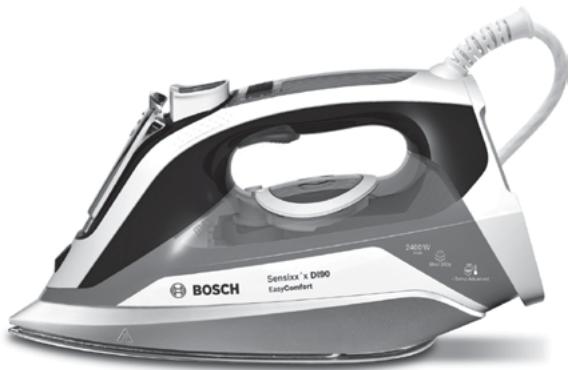
Thank you for buying the “Sensixx’x Di90 EasyComfort” compact steam iron from Bosch.
Carefully read through the operating instructions for the appliance and safeguard them for future reference.
You can download this manual from the local home pages of Bosch.
General safety instructions
☐ The iron must not be left unattended while it is connected to the supply mains.
☐ Remove the plug from the socket before filling the appliance with water or before pouring out the remaining water after use.
☐ The appliance must be used and placed on a stable surface.
☐ When placed on its stand, make sure that the surface on which the stand is placed is stable.
☐ The iron should not be used if it has been dropped, if there are visible signs of damage or if it is leaking water. It must be checked by an authorized Technical Service Centre before it can be used again.
☐ With the aim of avoiding dangerous situations, any work or repair that the appliance may need, e.g. replacing a faulty mains cable, must only be carried out by qualified personnel from an Authorised Technical Service Centre.
☐ This appliance can be used by children aged from 8 years and above and persons with reduced physical, sensory or mental capabilities or lack of experience and knowledge if they have been given supervision or instruction concerning use of the appliance in a safe way and understand the hazards involved. Children shall not play with the appliance. Cleaning and user maintenance shall not be made by children without supervision.
☐ Keep the iron and its cord out of reach of children less than 8 years of age when it is energized or cooling down.
☐ This appliance is designed only for household use up to 2000m above sea level.
□ CAUTION. Hot surface.
Surface is liable to get hot during use.
Important notices
- This appliance has been designed exclusively for domestic use and must not be used for industrial purposes.
- This appliance must be used only for the purposes for which it was designed, i.e. as an iron. Any other use will be considered improper and consequently dangerous. The manufacturer will not be held responsible for any damage arising from misuse or improper use.
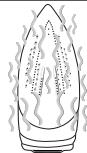
- This appliance reaches high temperatures and produces steam during use, this could cause scalds or burns in case of improper use.
- Do not touch the soleplate! Hold the iron by its handle.
- Do not leave the supply cord hanging over the table or ironing board, to prevent the appliance from falling.
- Do not iron clothing while it is being worn!
-
Never spray or aim the steam at persons or animals!
-
Do not allow the power cable to come into contact with sharp edges or with the soleplate when it is hot.
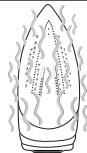
- Never rest the iron in a horizontal position when the soleplate is hot. Rest it on its heel.
- Do not touch the appliance with wet hands when in operation.
- This appliance is to be connected and used in accordance with the information stated on its characteristics plate.
- This appliance must be connected to an earthed socket. If it is absolutely necessary to use an extension cable, make sure that it is suitable for 16A and has a socket with an earth connection.
-
In order to avoid that, under unfavorable mains conditions, phenomena like transient voltage drops or lighting fluctuations can happen, it is recommended that the iron is connected to a power supply system with a maximum impedance of 0.21Ω. If necessary, the user can ask the public power supply company for the system impedance at the interface point.
-
In special environmental conditions slight instability may occur.
- The appliance must never be placed directly under the tap to fill the water tank.
- Unplug the appliance from the mains supply after each use, or if a fault is suspected.
- The electrical plug must not be removed from the socket by pulling the cable.
- Never immerse the iron in water or any other fluid.
- Do not leave the appliance exposed to weather conditions (rain, sun, frost, etc.).
- While the steam is being released, the iron produces a pumping sound. This is normal, indicating that water is being pumped to the steam chamber.
Advice on disposal
Our goods come in optimised packaging. This basically consists in using non-contaminating materials which should be handed over to the local waste disposal service as secondary raw materials. Your local town council can give you information about how to dispose of obsolete appliances.
This appliance is labelled in accordance with European Directive 2012/19/EU concerning used electrical and electronic appliances (waste electrical and electronic equipment – WEEE).
The guideline determines the framework for the return and recycling of used appliances as applicable throughout the EU.
Description
- Motor activation trigger
- "SensorSteam" indicator lamp
- "SET" button
- Steam setting indicator lamps
- Spray button
- Shot of steam button
- Water inlet lid
- Spray nozzle
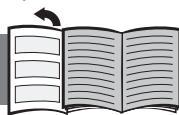
Open the leaflet sides
natural_image
Illustration of an open book with blank pages and a curved arrow indicating rotation (no text or symbols)- Level mark for maximum filling
- Soleplate
- "clean" button
- "TempOK" indicator lamps
- "MotorSteam" indicator lamp
- Heel
- Power cable
text_image
Diagram showing hands installing a switch component with directional arrows indicating rotation or adjustment.
text_image
max 45°
text_image
eco-human SET
natural_image
Diagram of a car interior showing a sunlit circular object and a tool interacting with a vehicle (no text or symbols present)
1. Filling the water tank
This appliance has been designed to use normal tap water.
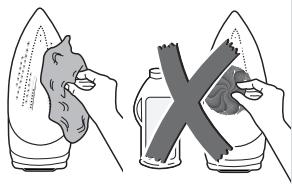
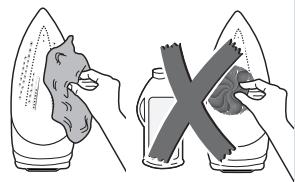
Important: Do not use additives! The addition of other liquids, such as perfume, vinegar, starch, condensation water from tumble dryers or from air conditioning systems or chemicals will damage the appliance. Any damage caused by the use of the aforementioned products will make the guarantee void!
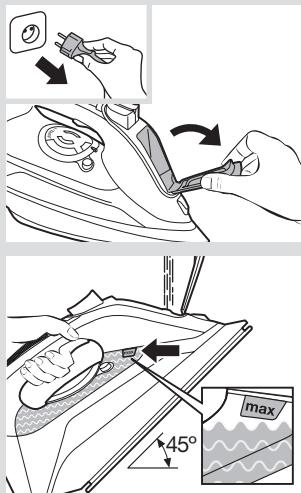
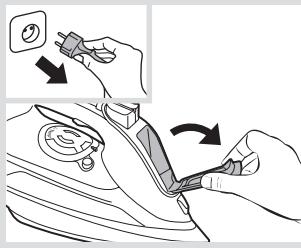
1 Unplug the iron from the mains.
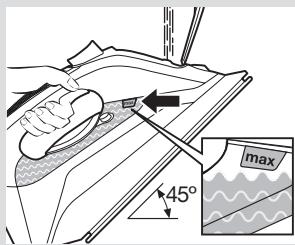
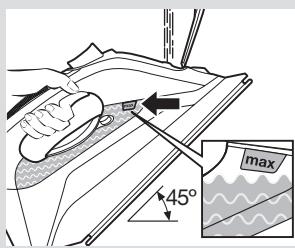
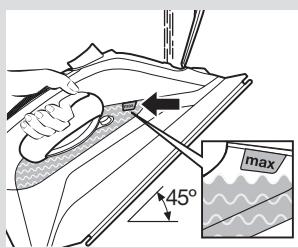
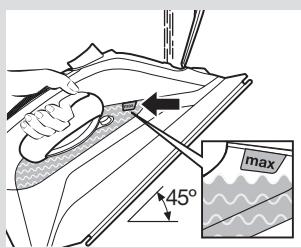
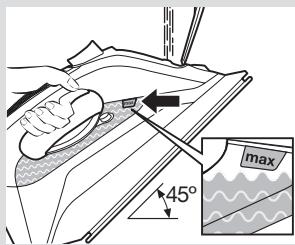
2 Open the water inlet lid (7).
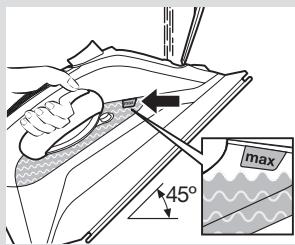
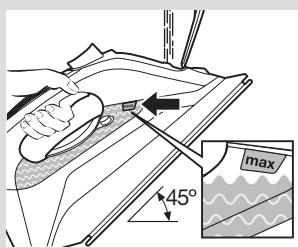
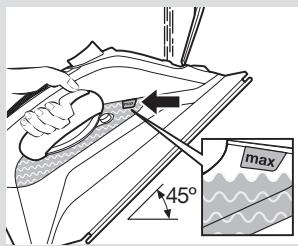
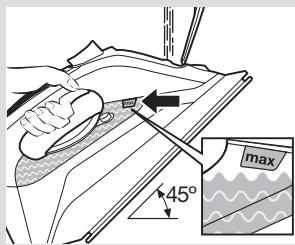
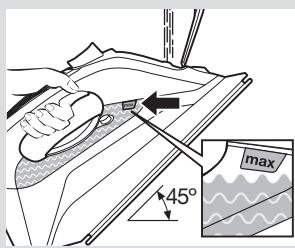
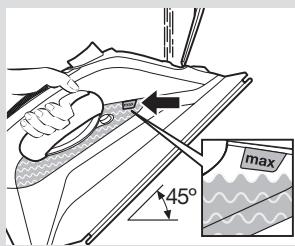
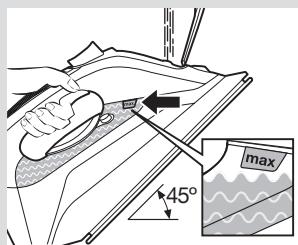
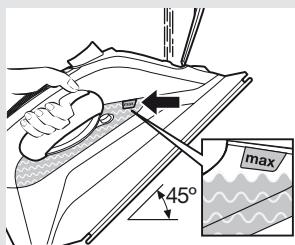
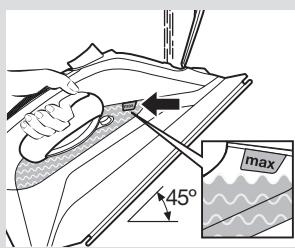
3 Fill the water tank. Never fill beyond the level mark for maximum filling (9)!
4 Close the water inlet lid.
Tip: To prolong the optimum steam function, you may mix tap water with distilled water 1:1. If the tap water in your district is very hard, mix tap water with distilled water 1:2.

2. Heating
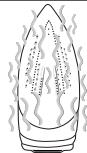
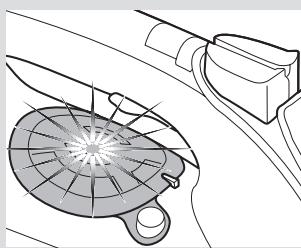
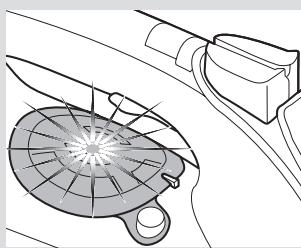
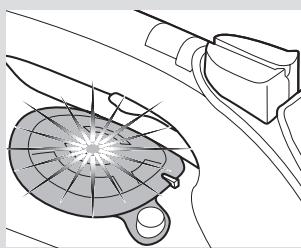
Remove any labels or protective covering from the soleplate (10).
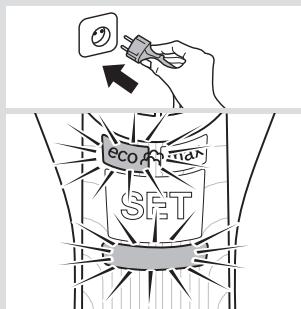
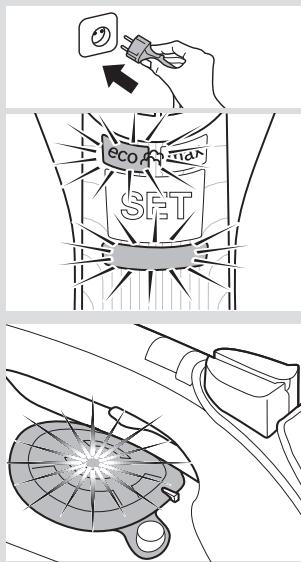
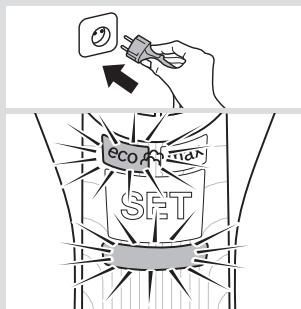
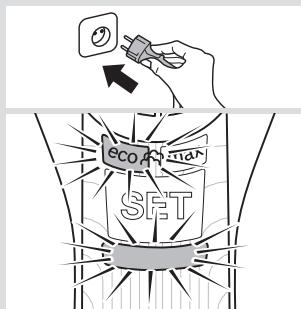
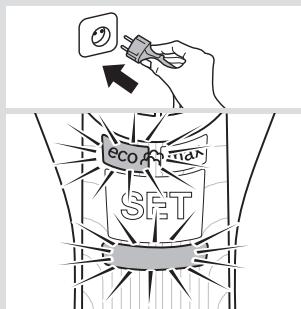
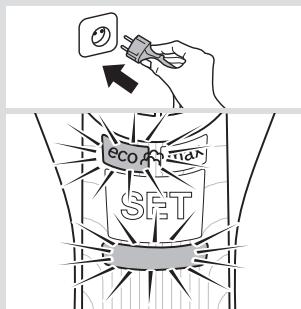
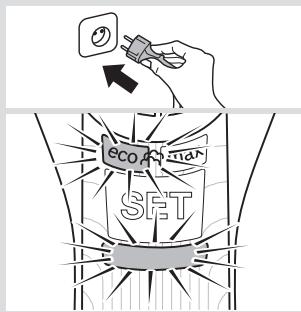
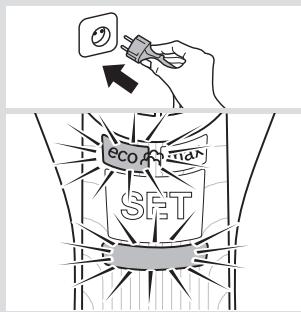
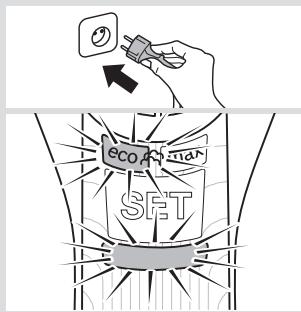
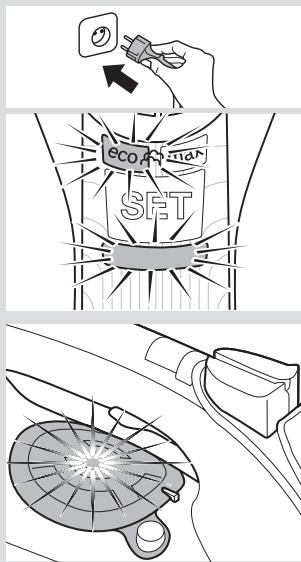
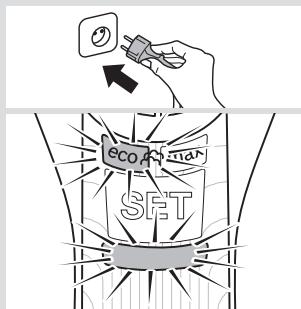
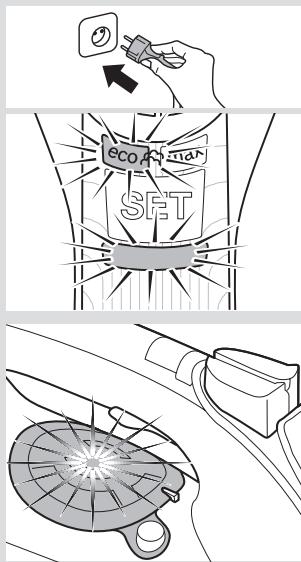
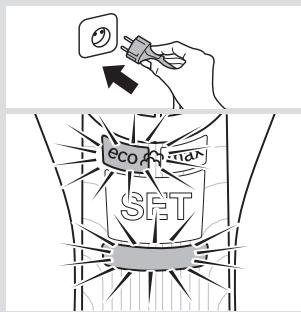
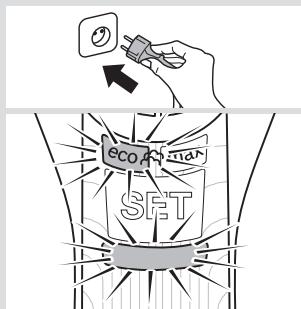
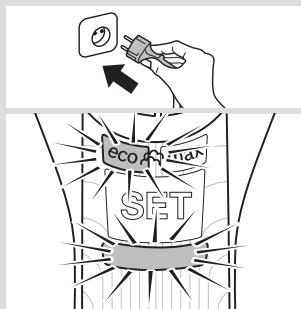
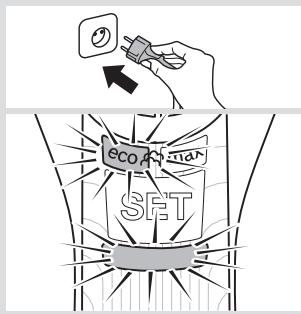
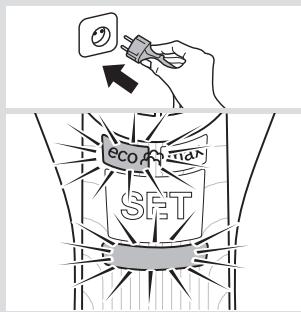
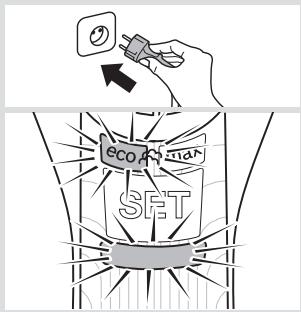
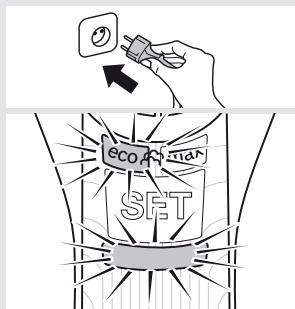
1 Plug in the iron.
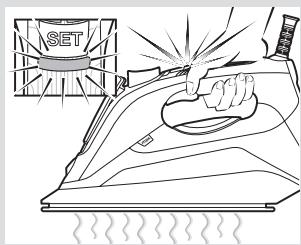
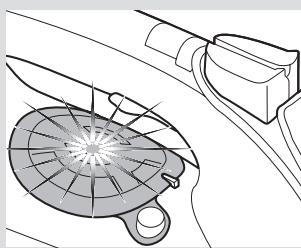
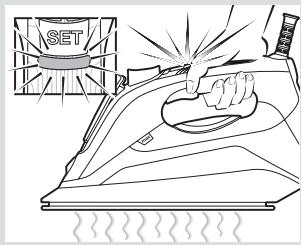
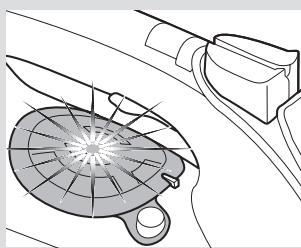
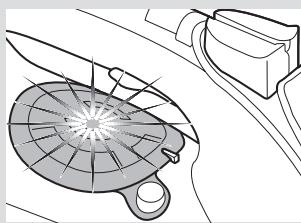
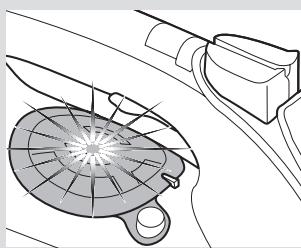
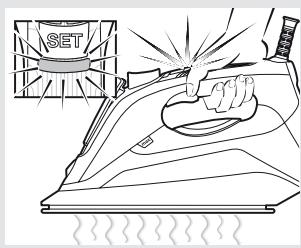
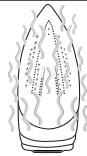
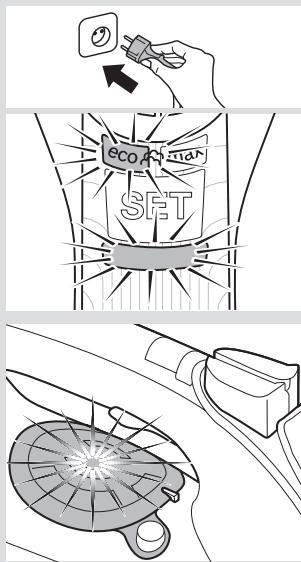
2 "SensorSteam" function will be activated and the indicator lamp (2) will flash.
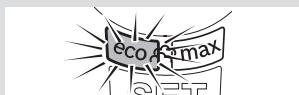
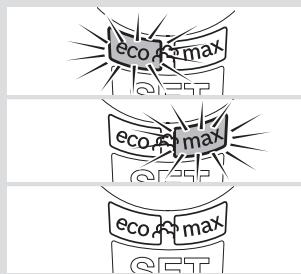
3 The "eco" steam mode is automatically selected.
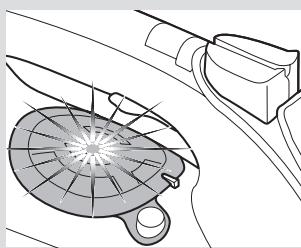
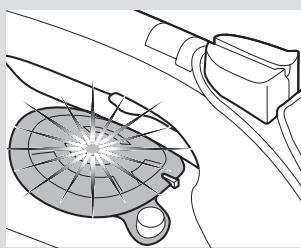
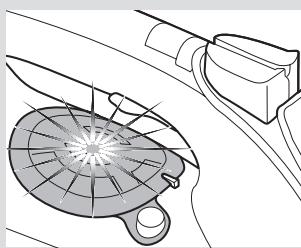
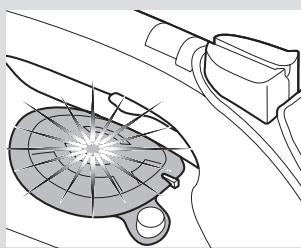
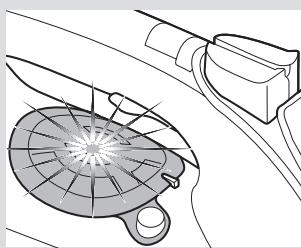
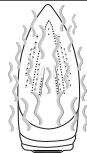
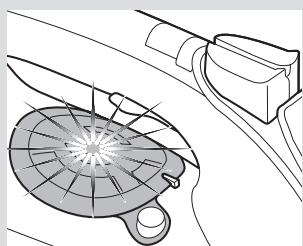
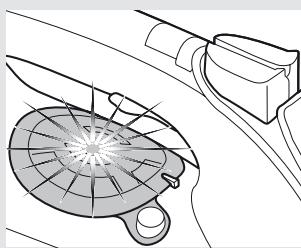
4 The “TempOK” indicator lamp (12) will flash, indicating that the iron is heating up. When the iron is ready to use, the indicator lamp will remain lit continuously.
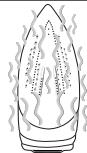
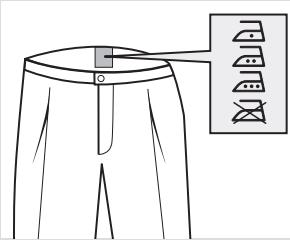
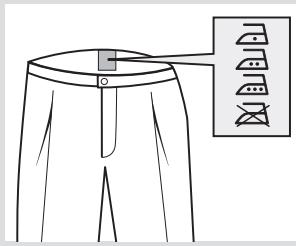
This technology sets an appropriate combination of temperature and steam, which is suitable for all fabrics that can be ironed (symbols 🐘 🐘 🐘).
The “i-Temp” technology does not apply to fabrics that cannot be ironed (symbol ☒).
Please check the garment care label for details or try ironing on a part of the fabric not visible normally.

3. "SensorSteam" function
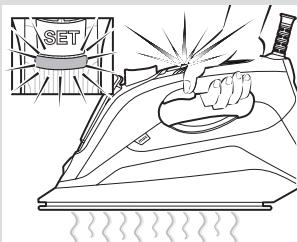
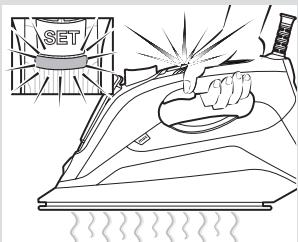
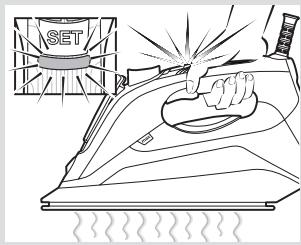
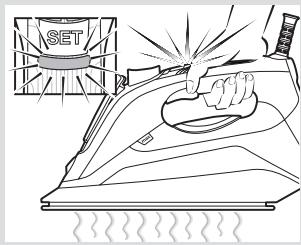
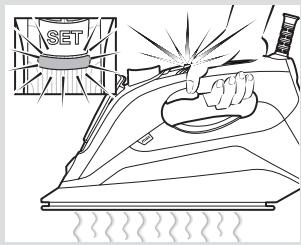
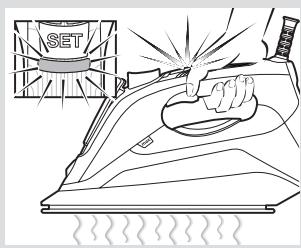
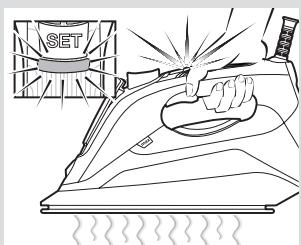
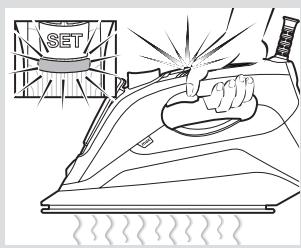
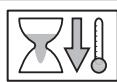
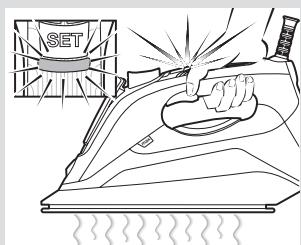
After the initial heating, “SensorSteam” function switches off the iron when it is left unattended, thus increasing security and saving energy.
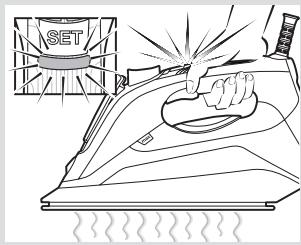
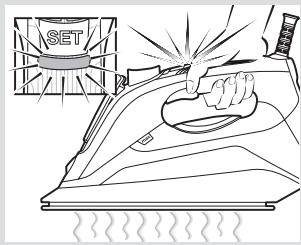
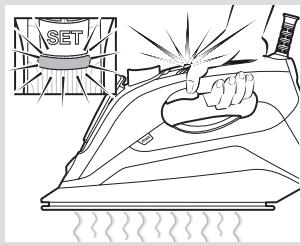
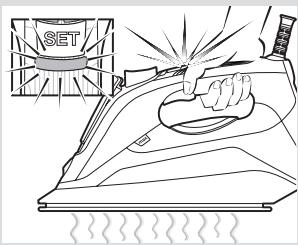
1 While the handle is gripped, the iron heats up. The "SensorSteam" indicator lamp (2) will remain lit continuously.
2 When the handle is released, the "SensorSteam" function is activated. The "SensorSteam" indicator lamp (2) will flash.

4. Steam settings
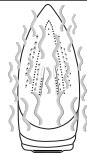
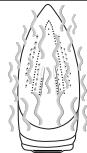
This iron generates steam by means of a built-in motor. While the motor is working, the "MotorSteam" indicator lamps (14) of the water tank come on.
The iron is equipped with a sensor so that the steam is generated only while ironing in a horizontal position. Thus, unnecessary steam production is avoided.
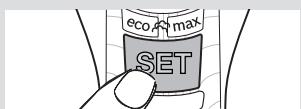
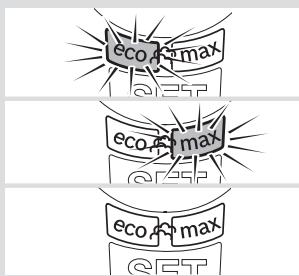
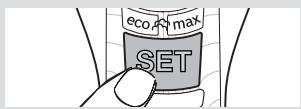
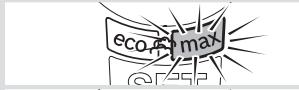
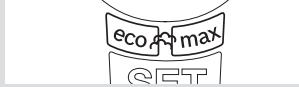
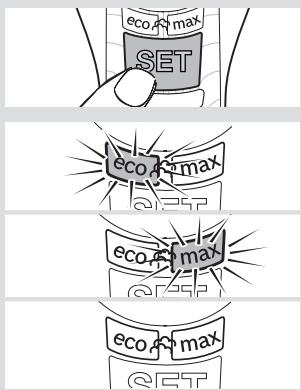
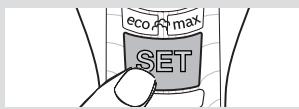
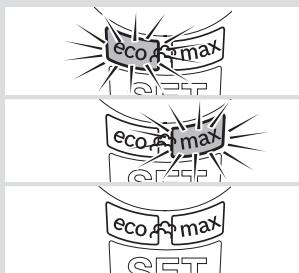
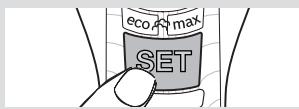
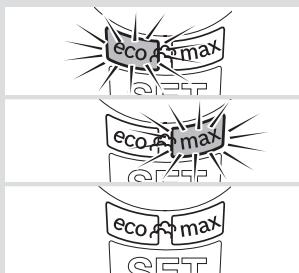
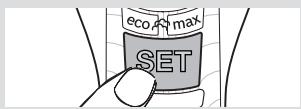
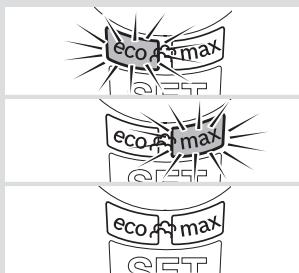
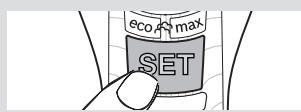
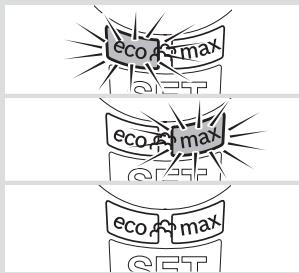
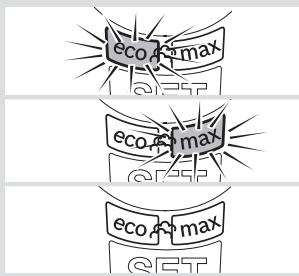
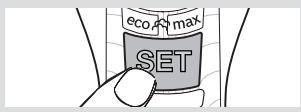
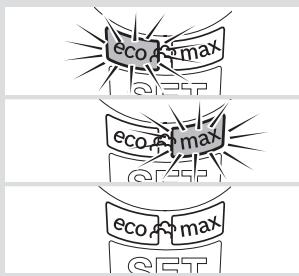
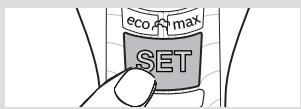
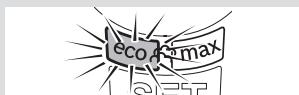
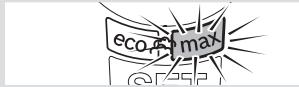
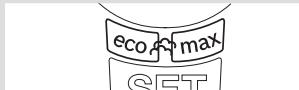
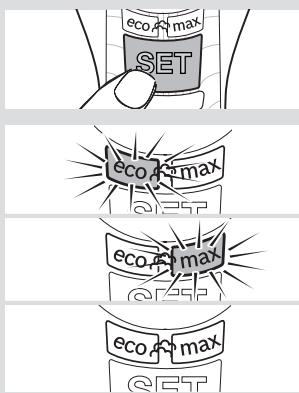
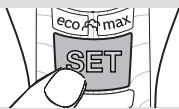
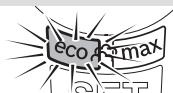
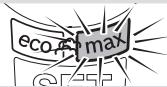
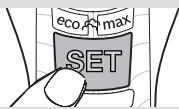
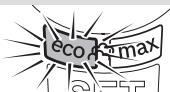
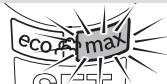
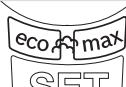
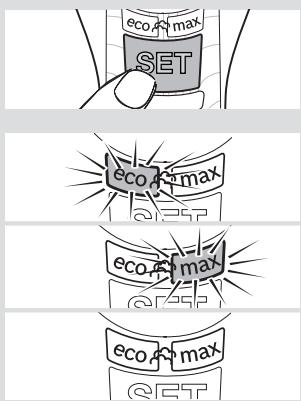
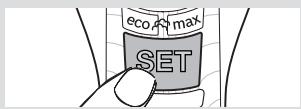
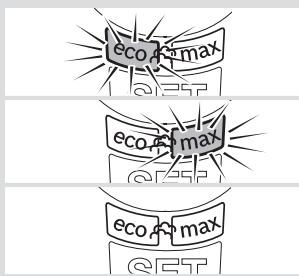
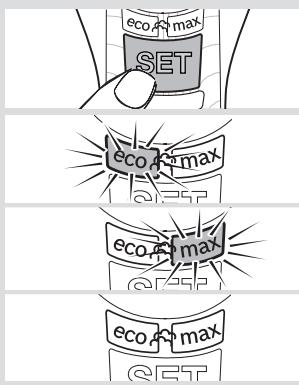
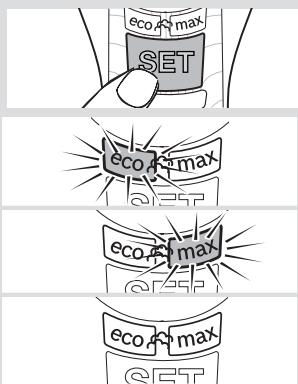
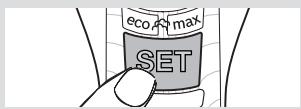
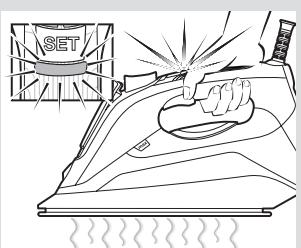
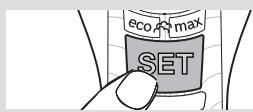
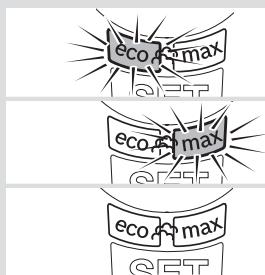
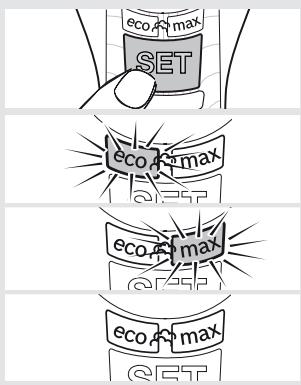
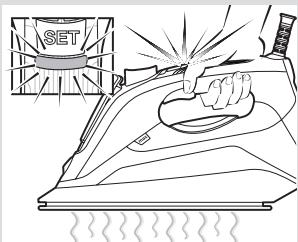
The steam mode can be selected by pressing the “SET” button (3) successively. The iron runs through the following cycle:
| Steam mode | Indicator lamp (4) |
| Medium(continuous steam) | “eco”(green) |
| Maximum(continuous steam) | “max”(red) |
| Dry ironing(ironing without steam) | off |
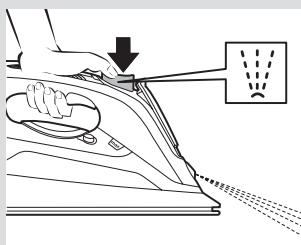
Steam production can be controlled manually for steam ironing only when necessary. Select dry ironing mode and press the motor activation trigger (1).
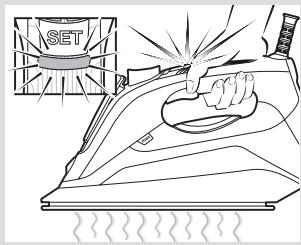
natural_image
Line drawing of a pair of trousers with a close-up inset showing front and back views (no text or symbols)
text_image
SET
text_image
eco, max SET
text_image
eco max e257
text_image
eco max
text_image
eco max SET
text_image
Diagram illustrating a hand using an iron to clean air, showing smokestacks and exhaust process.
text_image
2x
text_image
10 cm / 4 in
natural_image
Line drawing of a hand using a power iron to lift a surface, with a downward arrow and dotted lines indicating motion (no text or symbols)
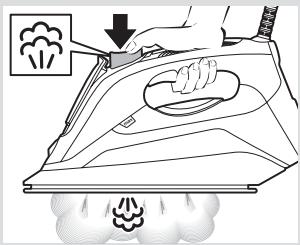
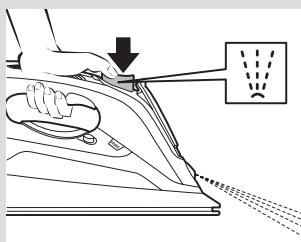
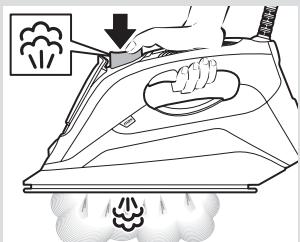
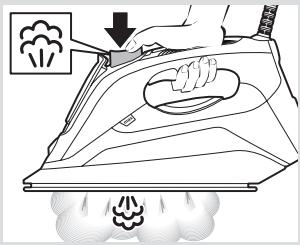
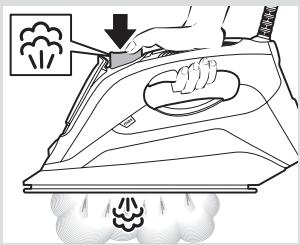
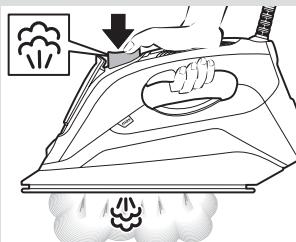
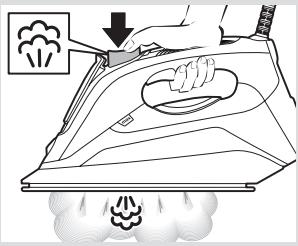
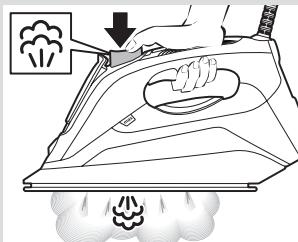
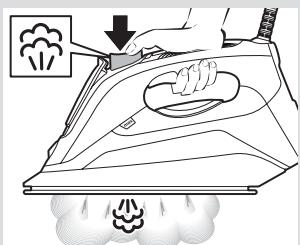
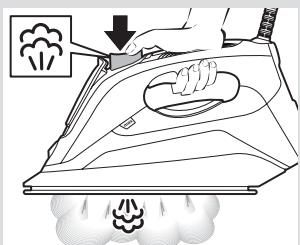
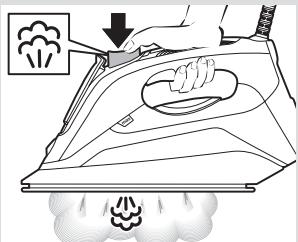
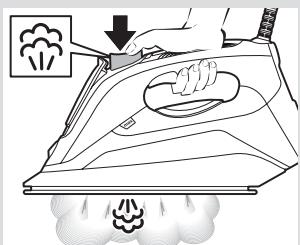
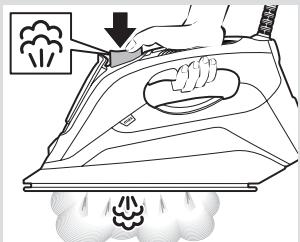
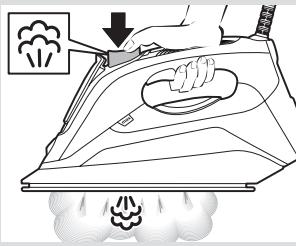
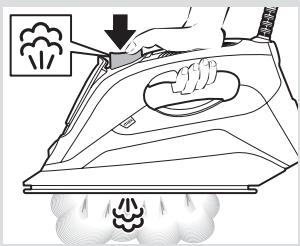
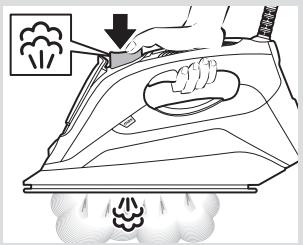
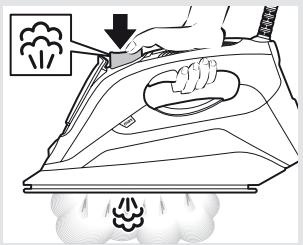
5. Shot of steam function
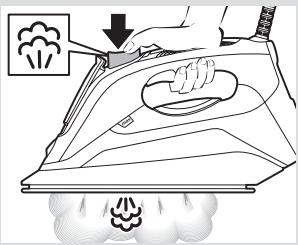
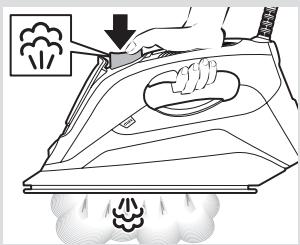
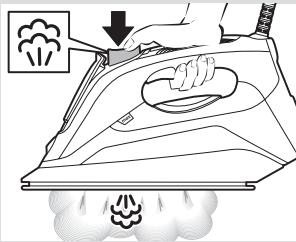
Shot of steam can be used to remove stubborn wrinkles or to press in a sharp crease or pleat.
1 Press the shot of steam button (6) repeatedly with intervals of at least 5 seconds.

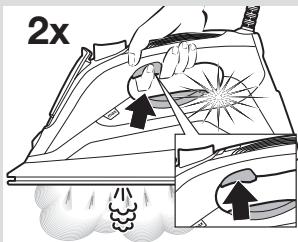
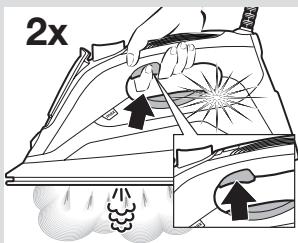
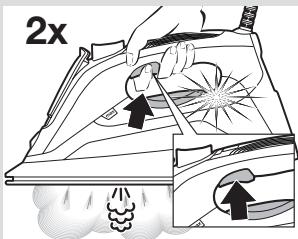
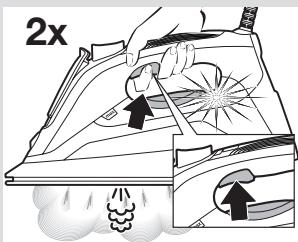
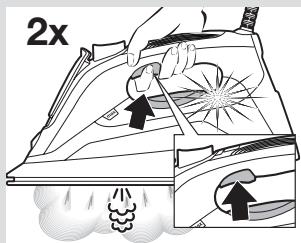
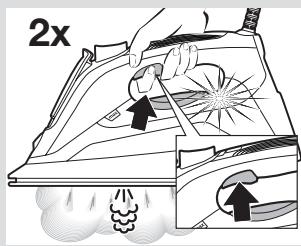
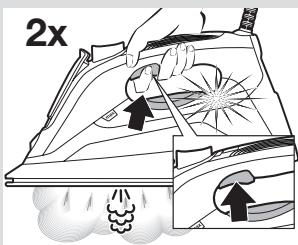
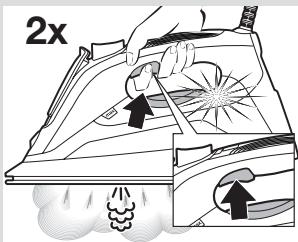
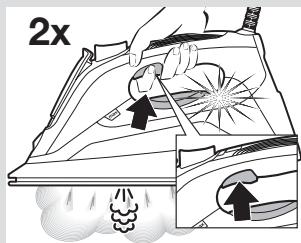
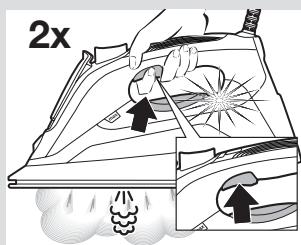
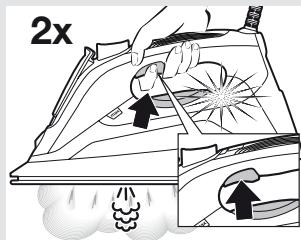
6. "MotorSteam" function
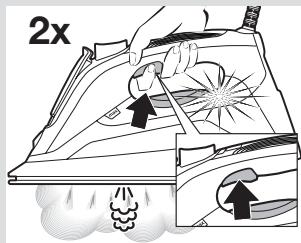
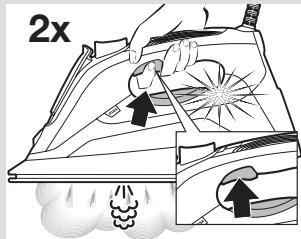
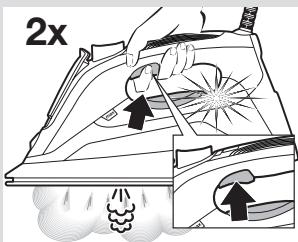
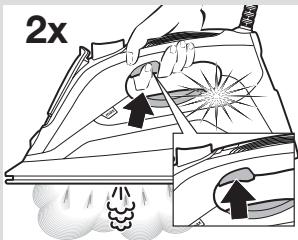
This appliance has a special function for tackling difficult creases.
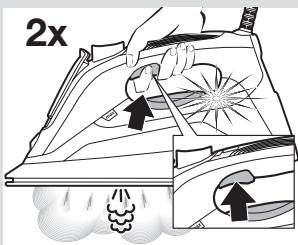
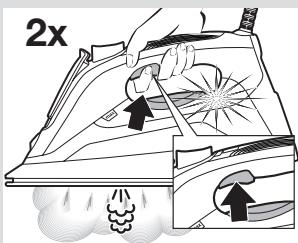
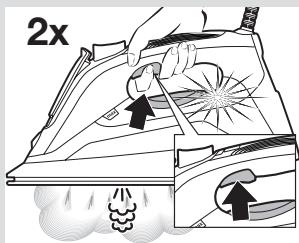
1 Press the motor activation trigger (1) two times in quick succession (double-click).
2 The motor will release a powerful shot of steam.
3 Wait 10 seconds between each press of the trigger.

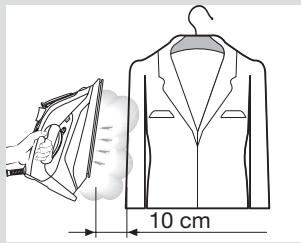
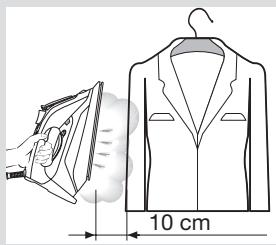
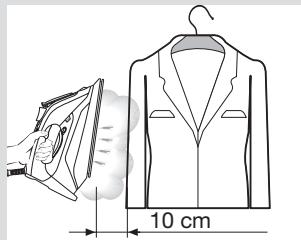
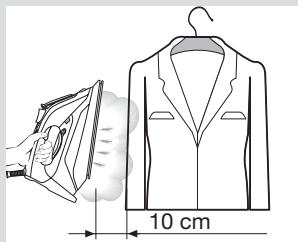
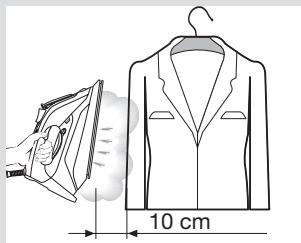
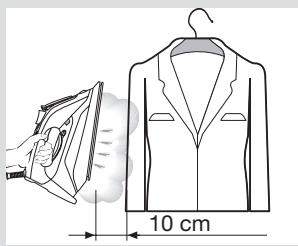
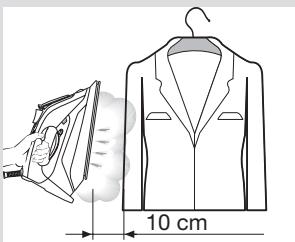
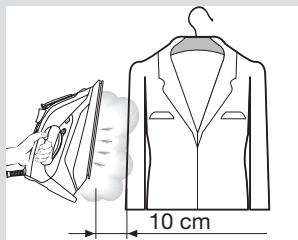
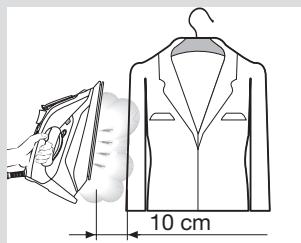
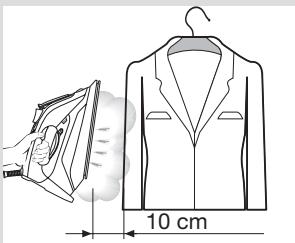
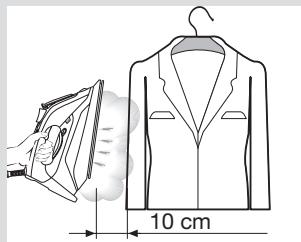
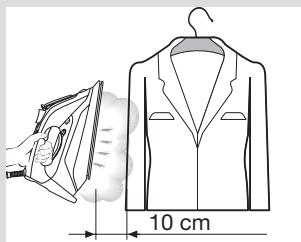
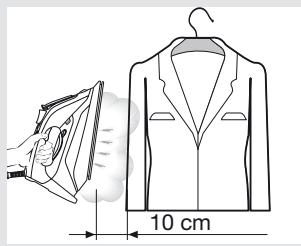
7. Vertical steam
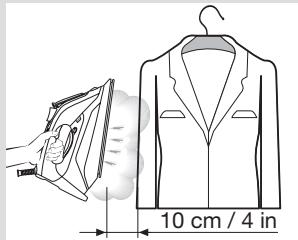
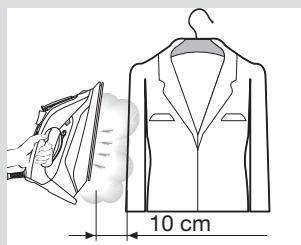
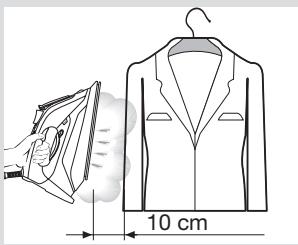
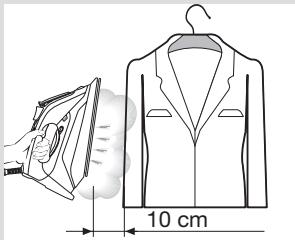
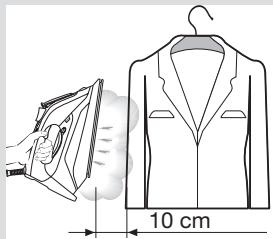
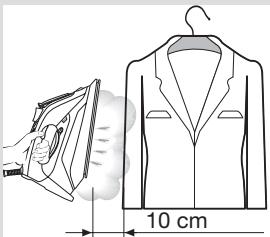
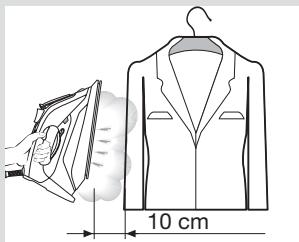
Vertical steam can be used to remove creases from hanging clothes, curtains etc.
1 Hang article of clothing on a clothes hanger.
2 Operate the iron in a vertical position at a distance of 10 cm / 4 in, and press the shot of steam button (6) repeatedly with pauses of at least 5 seconds.
Important: If the “SensorSteam” indicator lamp (2) flashes while ironing in a vertical position, it means that the handle is not properly gripped and the iron will cool down.

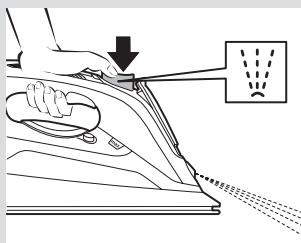
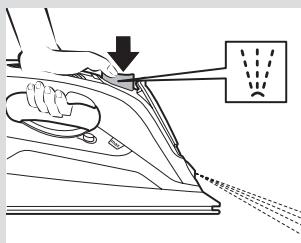
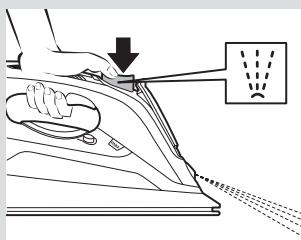
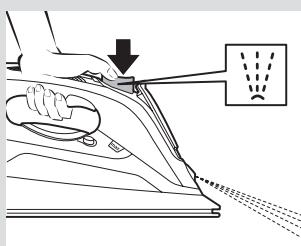
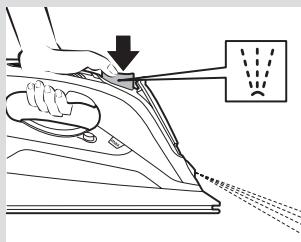
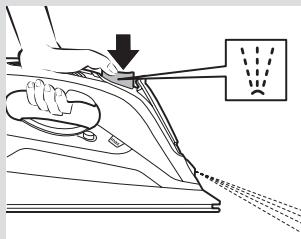
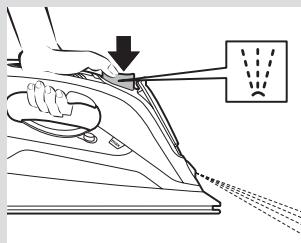
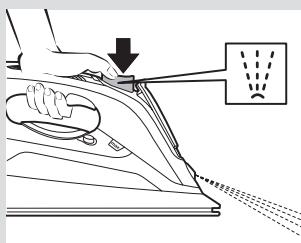
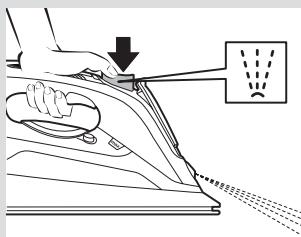
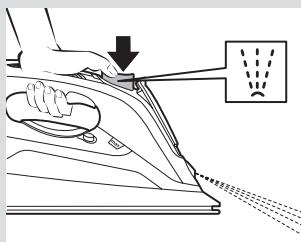
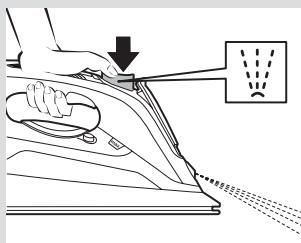
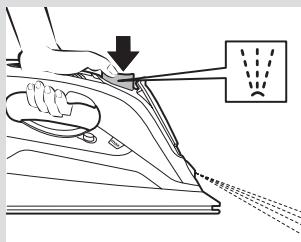
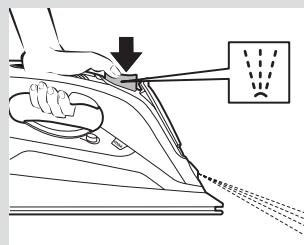
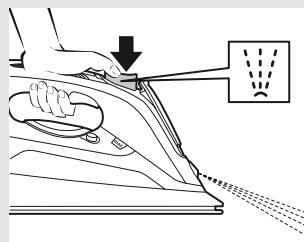
8. Spray
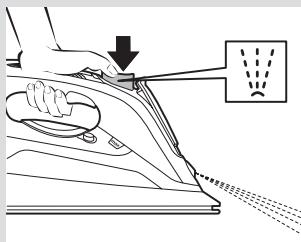
Spray can be used to remove stubborn wrinkles.
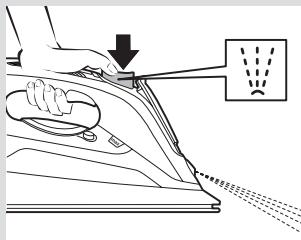
1 When ironing, press the spray button (5) and water will spray out of the spray nozzle (8) onto the garment.
Tip: Do not use the spray function with silk.

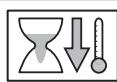
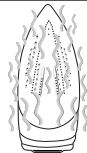
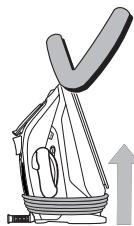
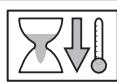
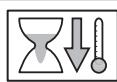
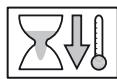
9. After ironing
1 Unplug the iron from the mains socket.
2 Empty the water tank.
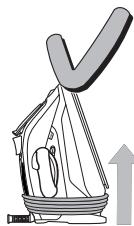
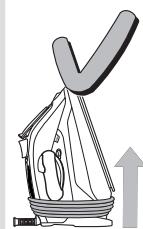
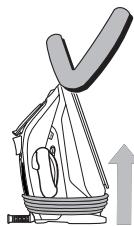
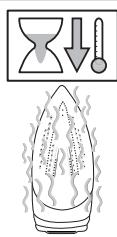
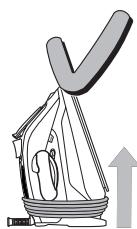
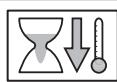
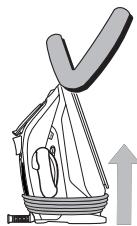
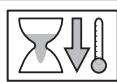
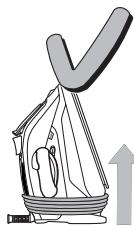
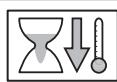
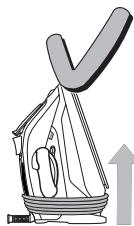
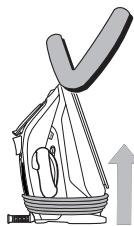
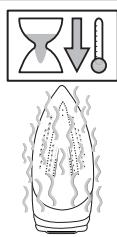
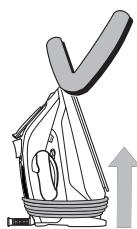
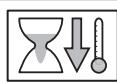
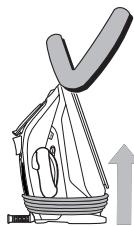
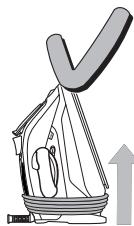
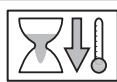
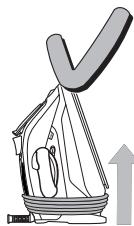
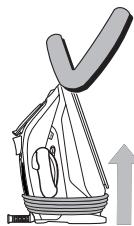
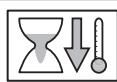
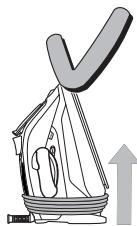
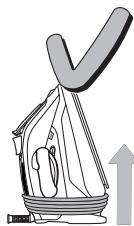
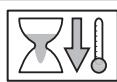
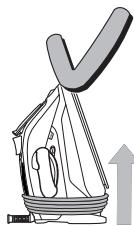
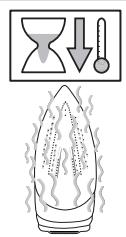
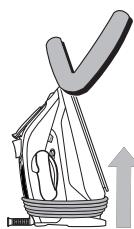
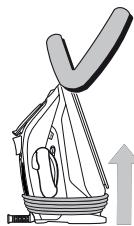
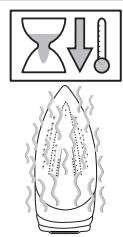
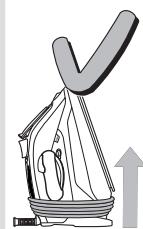
3 Set the iron aside in a vertical position on its heel (14) to cool down.
4 Coil the power cable (15) loosely around the heel of the iron. Store the iron in an upright position.
Tip: For immediate storage of the iron, you may use the "StoreProtect" accessory (see "Accessories" section).
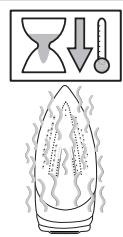
natural_image
Illustration of hands using a power tool to clean or install a sheet metal component (no text or symbols visible)
text_image
Diagram illustrating heat transfer with a flame, downward arrow, and thermometer symbols above it
natural_image
Illustration of a sailboat with a large V-shaped top and an upward arrow, no text or symbols present
Cleaning & Maintenance
Attention! Risk of burns!
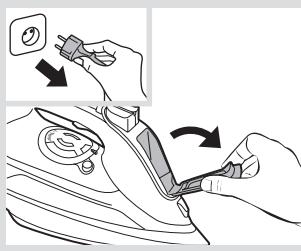
Always unplug the appliance from the mains supply before carrying out any cleaning or maintenance operation on it.
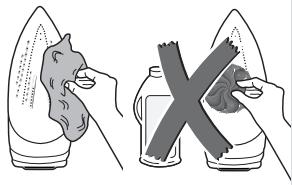
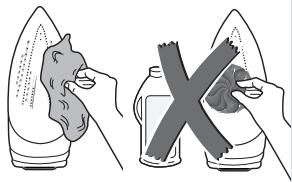
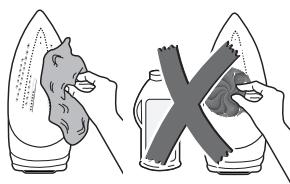
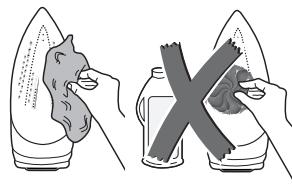
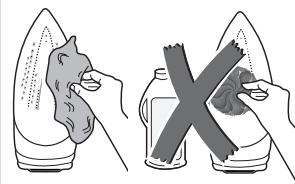
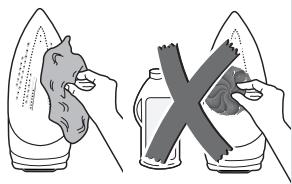
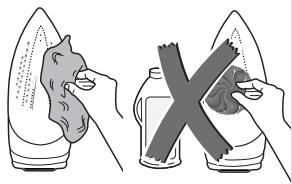
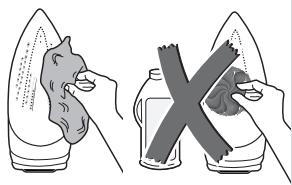
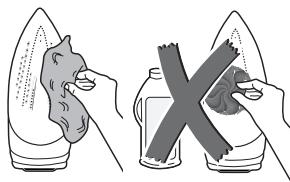
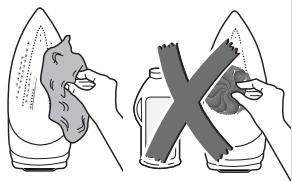
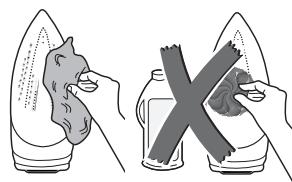
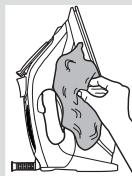
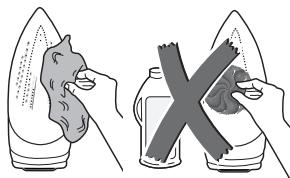
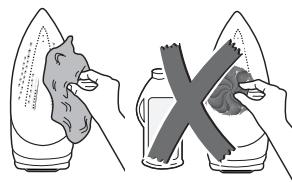
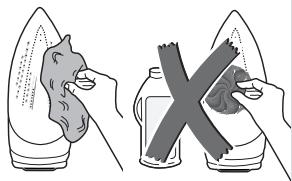
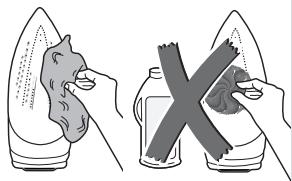
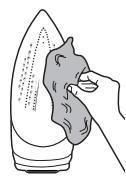
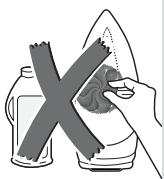
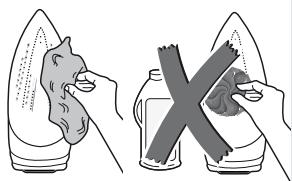
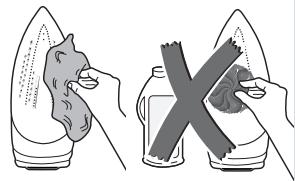
1 If the iron is only slightly soiled, pull out the plug and allow the soleplate (7) to cool down. Wipe the housing and the soleplate with a damp cotton cloth only.
2 To keep the soleplate smooth, you should avoid hard contact with metal objects. Never use a scouring pad or chemicals to clean the soleplate.
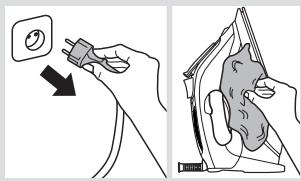
text_image
Diagram showing two steps of a hand holding an electrical socket and cleaning a surface, with Chinese text labels.
natural_image
Illustration showing two hands holding corn kernels and a bottle with a cross, no text or symbols present
Descaling systems
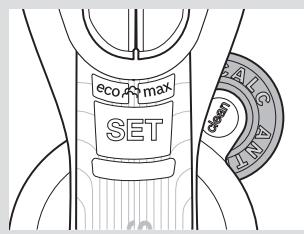
A "self-clean"
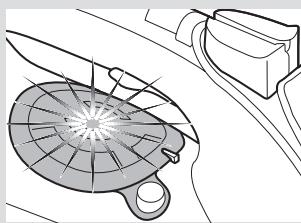
The “self-clean” filter prevents motor from blocking.
B “anti-calc”
The “anti-calc” cartridge has been designed to reduce the build-up of scale produced during steam ironing.
text_image
eco AS max SET BAR SALC
C "Calc'nClean" function
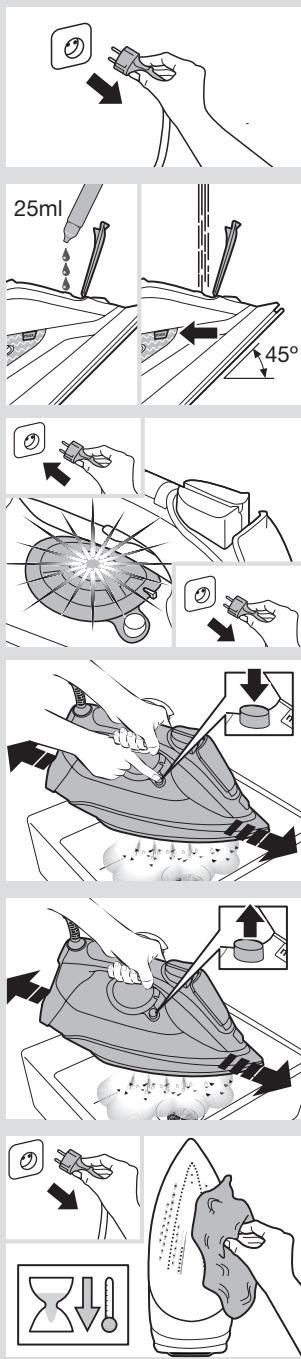
The “Calc'nClean” function helps to remove scale particles out of the steam chamber.
If the water in your area is very hard, you may use this function approximately every two weeks.
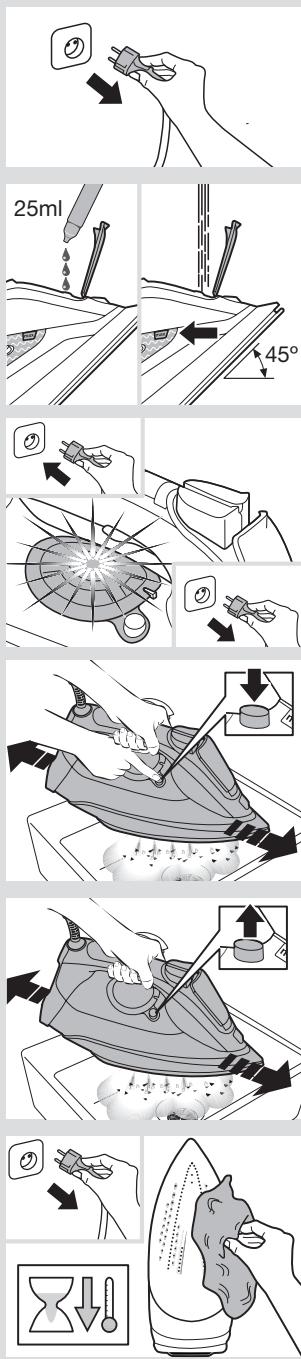
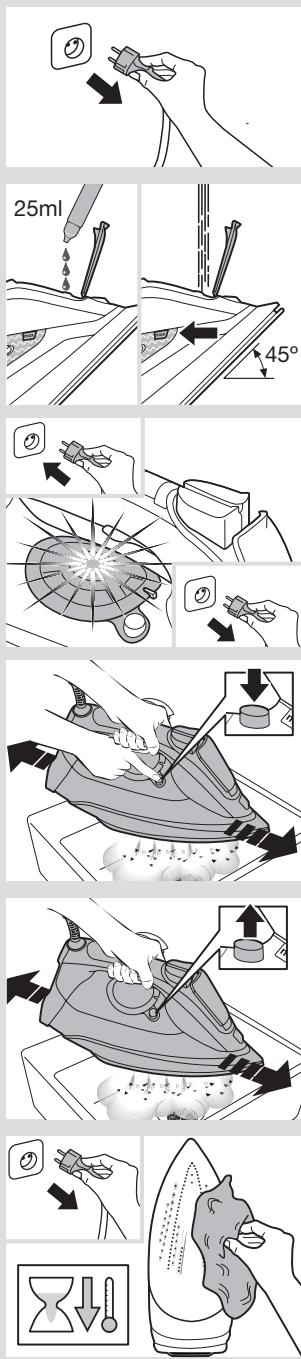
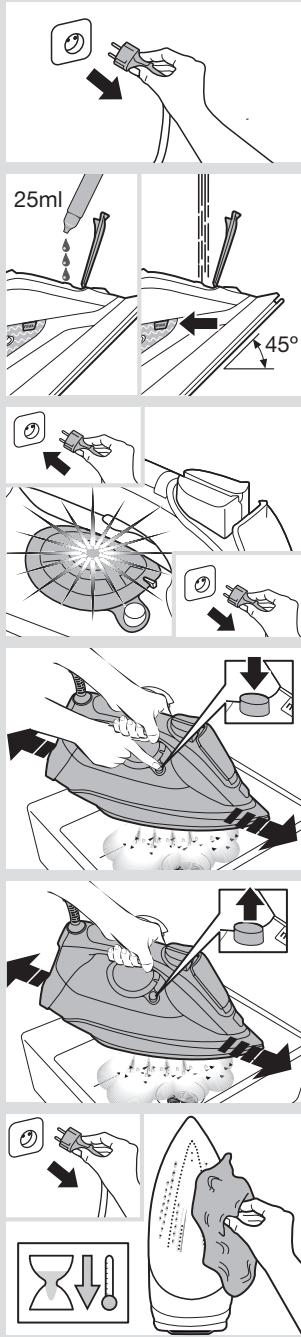
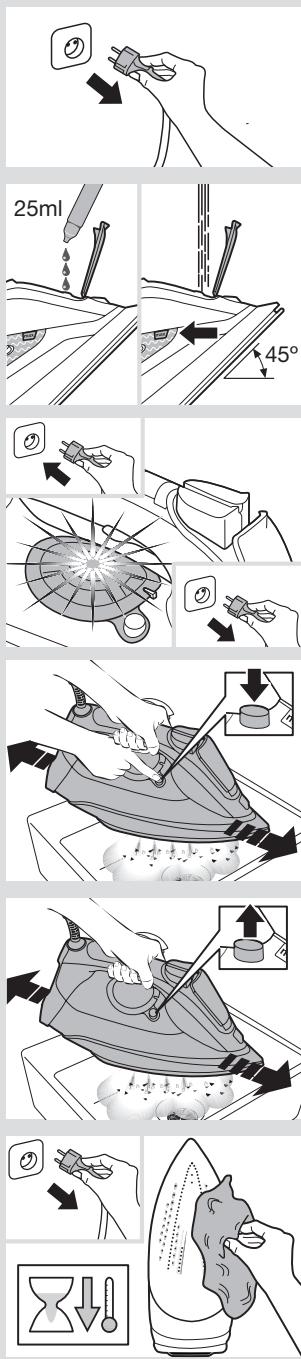
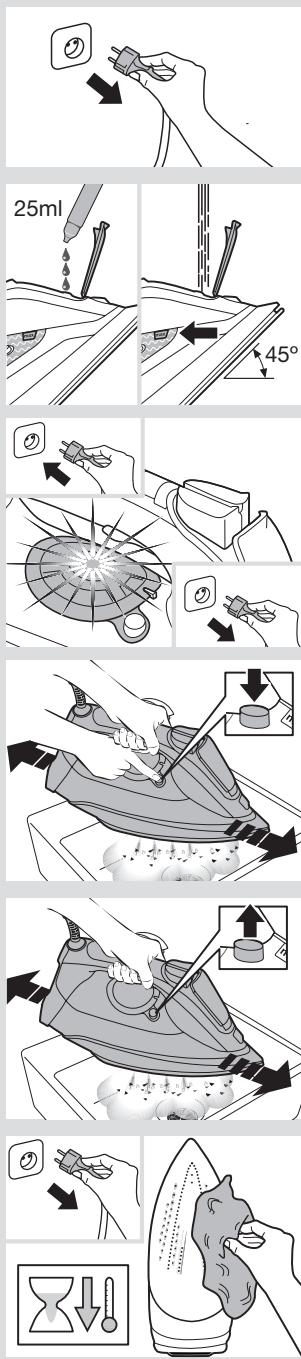
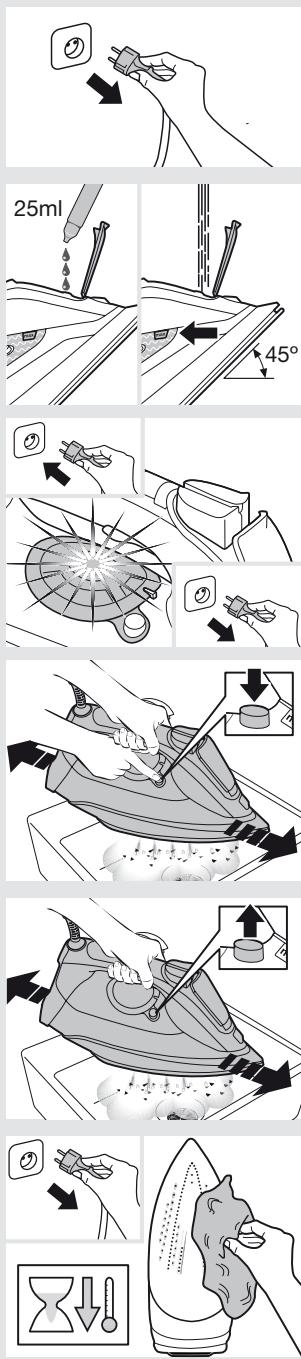
1 Unplug the iron from the mains socket.
Tip: For deep descaling, it is recommended to use the descaling liquid (see “Accessories” section). This procedure should be carried out every 3 months.
Pour a measure (25 ml) of the descaling fluid into the water tank.
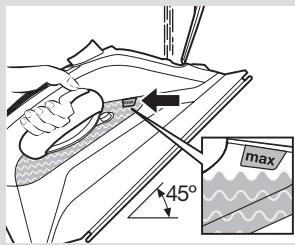
2 Fill the water tank up to the level mark for maximum filling.
3 Plug in the iron.
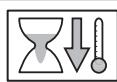
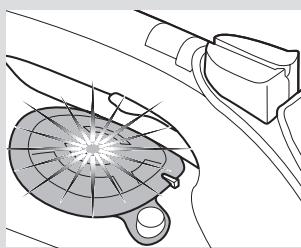
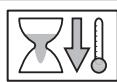
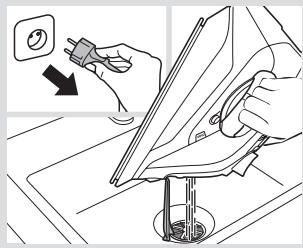
4 When the lamp "TempOK" (12) remains lit continuously, unplug the iron (very important!).
5 Hold the iron over a sink.
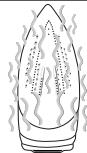
6 Press the “clean” button (11) and shake the iron back and forth keeping it in a horizontal position until approximately one third of the water capacity of the tank is evaporated. Boiling water and steam will come out, carrying scale or deposits that might be there.
7 Release the "clean" button, and gently shake the iron for some seconds.
8 Repeat steps 6 and 7.
9 Check carefully that the water tank is empty (very important!).
10 Plug the iron in and heat it up again until the remaining water has evaporated.
11 Unplug the iron and let the soleplate cool down. Wipe the soleplate with a damp cotton cloth only.
Accessories
The accessories may be purchased from the customer service or specialist shops.
Descaling liquid | “StoreProtect” |
| For deep descaling of the steam iron.Contents: 4 bottles x 25 ml | Enables an immediate and safe storage of the iron, even with a hot soleplate. |
| Name of the accessory: TDZ1101 | Name of the accessory: TDZ1750 |
| Accessory code: 00311715 | Accessory code: 00575960 |

Trouble shooting
| Problem | Probable cause | Solution |
| The iron does not heat up. | The “SensorSteam” function has been activated. The iron is set to stand-by. | Grip the handle of the iron to re-start it. |
| Water drips out of the soleplate when using the “shot of steam” function. | You have pressed the shot of steam button (6) repeatedly without waiting for 5 seconds between each press. | Wait 5 seconds between each press of the shot of steam button. |
| Steam does not come out in horizontal position. | Dry ironing steam mode has been selected. | Set the steam control to “eco” or “max” position. |
| Excessive dripping or steaming. | No proper closing of “clean” button (11). | Point the iron away from the ironing area. Actuate a few times the “clean” button. |
| The motor does not work. | The iron is not in a horizontal position. | Use the iron in a horizontal position. |
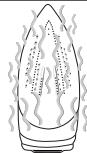
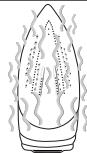
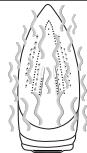
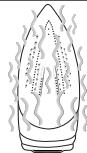
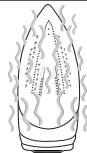
| Smoke comes out when connecting the iron for the first time. | This may be caused by the lubrication of some of the internal parts. | This is normal and will stop after a few minutes. |
| Deposits come out through the holes in the soleplate (10). | Traces of lime scale are coming out of the steam chamber. | Carry out a cleaning cycle (see “Calc’nClean function” section). |
| The appliance makes a pumping sound. | Water is being pumped into the steam chamber. | This is normal. |
If none of the above solves the problem, get in touch with an Authorised Technical Service.
natural_image
Illustration of an open book with blank pages and a curved arrow indicating rotation (no text or symbols)- Niveau de remplissage maximum
- Semelle
- Bouton «clean»
- Voyants lumineux «TempOK»
- Voyant lumineux «MotorSteam»
- Talon
- Câble d'alimentation

text_image
Diagram illustrating a mechanical assembly process with labeled components and angle annotation
text_image
eco-avian SET
text_image
Diagram showing a garment with a labeled panel indicating different sizes or styles of fabric.
natural_image
Illustration of a hand using a steam iron to press or install a SET (no text or symbols on the diagram itself)
text_image
eco 4 max SET eco 4 max eco 4 max eco 4 max eco 4 max eSTT
text_image
Diagram illustrating the process of removing a smoke from an iron, showing air pollution and exhaust effects.
text_image
2x
text_image
10 cm
natural_image
Line drawing of a hand using a power tool to lift a machine, with no text or symbols present.
text_image
Diagram illustrating a procedure for using a tool to clean or install a component, with an arrow indicating the step.


natural_image
Illustration of a mechanical device with a large checkmark symbol above it, showing internal components and an upward arrow (no text or symbols present)
text_image
Diagram showing two steps of a hand holding an electrical socket connected to a power plug, before and after cleaning the socket.
natural_image
Illustration showing two hands holding food containers: one with a bean sprout, the other with a cross-shaped object (no text or symbols)
natural_image
Illustration of an open book with blank pages and a curved arrow indicating rotation (no text or symbols)text_image
Diagram showing a hand using a power plug to adjust a component, with arrows indicating the process.
text_image
max 45°
text_image
eco-human SET
natural_image
Diagram of a car interior showing a fan-shaped object with a handle and exhaust pipe (no text or symbols)
natural_image
Line drawing of a pair of shorts with a close-up detail showing front and back details (no text or symbols)
text_image
SET
text_image
eco, air max SET
text_image
eco 4 max GET eco 4 max GET eco 4 max GET
text_image
Diagram illustrating a hand using an iron to clean air, with smokestacks and exhaust smokestacks indicating environmental impact.
text_image
2x
text_image
10 cm
natural_image
Line drawing of a hand using a power iron to lift a surface, with a downward arrow indicating force or pressure (no text or symbols)
text_image
Diagram illustrating a procedure for using a tool to clean or install a component, with an arrow indicating the step.
text_image
Diagram illustrating heat transfer with labeled arrows and a flame-like shape, likely representing a thermal or chemical process.
natural_image
Illustration of a sailboat with a large checkmark symbol above it, accompanied by an upward arrow (no text or symbols present)
text_image
Diagram showing two steps of a hand holding an electrical socket and a close-up of the socket with insulation, likely illustrating a safety or cleaning procedure.
natural_image
Illustration showing two hands cleaning a leaf with a cross mark (no text or symbols)
AntiCalc
Sistemi anticalcare
A "self-clean"
text_image
eco AS max SET CAR CAR
text_image
Diagram showing a hand using a power plug to adjust a component, with arrows indicating the process.
text_image
max 45°
text_image
eco-human SET
natural_image
Diagram of a car interior showing a fan-shaped object with a handle and exhaust pipe (no text or symbols)
1. De watertank vullen
natural_image
Line drawing of a pair of shorts with a close-up detail showing front and back details (no text or symbols)
text_image
SET
text_image
eco, air max SET
text_image
eco 4 max GET eco 4 max GET eco 4 max GET
text_image
Diagram illustrating the process of iron frying with a bag, showing step-by-step shading and exhaust smoke.
text_image
2x
text_image
10 cm
natural_image
Line drawing of a hand using a power tool to lift a machine, with no text or symbols present.
text_image
Diagram showing a hand using a power switch to adjust or install a component, with an electrical outlet symbol and directional arrow indicating action.


natural_image
Illustration of a mechanical device with a large checkmark symbol above it, showing internal components and an upward arrow (no text or symbols present)
text_image
Diagram showing a hand using a power plug to test a circular component, with an arrow indicating the process.
natural_image
Illustration of two hands holding a leaf with a magnified view, next to a bottle with a crossed-out black X (no text or symbols)
Ontkalkingssystemen
A “self-clean” (zelfreiniging)
B “anti-calc” (ontkalking)
natural_image
Illustration of an open book with blank pages and a curved arrow indicating rotation (no text or symbols)text_image
Diagram showing car seat adjustment with arrows indicating direction of change in the switch or battery
text_image
max 45°
text_image
eco-human SET
natural_image
Diagram of a car interior showing a fan-shaped object with a handle and exhaust pipe (no text or symbols)
text_image
Diagram showing a garment with a labeled panel and patterned buttons, likely illustrating a sewing or sewing process.
text_image
SET
text_image
eco max SET
text_image
eco max GET eco max GET eco max GET
text_image
Diagram illustrating the process of removing a smoke from an iron, showing air pollution and exhaust.
text_image
2x
text_image
10 cm
natural_image
Line drawing of a hand using a power iron to lift a wall-mounted device (no text or symbols)
5. Dampskudsfunktion
text_image
Diagram showing a hand using a power switch to clean or install a component, with an electrical outlet symbol and directional arrow indicating action.


natural_image
Illustration of a sailboat with a large checkmark symbol above it, accompanied by an upward arrow (no text or symbols present)
text_image
Diagram showing two steps of a hand holding an electrical plug, with a magnified view of the plug being placed on a surface.
natural_image
Illustration of two hands holding corn cobs and a bottle with a cross, no text or symbols present
Afkalkningssystemer
A "self-clean"
"self-clean"-filteret forhindrer, at motoren blokeres.
B "anti-calc"
natural_image
Illustration of an open book with blank pages and a curved arrow indicating rotation (no text or symbols)- Nivåmerke for maksimal fylling
- Strykesåle
- Clean-knapp
- TempOK-indikatorlamper
- MotorSteam-indikatorlamper
- Bakstykke
- Strømledning

text_image
Diagram showing hands installing a switch on a car's side panel with directional arrows indicating process steps
text_image
max 45°
text_image
eco-human SET
natural_image
Diagram of a car interior showing a fan-shaped object with a handle and exhaust pipe (no text or symbols)
1. Fylle vanntanken
text_image
Diagram showing a garment with a labeled panel and a close-up of the front panel, likely illustrating a sewing or pattern matching concept.
text_image
SET
text_image
eco max SET
text_image
eco max eSTT eco max eSTT eco max eSTT
text_image
Diagram illustrating the process of ironing a steam, showing step-by-step cleaning and exhaust steps.
text_image
2x
text_image
10 cm
natural_image
Line drawing of a hand using a power tool to lift a machine, with no text or symbols present.
5. Dampstøtfunksjon
text_image
Diagram illustrating a procedure for using a tool to clean or install a component, with an arrow indicating the process.


natural_image
Illustration of a mechanical device with a large checkmark symbol above it, showing internal components and an upward arrow (no text or symbols present)
text_image
Diagram showing hand holding a power plug and next to a close-up of a device with a mesh, likely illustrating electrical or mechanical installation.
natural_image
Illustration of two hands holding plant parts, one with a leafy top and the other with a cross-shaped object (no text or symbols)
Avkalkingssystemer
A self-clean, selvrensing
text_image
Diagram showing hands installing a switch on a car's side panel with directional arrows indicating process steps
text_image
max 45°
text_image
eco-human SET
natural_image
Diagram of a car interior showing a fan-shaped object with a handle and a tool, no text or symbols present
text_image
Diagram showing a garment with a labeled panel and a close-up of the front panel, likely illustrating a sewing or pattern matching concept.
text_image
SET
text_image
eco, max SET
text_image
eco-max GET eco-max GET eco-max GET
text_image
Diagram illustrating the process of removing smoke from a steam iron, showing step-by-step removal and exhaust.
text_image
2x
text_image
10 cm
natural_image
Illustration of a hand using a power tool to lift a machine, with no visible text or symbols
text_image
Diagram showing a hand using a power switch to clean or install a component, with an electrical outlet symbol and directional arrow indicating action.


natural_image
Illustration of a mechanical device with a large checkmark symbol above it, showing internal components and an upward arrow (no text or symbols present)
text_image
Diagram showing hand holding electrical plug and cable, with magnified view of cable being held
natural_image
Illustration of two hands holding a food item: one with a knife and the other with a crossed-out bottle (no text or symbols)
AntiCalc
Rengöringssystem
A "self-clean"
text_image
Diagram showing hands installing a switch component with directional arrows indicating rotation or adjustment.
text_image
max 45°
text_image
eco-human SET
natural_image
Diagram of a car interior showing a fan-shaped object with a handle and a tool, no text or symbols present
text_image
Diagram showing a garment with a labeled panel and a close-up of the front panel, likely illustrating a sewing or pattern matching concept.
natural_image
Illustration of a hand using a steam iron to clean air, with a SET icon above (no text or symbols on the diagram itself)
text_image
eco max SET
text_image
eco max @EST eco max @EST eco max @ET
text_image
Diagram illustrating the process of removing a smoke from an iron, showing air pollution and exhaust steps.
text_image
2x
text_image
10 cm
natural_image
Line drawing of a hand using a power iron to lift a surface, with a downward arrow indicating force or pressure (no text or symbols present)
text_image
Diagram illustrating a procedure for using a tool to clean or install a component, with an arrow indicating the step.


natural_image
Illustration of a mechanical device with a large checkmark symbol above it, showing internal components and an upward arrow (no text or symbols present)
text_image
Diagram showing hand holding a power plug and next to a close-up of a device with a mesh, illustrating electrical or mechanical installation.
natural_image
Illustration showing two hands holding corn cobs and a bottle with a crossed-out black X (no text or symbols)
AntiCalc
natural_image
Illustration of an open book with blank pages and a curved arrow indicating rotation (no text or symbols)natural_image
Illustration of hands installing or adjusting a component with arrows indicating direction (no text or symbols present)
text_image
max 45°
text_image
eco-human SET
natural_image
Diagram of a car interior showing a fan-shaped object with a handle and a tool, no text or symbols present
text_image
Diagram showing a garment with a labeled panel and a close-up of the front panel, likely illustrating a sewing or pattern matching concept.
text_image
SET
text_image
eco, max SET
text_image
eco max e257
text_image
eco max
text_image
eco & max SET
text_image
Diagram illustrating the process of iron frying with a bag, showing step-by-step steps and smoke emission.
text_image
2x
text_image
10 cm
text_image
Diagram showing a hand using a power tool to press down a fan, with a warning symbol and dashed lines indicating motion or movement.
text_image
Diagram illustrating a procedure for using a tool to clean or install a component, with a magnified view showing the step.
text_image
Diagram illustrating heat transfer with labeled arrows and a flame-like shape, likely illustrating a thermal process or process.
natural_image
Illustration of a sailboat with a large V-shaped top and an upward arrow, no text or symbols present.
text_image
Diagram showing hand holding a power plug and next to a close-up of a device with a mesh, illustrating electrical or mechanical installation.
natural_image
Illustration showing two hands cleaning a corn cob with a crossed-out cloth (no text or symbols)
A “self-clean” (auto limpieza)
natural_image
Illustration of an open book with blank pages and a curved arrow indicating rotation (no text or symbols)text_image
Diagram illustrating a mechanical assembly process with labeled components and angle annotation
text_image
eco-avian SET
natural_image
Line drawing of a pair of trousers with a close-up of the front panel showing internal details (no text or symbols)
text_image
SET
text_image
eco 4 max SET eco 4 max eETT eco 4 max eETT eco 4 max eETT
text_image
Diagram illustrating the process of iron frying with a bag, showing step-by-step steps and smoke emission.
text_image
2x
text_image
10 cm
natural_image
Illustration of a hand using a power iron to lift a surface, with a magnified inset showing the tip and tail (no text or symbols)
text_image
Diagram showing a hand using a power switch to clean or install a component, with an electrical outlet symbol and directional arrow indicating action.
text_image
Diagram illustrating heat transfer with a flame, downward arrow, and thermometer symbols
natural_image
Illustration of a machine with a checkmark and upward arrow, no text or symbols present
text_image
Diagram showing hand installation of a socket with an electrical plug, alongside a close-up of the socket's internal structure.
natural_image
Illustration showing two methods: one using a pan with food being washed, the other using a bottle labeled 'X' (no text or symbols present)
text_image
eco A max SET SEAN
text_image
Diagram showing a hand using a power plug to adjust a component, with arrows indicating the process.
text_image
max 45°
text_image
eco-human SET
natural_image
Diagram of a car interior showing a fan-shaped object with a handle and exhaust pipe (no text or symbols)
natural_image
Line drawing of a pair of trousers with a close-up of the front panel showing four patterned fabric designs (no text or symbols)
natural_image
Illustration of a hand using a steam iron to press or install a SET (no text or symbols on the diagram itself)
text_image
eco max SET


text_image
Diagram illustrating the process of removing smoke from a steam iron, showing step-by-step removal and dust emission.
text_image
2x
text_image
10 cm
natural_image
Line drawing of a hand using a power iron to lift a wall-mounted device (no text or symbols present)
text_image
Diagram illustrating a procedure for using a tool to clean or install a component, with a magnified view showing the step and directional arrow.


natural_image
Illustration of a mechanical device with a large checkmark symbol above it, showing internal components and an upward arrow (no text or symbols present)
text_image
Diagram showing hand holding a power plug and using a vacuum cleaner to clean electrical socket, with Chinese text labels.
natural_image
Illustration of two hands holding a jar and a steamer, with no visible text or symbols
text_image
eco,45 max SET BAR
natural_image
Illustration of an open book with blank pages and a curved arrow indicating rotation (no text or symbols)text_image
Diagram illustrating car air intake and water level adjustment, showing step-by-step instructions for valve installation and angle measurement.
text_image
eco-avian SET
natural_image
Line drawing of a pair of trousers with a close-up inset showing front and back views (no text or symbols)
text_image
SET


text_image
Diagram illustrating the process of iron frying with a bag, showing step-by-step steps and smoke emission.
text_image
2x
text_image
10 cm
natural_image
Illustration of a hand using an iron on a machine, with a magnified inset showing a drop and spray pattern (no text or symbols)
text_image
Diagram illustrating a procedure for using a tool to clean or install a component, with a magnified view showing the step.


natural_image
Illustration of a mechanical device with a large checkmark symbol above it, showing internal components and an upward arrow (no text or symbols present)
Temizlik & Bakım

text_image
Diagram showing hand installation of a socket with an electrical plug, alongside a close-up of the socket's internal structure.
natural_image
Illustration showing two methods: one using a pan with food being washed, the other using a bottle labeled 'X' (no text or symbols present)
text_image
Technical diagram illustrating a procedure for using a tool to adjust a component, with an inset showing the angle measurement of 45 degrees.
text_image
eco-arian SET
natural_image
Diagram of a car interior with a fan-shaped object and a tool, no text or symbols present
text_image
Diagram showing a garment with a labeled panel indicating different sizes or measurements.
text_image
SET
text_image
eco 4 max SET eco 4 max eEST eco 4 max eEST eco 4 max eEST
text_image
Diagram illustrating the process of removing a smoke from an iron, showing air pollution and exhaust effects.
text_image
2x
text_image
10 cm
natural_image
Illustration of a hand using a power iron to lift a socket, with a downward arrow indicating force or pressure (no text or symbols present)
text_image
Diagram illustrating a procedure for using a tool to clean or install a component, with a magnified view showing the step.


natural_image
Illustration of a mechanical device with a large checkmark symbol above it, showing internal components and an upward arrow (no text or symbols present)
text_image
Diagram showing a hand holding a device with an icon and arrow, alongside a close-up of hands holding a device with a mesh pattern.
natural_image
Illustration of two hands holding a bottle and a flame, separated by a crossed-out X symbol (no text or symbols present)
text_image
eco, max SET Ober ALC
text_image
Diagram showing hands installing a switch on a car intake manifold, with arrows indicating the process and a magnified inset showing the valve.
text_image
max 45°
text_image
eco-human SET
natural_image
Diagram of a car interior showing a fan-shaped object with a handle and exhaust pipe (no text or symbols)
text_image
Diagram showing a garment with a labeled panel and patterned buttons, likely illustrating pattern recognition or selection.
text_image
SET
text_image
eco max SET
text_image
eco 4 max @ETT eco 4 max @ETT eco 4 max @ET
text_image
Diagram illustrating the process of removing smoke from a steam iron, showing air pollution and exhaust.
text_image
2x
text_image
10 cm
natural_image
Line drawing of a hand using a power iron to lift a wall-mounted device (no text or symbols present)
5. Gözlövet funkció
text_image
Diagram showing a hand using a power switch to adjust or install a component, with an electrical symbol and directional arrow indicating action.


natural_image
Illustration of a mechanical device with a large checkmark symbol above it, showing internal components and an upward arrow (no text or symbols present)
natural_image
Hand holding a plug with a circular button, pointing downward (no text or symbols)
natural_image
Illustration of a hand using a medical device to interact with a patient's ear (no text or symbols present)
natural_image
Illustration of two hands holding flaky seed pods and a bottle with a crossed-out black cross (no text or symbols)
AntiCalc
text_image
Diagram showing hands installing a switch on a car's side panel with directional arrows indicating process steps
text_image
max 45°
text_image
eco-human SET
natural_image
Diagram of a car interior showing a fan-shaped object and a handle, with no visible text or symbols.
text_image
Diagram showing a garment with a labeled panel and patterned buttons, likely illustrating a sewing or sewing process.
natural_image
Illustration of a hand using a steam iron to press or install a SET (no text or symbols on the diagram itself)
text_image
eco-max SET eco-max eST eco-max eST eco-max eST
text_image
Diagram illustrating the process of removing a smoke from an iron, showing air pollution and exhaust effects.
text_image
2x
text_image
10 cm
natural_image
Line drawing of a hand using a power tool to lift a machine, with no text or symbols present.
text_image
Diagram illustrating a procedure for using a tool to clean or install a component, with a magnified view showing the step.


natural_image
Illustration of a sailboat with a large checkmark symbol above it, accompanied by an upward arrow (no text or symbols present)
Очищення та догляд
text_image
Diagram showing a hand using a power plug to clean a surface, with an arrow indicating the process.
natural_image
Illustration showing two hands holding a corn cob with a broken grain and a cross symbol (no text or labels)
AntiCalc
text_image
eco, max SET Ober BALC
text_image
Diagram showing hands installing a component with a magnified view of the device's tip, labeled in Chinese.
text_image
max 45°
text_image
eco-human SET
natural_image
Diagram of a car interior with a fan-shaped object and a tool, no text or symbols present
text_image
Diagram showing a pair of trousers with a close-up detail labeled 'TBD' and a magnified view of the front panel.
text_image
SET
text_image
eco-max SET eco-max e257 eco-max e257 eco-max e257 e257
text_image
Diagram illustrating the process of removing a smoke from an iron, showing air pollution and exhaust emission.
text_image
2x
text_image
10 cm
natural_image
Line drawing of a hand using a power tool to lift a machine, with no text or symbols present.
text_image
Diagram showing a hand using a power tool to clean or install a component, with an electrical outlet symbol and directional arrow indicating action.


natural_image
Illustration of a mechanical device with a large checkmark symbol above it, showing internal components and an upward arrow (no text or symbols present)
Очистка и уход

text_image
Diagram showing hand holding a power plug and cleaning a surface, with Chinese text labels
natural_image
Illustration showing two hands holding food containers: one with a knife and the other with a cross (no text or symbols)
text_image
Diagram showing hands installing or adjusting a component with directional arrows indicating process steps
text_image
max 45°
text_image
eco-human SET
natural_image
Diagram of a car interior showing a fan-shaped object and a handle, with no visible text or symbols.
text_image
Diagram showing a garment with a labeled panel indicating different fabric types or designs.
text_image
SET
text_image
eco max SET
text_image
eco max eco max eco max GET
text_image
Diagram illustrating the process of removing a smoke from an iron, showing air pollution and exhaust emission.
text_image
2x
text_image
10 cm
text_image
Diagram illustrating the process of ironing a power strip with labeled components and motion arrows
5. Functia de jet de aburi
text_image
Diagram illustrating a procedure for using a tool to clean or install a component, with a magnified view showing the step.


natural_image
Illustration of a mechanical device with a large checkmark symbol above it, showing internal components and an upward arrow (no text or symbols present)
natural_image
Illustration showing two hand positions: one holding a power plug, the other holding an electric shock wave (no text or symbols)
natural_image
Illustration showing two hands holding a corn cob with a crossed-out black cross (no text or symbols)
Sisteme anticalcar
A „self-clean“
natural_image
Illustration of a hand using a tool to clean or install a component, with no visible text or symbols.
text_image
Diagram illustrating heat transfer with labeled symbols for temperature, pressure drop, and heat collection
natural_image
Illustration of a sailboat with a large checkmark symbol above it, showing no text or symbols on the boat itself.- بعد الكي

natural_image
Hand holding a plug with a circular button, pointing downward (no text or symbols)
natural_image
Illustration of a hand holding a medical device with a mesh-like structure (no text or symbols)
natural_image
Line drawing of a hand holding a feather-like object, possibly a hairdryer or brush (no text or symbols)
natural_image
Illustration of a hand cleaning a bottle with a crossed-out X mark (no text or symbols)text_image
ecoA max SET SET A12(تنظيف ذاتي) "self-clean"
A
text_image
Diagram illustrating a hand using a steam iron to clean air, with smokestacks and exhaust plume nearby
text_image
2x
text_image
10 cmnatural_image
Line drawing of a hand using a power iron to lift down a surface, with no text or symbols present.
natural_image
Line drawing of a pair of trousers with a close-up inset showing a patterned fabric detail (no text or symbols)
text_image
SET
text_image
eco max SET
text_image
eco 4 max eco 4 max eco 4 max eco 4 max @ESTTtext_image
Diagram showing a hand using a tool to adjust a component, with arrows indicating the process and rotation direction.
text_image
max 45°
text_image
eco-urban SFT
natural_image
Diagram of a car wheel rim with a handle and gear mechanism (no text or symbols)natural_image
Illustration of an open book with blank pages and a curved arrow indicating rotation (no text or symbols)الشرح
natural_image
Illustration of an open book with blank pages and a curved arrow indicating text (no actual text or symbols)text_image
Diagram showing a hand holding a tool interacting with a car's seat, with directional arrows indicating movement or change.
text_image
max 45°
text_image
ecocatalian SET
natural_image
Diagram of a car interior showing a sunlit circular object and a handle, with no visible text or symbols.
text_image
Diagram showing a garment with a labeled panel and patterned buttons, likely illustrating a sewing or sewing process.
natural_image
Line drawing of a hand using a steam iron to clean or store air, with a SET button visible above (no text or symbols on the diagram itself)
text_image
eco_max SET eco_max eCET eco_max eCET eco_max eCET
text_image
Diagram illustrating the process of removing a smoke from an iron, showing air pollution and exhaust.
text_image
2x
text_image
10 cm
natural_image
Line drawing of a hand using a power tool to lift a machine, with no text or symbols present.
text_image
Diagram showing a hand using a power switch to clean or install a component, with an electrical outlet symbol and directional arrow.


natural_image
Illustration of a mechanical device with a large checkmark symbol above it, showing internal components and an upward arrow (no text or symbols present)
text_image
Diagram showing hand holding electrical plug and cable, with magnified view of cable being held
natural_image
Illustration showing two hands performing a food experiment: one with a knife, the other with a crossed-out bottle (no text or symbols present)
text_image
eco,45 max SET BAN
Descaling liquid
“StoreProtect”