USER MANUAL BCH85N----B BOSCH
Thank you for buying a Bosch Home Appliance!
Register your new device on MyBosch now and profit directly from:
- Expert tips & tricks for your appliance
Warranty extension options
- Discounts for accessories & spare-parts
- Digital manual and all appliance data at hand
- Easy access to Bosch Home Appliances Service
Free and easy registration - also on mobile phones:
www.bosch-home.com/welcome
BOSCH
HOMEAPPLIANCES
SERVICE
Looking for help? You'll find it here.
Expert advice for your Bosch home appliances, need help with problems
or a repair from Bosch experts.
Find out everything about the many ways Bosch can support you:
www.bosch-home.com/service
Contact data of all countries are listed in the attached service directory.
Register your new device on MyBosch now an get free benefits: bosch-home.com welcome

Safety information 3
Your vacuum cleaner. 37
Please keep this instruction manual for future reference.
When passing the vacuum cleaner on to a third party, please also pass on this instruction manual.
Intended use
This appliance is intended for domestic use only. This appliance is intended for use up to a maximum height of 2000 metres above sea level. Only use this vacuum cleaner in accordance with the instructions in this instruction manual.
In order to prevent injuries and damage, the vacuum cleaner must not be used for:
Vacuuming persons or animals.
Vacuuming up:
- Hazardous, sharp-edged, hot or red-hot substances.
- Damp or liquid substances.
- Highly flammable or explosive substances and gases.
- Ash, soot from tiled stoves and central heating systems.
- Toner dust from printers and copiers.
Spare parts, accessories
Our original spare parts, original (special) accessories are designed to work with the features and requirements of our vacuum cleaners. We therefore recommend that you only use our original spare parts, original (special) accessories. This will ensure that your vacuum cleaner has a long service life and that the quality of its cleaning performance will remain consistently high throughout.
Please note
- Using unsuitable or inferior-quality spare parts, (special) accessories can damage your vacuum cleaner. Damage caused by the use of such products is not covered by our guarantee.
This vacuum cleaner complies with the recognised rules of technology and the relevant safety regulations.
The appliance may be used by children over the age of 8 years and by persons with reduced physical, sensory or mental capacity or by persons with a lack of experience or knowledge if they are supervised or have been instructed on the safe use of the appliance and have understood the potential dangers of using the appliance.
Children must never play with the appliance.
- Cleaning and user maintenance must never be carried out by children without supervision.
- Plastic bags and films must be kept out of the reach of children and disposed of.
There is a risk of suffocation.
Proper use
To charge, only use the charging cable included in the scope of supply.
The charging cable must only be connected and operated as specified on the rating plate.
The appliance must only be stored and charged indoors.
- Do not expose the appliance to temperatures below 0^ or above 40^ .
- Never vacuum without the dust bag or dust container, motor protection or exhaust filter. This may damage the vacuum cleaner.
- Keep the vacuum cleaner away from your head when using nozzles and tubes. This could cause injury.
- Do not use a damaged charging cable. Replace it with an original charging cable.
- When disconnecting the charging cable from the mains, pull the plug itself to remove it; do not pull on the power cord.
- Do not pull the charging cable over sharp edges or allow it to become trapped.
Before carrying out any work on the vacuum cleaner, switch off the appliance and disconnect it from the charging cable and the mains.
-
Do not operate the vacuum cleaner if it is damaged.
If a fault is detected, switch off the appliance and disconnect it from the charging cable and the mains.
For safety reasons, only authorised after-sales service personnel are permitted to carry out repairs and fit replacement parts to the vacuum cleaner.
In the following cases, you must stop the appliance immediately and contact the after-sales service:
-
If you have accidentally vacuumed up some liquid
or liquid has entered the inside of the appliance;
-
If the appliance has been dropped and damaged.
-
Protect the vacuum cleaner from outside weather conditions, moisture and sources of heat.
- Do not pour flammable substances or substances containing alcohol onto the filters (dust bag, motor protection filter, exhaust filter, etc.).
The vacuum cleaner is not suitable for use on construction sites. Vacuuming up building rubble may damage the appliance.
Switch off the appliance when it is not in use.
The packaging is designed to protect the vacuum cleaner from being damaged during transportation. We therefore recommend keeping the packaging for the purpose of future transportation.
Batteries
Your appliance is fitted with lithium-ion batteries which, for safety reasons, are only accessible to professional repair specialists.
For battery replacement, please contact your nearest after-sales centre or an authorised specialist dealer.
Notes on transport
The lithium-ion batteries in the appliance are subject to the requirements of dangerous goods legislation. The batteries can be transported by the user by road without any further requirements. In the event that they are dispatched by a third party (e.g. transported by air or freight carrier), special requirements regarding packaging and identification must be met. In this case, a dangerous goods expert must be consulted when preparing the goods for dispatch.
Vacuum cleaners, batteries, accessories and packaging should be recycled in an environmentally friendly manner.
Do not dispose of the vacuum cleaner or the batteries in the household rubbish.
■ Packaging
The packaging is designed to protect the vacuum cleaner from being damaged during transportation. It is made of environmentally friendly materials and can be recycled. Dispose of packaging that is no longer required at an appropriate recycling point.
Old appliances
This appliance contains rechargeable lithium-ion batteries. The appliance must therefore only be disposed of by an authorised after-sales service or dealer.
Batteries
Please follow the notes on transport. Integrated batteries may only be removed by specialist personnel for the purpose of disposal. Opening the housing shell may damage the vacuum cleaner. To remove the battery from the vacuum cleaner, press the on/off switch (Fig. 10) until the battery is fully discharged. Unscrew the screws on the housing and take off the housing shell to remove the battery. To prevent a short circuit, disconnect the battery connections individually one after the other and then insulate the terminals.
Even in the case of complete discharge, the battery still contains a residual capacity that may be released in the event of a short circuit.
fr
Yka3aHHNo NcnoB3OBaHHIO
3TOT npH6Op npedHa3Hauehen TOnbKo dny domaWHeRo hncNoIb3ObaHnH N B 6blTObBix YcNoBHX. DaHHN bpH6Op npedHa3Hauehen nCpNoIb3ObaHnHa H bYicote He 60one 2000 M naD yPoBHeM MoPra.
Bo n36exaHne tpaBM nOBpeXeHn nbinecoC HnB3A HCnonb3OBAt bIa:
UHCTKNIIODeENJXINBOTHBIX;
BCaCbBaHn:
-Вретдьх Длг Здоровь Всесгв, OCTpbx, Горух
нл packaileHHbIx прdmetOB;
- MOKpbix npeMeTOB INKIOKOCTeI;
JIeKOBOCPnMaMeHJUOxXcR ININ B3pyIBaTbIX BeIeCTB Ira3OB;
- nenn, caxn n3 kafoebbIX neey n CNTem ceHTpaBhoRO OToPNeHnra;
-TOhepaH3 npHTepeOB Hnn KOnnpoBaIbHbIX annapaTOB.
3anachbte yactn, npnaadnexknoctn,
HaunOpnHnHaNbHbIe 3anaChbIe qacTn n akceccyapbl, a TaKxpe OpnHnHaNbHbIe Akceccyapbl ONtMaNbHO aanTpnoBaHbI K xapaKTeprHcNkam n Tpe6oBaHNm Haunx nbIeCocOB. PToTomy Mbl peKomeHdyem mCNoB3OaBb ToBko OpnHaNbHbIe 3anaChbIe qacTn n Akceccyapbl, a TaKxpe OpnHaNbHbIe Akceccyapbl. 3To eJnHcTbeHHbI cnocob oecneuHT bOnrnn cpoK cnjXbI h
Yka3aHHe:
- npn cnyuahom BCaCbIBaHHN JHKDCOCTH ININ npn nonadaHHN JHKDCOCTB HByTp bInecoca
- npn naeHHN IOBpeKdEHH Nblncoca.
3auiuaiTne bIinecoc OT BO3eCTBnA He6laonnpTbHx MeTeOpOnOrnuCeCKNx ycNoBn, BnaXHOCTN I NCTOUYHKOB TENJa.
He noDBepraIte fHbTpbl (cMeHHbI nbine6bOpHNK, MOTOPHbN FnHbTp, BbIpyCKHO FmHbTp n T. d.) Bo3eJCTBnIO BOcPiMaJeHIOxHC Nn CNHPTOC0pePkaXuBEceCTB.
■Пьilecoc He npedHa3hauenДЯ 3KcIpyatauHn Ha CTponTeNbBbIX O6BeKtax. => Пи 3acacblBaHHN CTponTeBHorO Mycopa Пьilecoc MoKet BbIHTn 3 CTpor.
BbIkuaTe nbIeoc daKe npn He6oIbux nay3ax By6opke.
Unyakobka cnyknt dny 3aunltb nyIneocaca ot nepebxjeHn npu TpAHcnpTropOBke. IOpToMy mbl pekomehyem coxpaHNTb uyakobky dny nocneyuoue TpAHcnpTropOBkn.
AkkymyTOpbl
BaW nbIeCOC OShaueH NHTN-NOHHbIMN
akyyMnTOpaMn,DOCTyN K KOtOpBIM NO COo6paJxHnM
6e3OAnChOCTN BO3MOKeH ToJIbKO JnA CneuHaInCTOB
cepINCH cnyKbI.
IIO NOBOy3aMeHbAkkymynTOpOB 6bpauiTeB C6nJkauShn cepBnchN bceHTp Nk A bTOpN3ObaHHOMy dInnepy.
He bIbIpaBcIbIaIe Tbe IJIeNOCn AKKyMnyTOpbl BMeCTe C 6bITOBIM MycopOM!
YnaKOBka
YnakokBa cnyknT dIaunItbI nbInecoco ot
NoBpeKdenn npTrpAChnpTnPoBKe. OHa
H3rOToBHeHa n3kOJorNueckOnuCTbIX MaTePnAnOB,
NoOTomy e MoXHO hCnOJIbOzBaTbI D BTOPNHOr
nepepaB0tKn. IcNpblZbOaBHbye YnakobOuHbYe
MaTePnAbI bOTHCnE B NyKtBIpNeMa BTOPcbIpbR.
OcnykHBne np6opbl
DaHHbI nbIEcOCaIeH 3apXaEMbIMn HINTHoHHbIMn aKKyMylrOpamN. I03tOMy erO yTNH3aIgNdoJNkHa pON3BODnTBC TOnBkoYepe3 ABTOHN3OBAHHy cEBPNCHy CnyK6 By nDInepa.
Akkymyntopbl/3nemEmtbl nHTAHN
06paTne BHHMaHHe Ha yKa3aHnno
TpaHcnpOpTnpoBke.
BctpoeHHbIe aKKymyIaTObpI bMyrTbIbN3BneueHbI dny yTNnH3aunn TOnbKO cneuHaNbHO oBuYeHHbIM nepcoHAnOM. Pn OTKpbIbAHnn Kopnyca MoKHO nobpeDnTb Nblncoc.
Длг n3BleueHЯ akKymnIaTopa n3 nbIeNecoca hajmMaIte Ha bblKnIOuATEnb (pnc. 10)doTex npO, noka akKymnIaTOp nonHOctbO He pa3PdIntc4. BbIbePhnte BnHTbI Ha Kopnyce n ChmInTe erO DLr n3BleueHЯ akKymnIaTopa.
Bo n36eBXaHne KOpOTKOrO 3aMbIkaHN OTOcoEINHIne KIeMMbl oAkkymyTAToP aONoHOn dpyr 3a dpyrom N cpa7y xe 3aH3ONnPyTe nIoNa.
DαJaKe npn nonHoi pa3paJke aKKyMylTopa B HEM coxpanaTcTc octatoUHae 3neKtprueckar EMKOCTb, KOtOpar B cnyuae KOPOTKORO 3aMbIkaHHo MOKeT BBICBO60XdTaBcR.
zf
請妥善保存使用說明書。
J 1 J 1 J 1 J 1 J 1 J 1 J 1 J 1 J 1 J 1 J 1 J 1 J 1 J 1 J 1 J 1 J 1 J 1 J 1 J 1 J 1 J 1 J 1 J 1 J 1 J 1 J 1 J 1
jol 1 j00i j j j j j j j j j j j j j j j j j j j j
j 1 j 0
j 1 j j j j j j j j j j j j j j j j j j j j j j j j j j j j j j j j j j j j j j j j j j j j j j j j
Congratulations on your purchase of the Bosch BBH8 / BCH8/BKH8/BLH8 vacuum cleaner.
This instruction manual describes various BBH8/BCH8 / BKH8/BLH8 models, which means that some of the equipment features and functions described may not apply to your model. You should only use original Bosch accessories, which have been specially developed for your vacuum cleaner, in order to achieve the best possible vacuuming results.
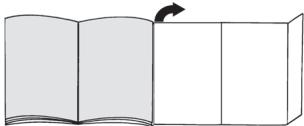
Please fold out the picture pages.
1 Floor tool with electric brush
2 Dirt container release button
3 Battery charging status indicator
4 Sensor Control indicator
5 Dust container
6 Outer filter unit
7 Filter cartridge with motor protection filter and foam filter
8 Plate filter
9 Handle
10 On/off switch
11 Upholstery nozzle
12 Crevice nozzle
13 Professional upholstery nozzle
14 Professional crevice nozzle
15 Carrying strap
16 Accessory adapter
17 Flexible hose with handle
18 Upholstery crevice nozzle
19 Additional rotating brush for the floor nozzle
20 Charging cable
21 Drill dust nozzle
22 Short handle*
Before using your appliance for the first time
Fig. 1
- Carefully plug the handle onto the main housing and lock into place.
- To release the handle, press the release button and carefully lift the handle upwards to remove it.
Fig. 2
- Plug the hand vacuum cleaner into the floor tool and lock into place.
- To release the floor tool, press the release button and pull the hand vacuum cleaner out of the tool.
Charging
Caution: Before using the vacuum cleaner for the
first time, the batteries must be charged for at least 6 hours.
Fig. 3
- To charge the vacuum cleaner, place it near to a socket. The appliance can be left standing anywhere in the room. Fig. 7
- Plug the charging cable into the connection at the rear of the appliance.
- Plug the charging cable plug into the socket.
- The charging indicator flashes during the charging process.
- Once the battery is fully charged, the charging indicator lights up in blue and no longer flashes.
- It is normal for the charging cable and hand vacuum cleaner to become hot and not a cause for concern.
Battery charging status indicator
Fig. 4*
The battery charging status indicator for the appliance corresponds to one of the two following variants:
a) The indicator shows the charging status of the battery.
Once the battery is fully charged, the indicator lights up in blue.
- When the indicator flashes, the battery must be re-charged.
b) The indicator LEDs show the charging status of the battery.
Battery fully charged
Battery semi-charged
Battery low
- When the final LED flashes, the battery must be re-charged.
Vacuuming
Fig. 5
- Move the on/off button in the direction of the arrow.
Controlling the suction level
Fig. 6
To change the suction power, slide the on/off switch to the desired position:
Power level 1 1
Vacuuming without the electric brush switched on. For routine cleaning tasks and particularly low operating noise. The appliance achieves the maximum run time at this level.
Vacuuming at normal power and with the electric brush switched on. For difficult cleaning tasks at an average run time.
Power Level 3
Vacuuming at full power and with the electric brush switched on. For stubborn cleaning tasks on all surfaces (carpets, in particular) and when using an optional accessory. The appliance achieves a shorter run time at this level.
Runtime
The runtime time stated here may vary due to charge status, battery temperature and battery age etc.
| Athlet
20 V | Athlet
28 V |
| Level 1: | Up to 45 min. | Up to 60 min. |
| Level 2: | Up to 30 min. | Up to 25 min. |
| Level 3: | Up to 8 min. | Up to 10 min. |
Fig. 7
- During short pauses in vacuuming, the appliance can be left standing anywhere in the room. To do this, tilt the vacuum cleaner forwards slightly in the direction of the nozzle.
Caution: When the appliance is left standing, it must be switched off, because if the brush is turning while the appliance is standing still, it could cause damage to the floor covering.
Vacuuming with accessories
Fig. 8*
a) Fasten the carrying strap to the short handle provided.
b) Remove the long handle from the main housing.
c) Insert the short handle and lock it in place.
d) Remove the hand-held vacuum cleaner from the floor nozzle.Fig. 2
e) Plug the accessory adapter into the hand-held vacuum cleaner and lock it in place.
Fig. 9*
Fit nozzles as required to the flexible hose with the accessory adapter handle:
- Upholstery nozzle for vacuuming upholstered furniture, curtains, etc.
- Crevice nozzle for vacuuming crevices and corners, etc.
- Upholstery crevice nozzle for vacuuming upholstery, ideal for cleaning car seats in particular
- Secure the drill dust nozzle to the handle and then place against the wall, so that the nozzle drill hole opening sits directly over the hole to be drilled.
After using the appliance
Fig. 10
- Switch off the appliance after vacuuming.
Emptying the dust container
Fig. 11
In order to achieve the best possible vacuuming results, the dust container should be emptied after every use or, at the latest, when dust at one point in the dust container has reached the marking.
We recommend that you not fill the dust container beyond the marking, as this leads to considerable soiling of the filter.
When emptying the dust container, always check how dirty the outer filter unit is and, if necessary, clean it as detailed in the "Cleaning the outer filter unit" instructions. Fig. 16
Caution: The filter can only be cleaned if the appli
- ance is switched off.
Never vacuum without the outer filter unit and its fitted filter cartridge.
Fig. 12
- Using the release button, unlock the dust container and remove it from the appliance.
Fig. 13
- Take the filter unit out of the dust container.
- Empty the dust container.
Fig. 14
- Remove any dirt which may have been lodged underneath the container ejector opening.
- Insert the filter unit into the dust container, making sure it is correctly seated.
- Insert the dust container in the appliance, so that it 'clicks' audibly into place.
Caution: If you notice any resistance when inserting
- the dust container, check that the filter is complete and that the filter unit and dust container are correctly seated.
Filter care
Caution: The filter can only be cleaned if the appliance is switched off.
Your appliance is equipped with a "Sensor Control" function.
This function constantly monitors whether your vacuum cleaner is working at its optimum power level. The indicator light lets you know when you need to clean the filter cartridge, so that the appliance can reach its optimum power level once more.
Fig. 15 Sensor Control
The indicator lights up blue or is off when the appliance is working at its optimum level. Once the indicator turns red and flashes, the outer filter unit and filter cartridge must be cleaned.
The appliance is automatically adjusted to power level 1.
Fig. 16 Cleaning the outer filter unit
The outer filter unit should be cleaned at regular intervals in order to ensure optimum operation of the vacuum cleaner.
- Please switch off the appliance to clean the outer filter unit.
- Remove the dust container from the appliance. Fig. 12
- Take the filter unit out of the dust container. Fig. 13
- Clean the outer filter unit.
a) It is usually sufficient to lightly shake or tap out the whole filter unit when the dust container is emptied in order to dislodge any particles of dirt.
b) If this is not sufficient, you can use a dry cloth to remove dirt particles from the surface.
Fig. 17 Cleaning the filter cartridge
- Switch off the appliance.
- Remove the dust container from the appliance.
Fig. 12
Take the filter unit out of the dust container. Fig. 13
a) Turn the filter cartridge lid anti-clockwise and remove the filter cartridge from the filter unit.
b) Firstly, clean the filter cartridge by tapping out the dirt.
c) Pull out the foam filter from the motor protection and rinse separately.
Allow the foam filter and motor protection filter to dry completely (approx. 24 hours)
d) After fitting the foam filter, insert the filter cartridge into the dust container.
e) Insert the filter cartridge into the filter unit and lock it by turning the lid clockwise.
If, after hand-washing the filter cartridge, the "Sensor Control" indicator flashes red again, the filter cartridge is so heavily soiled that it must be washed in a washing machine. Use a gentle programme at max. 30^ and the lowest spin speed.
New filters can be obtained from our after-sales service, if required.
Fig. 18*
- Switch the appliance off in order to clean the plate filter.
Caution: the filter can only be cleaned if the appliance is switched off.
To clean the plate filter, turn the knob at least three turns through 180^
You can also clean the filter if the suction is becoming less powerful, even if the indicator has not lit up. We recommend that you clean the plate filter each time before emptying the dust container. It must be cleaned at the latest when the "Sensor Control" indicator lights up.
Tapping out the plate filter
Fig. 19*
If the plate filter is particularly dirty, the dirt can also be tapped out.
- Tap out the filter over a dustbin.
The dirt will fall down out of the filter.
Before carrying out any maintenance, switch off the vacuum cleaner and disconnect it from the charging cable.
Fig. 20*
a) Release the brush roller using the release button and pull it sideways out of the floor tool.
b) Using the groove provided, cut through threads and hairs wound round the rollers with scissors and then remove them.
c) Push the brush roller in sideways along the guide rod in the floor tool and lock in place using the release button.
Caution: The floor tool must only be put into operation with the brush roller fitted.
Care
Before cleaning the hand vacuum cleaner, it must be switched off and disconnected from the charging cable. The vacuum cleaner and plastic accessories can be cleaned with an ordinary plastic cleaner.
Caution: Do not use abrasive materials, glass
- cleaning agents or all-purpose cleaning products. Never immerse the vacuum cleaner in water.
Subject to technical modifications.
fr
Stredne nability akumulator

HnHnKATOp 3apRKn aKKyMnyTopa nblncoca COOTBeCTbByET ODHomy n3 DByx npBbeHbIX COCTOHIN:
a)Индкатор уka3ыВает Ha CTeNeHb 3apДКn aKKуЛТopa.
Ecnn akKymyIaTOp nonHocbIO 3apJxKeH, INnKaTOp rOpHT CnHm CBetOM.
- Ecnn HndnkaTop Mmraet, Tpe6yetc3apdkaakkymnyatopa.
b) CBeToIIOIbI HnIHKaTopa yKa3bIbAioT Ha cTeenHb 3apRKn aKKyMnyTopa.
AkkymyTop nonHocbTO 3apJxHeN

CpeHnI ypoBeHb ocTaToUHOro 3apra

Hn3kn ypoBeHb octaToHoro 3apraDa

- Ecni nocneHn CBeToDnOd Mnaet, Tpe6yetc3aapdkaakkymnytopa.
Y6opka
PNC. 5
- Haxmte BbiknoaTeB HnpaBneHn, yka3aHHom ctpenko.
Perynpobka moohocn BCacbibaHna
Pnc. 6
PnHHeo6xOAnMoCTNHOBbIeΦnblTpblMOxHo3aKa3aTb uepe3 cepBnchHyO cnyk6y.
Pnc. 18*
BbIKnIOHTe nblncoc, UTO6bI ONUCTnTb naMeIbHbI nnTp.
BHHMaHHe: ouHcTka 0nNbTp a Bo3MoXHa TOnbko
- npn BbIKIOueHHOM nbinecoce.
-Дяочстkn lamembHoro Фньтpa NOBepHnte pyuaxok Ha 180^ He Mehee Tpex pa3.
OuHCTKa BO3MOXHa TAKKe npn CHNKeHHM MOUHOCTN BCaCbIbAHn, DaKe KOrda INDkaTOp He CBETnCTc. Mbl peKoMeHnyem ChNTb NaMeNbHbN PhNbTp neped KaKdbm ONopOKHeHem KOHTeHepa DnA c6opa bIyN. OndHako UChTKy Heo6xOdmo npOBectn, ecnn 3arOpntc HNDkATop «Sensor Control».
BbikonaunBaHne lamenbHoro nIbtpa
Pnc. 19*
Ecnn lamenbHbI ΦnBtp CnBHO 3aarp3H,ero MOxHO BblKoNOTb.
Bbikonotte nIbtpnA KOHTeHepom Iy Mycopa. H3 nnbtpra rpr3b ynpaET Bn3.
OuicKa hacaikn Iyra nona/kOBpa
KaKdbIpa3nepeTexO6cnyXuBaHem nbIeococa BbIKNoaHTe ero n OTOcoEHNrJrOT KaBena 3apdHoro yctpOCTBA.
Pmc. 20
a) HaxkTnem KhoNknФнкauin pa3bNoKpyte BaNik 电ETKN N BbHBe NT hacadKn dI NaJIOBpa c6Oky.
b) Hamotabuie HNTKn BONocb pa3peXbTe HOHHaMn BDOB CpeHaNbHO ppeUcMOTpeHNO npope3n yduanTE.
c) 3aDbHnBteBaNKhIeTkNc60kyBDoIb HnpaBnHOoero cTepkHn B hAcaky I nOla/koBpa I 3aФнкC npyTe ero HacatMeK hONkIΦKnCaun.
BHHMaHHe:HaCaIkyIJIyIIOJa/KOBpaMOxHO
HCNOJb3OBA Tb TOnbKO C yCTaHOBJIeHHbIM BaHkOM ⅢETKN.
yxo
Ipeed kajdoy nctkoi nbinecoc Heo6xOIMO BbIKHouTb NOTOEINHTb OT Ka6eY3aepnHO YcTPOCTBa. Iblneoc NnactMaccobble npnHaJNeKHO MOKHO nCTNtB 0bUHyBIMC cpeCTBaAMnIyNCtKnPiactMaccbl.
BHHMaHHe He IcNoIb3yIte a6pa3nBhIe uNCTaIe
- cpeCTBA, cpeCTBaДЯ МьтЯ CBTEKONИN
YHINBepcaIbIbIe MOIOUHcpeCTBA. He norgykaTe
PbIeCoc B BOYd.
Octablanem 3a coboi npabo Ha BheceHne texnuecknx n3MeHeHH.
zf
S12 23 a b0000000000000000000000000000000000000000000000
S OBC = S BOC + S_ BOC
(e
julii 1234567890123456789012345678901234567890123456789012345678901234567890123456789012345678901234567890123456789
jil jil jil jil jil jil jil jil jil jil jil "Sensor Control"
aaiy j 10daiiui Li .gai iai
30C 5
j j j j j j j j j j j j j j j j j j j j j j j j
12 ①
18*
aagaiolgai 45 a gui juii dgi jia jia
iiS 12 yolal abio j1 jiy
Lai Jia 23
2 15 12 10 9 8 7 6 5 4 3 2 1 0 8 6 4 3 2 1 0 8 6 4 3 2 1 0
*9
Jg 100000000000000000000000000000000000000
-
-
-
-
-
-
-
-
-
-
-
-
-
-
-
-
-
-
-
-
-
-
-
-
-
-
-
-
-
-
-
-
-
- 2
jgl jy juaa ay jlaa cki 5j 3
4 4 4 4 4 4 4 4 4 4 4 4 4 4 4 4 4 4 4 4 4 4 4 4 4 4 4 4 4 4 4 4 4 4 4 4 4 4 4 4 4 4 4 4 4 4 4 4 4
#
yla yj yj yj yj yj yj yj yj yj yj yj
6
3
1 1
7
J 1
a 1
.
()
S ACD = S COD + S DCE - S CDE
22
a
i j k l s u w x y z
.2
Jyj yj yj jya Saa Jlii
aJ 1 J 5 J 5 J 5 J 5 J 5 J 5 J 5 J 5 J 5 J 5 J 5 J 5 J 5 J 5 J 5 J 5 J 5 J 5 J 5 J 5 J 5 J 5 J 5 J 5 J 5 J 5 J 5 J 5 J 5
0
1
LED
#
5
sJ 1
6
2s0 1
:
1 1
y
.
2 2
a 4 2
.
Turbo / 3
515, 52,53,54,55
6
j 7
* 8
9
10
11
*023 1
*13
*02y 1 y 1 1 1 1 1 1 1 1 1 1 1 1 1 1 1 1 1 1 1 1 1 1 1 1 1 1 1 1 1 1 1 1 1 1 1 1 1
* 15
*Ji j 16
*gjgljgljbjd 17
*auiuuiy
i 19
20
*s j s j 1 d a s s s s s s 21
22
AE United Arab Emirates,
BSH Home Appliances FZE
Round About 13, Plot Nr MO-0532A
Jebel Ali Free Zone - Dubai
Tel.: 04 881 44 01*
mailto:service.uae@bshg.com
www.bosch-home.com/ae
- Sun-Thu: 8.00 am to 5.00 pm
(exclude public holidays)
AL Republika e Shqiperise, Albania
ELEKTRO-SERVIS sh.p.k
Rr.Shkelqim Fusha,Selite
Pallati "Matrix Konstruktion",
Kati 0 dhe +1
1023 Tirane
Tel.: 42278130, -131
Fax:42278130
mailto:info@elektro-servis.com
EXPERT SERVIS
Rugae Kavajes
Kulla B Nr 223/1 Kati I
1023 Tirane
Tel.: 44806061
Tel.: 42274941
Fax: 4 227 0448
Cel: +355 069 60 45555
mailto:info@expert-servis.al
Gate 1, 1555 Centre Road
Clayton, Victoria 3168
Tel.: 1300 369 744*
mailto:customersupport.au@bshg.com
www.bosch-home.com.au
BA Bosni a Hercegovina, Bosnia-Herzegovina
"HIGH" d.o.o.
Gradačačka 29b
71000 Sarajevo
Tel./Fax: 033 21 35 13
mailto:centralniservis@yahoo.com
BE Belgique, Belgie, Belgium
BSH Home Appliances S.A. - N.V.
Business center FPI, floor 5,
Cherni vrah Blvd. 51B
1407 Sofia
Tel.: 0700 208 17
mailto:informacia.servis-bg@bshg.com
www.bosch-home.bg
BH Bahrain,
Khalaifat Est.
BLD 898,R533,TASHAN405
Manama
(exclude public holidays)
BY Belarus, Bénapycb
OOO“BCXБытоваяТхнka"
ten.: 495 737 2961
mailto:mok-kdhl@bshg.com
CH Schweiz, Suisse, Svizzera, Switzerland
BSH Hausgeräte AG
To arrange an engineer visit, to order
spare parts and accessories or for
product advice please visit
www.bosch-home.co.uk
or call Tel.: 0344 892 8979*
Calls are charged at the basic rate, please
check with your telephone service provider for exact charges.
GR Greece, Eλας
BSH Ikiakes Siskeves A.B.E.
Central Branch Service
17 km E.O. Athinon-Lamias & Potamou 20
14564 Kifisia
TnAePwvo:2104277500
Tnλεφωνo: 210 4277 701
mailto: nkf-CustomerService@bshg.com
www.bosch-home.gr
HK Hong Kong, 香港
BSH Home Appliances Limited
Unit 1 & 2, 3rd Floor, North Block,
Skyway House, 3 Sham Mong Road
Tai Kok Tsui, Kowloon
Hong Kong
Tel.: 2626 9655 (HK)
Toll free 0800 863 (Macao)
Fax: 2565 6681
mailto:bosch.hk.service@bshg.com
www.bosch-home.com/hr
www.bosch-home.com/hu
IE Republic of Ireland
BSH Home Appliances Ltd.
M50 Business Park
Ballymount Road Upper
Walkinstown
Dublin 12
To arrange an engineer visit, to order
spare parts and accessories or for
product advice please call
Tel.: 01450 2655*
www.bosch-home.ie
Calls are charged at the basic rate, please
check with your telephone service provider
for exact charges
IL Israel
C/S/B/ Home Appliance Ltd.
1, Hamasger St.
North Industrial Park
Lod, 7129801
Tel.: 089777222
Fax: 089777245
mailto:csb-serv@csb-ltd.co.il
www.bosch-home.co.il
IN India, Bharat,
BSH Household Appliances Mfg. Pvt. Ltd.
Arena House, Main Bldg, 2nd Floor
Plot No. 103, Road No. 12
MIDC, Andheri East
Mumbai 400 093
Toll Free 1800 266 1880*
www.bosch-home.com/in
(exclude public holidays)
IS Iceland
Smith & Norland hf.
Noatuni 4
105 Reykjavik
Tel.: 0520 3000
Fax: 0520 3011
www.sminor.is
IT Italia, Italy
www.bosch-home.com/it
KR Republic Korea,
Daehan Minguk, 大韓民国
Dong Suh Foods Corporation
DongsuhBldg.,324
Dongmak-ro, Mapo-gu
Seoul 121-730
Tel.: 080 025 9114
KZ Kazakhstan, Ka3aKcTah
BSH Home Appliances LLP
Dostyk 117/6
Business Center "Khan Tengri"
Almaty
Hotline: 5454*
mailto:ALA-Service@bshg.com
- Toll free from mobile only
LB Lebanon, jlij
Teheni, Hana & Co.
Boulevard Dora 4043 Beyrouth
P.O.Box 90449
Jdeideh, 1202 2040
Tel.: 01 255 211
mailto:Info@Teheni-Hana.com
LT Lietuva, Lithuania
Senuku prekybos centras UAB
Jonavos g. 62
44192 Kaunas
Tel.: 037 212 146
Fax: 037 212 165
www.senukai.lt
UAB "AG Service"
R. Kalantos g. 32
52494 Kaunas
Tel.: 070055655
Fax:037331363
mailto:servias@agservice.it
www.agservice.lt
Baltic Continent Ltd.
Lukšio g. 23
09132 Vilnius
Tel.: 870 055 595
Fax: 052 741 722
mailto:info@balticcontinent.It
www.balticcontinent.It
UAB Emtoservis
Savanoriu pr. 1 (Centrine bustine)
03116 Vilnius
Tel.: 870 044 724
Fax:052737368
mailto:svc@emtoservis.lt
www.emtoservis.lt
LU Luxembourg
S.R.L. "Rialto-Studio"
yn. UyceBa 98
2012 KIshinHeB
TeJ./ΦaKc:022 23 81 80
mailto:bosch-md@mail.ru
ME Crna Gora, Montenegro
Elektronika komerc
Lintel Investments and
Management Services Pvt. Ltd.
Ma. Maadheli, Majeedhee Magu
Malé
Tel.: 03 010 200
mailto:mohamed.zuhuree@lintel.com.mv
www.lintel.com.mv
NL Nederlande, Netherlands
Level 3, Air NZ Building, Smales Farm
74 Taharoto Road, Takapuna
Auckland 0622
Tel.: 0800 245 700*
mailto: aftersales.nz@bshg.com
www.bosch-home.co.nz
- Mo-Fr: 8.30 am to 5.00 pm
(exclude public holidays)
PL Polska, Pol
SA Kingdom Saudi Arabia,
iJgss//jI j//isla//
Abdul Latif Jameel Electronics
and Airconditioning Co. Ltd.
BOSCH Service centre,
Kilo 5 Old Makkah Road
(Next to Toyota), Jamiah Dist.,
P.O.Box 7997
Jeddah 21472
Tel.: 800 127 9999*
mailto:Khadeermj@ALJ.COM
www.aljazeera.com.sa
- Sat-Thu: 8.00 am to 11.00 pm
(exclude public holidays)
SE Sverige, Sweden
BSH Home Appliances AB
Landsvagen 32
169 29 Solna
Tel.: 0771 19 70 00 local rate
Tel.: 0771 11 22 77 local rate
mailto:Bosch-Service-SE@bshg.com
www.bosch-home.se
SG Singapore, 新加坡
BSH Home Appliances Pte. Ltd.
Block 4012, Ang Mo Kio Avenue 10
01-01 Techplace 1
Singapore 569628
Tel.: 6751 5000
Fax: 67515005
mailto:bshsgp.service@bshg.com
www.bosch-home.com.sg
- Mo-Fr: 8.30am to 7.00pm, Sa: 8.30am to 5.30pm
(exclude public holidays)
SI Slovenija, Slovenia
BSH Hisni aparati d.o.o.
Litostrojska 48
1000 Ljubljana
Tel.: 01 5830 700
Fax: 01 5830 889
mailto:informacije.servis-slo@bshg.com
www.bosch-home.com/si
SK Slovensko, Slovakia
Itai Thai Tower, 2034/31-39, 1st floor.
New Petchburi Road
Bangkapi, Huay Kwang
Bangkok, 10310
Tel.: 02 975 5353*
www.bosch-home.com/th
(exclude public holidays)
TR Türkiye, Turkey
BSH Ev Aletleri Sanayi
ve Ticaret A.S
Fatih Sultan Mehmet Mahallesi
Balkan Caddesi No: 51
34771 Umraniye, Istanbul
Tel.: 02164446333*
Fax: 0 216 528 9188*
mailto:careline.turkey@bshg.com
www.bosch-home.com/tr
- Cagli merkezini sabit hatlardan
aramanin bedeli sehir icci Ucretlendirme,
Cep telofoniarindan iskullianl
BSH Home Appliances Private Limited
台北市內湖區洲子街80號11樓
11F., No.80, Zhouzi St., Neihu Dist.
Taipei City 11493
Tel.: 0800 368 888
Fax: 02 2627 9788
mailto:bshtzn-service@bshg.com
Service-General SH.P.K.
rr.Magjistralja Ferizaj Prishtine
70000 Ferizaj
Tel.: 00381 (0) 290 330 723
Tel.: 00377 44 172 309
mailto:servicegeneral527@gmail.com
XS Srbija, Serbia
BSH Kućni aparati d.o.o.
15th Road Randjespark
Private Bag X36, Randjespark
1685 Midrand-Johannesburg
Tel.: 086 002 6724
Fax: 086 617 1780
mailto:applianceserviceza@bshg.com
www.bosch-home.com/za


de
This appliance is labelled in accordance with European Directive 2012/19/EU concerning used electrical and electronic appliances (waste electrical and electronic equipment - WEEE). The guideline determines the framework for the return and recycling of used appliances as applicable throughout the EU.
fr
GB Conditions of guarantee
For this appliance the guarantee conditions as set out by our representatives in the country of sale apply. Details regarding same may be obtained from the dealer from whom the appliance was purchased. For claims under guarantee the sales receipt must be produced.
FR Conditions de garantie
Belenrries duridura.
tuketici maln bade adesisi, a yyp oranda del baded imirinya imkan varasa manh aypssz misi ile degistirmeisi satcndan taie edir.
Satci tuketiciin tue baidredemce. Bu talenin yerine gertimelmesi.
Takiri kizartma kizartma.
Sutu kizartma.
6.Malit tamir sureti 20 is gunun gecemz. Bu sure, garanti sureti cicerisnde malia ijskin ananzen Yekift Servis Istasoyuna veta salcya bildirimi tanhirinde, garanti sureti daisne is malim selil Keviri Sitasoyuna taslim tarihinde
6.Malit tamir sureti 10 is ginku anazsin 10 is ginku anazsin 10 is ginku anazsin 10 is ginku anazsin 10 is ginku anazsin 10 is ginku anazsin 10 is ginku anazsin 10 is ginku anazsin 10 is ginku anazsin 10 is ginku anazsin 10 is ginku anazsim 10 is ginku anazsim 10 is ginku anazsim 10 is ginku anazsim 10 is ginku anazsim 10 is ginku anazsim 10 is ginku anazsim 10 is ginku anazsim 10 is ginku anazsim 10 is ginku anazsim 10 is ginku anaz sim 10 is ginku anazsim 10 is ginku anazsim 10 is ginku anazsim 10 is ginku anazsim 10 is ginku anazsim 10 is ginku anazsim 10 is ginku anazsim 10 is ginku anazsim 10 is ginku anazsim 10 is ginku anazSim 10 is ginku anazsim 10 is ginku anazsim 10 is ginku anazsim 10 is ginku anazsim 10 is ginku anazsim 10 is ginku anazsim 10 is ginku anazsim 10 is ginku anazsim 10 is ginku anazsim 10 is ginku anaz Sim 10 is ginku anazsim 10 is ginku anazsim 10 is ginku anazsim 10 is ginku anazsim 10 is ginku anazsim 10 is ginku anazsim 10 is ginku anazsim 10 is ginku anazsim 10 is ginku anazsim 10 is ginku anaz
Bulur Bosch Ici BSR EV Alteeri S401/ital/ital edilmedetdir.
BSH EV ALETLERI SAN. VE TIC.A.S.
Faith Sultan Mehmet Mah, Balkan Cnd. No.51 Tel. (2016)528 90 000 Faks.: (2016)528 918 87
Degerli Musterimiz
Bosch Cagli Merkize 446333 no.Ite numarasiile,7 gun 24 saat hizmet vermektedir. Dogrundan bu numarayi cevirerek atleast vesi satis narsonir himztermiziniden faydalanbiriliszin. Bosch Cagli Merkizeimy ayrnc www.bosch-home.com/tr adresindeki Musteri Hizmetlere bolumunde bulunan Musteri Hizmetleri Formuno doldurarak ya da 021652891 88 no.lu Telefona faks cekerek de ulasbilirisinr. Yetkili Servisi listernze asagda Yazil internet adreslerinen va cagl merkezi numaramizdan ulasbilirisinr.
www.bosch-home.com/tr www.bosch-yetikiliservisi.com
Asāyāva ver alan konularda yard
Aagadu yer anr konlada yar dner mnnnnae cedir. 1.Gibraa hllanl kldkunndp haiditian hauwphnne
-
Urinugunulilil himt otahin in aluudv uakuyu uukl tofien lardn
-
Ordnizhie high- hiznien tukhinizh iudugunda jyckunda yazhi temorzhad gajn monkemirz taryim. 3. Hiznet icgin geh nektisynie BOSCH YETKEL VISIRI KIMLIKARTINI sorunuz. Bu kimlik karti, 18 yaganda kaduk eleanlari verlimemektedir. 4. Yetlik versismiz, cihazinada yaplan herhani bir islemden ono size seri visfu fis ini duzenleviy vermek zorundarid. Bu
Kpyrnocytohbltepeoh cnky6bI noDepkKn*:
8 (800) 200-29-61
FB5858 / abryct 2019
bosch-infoteam@bshg.com