CM4003ALS - Coffee maker Zelmer - Free user manual and instructions
Find the device manual for free CM4003ALS Zelmer in PDF.


| Product Type | Bean-to-cup espresso machine |
| Model | Zelmer CM4003ALS |
| Water Tank Capacity | 2 L |
| Bean Container Capacity | Approximately 250 g |
| Ground Coffee Container Capacity | Single dose |
| Waste Box Capacity | Approximately 15 used pucks |
| Power Supply | 220-240 V, 50-60 Hz, ~1450 W |
| Dimensions (approx.) | 430 x 340 x 360 mm |
| Weight (approx.) | 9.5 kg |
| Main Functions | Small espresso, large espresso, cappuccino, latte, hot water, two cups, coffee volume adjustment, coffee bean/ground coffee selection, temperature settings, auto-off timer, water hardness setting, display brightness, sound signals, descaling program, water filter |
| Brew Group | Removable, washable |
| Milk System | Integrated steam wand with frothing regulator |
| Pump Pressure | 15 bar (typical) |
| Safety Features | Auto shut-off, grounded plug, overheat protection, child safety (supervision recommended) |
| Cleaning & Maintenance | Automatic rinsing program, descaling cycle, removable drip tray and waste box, washable brew group, cleanable milk frother |
| Accessories Included | Measuring spoon, water filter, cleaning cloth, user manual |
| Repairability | Authorized service centers only; spare parts available through manufacturer |
| Warranty | Standard 2 years (check local regulations) |
Frequently Asked Questions - CM4003ALS Zelmer
User questions about CM4003ALS Zelmer
0 question about this device. Answer the ones you know or ask your own.
Ask a new question about this device
Download the instructions for your Coffee maker in PDF format for free! Find your manual CM4003ALS - Zelmer and take your electronic device back in hand. On this page are published all the documents necessary for the use of your device. CM4003ALS by Zelmer.
USER MANUAL CM4003ALS Zelmer
DOSTĘPNE PRZYCISKI

ON/OFF MAŁE ESPRESSO DUŻE ESPRESSO CAPPUCCINO LATTE SPIENIONE MLEKO/


GORACA WODA


DWIE FILIŻANKI

OBJĘTOŚĆ KAWY KAWA ZIARNISTA KAWA MIELONA TEMPERATURA NASTĘPNE MENU WRÓĆ
natural_image
Hand placing a device into a digital machine (no visible text or symbols)natural_image
Hand placing a small object into a transparent container with a cylindrical container inside (no text or symbols visible)natural_image
Hand placing a white cylindrical object into a transparent plastic container (no text or symbols visible)natural_image
Close-up of hands holding a small electronic device with an upward arrow, no visible text or symbolsnatural_image
Hand stirring a glass of water with a straw (no text or symbols visible)natural_image
Hand holding a white strip with black square markers, next to a small product label (no visible text or symbols)natural_image
Hand inserting a plug into a washing machine, with an electrical outlet visible in the background (no text or symbols)natural_image
Hand placing a device into a clear glass container, with an upward arrow indicating motion (no text or symbols visible)natural_image
Illustration of a hand holding a transparent container with a faucet, showing liquid flow and a close-up inset of a person's torso (no text or symbols)natural_image
Hand placing a black tray into a transparent container with a handle, next to a digital kitchen appliance (no visible text or symbols)natural_image
Person placing a paper into a device labeled 'Talimer', with no visible text or symbols on the device itself.natural_image
Hand inserting a plug into a device with an outlet, showing electrical wiring (no text or symbols visible)natural_image
Exterior view of a modern industrial machine labeled 'zalmer' with control panel and base (no readable text beyond branding)natural_image
Hand inserting a plug into a Talimer brand water dispenser (no text or symbols visible)natural_image
Hand pressing a button on a digital kitchen appliance (no visible text or symbols)Uzupełnianie kawy
KAWA ZIARNISTA
natural_image
Hand inserting a card into a printer (no text or symbols visible)natural_image
Hand pouring liquid into a small electronic device (no visible text or symbols)
natural_image
Hand placing a coin into a container with seeds, no text or symbols visiblenatural_image
Hand inserting a card into a printer (no text or symbols visible)natural_image
Hand pouring liquid into a kitchen appliance using a spatula (no text or symbols visible)
natural_image
Hand inserting a card into a printer (no text or symbols visible)Zaparzanie kawy

natural_image
Hand pouring a white cup into a digital coffee machine (no visible text or symbols)
natural_image
Hand placing a white object into a black appliance labeled 'zeimer' (no additional text or symbols visible)natural_image
White coffee mug being poured into a black machine (no visible text or symbols)natural_image
Hand pouring a glass cup into a self-service coffee machine (no visible text or symbols)natural_image
Close-up of a hand using a tool to adjust a small electronic device with a glass cup nearby (no visible text or symbols)natural_image
Hand inserting a small plug into a digital device labeled 'zelmer' (no text or symbols on the device itself)natural_image
Close-up of a coffee machine with a glass cup and milk being poured into it (no visible text or symbols)natural_image
Hand pressing a button on a digital kitchen appliance panel (no visible text or symbols)natural_image
Hand pressing a button on a digital kitchen appliance (no visible text or symbols)natural_image
Exterior view of a modern coffee machine with glass and milk being poured into the tray (no visible text or symbols)natural_image
Front view of a modern zelmer coffee maker with control panel and toolbar icons (no readable text or symbols)natural_image
Close-up of a mechanical component with a dashed circular annotation highlighting a feature (no visible text or symbols)natural_image
Hand inserting a device into a black self-checkout machine (no visible text or symbols)natural_image
Hand inserting a computer into a desktop tower case (no visible text or symbols)natural_image
Hand pressing a black electronic device with an upward arrow indicating motion (no text or symbols visible)natural_image
Close-up of a hand inserting a device into a computer tower case (no visible text or symbols)OPRÓŻNIANIE POJEMNIKA NA ODPADY
natural_image
Hand inserting a small black object into a black industrial machine (no visible text or symbols)natural_image
Hand inserting a device into a server rack (no visible text or symbols)natural_image
Close-up of hands holding a small electronic device with an upward arrow indicating motion (no text or symbols visible)natural_image
Close-up of a hand inserting a device into a computer tower case (no visible text or symbols)natural_image
Hand inserting a small electronic device into a machine (no visible text or symbols)CZYSZCZENIE URZĄDZENIA
natural_image
Hand inserting a plug into a washing machine, with an electrical outlet visible in the background (no text or symbols)natural_image
Hand cleaning a small industrial machine with a cloth, showing internal components and a digital display (no visible text or symbols)natural_image
Hand inserting a small component into a device labeled 'zelmer' (no additional text or symbols visible)natural_image
Hand holding a stainless steel faucet with water flowing from the drain (no text or symbols visible)natural_image
Hand operating a Zelmer coffee machine with a hand inserting a small object into the chamber (no visible text or symbols)natural_image
Hand holding a small container with liquid, pouring from a metallic faucet (no text or symbols visible)CZYSZCZENIE BLOKU ZAPARZAJĄCEGO I RURKI WYLOTOWEJ KAWY
natural_image
Hand inserting a device into a self-service machine (no visible text or symbols)natural_image
Hand holding a black mechanical component with directional arrows indicating motion (no text or symbols visible)natural_image
Hand holding a water tap with liquid, using a handheld device (no text or symbols visible)natural_image
Close-up of hands adjusting a mechanical component with an inset magnified view showing a tool interacting with a component (no text or symbols visible)natural_image
Hand holding a faucet with liquid pouring from a small black object (no text or symbols visible)natural_image
Exterior view of a modern industrial machine labeled 'zelmer' with control panel and indicator lights (no readable text beyond branding)natural_image
Hand pouring liquid into a mechanical device (no text or symbols visible)natural_image
Exterior view of a modern office building (no signage)natural_image
Front view of a modern industrial machine labeled 'zelmer' with control panel and battery (no readable text beyond branding)natural_image
Front view of a Zeimer gas washing machine (no visible text or symbols on the device body)natural_image
Exterior view of a modern appliance with 'zelmer' branding and circular logo (no readable text beyond branding)natural_image
Close-up of a hand pressing down on a kitchen appliance with a digital display (no visible text or symbols)DOSTUPNÁ TLAČÍTKA

ON/OFF MALÉ ESPRESSO VELKÉ ESPRESSO CAPPUCCINO LATTE NAPËNËNÉ MLÉKO/


HORKÁ VODA


DVA ŠÁLKY

OBJEM KÁVY ZRNKOVÁ KÁVA MLETÁ KÁVA TEPLOTA NÁSLEDUJÍCÍ MENU ZPĚT
natural_image
Hand placing a device into a digital machine with a paper clip, showing no visible text or symbols on the device itself.natural_image
Hand placing a small object into a transparent container with a cylindrical tube inside (no text or symbols visible)natural_image
Hand placing a white cylindrical object into a transparent plastic container (no text or symbols visible)natural_image
Close-up of hands holding a small electronic device with an arrow indicating motion (no visible text or symbols)natural_image
Hand stirring a clear glass with a straw (no text or symbols visible)natural_image
Hand holding a white strip with square buttons, next to a small electronic device (no visible text or symbols)natural_image
Hand inserting a plug into a washing machine, with an electrical outlet visible in the background (no text or symbols)natural_image
Hand placing a device into a clear glass container, with an upward arrow indicating motion (no text or symbols visible)natural_image
Illustration of a hand holding a transparent container with a faucet, showing a close-up inset of a person's arm (no text or symbols present)natural_image
Hand placing a black tray into a transparent dish, with no visible text or symbols on the device itself.natural_image
Person placing a paper into a device with a hand visible, no text or symbols present
natural_image
Hand inserting a plug into a device with an electrical outlet nearby (no text or symbols visible)natural_image
Exterior view of a modern industrial water heater with control panel and battery (no visible text or symbols)Tlačitko ON/OFF ♦ de 10 vteřin svítit.
natural_image
Hand inserting a plug into a water dispenser (no visible text or symbols)natural_image
Close-up of a hand pressing a button on a coffee maker's front panel (no visible text or symbols)natural_image
Hand pressing a button on a digital kitchen appliance (no visible text or symbols)natural_image
Hand inserting a card into a printer (no text or symbols visible)natural_image
Hand pouring liquid into a device with a lid, no visible text or symbolsnatural_image
Hand placing a coffee pot into a container with seeds, no text or symbols visiblenatural_image
Hand inserting a card into a printer (no text or symbols visible)natural_image
Hand pouring liquid into a kitchen appliance using a spatula (no text or symbols visible)natural_image
Hand inserting a card into a printer (no text or symbols visible)Příprava kávy
natural_image
Hand pouring a white cup into a digital coffee machine (no visible text or symbols)natural_image
Hand pressing a small object into a black appliance labeled 'Zelmer' (no visible text or symbols on the device itself)natural_image
White coffee mug being poured into a black machine (no text or symbols visible)natural_image
Hand inserting a glass cup into a self-service coffee machine (no visible text or symbols)natural_image
Person using a Zeimer self-service cream machine with a glass cup on the counter (no visible text or symbols)natural_image
Hand inserting a small electronic device into a digital control panel (no visible text or symbols)natural_image
Close-up of a coffee machine with a glass cup and milk being poured into it (no visible text or symbols)natural_image
Hand pressing a button on a digital kitchen appliance (no visible text or symbols)natural_image
Hand pressing a button on a coffee maker's side panel (no visible text or symbols)natural_image
Exterior view of a modern coffee machine with a glass of milk being poured into it (no visible text or symbols)natural_image
Front view of a Zelmer coffee machine with control panel and toolbar icons (no readable text or symbols)natural_image
Close-up of a mechanical device with internal components and a dashed circular annotation (no visible text or symbols)natural_image
Hand inserting a device into a black self-checkout machine (no visible text or symbols)natural_image
Close-up of a computer tower with an open case showing internal components and a hand inserting a device into the base (no visible text or symbols)natural_image
Hand pressing a black electronic device with an upward arrow indicating motion (no text or symbols visible)natural_image
Hand inserting a device into a computer tower case, showing internal components and a hand pointing to the device (no visible text or symbols)VYPRÁZDNĚNÍ NÁDOBY NA ODPADY
natural_image
Hand inserting a small electronic device into a black industrial machine (no visible text or symbols)natural_image
Hand inserting a device into a desktop computer tower (no visible text or symbols)natural_image
Close-up of hands holding a black box with an upward arrow, next to a device tray (no visible text or symbols)natural_image
Close-up of a hand inserting a device into a server rack unit (no visible text or symbols)natural_image
Hand pressing down of a self-service water heater with a hand operating the valve (no visible text or symbols)ČIŠTĚNÍ SPOTŘEBIČE
natural_image
Hand inserting a plug into a washing machine, with an electrical outlet visible in the background (no text or symbols)natural_image
Hand cleaning a small industrial machine with a cloth, showing internal components and a lid (no visible text or symbols)natural_image
Hand inserting a small component into a device labeled 'zelmer' (no additional text or symbols visible)natural_image
Hand holding a faucet with water flowing from the drain (no text or symbols visible)natural_image
Hand operating a Zelmer coffee maker with a hand inserting a plug into the chamber (no visible text or symbols)natural_image
Hand holding a small container with liquid, pouring from a metallic faucet (no text or symbols visible)ČISTĚNÍ SPAŘOVACÍHO BLOKU A VÝPUSTNÉ TRUBIČKY NA KÁVU
natural_image
Hand inserting a small electronic device into a black control panel (no visible text or symbols)natural_image
Hand holding a black mechanical component with directional arrows indicating motion (no text or symbols visible)natural_image
Hand holding a water tap with liquid, no text or symbols visiblenatural_image
Close-up of hands operating a mechanical component with an inset showing a close-up of a tool (no visible text or symbols)natural_image
Hand holding a faucet with liquid being poured into it (no text or symbols visible)natural_image
Front view of a modern zelmer appliance with control panel and buttons (no readable text or symbols)natural_image
Front view of a Zeimer gas washing machine with control panel and indicator lights (no readable text or symbols)natural_image
Hand pouring liquid into a transparent container (no text or symbols visible)natural_image
Exterior view of a modern office building (no signage)natural_image
Front view of a Zeimer chemical waste bin with a digital display and control panel (no visible text or symbols on the device itself)natural_image
Exterior view of a Zeimer industrial machine (no visible text or symbols on the device body)natural_image
Hand interacting with a kitchen appliance control panel (no visible text or symbols)
TLAČIDLÁ OVLÁCACIEHO PANELU

ON/OFF MALÉ PRESSO VELKÉ PRESSO CAPPUCCINO LATTE SPENENÉ MLIEKO/


HORÚCA VODA


DVE ŠÁLKY

MNOŽSTVO KÁVY ZRNKOVÁ KÁVA MLETÁ KÁVA TEPLOTA NASLEDUJÚCE MENU NASPÄT
natural_image
Hand placing a device into a digital machine with an upward arrow, no visible text or symbols on the device itself.② Odoberte hrubý filter tak, že ho vytiahnete smerom nahor.
natural_image
Hand placing a small object into a transparent container with an upward arrow (no text or symbols visible)natural_image
Hand placing a white cylindrical object into a transparent container (no text or symbols visible)natural_image
Close-up of hands holding a small electronic device with an arrow indicating motion (no visible text or symbols)natural_image
Hand stirring a clear glass with a straw (no text or symbols visible)natural_image
Hand holding a white stick near a small product box with square buttons (no visible text or symbols)natural_image
Hand inserting a plug into a washing machine, with an electrical outlet visible in the background (no text or symbols)natural_image
Hand placing a device into a clear glass container, with an upward arrow indicating motion (no text or symbols visible)⑤ Nádobu naplňte čerstvou, studenou vodou.
natural_image
Illustration of a hand holding a transparent container with a faucet, showing liquid level and a close-up inset of the interior (no text or symbols)natural_image
Hand pressing down on a digital kitchen appliance (no visible text or symbols)natural_image
Person placing a tray into a device with a hand adjusting it (no visible text or symbols)natural_image
Hand inserting a plug into a printer device (no text or symbols visible)natural_image
Exterior view of a modern industrial appliance with a digital display and control panel (no visible text or symbols)Tlačidlo ON/OFF ⏻ sa zasvieti na 10 sekúnd.
natural_image
Hand inserting a cable into a digital water dispenser labeled 'Zalimer', showing internal components and control panel (no text or symbols on device)natural_image
Hand pressing a button on a digital kitchen appliance (no visible text or symbols)Plnenie kávy
ZRNKOVÁ KÁVA
natural_image
Hand inserting a card into a printer (no text or symbols visible)natural_image
Hand pouring liquid into a device (no visible text or symbols)natural_image
Hand placing a dark circular object into a black appliance with seeds, showing a rotation arrow (no text or symbols visible)natural_image
Hand inserting a card into a printer (no text or symbols visible)natural_image
Hand pouring liquid into a kitchen appliance using a spatula (no text or symbols visible)natural_image
Hand inserting a card into a printer (no text or symbols visible)Príprava kávy
natural_image
Hand using a white coffee cup on a black industrial machine (no visible text or symbols)
natural_image
Hand pressing down of a small container labeled 'Zelmer' with a downward arrow, next to a black appliance (no visible text or symbols on the device itself)② Pre volbu pripravy kávy espresso, stlačte tlačidlo (MALÉ ESPRESSO) alebo tlačidlo (VEF KÉ ESPRESSO).
natural_image
White coffee mug being poured into a black machine (no text or symbols visible)natural_image
Hand inserting a glass cup into a black industrial machine (no visible text or symbols)Pripravte nádobu s mliekom.
natural_image
Hand inserting a tool into a small container with a glass cup nearby (no visible text or symbols)Druhý koniec ponorte do nádoby s mliekom.
natural_image
Hand inserting a small component into a digital device labeled 'zelmer' (no text or symbols on the device itself)④ Pre vol'bu pripravy Cappuccina, stlačte tlačidlo Pre vol'bu pripravy Latte, stlačte tlačidlo

natural_image
Close-up of a coffee machine with a glass cup and milk being poured into it (no visible text or symbols)natural_image
Hand pressing a button on a digital device panel (no visible text or symbols)natural_image
Hand interacting with a coffee machine control panel showing a teapot icon and control buttons (no readable text or symbols)natural_image
Exterior view of a modern coffee machine with a glass of milk being poured into it (no visible text or symbols)SCHÉMA A POSTUPNOST KROKOV:
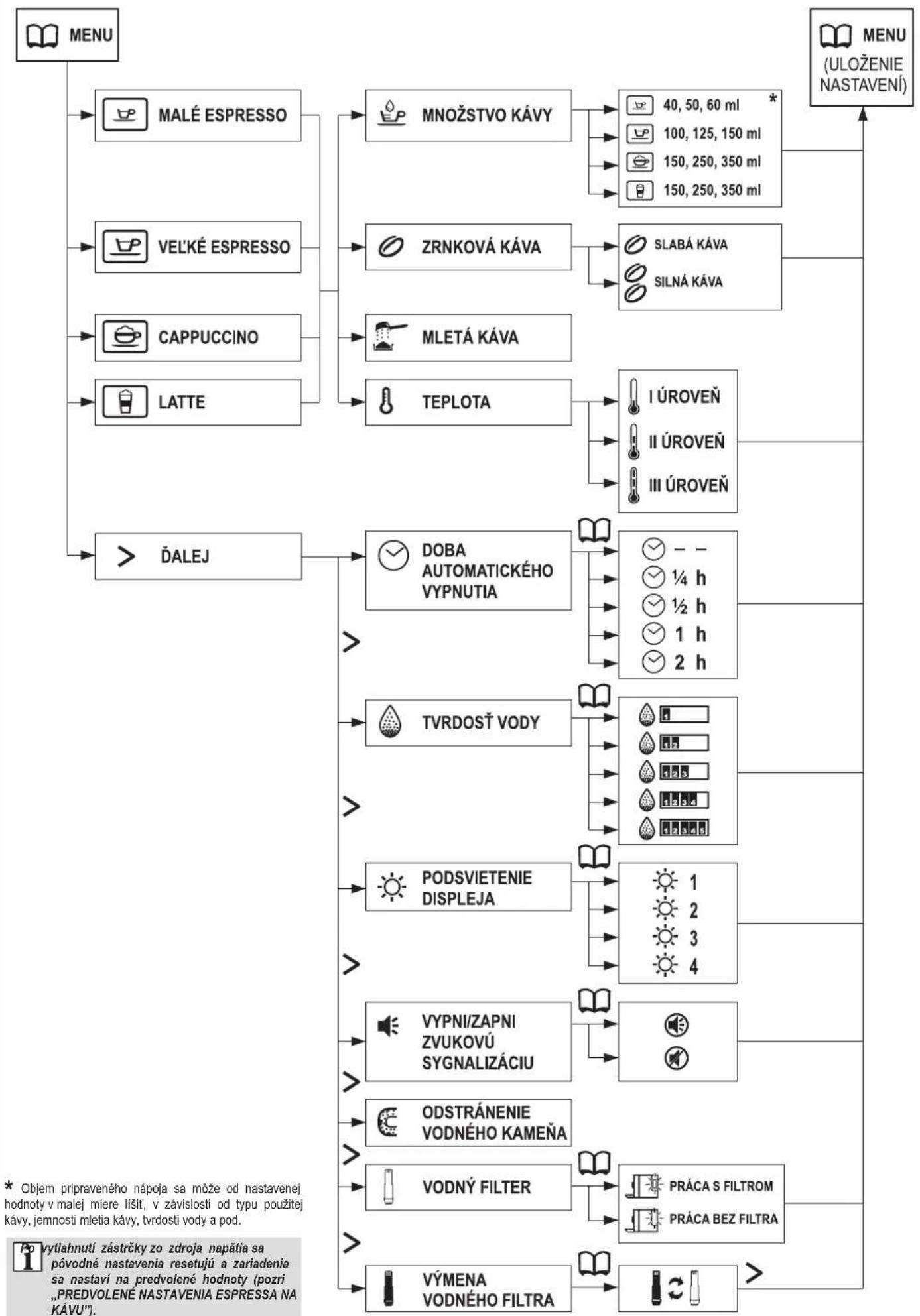
flowchart
graph TD
    A["MENU"] --> B["MALÉ ESPRESSO"]
    A --> C["VELKÉ ESPRESSO"]
    A --> D["CAPPUCCINO"]
    A --> E["LATTE"]
    A --> F["ĐALEJ"]
    B --> G["MNOŽSTVO KÁVY"]
    C --> H["ZRNKOVÁ KÁVA"]
    D --> I["MLETÁ KÁVA"]
    E --> J["TEPLOTA"]
    F --> K["DOBA AUTOMATICKÉHO VYPNUTIA"]
    F --> L["TVRDOST VODY"]
    F --> M["PODSVIETENIE DISPLEJA"]
    F --> N["VYPNI/ZAPNI ZVUKOVÚ SYGNALIZÁCIU"]
    F --> O["ODSTRÁNENIE VODNÉHO KAMEÑA"]
    F --> P["VODNÝ FILTER"]
    F --> Q["VÝMENA VODNÉHO FILTRA"]
    G --> R["40, 50, 60 ml *"]
    G --> S["100, 125, 150 ml"]
    G --> T["150, 250, 350 ml"]
    G --> U["150, 250, 350 ml"]
    H --> V["SLABÁ KÁVA"]
    H --> W["SILNÁ KÁVA"]
    I --> X["I ÚROVEŇ"]
    I --> Y["II ÚROVEŇ"]
    I --> Z["III ÚROVEŇ"]
    K --> AA["- -"]
    K --> AB["¼ h"]
    K --> AC["½ h"]
    K --> AD["1 h"]
    K --> AE["2 h"]
    L --> AF["1"]
    L --> AG["2"]
    L --> AH["3"]
    L --> AI["4"]
    M --> AJ["1"]
    M --> AK["2"]
    M --> AL["3"]
    M --> AM["4"]
    N --> AN["PRÁCA S FILTROM"]
    N --> AO["PRÁCA BEZ FILTRA"]
    O --> AP["PRÁCA S FILTROM"]
    O --> AQ["PRÁCA BEZ FILTRA"]
    P --> AR["PRÁCA S FILTROM"]
    P --> AS["PRÁCA BEZ FILTRA"]
Čistenia a údržba
natural_image
Close-up of a kitchen appliance with a dashed circular outline highlighting a component (no text or symbols visible)② Odistite servisné dvierka a otvorte ich.
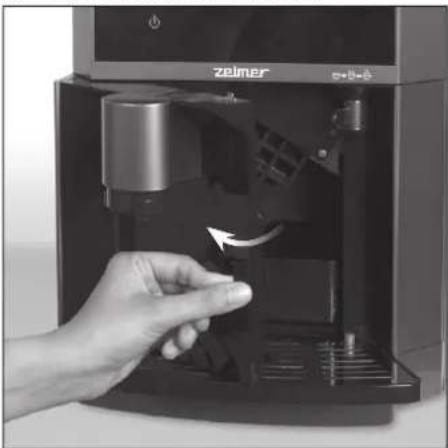
natural_image
Hand inserting a small electronic device into a black control panel (no visible text or symbols)③ Vysuňte odkavopovací podnos zo zariadenia.
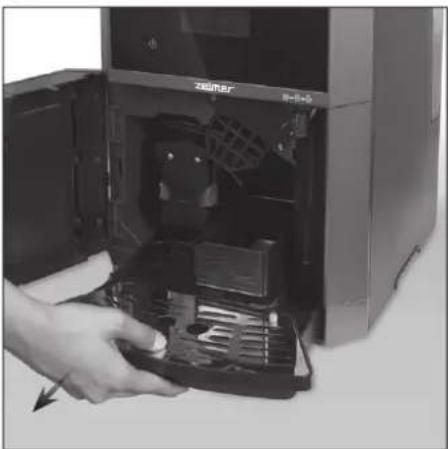
natural_image
Hand inserting a device into a desktop computer tower (no visible text or symbols)natural_image
Hand pressing down on a black electronic device keyboard, with an upward arrow indicating motion (no text or symbols visible)natural_image
Close-up of a hand inserting a device into a computer tower case (no visible text or symbols)VYPRÁZDŇOVANIE NÁDOBY NA ODPAD
natural_image
Hand inserting a small electronic device into a black industrial machine (no visible text or symbols)natural_image
Hand inserting a device into a desktop computer tower (no visible text or symbols)natural_image
Close-up of hands holding a black box with an upward arrow, next to a tray device (no text or symbols visible)natural_image
Close-up of a hand inserting a device into a computer tower (no visible text or symbols)⑤ Zatvorte servisné dvierka. Na displeji sa zobrazí symbol a Vy budete môč' pokračovať v použivaní espressa.
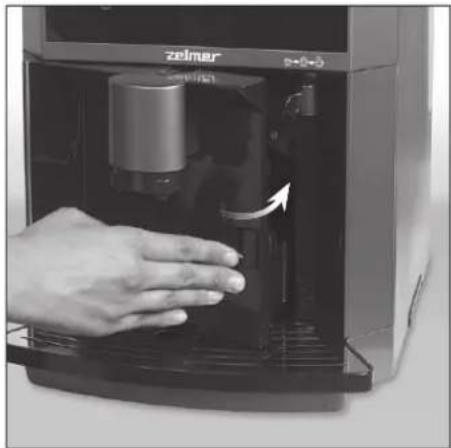
natural_image
Hand operating a Zeimar industrial machine with a hand pressing down on the door (no visible text or symbols)ČISTENIE SPOTREBIČA
① Vytiahnite zástrčku spotrebiča zo zdroja napätia.
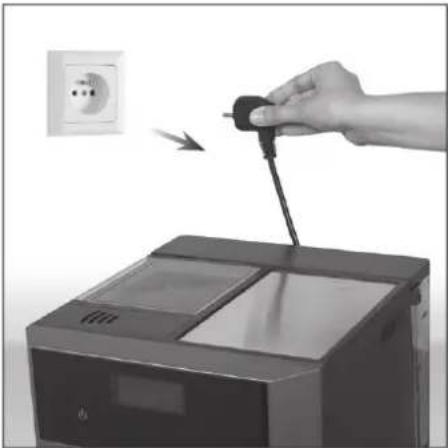
natural_image
Hand inserting a plug into a washing machine, with an electrical outlet visible in the background (no text or symbols)② Uistite sa, či zariadenie dostatočne vychladlo.
natural_image
Hand cleaning a Taimar air conditioner unit with a cloth (no text or symbols visible)natural_image
Hand inserting a small component into a device labeled 'zelmer' (no additional text or symbols visible)② Regulátor prepláchnite pod prúdom tečúcej vody.
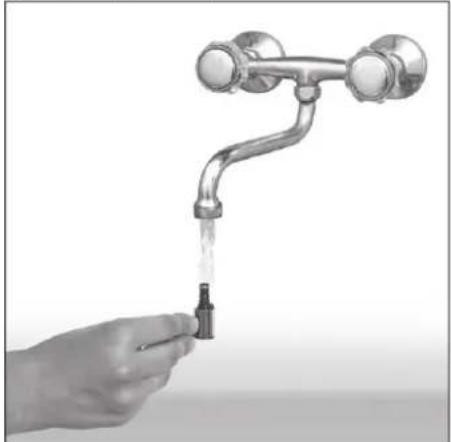
natural_image
Hand holding a faucet with liquid, no text or symbols visiblenatural_image
Hand operating a Zeimer coffee machine with a hand inserting a small container (no visible text or symbols)natural_image
Hand holding a small container with liquid being poured into a metal faucet (no text or symbols visible)ČISTENIE FILTRAČNEJ SÚSTAVY A VÝVODU KÁVY
natural_image
Hand inserting a small electronic device into a black control panel (no visible text or symbols)natural_image
Hand holding a black mechanical component with arrows indicating motion (no visible text or symbols)natural_image
Hand holding a water tap with liquid, no text or symbols visiblenatural_image
Close-up of hands operating a mechanical device with a magnified inset showing a tool interacting with a component (no visible text or symbols)natural_image
Hand holding a faucet with liquid being poured into a small black object (no text or symbols visible)natural_image
Front view of a modern zelmer appliance with control buttons and a digital display (no readable text or symbols)natural_image
Exterior view of a Zeimer industrial machine (no visible text or symbols on the device body)natural_image
Hand pouring liquid into a transparent container (no text or symbols visible)
natural_image
Exterior view of a modern electric water heater (no visible text or symbols)
natural_image
Front view of a silver zelmer appliance with control panel and battery (no visible text or symbols)natural_image
Front view of a Zeimer industrial machine with visible branding and control panel (no readable text or symbols beyond branding)natural_image
Front view of a modern zelmer appliance with visible branding and control panel (no readable text or symbols)NYOMÓGOMBOK

ON/OFF KIS ESZPRESSZÓ NAGY ESZPRESSZÓ CAPPUCCINO LATTE HABOSÍTÓTT TEJ/


FORRÓVÍZ


KÉT CSÉSZE

KÁVÉ MENNYISÉGE SZEMES KÁVÉ ÖRÖLT KÁVÉ HÖMÉRSÉKLET KÖVETKEZŐ MENU VISSZALÉPÉS
natural_image
Hand placing a black tray into a 3D printer device (no visible text or symbols)natural_image
Hand placing a small object into a transparent container with a cylindrical container inside (no text or symbols visible)natural_image
Hand placing a white cylindrical object into a transparent plastic container (no text or symbols visible)natural_image
Close-up of hands holding a small electronic device with an arrow indicating upward motion (no visible text or symbols)natural_image
Hand stirring a clear glass with a straw (no text or symbols visible)natural_image
Hand holding a white strip with black square markers, next to a small product label (no visible text or symbols on the product itself)natural_image
Hand inserting a plug into a device with an outlet, showing electrical socket (no text or symbols visible)natural_image
Hand placing a small electronic device into a transparent container, with no visible text or symbols on the device itself.natural_image
Illustration of a hand holding a transparent container with a metal faucet, showing liquid flow and a close-up inset of the interior (no text or symbols)natural_image
Hand placing a black tray into a transparent container with a digital display (no visible text or symbols)natural_image
Person placing a paper into a device with a hand visible, no text or symbols presentnatural_image
Hand inserting a plug into a washing machine (no text or symbols visible)natural_image
Exterior view of a modern office building (no signage)natural_image
Hand inserting a cable into a self-service water dispenser (no visible text or symbols)natural_image
Hand pressing a button on a digital kitchen appliance with a teapot icon (no text or symbols visible)Kávé feltöltése
SZEMES KÁVÉ
natural_image
Hand inserting a card into a printer (no text or symbols visible)natural_image
Hand pouring liquid into a microwave oven (no text or symbols visible)
natural_image
Hand placing a knob into a container filled with coffee beans, no text or symbols visiblenatural_image
Hand inserting a card into a printer (no text or symbols visible)natural_image
Hand pouring liquid into a kitchen appliance using a spatula (no text or symbols visible)
natural_image
Hand inserting a card into a printer (no text or symbols visible)Kávéfőzés

natural_image
Hand pouring a white cup into a black self-service coffee machine (no visible text or symbols)
natural_image
Hand pressing down on a small electronic device labeled 'zeimer' (no additional text or symbols visible)natural_image
White coffee mug being processed by a black espresso machine (no visible text or symbols)natural_image
Hand pouring liquid into a black self-service milk tea machine (no visible text or symbols)natural_image
Hand inserting a small object into a coffee machine with a glass cup nearby (no visible text or symbols)natural_image
Hand inserting a small component into a digital appliance labeled 'zeimer' (no text or symbols on the device itself)natural_image
Close-up of a coffee machine with a glass mug and milk being poured into it (no visible text or symbols)natural_image
Hand pressing a button on a digital appliance panel (no visible text or symbols)natural_image
Hand pressing a button on a coffee maker's side panel (no visible text or symbols)natural_image
Exterior view of a modern coffee machine with a glass of milk being poured into it (no visible text or symbols)natural_image
Close-up of a black appliance interior with ventilation grilles and a dashed circular annotation (no visible text or symbols)natural_image
Hand inserting a small electronic device into a black industrial machine (no visible text or symbols)natural_image
Hand placing a computer tower into an open desktop computer case (no visible text or symbols)natural_image
Hand pressing down on a black electronic device keyboard, with an upward arrow indicating motion (no text or symbols visible)natural_image
Close-up of a hand inserting a device into a computer tower (no visible text or symbols)A HULLADÉKGYÜJTÖ EDÉNY KIÜRÍTÉSE
natural_image
Hand inserting a small electronic device into a black control panel (no visible text or symbols)natural_image
Hand placing a hard disk into a computer tower case (no visible text or symbols)natural_image
Close-up of hands handling a black plastic tray with a cube above, showing an upward arrow (no text or symbols visible)natural_image
Hand inserting a device into a computer tower case (no visible text or symbols)natural_image
Hand operating a self-service water dispenser with a hand placing it, no visible text or symbols on the device itself.natural_image
Hand inserting a plug into a washing machine, with an electrical outlet visible in the background (no text or symbols)natural_image
Hand cleaning a small electronic device with a cloth, showing internal components and a digital display (no visible text or symbols)natural_image
Hand inserting a small component into a device labeled 'zelmer' (no additional text or symbols visible)natural_image
Hand holding a faucet with liquid being poured into it (no text or symbols visible)natural_image
Hand operating a Zelmer self-service water dispenser machine (no visible text or symbols)natural_image
Hand holding a small container with liquid being poured into a metal faucet (no text or symbols visible)A LEFÖZÖ BLOKK ÉS A KÁVÉ KIFOLYÓCSÖVÉ-NEK TISZTÍTÁSA
natural_image
Hand inserting a black box into a Zeiner self-service water dispenser (no text or symbols visible)natural_image
Close-up of a hand holding a small electronic component with directional arrows indicating motion (no visible text or symbols)natural_image
Hand holding a water tap with liquid being poured into a black container (no text or symbols visible)natural_image
Close-up of hands operating a mechanical component with an inset magnified view showing a tool interacting with a device (no text or symbols visible)natural_image
Hand holding a faucet with water flowing from a small valve (no text or symbols visible)natural_image
Front view of a modern zelmer appliance with control panel and buttons (no readable text or symbols)natural_image
Exterior view of a modern industrial machine labeled 'zelmer' with control buttons and a digital display (no readable text beyond branding)natural_image
Hand pouring liquid into a transparent container (no text or symbols visible)natural_image
Exterior view of a modern office building (no signage)natural_image
Front view of a Zeimer chemical processing machine (no visible text or symbols on the device body)natural_image
Front view of a Zeimer industrial machine with a digital display and control panel (no visible text or symbols on the device itself)natural_image
Exterior view of a modern office building (no signage)ESPRESSO (SHORT BLACK)
3 Capac recipient cafea boabe
BUTOANE ACCESIBILE



DOUĂ CEŞTI
APĂ FIERBINTE


VOLUM CAFEA CAFEA BOABE CAFEA MĂCINATĂ TEMPERATURA URMĂTOAREA MENIU ÎNAPOI
natural_image
Hand placing a device into a digital machine (no visible text or symbols)natural_image
Hand placing a small object into a transparent container with a cylindrical container inside (no text or symbols visible)natural_image
Hand placing a white cylindrical object into a transparent plastic container (no text or symbols visible)natural_image
Close-up of hands holding a small electronic component with an arrow indicating motion (no visible text or symbols)natural_image
Hand stirring a glass of water with a straw (no text or symbols visible)natural_image
Hand holding a white strip attached to a small electronic device (no visible text or symbols)natural_image
Hand inserting a plug into a washing machine, with an electrical outlet visible in the background (no text or symbols)natural_image
Hand placing a small electronic device into a transparent container, with no visible text or symbols on the device itself.natural_image
Illustration of a hand holding a transparent container with a metal faucet, showing liquid flow and a magnified inset of a person's face (no text or symbols)natural_image
Hand placing a black tray into a transparent storage unit with control panel (no visible text or symbols)natural_image
Person installing or adjusting a device from a computer tower (no visible text or symbols)natural_image
Hand inserting a plug into a power outlet device (no text or symbols visible)natural_image
Exterior view of a modern industrial machine labeled 'zelmer' with control panel and battery (no readable text beyond branding)natural_image
Hand inserting a cable into a self-service water dispenser (no visible text or symbols)natural_image
Close-up of a hand pressing a button on a coffee maker's front panel (no visible text or symbols)natural_image
Hand pressing a button on a digital kitchen appliance with a teapot icon (no text or symbols visible)Completarea cafelei
CAFEA BOABE
natural_image
Hand placing a card into a printer with an arrow indicating motion (no text or symbols visible)natural_image
Hand pouring liquid into a container (no text or symbols visible)natural_image
Hand placing a dark circular object into a black container with seeds, showing a rotation arrow (no text or symbols visible)natural_image
Hand inserting a card into a digital ATM machine (no text or symbols visible)natural_image
Hand pouring liquid into a digital kitchen appliance (no visible text or symbols)natural_image
Hand inserting a card into a printer (no text or symbols visible)Pregătirea cafelei
natural_image
Hand pouring a white cup into a black industrial machine (no visible text or symbols)natural_image
Hand pressing down of a black beverage container with a white lid, no visible text or symbols on the device itself.natural_image
White coffee mug being poured into a machine (no visible text or symbols)natural_image
Hand pouring liquid into a small glass cup inside a black industrial machine (no visible text or symbols)natural_image
Close-up of a hand using a screwdriver to adjust a small electronic device with a glass cup nearby (no visible text or symbols)natural_image
Hand inserting a small component into a digital device labeled 'zelmer' (no text or symbols on the device itself)natural_image
Interior view of a Zeimar coffee machine with milk being poured into a glass (no visible text or symbols)natural_image
Hand pressing a button on a digital kitchen appliance (no visible text or symbols)natural_image
Hand pressing a button on a kitchen appliance with a teapot icon (no text or symbols visible)natural_image
Close-up of a black self-service coffee machine with a glass of milk being poured into it (no visible text or symbols)natural_image
Close-up of a black oven with a circular dashed-line annotation highlighting the interior (no text or symbols visible)natural_image
Hand inserting a small electronic device into a black control panel (no visible text or symbols)natural_image
Hand placing a device into a desktop computer tower (no visible text or symbols)natural_image
Hand pressing a black electronic device with a hand raised, showing no text or symbols on the device itself.natural_image
Close-up of a hand inserting a device into a computer tower case (no visible text or symbols)GOLIREA RECIPIENTULUI PENTRU DEŞEURI
natural_image
Hand inserting a small electronic device into a black box labeled 'zelmar' (no text or symbols on device)natural_image
Hand inserting a device into a desktop computer tower case (no visible text or symbols)natural_image
Close-up of hands holding a black box with an upward arrow, partially open to show mechanical components (no text or symbols visible)natural_image
Close-up of a hand inserting a device into a computer tower case (no visible text or symbols)natural_image
Hand pressing down of a black industrial machine with a hand valve, showing internal components and control panel (no visible text or symbols)CURĂTAREA DISPOZITIVULUI
natural_image
Hand inserting a plug into a washing machine, with an electrical outlet visible in the background (no text or symbols)natural_image
Hand cleaning a Taimler washing machine with a cloth (no text or symbols visible)natural_image
Hand inserting a small component into a device labeled 'zelmer' (no additional text or symbols visible)natural_image
Hand holding a stainless steel faucet with water flowing from the drain (no text or symbols visible)natural_image
Hand operating a Zelmer coffee machine with a hand inserting a coffee into the chamber (no visible text or symbols)natural_image
Hand holding a small container with liquid being poured into a metallic faucet (no text or symbols visible)CURĂTAREA BLOCULUI PENTRU PREGĂTIRE A CAFELEI ȘI A FURTUNULUI DE SCURGERE A CAFELEI
natural_image
Hand inserting a device into a black self-checkout machine (no visible text or symbols)natural_image
Hand holding a black electronic device with arrows indicating motion or adjustment (no visible text or symbols)natural_image
Hand holding a water tap with liquid, no text or symbols visiblenatural_image
Close-up of hands adjusting a mechanical component with an inset magnified view showing a pin (no text or symbols visible)natural_image
Hand holding a faucet with liquid, no text or symbols visiblenatural_image
Front view of a modern zelmer appliance with control panel and buttons (no readable text or symbols)natural_image
Front view of a modern zelmer appliance with control panel and indicator lights (no readable text or symbols)natural_image
Hand pouring liquid into a clear container (no text or symbols visible)natural_image
Exterior view of a modern office building (no signage)natural_image
Exterior view of a modern industrial machine labeled 'zelmer' with control panel and battery (no readable text beyond branding)natural_image
Exterior view of a Zeimer industrial machine (no visible text or symbols on the device body)natural_image
Exterior view of a modern office building (no signage)ДОСТУПНЫЕ КНОПКИ

ВКЛЮЧЕНИЕ/ ВЫКЛЮЧЕНИЕ


natural_image
Hand placing a black tray onto a 3D printer device (no visible text or symbols)natural_image
Hand placing a small object into a transparent container with a cylindrical container inside (no text or symbols visible)natural_image
Hand placing a white cylindrical object into a transparent plastic container with a glass inside (no text or symbols visible)natural_image
Close-up of hands holding a small electronic device with an arrow indicating upward motion (no visible text or symbols)natural_image
Hand stirring a glass with a straw, no text or symbols visiblenatural_image
Hand holding a white strip with black square markers, next to a small product label (no visible text or symbols on the product itself)natural_image
Hand inserting a plug into a washing machine with an electrical outlet nearby (no text or symbols visible)natural_image
Hand placing a device into a transparent container with a digital display (no visible text or symbols)natural_image
Illustration of a hand holding a transparent container with a metal faucet, showing liquid being poured into it (no text or symbols present)natural_image
Hand placing a black tray into a transparent digital kitchen appliance (no text or symbols visible)natural_image
Hand placing a tray into a device with a paper clip, showing internal compartments and a digital display (no text or symbols visible)natural_image
Hand inserting a plug into a washing machine (no text or symbols visible)natural_image
Exterior view of a modern industrial machine labeled 'zelmer' with control panel (no readable text beyond branding)natural_image
Hand inserting a plug into a Talmar water dispenser (no visible text or symbols)natural_image
Close-up of a hand pressing a button on a kitchen appliance (no visible text or symbols)natural_image
Hand pressing a button on a digital kitchen appliance (no visible text or symbols)Добавление кофе
КОФЕ В ЗЕРНАХ
natural_image
Hand inserting a card into a printer (no text or symbols visible)natural_image
Hand pouring liquid into a container with a lid, no visible text or symbols
natural_image
Hand placing a dark circular object into a black appliance with seeds, showing a rotation arrow (no text or symbols visible)natural_image
Hand inserting a card into a digital ATM machine (no text or symbols visible)natural_image
Hand pouring liquid into a kitchen appliance using a spatula (no text or symbols visible)
natural_image
Hand inserting a card into a printer (no text or symbols visible)Запаривание кофе

natural_image
Hand pouring a white cup into a black industrial machine labeled 'zeimer' (no visible text or symbols on the device itself)
natural_image
Hand pressing down of a black box labeled 'zeimer' with an arrow indicating the process (no text or symbols on the device itself)natural_image
White coffee mug being poured into a black machine (no text or symbols visible)natural_image
Hand placing a glass mug into a black industrial machine labeled 'Zelmer' (no visible text or symbols on the device itself)natural_image
Hand inserting a small object into a coffee machine with a glass cup nearby (no visible text or symbols)natural_image
Hand inserting a device into a digital appliance labeled 'zelmer', showing internal components and control buttons (no readable text or symbols)natural_image
Close-up of a coffee machine with a glass cup and milk being poured into it (no visible text or symbols)natural_image
Hand pressing a button on a digital device panel (no visible text or symbols)natural_image
Hand pressing a button on a coffee maker's front panel (no visible text or symbols)natural_image
Exterior view of a modern coffee machine with glass and straw being poured into it (no visible text or symbols)natural_image
Front view of a modern zelmer coffee machine with control panel and buttons (no readable text or symbols)natural_image
Close-up of a mechanical component with internal grating and dashed circular annotation (no readable text or symbols)natural_image
Hand inserting a device into a black self-service machine labeled 'zeliner' (no additional text or symbols visible)natural_image
Hand inserting a computer into a desktop tower case (no visible text or symbols)natural_image
Hand pressing a black electronic device with a hand raised, showing no text or symbols.natural_image
Hand inserting a device into a computer tower case, showing internal components and a hand pointing to the component (no visible text or symbols)natural_image
Hand inserting a small electronic device into a black control panel (no visible text or symbols)natural_image
Hand placing a computer tower into a desktop case (no visible text or symbols)natural_image
Close-up of hands holding a small black box with an upward arrow, next to a mechanical device (no text or symbols visible)natural_image
Hand inserting a device into a computer tower case (no visible text or symbols)natural_image
Hand pressing down of a Zeimar water dispenser into a control panel (no visible text or symbols)ОЧИСТКА ПРИБОРА
natural_image
Hand inserting a plug into a washing machine, with an electrical outlet visible in the background (no text or symbols)natural_image
Hand cleaning a small industrial machine with a cloth, showing internal components and a digital display (no visible text or symbols)natural_image
Hand inserting a small component into a device labeled 'zelmer', with no visible text or symbols on the device itself.natural_image
Hand holding a water tap with a small bottle, next to a metallic faucet (no text or symbols visible)natural_image
Hand inserting a small electronic device into a black industrial machine (no visible text or symbols)natural_image
Hand holding a small container with liquid being poured into a metal faucet (no text or symbols visible)natural_image
Hand inserting a coffee machine into a black control panel (no visible text or symbols)natural_image
Close-up of a hand holding a small electronic device with arrows pointing to the component (no visible text or symbols)natural_image
Hand holding a water tap with liquid, no text or symbols visiblenatural_image
Close-up of hands using a computer mouse to adjust a component, with an inset showing the hand holding a pen (no text or symbols visible)natural_image
Hand holding a faucet with liquid, no text or symbols visiblenatural_image
Front view of a modern zelmer appliance with control panel and buttons (no readable text or symbols)natural_image
Front view of a modern 3D printer with a digital display and control buttons (no readable text or symbols)natural_image
Hand pouring liquid into a transparent container (no text or symbols visible)natural_image
Exterior view of a modern office building (no signage)natural_image
Front view of a modern zelmer appliance with a digital display and control panel (no visible text or symbols on the device itself)natural_image
Front view of a Zeimer industrial machine with control panel and indicator lights (no readable text or symbols beyond branding)natural_image
Exterior view of a modern appliance with 'zelmer' branding and circular logo (no readable text beyond branding)natural_image
Hand placing a device into a digital machine (no visible text or symbols)natural_image
Hand placing a small object into a transparent container with an upward arrow (no text or symbols visible)natural_image
Hand inserting a white cylindrical object into a transparent plastic container (no text or symbols visible)natural_image
Close-up of hands holding a small electronic device with an arrow indicating upward motion (no visible text or symbols)natural_image
Hand stirring a clear glass with a straw (no text or symbols visible)natural_image
Hand holding a white rod inserted into a small container with square samples (no visible text or symbols)natural_image
Hand inserting a plug into a washing machine, with an electrical outlet visible in the background (no text or symbols)natural_image
Hand placing a small electronic device into a transparent container (no visible text or symbols)natural_image
Illustration of a hand holding a transparent container with a faucet, showing liquid being poured into it (no text or symbols present)
natural_image
Hand pressing down on a digital kitchen appliance with a handle, showing no text or symbolsnatural_image
Hand placing a paper into a machine with a hand adjusting the top panel (no visible text or symbols)natural_image
Hand inserting a plug into a power outlet device (no text or symbols visible)natural_image
Exterior view of a modern industrial machine labeled 'zelmer' with control panel (no readable text beyond branding)natural_image
Hand inserting a cable into a self-service water dispenser (no visible text or symbols)natural_image
Hand pressing a button on a coffee maker control panel (no visible text or symbols)natural_image
Hand inserting a card into a printer (no visible text or symbols)natural_image
Hand pouring liquid into a device with a lid (no visible text or symbols)
natural_image
Hand placing a chocolate coin into a container with seeds, showing a rotation arrow (no text or symbols visible)natural_image
Hand inserting a card into a machine (no text or symbols visible)natural_image
Hand pouring liquid into a kitchen grater (no text or symbols visible)
natural_image
Hand inserting a card into a printer (no text or symbols visible)Запарване на кафе

natural_image
Hand pouring a white cup into a black industrial machine labeled 'zaimar' (no visible text or symbols on the device itself)
natural_image
Hand pressing down of a small container labeled 'zeimer' into a machine (no visible text or symbols beyond branding)natural_image
White mug being poured into a black machine (no text or symbols visible)natural_image
Hand pouring a glass cup into a black self-service coffee machine (no visible text or symbols)natural_image
Close-up of a hand using a screwdriver to adjust a small electronic device with a glass cup nearby (no visible text or symbols)natural_image
Hand placing a small object into a digital kitchen appliance with a glass mug and cable (no visible text or symbols)④За да приготвите Саррuccino, натиснете бутона
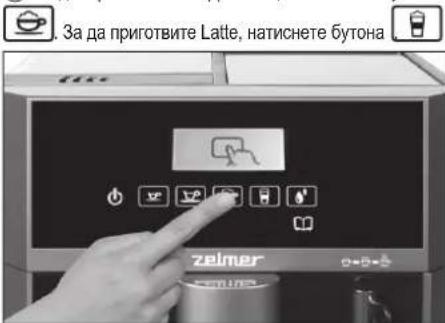
natural_image
Close-up of a coffee machine with a glass cup and milk being poured into it (no visible text or symbols)natural_image
Hand pressing a button on a digital device panel (no visible text or symbols)natural_image
Hand pressing a button on a digital kitchen appliance (no visible text or symbols)natural_image
Exterior view of a modern coffee machine with a glass of milk being poured into it (no visible text or symbols)natural_image
Front view of a modern zelmer coffee machine with control panel and toolbar icons (no readable text or symbols)natural_image
Close-up of a kitchen appliance with a dashed-line circular annotation highlighting a component (no visible text or symbols)② Отблокирайте вратите за сервис и ги отворете.
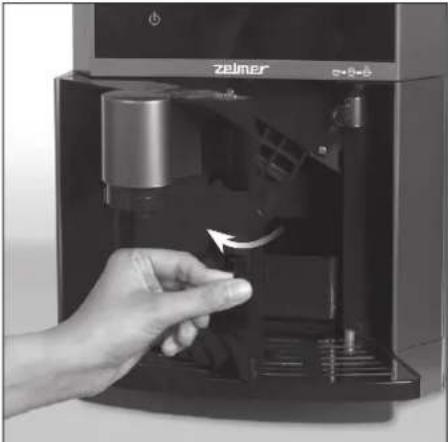
natural_image
Hand inserting a small black object into a digital coffee machine (no visible text or symbols)natural_image
Hand inserting a computer into a desktop computer tower (no visible text or symbols)natural_image
Hand pressing a button on a black electronic device keyboard, with an upward arrow indicating motion (no text or symbols visible)natural_image
Hand inserting a device into a computer tower case, showing internal components and a hand pointing to the component (no visible text or symbols)ИЗПРАЗВАНЕ НА СЪДА ЗА ОТПАДЪЦИ
natural_image
Hand inserting a small electronic device into a black box, showing internal components and a hand holding the button (no text or symbols visible)natural_image
Hand inserting a computer into a desktop case (no visible text or symbols)natural_image
Close-up of hands holding a black rectangular object with an upward arrow, next to a tray device (no text or symbols visible)natural_image
Hand inserting a device into a machine (no visible text or symbols)natural_image
Hand operating a Zeimar self-service water heater device (no visible text or symbols on the device itself)ЧИСТЕНЕ НА УРЕДА
natural_image
Hand inserting a plug into a washing machine, with an electrical outlet visible in the background (no text or symbols)natural_image
Hand cleaning a small industrial machine with a cloth, showing internal components and a digital display (no visible text or symbols)natural_image
Hand inserting a small component into a device labeled 'zelmer' (no additional text or symbols visible)natural_image
Hand holding a faucet with water flowing from the drain (no text or symbols visible)natural_image
Hand using a Zelmer coffee maker machine to press or install a small object, no visible text or symbols on the device itself.natural_image
Hand holding a small container with liquid being poured into a faucet (no text or symbols visible)natural_image
Hand inserting a coffee machine into a digital water dispenser (no visible text or symbols)natural_image
Hand holding a small electronic device with arrows pointing to the component (no visible text or symbols)natural_image
Hand holding a water tap with liquid, no text or symbols visiblenatural_image
Close-up of hands operating a mechanical device with an arrow indicating rotation (no visible text or symbols)natural_image
Hand holding a faucet with liquid, no text or symbols visiblenatural_image
Front view of a modern zelmer appliance with control panel and buttons (no readable text or symbols)natural_image
Front view of a modern industrial machine labeled 'zelmer' with control buttons and a paper icon (no readable text beyond branding)natural_image
Hand pouring liquid into a transparent container (no text or symbols visible)natural_image
Exterior view of a modern office building (no signage)natural_image
Front view of a silver and black industrial machine labeled 'zelmer' with control panel (no readable text beyond branding)natural_image
Exterior view of a Zeimer printer device with visible branding and control panel (no readable text or symbols beyond branding)natural_image
Front view of a silver Zeimer air purifier with visible branding and control buttons (no readable text or symbols beyond branding)natural_image
Close-up of a hand pressing a button on a kitchen appliance panel (no visible text or symbols)ESPRESSO (SHORT BLACK)
ДОСТУПНІ КНОПКИ

natural_image
Hand placing a device into a clear glass container, with no visible text or symbols on the device itself.natural_image
Hand placing a small object into a transparent container with a cylindrical container inside (no text or symbols visible)natural_image
Hand placing a white cylindrical object into a transparent container with liquid inside (no text or symbols visible)natural_image
Close-up of hands holding a small electronic device with an upward arrow, no visible text or symbolsnatural_image
Hand stirring a clear glass with a straw (no text or symbols visible)natural_image
Hand holding a white tool near a small product package (no visible text or symbols)natural_image
Hand inserting a plug into a washing machine, with an electrical outlet visible in the background (no text or symbols)natural_image
Hand placing a small electronic device into a transparent container, with no visible text or symbols on the device itself.natural_image
Illustration of a hand holding a transparent container with a faucet, showing liquid level and a close-up inset of the handle (no text or symbols)natural_image
Hand placing a black tray into a transparent device with open lid, no visible text or symbolsnatural_image
Person opening a paper lid on a machine (no visible text or symbols)natural_image
Hand inserting a plug into a power outlet device (no text or symbols visible)natural_image
Exterior view of a modern industrial machine labeled 'zelmer' with control panel (no readable text beyond branding)natural_image
Hand inserting a plug into a digital water dispenser labeled 'Talmar' (no text or symbols on device)natural_image
Close-up of a hand pressing a button on a coffee maker's front panel (no visible text or symbols)natural_image
Hand pressing a button on a digital kitchen appliance (no visible text or symbols)Додавання кави
KABA B 3EPHAX
natural_image
Hand inserting a card into a printer (no text or symbols visible)natural_image
Hand pouring liquid into a device (no text or symbols visible)natural_image
Hand placing a coin into a device with rotating arrows, no visible text or symbolsnatural_image
Hand inserting a card into a machine, showing the card being inserted (no text or symbols visible)natural_image
Hand pouring liquid into a kitchen appliance using a spatula (no text or symbols visible)natural_image
Hand inserting a card into a printer (no text or symbols visible)Запарювання кави
natural_image
Hand pouring a white cup into a black industrial machine (no visible text or symbols)natural_image
Hand pressing down of a device with a hand valve, showing internal components (no text or symbols visible)natural_image
White mug being poured into a black machine (no visible text or symbols)natural_image
Hand placing a glass mug into a black industrial machine labeled 'zeimer' (no visible text or symbols on the device itself)natural_image
Close-up of a hand using a screwdriver to adjust a small electronic device with a glass cup and coffee cup nearby (no visible text or symbols)natural_image
Hand inserting a small object into a digital water dispenser (no visible text or symbols)natural_image
Close-up of a coffee machine with a glass cup and milk being poured into it (no visible text or symbols)natural_image
Hand pressing a button on a digital kitchen appliance (no visible text or symbols)natural_image
Hand interacting with a coffee maker's digital counter (no visible text or symbols)natural_image
Exterior view of a modern coffee machine with a glass of milk being poured into it (no visible text or symbols)natural_image
Front view of a Zelmer coffee machine with control panel and toolbar icons (no readable text or symbols)natural_image
Close-up of a black appliance interior with ventilation grilles and a dashed circle highlighting a component (no text or symbols visible)natural_image
Hand inserting a black plastic bag into a black digital coffee machine (no visible text or symbols)natural_image
Hand inserting a device into a desktop computer tower (no visible text or symbols)natural_image
Hand pressing a black electronic device with a hand raised, showing no text or symbols.natural_image
Close-up of a hand inserting a device into a computer tower case (no visible text or symbols)natural_image
Hand inserting a small electronic device into a black rack, showing internal components and a hand holding the tray (no visible text or symbols)natural_image
Hand placing a device into a computer tower with visible internal components (no text or symbols)natural_image
Close-up of hands holding a black box with an upward arrow, partially open to a device (no text or symbols visible)natural_image
Close-up of a hand inserting a device into a computer tower case (no visible text or symbols)natural_image
Hand pressing down of a self-service coffee machine with a hand operating the lid (no visible text or symbols)ОЧИСТКА ПРИЛАДУ
natural_image
Hand inserting a plug into a washing machine, with an electrical outlet visible in the background (no text or symbols)natural_image
Hand cleaning a small industrial machine with a cloth cover, showing internal components and no visible text or symbols.natural_image
Hand inserting a small component into a device labeled 'zelmer' (no additional text or symbols visible)natural_image
Hand holding a metallic faucet with water flowing from the drain (no text or symbols visible)natural_image
Hand using a Zelmer self-service creamer machine to press or export a small object (no visible text or symbols)natural_image
Hand holding a small container with liquid being poured into a metal faucet (no text or symbols visible)natural_image
Hand inserting a coffee machine into a black control panel (no visible text or symbols)natural_image
Close-up of a hand holding a small electronic device with arrows indicating motion (no visible text or symbols)natural_image
Hand holding a water tap with liquid, no text or symbols visiblenatural_image
Close-up of hands operating a device with a magnified inset showing a close-up of the component (no visible text or symbols)natural_image
Hand pouring liquid into a faucet (no text or symbols visible)natural_image
Front view of a modern zelmer appliance with control panel and buttons (no readable text or symbols)natural_image
Front view of a Zelmer industrial machine with control panel and battery (no visible text or symbols)natural_image
Hand pouring liquid into a container (no text or symbols visible)natural_image
Exterior view of a modern industrial water heater with brand logo and control panel (no readable text or symbols beyond branding)natural_image
Front view of a modern zelmer appliance with control panel and battery (no visible text or symbols)natural_image
Front view of a Zeimer industrial machine with visible branding and control panel (no readable text or symbols beyond branding)natural_image
Close-up of a hand pressing a button on a kitchen appliance (no visible text or symbols)Congratulations on your choice of our appliance, and welcome among the users of Zelmer products.
In order to achieve best possible results we recommend using exclusively original Zelmer accessories. They have been specially designed for this product.
Please read this user manual carefully. Pay special attention to important safety instructions. Keep this user manual for future reference.
Operational safety guidelines

Danger! / Warning! Health hazard
Always turn off the appliance and pull the plug out of the socket before cleaning and any time you notice that it is not working properly.
Do not touch hot surfaces of the appliance.
Do not place your hands directly under a jet of steam, hot water or coffee pouring from the appliance. It may result in skin burns and injury.
using any additional accessories not recommended by the manufacturer may pose hazards.
Never press any mobile elements against the coffee machine during operation.
This appliance is not intended for use by persons (including children) with reduced physical, sensory or mental capabilities, or lack of experience and knowledge, unless they have been given supervision or instruction concerning use of the appliance by a person responsible for their safety.
Children should be supervised to ensure that they do not play with the appliance.
always unplug the appliance and allow it to cool before cleaning, assembling or dismantling.
Do not use the appliance if it has visible damage, damaged power cord, and after it has been dropped or damaged in any way. If you think that the appliance is damaged, all checks, repairs and adjustments should be carried out only by qualified personnel of an authorized service point.
Damaged fixed power cord should be replaced only by the manufacturer, qualified repair shop or other qualified person to avoid hazards.
The appliance may only be repaired by qualified service personnel. Improper repairs can cause serious hazard to the user. In case of defects, please contact an authorised service centre.
Do not attempt to lubricate your appliance. No additional maintenance work is required in addition to regular cleaning.
- Do not dismantle the appliance or attempt to open the housing.
Always make sure that there is water in the tank before operating the appliance.

Caution!
Not observance can result in damage to possessions
always place the appliance on a flat, even surface.
Do not use your coffee maker with empty water tank. Always fill the water tank with fresh, cold and clean water. Using warm/hot water or other liquids may damage the appliance or create hazards. Do not exceed the maximum water level marked on the tank.
Do not allow the power cord to come into contact with any hot parts of the appliance.
- Do not move the appliance when in use. Switch off and unplug before moving.
Always switch off the appliance before unplugging it. Do not unplug by pulling on cord. To unplug, grasp the plug, not the cord.
always switch off and unplug the appliance before cleaning and if you do not intend to use it for a long period of time.
Do not use an extension cord with the coffee maker unless it has been checked by a qualified technician or service personnel.
☐lug the appliance only to a grounded AC electrical outlet with the voltage corresponding to the voltage indicated on the rating plate.
Use the appliance only for its intended purpose specified in this instruction manual.
Never place the appliance near sources of heat, open flame, electrical heating elements or on a hot oven. Never place your coffee maker on top of any other appliance.
Do not let the cord hang over a table or shelf or touch a hot surface.
- Do not submerge the machine in water or any other liquid.
Only coffee beans can be introduced into the coffee bean container. Placing other food products, liquids or objects in the container may cause danger and damage the appliance.
Ground coffee can only be introduced into the ground coffee container. Using other food products, liquids or objects in the ground coffee container may lead to danger and cause damage to the appliance.

stion
Information on the product and suggestions for its use
Read carefully and retain this instruction manual supplied with the appliance. The appliance is intended for domestic use. In case it is used for food business purposes, the warranty conditions shall change. The water tank should not be open during use.
Please make sure that you understand the above instructions.
Technical Data
Technical specification is given on the rating plate of the appliance.
Water tank capacity: max 2 l.
The coffee maker is a class 1 device equipped with a grounded cord and plug.
This appliance complies with the requirements of the current standards.
This device complies with Commission Regulation (EC) no. 1275/2008 on eco-design requirements.
This appliance meets the requirements of the following directives:
- The Low Voltage Directive (LVD) - 2006/95/EC.
- The Electromagnetic Compatibility (EMC) Directive – 2004/108/EC.
The product has CE Mark on its rating plate.
Machine parts
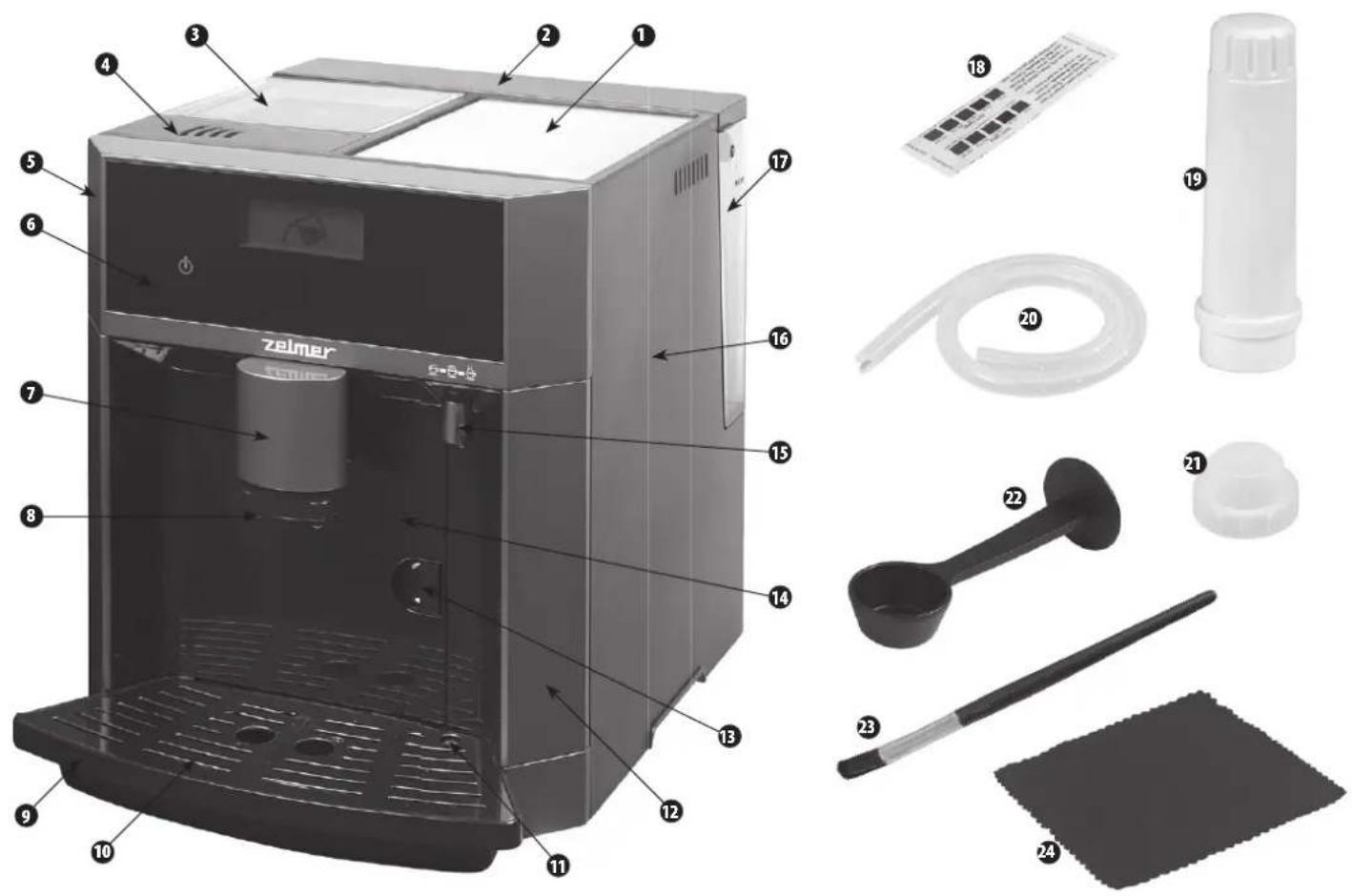
① Cup warming plate
2 Water tank lid
3 Coffee bean container lid
4 Ground coffee lid
5 Front panel
6 Control panel
7 Coffee dispensing unit casing
8 Coffee dispensing unit nozzle
9 Drip tray
10 Drip grid
11 Tray full indicator
12 Side door
13 Service door lock
14 Service door
15 Milk frothing regulator
16 Housing
17 Water tank
18 Water hardness test strip
19 Water filter
20 Milk hose
21 Coarse fi Iter
22 Ground coffee scoop
23 Cleaning brush
24 Cleaning cloth
CONTROL PANEL
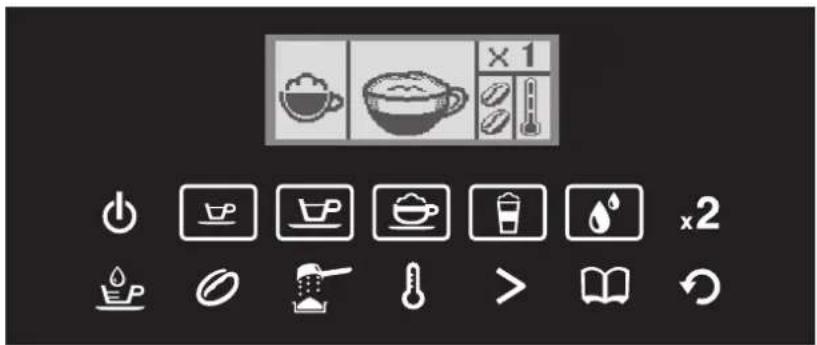
AVAILABLE BUTTONS

ON/OFF SMALL ESPRESSO LARGE ESPRESSO CAPPUCCINO LATTE FROTHED MILK/


HOT WATER


TWO CUPS
The filter pack cleans water and reduces its carbonate and non-carbonate hardness.
Depending on water hardness and its actual use, the filter must be replaced from time to time (see "WATER FILTER REPLACEMENT").
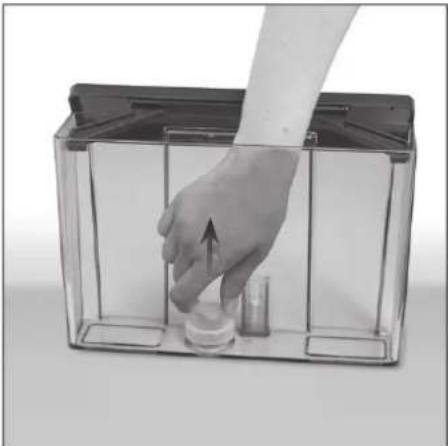
① In order to insert the water filter, take out the water tank.
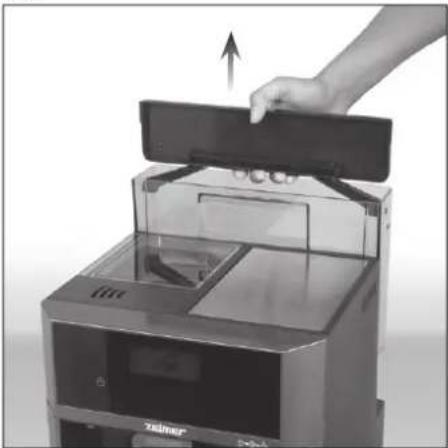
natural_image
Hand placing a device into a digital machine with a paper lid, showing internal components and a screen (no visible text or symbols)② Remove the coarse filter by pulling it upward.
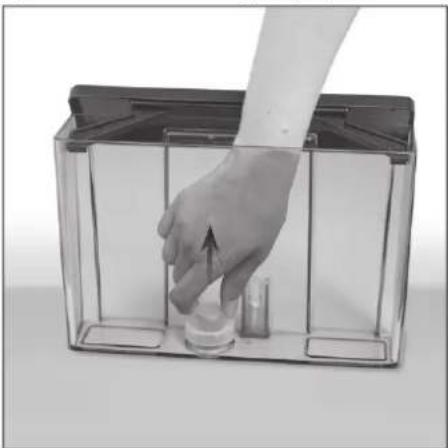
natural_image
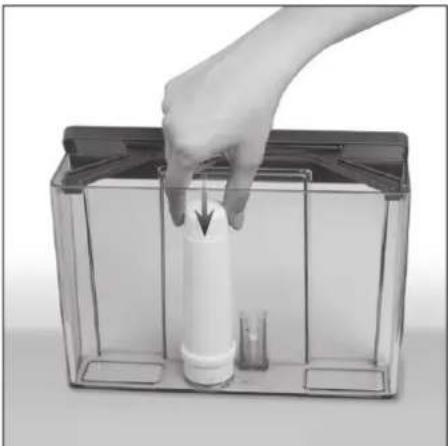
Hand placing a small object into a transparent container with a handle, no visible text or symbols③ Insert the filter pack by pressing it onto the water outlet.
natural_image
Hand placing a white cylindrical object into a transparent container with a glass inside (no text or symbols visible)
the fi iter in water for 5 minutes before fi rst use to release the air bubbles and ensure better performance.
④ Select Filter Operation in the machine settings (see SETTINGS DIAGRAM AND ORDER).
TESTING WATER HARDNESS
The testing of water hardness will allow you to set the espresso machine to the optimal value and to brew coffee in the conditions properly adjusted to the quality of your water. In order to test the hardness of your water, proceed as follows:
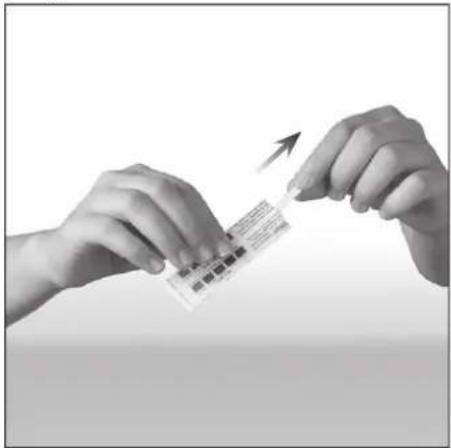
① Remove the water hardness test strip from the package.
natural_image
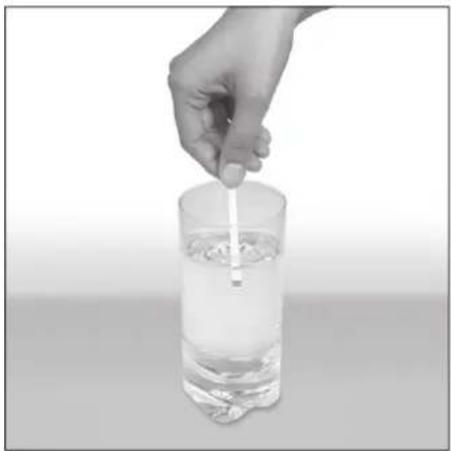
Close-up of hands holding a small electronic device with an upward arrow, no visible text or symbols② Fill a glass or other receptacle with tap water and dip the test strip in water.
natural_image
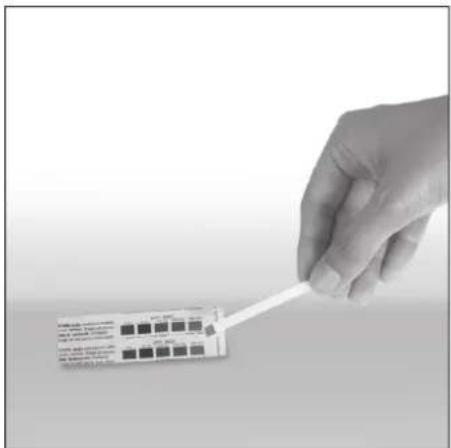
Hand stirring a clear glass with a straw (no text or symbols visible)③ Wait approx. 15 seconds and compare the colour of the test strip with the colour scale on the test strip package.
natural_image
Hand holding a white strip with black square markers, next to a small product box (no visible text or symbols)④ Based on the water hardness reading, set the water hardness level (see the „Setting other functions” / „WATER HARDNESS” section to find out how to set the water hardness).
FILLING THE WATER TANK
① Make sure that the machine is unplugged from the power source.
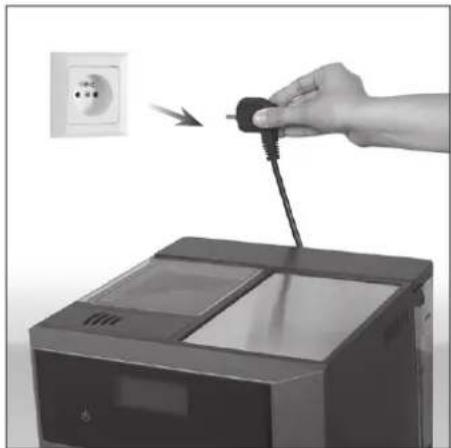
natural_image
Hand inserting a plug into a washing machine, with an outlet showing the power switch (no text or symbols visible)② Insert the water filter in the tank before first use. The detailed procedure is described in the "WATER FILTER - INSTALLATION" section.
③ Check water hardness in your area before first use. The detailed procedure is described in the "TESTING WATER HARDNESS" section.
④ Lift the tank lid and take out the tank using the handle.
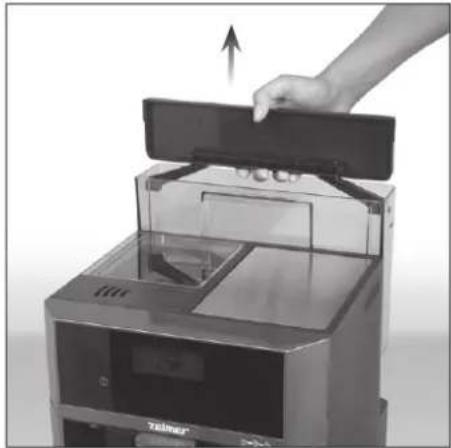
natural_image
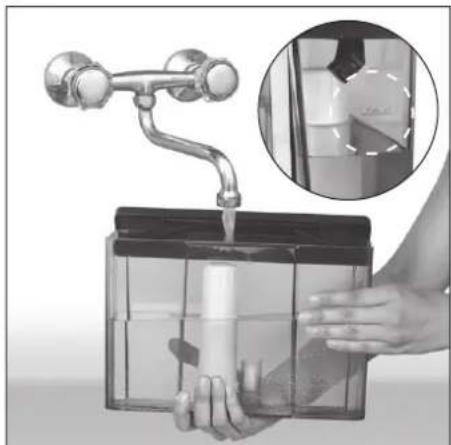
Hand placing a device into a digital machine with an upward arrow, no visible text or symbols on the device itself.⑤ Fill the container with fresh, cold water.
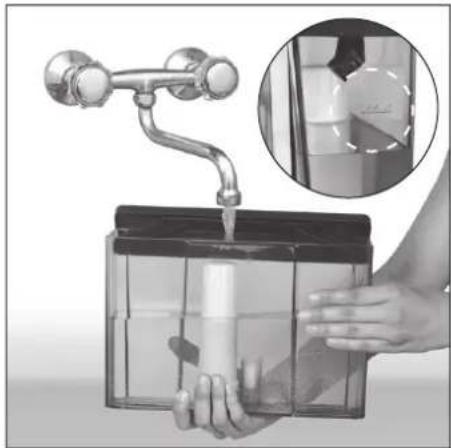
natural_image
Illustration of a hand holding a transparent container with a faucet, showing liquid being poured into it (no text or symbols present)
Never fi ll the water tank above the MAX level.

Never fi ll the tank with hot or boiling water, as this may damage the machine.
⑥ Insert the water tank back in place and press firmly.
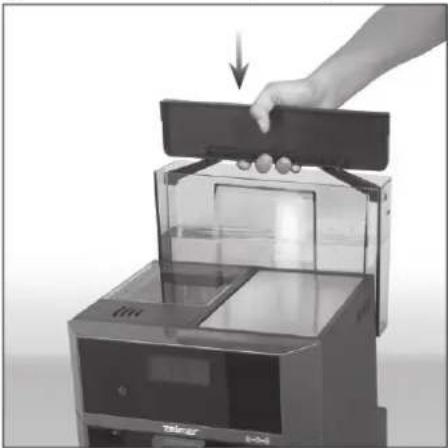
natural_image
Hand pressing down on a black device with a handle, showing internal components and control panel (no text or symbols visible)⑦ Close the tank lid.
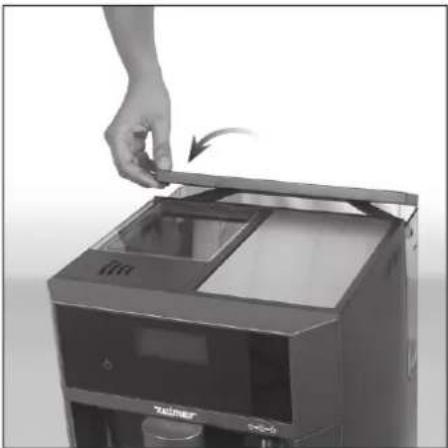
natural_image
Hand placing a tray into a device with a hand holding the top panel (no visible text or symbols)
water tank can also be filled without taking it out. To do so, open the lid and pour water into the tank from a jug or other receptacle.

Avoid fi lling the tank with a too small amount of water. When the sensor detects the low water level, the appropriate symbol will appear on the display to remind you that the tank needs to be refi lled.

Do not use the coffee machine with an empty water tank. Make sure there is water in the tank before starting the coffee brewing process. For hygienic reasons never leave cold water in the water tank for a longer period of time.
RINSING THE MACHINE
Before using the machine for the first time or if it has not been used for a longer period of time, it is necessary to rinse it.
① Plug in the machine to appropriate power source.
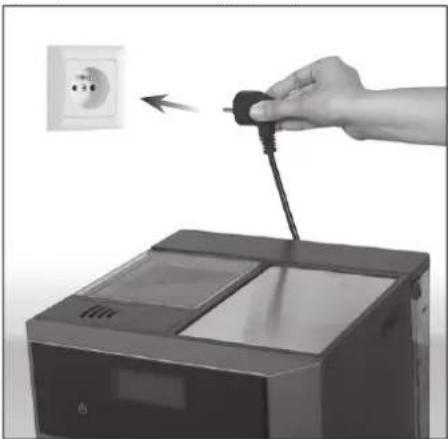
natural_image
Hand inserting a plug into a printer device (no text or symbols visible)② The machine will turn on. The symbol and the brew group will be set to the ready-to-work position.
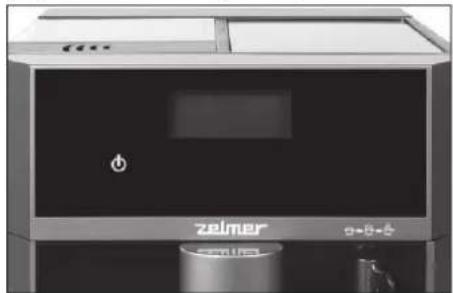
natural_image
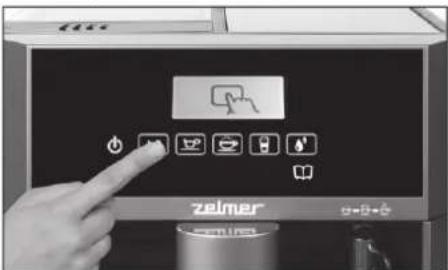
Exterior view of a modern industrial appliance with a black panel and control panel (no visible text or symbols)The ON/OFF button will light for 10 seconds.
③ Press and keep pressed the ON/OFF button for 2 seconds, in order to start work. The symbol 📄, will appear on the LCD display, a small amount of water will come out of the coffee dispensing unit, in order to rinse the brewing system. It is an initial automatic rinse.
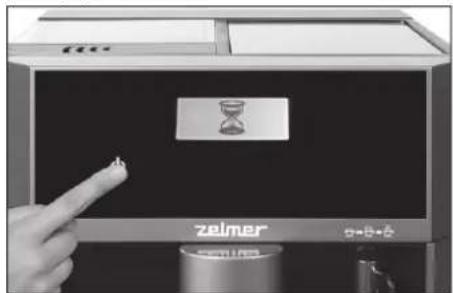
④ The machine is ready to work further.
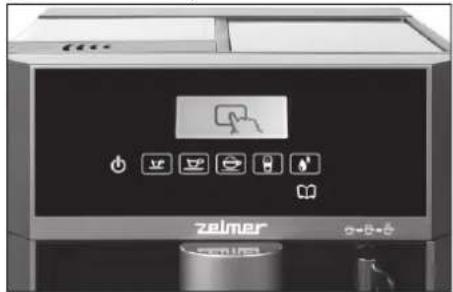
The machine will signal that it is ready to work further by displaying the symbol and highlighting the buttons (the illustration above).
⑤ Get ready a container filled with cold water. Insert one end of the milk hose into the milk frothing regulator and place the other end in the container with water.
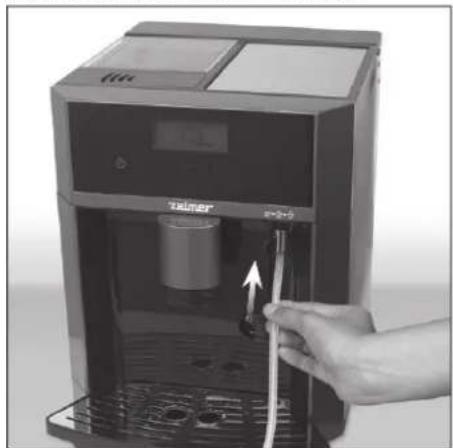
natural_image
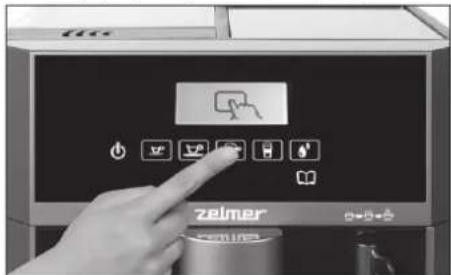
Hand inserting a plug into a digital water dispenser (no visible text or symbols)⑥ Press the button and then the button. The LCD display will show the symbol.
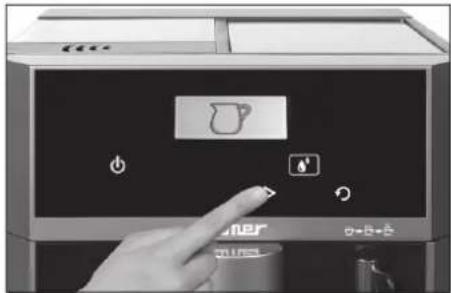
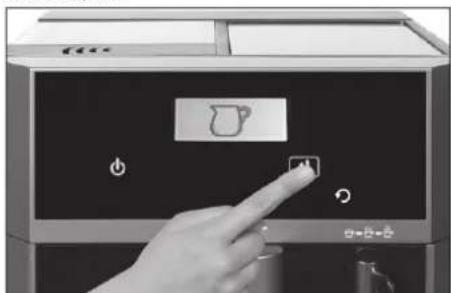
⑦ Press the button again in order to confirm the selected option.
natural_image
Hand pressing a button on a digital kitchen appliance with a teapot icon (no text or symbols visible)The rinsing process will start. It is used for cleaning the milk hose and the milk frothing system.
⑧ Press the ↻ button to stop the rinsing process. Press the ↻ button again to go to the main selection screen.
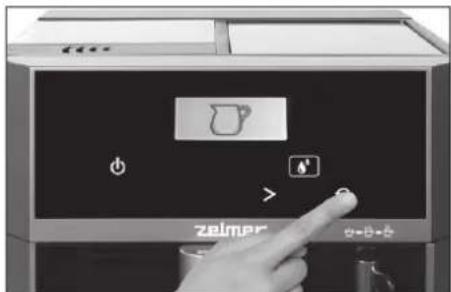
Refilling the coffee containers
COFFEE BEANS
Make sure the machine is not in the process of grinding and brewing.
① Remove the lid from the coffee beans container.
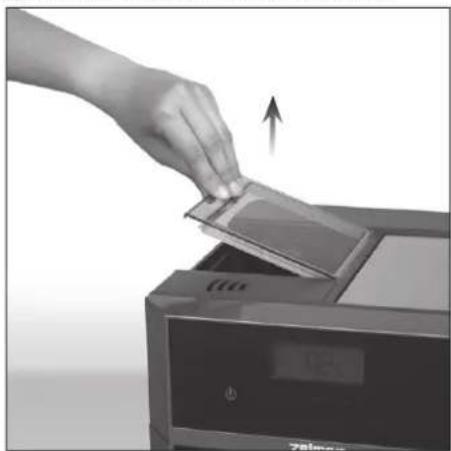
natural_image
Hand inserting a card into a printer (no text or symbols visible)② Fill the container with coffee beans.
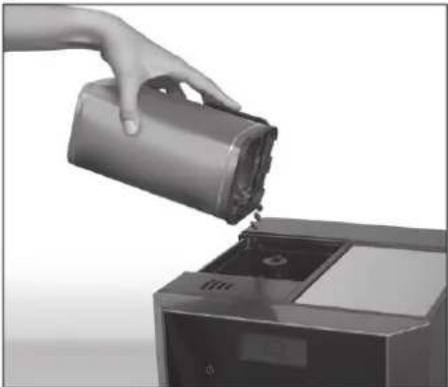
natural_image
Hand pouring liquid into a refrigerator (no text or symbols visible)Do not use strong roasted coffee beans, pre-ground and instant coffee, because these kinds of coffee may cause damage to the grinder.
③ It is possible to adjust the grinding level in the grinder by turning the knob located in the grinding chamber.
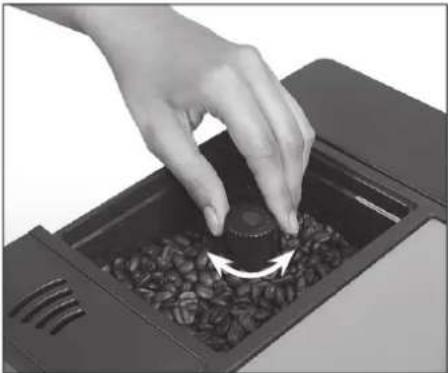
natural_image
Hand placing a coffee maker into a container with seeds, showing a circular arrow indicating rotation (no text or symbols visible)Turn the knob toward the "-" sign for fi ner ground coffee.
The strength of coffee depends on the coffee bean grinding level. The finer the coffee beans are ground, the stronger the coffee is.
The grinding level adjustments can be made only when the grinder is operating. Otherwise, the grinding wheel may become damaged.
If you notice that the feed hopper is clogged, do not start the grinder as this may cause damage to the machine!
GROUND COFFEE
Do not use any coffee in your machine other than ground coffee blends for espresso machines. Coffee blends unsuitable for use with espresso machines may clog the water circuit inside the appliance. If the water circuit is clogged, run the brewing process (ground coffee programme) immediately several times without adding any coffee to the container. Clean brewing group and coffee spout thoroughly after each brewing (see "CLEANING BREWING GROUP AND COFFEE SPOUT").
① Remove the lid from the ground coffee container.
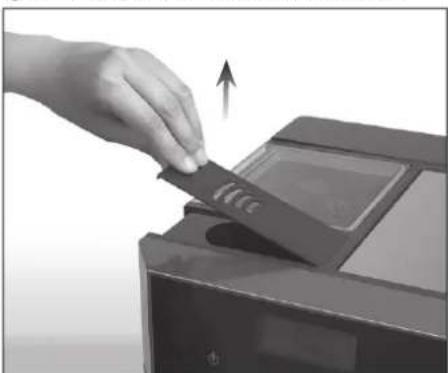
natural_image
Hand inserting a card into a printer (no text or symbols visible)② Fill the brewing chamber.
When filling with ground coffee, use the ground coffee scoop attached to the accessories.
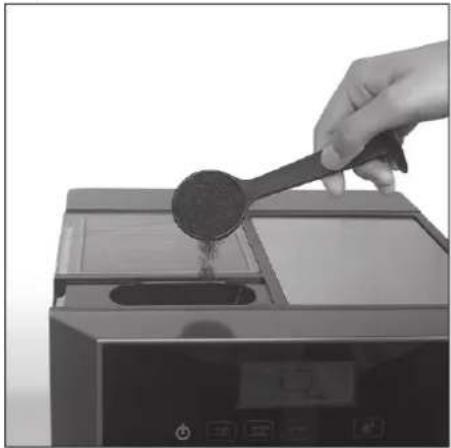
natural_image
Hand pouring liquid into a kitchen appliance using a spatula (no text or symbols visible)Do not pour more than one ground coffee scoop, otherwise the ground coffee excess will spill onto the drip tray. Excess coffee can also clog the dispensing head. If the dispensing head is clogged, please contact your authorised service centre.
③ Before starting brewing the coffee, replace the lid of the ground coffee container.
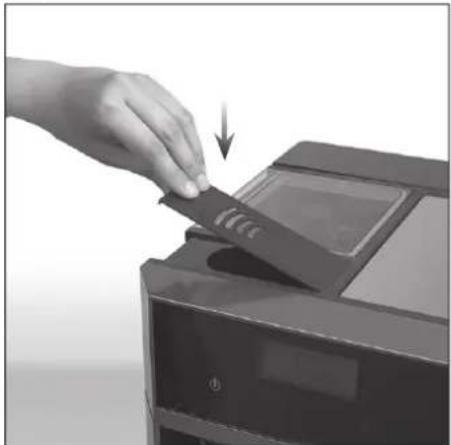
natural_image
Hand inserting a card into a printer (no text or symbols visible)Brewing coffee
Make sure that the machine is ready to work. The display must show the ready-to-work symbol.
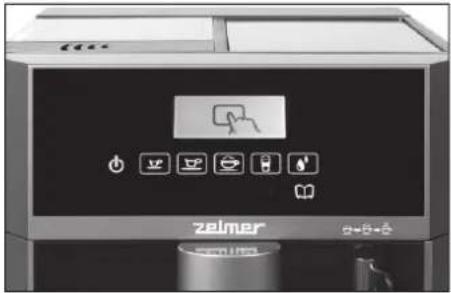
If the symbol does not appear on the display, press and keep pressed the ON/OFF button for 2 seconds in order to start work. The symbol will appear on the LCD display. In order to remove the remains, a small amount of water will come out of the coffee dispensing unit.
The amount of dispensed coffee, its temperature and intensity of flavour as well as ground coffee/ coffee beans programme selection can be adjusted by pressing the 📐 button (more information can be found in the "PROGRAMMING OF COFFEE SETTINGS" section).
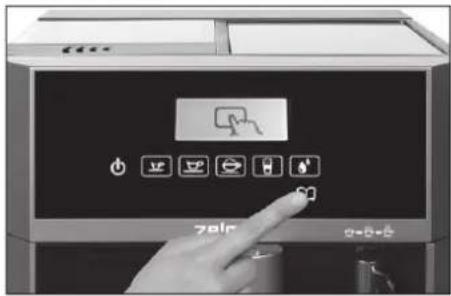
It is possible to brew coffee using the machine default settings. The default espresso machine settings are given below.
DEFAULT SETTINGS OF THE ESPRESSO MACHINE
| [YD6K] | [0776] |  |  | [8T7S] |  |
 | 40 ml | 100 ml | 150 ml | 150 ml | ### |
 | I BEANS | ||||
 | - | ||||
| [THG3] | II LEVEL | ||||
 |  [W8DO] [W8DO] | [ADAW] [XATD] | [OAAK] [###] | ### | |
ESPRESSO COFFEE
① Place a cup on the drip tray grid directly under the coffee dispensing unit.
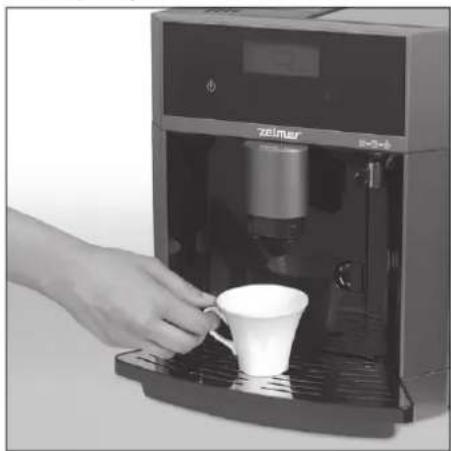
natural_image
Hand pouring a white cup into a black self-service coffee machine (no visible text or symbols)It is possible to adjust the height of the coffee dispensing nozzle to the size of the cup.
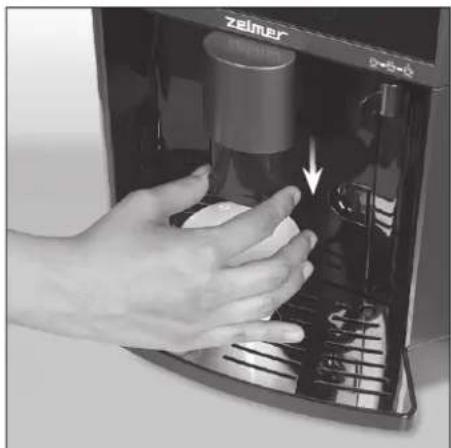
natural_image
Hand pressing down of a small container labeled 'Zelmer' with an arrow indicating motion (no text or symbols on the container itself)② In order to make an espresso coffee, press the button (SMALL ESPRESSO) or the button (LARGE ESPRESSO).
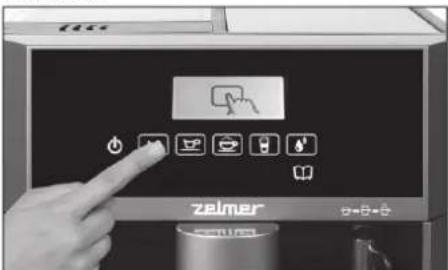
③ Before starting to brew the coffee, it is possible to select the 2-cup option, it will automatically disappear after a few seconds.
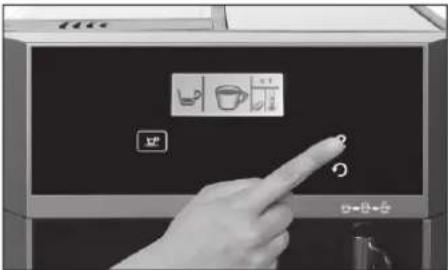

2-cup option is active only with the ground coffee setting.
④ The machine is preparing an espresso coffee according to the Menu settings.
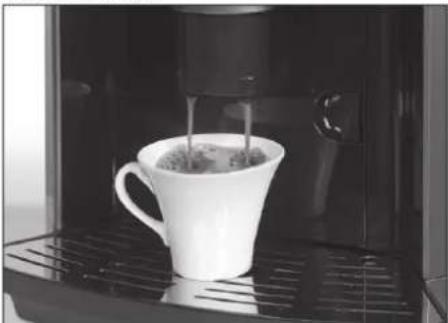
natural_image
White coffee mug being poured into a black industrial machine (no visible text or symbols)
you notice that coffee is dispensed very slowly, adjust the grinder to a coarser grind (see "COFFEE BEANS").
If the machine has been set to "ground coffee" (see "Coffee Settings"), the following will be displayed:
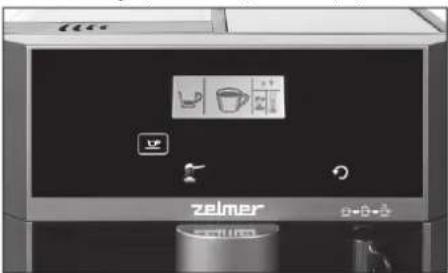
This button (flashing) signals the need to fill the container with ground coffee.
⑥ Press the button in order to obtain an espresso coffee.
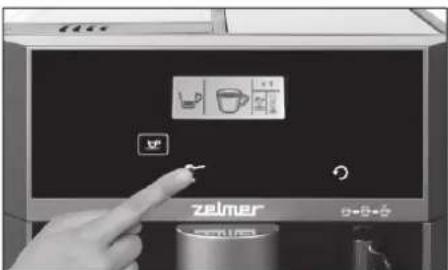
Never attempt to remove the water tank when the machine is in the process of brewing coffee. If during the coffee brewing process the water level reaches the minimum level, the machine will stop working. The symbol will appear on the display and the repeated sound signal will be heard to remind you that the water tank needs refi lling. More information can be found in the "FILLING THE WATER TANK" section. After refi lling the water tank, the sound signal will be stopped, and the machine will automatically complete the coffee brewing process.

By pressing the button you can end the coffee brewing process at any moment.
CAPPUCCINO / LATTE
① Place a cup on the drip tray grid directly under the coffee dispensing unit.
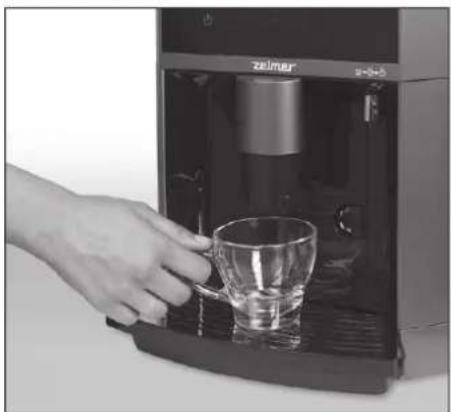
natural_image
Hand pouring liquid into a glass mug inside a self-service coffee machine (no visible text or symbols)Get ready a container with milk.
② Insert one end of the milk hose into the milk frothing regulator.
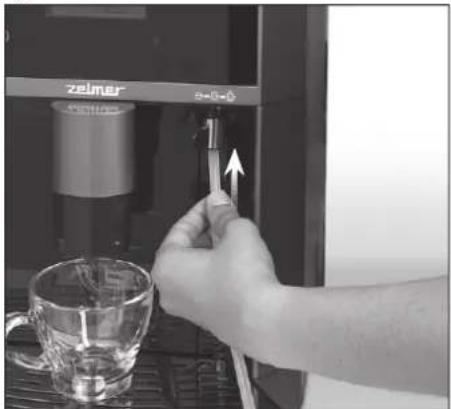
natural_image
Close-up of a hand using a tool to adjust a small electronic device with a glass cup nearby (no visible text or symbols)Place the other end in the container with milk.
③ Regulate the milk frothing setting depending on your needs ( ☐ - light milk foam, - medium milk foam,
- dense milk foam).
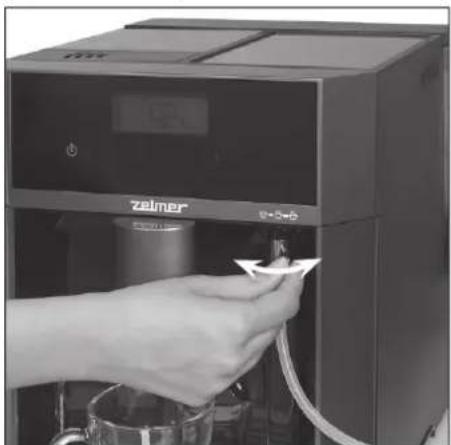
natural_image
Hand inserting a small object into a digital water dispenser (no visible text or symbols)④ In order to make a Cappuccino, press the button. In order to make a Latte, press the

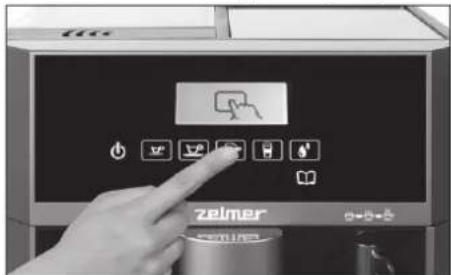
⑤ Before brewing you can choose 2-cups option; it will disappear automatically after a few seconds.
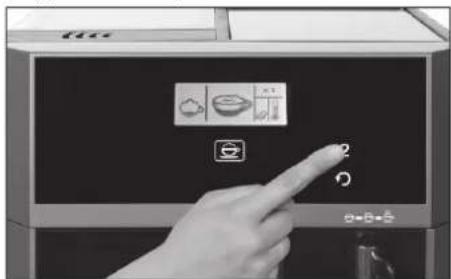

2-cup option is active only with the ground coffee setting.
⑥The machine is preparing a Cappuccino/Latte according to the Menu settings.
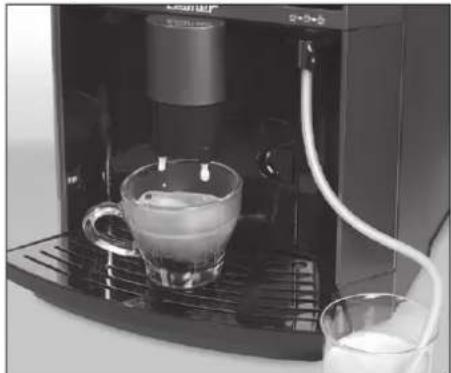
natural_image
Close-up of a coffee machine with a glass mug and milk being poured into it (no visible text or symbols)⑦ If the ground coffee has been selected, proceed according to the description in the "ESPRESSO COFFEE section".
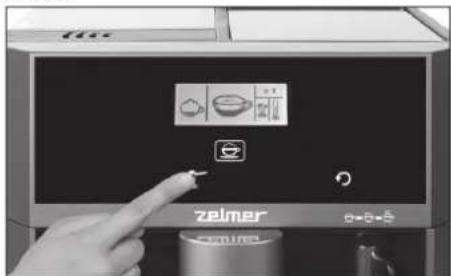
⑧ After each use of the Cappuccino/Latte function, the reminder of "milk system rinse" will be displayed.
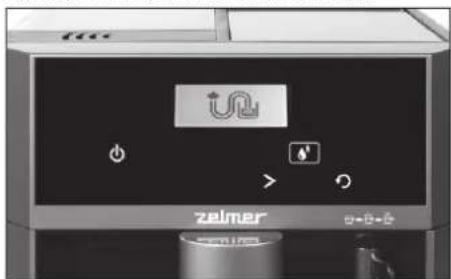

der to skip this process and to continue working with the espresso machine, press ⚙. However, it is recommended to „rinse milk circuit” after brewing.
It is also possible to clean the milk circuit by selecting the milk frothing function and using fresh water instead of milk (see "RINSING THE APPLIANCE").
⑨ In order to rinse the internal milk circuit, press the button.
natural_image
Hand pressing a button on a digital kitchen appliance (no visible text or symbols)Before rinsing the milk circuit: - dip the end of the milk tube in a container with fresh, cold water, - the container should be filled with a suitable amount of water (at least 400 ml).
Frothed milk / Hot water
① In order to start the milk frothing function or the hot water function, press the button.
② By pressing the > button you can select between milk frothing and hot water function.
In the case of milk frothing, proceed according to the "CAPPUCCINO/LATTE" section.
③ Press the button to start the selected function.
natural_image
Hand pressing a button on a coffee maker's side panel (no visible text or symbols)After starting the function, wait approximately 30 seconds until the machine reaches the appropriate temperature.
④ The machine will dispense approximately 250 ml of frothed milk or hot water.
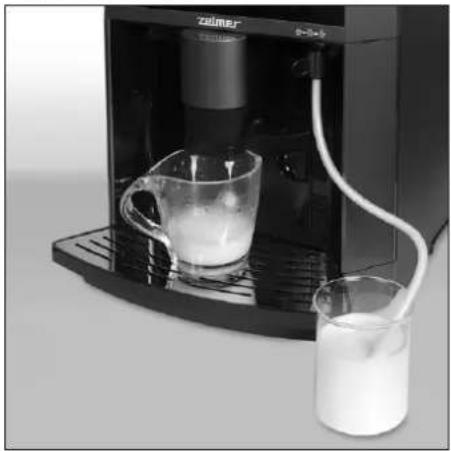
natural_image
Exterior view of a modern coffee machine with a glass of milk being poured into it (no visible text or symbols)In order to stop flowing out of milk foam or hot water at any time, press the button.
Hot water can be used for brewing tea or other hot beverages.
Programming of coffee settings
The machine has a number of features enabling you to make your coffee exactly as you want it.
① Make sure that the appliance is ready for operation. The "machine ready" symbol should appear on the display.
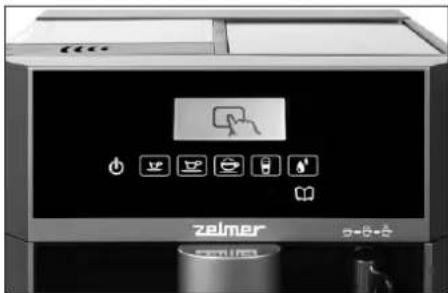
② Press the button to enter the programming mode.
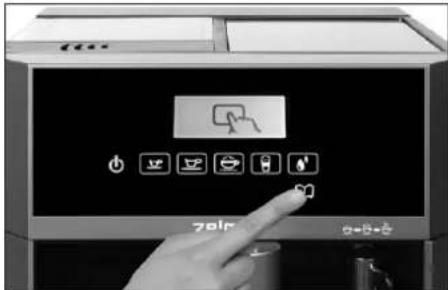
③ Select the type of coffee you wish to brew (the icons will flash on the display).
④ After selecting your coffee programme, the following settings will be available:
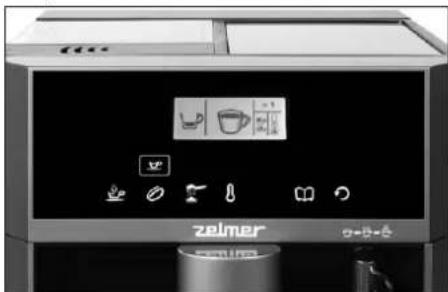
- coffee volume, coffee beans (intensity), ground coffee, temperature
ADJUSTING OF COFFEE VOLUME
⑤ In order to change coffee volume, press 🌐 ⑥ Default coffee volume for selected type of coffee will appear on the screen. To change the default value, press 🌐 repeatedly until you select the desired volume.
for volume range available for respective coffee programmes, see SCHEME AND ORDER OF SETTINGS.
⑦ To exit the settings and confirm your choice, press
In order to set other options, press the button. The appliance will go back to displaying the settings available for the coffee programme you selected.
COFFEE BEANS / GROUND COFFEE
⑧This feature enables you to brew your coffee using either coffee beans or pre ground coffee.
⑨ To use coffee beans and the internal grinder, press
⑩ Now you will be able to adjust the strength of your coffee to meet your taste:
∅ – normal coffee, ∅ – strong coffee.
⑪ To exit the settings and confirm your choice, press
If you wish to select pre-ground coffee, press
⑫ A pre-ground coffee symbol will appear on the display, replacing the coffee beans symbol.
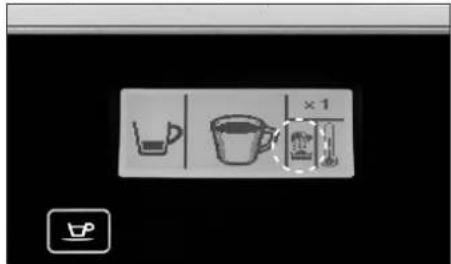
⑬ To exit the settings and confirm your choice, press
In order to set other options, press the button. The appliance will go back to displaying the settings available for the coffee programme you selected.
TEMPERATURE
This feature allows you to adjust the temperature of your coffee.
⑭ To set your desired temperature, press
⑮ Press 🖱 repeatedly to choose between the three available temperature settings (the temperature will be shown on the display):
- lukewarm coffee, - warm coffee, - hot coffee.
⑯ To confirm your settings and exit, press 📄. The appliance will return to displaying the selection panel and you will be able to change the settings for another coffee programme.
If you wish to change settings for other coffee programmes, proceed as described in sections 3-16.
⑰ To exit the settings mode, press
Setting other functions
ENERGY SAVING FEATURE
Your appliance comes with a power saving feature, enabling you to reduce energy consumption when the machine is not in use.
This feature will automatically turn off the appliance (activate the standby mode) after user-defined time (the default setting is 25 minutes).
To set your standby mode time, proceed as follows:
① Make sure that the appliance is ready for operation. The "machine ready" light should appear on the display.
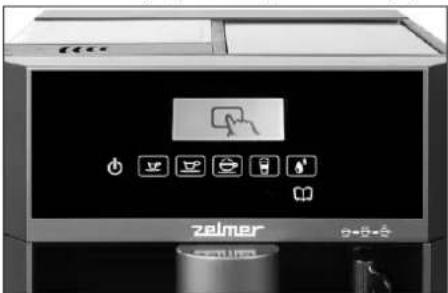
② Press the button to enter the programming mode.
③ Press to see the available features. Keep pressing the button to move through the features.
④ When the display shows, press the button to set the time to automatic standby.
⑤ Press to move between the available options:
✓ 1/4 h, ✓ 1/2 h ✓ 1 h ✓ 2 h ✓ - -


to disable the power saving
feature. The appliance will remain on until switched off by the user.
⑥ Press to confirm your settings.
⑦ Press ↻ to exit the programming mode.
WATER HARDNESS
① When in the programming mode, you can adjust water hardness settings 🙏. Press the 📆 button.
② Press the > button repeatedly until you select your required water hardness level.: ▲- soft water,


- hard water.

Set water hardness level based on the result of water hardness test (see "WATER HARDNESS CHECK").
③ Press 📄 to confirm your settings.
④ Press ↻ to exit the programming mode.
DISPLAY BRIGHTNESS
① Press 📄 in order to select screen brightness setting option 🙏 in the programming mode.
② Press the > button repeatedly until you select your required display brightness: ⚙️ 1–max. dark, ⚙️ 2
- 4-max.bright.
③ Press 📁 to confirm your settings.
④ Press ↻ to exit the programming mode.
SOUND SIGNALS
① To enable/disable the sounds in the appliance, enter the programming mode and select by pressing the button.
② Press > repeatedly to browse through the available options: 📋 – mute off, 🌐 – mute on.
③ Press 📄 to confirm your settings.
④ Press ↻ to exit the programming mode.
DESCALING
For descaling instructions, see "Cleaning and Maintenance" / "DESCALING".
WATER FILTER
① To set your coffee machine to operate with or without the water filter, enter the programming mode and select by pressing the 📋 button.
② Press > repeatedly to browse through the available options: - water filter on, - water filter off.
③ Press 📄 to confirm your settings.
④ Press ↻ to exit the programming mode.
REPLACING WATER FILTER
The method of water filter replacement was described in the point "Cleaning and Maintenance" / "REPLACING WATER FILTER".
SETTINGS DIAGRAM AND ORDER:
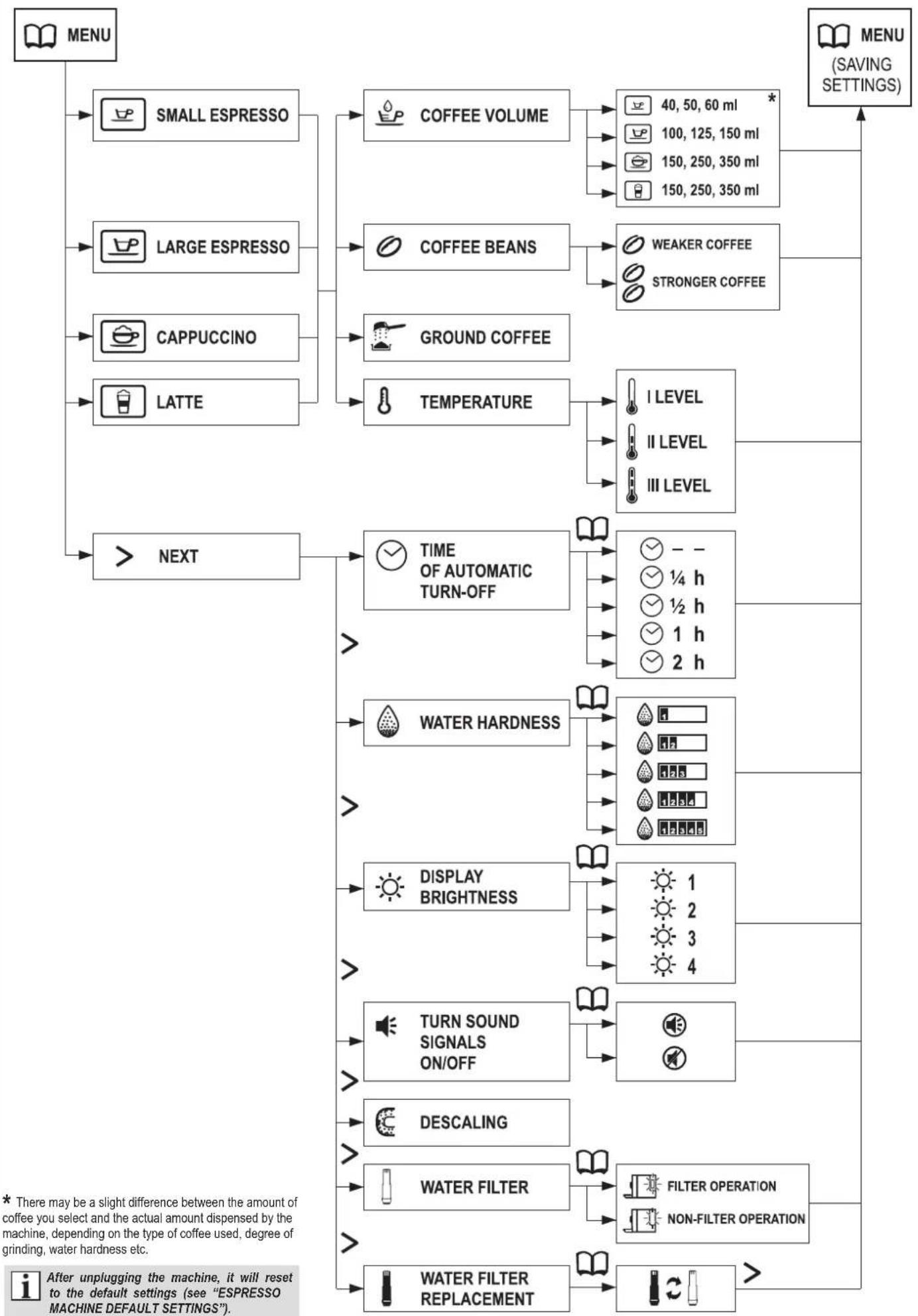
flowchart
graph TD
    A["MENU"] --> B["SMALL ESPRESSO"]
    A --> C["LARGE ESPRESSO"]
    A --> D["CAPPUCCINO"]
    A --> E["LATTE"]
    A --> F["NEXT"]
    B --> G["COFFEE VOLUME"]
    C --> H["COFFEE BEANS"]
    D --> I["GROUND COFFEE"]
    E --> J["TEMPERATURE"]
    F --> K["TIME OF AUTOMATIC TURN-OFF"]
    K --> L["WATER HARDNESS"]
    K --> M["DISPLAY BRIGHTNESS"]
    K --> N["TURN SOUND SIGNALS ON/OFF"]
    K --> O["DESCALING"]
    K --> P["WATER FILTER"]
    K --> Q["WATER FILTER REPLACEMENT"]
    L --> R["1 2 3 4"]
    M --> S["1 h 2 h"]
    N --> T["FILTER OPERATION NON-FILTER OPERATION"]
    O --> U["100, 125, 150 ml 150, 250, 350 ml"]
    P --> V["40, 50, 60 ml * 150, 250, 350 ml"]
    Q --> W["I LEVEL II LEVEL III LEVEL"]
Cleaning and maintenance
Always keep the espresso machine clean to ensure a proper quality of the brewed coffee and to prolong the life of the appliance.

Do not immerse the machine in water or any other liquids.

Do not wash any of the machine parts in a dishwasher.
① When the drip tray is full of water, the tray full indicator will rise above the drip tray grill.
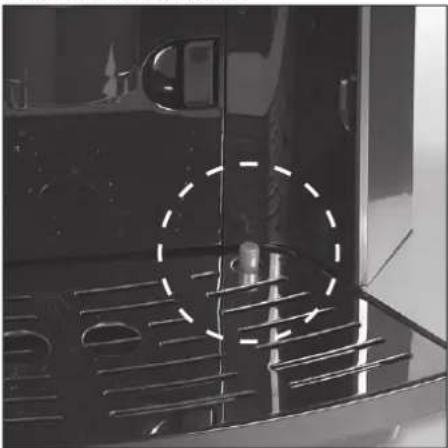
natural_image
Close-up of a black appliance interior with ventilation grilles and a dashed circular annotation (no readable text or symbols)② Unlock and open the service door
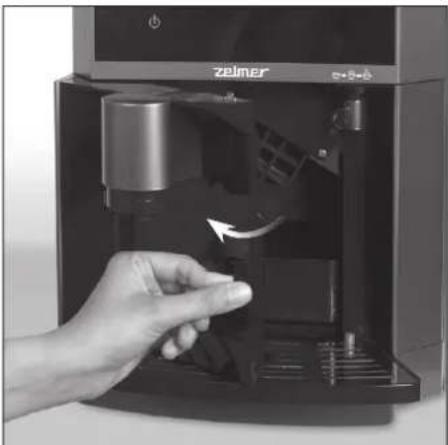
natural_image
Hand inserting a black plastic bag into a digital coffee machine (no visible text or symbols)③ Remove the drip tray.
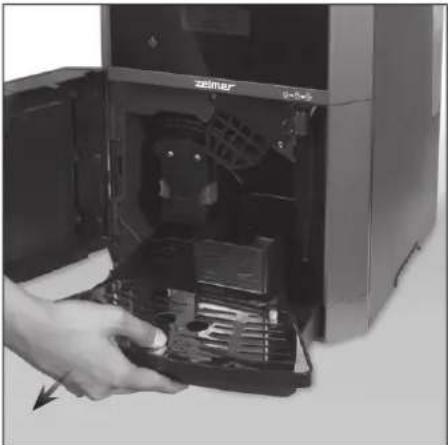
natural_image
Hand inserting a computer into a desktop computer tower (no visible text or symbols)④ Remove the grid from the drip tray and pour out the water.
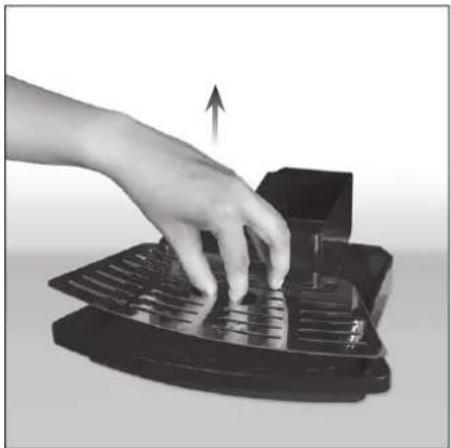
natural_image
Hand pressing a black electronic device with an upward arrow indicating motion (no text or symbols visible)Wash and dry the grid and the drip tray.
⑤ Slide the elements back in place.
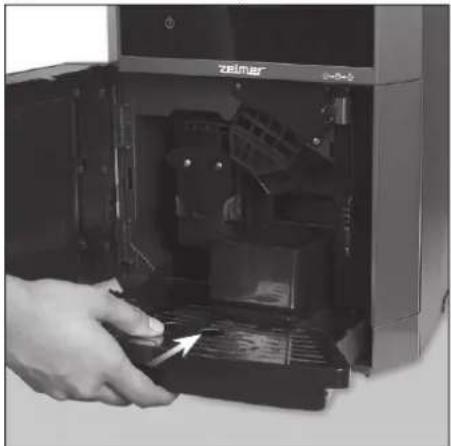
natural_image
Close-up of a hand inserting a device into a 3D printer case (no visible text or symbols)After brewing a certain amount of coffee cups, the waste box will be filled with coffee dregs and will require emptying.
The 📄 symbol will appear on the display to remind you that the waste box needs emptying. In order to empty the waste box, follow the directions below.

During emptying the waste box, do not unplug the machine, because the machine has a sensor which monitors the cleaning process.
① Unlock and open the service door.
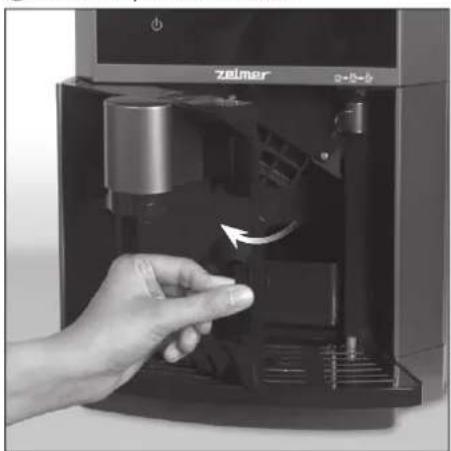
natural_image
Hand inserting a small electronic device into a black control panel (no visible text or symbols)② Remove the drip tray with the waste box.
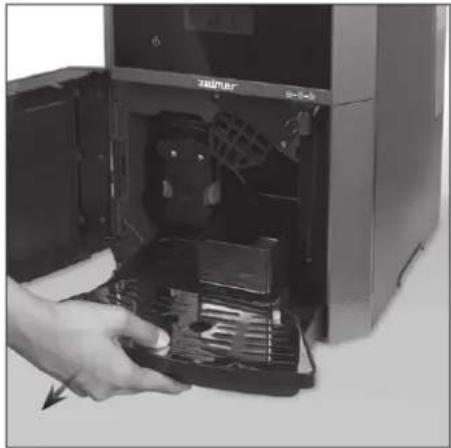
natural_image
Hand inserting a device into a desktop computer tower (no visible text or symbols)③ Remove the waste box from the drip tray and empty it. After emptying, put the box back in place.
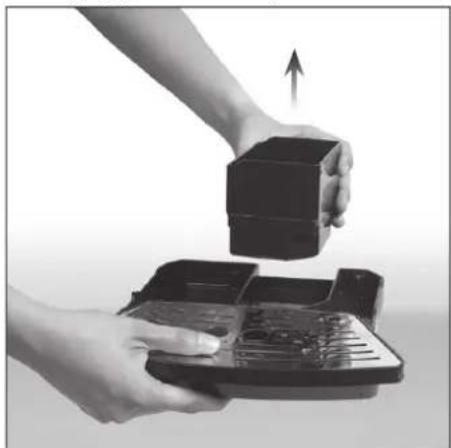
natural_image
Close-up of hands holding a black box with an upward arrow, next to a tray device (no text or symbols visible)④ Put the drip tray with the waste box back in the machine.
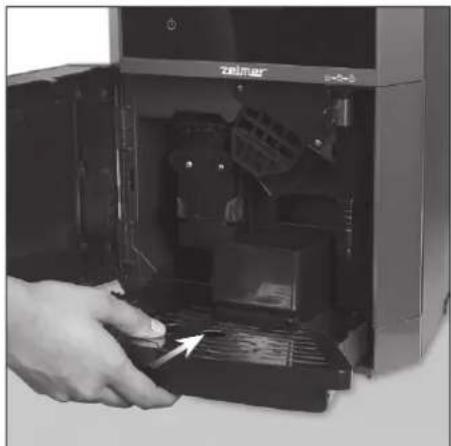
natural_image
Close-up of a hand inserting a device into a computer tower (no visible text or symbols)⑤ Close the service door. The display will show the symbol and the espresso machine is ready for further use.
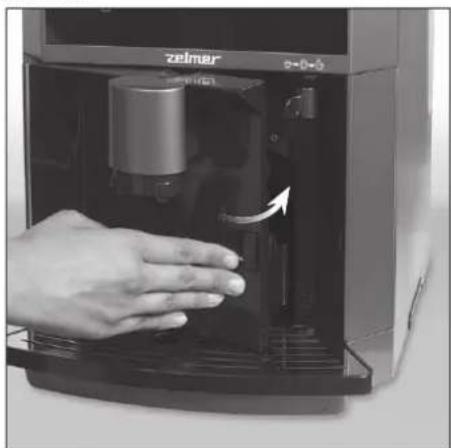
natural_image
Hand pressing down of a small electronic device labeled 'zeimer' with an arrow indicating the process (no text or symbols on device body)CLEANING THE APPLIANCE
① Unplug the machine.
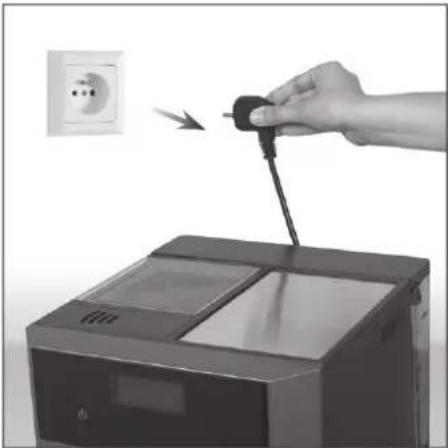
natural_image
Hand inserting a plug into a washing machine, with an electrical outlet visible in the background (no text or symbols)② Allow the machine to cool.
③ Wipe the machine casing with a damp cloth or sponge.
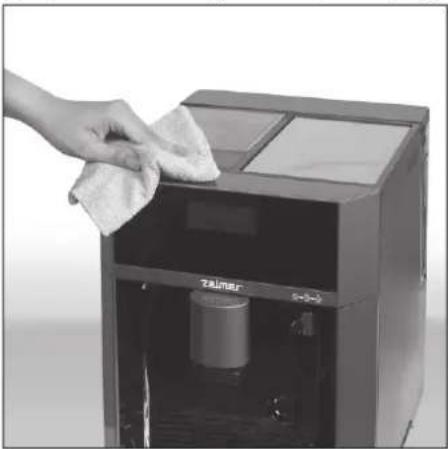
natural_image
Hand cleaning a small water dispenser with a cloth, no visible text or symbols on the device itselfThe cloth attached to the machine accessories can be used for cleaning its external surfaces.
CLEANING THE MILK HOSE AND THE MILK FROTHING REGULATOR
In order to clean the milk hose, follow the directions given in the "RINSING THE APPLIANCE" SECTION. The water flowing through the internal pipes will be sucked through the milk hose.
① In order to clean the milk frothing regulator, take it out of the appliance.
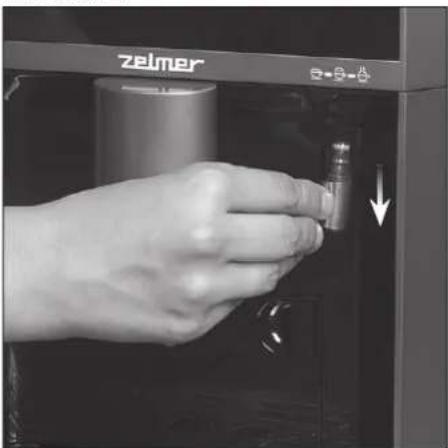
natural_image
Hand inserting a small component into a device labeled 'zelmer' (no additional text or symbols visible)② Rinse the regulator under running water.
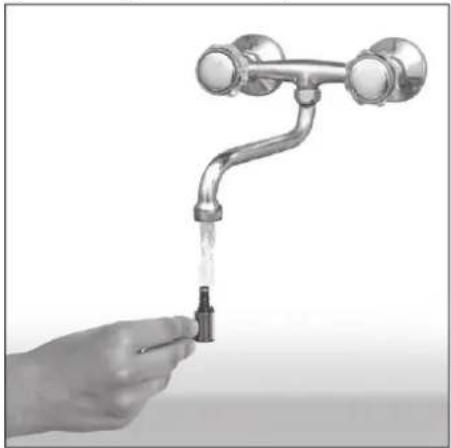
natural_image
Hand holding a water tap with liquid, no text or symbols visible③ Dry the cleaned element before fitting it in the appliance.
CLEANING THE COFFEE DISPENSING UNIT NOZZLE
① In order to clean the coffee dispensing unit nozzle, slide the nozzle until you feel resistance, and then pull firmly downwards.
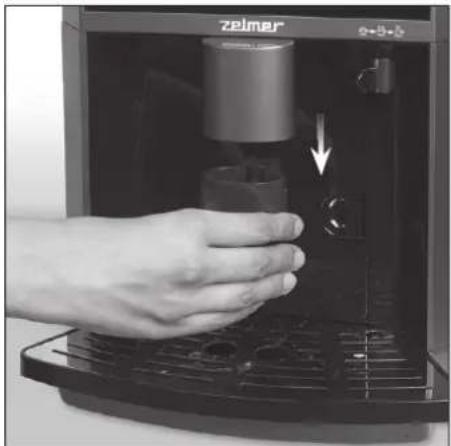
natural_image
Hand inserting a small cylindrical device into a black industrial machine (no visible text or symbols)② Wash the coffee dispensing unit nozzle under running water and put it back in its casing.
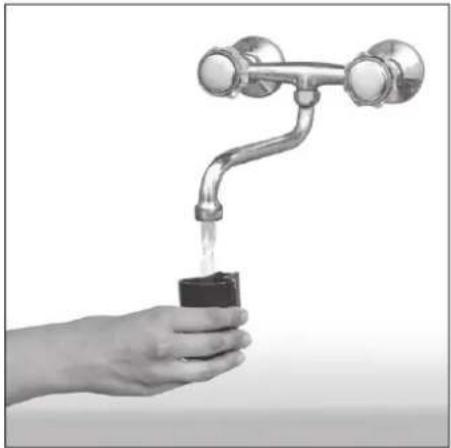
natural_image
Hand holding a small container with liquid being poured into a metal faucet (no text or symbols visible)CLEANING THE BREW GROUP AND THE COFFEE DELIVERING PIPE
Allow the machine to cool before cleaning the brew group.
① Unlock and open the service door.
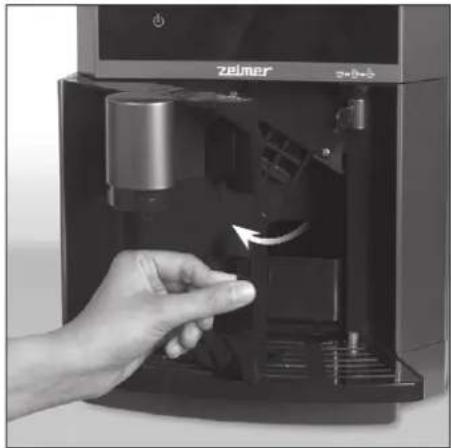
natural_image
Hand inserting a small electronic device into a black appliance, showing internal components and a hand holding the device (no visible text or symbols)②Press the two release buttons located on the brew group and remove the group.
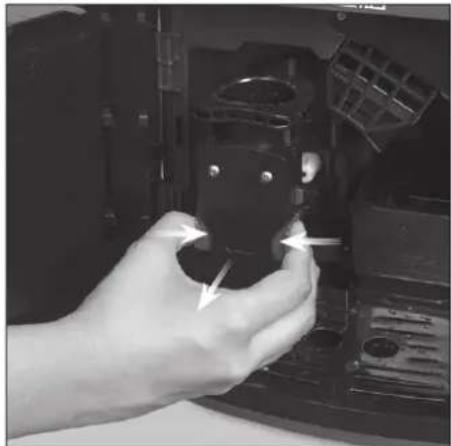
natural_image
Hand holding a black mechanical component with directional arrows indicating motion (no visible text or symbols)③ Wash the brew group under running water and thoroughly clean the inside of the machine.
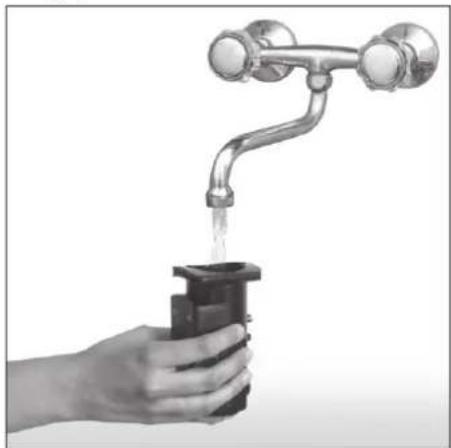
natural_image
Hand holding a water tap with liquid, no text or symbols visibleThe inside of the machine can be cleaned using damp cloth after removing the brew group and the drip tray.
④ Dry the cleaned element before fitting it in the appliance.
⑤ In order to clean the coffee delivering pipe, press the pipe catch and pull it upward.
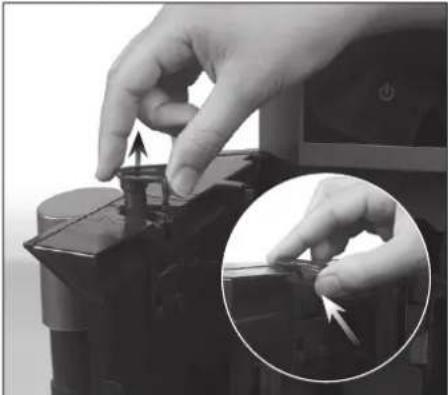
natural_image
Close-up of hands operating a mechanical component with a magnified inset showing a detail (no text or symbols visible)⑥ Wash the coffee delivering pipe under running water.
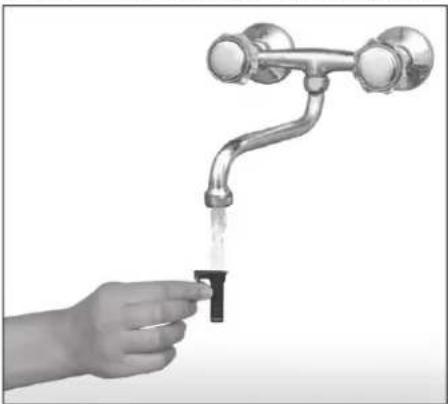
natural_image
Hand holding a faucet with liquid, symbolizing water absorption or cleaning (no text or symbols present)⑦ Dry the cleaned element before fitting it in the appliance.
DESCALING
Scale is a mineral build-up which naturally occurs on all appliances connected with heating water.
Regular descaling is recommended to extend the service
life of your appliance. The symbol appearing on the display will signal that it is necessary to run the descaling process.

Always descale your appliance in accordance with the user manual. Appliance malfunctions due to failure to descale shall not be repaired under warranty.
① When the machine signals that it is ready to work, press the 📄 button on the control panel.
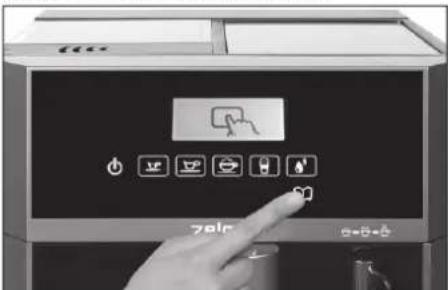
② Keep pressing the button until appears on the LCD display.
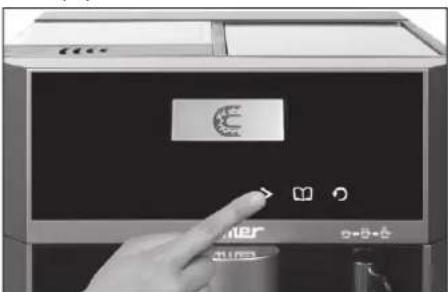
③ Press the button again, in order to confirm the selected option. The following symbol will appear on the display.
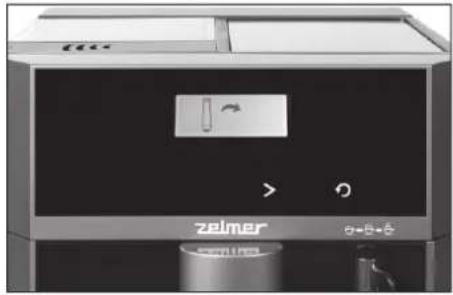
natural_image
Front view of a modern zelmer appliance with control panel and battery (no visible text or symbols)If the water filter has been mounted in the water tank, remove the filter (see the "WATER FILTER" section).
④ Press the button again. The following symbol will appear on the display.
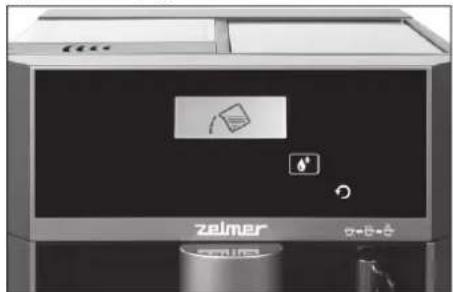
natural_image
Front view of a Zeimer industrial machine with control panel and indicator lights (no readable text or symbols)⑤ Fill the water tank with the citric acid solution (use 650 ml of the solution).
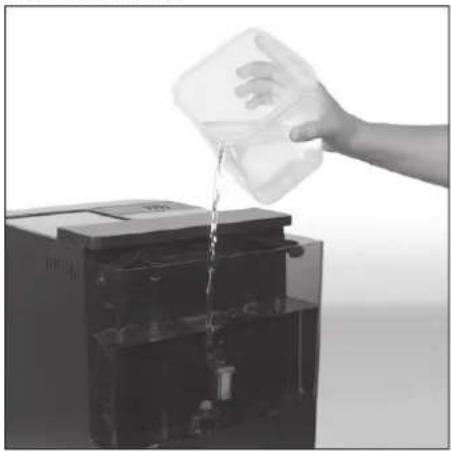
natural_image
Hand pouring liquid into a container (no text or symbols visible)Proposed solution: 2 teaspoonfuls (approx. 30 g) of citric acid in one litre of water.
⑥ Press the button. The descaling process will begin.
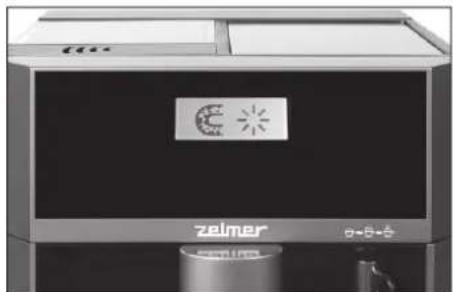
natural_image
Exterior view of a modern office building (no signage)The descaling process will take about 20 minutes.
⑦ After completing the above operations, the symbol
will begin to flash on the LCD display to remind you that it is necessary to remove the citric acid solution from the tank and to fill the tank with clean water (pour the clean water not exceeding the MAX level).
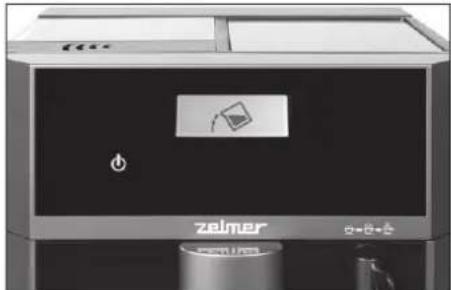
natural_image
Exterior view of a modern industrial machine labeled 'zelmer' with a digital display and control panel (no readable text beyond branding)⑧ After placing the water tank in the machine, the button will begin to flash.

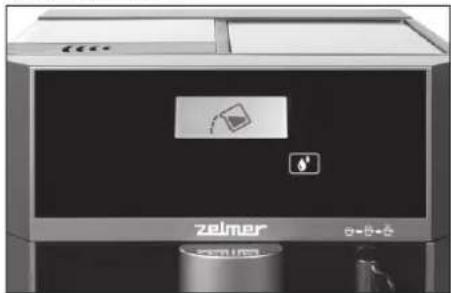
natural_image
Exterior view of a modern industrial recycling bin with visible branding and control panel (no readable text or symbols)⑨ Now, after pressing the button, the cleaning process will start.
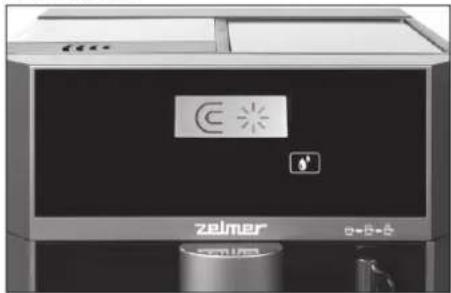
natural_image
Exterior view of a modern zelmer appliance with visible branding and control panel (no readable text or symbols beyond branding)⑩ On completion of the descaling programme, the appliance will return to the standby mode.

Do not unplug the machine during the process as this may cause the citric acid to be retained inside the machine.
WATER FILTER REPLACEMENT
The water filter should be replaced in the following situations:
- After each 50 litres of water used, the symbol will appear on the display to remind you of replacing the water filter.
- The filter should be replaced every two months even though the machine does not remind of its replacement.
- If the machine has not been used for at least 3 weeks. In order to replace the filter and reset the used water meter, follow the directions below.
①Turn on the appliance.
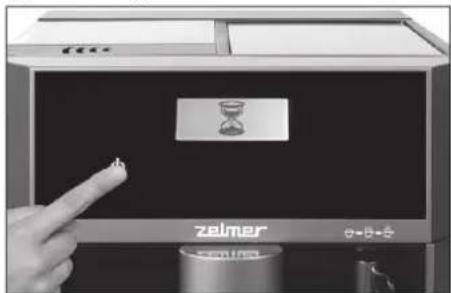
② Press the button.
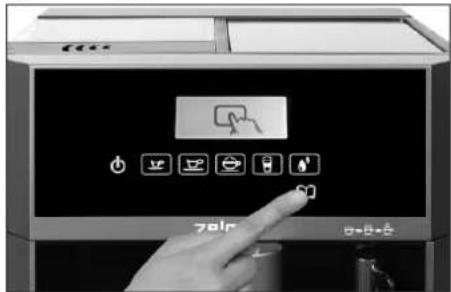
③ Keep pressing the appears on the display.
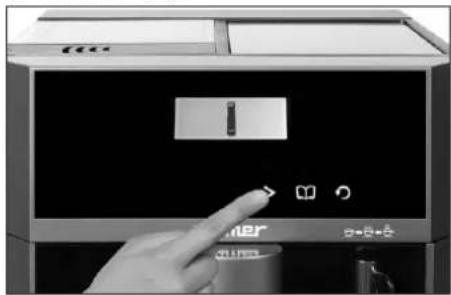
natural_image
Hand interacting with a digital kitchen appliance control panel (no visible text or symbols)④ Press the button again, the symbol will appear on the display to remind of the filter replacement.
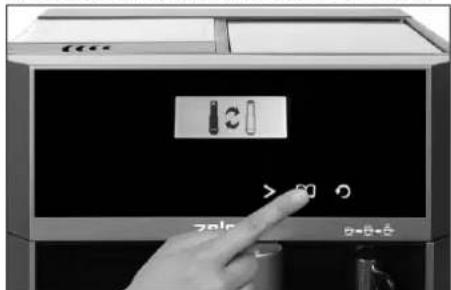
⑤ Replace the used filter with the new one (the filter installation is described in the "WATER FILTER" section) and press the button in order to reset the used water meter.
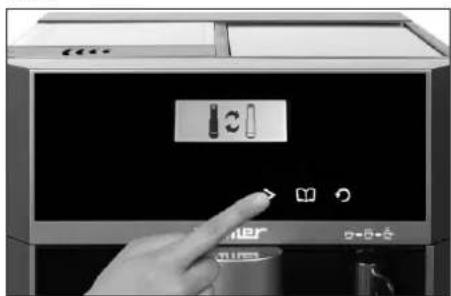
natural_image
Hand interacting with a digital kitchen appliance (no visible text or symbols)⑥ Confirm the change by pressing the button
⑦ Press the button to return to the main menu.
Troubleshooting
Most errors/malfunctions will be communicated by various symbols appearing on the display. In this way the espresso machine signals the type of fault to the user. The table below shows these symbols and how to proceed in particular situations.
| ICON DESCRIPTION | WHAT TO | DO |
 | No coffee beans. | Fill the coffee bean container and press the flashing icon button. |
 | Brew group missing. | Put the brew group properly in place. |
 | Waste box is full. | Empty the waste box. |
 | Appliance needs to be descaled. | Carry out the descaling cycle. |
 | Water filter needs to be replaced. | Replace water filter. |
 | Drip tray not in place. | Put the drip tray properly in place. |
 | Waste box not in place. | Put the waste box properly in place. |
 | Door open. | Close the door. |
 | Warning. | Serious damage to the machine.Contact an authorised service centre. |
 | No water. | Fill the water tank with water. |
 | No ground coffee. | Fill the ground coffee container and press the ground coffee button. |
| PROBLEM | POSSIBLE CAUSE | SOLUTION |
| The machine does not turn on. | The machine is not connected to the power supply. | Insert the plug to the power outlet.Check the power cord and the plug for damage. If so, contact an authorised service centre. |
| The coffee is not hot enough. | The cups are cold. | Warm up the cups on cup warmer. |
| Brew unit is too cold. | Before making a coffee, rinse the machine at least 3 times (proceed according to the “RINSING THE MACHINE” section). | |
| No coffee comes out from the coffee dispensing unit. | Coffee dispensing unit is clogged. | Increase the frequency of coffee dispensing unit cleaning. |
| First cup of coffee is of poor quality. | The first grinding does not feed the sufficient amount of ground coffee to the brew group. | Dispose of the coffee. The next cups of coffee will be of good quality. |
| Coffee has little crema. | Milk is not fresh. | Make sure that milk is fresh. |
| Milk temperature is too high. | Make sure that milk is chilled well enough. | |
| Coffee dispensing unit is clogged. | Clean and rinse the coffee dispensing unit nozzle. | |
| Milk has been boiled. | Use fresh, chilled milk. | |
| Coffee does not have characteristic foam. | Ground coffee or coffee beans are stale or not suitable for this type of espresso machine. | Change coffee blend or use suitable coffee beans or ground coffee. |
| Machine takes too long to heat up. | Limescale / mineral built up in machine. | Carry out the descaling cycle (see the “DESCALING” section). |
| Display is not clear.No or delayed response in several trials of pressing on function key on the panel. | Appliance is under an electromagnetic interference.Dirt over the panel. | Unplug the appliance. Restart after few minutes.Clean the panel with the cloth provided. |
Ecology – environment protection
Each user can protect the natural environment. It is neither difficult nor expensive.
In order to do it: put the cardboard packing into recycling paper container; put the polyethylene (PE) bags into container for plastic.
When worn out, dispose the appliance to particular disposal centre, because of the dangerous elements of this appliance, which can be hazardous for natural environment.
Do not dispose into the domestic waste disposal!!!
The manufacturer/importer does not accept any liability for any damages resulting from unintended use or improper handling. The manufacturer/importer reserves his rights to modify the product any time in order to adjust it to law regulations, norms, directives, or due to construction, trade, aesthetic or other reasons, without notifying in advance.
Sample espresso recipes
ESPRESSO (SHORT BLACK)
Espresso is a strong concentrated coffee with a layer of foam on the surface known as "crema" (a layer of brown foam). Espresso is the basis of all coffee beverages. Its varieties are obtained by adding different amounts of milk and froth.
Prepare a glass 90 ml espresso cup or a small coffee cup.
Pour in a single espresso (40-60 ml).
LONG BLACK
Standard espresso with the addition of hot water, served in a regular coffee cup or in a mug. Hot water is added first so that the layer of "crema" is kept.
- prepare a 190 ml cup.
our in a single or double espresso.
add hot water to taste.
MACCHIATO
Macchiato, the name comes from an Italian word meaning a "spot". Traditionally served as a standard espresso with a spoonful of milk on the surface and a little foam ("crema") in the middle.
- prepare a 90 ml glass espresso cup or a small coffee cup.
our in a single or double espresso.
add a spoonful of milk on the top.
FLAT WHITE
Another favourite coffee beverage is a flat white, a beverage on the basis of espresso, with steam frothed milk, served in a regular coffee cup or in a mug. The layer of frothed milk should be 2 mm thick to insulate the coffee.
Prepare a 190 ml cup.
Pour in a single or double espresso.
add frothed milk.
CAFFÈ LATTE
An espresso mixed with steamed milk; usually served in a glass cup. The layer of frothed milk should be 10 mm to insulate the coffee.
- prepare a 220 ml glass or cup.
Start latte programme

CAPPUCCINO
This fabulous beverage is an espresso with the addition of frothed milk, froth and sprinkled with cocoa. A beverage produced this way is 2/3 of coffee and 1/3 of froth.
- prepare a 190-240 ml cup.
- tart cappuccino programme
●prinkle with cocoa.
CAFFE MOCHA
Prepared similarly to a cappuccino, but with the addition of drinking chocolate. Just add chocolate to an espresso and mix before adding frothed milk and froth.
- prepare a 190-240 ml cup.
Pour in a single or double espresso.
add two spoonfuls of drinking chocolate.
add steam frothed milk.
Observe the proportions: 2/3 of coffee with milk, 1/3 of foam.
CON PANNA
A variety of the original Vienna coffee, this fabulous beverage is an espresso with the addition of whipped cream. It may also be sprinkled with cinnamon or chocolate.
- prepare a 190 ml cup.
Pour in a single or double espresso.
add whipped cream.
●prinkle with cinnamon or chocolate.