
Zenmuse H20 - Camera DJI - Free user manual and instructions
Find the device manual for free Zenmuse H20 DJI in PDF.
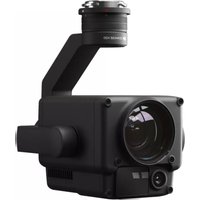


| Product Type | Multi-sensor camera for drone (gimbal) |
| Brand | DJI |
| Model | Zenmuse H20T |
| Dimensions | 167 × 135 × 161 mm |
| Weight | 828 ± 5 g |
| Protection Rating | IP44 |
| Power Supply | Via the Matrice 300 RTK drone (drone battery) |
| Compatible Device | DJI Matrice 300 RTK |
| Zoom Camera | Focal length 6.83-119.94 mm (equiv. 31.7-556.2 mm), aperture f/2.8-f/11 (normal) / f/1.6-f/11 (night) |
| Wide-angle Camera | DFOV 82.9°, focal length 4.5 mm (equiv. 24 mm), f/2.8 |
| Infrared Thermal Camera | Uncooled VOx microbolometer, DFOV 40.6°, focal length 13.5 mm (equiv. 58 mm), f/1.0 |
| Laser Rangefinder | Wavelength 905 nm, range 3-1200 m (reflective surface 12 m, 20% reflectivity) |
| Storage | microSD card up to 128 GB, UHS-I Speed Class 3 required, FAT32/exFAT formats |
| Operating Temperature | -20°C to 50°C |
| Storage Temperature | -20°C to 60°C |
| Maintenance and Cleaning | Use the provided cleaning cloth for the lens. Do not disassemble the gimbal or camera. |
| Safety | Class 1M laser camera (IEC 60825-1:2014). Comply with local regulations. Read the disclaimer clause. |
| Main Functions | Zoom, wide angle, thermal imaging, laser rangefinder, photo/video, intelligent modes (HD grid, night scene), spot measurements. |
| Included Accessories | Gimbal and camera, microSD card, storage case, lens cleaning cloth. |
| Disposal | Do not dispose of with household waste. Recycle through a municipal collection point. |
Frequently Asked Questions - Zenmuse H20 DJI
User questions about Zenmuse H20 DJI
0 question about this device. Answer the ones you know or ask your own.
Ask a new question about this device
Download the instructions for your Camera in PDF format for free! Find your manual Zenmuse H20 - DJI and take your electronic device back in hand. On this page are published all the documents necessary for the use of your device. Zenmuse H20 by DJI.
USER MANUAL Zenmuse H20 DJI
Contents
EN Quick Start Guide 2 CHS 快速入门指南 7 CHT 快速入門指南 12 JP クイックスタートガイド 17 KR 뽤 스타트 가이드 22 DE Kurzanleitung 27 ES Guía de inicio rápido 32 FR Guide de démarrage rapide 37 IT Guida rapida 42 NL Snelstartgids 47 PT Guia de início rápido 52 PT-BR Guia de Início Rápido 57 RU Краткое руководство 62 AR دليل البدة السريع 67
Compliance Information 72
Disclaimer and Warning
Congratulations on purchasing your new DJI™ product. The information in this document affects your safety and your legal rights and responsibilities. Please read this entire document and all safe and lawful practice DJI provided carefully, and visit the DJI official website (http://www.dji.com) to download the full version of the User Manual and carefully read all instructions and warnings therein before assemble, set and use. Failure to read and follow instructions and warnings in above documents or lack of strong awareness of safety during the operation may result in serious injury to yourself or others, or damage to your DJI product or damage to other objects. This document and all other collateral documents are subject to change at the sole discretion of SZ DJI Technology Co., Ltd. (DJI). They may be updated, changed or terminated without prior notification. For up to date product information, visit http://www.dji.com and click on the product page for this product.
DJI is a trademark of SZ DJI TECHNOLOGY CO., LTD. (abbreviated as “DJI”) and its affiliated companies. Names of products, brands, etc., appearing in this manual are trademarks or registered trademarks of their respective owner companies.
Export Compliance; Disclaimer; Indemnity
You acknowledge it is your responsibility to comply with applicable export control laws. You shall solely be responsible for the legal responsibility if any of your use, sale, transfer, rental or other conduct related to the Products fail to comply with the applicable export control laws. DJI shall, in no circumstances, be responsible for your violation of any applicable export control laws. Furthermore, you shall indemnify, defend, and hold harmless DJI, its affiliates, directors, officers, employees, agents, and representatives, from and against any and all claims, demands, suits, causes of action, expenses (including reasonable attorneys' fees), damages, losses, or liabilities of any nature whatsoever, arising from, or allegedly arising from, or related to, your failure to comply with applicable export control laws.
Do Not Modify or Alter the Zenmuse H20T
The ZENMUSE ™ H20T has been calibrated specifically for the designated camera and lens before leaving the factory. No physical or mechanical modification or adjustment of the gimbal is required or recommended. Do not add any other component or device (such as a filter, lens hood, etc.) to the camera.
The Zenmuse H20T is a delicate instrument. Do not disassemble the gimbal or camera as this will cause permanent damage.
Only Use Compatible Aircraft
The Zenmuse H20T is currently compatible with the DJI Matrice 300 RTK. It will also be compatible with other designated products in due course. To optimize the gimbal's performance, download the latest DJI Pilot app and update the latest aircraft firmware, otherwise the Zenmuse H20T may not function properly.
Safe Use
Make sure to operate your aircraft in the safest manner possible. Observe the procedures contained in the user manual and the online tutorials to mount and connect the gimbal to your aircraft. Please respect the AMA's national Model Aircraft Safety Code.
By using this product, you hereby signify that you have read this disclaimer and warning carefully and that you understand and agree to abide by all terms and conditions of this document and all relevant documents of this product. You agree that you are solely responsible for your own conduct while using this product, and for any consequences thereof. You agree to use this product only for purposes that are
proper and in accordance with all applicable laws, rules, and regulations, including international and domestic airspace regulations, and all terms, precautions, practices, policies, and guidelines DJI has made and may make available.
DJI accepts no liability for damage, injury or any legal responsibility incurred directly or indirectly from the use of this product. The user shall observe safe and lawful practices including, but not limited to, those set forth in the User Manual.
In the Box
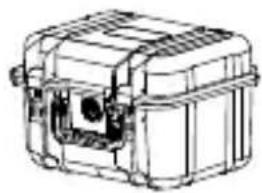
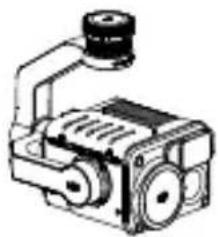
Gimbal and Camera (microSD card included)
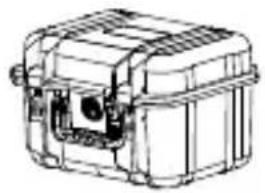
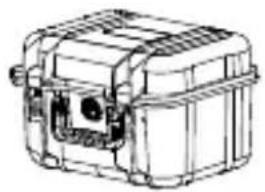
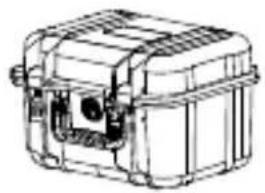
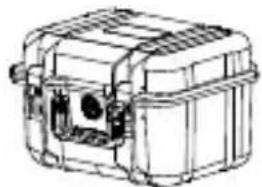
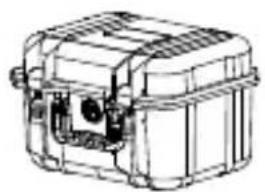
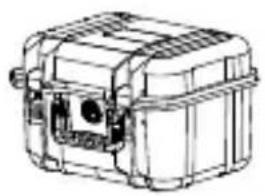
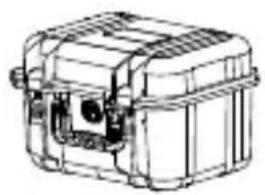
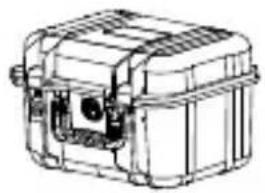
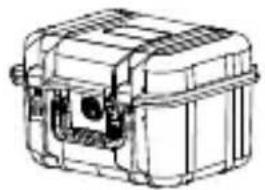
Storage Case* ×1, Lens Cleaning Cloth ×1
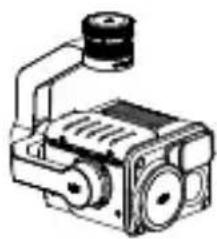
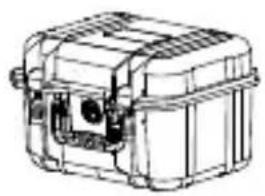

* The Zenmuse H20 Series has its own storage case only when purchased individually.
Zenmuse H20T
The Zenmuse H20T gimbal and camera features a Longwave Infrared Thermal Camera, and both a zoom and a wide camera, which can provide both infrared and visual images simultaneously and quickly switch between zoom and wide image. This enables users to quickly switch to a high-magnification zoom image for detail observation after recognizing the target in a wide image. It is also equipped with a laser range finder, providing the target's distance and location information during search and rescue, or inspection to assist with rapid positioning and improve working efficiency.
Zenmuse H20T can be mounted onto the Matrice 300 RTK aircraft and stream live video to the DJI Pilot app.
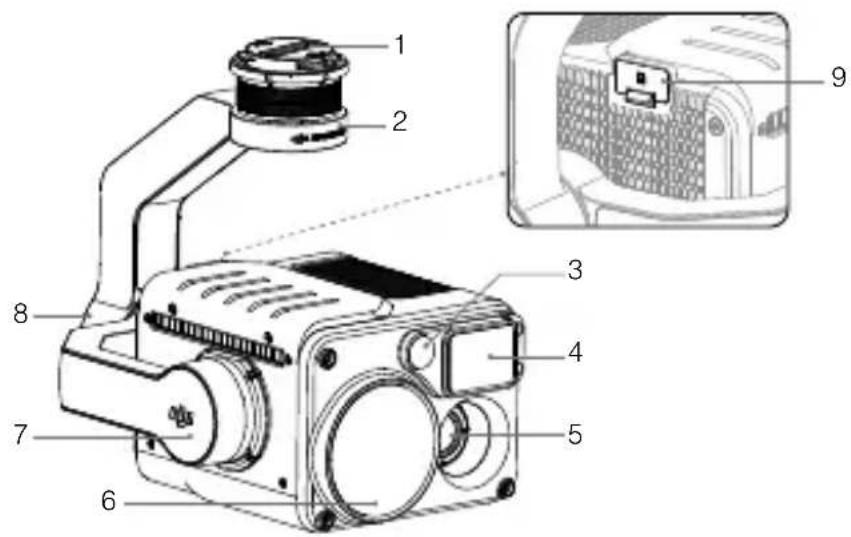
- Gimbal Connector
- Pan Motor
- Wide Camera
- Laser Range Finder
- Infrared Thermal Camera
- Zoom Camera
- Tilt Motor
- Roll Motor
- microSD Card Slot
Installation
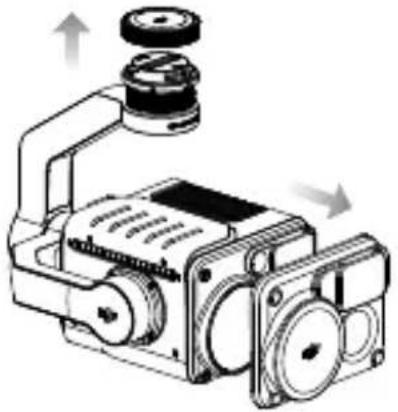
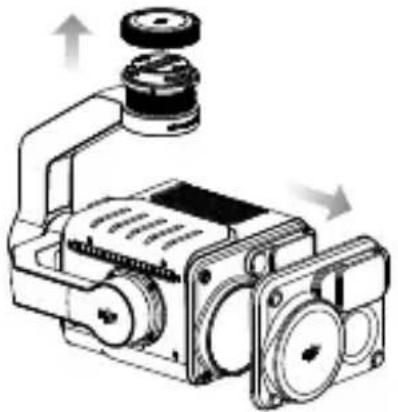
- Remove the gimbal cap and lens protector.
- Rotate the gimbal connector of the Matrice 300 RTK aircraft to the unlocked position and insert the gimbal, then rotate the gimbal connector to the locked position.
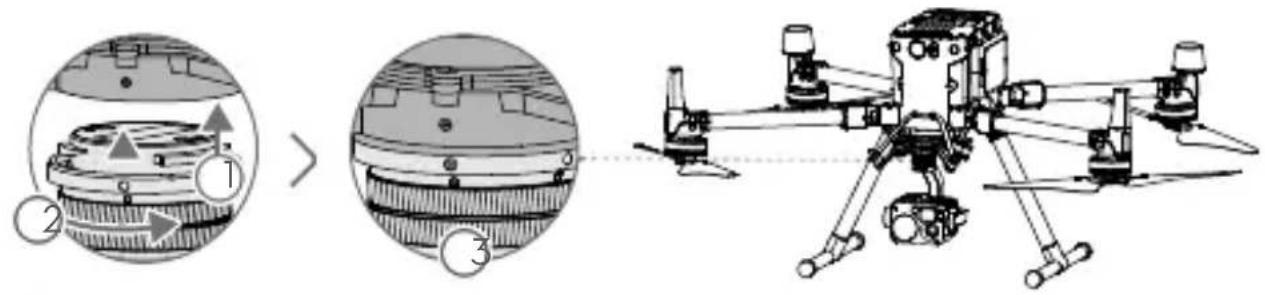

- Hold the gimbal connector firmly and apply a steady, firm rotating force when attaching or detaching the gimbal.
- Ensure the microSD card slot cover is firmly in place to prevent dust or moisture entering during usage or transportation.
Camera Controls
Remote Controller
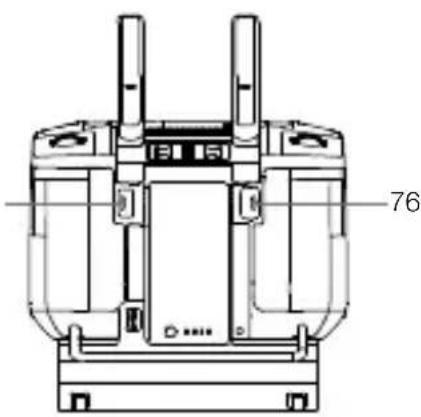
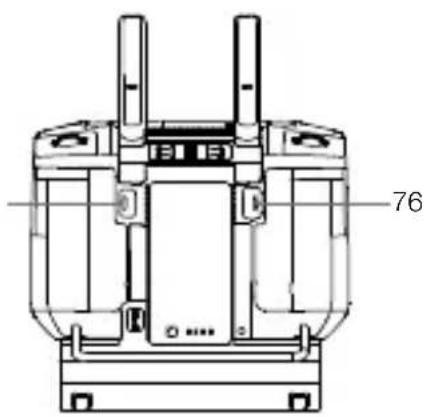
Adjust the gimbal's tilt using the left dial and adjust its pan by the right dial. Press the shutter button or record button to take photos or record video. Toggle the 5D button to adjust the zoom (up and down) and EV value (left and right). The customizable button C1 can be used to recenter the gimbal, and the customizable button C2 can be used to switch between the main and auxiliary screen.
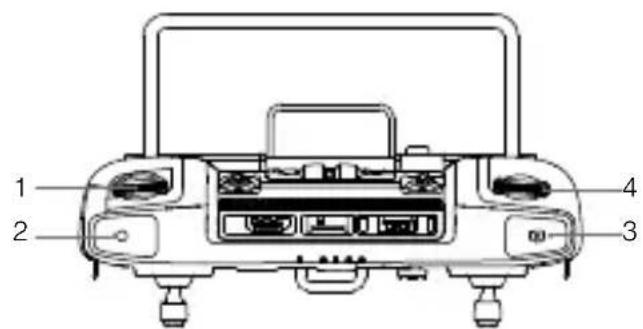
- Left Dial
- Record Button
3. Shutter Button
- Right Dial
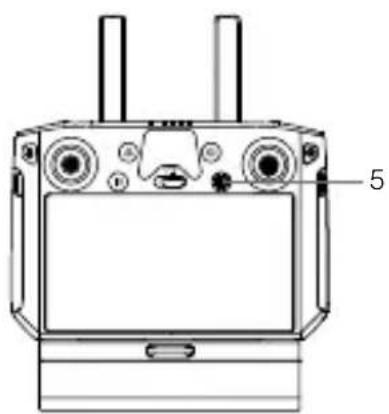
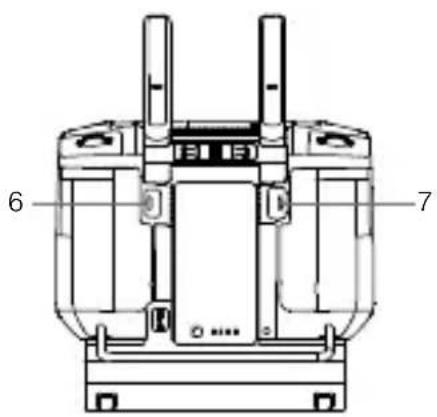
* The function for this button can be customized.
DJI Pilot App
The touch interface can be used for capturing photos, recording videos, and playback. The visual cameras support intelligent functions such as High-Res Grid Photo and Night Scene, while the infrared thermal camera supports Digital Zoom, Spot Meter, Palette, and Isotherm functions, which can all be configured in the app.
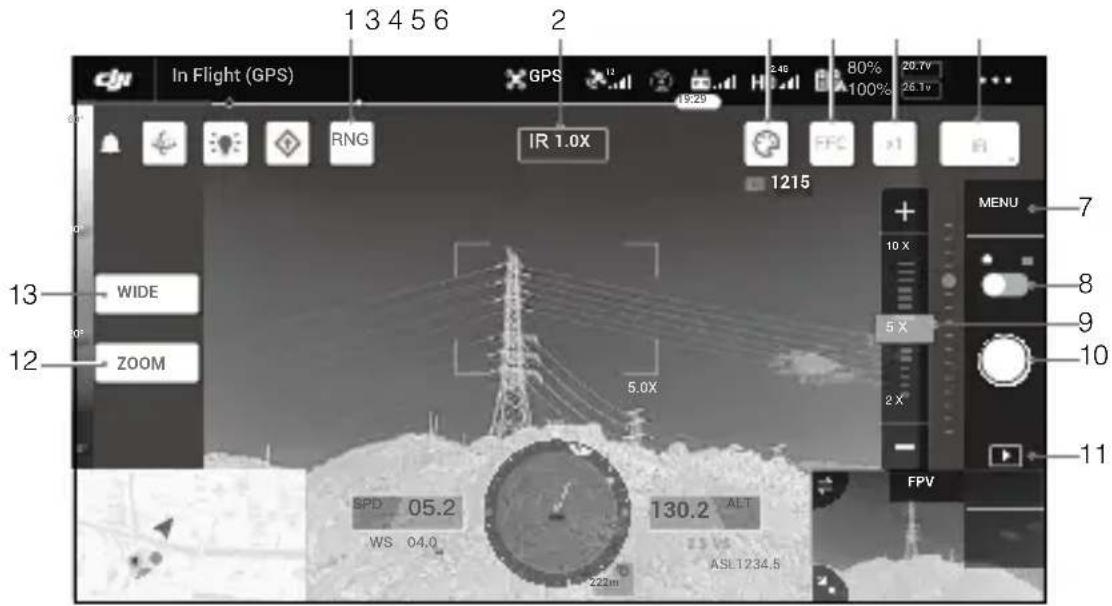
- Laser Ranging
- Camera and Zoom
- Palette/Isotherm
- FFC Calibration
- Zoom (Infrared thermal camera)
- Display Mode
- Camera Settings
- Photo/Video Toggle
- Zoom Slider (Zoom camera)
- Shutter/Record Button
- Playback
- Zoom Camera View Switch Button
- Wide Camera View Switch Button
Specifications
General
Name Zenmuse H20T
Dimensions 167×135×161 mm
Weight 828±5 g
Protection Rating IP44
Laser Safety Class 1M (IEC 60825-1:2014)
Supported Aircraft Matrice 300 RTK
Gimbal
Angular Vibration Range ±0.01°
Mount Detachable
Zoom Camera
Sensor 1/1.7" CMOS, Effective Pixels: 20M
| Lens | Focal length: 6.83-119.94 mm (equivalent: 31.7-556.2 mm) |
| Aperture: f/2.8-f/11 (normal), f/1.6-f/11 (night) | |
| Focus: 1 m to∞ (wide), 8 m to∞ (telephoto) |
Wide Camera
Sensor 1/2.3" CMOS, Effective Pixels: 12M
| Lens | DFOV: 82.9° |
| Focal length: 4.5 mm (equivalent: 24 mm) | |
| Aperture: f/2.8 | |
| Focus: 1 m to ∞ |
Infrared Thermal Camera
Thermal Imager Uncooled VOx Microbolometer
| Lens | DFOV: 40.6° |
| Focal length: 13.5 mm (equivalent: 58 mm) | |
| Aperture: f/1.0 | |
| Focus: 5 m to ∞ |
Laser Range Finder
Wavelength 905 nm
Measuring Range 3-1200 m (Vertical reflecting surface with 12m diameter and 20% reflectivity)
Storage
| Supported SD Cards | Supports a microSD card with capacity of up to 128 GB. A UHS-I Speed Grade 3 rating microSD card is required. |
Supported File System: FAT32 (≤ 32 GB), exFAT (>32 GB)
Environment
Operating Temperature: -20° to 50°C
Storage Temperature: -20° to 60°C
Disclaimer and Warning





















This device complies with Part 15 of the FCC Rules. Operation is subject to the following two conditions: (1) This device may not cause harmful interference, and (2) This device must accept any interference received, including interference that may cause undesired operation.
Any changes or modifications not expressly approved by the party responsible for compliance could void the user's authority to operate the equipment.
Supplier's Declaration of Conformity
Product name: ZENMUSE H20T
Model Number: ZH20T
Manufacturer's Name: SZ DJI TECHNOLOGY CO., LTD.
Manufacturer's Address: 14th floor, West Wing, Skyworth Semiconductor Design Building NO.18 Gaoxin South 4th Ave, Nanshan, Shenzhen, Guangdong, China
Responsible Party: DJI Technology, Inc.
Responsible Party Address: 201 S. Victory Blvd., Burbank, CA 91502
Contact person: Fajia Wang
Telephone: (650) 812-0559
We, DJI Technology, Inc., being the responsible party, declare that the above-mentioned model was tested and found to comply with all applicable FCC rules and regulations.
This device complies with part 15 of the FCC Rules. Operation is subject to the following two conditions: (1) This device may not cause harmful interference, and (2) this device must accept any interference received, including interference that may cause undesired operation.
Signed for and on behalf of: DJI Technology, Inc.
Name: Fajia Wang
Position: Certification Manager
Date: 2020-04-30
Signature:

ISED Compliance
CAN ICES-3 (B)/NMB-3(B)

EU Compliance Statement: SZ DJI TECHNOLOGY CO., LTD. hereby declares that this device is in compliance with the essential requirements and other relevant provisions of Directive 2014/30/EU.
A copy of the EU Declaration of Conformity is available online at www.dji.com/euro-compliance
EU contact address: DJI GmbH, Industriestrasse 12, 97618, Niederlauer, Germany
Environmentally friendly disposal

Old electrical appliances must not be disposed of together with residual waste, but must be disposed of separately. Disposal at communal collection points by private individuals is free of charge. The owner of old appliances is responsible for bringing them to these collection points or similar collection points. With this small personal effort, you contribute to the recycling of valuable raw materials and the treatment of toxic substances.
IEC/EN 60825-1:2014. Complies with 21 CFR 1040.10 and 1040.11 except for conformance with IEC 60825-1 Ed. 3., as described in Laser Notice No. 56, dated May 8, 2019
The label is affixed to one side of the Zenmuse H20T
DJI Support
DJI Technical Support
DJI Technical Support
DJI Support
DJI Customer Support
DJI Support
This content is subject to change.
Download the latest version from
http://www.dji.com/zenmuse-h20-series
ZENMUSE is a trademark of DJI.
Copyright © 2020 DJI All Rights Reserved.
Printed in China.
1W9DZTGS02TY


- CONTENTS
- DISCLAIMER AND WARNING
- EXPORT COMPLIANCE; DISCLAIMER; INDEMNITY
- DO NOT MODIFY OR ALTER THE ZENMUSE H20T
- ONLY USE COMPATIBLE AIRCRAFT
- SAFE USE
- IN THE BOX
- ZENMUSE H20T
- INSTALLATION
- CAMERA CONTROLS
- REMOTE CONTROLLER
- DJI PILOT APP
- SPECIFICATIONS
- GENERAL
- GIMBAL
- ZOOM CAMERA
- WIDE CAMERA
- INFRARED THERMAL CAMERA
- LASER RANGE FINDER
- STORAGE
- ENVIRONMENT
- SUPPLIER'S DECLARATION OF CONFORMITY
- ENVIRONMENTALLY FRIENDLY DISPOSAL
Brand : DJI
Model : Zenmuse H20
Category : Camera