
Pocket 2 Do-It-All Handle - Camera DJI - Free user manual and instructions
Find the device manual for free Pocket 2 Do-It-All Handle DJI in PDF.


| Product Type | Camera Handle Accessory |
| Brand | DJI |
| Model | Pocket 2 Do-It-All Handle |
| Compatibility | DJI Pocket 2 Camera |
| Dimensions | Approx. 73.5 x 30.0 x 26.5 mm |
| Weight | Approx. 74 g |
| Battery Type | Built-in Lithium-ion |
| Battery Capacity | Approx. 1100 mAh |
| Operating Time | Up to 2 hours (extension of camera battery) |
| Wireless Connectivity | Wi-Fi 802.11n, Bluetooth 4.2 |
| Built-in Microphone | Yes, omnidirectional |
| Tripod Mount | Yes, 1/4 inch thread |
| Cold Shoe Mount | Yes |
| USB Interface | USB-C (for charging and data) |
| Cleaning | Wipe with a soft, dry cloth. Avoid solvents. |
| Storage | Store in a cool, dry place away from dust. |
| Safety Warning | Do not disassemble, puncture, or expose to heat. |
| Spare Parts Availability | Contact DJI support for replacement parts. |
| Repairability | Not user-serviceable. Seek authorized service. |
Frequently Asked Questions - Pocket 2 Do-It-All Handle DJI
User questions about Pocket 2 Do-It-All Handle DJI
0 question about this device. Answer the ones you know or ask your own.
Ask a new question about this device
Download the instructions for your Camera in PDF format for free! Find your manual Pocket 2 Do-It-All Handle - DJI and take your electronic device back in hand. On this page are published all the documents necessary for the use of your device. Pocket 2 Do-It-All Handle by DJI.
USER MANUAL Pocket 2 Do-It-All Handle DJI
Disclaimer and Warning
Congratulations on purchasing your new DJI OSMO™ product. Please read this entire document and all safe and lawful practices DJI OSMO provided carefully before use. Failure to read and follow instructions and warnings may result in serious injury to yourself or others, damage to your DJI OSMO product, or damage to other objects in the vicinity. By using this product, you hereby signify that you have read this document carefully and that you understand and agree to abide by all terms and conditions of this document and all relevant documents of this product. You agree to use this product only for purposes that are proper. You agree that you are solely responsible for your own conduct while using this product, and for any consequences thereof. DJI OSMO accepts no liability for damage, injury or any legal responsibility incurred directly or indirectly from the use of this product.
OSMO is a trademark of SZ DJI OSMO TECHNOLOGY CO., LTD. (abbreviated as "DJI OSMO") and its affiliated companies. Names of products, brands, etc., appearing in this document are trademarks or registered trademarks of their respective owner companies. This product and document are copyrighted by DJI OSMO with all rights reserved. No part of this product or document shall be reproduced in any form without the prior written consent or authorization of DJI OSMO.
This document and all other collateral documents are subject to change at the sole discretion of DJI OSMO. For up to date product information, visit http://www.dji.com and click on the product page for this product.
This document is available in various languages. In the event of divergence among different versions, the English version shall prevail.
Usage
Download the DJI Pocket 2 Do-It-All Handle User Guide from the link below. Make sure you fully read and understand the document before use. www.dji.com/pocket-2/downloads
Specifications
| Name | Djl Pocket 2 Do-It-All Handle |
| Model | OT-212 |
| Operation Frequency | Wi-Fi: 2.400-2.4835 GHz, 5.725-5.850 GHz*Bluetooth/GFSK: 2.400-2.4835 GHz |
| Transmitter Power (EIRP) | Wi-Fi:2.4 GHz: <23 dBm (FCC), <19 dBm (CE/SRRC/MIC)5.8 GHz: <23 dBm (FCC/SRRC), <14 dBm (CE)Bluetooth: <4 dBmGFSK: <13 dBm (FCC/SRRC), <10 dBm (CE/MIC) |
| Operating Temperature | 0° to 40°C (32° to 104°F) |
* 5.8 GHz is not supported in some regions. Observe the local laws and regulations. Refer to http://www.dji.com/service for after-sales service for your product where applicable.
DJI OSMO shall mean SZ DJI OSMO TECHNOLOGY CO., LTD. and/or its affiliated companies where applicable.
OSMO is a trademark of DJI OSMO.
Copyright © 2020 DJI OSMO All Rights
Reserved.

YCBZSS00143002

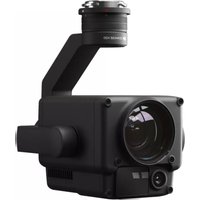
Brand : DJI
Model : Pocket 2 Do-It-All Handle
Category : Camera