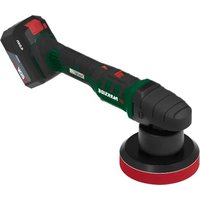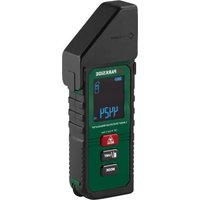
PAAP 12 E5 - Polisher PARKSIDE - Free user manual and instructions
Find the device manual for free PAAP 12 E5 PARKSIDE in PDF.


User questions about PAAP 12 E5 PARKSIDE
0 question about this device. Answer the ones you know or ask your own.
Ask a new question about this device
Download the instructions for your Polisher in PDF format for free! Find your manual PAAP 12 E5 - PARKSIDE and take your electronic device back in hand. On this page are published all the documents necessary for the use of your device. PAAP 12 E5 by PARKSIDE.
USER MANUAL PAAP 12 E5 PARKSIDE
natural_image
Black Parkside power tool with white brush head and label (no readable text beyond product name)
text_image
PDF ONLINE parkside-diy.com
Akku-Ausbesserungspolierer / Cordless Polisher / Sander / Polisseuse de rénovation sans fil PAAP 12 E5
DE AT CH
Cordless Polisher / Sander
Translation of the original instructions
NL BE
Before reading, unfold the page containing the illustrations and familiarise yourself with all functions of the device.
FR BE
Introduction......23
Proper use....23
Scope of delivery/accessories....24
Overview.... 24
Description of functions...... 24
Technical data.... 24
Safety information...... 25
Meaning of the safety information.... 25
Pictograms and symbols......26
General Power Tool Safety Warnings...... 26
Safety warnings common for sanding and polishing operations.... 28
Residual risks.... 31
Preparation....31
Control elements......31
Attaching and removing the polishing disc.... 31
Attaching and replacing the attachment.... 32
Fitting the auxiliary handle...... 32
Checking the battery charge level.... 32
Charging the battery.... 32
Inserting and removing the battery.... 32
Operation....33
Securing the workpiece...... 33
Switching on and off.... 33
Touching up....33
Polishing....33
Transport.... 34
Cleaning, maintenance and storage....34
Cleaning.... 34
Maintenance....34
Storage....34
Disposal/environmental protection....34
Disposal instructions for rechargeable batteries....35
Troubleshooting......35
Service....36
Guarantee....36
Repair service....37
Service Centre....38
Importer....38
Spare parts and accessories......38
Translation of the original EU declaration of conformity....39
Exploded view....207
Introduction
Congratulations on purchasing your new cordless touch-up polisher (here-after referred to as device or power tool).
You have chosen a high-quality device. This device was quality-tested and subjected to a final inspection during production, therefore ensuring proper functioning of your device.

The instruction manual forms part of this device. It contains important information on safety, use and disposal. Read the instruction manual carefully. Familiarise yourself with the controls and how to use the device correctly. Use the device only as described and for the stated fields of application. Store the instruction manual carefully and ensure that all documents are handed over in the event that the device is passed on to another user.
Proper use
This power tool is intended to function as a sander and polisher.
Operations such as grinding, wire brushing, cutting-off, hole cutting or
cutting off are not to be performed with this power tool. Do not work on materials that contain hazardous substances (e.g. asbestos or lead).
Only operate in dry areas.
Any other use that is not expressly permitted in this instruction manual may pose a serious hazard to the user and result in damage to the device. The operator or user of the machine is responsible for any accidents or personal injury and/or material damage to third parties or their property. The machine is intended to be used by do-it-yourselfers. It was not designed for heavy commercial use. The warranty is void in the case of commercial use. The manufacturer is not liable for damage caused by improper use or incorrect operation.
The device is part of the
X 12 V TEAM series and can be operated with batteries of the
X 12 V TEAM series. Batteries of the X 12 V TEAM series may only be charged using chargers of the
X 12 V TEAM series.
Scope of delivery/accessories
Unpack the device and check that everything is present.
Dispose of the packaging material properly.
• Cordless Polisher / Sander
- Storage case
- Polishing disc
- 2× Polishing pad (12, 13)
- Imitation fur
- 5× Sandpaper
- Translation of the original instructions
- Rechargeable battery and charger with instruction manual
Overview
The illustrations for the device can be found on the front and back fold-out page.
1 Tool holder
2 Spindle lock
3 Holder for auxiliary handle
4 Gear selector switch
5 Charge level indicator on the device
6 Handle
7 Battery
8 Battery release
9 On/Off switch
10 Switch lock
11 Polishing disc
12 Polishing pad, orange
13 Polishing pad, black
14 Sandpaper
15 Imitation fur
16 Auxiliary handle
17 Charger
18 Storage case
Description of functions
Please refer to the descriptions below for information on how the operating elements work.
Technical data
Cordless Polisher / Sander
PAAP 12 E5
Rated voltage U 12 V =
Rated speed n
- 1st gear ....0-2800 min ^-1
- 2nd gear .... 0-8300 min ^-1
Weight with battery ....≈0.8 kg
Tool holder ...... M6
Polishing disc ....≤∅75 mm
Sound pressure level ( L_pA ) .....81.6 dB; K_pA=3 dB Sound power level ( L_WA ) .....89.6 dB; K_WA=3 dB Vibration ( a_h )
Touching up
- Handle ....2.129 m/s ^2 ; 1.5 m/s ^2 - Auxiliary handle ....3.023 m/s ^2 ; 1.5 m/s ^2
Polishing
- Handle ....1.848 m/s²; 1.5 m/s² - Auxiliary handle ....2.471 m/s²; 1.5 m/s² Battery ....Li-Ion Temperature ....≤50 °C - Charging ....4–40 °C - Operation ....-20–50 °C - Storage ....0–45 °C
Polishing disc (included) ...... Permissible speed n_max . ≤12000 min ^-1
X 12 V TEAM
The device is part of the X 12 V TEAM series and can be operated with batteries of the X 12 V TEAM series. Batteries of the X 12 V TEAM series may only be charged using chargers of the X 12 V TEAM series.
We recommend that you operate this appliance with the following batteries only: PAPK 12 A3, PAPK 12 A4, PAPK 12 B3, PAPK 12 B4, PAPK 12 D1, PAPK 12 D2, PAPK 12 5.0 A1
We recommend charging these batteries with the following chargers: PLGK 12 A2, PLGK 12 A3, PLGK 12 B2, PDSLG 12 A2, PLGK 12 6.0 A1 Rechargeable battery and charger technical data: See separate manual.
Safety information
This section deals with the basic safety instructions for using the device.
⚠ WARNING! Injury and property damage due to improper handling of battery. Observe the safety information and notes on charging and proper use as shown in the instruction manual for your battery and charger from the series X 12 V TEAM. A detailed description of the charging process and further information can be found in these separate operating instructions.
Meaning of the safety information
⚠️ DANGER! If you do not observe this safety instruction, an accident will occur. The result of which is severe bodily injury or death.
⚠ WARNING! If you do not observe this safety instruction, an accident may occur. The result of which is likely severe bodily injury or death.
⚠️ CAUTION! If you do not observe this safety instruction, an accident will occur. The result of which is likely minor or moderate bodily injury. NOTICE! If you do not observe this safety instruction, an accident will occur. The result of which is possible damage to property.
Pictograms and symbols Symbols on the device

The device is part of the X 12 V TEAM series and can be operated with batteries of the X 12 V TEAM series. Batteries of the X 12 V TEAM series may only be charged using chargers of the X 12 V TEAM series.

Read the instruction manual

Use eye protection

Direction of rotation (Polishing disc)
Waste electrical and electronic equipment (WEEE) must not be disposed of with domestic waste.

Switch lock
General Power Tool Safety Warnings
⚠ WARNING! Read all safety warnings, instructions, illustrations and specifications provided with this power tool. Failure to follow all instructions listed below may result in electric shock, fire and/or serious injury. Save all warnings and instructions for future reference.
The term “power tool” in the warnings refers to your mains-operated (corded) power tool or battery-operated (cordless) power tool.
1. WORK AREA SAFETY
a) Keep work area clean and well lit. Cluttered or dark areas invite accidents.
b) Do not operate power tools in explosive atmospheres, such as in the presence of flammable li-
quids, gases or dust. Power tools create sparks which may ignite the dust or fumes.
c) Keep children and bystanders away while operating a power tool. Distractions can cause you to lose control.
2. ELECTRICAL SAFETY
a) Power tool plugs must match the outlet. Never modify the plug in any way. Do not use any adapter plugs with earthed (grounded) power tools. Unmodified plugs and matching outlets will reduce risk of electric shock.
b) Avoid body contact with earthed or grounded surfaces, such as pipes, radiators, ranges and refrigerators. There is an increased risk of electric shock if your body is earthed or grounded.
c) Do not expose power tools to rain or wet conditions. Water entering a power tool will increase the risk of electric shock.
d) Do not abuse the cord. Never use the cord for carrying, pulling or unplugging the power tool. Keep cord away from heat, oil, sharp edges or moving parts. Damaged or entangled cords increase the risk of electric shock.
e) When operating a power tool outdoors, use an extension cord suitable for outdoor use. Use of a cord suitable for outdoor use reduces the risk of electric shock.
f) If operating a power tool in a damp location is unavoidable, use a residual current device (R-CD) protected supply. Use of an RCD reduces the risk of electric shock.
3. PERSONAL SAFETY
a) Stay alert, watch what you are doing and use common sense
when operating a power tool. Do not use a power tool while you are tired or under the influence of drugs, alcohol or medication.
A moment of inattention while operating power tools may result in serious personal injury.
b) Use personal protective equipment. Always wear eye protection. Protective equipment such as a dust mask, non-skid safety shoes, hard hat or hearing protection used for appropriate conditions will reduce personal injuries.
c) Prevent unintentional starting. Ensure the switch is in the off-position before connecting to power source and/or battery pack, picking up or carrying the tool. Carrying power tools with your finger on the switch or energising power tools that have the switch on invites accidents.
d) Remove any adjusting key or wrench before turning the power tool on. A wrench or a key left attached to a rotating part of the power tool may result in personal injury.
e) Do not overreach. Keep proper footing and balance at all times. This enables better control of the power tool in unexpected situations.
f) Dress properly. Do not wear loose clothing or jewellery. Keep your hair and clothing away from moving parts. Loose clothes, jewellery or long hair can be caught in moving parts.
g) If devices are provided for the connection of dust extraction and collection facilities, ensure these are connected and properly used. Use of dust collection can reduce dust-related hazards.
h) Do not let familiarity gained from frequent use of tools allow you to become complacent and ignore tool safety principles. A careless action can cause severe injury within a fraction of a second.
- POWER TOOL USE AND CARE
a) Do not force the power tool. Use the correct power tool for your application. The correct power tool will do the job better and safer at the rate for which it was designed.
b) Do not use the power tool if the switch does not turn it on and off. Any power tool that cannot be controlled with the switch is dangerous and must be repaired.
c) Disconnect the plug from the power source and/or remove the battery pack, if detachable, from the power tool before making any adjustments, changing accessories, or storing power tools. Such preventive safety measures reduce the risk of starting the power tool accidentally.
d) Store idle power tools out of the reach of children and do not allow persons unfamiliar with the power tool or these instructions to operate the power tool. Power tools are dangerous in the hands of untrained users.
e) Maintain power tools and accessories. Check for misalignment or binding of moving parts, breakage of parts and any other condition that may affect the power tool's operation. If damaged, have the power tool repaired before use. Many accidents are caused by poorly maintained power tools.
f) Keep cutting tools sharp and clean. Properly maintained cutting
tools with sharp cutting edges are less likely to bind and are easier to control.
g) Use the power tool, accessories and tool bits etc. in accordance with these instructions, taking into account the working conditions and the work to be performed. Use of the power tool for operations different from those intended could result in a hazardous situation.
h) Keep handles and grasping surfaces dry, clean and free from oil and grease. Slippery handles and grasping surfaces do not allow for safe handling and control of the tool in unexpected situations.
5. BATTERY TOOL USE AND CARE
a) Recharge only with the charger specified by the manufacturer. A charger that is suitable for one type of battery pack may create a risk of fire when used with another battery pack.
b) Use power tools only with specifically designated battery packs. Use of any other battery packs may create a risk of injury and fire.
c) When battery pack is not in use, keep it away from other metal objects, like paper clips, coins, keys, nails, screws or other small metal objects, that can make a connection from one terminal to another. Shorting the battery terminals together may cause burns or a fire.
d) Under abusive conditions, liquid may be ejected from the battery; avoid contact. If contact accidentally occurs, flush with water. If liquid contacts eyes, additionally seek medical help. Liquid ejected from the battery may cause irritation or burns.
e) Do not use a battery pack or tool that is damaged or modified. Damaged or modified batteries may exhibit unpredictable behaviour resulting in fire, explosion or risk of injury.
f) Do not expose a battery pack or tool to fire or excessive temperature. Exposure to fire or temperature above 130 °C may cause explosion.
g) Follow all charging instructions and do not charge the battery pack or tool outside the temperature range specified in the instructions. Charging improperly or at temperatures outside the specified range may damage the battery and increase the risk of fire.
6. SERVICE
a) Have your power tool serviced by a qualified repair person using only identical replacement parts. This will ensure that the safety of the power tool is maintained.
b) Never service damaged battery packs. Service of battery packs should only be performed by the manufacturer or authorized service providers.
Safety warnings common for sanding and polishing operations
- This power tool is intended to function as a sander and polisher. Read all safety warnings, instructions, illustrations and specifications provided with this power tool. Failure to follow all instructions listed below may result in electric shock, fire and/or serious injury.
- Operations such as grinding, wire brushing, cutting-off, hole cutting or cutting off are not to
be performed with this power tool. Operations for which the power tool was not designed may create a hazard and cause personal injury.
- Do not convert this power tool to operate in a way which is not specifically designed and specified by the tool manufacturer. Such a conversion may result in a loss of control and cause serious personal injury.
- Do not use accessories which are not specifically designed and specified by the tool manufacturer. Just because the accessory can be attached to your power tool, it does not assure safe operation.
- The rated speed of the accessory must be at least equal to the maximum speed marked on the power tool. Accessories running faster than their rated speed can break and fly apart.
- The outside diameter and the thickness of your accessory must be within the capacity rating of your power tool. Incorrectly sized accessories cannot be adequately guarded or controlled.
- The dimensions of the accessory mounting must fit the dimensions of the mounting hardware of the power tool. Accessories that do not match the mounting hardware of the power tool will run out of balance, vibrate excessively and may cause loss of control.
- Do not use a damaged accessory. Before each use inspect the accessory such as abrasive wheels for chips and cracks, for cracks, tear or excess wear, wire brush for loose or cracked wires. If power tool or access-
ory is dropped, inspect for damage or install an undamaged accessory. After inspecting and installing an accessory, position yourself and bystanders away from the plane of the rotating accessory and run the power tool at maximum no-load speed for one minute. Damaged accessories will normally break apart during this test time.
- Wear personal protective equipment. Depending on application, use face shield, safety goggles or safety glasses. As appropriate, wear dust mask, hearing protectors, gloves and workshop apron capable of stopping small abrasive or workpiece fragments. The eye protection must be capable of stopping flying debris generated by various applications. The dust mask or respirator must be capable of filtrating particles generated by the particular application. Prolonged exposure to high intensity noise may cause hearing loss.
- Keep bystanders a safe distance away from work area. Anyone entering the work area must wear personal protective equipment. Fragments of workpiece or of a broken accessory may fly away and cause injury beyond immediate area of operation.
- Hold the power tool by insulated gripping surfaces only, when performing an operation where the cutting accessory may contact hidden wiring. Cutting accessories contacting a “live” wire may make exposed metal parts of the power tool “live” and could give the operator an electric shock.
- Never lay the power tool down until the accessory has come to a complete stop. The spinning accessory may grab the surface and pull the power tool out of your control.
- Do not run the power tool while carrying it at your side. Accidental contact with the spinning accessory could snag your clothing, pulling the accessory into your body.
- Regularly clean the power tool's air vents. The motor's fan will draw the dust inside the housing and excessive accumulation of powdered metal may cause electrical hazards.
- Do not operate the power tool near flammable materials. Sparks could ignite these materials.
- Do not use accessories that require liquid coolants. Using water or other liquid coolants may result in electrocution or shock.
Kickback and related warnings
Kickback is a sudden reaction to a pinched or snagged rotating wheel, backing pad, brush or any other accessory. Pinching or snagging causes rapid stalling of the rotating accessory which in turn causes the uncontrolled power tool to be forced in the direction opposite of the accessory's rotation at the point of the binding. For example, if an abrasive wheel is snagged or pinched by the workpiece, the edge of the wheel that is entering into the pinch point can dig into the surface of the material causing the wheel to climb out or kick out. The wheel may either jump toward or away from the operator, depending on direction of the wheel's movement at the point of pinching. Abrasive wheels may also break under these conditions. Kickback is the result of power tool misuse and/or incorrect operating procedures or conditions and can be avoided by taking proper precautions as given below.
- Maintain a firm grip with both hands on the power tool and position your body and arms to allow you to resist kickback forces. Always use auxiliary handle, if provided, for maximum control over kickback or torque reaction during start-up. The operator can control torque reactions or kickback forces, if proper precautions are taken.
- Never place your hand near the rotating accessory. Accessory may kickback over your hand.
- Do not position your body in the area where power tool will move if kickback occurs. Kickback will propel the tool in direction opposite to the wheel's movement at the point of snagging.
- Use special care when working corners, sharp edges, etc. Avoid bouncing and snagging the accessory. Corners, sharp edges or bouncing have a tendency to snag the rotating accessory and cause loss of control or kickback.
- Do not attach a saw chain wood-carving blade, segmented diamond wheel with a peripheral gap greater than 10 mm or toothed saw blade. Such blades create frequent kickback and loss of control.
Safety warnings specific for sanding operations
Use proper sized sanding disc paper. Follow manufacturers recommendations, when selecting sanding paper. Larger sanding paper extending too far beyond the sanding pad presents a laceration hazard and
may cause snagging, tearing of the disc or kickback.
Safety Warnings specific for Polishing operations
- Do not allow any loose portion of the polishing bonnet or its attachment strings to spin freely. Tuck away or trim any loose attachment strings. Loose and spinning attachment strings can entangle your fingers or snag on the workpiece.
Additional safety instructions
- WARNING! Sandpaper grinding can produce harmful dusts (e.g. metals or some types of wood) that can pose a risk to the operator or people in the vicinity. Make sure that the workplace is well ventilated. Always wear safety goggles, safety gloves and respiratory protection.
- Do not use any paints containing lead or materials containing asbestos.
- Only use accessories recommended by PARKSIDE. Unsuitable accessories may cause electric shock or fire.
Residual risks
There will always be residual risks even if you operate this device according to the instructions. The following hazards may occur in connection with the type and design of this device:
- Eye damage if no suitable eye protection is worn.
- Lung damage if suitable respiratory protection is not worn.
- Abrasions
- Cutting injuries
WARNING! Danger due to electromagnetic field generated while the
tool is in operation. Under certain circumstances, this field may negatively affect active or passive medical implants. In order to reduce the danger of serious or fatal injuries, we recommend that individuals who wear medical implants should consult their doctor and the manufacturer of the implant before operating the tool.
Preparation
WARNING! Risk of injury due to unintentional start-up. Only insert the battery into the device once the device is fully prepared for use.
Control elements
Familiarise yourself with the operating elements before using the device for the first time.
• On/Off switch Spindle lock (2)
- Locks the spindle when attaching/removing the attachment tool.
- On/Off switch (9)
- Switching on: Press
- Control the speed progressively: The further you press the on/off switch, the higher the speed.
- Switching off: Release
• Gear selector switch (4)
CAUTION! Only operate the gear selector switch when the tool has stopped.
- 1st gear: 0-2800 min -1
- 2nd gear: 0-8300 min ^-1
Attaching and removing the polishing disc
Attaching the polishing disc (Fig. A) 1. Press and hold the spindle lock (2).
- Screw the polishing disc (11) into the tool holder ( ) against the direction of rotation on the device (1).
- Tighten the polishing disc by hand. You can release the spindle lock (2).
Removing the polishing disc (Fig. A)
- Press and hold the spindle lock (2).
- Unscrew the polishing disc (11) from the tool holder (→) in the direction of rotation on the device (1). You can release the spindle lock (2).
Attaching and replacing the attachment
Attaching the attachment (Fig. A)
The attachments are fastened using a Velcro strip to the polishing disc.
- Place the desired attachment (12, 13, 14, 15) centrally onto the polishing disc (11).
- Press the attachment firmly into place.
Removing/replacing the attachment (Fig. A)
- Pull the attachment sideways off the polishing disc (11).
Fitting the auxiliary handle
Procedure
-
Screw the auxiliary handle (16) into the holder for the auxiliary handle (3).
Two positions are possible. -
Tighten the auxiliary handle hand-tight.
Checking the battery charge level

When the device is on, the battery status indicator (5) displays the battery charge level.
LEDs Meaning
red, orange, green Battery charged red, orange Battery partially charged
red Battery needs to be charged
Charging the battery
See also the charger instruction manual.
Notes
- If warm, allow the battery to cool before charging.
- Do not expose the battery to direct sunlight for long periods and do not place it on a radiator (max. 50°C).
Charging the battery
- Remove the battery (7) from the device.
- Push the battery (7) into the charging slot of the battery charger (17).
- Connect the battery charger (17) to a power outlet.
- After charging, disconnect the battery charger (17) from the mains.
- Pull the battery (7) out of the battery charger (17).
Inserting and removing the battery
⚠ WARNING! Risk of injury due to unintentional start-up. Only insert the battery into the device once the device is fully prepared for use.
NOTICE! Risk of damage! An incorrect battery can damage the device and battery.
Inserting the battery
- Push the battery (7) along the guide into the battery holder in the handle (6). You will hear the battery click into place.
Removing the battery
- Press and hold the battery release (8) on the battery (7).
- Remove the battery from the handle (6).
Operation
Securing the workpiece
Procedure
⚠️ CAUTION! If you hold the workpiece only with your hand, foot or against your own body, it will be unstable and this can lead to a loss of control.
- Fasten and secure the workpiece to a stable base (e.g. using clamping devices, a vice or similar).
Switching on and off
Switching on
- Insert the rechargeable battery (7) into the device.
- Press the switch lock (10).
- Press and hold the On/off switch (9).
- Release the switch lock (10).
- Guide the attachment tool against the workpiece.
Switching off
- Remove the attachment tool from the workpiece.
-
To turn it off, release the on/off switch (9).
-
Wait until the power tool has stopped before placing it down.
- Remove the rechargeable battery (7) from the device if you are leaving the device unattended or if you have finished working.
Touching up
Accessories
- Sandpaper (14): The sandpaper is suitable for working on wood and metal surfaces.
Procedure (Fig. C)
- Do not exert excessive pressure. A pressure of 10 N is completely sufficient. Greater pressure on the workpiece does not improve the work result.
- Polish the workpiece being machined after the touch-up, if required.
Polishing
Accessories
- Polishing pad, orange (12): Pre-polishing
- Polishing pad, black (13): Re-polishing
- Imitation fur (15): High-gloss polishing and removal of excess polish
Notes
- Please refer to the information from the polishing agent manufacturer.
- Do not apply any pressure. Greater pressure on the workpiece does not improve the work result.
- AUTION! Risk of surface damage! Do not allow the polishing agent to dry. Therefore do not work in direct sunlight or on a heated surface.
- Test the polishing pads (12, 13), imitation fur (15) and polishing
agent on an inconspicuous area prior to use.
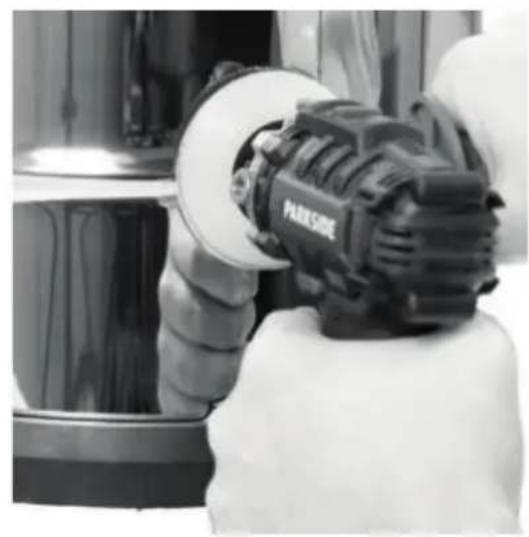
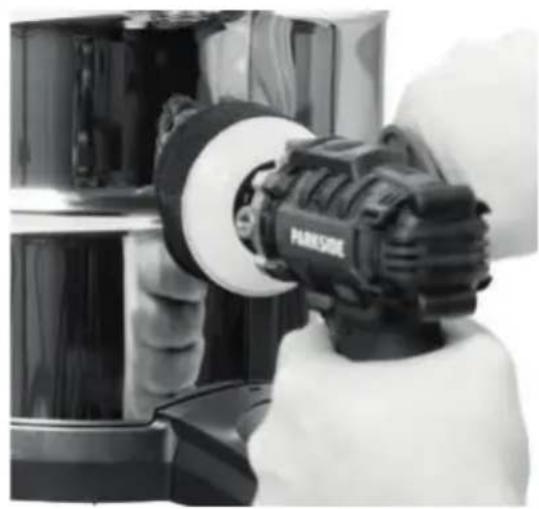
Procedure (Fig. D)
- Put some polishing agent onto the polishing pad (12, 13).
- Put polishing agent onto an area slightly smaller than the area you wish to polish on the workpiece.
- Spread the polishing agent manually.
- Switch on the device.
- Move the device evenly in circular motions over the surface to be polished.
Transport
Notes
- Turn off the device.
- Make sure that all moving parts have come to a complete stop.
- Remove the rechargeable battery.
- Remove the attachment tool.
• Always carry the device by the handle (6).
Cleaning, maintenance and storage
⚠ WARNING! Risk of injury due to unintentional start-up. Protect yourself when performing maintenance or cleaning work. Switch off the device and remove the battery (7).
You should have any repair and maintenance work that is not described in these instructions carried out by our Service Centre. Only use original replacement parts.
Cleaning
⚠ WARNING! Electric shock! Never spray down the device with water. NOTICE! Risk of damage. Chemical substances may attack the plastic parts of the machine. Do not use any cleaning agents or solvents.
- Keep the ventilation slits, motor housing and handles of the machine clean. Use a damp cloth or brush to do this.
- Thoroughly clean the polishing pads (12, 13) and imitation fur (15) after each use by hand. Only use mild soapy water.
Maintenance
The device is maintenance free.
Storage
Always store the device and accessories:
- clean
- dry
- protected against dust
• In the case provided (18)
• out of the reach of children
Devices with battery:
- The storage temperature for the battery and device is between 0 °C and 45 °C. Avoid extreme cold or heat during storage to ensure the battery output is not adversely affected.
- Remove the battery from the device before storage over a longer period (see separate operating instructions for battery and charger).
Disposal/ environmental protection
Remove the battery from the device and recycle the device, battery, accessories and packaging in an environmentally-friendly manner.
Waste electrical and electronic equipment (WEEE) must not be disposed of with domestic waste.
The symbol of the crossed-out wheeled bin means that this product must not be disposed of as unsorted municipal waste at the end of its useful life.
Directive 2012/19/EU on waste electrical and electronic equipment:
Consumers are legally obliged to recycle electrical and electronic equipment in an environmentally sound manner at the end of its life. In this way, environmentally friendly and resource-saving recycling is ensured. Depending on the implementation in national law, you may have the following options:
- Return to a shop,
- Hand over to an official collection point,
- Return to the manufacturer/distributor.
This does not affect accessories enclosed with the old devices or tools without any electrical components.
Disposal instructions for rechargeable batteries

Do not throw batteries into domestic waste, fire (risk of explosion) or water. Damaged batteries can harm the environment and your health if poisonous fumes or liquids escape.
Dispose of the batteries according to local standards. Defective or used batteries must be recycled. Hand in the batteries at a used battery collection point where they are recycled in an environmentally friendly manner. For more information, please contact your local waste management provider or our service centre. Dispose of batteries in a discharged state. We recommend covering the contacts with an adhesive strip to protect against short circuits. Do not open the battery.
Troubleshooting
The following table will assist you in fixing faults:
| Problem Possible Cause Remedy | ||
| Attachment tool does not move although motor is running | Workpiece, workpiece remnants or remnants of attachment tools blocking the drive | Remove blockages |
| Attachment tool does not rotate smoothly, abnormal noises can be heard | Attachment tool defective | Attaching and removing the polishing disc, p. 31 |
| Problem Possible Cause Remedy | ||
| Device does not start | Rechargeable battery (7) not inserted | Inserting the battery |
| On/Off switch (9) is broken | Contact the service centre. | |
| Rechargeable battery (7) discharged | Charging the battery, p. 32 | |
| Defective motor Contact the service centre. | ||
| interruptions | Internal loose contact Contact the service centre.Device works with | |
| On/Off switch (9) is broken | Contact the service centre. | |
| Engine is slowing down and stops | Device is overloaded through workpiece | Reduce pressure on attachment tool |
Service
Guarantee
Dear Customer,
This product is provided with a 3 year guarantee from the date of purchase. In case of defects, you have statutory rights against the seller of the product. These statutory rights are not restricted by our guarantee presented below.
Terms of Guarantee
The guarantee period begins on the date of purchase. Please retain the original receipt. This document is required as proof of purchase. If a material or manufacturing defect occurs within three years of the date of purchase of this product, we will repair or replace – at our choice – the product for you free of charge. This guarantee requires the defective product and proof of purchase to be presented within the three-year period with a brief written description of what constitutes the defect and when it occurred.
If the defect is covered by our guarantee, you will receive either the repaired product or a new product. No new guarantee period begins on repair or replacement of the product.
Guarantee Period and Statutory Claims for Defects
The guarantee period is not extended by the guarantee service. This also applies for replaced or repaired parts. Any damages and defects already present at the time of purchase must be reported immediately after unpacking. Repairs arising after expiry of the guarantee period are chargeable.
Guarantee Cover
The product has been carefully produced in accordance with strict quality guidelines and conscientiously checked prior to delivery.
The guarantee applies for all material and manufacturing defects. This guarantee does not extend to cover
product parts that are subject to normal wear and may therefore be considered as wearing parts (e.g. Polishing pad, Sandpaper) or to cover damage to breakable parts (e.g. switch). This guarantee shall be invalid if the product has been damaged, used incorrectly or not maintained. Precise adherence to all of the instructions specified in the operating manual is required for proper use of the product. Intended uses and actions against which the operating manual advises or warns must be categorically avoided.
The product is designed only for private and not commercial use. The guarantee will be invalidated in case of misuse or improper handling, use of force, or interventions not undertaken by our authorised service branch.
Processing in Case of Guarantee
To ensure efficient handling of your query, please follow the directions below:
- Please have the receipt and product number (IAN 492248_2407) ready as proof of purchase for all enquiries.
- Please refer for the product number to the type plate on the product, an engraving on the product, the title page of the operating instructions (bottom left) or the sticker on the back or underside of the product.
- Should functional errors or other defects occur, please initially contact the service centre specified below by telephone or use the contact form available on parkside-diy.com in the category Service.
• After consultation with our customer service, a product recorded
as defective can be sent postage paid to the service address communicated to you, with the proof of purchase (receipt) and specification of what constitutes the defect and when it occurred. In order to avoid acceptance problems and additional costs, please be sure to use only the address communicated to you. Ensure that the consignment is not sent carriage forward or by bulky goods, express or other special freight. Please send the appliance inc. all accessories supplied at the time of purchase and ensure adequate, safe transport packaging.

text_image
PDF ONLINE parkside-diy.comYou can view and download these and many other manuals on parkside-diy.com. This QR code will take you directly to parkside-diy.com. Select your country and search for the operating instructions via the search mask. You can open your operating instructions by entering the article number (IAN) 492248_2407.
Repair service
For repairs that are not covered by warranty, contact the service centre. They will gladly create a cost estimate for you.
- We can only work on devices which are sent in properly packed and with postage paid.
Note: Please send your device cleaned and with an indication of the defect to the address named for the service centre.
- The following are not accepted: devices sent in without prepaid postage, sent as bulky goods, sent as an Express shipment, or devices sent as any other form of special freight.
• We will dispose of defective devices you ship to us free of charge.
Service Centre

Service Great Britain
Tel.: 0800 051 8970
Contact form on
parkside-diy.com
IAN 492248_2407

Service Malta
Tel.: 800 65168
Contact form on
parkside-diy.com
IAN 492248_2407
Importer
Please note that the address below is not a service address. Contact the service centre named above first.
Spare parts and accessories
You can get spare parts and accessories from www.grizzlytools.shop. If you have any problems with your order, contact us via our online shop. If you have any other questions, contact: Service Centre, p. 38
| Pos. nr. Name Order No. | |
| 11 Polishing disc 91110498 | |
| 12, 13, 15 Polishing pad (orange), Polishing pad (black), Imitation fur | 91110501 |
| 14 5× Sandpaper (1× Grain size 60, 2× Grain size 120, 2× Grain size 240) | 91110502 |
| 16 Auxiliary handle 91110499 | |
Translation of the original EU declaration of conformity
Product: Cordless Polisher / Sander
Model: PAAP 12 E5
Serial number: 000001 - 081200
The object of the declaration described above is in conformity with the relevant Union harmonisation legislation:
2006/42/EC • 2014/30/EU • 2011/65/EU & (EU) 2015/863
The object of the declaration described above is in conformity with Directive 2011/65/EU of the European Parliament and of the Council of 8 June 2011 on the restriction of the use of certain hazardous substances in electrical and electronic equipment.
To ensure conformity, the following harmonised standards and national standards and regulations have been applied:
EN 62841-1:2015/A11:2022 • EN IEC 62841-2-3:2021/A11:2021 EN IEC 55014-1:2021 • EN IEC 55014-2:2021 • EN IEC 63000:2018
This declaration of conformity is issued under the sole responsibility of the manufacturer:
Authorised representative of documentation
Sommaire
Introduction......40
PLGK 12 B2, PDSLG 12 A2,
PLGK 12 6.0 A1
text_image
QR code with a central logo, likely linking to a digital resource or websitePDF ONLINE
parkside-diy.com
PLGK 12 B2, PDSLG 12 A2,
PLGK 12 6.0 A1
- BEZPIECZEŃSTWO W MIEJSCU PRACY
Reparationsservice......201
Service-Center 201
Importør......201
natural_image
3D model of a mechanical device with two arms and a central body, showing rotational motion arrows (no text or symbols)C
natural_image
Person using a PARSIDE-branded power tool on a car wheel (no visible text or symbols)D
natural_image
Person using a PARKSOOL power tool in a kitchen setting (no visible text or symbols)Explosionszeichnung • Exploded view • Vue éclatée • Vista esplosa • Vista explosionada • Explosietekening • Eksploderet tegning • Robbantott ábra • Widok rozłożony • Rozložený pohled • Rozložený pohlád

text_image
PAAP 26 25 16 24 23 22 21 20 19 18 17 16 15 14 13 12 11 10 9 8 7 6 5 4 3 2 1 27 28 29 30 31 32 33 34 35 36informativ • informative • informatif • informatief • informativo • informatív • informacyjny • informační • informatívny

text_image
FR FRGRIZZLY TOOLS GMBH & CO. KG
text_image
FSC® www.fsc.org MIX From responsible sources FSC® C142550