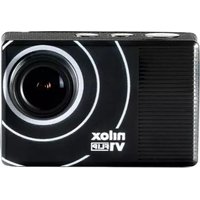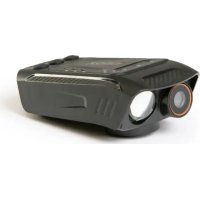
NXACCARRYCAM - Camcorder NILOX - Free user manual and instructions
Find the device manual for free NXACCARRYCAM NILOX in PDF.


User questions about NXACCARRYCAM NILOX
0 question about this device. Answer the ones you know or ask your own.
Ask a new question about this device
Download the instructions for your Camcorder in PDF format for free! Find your manual NXACCARRYCAM - NILOX and take your electronic device back in hand. On this page are published all the documents necessary for the use of your device. NXACCARRYCAM by NILOX.
USER MANUAL NXACCARRYCAM NILOX
natural_image
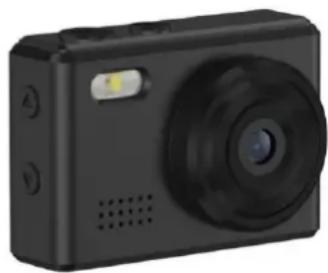
Black digital camera with circular lens and control buttons (no visible text or symbols)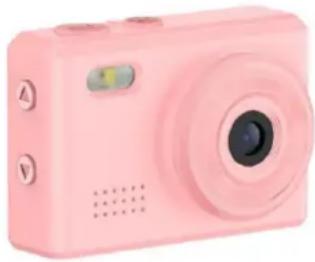
natural_image
Pink digital camera with circular lens and control buttons (no text or symbols visible)ENGLISH - EN
Instruction Manual
ACTION CAM
Model: NXACCARRYCAM
Rev00 - 03.2025
SAFETY INFORMATION FOR SAFE USE OF ACTION CAM
Carefully read the safety notes and consult the online user manual before using the product. Keep this information for future reference and include it when passing the product to third parties. Use the product and its accessories solely for the intended use, adhering to the specified electrical ratings and in enclosed and protected environments to avoid serious risks. Keep the product away from heat sources, direct sunlight, moisture, and liquids. The device should not be used by children or by those who are unable to understand the risks. Do not leave the product charging for too long or connected to the power supply when not in use or if you suspect malfunctions. Avoid impacts, drops, crushes, or rough handling that could cause dangerous situations. Never attempt to disassemble or repair the product in case of defects. If liquid leaks from the product, avoid contact with skin or eyes; in such cases, immediately wash the affected area with water and consult a doctor. Keep the box and especially the bags away from children to prevent the risk of suffocation or accidental ingestion. Avoid using the device near medical devices, such as pacemakers. For any doubts regarding the operation, safety, or connection of the product, contact Esprinet customer service. Do not use the device during activities that require high concentration to avoid distractions and accidents. The product requires little maintenance and can be cleaned only with a soft, clean cloth, without the use of aggressive cleaners or chemicals. This product is not a toy. Keep the device and its accessories out of the reach of children and pets. Do not use the device in hospitals, on airplanes, and in environments with electronic instruments that may be affected by radio frequencies. Unless expressly stated on the technical data sheet, the product is not suitable for immersion in water or other liquids; do not touch the product or its accessories with wet or damp hands or other body parts. Before each use, it is advisable to fully charge the product. Do not expose the product directly to high temperatures exceeding 40°C. Esprinet S.p.A. will not be liable for any injuries or damages caused to persons or property resulting from improper use of the product.
PRODUCT
text_image
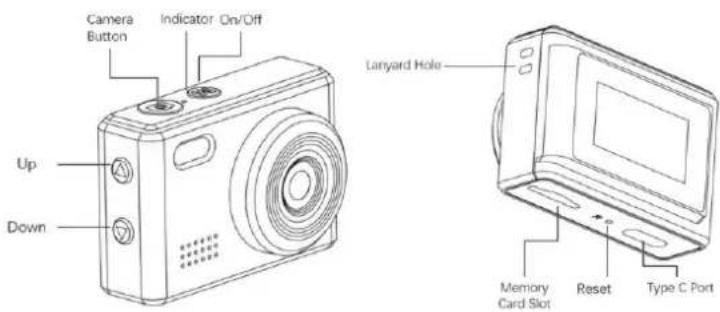
Camera Button Indicator On/Off Up Down Lanyard Hole Memory Card Slot Reset Type C PortThis product is a multifunctional digital camera, which can record in real time and has a wide range of application scenarios. Easy to operate, small and exquisite, beautiful and practical. Suitable for going out to play, pet record, business meeting record and other fields.
PRODUCT FEATURES
• Stylish and innovative design
• Support AVI video format
• Support HD voice recording
• Support 720P video recording
• Support up to 64GB Micro SD card
• Built-in polymer battery with 200mAh capacity
- Supports USB-C function, you can connect your Android Mobile phone directly through the adapter to view/download/share photos and video.
• Product dimensions: 42*19*29mm
• Product Weight: 18g
OPERATION GUIDE
1. Charging
Before using the device for the first time, please charge it. You can charge in the following ways:
1). Connecting the charger to charge
2). Connecting the computer to charge
3). Connecting the power bank to charge
When charging, the red charging indicator is always on, and when charging is completed, the indicator is off.
Note: When the battery is low, the device enters the protection state and cannot be turned on. Please charge the device first and then turn it on to use.
2. Power on/off
Power on: Long press the on/off button (M Button) for 3 seconds.
Power off: Long press the on/off button (M Button) for 3 seconds.
3. Video recording
Short press the on/off button (M Button) to switch to video mode, the upper left corner of the screen appears a recording icon, the device enters the video mode. Press camera button to start recording, the upper right corner of the screen displays the video time statistics. Press the camera button again, the device stops recording and automatically saves the video file to the memory card, at the same time the device re-enters the video standby mode.
4. Photo
After inserting the Micro SD card, it goes directly to Photo mode after powering on, the upper left corner of the screen appears a photo icon. Press the camera button, the flashlight up and the speaker clicks to indicate that the picture has been taken. The upper right corner of the screen shows the remaining number of photos that can be taken.
Note: Please keep the camera steady during the photo taking process.
5. Silent photo/video mode
In standby mode, short press the up button, the upper left corner of the screen appears microphone off icon, the photo and video mode are silent, while the flashlight is off.
6. Voice recording mode
In standby mode, long press the camera button to enter voice recording mode and automatically start sound recording. Short press the camera button once to stop recording and enter the recording standby mode, then short press the camera button again to start a new recording. Long press camera button or short press the on/off button to exit the sound recording mode.
7. Turn on the fill light
In video standby mode, long press the up button for 3 seconds, the fill light is always on, and then long press it for 3 seconds to turn off.
8. Filter
In standby mode, short press the down button to select various filter effects.
9. File Playback
Short press the on/off button to switch to the file playback mode, select the file you need to view through the up and down button, short press the camera button to play or pause.
10. Webcam
When the device is removed from the memory card and connected to the computer, it can be used directly as a webcam.
11. Time display settings
1). Insert the Micro SD card into the device, connect it to the computer after powering on, open the root directory and find the text file with the file name time.txt
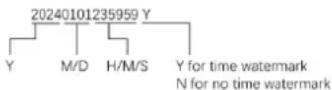
2). Open the time.txt document, strictly in accordance with the format of the document, write the time to be synchronized (only need to change the text inside), save and reboot to synchronize the time within the document.
12. Automatic shutdown
In the following cases, the device will shut down automatically:
1). When it is recording and the power is insufficient, the system will save the video content before shutting down automatically
2). In standby mode, without any operation for 3 minutes, the system will shut down automatically.
13. Reset
When the device is dead or stuck for unknown reasons, you can insert the reset pin through the reset hole and press it for a short time to complete the reset and then power on the device for normal use.
Note: Most of the reasons for crash are frequent illegal operations or problems with the memory card.
14. Connecting to a computer
After inserting the Micro SD card into the device and connecting the device to the computer, it can be used directly as a USB disk. After a few seconds, the computer will pop up the removable disk logo, and then you can edit the files in the Micro SD card.

INFORMATION FOR THE PROPER DISPOSAL OF THIS PRODUCT (Directive 2013/56/EU)
This mark on the product or its packaging means that the product, at the end of its life, including the non-removable battery, must be separated from other types of waste for responsible recycling. The safe use of this product is guaranteed by adhering to the online instruction manual; keep it and use it carefully throughout the product's life. The lithium-ion/li-ion/polymer battery inside the product is integrated and non-replaceable. Do not attempt to remove it as it may pose risks of overheating, fire, and injury. The battery should only be removed by qualified technicians who can do so safely and recycle it in accordance with the law. Users should return the non-working product free of charge to local separate collection centers or to the retailer, on a one-to-one basis or free of charge if the product size exceeds 25 cm. Proper waste disposal allows for recycling of the product, treating it with disposal methods compatible with the environment to prevent possible harm to the environment or human health and promote the reuse and/or recycling of the product materials. Unauthorized disposal of electronic products, cells, and batteries by household users is subject to penalties under current legislation.
CONVENTIONAL WARRANTY
1. SCOPE OF APPLICATION
1.1. Esprinet S.p.A., with registered office in Vimercate (MB), Via Energy Park, 20, - hereinafter referred to as ("Esprinet") offers this conventional warranty for Celly branded products in favor of both the end-consumer customer ("End-consumer customer") and the end-professional customer ("End-professional customer") under the terms and conditions set forth herein (the "Conventional Warranty"). The Conventional Warranty applies to:
i. new goods branded Celly (the "Products");
ii. Products that incorporate or are interconnected with digital content or a digital service in such a way that the lack of such digital content or digital service would prevent the proper functioning of the Products (“Products with Digital Elements”).
1.2. This Conventional Warranty exclusively includes intact Products, in their original configuration, including any accessory equipment.
2. CONSUMER RIGHTS
2.1. This Conventional Warranty does not affect the rights of the consumer provided for by the national legislative provisions implementing Directive (EU) 2019/771 and subsequent amendments regarding consumer goods warranties (“Legal Warranty”).
2.2. The Conventional Warranty does not replace, limit, or prejudice the Legal Warranty nor exclude it but adds to it. The end-consumer customer may therefore always assert the rights under the Legal Warranty against the seller, under the conditions and terms provided by the aforementioned legislation.
3. SUBJECT OF THE WARRANTY
3.1 Based on this Conventional Warranty, Esprinet undertakes, at its discretion, (i) to replace or repair the Products or components that are found to be defective due to original manufacturing defects arising from the materials used or workmanship with identical Products or components or, (ii) where this is not possible, to replace with a product or parts of a product or components of equal functionality and economic value.
4. EXCLUSIONS FROM THE WARRANTY
4.1 This Conventional Warranty does not apply in the event of breakages, malfunctions, or defects caused by:
i) installation errors caused by negligence, imprudence, inexperience, or carelessness;
ii) failure to comply with or incorrect adherence to the instructions and warnings contained in the manuals or any additional instruction sheets;
iii) failure to maintain the Products according to the methods indicated by Esprinet;
iv) improper storage of the Product;
v) tampering, modifications, interventions, or maintenance performed by the end customer or carried out by the end customer by third parties, and in any case not performed by persons authorized by Esprinet;
vi) improper use not in accordance with the normal use or intended purpose of the Product;
vii) aggravation of the damage caused by further use by the end customer once a possible malfunction or defect has already occurred;
viii) any external factor both in the installation and use phase of the Product not attributable to or otherwise attributable to Esprinet;
ix) if the model, serial number, or label on the Product has been deliberately counterfeited or removed;
x) failure to install the provided update.
4.2. This Conventional Warranty does not include obvious defects immediately recognizable upon delivery of the Product, nor defects or malfunctions caused by deterioration due to normal wear and tear.
4.3. This Conventional Warranty is excluded if breakages, malfunctions, defects, or flaws are caused by products, parts, or components manufactured by third parties other than Esprinet to which the Product is connected or with which it is otherwise used.
5. USE OF THE WARRANTY
5.1. The Conventional Warranty is activated immediately upon purchase of the relevant Product. The end customer can take advantage of this Conventional Warranty by directly contacting Esprinet at the
email address garanzia@esprinet.com or warranty@esprinet.com. The Conventional Warranty can also be managed through an Authorized Esprinet Center.
5.2. To benefit from this Conventional Warranty, the end customer must possess the receipt and/or invoice for the purchase of the Product and/or the delivery document (“DDT”). Esprinet reserves the right to refuse to provide this Conventional Warranty if the end customer does not provide at least one of these documents.
6. DURATION
6.1. The duration of this Conventional Warranty is equal to that of the Legal Warranty (the “Warranty Period”). It follows that the end-professional customer is also offered a conventional warranty of duration equal to that legally provided for consumers, namely two years.
6.2. The Warranty Period begins to run from the date of purchase of the Product, therefore, from the date indicated on the receipt and/or invoice and/or delivery document (DDT).
6.3. In the event of repair or replacement, the original Warranty Period continues to run, which should therefore not be understood as renewed or extended.
6.4. The action aimed at asserting defects is prescribed, in any case, within a period of twenty-six months (Warranty Period + two months) from the purchase of the Product.
7. TERRITORIAL SCOPE
7.1. This warranty is effective only for warranty services to be rendered in Italian, Spanish, and Portuguese territory and only concerns products marketed under the Celly brand.
8. APPLICABLE LAW AND COMPETENT COURT
8.1. These General Warranty Conditions are governed by Italian law. For any dispute that may arise from the interpretation or application of these conditions, the Court of Milan shall have exclusive jurisdiction.
8.2. The application of any more favorable and mandatory provisions provided by the law of the country in which they have their habitual residence is reserved for end-consumer customers, particularly regarding applicable law, warranty duration, and competent court.
CE
This product complies with Directive 2011/65/EU-2015/863/EU (RoHS). The product has the CE marking and is therefore compliant with the safety standards established by the European Union.
Nilox ^® is a trademark owned by Esprinet S.p.A. All trademarks are registered trademarks of their respective owners. Esprinet S.p.A., via Energy Park 20, 20871 Vimercate (MB) – Italy. Made in China.
www.nilox.com
for info and contacts: contact@esprinet.com
nilox
natural_image
Black digital camera with circular lens and control buttons (no visible text or symbols)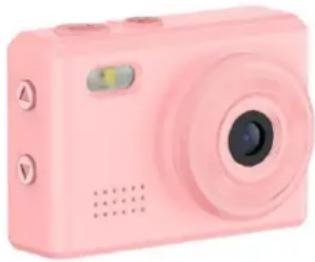
natural_image
Pink digital camera with circular lens and control buttons (no text or symbols visible)ITALIANO-IT
text_image
Camera Button Indicator On/Off Up Down Lanyard Hole Memory Card Slot Reset Type C Portnatural_image
Black digital camera with circular lens and control buttons (no visible text or symbols)
natural_image
Pink digital camera with circular lens and control buttons (no text or symbols visible)ESPAÑOL - ES
text_image
Camera Button Indicator On/Off Up Down Lanyard Hole Memory Card Slot Reset Type C Portnatural_image
Black digital camera with circular lens and control buttons (no visible text or symbols)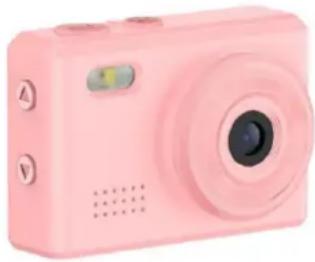
natural_image
Pink digital camera with circular lens and control buttons (no text or symbols visible)FRANÇAIS - FR
text_image
Camera Button Indicator On/Off Up Down Lanyard Hole Memory Card Slot Reset Type C PortCARACTÉRISTIQUES DU PRODUIT
INFORMATIONS POUR L'ÉLIMINATION CORRECTE DE CE PRODUIT (Directive 2013/56/UE)
1. CHAMP D'APPLICATION
natural_image
Black digital camera with circular lens and control buttons (no visible text or symbols)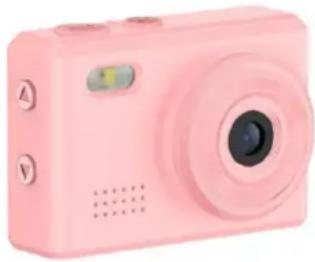
natural_image
Pink digital camera with circular lens and control buttons (no text or symbols visible)DEUTSCH - DE
Bedienungsanleitung
ACTION CAM
Modell: NXACCARRYCAM
Rev00 - 03.2025
text_image
Camera Button Indicator On/Off Up Down Lanyard Hole Memory Card Slot Reset Type C Portnatural_image
Black digital camera with circular lens and control buttons (no visible text or symbols)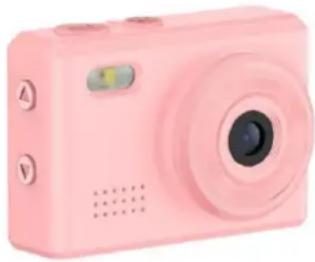
natural_image
Pink digital camera with circular lens and control buttons (no text or symbols visible)ČEŠTINA - CZ
Návod k obsluze
ACTION CAM
Model: NXACCARRYCAM
Rev00 - 03.2025
INFORMACE O BEZPEČNOSTI PRO BEZPEČNÉ POUŽÍVÁNÍ ACTION CAM
text_image
Camera Button Indicator On/Off Up Down Lanyard Hole Memory Card Slot Reset Type C Portnatural_image
Black digital camera with circular lens and control buttons (no visible text or symbols)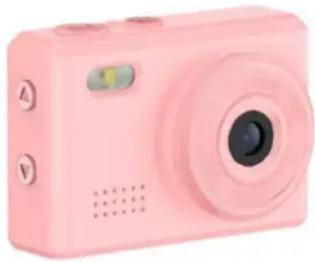
natural_image
Pink digital camera with circular lens and control buttons (no text or symbols visible)SLOVENČINA - SK
Návod na použitie
ACTION CAM
Model: NXACCARRYCAM
Rev00 - 03.2025
INFORMÁCIE O BEZPEČNOSTI PRE BEZPEČNÉ POUŽÍVANIE ACTION CAM
text_image
Camera Button Indicator On/Off Up Down Lanyard Hole Memory Card Slot Reset Type C Portnatural_image
Black handheld optical device with lens and control buttons (no visible text or symbols)ΕΛΛΗΝΙΚΑ-GR
Εγχειρίδιο οδηγιών
ACTION CAM
text_image
Camera Button Indicator On/Off Up Down Lanyard Hole Memory Card Slot Reset Type C Portnatural_image
Black digital camera with circular lens and control buttons (no visible text or symbols)
natural_image
Pink digital camera with circular lens and control buttons (no text or symbols visible)TÜRKÇE-TR
Kullanım Kılavuzu
ACTION CAM
Model: NXACCARRYCAM
Rev00 - 03.2025
text_image
Camera Button Indicator On/Off Up Down Lanyard Hole Memory Card Slot Reset Type C Portnatural_image
Black digital camera with circular lens and control buttons (no visible text or symbols)
natural_image
Pink digital camera with circular lens and control buttons (no text or symbols visible)العربية - SA
الاستخدام دليل
ACTION CAM
text_image
Camera Button Indicator On/Off Up Down Lanyard Hole Memory Card Slot Reset Type C Portnatural_image
Black digital camera with circular lens and control buttons (no visible text or symbols)
natural_image
Pink digital camera with circular lens and control buttons (no text or symbols visible)PORTUGUÊS - PT
text_image
Camera Button Indicator On/Off Up Down Lanyard Hole Memory Card Slot Reset Type C Portnatural_image
Black digital camera with circular lens and control buttons (no visible text or symbols)
natural_image
Pink digital camera with circular lens and control buttons (no text or symbols visible)POLSKI - PL
Instrukcja obsługi
ACTION CAM
Model: NXACCARRYCAM
Rev00 - 03.2025
INFORMACJE BEZPIECZEŃSTWA DOTYCZĄCE BEZPIECZNEGO UŻYTKOWANIA ACTION CAM
text_image
Camera Button Indicator On/Off Up Down Lanyard Hole Memory Card Slot Reset Type C PortGWARANCJA KONWENCJONALNA
1. ZAKRES ZASTOSOWANIA
8. PRAWO WŁAŚCIWE I SAD WŁAŚCIWY
natural_image
Black digital camera with circular lens and control buttons (no visible text or symbols)
natural_image
Pink digital camera with circular lens and control buttons (no text or symbols visible)SUOMI - FI
Käyttöohje
ACTION CAM
Malli: NXACCARRYCAM
Rev00 - 03.2025
TURVALLISUUSTIEDOT ACTION CAMIN TURVALLISEEN KÄYTTÖÖN
text_image
Camera Button Indicator On/Off Up Down Lanyard Hole Memory Card Slot Reset Type C Portnatural_image
Black digital camera with circular lens and control buttons (no visible text or symbols)
natural_image
Pink digital camera with circular lens and control buttons (no text or symbols visible)СРПСКИ - RS
text_image
Camera Button Indicator On/Off Up Down Lanyard Hole Memory Card Slot Reset Type C Portnatural_image
Black digital camera with circular lens and control buttons (no visible text or symbols)
natural_image
Pink digital camera with circular lens and control buttons (no text or symbols visible)SVENSKA - SE
Bruksanvisning
ACTION CAM
Modell: NXACCARRYCAM
Rev00 - 03.2025
SÄKERHETSINFORMATION FÖR SÄKER ANVÄNDNING AV ACTION CAM
text_image
Camera Button Indicator On/Off Up Down Lanyard Hole Memory Card Slot Reset Type C Portnatural_image
Black digital camera with circular lens and control buttons (no visible text or symbols)
natural_image
Pink digital camera with circular lens and control buttons (no text or symbols visible)БЪЛГАРСКИ - ВG
text_image
Camera Button Indicator On/Off Up Down Lanyard Hole Memory Card Slot Reset Type C Portnatural_image
Black digital camera with circular lens and control buttons (no visible text or symbols)
natural_image
Pink digital camera with circular lens and control buttons (no text or symbols visible)ROMÂNĂ - RO
text_image
Camera Button Indicator On/Off Up Down Lanyard Hole Memory Card Slot Reset Type C Portnatural_image
Black digital camera with circular lens and control buttons (no visible text or symbols)
natural_image
Pink digital camera with circular lens and control buttons (no text or symbols visible)NEDERLANDS - NL
Handleiding
ACTION CAM
Model: NXACCARRYCAM
Rev00 - 03.2025
VEILIGHEIDSINFORMATIE VOOR VEILIG GEBRUIK VAN ACTION CAM
text_image
Camera Button Indicator On/Off Up Down Lanyard Hole Memory Card Slot Reset Type C PortCONVENTIONELE GARANTIE
1. TOEPASSINGSOMVANG
natural_image
Black digital camera with circular lens and control buttons (no visible text or symbols)
natural_image
Pink digital camera with circular lens and control buttons (no text or symbols visible)РУССКИЙ - RU
text_image
Camera Button Indicator On/Off Up Down Lanyard Hole Memory Card Slot Reset Type C Portnatural_image
Black digital camera with circular lens and control buttons (no visible text or symbols)
natural_image
Pink digital camera with circular lens and control buttons (no text or symbols visible)EESTI-EE
Kasutusjuhend
ACTION CAM
Mudel: NXACCARRYCAM
Rev00 - 03.2025
OHUTUSINFO ACTION CAMI TURVALISEKS KASUTAMISEKS
text_image
Camera Button Indicator On/Off Up Down Lanyard Hole Memory Card Slot Reset Type C Portnatural_image
Black digital camera with circular lens and control buttons (no visible text or symbols)
natural_image
Pink digital camera with circular lens and control buttons (no text or symbols visible)LIETUVIŲ - LT
Naudojimo instrukcija
ACTION CAM
Modelis: NXACCARRYCAM
Rev00 - 03.2025
SAUGOS INFORMACIJA DËL SAUGAUS ACTION CAM NAUDOJIMO
text_image
Camera Button Indicator On/Off Up Down Lanyard Hole Memory Card Slot Reset Type C Portnatural_image
Black digital camera with circular lens and control buttons (no visible text or symbols)
natural_image
Pink digital camera with circular lens and control buttons (no text or symbols visible)LATVIEŠU - LV
text_image
Camera Button Indicator On/Off Up Down Lanyard Hole Memory Card Slot Reset Type C Portnatural_image
Black digital camera with circular lens and control buttons (no visible text or symbols)
natural_image
Pink digital camera with circular lens and control buttons (no text or symbols visible)MAGYAR - HU
Használati útmutató
ACTION CAM
Modell: NXACCARRYCAM
Rev00 - 03.2025