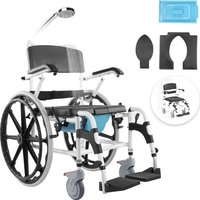
USER MANUAL W5216 Vevor
Technical Support and E-Warranty Certificate www.vevor.com/support
ELECTIRC WHEEL CHAIRS
OPERATING INSTRUCTIONS
MODEL: W5216
We continue to be committed to provide you tools with competitive price. "Save Half", "Half Price" or any other similar expressions used by us only represent of savings you might benefit from buying certain tools with us compared top brands and does not necessarily mean to cover all categories of tools offered are kindly reminded to verify carefully when you are placing an order with us actually saving half in comparison with the top major brands.
VEVOR®
TOUGH TOOLS, HALF PRICE
MODEL: W5216
natural_image
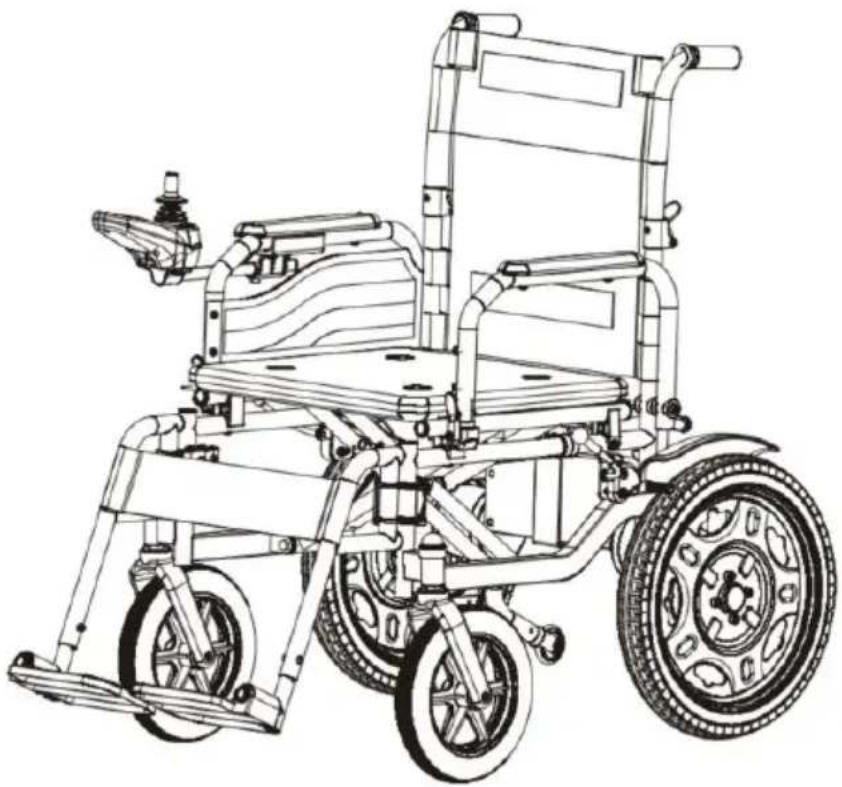
Line drawing of a wheelchair with wheels and handle (no text or symbols)
Have product questions? Need technical support? Please feel fr contact us:
Technical Support and E-Warranty Certificate
www.vevor.com/support
This is the original instruction, please read all manual instruction carefully before operating. VEVOR reserves a clear interpretation user manual. The appearance of the product shall be subject to product you received. Please forgive us that we won't inform you there are any technology or software updates on our product.
Read and follow all instructions, warnings, and notes in this manual by attempting to operate your power wheelchair for the first time. If there any information in this manual which you do not understand, or if you require additional assistance for assembly or operation, please contact with your local dealer authorized.
These symbols below in this manual are used to identify warnings and important information. All of them are very important to your safety. It strongly recommended that you should read and understand them completely.

WARNING! Failure to heed the warnings in the manu may result in personal injury.
ATTENTION! Failure to heed the cautions in the man may result in damage to the power wheelchair.
1. Introduction
1.1 This product is integrates advanced technology with modern style. Especially, its structure for quick dis-assembly and assembly are very convenient for you to store or place at the trunk of your vehicle while traveling. We are certain that the design features, excellent performance and trouble -free operation of this product will ensure your daily life is convenient.
1.2 This product is suitable for all the disabled persons, the elderly a infirm who have difficulty in walking. The maximum user weight is 12.
1.3 This product is of an outdoor type. It is of Model W5216. Here, indicates an outdoor power wheelchair, "5" the code of category of products, "216" the serial number of this type.
1.4 This product is suitable for an outdoor use and the flat streets of buildings for a middle distance, but not for the grass, gravel, or slope more than 9 degrees and motorized roads, and also not for rainy days
2. Safety use
2.1 Expiration date
This power wheelchair is energy, non-asepsis, reusable product without chemical substances.
The safe and period of validity for wheelchair on the clinical use not depends on its structural strength of products, but also on the user and use of the product environment, user habits, whether in accordance with the periodic maintenance, maintenance and other factors.
Our products are valid from the date of production for 7 years. (proc date on inspection certificate).
2.2 Instructions before use
2.2.1 If not completely read and understand the user manual, please drive.
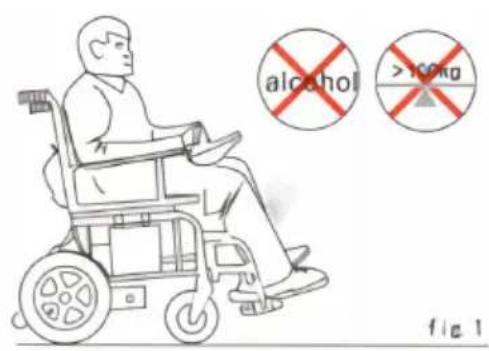
2.2.2 The maximum loading capacity is 120kg, please do not overload driving.
And it is single use, please do not carry passengers.
2.2.3 Please do not drive after drunk or overtired.(Figure 1)
2.2.4 Do not drive at night or in the case of a unclear line of sight
2.2.5 Please self-test before driving and refer to the manual section 5 Commissioning" and 6.2.1 "Practice before operation " if driving for the time.
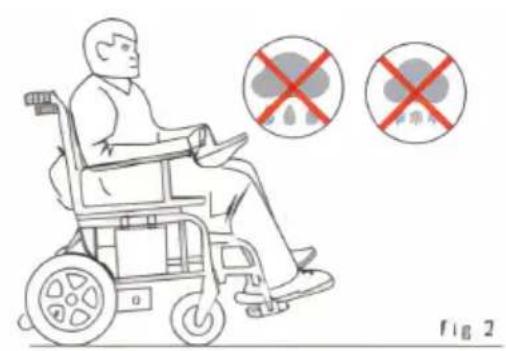
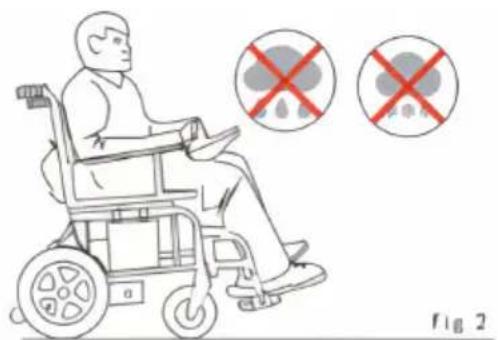
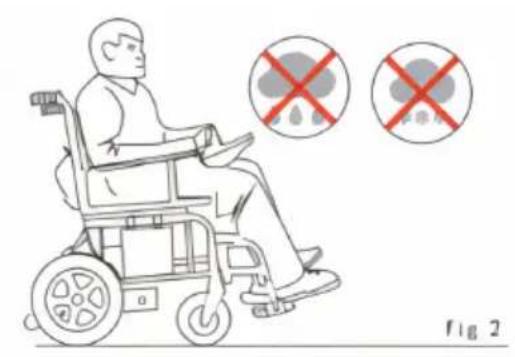
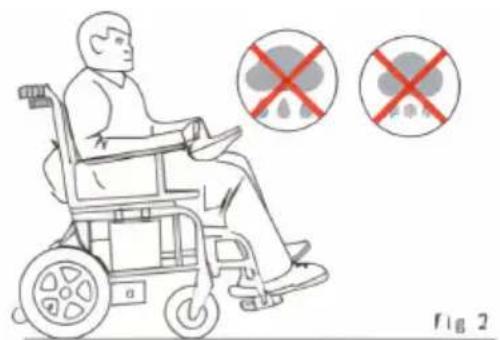
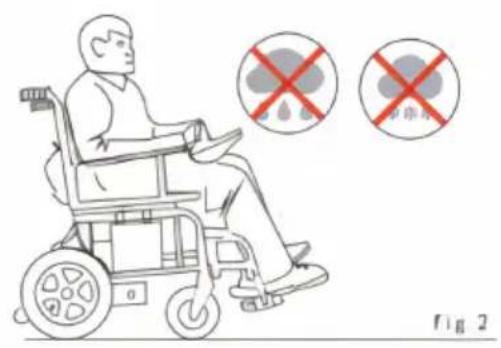
2.2.6 This wheelchair is not waterproof, do not expose in rain and snow well as driving in rain or snow.(Figure 2)
2.3 Attention during using
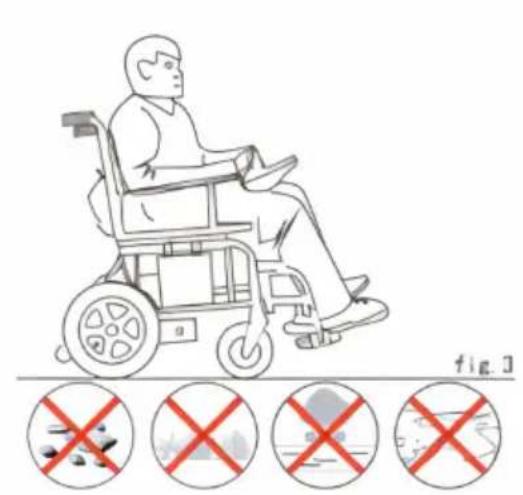
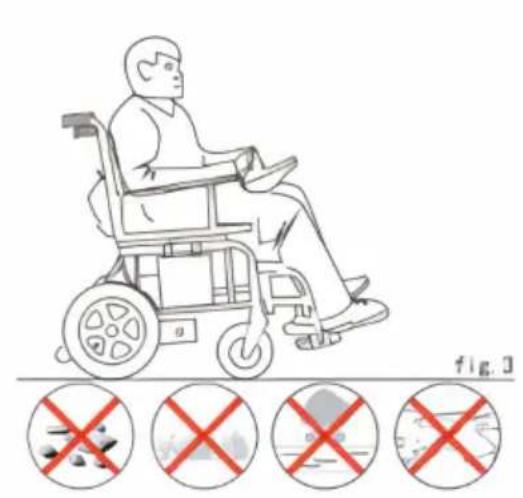
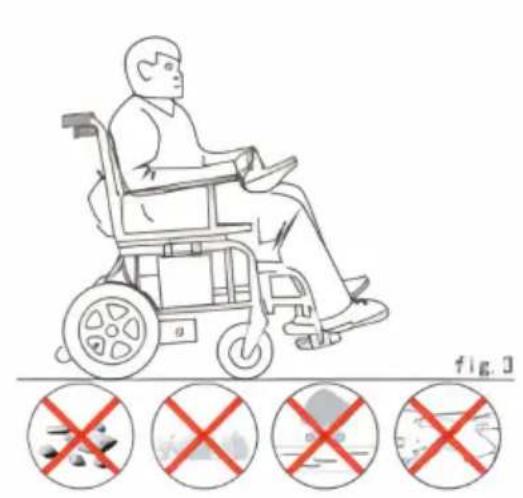
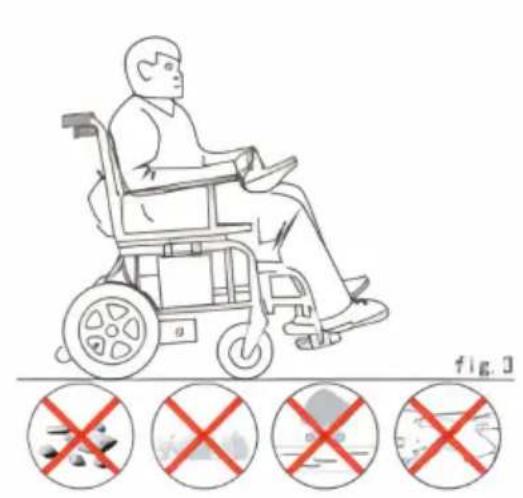
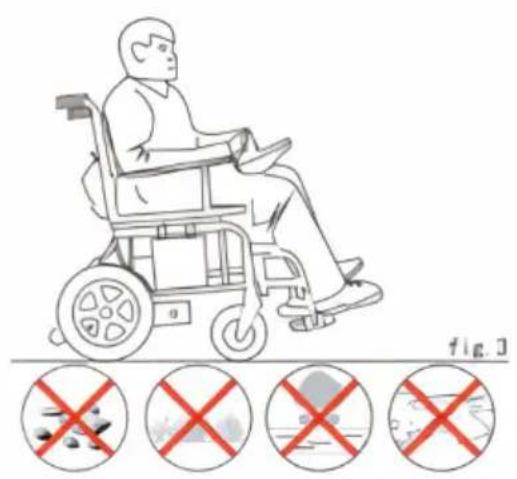
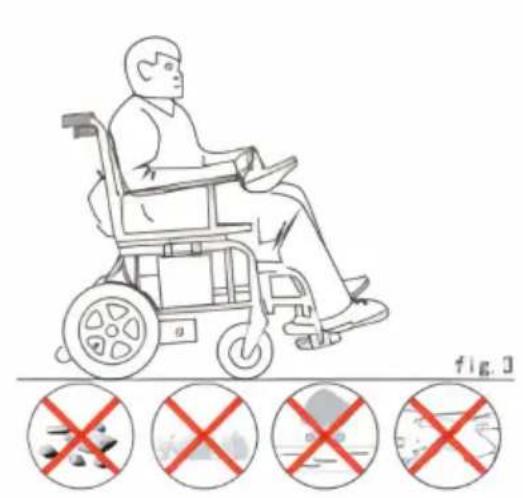
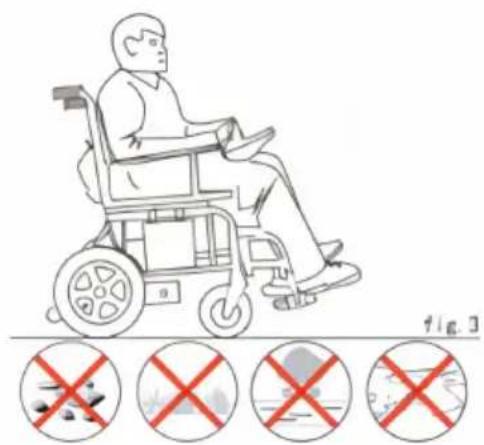
2.3.1 This power wheelchair can drive on a good flat surface, do no rugged, soft, narrow, icy road, driving on bad roads without guardrails dangerous road or waterway. (Figure 3)
2.3.2 This power wheelchair has the certain ability of groove obstacle this time you should reduce the speed and travel slowly.
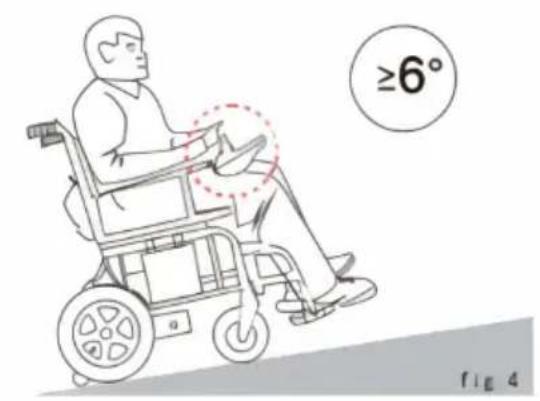
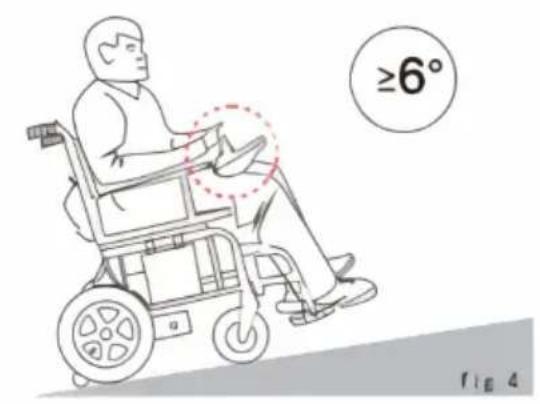
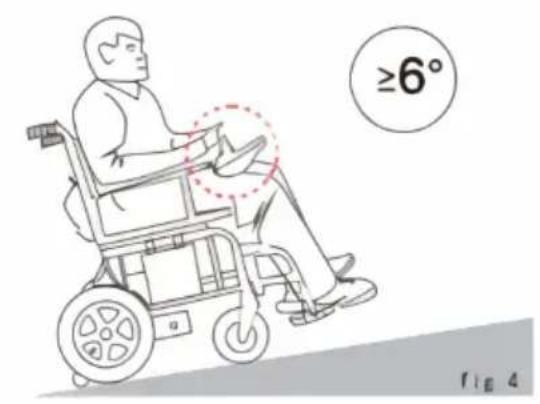
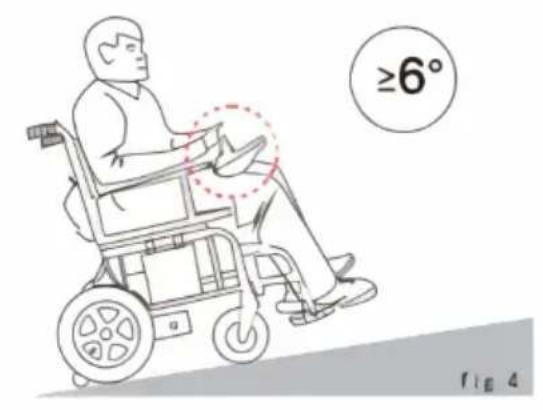
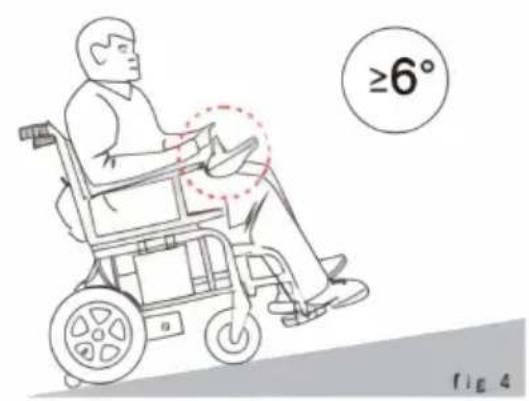
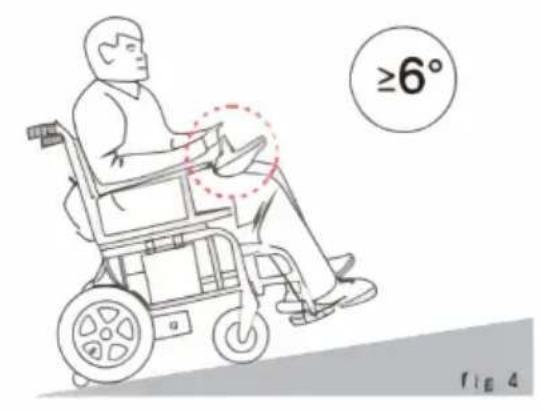
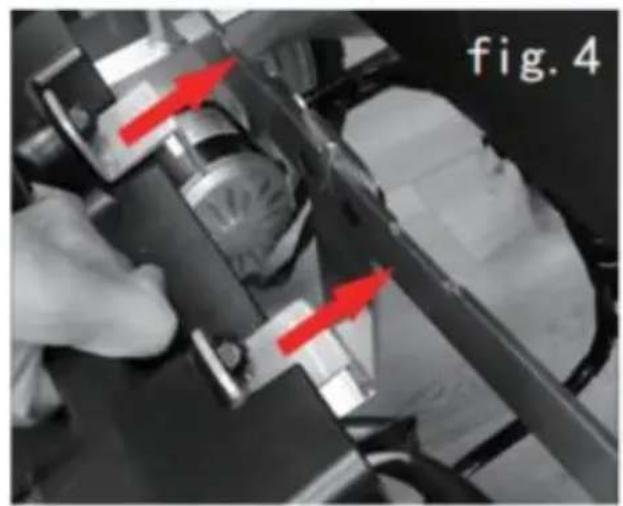
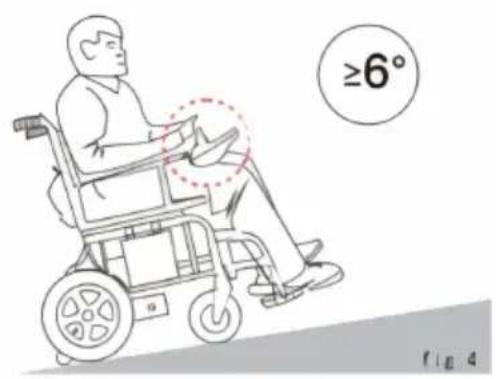
2.3.3 This power wheelchair has the certain climbing ability, the maxir slope is 6^ . (Figure 4)
2.3.4 Please avoid driving in the crowds, traffic and other places with traffic.
2.3.5 Please ensure that the controller system fix well, joystick is stra and correct. Sit well and promptly fasten protective tape, after the he much as possible by the back against the seat back to prevent the on the road, which may could lose control.
2.3.6 Press the on/off button, firstly check if the current fastest speed setting is appropriate for yourself operating proficiency, or it should be adjusted for safety;
We recommend that we should drive slowly at the beginning for ever and gradually accelerating as well.

ATTENTION!
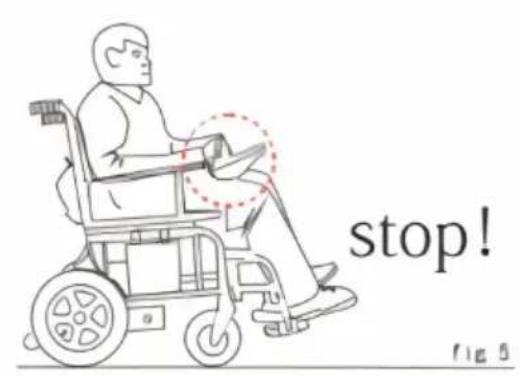
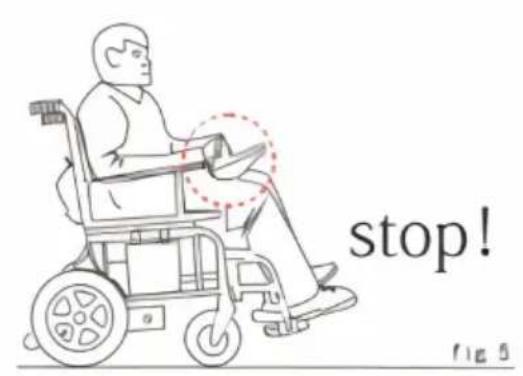
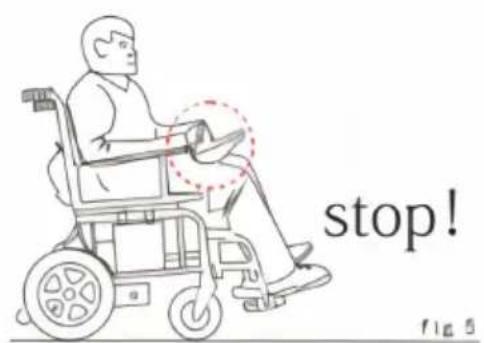
Please pull the lever up when the power wheelchair stop at the incline, or it will taxiing at low speed, result in personal injury.

WARNING!
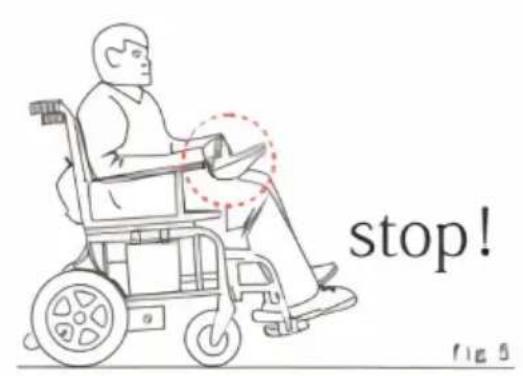
If your wheelchair moves accidentally, please immediately release the joystick so that the wheelchair will stop moving automatically. If joystick is out of control and the brake fat please cut off the power.
2.4 Electromagnetic interference (EMI)
Your wheelchair may be traveling in the areas affected by electromagn interference from some radio transmitters such as radio, wireless inter mobile phones and radars etc. In these cases, your wheelchair's driving may be affected by them. Electromagnetic interference may affect the control system of the electric wheelchair. Some disturbances may cause brake failure, automatic start or runaway, and may cause permanent damage to the control system.
2.4.1 Electromagnetic interference classification
- Short-band radio transceiver. These radios have antennas, such as ra waves in the urban bands, walkie-talkies, cell phone network systems signal transmission devices.
●Medium-band mobile radio transceiver. These are usually installed in building or outside the vehicle antenna. For example: police, fire, tax, medical ambulance and other radio transceivers.
- Large band radio transceiver. These are usually installed on the tower, the antenna, such as: commercial radio TV transmission system.

ATTENTION!
Wheelchair and battery chargers meet GB / T 18
Wheelchair - Part 21: Requirements and test methods for electromagnetic compatibility of power chair, electric scooters and battery charger
ATTENTION!
The chair during driving may be affected by Electro-Magnetic Interference(EMI). Such interferenc may be from mobile phones, EAS system, etc.
2.4.2 Prevention of Electromagnetic Interference
- Do not use hand-held radio transceivers when the wheelchair power turned on, such as mobile phones, radios, etc;
- Avoid close to the radio transmission system, such as radio stations, television stations;
- If the electric wheelchair can not control or brake failure, please cor our company or dealer.
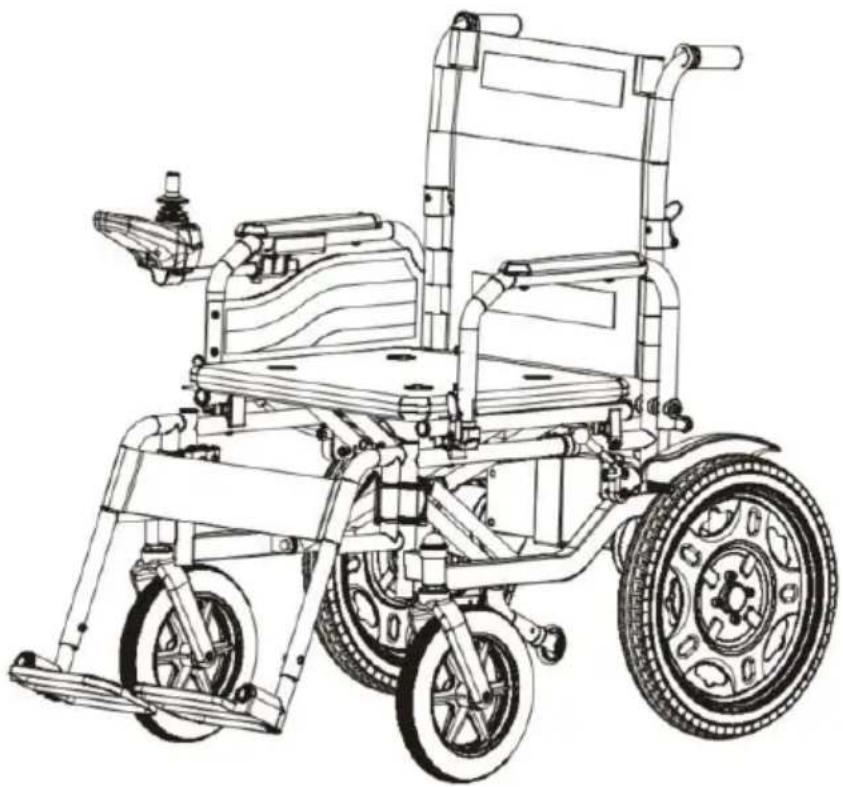
3.1 The structure of the power wheelchair
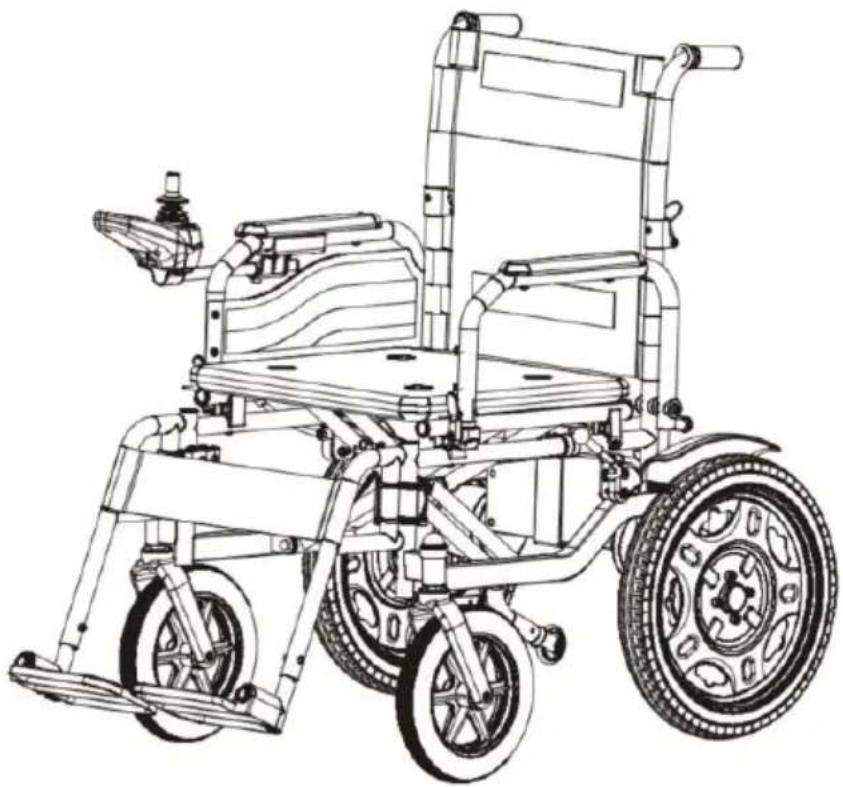
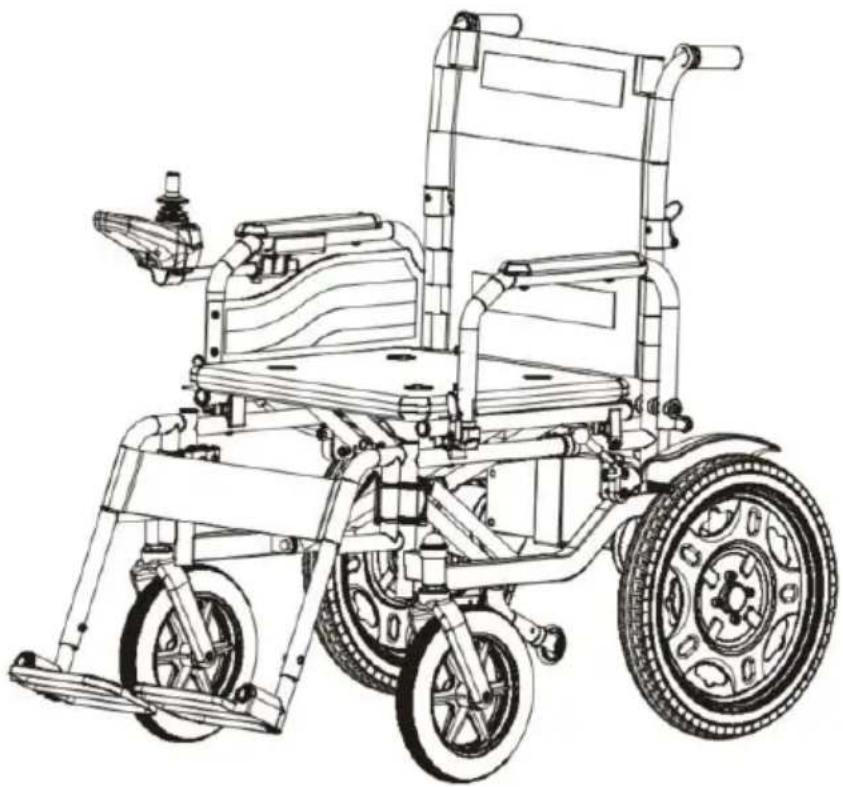
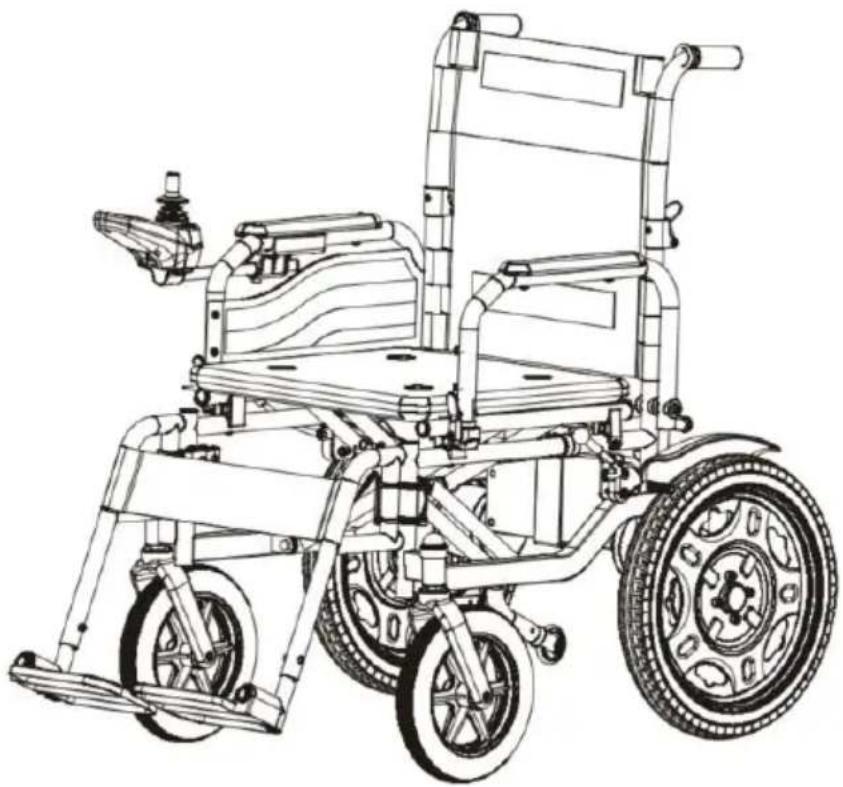
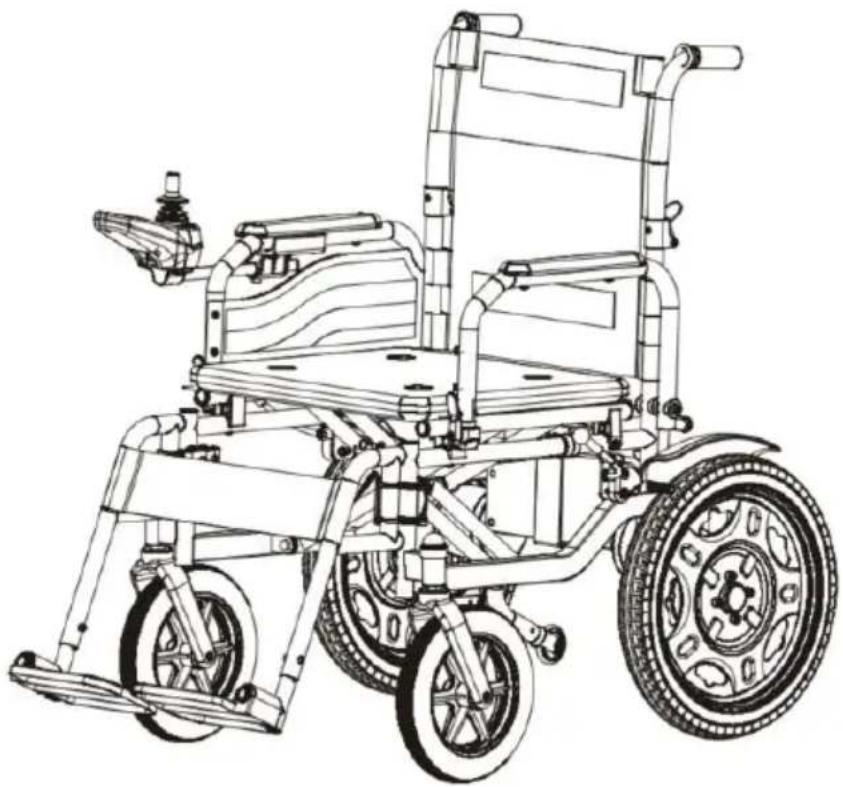
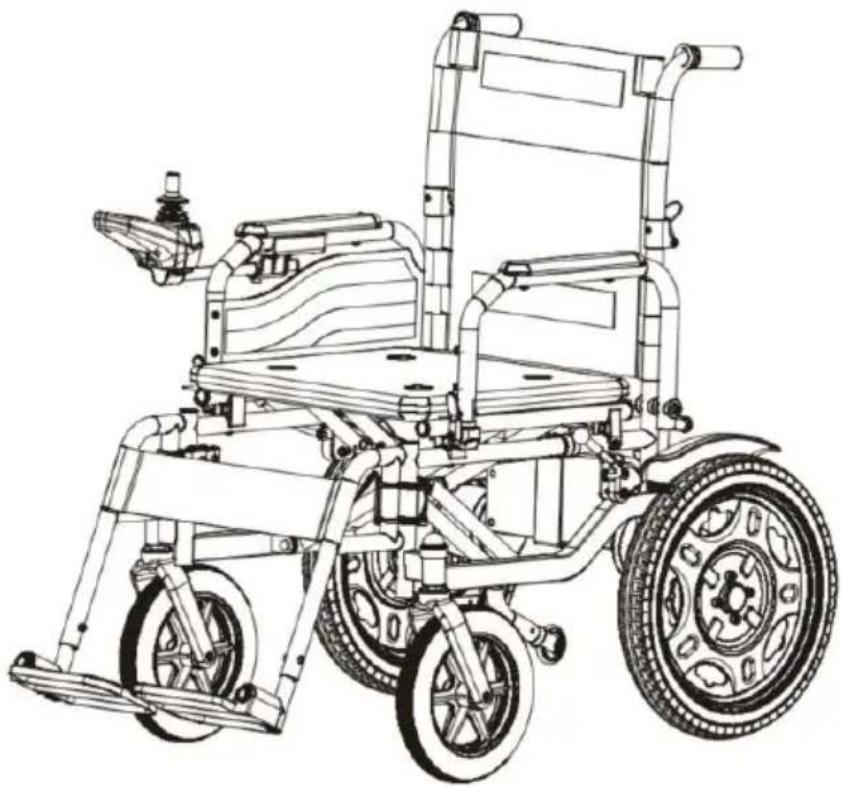
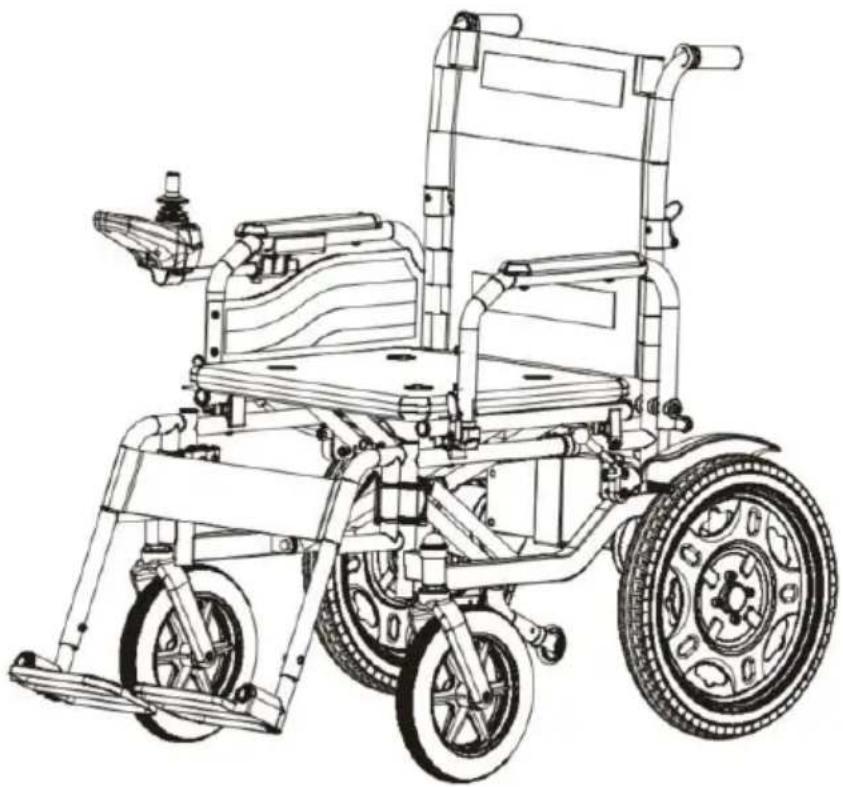
This power wheelchair consists of the main part including the front w drive wheel, frame, Joystick, motor with mechanism, armrest, push har backrest, seat base, footrest, battery case, the structure shown in Figu
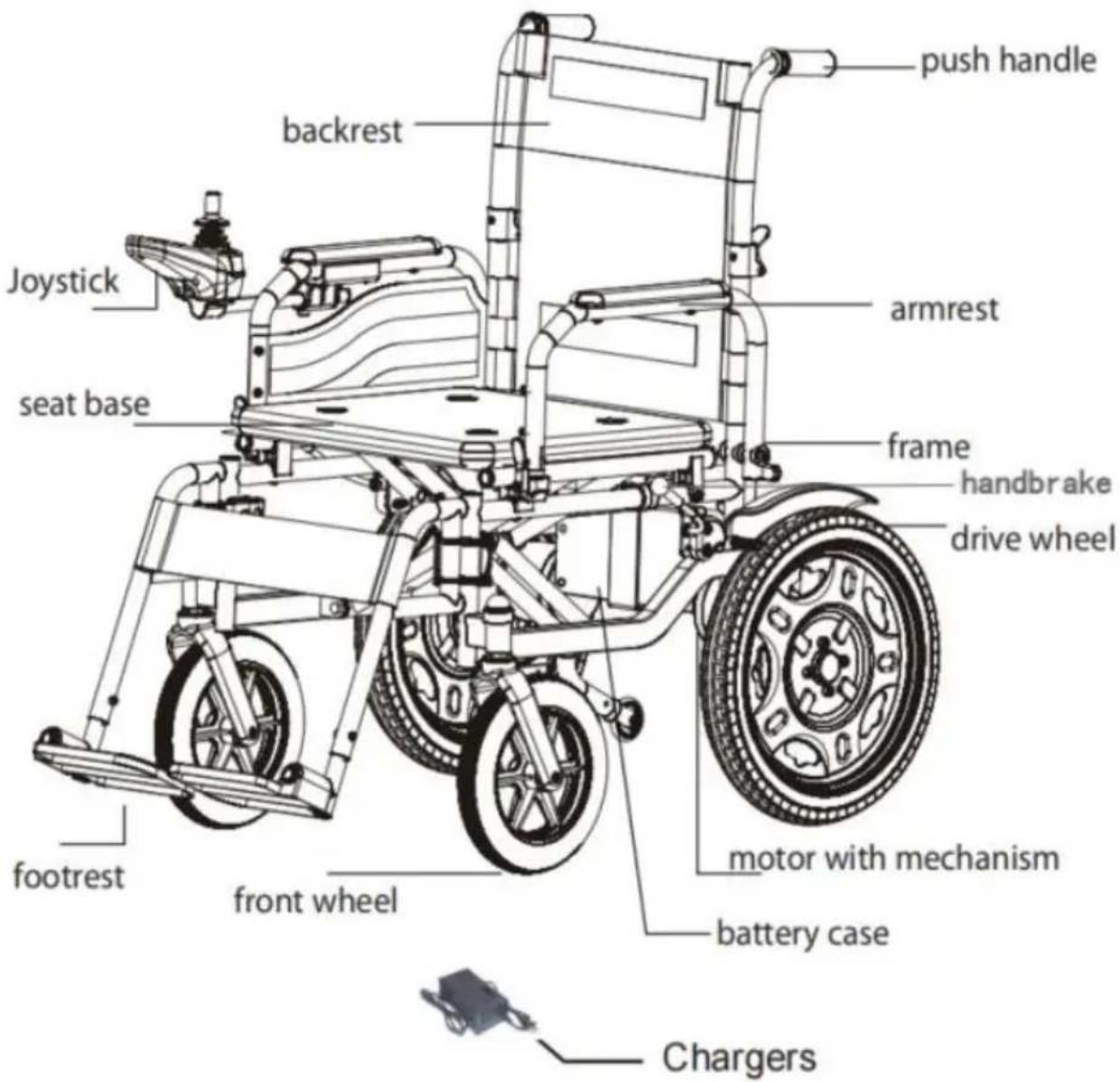
Fig. 1
3.2 Product characteristics of the power wheelchair
- Classification by anti-shock type: wheelchair is internal power supply;
- Classification according to the degree of anti-shock: wheelchair belong to
the B-type application part;
- Classification according to the degree of protection of the feed: IPXC
●Safety degree when used in flammable anesthesia mixed with air or flammable
narcotic with oxygen or oxidized nitrogen Category: Non-AP or APG equipment;
- By operating mode: continuous operation;
- Wheelchair rated voltage and frequency: DC 24V;
- Input power of wheelchair: internal power supply equipment;
- Whether the wheelchair has a protective effect on defibrillation effect:
●Whether the wheelchair has a signal output and input part: No;
●Permanent installation of equipment or non-permanent installation of equipment:
mobile devices.
3.3 Electrical diagram of power wheelchair

flowchart
graph TD
    A["JOYSTICK"] --> B["CONTROLLER"]
    B --> C["CONNECTORS FOR RIGHT MOTOR"]
    B --> D["CONNECTORS FOR BATTERY"]
    B --> E["CONNECTORS FOR LEFT MOTOR"]
    C --> F["RIGHT MOTOR"]
    D --> G["24Volts Lead-acid battery"]
    E --> H["LEFT BRAKE"]
    F --> I["RIGHT BRAKE"]
    G --> J["LEFT BRAKE"]
    H --> K["LEFT MOTOR"]
3.4 Product software REV.
Controller version of the power wheelchair W5216 is V1.6.
4. Specification
The main performance parameter of the power wheelchair (size and v included) Sheet 1.
| Max loading weight | 120kg |
| Maximum Speed | ≤6km/h |
| Battery charger | AC 100~240V, 50Hz, 1.5A |
| Battery | DC 24V 12AH |
| Front wheel diameter | 10 inch |
| Rear wheel diameter | 16 inch |
| Motor (*2pcs) | DC 24V 250W |
| Max driving distance | 20km |
| Max safe slope | 9° |
| Static stability | 9° |
| Climbing angle | 6° |
| Seat size | 17.5inch |
NOTE:
The width of the seat refers to the width between the handlebars.
5. Installation, Folding and Debugging
5.1 Installation
5.1.1 Take out the wheelchair from the packing box and put it on the ground.
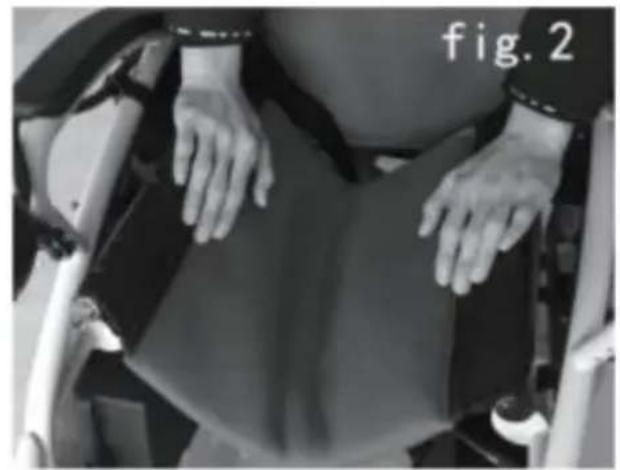
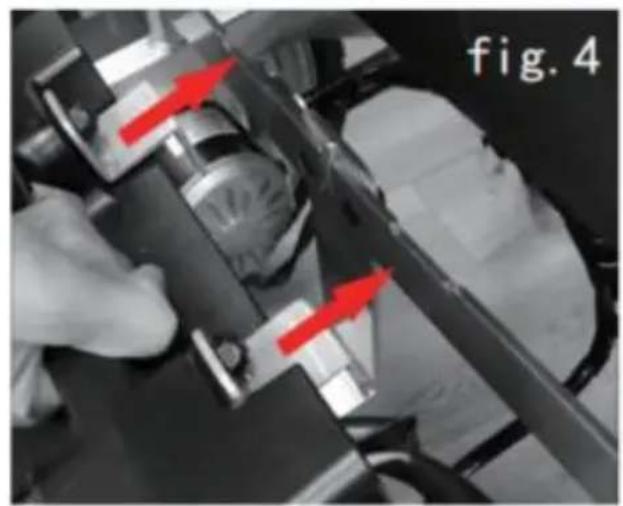
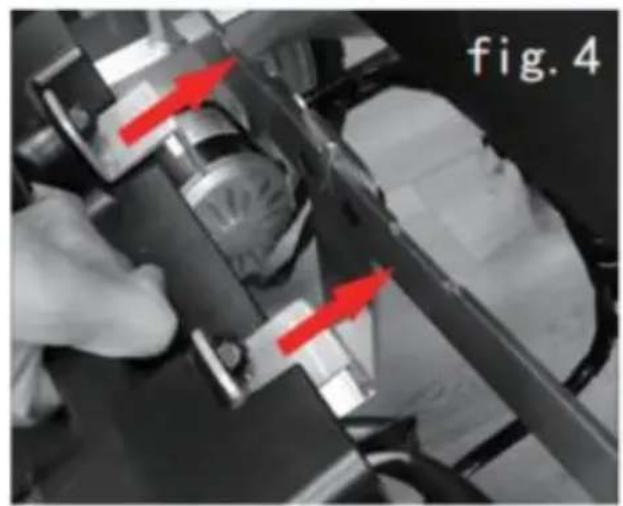
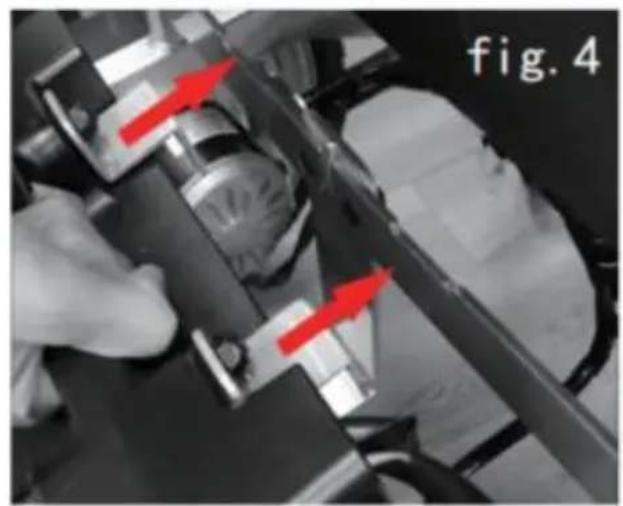
Push the chair-frame apart to left and right, and press two tubes on sides of the seat base down into the grooves on both sides of the chair-frame. (Figure 2)
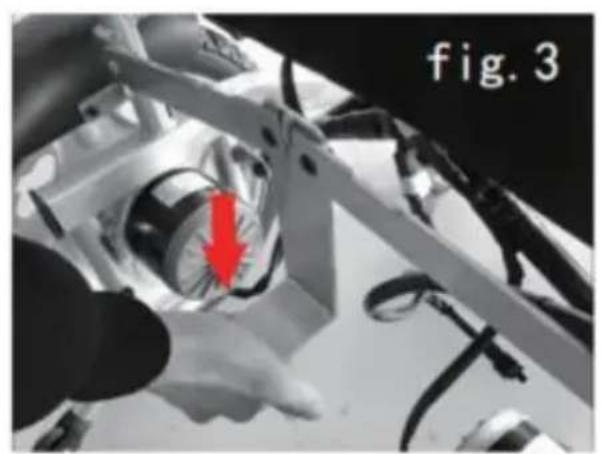
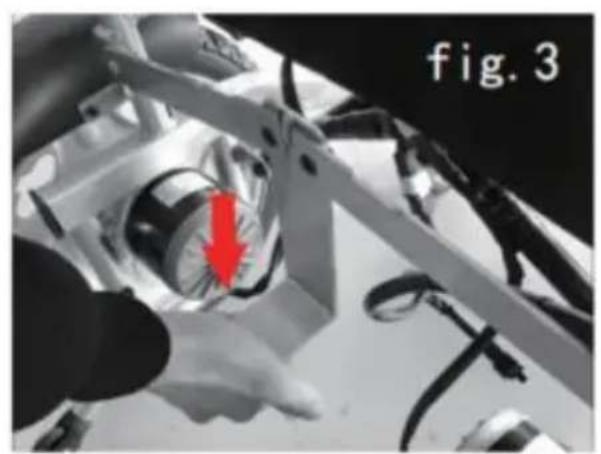
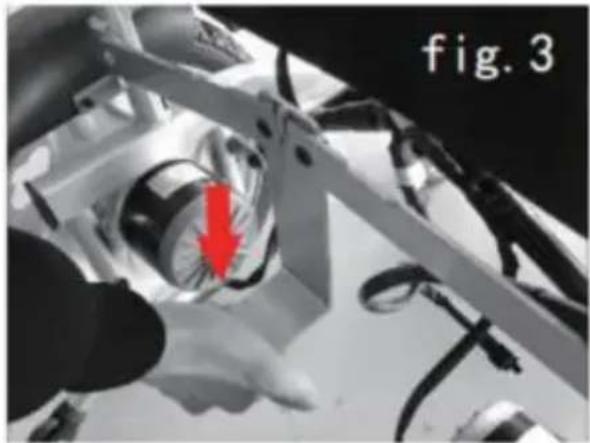
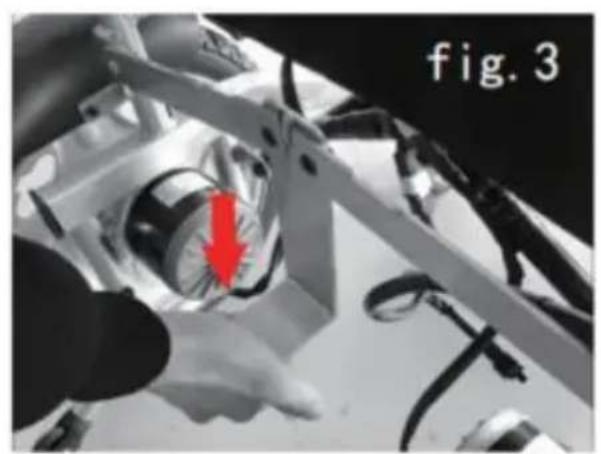
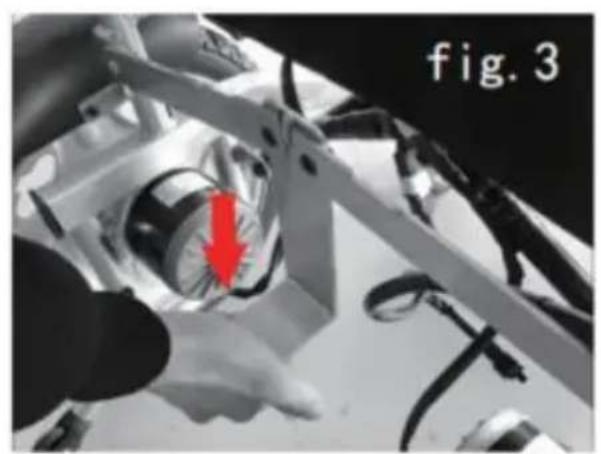
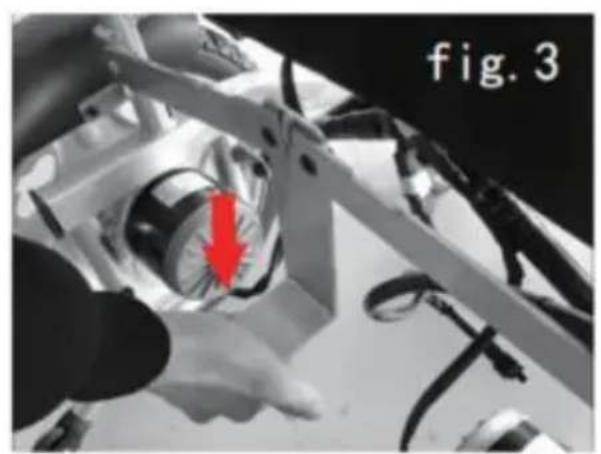
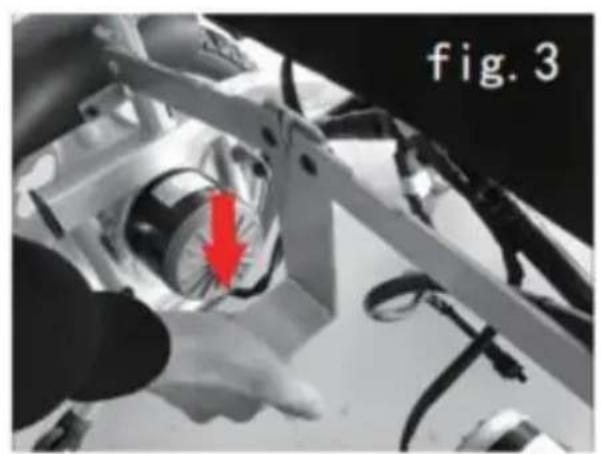
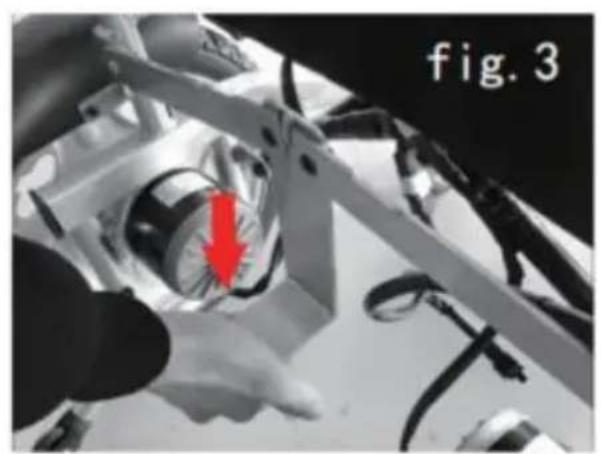
5.1.2 Unfold battery support(Figure 3), take out the batteries as Figure and then hang them to the supports.
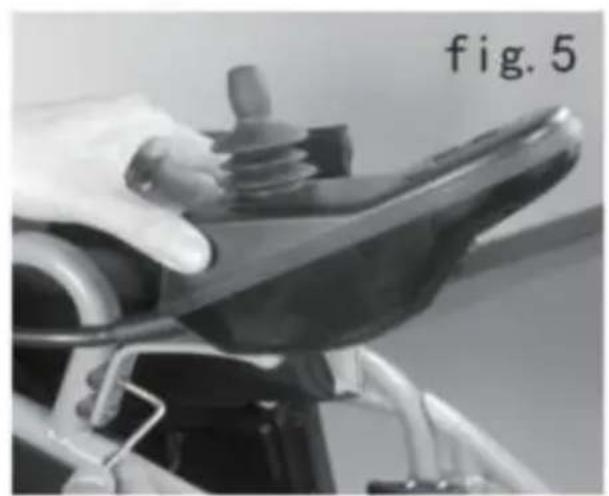
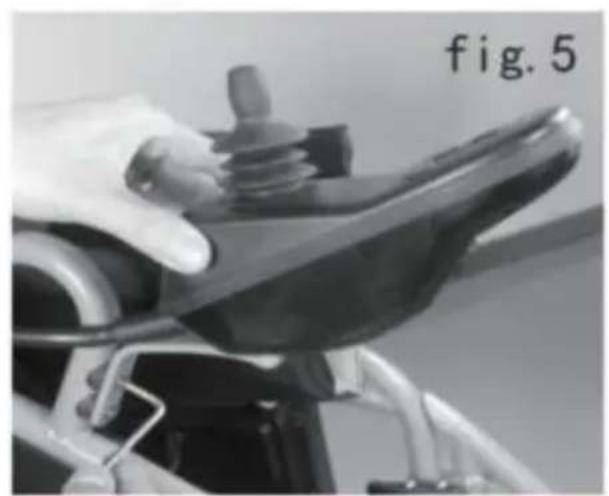
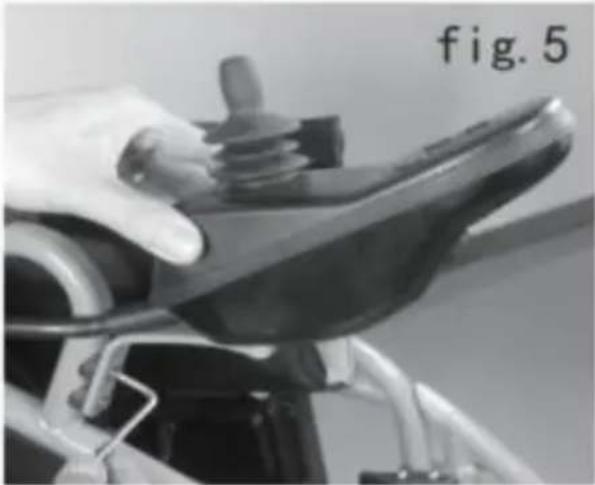
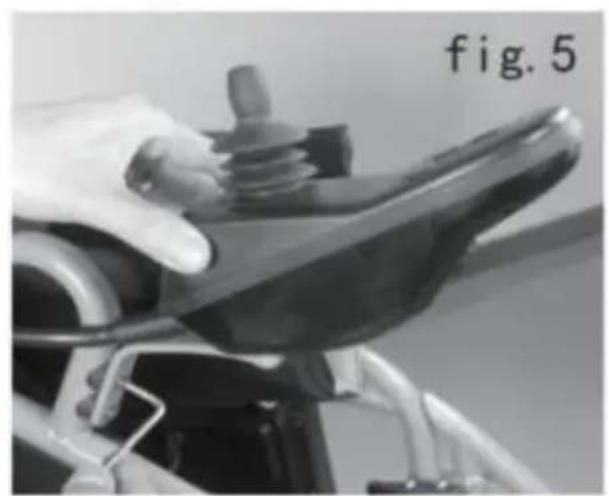
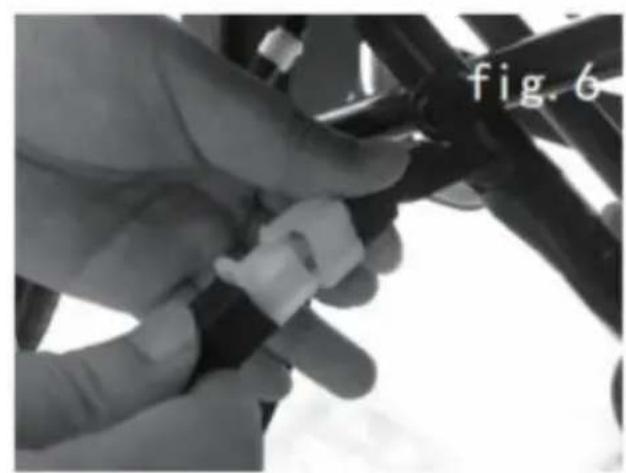
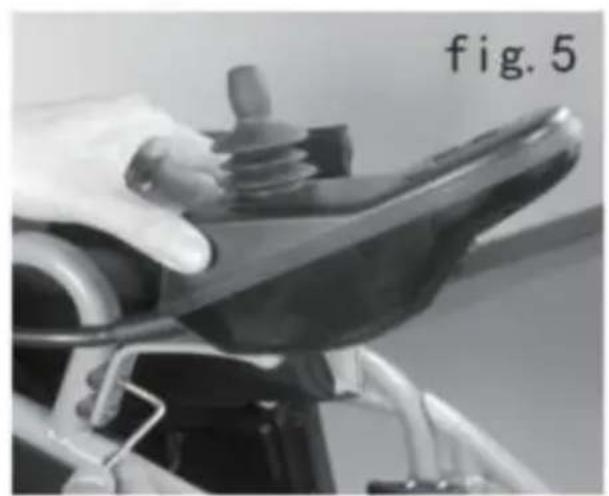
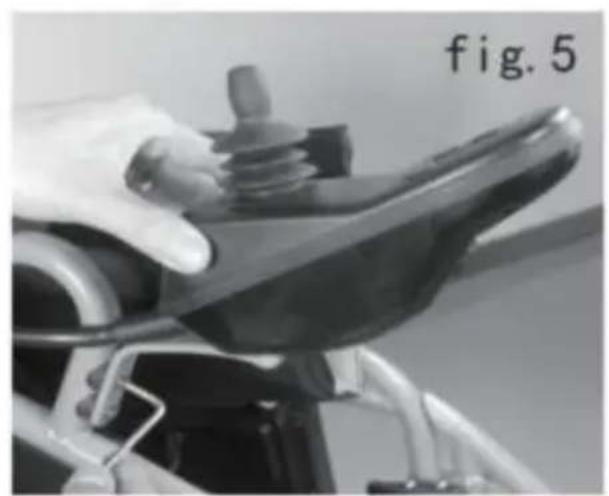
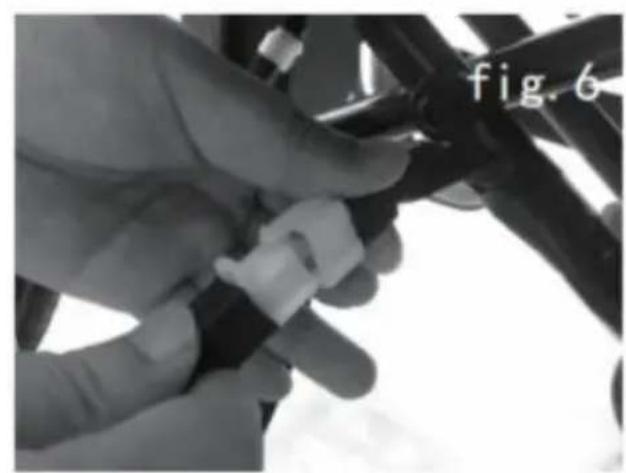
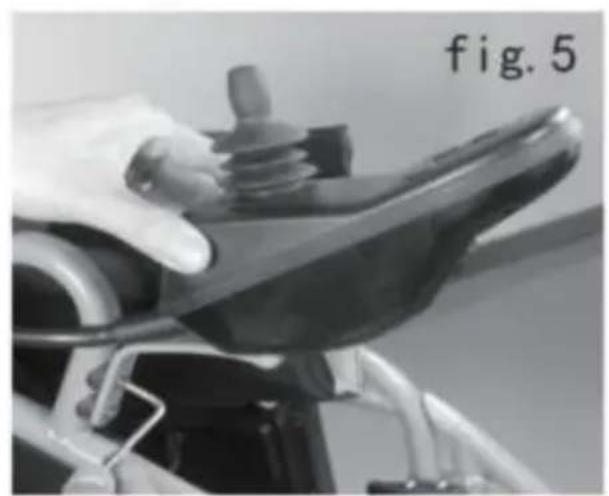
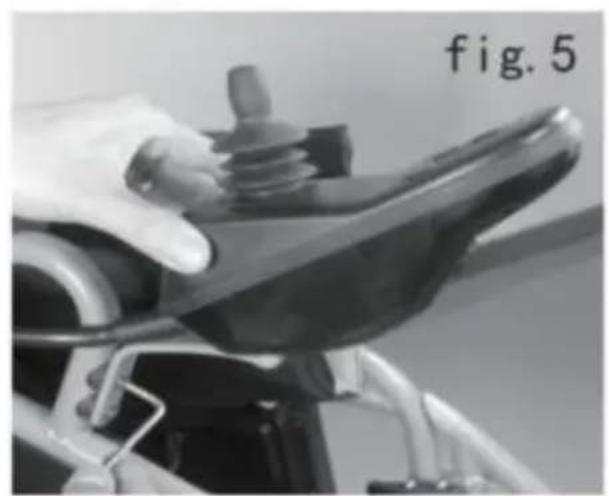
5.1.3 Unscrew the bolts and washers from the controller stem, then the controller with the plastic washers inserted, tighten the bolts with screwdriver. (Figure 5)
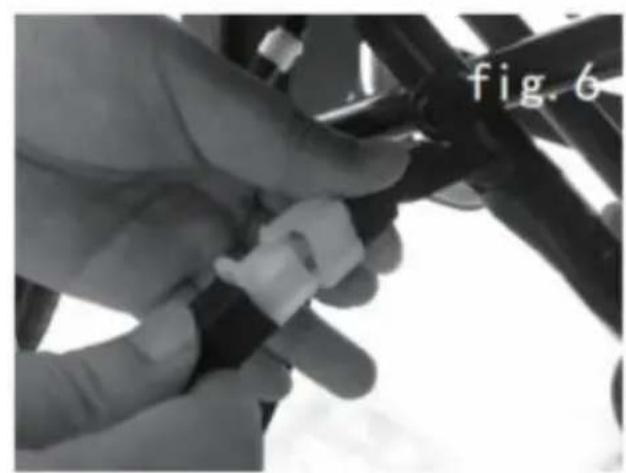
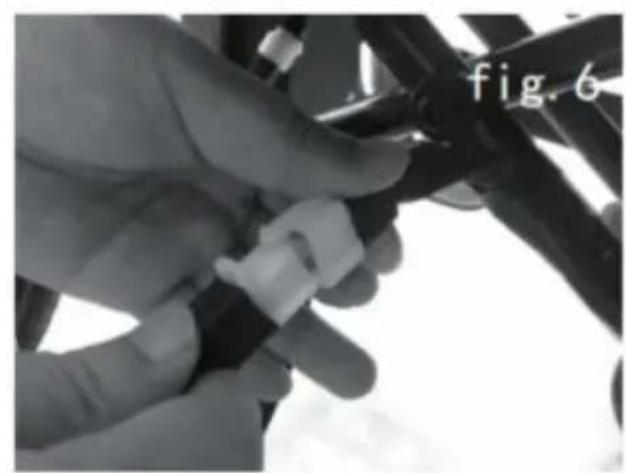
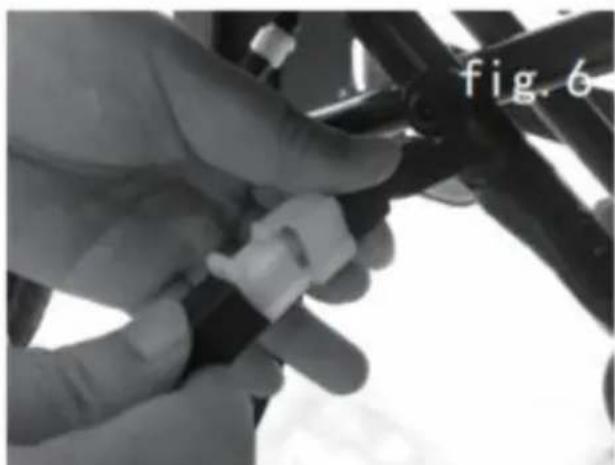
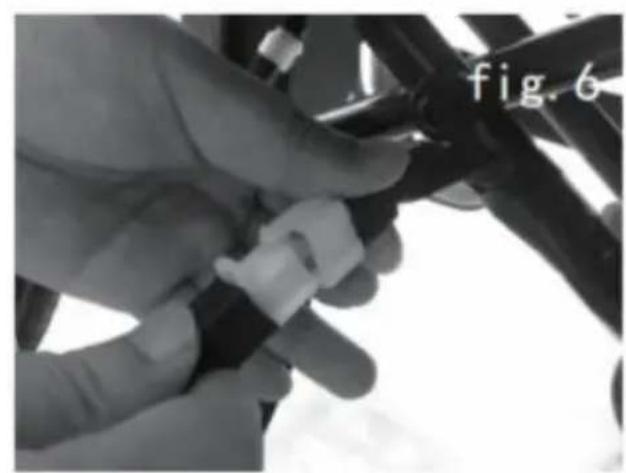
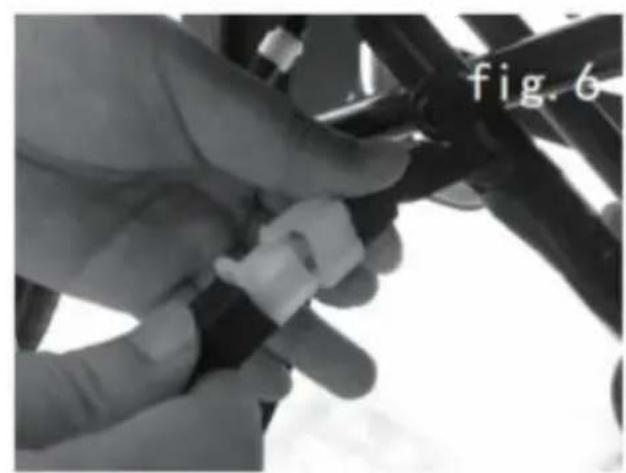
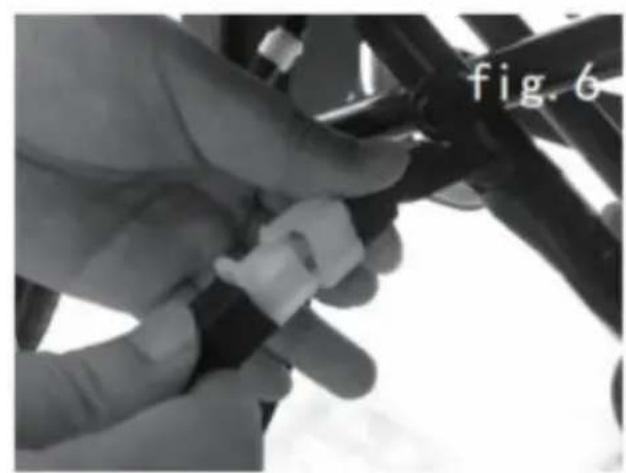
5.1.4 Connect the plug of the battery box on the frame socket.(Figure
natural_image
Person wearing a wheelchair with hands placed on the back (no visible text or symbols)
natural_image
Close-up of a robotic arm with a red arrow pointing to a circular component, labeled 'fig. 3' in the corner (no other text or symbols)
natural_image
Close-up of hands operating a mechanical device with red arrows indicating motion or assembly (no text or symbols visible)
natural_image
Close-up of a hand operating a bicycle steering wheel, labeled 'fig. 5' in the corner (no other text or symbols visible)
natural_image
Close-up of a hand adjusting a black cable with a white plastic clip, labeled 'fig. 6' in the corner (no other text or symbols)
natural_image
Close-up of a car fuel injector being inserted into a vehicle compartment, labeled 'fig. 7' (no other text or symbols visible)
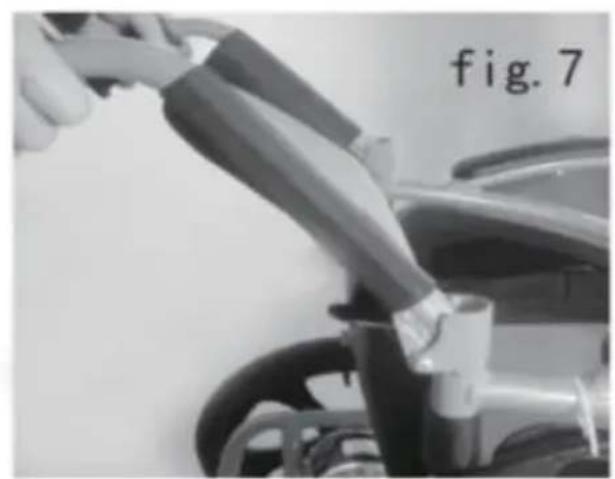
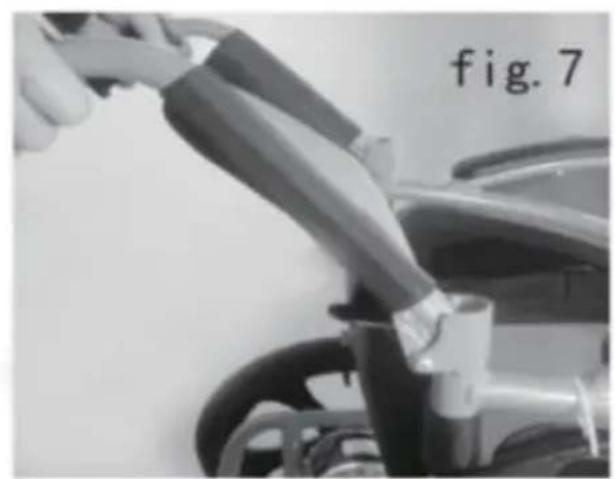
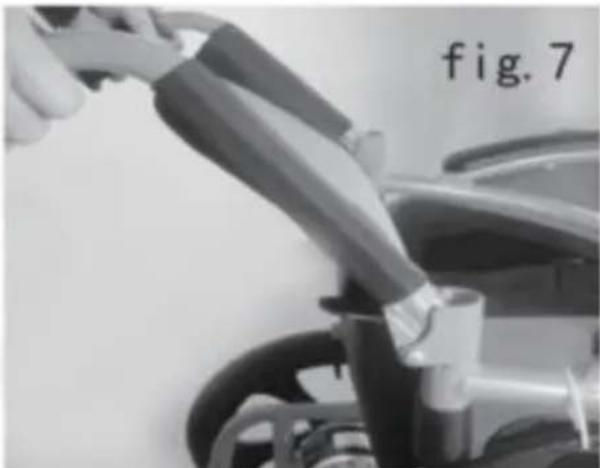
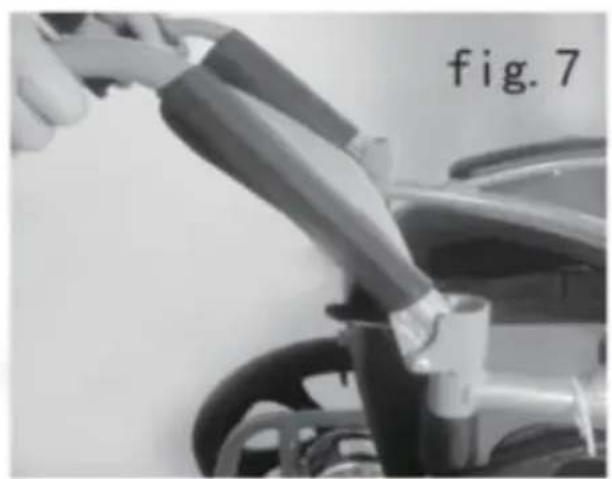
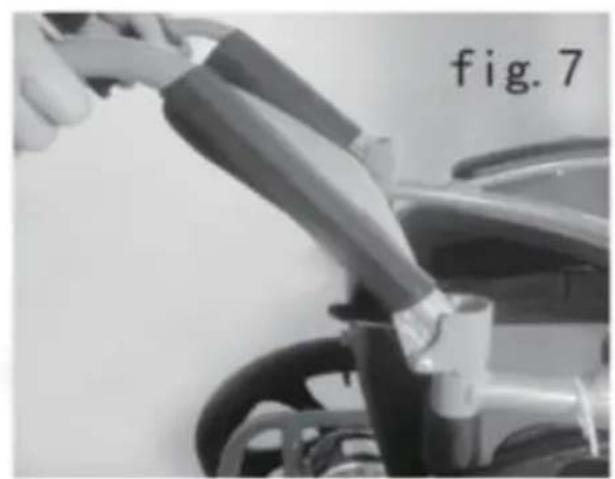
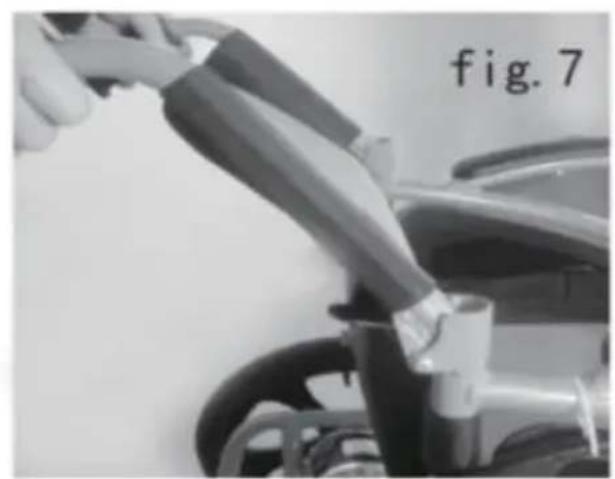
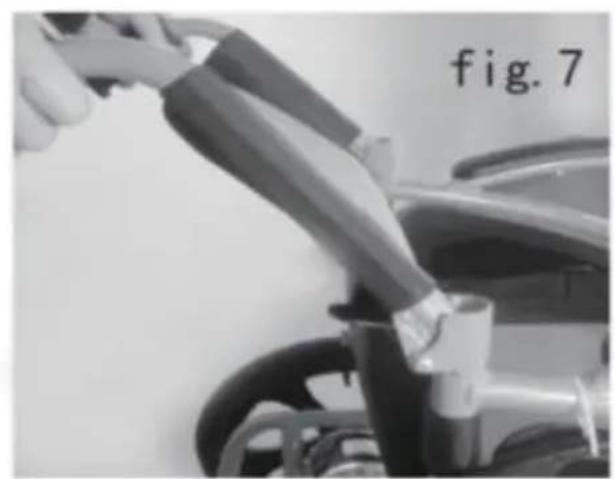
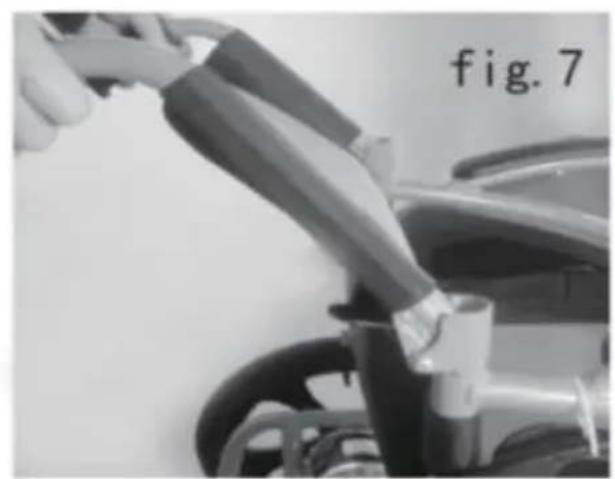
5.1.5 Pull up the handlebars, and lock the folding device.(Figure 7)
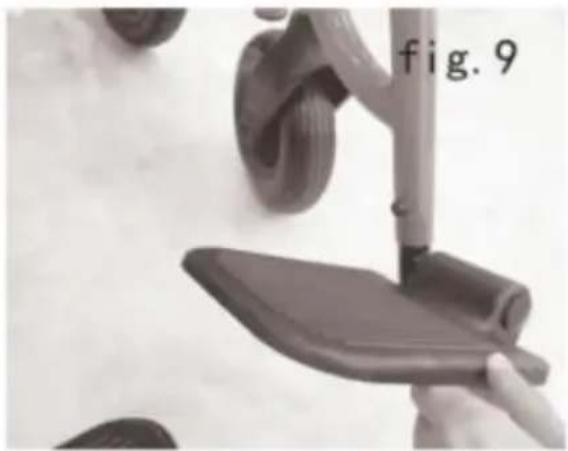
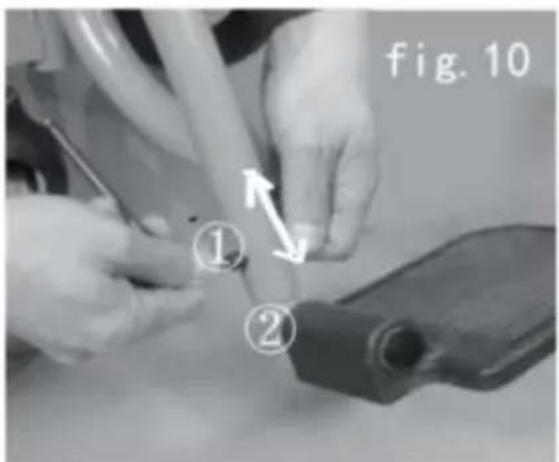
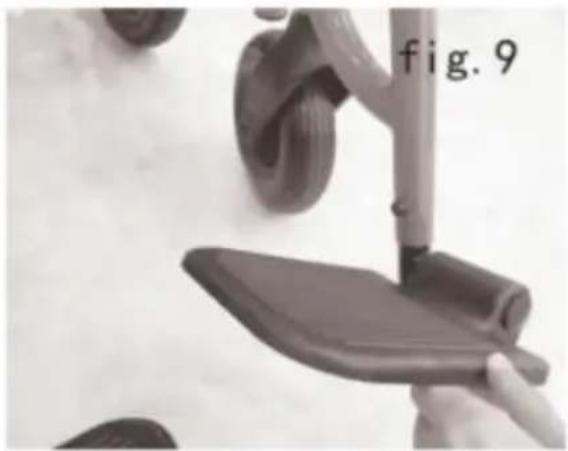
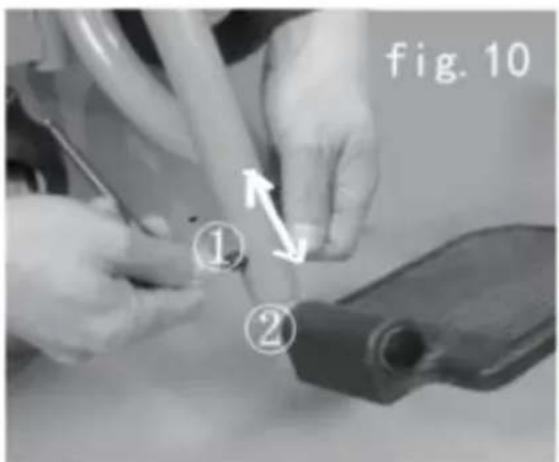
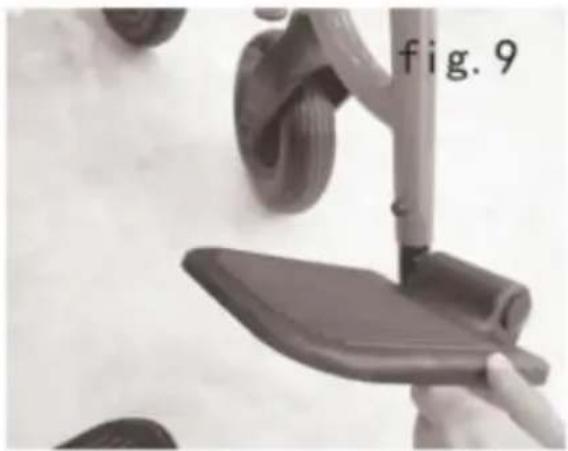
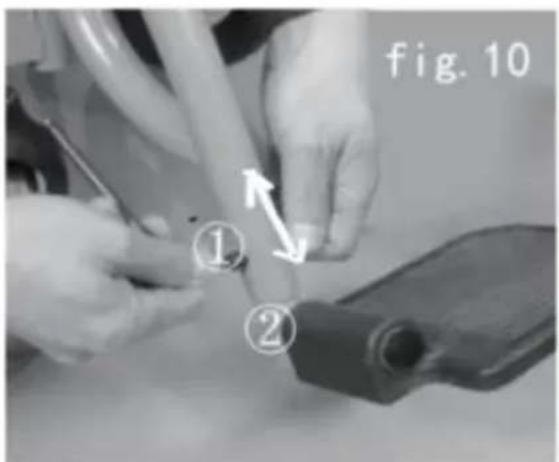
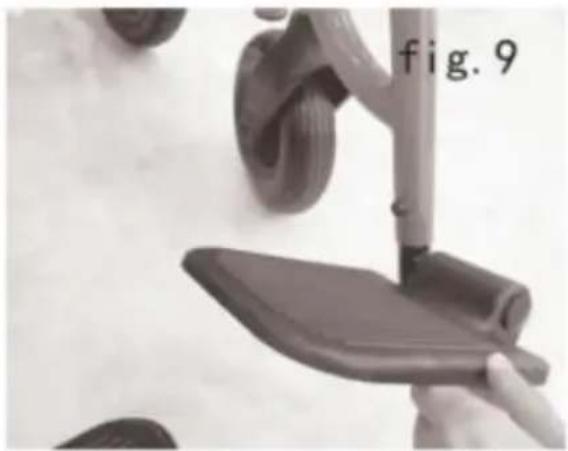
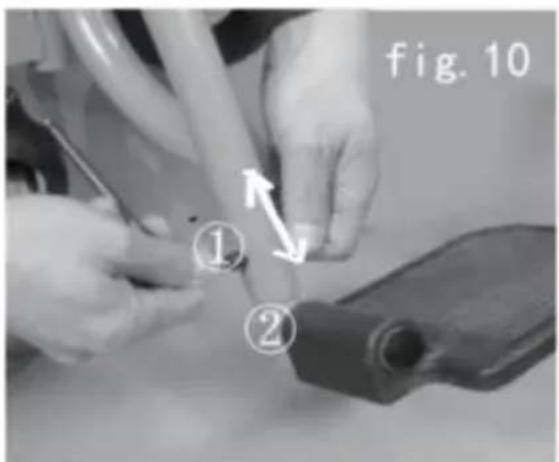
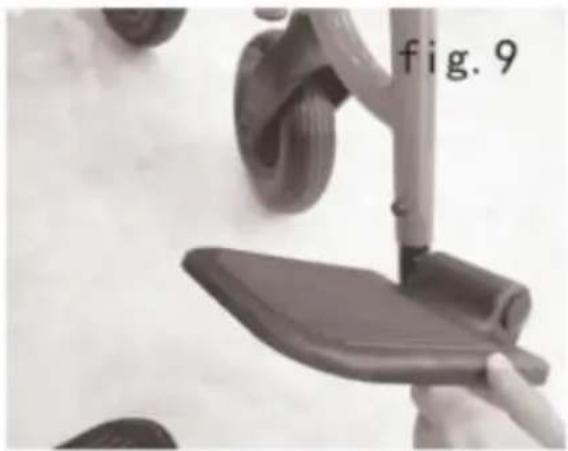
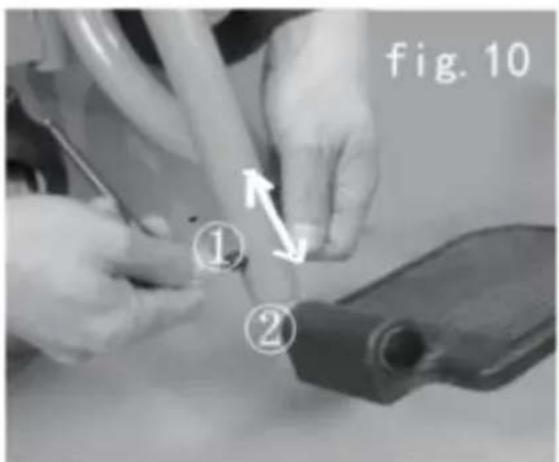
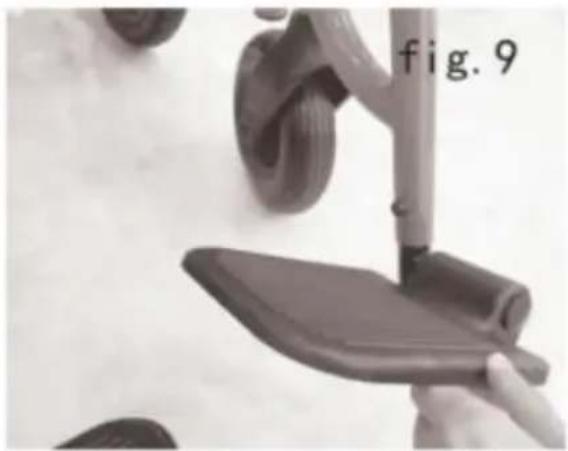
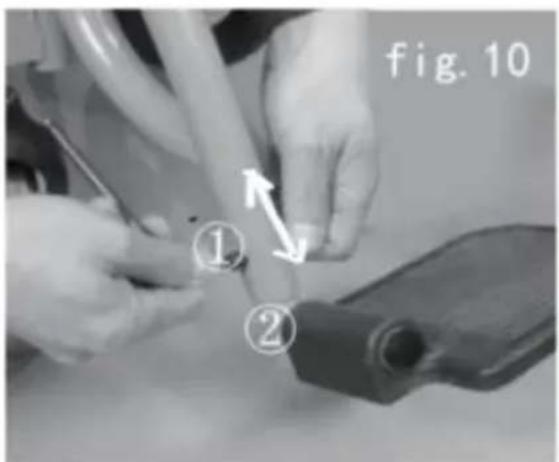
5.1.6 Install the footrest on the 2 cylinders of chair-frame(Figure 8), re the pedal down(Figure 9), and then the pedals can be adjusted up a down.
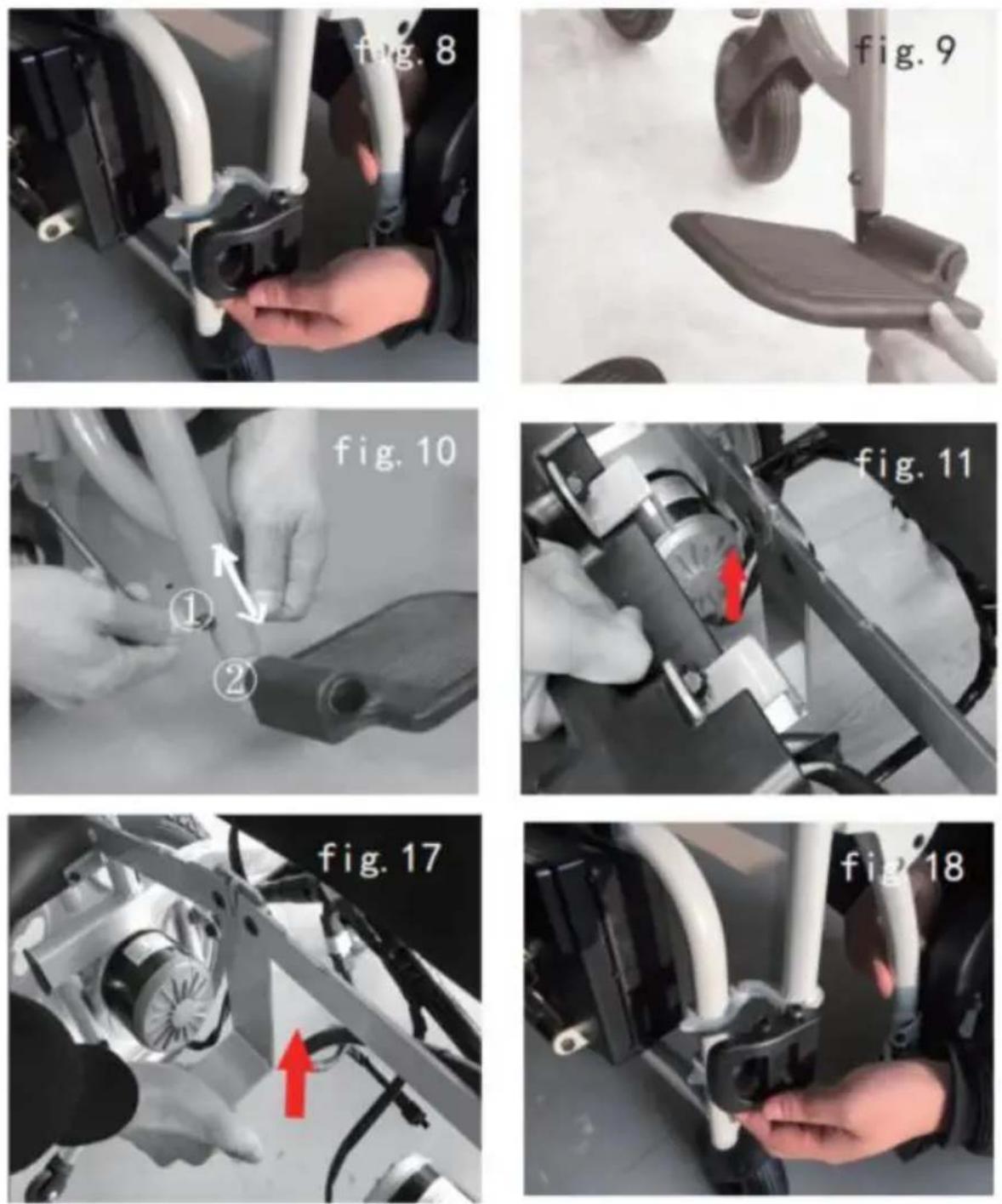
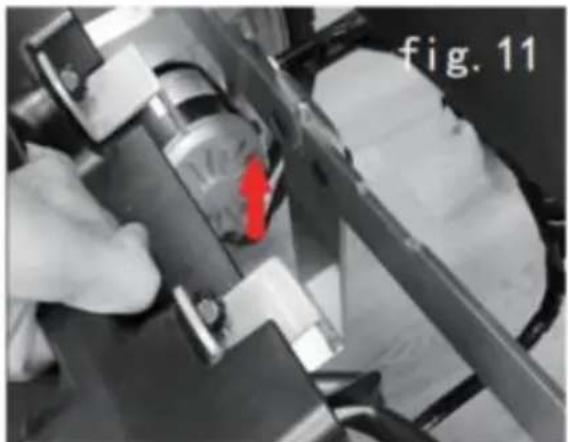
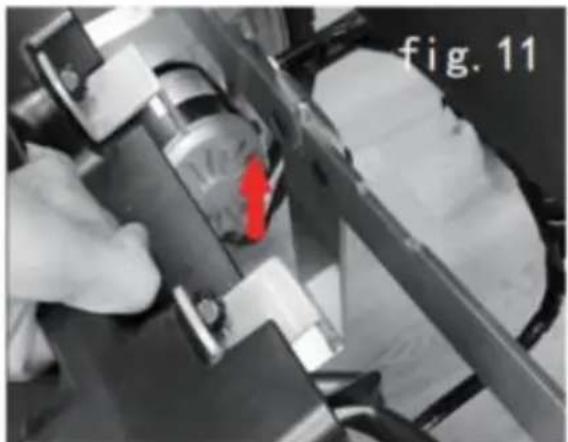
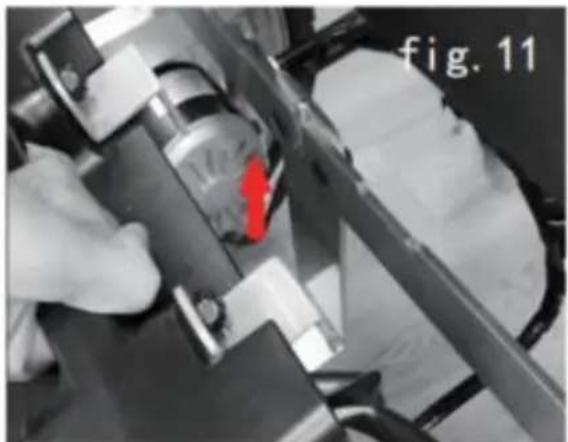
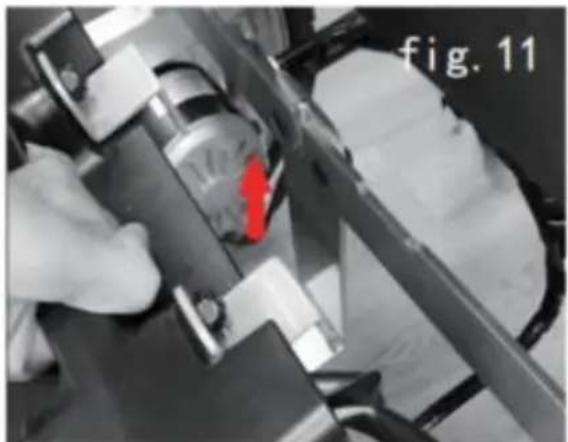
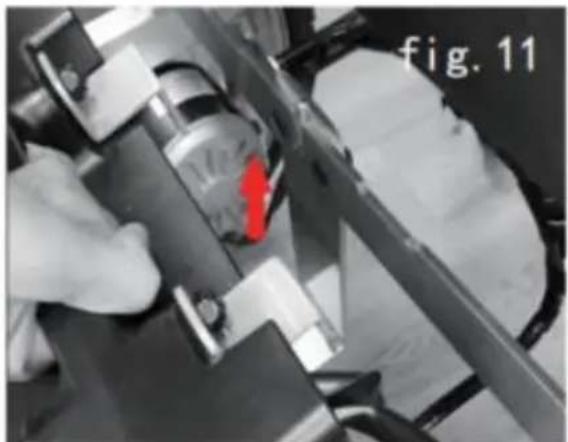
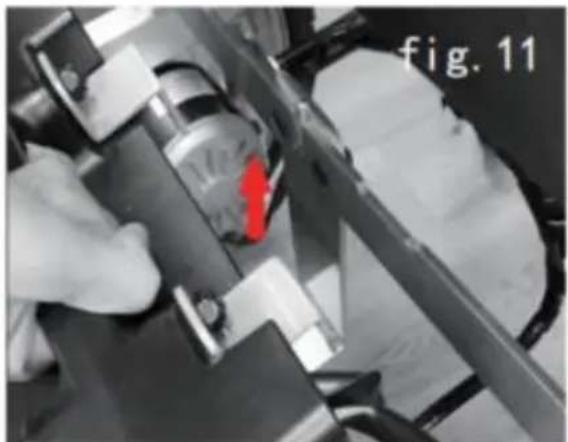
5.1.7 Adjust the height of footrest: unscrew the safe nuts from both of the footrest pole, take out the bolt(Figure 11), slide the extension up and down to adjust the footrest height suitable to the position need by the user, and then insert the bolt and fix the nuts.
5.2 Folding and storage
Please refer to the below method when transporting or storing the wheelchair:
①Put the wheelchair on flat ground and turn off the power supply.
②Lay aside the footrests and leg cushion. Turn them upward by 90^ . (Figure 9)
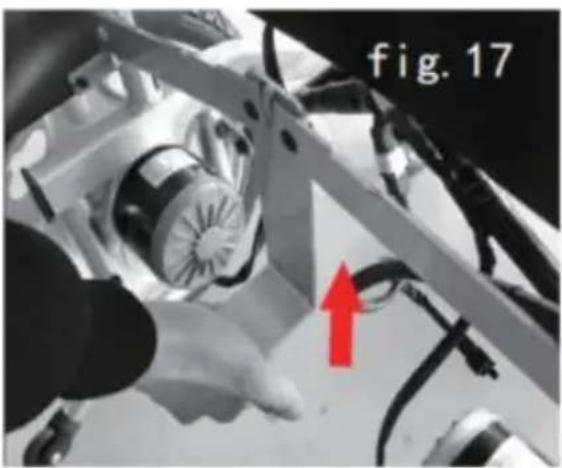
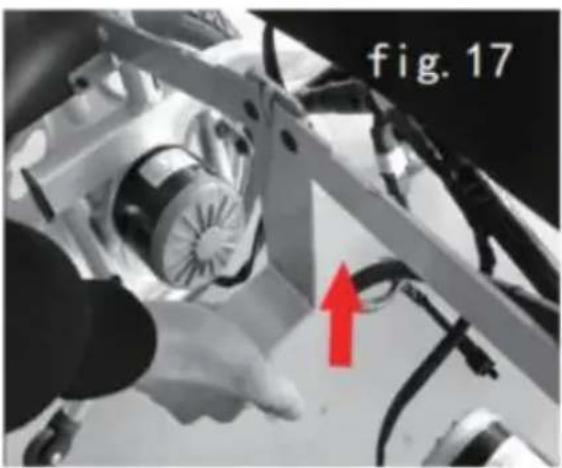
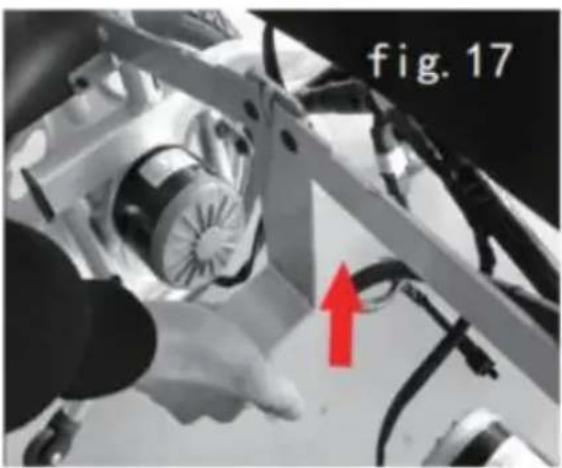
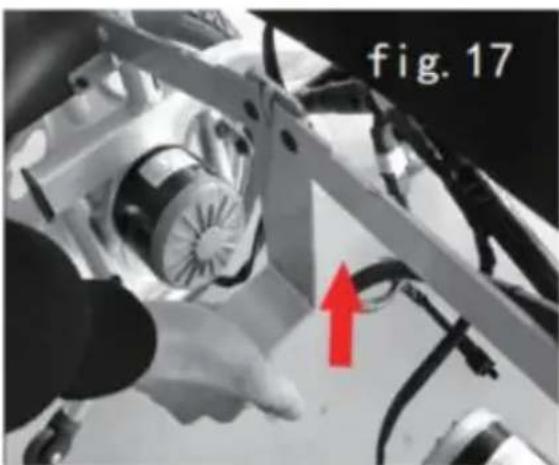
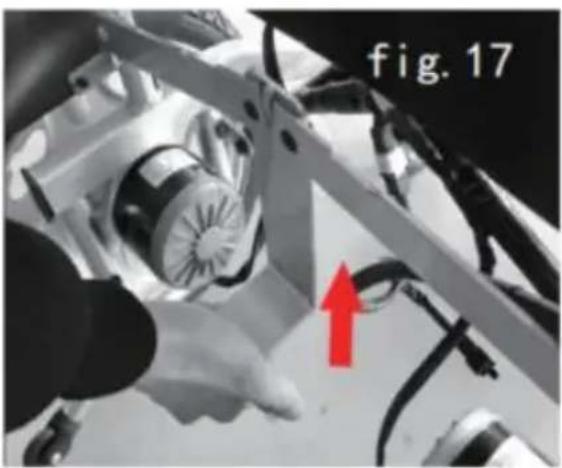
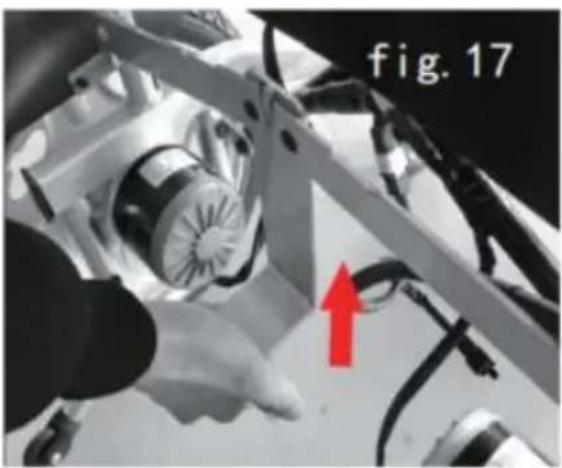
③Switch off the power supply, take off the batteries(Figure 11), and put away the battery supports.(Figure 17)
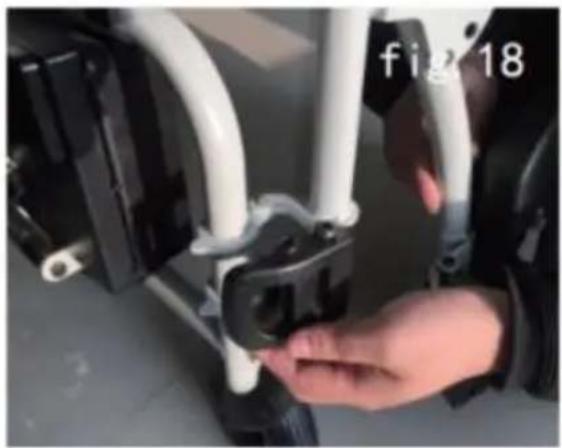
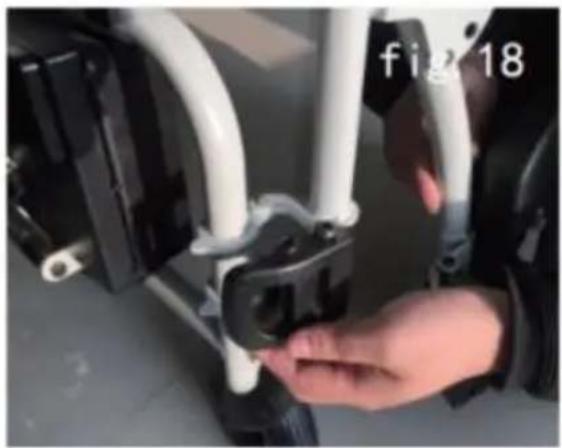
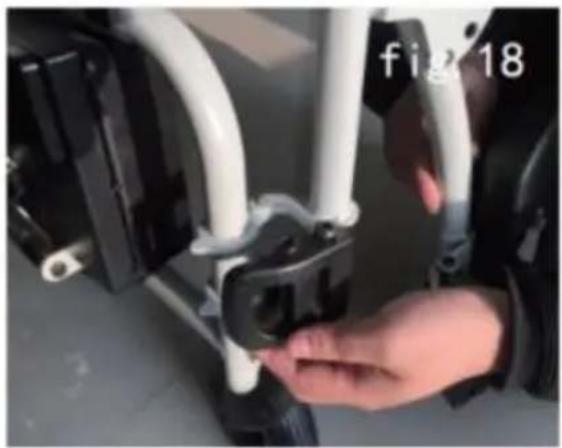
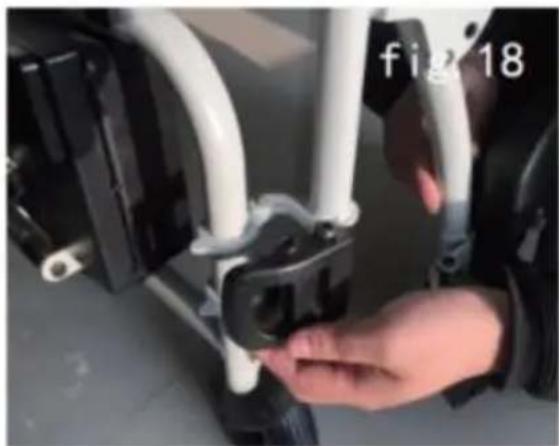
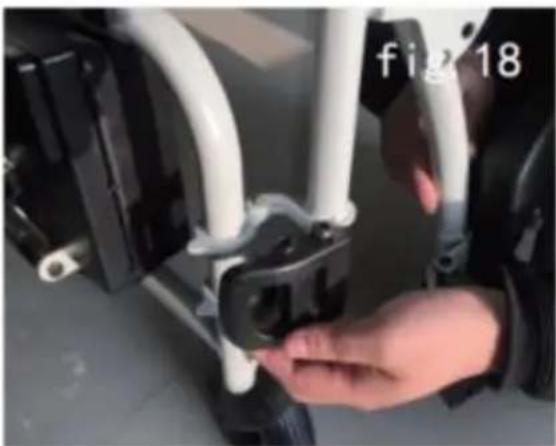
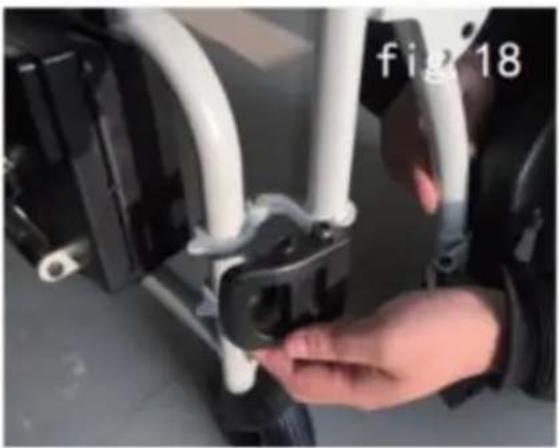
④Push the leg pole holder outside, and rotate the leg pole by 90^ , upward and take it out. (Figure 18)
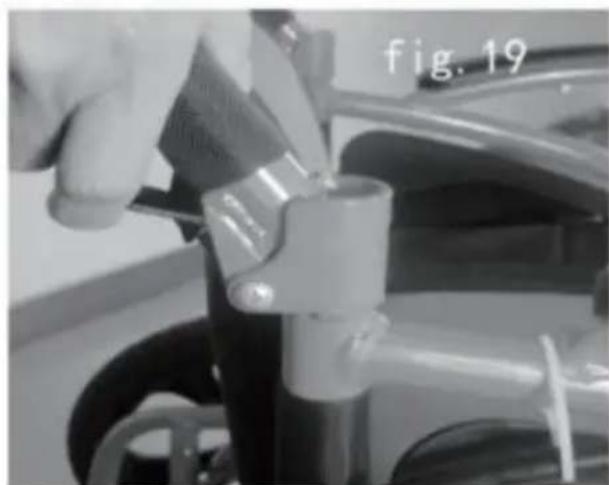
⑤Adjust the handlebars, turn the lever under the handle to fold the shank.(Figure 19)
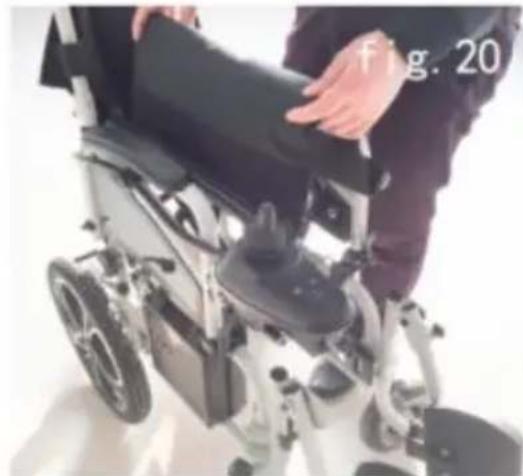
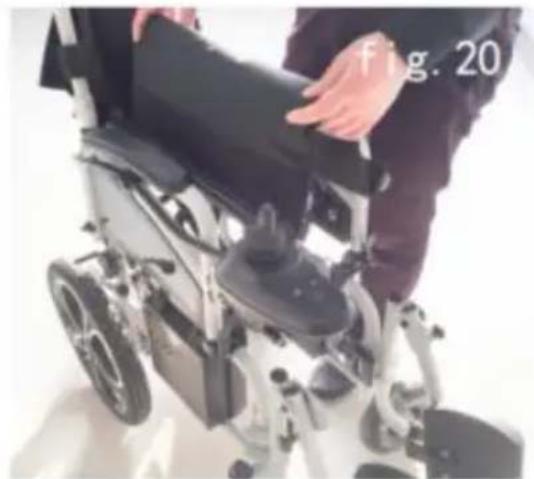
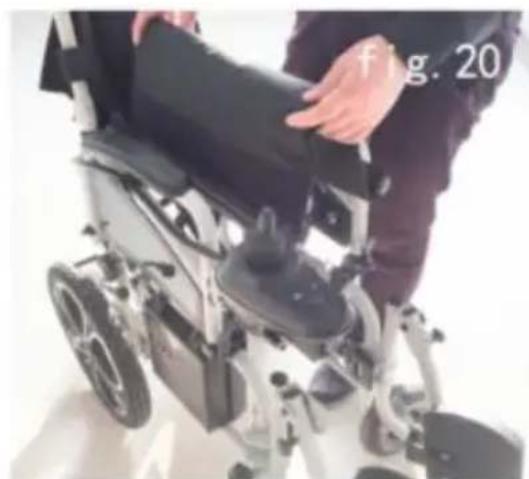
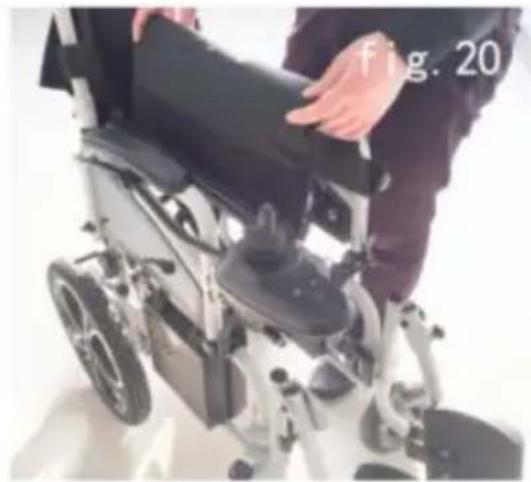
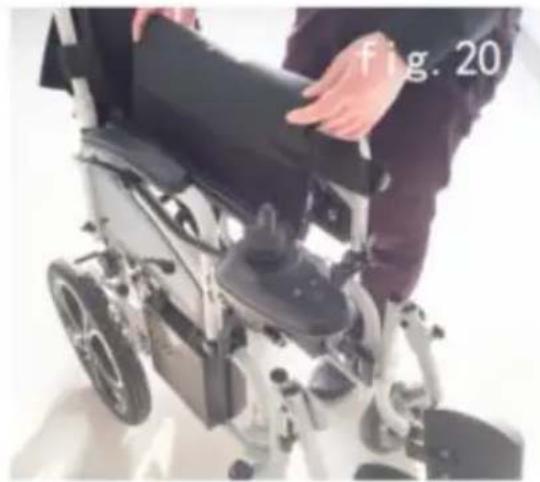
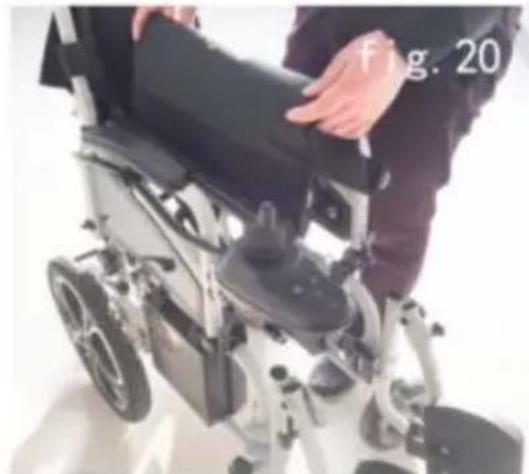
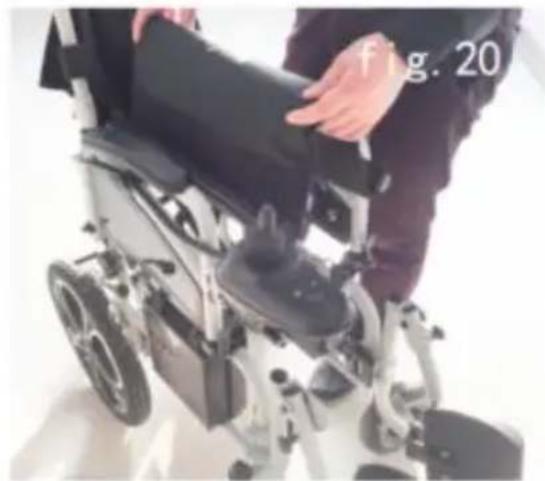
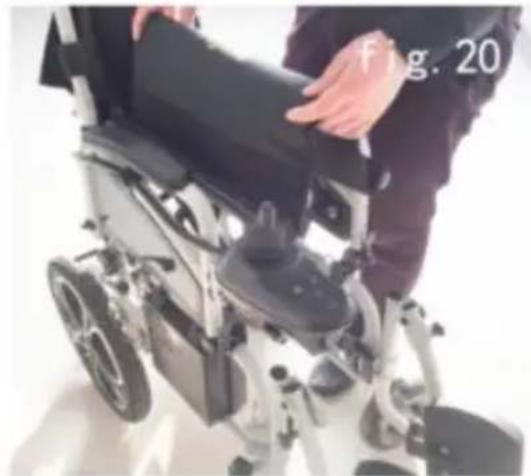
⑥Pull up the seat cushion (Figure 20), then the wheelchair frame could be folded from both sides.
natural_image
Close-up of a hand adjusting a mechanical component, possibly a valve or clamp, with no visible text or symbols.
natural_image
Person in a wheelchair with hands adjusting the seat, no visible text or symbols
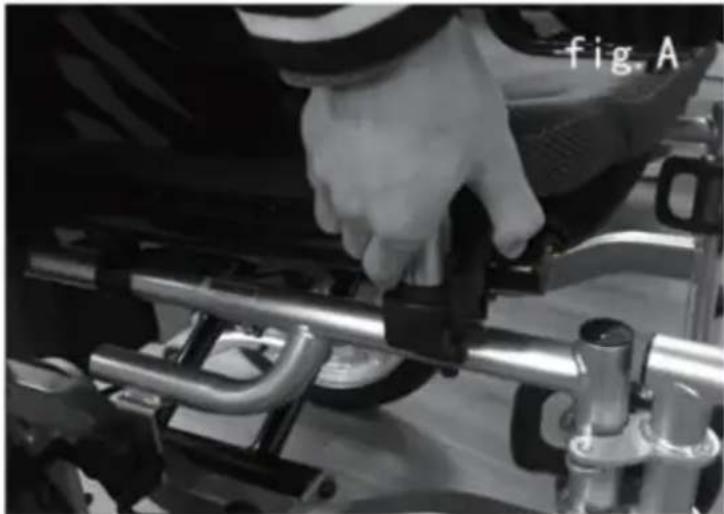
⑦Press the handle button for the opening. (Below A)
natural_image
Close-up of a hand adjusting a metal component on a vehicle chassis (no visible text or symbols)
6. Using and operation
6.1 Using
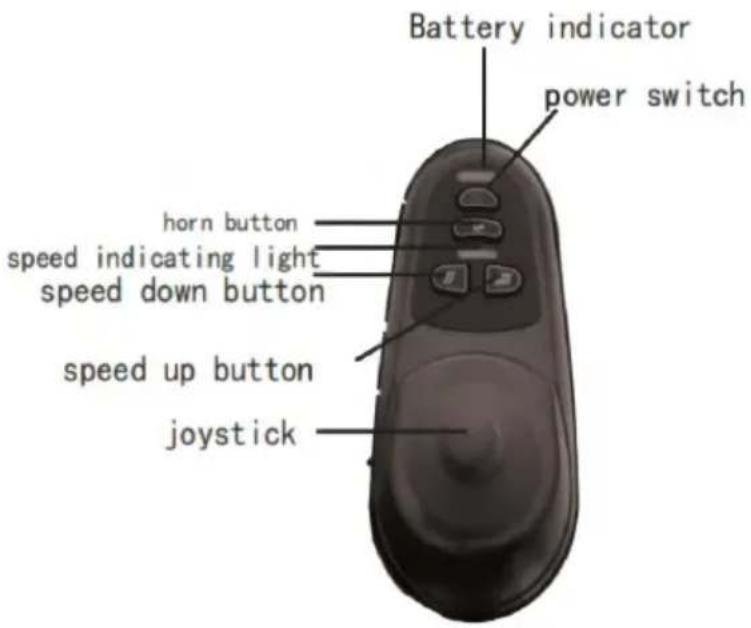
6.1.1 Controller: an absolutely necessary electrical device. All electronic components to operate the wheelchair are integrated to the device.(Fig 12) Usually, the controller is installed on an armrest, connected together with the motors and batteries to the power box.
- Switch button: Switch button supplies the power for control system for electronic equipment, then equipment supplies the power for motor of wheelchair. Do not use the switch button to stop the chair unless an emergency situation. Otherwise it may shorten the life of the wheelchair drive components.
- USB: For charging daily used small appliances such as mobile phone small fans.
- Joystick: The joystick is mainly used to control the wheelchair's movement including its speed and direction (forward, backward and left right etc). The further you push the joystick from its central position, faster the wheelchair moves. Whenever you release the joystick, it will automatically go back to the center and the brake will be automatically operative to stop the wheelchair.
●Horn button: The horn will sound if you press this button.
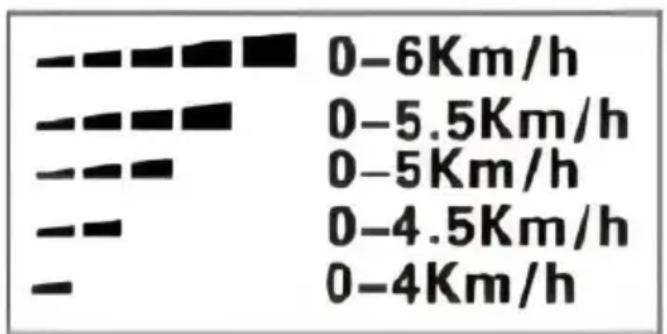
- Speed Up/Down Buttons and Speedometer: After turning on the power the speedometer shows the current maximum speed setting. This maximum speed setting can be adjusted through the speed up button speed down button by user.
bar
| Range | Value (Km/h) |
|---|---|
| 0-6Km/h | 0 |
| 0-5.5Km/h | 0 |
| 0-5Km/h | 0 |
| 0-4.5Km/h | 0 |
| 0-4Km/h | 0 |

WARNING!
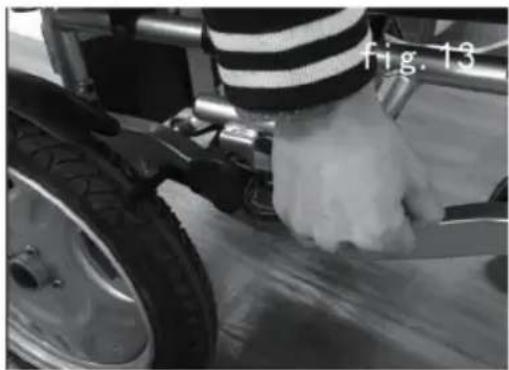
If your wheelchair moves accidentally, please immediately release the joystick and pull up the manual brake.( Figure 13)
natural_image
Close-up of a person wearing a striped shirt and holding a tool near a tire (no visible text or symbols)
- Charger Socket: It is only used to this wheelchair. Do not use the supply power to any other electrical equipment. Otherwise, it may dan the wheelchair's control system or its E.M.C performance (Electromagnetic tolerance).

CAUTION!
If you connect any devices other than the supplied battery chart, the socket, causing damage to the control system, then the wa invalid.
6.1.2 Batteries and Its Usage
Fully charge your new battery prior to its initial use. This brings the up
to about 90 % of its peak performance level; Give the battery another charge of 8-14 hours and operate your wheelchair again, the batteries now perform at over 90 % of their potential; After four or five chargin cycles,
the batteries will top off at 100% charge and last for an extended p. Please replace a new battery when the battery failure, and the old b must be returned to supplier because of environmental pollution.
| Battery specification |
| Type | Deep-cycle lead acid batteries or gel-cell batteries |
| Dimension | R t12200 (181mm*76mm*170mm) |
| Power | 12V/pc |
| Amperehour | 12Ah |

CAUTION!
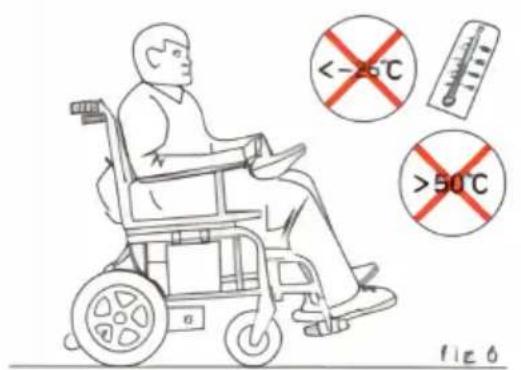
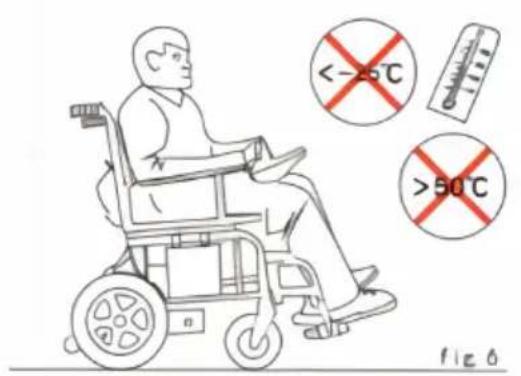
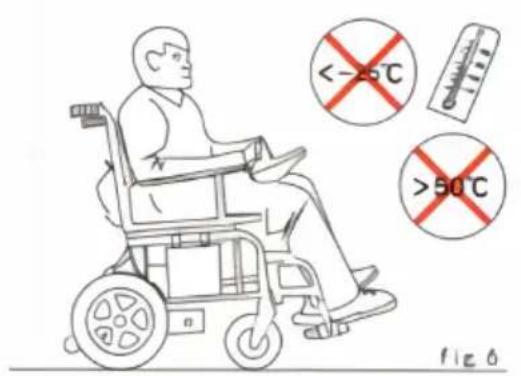
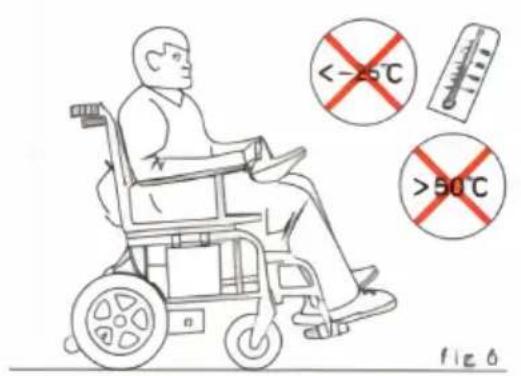
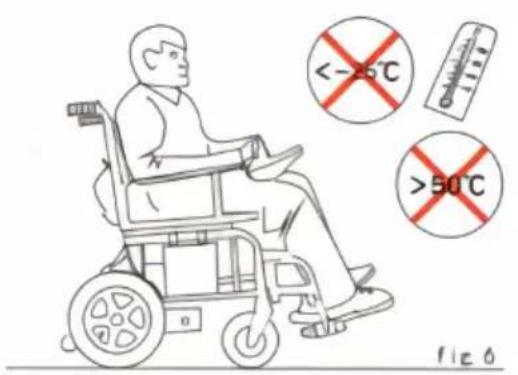
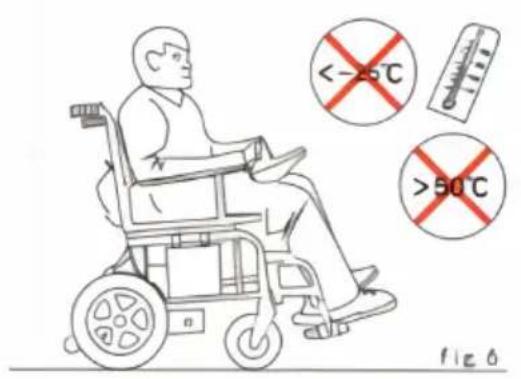
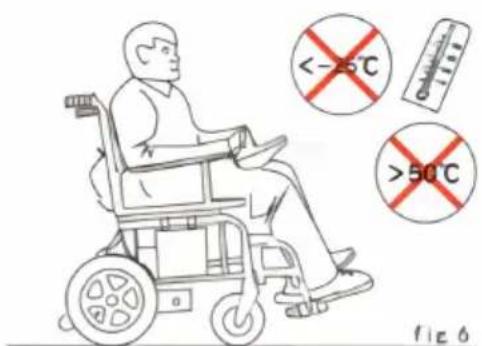
Do not use your wheelchair when the temperature is less than above 50 °C.( Figure 6)
6.1.3 Charging batteries
The battery charger is an important part of the wheelchair. The off-bc charger attached to this product can charge its batteries quickly and to make your wheelchair the best.

CAUTION!
The charge of 24V/2A supplied by our company meets the requirements mentioned in Section《General Safety Requirements》) of medical electrical equipment GB9706.1- 2007.
battery must be charged by the charger supplied by us. Any other of chargers are forbidden.
Please note below tips when charging:
- Be certain the controller is powered off and the wheelchair is in the mode, instead of the manual mode.
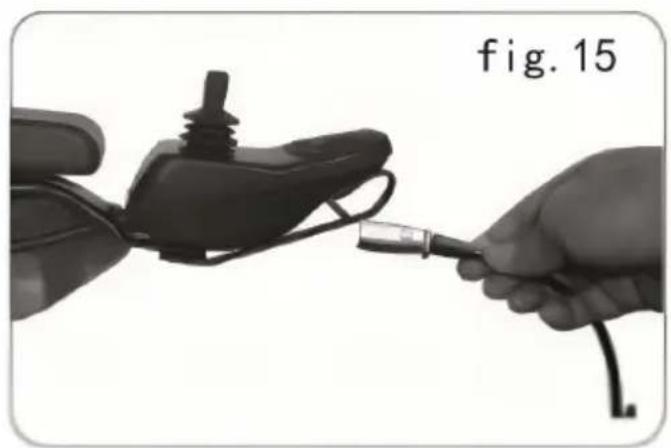
Connect the 3-pin output plug of the charger to the controller. (Figure) The green LED on the charger lights when the batteries are fully charged. We recommend you that the batteries is charged for 8-12 hours.
- Remove the charger and power plug when fully charged, and put the into the bag behind the seat rest.

WARNING!
Never get the batteries frozen, neither charge the frozen batterie otherwise it may lead to personal injury and damage to batterie
6.1.4 Overload protector
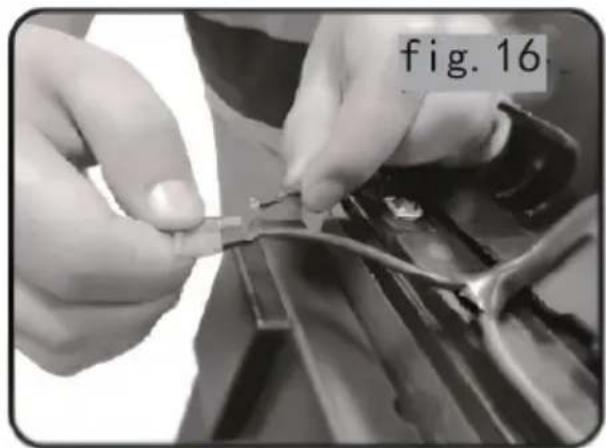
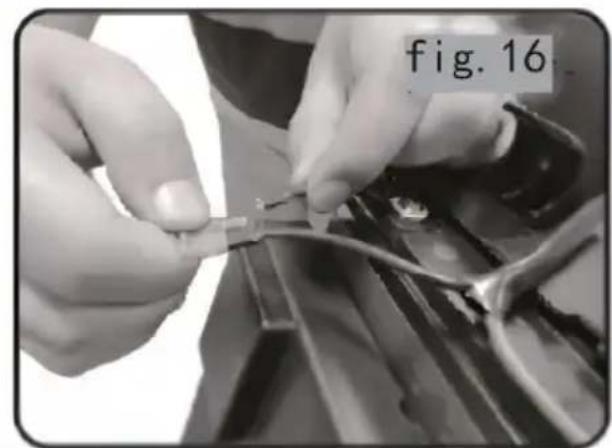
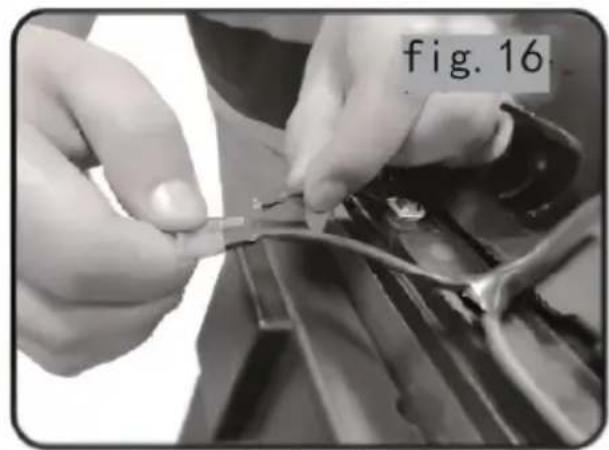
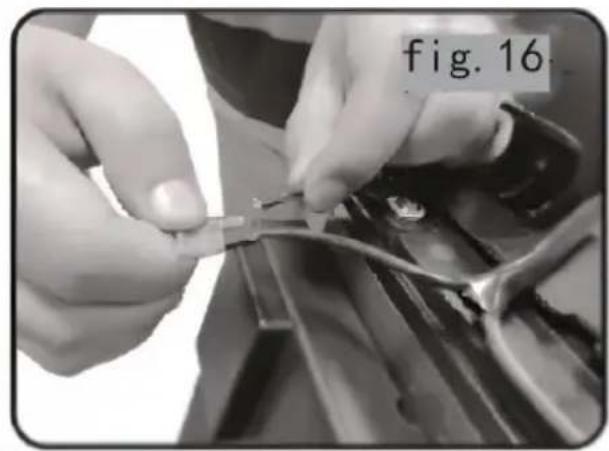
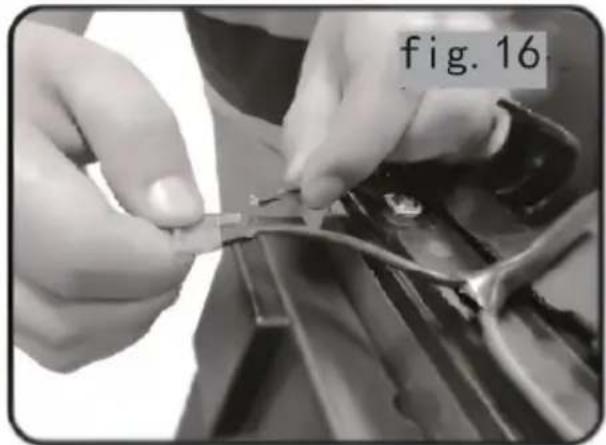
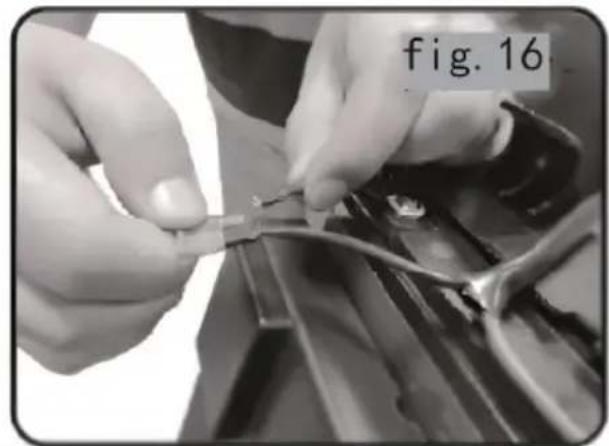
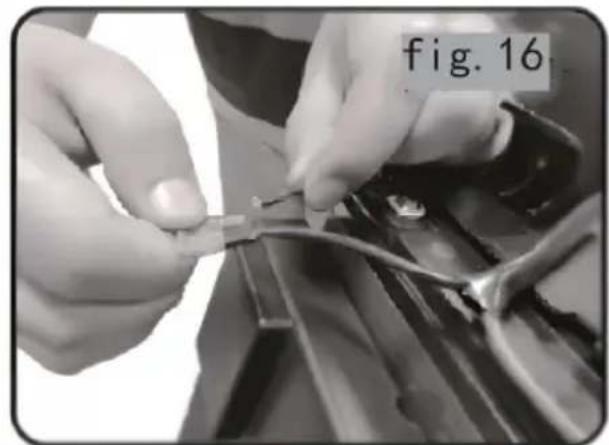
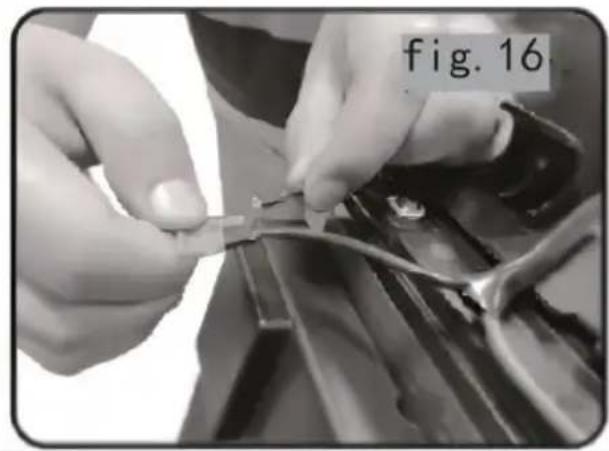
The overload protector is set for the wheelchair's safety. Once motors overload, the overload protector will trip to cut off the power to prevent motors and electric components from damage. In order to recover the function of protector, professionals only to unscrew the bolts from the battery box, replace the backup fuse with the broken one, then or the battery box and fasten the bolts. (Figure 16)
natural_image
Close-up of a hand holding a black electronic device with a cable, labeled 'fig. 15' (no other text or symbols)
natural_image
Close-up of hands assembling a small electronic component with a tool, labeled 'fig. 16' in the corner (no other text or symbols visible)
6.1.5 Brake lever
Pull back the brake lever when no need to drive the wheelchair. Pre wheel with the brake lever to keep the wheelchair remain still.
Push the brake lever forward to keep it away from wheel when need drive the wheelchair.
6.1.6 Safety belt
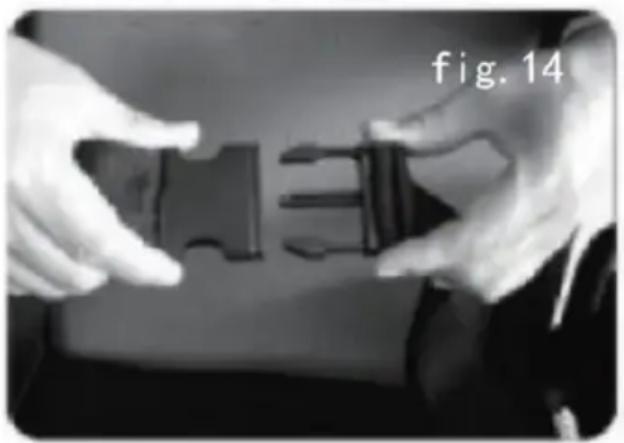
For your safety, the safety belt must be fastened before you drive the wheelchair.( Figure 14)
natural_image
Close-up of hands holding a black plastic bag with visible internal components (no text or symbols)
6.2 Operation
6.2.1 Preparation before operation
- Do not turn on the power switch when sit on the power wheelchair turn off the power switch when get off from the wheelchair. Please do whether the hand brake works or not.
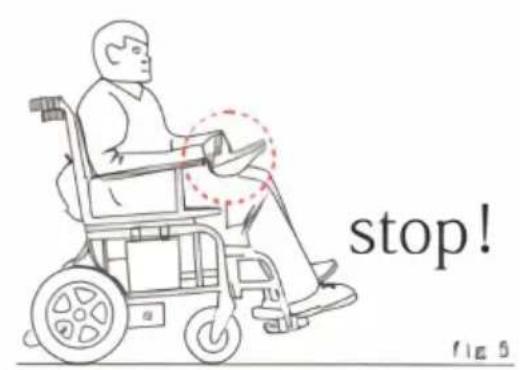
- Please fold the pedal first then hold the armrest to sit on the wheel. Do not get off the wheelchair by stepping on the pedal. Otherwise the maybe turned over, which is dangerous.
6.2.2 Practice before operation
●Find a spacious place like square and have a assistant to help you practice until you have enough confidence to operate it.
- Be certain to shut down the power when you up and down the wr and set a speed you need through speed adjustment button.
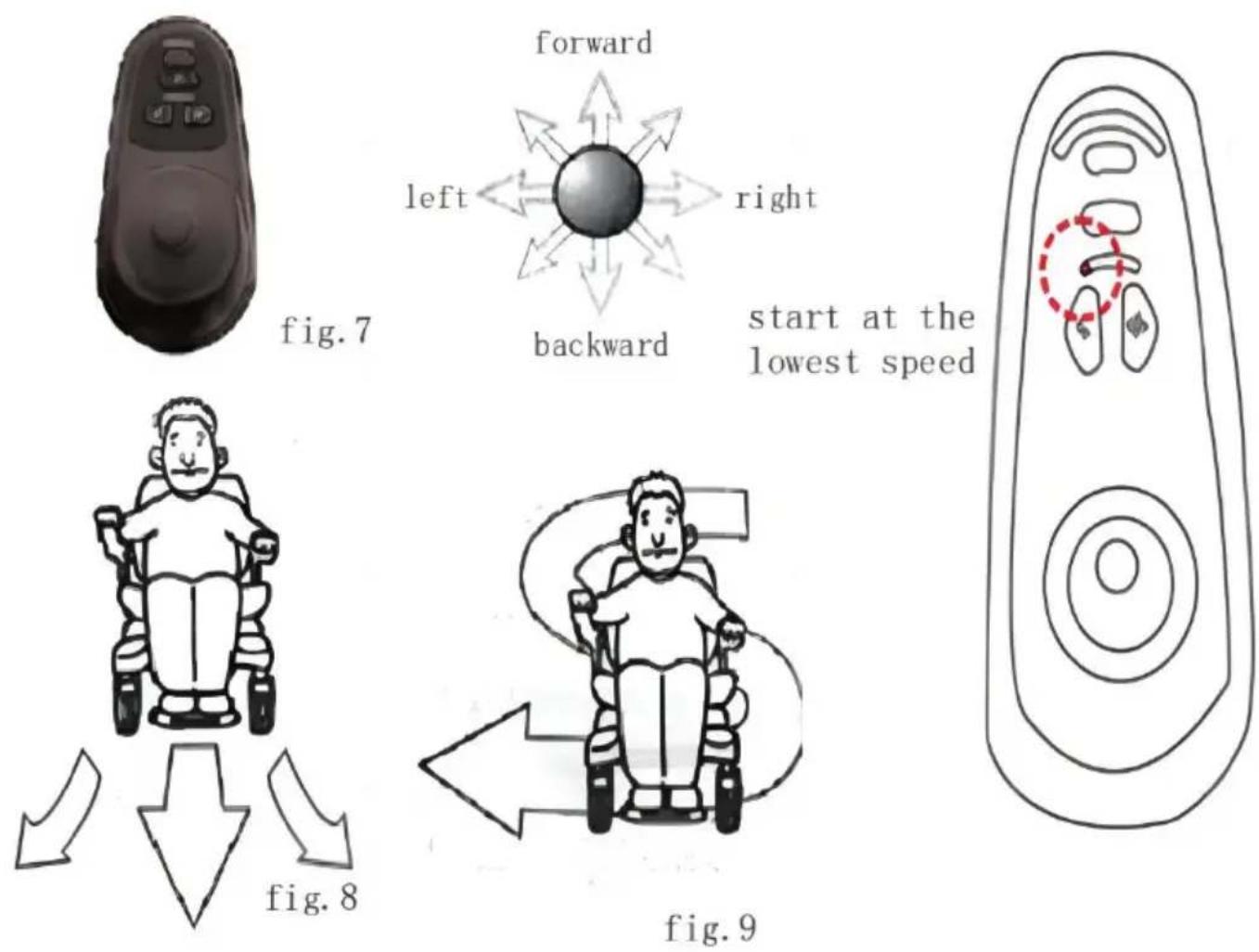
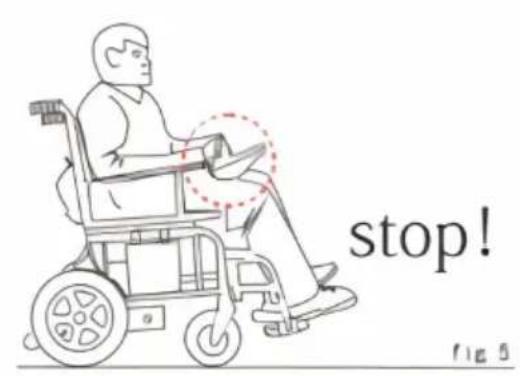
- We recommend you set the lowest speed until you can operate the electric wheelchair skillfully. (Figure 7)
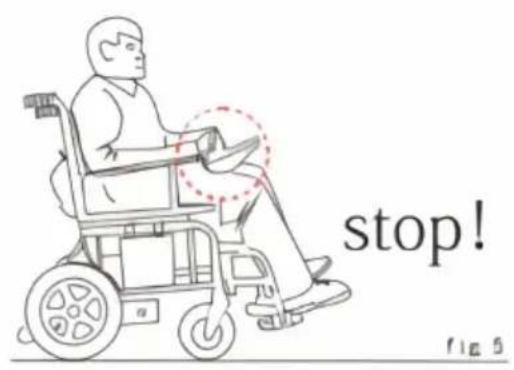
- To Practice the stop operation, forward and backward. Push the han the wheelchair move to anywhere you want.( Figure 8)
- Firstly, ensure that it is the lowest speed when practice forward operation. After Skilled, you can practice "S" shaped turn. After you are familiar "S" shaped turn, to practice backward operation, and pay attention to speed control setting. And the backward speed should lower than forward speed.( Figure 9)
6.2.3 Operation
Please do it according to precautions operation.
7. Fault diagnosis and troubleshooting
This product has an automatic fault warning function to give you very
convenience. Once it malfunctions, the LEDs on the controller will flas with alarm sounded by the horn. You can find where a fault is acco information in Table 2.
If the fault still exists after checking out the fault based on that in t Please consult your service agent immediately.
| 2 alarm+controller panel pattern 1 | Check the communication connection cable between upper controller and lower control |
| 2 alarm+controller panel pattern 2 | Check the left motor and wiring harness |
| 2 alarm+controller panel pattern 3 | Check the left brake and wiring harness |
| 2 alarm+controller panel pattern 4 | Check the right motor and wiring harness |
| 2 alarm+controller panel pattern 5 | Check the right motor and wiring harness |
| 2 alarm+controller panel pattern 6 | The controller is in the over current state motor end short circuit, the load is too |
| 2 alarm+controller panel pattern 7 | The joystick lever of the controller is malfunctioning or it is no longer in position/ in contact |
| 2 alarm+controller panel pattern 8 | Failure of the controller itself |
| 2 alarm+controller panel pattern 9 | Battery under voltage or battery failure |
8. Safety devices and accident treatment
8.1 Overload Protector: Refer to instruction manual 6.1.4
8.2 Safety belt: Refer to instruction manual 6.1.6
8.3 Please release the joystick whenever there is a wheelchair fault, wheelchair will be stopped.
9. Maintenance and repair
9.1 Maintenance
Like other motorized vehicle, your power wheelchair also requires routine maintenance. Some checks can be performed by yourself, others you ask for assistance from your service agent. Preventive maintenance is important. If you follow the maintenance and checks in this section, your wheelchair will give you years of trouble-free operation. If you have a doubt your wheelchair's care or operation, please contact your service agent or our after-sale service dept.
9.1.1 Humidity
Your wheelchair, like most electrical and mechanical equipment, is susceptible to external conditions. In any case, the wheelchair should avoid damp environment. Direct or prolonged exposure to water or dampness could cause the wheelchair to malfunction electronically and mechanically. Water can cause electrical components and the chair's frame to corrode.
9.1.2 Temperature
- Some parts of your wheelchair are susceptible to temperature.
- In extremely cold temperature, the battery may be frozen. Special temperatures may cause a lot of factors to freeze, like charger type, battery components (such as sealed lead-acid batteries or gel batteries
- Temperature above 55^ may cause your wheelchair's speed to reduce.
9.1.3 General Guidelines
- Avoid beating the controller, especially the joystick.
- Avoid prolonged exposure of your wheelchair to extreme conditions, as hot, cold or moisture environment.
- Keep the controller clean.
- Check all electric connections, including the cable and connectors of charger, and ensure that they are all tight and secure.
- If only red LEDs on the Battery Gauge lights, the batteries are near running out of charge. You should recharge the batteries as soon as possible. We recommend charging the battery for 8-12 hours
- Check the rear wheel inflatable situation, if the tire deformed serious when riding, it should be inflated;
- The frame surface has been sprayed with a clear sealant coating. Y can apply a light coat of car wax to make the surface keep a high
- Check all cable connections. Make ensure they are fastened and are corroded. The battery must be placed in the battery area, flat, the back plug inward, relative display, refer to the correct connection on the m frame label;
- All wheel bearings are lubricated and sealed. Do not need to lubricate them.
- Check if there is loose phenomenon for wheel hub, drive device, and chair itself, if loose, please screw tightly in time.

WARNING!
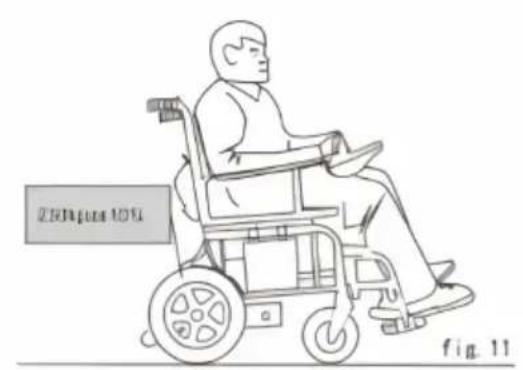
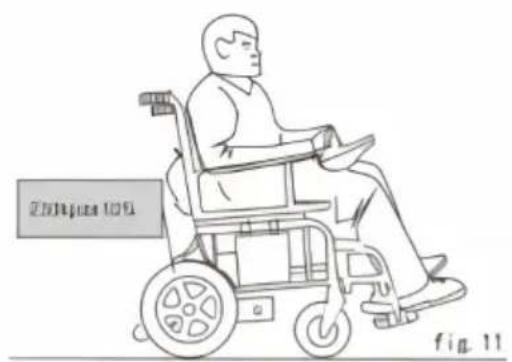
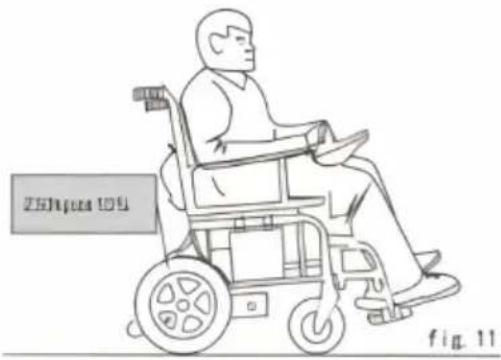
Please be sure the tire pressure is within 230KPa±10%.
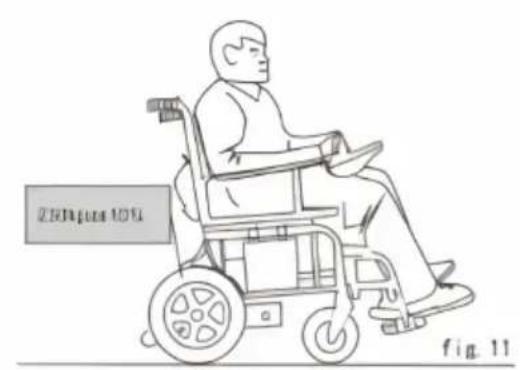
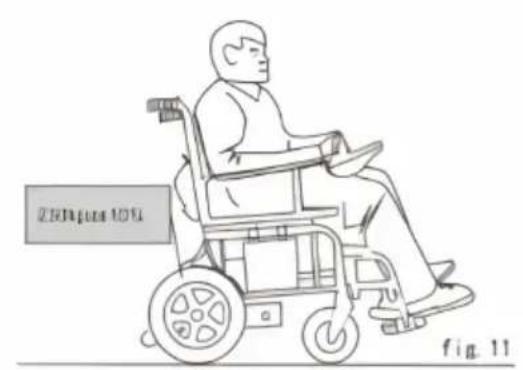
Please inflate the tires with regulated air source and check w pressure gauge. Do not exceed the pressure range, otherwise cause exploded tires or personal injury. ( Figure 11)
9.1.4 Maintenance after use
- Turn off the power.(please disconnect all the connectors if not use long time.)
- Inhibit children and unconscious person to use the wheelchair.
- Store the wheelchair in normal temperature to prevent reformation so it keeps its performances for long period.
- Clean the wheelchair with a clear and soft cloth and dry it. Never chemicals to clean it.(to prevent deformation and discoloration)
- Remove the cloth cover of the seat rest to be washed if it is dirty dry it for use.
9.1.5 Daily Checks
In order to keep the wheelchair in good condition, you should check each use. And to maintain the weekly, monthly, semi-annual investigation check the project see (Table III).
9.1.6 Cleaning
Way of cleaning as below:
- Never wash your wheelchair with water or expose directly to water.
- Surface of wheelchair frame is coated with a protective coating. Then it is very easy to wipe it clean with a damp cloth. Never use any 100 gm to clean the vinylon seat and armrest, as they may cause the latter 50% chapped. You can use a damp cloth and neutral soapy water to clean and then dry thoroughly.
9.2 Repairment
9.2.1 Users could repair or replace some spare parts like push hand push handle cover which could be self-maintained or replaced by users under the instructions of after-sales service staff of our corporation or dealers'.
9.2.2 Within the warranty, our corporation or the dealers will maintain replace the faulted spare parts, like motor, battery, charger, controller, bearing, shaft sleeve, etc., due to material or manufacturing defects from charge.
9.2.3 The spare parts like motor, controller, etc. which are confirmed after-sale staff or our corporation or our dealers' to be dissembled co sent to our corporation or the dealers for maintenance.
9.2.4 Please contact your distributor or the after-sale service dept. of corporation for any questions regarding the maintenance of power wheelchairs.
| Inspection Items | At any time | Weekly | Monthly | Six monthly |
| Wheel hubs, Head stock Drivi mechanism and fasteners | | | √ | |
| Joystick function | √ | | | |
| Brake System | √ | | | |
| Connection | | √ | | |
| Battery Condition | √ | | | |
| Tire Condition | | | √ | |
| Inflation condition of rear whe | √ | | | |
| Frame Condition | | | | √ |
| Motor and actuator condition | | | | √ |
| Front Wheel Condition | | √ | | |
| Pureness | √ | | | |


Caution!
In order to guarantee the quality of the power wheelchair, Pleaus or our dealers to replace the spare parts with same model specifications if the consumable parts like batteries, tyres, control motors and charger, etc. need to be replaced. The maintenance be proceeded at our corporation or the dealers' maintenance de
10. Transportation and storage
10.1 Transportation
You can load and transport according to the shipping marks and graph. For details, see the attachment.
10.2 Storage
Your wheelchair should be stored in a clean indoor environment with relative humidity ≤80% , good ventilation and free from corrosive gas. Remove the batteries from the wheelchair prior to storage. Otherwise, frame may rust and the electronics may be damaged.
11. Opening and checking
The packing list is attached in the package. Please check if any par missed or damaged.
12.Quality Assurance
12.1 Warranty
12.2.1 Chair frame supply 3 years warranty service.
12.2.2 Within 1 year from the purchase date, for the following pa we will supply free maintenance and replace service for original customer after the dealer check there are materials and productio defect.
●Electrical control or lever system
- Motor/Drive System
●Bearing and shaft sleeve
12.2.3 Six-Months warranty for the batteries.
Please note the warranty service is provided by your dealer, and fina finished by our after-sales department and dealer together.
Out of warranty
●ABS plastic cover shell and rubber pad
•Tyre
- Interior decoration
- Damage by abuse, wrong operation, accidents and negligence
- Damage by wrong operation, maintenance and storage.
●Business use or other abnormal use
Imported to AUS: SIHAO PTY LTD. 1 ROKEVA STREETEASTWOOD NSW 2122 Australia
Imported to USA: Sanven Technology Ltd. Suite 250, 9166 Anaheim Place, Rancho Cucamonga, CA 91730
SHUNSHUN GmbH
Römeräcker 9 Z2021,76351
Unit 5 Albert Edward House, The Pavilio
Preston, United Kingdom
Made In China
VEVOR®
TOUGH TOOLS, HALF PRICE
Technical Support and E-Warranty Certificate
www.vevor.com/support
VEVOR®
We continue to be committed to provide you tools with competitive price. "Save Half", "Half Price" or any other similar expressions used by us only represent estimate of savings you might benefit from buying certain tools with us compared top brands and does not necessarily mean to cover all categories of tools offered are kindly reminded to verify carefully when you are placing an order with us actually saving half in comparison with the top major brands.
VEVOR®
TOUGH TOOLS, HALF PRICE
MODÈLE : W5216
natural_image
Line drawing of a wheelchair with wheels and handle, no text or symbols present
Have product questions? Need technical support? Please feel fr contact us:
Technical Support and E-Warranty Certificate
www.vevor.com/support
This is the original instruction, please read all manual instruction carefully before operating. VEVOR reserves a clear interpretation user manual. The appearance of the product shall be subject to product you received. Please forgive us that we won't inform you there are any technology or software updates on our product.
Fig. 1
natural_image
Person wearing a wheelchair with hands placed on the back (no visible text or symbols)
natural_image
Close-up of a robotic arm with a red arrow pointing to a circular component, labeled 'fig. 3' in the corner (no other text or symbols)

natural_image
Close-up of hands operating a mechanical device with red arrows indicating motion or assembly (no text or symbols visible)
natural_image
Close-up of a hand operating a bicycle seatbelt, labeled 'fig. 5' in the corner (no other text or symbols visible)
natural_image
Close-up of a hand holding a black cable with a white plastic clip, labeled 'fig. 6' in the corner (no other text or symbols visible)
natural_image
Close-up of a car fuel injector being inserted into a vehicle compartment, labeled 'fig. 7' (no other text or symbols visible)
natural_image
Close-up of a hand adjusting white and black mechanical components (no visible text or symbols)
natural_image
Close-up of a hand using a tool to lift a small object, with no visible text or symbols.
natural_image
Close-up of a mechanical assembly with gloved hands and a red arrow indicating a specific component (no text or symbols visible)
natural_image
Close-up of a robotic arm with visible mechanical components and a red arrow indicating a specific part (no text or symbols)
natural_image
Close-up of a hand adjusting white and black mechanical components (no visible text or symbols)
natural_image
Close-up of a hand adjusting a mechanical component, possibly a valve or clamp, with no visible text or symbols.
natural_image
Person in a wheelchair being assisted by a person's hand, no visible text or symbols
natural_image
Close-up of a hand adjusting a metal bracket with a black clip, no visible text or symbols

AVERTISSEMENT!
natural_image
Close-up of a person's hand using a tool on a car tire, no visible text or symbols
| Battery specification |
| Type | Deep-cycle lead acid batteries or gel-cell batteries |
| Dimension | R t12200 (181mm*76mm*170mm) |
| Power | 12V/pc |
| Amperehour | 12Ah |

PRUDENCE!
natural_image
Close-up of a hand holding a small electronic device connected to a cable, labeled 'fig. 15' (no other text or symbols)
natural_image
Close-up of hands adjusting a small component with a tool, labeled 'fig. 16' in the corner (no other text or symbols visible)
natural_image
Close-up of hands assembling a black plastic bag with a handle (no visible text or symbols)
6.2 Fonctionnement

Prudence!
Adresse : Baoshanqu Shuangchenglu 803long 11hao 1602A-1609shi Shanghai
Importé en Australie : SIHAO PTY LTD . 1 ROKEVA STREETASTW NSW 2122 Australie
Unit 5 Albert Edward House, The Pavilio
Preston, United Kingdom
Fabriqué en Chine
VEVOR®
TOUGH TOOLS, HALF PRICE
www.vevor.com/support
VEVOR®
We continue to be committed to provide you tools with competitive price. "Save Half", "Half Price" or any other similar expressions used by us only represent of savings you might benefit from buying certain tools with us compared top brands and does not necessarily mean to cover all categories of tools offered are kindly reminded to verify carefully when you are placing an order with us actually saving half in comparison with the top major brands.
VEVOR®
TOUGH TOOLS, HALF PRICE
MODELL: W5216
natural_image
Line drawing of a wheelchair with wheels and handle, no text or symbols present
Have product questions? Need technical support? Please feel fr contact us:
Technical Support and E-Warranty Certificate
www.vevor.com/support
This is the original instruction, please read all manual instruction carefully before operating. VEVOR reserves a clear interpretation user manual. The appearance of the product shall be subject to product you received. Please forgive us that we won't inform you there are any technology or software updates on our product.
Abb. 1
natural_image
Person in a wheelchair wearing a seatbelt, hands resting on the back (no visible text or symbols)
natural_image
Close-up of a robotic arm with a red arrow pointing to a circular component, labeled 'fig. 3' in the corner (no other text or symbols)
natural_image
Close-up of mechanical components with red arrows indicating movement or force direction (no text or symbols)
natural_image
Close-up of a hand holding a device with a lever, labeled 'fig. 5' in the corner (no other text or symbols visible)
natural_image
Close-up of a hand holding a small mechanical component, no visible text or symbols
natural_image
Close-up of a car fuel nozzle assembly with attached components (no visible text or symbols)
natural_image
Close-up of a hand adjusting a mechanical component, possibly a valve or clamp, with no visible text or symbols.
natural_image
Person in a wheelchair chair being assisted by a person (no visible text or symbols)
natural_image
Close-up of a hand adjusting a metal bracket component (no visible text or symbols)

WARNUNG!
natural_image
Close-up of a person using a tire on a vehicle (no visible text or symbols)
| Battery specification |
| Type | Deep-cycle lead acid batteries or gel-cell batteries |
| Dimension | R t12200 (181mm*76mm*170mm) |
| Power | 12V/pc |
| Amperehour | 12Ah |

VORSICHT!
natural_image
Close-up of a hand holding a black electronic device with cable, labeled 'fig. 15' (no other text or symbols)
natural_image
Close-up of hands using a tool to adjust or repair a mechanical component (no visible text or symbols)
6.1.5 Bremshebel
natural_image
Close-up of hands adjusting a black plastic bag with a visible '3' mark, labeled 'fig. 14' in the corner (no other text or symbols)
6.2 Bedienung

Vorsicht!
Adresse: Baoshanqu Shuangchenglu 803long 11hao 1602A-1609shi Shanghai
Unit 5 Albert Edward House, The Pavilio
Preston, United Kingdom
www.vevor.com/support
VEVOR®
We continue to be committed to provide you tools with competitive price. "Save Half", "Half Price" or any other similar expressions used by us only represent of savings you might benefit from buying certain tools with us compared top brands and does not necessarily mean to cover all categories of tools offered are kindly reminded to verify carefully when you are placing an order with us actually saving half in comparison with the top major brands.
VEVOR®
TOUGH TOOLS, HALF PRICE
MODELLO: W5216
natural_image
Line drawing of a wheelchair with wheels and handle, no text or symbols present
Have product questions? Need technical support? Please feel fr contact us:
Technical Support and E-Warranty Certificate
www.vevor.com/support
This is the original instruction, please read all manual instruction carefully before operating. VEVOR reserves a clear interpretation user manual. The appearance of the product shall be subject to product you received. Please forgive us that we won't inform you there are any technology or software updates on our product.
Fig. 1
natural_image
Person wearing a wheelchair with hands placed on the back (no visible text or symbols)
natural_image
Close-up of a robotic arm with a red arrow pointing to a circular component, labeled 'fig. 3' in the corner (no other text or symbols)
natural_image
Close-up of hands operating a mechanical device with red arrows indicating motion or assembly (no text or symbols visible)
natural_image
Close-up of a hand operating a bicycle seatbelt, labeled 'fig. 5' in the corner (no other text or symbols visible)
natural_image
Close-up of a hand adjusting a black cable with a white plastic clip, labeled 'fig. 6' in the corner (no other text or symbols)
natural_image
Close-up of a car charging plug with visible wiring and components (no text or symbols)
natural_image
Close-up of a hand adjusting white and black mechanical components (no visible text or symbols)
natural_image
Close-up of a hand using a tool to lift a small object, with no visible text or symbols.
natural_image
Close-up of a mechanical assembly with gloved hands and a red arrow indicating a specific component (no text or symbols visible)
natural_image
Close-up of a robotic arm with visible mechanical components and a red arrow indicating a specific part (no text or symbols)
natural_image
Close-up of a hand adjusting white and black mechanical components (no visible text or symbols)
natural_image
Close-up of a hand adjusting a mechanical component, possibly a valve or clamp, with no visible text or symbols.
natural_image
Person in a wheelchair being assisted by a person's hand, no visible text or symbols
natural_image
Close-up of a hand adjusting a mechanical component with metal brackets and a curved handle (no visible text or symbols)

AVVERTIMENTO!
natural_image
Close-up of a person wearing a striped safety vest and holding a tool near a vehicle wheel (no visible text or symbols)
| Battery specification |
| Type | Deep-cycle lead acid batteries or gel-cell batteries |
| Dimension | R t12200 (181mm*76mm*170mm) |
| Power | 12V/pc |
| Amperehour | 12Ah |

ATTENZIONE!
natural_image
Close-up of hands connecting a black electronic device to a cable, labeled 'fig. 15' (no other text or symbols)
natural_image
Close-up of hands assembling a mechanical component with a tool (no visible text or symbols)
6.1.5 Leva del freno
natural_image
Close-up of hands holding a black plastic buckle with visible straps (no text or symbols)
6.2 Funzionamento

Attenzione!
Indirizzo: Baoshanqu Shuangchenglu 803long 11hao 1602A-1609shi Shanghai
Importato in AUS: SIHAO PTY LTD . 1 ROKEVA STREETEASTWOC NSW 2122 Australia
Unit 5 Albert Edward House, The Pavilio
Preston, United Kingdom
Made in China
VEVOR®
TOUGH TOOLS, HALF PRICE
www.vevor.com/support
VEVOR®
We continue to be committed to provide you tools with competitive price. "Save Half", "Half Price" or any other similar expressions used by us only represent of savings you might benefit from buying certain tools with us compared top brands and does not necessarily mean to cover all categories of tools offered are kindly reminded to verify carefully when you are placing an order with us actually saving half in comparison with the top major brands.
VEVOR®
TOUGH TOOLS, HALF PRICE
MODELO: W5216
natural_image
Line drawing of a wheelchair with wheels and handle, no text or symbols present
Have product questions? Need technical support? Please feel fr contact us:
Technical Support and E-Warranty Certificate
www.vevor.com/support
This is the original instruction, please read all manual instruction carefully before operating. VEVOR reserves a clear interpretation user manual. The appearance of the product shall be subject to product you received. Please forgive us that we won't inform you there are any technology or software updates on our product.
Figura 1
natural_image
Person wearing a wheelchair with hands placed on the back (no visible text or symbols)
natural_image
Close-up of a robotic arm with a red arrow pointing to a circular component, labeled 'fig. 3' in the corner (no other text or symbols)
natural_image
Close-up of hands operating a mechanical device with red arrows indicating motion or assembly (no text or symbols visible)
natural_image
Close-up of a hand operating a bicycle seatbelt, labeled 'fig. 5' in the corner (no other text or symbols visible)
natural_image
Close-up of a hand adjusting a black cable with a white plastic clip, labeled 'fig. 6' in the corner (no other text or symbols)
natural_image
Close-up of a car charging plug with visible wiring and components (no text or symbols)
natural_image
Close-up of a hand adjusting white and black mechanical components (no visible text or symbols)
natural_image
Close-up of a hand using a tool to lift a small object, with no visible text or symbols.
natural_image
Close-up of a mechanical assembly with gloved hands and a red arrow indicating a specific component (no text or symbols visible)
natural_image
Close-up of a robotic arm with visible mechanical components and a red arrow indicating a specific part (no text or symbols)
natural_image
Close-up of a hand adjusting white and black mechanical components (no visible text or symbols)
natural_image
Close-up of a hand adjusting a mechanical component, possibly a valve or clamp, with no visible text or symbols.
natural_image
Person in a wheelchair being assisted by a person, no visible text or symbols
natural_image
Close-up of a hand adjusting a mechanical component with metal brackets and a curved handle (no visible text or symbols)
6. Uso y operación
6.1 Uso

¡ADVERTENCIA!
natural_image
Close-up of a person wearing a striped safety vest and holding a tool near a vehicle wheel (no visible text or symbols)
| Battery specification |
| Type | Deep-cycle lead acid batteries or gel-cell batteries |
| Dimension | R t12200 (181mm*76mm*170mm) |
| Power | 12V/pc |
| Amperehour | 12Ah |

¡PRECAUCIÓN!
natural_image
Close-up of hands connecting a black device to a cable, labeled 'fig. 15' (no other text or symbols)
natural_image
Close-up of hands assembling or securing a small component on a metal surface (no visible text or symbols)
6.1.5 Palanca de freno
natural_image
Close-up of hands holding a black plastic buckle with visible straps (no text or symbols)
6.2 Operación

¡Precaución!
Unit 5 Albert Edward House, The Pavilio
Preston, United Kingdom
Hecho en china
VEVOR®
TOUGH TOOLS, HALF PRICE
www.vevor.com/support
VEVOR®
We continue to be committed to provide you tools with competitive price. "Save Half", "Half Price" or any other similar expressions used by us only represent of savings you might benefit from buying certain tools with us compared top brands and does not necessarily mean to cover all categories of tools offered are kindly reminded to verify carefully when you are placing an order with us actually saving half in comparison with the top major brands.
VEVOR®
TOUGH TOOLS, HALF PRICE
MODEL: W5216
natural_image
Line drawing of a wheelchair with wheels and handle, no text or symbols present
Have product questions? Need technical support? Please feel fr contact us:
Technical Support and E-Warranty Certificate
www.vevor.com/support
This is the original instruction, please read all manual instruction carefully before operating. VEVOR reserves a clear interpretation user manual. The appearance of the product shall be subject to product you received. Please forgive us that we won't inform you there are any technology or software updates on our product.
Ryc. 1
natural_image
Person wearing a wheelchair with hands placed on the back (no visible text or symbols)
natural_image
Close-up of a robotic arm with a red arrow pointing to a circular component, labeled 'fig. 3' in the corner (no other text or symbols)
natural_image
Close-up of hands operating a mechanical device with red arrows indicating motion or assembly (no text or symbols visible)
natural_image
Close-up of a hand operating a bicycle seatbelt, labeled 'fig. 5' in the corner (no other text or symbols visible)
natural_image
Close-up of a hand adjusting a black cable with a white plastic clip, labeled 'fig. 6' in the corner (no other text or symbols)
natural_image
Close-up of a car charging plug with visible wiring and battery (no text or symbols)
natural_image
Close-up of a hand adjusting white and black mechanical components (no visible text or symbols)
natural_image
Close-up of a hand using a tool to lift a small object, with no visible text or symbols.
natural_image
Close-up of a mechanical assembly with gloved hands and a red arrow indicating a specific component (no text or symbols visible)
natural_image
Close-up of a robotic arm with visible mechanical components and a red arrow pointing to a specific part (no text or symbols)
natural_image
Close-up of a hand adjusting a white mechanical component with black brackets (no visible text or symbols)
natural_image
Close-up of a hand using a tool to adjust or install a mechanical component, no visible text or symbols
natural_image
Person in a wheelchair operating a motor, no visible text or symbols on the device or background
natural_image
Close-up of a person adjusting a metal bracket on a vehicle chassis (no visible text or symbols)

OSTRZEŻENIE!
natural_image
Close-up of a person using a tire-mounted tool on a vehicle (no visible text or symbols)
| Battery specification |
| Type | Deep-cycle lead acid batteries or gel-cell batteries |
| Dimension | R t12200 (181mm*76mm*170mm) |
| Power | 12V/pc |
| Amperehour | 12Ah |

OSTROŻNOŚĆ!
natural_image
Close-up of a hand holding a black electronic device with cable, labeled 'fig. 15' (no other text or symbols)
natural_image
Close-up of hands using a tool to adjust or repair a small component, labeled 'fig. 16' (no other text or symbols visible)
6.1.5 Dźwignia hamulca
natural_image
Close-up of hands adjusting a black plastic bag with visible straps (no text or symbols)
6.2 Obsługa

Ostrożność!
Adres: Baoshanqu Shuangchenglu 803long 11hao 1602A-1609shi Szanghaj
Import do AUS: SIHAO PTY LTD . 1 ROKEVA STREETEASTWOOD
NSW 2122 Australia
Import do USA: Sanven Technology Ltd. Suite 250, 9166 Anaheim P Rancho Cucamonga, CA 91730
SHUNSHUN GmbH
Römeräcker 9 Z2021,76351
Unit 5 Albert Edward House, The Pavilio
Preston, United Kingdom
www.vevor.com/support
VEVOR®
Technisch Ondersteuning en e-garantiecertificaat www.vevor.com/support
We continue to be committed to provide you tools with competitive price. "Save Half", "Half Price" or any other similar expressions used by us only represent of savings you might benefit from buying certain tools with us compared top brands and does not necessarily mean to cover all categories of tools offered are kindly reminded to verify carefully when you are placing an order with us actually saving half in comparison with the top major brands.
VEVOR®
TOUGH TOOLS, HALF PRICE
MODEL: W5216
natural_image
Line drawing of a wheelchair with wheels and handle, no text or symbols present
Have product questions? Need technical support? Please feel fr contact us:
Technical Support and E-Warranty Certificate
www.vevor.com/support
This is the original instruction, please read all manual instruction carefully before operating. VEVOR reserves a clear interpretation user manual. The appearance of the product shall be subject to product you received. Please forgive us that we won't inform you there are any technology or software updates on our product.
figuur 1
natural_image
Person wearing a wheelchair with hands placed on the back (no visible text or symbols)
natural_image
Close-up of a robotic arm with a red arrow pointing to a circular component, labeled 'fig. 3' in the corner (no other text or symbols)
natural_image
Close-up of hands operating a mechanical device with red arrows indicating motion or assembly (no text or symbols visible)
natural_image
Close-up of a hand operating a bicycle seatbelt, labeled 'fig. 5' in the corner (no other text or symbols visible)
natural_image
Close-up of a hand adjusting a black cable with a white plastic clip, labeled 'fig. 6' in the corner (no other text or symbols)
natural_image
Close-up of a car charging plug with visible wiring and components (no text or symbols)
natural_image
Close-up of a hand adjusting white and black mechanical components (no visible text or symbols)
natural_image
Close-up of a hand using a tool to cut a plastic sheet, with no visible text or symbols.
natural_image
Close-up of a mechanical assembly with gloved hands and a red arrow indicating a specific component (no text or symbols visible)
natural_image
Close-up of a robotic arm with visible mechanical components and a red arrow indicating a specific part (no text or symbols)
natural_image
Close-up of a hand adjusting a white mechanical component with black brackets (no visible text or symbols)
natural_image
Close-up of a hand using a tool to adjust or install a mechanical component, no visible text or symbols
natural_image
Person in a wheelchair operating a small electronic device, no visible text or symbols on the device itself
natural_image
Close-up of a person adjusting a mechanical component on a vehicle chassis (no visible text or symbols)

WAARSCHUWING!
natural_image
Close-up of a person using a tool on a tire, no visible text or symbols
| Battery specification |
| Type | Deep-cycle lead acid batteries or gel-cell batteries |
| Dimension | R t12200 (181mm*76mm*170mm) |
| Power | 12V/pc |
| Amperehour | 12Ah |

VOORZICHTIGHEID!
natural_image
Close-up of a hand holding a small electronic device connected to a cable, labeled 'fig. 15' (no other text or symbols)
natural_image
Close-up of hands assembling a mechanical component with a tool (no visible text or symbols)
6.1.5 Remhendel
natural_image
Close-up of hands holding a black plastic buckle with visible straps (no text or symbols)
6.2 Bediening

Voorzichtigheid!
Adres: Baoshanqu Shuangchenglu 803long 11hao 1602A-1609shi Shanghai
Anaheim Place, Rancho Cucamonga, CA 91730
SHUNSHUN GmbH
Römeräcker 9 Z2021,76351
Unit 5 Albert Edward House, The Pavilio
Preston, United Kingdom
Gemaakt in China
VEVOR®
TOUGH TOOLS, HALF PRICE
www.vevor.com/support
VEVOR®
We continue to be committed to provide you tools with competitive price. "Save Half", "Half Price" or any other similar expressions used by us only represent the estimate of savings you might benefit from buying certain tools with us compared to top brands and does not necessarily mean to cover all categories of tools offered are kindly reminded to verify carefully when you are placing an order with us actually saving half in comparison with the top major brands.
VEVOR®
TOUGH TOOLS, HALF PRICE
MODELL: W5216
natural_image
Line drawing of a wheelchair with wheels and handle, no text or symbols present
Have product questions? Need technical support? Please feel fr contact us:
Technical Support and E-Warranty Certificate
www.vevor.com/support
This is the original instruction, please read all manual instruction carefully before operating. VEVOR reserves a clear interpretation user manual. The appearance of the product shall be subject to product you received. Please forgive us that we won't inform you there are any technology or software updates on our product.
figur 1
natural_image
Person wearing a wheelchair with hands placed on the back (no visible text or symbols)
natural_image
Close-up of a robotic arm with a red arrow pointing to a circular component, labeled 'fig. 3' in the corner (no other text or symbols)
natural_image
Close-up of hands operating a mechanical device with red arrows indicating motion or assembly (no text or symbols visible)
natural_image
Close-up of a hand operating a bicycle seatbelt, labeled 'fig. 5' in the corner (no other text or symbols visible)
natural_image
Close-up of a hand adjusting a black cable with a white plastic clip, labeled 'fig. 6' in the corner (no other text or symbols)
natural_image
Close-up of a car charging plug with visible wiring and components (no text or symbols)
natural_image
Close-up of a hand adjusting white and black mechanical components (no visible text or symbols)
natural_image
Close-up of a hand using a tool to cut a plastic sheet, with no visible text or symbols.
natural_image
Close-up of a mechanical assembly with gloved hands and a red arrow indicating a specific component (no text or symbols visible)
natural_image
Close-up of a robotic arm with visible mechanical components and a red arrow indicating a specific part (no text or symbols)
natural_image
Close-up of a hand adjusting white and black mechanical components (no visible text or symbols)
natural_image
Close-up of a hand adjusting a mechanical component, possibly a valve or clamp, with no visible text or symbols.
natural_image
Person in a wheelchair interacting with a black seat, no visible text or symbols
natural_image
Close-up of a person adjusting a metal bracket on a vehicle chassis (no visible text or symbols)

WARNING!
natural_image
Close-up of a person's hand using a tool on a car tire, no visible text or symbols
| Battery specification |
| Type | Deep-cycle lead acid batteries or gel-cell batteries |
| Dimension | R t12200 (181mm*76mm*170mm) |
| Power | 12V/pc |
| Amperehour | 12Ah |

WARNING!
natural_image
Close-up of hands connecting a black handheld device to a cable, labeled 'fig. 15' (no other text or symbols)
natural_image
Close-up of hands assembling a mechanical component with a tool (no visible text or symbols)
6.1.5 Bromsspak
natural_image
Close-up of hands holding a black plastic bag with visible internal components (no text or symbols)
6.2 Drift

Varning!
Adress: Baoshanqu Shuangchenglu 803long 11hao 1602A-1609shi Shanghai
Importerad till AUS: SIHAO PTY LTD . 1 ROKEVA STREETEASTWC
NSW 2122 Australien
Importerad till USA: Sanven Technology Ltd. Suite 250, 9166 Anaheim Place, Rancho Cucamonga, CA 91730
SHUNSHUN GmbH
Römeräcker 9 Z2021,76351
Unit 5 Albert Edward House, The Pavilio
Preston, United Kingdom
Tillverkad i Kina
VEVOR®
TOUGH TOOLS, HALF PRICE
www.vevor.com/support