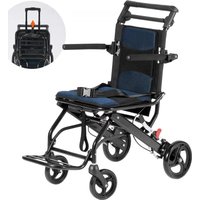
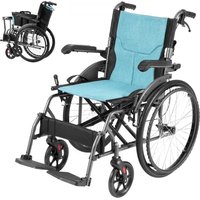
FS210ABEJP-61 - Wheelchair Vevor - Free user manual and instructions

Find the device manual for free FS210ABEJP-61 Vevor in PDF.
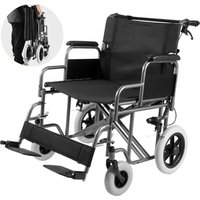
Vevor FS210ABEJP-61 - Wheelchair
📄 96 pages English EN Download 💬 AI Question 10 questions ⚙️ Specs
Notice Vevor FS210ABEJP-61 - page 3
Pick your language and provide your email: we'll send you a specifically translated version.
Product type Transport wheelchair
Brand Vevor
Model FS210ABEJP-61
Recommended use Indoor and outdoor on flat ground
Folding Yes
Chair weight Approximately 12 kg
Maximum load capacity 100 kg
Frame material Steel
Brake type Manual parking locks
Cleaning and maintenance Use a neutral synthetic detergent and a damp cloth, then dry
Storage conditions Temperature between -10°C and 40°C, relative humidity ≤80%
Safety precautions Do not use on slopes >8 km/h, avoid bumpy roads, do not use brakes to stop while moving
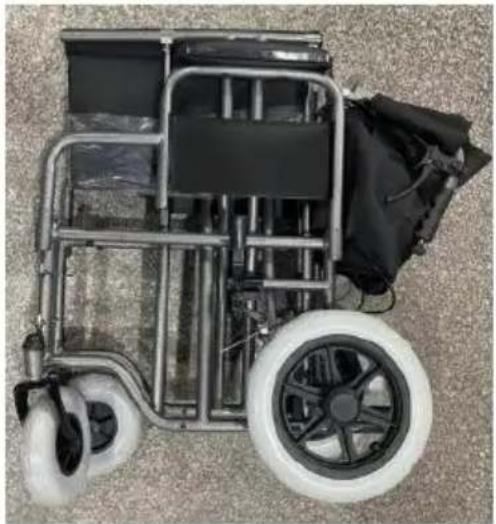
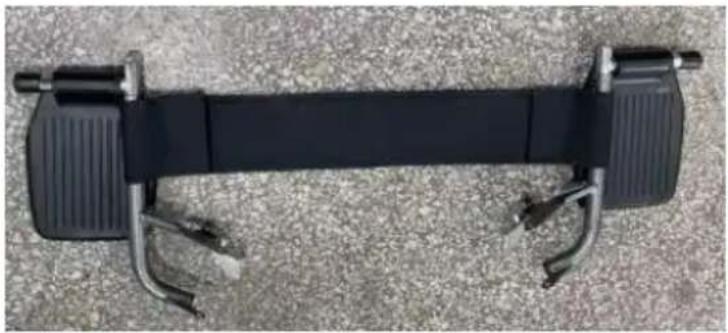
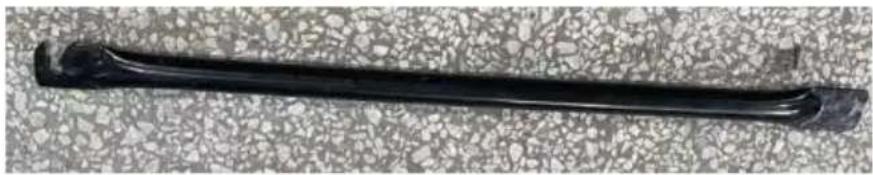
Included parts Chair, foot assembly, support tube, strap
Repairability Spare parts available via Vevor technical support
Technical support www.vevor.com/support
Warranty Electronic warranty certificate available on the website

Frequently Asked Questions - FS210ABEJP-61 Vevor

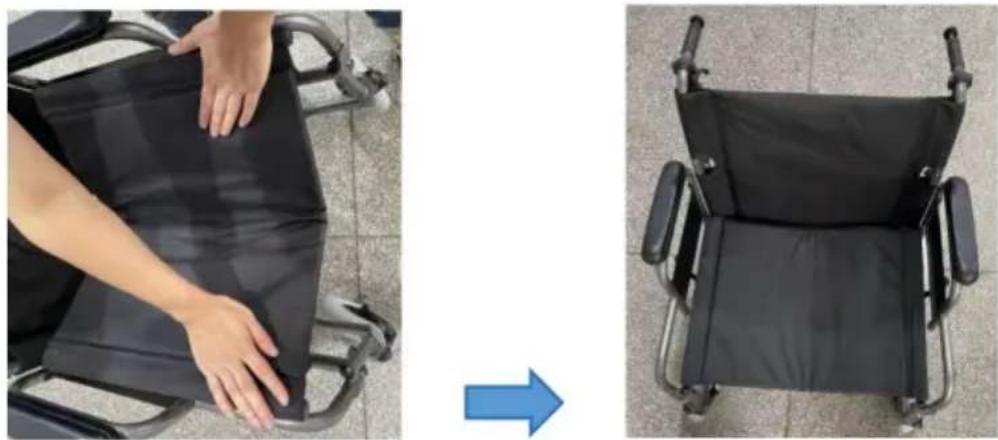
How to unfold the wheelchair?
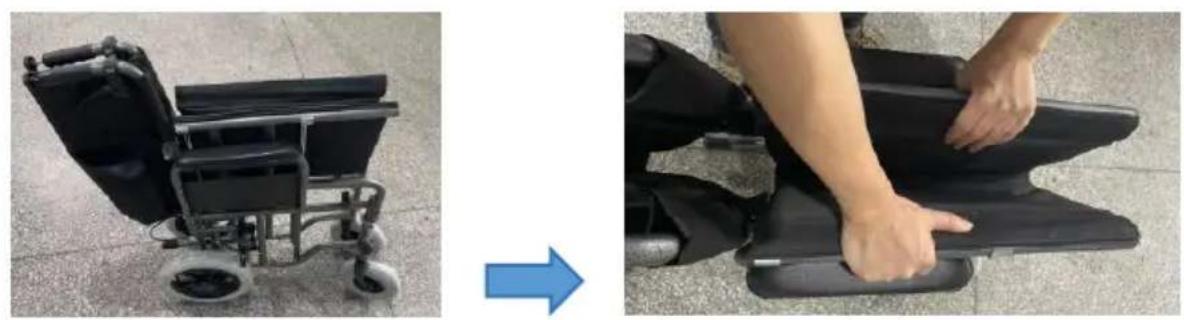
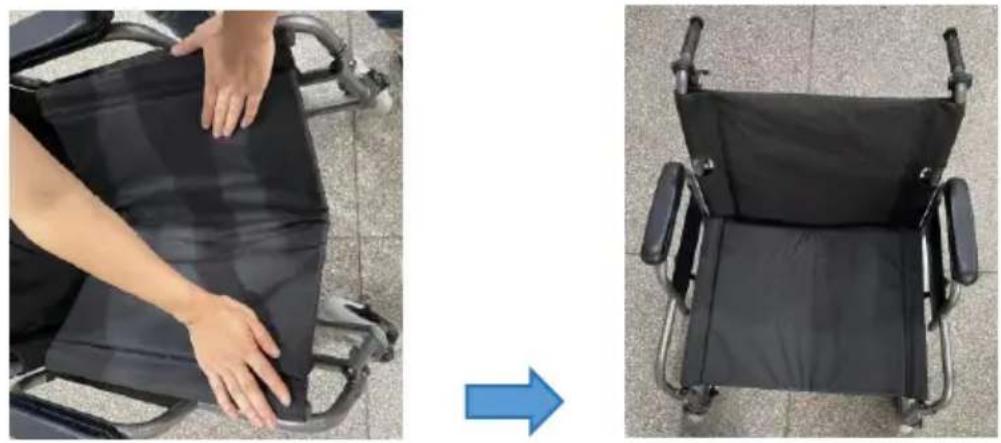
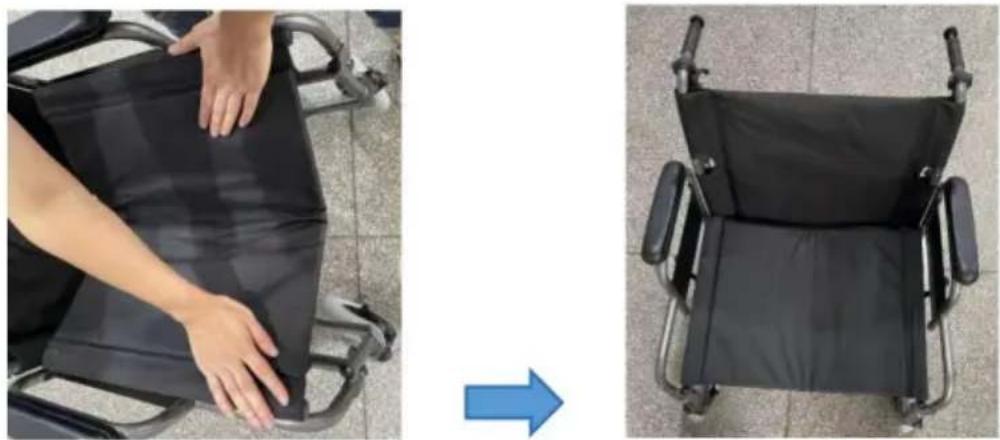
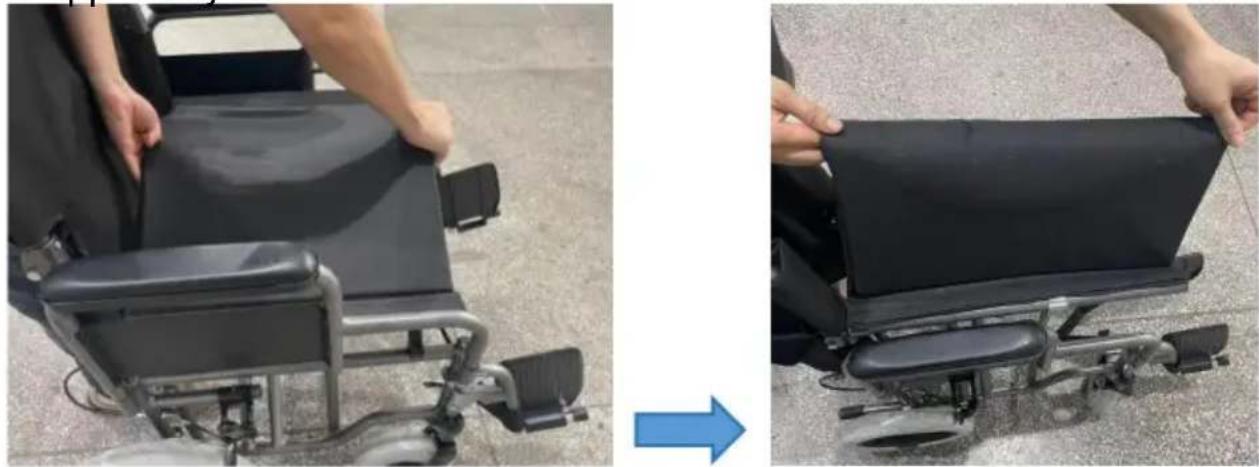
To unfold the chair, pull the seat cushion and release the support tube. Make sure the locks are engaged.
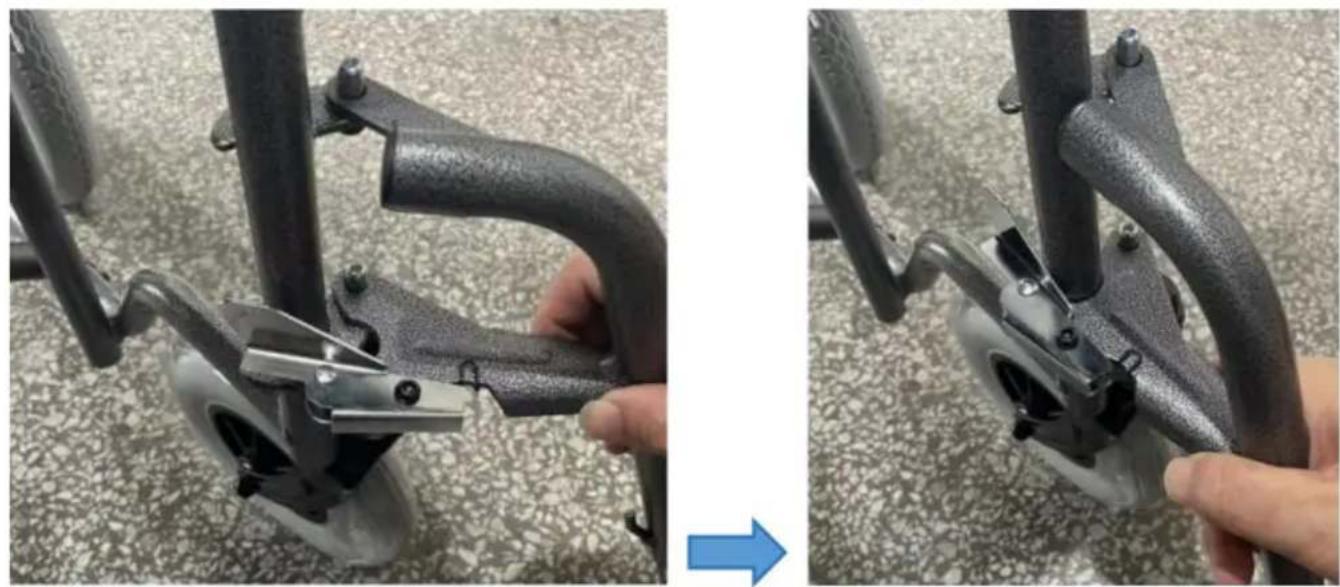
How to install the foot?
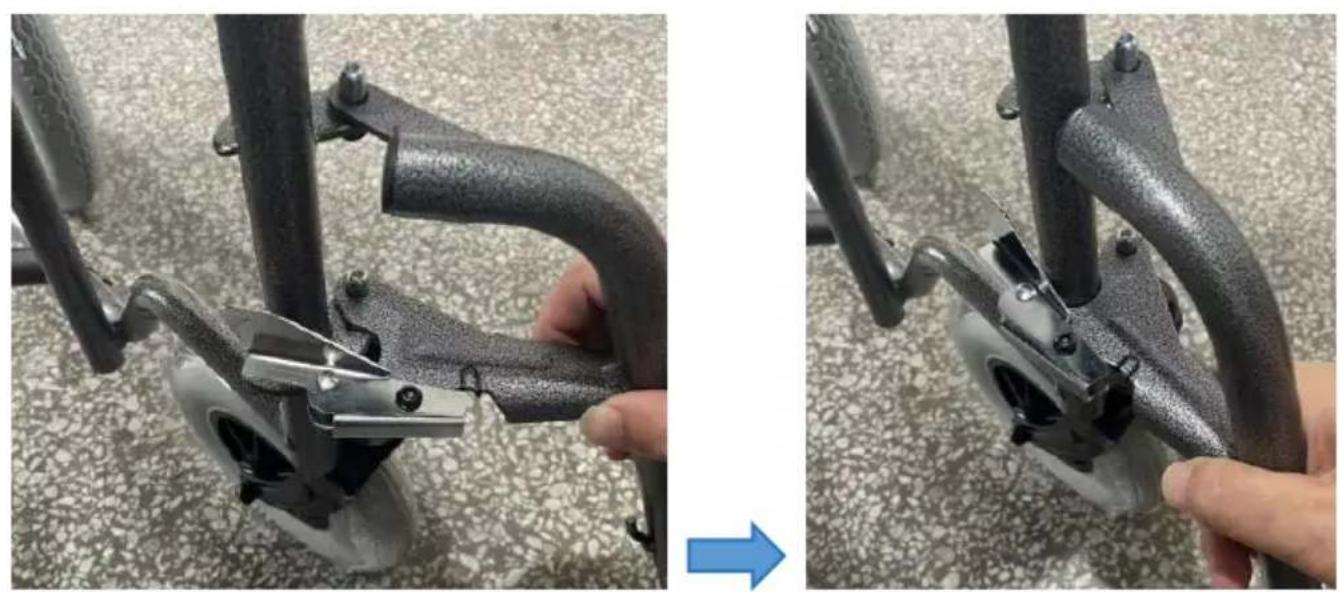
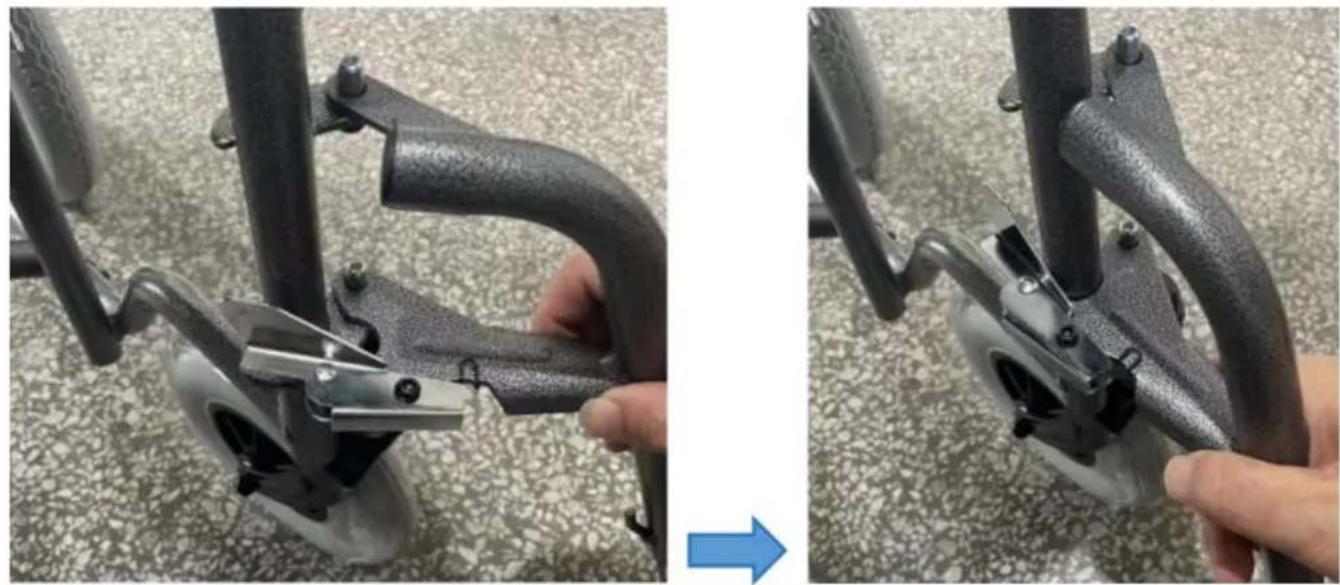
Install the foot by inserting the foot assembly into the provided tube, then tighten the strap. Repeat on the other side.
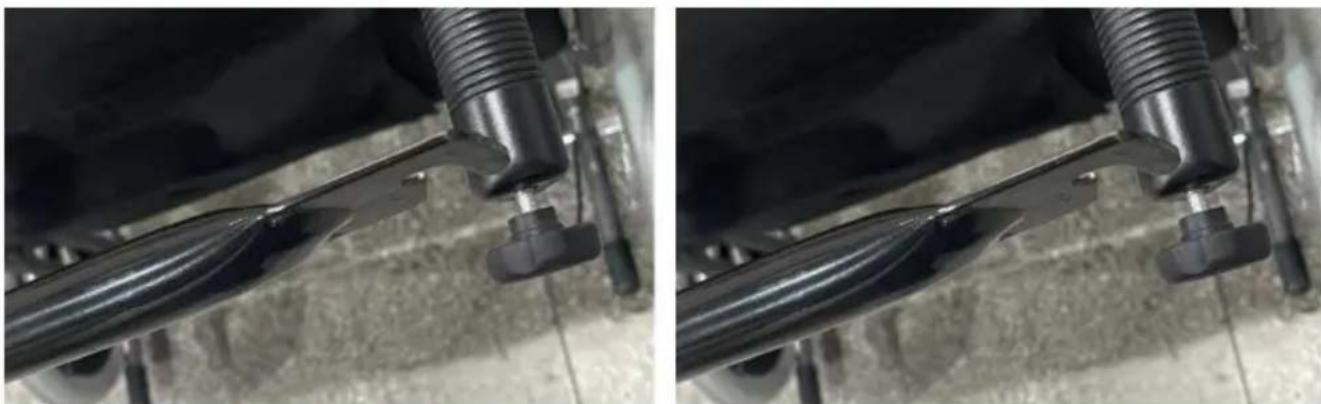
How to install the support tube?
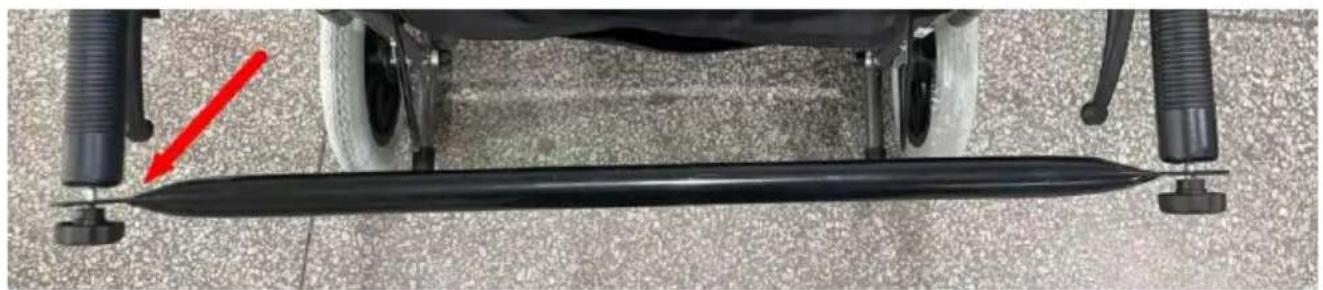
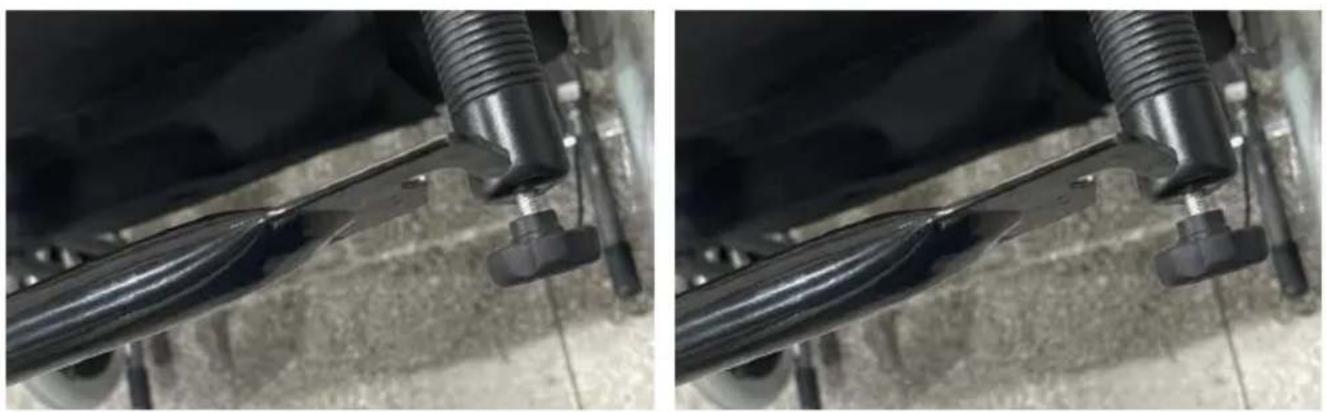
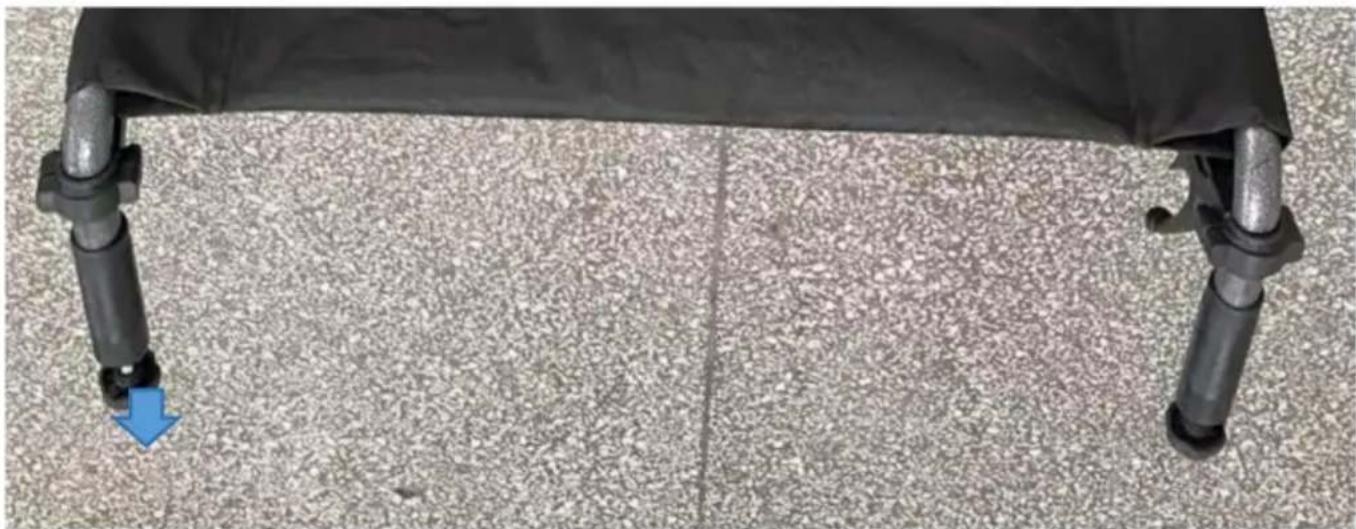
Turn the club handle, then assemble the support tube. Release the tube and pull the seat cushion to finalize.
How to clean the chair?
Use a neutral synthetic detergent with a damp cloth, then wipe with a dry cloth. Avoid strong acids or alkalis.
What are the usage precautions?
Do not drive on a slope greater than 8 km/h, avoid bumpy roads, and do not use the locks to stop the chair while moving.
What is the maximum supported weight?
The maximum load capacity is approximately 100 kg. Do not exceed this limit to ensure safety.
Where to find spare parts?
Spare parts can be ordered through the Vevor technical support website at www.vevor.com/support.
How to contact technical support?
Visit www.vevor.com/support for technical assistance and to download the electronic warranty certificate.
Is the chair suitable for outdoor use?
Yes, but only on flat and stable surfaces. Avoid bumpy or steep terrain.
How to store the chair?
Store the chair in a well-ventilated, clean place at a temperature between -10°C and 40°C, with relative humidity not exceeding 80%.

User questions about FS210ABEJP-61 Vevor

0 question about this device. Answer the ones you know or ask your own.

Ask a new question about this device

Your email remains private: it is only used to notify you if someone answers your question.

No questions yet. Be the first to ask one.

Download the instructions for your Wheelchair in PDF format for free! Find your manual FS210ABEJP-61 - Vevor and take your electronic device back in hand. On this page are published all the documents necessary for the use of your device. FS210ABEJP-61 by Vevor.

USER MANUAL FS210ABEJP-61 Vevor

Technical Support and E-Warranty Certificate www.vevor.com/support

Transport Wheelchair

MODEL: FS210ABEJP-61

We continue to be committed to providing you with tools at competitive prices. "Save Half", "Half Price", or any other similar expressions used by us only represent the savings you might benefit from buying certain tools with us compared to top brands, and do not necessarily mean to cover all categories of tools offered. We kindly remind you to verify carefully when placing an order with us that you are actually saving half in comparison with the top major brands.

VEVOR®

TOUGH TOOLS, HALF PRICE

Self-Propelled Wheelchairs

MODEL: FS210ABEJP-61
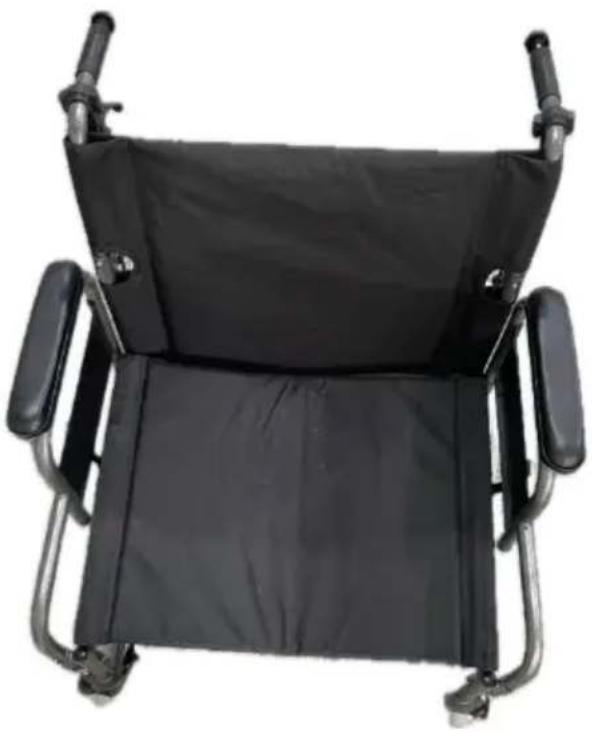
Black wheelchair with adjustable armrests (no text or symbols visible)

NEED HELP? CONTACT US!

Have product questions? Need technical support? Please feel free to contact us:

Technical Support and E-Warranty Certificate www.vevor.com/support

This is the original instruction. Please read all manual instructions carefully before operating. VEVOR reserves a clear interpretation of the user manual. The appearance of the product shall be subject to the product you received. Please forgive us that we won't inform you if there are any technology or software updates on our product.

CAUTIONS FOR OPERATION

1. Do not drive the wheelchair on a slope more than 8 km/h. 2. Do not use the wheelchair on bumpy road surfaces. 3. The locks are only used for parking the wheelchair on the ground. 4. Do not use the hand lock to stop the chair when it is moving.

Part List
NO.PictuerNameQTY.
1Vevor FS210ABEJP-61 - CAUTIONS FOR OPERATION - 1Wheelchair1
2Vevor FS210ABEJP-61 - CAUTIONS FOR OPERATION - 2Foot Assembly1
3Vevor FS210ABEJP-61 - CAUTIONS FOR OPERATION - 3Support Tube1

Unfold Wheelchair

Two-panel image showing a wheelchair seat and a person's legs on a black ergonomic chair, with an arrow indicating the change (no text or symbols present)

Two-panel image showing a person in a wheelchair folding a black seat, with an arrow pointing to the right side of the chair (no text or symbols visible)

Product Installation

Step 1:

Foot assembly mounting.
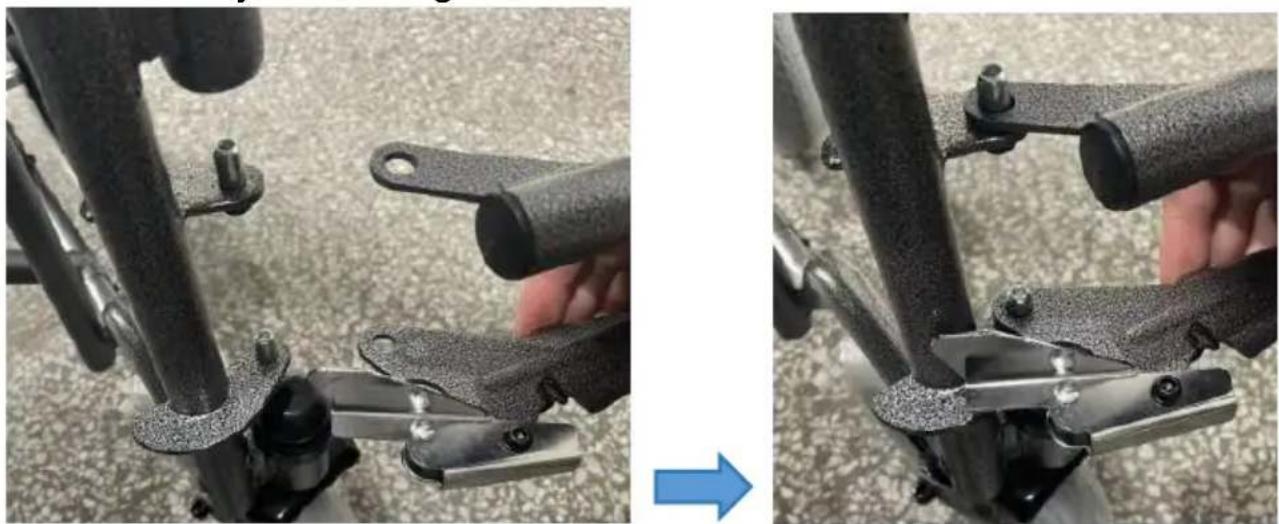
Close-up of a hand using a mechanical clamp to adjust a black metal bracket (no text or symbols visible)

Vevor FS210ABEJP-61 - Step 1: - 2

Same operation on the other side.

Step 2:

Tighten the strap.
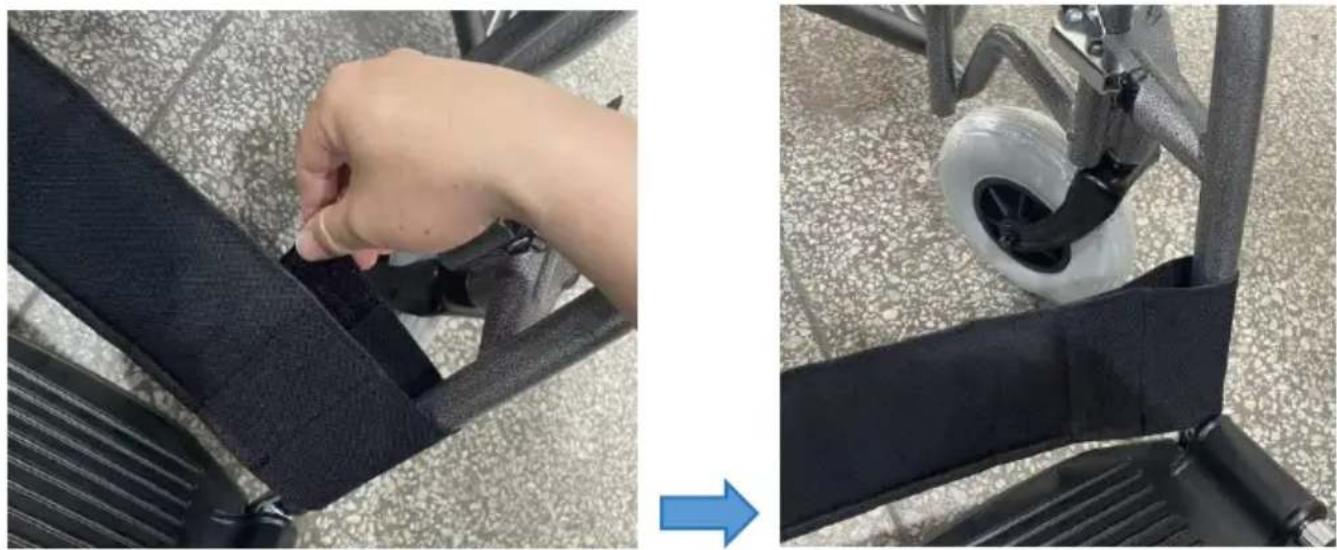
Vevor FS210ABEJP-61 - Step 2: - 1

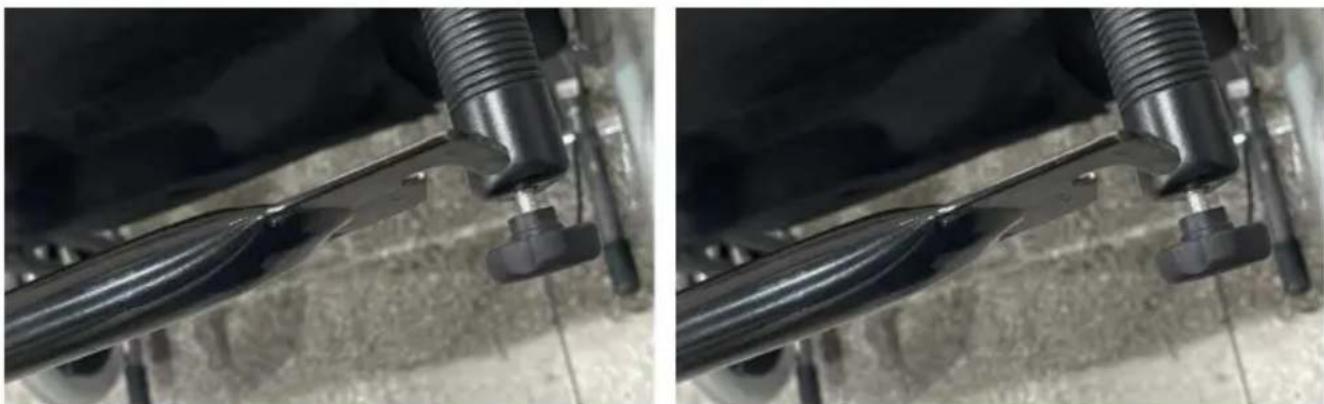
Step 3:

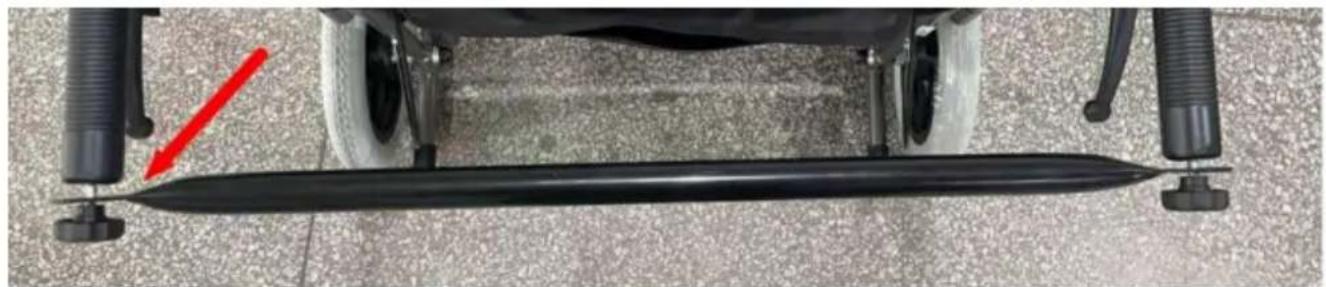
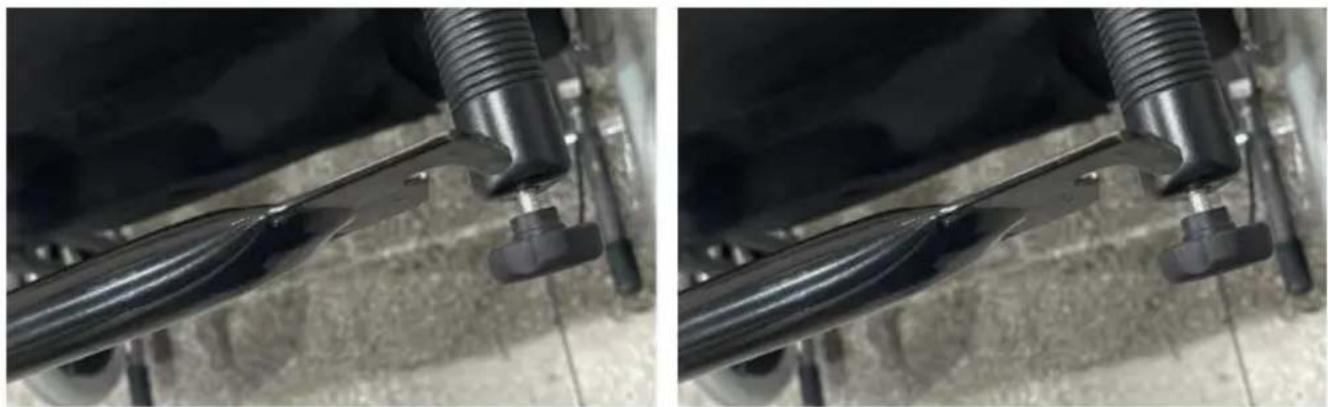
Support tube mounting.

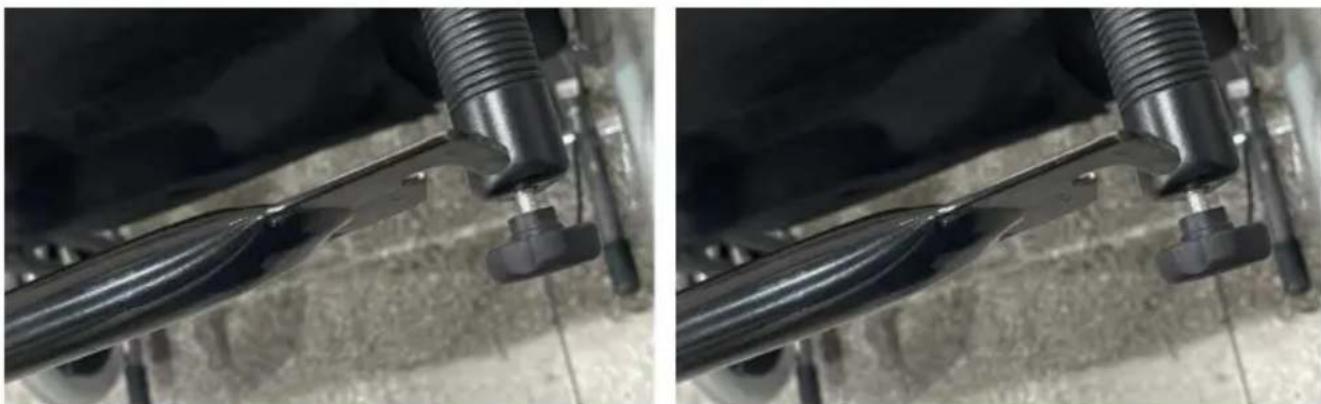
A. Twist out the club handle.
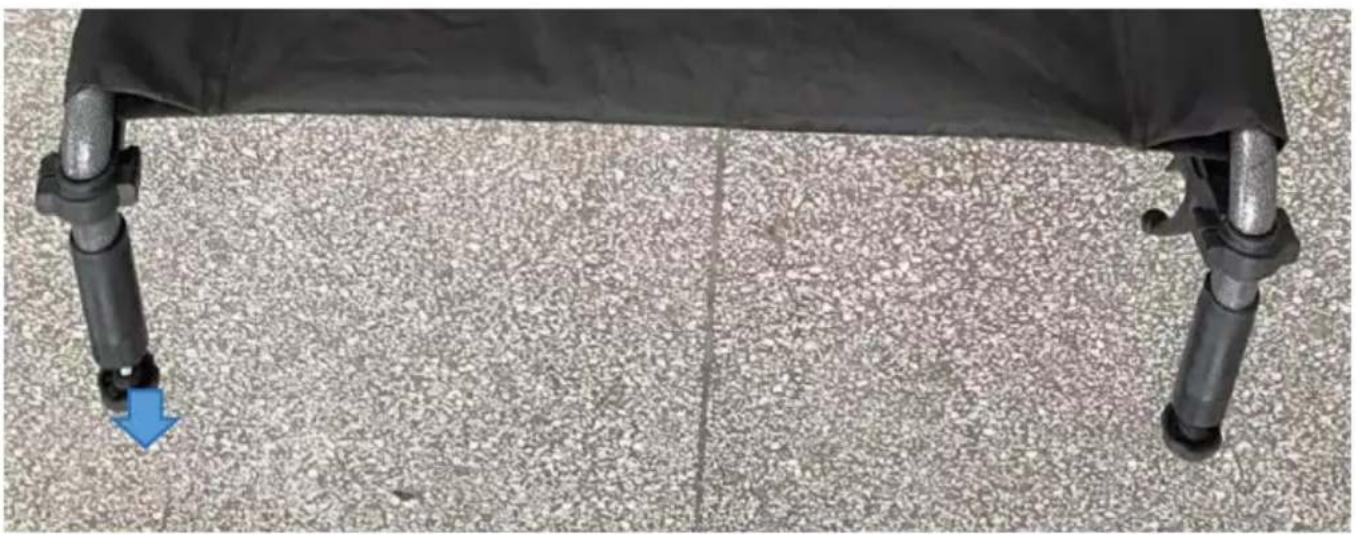
Close-up of a black ergonomic chair with two legs and a blue arrow pointing to the lower leg (no text or symbols visible)

B. Assembly support tube.Close-up of a black bicycle steering wheel with a red arrow pointing to the blade (no text or symbols visible)

Close-up of mechanical components with threaded fasteners, no visible text or symbols

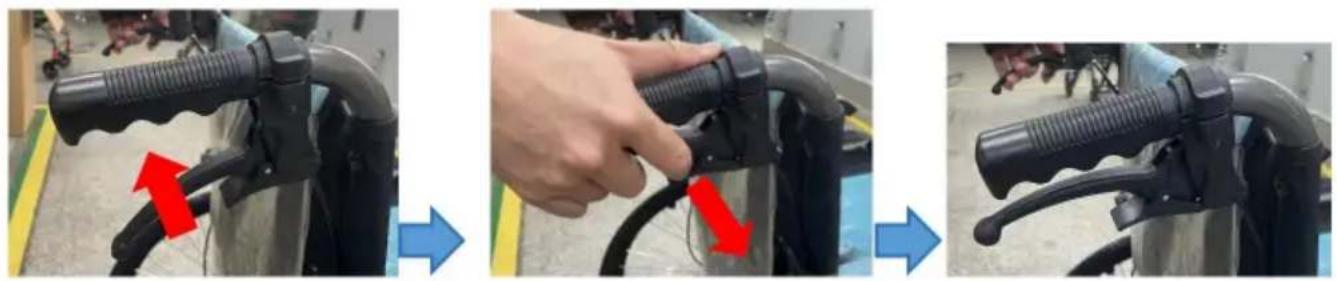
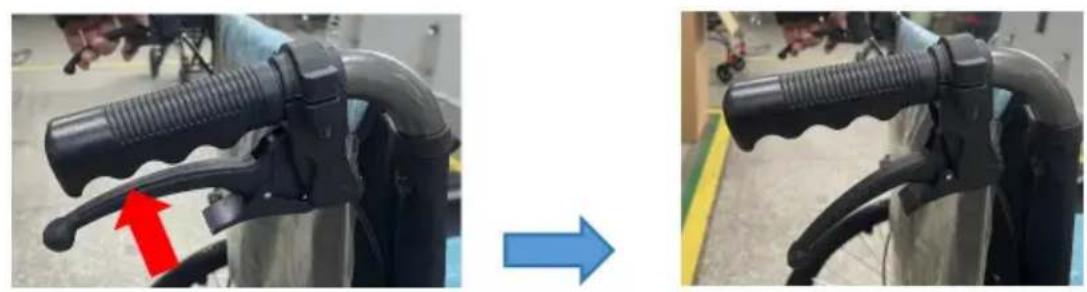
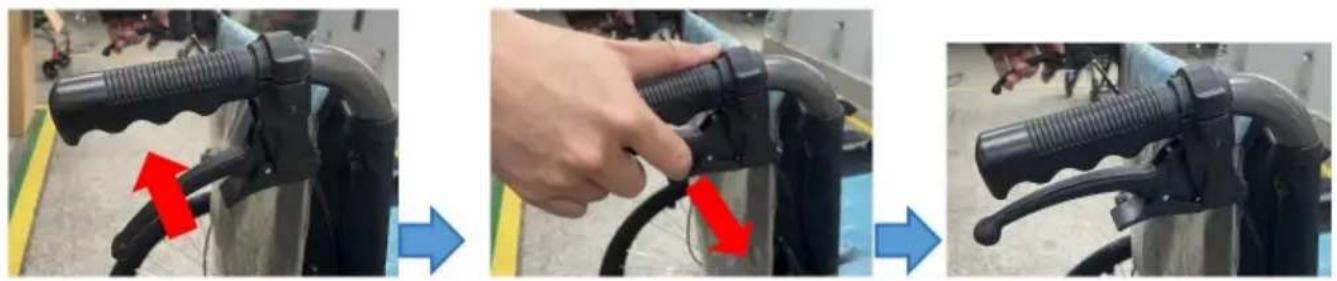
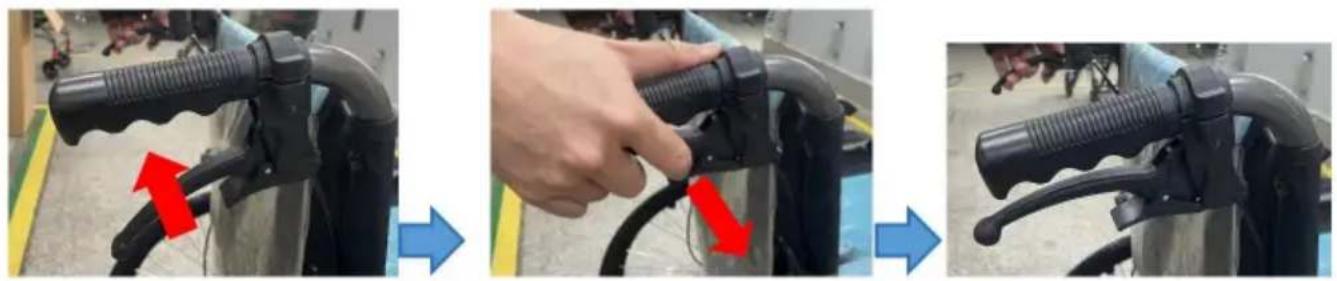
Brake Introduction

1. Hold the brake.
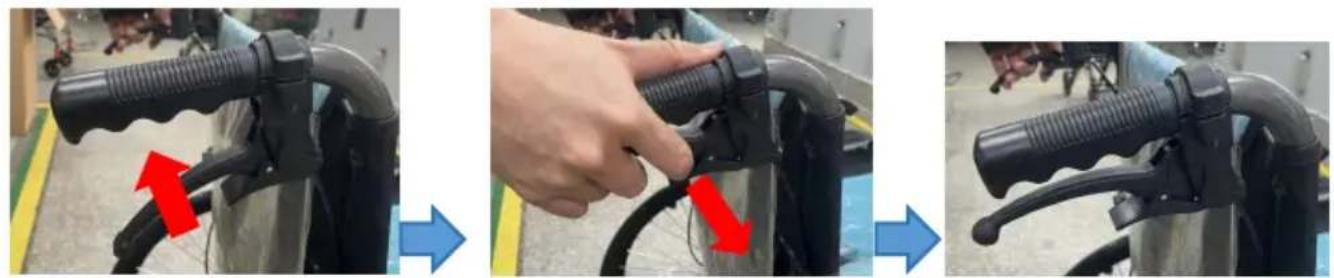
Three-panel photo showing a hand adjusting a black cable with red arrows indicating the cable being inserted (no text or symbols present)

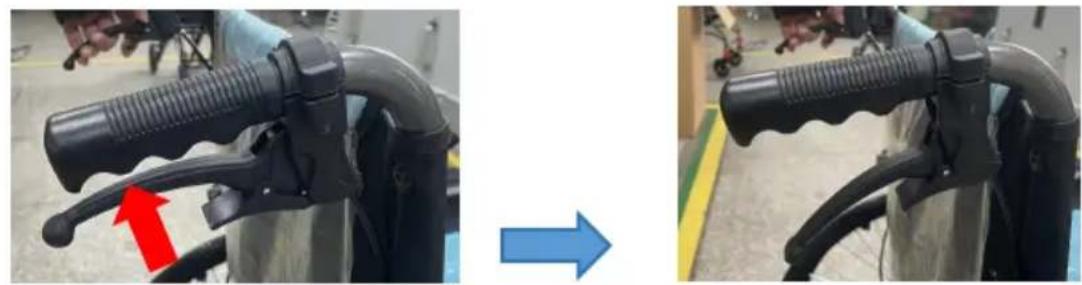
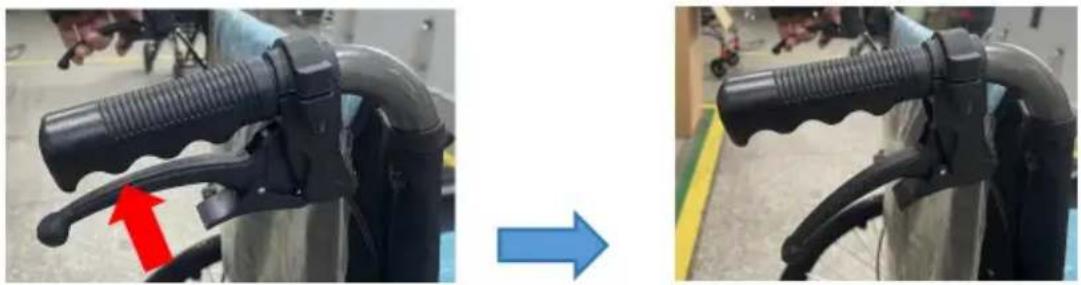
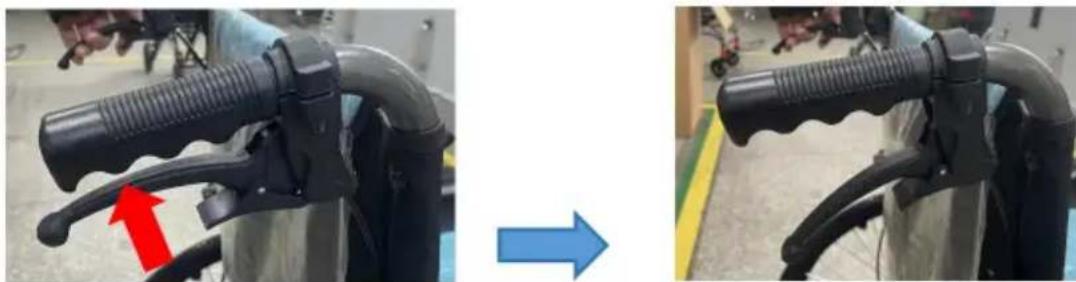
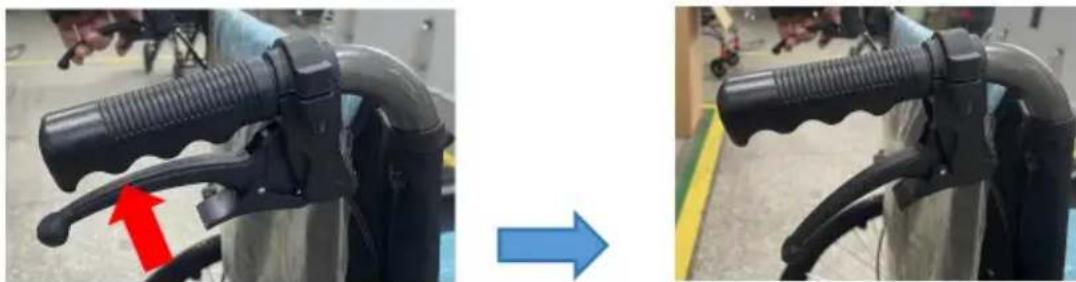
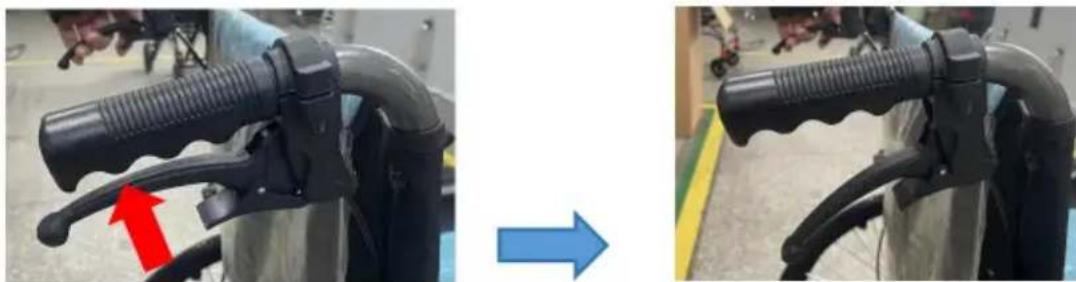
2. Release brake.

Two-panel photo showing a black mechanical device with a red arrow pointing to a handle, before and after transformation (no text or symbols visible)

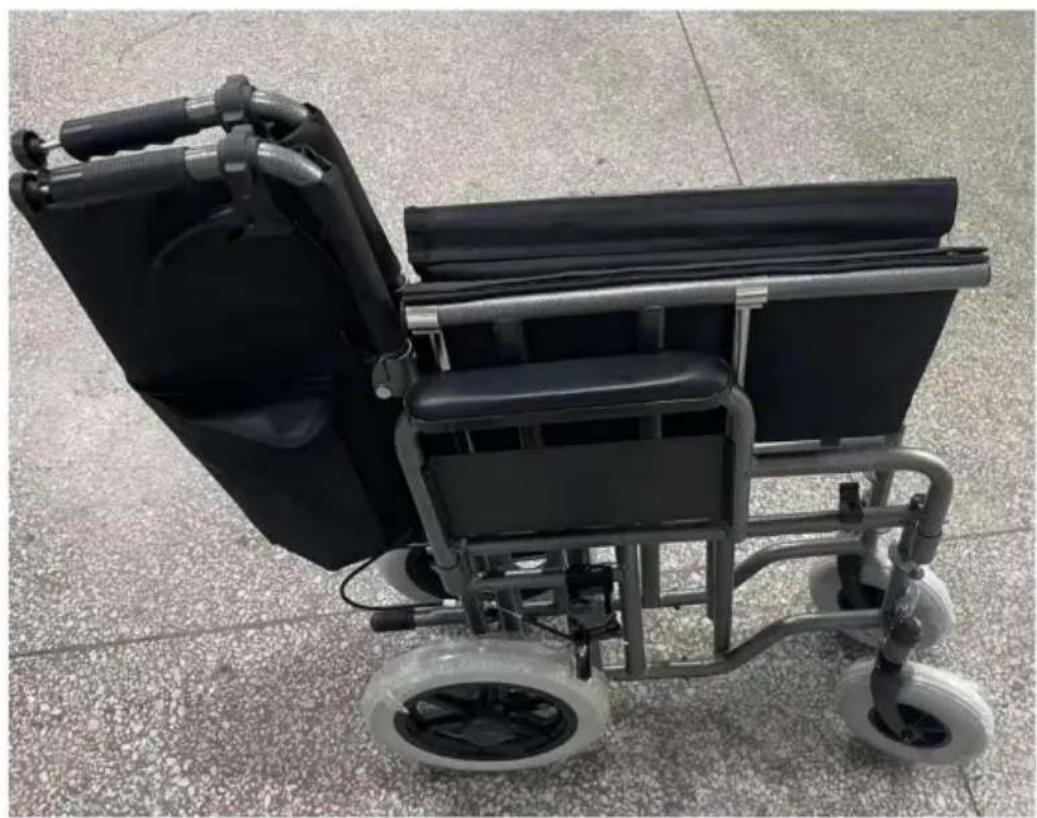
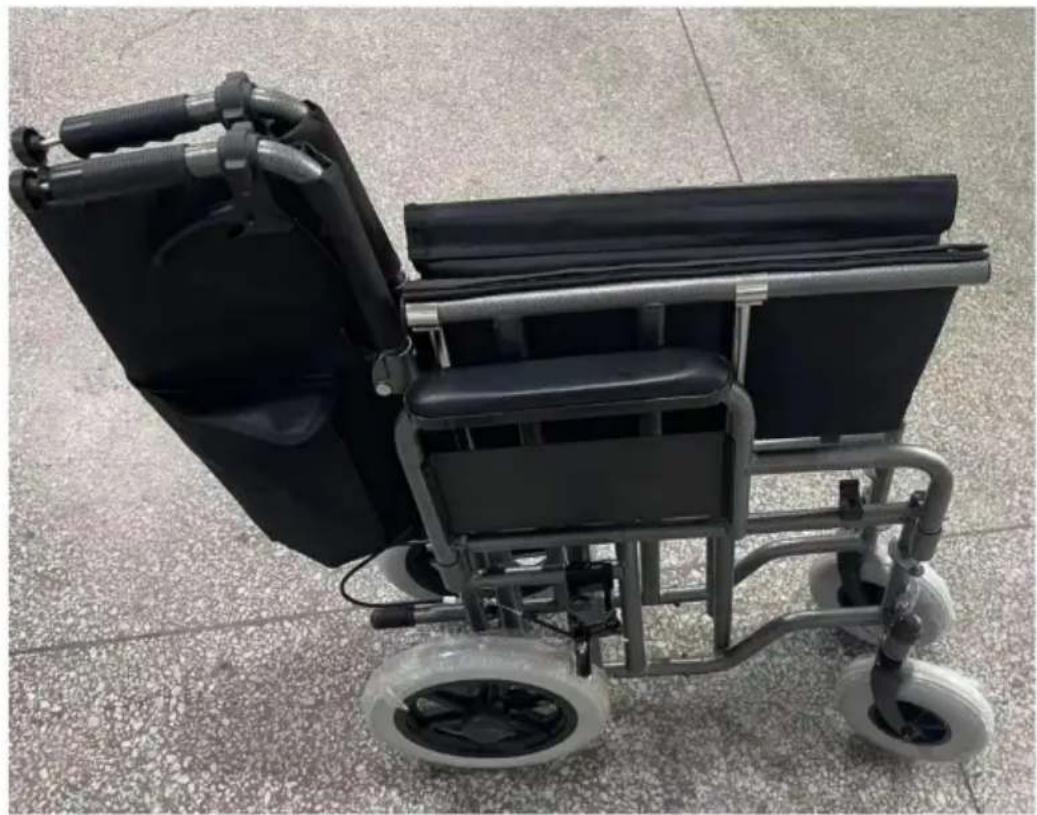
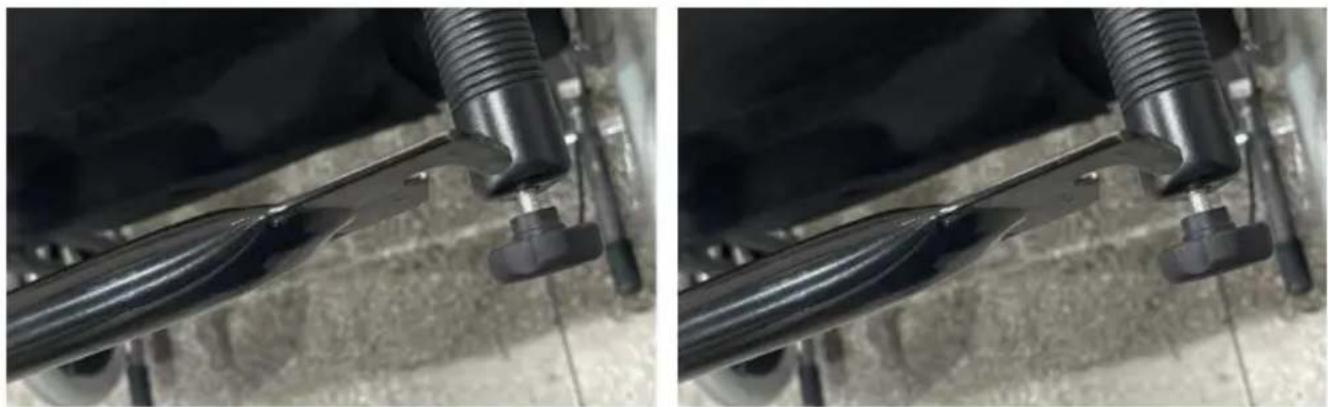
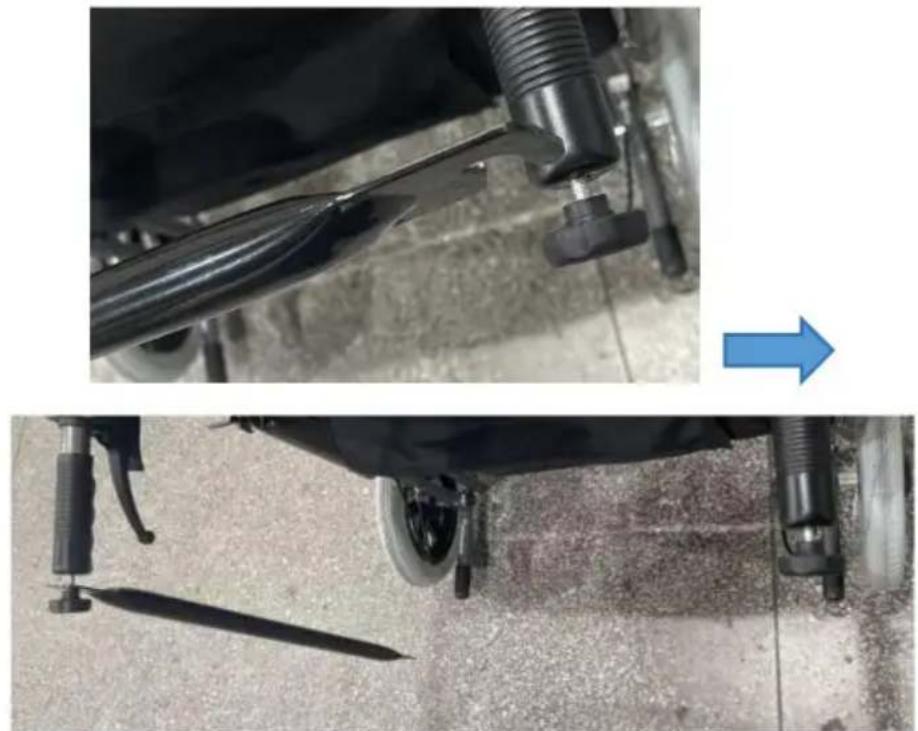
Product Folding

Step 1:

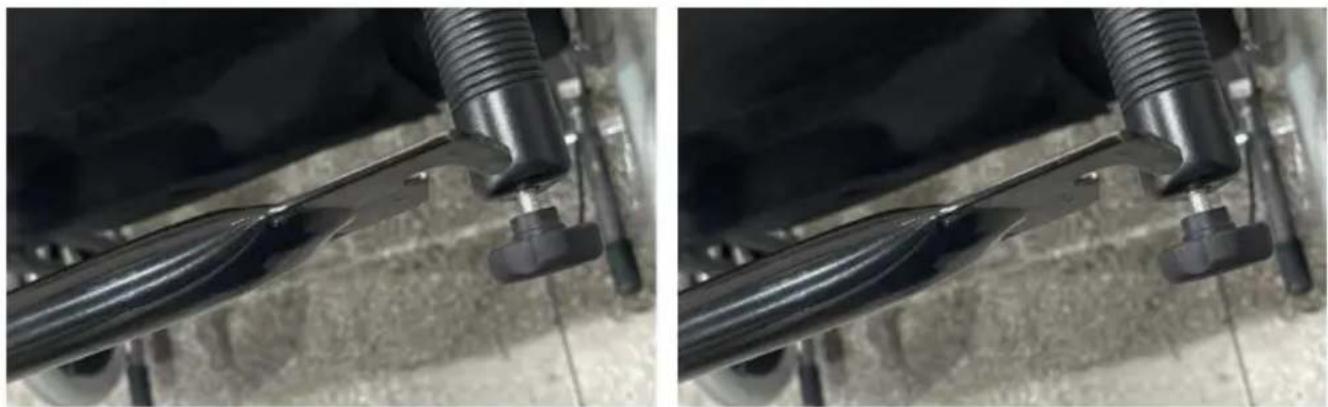
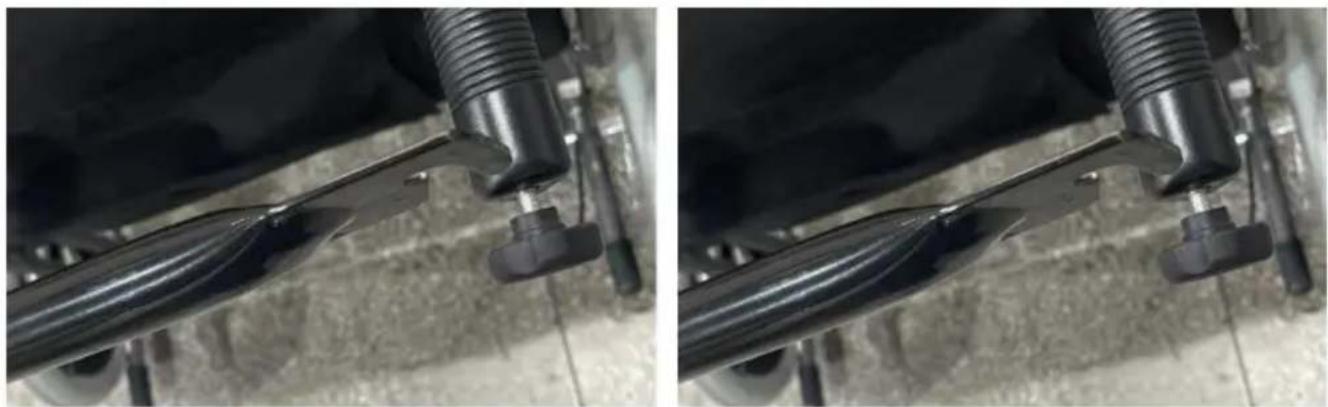
Release support tube.
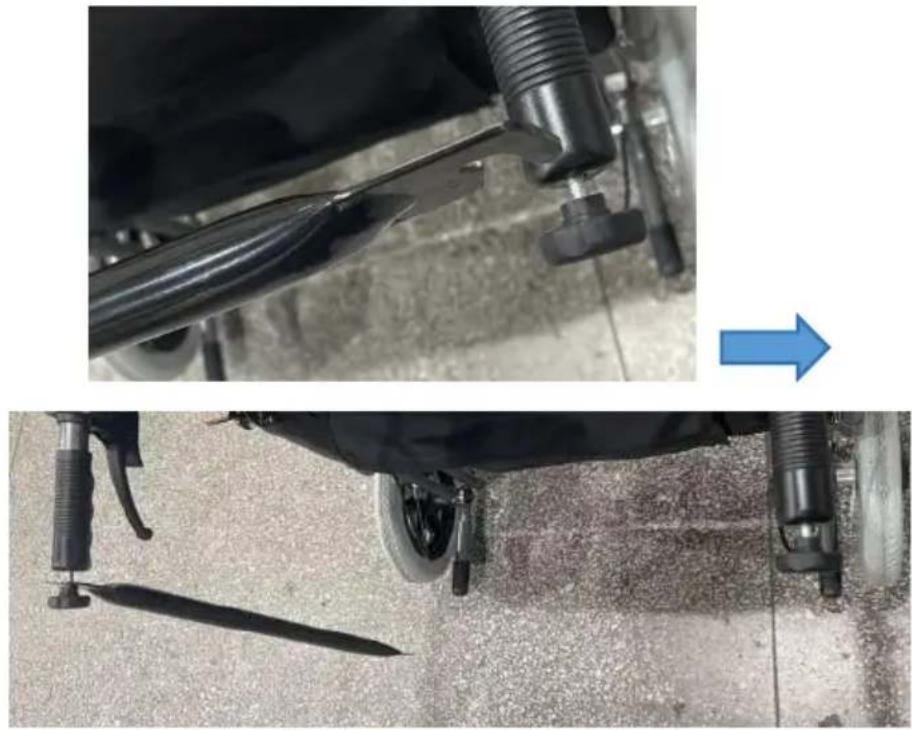
Two-panel image showing a car's wheel assembly and a close-up of the wheel being adjusted, with no visible text or symbols.

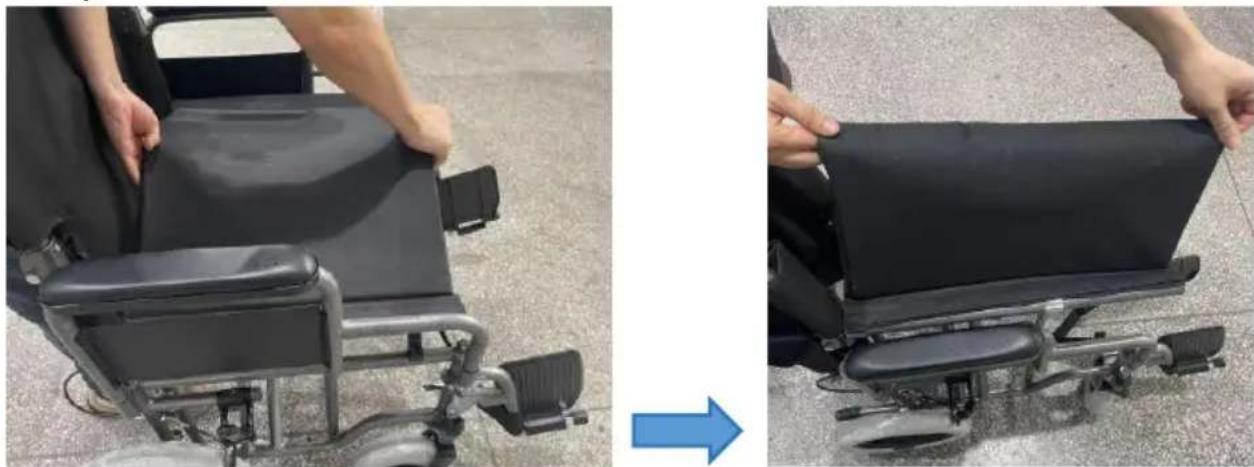
Step 2:

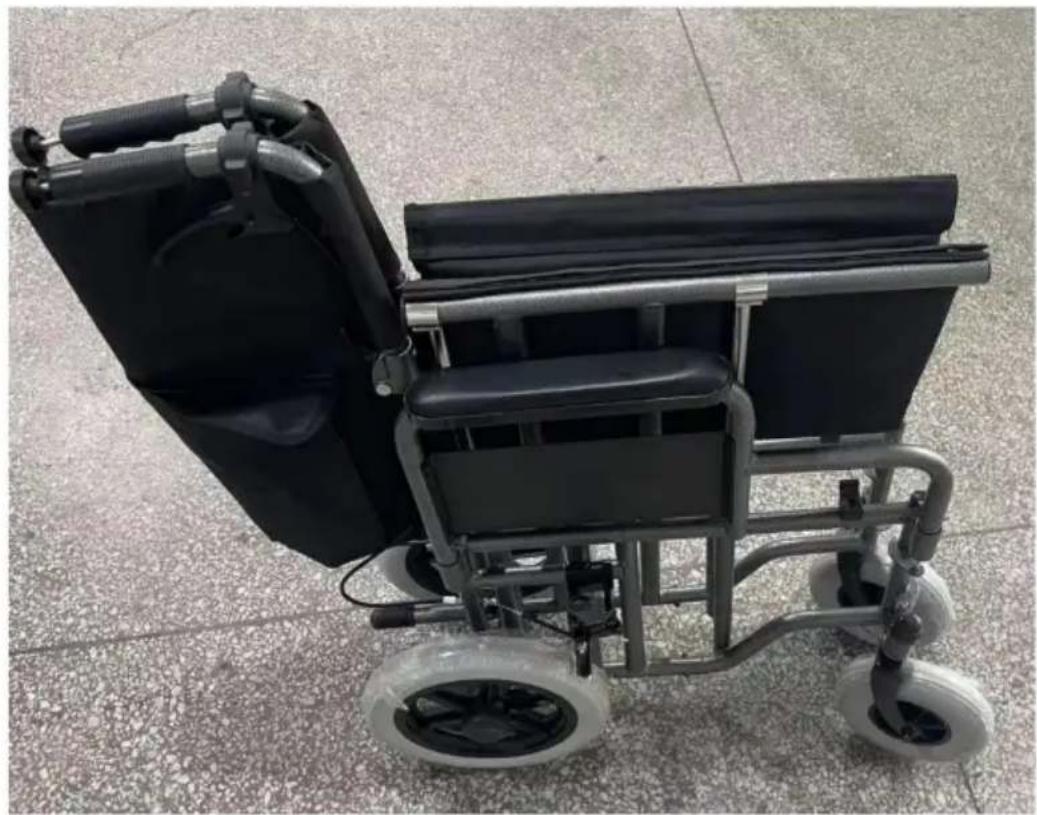
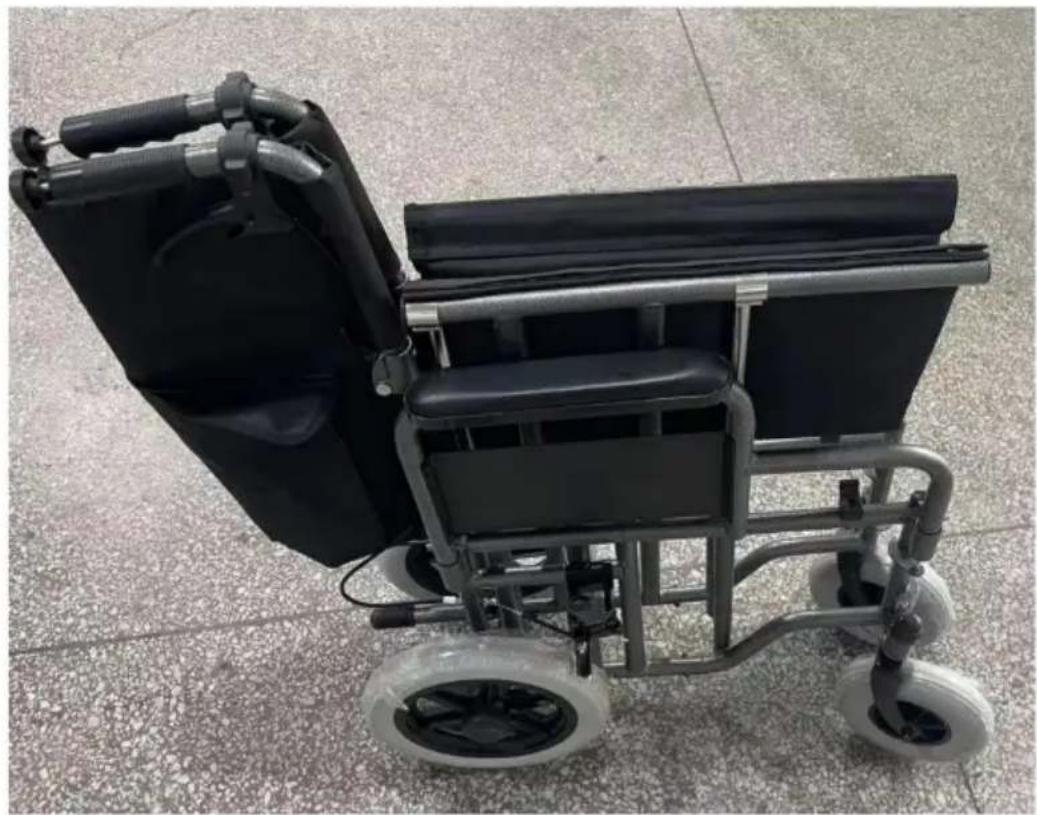
Pull up the seat cushion.

Two-panel photo showing a person adjusting a black ergonomic chair, one with a blue arrow pointing to the right side (no text or symbols visible)

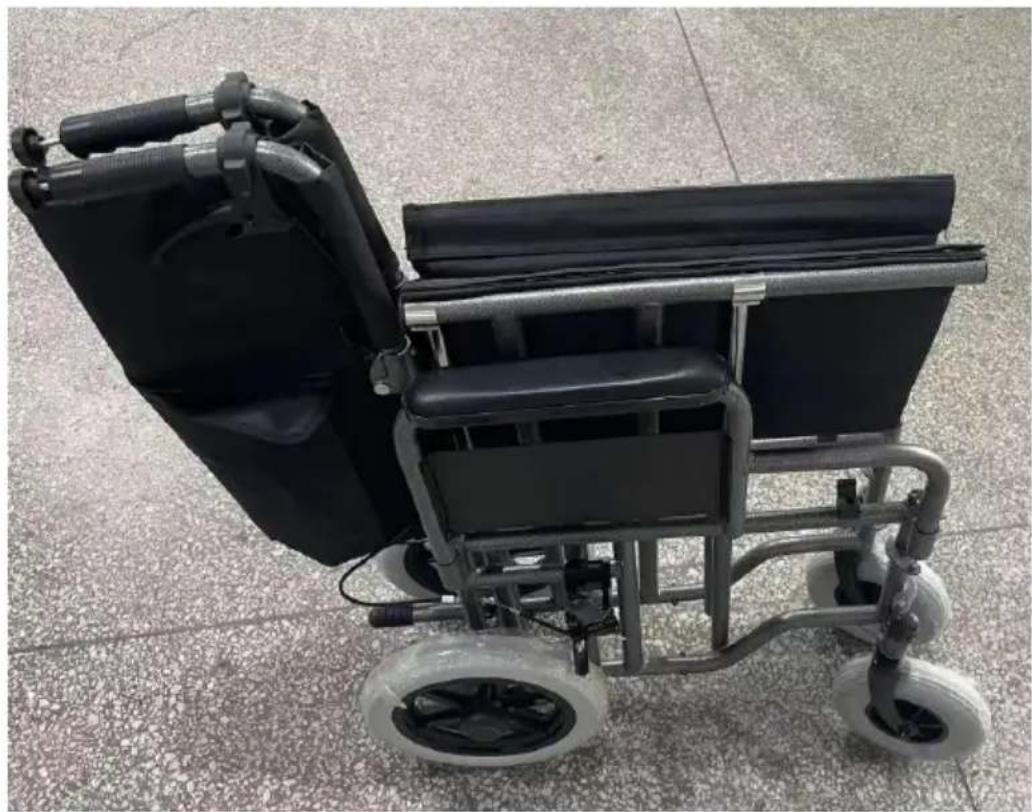
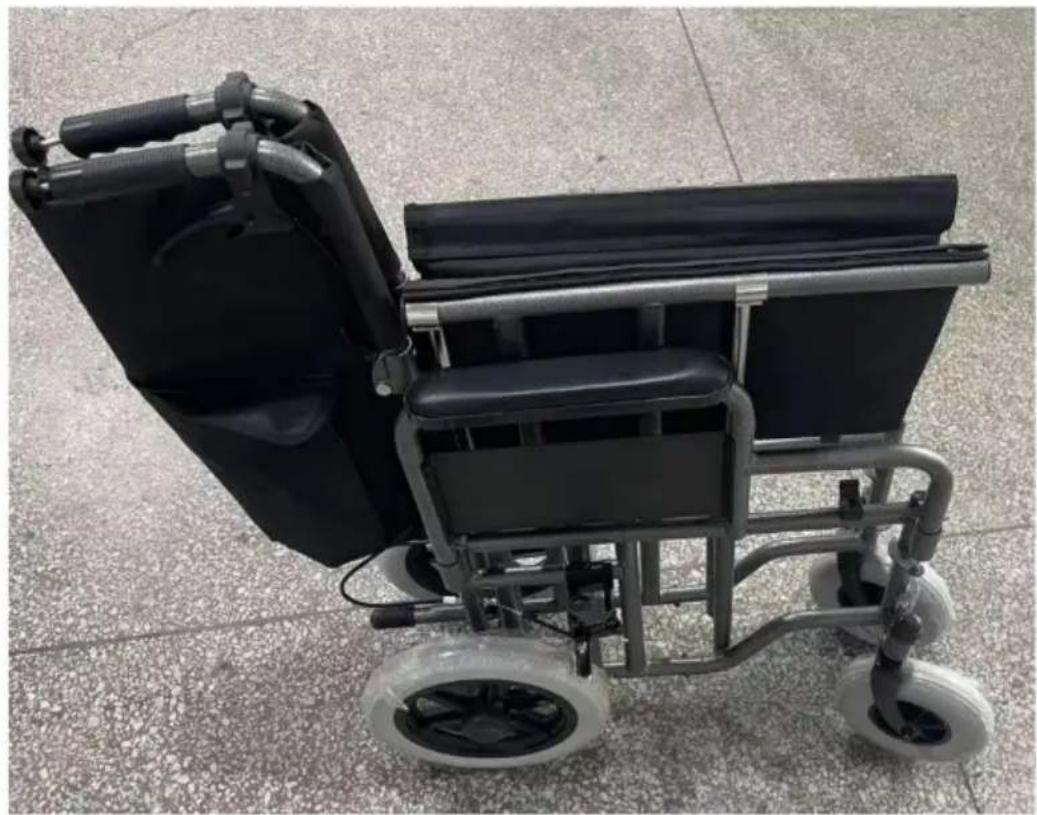
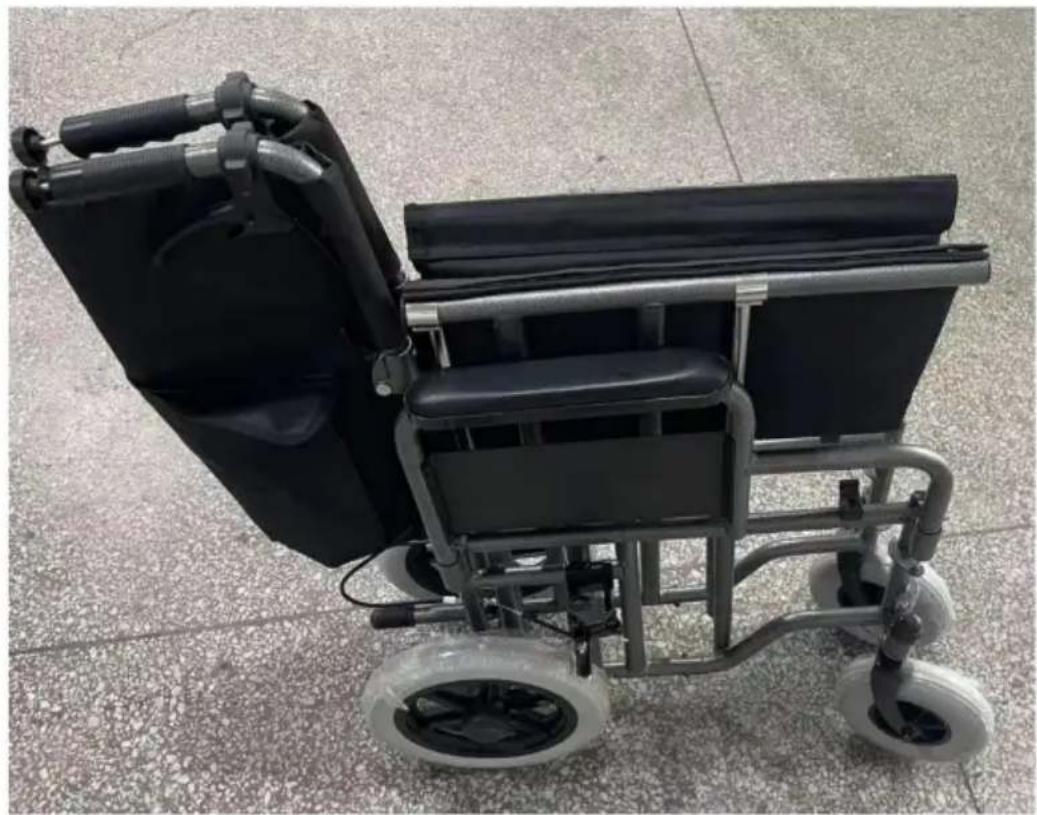
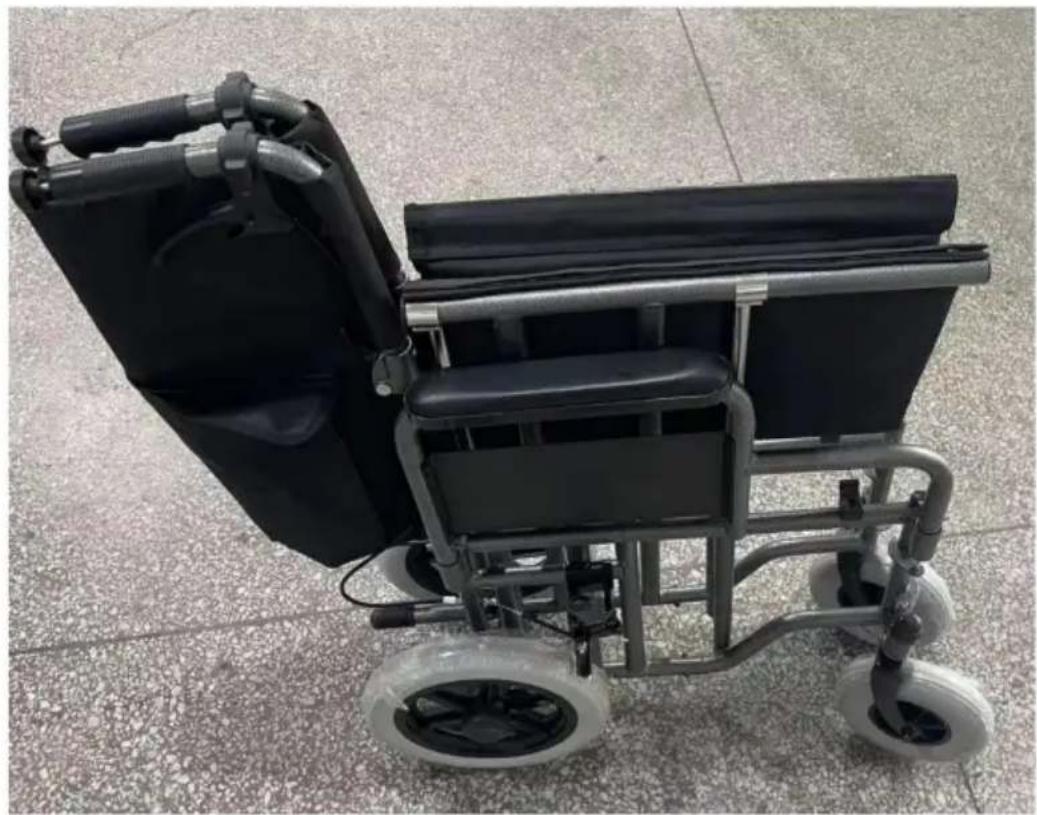
Black wheelchair with four wheels and handlebars, placed on a tiled floor (no text or symbols visible)

Product Maintenance:

1. Do not scratch or scrape the surface of the product to prevent damage. 2. For daily cleaning and maintenance, use a neutral synthetic detergent, wipe with a wet cloth, then wipe with a dry cloth. 3. Do not contact with strong acids or alkalis to prevent corrosion.

Product Storage:

Packaged commode chairs should be stored at temperatures not exceeding -10°C to 40°C and a relative humidity not exceeding 80%. No corrosive gases, the room should be well ventilated and clean. During transportation, protect from moisture, light, and heat sources.

Manufacturer: Shanghai Muxin Muye Youxian Gongsi

Address: Shuangcheng Road 803 Nong 11 Hao 1602A-1609 Shi, Baoshan District, Shanghai 200000 CN.

Imported to AUS: SIHAO PTY LTD. 1 ROKEVA STREET, EASTWOOD NSW 2122 Australia

Imported to USA: Sanven Technology Ltd. Suite 250, 9166 Anaheim Place, Rancho Cucamonga, CA 91730

UKREP

YH CONSULTING LIMITED.

C/O YH Consulting Limited Office 147,

Centurion House, London Road,

Staines-upon-Thames, Surrey, TW18 4AX

ECREP

E-CrossStu GmbH

Mainzer Landstr.69,

60329 Frankfurt am Main.

VEVOR®

TOUGH TOOLS, HALF PRICE

Technical Support and E-Warranty Certificate

www.vevor.com/support

VEVOR®

TOUGH TOOLS, HALF PRICE

NEED HELP? CONTACT US!

Step 3:
Close-up of mechanical components with threaded connectors and a black plastic rod, no visible text or symbols

Introduction to the brakes

  1. Hold the brake.

Three-panel photo showing a hand adjusting a black cable with red arrows indicating motion (no text or symbols)

  1. Release the brake.

Close-up of a black automotive brush handle assembly before and after modification, showing red arrow indicating direction (no text or symbols)

Folding the product

Step

Step 2:

Black and silver wheelchair with four wheels and handlebars, placed on a textured floor (no visible text or symbols)

C/O YH Consulting Limited Bureau 147,

Centurion House, London Road,

Staines-upon-Thames, Surrey, TW18 4AX
Vevor FS210ABEJP-61 - Step 2: - 2

E-CrossStu GmbH

Mainzer Landstr.69,

NEED HELP? CONTACT US!
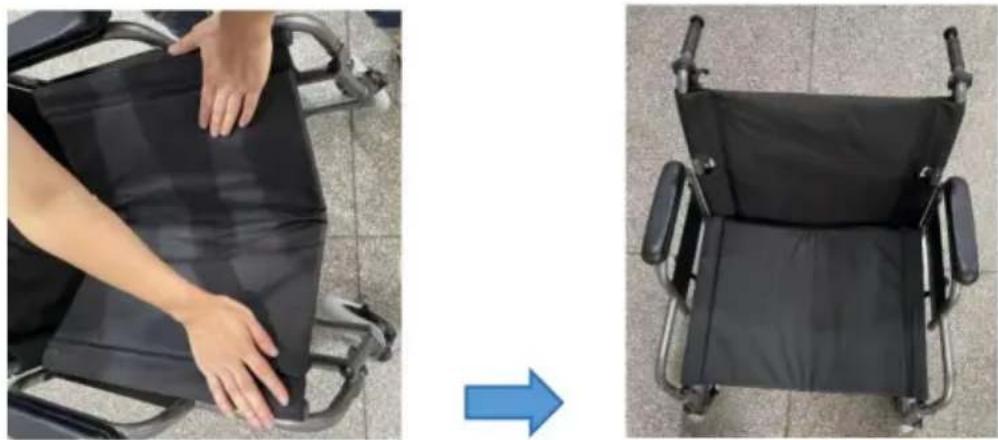
Two-panel image showing a person in a wheelchair pushing a black seat, and a close-up of the same seat with a blue arrow pointing to it (no text or symbols visible)

Product Installation

Step

Close-up of a mechanical device with metal components and a hand adjusting the part, showing a blue arrow indicating rotation (no text or symbols visible)

Step 3:

Support tube assembly.

Close-up of mechanical components with threaded connectors and a black plastic rod. No visible text or symbols.

2. Release brake.

Two-panel photo showing a hand gripping a black mechanical component, with red and blue arrows indicating direction. No text or symbols.

Product Folding

Step

1: Loosen the support tube.
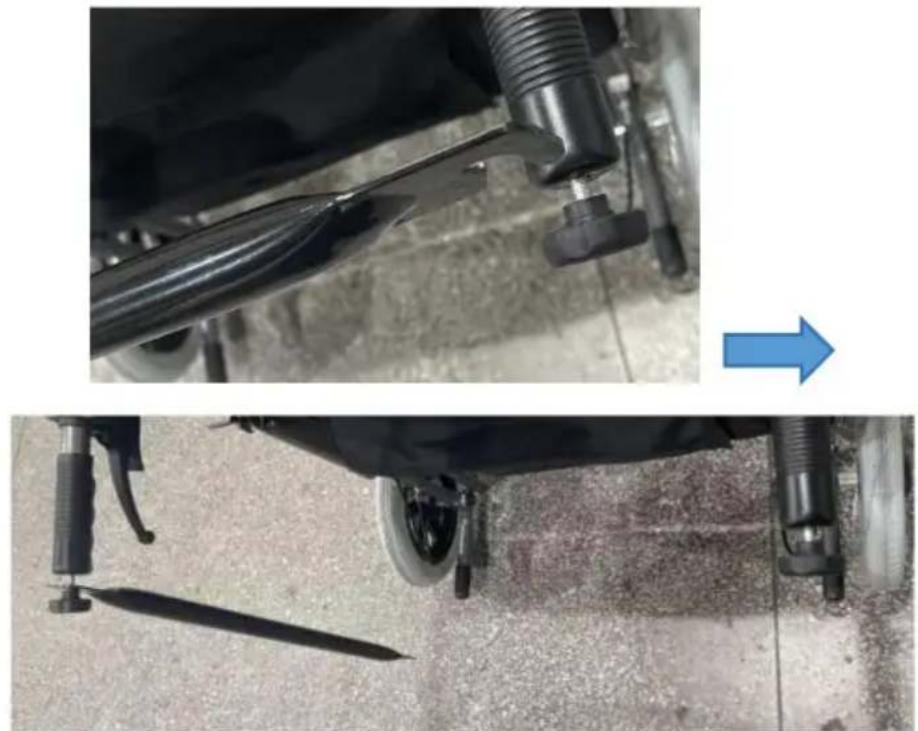
Two-panel image showing a car wheel assembly with a tool and a blue arrow pointing to the next component. No text or symbols visible.

Step 2:

Black and silver wheelchair with four wheels on a tiled floor. No visible text or symbols.

Product maintenance:

C/O YH Consulting Limited Office 147,

Centurion House, London Road,

Staines-upon-Thames, Surrey, TW18 4AX
EG-REP

E-CrossStu GmbH

Mainzer Landstr.69,

60329 Frankfurt am Main.

VEVOR®

TOUGH TOOLS, HALF PRICE

www.vevor.com/support

VEVOR®

TOUGH TOOLS, HALF PRICE

electronics www.vevor.com/support

NEED HELP? CONTACT US!
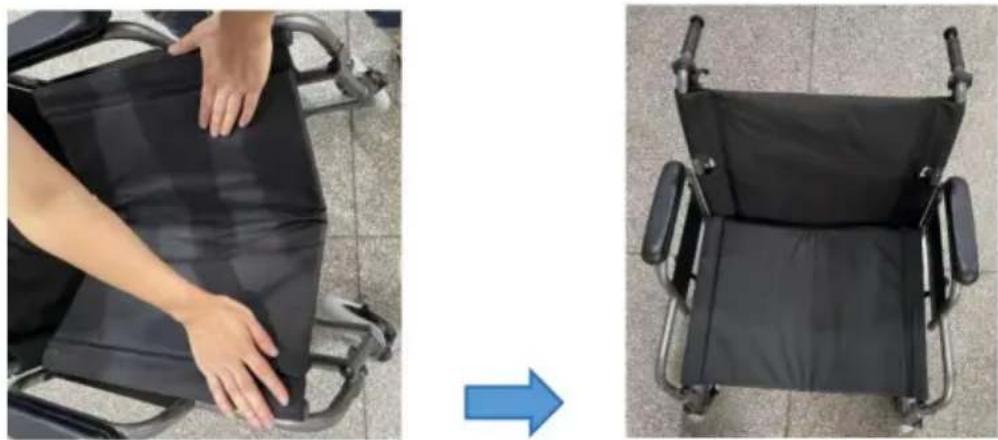
Two-panel image showing a person in a wheelchair pushing a black seat, and a close-up of the same seat with a blue arrow pointing to it. No text or symbols visible.

Close-up of a hand adjusting a black mechanical component with a blue arrow indicating rotation. No text or symbols visible.

Step 3:

Close-up of mechanical components with black plastic parts and threaded connectors, no visible text or symbols

Step 2:

Black and silver wheelchair with four wheels and handlebars, placed on a textured floor (no visible text or symbols)

Imported into AUS: SIHAO PTY LTD. 1 ROKEVA STREET EASTWOOD NSW 2122 Australia

C/O YH Consulting Limited Office 147,

Centurion House, London Road,

Staines-upon-Thames, Surrey, TW18 4AX

REP.CE

E-CrossStu GmbH

Mainzer Landstr.69,

electronics www.vevor.com/support

VEVOR®

TOUGH TOOLS, HALF PRICE

Two-panel image showing a person in a wheelchair pushing a black seat, and a close-up of the same seat with a blue arrow pointing to it (no text or symbols visible)

Close-up of a hand adjusting a black mechanical component with a blue arrow indicating rotation (no text or symbols visible)

Step 3:

Close-up of mechanical components with threaded connectors and a black plastic component, no visible text or symbols

2. Release the brake.

Two-panel photo showing a hand gripping a black rubber hose, with a red arrow and blue arrow indicating direction (no text or symbols)

Foldable product

Step 1:

Step 2:

Black and silver wheelchair with four wheels and handlebars, placed on a textured floor (no visible text or symbols)

Casa Centurión, London Road,

Staines upon Thames, Surrey, TW18 4AX

EC Representative

E-CrossStu GmbH

Mainzer Landstr.69,

www.vevor.com/support

NEED HELP? CONTACT US!
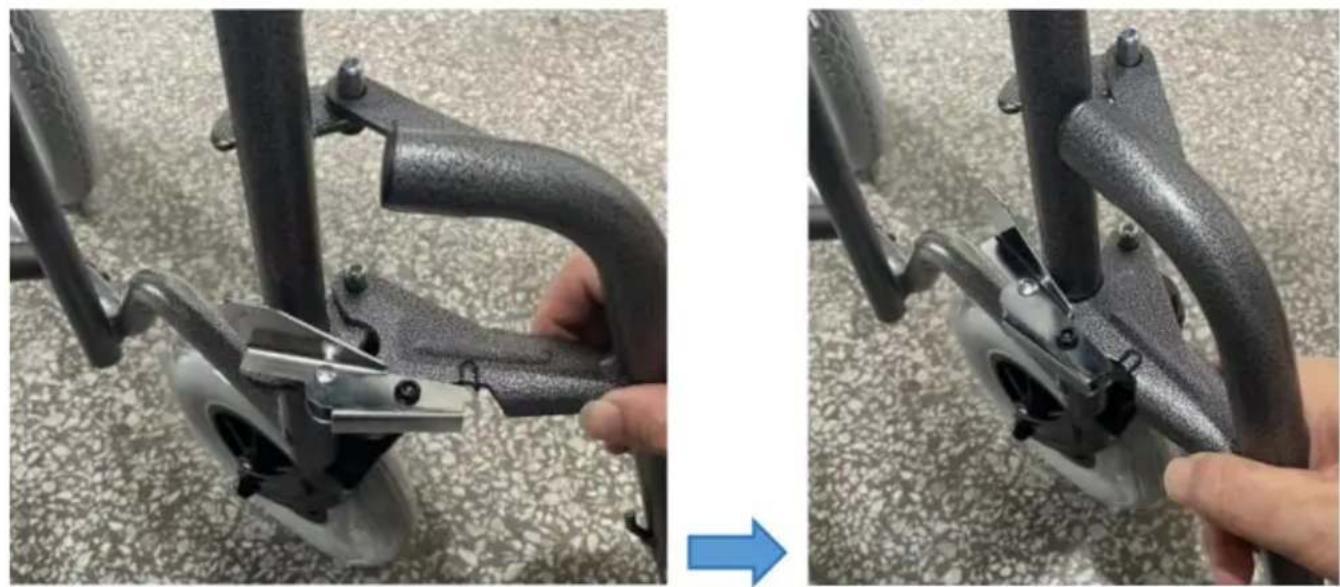
Step 3:
Install the support tube.

Close-up of mechanical components with threaded connectors and a black plastic component, no visible text or symbols

2. Release the brake.

Two-panel photo showing a hand gripping a black mechanical component, with red and blue arrows indicating direction (no text or symbols)

Assembling the product

Step 1:

Step 2:

Black and silver wheelchair with four wheels and handlebars, placed on a textured floor (no visible text or symbols)

C/O YH Consulting Limited Office 147,

Dom Centuriona, London Road,

Staines-upon-Thames, Surrey, TW18 4AX

REPREZENT KE

E-CrossStu GmbH

Mainzer Landstr.69,

60329 Frankfurt am Main.

VEVOR®

TOUGH TOOLS, HALF PRICE

www.vevor.com/support

VEVOR®

TOUGH TOOLS, HALF PRICE
www.vevor.com/support

Transport wheelchair

MODEL: FS210ABEJP-61

NEED HELP? CONTACT US!

OPERATING WARNINGS

Step 3:

Support tube mounting.

B. Support tube mounting.Close-up of a black bicycle seat with a red arrow pointing to the blade, placed on carpet (no text or symbols visible)

Close-up of mechanical components with threaded connectors and a black plastic component, no visible text or symbols

Brake Introduction

  1. Hold the brake pressed.

Three-panel photo showing a hand adjusting a black cable with red arrows indicating motion (no text or symbols)

2. Release the brake.

Two-panel photo showing a hand gripping a black mechanical component, with red and blue arrows indicating direction (no text or symbols)

Product folding

Step 1:

Loosen the support tube.

Two-panel image showing a car wheel assembly with a blue arrow pointing to a detail of the blade and a black tool, both without any visible text or symbols.

Step 2:

Black and silver wheelchair with four wheels on a tiled floor (no visible text or symbols)

Product maintenance:

C/O YH Consulting Limited Office 147,

Centurion House, London Road,

Staines-upon-Thames, Surrey, TW18 4AX

EG REP

E-CrossStu GmbH

Mainzer Landstr.69,

60329 Frankfurt am Main.

VEVOR®

TOUGH TOOLS, HALF PRICE

warranty certificate www.vevor.com/support

VEVOR®

TOUGH TOOLS, HALF PRICE
www.vevor.com/support

Transport wheelchair

MODEL: FS210ABEJP-61

NEED HELP? CONTACT US!

Two-panel image showing a person in a wheelchair folding a black seat, with an arrow pointing to the right side of the chair (no text or symbols visible)

Product installation

Step 1:

Close-up of a mechanical device being adjusted for a tool, showing part assembly and adjustment (no text or symbols visible)

Step 3:

Support tube assembly.

A. Turn the club handle.

Close-up of a black fabric or seat with two metal legs and a blue arrow pointing to the bottom-left corner, placed on a textured gray surface (no text or symbols visible)

Close-up of mechanical components with black plastic parts and threaded connectors, no visible text or symbols

Brake Introduction

  1. Hold the brake.

Three-panel photo showing a hand adjusting a black cable with red arrows indicating motion (no text or symbols)

2. Release the brake.

Two-panel photo showing a hand gripping a black mechanical component, with red and blue arrows indicating direction (no text or symbols)

Product Folding

Step 1:

Loosen the support tube.
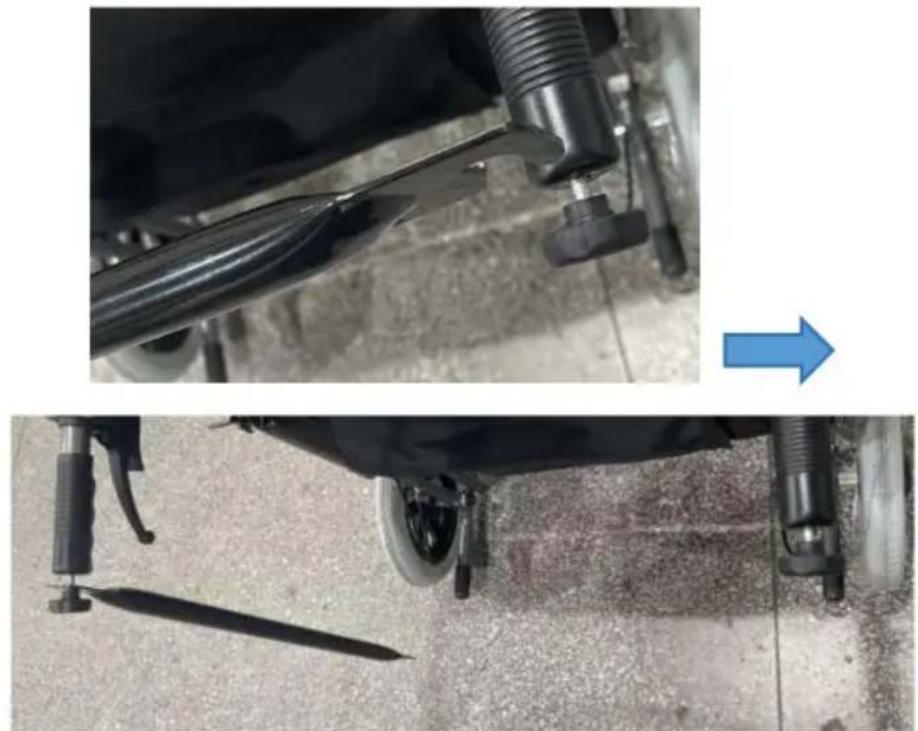
Two-panel image showing a car wheel assembly with a blue arrow pointing to a detail of the blade and a black tool, both without any visible text or symbols.

Step 2:

Pull up the seat cushion.

Two-panel photo showing a person adjusting a black ergonomic chair seat, one with hands and the other with a blue arrow indicating motion (no text or symbols visible)

Black and silver wheelchair with four wheels on a tiled floor (no visible text or symbols)

Product Maintenance:

C/O YH Consulting Limited Office 147,

Centurion House, London Road,

Staines-upon-Thames, Surrey, TW18 4AX
EC REP

E-CrossStu GmbH

Mainzer Landstr.69,

60329 Frankfurt am Main.

VEVOR®

TOUGH TOOLS, HALF PRICE

www.vevor.com/support
Manual assistant
Powered by Anthropic
Waiting for your message
Product information

Brand : Vevor

Model : FS210ABEJP-61

Category : Wheelchair