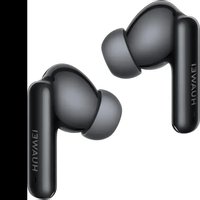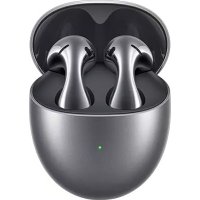
FreeBuds SE 4 - Earphones HUAWEI - Free user manual and instructions
Find the device manual for free FreeBuds SE 4 HUAWEI in PDF.


| Brand | Huawei |
| Model | FreeBuds SE 4 |
| Product type | In-ear wireless earbuds |
| Connectivity | Bluetooth 5.2 |
| Noise reduction | Active (ANC) with multiple modes |
| Protection rating | IP54 (earbuds only) |
| Operating temperature | 0 °C to 35 °C |
| Storage temperature | -20 °C to 45 °C |
| Recommended charger power | 3.5 W to 5.5 W |
| Touch controls | Double tap, triple tap, touch and hold |
| Gesture functions | Play/pause, call, track, noise reduction modes |
| Companion app | Yes (settings and customization) |
| Firmware update | Automatic via paired device (can be disabled) |
| Reset | Function button 10 s (red light) |
| Included accessories | Multiple size ear tips, charging case |
| Cleaning | Clean grilles, ear tips and metal contacts |
| Safety | Keep 15 cm away from medical implants; do not listen at high volume |
| Compatibility | Bluetooth devices; proximity pairing on some Huawei |
| SAR (head) | 0.202 W/kg (EU) / 0.62 W/kg (Canada) |
| SAR (limbs) | 0.202 W/kg (EU) / 0.20 W/kg (Canada) |
Frequently Asked Questions - FreeBuds SE 4 HUAWEI
User questions about FreeBuds SE 4 HUAWEI
0 question about this device. Answer the ones you know or ask your own.
Ask a new question about this device
Download the instructions for your Earphones in PDF format for free! Find your manual FreeBuds SE 4 - HUAWEI and take your electronic device back in hand. On this page are published all the documents necessary for the use of your device. FreeBuds SE 4 by HUAWEI.
USER MANUAL FreeBuds SE 4 HUAWEI
Downloading and installing the app
Scan the QR code to download and install the earbud settings app, where you can try out more features and customize the settings for your earbuds.


Pairing and connecting
1 Enable Bluetooth on the device you wish to pair with the earbuds.
2 Open the charging case and leave the earbuds inside. Hold down on the Function button at the bottom of the case for 2 seconds until the indicator flashes white. The earbuds will then enter Pairing mode.
When you open the charging case for the first time, the indicator will flash white, and the earbuds will automatically enter Pairing mode.
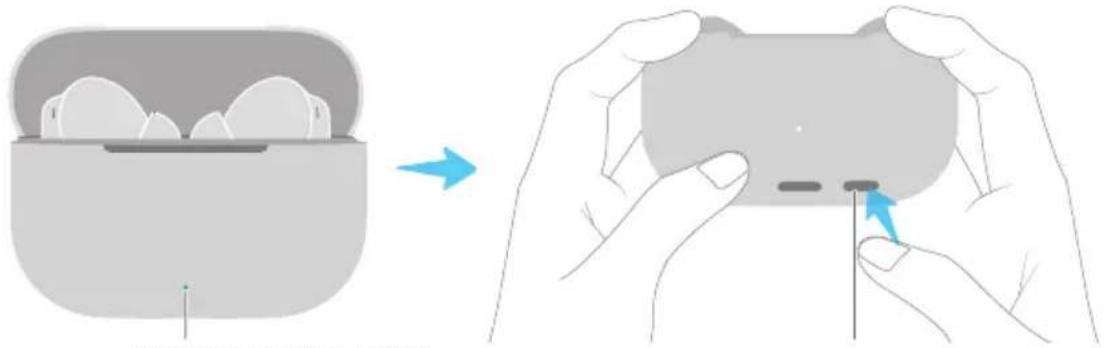
Indicator Function button
3 Pair the earbuds in either of the following ways:
Method 1: Proximity pairing
Place the earbuds close to your phone/tablet, and touch CONNECT on the displayed pop-up.
Method 2: Bluetooth pairing
Search for the earbuds in the Bluetooth settings on your phone/tablet and complete the pairing.
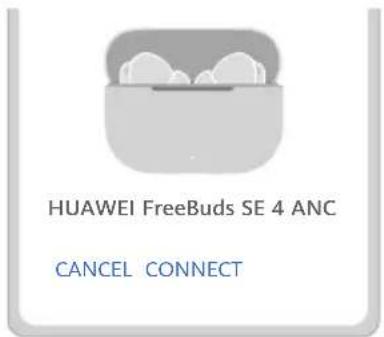
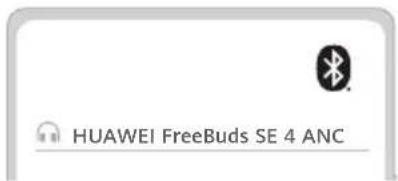
Proximity pairing is supported on select HUAWEI phones/tablets running EMUI 10.0/HarmonyOS 2.0 or later.
Restoring the earbuds to their factory settings
Open the charging case and leave the earbuds inside. Hold down on the Function button for 10 seconds until the indicator flashes red. The earbuds will then be restored to their factory settings before re-entering Pairing mode.
Tap or hold down the touch control area on either earbud to do the following.

| Double tapping | Play/Pause |
| Answer/End a call | |
| Triple tapping Next track | |
| Touch and hold Switch between noise canceling modes | |
You can also customize the gesture settings in the earbud settings app. Actual device interface may differ from that displayed.

Selecting a pair of ear tips
Choose the size that provides the desired noise canceling effects and comfort when worn (the following uses the left earbud as an example). The tighter fit, the better the noise cancellation performance.
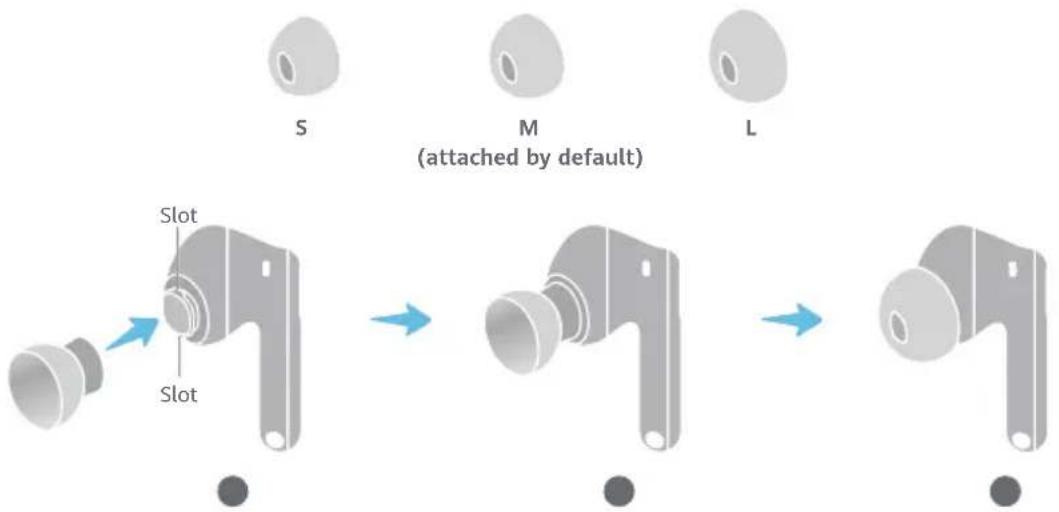
1 Turn the ear tip inside out, and align the smaller end of the ear tip with the corresponding slot on the earbud.
2 Gently push the ear tip onto the upper part of the slot, and then stretch it over the slot completely so that it fits securely.
3 Flip the ear tip back.

Charging the case
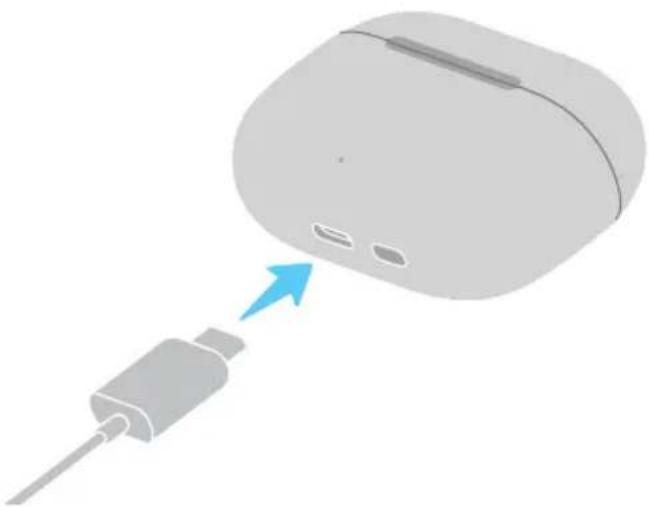
Connect the case to a power source via a USB-C cable to begin charging it.
The earbuds do not come with a USB-C charging cable.
natural_image
3D illustration of a computer mouse with an attached cable and a blue arrow pointing to the mouse (no text or symbols)
Charging the earbuds
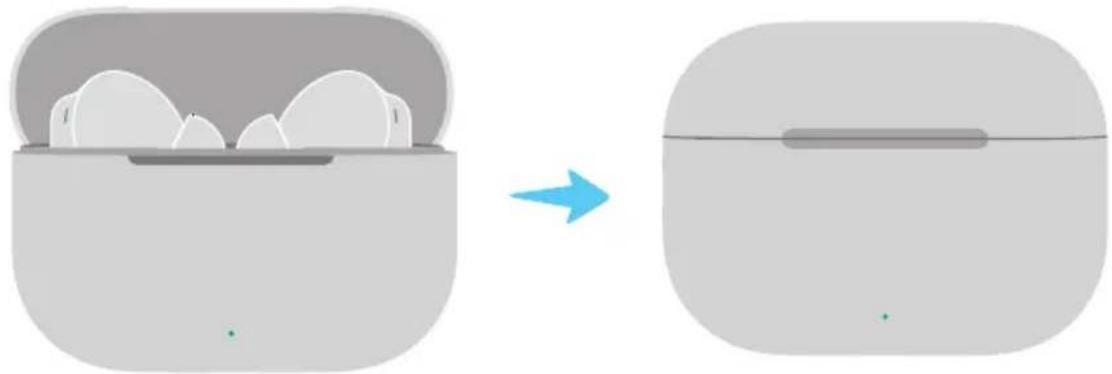
Place the earbuds in the charging case and close the case to initiate automatic charging.
natural_image
Diagram showing a device being processed from a base to a back panel, with no visible text or symbols.Safety Information
Before using and operating this device, read the following precautions to ensure an optimal device performance and avoid dangerous use or unauthorized operations.

• To prevent possible hearing damage, do not listen at a high volume for long periods.
- Some wireless devices may interfere with implantable medical devices and other medical equipment, such as pacemakers, cochlear implants, and hearing aids. When using the product, keep it at least 15 cm away from such medical devices. Consult the manufacturer of your medical equipment for more information.
- Ideal temperatures: 0^ to 35^ for operating; -20^ to +45^ for storage. If your surroundings are too hot or cold, the device may fail to work properly.
- Ensure that the power adapter meets the requirements of IEC/EN 62368-1 and has been tested and approved according to national or local standards.
- Observe all local traffic laws and regulations while using this product. Do not use this device when you are driving.
- Keep this device and its accessories that may contain small components out of the reach of children. Otherwise, children may damage this device and its accessories by mistake, or swallow the small components, which may cause choking.
- Avoid using the device in dusty, damp, or dirty environments, or near sources of magnetic interference.
- Avoid disassembling or modifying your device and its accessories. Unauthorized disassembly and modifications may result in voiding the factory warranty. If your device is faulty, visit an authorized Huawei Customer Service Center for assistance.
- The earbuds meet requirements of (excluding the charging case) IP54 (IEC 60529).
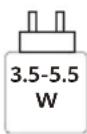
- The power delivered by the charger must be between min 3.5 Watts required by the radio equipment, and max 5.5 Watts in order to achieve the maximum charging speed.

Warning:
- This device contains a coin, button, or small-sized cell battery. Do not swallow the battery, as it constitutes a chemical burn hazard.
- If the coin, button, or small size cell battery is swallowed, it can cause severe internal burns in just 2 hours and can lead to death.
- Keep new and used batteries away from children. If the battery compartment does not close securely, stop using the product and keep it away from children. If you think batteries might have been swallowed or placed inside any part of the body, seek immediate medical attention.
- Keep the battery away from fire, excessive heat, extremely low air pressure and direct sunlight. Do not place it on or in heating devices. Do not disassemble, modify, throw, or squeeze it. Do not insert foreign objects into it, submerge it in liquids, or expose it to external force or pressure, as this may cause it to leak, overheat, catch fire, or even explode.
- Do not attempt to replace the battery yourself — you may damage the battery, which could cause overheating, fire, and injury. The built-in battery in your device should be serviced by Huawei or an authorized service provider.
- The nameplate of this device is attached to the inside of the charging case lid.
- Open or close the charging case to enable or disable Bluetooth.
Precautions
• In order for the earbuds to function correctly, keep the mesh, ear tips, as well as the metal contact points on the earbuds and charging case clean.
- If you experience any skin irritation while wearing the earbuds, remove them and clean them thoroughly. If the issue persists, seek advice from a medical professional.
- Enabling noise canceling may affect your awareness of surrounding sounds and alarms. Ensure that you are in a safe environment when using this function.
- This device's firmware will automatically update whenever it connects to a previously paired Honor device (released before the end of 2020) or a previously paired Huawei device, and Wi-Fi or mobile data is enabled. You can disable automatic firmware updates in Settings.
- Battery life may vary depending on the device settings, storage and usage environments, and enabled features.
Disposal and recycling information

This symbol on the product, battery, literature, or packaging means that the products and batteries should be taken to separate waste collection points designated by local authorities at the end of the lifespan. This will ensure that EEE waste is recycled and treated in a manner that conserves valuable materials and protects human health and the environment. For more information, please contact your local authorities, retailer, or household waste disposal service, or visit the website https://consumer.huawei.com/en/.
Reduction of Hazardous Substances
This device and its electrical accessories comply with local applicable rules on the restriction of the use of certain hazardous substances in electrical and electronic equipment, such as EU REACH regulation, RoHS and Batteries (where included) directive. For declarations of conformity about REACH and RoHS, please visit the website https://consumer.huawei.com/certification.
EU Regulatory Conformance
Hereby, Huawei Device Co., Ltd. declares that this device T0026/T0026L is in compliance with the following Directive: RED 2014/53/EU, RoHS 2011/65/EU, ErP 2009/125/EC. The full text of the EU declaration of conformity, the detailed ErP information and most recent information about accessories & software are available at the following internet address: https://consumer.huawei.com/certification.
UK PSTI Compliance
This product meets the relevant security requirements specified in Schedule 1 of the Product Security and Telecommunications Infrastructure (Security Requirements for Relevant Connectable Products) Regulations 2023. The full text of the PSTI Statement of Compliance is available at the following website: https://consumer.huawei.com/certification.
Frequency Bands and Power
Bluetooth: 2.4 GHz 12.5 dBm.
RF Exposure Information
For the countries that adopt the SAR limit of 2.0 W/kg over 10 grams of tissue for head and 4.0 W/kg averaged over 10 grams of tissue for limbs. The device complies with RF specifications when used near your ear or limbs.
T0026: The highest reported SAR value: Head SAR: 0.202 W/kg; Limbs SAR: 0.202 W/kg
ISED Statement
This device complies with CAN ICES (B)/NMB(B).
This device contains licence-exempt transmitter(s)/receiver(s) that comply with Innovation, Science and Economic Development Canada's licence-exempt RSS(s). Operation is subject to the following two conditions:
(1) This device may not cause interference.
(2) This device must accept any interference, including interference that may cause undesired operation of the device.
Certification information (SAR)
This device is also designed to meet the requirements for exposure to radio waves established by the Industry Canada.
The SAR limit adopted by Canada is 1.6 W/kg averaged over 1 gram of tissue for use against the head and 4.0 W/kg averaged over 10 grams of tissue for use on the limbs. The highest SAR value reported to the IC for this device type complies with this limit.
T0026: The highest SAR value reported to the IC for this device type when using near the head is 0.62 W/kg, and when using on the limbs is 0.20 W/kg.
Legal Notice
Copyright © Huawei Device Co., Ltd. 2025. All rights reserved.
All contents in the documents in the packaging box, including but not limited to information about and portrayals of the appearance, color, size, and supported features of the product (the latest features will come with software updates), are for reference only. The actual product may vary.
The Bluetooth ^® word mark and logos are registered trademarks owned by the Bluetooth SIG, Inc. and any use of this mark by Huawei Technologies Co., Ltd. is under license. Huawei Device Co., Ltd. is an affiliate of Huawei Technologies Co., Ltd.
Privacy Protection
To better understand how we protect your personal information, please see the privacy policy at https://consumer.huawei.com/privacy-policy, or read the privacy policy and service terms using the corresponding app.
Software License Agreement
Please read the software license agreement carefully before using this device. By using the device, you indicate that you agree to be bound by the license agreement. To read the agreement, please visit the following website: https://consumer.huawei.com/en/legal/eula/.
Open Source Software Notice
For the open source software statement of your device, please visit https://consumer.huawei.com/en/opensource/ and search for the device name.
Restrictions in Norway
Use of this radio equipment is not allowed in the geographical area within a radius of 20 km from the center of Ny-Ålesund, Svalbard.

natural_image
3D illustration of a computer mouse with a blue arrow pointing to its internal structure (no text or symbols)
natural_image
Diagram showing a device being processed from a base to a display, with no visible text or symbols.
natural_image
3D illustration of a computer mouse with a blue arrow pointing to its internal structure (no text or symbols)
natural_image
Diagram showing a device being processed from a base to a display, with no visible text or symbols.Sicherheitshinweise

natural_image
3D illustration of a computer mouse with a cable inserted, showing a blue arrow pointing to the mouse (no text or symbols present)
natural_image
Diagram showing a device being processed into an airbag, with a blue arrow indicating the process (no text or symbols present)
natural_image
3D illustration of a computer mouse with a blue arrow pointing to its internal structure (no text or symbols)
natural_image
Diagram showing a device being processed from a base to a display, with no visible text or symbols.
Emparelhar e ligar
natural_image
3D illustration of a computer mouse with a blue arrow pointing to its internal structure (no text or symbols)
Carregar os auriculares
natural_image
Diagram showing a device being processed from a base to a display, with no visible text or symbols.
Koppelen en verbinding maken
natural_image
3D illustration of a computer mouse with a blue arrow pointing to its internal structure (no text or symbols)
natural_image
Diagram showing a device being processed from a base to a display, with no visible text or symbols.
natural_image
3D illustration of a computer mouse with a blue arrow pointing to its internal structure (no text or symbols)
Ładowanie słuchawek
natural_image
Diagram showing a device being processed from a base to a display, with no visible text or symbols.
natural_image
3D illustration of a computer mouse with a blue arrow pointing to its internal structure (no text or symbols)
natural_image
Diagram showing a device being processed from a base to a display, with no visible text or symbols.
natural_image
3D illustration of a computer mouse with a blue arrow pointing to its internal structure (no text or symbols)
Nabíjení sluchátek
natural_image
Diagram showing a device being processed from a container, with a blue arrow indicating the process (no text or symbols present)
natural_image
3D illustration of a computer mouse with a blue arrow pointing to its internal structure (no text or symbols)
natural_image
Diagram showing a device being processed from a container, with a blue arrow indicating the process (no text or symbols present)
natural_image
3D illustration of a computer mouse with a blue arrow pointing to its internal structure (no text or symbols)
Încărcarea căștilor
natural_image
Diagram showing a device being processed from a base to a display, with no visible text or symbols.
natural_image
3D illustration of a computer mouse with a blue arrow pointing to its internal structure (no text or symbols)
natural_image
Diagram showing a device being processed from a base to a display, with no visible text or symbols.Xincheng Road 2, Songshan Lake Zone, Dongguan, Guangdong 523808, China
Tel: 0086-755-28780808
Web: www.huawei.com
E-mail: mobile.tr@huawei.com
Çin'de üretilmiştir
Web: www.huawei.com/tr/
E-posta: mobile.tr@huawei.com
Yetkili Servisler:
1 Genpa Teknik Servis Etiler
Nispetiye Cad. Etiler Sok. No:101 Etiler / Istanbul
02123590359
Kızılay Mah., Fevzi Çakmak 1 Street, Oran Apartment No: 15/B
08502221585 / 03124304343

natural_image
Illustration showing a hand holding an electronic device with a blue arrow indicating the process (no text or symbols present)natural_image
3D illustration of a computer mouse with a cable inserted, showing a blue arrow pointing to the mouse (no text or symbols present)
natural_image
Diagram showing a device being processed into an airbag, with a blue arrow indicating the process (no text or symbols present)
natural_image
Illustration showing a hand holding an electronic device with a small component, before and after a process (no text or symbols present)natural_image
3D illustration of a computer mouse with a cable inserted, showing a blue arrow pointing to the mouse (no text or symbols present)
natural_image
Diagram showing a device being processed into an airbag, with a blue arrow indicating the process (no text or symbols present)Информация за безопасност

natural_image
3D illustration of a computer mouse with a blue arrow pointing to its internal structure (no text or symbols)
natural_image
Diagram showing a device with cloud-like components before and after transformation, no text or symbols presentSäkerhetsinformation

natural_image
3D illustration of a computer mouse with a blue arrow pointing to its internal structure (no text or symbols)
natural_image
Diagram showing a device being processed from a base to a display, with no visible text or symbols.
natural_image
3D illustration of a computer mouse with a blue arrow pointing to its internal structure (no text or symbols)
Lade øreproppene
natural_image
Diagram showing a device being processed from a base to a display, with no visible text or symbols.
natural_image
3D illustration of a computer mouse with a cable inserted, showing a blue arrow pointing to the mouse (no text or symbols present)
natural_image
Diagram showing a device being processed from a base to a back panel, with no visible text or symbols.Turvallisuustiedot

natural_image
3D illustration of a computer mouse with a blue arrow pointing to its internal structure (no text or symbols)
natural_image
Diagram showing a device being processed from a base to a display, with no visible text or symbols.Saugos informacija

natural_image
3D illustration of a computer mouse with a blue arrow pointing to its internal structure (no text or symbols)
Austinu uzlāde
natural_image
Diagram showing a device being processed from a container, with a blue arrow indicating the process (no text or symbols present)
natural_image
3D illustration of a computer mouse with a blue arrow pointing to its internal structure (no text or symbols)
natural_image
Diagram showing a device being processed from a base to a display, with no visible text or symbols.Ohutusteave

Spárovanie a pripojenie
natural_image
3D illustration of a computer mouse with a blue arrow pointing to its internal structure (no text or symbols)
Nabíjanie slúchadiel
natural_image
Diagram showing a device being processed from a base to a display, with no visible text or symbols.
natural_image
3D illustration of a computer mouse with a blue arrow pointing to its internal structure (no text or symbols)
Polnjenje slušalk
natural_image
Diagram showing a device being processed from a base to a display, with no visible text or symbols.
Uparivanje i povezivanje
natural_image
3D illustration of a computer mouse with a blue arrow pointing to its internal structure (no text or symbols)
Punjenje slušalica
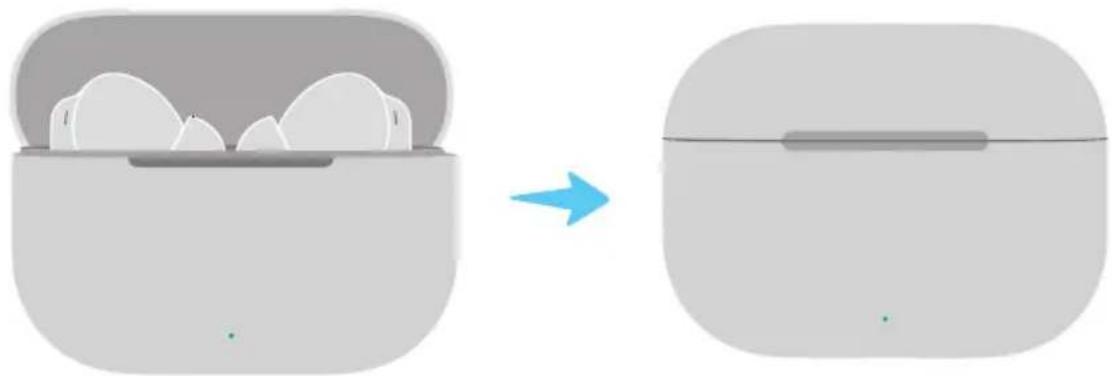
Postavite slušalice u kućište za punjenje i zatvorite kućište za pokretanje automatskog punjenja.
natural_image
Diagram showing a device being processed from a container, with a blue arrow indicating the process (no text or symbols present)
Uparivanje i povezivanje
natural_image
3D illustration of a computer mouse with a blue arrow pointing to its internal structure (no text or symbols)
Punjenje slušalica
natural_image
Diagram showing a device with cloud-like components before and after transformation, no text or symbols present
natural_image
3D illustration of a computer mouse with a blue arrow pointing to its internal structure (no text or symbols)
natural_image
Diagram showing a device with cloud-like components before and after transformation, no text or symbols present
Emparelhar e conectar
natural_image
3D illustration of a computer mouse with a blue arrow pointing to its internal structure (no text or symbols)
Carregar os fones de ouvido
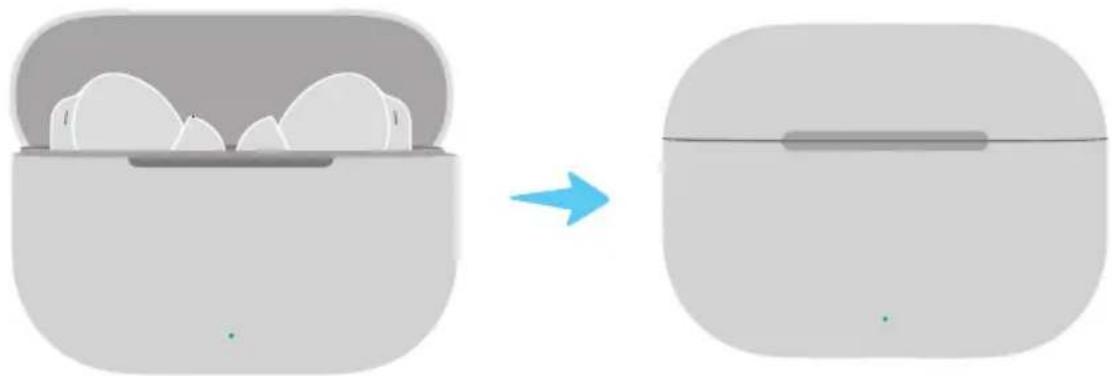
Coloque os fones de ouvido no estojo de carregamento e feche o estojo para iniciar o carregamento automático.
natural_image
Diagram showing a device with cloud-like components before and after transformation, no text or symbols present
配對連接
natural_image
Illustration showing a hand holding an earbell inside a charging case, before and after a close-up of the earbell being held (no text or symbols present)3 選擇以下方式連接耳機。
方式一:快顯視窗配對
natural_image
Simple grayscale icon of a cup holding three small food items (no text or symbols)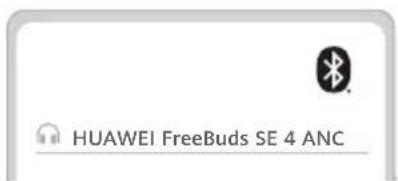
natural_image
Two identical illustrations of hands holding a circular knob with a pointer, showing no text or symbols.natural_image
Diagram showing a mechanical component being processed from a corner to a final view, with no text or symbols present.natural_image
Illustration of a computer mouse with a blue arrow pointing to its internal component (no text or symbols)
為耳機充電
natural_image
Diagram showing a device being processed from a base to a back panel, with no visible text or symbols.安全資訊
natural_image
3D illustration of a computer mouse with a blue arrow pointing to its internal structure (no text or symbols)natural_image
Diagram showing a device being processed from a container, with a blue arrow indicating the process (no text or symbols present)جفت سازی و اتصال
8
natural_image
3D illustration of a computer mouse with a blue arrow pointing to its internal structure (no text or symbols)شحن سماعات الأدن

natural_image
Diagram showing a device being processed from a base to a back panel, with no visible text or symbols.الاقتصاد والتوصيل