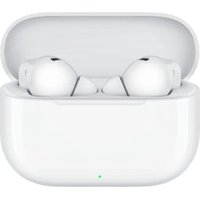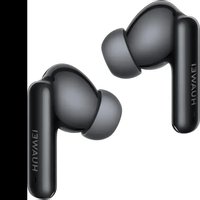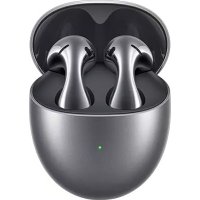
FreeBuds 5 - Earphones HUAWEI - Free user manual and instructions
Find the device manual for free FreeBuds 5 HUAWEI in PDF.



| Product type | Wireless in-ear headphones with open fit |
| Brand | Huawei |
| Model | FreeBuds 5 |
| Connectivity | Bluetooth 2.4 GHz |
| Active noise reduction | Yes, with ANC mode activatable via long press |
| Touch controls | Swipe (volume), double press (play/pause, calls), long press (ANC, reject call) |
| Companion app | HUAWEI AI Life |
| Protection rating | IP54 (earphones only, case not included) |
| Case charging type | USB-C and Qi wireless charging (wireless edition) |
| Operating temperature | 0 °C to 35 °C |
| Storage temperature | -20 °C to 45 °C |
| Frequency bands | Bluetooth 2.4 GHz, wireless charging 110-205 kHz |
| Radio power | Bluetooth 14 dBm |
| SAR (head) | 0.347 W/kg (10 g) |
| Battery life | Not specified in the manual |
| Maintenance and cleaning | Regularly clean the metal contacts with a dry cloth |
| Safety | Do not listen at high volume for long; keep at 15 cm from implants; avoid moisture and dust |
| Repairability | Contact an authorized Huawei center for any repairs |
| Package contents | Earphones, charging case, USB-C cable, documentation |
Frequently Asked Questions - FreeBuds 5 HUAWEI
User questions about FreeBuds 5 HUAWEI
0 question about this device. Answer the ones you know or ask your own.
Ask a new question about this device
Download the instructions for your Earphones in PDF format for free! Find your manual FreeBuds 5 - HUAWEI and take your electronic device back in hand. On this page are published all the documents necessary for the use of your device. FreeBuds 5 by HUAWEI.
USER MANUAL FreeBuds 5 HUAWEI
Download and install the app
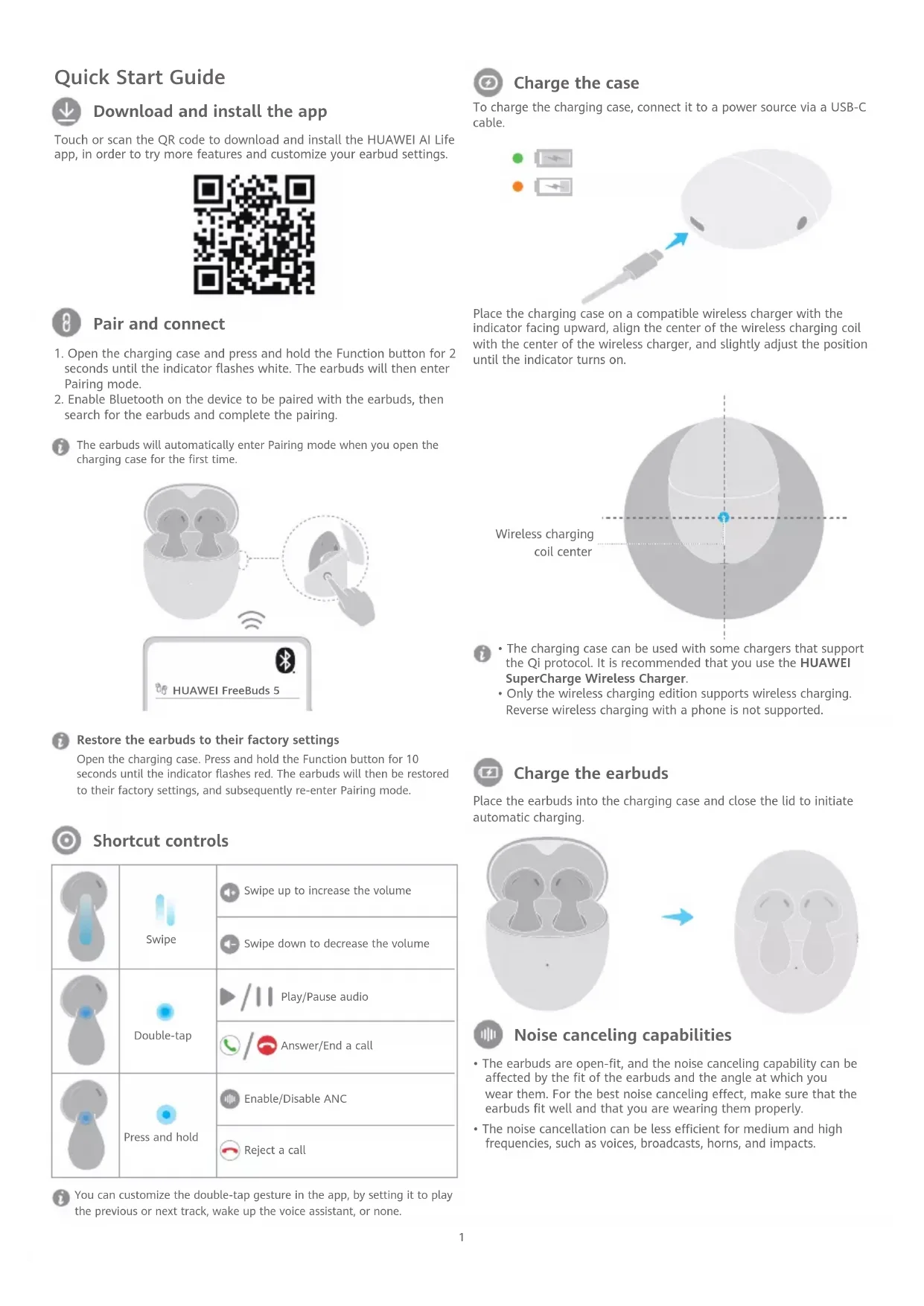
Touch or scan the QR code to download and install the HUAWEI AI Life app, in order to try more features and customize your earbud settings.

text_image
QR code image containing encoded data, no visible human-readable text
Pair and connect
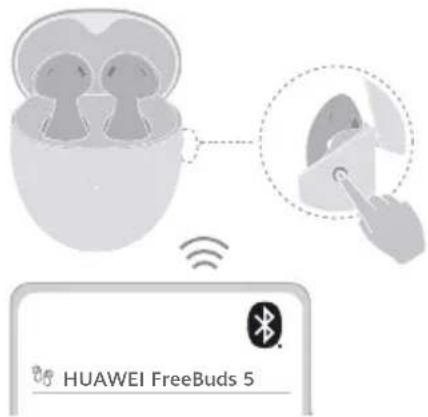
- Open the charging case and press and hold the Function button for 2 seconds until the indicator flashes white. The earbuds will then enter Pairing mode.
- Enable Bluetooth on the device to be paired with the earbuds, then search for the earbuds and complete the pairing.

The earbuds will automatically enter Pairing mode when you open the charging case for the first time.
text_image
HUAWEI FreeBuds 5
Restore the earbuds to their factory settings
Open the charging case. Press and hold the Function button for 10 seconds until the indicator flashes red. The earbuds will then be restored to their factory settings, and subsequently re-enter Pairing mode.

Shortcut controls
| Swipe | Swipe up to increase the volume | |
| Swipe down to decrease the volume | ||
| Double-tap | Play/Pause audio | |
| Answer/End a call | ||
| Press and hold | Enable/Disable ANC | |
| Reject a call |

You can customize the double-tap gesture in the app, by setting it to play the previous or next track, wake up the voice assistant, or none.

Charge the case
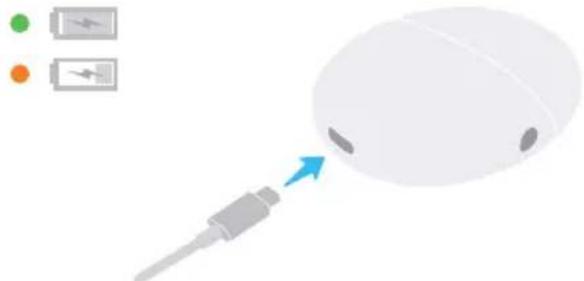
To charge the charging case, connect it to a power source via a USB-C cable.
natural_image
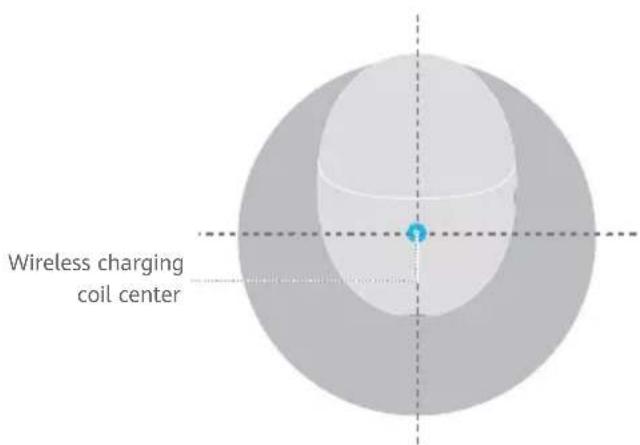
Illustration of a computer mouse with a battery and two charging icons nearby (no text or symbols)Place the charging case on a compatible wireless charger with the indicator facing upward, align the center of the wireless charging coil with the center of the wireless charger, and slightly adjust the position until the indicator turns on.
text_image
Wireless charging coil center
- The charging case can be used with some chargers that support the Qi protocol. It is recommended that you use the HUAWEI SuperCharge Wireless Charger.
- Only the wireless charging edition supports wireless charging. Reverse wireless charging with a phone is not supported.

Charge the earbuds
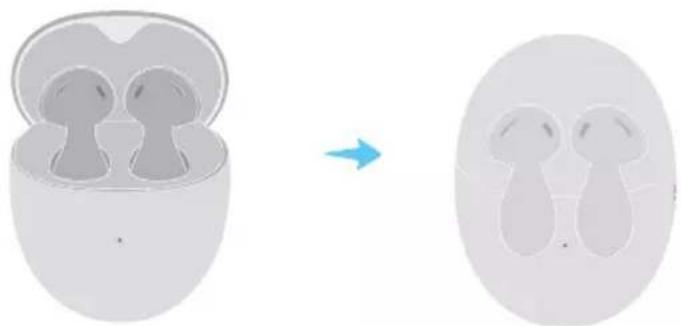
Place the earbuds into the charging case and close the lid to initiate automatic charging.
natural_image
Diagram showing a device with two earbuds inside a transparent housing, before and after transformation (no text or symbols)
Noise canceling capabilities
- The earbuds are open-fit, and the noise canceling capability can be affected by the fit of the earbuds and the angle at which you wear them. For the best noise canceling effect, make sure that the earbuds fit well and that you are wearing them properly.
- The noise cancellation can be less efficient for medium and high frequencies, such as voices, broadcasts, horns, and impacts.
Safety Information
Before using and operating this device, read the following precautions to ensure an optimal device performance and avoid dangerous use or unauthorized operations.

• To protect your hearing, do not listen to audio at a high volume for a long period of time.
- Some wireless devices may interfere with implantable medical devices and other medical equipment, such as pacemakers, cochlear implants, and hearing aids. When using the product, keep it at least 15 cm away from such medical devices. Consult the manufacturer of your medical equipment for more information.
- Ideal temperatures: 0^ to 35^ for operating; -20^ to +45^ for storage.
- When charging, an adapter should be plugged into a socket nearby and easily accessible. Use approved power adapters and chargers.
- Ensure that the power adapter meets the requirements of IEC/EN 62368-1 and has been tested and approved according to national or local standards.
- Observe all local traffic laws and regulations while using this product. Do not use this device when you are driving.
- Keep this device and its accessories that may contain small components out of the reach of children. Otherwise, children may damage this device and its accessories by mistake, or swallow the small components, which may cause choking.
- Avoid using the device in dusty, damp, or dirty environments, or near sources of magnetic interference.
- Keep the battery away from fire, excessive heat, and direct sunlight. Do not place it on or in heating devices. Do not disassemble, modify, throw, or squeeze it. Do not insert foreign objects into it, submerge it in liquids, or expose it to external force or pressure, as this may cause it to leak, overheat, catch fire, or even explode.
- Do not attempt to replace the battery yourself — you may damage the battery, which could cause overheating, fire, and injuries.
- Avoid disassembling or modifying your device and its accessories. Unauthorized disassembly and modifications may result in voiding the factory warranty. If your device is faulty, visit an authorized Huawei Customer Service Center for assistance.
• The earbuds meet requirements of (excluding the charging case) IP54 (IEC 60529).
Precautions
- Keep the metal contact points on the earphones and charging case clean. Otherwise, the earphones may not function properly.
- If you experience any skin irritation while wearing the earphones, remove them and clean them thoroughly. If the issue persists, seek advice from a medical professional.
- Enabling noise canceling may affect your awareness of surrounding sounds and alarms. Ensure that you are in a safe environment when using this function.
- This device's firmware will automatically update whenever it connects to a previously paired Honor device (released before the end of 2020) or a previously paired Huawei device, and Wi-Fi or mobile data is enabled. You can disable automatic firmware updates in Settings.
Disposal and recycling information

This symbol on the product, battery, literature, or packaging means that the products and batteries should be taken to separate waste collection points designated by local authorities at the end of the lifespan. This will ensure that EEE waste is recycled and treated in a manner that conserves valuable materials and protects human health and the environment. For more information, please contact your local authorities, retailer, or household waste disposal service, or visit the website https://consumer.huawei.com/en/.
UK regulatory conformance
Hereby, Huawei Device Co., Ltd. declares that this device T0013/T0013C is in compliance with the relevant statutory instruments in the UK. The full text of the declaration of conformity is available at the following internet address: https://consumer.huawei.com/certification.
UK PSTI Compliance
This product meets the relevant security requirements specified in Schedule 1 of the Product Security and Telecommunications Infrastructure (Security Requirements for Relevant Connectable Products) Regulations 2023. The full text of the PSTI Statement of Compliance is available at the following website: https://consumer.huawei.com/certification.
EU Regulatory Conformance
Hereby, Huawei Device Co., Ltd. declares that this device T0013/T0013C is in compliance with the following Directive RED 2014/53/EU, RoHS 2011/65/EU, EU REACH regulation, and Batteries (where included) directive.
The full text of the EU declaration of conformity and most recent information about accessories & software are available at the following internet address: https://consumer.huawei.com/certification.
Frequency Bands and Power
Bluetooth: 2.4 GHz 14 dBm.
Wireless Power charging: 110 kHz to 205 kHz: -10.59 dBuA/m @10 m.
ISED Statement
This device complies with CAN ICES-3 (B)/NMB-3(B).
This device contains licence-exempt transmitter(s)/receiver(s) that comply with Innovation, Science and Economic Development Canada's licence-exempt RSS(s). Operation is subject to the following two conditions:
(1) This device may not cause interference.
(2) This device must accept any interference, including interference that may cause undesired operation of the device.
RF Exposure Information
This device is a low-power radio transmitter and receiver. As recommended by international guidelines, the device meets applicable national SAR limits of 2.0 W/kg (10g) and 1.6 W/kg (1g).
10g SAR: The highest reported SAR value: Head SAR: 0.347 W/kg.
1g SAR: The highest reported SAR value: Head SAR: 0.57 W/kg.
Legal Notice
Copyright © Huawei Device Co., Ltd. 2023. All rights reserved.
All contents in the documents in the packaging box, including but not limited to information about and portrayals of the appearance, color, size, and supported features of the product (the latest features will come with software updates), are for reference only. The actual product may vary.
The Bluetooth ^® word mark and logos are registered trademarks owned by the Bluetooth SIG, Inc. and any use of this mark by Huawei Technologies Co., Ltd. is under license. Huawei Device Co., Ltd. is an affiliate of Huawei Technologies Co., Ltd.
Privacy Protection
To better understand how we protect your personal information, please see the privacy policy at https://consumer.huawei.com/privacy-policy, or read the privacy policy and service terms using the corresponding app.
Software License Agreement
Please read the software license agreement carefully before using this device. By using the device, you indicate that you agree to be bound by the license agreement. To read the agreement, please visit the following website: https://consumer.huawei.com/en/legal/eula/.
Open Source Software Notice
For the open source software statement of your device, please visit https://consumer.huawei.com/en/opensource/ and search for the device name.
Australia/New Zealand

text_image
QR code image containing encoded data, no visible human-readable text
natural_image
Illustration of a computer mouse with a cable inserted, showing battery icons and an arrow pointing to the mouse (no text or symbols present)natural_image
Diagram showing a device with two earbuds inside a transparent housing, before and after transformation (no text or symbols)
text_image
QR code image containing encoded data, no visible human-readable text
natural_image
Illustration of a computer mouse with a battery and two charging icons above it (no text or symbols)natural_image
Diagram showing a device with two earbuds before and after transformation, no text or symbols present
https://consumer.huawei.com/en/legal/eula/.
text_image
QR code image containing encoded data, no visible human-readable text
natural_image
Illustration of a computer mouse with a power cord and battery icons (no text or symbols)natural_image
Diagram showing a device with two earbuds before and after transformation, no text or symbols present
text_image
QR code image containing encoded data, no visible human-readable text
Enlazar y conectar
natural_image
Illustration of a computer mouse with a USB cable inserted, showing battery icons and an arrow pointing to the mouse (no text or symbols present)natural_image
Diagram showing a device with two earbuds inside a housing, before and after transformation (no text or symbols)
text_image
QR code image containing encoded data, no visible human-readable text
natural_image
Illustration of a computer mouse with a battery and two battery icons above it, showing a blue arrow pointing to the mouse (no text or symbols present)natural_image
Diagram showing a device with two earbuds inside a transparent housing, before and after transformation (no text or symbols)
text_image
QR code image containing encoded data, no visible human-readable text
Koppelen en verbinden
natural_image
Illustration of a computer mouse with a cable inserted, showing battery icons and an arrow pointing to the mouse (no text or symbols present)natural_image
Diagram showing a device with two earbuds inside a transparent housing, before and after transformation (no text or symbols)
text_image
QR code image containing encoded data, no visible human-readable text
natural_image
Illustration of a computer mouse with a battery and charging icon, showing a blue arrow pointing to the mouse (no text or symbols present)natural_image
Diagram showing a device with two earbuds before and after transformation, no text or symbols present
Redukcja hałasu
text_image
QR code image containing encoded data, no visible human-readable text
natural_image
Illustration of a wireless earbuds with a hand interacting with a device, showing signal waves and a close-up of the ear (no text or symbols present)
HUAWEI FreeBuds 5

natural_image
Illustration of a computer mouse with a blue arrow pointing to its head (no text or symbols present)natural_image
Diagram showing transformation of two earbuds into an oval device (no text or symbols)
text_image
QR code image containing encoded data, no visible human-readable text
natural_image
Illustration of a computer mouse with a plug and battery icon, no text or symbols presentnatural_image
Diagram showing a device with two earbuds inside a transparent housing, before and after transformation (no text or symbols)
text_image
QR code image containing encoded data, no visible human-readable text
natural_image
Illustration of a computer mouse with a blue arrow pointing to the mouse (no text or symbols present)natural_image
Diagram showing a device with two earbuds inside a transparent housing, before and after transformation (no text or symbols)
Zajszürő képesség
text_image
QR code image containing encoded data, no visible human-readable text
natural_image
Illustration of a computer mouse with a battery and charging plug, showing an upward arrow (no text or symbols)natural_image
Diagram showing a device with two earbuds before and after transformation, no text or symbols present
text_image
QR code image containing encoded data, no visible human-readable text
natural_image
Illustration of a computer mouse with a cable inserted, showing battery icons and an arrow pointing to the mouse (no text or symbols present)natural_image
Diagram showing a device with two earbuds before and after transformation, no text or symbols present
https://consumer.huawei.com/certification.
Xincheng Road 2, Songshan Lake Zone, Dongguan, Guangdong 523808, China
Tel: 0086-755-28780808
Web: www.huawei.com
E-mail: mobile.tr@huawei.com
Çin'de üretilmiştir
Web: www.huawei.com/tr/
E-posta: mobile.tr@huawei.com
Özel Zaman: 09:30 - 16:45(Saturday)
Özel Zaman: 09:00 - 13:00(Saturday)
Kızılay Mah., Fevzi Çakmak 1 Street, Oran Apartment No: 15/B
08502221585
09:00 - 18:00(Monday To Friday)
8 KVK Teknik Servis İzmir
İsmet Kaptan Mah. 1365 Sok. No: 7B
02324895959
08:30 - 18:00(Monday To Friday)
9 KVK Teknik Servis Trabzon
text_image
QR code image containing encoded data, no visible human-readable text
ペアリングと接続
natural_image
Illustration of a computer mouse with a blue arrow pointing to the mouse's head, accompanied by battery icons (no text or symbols)natural_image
Diagram showing a device with two earbuds before and after transformation, no text or symbols present
ノイズキャンセリング能力
https://consumer.huawei.com/certification
高周波曝露情報
Copyright © Huawei Device Co., Ltd. 2023. All rights reserved.
text_image
QR code image containing encoded data, no visible human-readable text
natural_image
Illustration of a white computer mouse with a blue arrow pointing to its head, accompanied by battery icons and an orange dot (no text or symbols on the mouse itself)natural_image
Diagram showing a device with two earbuds before and after transformation, no text or symbols present
text_image
QR code image containing encoded data, no visible human-readable text
natural_image
Illustration of a computer mouse with a cable inserted, showing battery icons and an arrow pointing to the mouse (no text or symbols present)natural_image
Diagram showing a device with two earbuds inside a transparent housing, before and after transformation (no text or symbols)
Шумоподавление
text_image
QR code image containing encoded data, no visible human-readable text
natural_image
Illustration of a computer mouse with a power cord and battery icons (no text or symbols on the device itself)natural_image
Diagram showing transformation of two earbuds into a closed earbell (no text or symbols present)
text_image
QR code image containing encoded data, no visible human-readable text
natural_image
Illustration of a computer mouse with a power cord and battery icons, no text or symbols presentnatural_image
Diagram showing a device with two earbuds before and after transformation, no text or symbols present
Kemampuan peredam derau
https://consumer.huawei.com/en/legal/eula/.
text_image
QR code image containing encoded data, no visible human-readable text
natural_image
Illustration of a computer mouse with a plug inserted, showing battery icons and an arrow pointing to it (no text or symbols present)natural_image
Diagram showing a device with two earbuds before and after transformation, no text or symbols present
text_image
QR code image containing encoded data, no visible human-readable text
Ghép cặp và kết nối
natural_image
Illustration of a computer mouse with a blue arrow pointing to its head (no text or symbols present)natural_image
Diagram showing a device with two earbuds before and after transformation, no text or symbols present
. Copyright © Huawei Device Co., Ltd. 2023
natural_image
Illustration of a computer mouse with a blue arrow pointing to its head, accompanied by battery icons (no text or symbols on the mouse itself)natural_image
Diagram showing a transformation from a cross-section view of two identical objects to an open, multi-component device (no text or symbols present)قابلیت های حذف نویز

text_image
QR code image containing encoded data, no visible human-readable textجفت سازی و اتصال

natural_image
Illustration of a wireless earbuds with an earbell and a hand interacting with the ear (no text or symbols)
HUAWEI FreeBuds 5
Huawei Device Co., Ltd. 2023 ©
natural_image
Illustration of a computer mouse with a blue arrow pointing to its head, accompanied by battery icons (green and orange) and a power button (no text or symbols on the mouse itself)natural_image
Diagram showing a device being processed into a multi-chamber (no text or symbols present)text_image
QR code image containing encoded data, no visible human-readable text
الاقتصاد والاتصال

natural_image
Illustration of a wireless earbuds with an earbell inside, connected to a hand pointing at the earbell (no text or symbols present)
HUAWEI FreeBuds 5