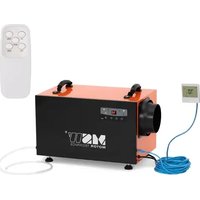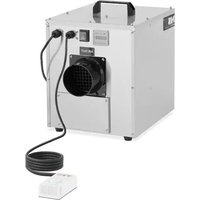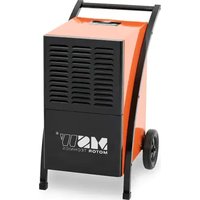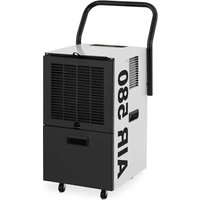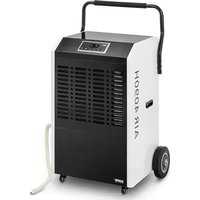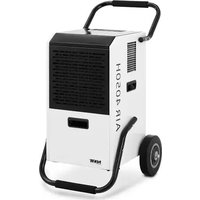
DEH4050H - Dehumidifier MSW - Free user manual and instructions
Find the device manual for free DEH4050H MSW in PDF.


| Product Type | Dehumidifier |
| Model | MSW-DEH4050H |
| Supply Voltage | 230 V ~ / 50 Hz |
| Nominal Power | 545 W (27 °C, 60 % RH) |
| Maximum Power | 650 W (30 °C, 80 % RH) |
| Nominal Current | 2.2 A (27 °C, 60 % RH) |
| Maximum Current | 3.1 A (30 °C, 80 % RH) |
| Dehumidification Capacity (30°C, 80% RH) | 51 liters/day |
| Dehumidification Capacity (27°C, 60% RH) | 28.7 liters/day |
| Refrigerant | R290 |
| Refrigerant Quantity | 230 g |
| Weight | 36 kg |
| Operating Mode | Auto, Normal |
| Humidity Adjustment Range | 10 % – 95 % |
| Timer | 1 h – 24 h |
| Indoor Drying Function | Yes |
| Automatic Defrost | Yes |
| Automatic Shut-off Full Tank | Yes |
| Air Filter | Washable, clean every 2 weeks |
| Use | Indoor only |
Frequently Asked Questions - DEH4050H MSW
User questions about DEH4050H MSW
0 question about this device. Answer the ones you know or ask your own.
Ask a new question about this device
Download the instructions for your Dehumidifier in PDF format for free! Find your manual DEH4050H - MSW and take your electronic device back in hand. On this page are published all the documents necessary for the use of your device. DEH4050H by MSW.
USER MANUAL DEH4050H MSW
natural_image
Line drawing of a portable industrial machine with a side-view inset showing its internal components (no text or symbols)natural_image
Line drawing of a portable air conditioner unit with grid panel and side-mounted fan (no text or symbols)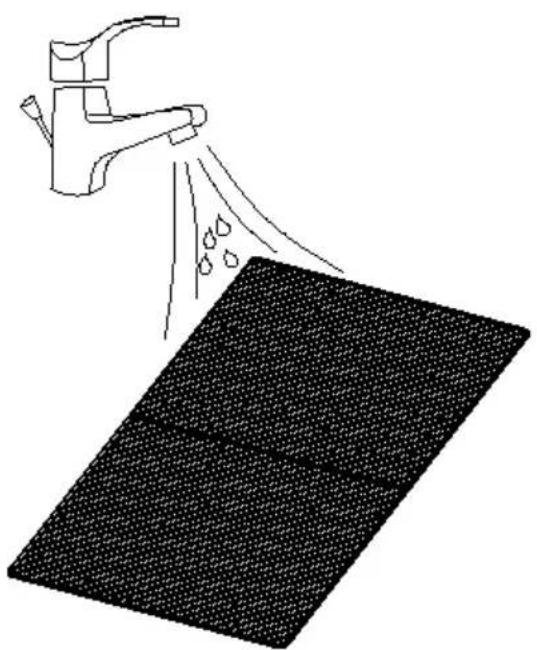
natural_image
Illustration of a faucet spraying water onto a textured surface (no text or symbols)
ACHTUNG!
This User Manual has been translated for your convenience using machine translation. Reasonable efforts have been made to provide an accurate translation; however, no automated translation is perfect nor is it intended to replace human translators. The official User Manual is the English version. Any discrepancies or differences created in the translation are not binding and have no legal effect for compliance or enforcement purposes. If any questions arise related to the accuracy of the information contained in the User Manual, please refer to the English version of those contents which is the official version.
Technical data
| Parameter description | Parameter value |
| Product name | Air dehumidifier |
| Model | MSW-DEH4050H |
| Supply voltage [V~] / frequency [Hz] | 230V~/50Hz |
| Rated power | 545 W (27°C, 60% RH) |
| Maximum rated power | 650 W (30°C, 80% RH) |
| Rated current | 2.2 A (27°C, 60% RH) |
| Maximum rated current | 3.1 A (30°C, 80% RH) |
| Rated capacity | 51 l/day (30°C, 80% RH)28.7 l/day (27°C, 60% RH) |
| Refrigerant / quantity | R290 / 230g |
| Weight [kg] | 36 |
1. General Description
This manual is intended to assist you for safe and reliable use. The product is designed and manufactured strictly according to technical specifications using the latest technology and components and maintaining the highest quality standards.
CAREFULLY READ AND UNDERSTAND THIS MANUAL BEFORE STARTING THE WORK.
To ensure long and reliable operation of the device, make sure to operate and maintain it properly in accordance with the guidelines in this instruction manual. The technical data and specifications in this manual are up-to-date. The manufacturer reserves the right to make changes in order to improve the quality. Taking the technical progress and the possibility of reducing noise into account, the unit is designed and built in such a way so that risks resulting from noise emissions are reduced to the lowest possible level.
Explanation of symbols

The product complies with applicable safety standards.
Read the manual before use.
Recyclable product.
CAUTION! or WARNING! or REMEMBER! A general warning sign that describes a given situation.
CAUTION! Risk of electric shock!
CAUTION! Fire hazard - flammable materials!
For indoor use only.

CAUTION! The figures in this manual are illustrative only and may vary in some details from the actual appearance of the product.
2. Safety of use

CAUTION! Read all safety warnings and instructions. Failure to follow the warnings and instructions may result in electric shock, fire and/or serious injury or death.
The term "device" or "product" in the warnings and in the description of the manual refers to:
Air dehumidifier.
2.1. Electrical safety
a) The plug of this device must fit into the outlet. Do not modify the plug in any way. Original plugs and matching outlets reduce the risk of electric shock.
b) Avoid touching grounded parts, such as pipes, heaters, ovens, and refrigerators. There is an increased risk of electric shock if your body is grounded and touches the device while exposed to direct rain, wet pavement, or while working in a damp environment. If water enters the device, there is an increased risk of damage to the unit and electric shock.
c) Do not touch the device with wet or damp hands.
d) Do not use the cord in an unintended manner. Never use it to carry the device or to pull the plug out of the socket. Keep the cord away from heat sources, oil, sharp edges or moving parts. Damaged or tangled cords increase the risk of electric shock.
e) If you cannot avoid using the product in a wet environment, use a residual current device (RCD) to connect it to electrical mains. Using an RCD reduces the risk of electric shock.
f) Do not use the device if the power cord is damaged or shows signs of wear. A damaged power cord should be replaced by a qualified electrician or the manufacturer's service department.
g) To avoid electric shock, do not immerse the cable, plug, or the device itself in water or other liquid. Do not use the appliance on wet surfaces.
h) CAUTION – DANGER TO LIFE! When cleaning or using the appliance, never immerse it in water or other liquids.
i) Use only power sources that are grounded.
2.2. Safety in the workplace
a) Keep the work area tidy and well lit. Disorder or poor lighting can lead to accidents. Be foresighted, watch what you are doing and use common sense when using the unit.
b) Do not use the device in a potentially explosive atmosphere, for example in the presence of flammable liquids, gases or dust. The unit produces sparks that can ignite dust or fumes.
c) If you find any damage or irregularities in the operation of the unit, immediately turn it off and report it to an authorized person.
d) If you have any doubts as to whether the product is working properly or if it is damaged, contact the manufacturer's service department.
e) Repairs to the device may only be carried out by the manufacturer's service. Do not attempt to repair the product on your own!
f) In case of open flames or fire, use only dry powder or snow (CO2) fire extinguishers to extinguish the live equipment.
g) Keep this manual for future reference. If the product is to be handed over to a third party, hand it over with this user manual.
h) Keep packaging components and small installation parts out of the reach of children.
i) Keep the device away from children and animals.

PLEASE NOTE! Keep children and other bystanders safe while operating the appliance.
2.3. Personal safety
a) Do not operate this device if you are tired, ill or under the influence of alcohol, drugs or medication that could impair your ability to operate the device.
b) The device is not intended to be used by persons (including children) with reduced mental, sensory or intellectual functions or persons who lack experience and/or knowledge unless they are supervised or have been instructed by a person responsible for their safety on how to operate the device.
c) The unit may be operated by persons who are physically fit, capable of operating it and appropriately trained, and who have read this instruction manual and have been trained in occupational safety and health.
d) To prevent accidental start-up, make sure the switch is in the off position before connecting to a power source.
e) The product is not a toy. Children should be watched to ensure that they do not play with the appliance.
2.4. Safe use of the device
a) Do not overload the device. Use tools that are suitable for the application. A correctly selected product will do a better and safer job for which it was designed.
b) Disconnect the device from the power supply before adjusting, cleaning, or servicing. This precaution reduces the risk of accidental start-up.
c) Keep unused product out of the reach of children and anyone unfamiliar with the device or this manual. Products are dangerous when used by inexperienced users.
d) Keep the product in good working order. Check before each use for general damage or damage to moving parts (cracks in parts and components or any other condition that may affect the safe operation of the device). If damaged, have the device repaired before use.
e) Keep the product out of the reach of children.
f) Repairs and maintenance should be carried out by qualified personnel using only original spare parts. This will ensure the safety of use.
g) To ensure the designed operational integrity of the device, do not remove factory-installed covers or loosen screws.
h) When transporting or moving the unit from storage to the place of use, observe the health and safety rules for manual handling applicable in the country where the unit is used.
i) Do not move, shift, or rotate the machine while in operation.
j) Clean the device regularly to prevent permanent dirt build-up.
k) The product is not a toy. Cleaning and maintenance must not be performed by children without adult supervision.
I) Do not tamper with the device to alter its performance or design.
m) Keep the unit away from sources of fire and heat.
n) Do not block the ventilation openings of the unit!
o) Do not store heavy, poisonous or corrosive objects inside the unit.
p) Do not use the device in unheated rooms or places with high air humidity.
q) CAUTION! The unit in its construction contains flammable substances. For this reason, the unit should be taken to a specialist for disposal at the end of its service life.
r) Do not place the device in the vicinity of open fire sources, electric furnaces, coal stoves, etc., and do not place the device in direct sunlight.
s) The unit must be connected directly to a wall plug socket; do not use splitters etc.
t) Ensure that the power supply to the unit corresponds to that specified on the identification plate!
u) Do not place heavy objects on the unit.
v) Do not damage the refrigerant circuit.
⚠️ CAUTION! Although the product has been designed to be safe and has adequate safeguards and despite the additional safety features provided to the user, there is still a slight risk of accident or injury when handling the product. Caution and common sense are advised when using the product.
3. Instructions for use
The device is designed to dehumidify the air in the room, protecting it and the objects in it from the negative effects of moisture.
The user is responsible for any damage resulting from misuse.
3.1. Preparation for operation
POSITIONING OF THE UNIT
The ambient temperature must not exceed 40^ C. Place the unit in a way that ensures good air circulation. Maintain a minimum clearance of 50 cm from any wall of the unit. Keep the unit away from any hot surfaces. Always operate the unit on a level, stable, clean, fireproof and dry surface and out of the reach of children and persons of impaired mental, sensory and intellectual functions. Place the unit in such a way that the mains plug can be reached at any time. Ensure that the power supply to the unit corresponds to that specified on the identification plate!
Before using the unit for the first time, disassemble all parts and wash them as well as the entire unit.
ASSEMBLY OF THE DEVICE
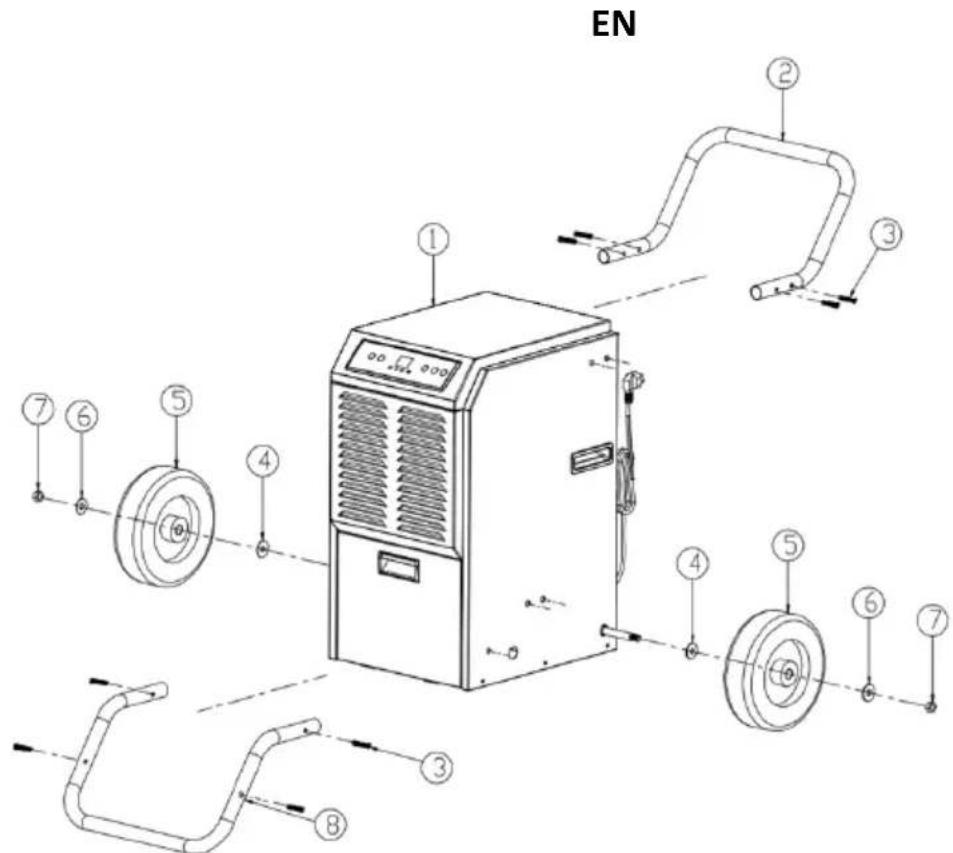
1 - Dehumidifier
2 - Main handle
3 - Screws
4, 6 - Washers
5 - Wheels
7 - Nuts
8 - Support bar
- Do not use the dehumidifier near walls, curtains or other objects that may block the inlet and outlet. The air inlet and outlet should be free from obstruction.
- If the machine is tilted by more than 45^ , leave it upright for at least 24 hours before putting it into operation.
- Never install the device in places where it could be exposed to:
- Heat sources, such as radiators, heaters, stoves or other devices that produce heat.
- Direct sunlight.
○ Mechanical vibration or shock.
○ Excessive dust.
- Lack of ventilation.
- Uneven surface
3.2. Working with the device
3.2.1. Control panel
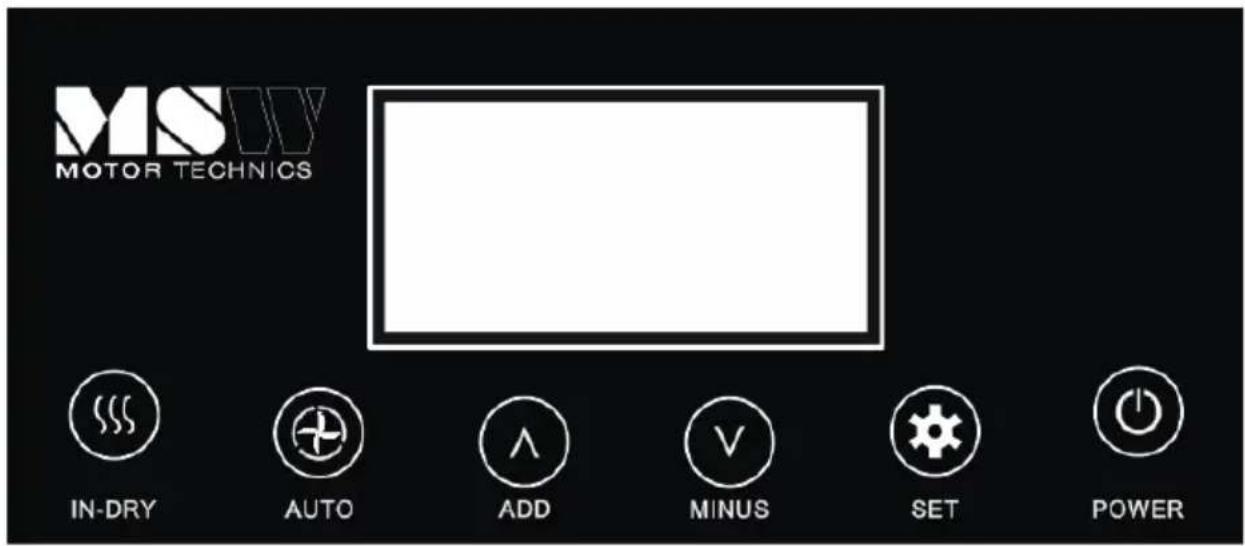
| POWER button | Press onceto start or stop the device. | |
| SET button | Press to enable or disable the timer function | |
| ADD setting button | Sets the humidity value from 10% -90%.Adjusts the timer. (1h ~ 24h) | |
| Set button (MINUS) | ||
| AUTO button | Press to turn on automatic mode dehumidification mode and humidity at 50% | |
| "Tank full" LED indicator |  | It lights up when the water tank is almost full. |
| LED timer indicator |  | It lights up when the timer function is on. |
| LED defrost indicator |  | It lights up when automatic defrosting is in progress. |
EN
| AUTO button | When the AUTO dehumidification mode is on, you can press the ADD, MINUS and SET button, but you cannot change the humidity data and set the ON/OFF timer. |
| In-dry button | After turning off the device, press this button and the device will dry inside. |
| Digital display | Displays the current humidity (20-95%) and the humidity setting (10-95%).Displays the timer setting and temperature. |
3.2.2. Settings
Mode of operation
A. Operation in the AUTO mode
Press the POWER button to turn on the device. Then press the AUTO button and the display will show the AU message.
The unit starts dehumidifying in the AUTO mode, regardless of the humidity. In this mode, you cannot set the humidity level or the timer. In this mode, the humidity is set on 50%.
B. Normal operation
Press the POWER button to turn on the device.
Humidity setting (setting range: 10% -95%):
The humidity can be adjusted in the normal operating mode.
Press the ADD/MINUS button several times to adjust the humidity setting.
Set the humidity level between 40% and 60% for comfort.
The device will turn on and off to maintain this level.
Timer setting (1-24 hours):
Press the SET button to set the timer.
Setting the switch-off time while the device is turned on:
- Press the SET button to activate the timer function.
- Press the ADD/MINUS buttons accordingly to set the switch-off time.
Setting the switch-on time while the device is switched off:
- Press the SET button to activate the timer function.
- Press the ADD/MINUS buttons respectively to set the time to turn on the unit.
Setting the device's work cycle while the machine is turned on:
- Press the SET button to activate the timer function.
- Press the ADD/MINUS buttons respectively to set the device shut-off time,
- Press the ADD/MINUS buttons respectively to set the time to turn-on the device.
• The unit will operate at the set ON/OFF time cycles.
Setting the operating cycle of the device while the device is turned off:
- Press the SET button to activate the timer function.
- Press the ADD/MINUS buttons respectively to set the time to turn-on the device.
- Press the ADD/MINUS buttons respectively to set the device shut-off time,
- The unit will operate at the set ON/OFF time cycles.
Deleting the timer settings:
Press the SET button again to turn off the timer function.
Note: Pressing POWER will also exit the timer setting.
Water full indicator.
The device automatically turns off when the water tank is full, alerting the user via the
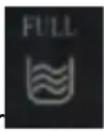
LED indicator and beeping all the time. This is a reminder to check the following:
- If the water tank is full, empty the water tank and install it again.
- If the water tank is not attached properly, the LED will be on and the unit will not work. Install the tank correctly and the unit will turn on automatically with the last setting.
Drying the inside
After turning off the unit, press the IN-DRY button to dry the inside of the unit. This will prevent water-induced corrosion of the unit.
Room temperature control
The LED display shows the current temperature in the room.
Automatic defrosting function
At low room temperatures, frost can build up on the evaporator, reducing the airflow during dehumidification.
The dryer will automatically start defrosting for 15 minutes.
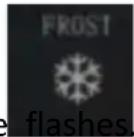
The LED diode
The compressor stops and the fan continues to run.
Do not turn off the unit, it will automatically resume dehumidification.
Overload protection
In the event of a power loss, there is a 3-minute delay until the compressor restarts, which protects the compressor.
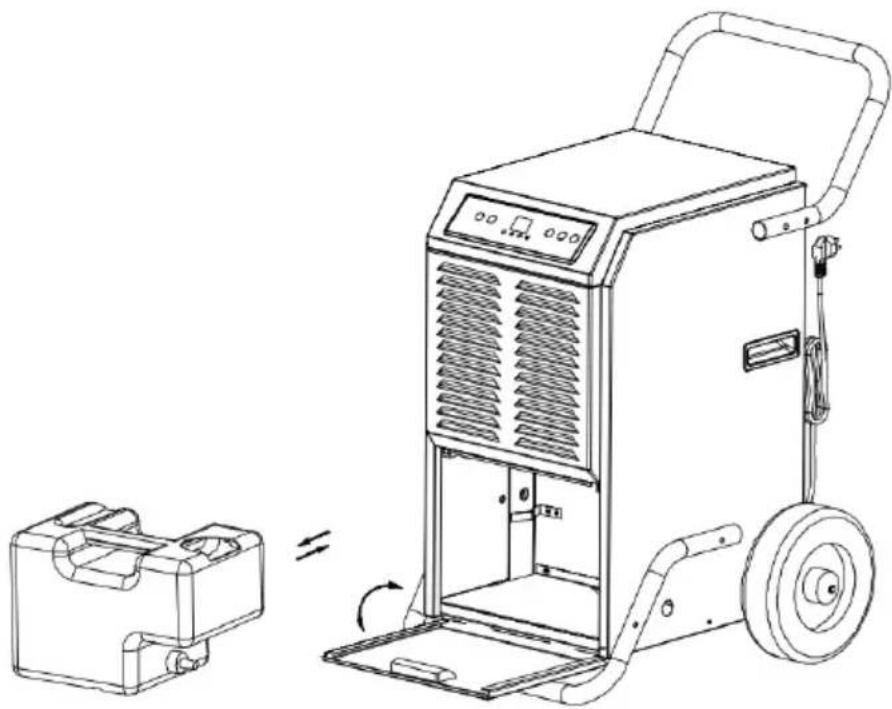
3.2.3. Water drainage
Emptying the water tank
The machine will turn off as soon as the water tank is full. The dehumidifier will work again after emptying the water tank and installing it correctly.
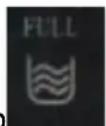
1) When the tank is full, the "FULL" light will light up.
2) The device will be beeping. Press the power button to turn off the device.
3) To empty the water tank, open the front panel to access it.
4) Grasp the handle of the water tank and pull it out horizontally.
5) After the water has been removed, install the tank and close the front panel.
6) Press the POWER button to wake up the unit.
EN
natural_image
Line drawing of a portable industrial machine with a side-view inset showing its internal components and rotation (no text or symbols)3.3. Cleaning and maintenance
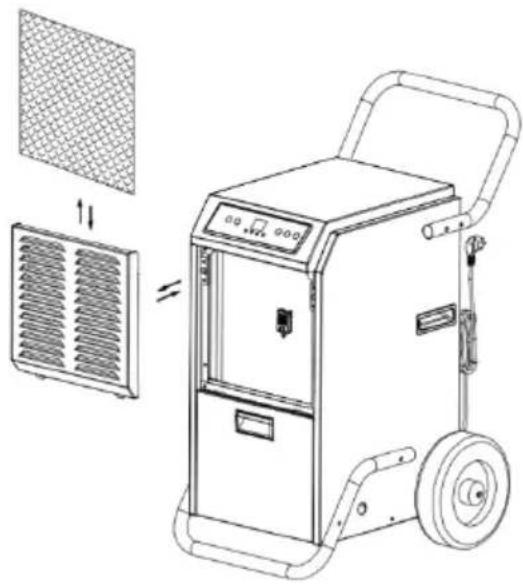
Cleaning the air filter (every two weeks)
The air filter is removable for easy cleaning. Do not use the unit without the air filter; otherwise, the evaporator may become contaminated.
- Clean the device with a soft, damp cloth.
- Pull out the shutter on the front panel to access the filter.
- Remove the filter mesh from the unit.
- Use a clean cloth to absorb the surface dust on the filter mesh. If the filter is very dirty, use tap water to rinse the filter. Completely dry the filter before reinserting it into the air inlet screen. A clean filter will increase the efficiency of the unit.
EN
natural_image
Line drawing of a portable air conditioner unit with grid panel and side-mounted fan (no text or symbols)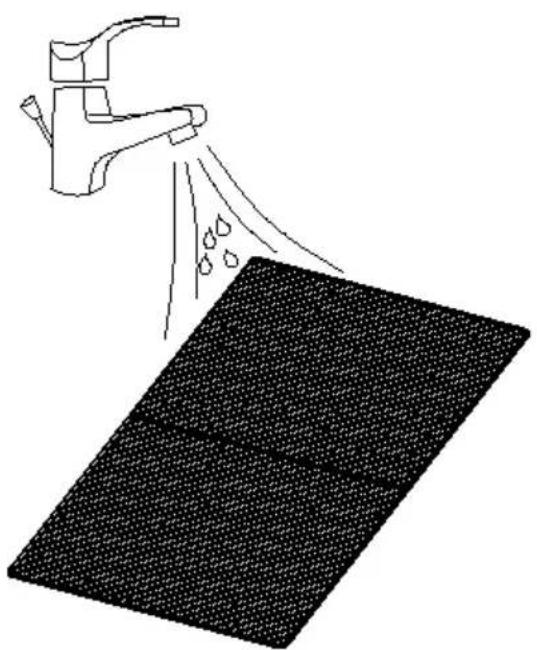
natural_image
Illustration of a faucet spraying water onto a textured surface (no text or symbols)
CAUTION!
Do not touch the surface of the evaporator with bare hands as this may cause injury.
a) Pull the mains plug and let the unit cool down completely before cleaning, adjusting or replacing accessories and when the unit is not in use. Wait until the rotating parts stop.
b) Use only non-corrosive cleaning agents for cleaning the surfaces.
c) After each cleaning, all parts should be thoroughly dried before the device is reused.
EN
d) Store the unit in a dry and cool place protected from moisture and direct sunlight.
e) Do not spray the unit with a stream of water or immerse it in water.
f) Make sure that no water enters through the ventilation openings in the casing.
g) Clean the ventilation openings with a brush and compressed air.
h) Perform regular inspections of the unit checking technical fitness and any damages.
i) Use a soft cloth for cleaning.
j) Do not use sharp and/or metal objects (e.g. wire brush or metal spatulas) as they may damage the surface of the material from which the unit is made.
k) Do not clean the unit with acidic substances, medical agents, thinners, fuel, oils or other chemicals. It may cause damage to the device.
DISPOSAL OF USED UNITS.
At the end of its useful life, this product should not be disposed of with normal household waste but should be taken to a collection point for the recycling of electrical and electronic equipment. This is indicated by the symbol on the product, operating instructions or packaging. The materials used in this appliance are recyclable according to their marking. By reuse, recycling or applying other forms of use of waste machines, you make a significant contribution to the protection of our environment.
Your local administration will provide you with information about the appropriate disposal point for used appliances.
TROUBLESHOOTING:
| Problem | Possible cause | Action |
| The device does not work | Check the connection to the electrical network | Check if the power plug is securely connected to the power outlet |
| Check if the water level indicator is lit. | Empty the water tank and install it correctly | |
| Check the ambient temperature | The operating range of the ambient temperature is 5-35°C | |
| Little condensate should form | Check if the air filter is clean | Clean the air filter if necessary |
| Check if the airway is not obstructed | Unblock it if necessary | |
| Check if the ambient temperature is below 20°C | It is normal. Low humidity at low ambient temperature | |
| The set humidity level is higher than current humidity | Set the humidity level below the current humidity |
EN
| Water leak | Leakage when moving the unit | Empty the water tank before transporting the unit |
| Make sure the drain hose is not twisted | Straighten the hose if necessary | |
| Excessive noise | Check if the device is properly positioned | Correct the placement of the device |
| Check the unit for loose, vibrating parts | Secure loose parts | |
| Noise similar to the flow of water | Noise from flowing refrigerant (normal situation) | |
| Error code E1 | Temperature sensor failure. | Check connections or replace sensor |
| Error code E2 | Breakdown or contamination of the humidity sensor | Clean or replace the sensor |

natural_image
Line drawing of a portable industrial machine with a side-view inset showing its internal components and rotation (no text or symbols)natural_image
Line drawing of a portable air conditioner unit with grid panel and side-mounted fan (no text or symbols)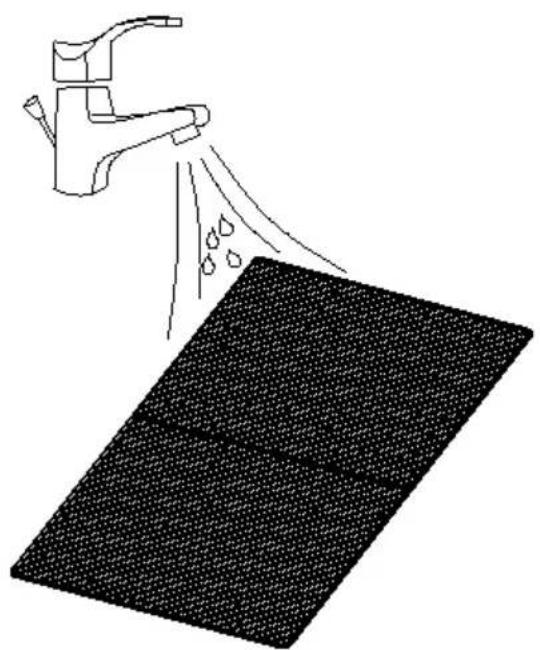
natural_image
Diagram showing a faucet spraying water onto a textured surface (no text or symbols)
UWAGA!
ROZWIĄZYWANIE PROBLEMÓW:
natural_image
Line drawing of a portable air conditioner unit with grid panel and side-mounted fan (no text or symbols)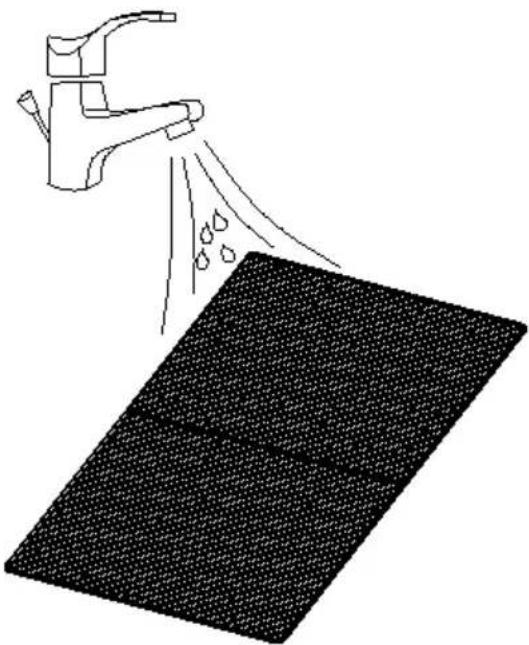
natural_image
Diagram showing a hand spraying water onto a textured surface, with no text or symbols present.
UPOZORNĚNÍ!
Protection de surcharge
natural_image
Line drawing of a portable industrial machine with a side-view inset showing its internal components and rotation (no text or symbols)natural_image
Line drawing of a portable air conditioner unit with grid panel and side-mounted fan (no text or symbols)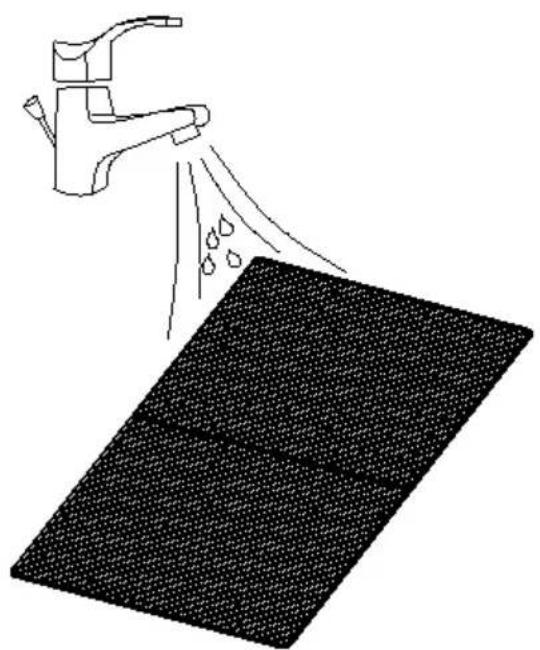
natural_image
Diagram showing a faucet spraying water onto a textured surface (no text or symbols)
ATTENTION!
IT
natural_image
Line drawing of a portable industrial machine with a side-view inset showing its internal components and motion (no text or symbols)natural_image
Line drawing of a portable air conditioner unit with side panel and wheels, showing internal components and airflow direction (no text or symbols)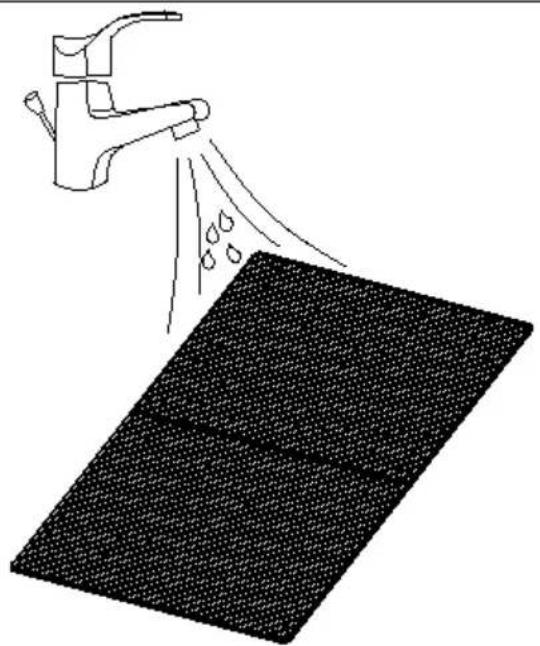
natural_image
Illustration of a hand spraying water onto a textured surface (no text or symbols)
ATTENZIONE!
1 - Deshumidificador
natural_image
Line drawing of a portable industrial machine with a side-view inset showing its internal components and motion (no text or symbols)natural_image
Line drawing of a portable air conditioner unit with side panel and wheels, showing internal components and airflow direction (no text or symbols)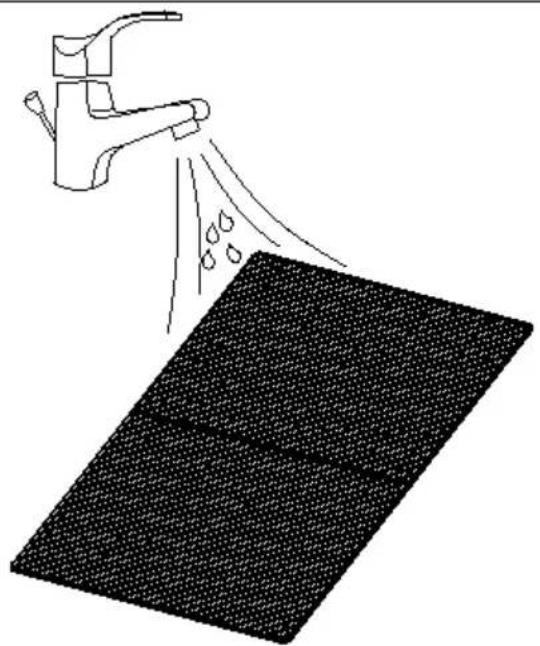
natural_image
Illustration of a hand spraying water onto a textured surface (no text or symbols)
¡ADVERTENCIA!
natural_image
Line drawing of a portable industrial machine with a side-view inset showing its internal components (no text or symbols)natural_image
Line drawing of a portable air conditioner unit with grid panel and side-mounted fan (no text or symbols)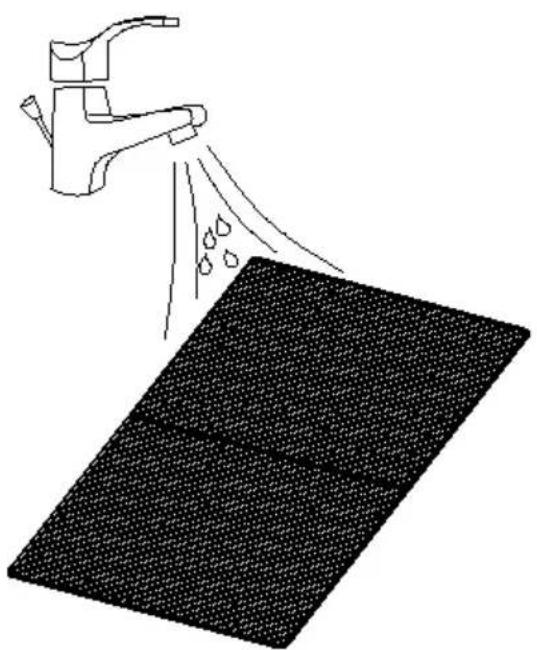
natural_image
Illustration of a faucet spraying water onto a textured surface (no text or symbols)
VIGYÁZAT!
APPARATETS PLACERING
1 - Affugter
2 - Hovedhändtag
3 - Skruer
4, 6 - Skiver
5 - Hjul
7 - Nødder
8 - Støttebjælke
natural_image
Line drawing of a portable industrial machine with a side-view inset showing its internal components and rotation (no text or symbols)natural_image
Line drawing of a portable air conditioner unit with grid panel and side-mounted fan (no text or symbols)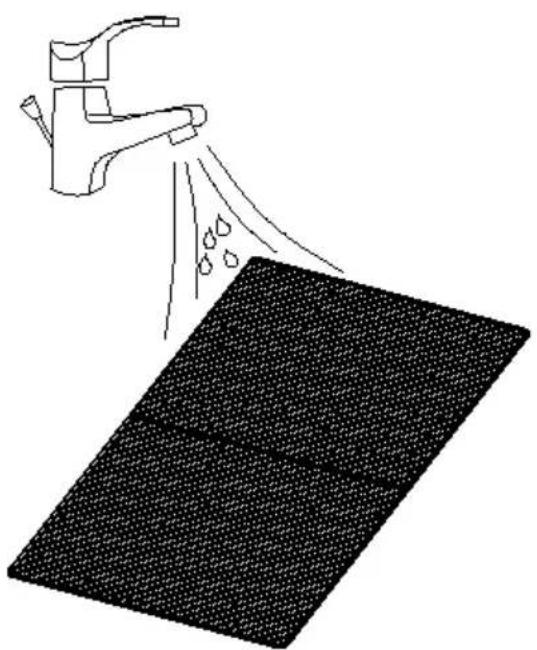
natural_image
Illustration of a faucet spraying water onto a textured surface (no text or symbols)
OBS!
1 - Ilmankuivain
2 - Pääkahva
3 - Ruuvit
4, 6 - Aluslevyt
5 - Pyörät
7 - Pähkinät
8 - Tukitanko
Kosteusasetus (asetusalue: 10% -95%):
natural_image
Line drawing of a portable electric heater with a side-view inset showing its internal components (no text or symbols)natural_image
Line drawing of a portable air conditioner unit with grid panel and side-mounted fan (no text or symbols)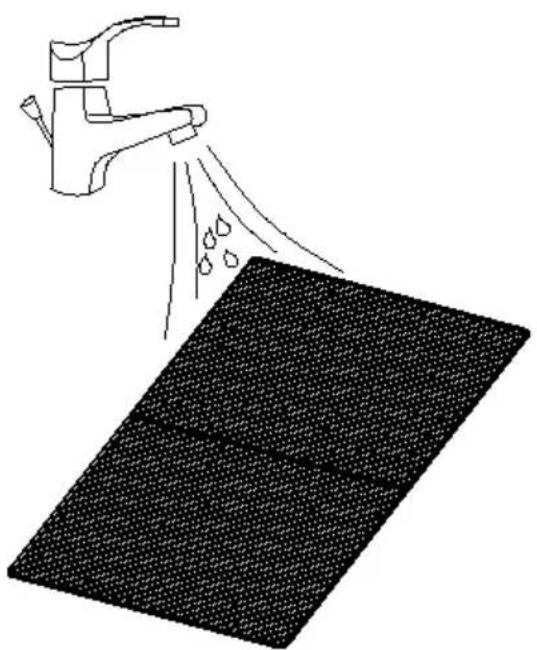
natural_image
Illustration of a faucet spraying water onto a textured surface (no text or symbols)
HUOMIO!
natural_image
Line drawing of a portable industrial machine with a side-view inset showing its internal components and rotation (no text or symbols)natural_image
Line drawing of a portable air conditioner unit with grid panel and side-mounted fan (no text or symbols)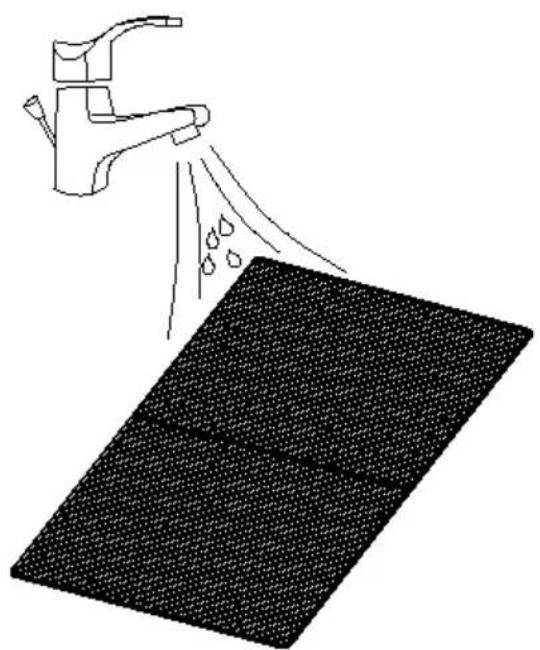
natural_image
Diagram showing a faucet spraying water onto a textured surface (no text or symbols)
LET OP!
Indikator for full vann.
natural_image
Line drawing of a portable industrial machine with a side-view inset showing its internal components and rotation (no text or symbols)natural_image
Line drawing of a portable air conditioner unit with grid panel and side-mounted fan (no text or symbols)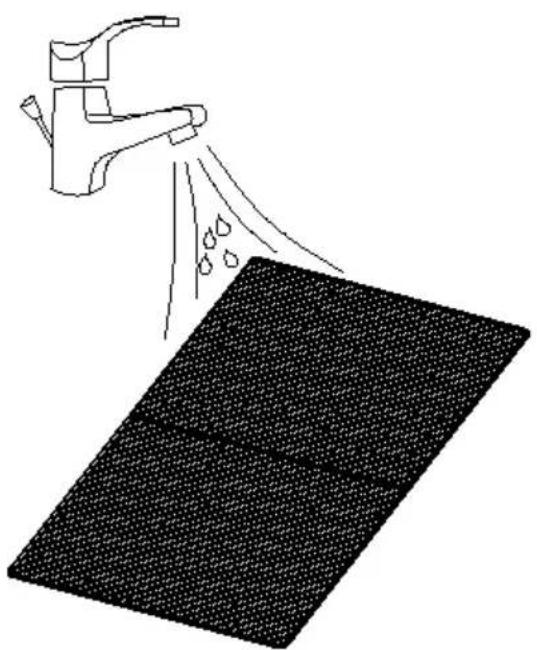
natural_image
Illustration of a faucet spraying water onto a textured surface (no text or symbols)
OBS!!!
OBS! Brandrisk - brandfarliga material!
PLACERING AV APPARATEN
natural_image
Line drawing of a portable industrial machine with a side-view inset showing its internal components and rotation (no text or symbols)natural_image
Line drawing of a portable air conditioner unit with grid panel and side-mounted fan (no text or symbols)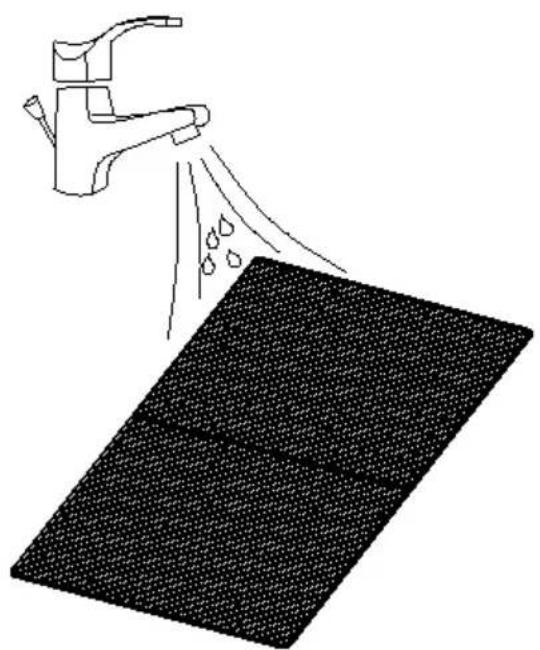
natural_image
Diagram showing a faucet spraying water onto a textured surface (no text or symbols)
OBS!
1 - Desumidificador
2 - Alça principal
3 - Parafusos
4, 6 - Arruelas
5 - Rodas
7 - Nozes
8 – Barra de apoio
natural_image
Line drawing of a portable electric heater with a side-mounted housing and wheels, showing no text or symbols.1 - Odvlhčovač
2 - Hlavná rukovät
3 - Skrutky
4, 6 - Podložky
5 - Kolesá
7 - Orechy
8 - Nosná tyč
natural_image
Line drawing of a portable industrial machine with a side-view inset showing its internal components and motion (no text or symbols)natural_image
Line drawing of a portable air conditioner unit with grid panel and side-mounted fan (no text or symbols)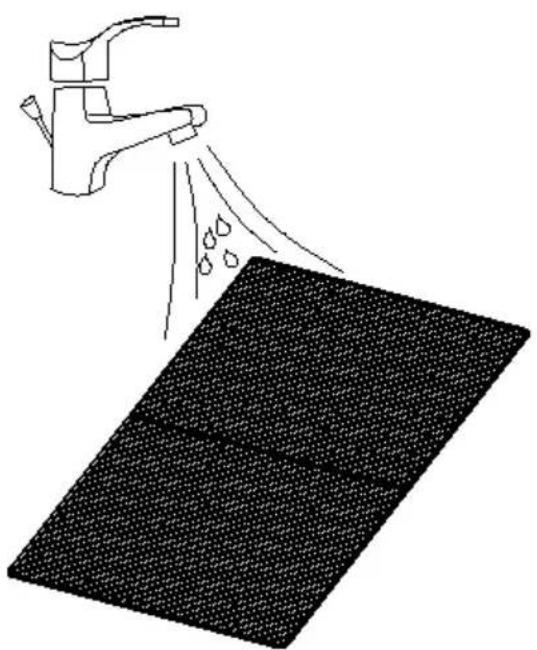
natural_image
Illustration of a faucet spraying water onto a textured surface (no text or symbols)
UPOZORNENIE!
For the disposal of the device please consider and act according to the national and local rules and regulations.
CONTACT
expondo Polska sp. z o.o. sp. k.