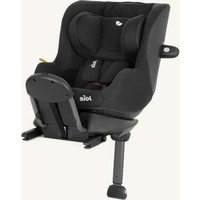
i-Soren - Stroller Joie - Free user manual and instructions
Find the device manual for free i-Soren Joie in PDF.


| Product Type | i-Size car seat with ISOFIX base |
| Brand | Joie |
| Model | i-Soren |
| Standard | UN Regulation No.129 (i-Size) |
| Child height | 61 cm to 125 cm |
| Maximum child weight | 22.5 kg |
| Installation position | Rear-facing only |
| Anchorage points | ISOFIX + Support leg |
| Number of recline positions | 8 positions |
| Booster seat | No (integrated seat) |
| Side impact protection | Removable side impact protection module (door side) |
| Harness | 5-point, height-adjustable with headrest |
| Headrest | Adjustable to 8 positions |
| Cover | Machine washable fabric at 30°C |
| Care | Cold water wash (<30°C), dry in shade, no bleach or ironing |
| Materials | Plastic, metal, fabric |
| Spare parts | Available from manufacturer (covers, buckles, etc.) |
| Warranty | See joiebaby.com |
Frequently Asked Questions - i-Soren Joie
User questions about i-Soren Joie
0 question about this device. Answer the ones you know or ask your own.
Ask a new question about this device
Download the instructions for your Stroller in PDF format for free! Find your manual i-Soren - Joie and take your electronic device back in hand. On this page are published all the documents necessary for the use of your device. i-Soren by Joie.
USER MANUAL i-Soren Joie
enhanced child restraint
GB Instruction Manual
Manual de instruções
ES Manual de instrucciones
FR Manuel d'instructions
NL Instructiehandleiding
IT Manuale di istruzioni
DE Bedienungsanleitung
SE Bruksanvisning
Ελ Εγχειρίδιο οδηγιών χρήσης
HU Használati utasítás
DA Brugervejledning
NO Instruksjonsbok
PL Instrukcja obstugi
CZ Návod k obsluze
SK Návod na použitie
SL Navodila za uporabo
TF Kullanım Kilavuzu
RU Руководство по эксплуатации
AF دليل التعليمات
ET Kasutusjuhend
Käyttöopas
LT Naudojimo instrukcija
LV Lietošanas rokasgrāmata
HP Upute za uporabu
RO Manual de instructiuni
natural_image
Simple icon of a person sitting on a chair with an index finger, enclosed in a rounded square frame (no text or symbols)ECE R129/03
natural_image
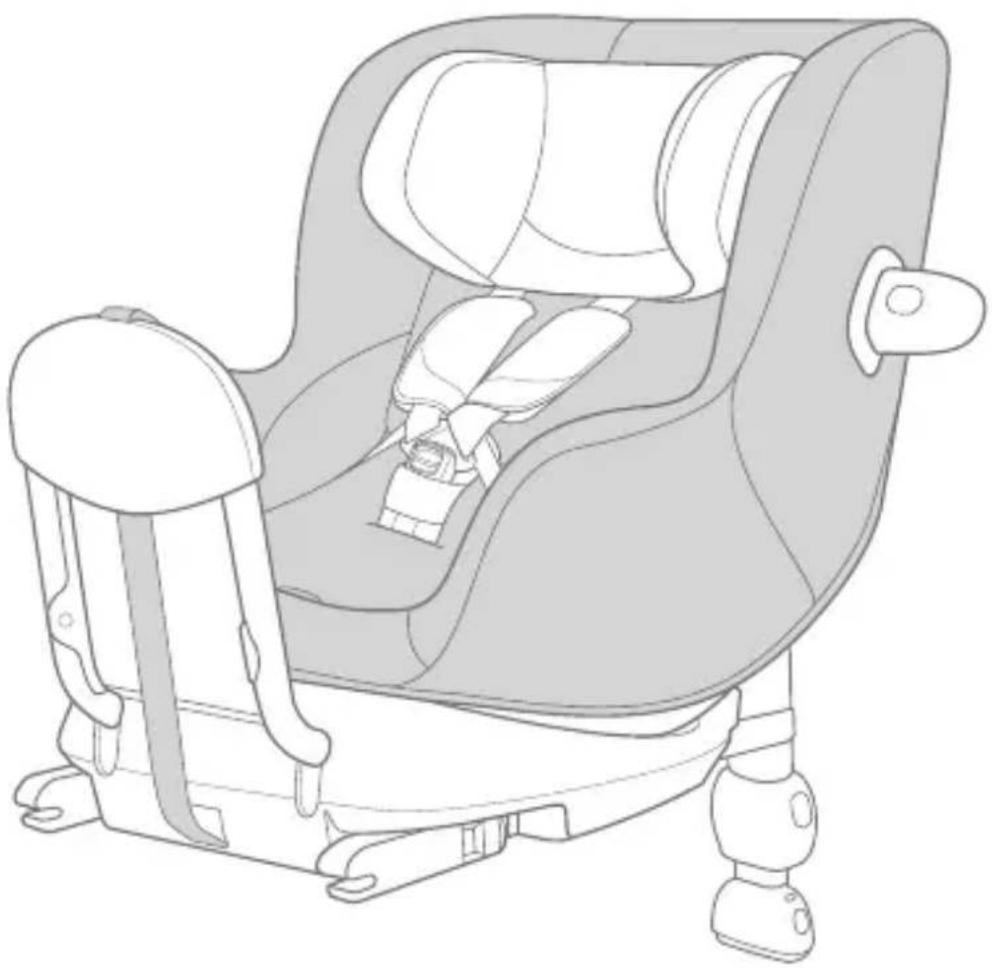
Line drawing of a car comfort seat with seatbelt and seat, no text or symbols present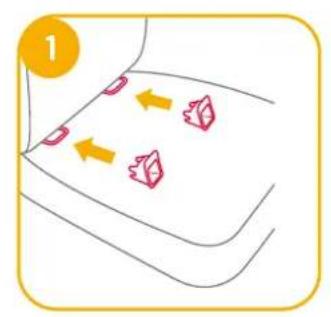
natural_image
Illustration of a car seatbelt being adjusted for a hand, showing no text or symbols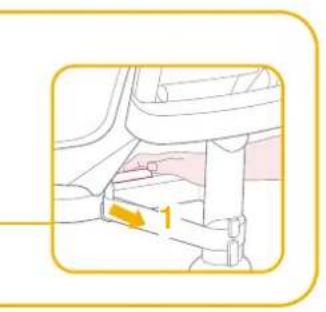
natural_image
Illustration of a person performing a medical procedure on a patient's seat (no text or symbols present)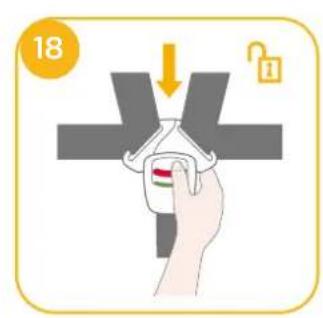
natural_image
Simple line drawing of a baby holding a long rod, no text or symbols present
natural_image
Line drawing of a baby seat with an arrow indicating rotation (no text or symbols)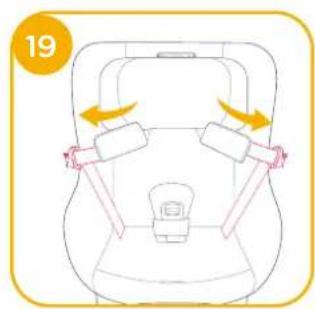
flowchart
graph TD
    A["Stop"] --> B["Lock"]
    B --> C["Click"]

natural_image
Line drawing of a baby car seat with arrows indicating movement or rotation (no text or symbols)
natural_image
Line drawing of a mechanical component with an arrow indicating rotation (no text or symbols)GB
Welcome to Joie™
You have purchased a high quality, fully certified child safety child restraint. This product is suitable for the use of children with height 61cm-125cm and weight up to 22.5kg. Carefully read this instruction Manual and follow the installing steps because this is the ONLY way to protect your child from serious injury or death in case of an accident, and to provide comfort to your child while using this product. Keep this instruction manual for future reference.
Please confirm
To use this Joie enhanced child restraint with the i-Size ISOFIX connections according to the UN Regulation No.129, your child must meet the following requirements.
Rearward Facing: Child height 61cm-125cm/ max. 22.5kg;
Please read all the instructions in this manual before installing and using the product.
! IMPORTANT: KEEP FOR FUTURE REFERENCE. PLEASE READ CAREFULLY.
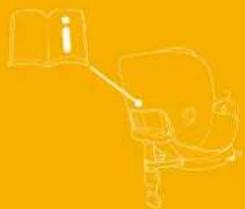
Please keep the instruction manual in the storage compartment at the back of the seat as right figure.
For warranty information, please visit our website at joiebaby.com
natural_image
Simple line drawing of a person holding an open book, no text or symbols presentParts List
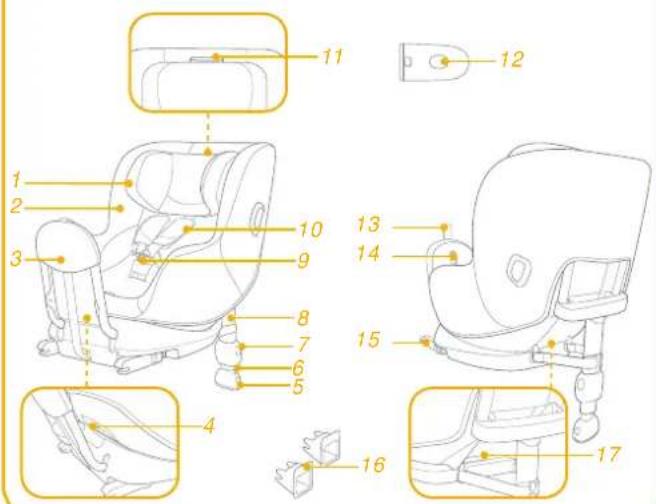
Please make sure there are no missing parts. Please contact the retailer if anything is missing.
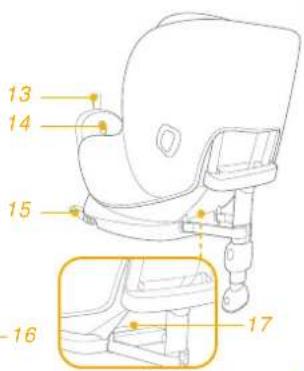
1 Head Support
2 Seat Pad
3 Rebound Bar
4 Recline Adjustment Button
5 Load Leg Adjustment Button
6 Load Leg Indicator
7 Load Leg Adjustment Button
8 Load Leg
9 Buckle
10 Shoulder Harness Covers
11 Head Support Adjustment Lever
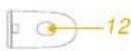
12 Side Impact Protection Pod
*must use on door side only
13 Rebound Bar Adjustment Webbing
14 Rebound Bar Release Button
15 ISOFIX Connector
16 ISOFIX Guides
17 ISOFIX Adjuster Button
WARNING
! To use this enhanced child restraint with the ISOFIX connections according to the UN Regulation No.129, your child must meet the following requirements.
Child height 61cm-125cm/ Child age at least 6 months / Child weight 22.5kg;
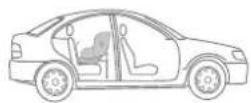
! BE cautious that the rigid items and plastic parts of the enhanced child restraint system shall be so located and installed that they are not liable to become trapped by a movable seat or in the door of the vehicle.
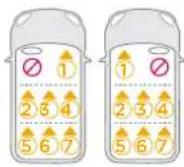
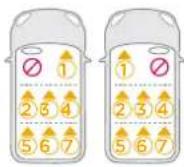
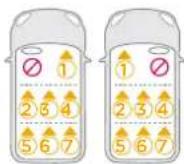
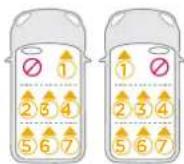
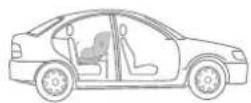
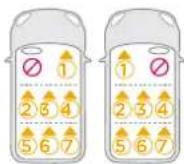
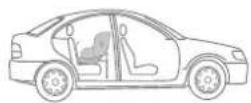
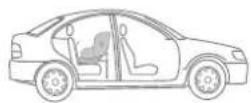
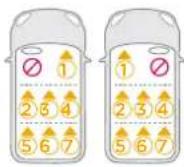
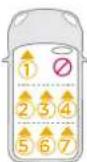
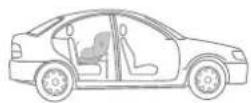
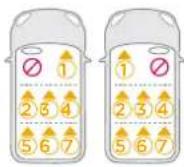
! DO NOT use the rearward facing enhanced child restraint system in seating positions where there is an active frontal airbag installed.
! The enhanced child restraint may not fit in all approved vehicles. Please refer to the fitting list included for more details.
! Any support-leg should be in contact with the vehicle floor and any straps restraining the child should be adjusted to the child's body. The straps should not be twisted.
! Ensure that any lap strap is worn low down, so that the pelvis is firmly engaged, shall be stressed.
! This enhanced child restraint should be replaced when it has been subject to violent stresses in an accident. An accident can cause damage to it that you cannot see.
WARNING
! Consider the danger of making any alterations or additions to the device without approval of the adequate authority, and the danger of not following closely to the installation instructions provided by the enhanced child restraint manufacturer.
Children should not be left unattended in their enhanced child restraint system.
! Any luggage or other objects liable to cause injuries in the event of a collision shall be properly secured.
! The enhanced child restraint system shall NOT BE USED without the soft goods.
! The soft goods should not be replaced with any other than the one recommended by the manufacturer, because the soft goods constitutes an integral part of the restraint performance.
! Please also pay attention to the instructions and warnings in the vehicle manufacturer's handbook.
Emergency
In case of emergency or accidents, it is most important to have your child taken care of with first aid and medical treatment immediately.
Product Information
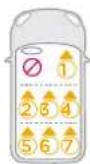
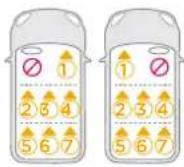
- This is an "i-Size" Enhanced Child Restraint System. It is approved according to UN Regulation No.129, for use in, i-Size compatible vehicle seating positions as indicated by vehicle manufacturers in the vehicle users' manual.
- If in doubt, consult either the Enhanced Child Restraint System manufacturer or the retailer.
Materials Plastics, metal, fabrics
Patent No. Patents pending
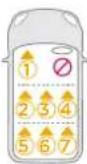
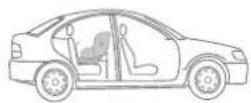
Installation Mode
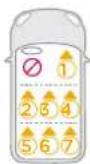
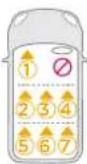
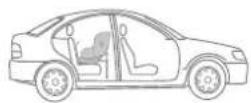
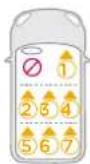
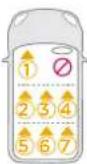
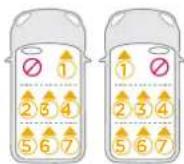
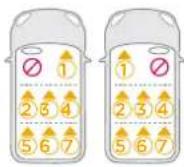
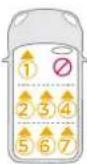
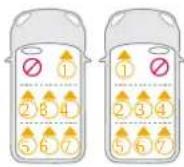
| ECE R129 | Child's Size | Installation Mode | Figure for Installation | Seat Position | |
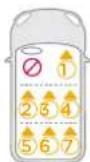
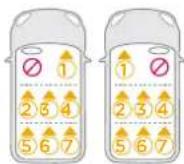
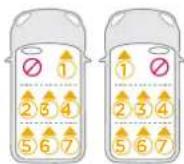
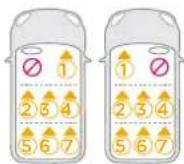
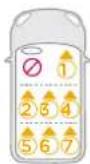
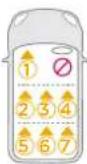
| 61cm-125cm/ ≤ 22.5kg | Rear Facing mode | 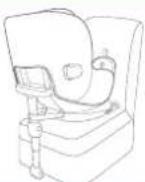 | Position 1-8 | ||
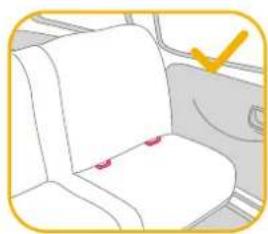
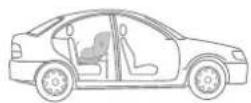
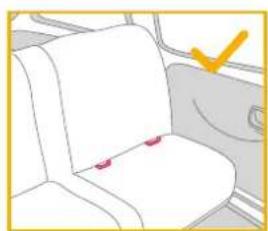
Installation Concerns
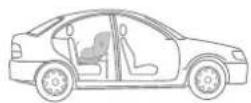
natural_image
Illustration of a white seat with red buttons on the seat, inside a vehicle (no text or symbols)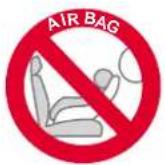

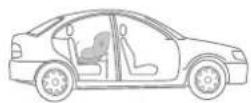
Base Installation
see images 1 - 10
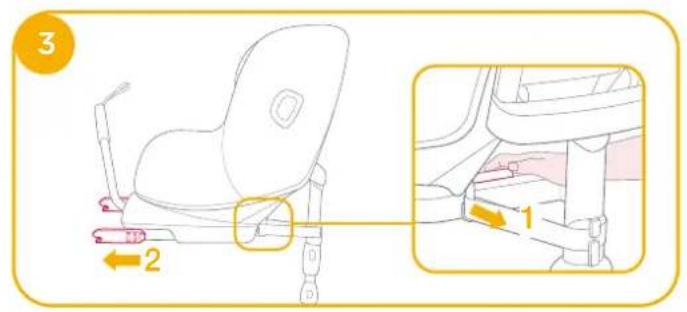
- Attach the ISOFIX guides to the vehicle's ISOFIX anchor points (see vehicle owner's manual). The ISOFIX guides can protect the surface of the vehicle seat from being torn. They can also guide the ISOFIX connectors.
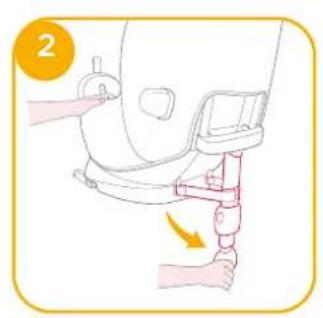
- Unfold the load leg from storage compartment.
- Extend the ISOFIX connectors by pressing the ISOFIX adjustment button while pulling on the connector.
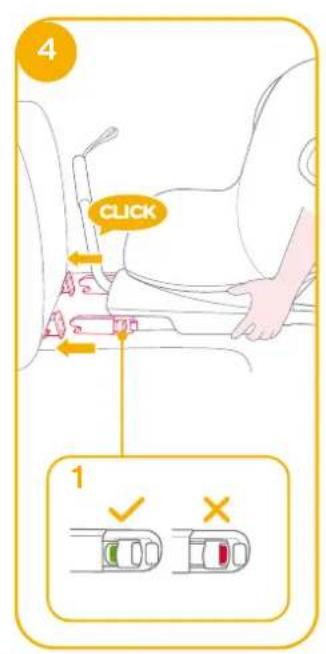
- Press the ISOFIX adjustment button to adjust the ISOFIX connectors. Line up the ISOFIX connectors with the ISOFIX guides, and then click both ISOFIX connectors into the ISOFIX anchor points.
! Make sure that both ISOFIX connectors are securely attached to the vehicle's ISOFIX anchor points. There should be two audible clicks and the colors of the indicators on both ISOFIX connectors should be completely green. 4-1
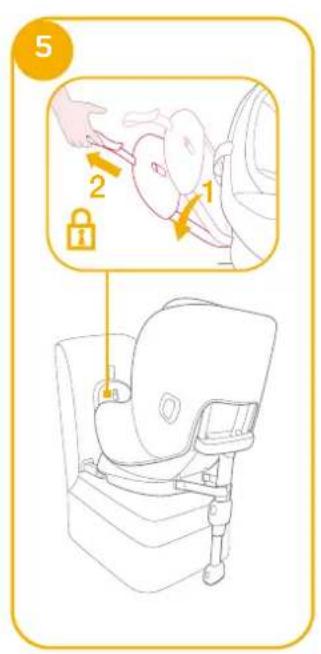
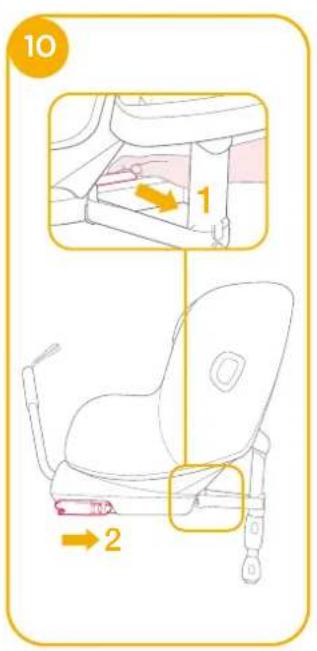
! Check to make sure the base is securely installed by pulling on both ISOFIX connectors. - Pull the rebound bar towards the back of the vehicle and lock into place by pulling the rebound bar adjustment webbing.
-
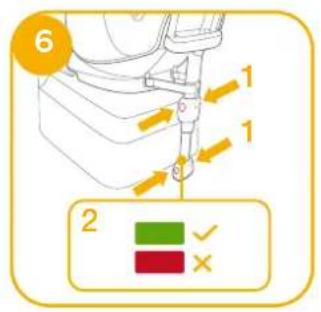
After placing the base on the vehicle seat, extend the load leg to floor ⑥. When the load leg is installed correctly, the load leg indicator will turn green. It will turn red when installed incorrectly. ⑥ -2
! The load leg has multiple positions. When the load leg indicator turns red this means the load leg is in the wrong position.
! Make sure the load leg is in full contact with the vehicle floor pan.
! Squeeze the load leg adjustment button, then shorten the load leg upwards. 6 -1 -
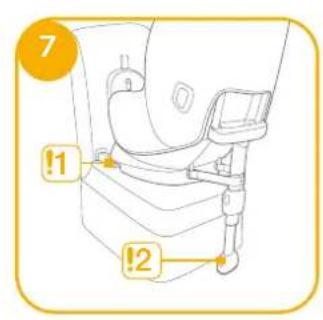
The completely assembled base is shown as ⑦.
! The ISOFIX connectors must be attached and locked onto the ISOFIX anchor points. ⚡ -1
! The load leg must be installed correctly with green indicator. 7-2
! Always make sure the support load leg has direct contact with the floor and is in locked position even when the child is not in it.
Removing the Base
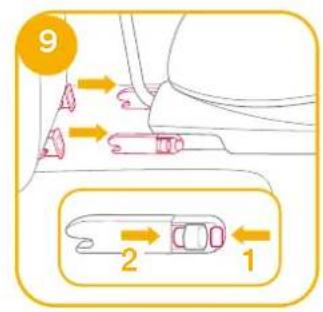
- To remove the base from the vehicle seat, push the secondary lock buttons ⑨ -1 first and then press the ISOFIX releasing buttons ⑨ -2 on the ISOFIX connectors before removing the base from the vehicle seat.
- Before transporting the seat, press ISOFIX adjustment button and move the ISOFIX connectors back into the storage position.
Use Side Impact Protection
see images 11 - 12
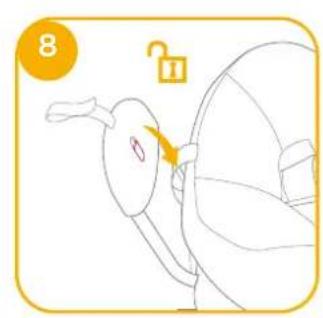
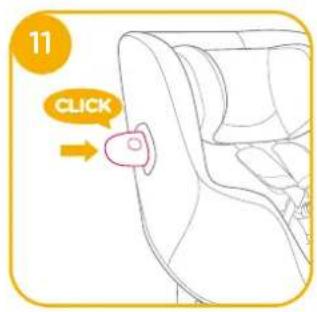
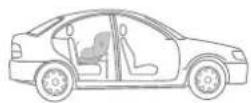
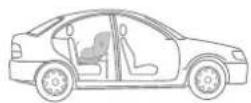
- The enhanced child restraint is delivered with removable side impact protection pod. This side impact protection pod MUST be used on the door side of the vehicle. Installation shown in 11.
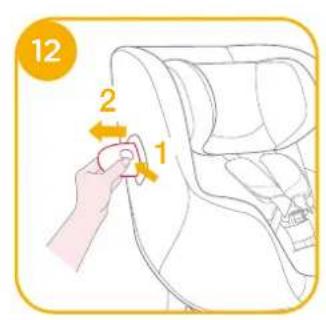
- Press the release button to remove side impact protection pod. 12
Height Adjustment for Head Support and Shoulder Harnesses
see images 13 - 14
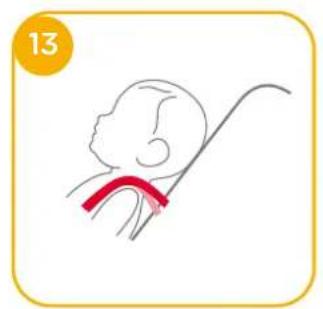
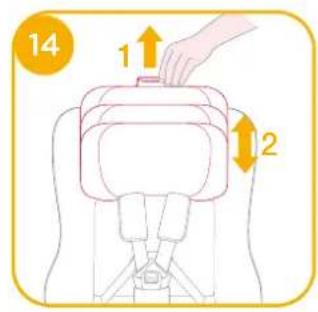
- Please adjust the head support and check if the shoulder harnesses are at the correct height according to 13 & 14
! The shoulder harness height must be even with or just below the top of child's shoulders. ^13
Lift up the head support adjustment lever, meanwhile pull up or down the head support until it snaps into one of the 8 positions. The head support positions are shown as ^14 .
Recline Adjustment
see images 15 - 16
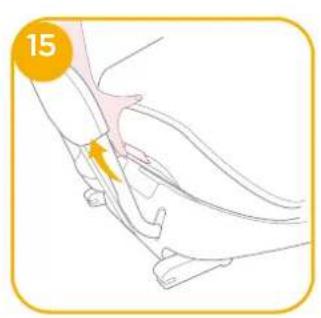
Squeeze the recline adjustment button to adjust the enhanced child restraint to the proper position. ^15
Adjust the seat recline to any of the 8 recline positions for optimal head and neck support. ^16
Rearward Facing Mode (Child height 61cm-125cm/ Child weight <22.5kg)
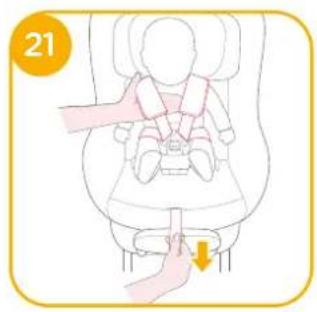
see images 17 - 21
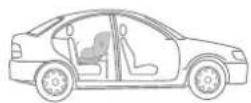
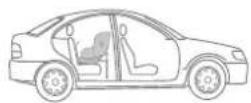
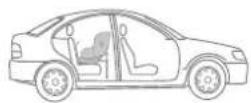
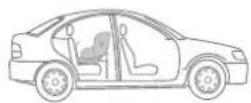
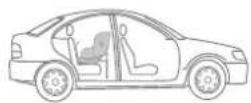
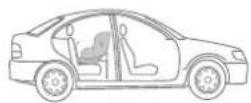
! Please install the enhanced child restraint on the rear vehicle seat and then put the child in the enhanced child restraint.
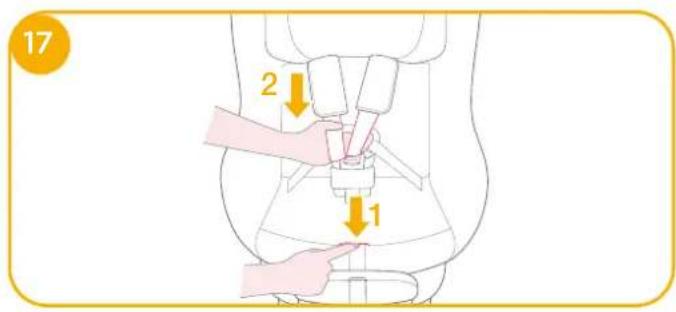
- Press the harness adjustment button while pulling the shoulder harnesses to the desired length (Pull from below the fixed shoulder pads to lengthen).
- Unlock the buckle of the harnesses by pressing the red button.
- Fix the buckles on the both sides of seat to make placing the baby more convenient. 19
- Place the child into the enhanced child restraint and pass both arms through the harnesses.
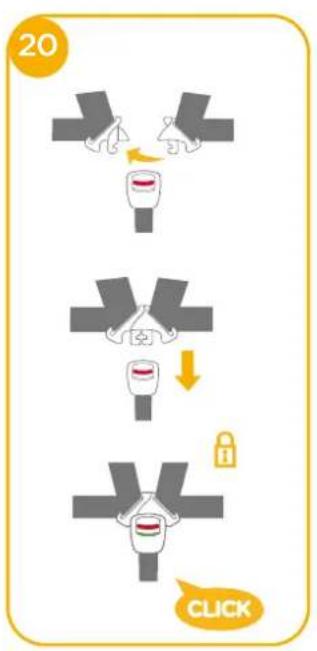
- Engage the buckle. Please refer to
- Pull down the adjustment webbing and adjust it to the proper length to make sure your child is properly secured. 24
! Always keep child secured in harness and properly tighten the harness by removing any slack.
Detach Soft Goods
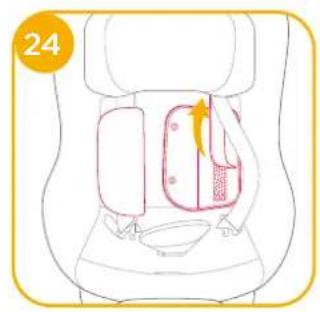
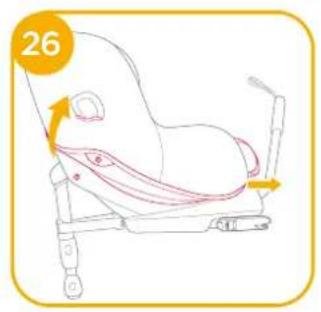
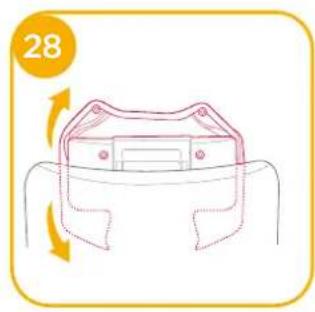
see images 22 - 28
Press the red button to disengage the buckle.
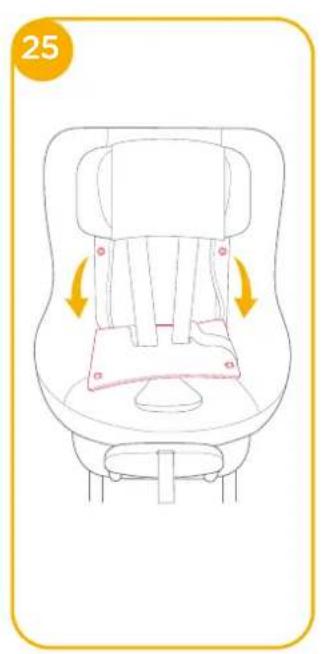
Follow steps 23 - 28 to detach soft goods.
Make sure to adjust the seat to any of the recline positions between 3-8 before pull out the plastic clips at the seat cover bottom. ^27 -1
To re-attach the soft goods please repeat the above steps in the reverse order.
Care and Maintenance
! Please wash the soft goods with cold water under 30°C.
! Do not iron the soft goods.
! Do not bleach or dry clean the soft goods.
Do not use undiluted detergents gasoline or other organic solvent to wash the enhanced child restraint or base. It may cause damage to the enhanced child restraint.
! Do not twist the soft goods to dry with great force. It may leave the soft goods with wrinkles.
! Please hang dry the soft goods in the shade.
! Please remove the enhanced child restraint from the vehicle seat if it will not be in use for a long period of time.


Bem-vindo à Joie™
natural_image
Simple line drawing of a person holding an open book, no text or symbols presentLista de componentes
AVISO
natural_image
Interior view of a car seat with two red buttons on the seat, no text or symbols visible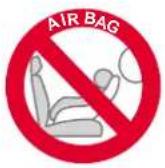
Instalação da base
ver imagens 1 - 10
natural_image
Simple line drawing of a person holding an open book, no text or symbols presentLista de piezas
natural_image
Interior view of a car seat with two red buttons on the seat, no text or symbols visible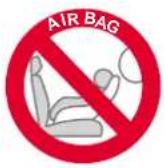

natural_image
Simple line drawing of a person reading a book on a yellow background (no text or symbols)Liste des pièces
natural_image
Interior view of a car seat with a yellow checkmark indicating a location (no text or symbols present)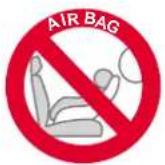
Installation de la base
natural_image
Simple line drawing of a person holding an open book, no text or symbols presentOnderdelenlijst
natural_image
Interior view of a car seat with a yellow checkmark indicating a location (no text or symbols present)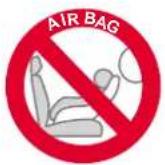
natural_image
Simple line drawing of a person holding an open book, no text or symbols presentElenco parti
natural_image
Interior view of a car seat with red buttons and a yellow checkmark (no text or symbols)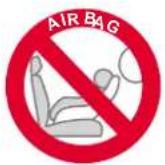
natural_image
Illustration of a person using a laptop with an open book, set against a solid orange background (no text or symbols)Teileliste
WARNUNG
natural_image
Interior view of a car seat with a yellow checkmark indicating a location (no text or symbols present)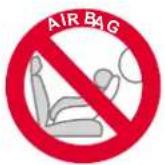
Basis installieren
natural_image
Simple line drawing of a person holding an open book, no text or symbols presentLista över delar
natural_image
Interior view of a car seat with two red buttons on the seat, no text or symbols visible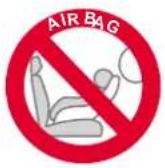
Basinstallation
se bilder 1 - 10
natural_image
Simple line drawing of a person holding an open book, no text or symbols presentnatural_image
Interior view of a car seat with two red buttons on the seat, no text or symbols visible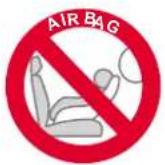
Εγκατάσταση βάσης
natural_image
Simple line drawing of a person reading a book on a yellow background (no text or symbols)Alkatrészek listája
natural_image
Interior view of a car seat with two red buttons on the seat, no text or symbols visible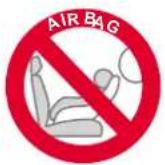
Alap szerelése
natural_image
Simple line drawing of a person reading a book on a yellow background (no text or symbols)Liste over dele
Kontroller, at der ikke mangler nogen dele. Kontakt venligst din forhandler, hvis noget mangler.
natural_image
Interior view of a car seat with red buttons and a yellow checkmark (no text or symbols)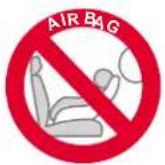
Montering af bunden
I VIKTIG: BEHOLD FOR FREMTIDIG OPPSLAG. LES N∅YE.
natural_image
Simple line drawing of a person reading a book on a yellow background (no text or symbols)Deleliste
natural_image
Interior view of a car seat with red buttons and a yellow checkmark (no text or symbols)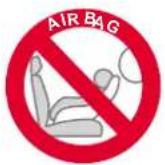
Baseinstallasjon
se bilder 1 - 10
natural_image
Simple line drawing of a person holding an open book, no text or symbols presentLista części
natural_image
Interior view of a car seat with red buttons and a yellow checkmark (no text or symbols)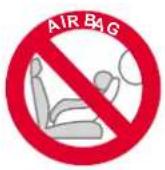
Instalacja podstawy
natural_image
Simple line drawing of a person reading a book on a yellow background (no text or symbols)Seznam dílů
natural_image
Illustration of a car seat with red markers and a yellow checkmark (no text or symbols)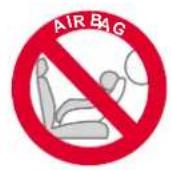

Instalace základny
viz obrázky 1 - 10
natural_image
Simple line drawing of a person holding an open book, no text or symbols presentnatural_image
Interior view of a car seat with two red buttons on the seat, no text or symbols visible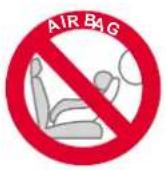
Inštalácia základne
natural_image
Simple line drawing of a person holding an open book, no text or symbols presentSeznam delov
Prepričajte se, da noben del ne manjka. Če kar koli manjka, se obrnite na prodajalca.
natural_image
Simple line drawing of a person reading a book on a yellow background (no text or symbols)Parça Listesi
UYARI
natural_image
Silhouette of a person reading a book on a chair against an orange background (no text or symbols)natural_image
Interior view of a car seat with red buttons and a yellow checkmark (no text or symbols)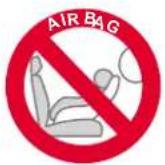
Установка основания
См. рисунки 1 - 10
natural_image
Simple line drawing of a person holding an object, no text or symbols presentتحذیر
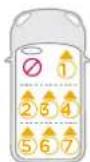
| ECE R129 | Child's Size | Installation Mode | Figure for Installation | Seat Position |
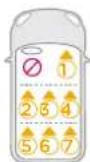
| 61cm-125cm/ ≤ 22.5kg | Rear Facing mode | 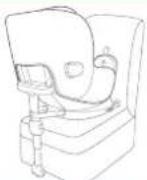 | Position 1-8 |
natural_image
Interior view of a car seat with a yellow checkmark indicating a location (no text or symbols present)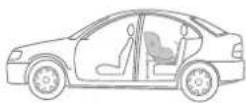
الطوارى
natural_image
Simple line drawing of a person holding an open book, no text or symbols presentOsad
natural_image
Interior view of a car seat with red buttons and a yellow checkmark (no text or symbols)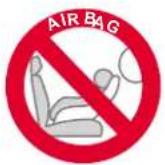
Aluse paigaldamine
vt pilte 1 - 10
natural_image
Simple line drawing of a person reading a book on a yellow background (no text or symbols)Osaluettelo
VAROITUS
natural_image
Interior view of a car seat with red buttons and a yellow checkmark (no text or symbols)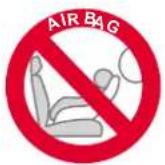
Alustan asennus
katso kuvat 1 - 10
natural_image
Simple line drawing of a person reading a book on a yellow background (no text or symbols)Dalių sąrašas
natural_image
Illustration of a car seat with red markers and a yellow checkmark on the side (no text or symbols)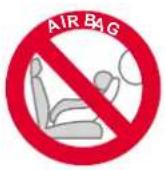
Pagrindo montavimas
žr. pav.1 - 10
natural_image
Simple line drawing of a person reading a book on a yellow background (no text or symbols)Detalu saraksts
natural_image
Interior view of a car seat with two red buttons on the seat, no text or symbols visible
natural_image
Simple line drawing of a person holding an open book, no text or symbols presentPopis dijelova
natural_image
Interior view of a car seat with two red buttons on the seat, no text or symbols visible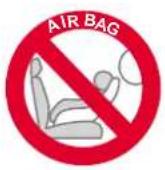
Postavljanje baze
natural_image
Simple line drawing of a person reading a book on a yellow background (no text or symbols)Lista componentelor
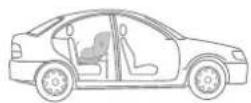
Installation Concerns
natural_image
Interior view of a car seat with red markers and a yellow checkmark (no text or symbols)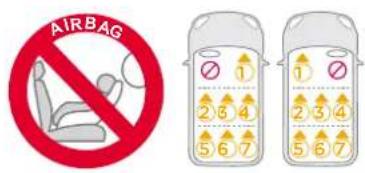
Instalarea bazei
Allison Baby UK Ltd, Venture Point, Towers Business Park Rugeley, Staffordshire, WS15 1UZ
NUNA International B.V. Van der Valk Boumanweg 178 C, 2352 JD Leiderdorp, The Netherlands