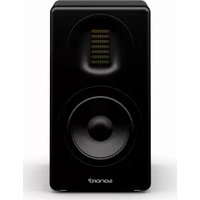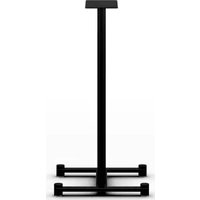
Orchestra Stand SO-1300 - Speaker SONORO - Free user manual and instructions
Find the device manual for free Orchestra Stand SO-1300 SONORO in PDF.


User questions about Orchestra Stand SO-1300 SONORO
0 question about this device. Answer the ones you know or ask your own.
Ask a new question about this device
Download the instructions for your Speaker in PDF format for free! Find your manual Orchestra Stand SO-1300 - SONORO and take your electronic device back in hand. On this page are published all the documents necessary for the use of your device. Orchestra Stand SO-1300 by SONORO.
USER MANUAL Orchestra Stand SO-1300 SONORO
ORCHESTRA STAND SO-1300
LAUTSPRECHERSTÄNDER SPEAKER STAND PIEDS POUR ENCEINTES SUPPORTO PER ALTOPARLANTE LUIDSPREKERSTANDAARD HÖJTTALERSTATIV
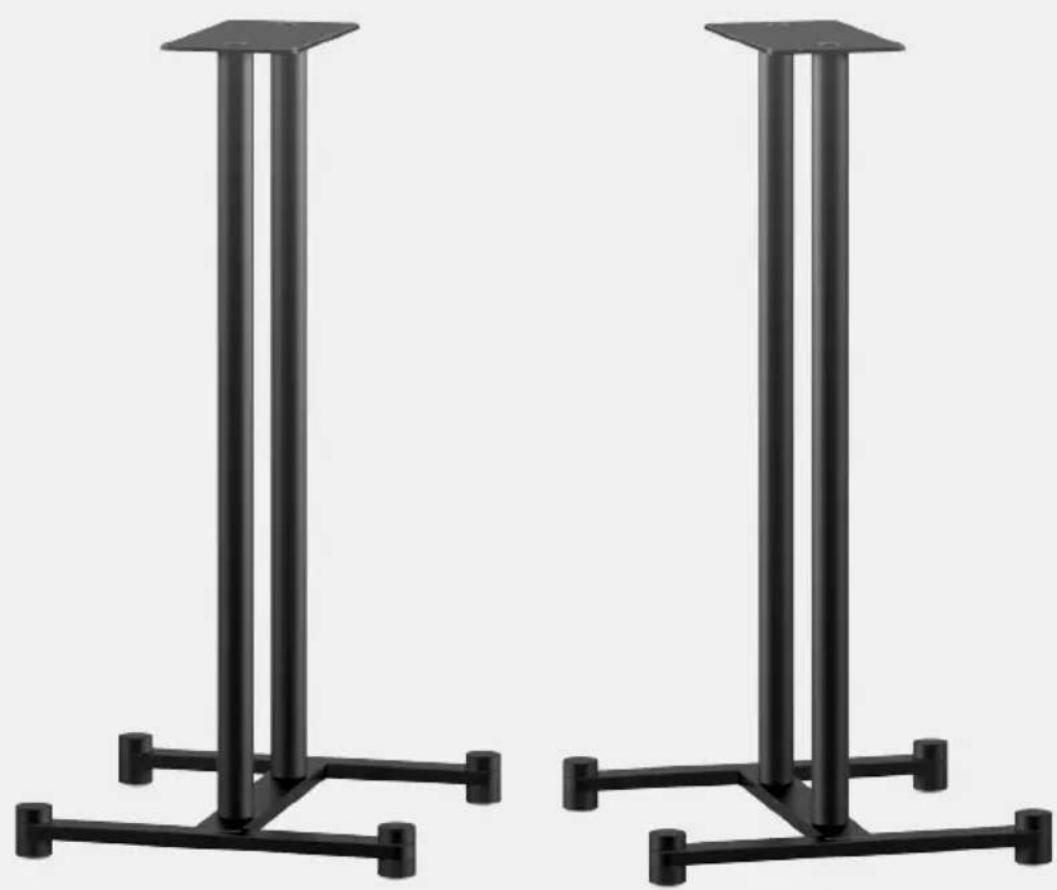
natural_image
Two black metal legs with vertical supports, no text or symbols visibleBedienungsanleitung
Operating manual
Mode d'emploi
natural_image
Line drawing of a modern audio amplifier with a speaker and stand (no text or symbols on the device itself)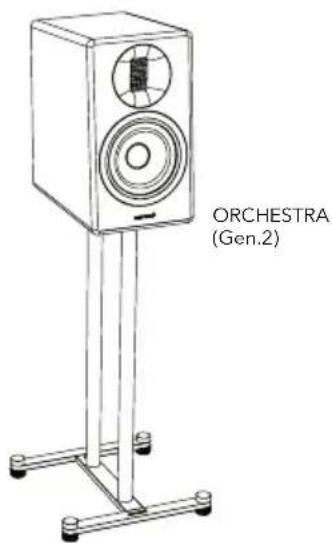
text_image
ORCHESTRA (Gen.2)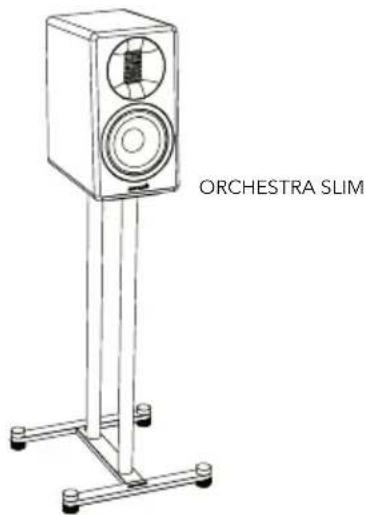
text_image
ORCHESTRA SLIMnatural_image
Diagram showing a mechanical assembly before and after rotation, with no visible text or symbolsnatural_image
Mechanical assembly diagram showing a lever mechanism with rotating parts and directional arrows (no text or labels)natural_image
Line drawing of a rectangular box with mounting holes and a flat top (no text or symbols)natural_image
Diagram showing a device with two vertical posts and a base, before and after a change (no text or symbols present)natural_image
Line drawing of a vertical-mounted device with a circular vent and two ports, mounted on a stand (no text or symbols)text_image
Diagram illustrating cable connection and component disassembly, showing wire bending and mechanical assembly with magnified detail.natural_image
Line drawing of a vertical-mounted device with a circular vent and labeled component, showing wiring and a magnified inset (no text or symbols)text_image
Technical diagram showing a mechanical assembly with numbered components and rotational indicatorsnatural_image
Illustration of a baby crawling under a diagonal line with a camera on a stand (no text or symbols)natural_image
Illustration of a hand using a tool to cut a box with sparks, separated by a diagonal line (no text or symbols)natural_image
Weather icon showing sun, snowflake, and rain symbols (no text or labels)natural_image
Simple line drawing of a candle, a speaker, and a cooking pot against a black diagonal line (no text or symbols)natural_image
Diagram showing a device with a screen and lever mechanism, no text or symbols presentnatural_image
Simple line drawing of an open box with a label 'sonoro' on the front face (no other text or symbols)natural_image
Illustration of a washing machine and a speaker with steam, separated by a diagonal line (no text or symbols)1. INTRODUCTION....17
1.1 Symbols in this manual 18
1.2 Safety instructions.... 18
2. SCOPE OF DELIVERY....19
3. FIRST STEPS ...... 19
3.1 Unpacking ORCHESTRA STAND.... 19
3.2 Assembling ORCHESTRA STAND 20
3.3 Attaching the speaker....22
3.4 Levelling the stand 25
3.5 Locating ORCHESTRA STAND 25
4. CLEANING 26
5. TECHNICAL DATA....26
6. DISPOSAL AT END OF USEFUL LIFE......26
7. TROUBLESHOOTING......27
8. WARRANTY....27
9. SAFETY INSTRUCTIONS......28
R23-02
1. INTRODUCTION
Thank you for purchasing ORCHESTRA STAND. This operating manual provides all the information required for trouble-free and safe assembly and installation of the speaker stands. It is the user's responsibility to make sure the ORCHESTRA STAND and sonoro speaker are positioned and used in a safe way. The images in this operating manual are intended to illustrate the actions necessary to assemble and install the ORCHESTRA STAND.
ORCHESTRA STAND is intended for personal use only. It is not intended for commercial use.
The speaker stands are designed to hold sonoro speakers (sold separately). Usage with other speakers is at your own risk.
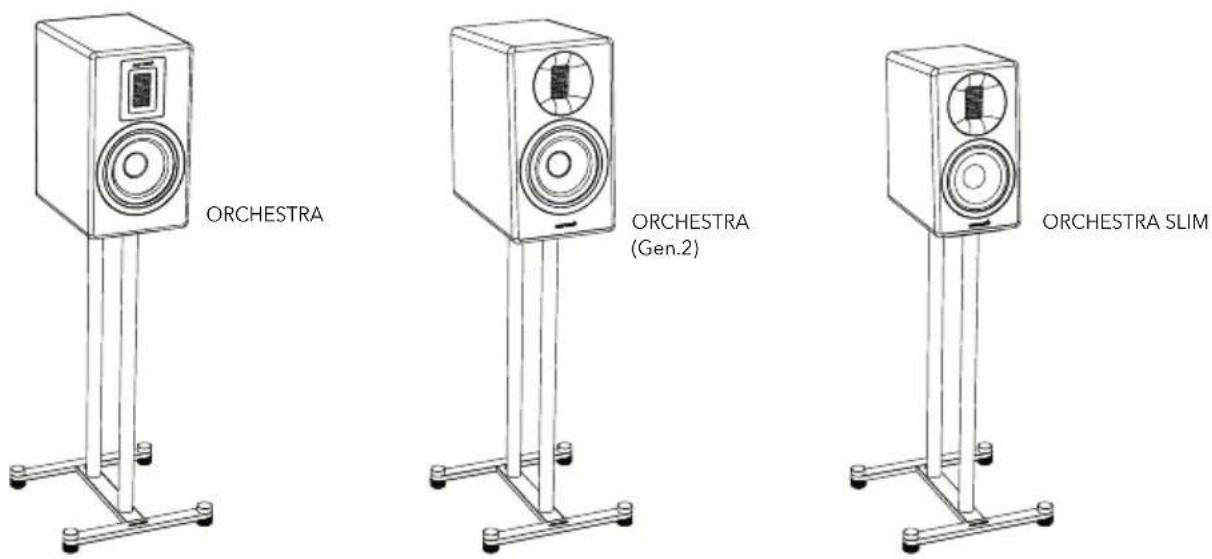
Enjoy your ORCHESTRA STAND!
1.1 SYMBOLS IN THIS MANUAL
Important information for your safety is highlighted accordingly. Always take care to observe these instructions in order to avoid accidents and damage to the device:

This symbol indicates important operating and maintenance (service) instructions in the applicable documents.

This symbol on the product indicates that the operating instructions should be read before use.
1.2 SAFETY INSTRUCTIONS

DANGER!
The speaker stand set could tip or fall over and cause serious or fatal injuries.

WARNING!
The speaker stand set might collapse, resulting in serious injury or death. Injuries, especially to children, can be avoided by taking simple precautions:
- Always use mounting methods for the loudspeaker on the speaker stand as recommended by sonoro.
• Always use flat floor that can safty support the speaker stand. - Educate children about the dangers of climbing furniture to reach the speaker or the controls.
- Lay the speaker cables so that they do not pose a trip hazard and are not liable to be pulled out.
- Never place speaker stands in an unstable position.
- Never place the speaker stand sets on tall pieces of furniture (such as crockery, cupboards, bookshelves).
- Never place objects such as toys or remote controls on the speaker stand or supporting furniture, since this might tempt children to climb on them.
If you already have a speaker stand set and wish to relocate it, refer to the above instructions.
2. SCOPE OF DELIVERY
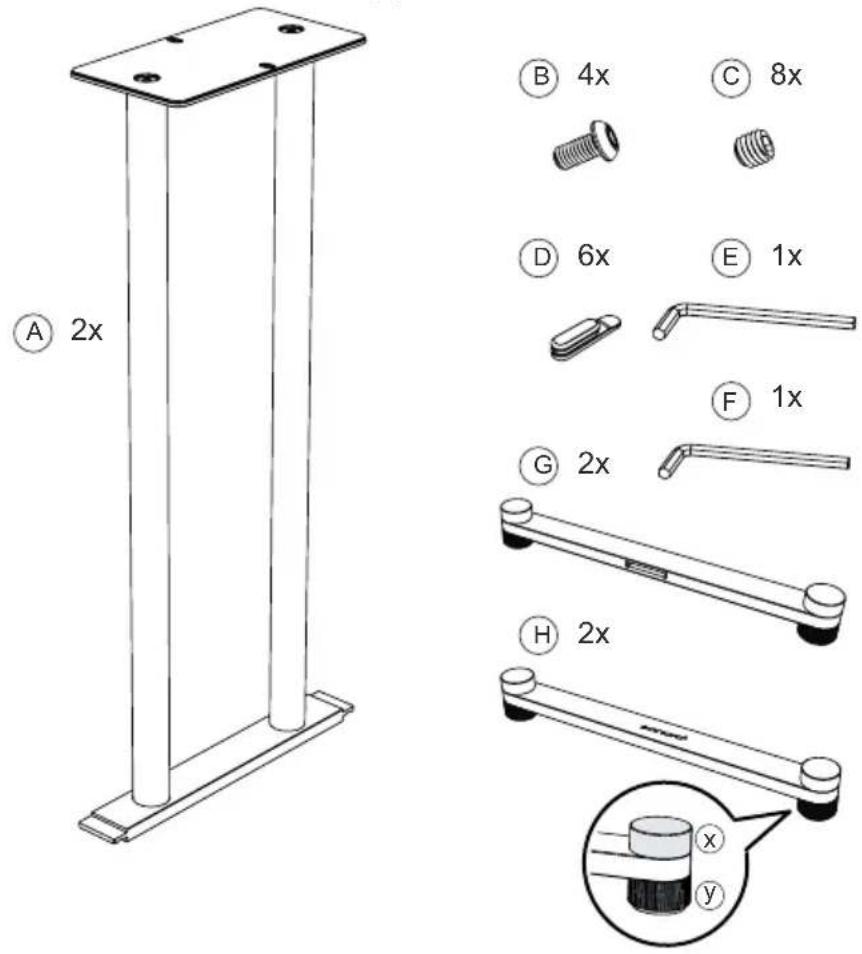
Check that the following parts are included.
text_image
A 2x B 4x C 8x D 6x E 1x F 1x G 2x H 2xA Stand frame
B M6x12 screws
C M6x6 grub screws
D Cable clips
E 4 mm socket head wrench
F 3 mm socket head wrench
G Rear foot bar
H Front foot bar
x Foot cap
y Height adjustable foot
3. FIRST STEPS
3.1 UNPACKING ORCHESTRA STAND
- Remove the ORCHESTRA STAND from the packaging and check whether the ORCHESTRA STAND or the individual parts exhibit any damage. If any part is damaged, do not assemble the ORCHESTRA STAND, instead contact your dealer or sonoro audio GmbH customer service as soon as possible.
- Check the delivery for completeness (see chapter "Scope of supply").
- Place the ORCHESTRA STAND in a suitable and safe location. If you want to place your ORCHESTRA STAND on a natural wooden surface, please make sure that it is suitable. Oiled and waxed surfaces may become marked.
3.2 ASSEMBLING ORCHESTRA STAND

WARNING!
- Do not place ORCHESTRA STAND where people regularly move past it. Bumping into the stand can cause an injury.
- Do not climb onto or hang from the ORCHESTRA STAND. Be especially careful about children trying to do this. If the ORCHESTRA STAND falls over it can cause an injury.

CAUTION!
- Tighten screws firmly, but do not over tighten. Over tightening can cause damage the stand, this greatly reduces the holding power.
-
When assembling or transporting the speaker stand, do not drop it or drag it across the floor. Knocking it over can cause injuries and dragging it across the floor can damage the floor.
-
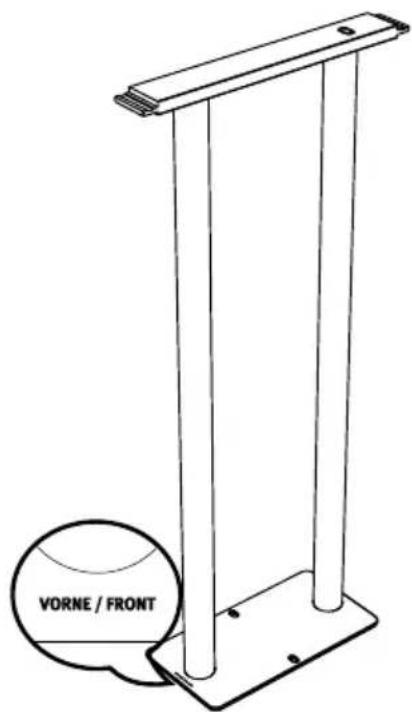
Turn the Ⓐ frame of the stand upside down as shown below.
text_image
VORNE / FRONT- Attach the Ⓗ front foot bar and Ⓖ rear foot bar by sliding them on to the Ⓐ stand frame. Make sure that the foot bar with the sonoro logo is attached at the front.

text_image
sonoro1- Insert the 4 Ⓐ grub screws into the tapped holes of the Ⓗ front foot bar and Ⓙ rear foot bar.
- Tighten the 4 Ⓐ grub screws by hand using the Ⓕ 3 mm socket head wrench.
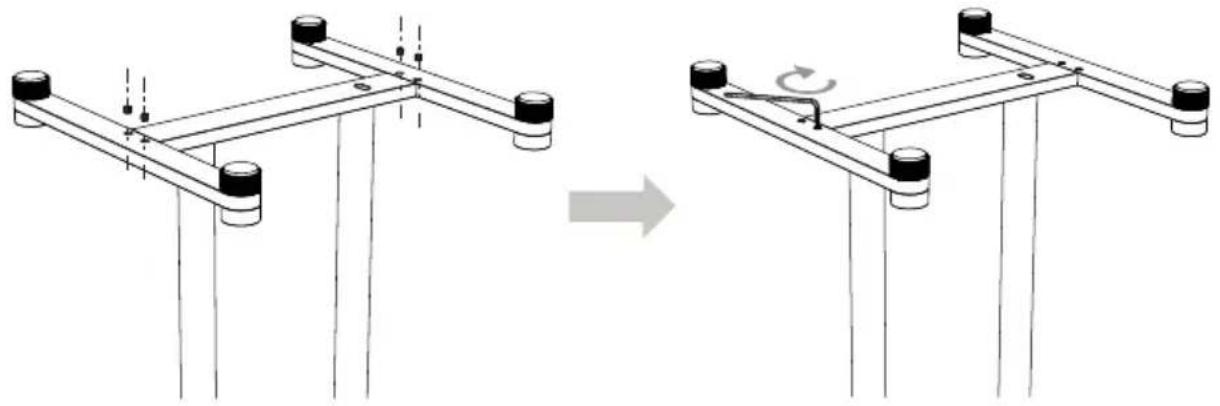
natural_image
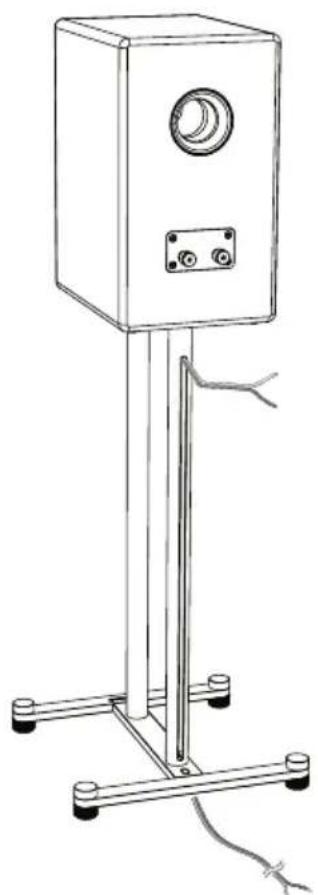
Diagram showing a structural change before and after, with no visible text or symbols- Feed the speaker cable through the lower cable opening into the cable guide on the rear tube of the speaker stand. Pull the cable through until the speaker cable reaches the connection sockets of your ORCHESTRA speakers.
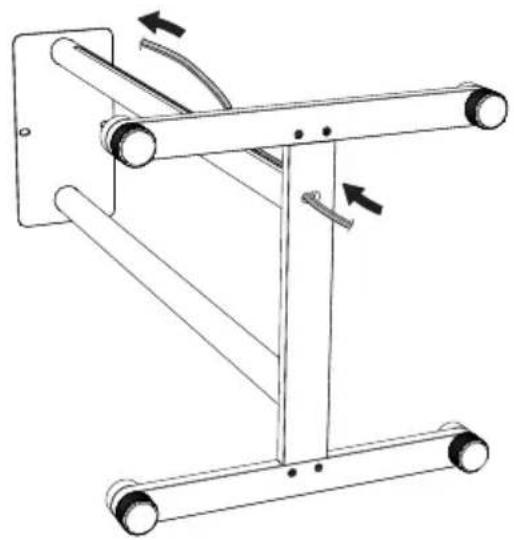
natural_image
Mechanical assembly diagram showing a frame with rollers and linkages, no text or symbols present3.3 ATTACHING THE SPEAKER

WARNING!
- Do not aggressively pull or push ORCHESTRA STAND and speaker. This can make ORCHESTRA STAND and speaker fall and damage the assembled unit.
- Do not exceed the maximum loading of the stand (Max. 25kg). Serious injury or property damage may occur!

CAUTION!
- Do not touch or push the woofers and tweeter on the front of speaker. This can destroy the speaker! We recommend covering the speaker grill during the assembly.
-
For safety's sake we strongly recommend a co-helper when assembling the stand and speakers.
-
Place the top of the ORCHESTRA speaker on a soft surface (e.g. a cloth) to prevent scratching.
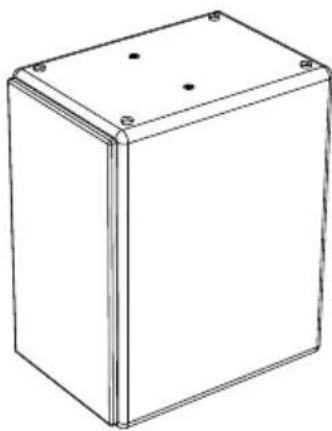
natural_image
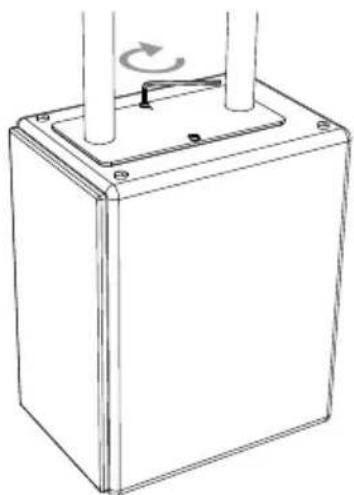
Line drawing of a rectangular box with mounting holes and a flat top (no text or symbols)- Align the speaker stand mounting plate on the ORCHESTRA speaker so that you can secure it with the Ⓑ screws.
- Tighten the Ⓑ screws by hand with the Ⓔ 4 mm socket head wrench.
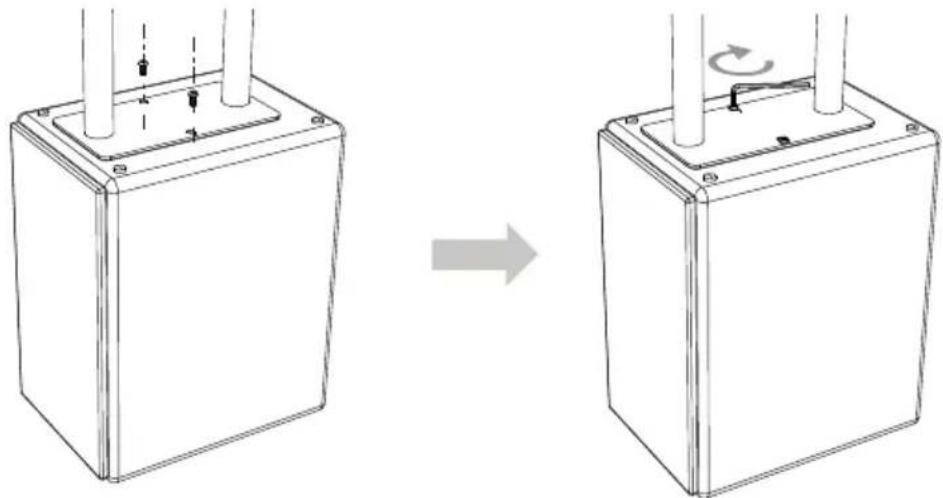
natural_image
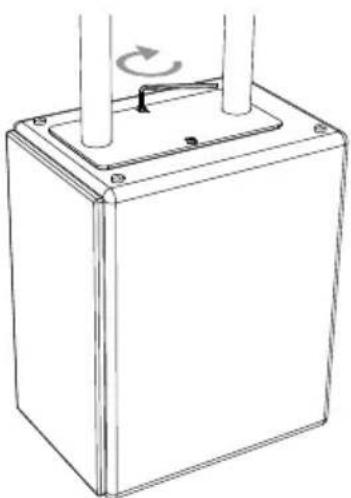
Diagram showing a square base with vertical rods and mounting holes before and after rotation, indicating mechanical assembly (no text or symbols)- Carefully turn the ORCHESTRA STAND and the sonoro speaker over into the upright position.
natural_image
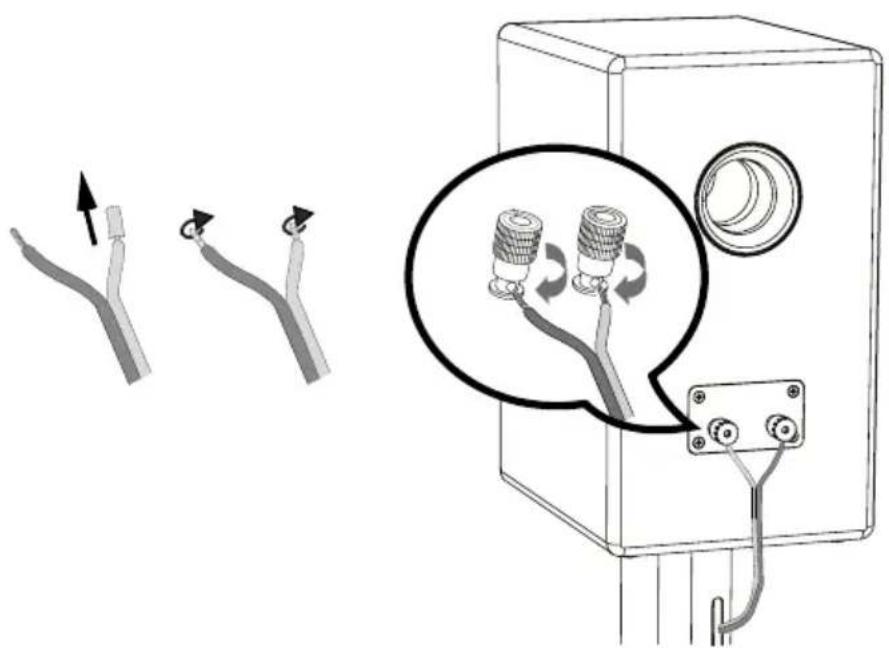
Line drawing of a vertical-mounted device with a circular vent and two ports, mounted on a stand with a cable (no text or symbols)- Connect your speaker cables, making sure that the polarity is correct and that the stripped wire ends do not protrude.
text_image
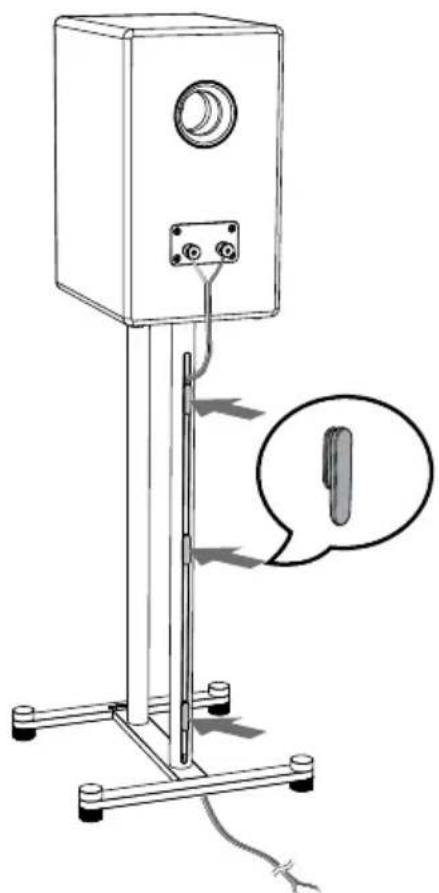
Diagram illustrating cable connection and component assembly, showing wire routing and a magnified view of two connectors with rotating coils.- Insert the cable clips into the back of the tube opening to secure the speaker cable.
natural_image
Line drawing of a vertical-mounted device with a circular vent and attached cable, showing a close-up of the cable (no text or symbols present)-
Following the same procedure, assemble the other ORCHESTRA STAND set and speaker.
-
Connect the other ends of the speaker cables to your audio system.
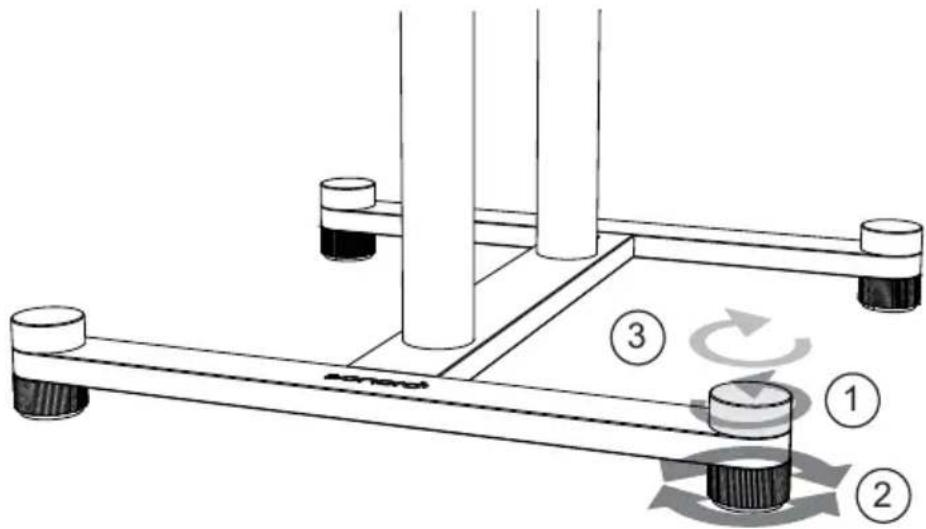
ORCHESTRA STAND is supplied with adjustable feet. The upper foot cap is a lock nut which must be loosened in order to use the adjustable feet to level the stand. Afterwards they are tightened to lock the adjustable feet and prevent vibration noise.
- Turn the ⓧ upper foot cap anticlockwise.
- If the floor is uneven or slightly sloping, you can now ensure the stability of the speaker stand by adjusting the y feet.
- Turn the Ⓕ top foot cap clockwise to lock the feet.
text_image
Technical diagram showing a mechanical assembly with numbered components and rotational motion indicators3.5 LOCATING ORCHESTRA STAND
text_image
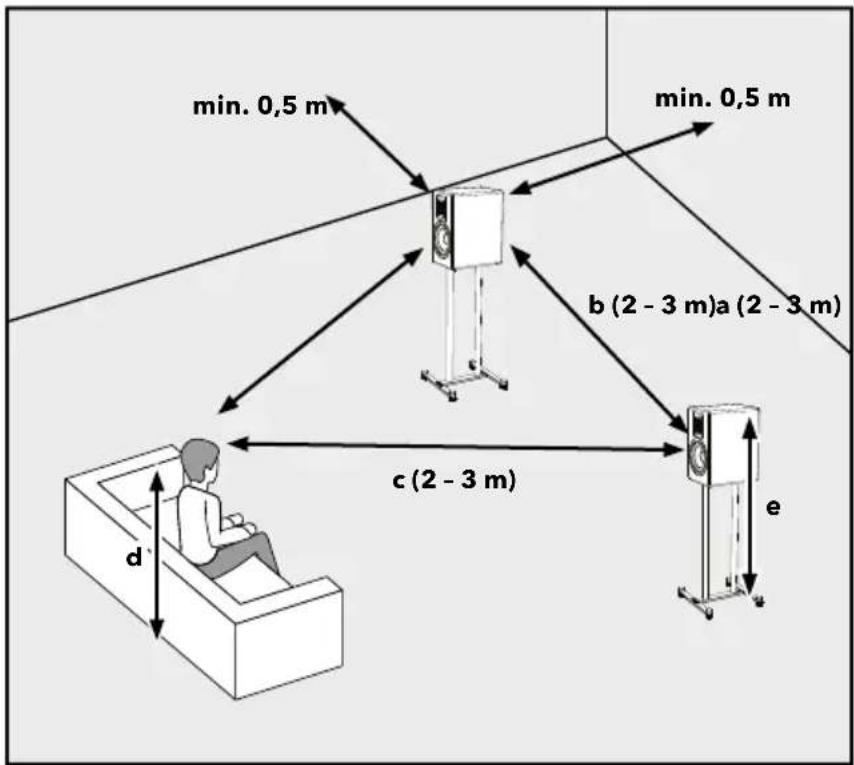
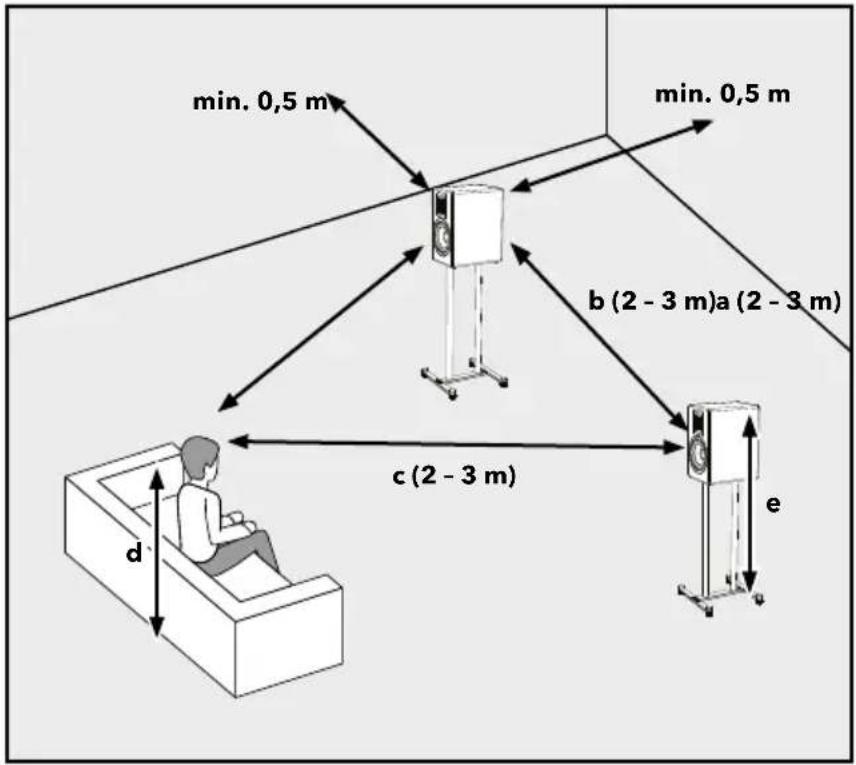
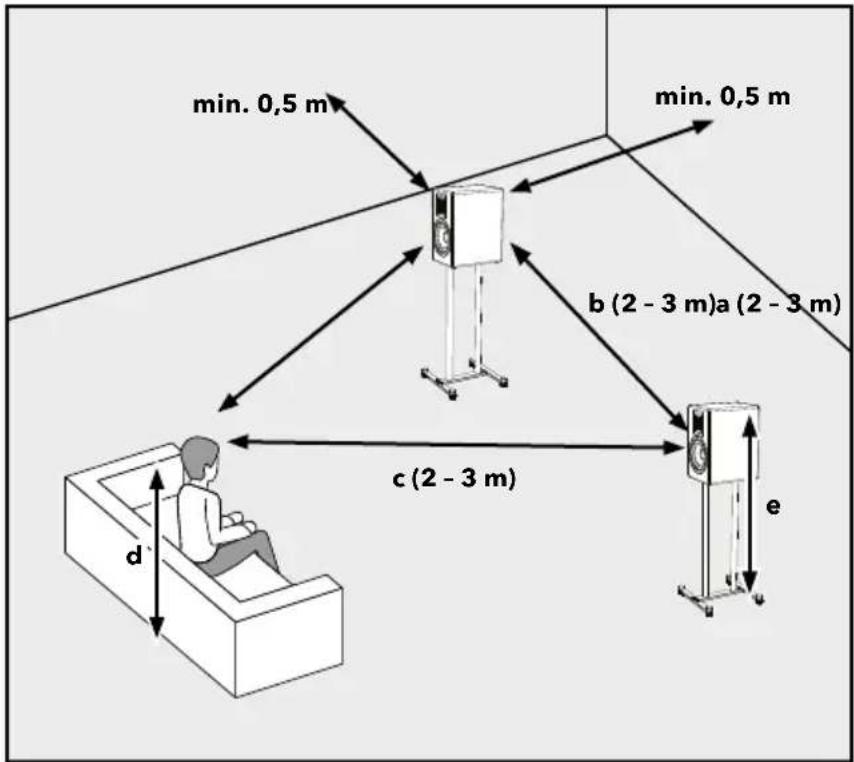
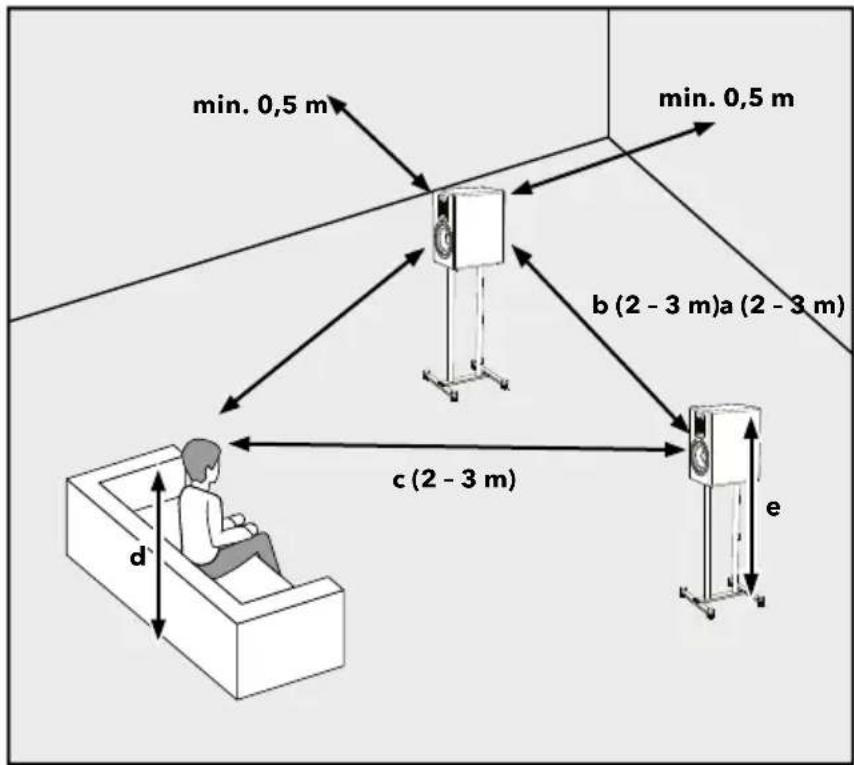
min. 0,5 m min. 0,5 m b (2 - 3 m)a (2 - 3 m) c (2 - 3 m) d eThe distance between the speakers and the distance to your listening position should form an isosceles triangle.
$$ \mathbf {a} = \mathbf {b} = \mathbf {c} $$
When you are in your preferred listening position, the tweeter of your sonoro speaker should be at the same height as your ears.
$$ \mathbf {d} = \mathbf {e} $$
4. CLEANING
- Cleaning off fingerprints and light soiling: Clean ORCHESTRA STAND only from the outside with a soft, dry cloth.
- Cleaning off heavy soiling: Clean ORCHESTRA STAND only from the outside with a slightly damp cloth and then dry ORCHESTRA STAND with a soft, dry cloth.
- All other cleaning methods may damage your ORCHESTRA STAND.
5. TECHNICAL DATA
| Specification Value | |
| Dimension (W×D×H) approx. 33 x 33 x | 65 cm (including feet) |
| Weight approx. 3 kg / pc | |
| Maximum loading 25 kg |
Specifications are subject to change without notice.
6. DISPOSAL AT END OF USEFUL LIFE
Do not dispose of in household waste. Devices that are marked with this symbol (see figure) should not be disposed of in household waste. When disposing of the speaker stand, it is metal scrap that must be disposed of properly at a collection point. Information regarding the disposal of old equipment can be obtained from your municipality, local waste disposal company and the store where you purchased this device. Proper disposal of old devices prevents environmental damage and does not jeopardise your health.
7. TROUBLESHOOTING
The following table is intended to help you identify faults and rectify problems yourself.
| Malfunction Possible | cause Solution | |
| There is a rattling sound from the base of the stand | The top feet caps are not sufficiently tightened. | Tighten the top feet caps sufficiently. |
| The bottom screws which attach the feet to the main body are not sufficiently tightened. | Tighten the screws which connect the stand legs to the main body.ne mit dem Hauptteil verbunden sind. . | |
| The stand is unstable or „wobbles“. | One or two of the adjustable feet do not touch the floor. | Turn the top feet caps anti-clockwise, turn each of the bottom feet clockwise until they contact the floor. Once it is determined the bottom feet are sufficiently contacting the floor, turn the top feet caps clockwise to lock the setting in place. Refer to section 3.4 for more information. |
8. WARRANTY
When submitting warranty claims, the following applies without restricting your legal rights:
- Warranty claims can only be asserted within a period of max. 5 years (1 year in North America and Australia), calculated from the date of purchase.
- sonoro audio GmbH shall, at its own discretion, repair or replace ORCHESTRA STAND free of charge any defects caused by material or manufacturing defects within the warranty period.
- In case of a complaint, please contact our customer service department. You can find contact details on the back cover or at www.sonoro.com.
- No new warranty period begins following repair or replacement of ORCHESTRA STAND. The warranty period of 5 years (1 year in North America and Australia) from date of purchase remains applicable.
- Excluded from the warranty is damage caused by improper use, normal wear and tear, as well as defects which only minimally affect the value or usability of ORCHESTRA STAND. The warranty also expires in case of any modifications not made by our authorised service centre.
- This guarantee does not restrict or supersede the purchaser's statutory rights regarding free of charge claims for defects.
9. SAFETY INSTRUCTIONS
natural_image
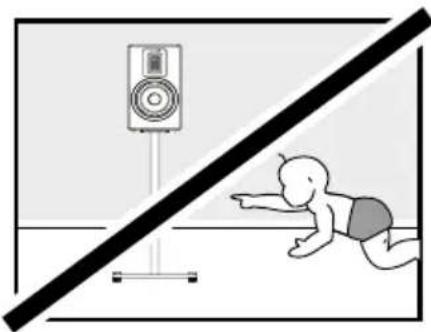
Illustration of a baby crawling under a diagonal line with a speaker on a stand (no text or symbols)Persons (including children) who are unable to operate ORCHESTRA STAND safely due to their physical, sensory or mental abilities should not operate this unit without supervision. Packaging material carries a risk of suffocation.
natural_image
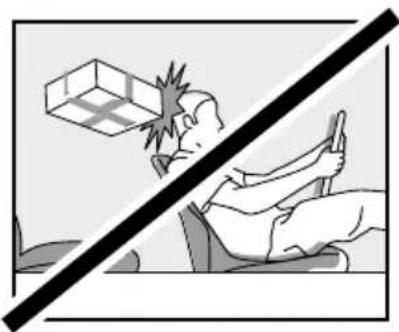
Illustration of a hand using a tool to stop a safety barrier, with a warning sign above (no text or symbols present)Whilst driving in a vehicle, store ORCHESTRA STAND in such a way that it does not endanger the occupants. Improper transport/shipping can lead to damage of ORCHESTRA STAND, thus preventing it from working properly.
natural_image
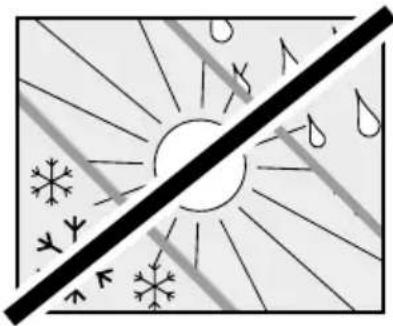
Weather icon showing sun, snowflake, and rain symbols (no text or labels)Protect ORCHESTRA STAND from weather, moisture and high temperatures. Never use ORCHESTRA STAND outdoors and never place it in areas with increased sunlight.
natural_image
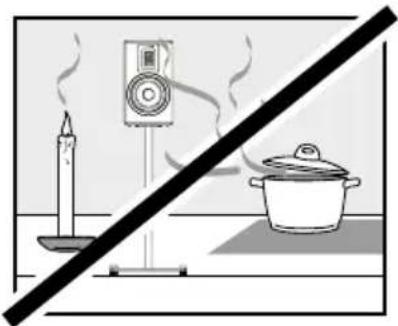
Simple line drawing of a candle, a TV player, and a cooking pot against a diagonal line (no text or symbols)Never use ORCHESTRA STAND in areas with high humidity. Protect it from heavy soiling, e. g. grease splashes and uncleaned exhaust air in the kitchen. Protect ORCHESTRA STAND from liquids. Never place ORCHESTRA STAND on or in the immediate vicinity of sources of fire or heat.
natural_image
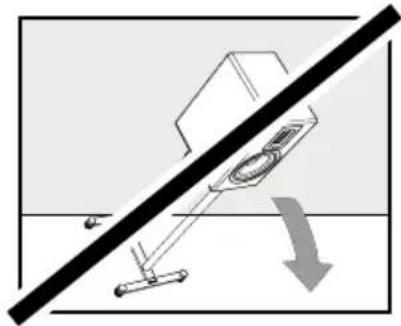
Diagram showing a device with a diagonal line and a downward arrow, no text or symbols presentThe front, edges and corners of ORCHESTRA STAND are all vulnerable to pressure. Protect these areas to prevent them from being subjected to excessive loads. Never tilt ORCHESTRA STAND over its corners or edges. Never place ORCHESTRA STAND facedown.
natural_image
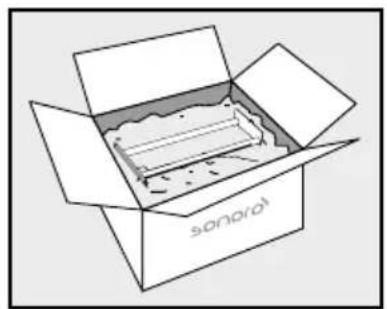
Simple line drawing of an open box with a label 'sonarol' on the front face (no other text or symbols)For transport or shipping, please pack the speakers in the supplied protective sleeves and the original box. Keep the original packaging for this purpose. If you lose the original packaging, please use a sufficiently stable and protective packaging that prevents damage to the ORCHESTRA STAND.
natural_image
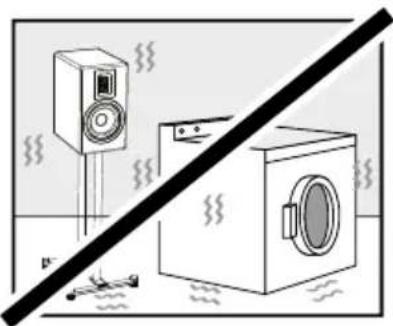
Diagram showing a speaker and washing machine with steam lines, no text or symbols presentPlace ORCHESTRA STAND on a sturdy surface to prevent severe mechanical vibrations.
TABLE DES MATIÈRES
1. INTRODUCTION....30
5. DONNÉES TECHNIQUES......40
6. ÉLIMINATION À LA FIN DE LA DURÉE D'UTILISATION .....40
7. DÉPANNAGE ....40
8. GARANTIE 41
9. MANUEL DE SÉCURITÉ......42
R23-02
1. INTRODUCTION
natural_image
Line drawing of a modern audio amplifier with a speaker and stand (no text or symbols on the device itself)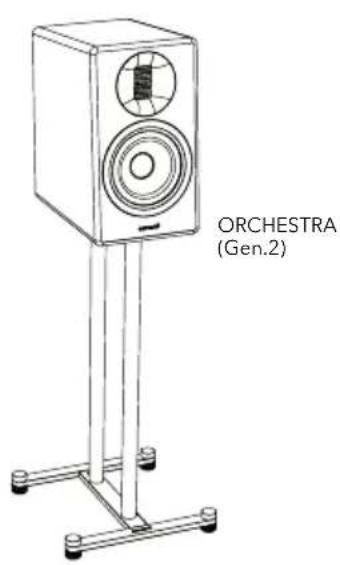
text_image
ORCHESTRA (Gen.2)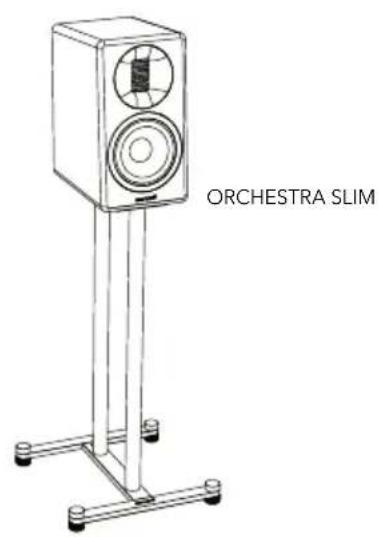
text_image
ORCHESTRA SLIMnatural_image
Diagram showing a structural change before and after, with no visible text or symbolsnatural_image
Mechanical assembly diagram showing a frame with rollers and a lever mechanism (no text or symbols)3.3 FIXATION DU HAUT-PARLEUR

AVERTISSEMENT !
natural_image
Line drawing of a rectangular box with mounting holes and a side panel (no text or symbols)natural_image
Technical line drawing of a rectangular enclosure with two vertical cylindrical posts and mounting holes (no text or symbols)
natural_image
Line drawing of a rectangular electronic component with two vertical posts and a rotating button (no text or symbols)natural_image
Line drawing of a vertical-mounted device with a circular vent and two terminals, mounted on a stand with a cable (no text or symbols)text_image
Diagram illustrating cable connection and motor control mechanism with labeled components and directional arrowsnatural_image
Line drawing of a vertical-mounted device with a circular vent and attached cable, showing a close-up of the cable inside (no text or symbols present)text_image
Technical diagram showing a mechanical assembly with numbered components and rotational arrows indicating motion or rotation.3.5 MISE EN PLACE D'ORCHESTRA STAND
text_image
min. 0,5 m min. 0,5 m b (2 - 3 m)a (2 - 3 m) c (2 - 3 m) d enatural_image
Illustration of a baby crawling under a diagonal barrier to reach a speaker on a stand (no text or symbols present)natural_image
Illustration of a person using a tool on a chair with a diagonal line crossing above, no text or symbols present.natural_image
Weather icon set with sun, snowflakes, and raindrops (no text or symbols)natural_image
Diagram of a mechanical device with a diagonal line and downward arrow, no visible text or symbolsnatural_image
Simple line drawing of a candle, speaker, and cooking pot with a diagonal line (no text or symbols)natural_image
Simple line drawing of an open box with a lid and internal structure, no text or symbols present.natural_image
Illustration of a washing machine and speaker with steam lines, no text or symbols presentnatural_image
Diagram showing a structural change before and after, with no visible text or symbolsnatural_image
Mechanical assembly diagram showing a frame with rollers and a lever mechanism (no text or symbols)3.3 FISSAGGIO DELL'ALTOPARLANTE

AVVERTENZA!
natural_image
Line drawing of a rectangular box with mounting holes and a flat top (no text or symbols)natural_image
Diagram showing a device with two vertical posts and a base, before and after a rotation arrow (no text or symbols)natural_image
Line drawing of a vertical-mounted device with a circular vent and two terminals, mounted on a stand with a cable (no text or symbols)text_image
Diagram illustrating cable connection and battery charging mechanism, showing wire routing and component disassembly.natural_image
Line drawing of a vertical-mounted device with a circular vent and attached cable, showing a close-up of the cable (no text or symbols present)text_image
Technical diagram showing a mechanical assembly with numbered components and rotational motion indicatorsnatural_image
Illustration of a baby crawling under a diagonal line with a speaker on a stand (no text or symbols)natural_image
Illustration of a person using a tool to avoid explosion or damage, with a diagonal line crossing over the image (no text or symbols)natural_image
Weather icon showing sun, snowflakes, and raindrops (no text or symbols)natural_image
Simple line drawing of a candle, a digital camera, and a cooking pot against a black diagonal line (no text or symbols)natural_image
Diagram showing a device with a diagonal line and a downward arrow, no text or symbols presentnatural_image
Simple line drawing of an open box with a label 'sonaroi' on the front face (no other text or symbols)natural_image
Illustration of a washing machine and a speaker with steam, separated by a diagonal line (no text or symbols)natural_image
Diagram showing a mechanical assembly before and after rotation, with no visible text or symbolsnatural_image
Mechanical assembly diagram showing a frame with rollers and a lever mechanism (no text or symbols)3.3 DE LUIDSPREKER BEVESTIGEN

WAARSCHUWING!
natural_image
Line drawing of a rectangular box with mounting holes and a flat lid (no text or symbols)natural_image
Diagram showing a device with two vertical posts and a base, before and after a rotation arrow (no text or symbols)natural_image
Line drawing of a vertical-mounted device with a circular vent and two ports, mounted on a stand with a cable (no text or symbols)NL
text_image
Diagram illustrating cable connection and motor switch mechanism, showing wire routing and component disassembly.natural_image
Line drawing of a vertical-mounted device with a circular vent and attached cable, showing a close-up of the cable (no text or symbols present)text_image
Technical diagram showing a mechanical assembly with numbered components and rotational arrows indicating motion or cycle.NL
3.5 DE JUISTE PLAATS BEPALEN VOOR DE ORCHESTRA STAND
flowchart
graph TD
    A["Person in Room"] -->|d| B["Speaker 1"]
    A -->|c| C["Speaker 2"]
    B -->|b (2 - 3 m)a (2 - 3 m)| C
    C -->|min. 0,5 m| D["Speaker 1"]
    C -->|min. 0,5 m| E["Speaker 2"]
    style A fill:#f9f,stroke:#333
    style B fill:#ccf,stroke:#333
    style C fill:#ccf,stroke:#333
    style D fill:#fff,stroke:#333
    style E fill:#fff,stroke:#333
natural_image
Illustration of a baby crawling under a diagonal barrier with a speaker on a stand (no text or symbols)natural_image
Illustration of a person using a tool to strike a broken object, with no visible text or symbolsnatural_image
Weather icon showing sun, snowflakes, and raindrops (no text or symbols)natural_image
Diagram showing a mechanical device with a diagonal line and a downward arrow, no text or symbols present.natural_image
Simple line drawing of a candle, a megaphone, and a cooking pot against a diagonal line (no text or symbols)natural_image
Illustration of an open box with a label 'sonorai' on the front face, showing internal components (no text beyond label)natural_image
Illustration of a washing machine and a speaker with steam lines, no text or symbols presentnatural_image
Diagram showing a structural change before and after assembly, with no visible text or symbolsnatural_image
Mechanical assembly diagram showing a frame with rollers and a lever mechanism (no text or symbols)3.3 FASTG∅RELSE AF H∅JTTALEREN

ADVARSEL!
natural_image
Line drawing of a rectangular box with mounting holes and a side panel (no text or symbols)natural_image
Technical line drawing of a rectangular enclosure with two vertical cylindrical posts and a central base (no text or symbols)
natural_image
Line drawing of a rectangular box with two vertical posts and a central mounting base, featuring a rotation arrow indicator (no text or symbols)natural_image
Line drawing of a vertical-mounted device with a circular vent and two terminals, mounted on a stand with a cable (no text or symbols)text_image
Diagram illustrating cable connection and motor control mechanism with labeled components and directional arrowsnatural_image
Line drawing of a vertical-mounted device with a circular vent and labeled component, showing wiring and a speech bubble (no text or symbols present)text_image
Technical diagram showing a mechanical assembly with numbered components and rotational arrows indicating motion or rotation.3.5 PLACERING AF ORCHESTRA STAND
text_image
min. 0,5 m min. 0,5 m b (2 - 3 m)a (2 - 3 m) c (2 - 3 m) d enatural_image
Illustration of a baby crawling under a diagonal line with a speaker on a stand (no text or symbols)natural_image
Illustration of a person using a tool on a chair with a diagonal line crossing above, no text or symbols present.natural_image
Weather icon showing sun, snowflake, and rain symbols (no text or labels)natural_image
Simple line drawing of a candle, a TV, and a cooking pot against a black diagonal line (no text or symbols)natural_image
Diagram showing a device with a diagonal line and a downward arrow, no text or symbols presentnatural_image
Simple line drawing of an open box with a label 'sonora' on the front face (no other text or symbols)natural_image
Diagram showing a showerhouse and a washing machine with steam rising, separated by a diagonal line (no text or symbols)Placér ORCHESTRA STAND på en solid overflade for at forhindre kraftige mekaniske vibrationer.

text_image
CE DER GRÜNE PUNKT 20 PAP
text_image
FR EMBALLAGES A SEPARER ET A DEPOSER DANS LE BAC DE TRI. IT RACCOLTA DIFFERENZIATA. VERIFICA LE DISPOSIZIONI DEL TUO COMUNE.
At sonoro we are putting the utmost effort in to developing state-of-the-art products with impeccable quality standards. It is very important to us that you stay satisfied with your sonoro product for the lifetime of the unit. If for any reason you need assistance or have a warranty claim, please do not hesitate to get in touch with our Service Team.