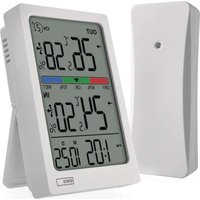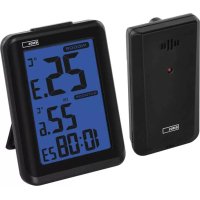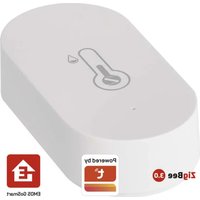
Emos EGS0102 - Thermometer

EGS0102 - Thermometer Emos - Free user manual and instructions

Find the device manual for free EGS0102 Emos in PDF.

📄 280 pages English EN Download 💬 AI Question
Notice Emos EGS0102 - page 6
Pick your language and provide your email: we'll send you a specifically translated version.

User questions about EGS0102 Emos

0 question about this device. Answer the ones you know or ask your own.

Ask a new question about this device

The email remains private: it is only used to notify you if someone responds to your question.

No questions yet. Be the first to ask one.

Download the instructions for your Thermometer in PDF format for free! Find your manual EGS0102 - Emos and take your electronic device back in hand. On this page are published all the documents necessary for the use of your device. EGS0102 by Emos.

USER MANUAL EGS0102 Emos

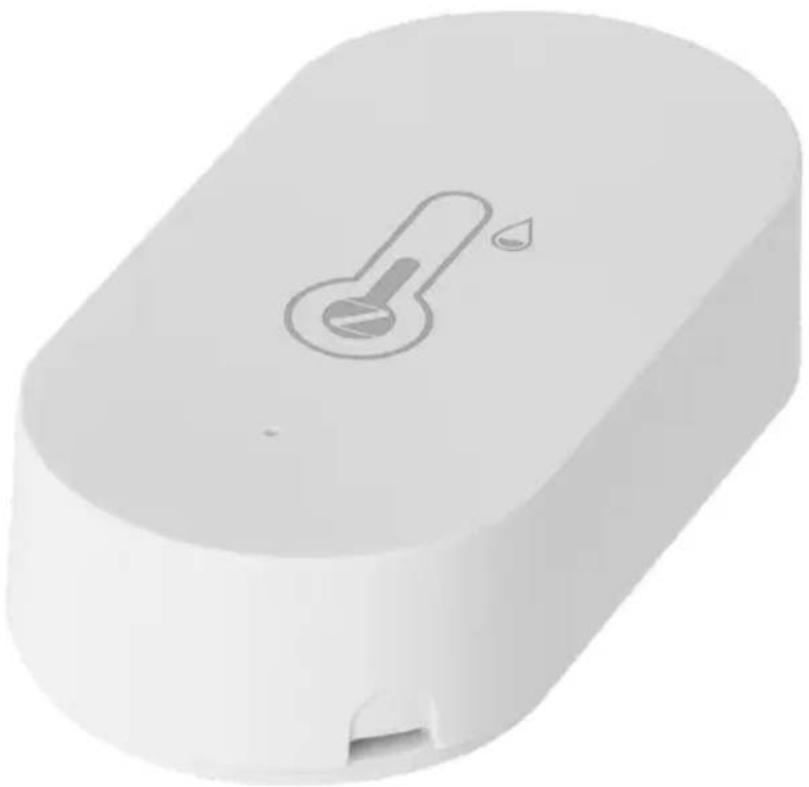
natural_image White 3D-rendered electronic device with a small port and a thermometer symbol on top (no text or labels)

Emos EGS0102 - 1

Contents

Safety Instructions and Warnings 2

Technical Specifications....3

Description of the Thermometer....4

Getting Started....5

Mobile Application....6

Controls and Functions 9

Troubleshooting FAQ....12

Safety Instructions and Warnings
Emos EGS0102 - Safety Instructions and Warnings - 1

Read the user manual before using the device.

Follow the safety instructions in the manual.

  • Do not tamper with the internal electrical circuits of the product – doing so may damage the product and will automatically void the warranty. The product should only be repaired by a qualified professional.
  • To clean the product, use a soft damp cloth. Do not use solvents or detergents – they could scratch the plastic parts and cause corrosion of the electric circuits.
  • Do not use the device in the proximity of devices that generate electromagnetic fields.
  • Do not expose the product to excessive force, impact, dust, high temperatures or humidity – these may cause the product to malfunction or deform its plastic parts.
  • Do not insert any objects into the openings on the device.
  • Do not submerge the device in water.
  • Protect the device from falls or impacts.
  • Only use the device in accordance with the instructions provided in this manual.
  • The manufacturer is not liable for damage caused by improper use of the device.
  • The appliance is not intended for use by persons (including children) whose physical, sensory or mental disability or lack of experience and expertise prevents safe use, unless they are supervised or instructed in the use of the appliance by a person responsible for their safety. Children must always be supervised to ensure they do not play with the appliance.

Emos EGS0102 - Safety Instructions and Warnings - 2

Emos EGS0102 - Safety Instructions and Warnings - 3

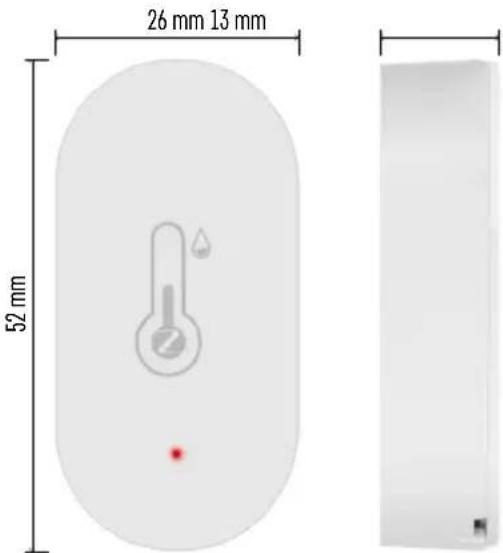
text_image 26 mm 13 mm 52 mm

Technical Specifications

Wi-Fi controlled clock

Time format: 12/24 h

Indoor temperature: -10 °C to +60 °C, 0.1 °C increments

Temperature measurement accuracy: ±1 °C

Indoor humidity: 0 % to 99 % RH, 1 % increments

Humidity measurement accuracy: ±5 %

Connection: 2.4 GHz Wi-Fi (IEEE802.11b/g/n) / Zigbee 2402 \~ 2,480 MHz

Frequency band: 2.400–2.4835 GHz

Power supply: 1×3 V CR2032 battery (included)

Dimensions: 26 × 13 × 52 mm
Emos EGS0102 - Technical Specifications - 1

Emos EGS0102 - Technical Specifications - 2

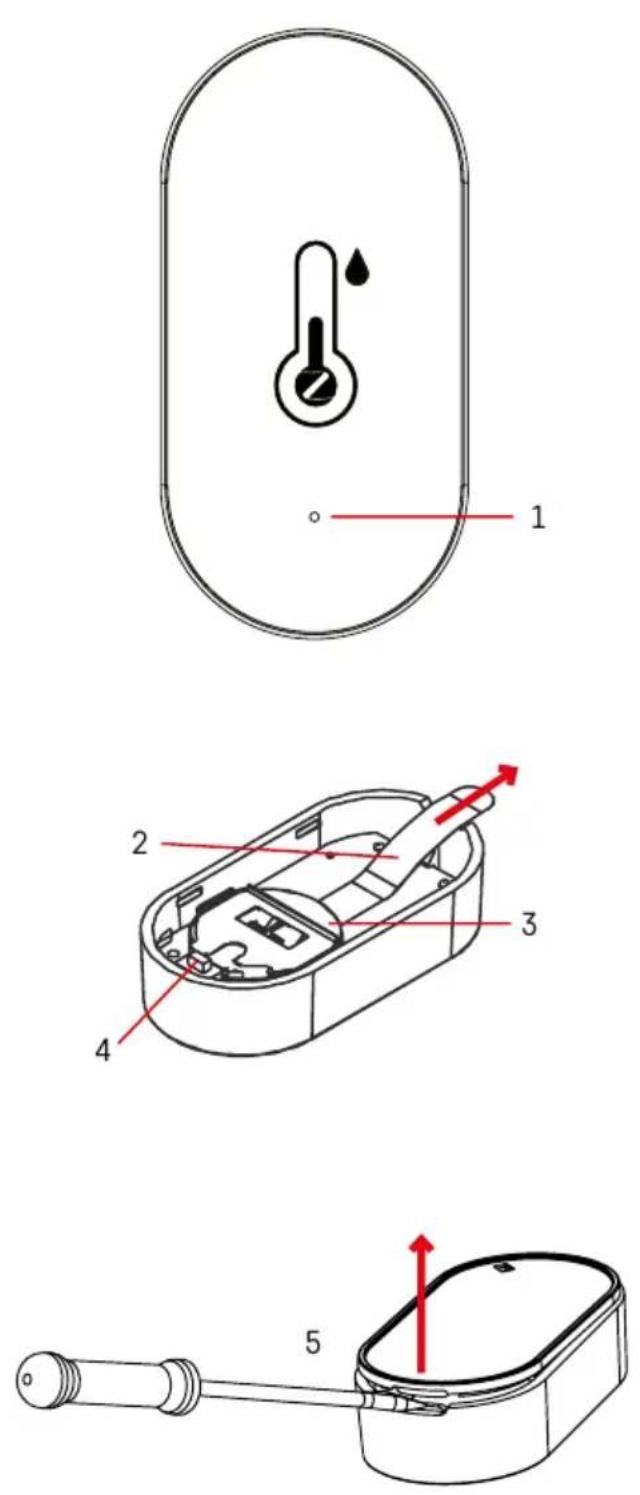
Description of the Thermometer

1-red LED
2 - battery insulation tape
3-battery
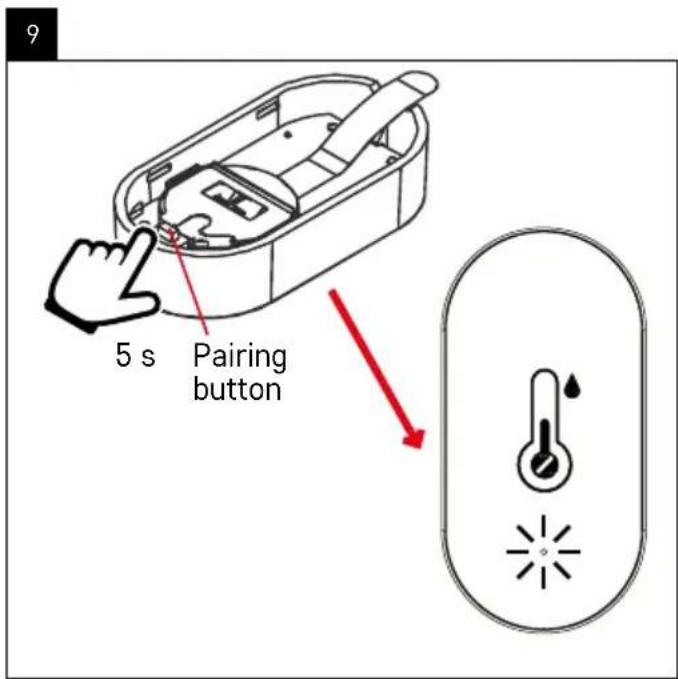
4 - pairing button
5 - how to remove the back cover

Emos EGS0102 - Description of the Thermometer - 1

Getting Started

  1. Remove the battery insulation tape and insert one battery into the thermometer (1× 3 V CR2032). When inserting the battery, make sure the polarity is correct to avoid damaging the thermometer.
  2. The red LED light will start flashing.
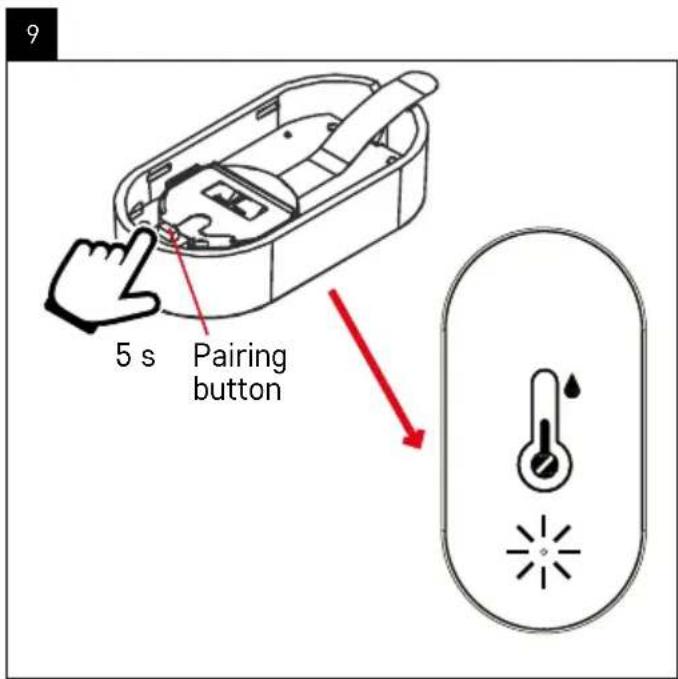
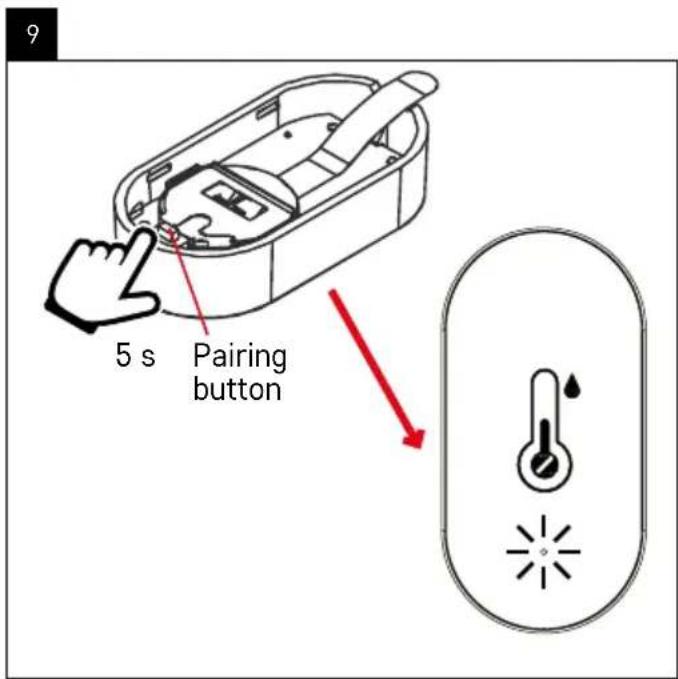
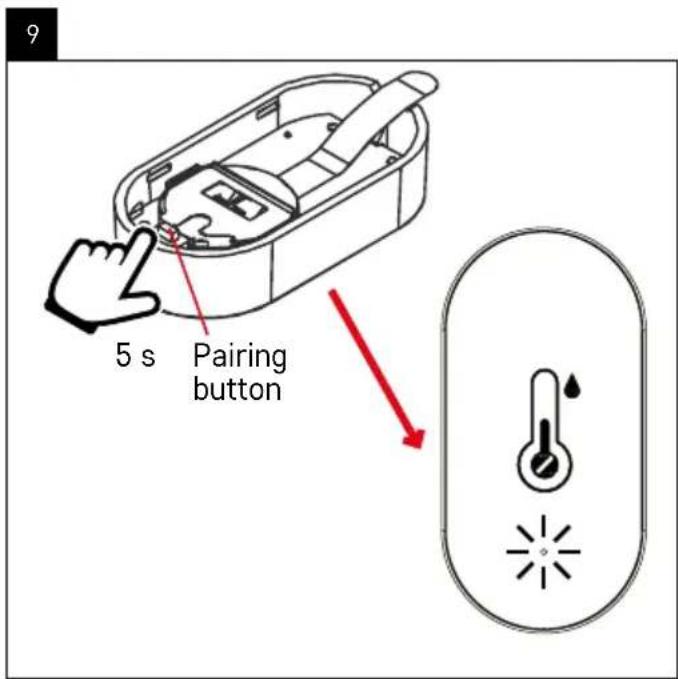
  3. If the LED light does not flash, long-press the pairing button and complete the pairing process with the app.

Thermometer RESET

If the thermometer displays incorrect values or does not respond to button presses, remove the battery, then reinsert it.

Emos EGS0102 - Thermometer RESET - 1

Mobile Application

Emos EGS0102 - Mobile Application - 1

text_image QR code with a red square logo in the center containing Chinese characters.

Emos EGS0102 - Mobile Application - 2

text_image Download on the App Store GET IT ON Google Play

The thermometer can be controlled using a mobile app for iOS or Android.

Download the EMOS GoSmart app for your device.

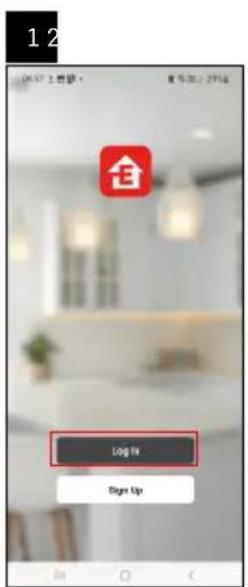
Tap the Log In button if you've used the app before.

Otherwise, tap the Sign Up button and register.

Pairing with the App
Emos EGS0102 - Pairing with the App - 1

text_image Log IV Sign Up

Emos EGS0102 - Pairing with the App - 2

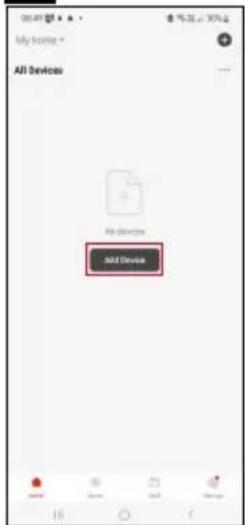
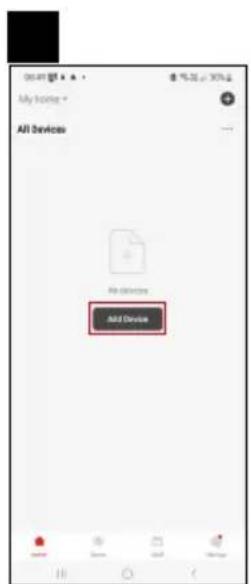
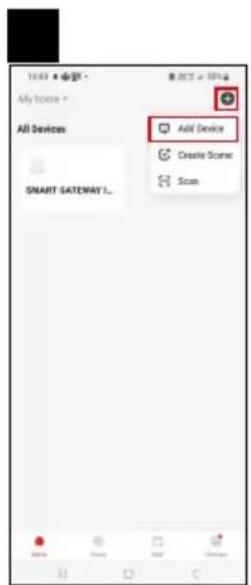
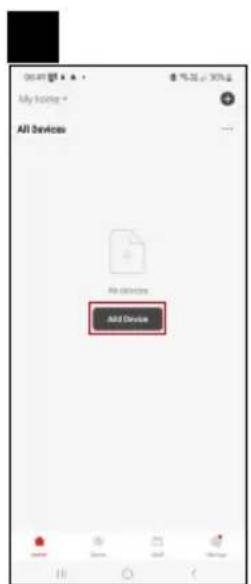
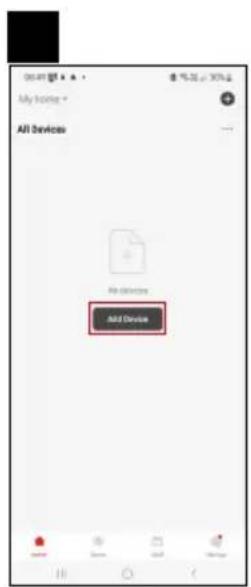
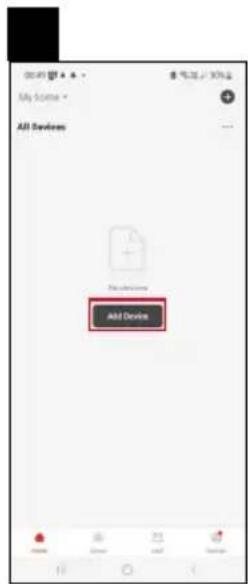
text_image All Devices Add Device

Emos EGS0102 - Pairing with the App - 3

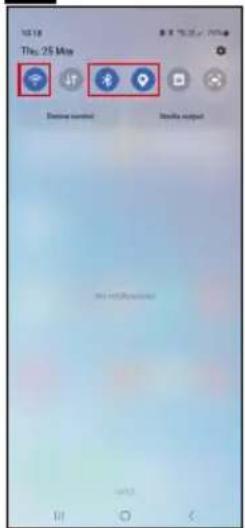
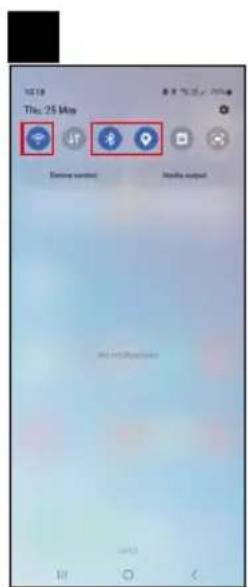
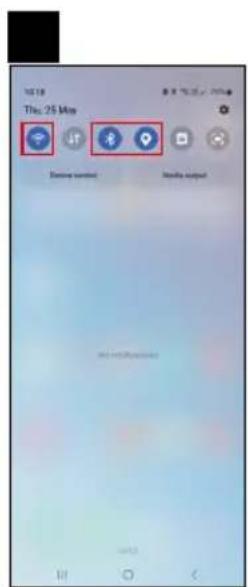
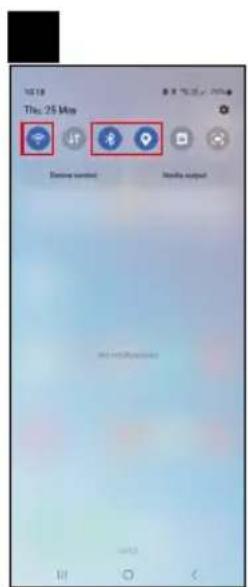
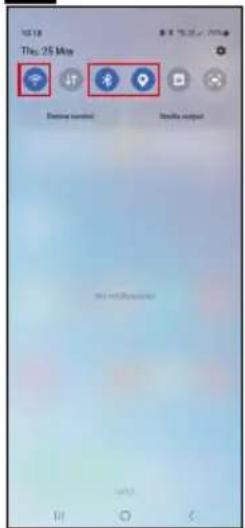
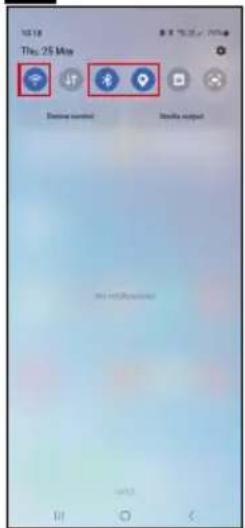
text_image 12:18 Thu: 25 Mio Phone button Jet Phone Send to account

Emos EGS0102 - Pairing with the App - 4

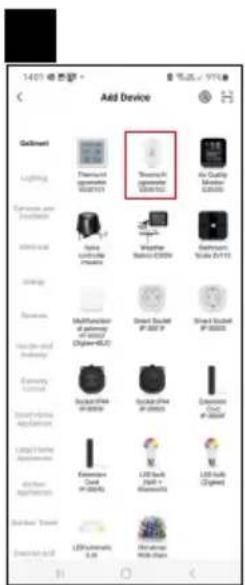
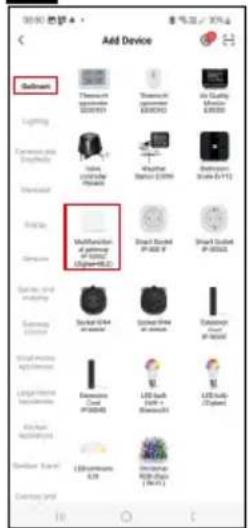
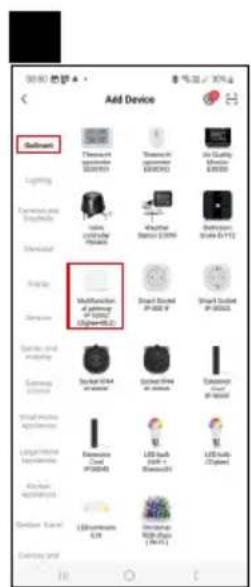
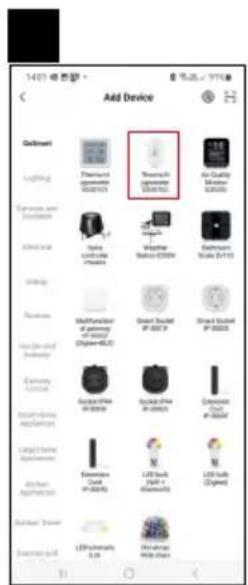
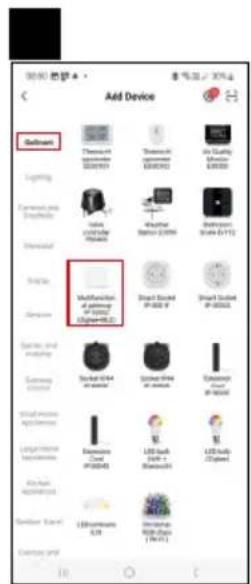
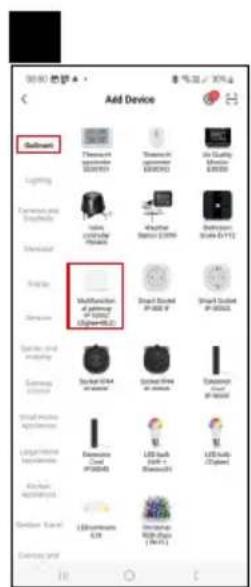
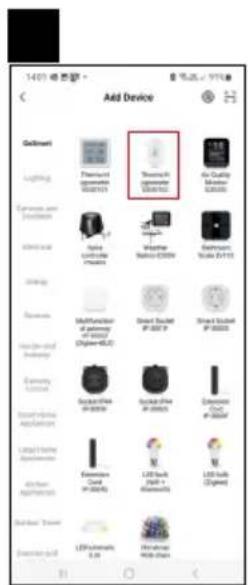
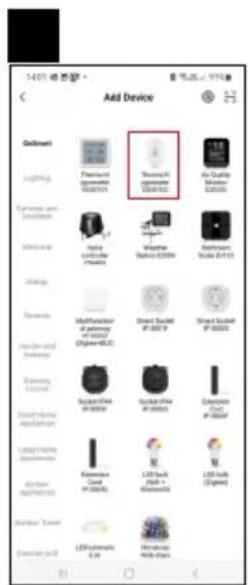
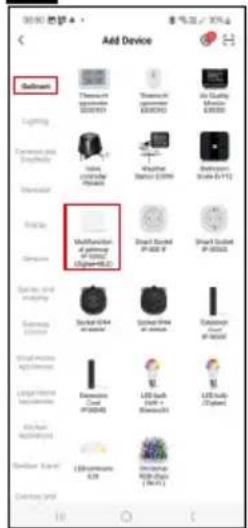
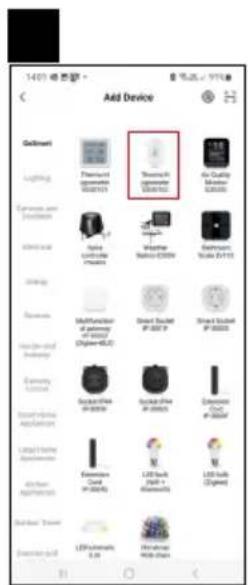
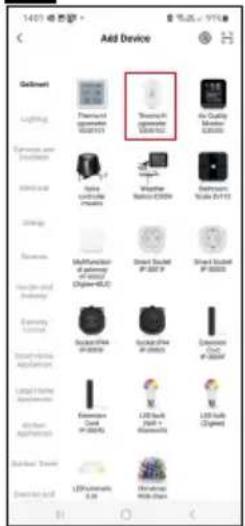
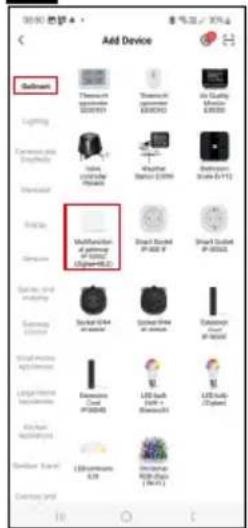
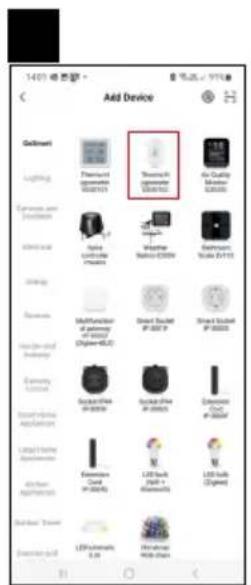
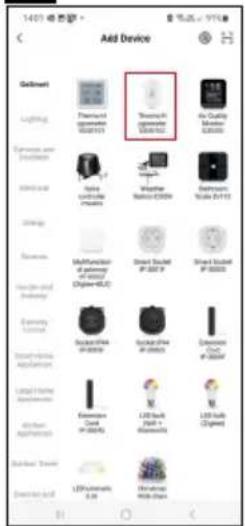
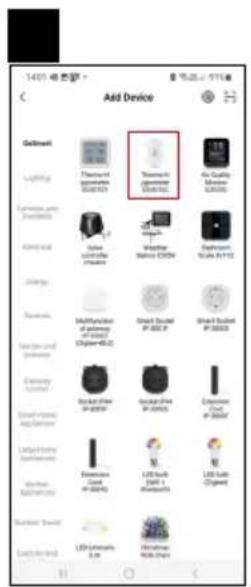
text_image Add Device Button Thermal comfort 0549193 Thermal comfort 0549193 Air Quality Balance Lighting Appearance and Shipment Lighting Shipment Shipment Shipment Appearance Multifunction of powerup of I/O (82mmx-6.2) Shipment Board IP-000 P Shipment Board IP-000A Shipment Board IP-000B Shipment Board IP-000C Shipment Board IP-000D Shipment Board IP-000E Shipment Board IP-000F Shipment Board IP-000G Shipment Board IP-000H Shipment Board IP-000I Shipment Board IP-000J Shipment Board IP-000K Shipment Board IP-000L Shipment Board IP-000M Shipment Board IP-000N Shipment Board IP-000O Shipment Board IP-000P Shipment Board IP-000Q Shipment Board IP-000R Shipment Board IP-000S Shipment Board IP-000T Shipment Board IP-000U Shipment Board IP-000V Shipment Board IP-000W Shipment Board IP-000X Shipment Board IP-000Y Shipment Board IP-000Z Shipment Board IP-000A Shipment Board IP-000B Shipment Board IP-000C Shipment Board IP-000D Shipment Board IP-000E Shipment Board IP-000F Shipment Board IP-000G Shipment Board IP-000H Shipment Board IP-000I

Emos EGS0102 - Pairing with the App - 5

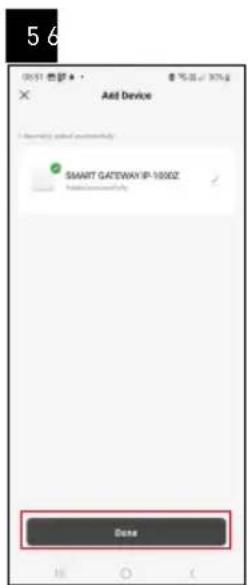
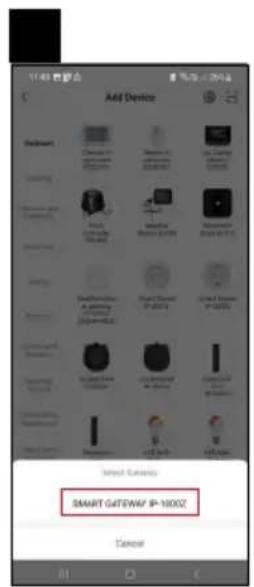
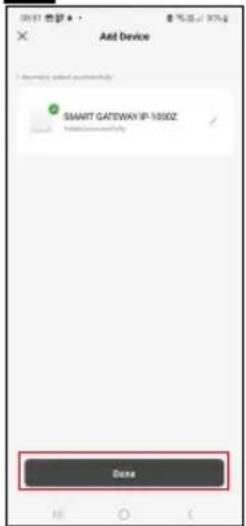
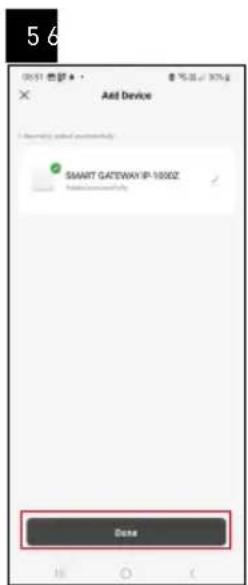
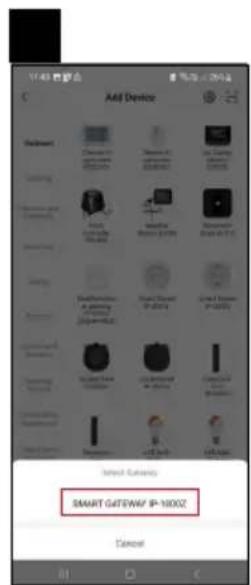
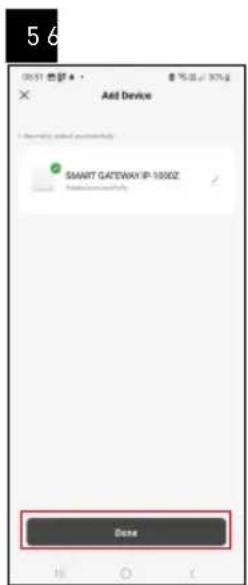
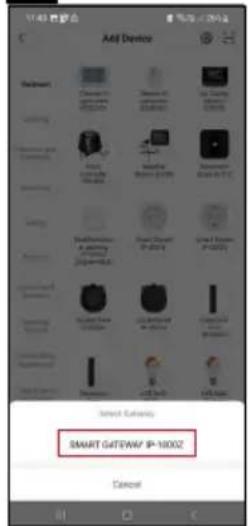
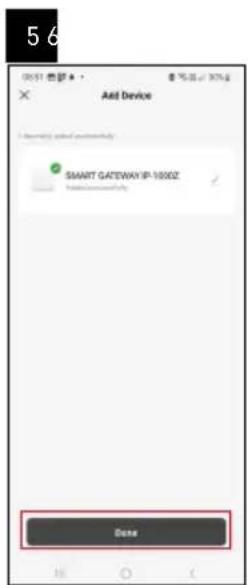
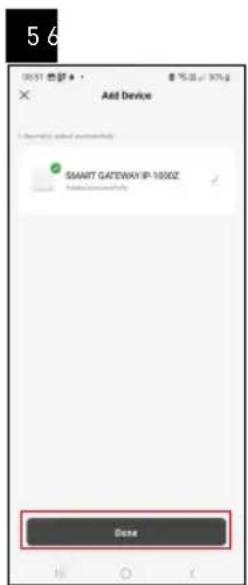
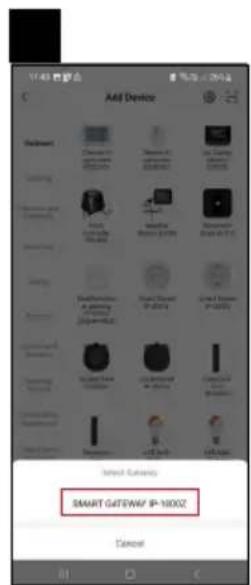
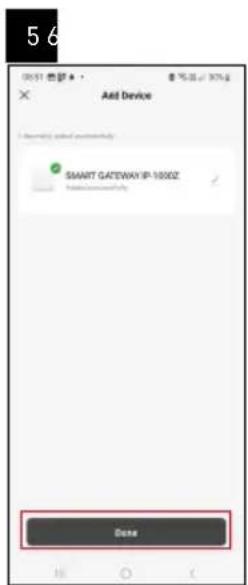
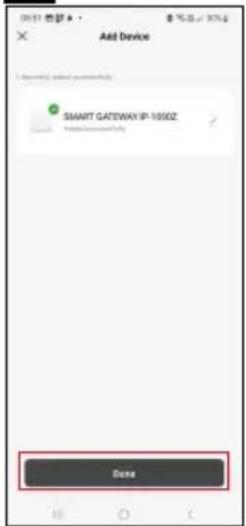
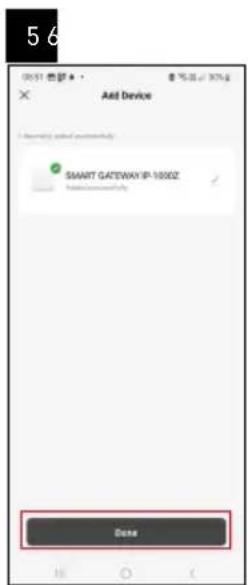
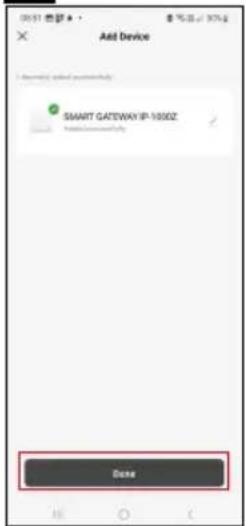
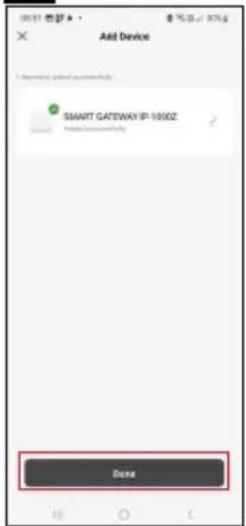
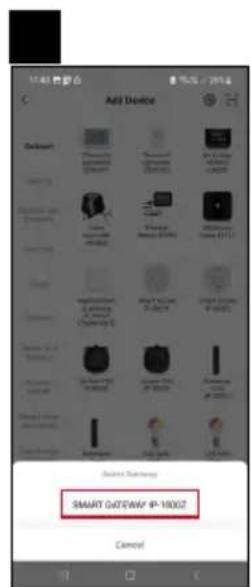
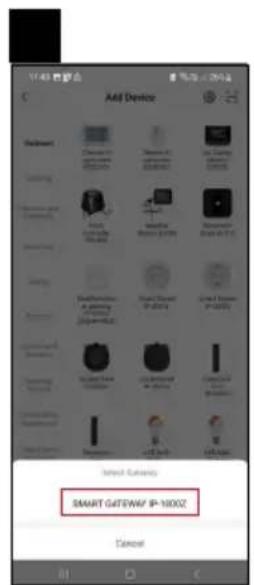
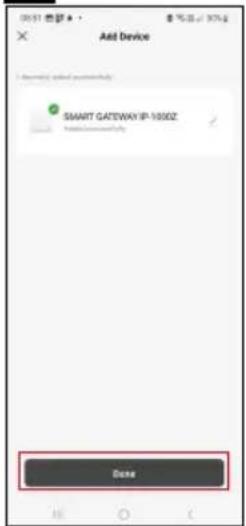
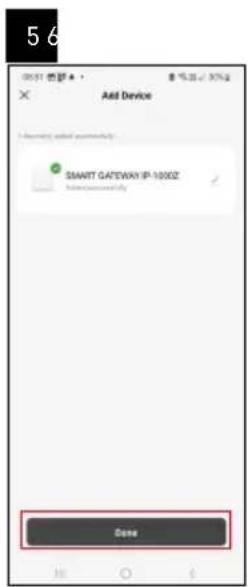
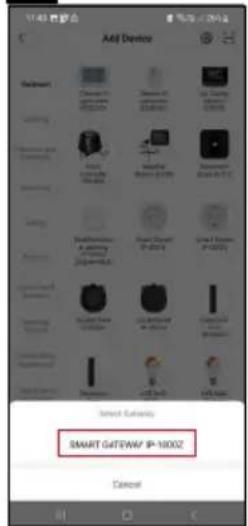
text_image 5 6 Add Device SMART GATEWAY IP-1000Z Close

Emos EGS0102 - Pairing with the App - 6

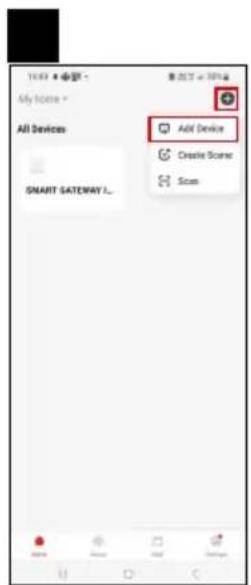
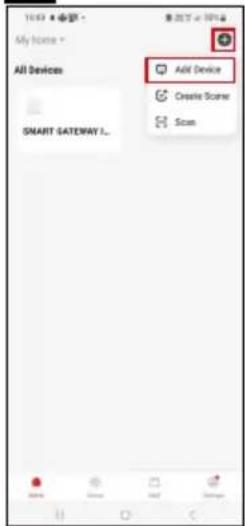
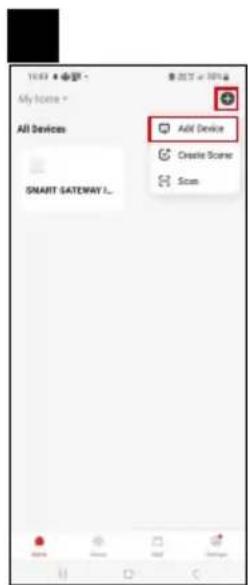
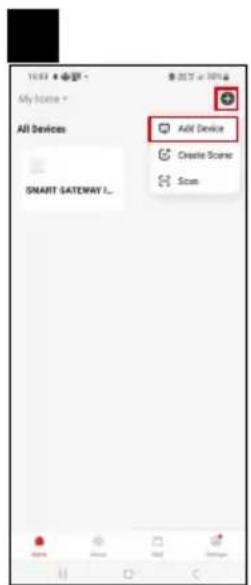
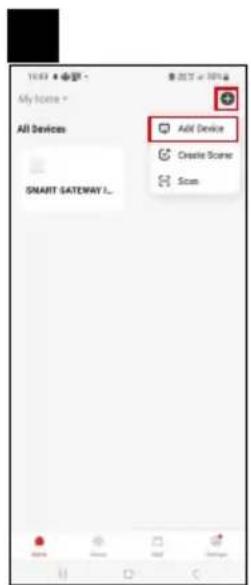
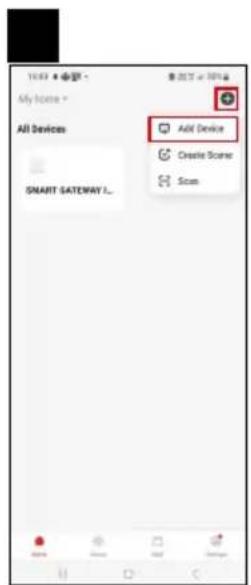
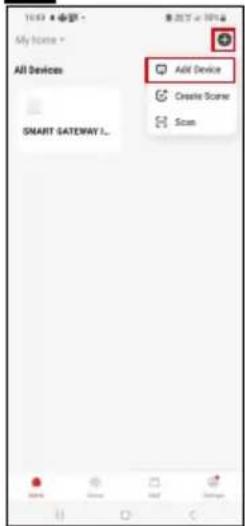
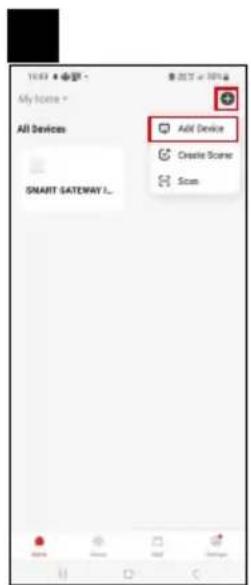
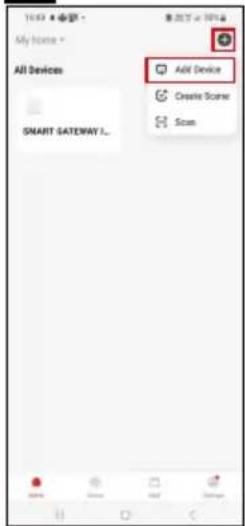
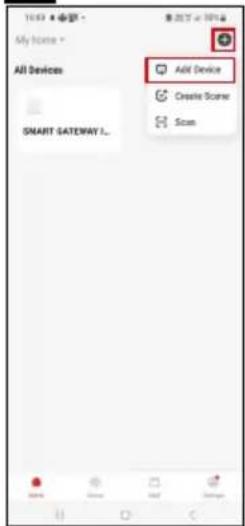
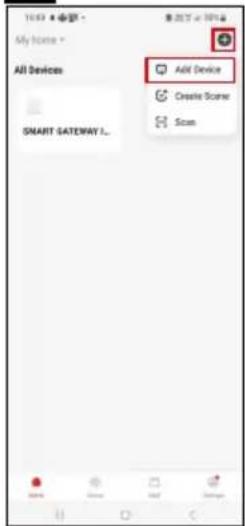
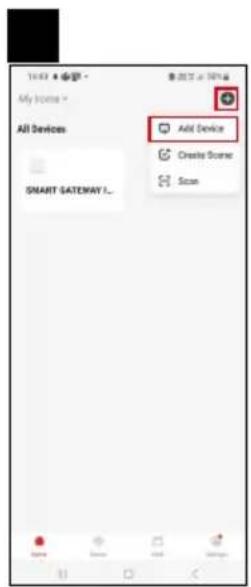
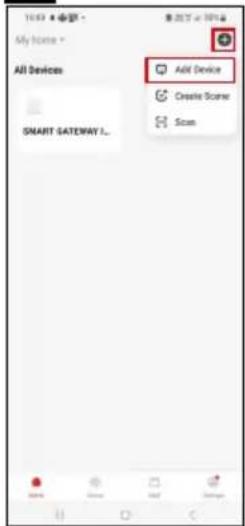
text_image 1987 My Home * All Devices SMART SATEWAY L... Add Device Create Scene Scan

Emos EGS0102 - Pairing with the App - 7

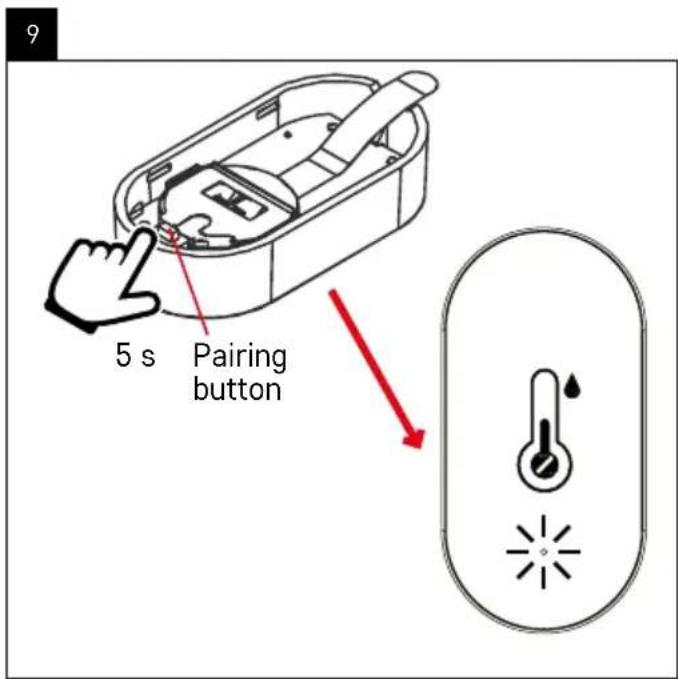
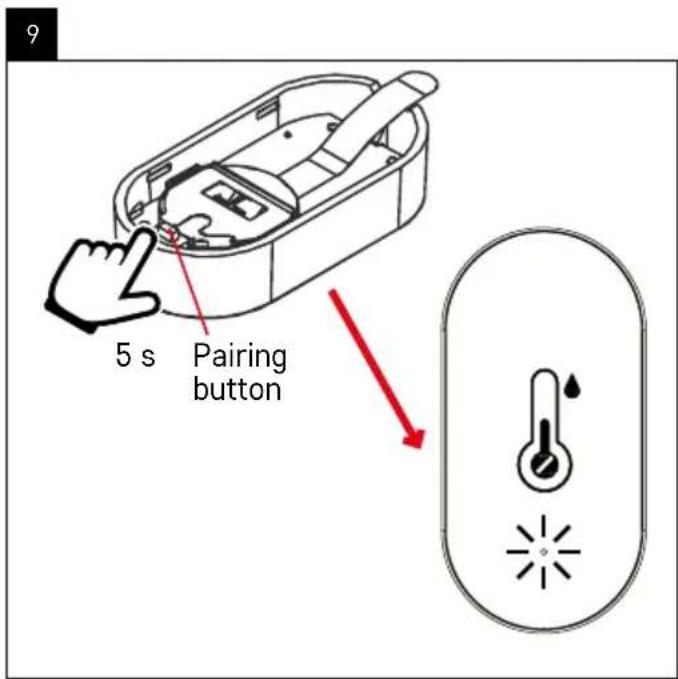
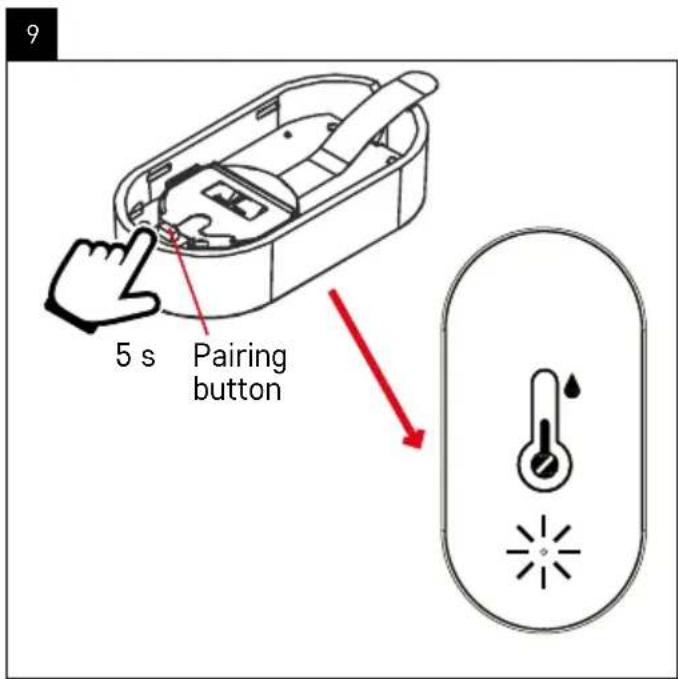
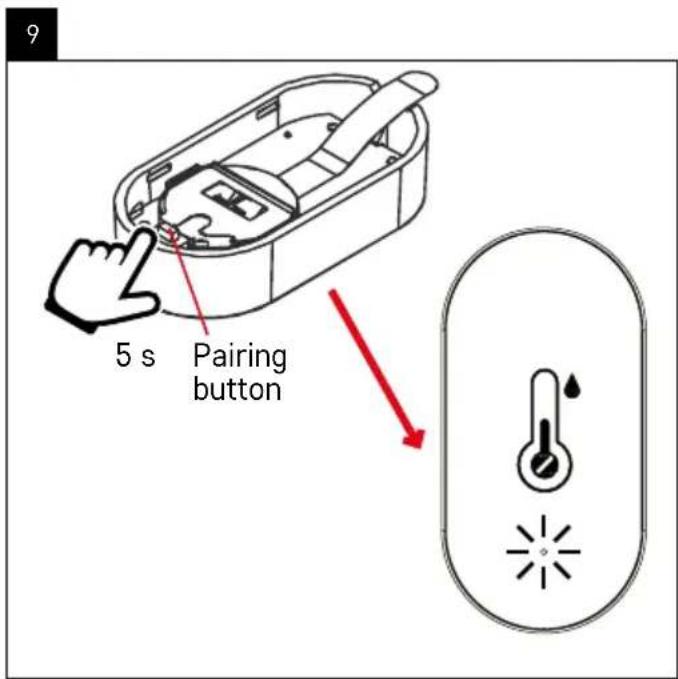
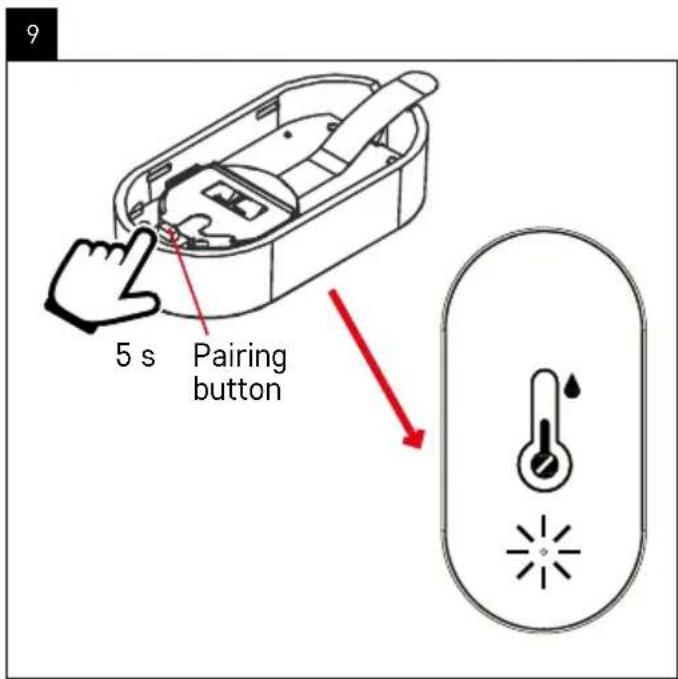
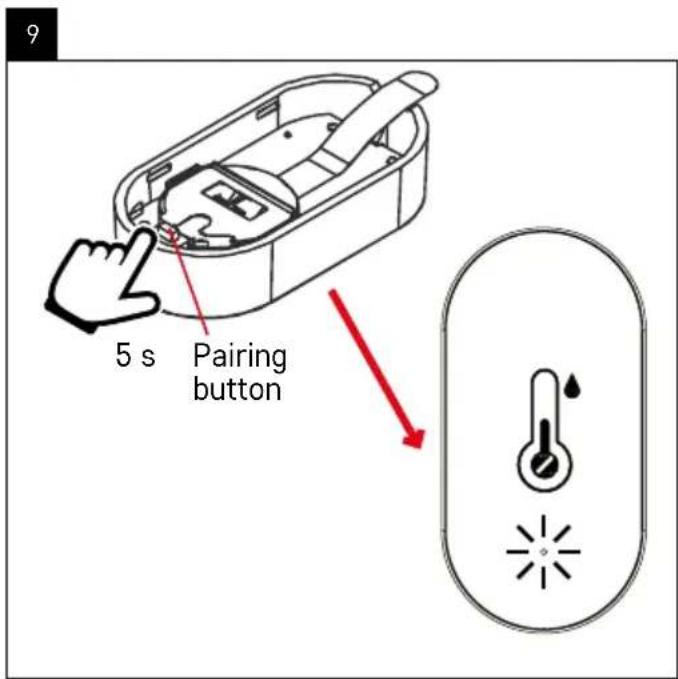
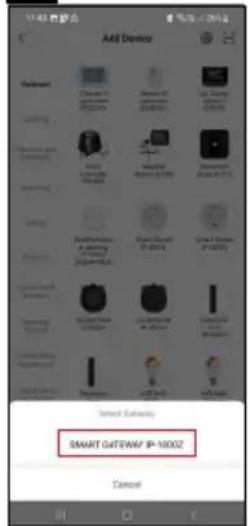
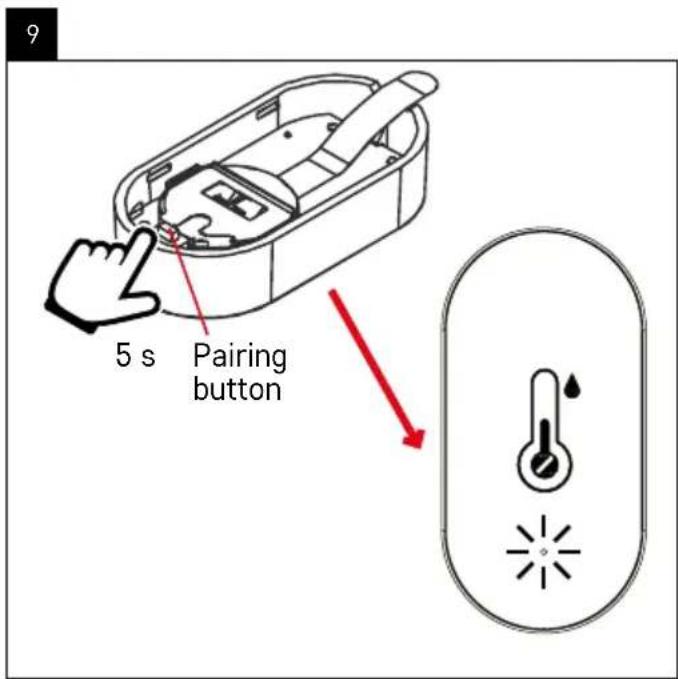
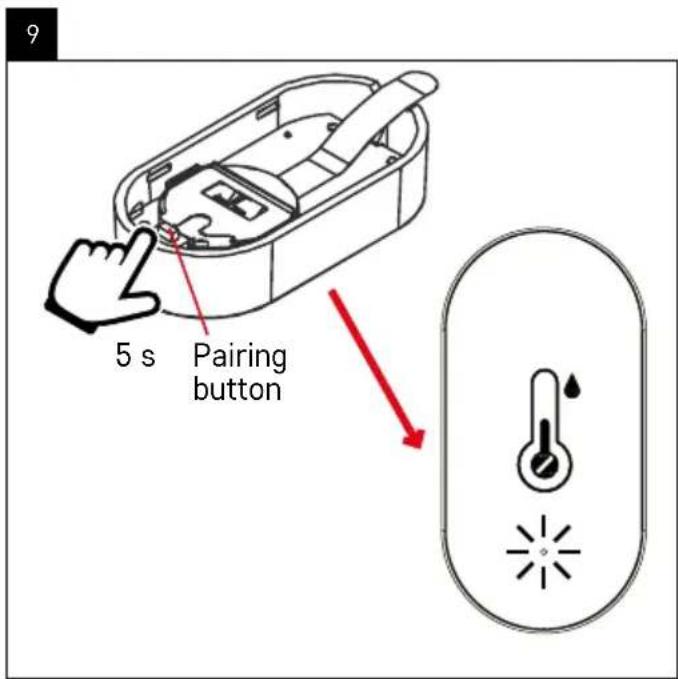
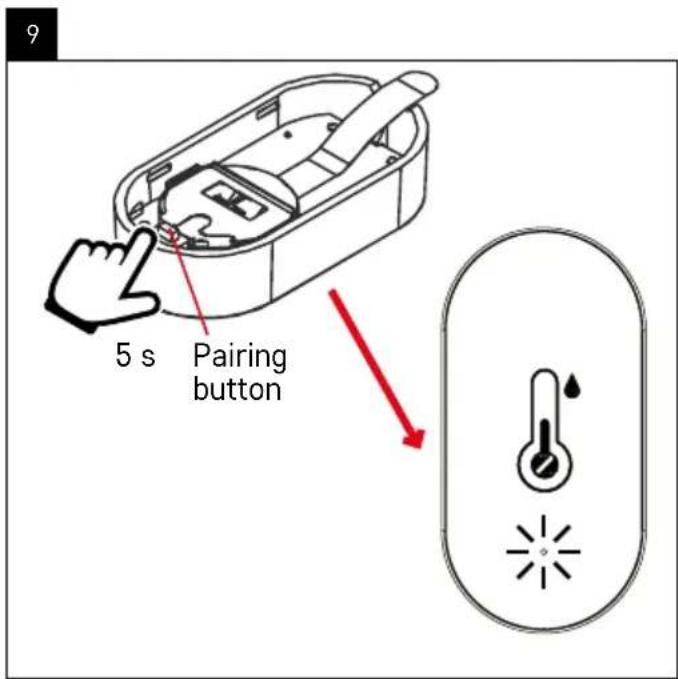
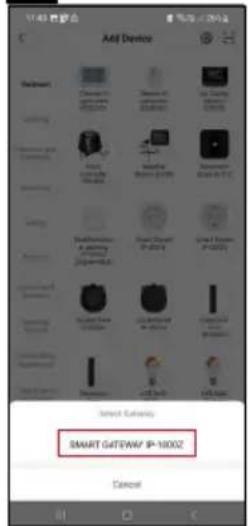
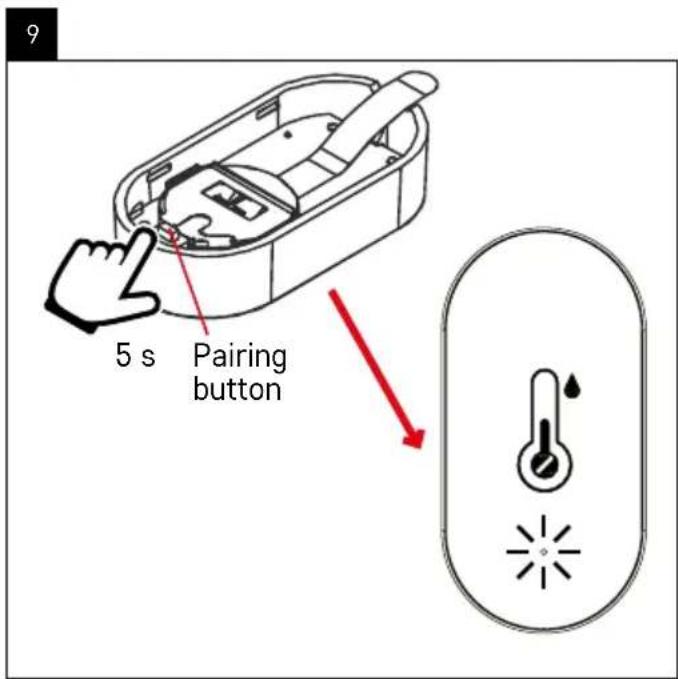
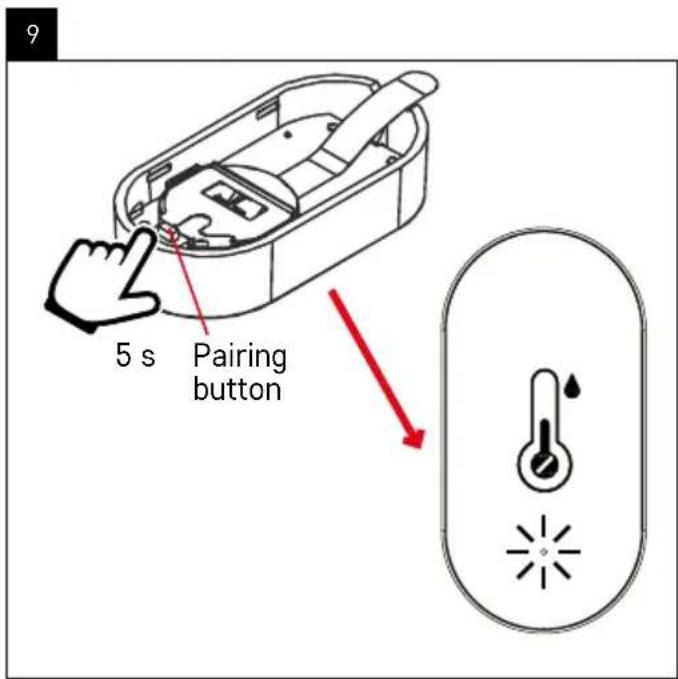
text_image 9 5 s Pairing button

Emos EGS0102 - Pairing with the App - 8

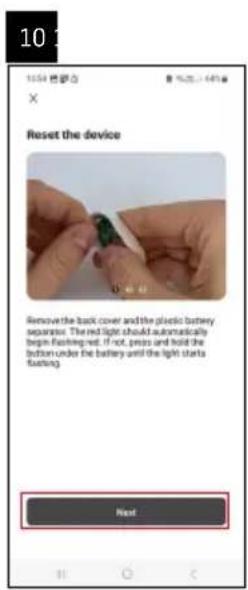
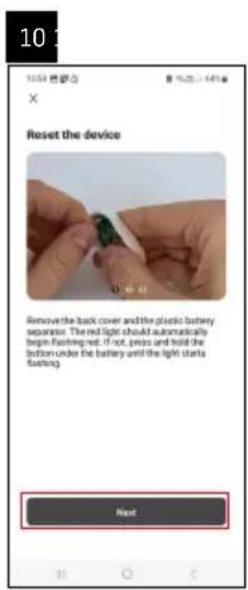
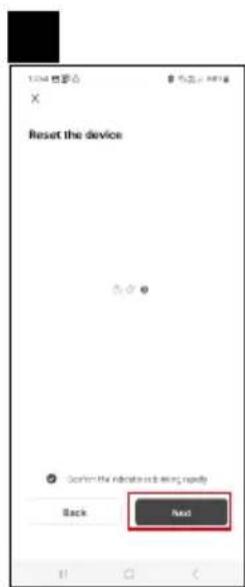
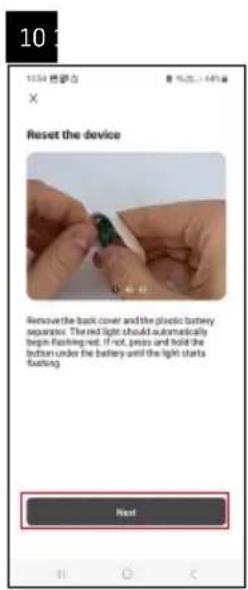
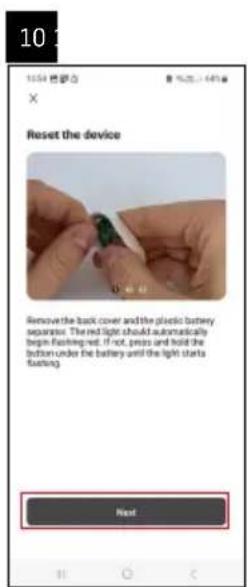
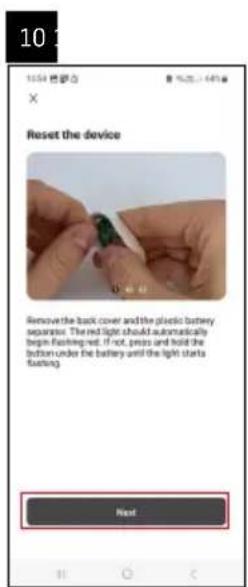
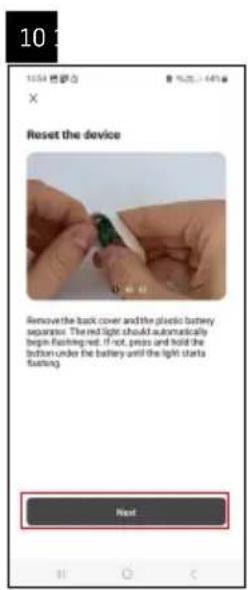
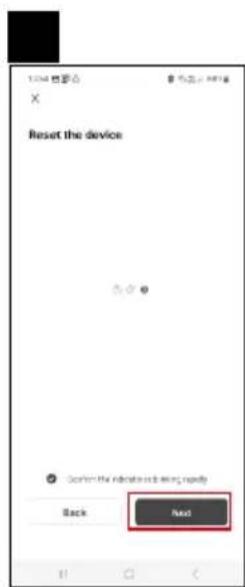
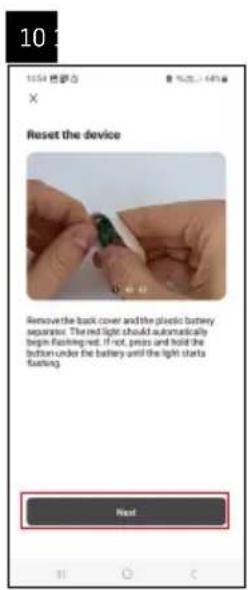
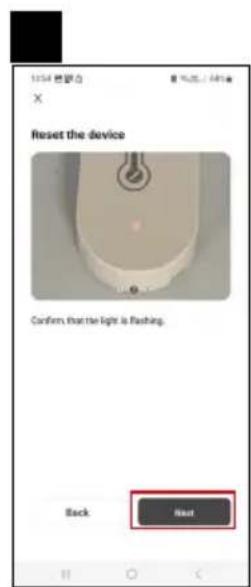
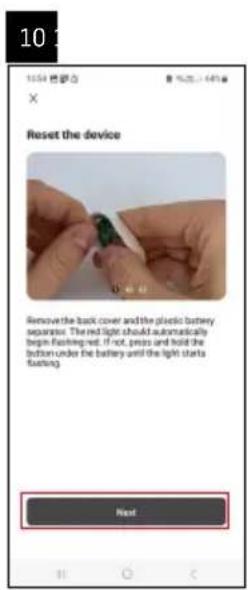
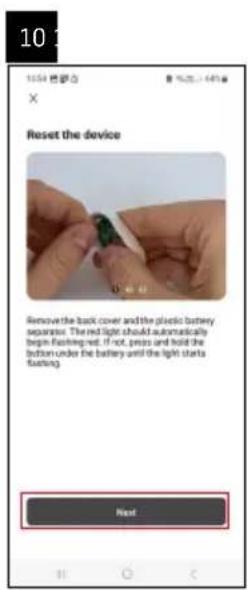
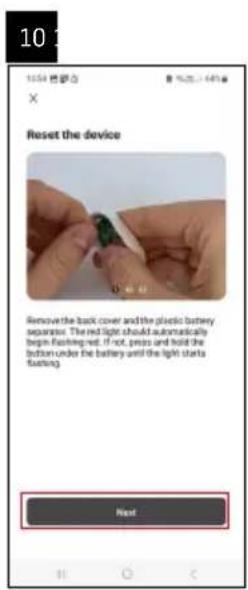
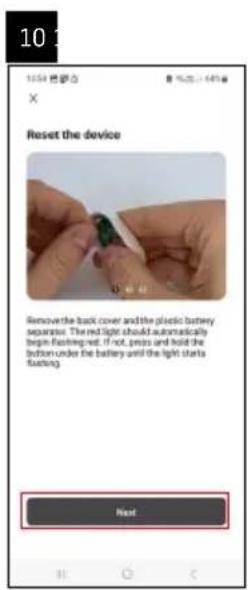
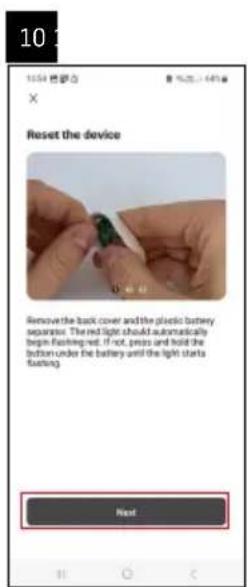
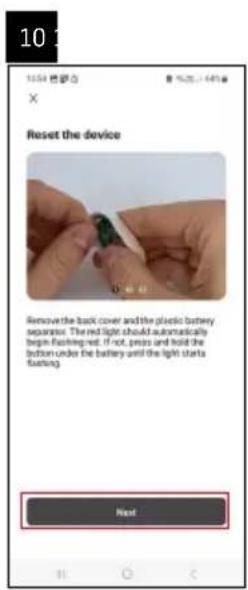
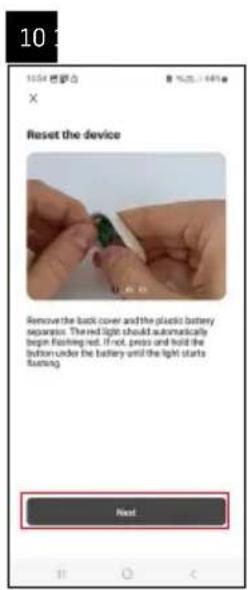
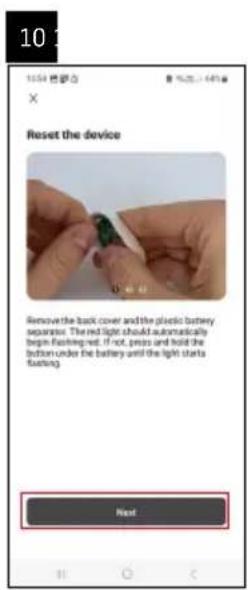
text_image 10 1554 焊子合 × Reset the device Remove the back cover and the plastic battery separator. The red light should automatically begin flashing-red, if not, press and hold the bottom under the battery and the light starts flashing. Next

Emos EGS0102 - Pairing with the App - 9

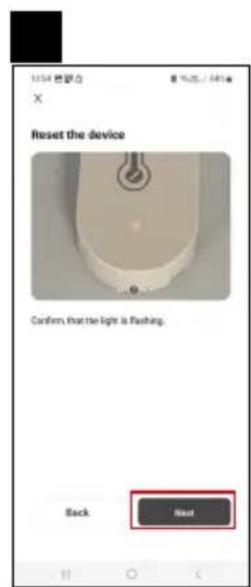
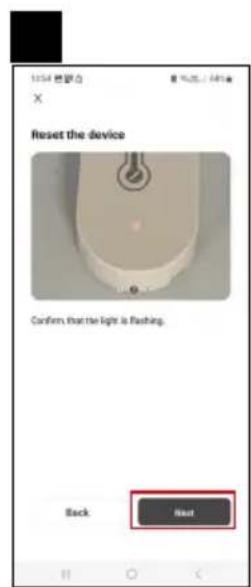
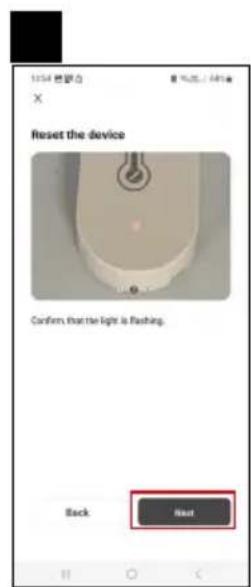
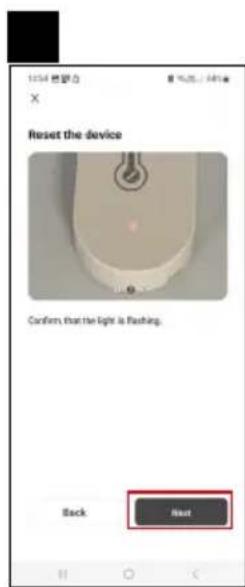
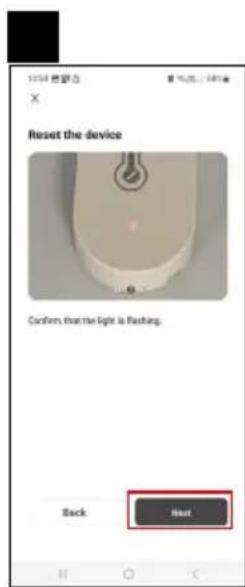
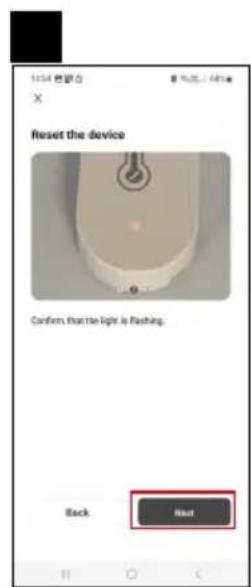
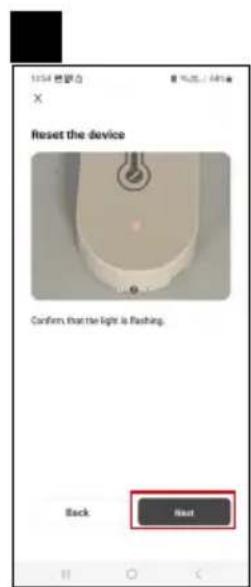
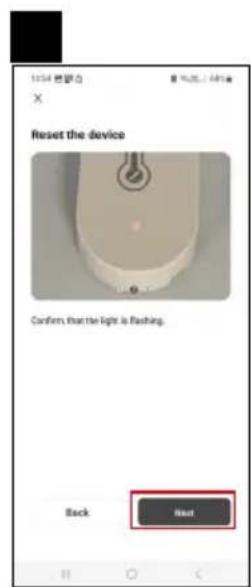
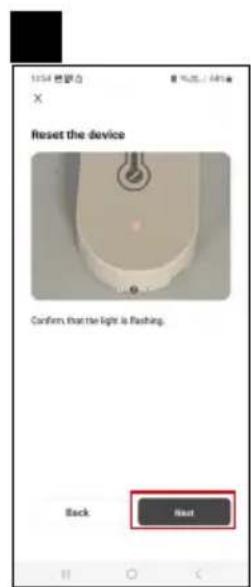
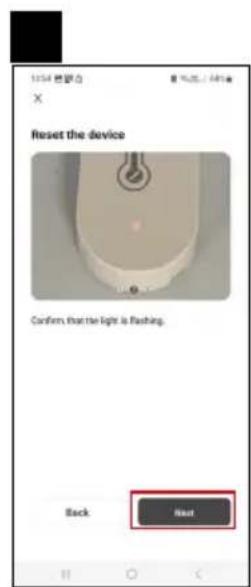
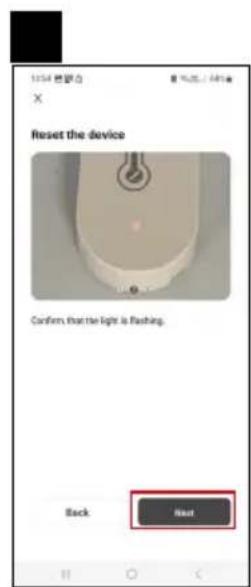
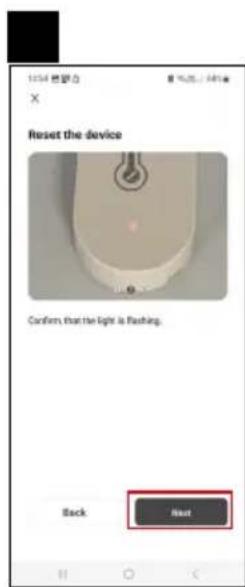
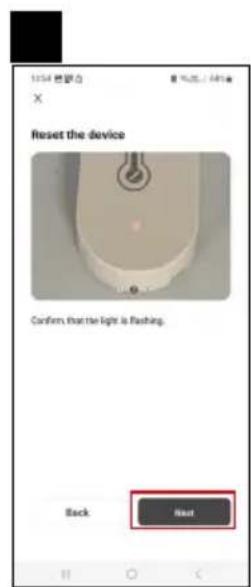
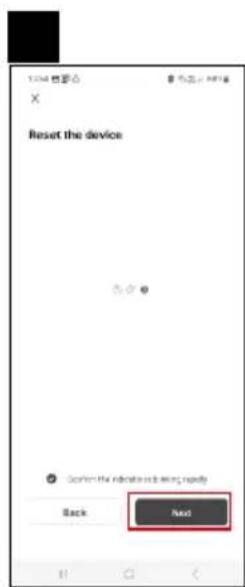
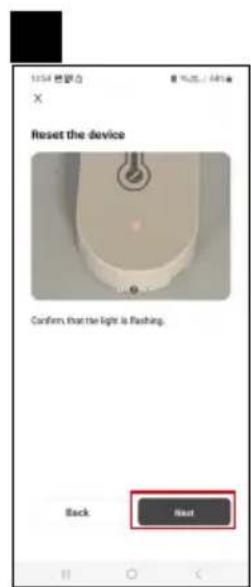
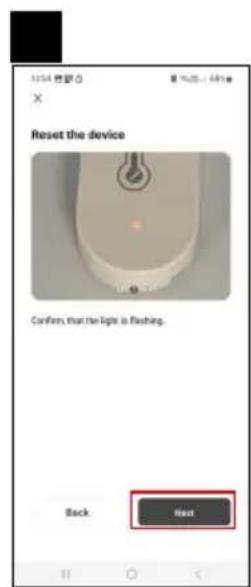
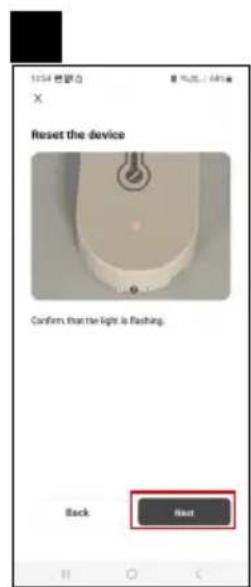
text_image 1254 無眠力 Reset the device Confirm that the light is flashing. Back Next

Emos EGS0102 - Pairing with the App - 10

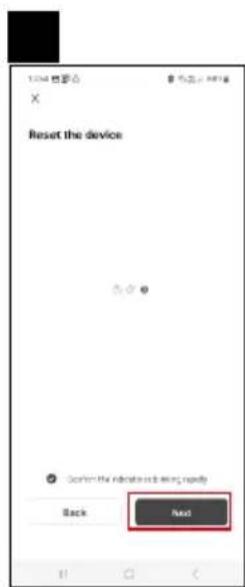
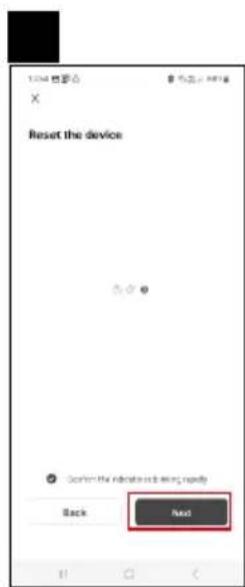
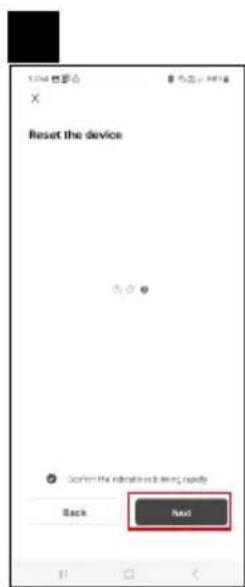
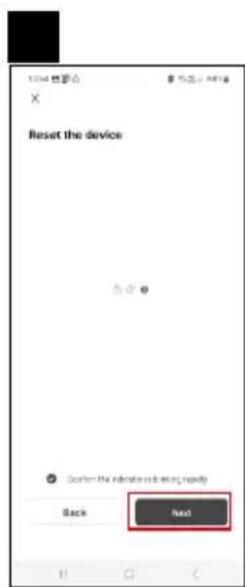
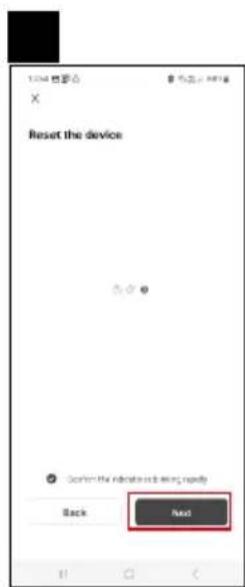
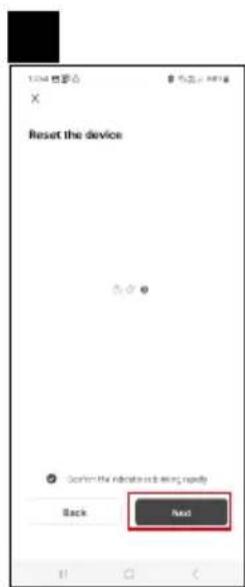
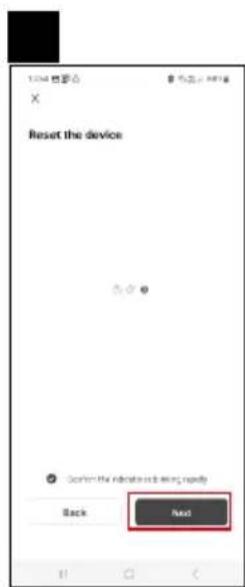
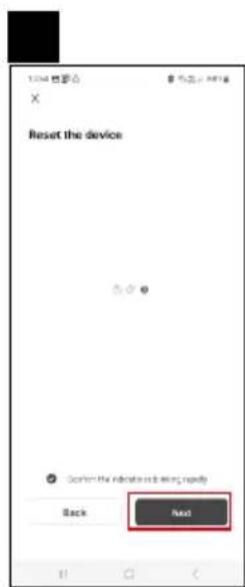
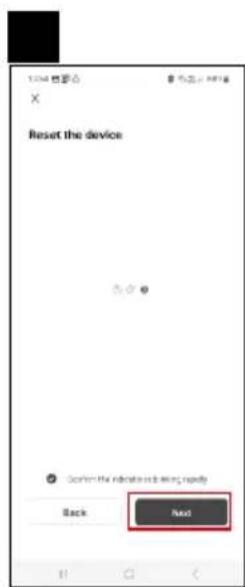
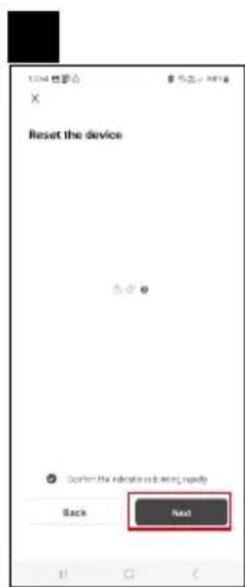
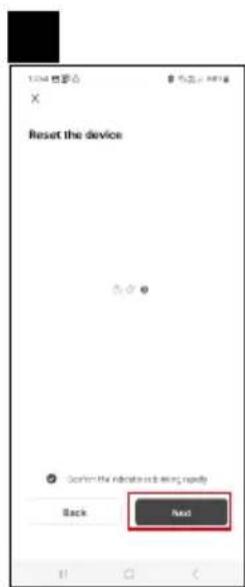
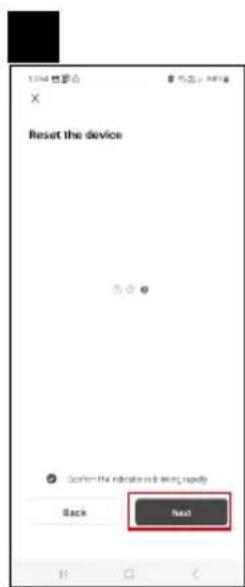
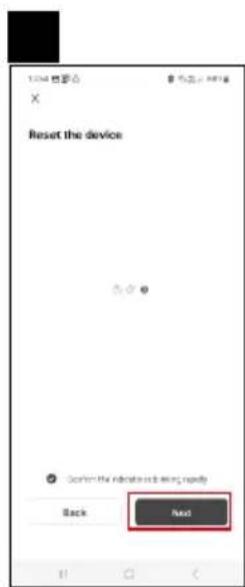
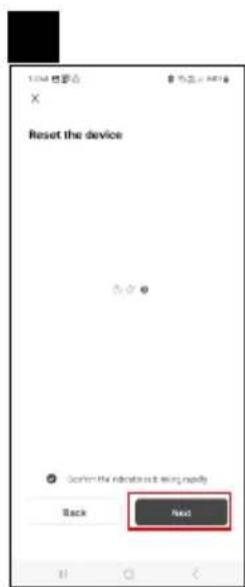
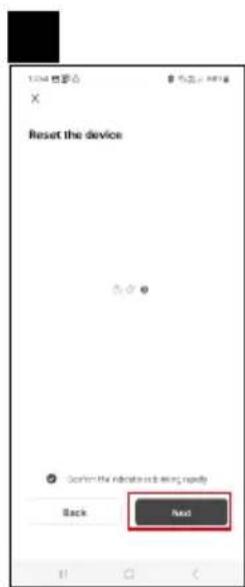
text_image 1234 전공 X Reset the device Back Next

Emos EGS0102 - Pairing with the App - 11

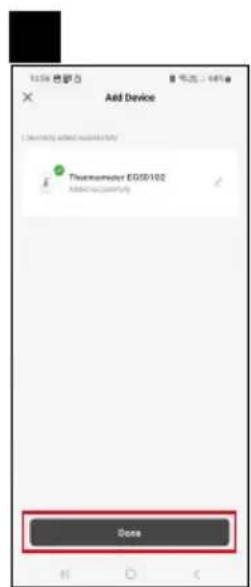
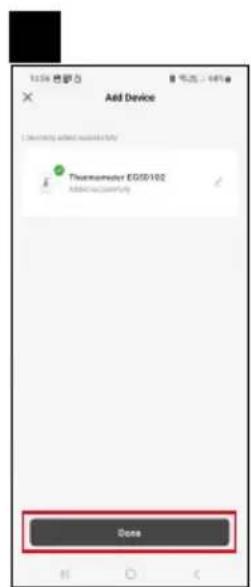
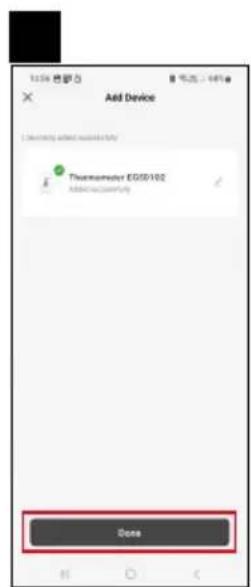
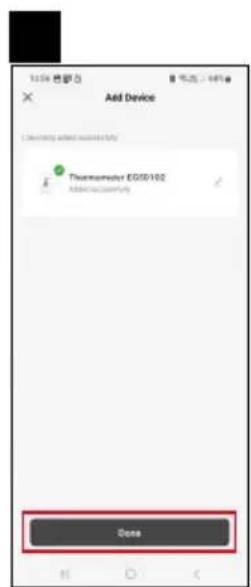
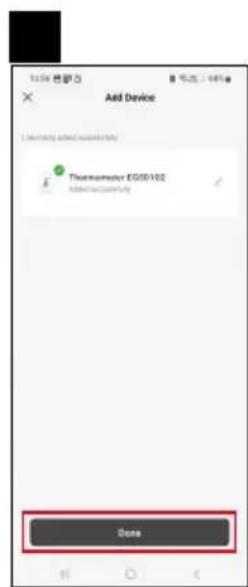
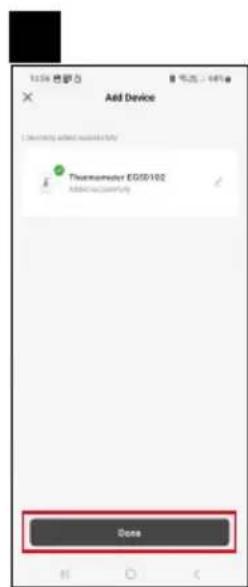
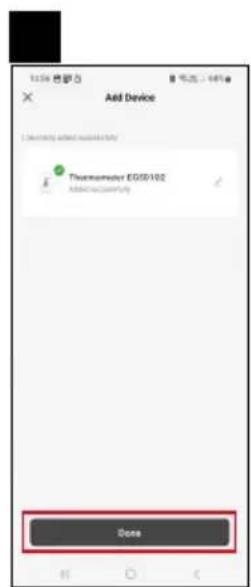
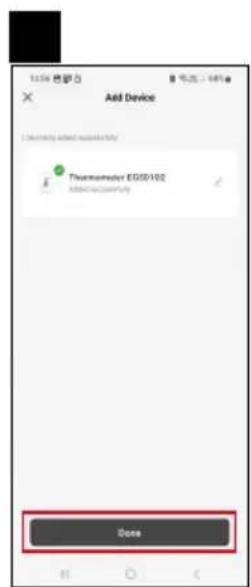
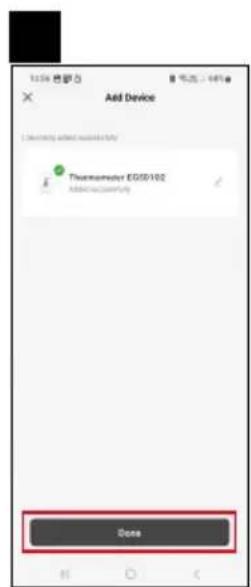
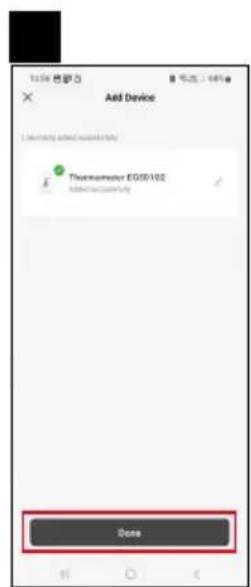
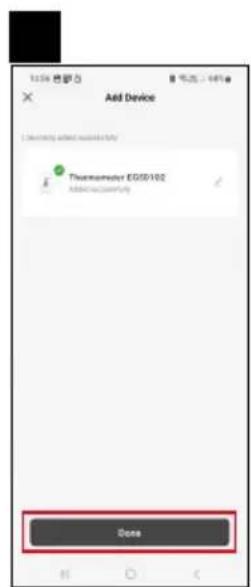
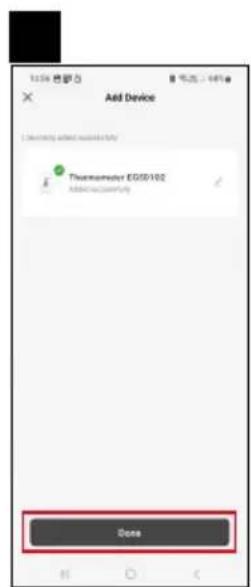
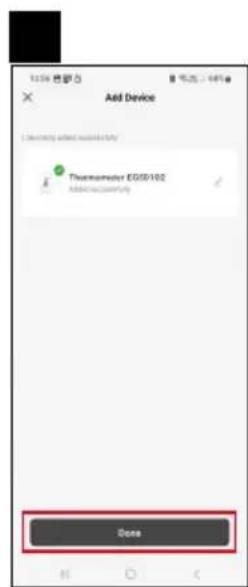
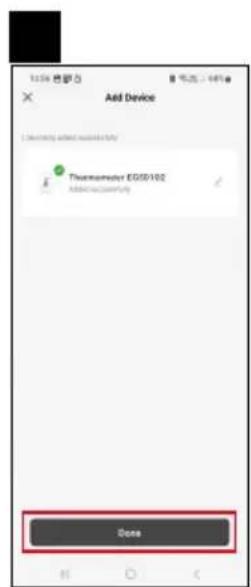
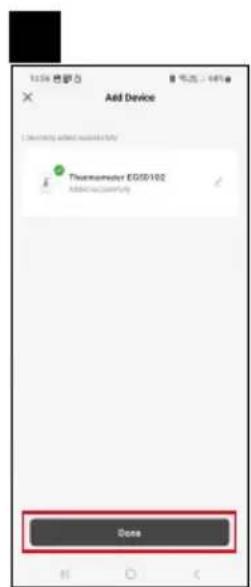
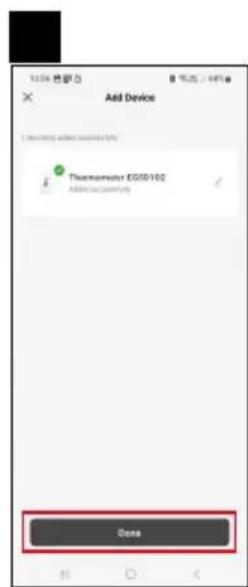
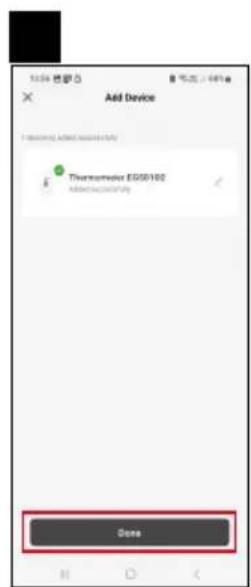
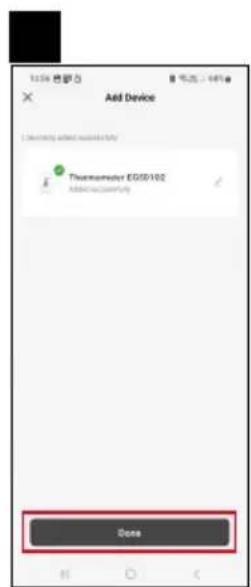
text_image Add Device Thermometer EG50/102 Added on Temperature Done

Pairing the Zigbee Gateway with the App

(If you're already using the gateway, skip this step)

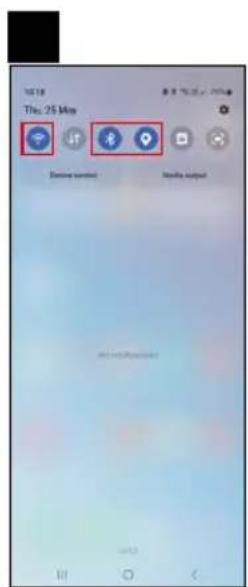
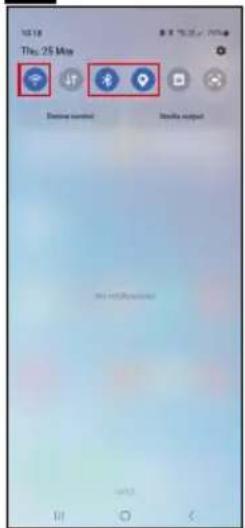
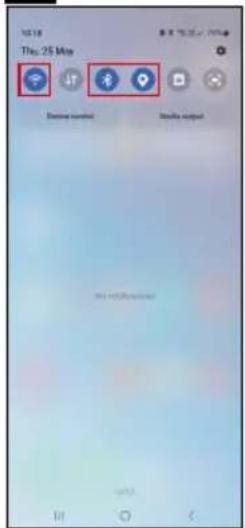
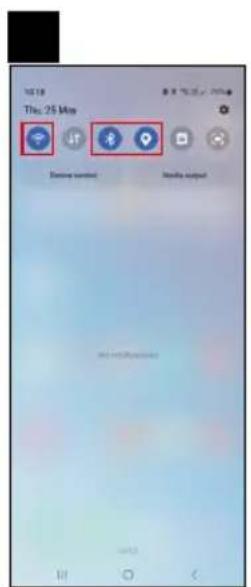
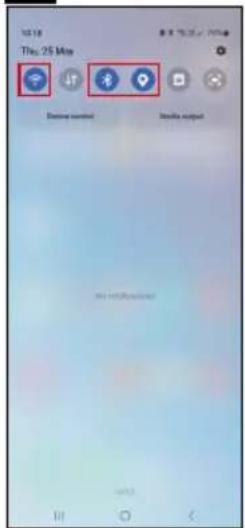
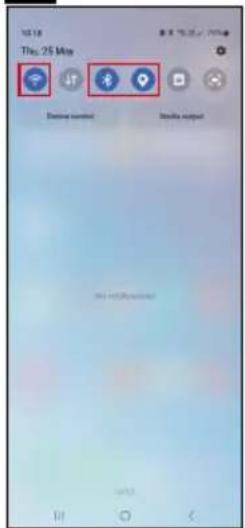
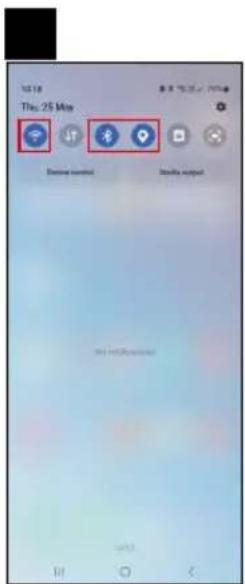
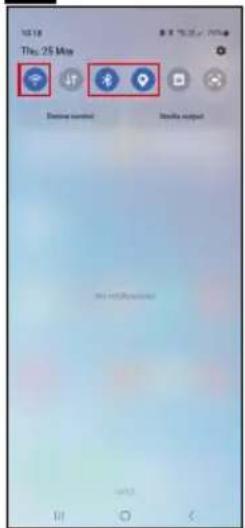
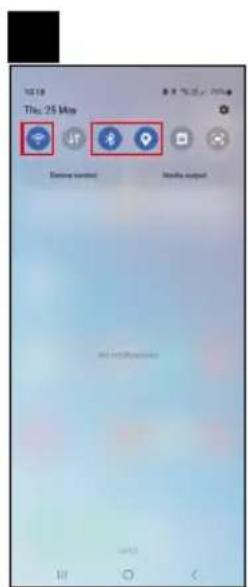
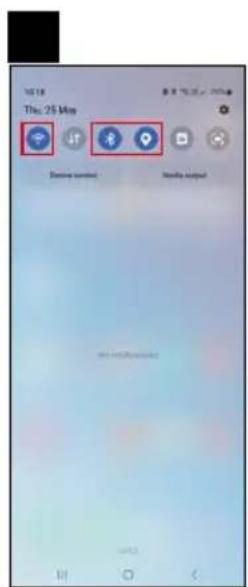
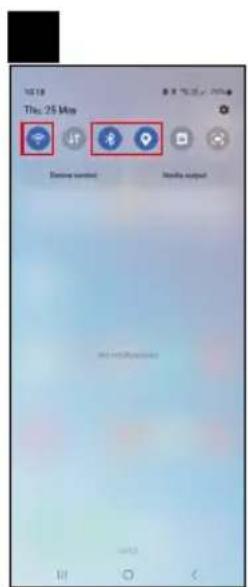
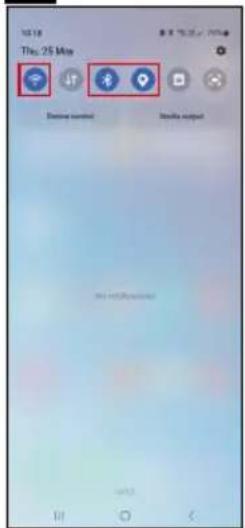
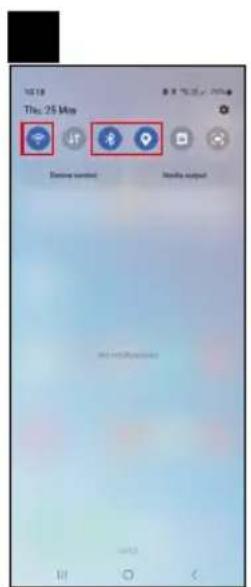
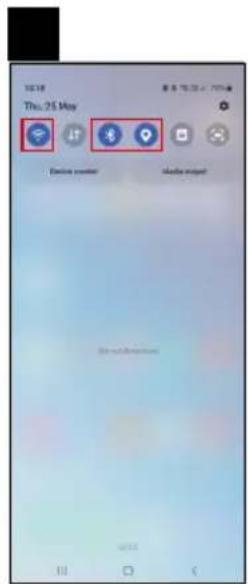
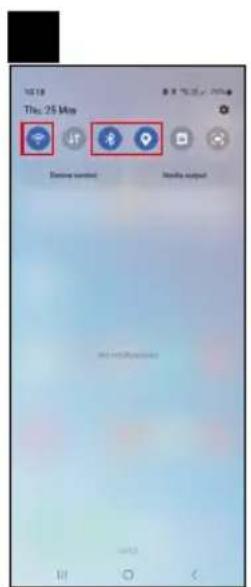
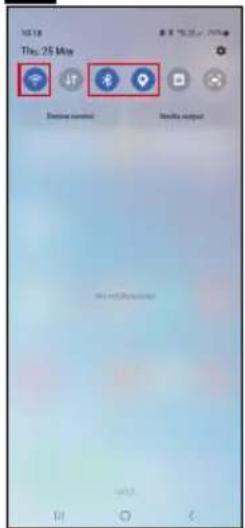
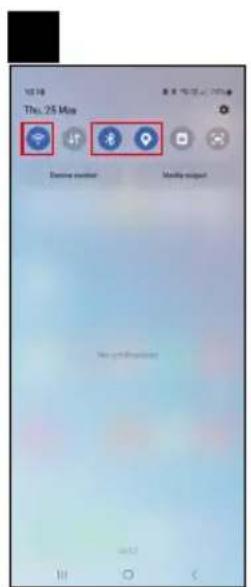
Plug a power cable into the gateway and enable GPS and Bluetooth connection on your mobile device.

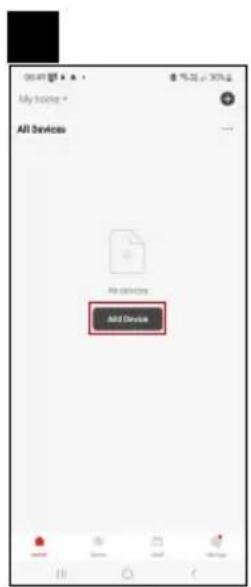
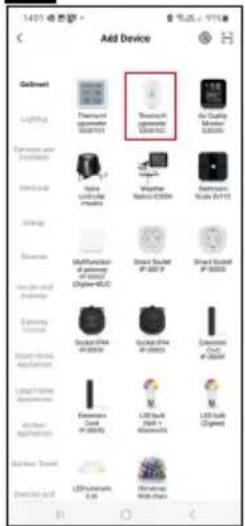
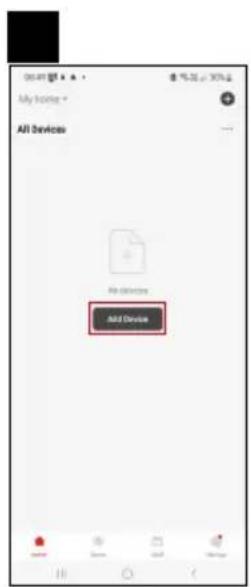
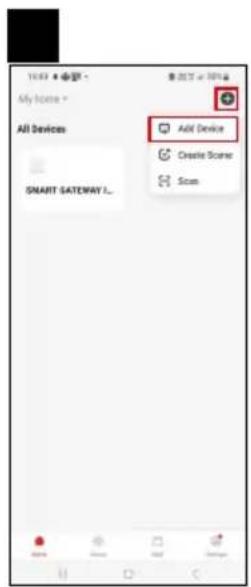
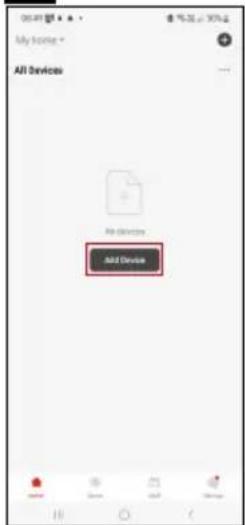
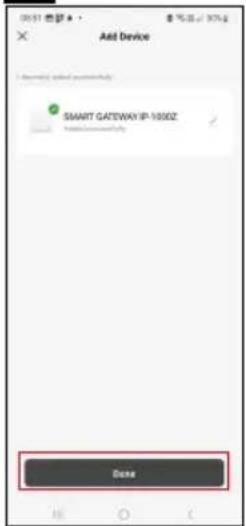
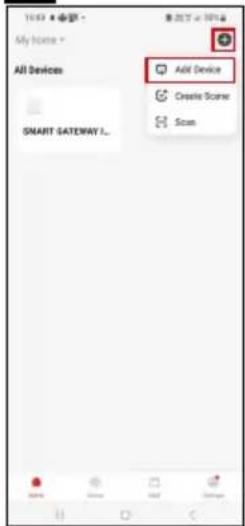
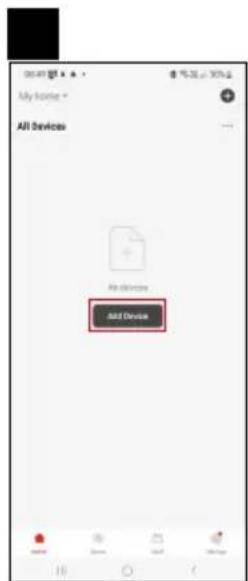
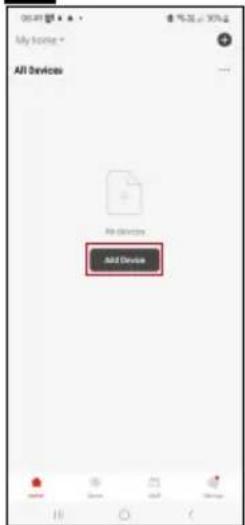
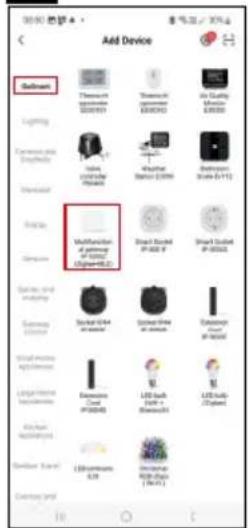
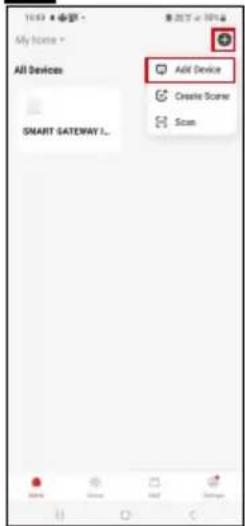
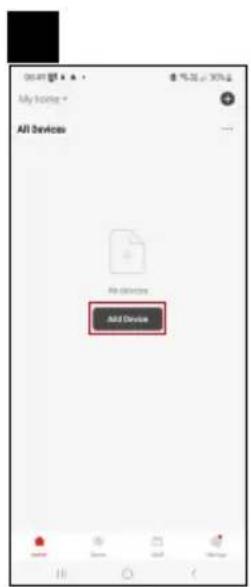
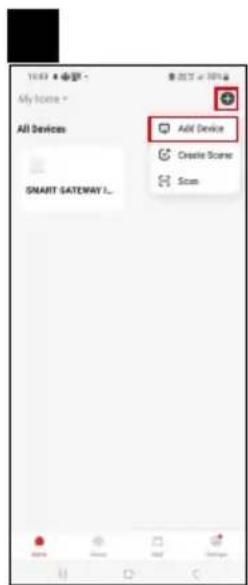
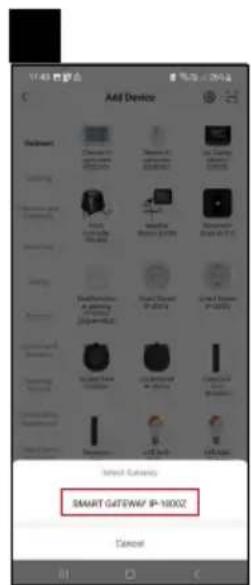
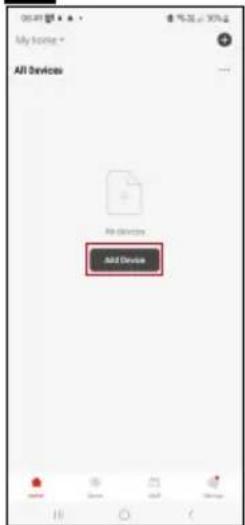
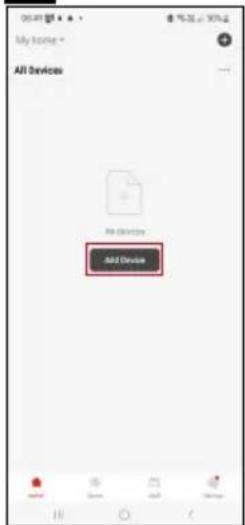
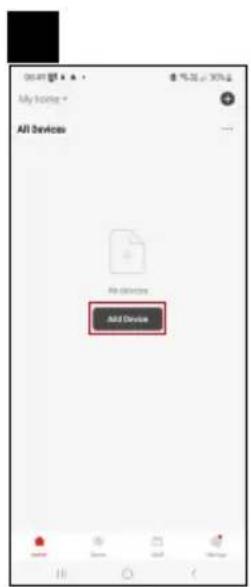
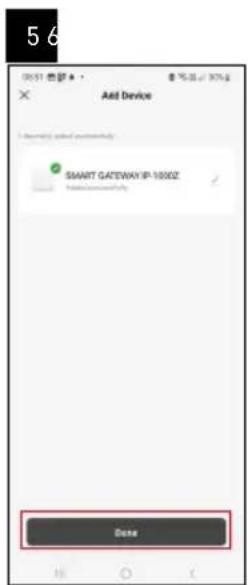
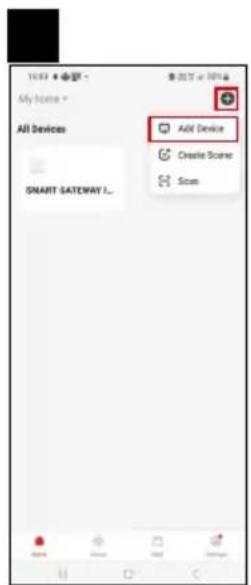
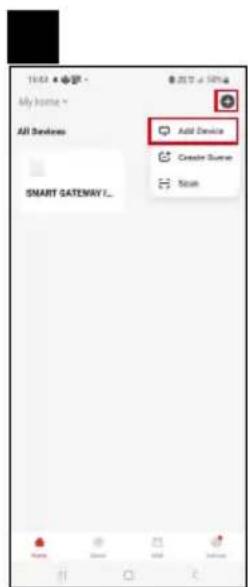
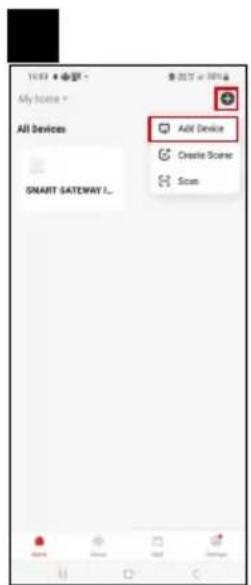
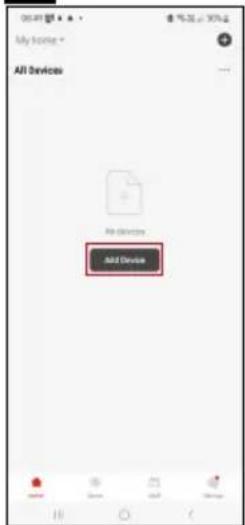
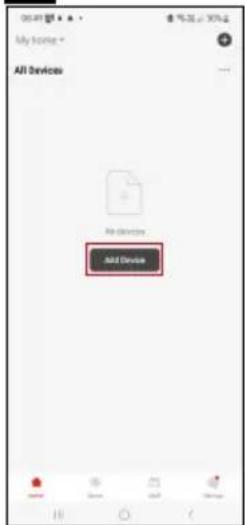
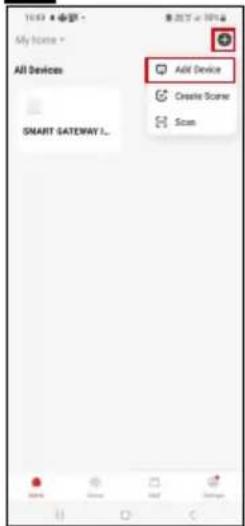
Tap Add Device in the app.

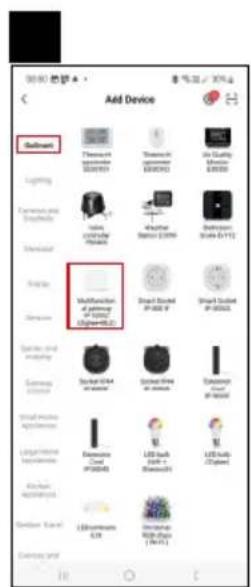
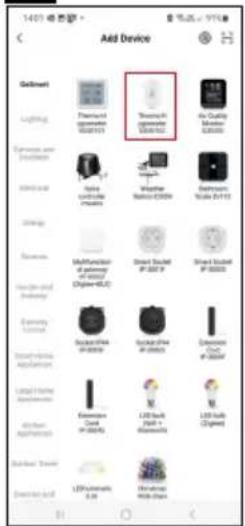
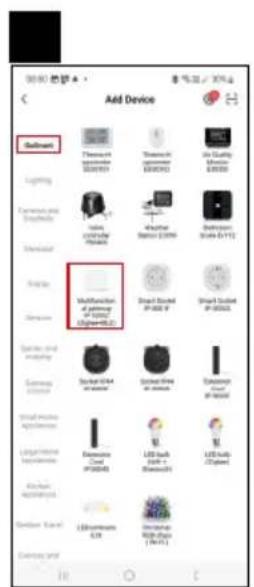
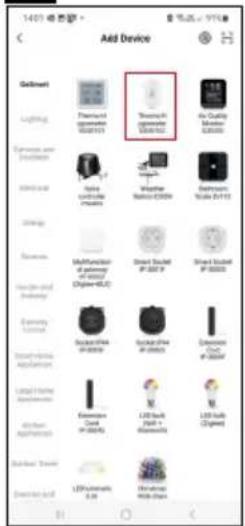
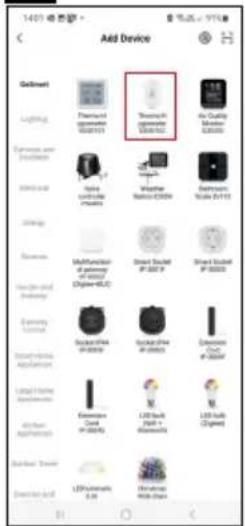
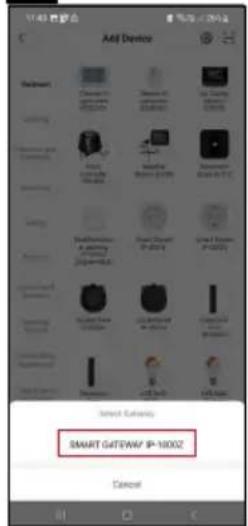
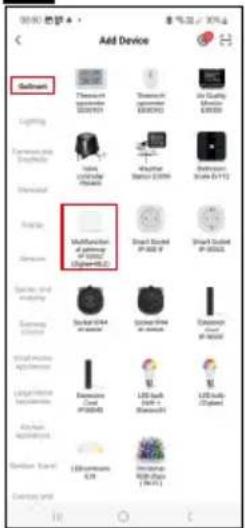
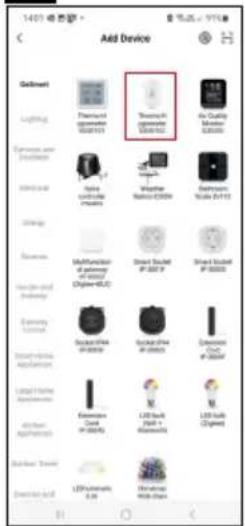
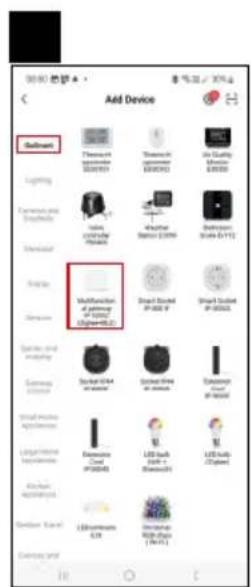
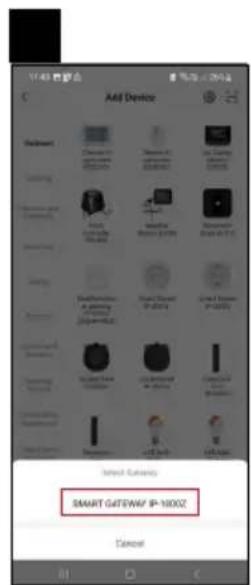
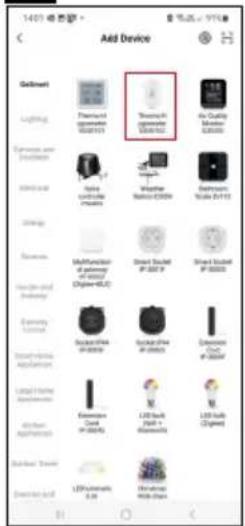
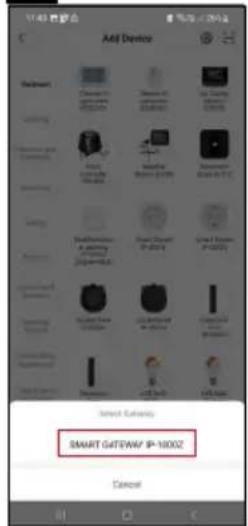
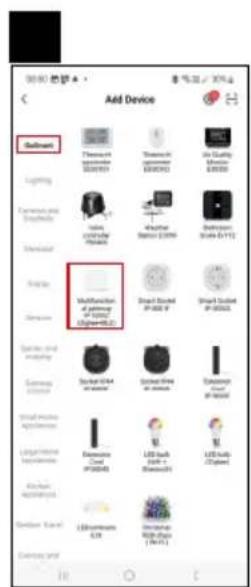
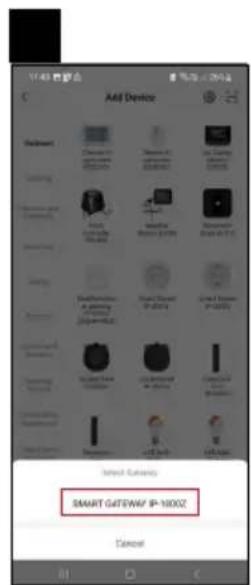
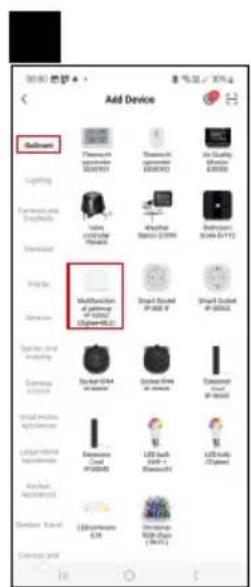
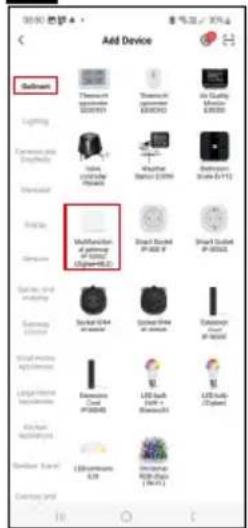
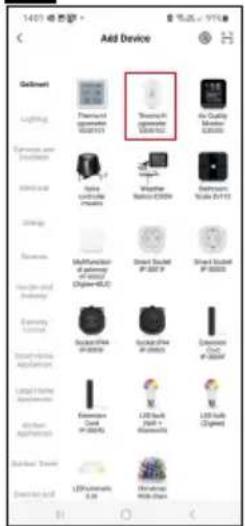
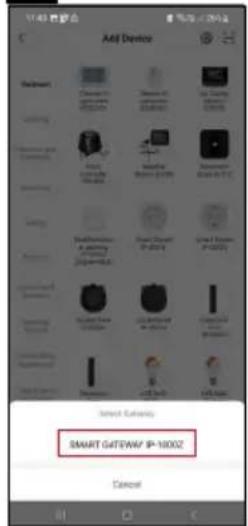
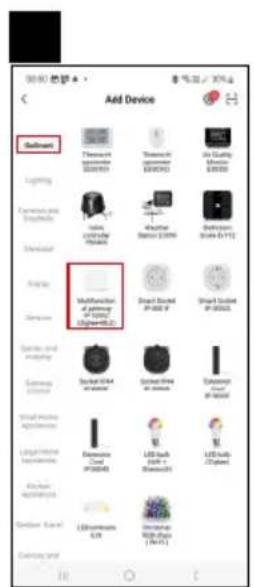
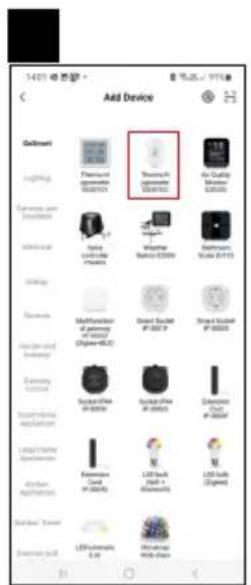
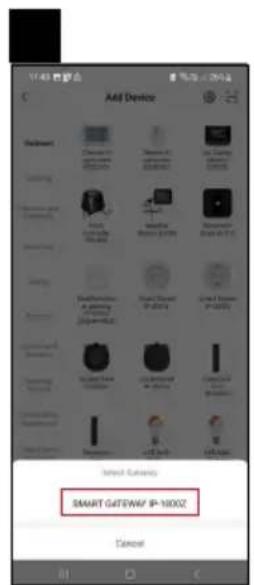
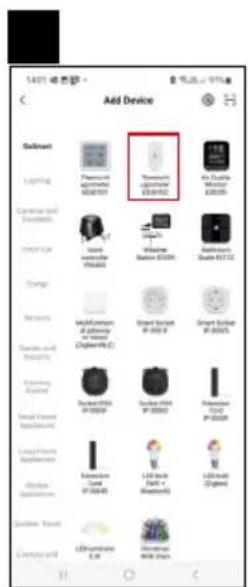
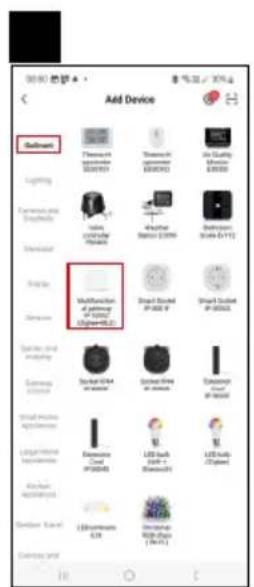
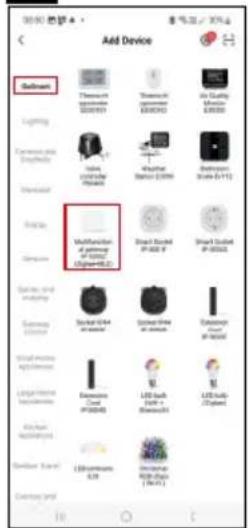
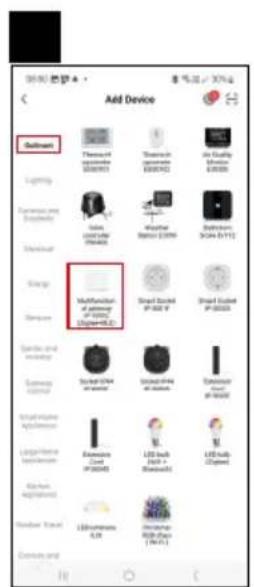
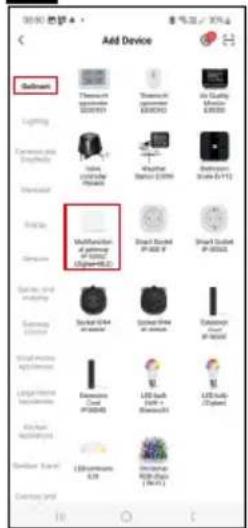
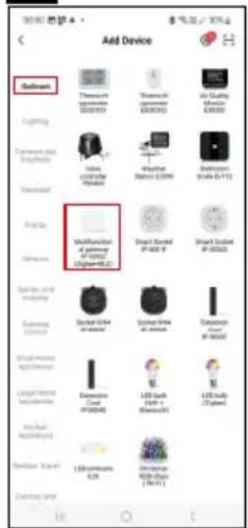
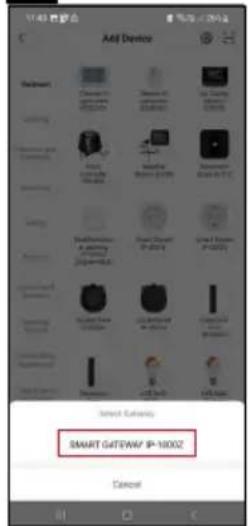
Tap the GoSmart list on the left and tap the Smart Multi Gateway IP-1000Z icon.

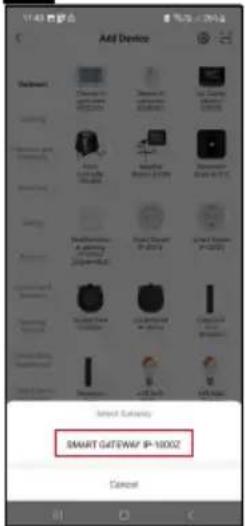
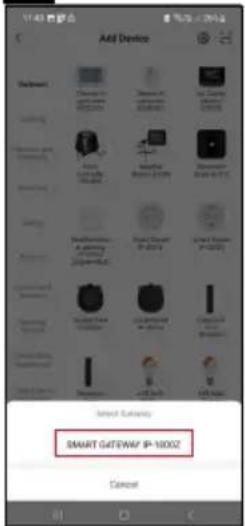
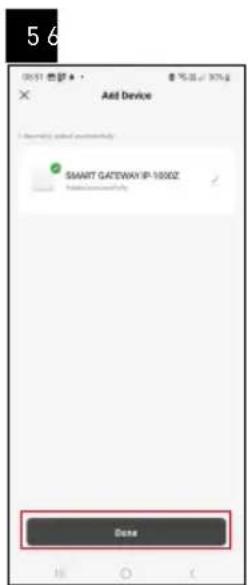
Follow the instructions in the app and enter the name and password for your 2.4 GHz Wi-Fi network.

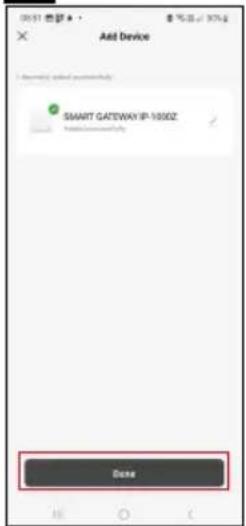
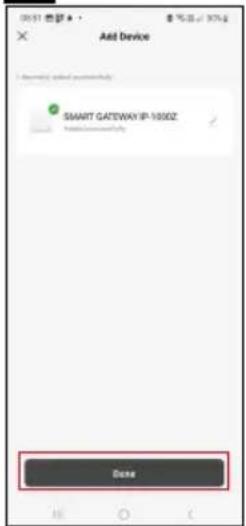
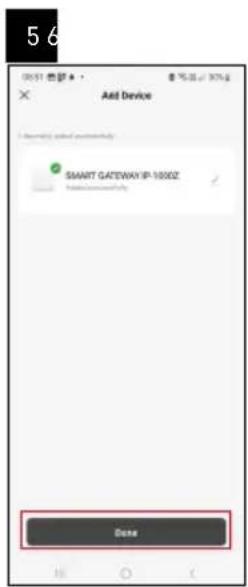
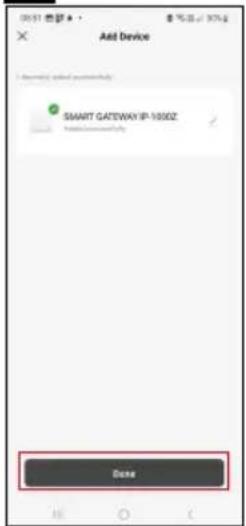
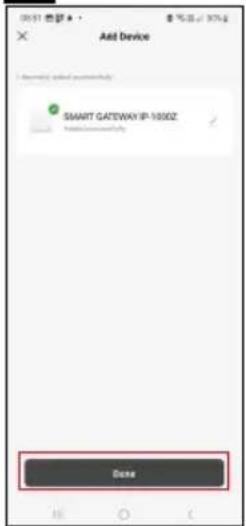
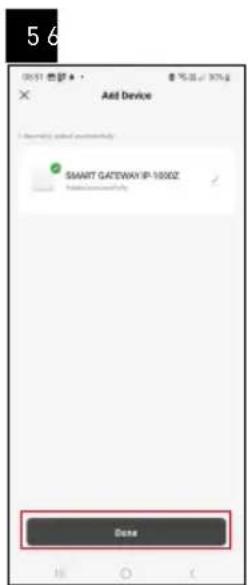
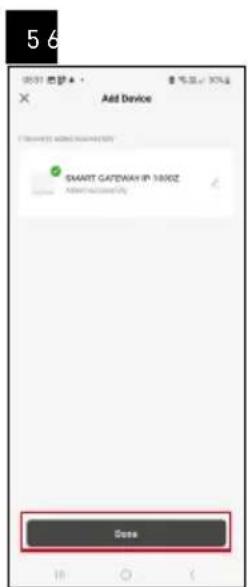
The gateway will pair with the app within 2 minutes.

Note: If the gateway fails to pair, repeat the process and check the settings using the manual for the gateway. 5 GHz Wi-Fi networks are not supported.

Pairing a device with an app

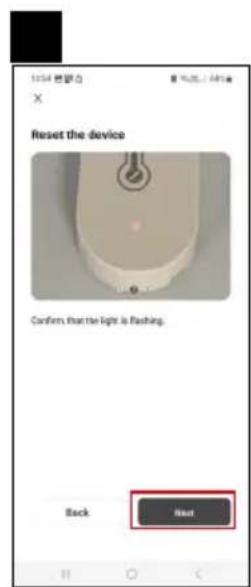
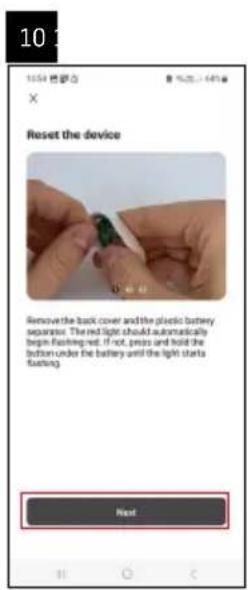
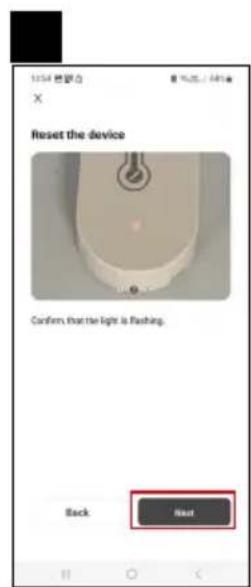
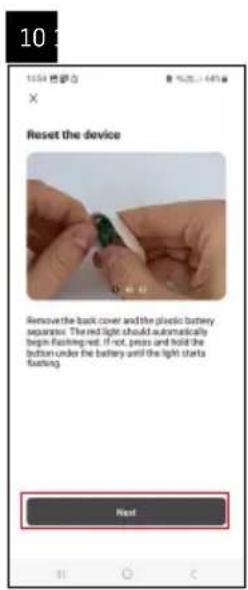
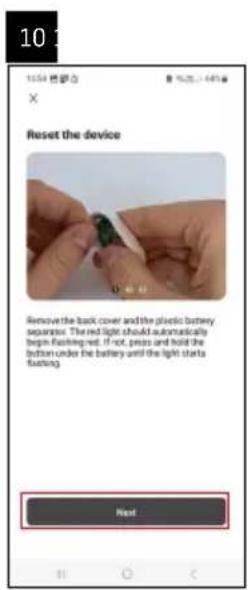
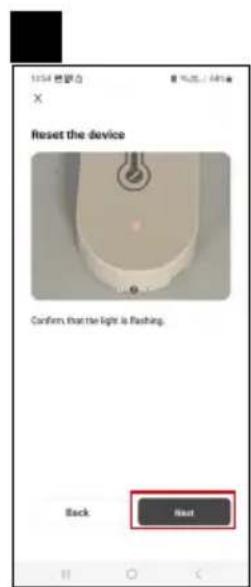
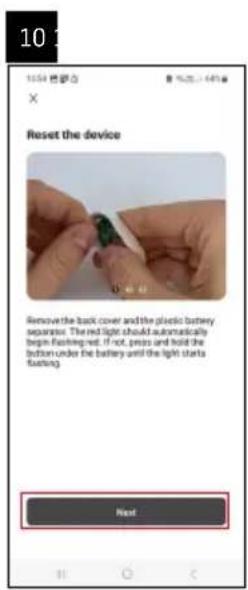
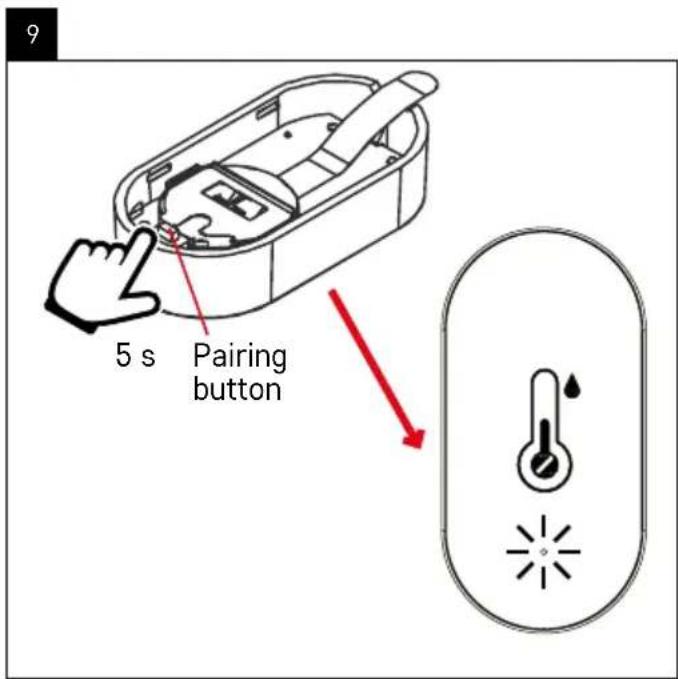
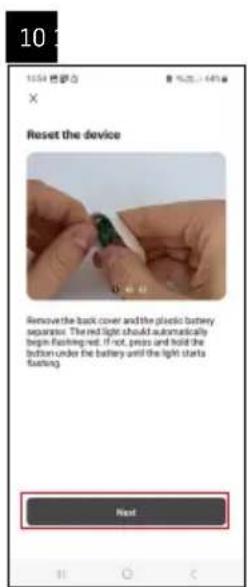
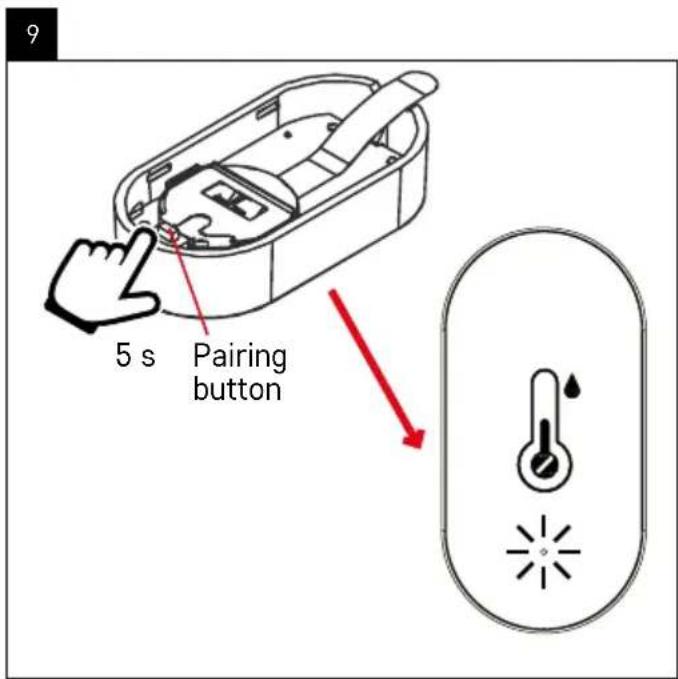
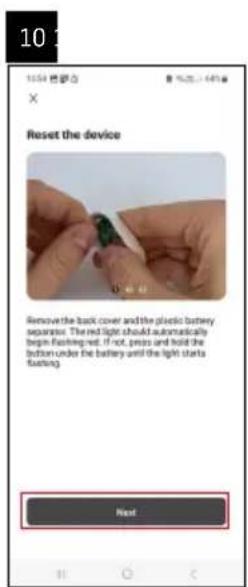
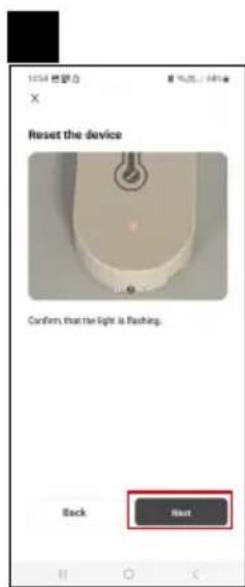
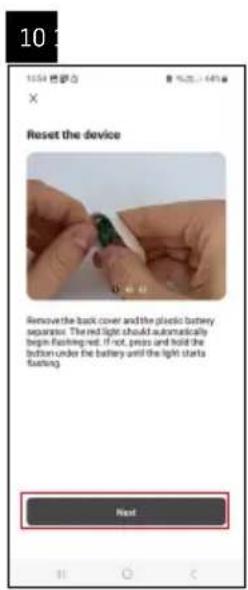
When you insert a battery into the thermometer, the red LED light will start flashing.

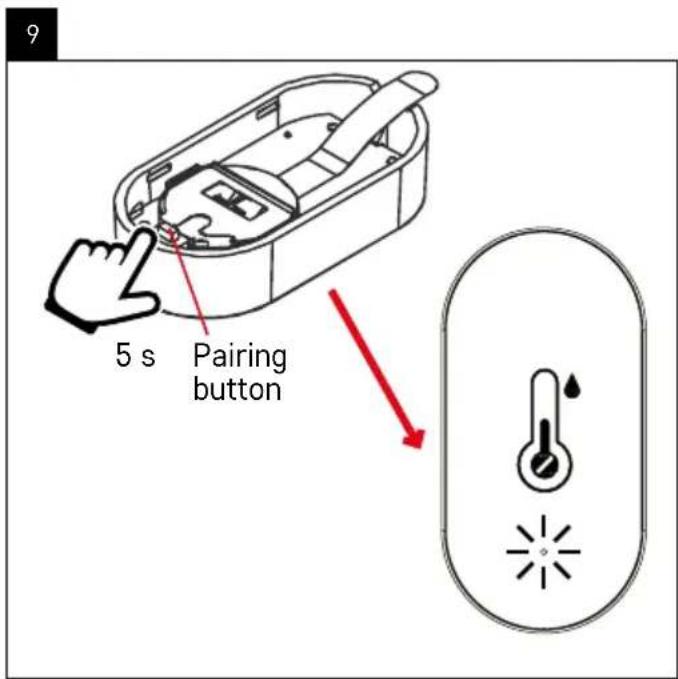
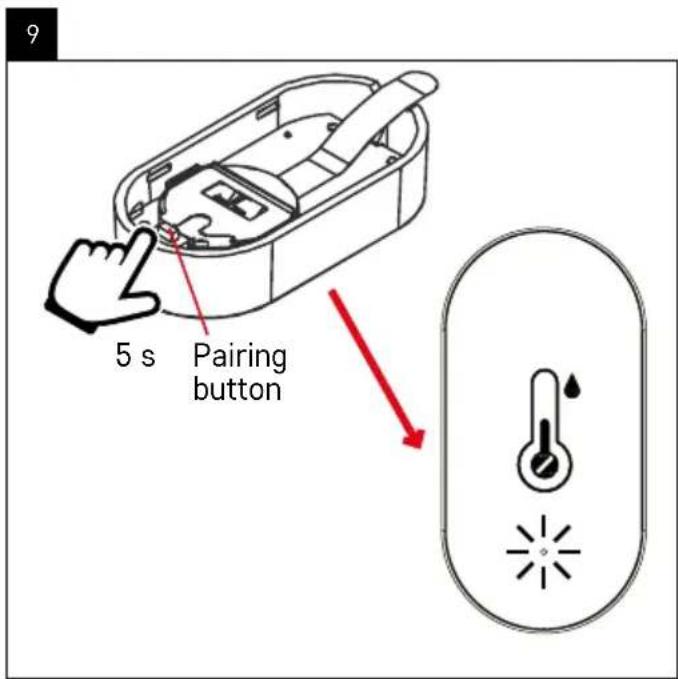
If the LED light does not flash, press the pairing button for 5 seconds.

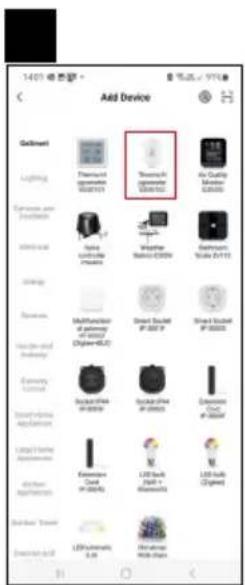
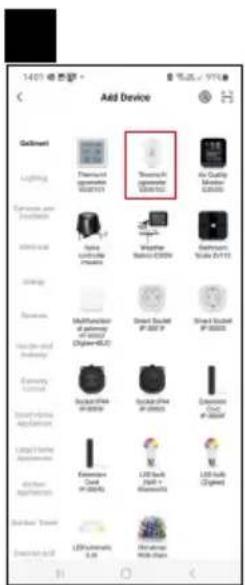
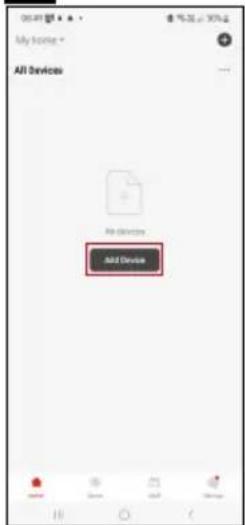
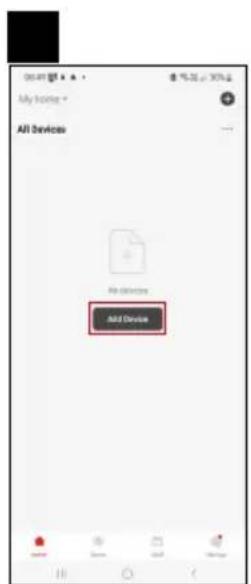
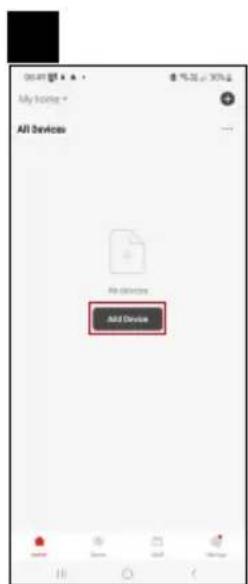
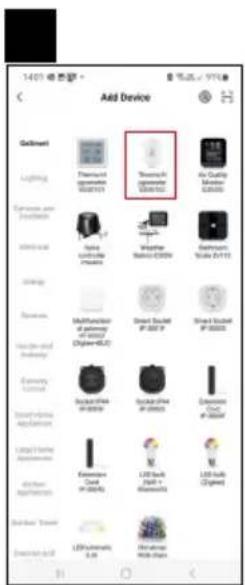
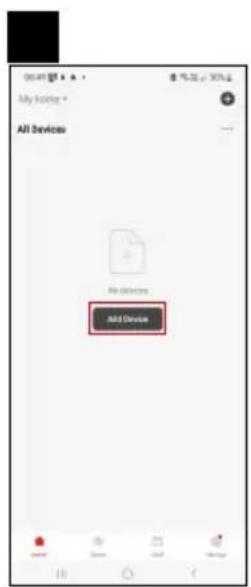
Tap Add Device in the app.

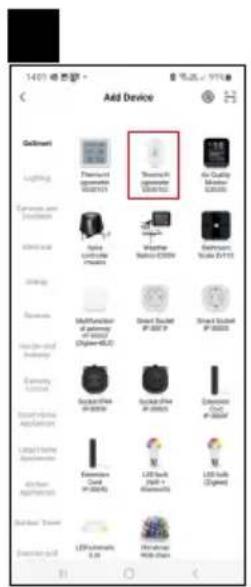
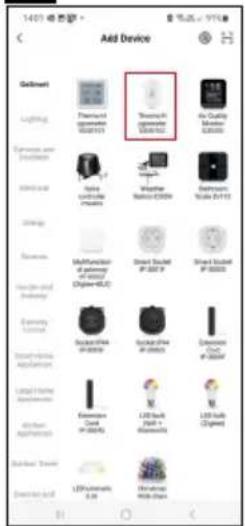
Tap the GoSmart list on the left and then the Thermo-Hygrometer EGS0102 icon.

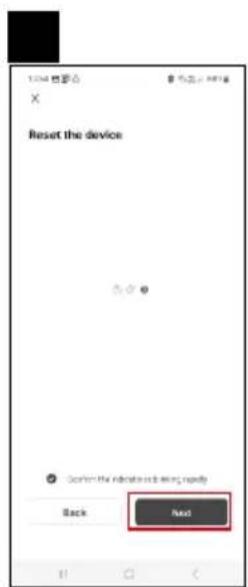
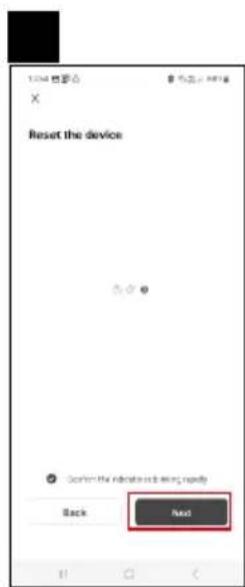
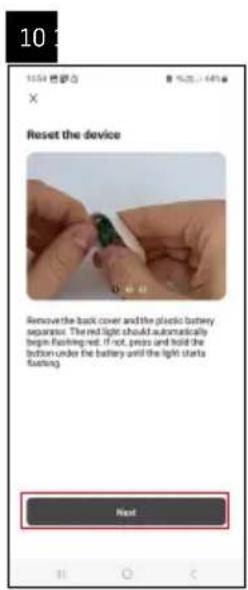
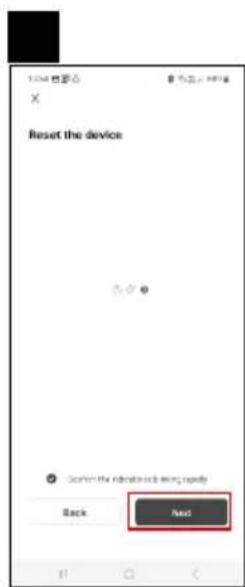
Follow the instructions in the app and enter the name and password for your 2.4 GHz Wi-Fi network.

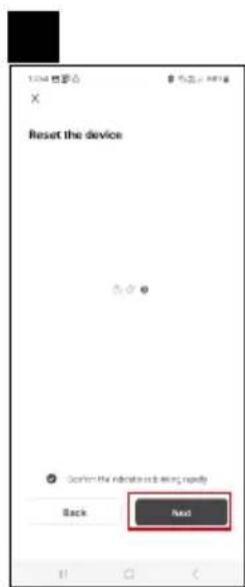
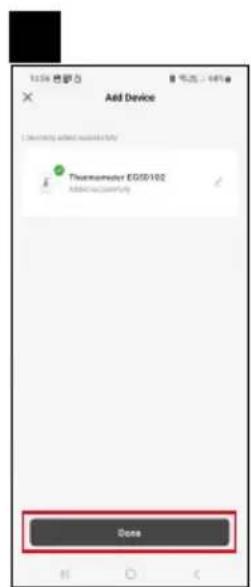
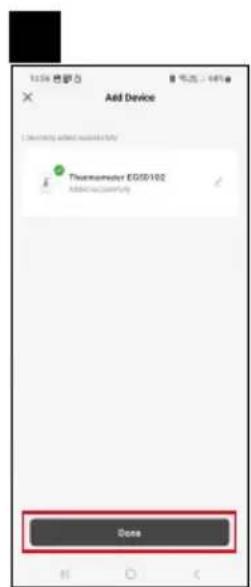
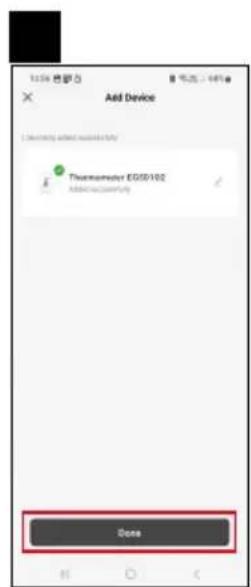
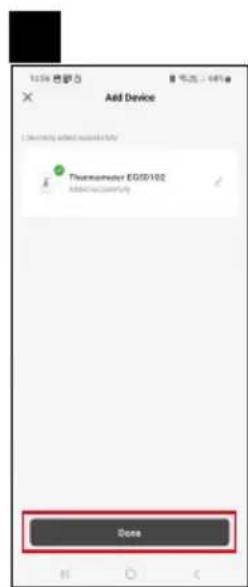
The pairing with the app will be completed within 2 minutes; the LED light will stop flashing.

Note: If the device fails to pair, repeat the process. 5 GHz Wi-Fi networks are not supported.

Inserting/Replacing Batteries

  1. Remove the back cover of the thermometer, e.g. using a screwdriver.
  2. Remove the used battery.
  3. Insert a new 3V CR2032 battery. Make sure you observe the correct polarity.
  4. Close the cover.

If the battery is protected by a safety film, remove it first.

Use only alkaline batteries, do not use 1.2V rechargeable batteries.

Emos EGS0102 - Inserting/Replacing Batteries - 1

Emos EGS0102 - Inserting/Replacing Batteries - 2

text_image Thermometer 2007182 Temperature 23.8 °C Temperature 46 °C Temperature comfortable for comfortable Temperature °C Funding's Smart Set

Controls and Functions

Application Menu

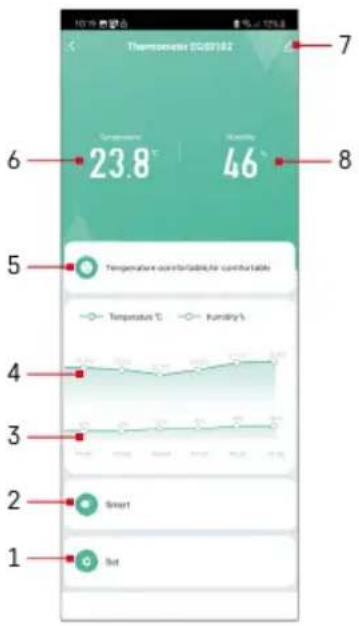
1 - settings
2 - setting the scene and automation assigned to the device
3 – humidity history chart
4 - temperature history chart
5 – current temperature and humidity index
6 - current temperature
7 - advanced settings
8 - current humidity
Emos EGS0102 - Application Menu - 1

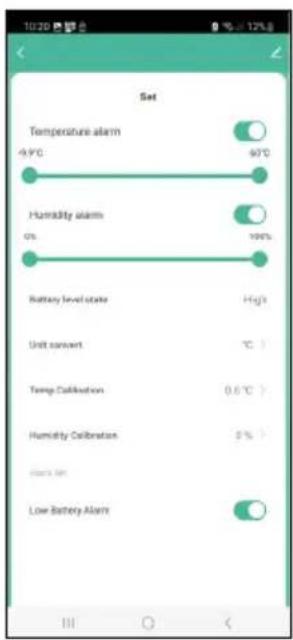
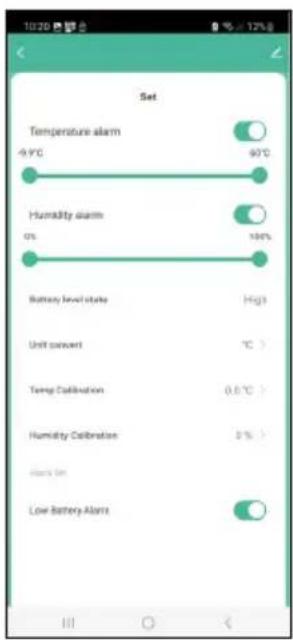
text_image 1020 Set Temperature alarm -9.9°C 60°C Humidity alarm 0% 100% Battery level state High Unit convert °C > Temp Calibration 0.5°C > Humidity Calibration 3% > Launch On Low Battery Alarm

Settings

Temperature alarm

Temperature alert.

Move the slider to the left/right to set the desired temperature.

The app will display a notification when the set temperature is reached.

Function activation -

Function deactivation -

Emos EGS0102 - Temperature alarm - 1

Humidity alarm

Humidity alert.

Move the slider to the left/right to set the desired humidity.

The app will display a notification when the set temperature is reached.

Function activation -
Emos EGS0102 - Humidity alarm - 1

Function deactivation -

Battery level state

The status of the battery in the device.

Unit convert

°C/°F temperature unit setting.

Temp calibration

Calibration of room temperature is used, for example, if the thermometer shows 21 °C but you want it to show 20 °C. In that case, the calibration value should be set to -1 °C.

Setting from -2.0 °C to +2.0 °C, in 0.1 °C increments.

Humidity calibration

Calibration of room humidity is used, for example, if the thermometer shows 20 % but you want it to show 21 %. In that case, the calibration value should be set to -1 %.

Setting from -10 % to +10 %, in 1 % increments.

Low battery alarm

If the battery in the device is flat, the app will display a notification.

Function activation -
Emos EGS0102 - Low battery alarm - 1

Function deactivation

Emos EGS0102 - Low battery alarm - 2

text_image Thermometer EGS0102 Device Information Tag-to-Run and Automation Third-party Calls Alive Google Assistors Device Office Next/Service Offline Notification Share Device Create Group FAQ & Feedback Add to Home Screen Device Update No updates available Remove Device

Emos EGS0102 - Low battery alarm - 3

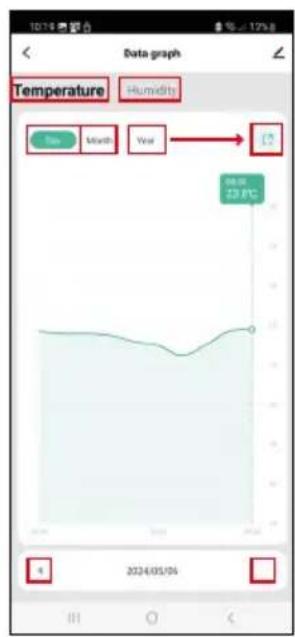
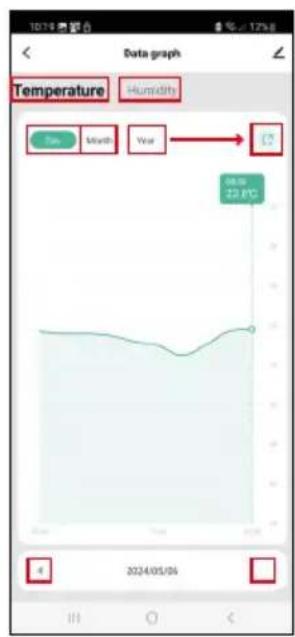
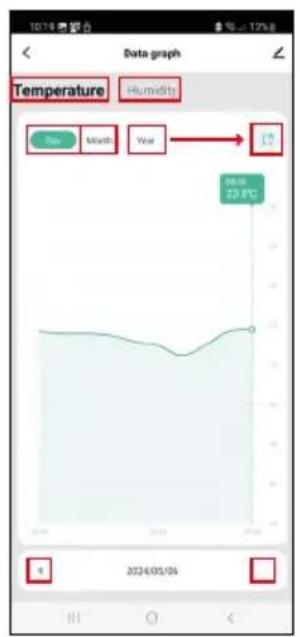
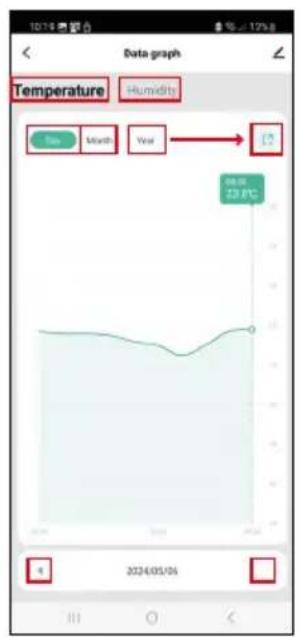
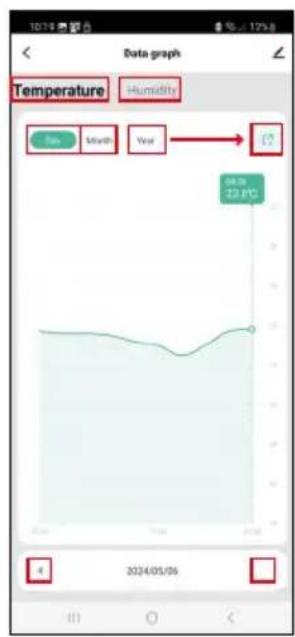
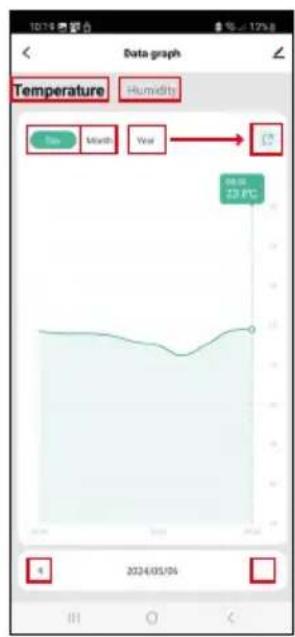
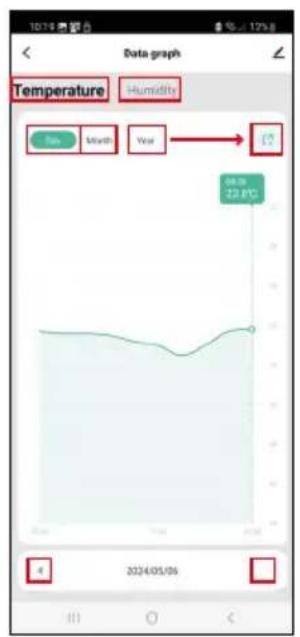
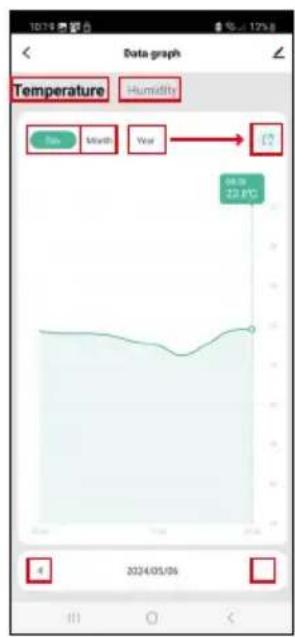
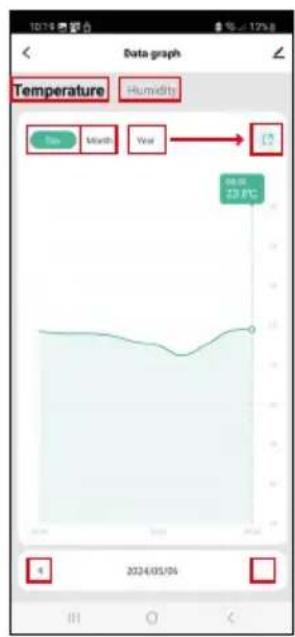
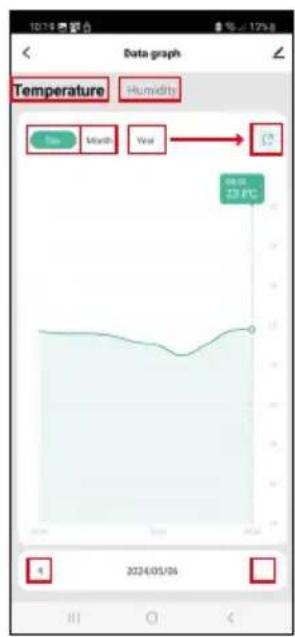
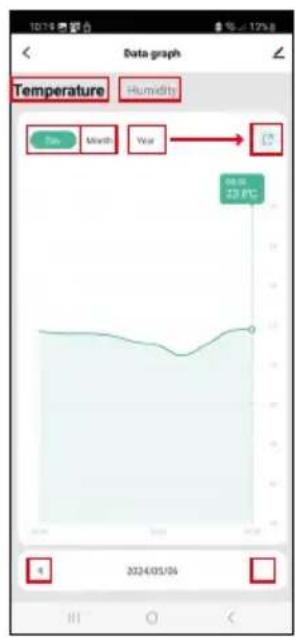
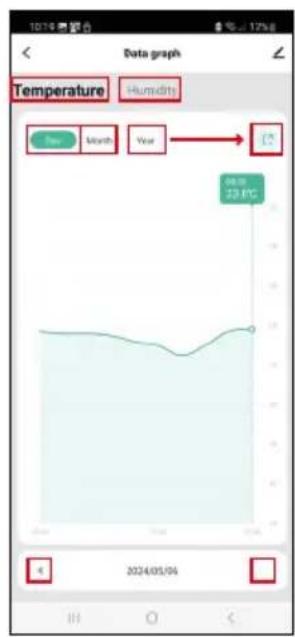
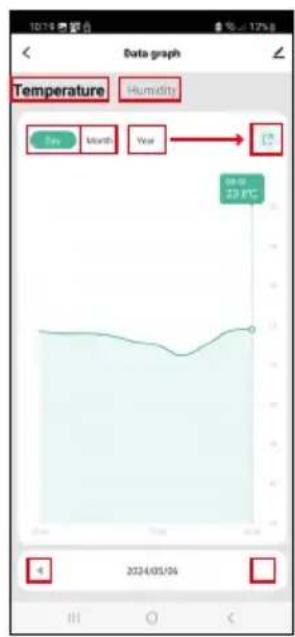
text_image Temperature Humidity Sun Month Year 23.00 23.00 2024/05/04

Emos EGS0102 - Low battery alarm - 4

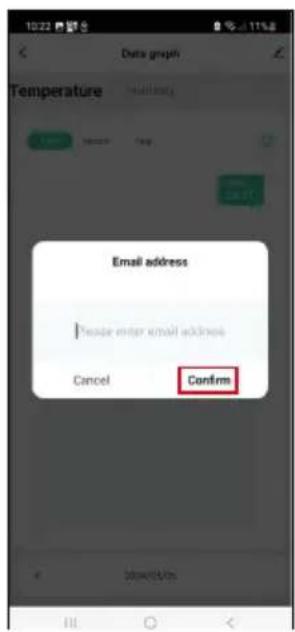
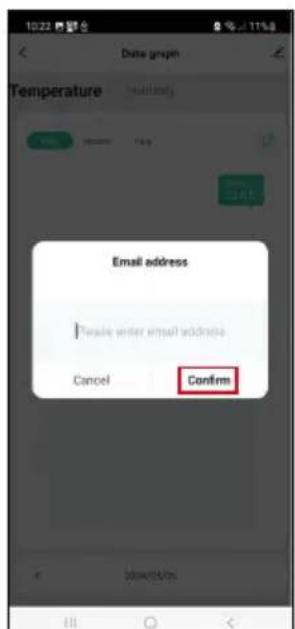
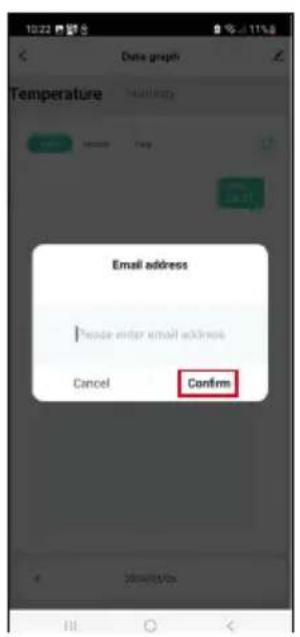
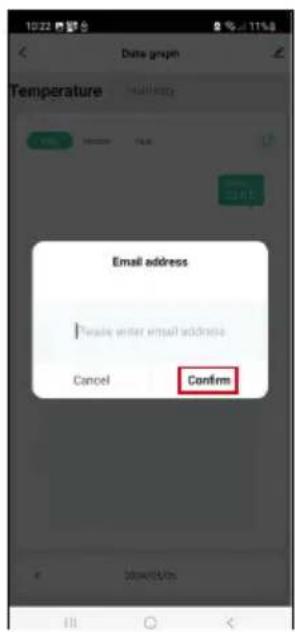
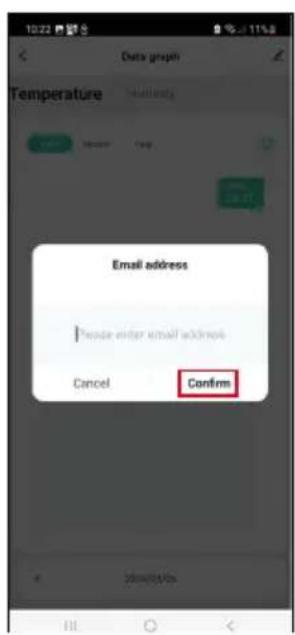
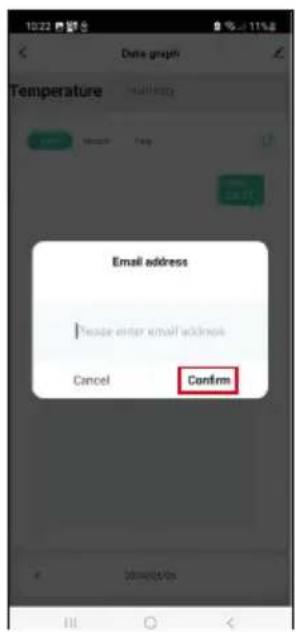
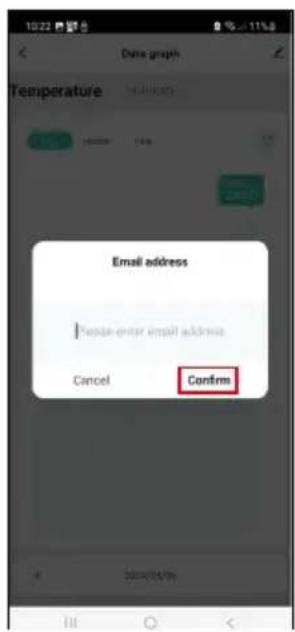
text_image Date graph Temperature Email address * Belize enter email address Cancel Confirm

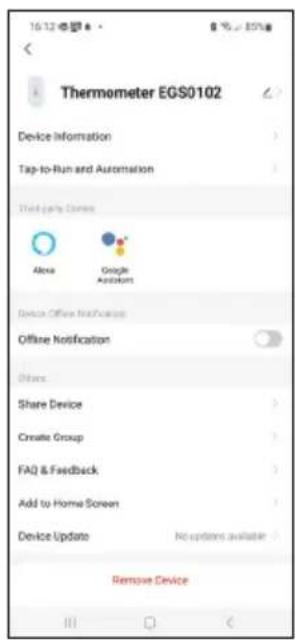
Advanced Settings

  • Device information – basic information about the device
  • Tap-To-Run and Automation – scenes and automations assigned to the device
  • Offline notification – notifies when the device is offline for over 8 hours (e.g. power outage)
  • Share Device – shares control of the device with another person
  • Create Group – creates a group of similar devices
  • Faq and Feedback – frequently asked questions and feedback
  • Add to Home screen – adds an icon for the device on the phone's home screen
  • Device Update – updates the device
  • Remove Device – unpairs the device

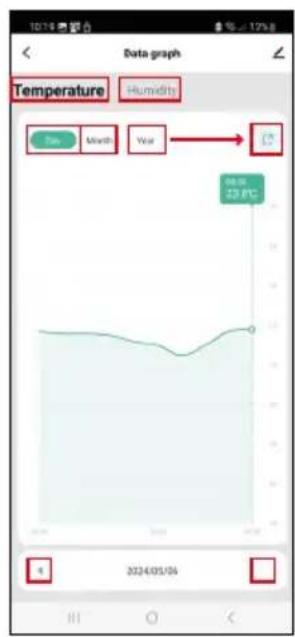
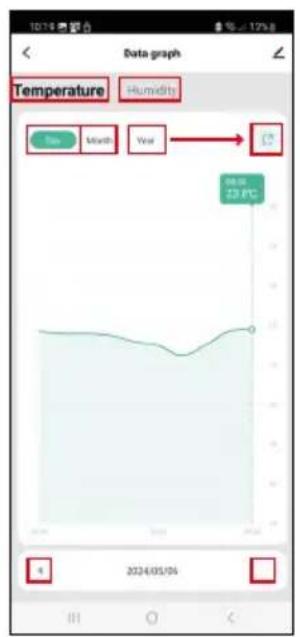
Export of Measured Data

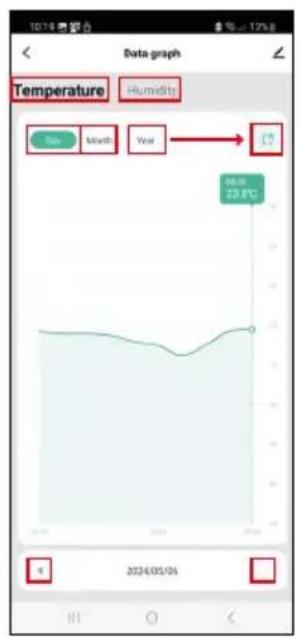
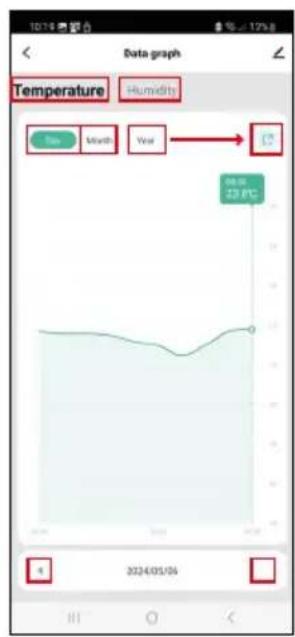
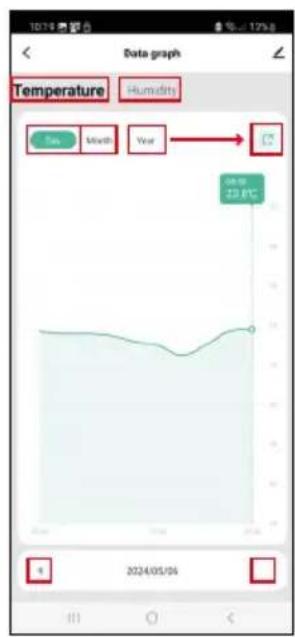
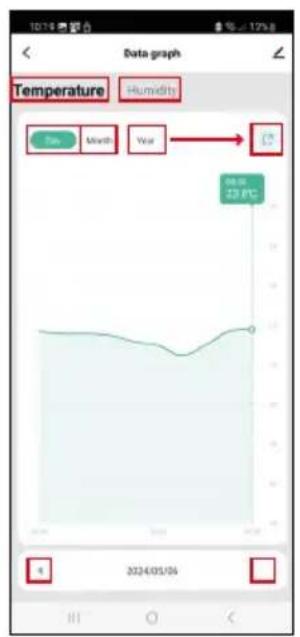
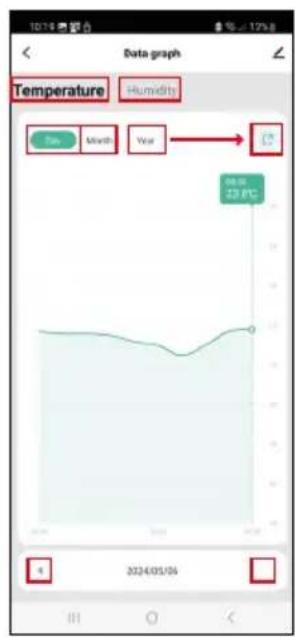
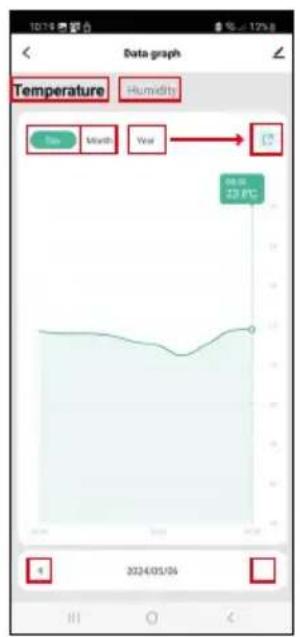
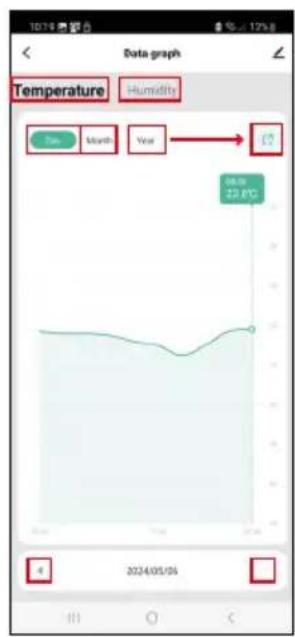
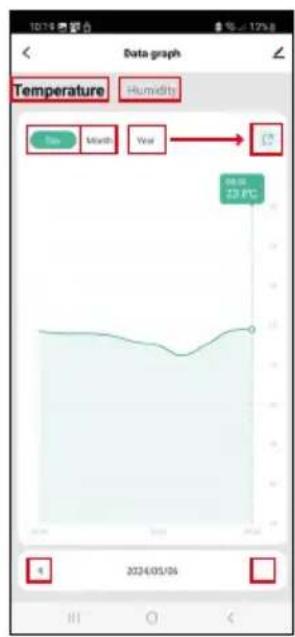
Tap the temperature/humidity history chart in the app's main menu.

Select a temperature or humidity measurement.

Select measurements within a day/month/year.

Use the left/right arrow at the bottom to select the exact date/month/year.

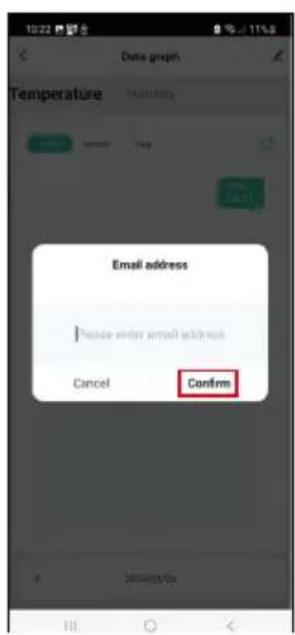
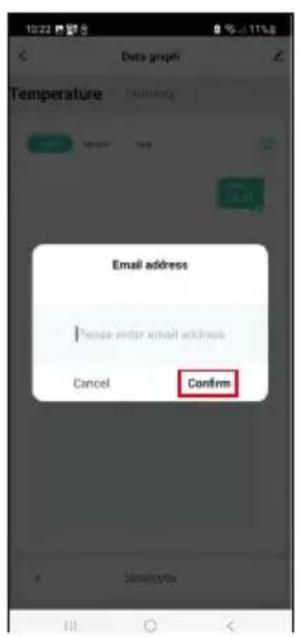
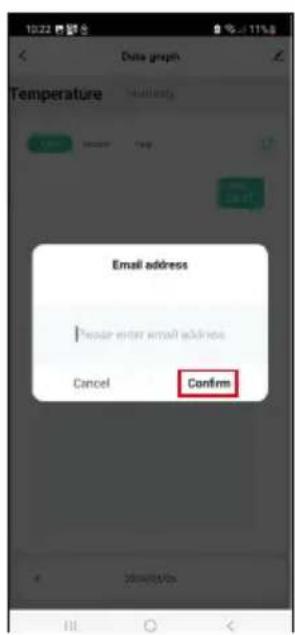
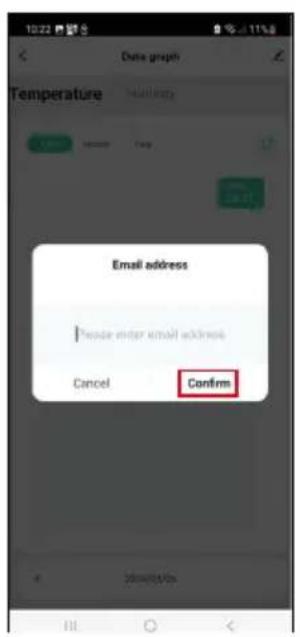
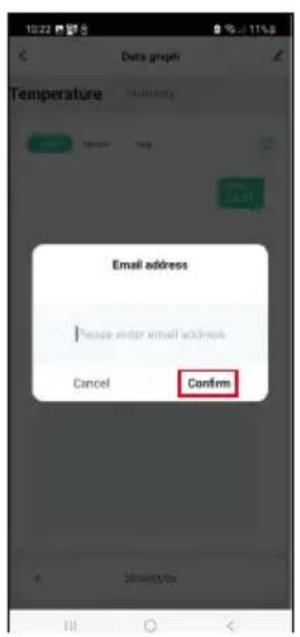
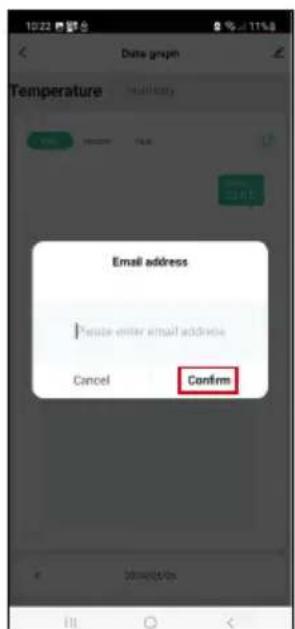
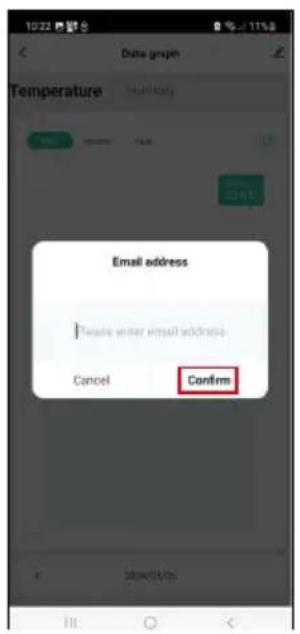
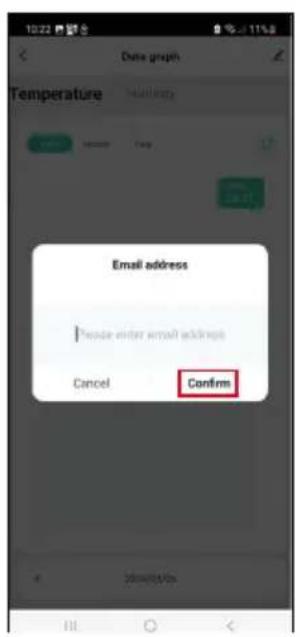
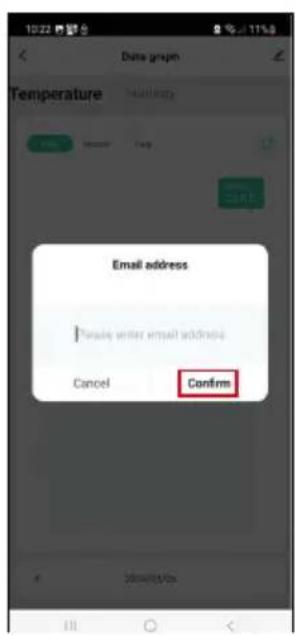
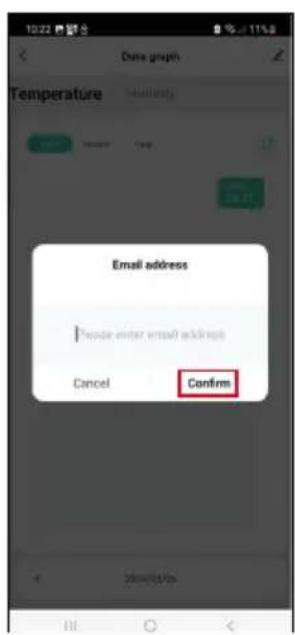
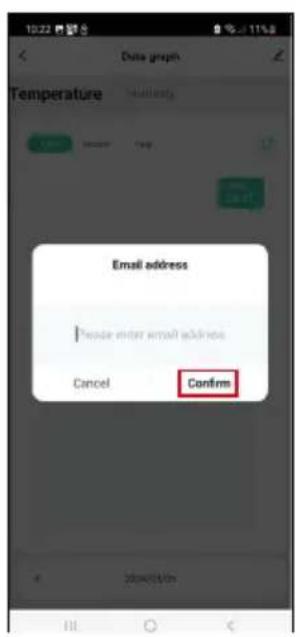
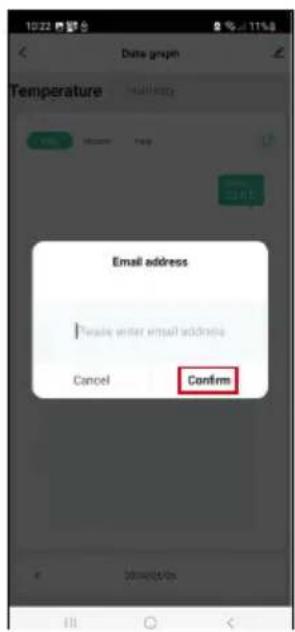
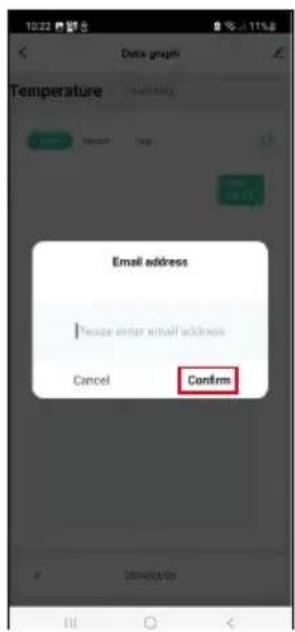
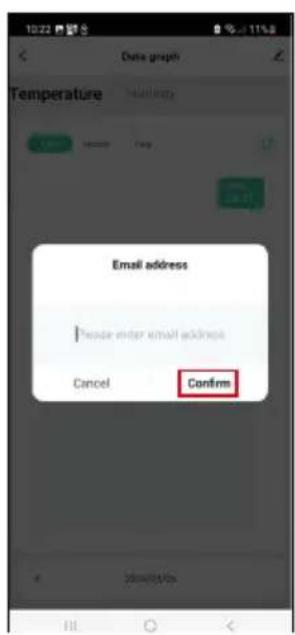
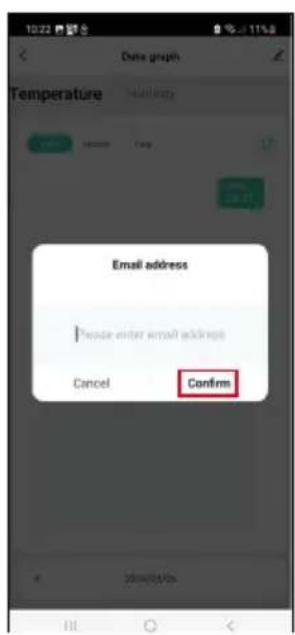
Tap the ↗ icon, enter your e-mail address and tap Confirm.

You will receive an email with a link to download the xlsx file; the link is valid for 7 days.

Emos EGS0102 - Export of Measured Data - 1

Troubleshooting FAQ

The LED light is flashing

  • The thermometer is not paired with the app, repeat the pairing process.
  • The thermometer is not connected to the Wi-Fi network, check the functionality of the network.

Emos EGS0102 - The LED light is flashing - 1

CZ | Teploměr

Emos EGS0102 - CZ | Teploměr - 1

natural_image White 3D-rendered electronic device with a thermometer and droplet symbol on top (no text or labels)

Emos EGS0102 - CZ | Teploměr - 2

Obsah

text_image QR code with a red logo in the center, likely linking to a digital resource or website.

Emos EGS0102 - Obsah - 1

Emos EGS0102 - Obsah - 2

text_image Log In Sign Up

The image is too blurry to recognize any text content.
Emos EGS0102 - Obsah - 3

text_image My home * All Devices Add Device

m = 311
Emos EGS0102 - Obsah - 4

text_image Thu: 25 Mio Home control Home output

The image is too blurry to recognize any text content.
Emos EGS0102 - Obsah - 5

text_image Add Device Balance Thermost Sensified 2019/01 Thermost Sensified 2019/02 Air Quality Sensified 2019/03 Lighting Cansified Synthetic Hides Cansified Synthetic Lighting Cansified Synthetic Lighting Balance Multification of application or type: (100mm x 6.2) Smart Stated IP-400 P Smart Stated IP-400 K Balance and Quality Balance Balance Balance Balance Balance Balance Balance Balance Balance Balance Balance Balance Balance Balance Balance Balance Balance Balance Balance Balance Balance Balance Balance Balance Balance Balance

56
Emos EGS0102 - Obsah - 6

text_image Add Device SMART GATEWAY IP-1000Z Close

The image is too blurry to recognize any text content.
Emos EGS0102 - Obsah - 7

text_image 10:52 My Home All Devices SMART GATEWAY... Add Device Create Scorer Scan

m = 311
Emos EGS0102 - Obsah - 8

text_image Add Device Lighting Temperature Maxim 10000 Air Quality Minimum 25000 Temperature and Condition Speed Temperature Maxim 10000 Weather Minimum 35000 Extrusive Minimum 45000 Energy Efficiency at saturation of 40000 (Ω/Hz-400) Direct Schematic IP: 267.9 Direct Schematic IP: 268.5 Energy Storage Schematic IP: 268.6 Schematic IP: 268.7 Schematic IP: 268.8 Schematic IP: 268.9 Schematic IP: 269.0 Schematic IP: 269.1 Schematic IP: 269.2 Schematic IP: 269.3 Schematic IP: 269.4 Schematic IP: 269.5 Schematic IP: 269.6 Schematic IP: 269.7 Schematic IP: 269.8 Schematic IP: 269.9 Schematic IP: 270.0

The image is too blurry to recognize any text content.
Emos EGS0102 - Obsah - 9

text_image Add Device Smart GATEWAY IP-10002 Cancel

Emos EGS0102 - Obsah - 10

text_image 9 5 s Pairing button

Emos EGS0102 - Obsah - 11

text_image 10 1554 焊子合 × Reset the device Remove the back cover and the plastic battery separator. The red light should automatically begin flashing-red, if not, press and hold the bottom under the battery and the light starts flashing. Next

Emos EGS0102 - Obsah - 12

text_image 1254 無眠力 Reset the device Confirm that the light is flashing. Back Next

Emos EGS0102 - Obsah - 13

text_image 1234 반응 X Reset the device Back Next

Emos EGS0102 - Obsah - 14

text_image Add Device Thermometer EG50/102 Added on Capacity Done
text_image Thermometer 2007182 Temperature 23.8°F Temperature 46°F Temperature comfortable for comfortable Temperature °C Funding's Smart Set

Ovládání a funkce

text_image 10:20 Set Temperature alarm -9.0°C 60°C Humidity alarm 0% 100% Battery level state High Unit convert °C > Temp Calibration 0.6°C > Humidity Calibration 5 % Start for Low Battery Alarm

Nastavení

Temperature alarm

Teplotní alarm.

text_image 16:12 8 % 85% Thermometer EGS0102 Device Information Tap-to-Run and Automation Third-party Control Alive Google Assistant Device Office Notification Offline Notification Share Device Create Group FAQ & Feedback Add to Home Screen Device Update No updates available Remove Device

Emos EGS0102 - Temperature alarm - 1

text_image Data graph Temperature Humidity Sun Month Year 2024/05/04

Emos EGS0102 - Temperature alarm - 2

text_image Data groups Temperature Email address Private enter email address Cancel Confirm
natural_image White 3D-rendered electronic device with a small port and a thermometer symbol on its side (no text or labels)

Emos EGS0102 - Temperature alarm - 3

Obsah

text_image QR code with a red logo in the center, likely linking to a digital resource or website.

Emos EGS0102 - Obsah - 1

Emos EGS0102 - Obsah - 2

text_image Log In Sign Up

The image is too blurry to recognize any text content.
Emos EGS0102 - Obsah - 3

text_image My home * All Devices Add Device

m = 311
Emos EGS0102 - Obsah - 4

text_image Thu: 25 Mio Home control Home output

The image is too blurry to recognize any text content.
Emos EGS0102 - Obsah - 5

text_image Add Device Balance Thermost Sensified 2019/01 Thermost Sensified 2019/02 Air Quality Sensified 2019/03 Lighting Cansified Synthetic Hides Cansified Synthetic Lighting Cansified Synthetic Lighting Cansified Synthetic Lighting Cansified Synthetic Lighting Cansified Synthetic Lighting Cansified Synthetic Lighting Cansified Synthetic Lighting Cansified Synthetic Lighting Cansified Synthetic Lighting Cansified Synthetic Lighting Cansified Synthetic Lightning Cansified Synthetic Lighting Cansified Synthetic Lighting Cansified Synthetic Lighting Cansified Synthetic Lighting Cansified Synthetic Lighting Cansified Synthetic Lighting Cansified Synthetic Lighting Cansified Synthetic Lighting Cansified Synthetic Lighting Cansified Synthetic Lightiging Cansified Synthetic Lightiging Lighting Cansified Synthetic Lighting Cansified Synthetic Lighting Cansified Synthetic Lighting Cansified Synthetic Lighting Cansified Synthetic Lighting Cansified Synthetic

56
Emos EGS0102 - Obsah - 6

text_image Add Device SMART GATEWAY IP-1000Z Close

The image is too blurry to recognize any text content.
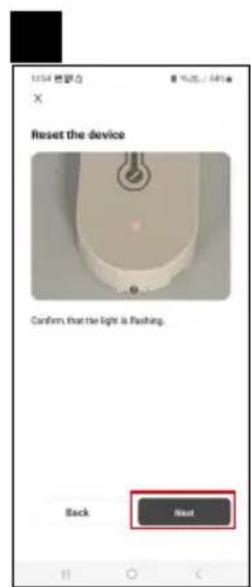
Emos EGS0102 - Obsah - 7

text_image 10:52 My Home All Devices SMART GATEWAY... Add Device Create Scorer Scan

m = 311
Emos EGS0102 - Obsah - 8

text_image Add Device Lighting Temperature Maxim 10000 Air Quality Minimum 25000 Temperature and Condition Speed Temperature Maxim 10000 Weather Minimum 25000 Extrusive Minimum 25000 Energy Multifunctional at minimum of 60000 (Ω/Hz-40Ω) Direct Schematic IP: 300 V Direct Schematic IP: 30000 Energy Storage Maximum IP: 300V Schematic IP: 300V Distance Maxim 10000 Local Home Appearance Extrusive Maxim IP: 300V LED Switch Full + Bluetooth LED Switch (Optimized) Outdoor Street Extrusive Maxim 1.0V Windows USB Chips

The image is too blurry to recognize any text content.
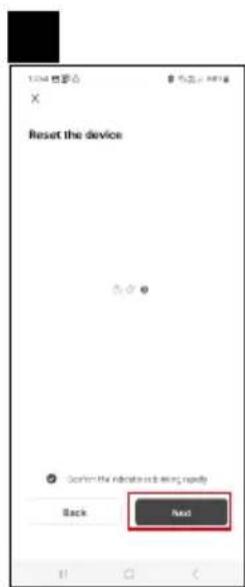
Emos EGS0102 - Obsah - 9

text_image Add Device Smart GATEWAY IP-10002 Cancel

Emos EGS0102 - Obsah - 10

text_image 9 5 s Pairing button

Emos EGS0102 - Obsah - 11

text_image 10 1554 焊子合 × Reset the device Remove the back cover and the plastic battery separator. The red light should automatically begin flashing-red, if not, press and hold the bottom under the battery and the light starts flashing. Next

Emos EGS0102 - Obsah - 12

text_image 1254 無眠力 Reset the device Confirm that the light is flashing. Back Next

Emos EGS0102 - Obsah - 13

text_image 1234 반응 X Reset the device Back Next

Emos EGS0102 - Obsah - 14

text_image Add Device Thermometer EG50/102 Added on Capacity Done
text_image Thermometer 2007182 Temperature 23.8 °C Temperature 46 °C Temperature comfortable for comfortable Temperature °C Funding's Smart Set

Ovládanie a funkcie

text_image Set Temperature alarm -9.0°C 60°C Humidity alarm 0% 100% Battery level state High Unit convert 0.0 °C > Temp Calibration 0.0 °C > Humidity Calibration 0 % Start for Low Battery Alarm

Nastavenie

Temperature alarm

Teplotný alarm.

text_image Thermometer EGS0102 Device Information Tap-to-Run and Automation Third-party Camera Alive Google Assistors Device Office Next Generation Offline Notification Share Device Create Group FAQ & Feedback Add to Home Screen Device Update No updates available Remove Device

Emos EGS0102 - Temperature alarm - 1

text_image Temperature Humidity Month Year 23.0°C 2024/05/04

Emos EGS0102 - Temperature alarm - 2

text_image 10:22 Data graph Temperature Email address *Enter enter email address Cancel Confirm
natural_image White 3D-rendered electronic device with a small port and a thermometer symbol on its side (no text or labels)

Emos EGS0102 - Temperature alarm - 3

Spis treści

text_image QR code with a red logo in the center, likely linking to a digital resource or website.

Emos EGS0102 - Spis treści - 1

text_image Download on the App Store GET IT ON Google Play
text_image 1 2 Log In Sign Up

Emos EGS0102 - Spis treści - 2

text_image All Devices File Device Add Device

Emos EGS0102 - Spis treści - 3

text_image Thu, 25 Mio Home control Mobile output

Emos EGS0102 - Spis treści - 4

text_image Add Device Goldwind Thermocean (021951) Thermocean (021952) Air Quality Monitor (021953) Lighting Electronic Smartphone Lighter Smartphone (021954) Smartphone Monitor (021955) Analog Devices (021956) Analog Devices (021957) Analog Devices (021958) Analog Devices (021959) Analog Devices (021960) Analog Devices (021961) Analog Devices (021962) Analog Devices (021963) Analog Devices (021964) Analog Devices (021965) Analog Devices (021966) Analog Devices (021967) Analog Devices (021968) Analog Devices (021969) Analog Devices (021970) Analog Devices (021971) Analog Devices (021972) Analog Devices (021973) Analog Devices (021974) Analog Devices (021975) Analog Devices (021976) Analog Devices (021977) Analog Devices (021978) Analog Devices (021979) Analog Devices (021980) Analog Devices (021981) Analog Devices (021982) Analog Devices (021983) Analog Devices (021984) Analog Devices (021985) Analog Devices (021986) Analog Devices (021987) Analog Devices (021988) Analog Devices (021989) Analog Devices (021990) Analog Devices (021991) Analog Devices (021992) Analog Devices (021993) Analog Devices (021994) Analog Devices (021995) Analog Devices (021996) Analog Devices (021997) Analog Devices (021998) Analog Devices (021999) Analog Devices (02199A) Analog Devices (0219A) Analog Devices (021A) Analog Devices (02A) Analog Devices (02A)

Emos EGS0102 - Spis treści - 5

text_image 5 6 Add Device SMART GATEWAY IP-1000Z Close

Emos EGS0102 - Spis treści - 6

text_image 1983 My Home * All Devices SMART SATEWAY... Add Device Create Scanner Scan

Emos EGS0102 - Spis treści - 7

text_image Add Device Goldwind Lighting Eccentric and Switches Electrical Lighting Sensors Induction Powertrain Digital Smartphone Battery Battery Battery Multifunctional at battery of 60000000000000000000000000000000000000000000000000000000000000000000000000000000000000000000000000000 Digital Sensors Induction Powertrain Digital Smartphone Battery Battery Digital Smartphone Digital Smartphone Digital Smartphone Digital Smartphone Digital Smartphone Digital Smartphone Digital Smartphone Digital Smartphone Digital Smartphone Digital Smartphone Digital Smartphone Digital Smartphone Digital Smartphone Digital Smartphone Digital Smartphone Digital Smartphone Digital Smartphone Digital Smartphone Digital Smartphone Digital Smartphone Digital Smart phone Digital Smart phone Digital Smart phone Digital Smart phone Digital Smart phone Digital Smart phone Digital Smart phone Digital Smart phone Digital Smart phone Digital Smart phone Digital Smart phone

Emos EGS0102 - Spis treści - 8

text_image Add Device Smart GATEWAY IP-100X2 Cancel

Emos EGS0102 - Spis treści - 9

text_image 9 5 s Pairing button

Emos EGS0102 - Spis treści - 10

text_image 10 1554 焊子合 × Reset the device Remove the back cover and the plastic battery separator. The red light should automatically begin flashing-red, if not, press and hold the bottom under the battery and the light starts flashing. Next

Emos EGS0102 - Spis treści - 11

text_image 1254 無眠力 Reset the device Confirm that the light is flashing. Back Next

Emos EGS0102 - Spis treści - 12

text_image 1234 반응 X Reset the device Back Next

Emos EGS0102 - Spis treści - 13

text_image Add Device Thermometer EG50/102 Added on Temperature Done
text_image Thermometer 2007182 Temperature 23.8 °C Temperature 46 °C Temperature comfortable for comfortable Temperature °C Funding's Smart Set
text_image 10:20 Set Temperature alarm -9.0°C 60°C Humidity alarm 0% 100% Battery level state High Unit convert °C > Temp Calibration 0.5°C > Humidity Calibration 3% > Hours On Low Battery Alarm

Ustawienia

Temperature alarm

text_image 16:12 Thermometer EGS0102 Device Information Tap-to-Run and Automation Third-party Control Alive Google Assistort Device Office Notification Offline Notification Share Device Create Group FAQ & Feedback Add to Home Screen Device Update No updates available Remove Device

Emos EGS0102 - Temperature alarm - 1

text_image Temperature Humidity View Month Year 23.00 23.00 2024/05/04

Emos EGS0102 - Temperature alarm - 2

text_image Data graph Temperature Email address Create enter email address Cancel Confirm
natural_image White 3D-rendered electronic device with a small port and a thermometer symbol on its side (no text or labels)

Emos EGS0102 - Temperature alarm - 3

Tartalom

text_image QR code with a red logo in the center, likely linking to a digital resource or website.

Emos EGS0102 - Tartalom - 1

Emos EGS0102 - Tartalom - 2

text_image Log IN Sign Up

The image is too blurry to recognize any text content.
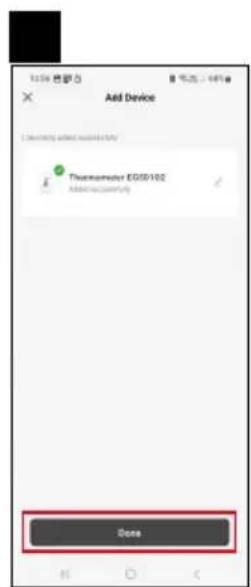
Emos EGS0102 - Tartalom - 3

text_image My home * All Devices Add Device

m = 311
Emos EGS0102 - Tartalom - 4

text_image Thu: 25 Mio Home control Home output

The image is too blurry to recognize any text content.
Emos EGS0102 - Tartalom - 5

text_image Add Device Doublebox Thermost systemable 01(825mmx8.0) Thermost systemable 01(825mmx9.0) Air Quality systemable 01(825mmx10.0) Lighting Commoned by Composite Take control Punch Analog Satter 0.0006 Bluetooth Scale 0.0112 Battery Battery Multifunctional of the power of type 01 (825mmx8.0) Smart Stated IP-403 P Smart Stated IP-403K Battery and modular Smart Stated Punch Screwed Punch Battery and modular Smart Stated Punch Smart Stated Punch Small electronic Application Large electronic Application Microphone Systemable USB-based USB-based USB-based USB-based USB-based USB-based USB-based USB-based USB-based

56
Emos EGS0102 - Tartalom - 6

text_image Add Device SMART GATEWAY IP-1000Z Close

The image is too blurry to recognize any text content.
Emos EGS0102 - Tartalom - 7

text_image 10:52 My Home All Devices SMART GATEWAY... Add Device Create Scorer Scan

m = 311
Emos EGS0102 - Tartalom - 8

text_image Add Device Lighting Temperature Maxim 10000 Air Quality Minimum 12000 Temperature and Condition Speed Temperature Maxim Weather Minimum 12000 Extrusive Minimum 12000 Energy Multifunction at minimum of 60000 (Ω/Hz-45.0) Direct Schematic IP: 300 V Direct Schematic IP: 30000 Energy Storage Maximum IP: 300V Schematic IP: 300V Distance in dB Outdoor Aperture Local Home Aperture Extrusive Cable IP: 300V LED Schematic Full + Maximum LED Schematic High Chaps

The image is too blurry to recognize any text content.
Emos EGS0102 - Tartalom - 9

text_image Add Device Smart Gateway IP-10002

Emos EGS0102 - Tartalom - 10

text_image 9 5 s Pairing button

Emos EGS0102 - Tartalom - 11

text_image 10 1554 焊子合 × Reset the device Remove the back cover and the plastic battery separator. The red light should automatically begin flashing-red, if not, press and hold the bottom under the battery and the light starts flashing. Next

Emos EGS0102 - Tartalom - 12

text_image 1254 無眠力 Reset the device Confirm that the light is flashing. Back Next

Emos EGS0102 - Tartalom - 13

text_image 100% 保留 X Reset the device Back Next

Emos EGS0102 - Tartalom - 14

text_image Add Device Thermometer EG50/102 Added on Capacity Done
text_image Thermometer 2007182 Temperature 23.8 °C Humidity 46 °C Temperature comfortable for comfortable Temperature °C Funding's Smart Set
text_image 1020 Set Temperature alarm -9.0°C 60°C Humidity alarm 0% 100% Battery level state High Unit convert °C > Temp Calibration 0.5°C > Humidity Calibration 5% > Alarm Is Low Battery Alarm

Beállítások

Temperature alarm

text_image Thermometer EGS0102 Device Information Tap-to-Run and Automation Third-party Center Alexa Google Assistors Device Office NextFocus Offline Notification Share Device Create Group FAQ & Feedback Add to Home Screen Device Update No updates available: Remove Device

Emos EGS0102 - Temperature alarm - 1

text_image Temperature Humidity Month Year 22.8°C 2024/05/04

Emos EGS0102 - Temperature alarm - 2

text_image 10:22 Date group Temperature Email address Please enter virtual address. Cancel Confirm
natural_image White 3D-rendered electronic device with a small port and a thermometer symbol on top (no text or labels)

Emos EGS0102 - Temperature alarm - 3

Kazalo

Varnostna navodila in opozorila 2

Tehnična specifikacija ....3

Opis termometra 4

text_image QR code with a red logo in the center, likely linking to a digital resource or website.

Emos EGS0102 - Kazalo - 1

Emos EGS0102 - Kazalo - 2

text_image Log In Sign Up

The image is too blurry to recognize any text content.
Emos EGS0102 - Kazalo - 3

text_image My home * All Devices Add Device

m = 311
Emos EGS0102 - Kazalo - 4

text_image Thu: 25 Mio Home control Home output

The image is too blurry to recognize any text content.
Emos EGS0102 - Kazalo - 5

text_image Add Device Balance Thermost Sensified 2019/01 Thermost Sensified 2019/02 Air Quality Sensified 2019/03 Lighting Cannabis, pure Diaphthylate Hole Cluttered Plastic Lighted Sensified 2019/04 Lighted Sensified 2019/05 Lighted Sensified 2019/06 Lighted Sensified 2019/07 Lighted Sensified 2019/08 Lighted Sensified 2019/09 Lighted Sensified 2019/10 Lighted Sensified 2019/11 Lighted Sensified 2019/12 Lighted Sensified 2019/13 Lighted Sensified 2019/14 Lighted Sensified 2019/15 Lighted Sensified 2019/16 Lighted Sensified 2019/17 Lighted Sensified 2019/18 Lighted Sensified 2019/19 Lighted Sensified 2019/20 Lighted Sensified 2019/21 Lighted Sensified 2019/22 Lighted Sensified 2019/23 Lighted Sensified 2019/24 Lighted Sensified 2019/25 Lighted Sensified 2019/26 Lighted Sensified 2019/27 Lighted Sensified 2019/28 Lighted Sensified 2019/29 Lighted Sensified 2019/30 Lighted Sensified 2019/31 Lighted Sensified 2019/32 Lighted Sensified 2019/33 Lighted Sensified 2019/34 Lighted Sensified 2019/35 Lighted Sensified 2019/36 Lighted Sensified 2019/37 Lighted Sensified 2019/38 Lighted Sensified 2019/39 Lighted Sensified 2019/40 Lighted Sensified 2019/41

56
Emos EGS0102 - Kazalo - 6

text_image Add Device SMART GATEWAY IP-1000Z Close

The image is too blurry to recognize any text content.
Emos EGS0102 - Kazalo - 7

text_image 10:52 My Home All Devices SMART GATEWAY... Add Device Create Scorer Scan

m = 311
Emos EGS0102 - Kazalo - 8

text_image Add Device Lighting Temperature Maxim 10000 Air Quality Minimum 12000 Temperature and Condition Speed Temperature Maxim Weather Minimum 12000 Extrusive Minimum 12000 Energy Multifunction at minimum of 60000 (Ω/Hz-45.0) Direct Schematic IP: 300 V Direct Schematic IP: 30000 Energy Storage Maximum IP: 300V Schematic IP: 300V Distance in dB Outdoor Aperture Local Home Aperture Extrusive Cable IP: 300V LED Schematic Full + Maximum LED Schematic High Chaps

m = 311
Emos EGS0102 - Kazalo - 9

text_image Add Device Smart GATEWAY IP-10002 Cancel

Emos EGS0102 - Kazalo - 10

text_image 9 5 s Pairing button

Emos EGS0102 - Kazalo - 11

text_image 10 1554 焊子合 × Reset the device Remove the back cover and the plastic battery separator. The red light should automatically begin flashing-red, if not, press and hold the bottom under the battery and the light starts flashing. Next

Emos EGS0102 - Kazalo - 12

text_image 1254 無眠力 Reset the device Confirm that the light is flashing. Back Next

Emos EGS0102 - Kazalo - 13

text_image 1234 반응 X Reset the device Back Next

Emos EGS0102 - Kazalo - 14

text_image Add Device Thermometer EG50/102 Added on Temperature Done
text_image Thermometer 2007182 Temperature 23.8 °C Humidity 46 °C Temperature comfortable for comfortable Temperature °C Funding's Smart Set

Upravljanje in funkcije

Meni aplikacije

text_image Set Temperature alarm -9°C 60°C Humidity alarm 0% 100% Battery level state High Unit convert °C > Temp Calibration 0.6°C > Humidity Calibration 5% > Alarm Is Low Battery Alarm

Nastavitve

Temperature alarm

Temperaturni alarm.

Z drsnikom levo/desno nastavite želeno temperaturo.

text_image 16:12 8 % 85% Thermometer EGS0102 Device Information Tap-to-Run and Automation Third-party Control Alive Google Assistant Device Office Notification Offline Notification Share Device Create Group FAQ & Feedback Add to Home Screen Device Update No updates available Remove Device

Emos EGS0102 - Temperature alarm - 1

text_image Data graph Temperature Humidity Sun Month Year 2024/05/06 23 PC

Emos EGS0102 - Temperature alarm - 2

text_image 10:22 Date groups Temperature Email address Private enter email address Cancel Confirm

Napredne nastavitve

natural_image White 3D-rendered electronic device with a thermometer and droplet symbol on top (no text or labels)

Emos EGS0102 - Napredne nastavitve - 1

Sadržaj

Sigurnosne upute i upozorenja ....2

text_image QR code with a red logo in the center, likely linking to a digital resource or website.

Emos EGS0102 - Sadržaj - 1

Emos EGS0102 - Sadržaj - 2

text_image Log In Sign Up

The image is too blurry to recognize any text content.
Emos EGS0102 - Sadržaj - 3

text_image My home * All Devices Add Device

m = 311
Emos EGS0102 - Sadržaj - 4

text_image Thu: 25 Mio Home control Home output

The image is too blurry to recognize any text content.
Emos EGS0102 - Sadržaj - 5

text_image Add Device Doublebox Thermost systemable 03/09/01 Thermost systemable 03/09/02 Air Quality systemable 03/09/03 Lighting Commoned by Composite Take control Pots Magnetic Satter 0.0006 Battery Scale 0.1112 External Type Multifunctional of the power of type 01 (825mmx8.0) Smart Stated IP-001 P Smart Stated IP-002 Similar and moderate Smart Stated Pots Schematic of moderate External Small electronic Application Large electronic Application K appliance System Stand LED System 0.5V Dissipation High Power (7.0V) External port

56
Emos EGS0102 - Sadržaj - 6

text_image Add Device SMART GATEWAY IP-1000Z Close

The image is too blurry to recognize any text content.
Emos EGS0102 - Sadržaj - 7

text_image 10:52 My Home All Devices SMART GATEWAY... Add Device Create Scorer Scan

m = 311
Emos EGS0102 - Sadržaj - 8

text_image Add Device Lighting Temperature Maxim 10000 Air Quality Minimum 25000 Temperature and Condition Speed Temperature Maxim Weather Minimum 3500V Extrusive Minimum 4500V Energy Efficiency at saturation of 600Ω (Chip=40Ω) Multifunction at saturation of 600Ω Street Schematic IP: 200 V Street Schematic IP: 200Ω Energy Storage Maximum IP: 200V Schematic IP: 200Ω Distance at Schematic (Chip=40Ω) External at Schematic (Chip=40Ω) Local Home Application Extrusive Cell (IP: 200Ω) LED Subc Cell + Bluetooth LED Subc (Chip=40Ω) Outdoor at Schematic (Chip=40Ω) LED Optimal 6.28 Windows USB Chain

m = 311
Emos EGS0102 - Sadržaj - 9

text_image Add Device Smart Gateway IP-10002

Emos EGS0102 - Sadržaj - 10

text_image 9 5 s Pairing button

Emos EGS0102 - Sadržaj - 11

text_image 10 1554 焊子合 × Reset the device Remove the back cover and the plastic battery separator. The red light should automatically begin flashing-red, if not, press and hold the bottom under the battery and the light starts flashing. Next

Emos EGS0102 - Sadržaj - 12

text_image 1254 無眠力 Reset the device Confirm that the light is flashing. Back Next

Emos EGS0102 - Sadržaj - 13

text_image 1234 반응 X Reset the device Back Next

Emos EGS0102 - Sadržaj - 14

text_image Add Device Thermometer EG50/102 Added on Capacity Done

Uparivanje Zigbee Gateway s aplikacijom

(Ako već koristite pristupnik, preskočite ovaj korak)

Priključite kabel za napajanje u pristupnik i omogućite GPS i Bluetooth vezu na svom mobilnom uređaju.

Dodirnite Dodaj uređaj u aplikaciji.

Dodirnite popis GoSmart na lijevoj strani i dodirnite ikonu Smart Multi Gateway IP-1000Z.

Slijedite upute u aplikaciji i upišite naziv i lozinku za svoju Wi-Fi mrežu 2,4 GHz.

text_image Thermometer 2007182 Temperature 23.8 °C Humidity 46 °C Temperature comfortable for comfortable Temperature °C Funding's Smart Set

Kontrole i funkcije

Izbornik aplikacije

1 - Postavke
2 – Postavljanje scene i automatizacija dodijeljena uređaju
3 – Dijagram povijesti vlažnosti
4 – Dijagram povijesti temperature
5 – Indeks trenutne temperature i vlažnosti
6 - Trenutna temperatura
7 - Napredne postavke
8 - Trenutna vlažnost

Emos EGS0102 - Izbornik aplikacije - 1

text_image 10:20 Set Temperature alarm -9.9°C 60°C Humidity alarm 0%. 100% Battery level state High Unit volt °C > Temp Calibration 0.6°C > Humidity Calibration 5% > Start Set Low Battery Alarm

Postavke

Alarm temperature

Upozorenje temperature.

Pomaknite klizač lijevo/desno za postavljanje željene temperature.

text_image 16:12 8 % 85% Thermometer EGS0102 Device Information Tap-to-Run and Automation Third-party Control Alive Google Assistant Device Office Notification Offline Notification Share Device Create Group FAQ & Feedback Add to Home Screen Device Update No updates available Remove Device

Emos EGS0102 - Alarm temperature - 1

text_image Data graph Temperature Humidity Sun Month Year 2024/05/04

Emos EGS0102 - Alarm temperature - 2

text_image 10:22 Date groups Temperature Email address Private enter email address Cancel Confirm

Napredne postavke

  • Informacije o uređaju – Osnovne informacije o uređaju
  • Pokretanje na dodir i automatizacija – Prizori i automatizacije dodijeljene uređaju
  • Izvanmrežna obavijest – Obavještava kada je uređaj izvan mreže više od 8 sati (npr. nestanak struje)
  • Dijeli uredaj – Dijeli kontrolu nad uređajem s drugom osobom
  • Stvori grupu – Stvara grupu sličnih uređaja
  • Najčešća pitanja i povratne informacije – Najčešća pitanja i povratne informacije
  • Dodaj na početni zaslon – Dodaje ikonu za uređaj na početni zaslon telefona
  • Ažuriranje uređaja – Ažurira uređaj
  • Ukloni uređaj – Poništava uparivanje uređaja
natural_image White 3D-rendered electronic device with a small port and a thermometer symbol on its side (no text or labels)

Emos EGS0102 - Napredne postavke - 1

Inhalt

text_image QR code with a red square logo in the center containing Chinese characters.

Emos EGS0102 - Inhalt - 1

text_image Download on the App Store GET IT ON Google Play
text_image Log IV Sign Up

Emos EGS0102 - Inhalt - 2

text_image All Devices Add Device

Emos EGS0102 - Inhalt - 3

text_image Thc, 25 May Mobile control Mobile output

Emos EGS0102 - Inhalt - 4

text_image Add Device Button Thermal comfort 0549193 Thermal comfort 0549193 Air Quality Balance Lighting Appearance and Shipment Lighting Shipment Shipment Shipment Appearance Multifunction of powerup of I/O (82mmx-6.2) Shipment Board IP-000 P Shipment Board IP-000A Shipment Board IP-000B Shipment Board IP-000C Shipment Board IP-000D Shipment Board IP-000E Shipment Board IP-000F Shipment Board IP-000G Shipment Board IP-000H Shipment Board IP-000I Shipment Board IP-000J Shipment Board IP-000K Shipment Board IP-000L Shipment Board IP-000M Shipment Board IP-000N Shipment Board IP-000O Shipment Board IP-000P Shipment Board IP-000Q Shipment Board IP-000R Shipment Board IP-000S Shipment Board IP-000T Shipment Board IP-000U Shipment Board IP-000V Shipment Board IP-000W Shipment Board IP-000X Shipment Board IP-000Y Shipment Board IP-000Z Shipment Board IP-000A Shipment Board IP-000B Shipment Board IP-000C Shipment Board IP-000D Shipment Board IP-000E Shipment Board IP-000F Shipment Board IP-000G Shipment Board IP-000H Shipment Board IP-000I

Emos EGS0102 - Inhalt - 5

text_image 5 6 Add Device SMART GATEWAY IP 1000Z Close

Emos EGS0102 - Inhalt - 6

text_image 10:00 My home * All Devices SMART SATEWAY L.. Add Device Create Scene Scan

Emos EGS0102 - Inhalt - 7

text_image Add Device Gelmsell Lighting Ecolects and Instruments Electrical Energy Electricity Induction and Energy Storage System Energy Storage Local Home Apartment Outdoor Street Environmental ThermoFi Air Quality Minimum 620000 Weather Minimum 4350V Extrusion Scale 2115 MultiFunction of apparay of 40000 (Option-400) Direct Outlet IP-300 P Direct Outlet IP-30000 Socks Open IP-30000 Socks Open IP-30000 Dimensions Open in a circular Lids (Full) in a circular LED sub- (Full) in a circular LED sub- (Option) LED Automatic 0.28 Wireless With Chain

Emos EGS0102 - Inhalt - 8

text_image Add Device Smart Gateway IP-10002

Emos EGS0102 - Inhalt - 9

text_image 9 5 s Pairing button

Emos EGS0102 - Inhalt - 10

text_image 10 Reset the device Remove the back cover and the plastic battery separator. The red light should automatically begin flashing red. If not, press and hold the bottom under the battery and the light starts flashing Next

Emos EGS0102 - Inhalt - 11

text_image 1054 焊門店 X Reset the device Confirm that the light is flashing. Back Next

Emos EGS0102 - Inhalt - 12

text_image 1204 Reset the device Back Next

Emos EGS0102 - Inhalt - 13

text_image Add Device Thermometer E050/102 Add temperature Does
text_image Thermometer 2007182 Temperature 23.8°F Temperature 46°F Temperature comfortable for comfortable Temperature °C Funding's Smart Set
text_image Set Temperature alarm -9.0°C 60°C Humidity alarm 0% 100% Battery level state High Unit convert °C > Temp Calibration 0.0°C > Humidity Calibration 5 % Alarms On Low Battery Alarms

Einstellungen

Temperature alarm

Temperaturalarm.

text_image 16:12 8 % 85% Thermometer EGS0102 Device Information Tap-to-Run and Automation Third-party Control Alive Google Assistant Device Office Notification Offline Notification Share Device Create Group FAQ & Feedback Add to Home Screen Device Update No updates available Remove Device

Emos EGS0102 - Temperature alarm - 1

text_image Data graph Temperature Humidity Sun Month Year 2024/03/04

Emos EGS0102 - Temperature alarm - 2

text_image Data groups Temperature Email address Please enter email address Cancel Confirm
natural_image White 3D-rendered electronic device with a small port and a thermometer symbol on its side (no text or labels)

Emos EGS0102 - Temperature alarm - 3

Зміст

text_image QR code with a red square logo in the center containing Chinese characters.

Emos EGS0102 - Зміст - 1

Emos EGS0102 - Зміст - 2

text_image 1 2 Log IN Sign Up

Emos EGS0102 - Зміст - 3

text_image All Devices Add Device

Emos EGS0102 - Зміст - 4

text_image 10:18 Thu: 25 Mio Phone control Like output

Emos EGS0102 - Зміст - 5

text_image Add Device Balance Balance for 100mm Balance for 100mm Balance for 100mm Balance for 100mm Balance for 100mm Balance for 100mm Balance for 100mm Balance for 100mm Balance for 100mm Balance for 100mm Balance for 100mm Balance for 100mm Balance for 100mm Balance for Balance for Balance for Balance for Balance for Balance for Balance for Balance for Balance for Balance for Balance for Balance for Balance for Balance for Balance for Balance for Balance for Balance for Balance for Balance for Balance for Balance for Balance for Balance for Balance for Balance for Balance for Balance for Balance for Balance for Balance for Balance for Balance for Balance for

Emos EGS0102 - Зміст - 6

text_image 5 6 Add Device SMART GATEWAY IP 1000Z Close

Emos EGS0102 - Зміст - 7

text_image 1987 My Home * All Devices SMART SATEWAY L.. Add Device Create Scene Scan

Emos EGS0102 - Зміст - 8

text_image 9 5 s Pairing button

Emos EGS0102 - Зміст - 9

text_image 10 Reset the device Remove the back cover and the plastic battery separator. The red light should automatically begin flashing red. If not, press and hold the bottom under the battery and the light starts flashing Next

Emos EGS0102 - Зміст - 10

text_image 1054 焊門店 X Reset the device Confirm that the light is flashing. Back Next

Emos EGS0102 - Зміст - 11

text_image 1204 Reset the device Back Next

Emos EGS0102 - Зміст - 12

text_image Add Device Thermometer E050/102 Add Temperature Does
text_image Thermometer 2007182 Temperature 23.8°F Temperature 46°F Temperature comfortable for comfortable Temperature °C Funding's Smart Set
text_image 10:20 Set Temperature alarm -9.0°C 60°C Humidity alarm 0% 100% Battery level state High Unit convert °C > Temp Calibration 0.0°C > Humidity Calibration 5% > Alarms On Low Battery Alarm

Налаштування

Temperature alarm

text_image 16:12 Thermometer EGS0102 Device Information Tap-to-Run and Automation Third-party Center Alexa Google Assistors Device Office Notification Offline Notification Others Share Device Create Group FAQ & Feedback Add to Home Screen Device Update No updates available Remove Device

Emos EGS0102 - Temperature alarm - 1

text_image Temperature Humidity Year 23.8°C 2024/05/04

Emos EGS0102 - Temperature alarm - 2

text_image 10:22 Date group Temperature Email address Email enter email address Cancel Confirm
natural_image White 3D-rendered electronic device with a small port and a thermometer symbol on top (no text or labels)

Emos EGS0102 - Temperature alarm - 3

Cuprins

text_image QR code with a red logo in the center, likely linking to a digital resource or website.

Emos EGS0102 - Cuprins - 1

Emos EGS0102 - Cuprins - 2

text_image Log In Sign Up

The image is too blurry to recognize any text content.
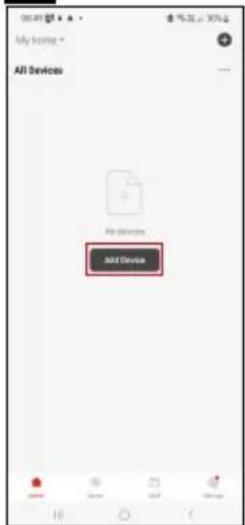
Emos EGS0102 - Cuprins - 3

text_image My home * All Devices Add Device

m = 311
Emos EGS0102 - Cuprins - 4

text_image Thu: 25 Mio Home control Home output

The image is too blurry to recognize any text content.
Emos EGS0102 - Cuprins - 5

text_image Add Device Balance Thermost Sensified 2019/01 Thermost Sensified 2019/02 Air Quality Sensified 2019/03 Lighting Cannabis, pure Diaphthylate Hole Cluttered Plastic Lighted Sensified 2019/04 Lighted Sensified 2019/05 Lighted Sensified 2019/06 Lighted Sensified 2019/07 Lighted Sensified 2019/08 Lighted Sensified 2019/09 Lighted Sensified 2019/10 Lighted Sensified 2019/11 Lighted Sensified 2019/12 Lighted Sensified 2019/13 Lighted Sensified 2019/14 Lighted Sensified 2019/15 Lighted Sensified 2019/16 Lighted Sensified 2019/17 Lighted Sensified 2019/18 Lighted Sensified 2019/19 Lighted Sensified 2019/20 Lighted Sensified 2019/21 Lighted Sensified 2019/22 Lighted Sensified 2019/23 Lighted Sensified 2019/24 Lighted Sensified 2019/25 Lighted Sensified 2019/26 Lighted Sensified 2019/27 Lighted Sensified 2019/28 Lighted Sensified 2019/29 Lighted Sensified 2019/30 Lighted Sensified 2019/31 Lighted Sensified 2019/32 Lighted Sensified 2019/33 Lighted Sensified 2019/34 Lighted Sensified 2019/35 Lighted Sensified 2019/36 Lighted Sensified 2019/37 Lighted Sensified 2019/38 Lighted Sensified 2019/39 Lighted Sensified 2019/40 Lighted Sensified 2019/41

56
Emos EGS0102 - Cuprins - 6

text_image Add Device SMART GATEWAY IP-1000Z Close

The image is too blurry to recognize any text content.
Emos EGS0102 - Cuprins - 7

text_image 10:52 My Home All Devices SMART GATEWAY... Add Device Create Scorer Scan

m = 311
Emos EGS0102 - Cuprins - 8

text_image Add Device Lighting Temperature Current Air Quality Minimum 12000 Temperature and Condition Speed Current Current Air Quality Maximum 12000 Energy Multifunctional at minimum of 60000 (Ω/Hz-45.0) Direct Schematic IP: 300 V Direct Schematic IP: 30000 Energy Current Schematic IP: 300V Schematic IP: 30000 Distance Current at minimum (Ω/Hz-45.0) LED Schematic (μF) + (Ω/Hz-45.0) LED Schematic (μF) + (Ω/Hz-45.0) LED Schematic (μF) + (Ω/Hz-45.0) LED Schematic (μF) + (Ω/Hz-45.0)

m = 311
Emos EGS0102 - Cuprins - 9

text_image Add Device Smart GATEWAY IP-10002 Cancel

Emos EGS0102 - Cuprins - 10

text_image 9 5 s Pairing button

Emos EGS0102 - Cuprins - 11

text_image 10 1554 焊子合 × Reset the device Remove the back cover and the plastic battery separator. The red light should automatically begin flashing-red, if not, press and hold the bottom under the battery and the light starts flashing. Next

Emos EGS0102 - Cuprins - 12

text_image 1254 無眠力 Reset the device Confirm that the light is flashing. Back Next

Emos EGS0102 - Cuprins - 13

text_image 1234 반응 X Reset the device Back Next

Emos EGS0102 - Cuprins - 14

text_image Add Device Thermometer EG50/102 Added on Capacity Done
text_image Thermometer 3G07182 Temperature 23.8 °C Humidity 46 °C Temperature comfortable for comfortable Temperature °C Funding's Smart Set

Comanda și funcții

Meniul aplicatiei

text_image 10:20 Set Temperature alarm -9.0°C 60°C Humidity alarm 0% 100% Battery level state High Unit convert °C > Temp Calibration 0.0°C > Humidity Calibration 5% > Alarm Is Low Battery Alarm

Setare

Temperature alarm

Alarmă termică.

text_image Thermometer EGS0102 Device Information Tap-to-Ran and Automation Third-party Center Alexa Google Assistors Device Offers Next/Next Offline Notification Others Share Device Create Group FAQ & Feedback Add to Home Screen Device Update No updates available: Remove Device

Emos EGS0102 - Temperature alarm - 1

text_image Temperature Humidity Month Year 22.8°C 2024/05/06

Emos EGS0102 - Temperature alarm - 2

text_image Date group Temperature Email address Please enter email address. Cancel Confirm

Setare avansată

natural_image White 3D-rendered electronic device with a thermometer and droplet symbol on top (no text or labels)

Emos EGS0102 - Setare avansată - 1

Turinys

text_image QR code with a red square logo in the center containing Chinese characters.

Emos EGS0102 - Turinys - 1

Emos EGS0102 - Turinys - 2

text_image Log IV Sign Up

Emos EGS0102 - Turinys - 3

text_image All Devices Add Device

Emos EGS0102 - Turinys - 4

text_image 12:18 Thu: 25 Mio Phone button Jet Phone Send to account Send to account

Emos EGS0102 - Turinys - 5

text_image Add Device Button Thermal comfort 0549193 Thermal comfort 0549193 Air Quality Balance Lighting Appearance and Shipment Lighting Shipment Shipment Shipment Appearance Multifunction of powerup of I/O (82mmx-6.2) Shipment Board IP-000 P Shipment Board IP-000A Shipment Board IP-000B Shipment Board IP-000C Shipment Board IP-000D Shipment Board IP-000E Shipment Board IP-000F Shipment Board IP-000G Shipment Board IP-000H Shipment Board IP-000I Shipment Board IP-000J Shipment Board IP-000K Shipment Board IP-000L Shipment Board IP-000M Shipment Board IP-000N Shipment Board IP-000O Shipment Board IP-000P Shipment Board IP-000Q Shipment Board IP-000R Shipment Board IP-000S Shipment Board IP-000T Shipment Board IP-000U Shipment Board IP-000V Shipment Board IP-000W Shipment Board IP-000X Shipment Board IP-000Y Shipment Board IP-000Z Shipment Board IP-000A Shipment Board IP-000B Shipment Board IP-000C Shipment Board IP-000D Shipment Board IP-000E Shipment Board IP-000F Shipment Board IP-000G Shipment Board IP-000H Shipment Board IP-000I

Emos EGS0102 - Turinys - 6

text_image 5 6 Add Device SMART GATEWAY IP-1000Z Close

Emos EGS0102 - Turinys - 7

text_image 1987 My Home * All Devices SMART SATEWAY L... Add Device Create Scene Scan

Emos EGS0102 - Turinys - 8

text_image 9 5 s Pairing button

Emos EGS0102 - Turinys - 9

text_image 10 1554 焊子合 × Reset the device Remove the back cover and the plastic battery separator. The red light should automatically begin flashing-red, if not, press and hold the bottom under the battery and the light starts flashing. Next

Emos EGS0102 - Turinys - 10

text_image 1254 반응 Reset the device Confirm that the light is flashing. Back Next

Emos EGS0102 - Turinys - 11

text_image 1234 반응 X Reset the device Back Next

Emos EGS0102 - Turinys - 12

text_image Add Device Thermometer EGS0102 Add Item Cost/Profit Done
text_image Thermometer 2007182 Temperature: 23.8 °C Temperature comfortable for comfortable Temperature °C Funding's 5 4 3 2 1 Smart Set
text_image 1020 Set Temperature alarm -9.9°C 60°C Humidity alarm 0% 100% Battery level state High Unit convert °C > Temp Calibration 0.5°C > Humidity Calibration 3% > Hours On Low Battery Alarm

Nuostatos

text_image 16:12 Thermometer EGS0102 Device Information Tap-to-Run and Automation Third-party Control Alive Google Assistors Device Office Notification Offline Notification Share Device Create Group FAQ & Feedback Add to Home Screen Device Update No updates available Remove Device

Emos EGS0102 - Nuostatos - 1

text_image Temperature Humidity View Month View 23.0°C 2024/05/04

Emos EGS0102 - Nuostatos - 2

text_image Data group Temperature Email address *Please enter email address Cancel Confirm
natural_image White 3D-rendered electronic device with a thermometer and water droplet symbol on top (no text or labels)

Emos EGS0102 - Nuostatos - 3

Saturs

text_image QR code with a red square logo in the center containing Chinese characters.

Emos EGS0102 - Saturs - 1

text_image Download on the App Store GET IT ON Google Play
text_image Log IV Sign Up

Emos EGS0102 - Saturs - 2

text_image All Devices Add Device

Emos EGS0102 - Saturs - 3

text_image Thc, 25 May Mobile control Mobile output

Emos EGS0102 - Saturs - 4

text_image Add Device Button Thermal comfort 0549193 Thermal comfort 0549193 Air Quality Balance Lighting Appearance and Shipment Lighting Shipment Shipment Shipment Appearance Multifunction of powerup of I/O (82mmx-6.2) Shipment Board IP-000 P Shipment Board IP-000A Shipment Board IP-000B Shipment Board IP-000C Shipment Board IP-000D Shipment Board IP-000E Shipment Board IP-000F Shipment Board IP-000G Shipment Board IP-000H Shipment Board IP-000I Shipment Board IP-000J Shipment Board IP-000K Shipment Board IP-000L Shipment Board IP-000M Shipment Board IP-000N Shipment Board IP-000O Shipment Board IP-000P Shipment Board IP-000Q Shipment Board IP-000R Shipment Board IP-000S Shipment Board IP-000T Shipment Board IP-000U Shipment Board IP-000V Shipment Board IP-000W Shipment Board IP-000X Shipment Board IP-000Y Shipment Board IP-000Z Shipment Board IP-000A Shipment Board IP-000B Shipment Board IP-000C Shipment Board IP-000D Shipment Board IP-000E Shipment Board IP-000F Shipment Board IP-000G Shipment Board IP-000H Shipment Board IP-000I

Emos EGS0102 - Saturs - 5

text_image 5 6 Add Device SMART GATEWAY IP-1000Z Close

Emos EGS0102 - Saturs - 6

text_image 10:00 My home * All Devices SMART SATEWAY L.. Add Device Create Scene Scan

Emos EGS0102 - Saturs - 7

text_image Add Device Gelmsell Lighting Ecolects and Instruments Electrical Energy Energy Storage Industrial and Industry Energy Storage Building and Applications Local Home Applications kitchen Appliances Outdoor Street Environmental and Equipment ThermoFi Air Quality Minimum 620000 Weather Minimum 4350V Extrusion Scale 2115 Multi-Functional of lighting of 400000 (Chips-400) Direct Scales IP: 800 P Direct Scales IP: 90000 Screened Area IP: 80000 Screened Area IP: 90000 Dimensions Grid & Digital Frequency Count IP: 90000 LED Back Full + Bluetooth LED Full (Chips) LED Automatic 0.55 Wireless Wireless

Emos EGS0102 - Saturs - 8

text_image Add Device Smart Gateway IP-10002

Emos EGS0102 - Saturs - 9

text_image 9 5 s Pairing button

Emos EGS0102 - Saturs - 10

text_image 10 1554 焊子合 × Reset the device Remove the back cover and the plastic battery separator. The red light should automatically begin flashing-red, if not, press and hold the bottom under the battery and the light starts flashing. Next

Emos EGS0102 - Saturs - 11

text_image 1254 반응 Reset the device Confirm that the light is flashing. Back Next

Emos EGS0102 - Saturs - 12

text_image 1234 반응 X Reset the device Back Next

Emos EGS0102 - Saturs - 13

text_image Add Device Thermometer EGS0102 Add Item Cost/Profit Done
text_image Thermometer 2007182 Temperature: 23.8 °C Temperature comfortable for comfortable Temperature °C Funding's 5 4 3 2 1 Smart Set

Vadība un funkcijas

Lietotnes izvēlne

text_image 1020 Set Temperature alarm -9.9°C 60°C Humidity alarm os 100% Battery level state High Unit convert °C > Temp Calibration 0.5°C > Humidity Calibration 3% > Alarm Is Low Battery Alarm

lestatījumi

text_image 16:12 8 % 80% Thermometer EGS0102 Device Information Tap-to-Run and Automation Third-party Center Alexa Google Assistom Device Office Notification Offline Notification Others Share Device Create Group FAQ & Feedback Add to Home Screen Device Update No updates available Remove Device

Emos EGS0102 - lestatījumi - 1

text_image Temperature Humidity Sun Month Year 02 08:30 22.8°C 2024/05/06

Emos EGS0102 - lestatījumi - 2

text_image 10:22 Data graph Temperature Email address Please enter email address. Cancel Confirm
natural_image White 3D-rendered electronic device with a small port and a thermometer symbol on its side (no text or labels)

Emos EGS0102 - lestatījumi - 3

Sisukord

text_image QR code with a red square logo in the center containing Chinese characters.

Emos EGS0102 - Sisukord - 1

Emos EGS0102 - Sisukord - 2

text_image Log IV Sign Up

Emos EGS0102 - Sisukord - 3

text_image All Devices Add Device

Emos EGS0102 - Sisukord - 4

text_image Thc, 25 May Mobile control Mobile output

Emos EGS0102 - Sisukord - 5

text_image Add Device Button Thermal comfort 0549193 Thermal comfort 0549193 Air Quality Balance Lighting Appearance and Shipment Lighting Shipment Shipment Shipment Appearance Multifunction of powerup of I/O (82mmx-6.2) Shipment Board IP-000 P Shipment Board IP-000A Shipment Board IP-000B Shipment Board IP-000C Shipment Board IP-000D Shipment Board IP-000E Shipment Board IP-000F Shipment Board IP-000G Shipment Board IP-000H Shipment Board IP-000I Shipment Board IP-000J Shipment Board IP-000K Shipment Board IP-000L Shipment Board IP-000M Shipment Board IP-000N Shipment Board IP-000O Shipment Board IP-000P Shipment Board IP-000Q Shipment Board IP-000R Shipment Board IP-000S Shipment Board IP-000T Shipment Board IP-000U Shipment Board IP-000V Shipment Board IP-000W Shipment Board IP-000X Shipment Board IP-000Y Shipment Board IP-000Z Shipment Board IP-000A Shipment Board IP-000B Shipment Board IP-000C Shipment Board IP-000D Shipment Board IP-000E Shipment Board IP-000F Shipment Board IP-000G Shipment Board IP-000H Shipment Board IP-000I

Emos EGS0102 - Sisukord - 6

text_image 5 6 Add Device SMART GATEWAY IP 1000Z Close

Emos EGS0102 - Sisukord - 7

text_image 10:00 My Home * All Devices SMART SATEWAY L.. Add Device Create Scene Scan

Emos EGS0102 - Sisukord - 8

text_image Add Device Gelmsell Lighting Ecolects and Instruments Electrical Energy Energy Storage Industrial and Industry Energy Storage Building and Applications Local Home Applications kitchen Kitchen Store Dimensions and 1401 1500 1600 1700 1800 1900 2000 2100 2200 2300 2400 2500 2600 2700 2800 2900 3000 3100 3200 3300 3400 3500 3600 3700 3800 3900 4000 4100 4200 4300 4400 4500 4600 4700 4800 4900 5000 5100 5200 5300 5400 5500 5600 5700 5800 5900 6000 6100 6200 6300 6400 6500 6600 6700 6800 6900 7000 7100 7200 7300 7400 7500 7600 7700 7800 7900 8000 8100 8200 8300 8400 8500 8600 8700 8800 8900 9000 9100 9200 9300 9400 9500 9600 9700 9800 9900 1000

Emos EGS0102 - Sisukord - 9

text_image Add Device Smart Gateway IP-10002

Emos EGS0102 - Sisukord - 10

text_image 9 5 s Pairing button

Emos EGS0102 - Sisukord - 11

text_image 10 1554 焊子合 × Reset the device Remove the back cover and the plastic battery separator. The red light should automatically begin flashing-red, if not, press and hold the bottom under the battery and the light starts flashing. Next

Emos EGS0102 - Sisukord - 12

text_image 1254 반응 Reset the device Confirm that the light is flashing. Back Next

Emos EGS0102 - Sisukord - 13

text_image 1234 반응 X Reset the device Back Next

Emos EGS0102 - Sisukord - 14

text_image Add Device Thermometer EGS0102 Add Item Cost/Profit Done
text_image Thermometer 2007182 Temperature: 23.8 °C Temperature comfortable for comfortable Temperature °C Funding's 5 4 3 2 1 Smart Set
text_image 10:20 Set Temperature alarm -9.0°C 60°C Humidity alarm 0s. 100% Battery level state High Unit convert ℃ Temp Calibration 0.6°C Humidity Calibration 5% Alarm Set Low Battery Alarm

Seaded

Temperature alarm

text_image 16:12 8 % 80% Thermometer EGS0102 Device Information Tap-to-Run and Automation Third-party Camera Alive Google Assistant Device Office Notification Offline Notification Share Device Create Group FAQ & Feedback Add to Home Screen Device Update No updates available Remove Device

Emos EGS0102 - Temperature alarm - 1

text_image Temperature Humidity Sun Month Year 23.8°C 2024/05/04

Emos EGS0102 - Temperature alarm - 2

text_image 10:22 Date graph Temperature Email address Private enter email address Cancel Confirm

Täpsemad seaded

natural_image White 3D-rendered electronic device with a small port and a thermometer symbol on its side (no text or labels)

Emos EGS0102 - Täpsemad seaded - 1

Съдържание

text_image QR code with a red logo in the center, likely linking to a digital resource or website.

Emos EGS0102 - Съдържание - 1

text_image Download on the App Store GET IT ON Google Play
text_image Log In Sign Up

The image is too blurry to recognize any text content.
Emos EGS0102 - Съдържание - 2

text_image My home * All Devices Add Device

m = 311
Emos EGS0102 - Съдържание - 3

text_image Thu: 25 Mio Home control Home output

The image is too blurry to recognize any text content.
Emos EGS0102 - Съдържание - 4

text_image Add Device Balance Thermost Sensified 2019/01 Thermost Sensified 2019/02 Air Quality Sensified 2019/03 Lighting Cannabis, pure Diaphthylate Hole Cluttered Plastic Lighted Sensified 2019/04 Lighted Sensified 2019/05 Lighted Sensified 2019/06 Lighted Sensified 2019/07 Lighted Sensified 2019/08 Lighted Sensified 2019/09 Lighted Sensified 2019/10 Lighted Sensified 2019/11 Lighted Sensified 2019/12 Lighted Sensified 2019/13 Lighted Sensified 2019/14 Lighted Sensified 2019/15 Lighted Sensified 2019/16 Lighted Sensified 2019/17 Lighted Sensified 2019/18 Lighted Sensified 2019/19 Lighted Sensified 2019/20 Lighted Sensified 2019/21 Lighted Sensified 2019/22 Lighted Sensified 2019/23 Lighted Sensified 2019/24 Lighted Sensified 2019/25 Lighted Sensified 2019/26 Lighted Sensified 2019/27 Lighted Sensified 2019/28 Lighted Sensified 2019/29 Lighted Sensified 2019/30 Lighted Sensified 2019/31 Lighted Sensified 2019/32 Lighted Sensified 2019/33 Lighted Sensified 2019/34 Lighted Sensified 2019/35 Lighted Sensified 2019/36 Lighted Sensified 2019/37 Lighted Sensified 2019/38 Lighted Sensified 2019/39 Lighted Sensified 2019/40 Lighted Sensified 2019/41

56
Emos EGS0102 - Съдържание - 5

text_image Add Device SMART GATEWAY IP-1000Z Close

The image is too blurry to recognize any text content.
Emos EGS0102 - Съдържание - 6

text_image 10:52 My Home All Devices SMART GATEWAY... Add Device Create Scorer Scan

m = 311
Emos EGS0102 - Съдържание - 7

text_image Add Device Lightset Thermal control Watches Air Quality Minimum 12000 Energetic and Condition Spike Control Images Weather Minimum 3500V Extricate Minimum 4115 Energy Efficiency at power of 400Ω (Ω/Hz-40Ω) Multifunction of power of 400Ω (Ω/Hz-40Ω) Direct Schematic IP: 267.9 Direct Schematic IP: 268.5 Energy Efficiency at power of 400Ω (Ω/Hz-40Ω) Schematic IP: 268.5 Dissipation in Schematic IP: 268.5 External Power External External External External External External External External External External External External External

The image is too blurry to recognize any text content.
Emos EGS0102 - Съдържание - 8

text_image Add Device Smart GATEWAY IP-10002 Cancel

Emos EGS0102 - Съдържание - 9

text_image 9 5 s Pairing button

Emos EGS0102 - Съдържание - 10

text_image 10 1554 焊子合 × Reset the device Remove the back cover and the plastic battery separator. The red light should automatically begin flashing-red, if not, press and hold the bottom under the battery and the light starts flashing. Next

Emos EGS0102 - Съдържание - 11

text_image 1254 반응 Reset the device Confirm that the light is flashing. Back Next

Emos EGS0102 - Съдържание - 12

text_image 1234 반응 X Reset the device Back Next

Emos EGS0102 - Съдържание - 13

text_image Add Device Thermometer EGS0102 Add Item Cost/Profit Done
text_image Thermometer 2007182 Temperature: 23.8 °C Temperature comfortable for comfortable Temperature °C Funding's 5 4 3 2 1 Smart Set
text_image Set Temperature alarm -9.0°C 60°C Humidity alarm 0% 100% Battery level state High Unit convert °C > Temp Calibration 0.0°C > Humidity Calibration 5 % Alarms on Low Battery Alarms

Настройки

Аларма за температура

Аларма за температура.

text_image 16:12 Thermometer EGS0102 Device Information Tap-to-Run and Automation Third-party Center Alexa Google Association Device Offers Notification Offline Notification Others Share Device Create Group FAQ & Feedback Add to Home Screen Device Update No updates available: Remove Device

Emos EGS0102 - Аларма за температура - 1

text_image Temperature Humidity Sun Month View 2024/05/06 18.00 22.8°C

Emos EGS0102 - Аларма за температура - 2

text_image Email address Please enter email address Cancel Confirm

Разширени настройки

natural_image White 3D-rendered electronic device with a thermometer icon and water droplet symbol on top (no text or labels)

Emos EGS0102 - Разширени настройки - 1

Sommaire

Application mobile....6

text_image QR code with a red square logo in the center containing Chinese characters.

Emos EGS0102 - Sommaire - 1

text_image Download on the App Store GET IT ON Google Play
text_image Log IV Sign Up

Emos EGS0102 - Sommaire - 2

text_image All Devices Add Device

Emos EGS0102 - Sommaire - 3

text_image Thc, 25 May Mobile control Mobile output

Emos EGS0102 - Sommaire - 4

text_image Add Device Balance Thermal comfort 05/01/2013 Thermal comfort 05/01/2013 Air Quality Moisture 05/01/2013 Lighting Thermal comfort 05/01/2013 Lighting Thermal comfort 05/01/2013 Lighting Thermal comfort 05/01/2013 Lighting Thermal comfort 05/01/2013 Lighting Thermal comfort 05/01/2013 Lighting Thermal comfort 05/01/20 Lighting Thermal comfort 05/01/2013 Lighting Thermal comfort 05/01/2013 Lighting Thermal comfort 05/01/2013 Lighting Thermal comfort 05/01/2013 Lighting Thermal comfort 05/01/2013 Lighting Thermal comfort 04/01/2013 Lighting Thermal comfort 04/01/2013 Lighting Thermal comfort 04/01/2013 Lighting Thermal comfort 04/01/2013 Lighting Thermal comfort 04/01/2013 Lighting Thermal comfort 04/01/2013 Balance and lighting Thermal comfort 05/01/2013 Thermal comfort 05/01/2013 Thermal comfort 05/01/2013 Thermal comfort 05/01/2013 Thermal comfort 05/01/2013 Thermal comfort 05/01/2013 Thermal comfort 05/01/2013 Thermal comfort 05/07/2013 Thermal comfort 05/07/2013 Thermal comfort 05/07/2013 Thermal comfort 05/07/2013 Thermal comfort 05/07/2013 Thermal comfort 05/07/2013

Emos EGS0102 - Sommaire - 5

text_image 5 6 Add Device SMART GATEWAY IP-1000Z Close

Emos EGS0102 - Sommaire - 6

text_image 10:00 My home * All Devices SMART SATEWAY L.. Add Device Create Scene Scan

Emos EGS0102 - Sommaire - 7

text_image Add Device Gelmsell Lighting Ecolects and Instruments Electrical Energy Energy Storage Industrial and Industry Energy Storage Building and Applications Local Home Applications kitchen Appliances Outdoor Street Environmental and Equipment ThermoFi Air Quality Minimum 620000 Weather Minimum 4350V Extrusion Scale 2115 MultiFunction of geometry of 400000 Digital+400000 Direct Saddle IP-300 P Direct Saddle IP-300000 Screened Box IP-300000 Screened Box IP-300000 Screened Box IP-300000 Extrusion Cool & Digital LED Lock (Full +) Bluetooths LED Lock (Circuit) LED Ltrs (Circuit) LED Automatic 0.28 Bluetooths LED Chips

Emos EGS0102 - Sommaire - 8

text_image Add Device Smart Gateway IP-10002

Emos EGS0102 - Sommaire - 9

text_image 9 5 s Pairing button

Emos EGS0102 - Sommaire - 10

text_image 10 1554 焊子合 × Reset the device Remove the back cover and the plastic battery separator. The red light should automatically begin flashing-red, if not, press and hold the bottom under the battery and the light starts flashing. Next

Emos EGS0102 - Sommaire - 11

text_image 1254 반응 Reset the device Confirm that the light is flashing. Back Next

Emos EGS0102 - Sommaire - 12

text_image 1234 반응 X Reset the device Back Next

Emos EGS0102 - Sommaire - 13

text_image Add Device Thermometer EGS0102 Add Item Cost/Profit Done
text_image Thermometer 2001102 Temperature 23.8 °C Kumblay's 5 Temperature surfactable/heat comfortable Temperature °C Kumblay's 4 3 2 Set 1 7 6 46 8
text_image 1020 Set Temperature alarm -9.0°C 60°C Humidity alarm 0% 100% Battery level state High Unit convert °C > Temp Calibration 0.5°C > Humidity Calibration 3% > Alarm Is Low Battery Alarm

Options

Temperature alarm

Alarme thermique.

text_image Thermometer EGS0102 Device Information Tap-to-Run and Automation Third-party Camera Alive Google Assistors Device Office Next Generation Offline Notification Share Device Create Group FAQ & Feedback Add to Home Screen Device Update No updates available Remove Device

Emos EGS0102 - Temperature alarm - 1

text_image Temperature Humidity Sun Month Year 23.00 23.00 2024/05/04

Emos EGS0102 - Temperature alarm - 2

text_image Date graph Temperature Email address * Belize enter email address Cancel Confirm

Options avancées

natural_image White 3D-rendered electronic device with a thermometer icon and water droplet symbol on top (no text or labels)

Emos EGS0102 - Options avancées - 1

Inhoud

text_image QR code with a red square logo in the center containing Chinese characters.

Emos EGS0102 - Inhoud - 1

Emos EGS0102 - Inhoud - 2

text_image Log IV Sign Up

Emos EGS0102 - Inhoud - 3

text_image All Devices Add Device

Emos EGS0102 - Inhoud - 4

text_image 12:18 Thu: 25 Mio Phone button Jet Phone Send to account

Emos EGS0102 - Inhoud - 5

text_image Add Device Button Thermal comfort 0549193 Thermal comfort 0549193 Air Quality Balance Lighting Appearance and Shipment Lighting Shipment Shipment Shipment Appearance Multifunction of powerup of I/O (82mmx-6.2) Shipment Board IP-000 P Shipment Board IP-000A Shipment Board IP-000B Shipment Board IP-000C Shipment Board IP-000D Shipment Board IP-000E Shipment Board IP-000F Shipment Board IP-000G Shipment Board IP-000H Shipment Board IP-000I Shipment Board IP-000J Shipment Board IP-000K Shipment Board IP-000L Shipment Board IP-000M Shipment Board IP-000N Shipment Board IP-000O Shipment Board IP-000P Shipment Board IP-000Q Shipment Board IP-000R Shipment Board IP-000S Shipment Board IP-000T Shipment Board IP-000U Shipment Board IP-000V Shipment Board IP-000W Shipment Board IP-000X Shipment Board IP-000Y Shipment Board IP-000Z Shipment Board IP-000A Shipment Board IP-000B Shipment Board IP-000C Shipment Board IP-000D Shipment Board IP-000E Shipment Board IP-000F Shipment Board IP-000G Shipment Board IP-000H Shipment Board IP-000I

Emos EGS0102 - Inhoud - 6

text_image 5 6 Add Device SMART GATEWAY IP 1000Z Close

Emos EGS0102 - Inhoud - 7

text_image 10:00 My Home * All Devices SMART SATEWAY L.. Add Device Create Scene Scan

Emos EGS0102 - Inhoud - 8

text_image Add Device Gelmsell Lighting Ecolective and Inhibition Smartphone Sight Wireless Smartphone Air Quality Motion 620000 Splice control Photo Weather Service 235W Extrusion Motion 24117 Energy Multifunction of battery of 600000 Digital 4.0GHz Direct Schematic IP-800 P Direct Schematic IP-80000 Energy Library System Name IP-80000 Schematic Name IP-80000 Dissipation Circuit 4.0GHz Digital 4.0GHz Large Home Application Extrusion Circuit 4.0GHz LED Switch Pole + Bluetooths LED Switch (Circuit) Digital Switch (Circuit) Outdoor LED Interface 6.28 Windows Media Chain

Emos EGS0102 - Inhoud - 9

text_image Add Device Smart Gateway IP-10002

Emos EGS0102 - Inhoud - 10

text_image 9 5 s Pairing button

Emos EGS0102 - Inhoud - 11

text_image 10 1554 焊子合 × Reset the device Remove the back cover and the plastic battery separator. The red light should automatically begin flashing-red, if not, press and hold the bottom under the battery and the light starts flashing. Next

Emos EGS0102 - Inhoud - 12

text_image 1254 반응 Reset the device Confirm that the light is flashing. Back Next

Emos EGS0102 - Inhoud - 13

text_image 1234 반응 X Reset the device Back Next

Emos EGS0102 - Inhoud - 14

text_image Add Device Thermometer EGS0102 Add Item Cost/Profit Done
text_image Thermometer 2007182 Temperature 23.8°F Temperature 46°F Temperature comfortable for comfortable Temperature °C Funding's Smart Set
text_image Set Temperature alarm -9.0°C 60°C Humidity alarm 0% 100% Battery level state High Unit convert °C > Temp Calibration 0.0°C > Humidity Calibration 5% > Alarm Is Low Battery Alarm

Instelling

Temperature alarm

Temperatuuralarm.

text_image 16:12 8 % 80% Thermometer EGS0102 Device Information Tap-to-Run and Automation Third-party Camera Alive Google Assistant Device Office NextAverage Offline Notification Share Device Create Group FAQ & Feedback Add to Home Screen Device Update No updates available Remove Device

Emos EGS0102 - Temperature alarm - 1

text_image Temperature Humidity Sun Month War 23 PC 2024/01/04

Emos EGS0102 - Temperature alarm - 2

text_image Email address Please enter email address Cancel Confirm
natural_image White 3D-rendered electronic device with a small port and a thermometer symbol on its side (no text or labels)

Emos EGS0102 - Temperature alarm - 3

Indice

text_image QR code with a red logo in the center, likely linking to a digital resource or website.

Emos EGS0102 - Indice - 1

text_image Download on the App Store GET IT ON Google Play
text_image Log In Sign Up

The image is too blurry to recognize any text content.
Emos EGS0102 - Indice - 2

text_image My home * All Devices Add Device

The image is too blurry to recognize any text content.
Emos EGS0102 - Indice - 3

text_image Thu: 25 Mio Home control Home output

The image is too blurry to recognize any text content.
Emos EGS0102 - Indice - 4

text_image Add Device Balance Thermost Sensified 2019/01 Thermost Sensified 2019/02 Air Quality Sensified 2019/03 Lighting Cansified Synthetic Hides Cansified Synthetic Lighting Cansified Synthetic Lighting Cansified Synthetic Lighting Cansified Synthetic Lighting Cansified Synthetic Lighting Cansified Synthetic Lighting Cansified Synthetic Lighting Cansified Synthetic Lighting Cansified Synthetic Lighting Cansified Synthetic Lighting Cansified Synthetic Lightning Cansified Synthetic Lighting Cansified Synthetic Lighting Cansified Synthetic Lighting Cansified Synthetic Lighting Cansified Synthetic Lighting Cansified Synthetic Lighting Cansified Synthetic Lighting Cansified Synthetic Lighting Cansified Synthetic Lighting Cansified Synthetic Lightiging Cansified Synthetic Lightiging Lighting Cansified Synthetic Lighting Cansified Synthetic Lighting Cansified Synthetic Lighting Cansified Synthetic Lighting Cansified Synthetic Lighting Cansified Synthetic

56
Emos EGS0102 - Indice - 5

text_image Add Device SMART GATEWAY IP-1000Z Close

The image is too blurry to recognize any text content.
Emos EGS0102 - Indice - 6

text_image 10:52 My Home All Devices SMART GATEWAY... Add Device Create Scorer Scan

m = 311
Emos EGS0102 - Indice - 7

text_image Add Device Lighting Temperature Maxim 10000 Air Quality Minimum 12000 Temperature and Condition Speed Temperature Maxim Weather Minimum 12000 Extrusive Minimum 12000 Energy Multifunction at minimum of minimum (60Hz) Direct Schematic IP: 350 V Direct Schematic IP: 3500V Energy Storage Maximum IP: 3500V Schematic IP: 3500V Distance in seconds at minimum Local Home Application Extrusive Cell (60Hz) LED Subc Full + Maximum LED Subc (60Hz) Extrusive Cell (60Hz) LED Subc (60Hz) Extrusive Cell (60Hz) LED Subc (60Hz) Extrusive Cell (60Hz)

The image is too blurry to recognize any text content.
Emos EGS0102 - Indice - 8

text_image Add Device Smart GATEWAY IP-10002

Emos EGS0102 - Indice - 9

text_image 9 5 s Pairing button

Emos EGS0102 - Indice - 10

text_image 10 1554 焊子合 × Reset the device Remove the back cover and the plastic battery separator. The red light should automatically begin flashing-red, if not, press and hold the bottom under the battery and the light starts flashing. Next

Emos EGS0102 - Indice - 11

text_image 1254 반응 Reset the device Confirm that the light is flashing. Back Next

Emos EGS0102 - Indice - 12

text_image 1234 반응 X Reset the device Back Next

Emos EGS0102 - Indice - 13

text_image Add Device Thermometer EGS0102 Add Item Cost/Profit Done
text_image 1020 Set Temperature alarm -9.0°C 60°C Humidity alarm 0% 100% Battery level state High Unit convert °C > Temp Calibration 0.5°C > Humidity Calibration 5% > Alarm Is Low Battery Alarm

Impostazioni

Temperature alarm

Allarme temperatura.

text_image Thermometer EGS0102 Device Information Tap-to-Run and Automation Third-party Center Alexa Google Assistors Device Office NextFocus Offline Notification Share Device Create Group FAQ & Feedback Add to Home Screen Device Update No updates available: Remove Device

Emos EGS0102 - Temperature alarm - 1

text_image Temperature Humidity Month Year 22.8°C 2024/05/04

Emos EGS0102 - Temperature alarm - 2

text_image Date group Temperature Email address Please enter email address. Cancel Confirm
natural_image White 3D-rendered electronic device with a thermometer icon and water droplet symbol on top (no text or labels)

Emos EGS0102 - Temperature alarm - 3

Contenido

text_image QR code with a red square logo in the center containing Chinese characters.

Emos EGS0102 - Contenido - 1

text_image Download on the App Store GET IT ON Google Play
text_image Log In Sign Up

The image is too blurry to recognize any text content.
Emos EGS0102 - Contenido - 2

text_image My home * All Devices Add Device

m = 311
Emos EGS0102 - Contenido - 3

text_image Thu: 25 Mio Home control Home output

The image is too blurry to recognize any text content.
Emos EGS0102 - Contenido - 4

text_image Add Device Balance Thermost Sensified 2019/01 Thermost Sensified 2019/02 Air Quality Sensified 2019/03 Lighting Cansified Synthetic Hides Cansified Synthetic Lighting Cansified Synthetic Lighting Cansified Synthetic Lighting Cansified Synthetic Lighting Cansified Synthetic Lighting Cansified Synthetic Lighting Cansified Synthetic Lighting Cansified Synthetic Lighting Cansified Synthetic Lighting Cansified Synthetic Lighting Cansified Synthetic Lightning Cansified Synthetic Lighting Cansified Synthetic Lighting Cansified Synthetic Lighting Cansified Synthetic Lighting Cansified Synthetic Lighting Cansified Synthetic Lighting Cansified Synthetic Lighting Cansified Synthetic Lighting Cansified Synthetic Lighting Cansified Synthetic Lightiging Cansified Synthetic Lightiging Lighting Cansified Synthetic Lighting Cansified Synthetic Lighting Cansified Synthetic Lighting Cansified Synthetic Lighting Cansified Synthetic Lighting Cansified Synthetic

56
Emos EGS0102 - Contenido - 5

text_image Add Device SMART GATEWAY IP-1000Z Close

The image is too blurry to recognize any text content.
Emos EGS0102 - Contenido - 6

text_image 10:52 My Home All Devices SMART GATEWAY... Add Device Create Scorer Scan

m = 311
Emos EGS0102 - Contenido - 7

text_image Add Device Lighting Temperature Maxim 10000 Air Quality Minimum 12000 Temperature and Condition Speed Temperature Maxim 10000 Weather Minimum 12000 Extrusive Minimum 12000 Energy Multifunction at minimum of minimum (60Hz) Direct Schematic IP: 350 V Direct Schematic IP: 3500V Energy Storage Maximum IP: 3500V Schematic IP: 3500V Distance in seconds at minimum Local Home Aperture Extrusive Cell (60Hz) LED Subc Full + Maximum LED Subc (60Hz) Extrusive Cell (60Hz) LED Subc (60Hz) Extrusive Cell (60Hz) LED Subc (60Hz) Extrusive Cell (60Hz)

m = 311
Emos EGS0102 - Contenido - 8

text_image Add Device Smart GATEWAY IP-10002 Cancel

Emos EGS0102 - Contenido - 9

text_image 9 5 s Pairing button

Emos EGS0102 - Contenido - 10

text_image 10 Reset the device Remove the back cover and the plastic battery separator. The red light should automatically begin flashing red. If not, press and hold the bottom under the battery and the light starts flashing Next

Emos EGS0102 - Contenido - 11

text_image 1054 焊門 X Reset the device Confirm that the light is flashing. Back Next

Emos EGS0102 - Contenido - 12

text_image 100% 位置 × Reset the device Back Next

Emos EGS0102 - Contenido - 13

text_image Add Device Thermometer E050/102 Add Temperature Done
text_image Thermometer 2007182 Temperature 23.8°F Temperature 46°F Temperature comfortable for comfortable Temperature °C Funding's Smart Set

Control y funciones

text_image 10:20 Set Temperature alarm -9.0°C 60°C Humidity alarm 0% 100% Battery level state High Unit convert °C > Temp Calibration 0.5°C > Humidity Calibration 5 % Start On Low Battery Alarm

Ajustes

Temperature alarm

text_image 16:12 Thermometer EGS0102 Device Information Tap-to-Run and Automation Third-party Control Alive Google Assistors Device Office Notification Offline Notification Share Device Create Group FAQ & Feedback Add to Home Screen Device Update No updates available Remove Device

Emos EGS0102 - Temperature alarm - 1

text_image Temperature Humidity View Month Year 23.00 23.00 2024/05/04

Emos EGS0102 - Temperature alarm - 2

text_image Data graph Temperature Email address "Create enter email address" Cancel Confirm
natural_image White 3D-rendered electronic device with a small port and a thermometer symbol on its side (no text or labels)

Emos EGS0102 - Temperature alarm - 3

Conteúdo

text_image QR code with a red square logo in the center containing Chinese characters.

Emos EGS0102 - Conteúdo - 1

text_image Download on the App Store GET IT ON Google Play
text_image Log IV Sign Up

Emos EGS0102 - Conteúdo - 2

text_image All Devices File Device Add Device

Emos EGS0102 - Conteúdo - 3

text_image Thu, 25 Mio Home control Mobile output

Emos EGS0102 - Conteúdo - 4

text_image Add Device Goldwind Thermocean (021951) Thermocean (021952) Air Quality Monitor (021953) Lighting Electronic Smartphone Lighter Smartphone (021954) Smartphone Monitor (021955) Analog Devices (021956) Analog Devices (021957) Analog Devices (021958) Analog Devices (021959) Analog Devices (021960) Analog Devices (021961) Analog Devices (021962) Analog Devices (021963) Analog Devices (021964) Analog Devices (021965) Analog Devices (021966) Analog Devices (021967) Analog Devices (021968) Analog Devices (021969) Analog Devices (021970) Analog Devices (021971) Analog Devices (021972) Analog Devices (021973) Analog Devices (021974) Analog Devices (021975) Analog Devices (021976) Analog Devices (021977) Analog Devices (021978) Analog Devices (021979) Analog Devices (021980) Analog Devices (021981) Analog Devices (021982) Analog Devices (021983) Analog Devices (021984) Analog Devices (021985) Analog Devices (021986) Analog Devices (021987) Analog Devices (021988) Analog Devices (021989) Analog Devices (021990) Analog Devices (021991) Analog Devices (021992) Analog Devices (021993) Analog Devices (021994) Analog Devices (021995) Analog Devices (021996) Analog Devices (021997) Analog Devices (021998) Analog Devices (021999) Analog Devices (02199A) Analog Devices (02199B) Analog Devices (02199C) Analog Devices (02199D) Analog Devices (02199E) Analog Devices (02199F) Analog Devices (02199G) Analog Devices (02199H) Analog Devices (02199I) Analog Devices (02199J) Analog Devices (02199K) Analog Devices (02199L) Analog Devices (02199M) Analog Devices (02199N) Analog Devices (02199O) Analog Devices (02199P) Analog Devices (02199Q) Analog Devices (02199R) Analog Devices (02199S) Analog Devices (02199T) Analog Devices (02199U) Analog Devices (02199V) Analog Devices (02199W) Analog Devices (02199X) Analog Devices (02199Y) Analog Devices (02199Z)

Emos EGS0102 - Conteúdo - 5

text_image 5 6 Add Device SMART GATEWAY IP 1000Z Close

Emos EGS0102 - Conteúdo - 6

text_image 1983 My home * All Devices SMART SATEWAY... Add Device Create Scene Scan

Emos EGS0102 - Conteúdo - 7

text_image Add Device Goldwind Lighting Ecolects and Instruments Electrolux Energy Power Induction Energy Storage System Energy Storage System Energy Storage System Energy Storage System Energy Storage System Energy Storage System Energy Storage System Energy Storage System Energy Storage System Energy Storage System Energy Storage System Energy Storage System Energy Storage System Energy Storage System Energy Storage System Energy Storage System Energy Storage System Energy Storage System Energy Storage System Energy Storage System Energy Storage System Energy Storage System Energy Storage System Energy Storage System Energy Storage System Energy Storage System Utility System Utility System Utility System Utility System Utility System Utility System Utility System Utility System Utility System Utility System Utility System Utility System Utility System Utility System Utility System Utility System Utility System Utility System Utility System Utility System Utility System Utility System Utility System Utility System Utility System Utility System Utility System Utility System Utility System Utility System Utility System Utility System Utility System Utility

Emos EGS0102 - Conteúdo - 8

text_image Add Device Smart Gateway IP-10002 Cancel

Emos EGS0102 - Conteúdo - 9

text_image 9 5 s Pairing button

Emos EGS0102 - Conteúdo - 10

text_image 10 1554 焊子合 × Reset the device Remove the back cover and the plastic battery separator. The red light should automatically begin flashing-red, if not, press and hold the bottom under the battery and the light starts flashing. Next

Emos EGS0102 - Conteúdo - 11

text_image 1254 반응 Reset the device Confirm that the light is flashing. Back Next

Emos EGS0102 - Conteúdo - 12

text_image 1234 반응 X Reset the device Back Next

Emos EGS0102 - Conteúdo - 13

text_image Add Device Thermometer EGS0102 Add Item Cost/Profit Done
text_image Thermometer 2007182 Temperature: 23.8 °C Temperature comfortable for comfortable Temperature °C Funding's 5 4 3 2 1 Smart Set

Controlos e funções

text_image 1020 Set Temperature alarm -9.9°C 60°C Humidity alarm os 100% Battery level state High Unit convert °C > Temp Calibration 0.5°C > Humidity Calibration 3% > Alarm Is Low Battery Alarm

Definições

Temperature alarm

Alerta de temperatura.

text_image 16:12 Thermometer EGS0102 Device Information Tap-to-Run and Automation Third-party Control Alive Google Assistors Device Office Notification Offline Notification Share Device Create Group FAQ & Feedback Add to Home Screen Device Update No updates available Remove Device

Emos EGS0102 - Temperature alarm - 1

text_image Temperature Humidity View Month View 23.0°C 2024/05/04

Emos EGS0102 - Temperature alarm - 2

text_image Date graph Temperature Email address * Belize enter email address Cancel Confirm
natural_image White 3D-rendered electronic device with a small port and a thermometer symbol on its side (no text or labels)

Emos EGS0102 - Temperature alarm - 3

Περιεχόμενα

text_image QR code with a red square logo in the center containing Chinese characters.

Emos EGS0102 - Περιεχόμενα - 1

text_image Download on the App Store GET IT ON Google Play
text_image Log In Sign Up

Emos EGS0102 - Περιεχόμενα - 2

text_image Add Devices Add Devices

Emos EGS0102 - Περιεχόμενα - 3

text_image Thu. 25 May Wireless sensor Bluetooth Radio packet

Emos EGS0102 - Περιεχόμενα - 4

text_image Add Device Add Instrument Lighting Appearance and Brightness Vertical Slope Size Dimensions Dimensions Dimensions Dimensions Dimensions Dimensions Dimensions Dimensions Dimensions Dimensions Dimensions Dimensions Dimensions Dimensions Dimensions Dimensions Dimensions Dimensions Dimensions Dimensions Dimensions Dimensions Dimensions Dimensions Dimensions Dimensions Dimensions Dimensions Dimensions Dimensions Dimensions Dimensions Dimensions Dimensions Dimensions Dimensions Dimensions Dimensions Dimensions Dimensions Dimensions Dimensions Dimensions Dimensions Dimensions Dimensions Dimensions Dimensions Dimensions Dimensions Dimension 100mm x 250mm x 300mm x 350mm x 400mm x 450mm x 500mm x 550mm x 600mm x 650mm x 700mm x 750mm x 800mm x 850mm x 900mm x 950mm x 1000mm x 1050mm x 1100mm x 1150mm x 1200mm x 1250mm x 1300mm x 1350mm x 1400mm x 1450mm x 1500mm x 1550mm x 1600mm x 1650mm x 1700mm x 1750mm x 1800mm x 1850mm x 1900mm x 1950mm x 2000mm x 2050mm x 2100mm x 2150mm x 2200mm x 2250mm x 2300mm x 2350mm x 2400mm x 2450mm x 2500mm x 2550mm x 2600mm x 2650mm x 2700mm x 2750mm x 2800mm x 2850mm x 2900mm x 2950mm x 3000mm x 3050mm x 3100mm x 3150mm x 3200mm x 3250mm x 3300mm x 3350mm x 3400mm x 3450mm x 3500mm x 3550mm x 3600mm x 3650mm x 3700mm x 3750mm x 3800mm x 3850mm x 3900mm x 3950mm x 4000mm x 4050mm x 4100mm x 4150mm x 4200mm x 4250mm x 4300mm x 4350mm x 4400mm x 4450mm x 4500mm x 4550mm x 4600mm x 4650mm x 4700mm x 4750mm x 4800mm x 4850mm x 4900mm x 4950mm x 5000mm x 5050mm x 5100mm x 5150mm x 5200mm x 5250mm x 5300mm x 5350mm x 5400mm x 5450mm x 5500mm x 5550mm x 5600mm x 5650mm x 5700mm x 5750mm x 5800mm x 5850mm x 5900mm x 5950mm x 6000mm x 6050mm x 6100mm x 6150mm x 6200mm x 6250mm x 6300mm x 6350mm x 6400mm x 6450mm x 6500mm x 6550mm x 6600mm x 6650mm x 6700mm x 6750mm x 6800mm x 6850mm x 6900mm x 6950mm x 7000mm x 7050mm x 7100mm x 7150mm x 7200mm x 7250mm x 7300mm x 7350mm x 7400mm x 7450mm x 7500mm x 7550mm x 7600mm x 7650mm x 7700mm x

Emos EGS0102 - Περιεχόμενα - 5

text_image 5 6 Add Device SMART GATEWAY IP 10002 Close

Emos EGS0102 - Περιεχόμενα - 6

text_image 19:03 • 52% My home All Deshines Smart GATEWAY... Add Device Create Survey Nash

Emos EGS0102 - Περιεχόμενα - 7

text_image Add Device OutSmart Lighting Appearance and Doubtions Clear Car Energy Security Device and Quality Repairing Personal Small Windows Electronic Appliances Logic Hardware Smartphones Digital Audio LCD Medium LED Audio USB Audio USB Audio USB Audio USB Audio USB Audio USB Audio USB Audio USB Audio USB Audio USB Audio USB Audio USB Audio USB Audio USB Audio USB Audio USB Audio USB Audio USB Audio USB Audio USB Audio USB Audio USB Audio USB Audio USB Audio USB Audio USB Audio USB Audio USB Audio USB Audio USB Audio USB Audio USB Audio USB Audio USB audio

Emos EGS0102 - Περιεχόμενα - 8

text_image Smart GATEWAY IP-18002 Add Device Smart Gateway IP-18002

Emos EGS0102 - Περιεχόμενα - 9

text_image 9 5 s Pairing button

Emos EGS0102 - Περιεχόμενα - 10

text_image 10 Reset the device Remove the back cover and the plastic battery separator. The red light should automatically begin flashing red. If not, press and hold the bottom under the battery and the light starts flashing Next

Emos EGS0102 - Περιεχόμενα - 11

text_image 1054 焊門店 X Reset the device Confirm that the light is flashing. Back Next

Emos EGS0102 - Περιεχόμενα - 12

text_image 1204 Reset the device Back Next

Emos EGS0102 - Περιεχόμενα - 13

text_image Add Device Thermometer E050/102 Add Temperature Done
text_image Thermometer 2007182 Temperature: 23.8 °C Temperature comfortable for comfortable Temperature °C Funding's 5 4 3 2 1 Smart Set
text_image 1020 Set Temperature alarm -9.0°C 60°C Humidity alarm 0% 100% Battery level state High Unit convert °C > Temp Calibration 0.0°C > Humidity Calibration 5 % Alert Is Low Battery Alarm

Ρυθμίσεις

Temperature alarm

text_image 16:12 Thermometer EGS0102 Device Information Tap-to-Run and Automation Third-party Control Alive Google Assistors Device Office Notification Offline Notification Share Device Create Group FAQ & Feedback Add to Home Screen Device Update No updates available Remove Device

Emos EGS0102 - Temperature alarm - 1

text_image Temperature Humidity View Month View 23.0°C 2024/05/04

Emos EGS0102 - Temperature alarm - 2

text_image Date graph Temperature Email address *Please enter email address Cancel Confirm

Σύνθετες ρυθμίσεις

natural_image White 3D-rendered electronic device with a thermometer icon and water droplet symbol on top (no text or labels)

Emos EGS0102 - Σύνθετες ρυθμίσεις - 1

Innehåll

text_image QR code with a red square logo in the center containing Chinese characters.

Emos EGS0102 - Innehåll - 1

text_image Download on the App Store GET IT ON Google Play
text_image 1 2 Log IV Sign Up

Emos EGS0102 - Innehåll - 2

text_image All Devices File Device Add Device

Emos EGS0102 - Innehåll - 3

text_image Thu, 25 Mio Home control Mobile output

Emos EGS0102 - Innehåll - 4

text_image Add Device Goldwind Thermocean (021951) Thermocean (021952) Air Quality Monitor (021953) Lighting Electronic Smartphone Lighter Smartphone (021954) Smartphone Monitor (021955) Analog Devices (021956) Analog Devices (021957) Analog Devices (021958) Analog Devices (021959) Analog Devices (021960) Analog Devices (021961) Analog Devices (021962) Analog Devices (021963) Analog Devices (021964) Analog Devices (021965) Analog Devices (021966) Analog Devices (021967) Analog Devices (021968) Analog Devices (021969) Analog Devices (021970) Analog Devices (021971) Analog Devices (021972) Analog Devices (021973) Analog Devices (021974) Analog Devices (021975) Analog Devices (021976) Analog Devices (021977) Analog Devices (021978) Analog Devices (021979) Analog Devices (021980) Analog Devices (021981) Analog Devices (021982) Analog Devices (021983) Analog Devices (021984) Analog Devices (021985) Analog Devices (021986) Analog Devices (021987) Analog Devices (021988) Analog Devices (021989) Analog Devices (021990) Analog Devices (021991) Analog Devices (021992) Analog Devices (021993) Analog Devices (021994) Analog Devices (021995) Analog Devices (021996) Analog Devices (021997) Analog Devices (021998) Analog Devices (021999) Analog Devices (02199A) Analog Devices (02199B) Analog Devices (02199C) Analog Devices (02199D) Analog Devices (02199E) Analog Devices (02199F) Analog Devices (02199G) Analog Devices (02199H) Analog Devices (02199I) Analog Devices (02199J) Analog Devices (02199K) Analog Devices (02199L) Analog Devices (02199M) Analog Devices (02199N) Analog Devices (02199O) Analog Devices (02199P) Analog Devices (02199Q) Analog Devices (02199R) Analog Devices (02199S) Analog Devices (02199T) Analog Devices (02199U) Analog Devices (02199V) Analog Devices (02199W) Analog Devices (02199X) Analog Devices (02199Y) Analog Devices (02199Z)

Emos EGS0102 - Innehåll - 5

text_image 5 6 Add Device SMART GATEWAY IP 1000Z Close

Emos EGS0102 - Innehåll - 6

text_image 1983 My home * All Devices SMART SATEWAY... Add Device Create Scene Scan

Emos EGS0102 - Innehåll - 7

text_image Add Device Goldwind Lighting Ecolects and Instruments Electrolux Energy Power Induction Energy Storage System Energy Storage System Energy Storage System Energy Storage System Energy Storage System Energy Storage System Energy Storage System Energy Storage System Energy Storage System Energy Storage System Energy Storage System Energy Storage System Energy Storage System Energy Storage System Energy Storage System Energy Storage System Energy Storage System Energy Storage System Energy Storage System Energy Storage System Energy Storage System Energy Storage System Energy Storage System Energy Storage System Energy Storage System Energy Storage System Utility System Utility System Utility System Utility System Utility System Utility System Utility System Utility System Utility System Utility System Utility System Utility System Utility System Utility System Utility System Utility System Utility System Utility System Utility System Utility System Utility System Utility System Utility System Utility System Utility System Utility System Utility System Utility System Utility System Utility System Utility System Utility System Utility System Utility

Emos EGS0102 - Innehåll - 8

text_image Add Device Smart Gateway IP-10002 Cancel

Emos EGS0102 - Innehåll - 9

text_image 9 5 s Pairing button

Emos EGS0102 - Innehåll - 10

text_image 10 1554 焊子合 × Reset the device Remove the back cover and the plastic battery separator. The red light should automatically begin flashing-red, if not, press and hold the bottom under the battery and the light starts flashing. Next

Emos EGS0102 - Innehåll - 11

text_image 1254 반응 Reset the device Confirm that the light is flashing. Back Next

Emos EGS0102 - Innehåll - 12

text_image 1234 반응 X Reset the device Back Next

Emos EGS0102 - Innehåll - 13

text_image Add Device Thermometer EG50/102 Added on Capacity Done
text_image Thermometer 2001102 Temperature 23.8 °C Kumblay's 6 46 7 8 5 Temperature reversible/definite comfortable Temperature °C Kumblay's 4 3 2 Set Smart
text_image 10:20 Set Temperature alarm -9.0°C 60°C Humidity alarm 0% 100% Battery level state High Unit convert °C > Temp Calibration 0.5°C > Humidity Calibration 5 % Start On Low Battery Alarm

Inställningar

Temperaturlarm

Temperaturnotifikation.

text_image 16:12 Thermometer EGS0102 Device Information Tap-to-Run and Automation Third-party Devices Alive Google Add to Home Screen Device Office Notification Offline Notification Share Device Create Group FAQ & Feedback Add to Home Screen Device Update No updates available Remove Device

Emos EGS0102 - Temperaturlarm - 1

text_image Temperature Humidity Sun Month Year 23.00 23.00 2024/05/04

Emos EGS0102 - Temperaturlarm - 2

text_image Date graph Temperature Email address *to date enter email address Cancel Confirm
natural_image White 3D-rendered electronic device with a small port and a thermometer symbol on its side (no text or labels)

Emos EGS0102 - Temperaturlarm - 3

Sisällys

text_image QR code with a red square logo in the center containing Chinese characters.

Emos EGS0102 - Sisällys - 1

text_image Download on the App Store GET IT ON Google Play
text_image Log In Sign Up

The image is too blurry to recognize any text content.
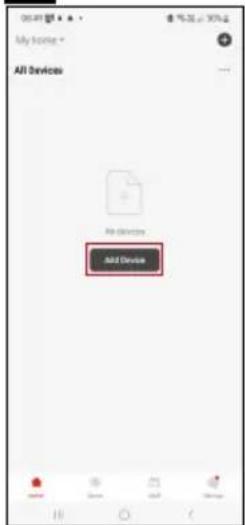
Emos EGS0102 - Sisällys - 2

text_image My home * All Devices Add Device

m = 311
Emos EGS0102 - Sisällys - 3

text_image Thu: 25 Mio Home control Home output

The image is too blurry to recognize any text content.
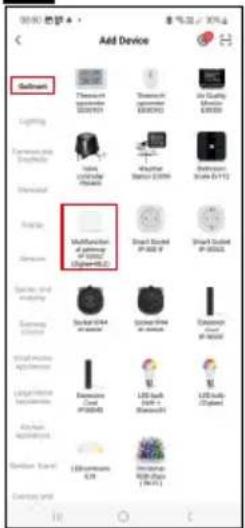
Emos EGS0102 - Sisällys - 4

text_image Add Device Balance Thermost Sensified 2019/01 Thermost Sensified 2019/02 Air Quality Sensified 2019/03 Lighting Cannabis and Sprout Mobile Sensified 2019/04 Lighting Sensified 2019/05 Lighting Sensified 2019/06 Lighting Sensified 2019/07 Lighting Sensified 2019/08 Lighting Sensified 2019/09 Lighting Sensified 2019/10 Lighting Sensified 2019/11 Lighting Sensified 2019/12 Lighting Sensified 2019/13 Lighting Sensified 2019/14 Lighting Sensified 2019/15 Lighting Sensified 2019/16 Lighting Sensified 2019/17 Lighting Sensified 2019/18 Lighting Sensified 2019/19 Lighting Sensified 2019/20 Lighting Sensified 2019/21 Lighting Sensified 2019/22 Lighting Sensified 2019/23 Lighting Sensified 2019/24 Lighting Sensified 2019/25 Lighting Sensified 2019/26 Lighting Sensified 2019/27 Lighting Sensified 2019/28 Lighting Sensified 2019/29 Lighting Sensified 2019/30 Lighting Sensified 2019/31 Lighting Sensified 2019/32 Lighting Sensified 2019/33 Lighting Sensified 2019/34 Lighting Sensified 2019/35 Lighting Sensified 2019/36 Lighting Sensified 2019/37 Lighting Sensified 2019/38 Lighting Sensified 2019/39 Lighting Sensified 2019/40 Lighting Sensified 2019/41 Lighting Sensified 2019/42 Lighting Sensified 2019/43 Lighting Sensified 2019/44 Lighting Sensified 2019/45 Lighting Sensified 2019/46 Lighting Sensified 2019/47 Lighting Sensified 2019/48 Lighting Sensified 2019/49 Lighting Sensified 2019/50

56
Emos EGS0102 - Sisällys - 5

text_image Add Device SMART GATEWAY IP-1000Z Close

The image is too blurry to recognize any text content.
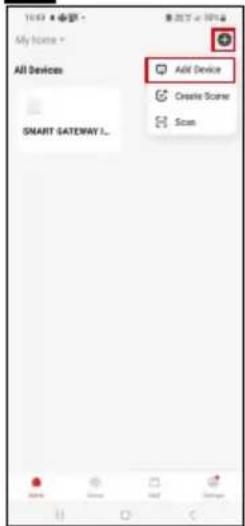
Emos EGS0102 - Sisällys - 6

text_image 10:52 My Home All Devices SMART GATEWAY... Add Device Create Scorer Scan

m = 311
Emos EGS0102 - Sisällys - 7

text_image Add Device Lighting Temperature Maxim 10000 Air Quality Minimum 25000 Temperature and Condition Speed Temperature Maxim Weather Minimum 3500V Extrusive Minimum 4500V Energy Efficiency at saturation of 600Ω (Chip=40Ω) Multifunction at saturation of 600Ω (Chip=40Ω) Direct Schematic IP: 200 V Direct Schematic IP: 200Ω Energy Storage Schematic IP: 200V Schematic IP: 200Ω Distance at Schematic (Chip=40Ω) Local Home Applification Extrusive Coul IP: 200Ω LED Switch (Pull +) Bluetooth (Chip=40Ω) LED Switch (Pull +) Windows USB Chain

m = 311
Emos EGS0102 - Sisällys - 8

text_image Add Device Smart GATEWAY IP-10002 Cancel

Emos EGS0102 - Sisällys - 9

text_image 9 5 s Pairing button

Emos EGS0102 - Sisällys - 10

text_image 10 Reset the device Remove the back cover and the plastic battery separator. The red light should automatically begin flashing red. If not, press and hold the bottom under the battery and the light starts flashing Next

Emos EGS0102 - Sisällys - 11

text_image 1054 焊門店 X Reset the device Confirm that the light is flashing. Back Next

Emos EGS0102 - Sisällys - 12

text_image 1204 Reset the device Back Next

Emos EGS0102 - Sisällys - 13

text_image Add Device Thermometer E050/102 Add Temperature Done
text_image Thermometer 2007182 Temperature: 23.8 °C Temperature comfortable for comfortable Temperature °C Funding's 5 4 3 2 1 Smart Set
text_image 1020 Set Temperature alarm -9.0°C 60°C Humidity alarm 0% 100% Battery level state High Unit convert °C > Temp Calibration 0.0°C > Humidity Calibration 5% > Alarms On Low Battery Alarm

Asetukset

Lämpötilahälytin

Lämpötilahälytys.

text_image Thermometer EGS0102 Device Information Tap-to-Run and Automation Hot-junction Control Alive Google Automatic Device Office Notification Offline Notification Others Share Device Create Group FAQ & Feedback Add to Home Screen Device Update No updates available Remove Device

Emos EGS0102 - Lämpötilahälytin - 1

text_image Temperature Humidity Year Month Year 23.8°C 2024/05/04

Emos EGS0102 - Lämpötilahälytin - 2

text_image Date graph Temperature Email address Please enter email address Cancel Confirm
natural_image White 3D-rendered electronic device with a thermometer icon and water droplet symbol on top (no text or labels)

Emos EGS0102 - Lämpötilahälytin - 3

Indhold

text_image QR code with a red logo in the center, likely linking to a digital resource or website.

Emos EGS0102 - Indhold - 1

Emos EGS0102 - Indhold - 2

Termometeret kan styres med en mobilapp til iOS eller Android.
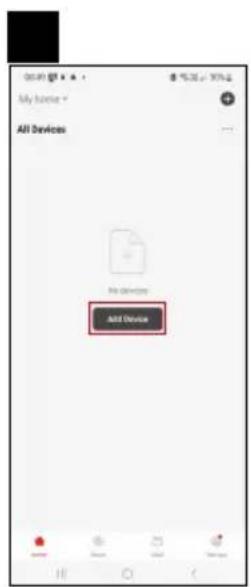
text_image 1 2 Log In Enter Up

Emos EGS0102 - Indhold - 3

text_image All Devices Add Device

Emos EGS0102 - Indhold - 4

text_image Thu, 25 May Phone number Mobile support

Emos EGS0102 - Indhold - 5

text_image Add Device Balance Thermal power (0.0001) Thermal power (0.0002) Air Quality Monitor (0.0003) Lighting Energy source Battery Power source Battery (250V) Battery (24V-17V) Energy Battery Multifunctional of application or type: (Unlabeled) Standard Rated P 500 V Standard Rated P 500 V Battery and battery Battery Battery Battery Battery Battery Battery Battery Battery Battery Battery Battery Battery Battery Battery Battery Battery Battery Battery Battery Battery Battery Battery Battery Battery Battery Battery Battery Battery Battery Battery Battery Battery Battery Battery Battery Battery Battery Battery Battery Battery Battery Battery Battery Battery Battery Battery Battery Battery Battery Battery Batteries and battery Battery with battery Battery with battery Battery with battery Battery with battery Battery with battery Battery with battery Battery with battery Battery with battery Battery with battery Battery with battery Battery with battery Battery with battery Battery with battery Battery with battery Battery with battery Battery with battery Battery with battery Battery with battery

Emos EGS0102 - Indhold - 6

text_image 5 6 Add Device SMART GATEWAY IP 1000Z Close

Emos EGS0102 - Indhold - 7

text_image Add Device Create Scene Scan Smart GATEWAY...

Emos EGS0102 - Indhold - 8

text_image Add Device Goldwind Lighting Electronic and Electronic Electrical Voltage Power Power and Power Battery Battery Smartphone Smartphone Smartphone Smartphone Smartphone Smartphone Smartphone Smartphone Smartphone Smartphone Smartphone Smartphone Smartphone Smartphone Smartphone Smartphone Smartphone Smartphone Smartphone Smartphone Smartphone Smartphone Smartphone Smartphone Smartphone Smartphone Smartphone Smartphone Smartphone Smartphone Smartphone Smartphone Smartphone Smartphone

Emos EGS0102 - Indhold - 9

text_image Add Device Smart GATEWAY IP-180X2 Cancel

Emos EGS0102 - Indhold - 10

text_image 9 5 s Pairing button

Emos EGS0102 - Indhold - 11

text_image 10 15:54 印刷合 × Reset the device Remove the back cover and the plastic battery separation. The red light should automatically begin flashing red. If not, press and hold the better under the battery until the light starts flashing. Next

Emos EGS0102 - Indhold - 12

text_image 1254 전반 Vol 10% - 68% Reset the device Confirm, that the light is flashing. Back Next

Emos EGS0102 - Indhold - 13

text_image 100% 返回 X Reset the device Back Next

Emos EGS0102 - Indhold - 14

text_image Add Device Thermometer EGS/102 Store

Parring af Zigbee-gatewayen med appen

text_image Thermochemical 2007182 Temperature 23.8 °C Temperature 46 °C Temperature comfortable/air comfortable Temperature C Kundry's Smart Set
text_image 10:20 Set Temperature alarm -9.0°C 60°C Humidity alarm 0% 100% Battery level state High Unit convert °C > Temp Calibration 0.5°C > Humidity Calibration 3% > Alarm On Low Battery Alarm

Indstillinger

Alarm om temperatur
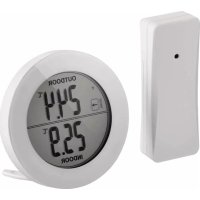
text_image Thermometer EGS0102 Device Information Tap-to-Run and Automation Third-party Control Alive Google Assistors Device Office Notification Offline Notification Others Share Device Create Group FAQ & Feedback Add to Home Screen Device Update No updates available Remove Device

Emos EGS0102 - Alarm om temperatur - 1

text_image Temperature Humidity Day Month Year 23.8°C 2024/05/04

Emos EGS0102 - Alarm om temperatur - 2

text_image Date graph Temperature Email address *Write enter email address Cancel Confirm

Avancerede indstillinger

Table of contents Click a title to access it
Manual assistant
Powered by Anthropic
Waiting for your message
Product information

Brand : Emos

Model : EGS0102

Category : Thermometer