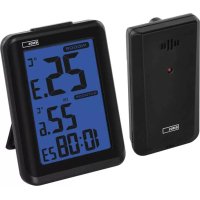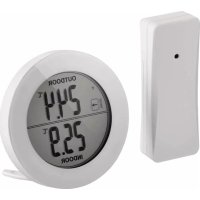
E0129 - Thermometer Emos - Free user manual and instructions
Find the device manual for free E0129 Emos in PDF.



| Product type | Wireless indoor/outdoor thermometer |
| Indoor temperature range | -10 °C to 50 °C |
| Outdoor temperature range | -30 °C to 50 °C |
| Measurement accuracy | ±1.5 °C |
| Temperature resolution | 0.1 °C |
| Temperature units | °C / °F (switchable) |
| Wireless sensor range | 80 m (in open space) |
| Thermometer power supply | 2 AAA 1.5 V batteries (alkaline) |
| Outdoor sensor power supply | 2 AAA 1.5 V batteries (alkaline) |
| Display | Indoor and outdoor temperatures, trend, MAX/MIN |
| Low battery indicators | Yes (for thermometer and sensor) |
| Wall mounting | Hanging holes on the back (thermometer and sensor) |
| Table stand | Yes (thermometer) |
| Sensor weather resistance | Resistant to water drops, avoid permanent rain |
| Cleaning | Soft slightly damp cloth, no solvents |
| Safety | Do not expose to water, fire, extreme temperatures; keep out of reach of children |
| Repairability | Repair only by a qualified specialist |
| Compliance | Directive 2014/53/EU (declaration available online) |
| Dimensions | Not specified |
| Weight | Not specified |
Frequently Asked Questions - E0129 Emos
User questions about E0129 Emos
0 question about this device. Answer the ones you know or ask your own.
Ask a new question about this device
Download the instructions for your Thermometer in PDF format for free! Find your manual E0129 - Emos and take your electronic device back in hand. On this page are published all the documents necessary for the use of your device. E0129 by Emos.
USER MANUAL E0129 Emos
Indoor temperature (IN): -10 °C to 50 °C
Outdoor temperature (OUT): -30 °C to 50 °C
Measurement accuracy: ±1.5 °C
Temperature resolution: 0.1 °C
Temperature display unit: °C/°F
Wireless sensor range: 80 m
Power supply:
Thermometer 2× 1.5 V AAA
Wireless sensor 2× 1.5 V AAA
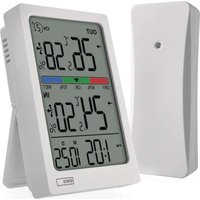
Main Unit Description
(see Fig. 1)
1 – Signal reception from wireless sensor
2 – Outdoor temperature trend
3 – Indicator of low battery in the thermometer
4 – Outdoor temperature
5 – Indicator of low battery in the wireless sensor
6 - MAX/MIN outdoor temperature
7 - MAX/MIN indoor temperature
8 – Indoor temperature
9 – (C/F) button for switching between °C or °F units
10 – Opening for hanging on a wall
11 – (MAX/MIN) button for switching/erasing maximum and minimum readings
12 - Battery cover
13 - Stand
Wireless Sensor Description
(see Fig. 2)
14 – LED indication (flashes when sending signal to the thermometer)
15 – Opening for hanging on a wall
16 - Battery cover
Getting Started
- Insert two batteries (1.5 V AAA) into the thermometer. Indoor temperature will be displayed.
- Insert two batteries (1.5 V AAA) into the wireless sensor.
- The thermometer will pair with the sensor within 1 minute and outdoor temperature will be displayed.
Note: Only use 1.5 V alkaline batteries; do not use rechargeable 1.2 V batteries. Lower voltage may cause both of the units to not function. Make sure to observe the correct polarity of the batteries according to the drawing at the bottom of the battery compartment.
If the thermometer is not showing data from the outdoor sensor, check:
- Distance of the thermometer or sensor from sources of interference such as computer monitors or TV sets. The distance should be at least 2 meters.
- Whether the thermometer or sensor is not in the proximity of metal objects and frames (such as window frames).
- Whether the thermometer's functionality is not affected by other devices using a similar frequency (wireless headphones, wireless blinds control, gate control, garage door control etc.), or wireless devices used in the immediate vicinity.
- We recommend placing the sensor on the north side of the house. The range of the sensor may decrease substantially in areas with large number of obstacles.
- The sensor is resistant to dripping water; however, it should not be exposed to sustained rain. Do not place the sensor on metal objects as this will reduce the transmission range.
Outdoor and Indoor Temperature, °C/°F Temperature Unit Setting
Outdoor temperature value is shown in the top half of the display in the OUTDOOR field.
Indoor temperature value is shown in the bottom half of the display in the INDOOR field.
Press the °C/°F button repeatedly to switch between °C and °F unit of temperature (use a thin dull object, such as a paper clip).
Display of Maximum and Minimum Temperature Reading
Repeatedly press the MAX/MIN button to display maximum and minimum temperature readings.
Long-press the MAX/MIN button to erase the memory of measured values.
Outdoor Temperature Trend
Arrow icon next to outdoor temperature; no. 2.
Shows the temperature trend for the upcoming period based on the difference between the last two readings.
| Indicated on the display | |||
| Temperature trend rising constant falling | |||
Upkeep and Maintenance
- Read the manual carefully before using this product.
- Do not expose the product to direct sunlight, extreme cold and moisture, and sudden changes in temperature as these may compromise detection accuracy.
- Do not place the product in locations prone to vibration and shocks; these may cause damage.
- Do not expose the product to excessive force, impacts, dust, high temperatures or humidity; they may cause malfunction, shorter battery life, damage to batteries and deformation of plastic parts.
- Do not expose the product to rain or moisture, it is not designed for outdoor use.
- Do not place any open flame sources on the product, e.g. a lit candle, etc.
- Do not place the product in places with inadequate air flow.
- Do not tamper with the internal electric circuits of the product. Doing so might damage it and automatically void the warranty. The product should only be repaired by a qualified professional.
- To clean the product, use a slightly moistened soft cloth. Do not use solvents or cleaning agents; they could scratch the plastic parts and cause corrosion of the electric circuits.
- Do not immerse the product in water or other liquids.
-
The product must not be exposed to dripping or splashing water.
-
In the event of damage or defect on the product, do not perform any repairs by yourself. Have it repaired in the shop where you bought it.
- Place the product out of reach of children; it is not a toy.
- Remove flat batteries; they could leak and damage the product. Use only new batteries of the recommended type and make sure polarity is correct when replacing them
- Do not throw batteries into a fire and do not disassemble or short-circuit them.
- This device is not intended for use by persons (including children) whose physical, sensory or mental disability or lack of experience and expertise prevents safe use, unless they are supervised or instructed in the use of the appliance by a person responsible for their safety. Children must always be supervised and must never play with the device.
After use, the thermometer and batteries become hazardous waste – do not throw them into unsorted municipal waste, but return them to a collection point – e.g. the shop where you purchased the product.
Hereby, EMOS spol. s r. o. declares that the radio equipment type E0129 is in compliance with Directive 2014/53/EU. The full text of the EU declaration of conformity is available at the following internet address: http://www.emos.eu/download.