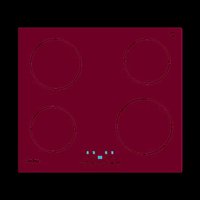
IBG 6304 BK - Cooker CATA - Free user manual and instructions
Find the device manual for free IBG 6304 BK CATA in PDF.


| Product type | Built-in induction hob |
| Brand | CATA |
| Model | IBG 6304 BK |
| Number of cooking zones | 4 |
| Dimensions (L x D x H) | 590 x 520 x 55 mm (approx.) |
| Weight | 8 kg (approx.) |
| Supply voltage | 220-240 V ~ 50/60 Hz |
| Maximum total power | 7200 W (depending on configuration) |
| Main functions | 9 power levels, Booster, Timer (independent and per zone), Pause, Key lock (child safety), Residual heat indicator (H), Automatic safety shutdown |
| Control type | Touch sensitive (touch controls) |
| Display | LED for each zone and timer |
| Safety | Key lock (LO), automatic shutdown after inactivity, pan detection, overheating protection |
| Recommended cookware | Magnetic base (ferritic stainless steel, enameled cast iron, enameled steel); minimum diameter 12 cm |
| Care instructions | Clean with scraper and suitable product; do not use metal sponges or steam cleaner |
| Installation | Built-in; requires adequate ventilation; electrical connection by a professional |
| Standards | Directives 2014/35/EU and 2014/30/EU |
| Energy class | Not specified (probably A or higher) |
Frequently Asked Questions - IBG 6304 BK CATA
User questions about IBG 6304 BK CATA
0 question about this device. Answer the ones you know or ask your own.
Ask a new question about this device
Download the instructions for your Cooker in PDF format for free! Find your manual IBG 6304 BK - CATA and take your electronic device back in hand. On this page are published all the documents necessary for the use of your device. IBG 6304 BK by CATA.
USER MANUAL IBG 6304 BK CATA
THIS APPLIANCE IS CONCEIVED FOR DOMESTIC USE ONLY. THE MANUFACTURER SHALL NOT IN ANY WAY BE HELD RESPONSIBLE FOR WHATEVER INJURIES OR DAMAGES ARE CAUSED BY INCORRECT INSTALLATION OR BY UNSUITABLE, WRONG OR ABSurd USE.
The manufacturer declares that this product meets all the essential requirements for low voltage electrical material set out in European directive 2014/35/EU and for electromagnetic compatibility as required by European directive 2014/30/EU.
PRECAUTIONS
- When the hob is in use keep all magnetizable objects away (credit cards, floppy disks, calculators and so on).
- Do not use any alluminium foil or place any foodstuffs wrapped in alluminium foil directly on the hob - do not place any metal objects such as knives, forks, spoons and lids on the hob surface as they will heat up.
- When cooking in a non-stick pan without seasoning, do not exceed 1-2 minutes' preheating time.
- When cooking food that may easily stick, start at a low power output level and then slowly increase while regularly stirring.
- After cooking is finished, switch off using the control provided (turn down to "0"), and do not rely on the pan sensor.
If the surface of the hob is damaged immediately disconnect the appliance from the mains to prevent the possibility of electric shock. - Never use a steam cleaner to clean the hob.
-
The appliance and accessible parts may be hot during operation.
Take care to avoid touching the heating elements. -
Children less than 8 years of age should be kept at a safe distance unless continuously supervised.
- This appliance may be used by children aged 8 or over and by persons with reduced physical, sensory or mental capabilities or lack of experience and knowledge, if they are supervised and have received suitable instructions on safe use of the appliance and understand the dangers involved. Children must not play with the appliance. User maintenance and cleaning should not be carried out by children except under constant supervision.
- Cooking with grease or oil may be dangerous and cause a fire if left unattended. NEVER try to extinguish a fire with water. Rather, disconnect the appliance and then cover the flames with a cover or sheet, for example.
- The cooking process has to be supervised. A short term cooking process has to be supervised continuously.
- Unattended cooking on a hob with fat or oil can be dangerous and may result in a fire.
- Fire hazard: do not store elements on cooking surfaces.
Only counter top protectors designed for use with the cooking appliance and listed in the manufacturer's instructions should be used as suitable protection for the counter top incorporated in the appliance. Use of unsuitable protectors may cause accidents.
- WARNING: Accessible parts will become hot when in use. To avoid burns and scalds, children should be kept away.
Insert in the fixed wiring a mean for disconnection from the supply mains having a contact separation in all poles that provide full disconnection under overvoltage category III conditions, in accordance with the wiring rules. The plug or omnipolar switch must be easily 9eached on the installed equipment.
This appliance is not intended to be used via
an external timer or a remote control system. The manufacturers decline any responsibility in the event of non-compliance with what is described above and the accident prevention norms not being respected and followed.
To avoid all risk, if the power cable becomes damaged, it must only be replaced by the manufacturer, by an authorised service centre, or by a qualified electrician.
OPERATING PRINCIPLE (FIG. 1)
It exploits the electromagnetic properties of most cooking vessels. The coil (inductor) which produces the electromagnetic field is operated and controlled by the electronic circuit.
The heat is transmitted to food by the cooking vessel itself.
The cooking process takes place as described below.
- loss of heat is minimum (high efficiency)
- the system stops automatically when the vessel is removed or even just lifted from the hob
- the electronic circuit guarantees maximum flexibility and fine adjustments.
(Fig. 1)
1 Vessel
2 Induced current
3 Magnetic field
4 Inductor
5 Electronic circuit
6 Power supply
User's Instructions (Fig. 2)
1 ON/OFF
2 Minus -
3 Plus +
4 Cooking zone
5 Key lock
6 Timer
7 Booster
8 Pause
Installation
All operations relative to installation (electric connection) should be carried out by skilled personnel in conformity with the rules in force.
As for the specific instructions see part pertaining to installer.
Switching the Touch Control ON/OFF
After mains voltage is applied the control initializes for approx. 1 second before it is ready for operation.
After a reset all displays and LEDs glow for approx. 1 second. When this time is over all displays and LEDs extinguish and the control is in the stand-by mode.
Press the ON/OFF (1) button to switch the touch control on.
The cooking zone displays show a static " - "
If a cooking zone is in the "hot" status, the display shows a "H" alternately instead of "-".
After switching-ON the electronic control remains activated for 60 seconds. If no cooking zone or timer selection follows within this period of time, the electronic control automatically switches back into the stand-by-mode. The control can only be switched-ON if it
identifies the ON/OFF key alone being operated. Should it recognize key activation other than that, the control remains in the standbymode.
If the child safety feature is active when switching on, the LED display upper timer show "Lo", (LOCKED). When the Touch Control is ON it can be switched- OFF at any time by operating the ON/OFF key. This is also valid if the control has been locked (activated child safety feature).
The ON/OFF key has always priority in the switch-OFF function.
Automatic switch-OFF
When the control is ON it automatically switches-OFF after 60 seconds if no cooking zone or select key has been operated within this period of time.
Switching a cooking zone ON and OFF
First place the pan in the chosen cooking zone.
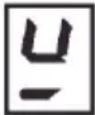
If the touch control is switched on, the cooking zone can be selected by pressing the button (4) of the corresponding zone.
The LED display of the zone selected changes from " - to "5". if the cooking zone is "hot", "H" will be alternately displayed.
Press the PLUS (3) or MINUS (2) button to select a setting and the zone will begin to heat up.
Once the cooking zone has been selected, the setting can be selected. The setting begins at level 5, change the setting by pressing the PLUS (3) or MINUS (2) to the level you want to use..
When setting "0" or "9" is reached, there will be no further setting changed. The setting can only be changed by pressing the MINUS (2) or PLUS (3) button again.
Switching a cooking zone off
Select the zone to be switched off using the corresponding button (4). The LED display of the zone selected will flash, while the remaining displays still show " -". Press the PLUS (3) and MINUS (2) buttons at the same time and the setting level of the zone is changed to 0. Alternatively, the MINUS button (2) can be used to reduce the setting level to 0.
If a cooking zone is "hot", "H" will be alternately displayed.
Switching-OFF all cooking zones
Immediate switching-OFF of all cooking zones can be achieved anytime by means of the ON/OFF key. In the standby-mode an "H" appears on all cooking zones which are "hot". All other cooking zone displays are not illuminated.
Wattage settings
The output of the cooking zones can be set in 9 steps which are indicated by the figures "1" thru "9" by means of LED displays.
In the cooking zone located on the front left, when selecting the power level 9 and after 30 minutes operating, the power will decrease slightly for safety reasons. In case more power is required, select the boost level ("P")
Boost function
After selection of a respective cooking zone, the boost function can be activated by selecting button (7). By means of this function certain cooking zones are enabled to receive power over the nominal (the number of boostable cooking zone depends on the power available on a partial modules which is to be less than total hob power). If the desired cooking zone has the capacity to activate the booster, the display shows a "P" symbol. The boosting time is limited
to 5 min to protect cooking utensils. After the booster is switched off automatically, the cooking zone continues operation on power level "9". The booster can be reactivated after some minutes.
In case that the pan is removed from the cooking zone during boosting, the boosting function remains active and boosting time continues.
The power management is based on on the principle that the last entry is requested by the induction as top priority. That means that previous actions and settings also made for the other cooking zones are reversed automatically, if necessary.
- If induction identifies the necessity of reducing power at a cooking zone, the selected cooking stage flashes on that cooking zone providing a correction period of 3 sec before the power is reduced automatically to a minimum cooking stage.
- If the setting is adjusted within the correction period, the power management checks the settings again. Should a new setting lead to further power reduction, the correction period starts again.
- If no automatic correction needs being made to the cooking zone setting, the flashing stops immediately and the original value remains as a steady display indication. Should the situation change again on the power reduced cooking zone, no automatic power increase is effected.
Residual heat indicator
It is meant to indicate to the user that the glass ceramic has a dangerous touch temperature in the circumference of a cooking zone. The tempera-ture will be determined following a mathematical model and the remaining residual heat will be indicated by means of "H" on the corresponding zone display.
Heating-up and cooling down will be calculated dependent on:
- the selected setting ("0" to "9")
the ON/OFF time.
After switching-0FF the cooking zone the respective display shows "H" until the assigned cooking zone temperature is mathematically in a uncritical level. (≤ 60^)
Automatic power OFF function (operating time limitation)
Dependent on the selected setting, every cooking zone will be switched-OFF after a defined maximum operation time if no operation of the assigned cooking zone follows within this time period. Every change of the cooking zone condition (by means of the PLUS-, MINUS- key) puts back the maximum operation time of this cooking zone to the initial value of the operating time limitation.
Key lock (child safety feature)
Child safety feature:
Key lock:
After switching-ON the control the child safety feature can be activated. Press button (5) the key lock function will be activated. There will be an "Lo" above timer key (6), meaning LOCKED (child safety feature against unintended switching-ON). The electronic control remains in a locked condition until it gets unlocked, even if the control has been switched OFF and ON in the meantime. Also, a reset of the control (after a voltage drop) does not cancel the key lock.
Cancelling the key lock:
To unlock and operate the control it is required to Press and hold the button (8) for 3 seconds, the key lock function will be cancelled. "Lo" (LOCKED) in the display extinguishes. Audible signal (buzzer)
While the control is in operation the following activities will be signaled by means of a buzzer:
normal key activation with a short sound signal.
Timer function (optional)
The timer function is realized in two versions:
- Stand-alone timer 1..99 min: sound signal when the time is over (= minute minder). This function is only available when the cooktop is not in operation, i.e. when there is no cooking.
- Cooking zone timer 1..99 min: sound signal when the time is over, four cooking zones can be programmed independently.
Timer as minute minder (stand-alone):
- If the control is ON and no cooking zone selected, the standalone-timer can be used by pressing button (6).
-
Adjustment range (0-99min), it can be set in 1-minute steps with MINUS (2) and PLUS (3). Press button (6) to set minutes, after that press button (6) again to set dozens of minutes.
-
Adjustment can be made by tip-operation (with sound signal) After the timer is set the time runs down according to the adjustment. When the time is over there is a sound signal and the timer display blinks.
The sound signal will be stopped
- automatically after 10 sounds Then the blinking of the timer display stops and the display extinguishes.
Switching-OFF/changing the timer
The timer can be changed or switched-off anytime by simultaneously operating MINUS (2) and PLUS (3) keys. (with sound signal). The timer will be switched off by counting down to "0" with the minus-key.
For 5 seconds the timer display remains at "0" before it will be switched-off.
Timer programming on cooking zones
When the control is switched ON, an independent timer can be programmed for every cooking zone.
- To use the cut off timer, make sure the control is ON, selecting the cooking zone (4) and the zone LED display blinks, pressing button (6) and timer display shows "10".
- Adjustment range (0-99min), it can be set in 1-minute steps with MINUS (2) and PLUS (3). after setting minutes, press button (6) again to set dozens of minutes. Then wait for 5 seconds the timer on independent zone is activated.
- During timer programming, a red dot next to pilot light of the selected cooking zone flashes to indicate the zone is under timer status.
- When the timer has run down, there is a sound signal and the timer display shows "--" statically.. The programmed cooking zone will be cut off and "H" will be displayed if the cooking zone which is hot, otherwise a stroke will show in the cooking zone display.
- The sound signal and the blinking of the timer LED will be stopped automatically after 10 sounds and the timer display extinguishes.
- The basic behaviour follows the description of the "minute minder" (stand-alone-timer).
Pause function (optional)
Pause function is to stop all heating but still keep all the setting you set, in case your have any interruption when cooking. You can revert all setting back easily with this function.
To use Pause function
Touch the button (8), all the hearting zones stop working, All the zone indicators show "II".
Cancel Pause function
Touching the button (8) again, all the heating zones will revert to its original setting.
NOTE: The function is available when one or multi heating zones are working.
NOTE: If you don't cancel the stop Pause mode within 30 minutes, the induction hob will automatically switch off.
Cooking vessels (Fig. 3)
- a magnet-attracting vessel may be a suitable vessel for induction cook-ing
- prefer vessels which are especially declared to be suitable for induction cooking
- flat and thick bottomed vessels
- a vessel with the same diameter as zones ensures the maximum exploitation of power
- a smaller vessel reduces power exploitation, but does not cause any energy loss. We would anyhow not recommend the use of vessels with diameters smaller than 12cm .
- stainless-steel vessels with multi-layer or ferritic stainless-steel bottoms when specifically suited for induction cooking
- cast-iron preferably enamel-bottomed vessels to avoid scratching the pyroceram surface
- we do not recommend the use of any glass, ceramic, earthenware alluminium, copper or non-magnetic (austenitic) stainless steel vessels.
Maintenance (Fig. 4)
By means of a scraper immediately remove any aluminum foil bits, food spills, grease splashes, sugar marks and other high sugar content food from the surface in order to avoid damaging the hob.
Subsequently clean the surface with some towel and appropriate product, rinse with water and dry by means of a clean cloth. Under no circum-stance should sponges or abrasive cloths be used; also avoid using aggressive chemical detergents such as oven sprays and spot removers.
Installer's Instructions
Installation
These Instructions are for the qualified technician, as a guide to installation, adjustment and maintenance, according to the laws and standards in force. These operations must always be carried out when the appliance has been disconnected from the electric system.
Positioning (Fig. 5)
The fixture is especially designed for fitting into a work-top as shown in the corresponding figure.
Place the supplied sealing agent along the hob perimeter.
Do not install the hob over an oven; in case you do, make sure of the following:
-
the oven is equipped with an appropriate cooling system
-
there is no warm-air leakage from the oven towards the hob - suitable air-inlets are provided as shown in the figure.
Electrical connection (Fig. 6)
Prior to carrying out the electrical connection, please ensure that:
- the plant characteristics are such as to follow what is indicated on the matrix plate placed at the bottom of the working area;
- that the plant is fitted with an efficient earth connection, following the standards and law provisions in force.
The earth connection is compulsory in terms of the law.
Should there be no cable and/or plug on the equipment, use suitable absorption material for the working temperature as well, as indicated on the matrix plate. Under no circumstance must the cable reach a tempera-ture above 50^ of the ambient temperature.
IT
QUESTO PRODOTTO E STATO CONCEPITO PER UN IMPIEGO DI TIPO DOMESTICO. IL COSTRUTTORE DECLINA OGNI RESPONSABILITA NEL CASO DI EVENTUALI DANNI A COSE O PERSONE DERIVANTI DA UNA NON CORRETTA INSTALLAZIONE O DA USO IMPROPRIO, ERRONEO OD ASSURDO.
VOORZORGSGMAATREGELEN
Sakerhetsmekanism for barn:
Knapplås:
H diaikaiia maayepaic npaypatonoeitai onwc nepypapetai napakatw.
To nAikto npoosoiac exi nadvote npotepaioTta otn aeitovpyia tnc anevpyooninns.
Autoupatn anevepyooin
PnHcunbl paObI OCHOBaHbI Ha 3neKTPomarHHTbIX CBOJCTBAX KaCTPHOB, CKOBOPoDK INHOH NOCydb IIN PnIRTOBHeHINIIN.
HnyknoHHa KaTyuKa ynpabIaeTcAeKtpOHn CXEmo Dnco3daHn CInbHOro MaHTHOrO NoJ.
Tennno nepedaetcn npoayktaam nttanrO t cAmOn nocydb.
Bapka npoodykTOB n npiroTOBneHHe NmU OcyuecTBnEeTc CneDyHOUM 06pa30M:
-MNHIMaJIbHaI DaIcIepCnA (BbICoKa 3ΦΦeKTHBHOCTb)
- CHTne KAcTpHOMC30HbBapKn (IINI pOcTO ee IODHrTne BBepx) ABToMaTHueCKN 6bOKnpyET CNTeMy.
- 3NeKtPoHHa CNTeMa OByCnAbNbAeT MaKcMaNbHyIg TIOKOCTb N TOHKOCTb perynipOBKn.
(Pmc.1)
1 KacrtjnoIa
2 NHyDyUPOBaHnBbTOK
3 MarHMTHoe none
4 INyKTop
5 3eKtpoHnHa cxema
6 3eKtpnueckoe noDknIkyehne
Hnctpykun nIy noIb3oBaTeIa(Pnc.2)
1 BkIIOUeHnE N BbIKJIIOUeHnE
2y6aBntb"
3ПибавИтв"''+
430Ha npriroTOBHeHn
5BnOKIpOBKaKnabN
6 TaMep
7. Byctep
8.Пay3a
Montax
Bce onepaun no MoTaky (3eKtpueckne noknouehna) doJXhbl npOn3BODntbCra TBJko KBaHmNpUPOBaHHbIM nepcoHaON M B COOTBeCTBUN C cyuectByoUMM HopMaTNBAAM.
B Pa3dene "Длma MOHTaЖнka" npmbdeHb BCE noIpo6hOCTmoTataKa.
BkIoueHne N BbIKIOueHne (Touch Control)
Pocne noKJUeyHn K cTe nTahn yKe uepe3 ceyHny Touch Control 6ydet aKTHBnPOBaH.
Pocie 6poca Bcex DnCnneB, CBeTOIOHbIe INDkAToPbI 6ydy MT MfA Tb np6mntelbHO B Teeyne OOnH cekHybl. Pocie 3TOrO BCE nCCTIe I nCBTeODnHbe HnDKaToPbI Norachyt, n Touch Control nepeJeT B coCTOHNoOxKJdHa.
HaKMMTe KHOKNy BKIOUeHn/BBIKIOUeHn (1) IINB KIOUeHn ceHCOPHO ynpabHeHn.
Ha nncnex B 30hax BapKn Bbl yBnnte «—» B cnuyae «ropeHHa OndH 30h BapKn (blicokar TemnepaTpa), Ha nncnnee nonepemehno oTo6paaetc 6yKba «H» BmecTO «-».
Iocne BkHouenH, Touch Control 6ydtakmbupoBb TteueHn 60 ckynd. B TOM Cnyae,ecnn Bb He Bbipann Hn 3ohy BapKn,Hn TaMep,Touch Control aBTOMaTNUeCKNe BepHeTcB PexmOxNdaHn.
Touch Control Bknoaetc B pa60ty haxatmeB Cero Nnub OndH Knabu HntaHn.
Bcnyae ecn BbHaxanOndOBpeMeHHKNaBnuy nIpytnaNnI pyrtne KnaBnun, He 6ydt npOn3BeHeo HnKaKOro DeCTBnur, n Touch Control ocTahetcB pexmme OxndaHn. Ecn B MOMENT BKIOUeHnA kTNMBPOBaHO npNCNoCo6JIeHne 6e30NaCHoctn DnI dTeer, Ha CBeToNDHOm IINCTIIe BepXHero TaMepa OTO6paKaEtC4 «Lo(3ABIOKPOBAHO). Touch Control MOxHO B IIO6oB MoMeHT BBKIOUHTb KNaBnuei NITAHn. 3To MOxHO cENaTb DaJce B Tex CUYaHX, KOrDa ynpabHeHne 3a6NOkPBOaHO nocpeCTBOM pncNoCo6JIeHn 6e30NaCHoctn DnI dTeer.
KlaBnua nntaHna BcTeHa MeeT npnopTuT dA BbIKIOueHnA.
ABTomaTHueCKoe BbIKIOUeHHe
Pocne BkIouhen, Touch Control BbIKIOaetcA bTOMaTHueckn uepe3 60 ckyHnpn OTCyTcbm DeiCTbn.
BkIIOueHne/BbIKIOueHne 3Ohbl BApKN.
IOCTaBbTe KaCTpIJIHO HA COOTBeTcTBYIOUO 3OHy BApKN.

Пи BкнчсHOM CECOPHOM ynpaBleHIM MOxHb Bbl6paTb JIO6yO 30Hy BapKn HaxKaTHe KHOKNBb6opa COOTBETCTByOuEi 30HbI (4).
CBeTNOHbI INHnKaTOP BbIpaHNo 30Hb I N3MeHntc C «» Ha «5>.ecN 30HaBapKn «Topraa», to 6ydt MIRATb CmBON «H>.HaKIma KHOKN «PIIOC» (3)u «MNHYC» (2), MoKHO BbIpaTa HeoXoDnMb ypOBeHb MoUHocTn, n 30HaHauHET HArpeBaTbC.
NocBb60a30HbBapKMOKHO Bb6paTb HactpoKy.HactpoKa HaunHaetca Ha yopBHe 5, m3MeHnTe HactpoKy, HaxmamA «ΠIOC» (3) nnn «MMHC» (2), do yopBn, KOTOpB bbl XOTne HcNOb3ObaTb. Korda 6ydt DoCTnHyTa YctahOBka «0» nnn «9», daNBHeuWne HactpoKn He 6ydy Tm3MeHnBu. HactpoKy moXho m3MeHnTb ToIbKO NOBtOpbHIM HaxaTHem KnabuW «MHNYC» (2) nnn «ΠIOC» (3).
BbIKIIOueHue 3OhbI Bapku
Bb6epute 30Hy, KOtopyHO Heo6xOIMMO OTKIOUHTb, PnnpomoucoTBeCTBykOe KHNKn (4). CBeToOnDhbl DnCnnE Bb6paHNO 30Hb6yTeMIRaTb, a Ha OCTaIbHBIX DcNpEnX No-tpexHemy 6yTe OTb6paKaTaCbra 一 ^ .PnOdHOBpeMeHHOM HaxaTM KONOK IIOOC(3) n MmHYC2 yPoBeHbMOuHOctN b6paHNO 30HbY cTaNabNAeTcHa 一 ^ 0 .B kauCTbe anbTePhaNTbMoKHO NcNoJIb3OBaTB KONKY MmHYC2) 7tO6bCHN3NTb yPoBeHb MoUHocTdo 0 .Ecnn KOHOpka RopuaA, To 6yTe MURTa CBMBON H
BbIKJIOueHue 8cex 30H 8apku
PnHaKATnHaKnabNuy NtAHnBbMoKTe HEmeJeHHO BbKIOuHTb BCE 30hbl.BpeKmE OxuaHnBaBCBeTcO6o3NaHeHMe H BOTHOeHNBCEX 3OH, KOtOpblc 丨 口 日 日 .BceOCTaNbHbeDmCIIe6yUTBbKIOUeHbl.
YpOBeHb MoUHocTHn
IJI MOUHOCTN B 3OHe BAPK INpeDyCMOTpeHbI 9 yOpBHe, KOtOpBIE O603HaueHbI UΦpAMn OT "1"do "9"c NOMOUIBc BTeODIOHBx IMCIIeEB.
PnBbIbOpE ypOBH MoUHOCTN 9, B30He PnIroTOBJeHn, KOTopA HaxOHTcR cnpeDn CNEBa, MoUHOCTb HEMHOro CHXKaETcN OocTe 30 MMHyT pa60Tb Ipn o6ecneHn E63OnaCHOCTN. PnH Heo6xOIMOCtN YBeJIuHcHn MOUHOCTN Bbl6epnte ycInIteB ypOBH MoUHOCTN (^ ^
J 8 J
"11" jlll l 8
"11" jlll l 8
"11" jlll l 8
"11" jlll l 8
"11" jlll l 8
"11" jlll l 8
"11" jlll l 8
"11" jlll l 8
"11" jlll l 8
"11" jlll l 8
(4) (4)
a g a 1
10 1
aaii i 8
gai jie /ol
PLUS (3) MINUS (2)
().
.1uaiill 200 "0" s jll
5 1
1111111111
Ji Jai jia 1
S OBC = S COD + S_ BOC
Jai 1
aaiia aibio 4)
Gg (6) jLc bcl,LED
.10
(0-99)bai
PLUS (3) MINUS (2) 1-
(6) 15 bai
5 5
Jaiuall gblil 1
y 1
J 1
ii 1
gbiw g jyjg jilj ju jiu jai jie jie jie jie jie
bi bai gw .Jk"--" 1gol
bll bbi 15 "H" jbs w g
a 1
LLED
10
"4aia J 110 g j 4iioil" aog yulw lglwl
(4)
()
J 1
e i 1
J 1
a 100
y
()
JabjI Jolal
Lai
J 1
(5)
Joo 4i Joo lo . (6) 1oal Joo "Lo"
Jy.(gaoall jie Jieill JibjI jol aolai)
g j 1
i 1
()
L
Lla
e baii 1y y jie jie jie jie jie jie jie jie jie jie jie jie jie jie jie jie jie jie jie jie jie jie jie jie jie jie jie jie jie jie jie jie
3 8)
.
()aegaa
aaiy 1 yjil y jiai
:
. 1
()
:
99..1 9
(4)
99.1 9
j 1
Jaiuui Juii ciLi bi
()
a 1
e 1
(6)
10-99) 0-99
PLUS (3) MINUS (2) 1-
(6)
1 1
())
10g jll lglal jj (4g j
JgWgJgJgJgJgJgJgJgJgJgJgJgJgJgJgJgJgJgJgJgJgJgJgJgJgJgJgJgJgJgJgJgJgJgJgJgJgJgJgJgJgJgJgJgJgJgJgJgJgJgJg
i
aBll jj j 111 sBll gBj no dDall all j! all G jj j j j j j j j j j j j j j j j j j j j j j j j j j j j j j
jll jll jll jll jll jll jll jll jll jll jll jll jll jll jll jll jll jll jll jll jll jll jll jll jll jll jll jll jll jll jll jll jll jll jll jll jll jll jll jll jll jll jll jll jll jll jll jll jll jll jll
wai 1e 1i 1i 1i
("9” 0
1
aaii aii i 100000000000000000000000000000000000000000000000
(60°≥).
()g 12j ()g j 10000000000000000000000000000000000000000000000000000000000000000000000000000000000
1
bI MINUS (2) 5 PLUS (3) Ic JI JI JI JI JI JI JI JI JI JI JI JI JI JI JI JI JI JI JI JI JI JI JI JI JI JI JI JI JI JI JI JI JI JI JI JI JI JI JI JI JI JI JI JI JI JI
PLUS (3) (2)
S S = 12 · CD · DB = 12 × CD × DB = CD.
dall jll aiee eae e aeal gblll laaee dall glbill LED .(4)
PLUS (3) 15. “-” 24 MINUS (2)
MINUS 0
0 1234567890 (2)
"11111111111111111111
11 101
sI gbll lJI sJgll Jzgl 1
Jzwl y g ./Jzgl Jzgl Jzgl
Jzgl. “aill” gbll lJI b jg H"
.
a 1
9 9 9 1 1 1 1 1 1 1 1 1 1 1 1 1 1 1 1 1 1 1 1 1 1 1 1 1 1 1 1 1 1 1 1 1 1 1 1 1 1
(P") 1
aIbll jjia a
aaii plalbll 1g jie plabll aill jaiii
olilj 20000000000000000000000000000000000000000000
()
g 1e gll all j! jc lilal plll
a
aagaae aae
x_1 = 211,g
a1 = 2,an + 1 = n1 + an
(1)
3 2
4
5
6
(2)
() On/Off 1
()-Minus2
()+Plus3
4
5
6
jzai7
8

i 15 15 15 15 15 15 15
1
sill 1 (ON/OFF (1 j
.
“-”gblgbi
aaii i 1
“-”JyBbH
60 1
i 1
g 1
Jaiilal gblgbi ydall
50ill jiaic 4ygi pssu ySll 12
J 1 J 1 J 1 J 1 J 1 J 1 J 1 J 1 J 1 J 1 J 1 J 1 J 1 J 1 J 1 J 1 J 1 J 1 J 1 J 1 J 1 J 1 J 1
cata C
CNA group
CATA ELECTRODOMÉSTICOS, S.L.