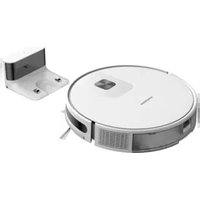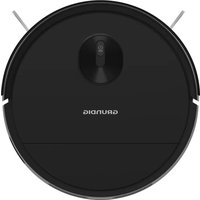
VCR 3229 L - Robot vacuum GRUNDIG - Free user manual and instructions
Find the device manual for free VCR 3229 L GRUNDIG in PDF.


| Product type | Robot vacuum |
| Brand | Grundig |
| Model | VCR 3229 L |
| Power supply | Mains adapter 100-240 V, 50/60 Hz, output 19 V / 0.6 A |
| Battery | Lithium-ion 10.8 V / 2600 mAh |
| Runtime | Up to 110 minutes |
| Charging time | 4 to 7 hours |
| Dustbin capacity | 0.5 L |
| Cleaning modes | Auto, Edge, Zone, Random, Intensive, Max |
| Connectivity | WiFi 2.4 GHz (IEEE 802.11 b/g/n) |
| Remote control | Included |
| Charging base | Included |
| Filter | HEPA (replaceable, lifespan ~4 months) |
| Brushes | 2 side brushes, 1 rotating brush |
| Sensors | Drop sensors, collision sensor |
| Maintenance | Regular cleaning of dustbin, filters, sensors and brushes |
| Repairability | Replaceable HEPA filter and side brushes |
Frequently Asked Questions - VCR 3229 L GRUNDIG
User questions about VCR 3229 L GRUNDIG
0 question about this device. Answer the ones you know or ask your own.
Ask a new question about this device
Download the instructions for your Robot vacuum in PDF format for free! Find your manual VCR 3229 L - GRUNDIG and take your electronic device back in hand. On this page are published all the documents necessary for the use of your device. VCR 3229 L by GRUNDIG.
USER MANUAL VCR 3229 L GRUNDIG
Robot Vacuum Cleaner
User Manual

VCR 3130
VCR 3129 L
VCR 3229 L
DE-EN-TR-ES-FR-HR-PL-SV-NO-FI-DA-NL-RU
Please read this guide first!
Dear Customer,
Thank you for choosing a Grundig product. We would like you to achieve the optimal efficiency from this high quality product which has been manufactured with state of the art technology. Please make sure you read and understand this guide and supplementary documentation fully before use and keep it as a reference. Include this guide with the unit if you hand it over to someone else. Observe all warnings and information herein and follow the instructions.
Symbols and their meanings
These symbols are used throughout this guide:

Important information and useful hints about usage.

WARNING:Warnings against dangerous situations concerning the security of life and property.

Protection class against electric shock.
1 Important safety and environmental instructions
This section contains safety instructions to prevent hazards that can result in injury or property damage.
Any warranty is void if these instructions are not followed.
1.1 General safety
- This appliance complies with international safety standards.
- This device can be used by children over 8 years of age, people with physical, sensory or mental challenges or people with lack of experience or knowledge; as long as control is ensured or information is provided regarding the hazards. Children must not play with the appliance. Cleaning and user maintenance shall not be carried out by unattended children.
-
Do not use the appliance if the power cord or the appliance is damaged. Contact authorised service.
-
Your mains power supply shall be in align with the specified information on the type tag.
- Do not use the appliance with an extension cord.
- To prevent damage to the power cord, prevent it from being pinched, crimped or rubbed against sharp edges.
- Do not touch the plug of the appliance with damp or wet hands while the appliance is plugged in.
- Do not pull on the cord while unplugging the appliance.
- Do not vacuum flammable materials and ensure that the cigarette ashes are cooled down before vacuuming them.
- Do not vacuum water and other fluids.
- Protect the appliance against precipitation, humidity and heat sources.
- Do not use the appliance in or near explosive or flammable environments and substances.
- Unplug the appliance before cleaning and maintenance.
1 Important safety and environmental instructions
- Do not immerse the appliance or its power cord in water for cleaning.
- Do not disassemble the appliance.
- Use only original parts or parts recommended by the manufacturer.
- To prevent blockage of the filter or damage to the motor, do not vacuum cement, plaster or fragments of compressed paper.
- Use the appliance with the adapter delivered with the appliance only.
- Do not use the appliance without filters, it may get damaged.
-
If you keep the packaging materials, keep them out of the reach of children.
-
This appliance is not intended to be used by persons, including children, with physical, sensory and mental disabilities or those who have not adequate experience and knowledge regarding its use, unless they are under the supervision of a person responsible for their safety or they are informed about the operation of the appliance.
- The children shall be supervised to prevent them from playing with the appliance.
- Unplug the adaptor and remove the battery pack before any cleaning or maintenance procedure.
- To avoid any risk of hazard, a damaged adaptor shall be replaced by the manufacturer, the authorised representative of the manufacturer or a similarly qualified technician.
- Keep your fingers, hair and loose clothes away from moving parts or clearances while vacuuming.
- Batteries shall be removed from the appliance before discarding the appliance.
1 Important safety and environmental instructions
- Disconnect the appliance from power supply before removing the battery.
- Please discard used batteries in accordance with local laws and regulations.
- The batteries on this appliance may only be replaced by the authorised services.
- WARNING: Use only the TS - A011-190060E1 removable supply unit delivered with the appliance to charge to the battery.
- Do not use batteries of different types or old and new batteries together.
- Batteries shall be installed with the correct polar layout.
- Do not short circuit the supply terminals.
-
Should be used with 18650-M26 batteries only.
-
This appliance shall not be operated by children and people with limited physical, sensory and cognitive skills or people with lack of experience and knowledge unless they are under supervision or they are provided with the relevant instructions.
- The children shall be supervised to prevent them from playing with the appliance.
- Do not put weight on the appliance.
- Do not run the appliance on high grounds like table or chair.
1.2 Compliance with the WEEE Directive and disposal of the waste product
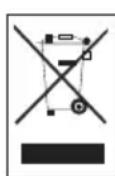
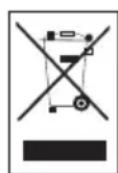
This product complies with EU WEEE Directive (2012/19/EU). This product bears a classification symbol for waste electrical and electronic equipment (WEEE).
This symbol indicates that this product shall not be disposed with other household wastes at the end of its service life. Used device must be returned to official collection point for recycling of electrical and electronic devices. To find these collection systems please contact to your local authorities or retailer where the product was purchased. Each household performs important role in recovering and recycling of old appliance. Appropriate disposal of used appliance helps prevent potential negative consequences for the environment and human health.
1 Important safety and environmental instructions
1.3 Packaging information

Packaging materials of the product are manufactured from recyclable materials in accordance with our National Environment Regulations. Do not dispose of the
packaging materials together with the domestic or other wastes. Take them to the packaging material collection points designated by the local authorities.
1.4 Information about the waste batteries
This symbol for rechargeable batteries in the packaging indicates that the rechargeable battery should not be disposed of with the household waste. In some rechargeable batteries, a chemical
symbol can also be added to this symbol. If rechargeable batteries contain more than 0.0005% mercury or more than 0.004% lead, mercury (Hg) or lead (Pb) symbols are also added.
Rechargeable batteries should not be disposed of with household waste, even if they do not contain heavy metals. Always dispose of used batteries in accordance with local environmental legislation. Investigate current waste regulations where you live.
1.5 What to do for energy saving
- When using your appliance, adjust the speed settings according to the surface, in order to save energy.
- Normally, lower speeds are used when cleaning hard surfaces while high speeds are used in for cleaning carpets.
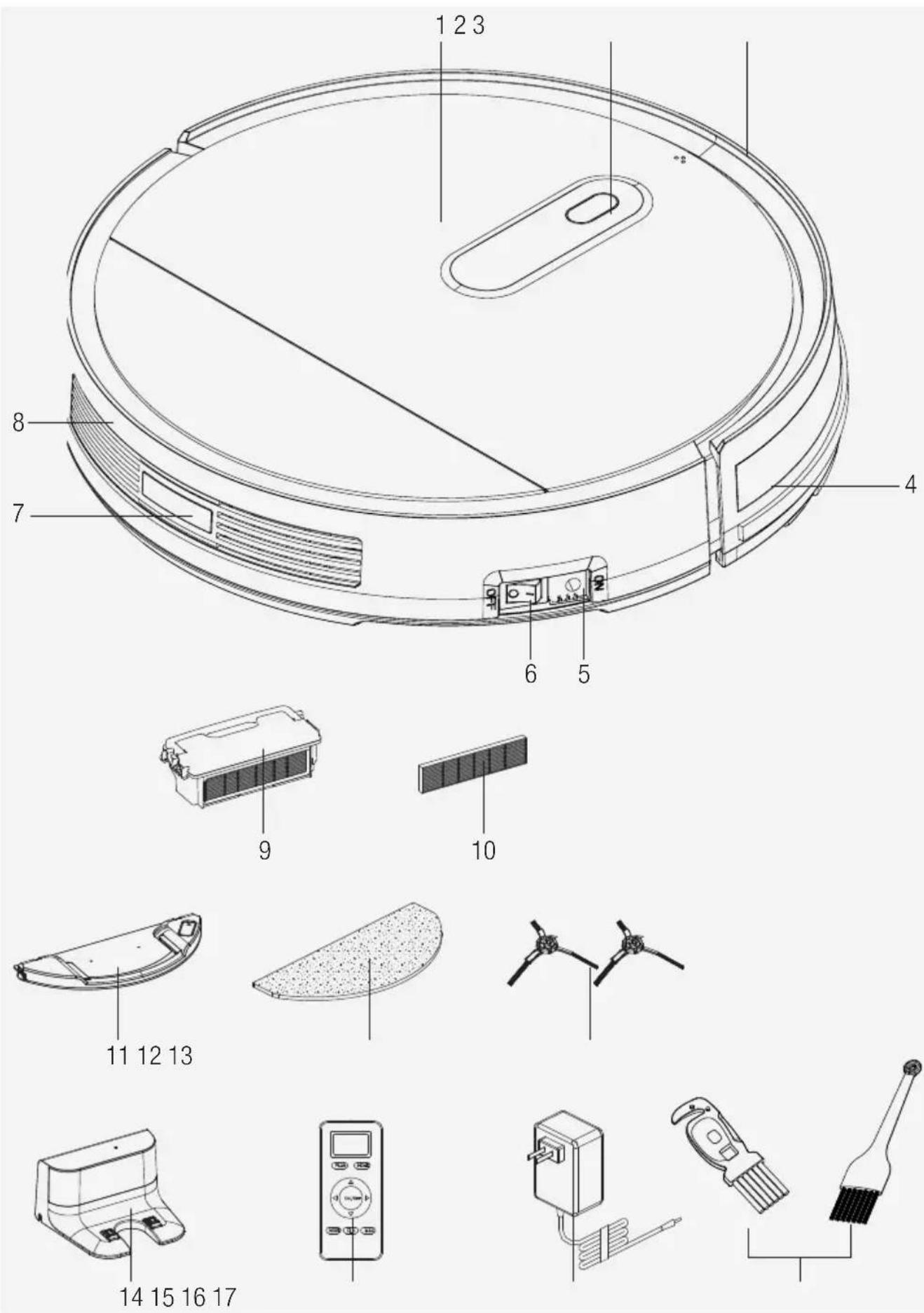
2 Overview
2.1 Controls and components
- Top cover
- "AUTO" button
- Front bumper
- Front bumper line
- Charging socket
- Power button
- Rear body
- Rear sensor
- Dust container
- HEPA filter
- Water tank (VCR 3130)
- Mop (VCR 3130)
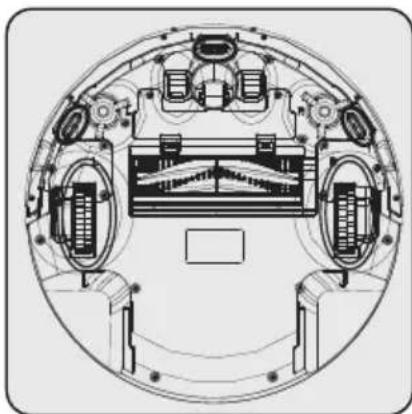
- Side brushes
- Charging unit
- Remote control
- Charge adaptor
- Cleaning brush
2.2 Technical data
Adapter Input:
100-240V, 50/60Hz, 0.5A
Adapter output: DC19V, 0.6A
Battery
Li-ion battery: 10.8V/2600mAh
Charging period: 4-7 hours
Operation time : Up to 110 minutes
Dust container capacity : 0.5L
Water tank capacity: 0.12L (VCR 3130)
2.4G WiFi frequency
interval : 2412- 2472 MHz
Network Supported: WLAN IEEE 802.11
b/q/n wireless
2.4G WiFi maximum RF output power: 20dB M
RF Exposure information The maximum allowed exposure level is calculated according to the 20~cm distance between the appliance and the human body. To comply with the RF exposure condition, a distance of 20~cm should be put between the appliance and the person.
The rights to make technical and design changes are reserved.
| Manufacturer Shenzhen Transin Technologies Co.,Ltd | |
| Model ID: TS-A011-190060E1 | |
| Input Voltage: 100-240V~ | |
| Input Frequency 50/60Hz | |
| Input Current 0.5A | |
| Output Voltage 19V | |
| Output Current 0.6A | |
| Output Power: 11.4W | |
| Average active efficiency | 84.67% |
| Efficiency at low load (10%) | 77.4% |
| Power under no load: | 0.06W |
2 Overview
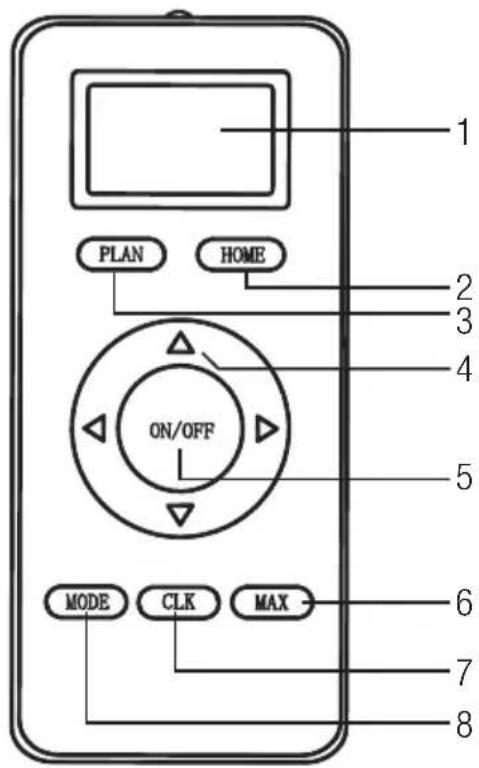
- Display screen
- HOME recharging
- Weekly scheduling
- Direction buttons (Only available in standby mode)
- Start/stop
- Maximum mode, highest suction power
- Timing
- Selection of cleaning programme

The suction power is adjusted with the Mode button.
3 Operation
This appliance is managed through a remote controller or the mobile application in line with the operation instructions stated in the manual. To use with the mobile application, download the "Grundig Robot" application in the Google Play Store or App Store.
3.1 Intended use
This appliance is intended for household use and it is not suitable for industrial use.
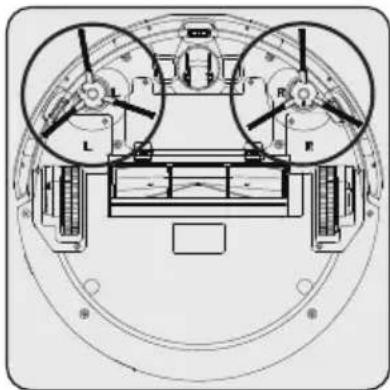

Insert two side brushes by pressing to the indicated points under the robot.
3.2 Charging the appliance
3.2.1 Charging with the adapter
Completely charge the appliance in the initial use.

It takes up to 5 to 6 hours to charge the appliance completely.
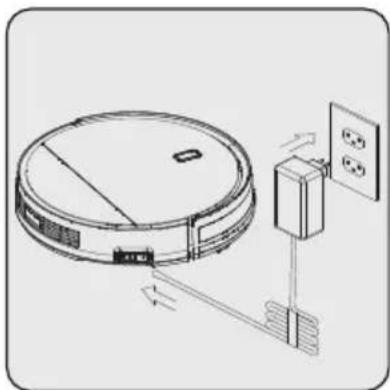
Attach the lead of the power adapter directly to the robot's charging socket (5) and attach the power adapter to the other lead as shown above.
3.2.2 Charging with the charging unit

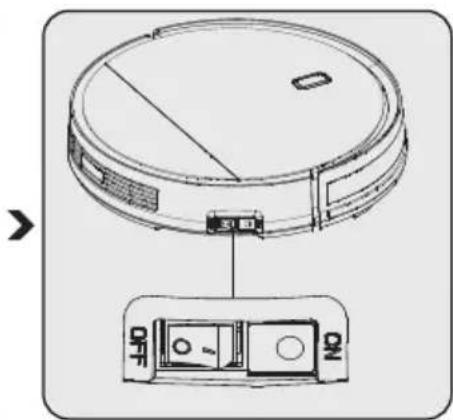
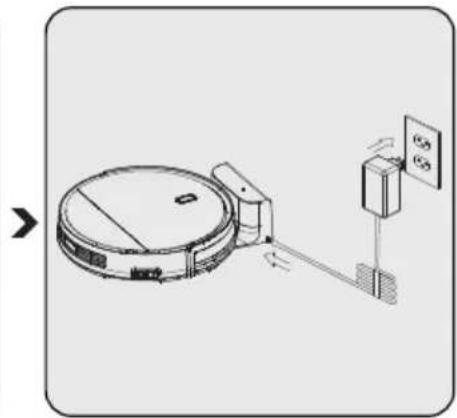
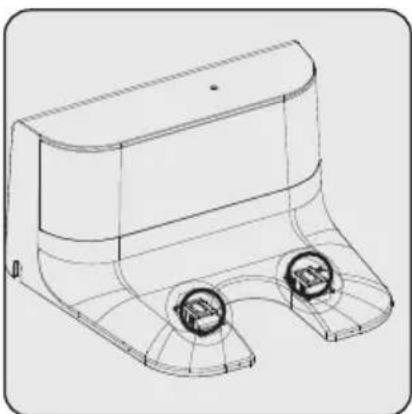
Place the charging unit (14) in the wall. Remove obstacles that are within 1-2 meter distance to the charging unit.
Attach the lead of the charging adapter (16) to the charging station.
If the appliance is off, turn it on by switching the power button (6) from the "OFF" to "ON" state.
The blue light on the charging unit (14) stays lit while the unit is active.
| i | If the adapter is unplugged or power outage occurs when the appliance is in the charging unit (14), the appliance will leave the charging stand without a cleaning mode selected and start searching for the charging station. In this case, turn the appliance off using the power button on the side (6). When the power outage is over or you plug in the adapter, turn the power on and send the appliance to the charging unit using the controller (15) or the mobile application and wait for it to settle. |
| i | The indicator on the appliance will blink in red colour while charging. |
| i | After completely charging, the indicator on the appliance will remain in blue colour. |
| i | When the battery is low in standby mode, the indicator will blink twice in a second. |
| i | When the battery is low in cleaning mode, the appliance will find the charging unit (14) automatically, indicator will remain constant in red colour. |
3.3 Start Up
3.3.1 Automatic cleaning
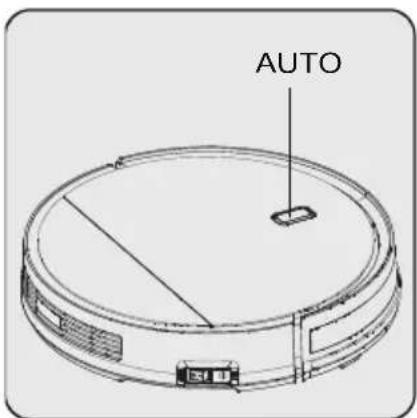
Press the "AUTO" button on the appliance.
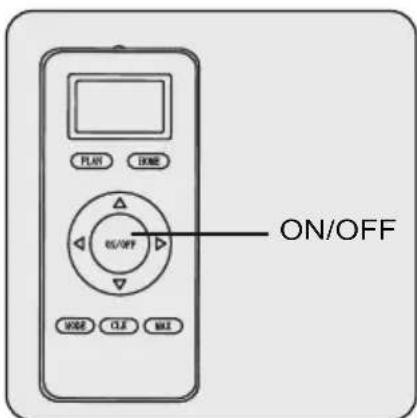
Or; press the "Start/stop" button on the remote control (15) or the mobile application.
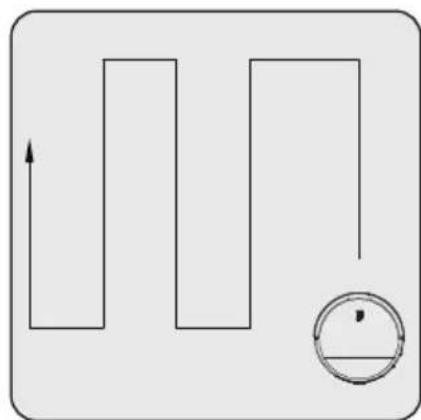
The device will switch to cleaning mode.
Cleans the entire area following a zigzag cleaning route. At the end of cleaning, the robot will return to the charging station.
3.3.2 Edge cleaning
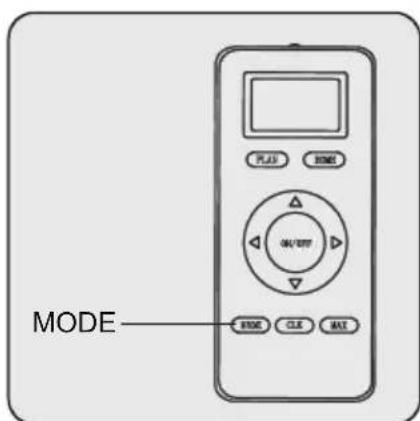
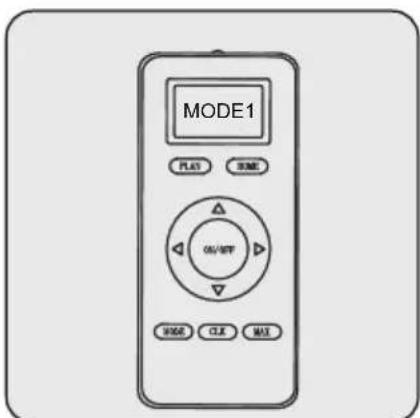
Press the "MODE" button on the remote controller until "MODE1" is displayed on the screen.
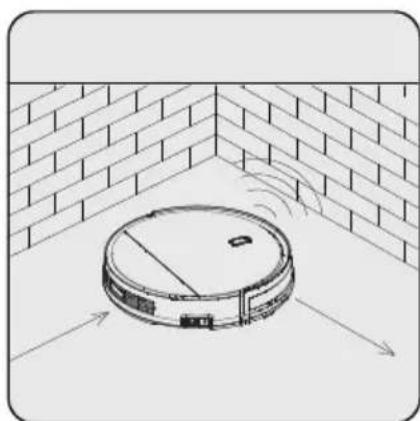
The appliance will switch to cleaning mode. The appliance cleans the edges of the wall and remains clear of the charging unit (14) to avoid crashing during operation. At the end of cleaning, the appliance will return to the charging unit.
3 Operation
3.3.3 Area cleaning
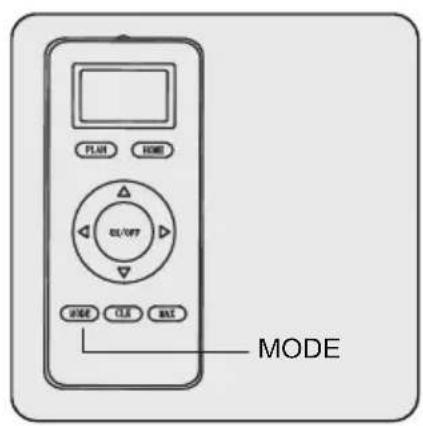
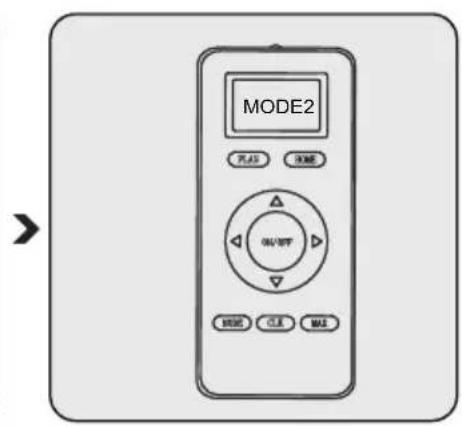
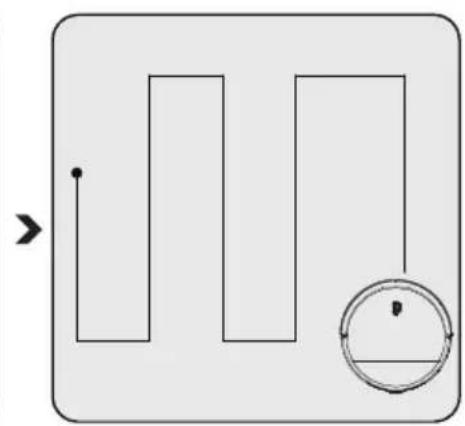
Press the "MODE" button on the remote controller until "MODE2" is displayed on the screen.
The appliance will switch to the mode of cleaning the 2m^*2m area that it is located.
At the end of cleaning, the appliance will switch to standby mode.
3.3.4 Random Cleaning
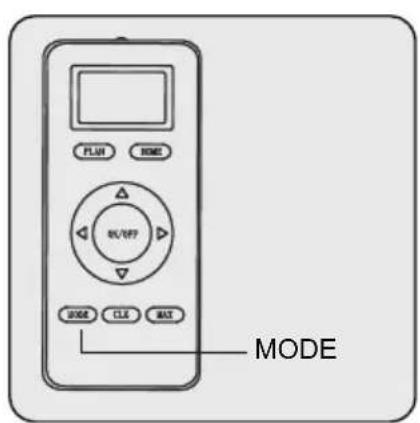
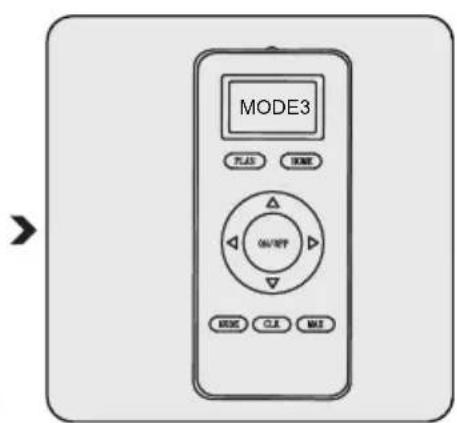
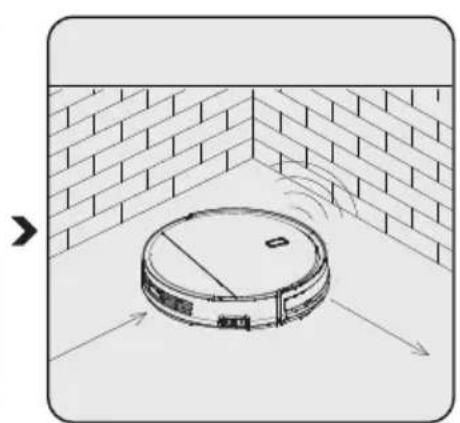
Press the "MODE" button on the remote controller until "MODE3" is displayed on the screen.
The appliance will switch to random cleaning mode and will clean the room following a random route.
Cleaning will continue until the appliance runs out of battery, then it will move to the charging unit (14) to recharge.
3 Operation
3.3.5 Intense cleaning
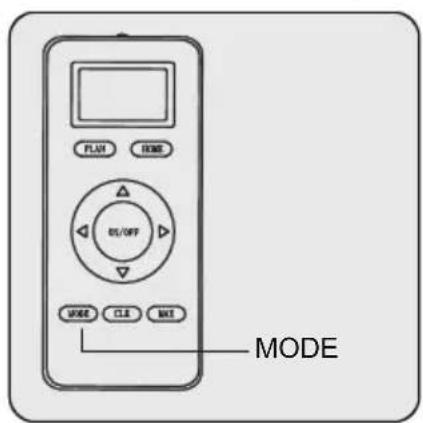
Press the "MODE" button on the remote controller until "MODE4" is displayed on the screen.
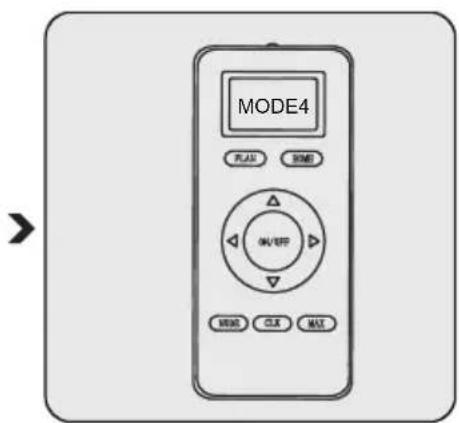
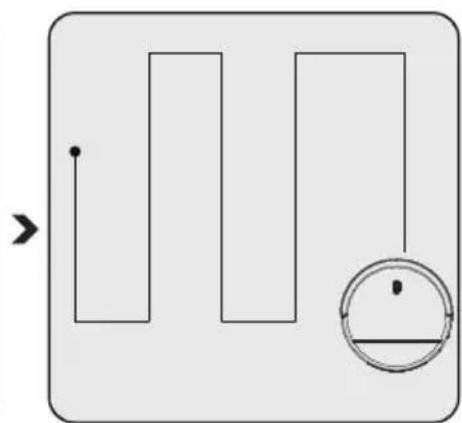
The appliance will operate two laps of cleaning by following a zigzag route. At the end of cleaning, the appliance will return to the charging unit (14).
3.3.6 Maximum cleaning
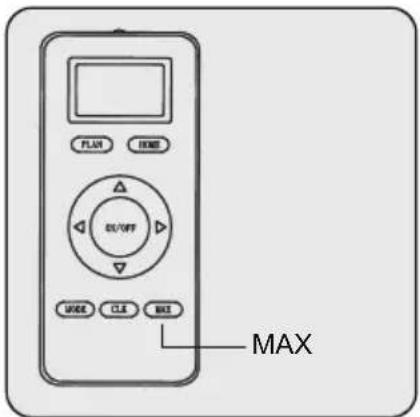
Press on the "MAX" button on the remote controller (15) to start the maximum level cleaning while the appliance is in standby or cleaning mode.
The appliance's cleaning route will be as it is in automatic cleaning.
The difference in maximum cleaning mode is that the appliance will switch to maximum suction mode in order to achieve an extensive cleaning.
3.3.7 Schedule mode
When you successfully set the scheduled cleaning timing, the appliance will start cleaning automatically at the scheduled time.
3.4 Scheduling through remote controller
To enter the scheduling mode, push and hold the "CLK" button on the remote controller (15). Blinking digits will be displayed on the screen, you may use the up and down buttons to change the blinking digits. After entering a number, proceed to the next digit to be set, using left and right buttons. After the time is set, the day information in the top line can be changed each time the right button is pressed. Finally, push the "CLK" button on the remote controller, the screen will stop blinking which means the time is set.
3.4.1 How can one schedule the robot through remote controller? Setting with remote controller
A. Setting the schedule time
a. Make sure the robot is in standby or charging state, then push and hold the "PLAN" button on the remote controller, the remote controller will switch to scheduling mode.
b. Blinking digits will be displayed on the screen, you may use the left and right buttons to proceed to the next digit to be set.
c. Once set, push the "ON/OFF" button on the remote controller, you will hear a short beep sound if the scheduling was successful.
d. After hearing the short beep sound, you may return to the home screen by pushing and holding the "PLAN" button.

When setting the scheduling, the number on the remote controller (15) is the delay time.
For instance, let's assume it is 8 AM right now and the setting on the remote is 01:00. When the setting is successful, the appliance will start operating in 1 hour. That means it will start at 9 AM. However, it will only operate at 9 AM in that day. If the main switch is turned off before reaching the scheduled time, the scheduling will be cancelled. And each time a scheduled hour is entered, it will only be available for one hour.
A. Cancelling a programme time
When the remote controller (15) is in the scheduling mode, push and hold the "ON/OFF" button again, 00:00 will be displayed on the remote controller screen. Then, push on the "ON/OFF" button to cancel a programme time. If successful, the appliance will make a beep sound twice. After hearing the short beep sound, you may return to the home screen by pushing and holding the "PLAN" button.
3 Operation
3.5 Operation of the Mop (VCR 3130)
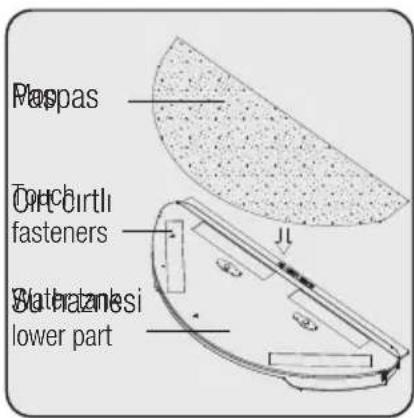
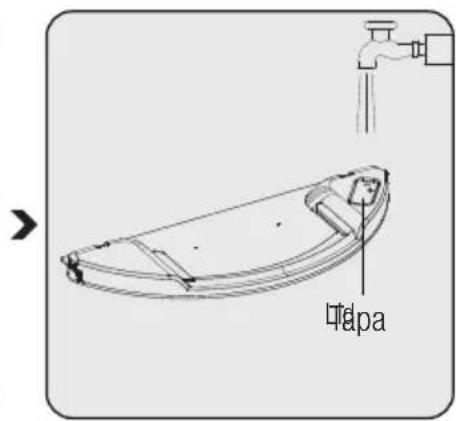
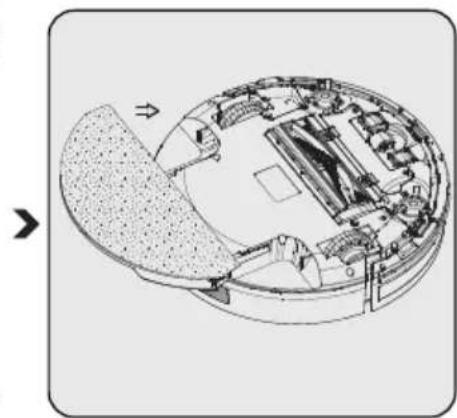
Attach the mop attachment to the cloth duct and stretch the mop cloth to fix it on the fasteners.
Open the water container (11) lid, fill it with water and close the lid.
Turn the appliance upside down. Place the mop attachment ducts on the ducts found on the bottom of the appliance and push. (A clicking noise will be heard).
When removing the appliance mop attachment, push the left and right buttons at the same time and pull the attachment.

WARNING: Remove the water tank from the product and make sure you drain remaining water after every sweeping with a mop.

The mop clothes can be washed in the washing machine.
4 Cleaning and maintenance
Turn off and unplug the appliance before cleaning.

WARNING: Never use gasoline, solvent, abrasive cleaners, metal objects or hard brushes to clean the appliance.
4.1 Cleaning the dust container and filters

You may call our call center to order a new filter when your filter reaches expected life, is deformed or needs to replaced for a reason.

Do not wash the HEPA Filter.
To achieve the maximum performance with HEPA filter, clean with a brush after each cleaning. HEPA filter (10) is a replaceable accessory. The expected lifespan of the HEPA filter (10) is approximately 4 months.
Since wet filters may cause a decreased performance, replace them with new ones.
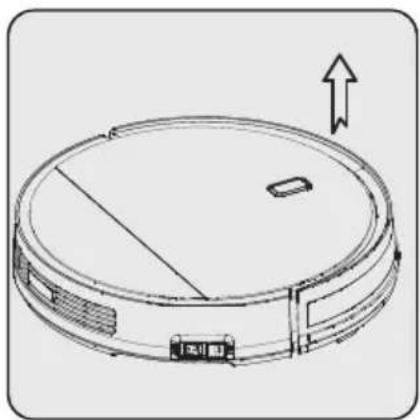

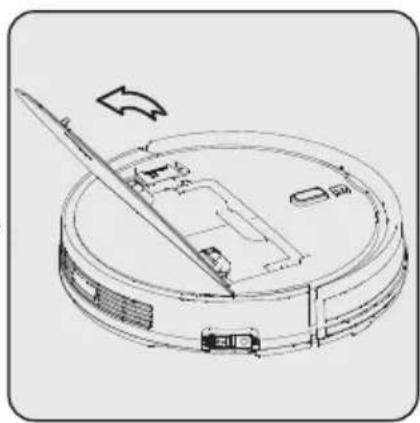

To open the top cover (1), lift it from the part shown with arrows using your fingers.
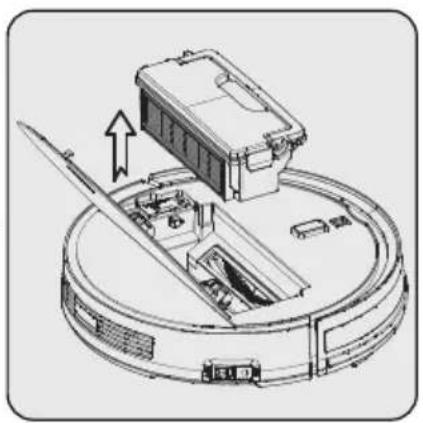
Open the cover. Remove the dust container (9),
holding it from the handle.
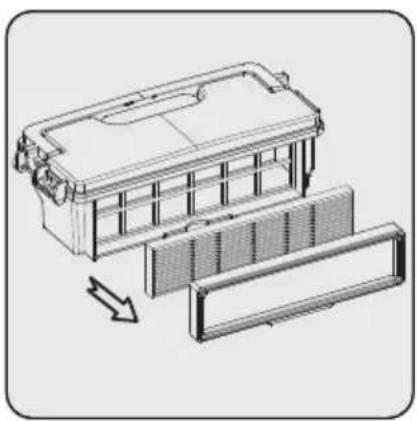
Remove the filter frame and the filter.

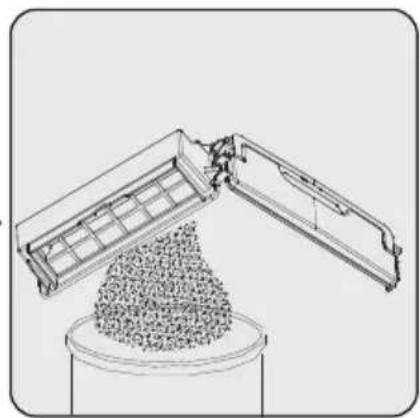
Empty the dust container (9). Only the dust container may be washed under running water.

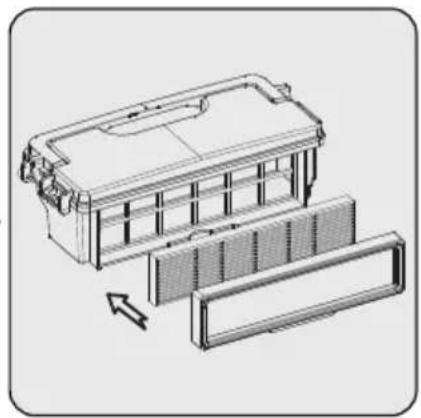
Once the dust container (9) is completely dry, attach the filter and the filter frame.
4 Cleaning and maintenance
4.2 Cleaning the sensor and wheels

Clean regularly according to the amount of dust accumulated.
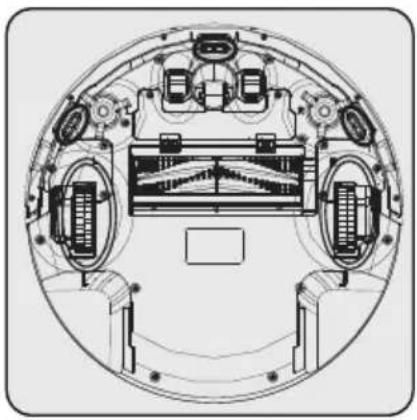
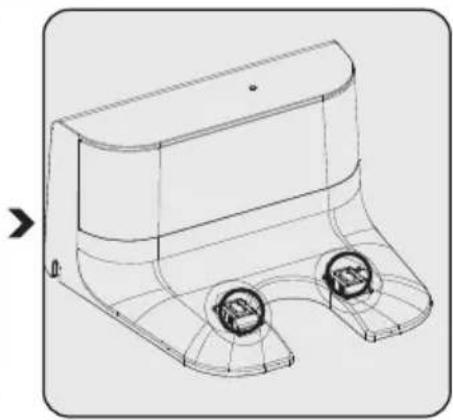
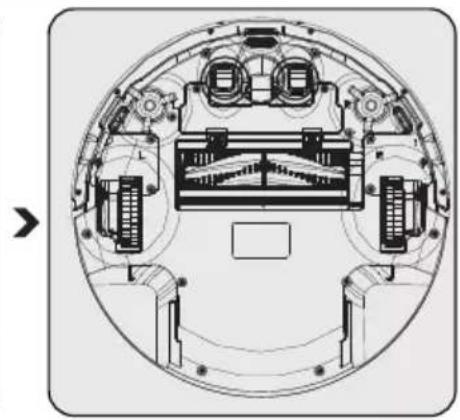
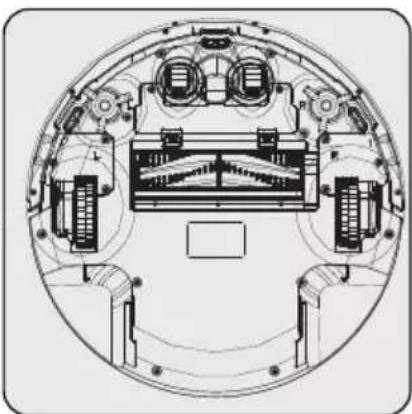
Clean the sensor and the wheels using a soft fiberglass cloth.
Clean the charging contact points on the charging unit (14) using a soft, fiberglass cloth.
Clean the charging contact points on the appliance using a soft, fiberglass cloth.
4.3 Cleaning the rotating brush group
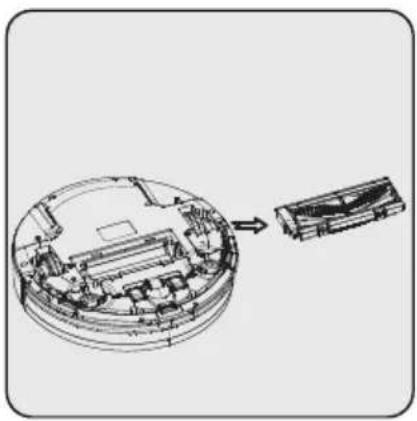
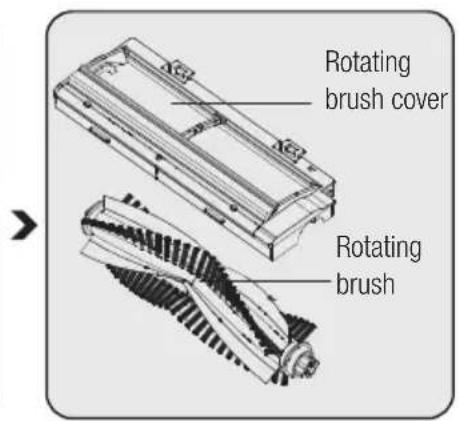
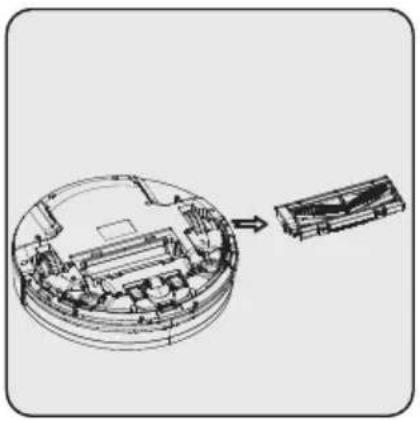
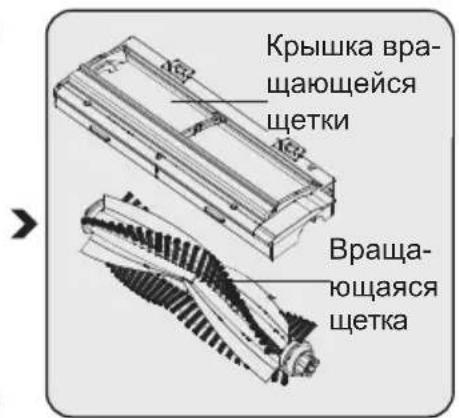
Remove the rotating brush group from the appliance.
Clean the rotating brush group using a soft fiberglass cloth.
The rotating brush may be washed under running water.
Note: After washing, please wait until the rotating brush group is completely dry.

Remove the upper cover of the robot. The cleaning brush available next to dust container is used to make cleaning of filter and dust container of robot vacuum cleaner.(17)
4.4 Cleaning side brushes
- Check if the side brushes are damaged or they contain foreign substances.
- Clean the side brushes using cleaning tools or a mopping cloth.
- In case of kink or deformation, keep the side brushes in hot water for 5 seconds.
- If damaged, replace the side brushes.
4.5 Storage
- If you do not intend to use the appliance for a long time, store it carefully.
- Unplug the appliance.
- Ensure that the appliance is kept out of reach of children.
- If you shall not be using the appliance for a long period of time, please keep it in a cool and dry place at half charged condition. Do not charge or discharge completely.
4.6 Transport and shipping
- During transport and shipping, carry the appliance with its original packaging. The packaging of the appliance will protect the appliance against physical damage.
- Do not put heavy objects on the appliance or its packaging. Otherwise the appliance may be damaged.
- If the appliance is dropped, the appliance may not operate or permanent damage may occur.
5 Appliance notifications
| Indicator state Status explanation | |
| Red light blinks four times per second Dust container is not placed properly or there is no dust container inside the robot. | |
| Red light blinks four times per second Charging failure | |
| Red light blinks twice and blue light blinks once | Crashing sensor failure |
| Red light blinks twice and blue light blinks twice | Fall-prevention sensor detected height |
| Red light blinks three times and blue light blinks once | Wheel failure |
| Red light blinks once and blue light blinks once | Side brush failure |
| Red light blinks once and blue light blinks twice | Fan motor failure |
| Red light blinks once and blue light blinks three times | Rotating brush failure |

When the product encounters an error, you will receive a notification about the root cause of the problem and the solution method through the mobile application. Review the quick guide for the use of mobile app.
Audible warning feature
| Status Audible warning | |
| Standby Three short audible warnings | |
| Cleaning No special audible warning | |
| Automatic Charging No special audible warning | |
| Charging One short audible warning | |
| Full charge Five short audible warnings | |
| Scheduling successful One short audible warning | |
| Scheduling cancelled Two short audible warnings | |
| Low battery Four short audible warnings | |
| Charging switch off One long audible warning | |
| Front bumper or crash button failure One long audible warning | |
| Fall-prevention or wheels not on the ground failure | One long audible warning |
| Wheels overloaded failure One long audible warning | warning |
| Rotating brush overloaded warning One long audible warning | |
| Side brushes overloaded warning One long audible warning | |
| Enter standby mode | Two short audible warnings |
| Wake up robot | Three short audible warnings |
Li-ion batarya: 10,8V/2600mAh
Sarj suresi : 4-7 saat
1.4 Batteries usages
Ybaxaemblnokynatelb,
Благорам Bac 3a To, чTO Вьбрали пpoукг Grundig. Мыхетл 6bl, чTOбы Вы достигл ONТIMальнОД 3ФФeКТИВHOCr OT 3TOrOBICOKOKaYeCTBeHHORO npoукta, кOTOPbI 6bl IN3ROTOBJIeH C nCNoЛьЗOBaHNeM HOBeiShx TexHOJOrn. Перд ИСПОЛьЗOBaHNeM y6eIITecb, ChTo Bbl IONHOCTbIO IIPOuHTaII N IOHJIIN 3TO ryKOBoDcTBО N DOПОЛНTeЛьHyI ODKUMeHTaCIuH, I COxpaHIne INx DЯс cnpaBKn. ПрIoJoxNte 3TO ryKOBoDcTBО K yCTpoIcTBy, ecIипeJaIte erO kOMy-TO dpyromy. Co6IHOdaIte BCE prPbEdeHbIe 3dEcBпpeDyIpyKdEHNЯ INHΦopMaцIH O INcEduYTe INHCTpyKcIyM.
Симboл nx 3haueHne
3TN CnMBOJI INCNOJb3yIOTcB 3TOM pyKOBoIDCTBE:

BaxnHa INHOpMaunn N NOe3HbIe COBeTbI NcNoJb3OBAHIO.

PPEyPExEHEN: PpeynpeXeHnO cHTyaunx,OnaChbIX dIJI Xn3Hn NmUeCTBa.

Knaacc 3aunTbI OT nopaxeHnA 3JIeKtpnueckm TOKOM.
1 BaЖиье Инстукци no 6e3ОпаСоctи n oxpaHe okpyж�юш e Cpebl
B 3TOM pa3dene coedepxatCra INHCTpyKcnn PO TexHnKe6e3OpacHOCTN DnI Ppe-DoTbpaUeHnO npacHOCTe, KOTOpblc MOrT pINBeCTN K TpaBMam IIn NOBpeXdEHNIO mMyuiceCTBa.
Cleinte 3a DeTbMn, T06bl OHN He irpaJIc np6opom.
He klande TjkeIbIe rpy3bl Ha np6op.
He nCnoJb3yIte np6Op Ha BbICOKNX NOBepxHOCTaX, TaKnx KaK CToJ nnCTyI.
1.2 COOTBETCTBHe DnpeKTHBe EC WEEE (O6 yTnIIN3aunn 3JeK-TPnueCKoro n 3JeKTPoHNOro o6OpyIOBaHn) n yTnIIN3aunr OTXODOB
DaHHoe yCTPOINCTBO COOTBeTCTByeT DnpeKInBe EC WEEE no orpaHnueHnO nCNoJIb3OBaHnB BpeDnBix BeIecTB (2012/19/EU). DaHHbI npi6Op IMeet KnaCCn-
ФИКАЦИОНны 3нak ДЯ OТрабOTанHorO 3ЛЕКТрчecKOrO И 3ЛЕКТроHORO 6OBpy-Дованя (WEEE).
Takon 3nak 03Haayet, yTo nocJe 3aBep-WeHna 3Kcnpyaatau np6op 3anpeua-etC Bbl6paCbIBaTB BmecTe C npOUMN 6bTOBbIMN OTXoAMN. NcNoJIb3OBaHHoe yCTPOICTBO Heo6xOJIMO BepHyTB OphiunalhbnI pyHKT npEma yTNIIN3npyembx 3JIeKTPnuecknx I 3JIeKTPoHHbIX yCTPOICTB. YTObI HaHTn TaKne CnCTEmbl npEma yTIN, o6pATNTECb B MeCTHbie yNOHNOMOeHHbIe OpraHbI INn K pO3HnHbIM npODabUam, y KOTOpbIX 6bl npIO6pTeH npOdyKT. KaJdoe Domauhee XO3raCTBO BblONHReT BaxHyUo POJIb B BOCCTaHOBJIeHnn I yTNIIN3aUIn CTaporo OBOPyIDOBAHNA. HAdJexKaaJy TNIIN3aUJn OTPa6oTaBwero np6opa No3BOJAre TpeDOrBpATNTB BO3MOXHbIE HerATNBHbIE NOcNeDCTBnI DnI OKpykaIOUeI CpeDbI N 3dOpOBBy YeNoBeKa.
KoMaHnO octaBnIeT 3a coboi npaBO BHOCTb TexHnueCKne N3MeHeHnI n3MeHeHnB KOHCTpyKcNIO.
He moIte qnilbtp HEPA.
YTo6bI NOnyUHTb MaKcImaJIbHyIO npON3BOJnteJIbHOCTb OT fInbTp a HEPA, YnCTNTe erO C NOMOUsI OIeTKN IocNe KaJDoRo NCNoJIb3OBaHnA.
4.2 OuInCTka DaTUnKa I KOJecNKOB

OuHsaiTe erOperyIaRHO,B 3aBnCIMoCTN OT KOJIueCTBa co6paHHo IblI.
OuHCTnTe DaTnK n KOJIeCSKn, NcNoJb3yR MraKyIO TkaHb N3 CTeKNOBOJOKHa.

OuHCTnTe ToyKn KOHTaKta 3apAdkn Ha 6Ioke 3apAdkn (14), IcNoJIb3yMaRkyTO TkaHb N3 CTeKIOBOJOKHa.

OuHCTnTe TOUKN KOHTaK-Ta 3apAkn Ha npi6ope, NcNoJIb3yMaRKyIO TkaHb N3 CTEKNOBOJOKHa.
4.3 Ounstite Bpaaouyocrpynny etsok
CnMnte BpaaHouyocrpynny TeK c np6opa.
OuHCTIte BpaaIoUyIOcra rpynny uetOK, nCIOJIb3yMaRkyTOKaHb N3CTeKIOBOJOKHa.
Bpaauouyocra rpynnny 1eTOK MOxHO MbITb NOI npOTOHOBOD.
PpmeHne: Pocne TOrO, KaK Bbl NOMbln BpaauoUocra rpynny uetOK, NOdoXdnte noka OHa pNOHOCTbIO He BblCOxHET.

Сншп Te BepxHIOU KpbIshky po6Ota. ΜeTka ДЯ OuNCTKn, pacnoJoxeHHa РадOM C nbIeSc6OpHnKOM, ИсNoJIb3yETcR DAЯ OuNCTKn ФиNbTpA N nbIeSc6OpHnKa po6Ota-NbIeNecoca. (17)
4.4 OuNTka 6OKOBbIX ΚeTOK
- Поберът, He NOBpeJdeHbI JN 6OKOBbie IeTKN I Het JN B HNX NOCTOPOHHX BeueCTB.
- OuHCTIte 6OKOBbIe IeTKN C NOMOUsbIO YnCTaUx NHCTpyMeHTOB ININ TkaHb dJaMbITbIy.
- B cnyae n3r6a nn Deopmaun, noepknte 6okobie uetkn B ropuey Bode B TeueHne 5 cekynd.
- 3aMeHnTe 60KOBbIe 5eTKn npN NOBpeJdEHnn.
4.5 XpaHeHne
- Ecni Bbl He co6npaTeCb NcNoJb3OBA Tb np6op B TeueHne dInTeJbHoro BpeMeHN, XpaHnte erO octOpXHO.
- BbIKIIOUHTe n3dJIeNe n3 po3eTKn.
XpaHnTe np6op B HeoctynHom dJeTeMeTe. - Ecni Bbl He co6npaTeEc bncOJIb3OBaTb npnbop B TeueHne dIInTeJbHO BpeMeHN, XpaHnte erO B npoxJaHOM n CyXOM MeCTe B HAnOJIOBHy 3apJxKeHHOM coCToAHN. He 3apJxKeTne n He pa3pJxKeTne NOnHOCTbIO.
4.6 TpaHcnpTnpoBka
Bo BpeMra TpaHcnpTnpoBKn nepeHocnte npnbop B opnHaJIbHOy ynaKOBKe. YnaKOBka yCTPOJCTBa 3aunITr erO OT n3uuecknx NOBpeJdHn.
He knaIte TjkeIbIe npEdMeTbI Ha np6op nIe erO ynaKOBky. IHaue n3dJIne 6ydet NOcToHNO NODBePraTbcr NOBpeXdeHIO.
- Ecni npnbop ypoHntb, OH MOKeT nepeCTaTB pa6oTaTB, INI MoKeT npOn30nTH HeobpaTumoe NOBpeJdeHne.