FX-US270 - Sewing machine Fuxtec - Free user manual and instructions
Find the device manual for free FX-US270 Fuxtec in PDF.



| Product type | Universal spreader |
| Brand | Fuxtec |
| Model | FX-US270 |
| Supply voltage | 6 V DC |
| Battery type | 4 AA alkaline batteries |
| Motor speed | 12,000 min⁻¹ (no load) |
| Idle speed | 1,200 – 1,800 min⁻¹ |
| Tank capacity | 2.7 L |
| Spreading rate | Adjustable by motor speed and opening width |
| Spreading area | Large area: high speed; small area: low speed |
| Use | Seeds, fertilizer, salt (depending on setting) |
| Diffusion levels | 5 levels (15 g/m² to 50 g/m²) |
| Starting | On/off switch + spreader wheel starter |
| Maintenance | Cleaning with soapy water after use |
| Safety | Safety goggles and mask mandatory; keep others at a distance (5 m) |
| Environmental protection | Used batteries to be returned to collection point; appliance recyclable |
| Compliance | RoHS, battery directive (BattG) |
| Dimensions (estimated) | Not provided |
| Weight (estimated) | Not provided |
| Spare parts | Not specified |
Frequently Asked Questions - FX-US270 Fuxtec
User questions about FX-US270 Fuxtec
0 question about this device. Answer the ones you know or ask your own.
Ask a new question about this device
Download the instructions for your Sewing machine in PDF format for free! Find your manual FX-US270 - Fuxtec and take your electronic device back in hand. On this page are published all the documents necessary for the use of your device. FX-US270 by Fuxtec.
USER MANUAL FX-US270 Fuxtec
natural_image
Line drawing of a traditional Chinese metal bowl with handle and spout, no text or symbols present
natural_image
Orange icon of a person reading a book on black background (no text or symbols)
natural_image
Icon of a hand pointing at an open book with horizontal lines representing text (no actual text or symbols)Inhalt
DEUTSCHE VERSION 6
ENGLISH VERSION....12
FRENCH VERSION 17
POLSKA WERSJA JEZYKOWA 50
Inhalt
DEUTSCHE VERSION 6
- Overview 12
- Installation of batteries.... 13
- Settings of the spreader.... 14
- For a spreading rate of.... 14
- Spreading area 14
- Maintenance / Care 15
- Technical data: 15
- Symbols.... 15
- Environmental protection.... 16
- Battery safety.... 16
FRENCH VERSION 17
natural_image
Close-up of a hand holding a small mechanical component, labeled 'Pic.2' in the top-left corner (no other text or symbols visible)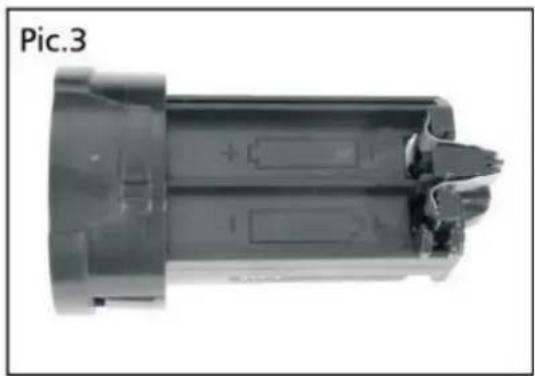
natural_image
Cross-sectional view of a cylindrical electronic component with internal slots and mounting holes (no text or symbols visible)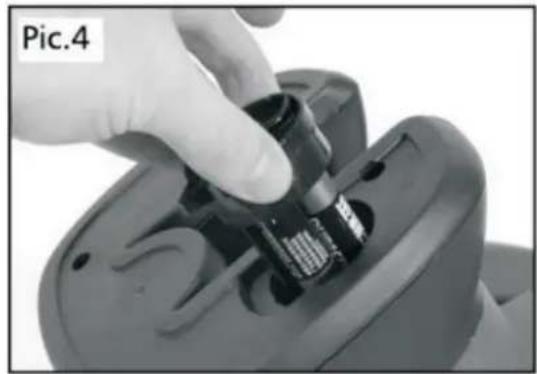
natural_image
Close-up of a hand inserting a small electronic component into a device (no visible text or symbols)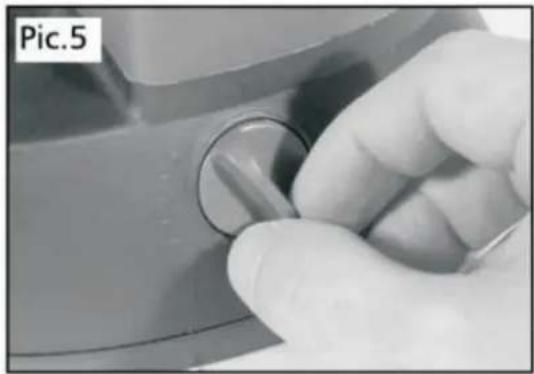
natural_image
Close-up of a hand holding a knob on a mechanical component (no visible text or symbols)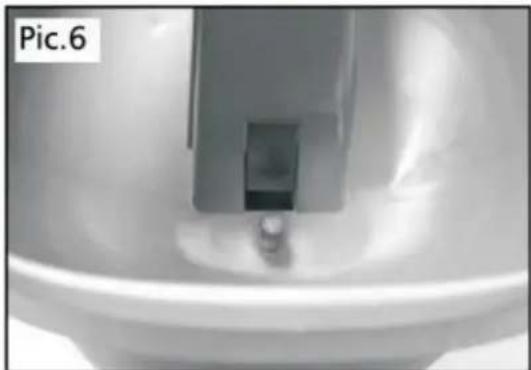
natural_image
Close-up of a metallic mechanical component with a central slot and a small protrusion, labeled 'Pic.6' in the top-left corner (no other text or symbols visible)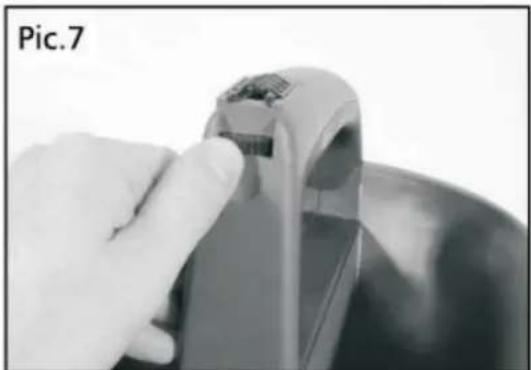
natural_image
Close-up of a hand holding a small electronic device with a metallic handle (no visible text or symbols)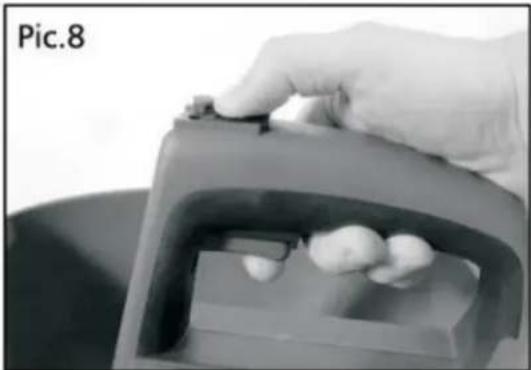
natural_image
Close-up of a hand pressing a small object into a container with three small objects on the side (no text or symbols visible)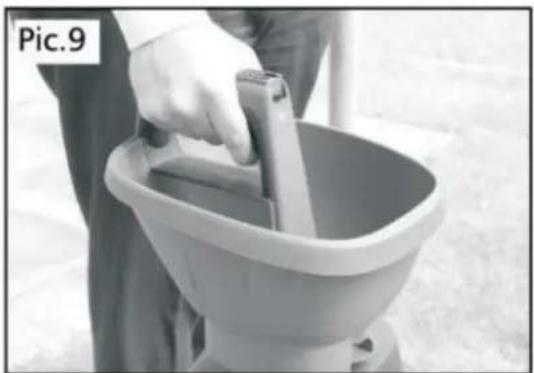
natural_image
Person cleaning a bucket with a handle, no visible text or symbolsBedienung
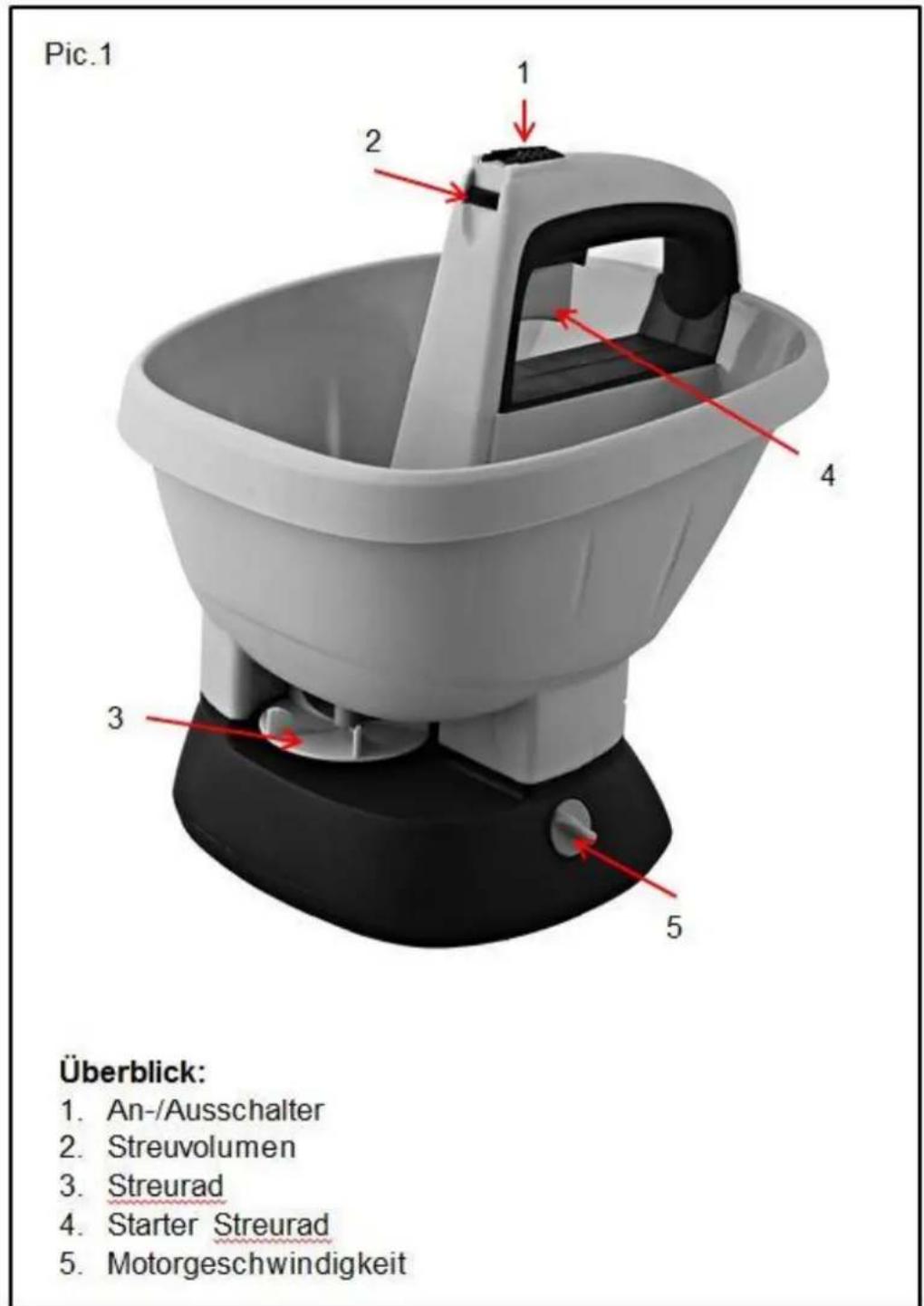
- On/off switch
- Spreading capacity
- Spreading wheel
- Starter spreading wheel
- Motor speed
Intended use
13. Installation of batteries
natural_image
Close-up of a hand holding a black mechanical component, labeled 'Pic.2' in the top-left corner (no other text or symbols visible)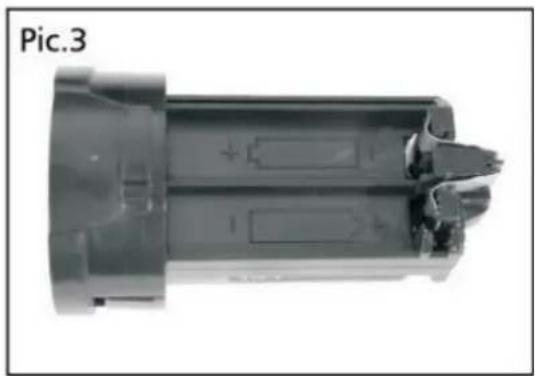
natural_image
Close-up of a mechanical component with internal features and mounting holes (no visible text or symbols)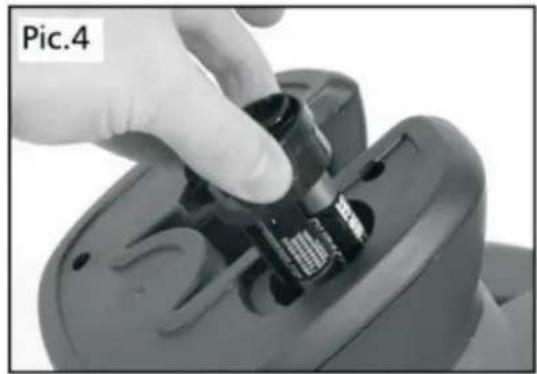
natural_image
Close-up of a hand inserting a small electronic component into a device (no visible text or symbols)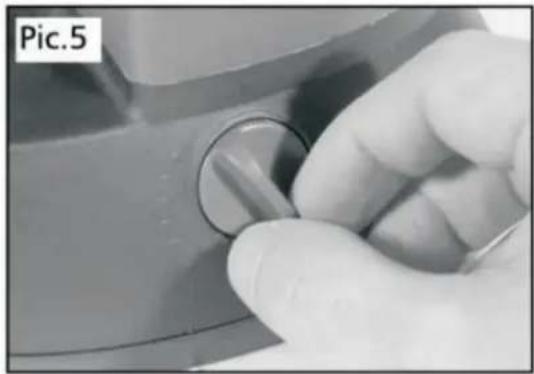
natural_image
Close-up of a hand holding a circular knob on a mechanical component (no visible text or symbols)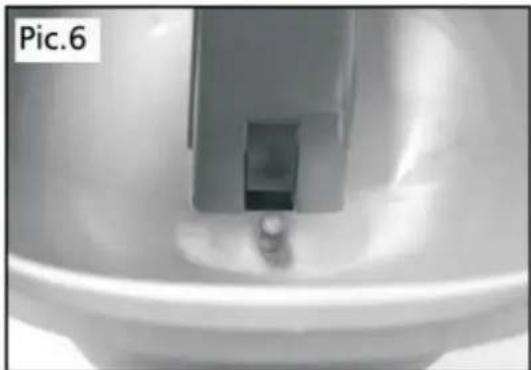
natural_image
Close-up of a mechanical component or fixture with a central bracket and circular base, labeled 'Pic.6' in the top-left corner (no other text or symbols visible)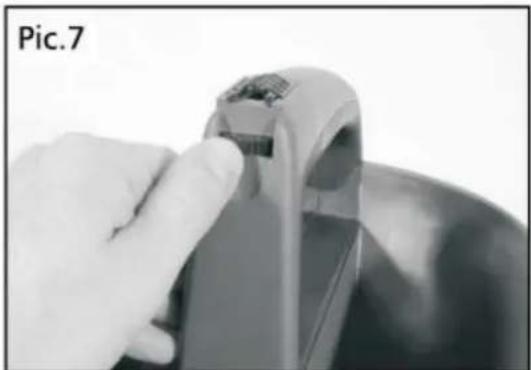
natural_image
Close-up of a hand holding a small electronic device with a metallic handle, next to a bowl (no visible text or symbols)Please make sure that the hand spreader is switched off.
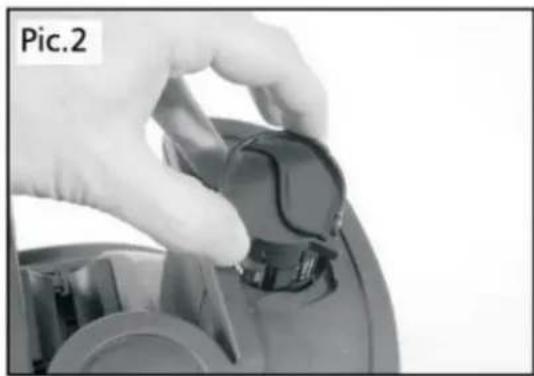
Remove the battery compartment (pic.2) by turning it clockwise and pulling it out.
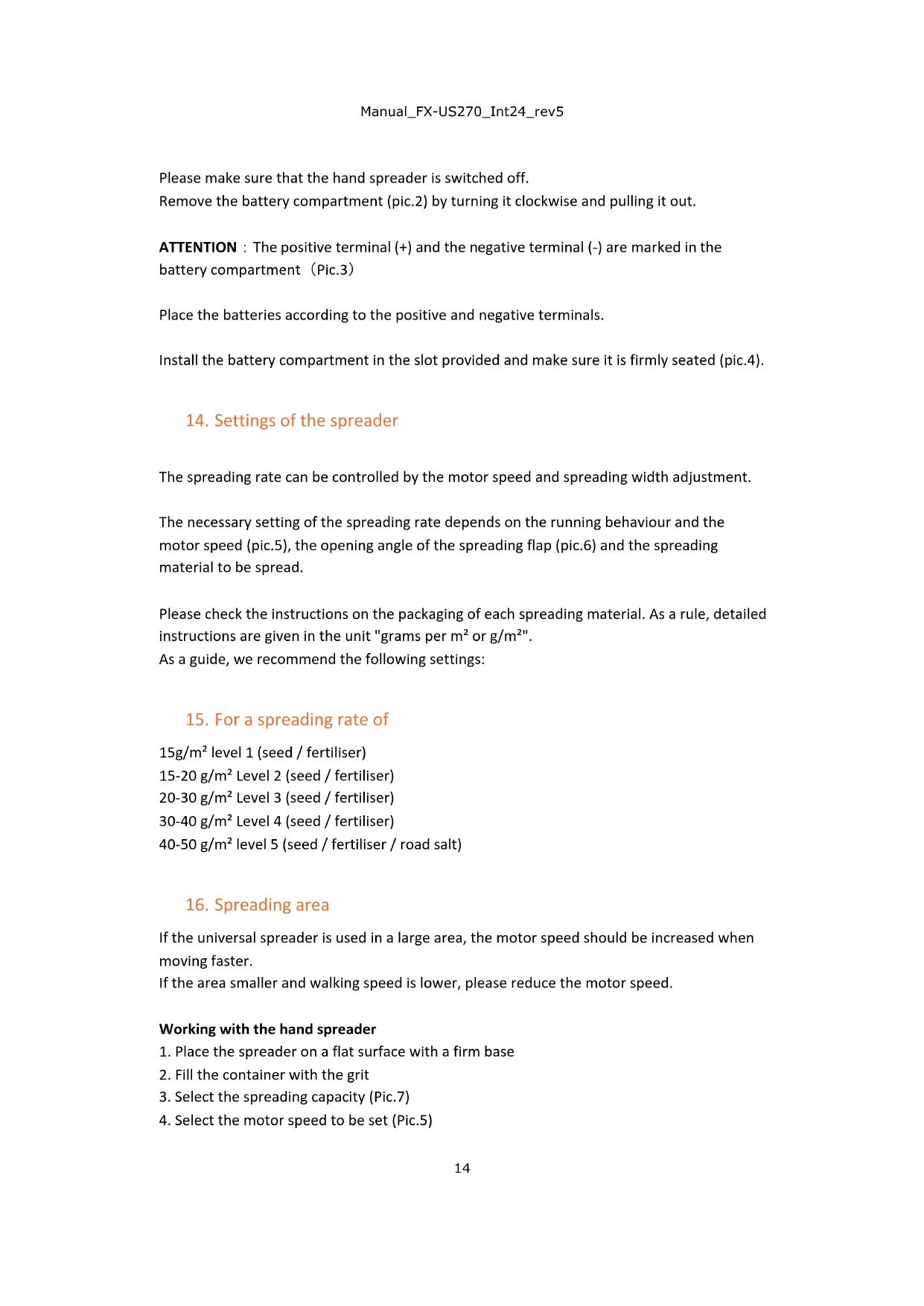
ATTENTION : The positive terminal (+) and the negative terminal (-) are marked in the battery compartment (Pic.3)
Place the batteries according to the positive and negative terminals.
Install the battery compartment in the slot provided and make sure it is firmly seated (pic.4).
14. Settings of the spreader
The spreading rate can be controlled by the motor speed and spreading width adjustment.
The necessary setting of the spreading rate depends on the running behaviour and the motor speed (pic.5), the opening angle of the spreading flap (pic.6) and the spreading material to be spread.
Please check the instructions on the packaging of each spreading material. As a rule, detailed instructions are given in the unit "grams per m² or g/m²".
As a guide, we recommend the following settings:
15. For a spreading rate of
15g/m ^2 level 1 (seed / fertiliser)
15-20 g/m² Level 2 (seed / fertiliser)
20-30 g/m ^4 Level 3 (seed / fertiliser)
30-40 g/m ^2 Level 4 (seed / fertiliser)
40-50 g/m² level 5 (seed / fertiliser / road salt)
16. Spreading area
If the universal spreader is used in a large area, the motor speed should be increased when moving faster.
If the area smaller and walking speed is lower, please reduce the motor speed.
Working with the hand spreader
- Place the spreader on a flat surface with a firm base
- Fill the container with the grit
- Select the spreading capacity (Pic.7)
-
Select the motor speed to be set (Pic.5)
-
Press the on/off switch and at the same time press the starter of the spreading wheel (pic.8)
- This opens the spreading material feeder (fig.6), and the spreading wheel starts to rotate.
- Start with a low spreading capacity and gradually adjust it to the area to be worked.
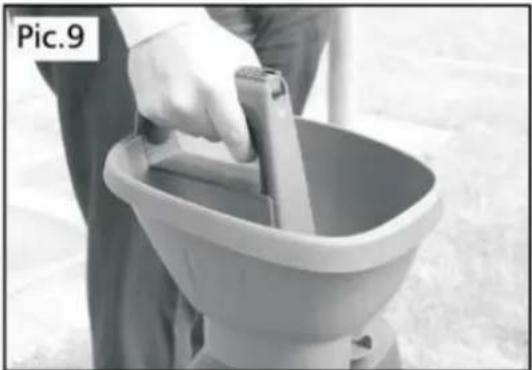
During use, hold the spreader in one hand slightly to the side in front of your body. It is not necessary to move the spreader back and forth (pic.9).
Move at an appropriate speed adapted to the spreading area.
17. Maintenance / Care
After use, clean the spreader with a diluted soap solution and a damp cloth. Do not permanently expose the spreader to a cleaning liquid.
18. Technical data:
Model FX-US270
Volt 6V DC
Batteries 4xAA
Motor speed 12000min-1
No Load Speed 1200-1800min-1
Container capacity 2.7L
19. Symbols
Pay attention to the listed symbols! They contain important information and safety instructions.
Complies with the relevant safety regulations

Read operating instructions before use

Wear appropriate clothing; grit can be thrown away from the device
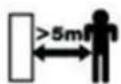
Persons are not allowed to stay in a working range of 5m

Product meets the requirements of RoHs

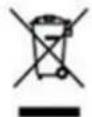
Electrical waste must not be disposed of with household waste. Please check locally where public disposal points are available.


ATTENTION/WARNING
Wear safety goggles and a mouthguard during use
20. Environmental protection
Many devices are supplied with batteries or rechargeable batteries which are necessary for operation. In connection with the sale of these batteries or accumulators, we are obliged as a distributor according to the battery law (BattG) to point out the following to our customers:
Used batteries must not be disposed of in the household waste. Consumers are legally obliged to bring batteries to a suitable collection point.
You can return batteries and accumulators free of charge here:
- At a public collection point
- Where batteries and accumulators are sold
- By mail to our dispatch warehouse: FUXTEC GmbH, Kappstrasse 69, 71083 Herrenberg - Germany
Used batteries contain valuable raw materials that are recycled. Batteries and accumulators are marked with the symbol of a crossed-out wheeled bin.
The dustbin means: batteries and accumulators must not be disposed of in the household waste.
The signs under the dustbins stand for: Pb for lead; Cd for cadmium; Hg for mercury. These chemical symbols indicate that a certain limit quantity of the specified chemical substances is exceeded in this type of battery:
- HG: more than 0.0005% of mercury by weight
- Cd: more than 0,002 % of cadmium by weight
- Pb: more than 0.004% lead by weight
21. Battery safety
Please remove the batteries if the hand spreader will not be used for an extended period. If for any reason, one or more batteries should leak, avoid contact with your skin or eyes. If contact with the skin or eyes cannot be avoided, please wash out immediately with water and consult a doctor if necessary.
Only use AA alkaline batteries.
FRENCH VERSION
22. Présentation
Image 1
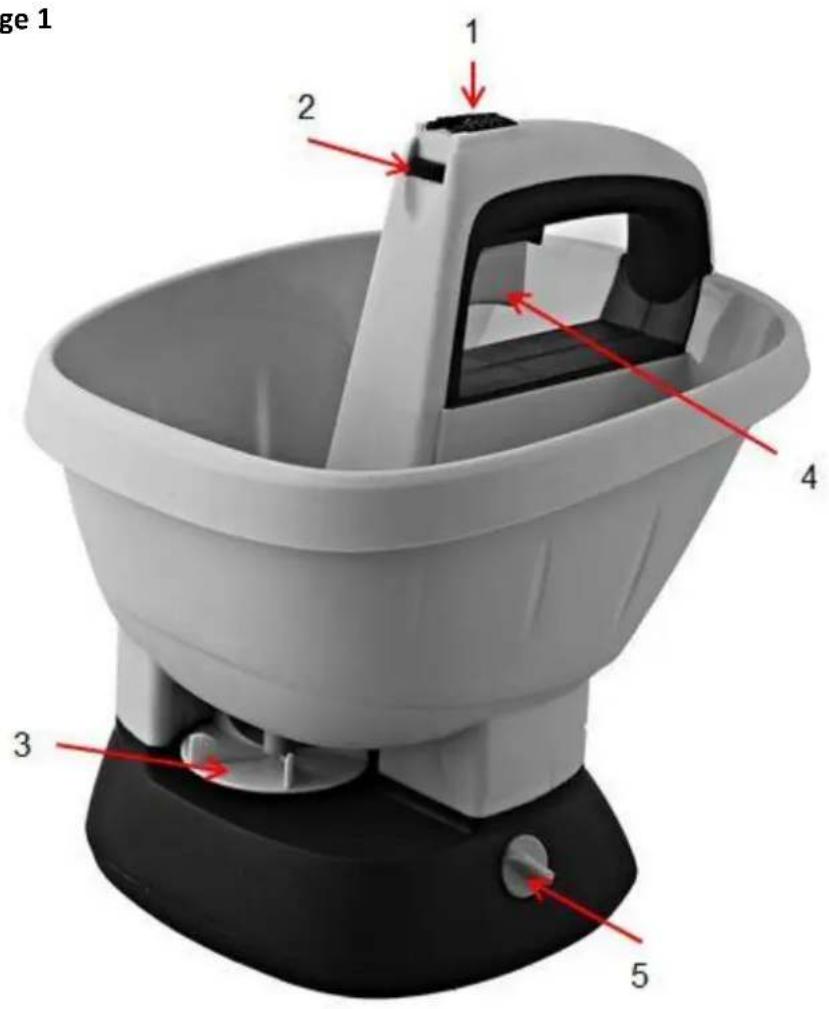
Vue d'ensemble :
natural_image
Close-up of a hand holding a black mechanical knob, labeled 'Image 2' (no other text or symbols visible)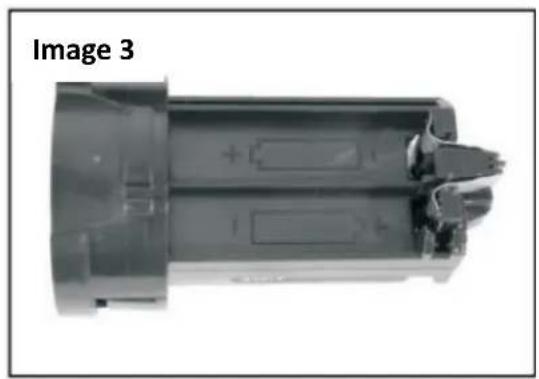
natural_image
Close-up of a cylindrical electronic component with internal contacts and housing (no visible text or symbols)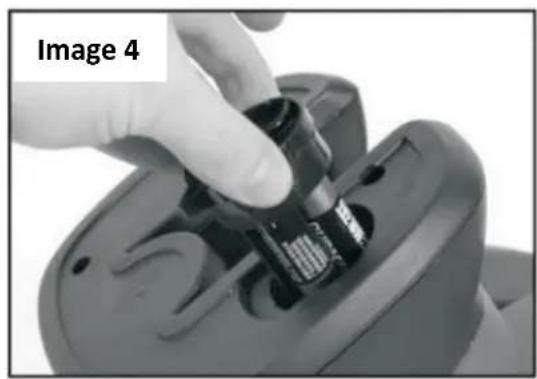
natural_image
Close-up of a hand inserting a small electronic component into a device (no visible text or symbols)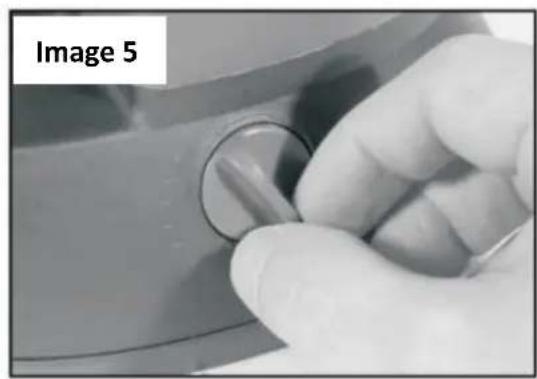
natural_image
Close-up of a hand holding a circular knob on a metallic surface, labeled 'Image 5' in the top-left corner (no other text or symbols visible)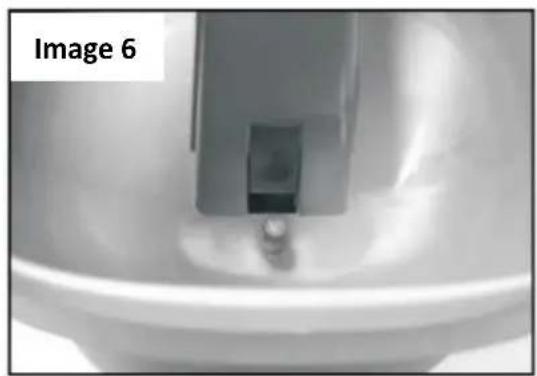
natural_image
Close-up of a medical device component with a metallic clip, labeled 'Image 6' in the top-left corner (no other text or symbols visible)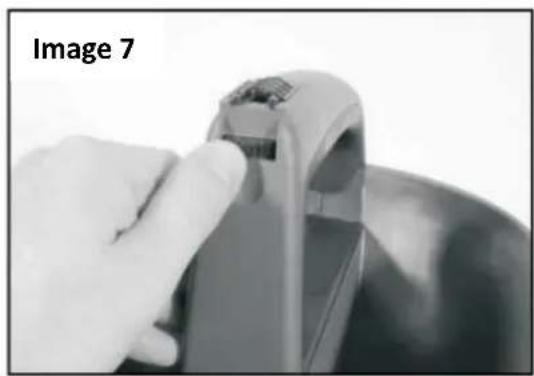
natural_image
Close-up of a hand holding a small electronic device with a label 'Image 7' in the corner (no other text or symbols visible)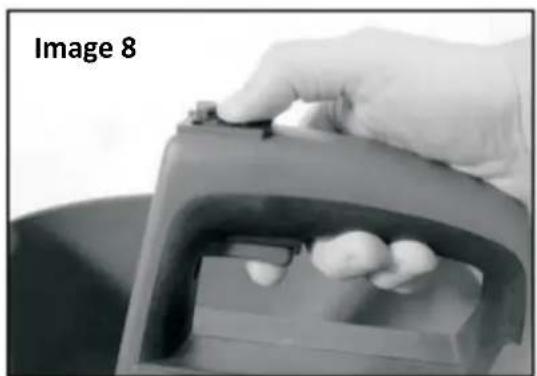
natural_image
Close-up of a hand holding a small object over a mechanical component, labeled 'Image 8' in the top-left corner (no other text or symbols visible)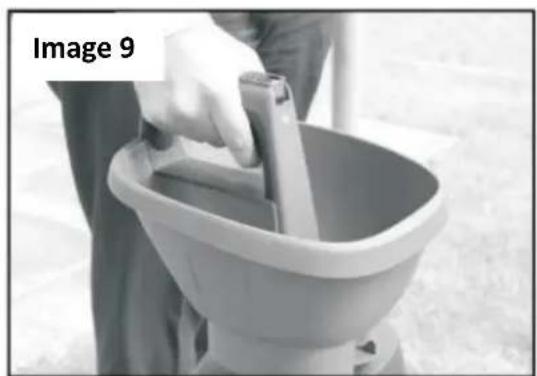
natural_image
Person cleaning a bucket with a tool, labeled 'Image 9' in the top-left corner (no other text or symbols)Utilisation
24. Installation des piles
VISTA:
natural_image
Close-up of a hand holding a black mechanical component, labeled Fig.2 (no text or symbols on the object itself)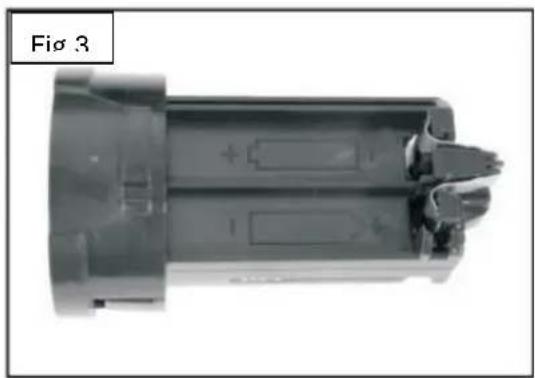
natural_image
Cross-sectional view of a mechanical component with internal components and mounting holes (no text or symbols visible)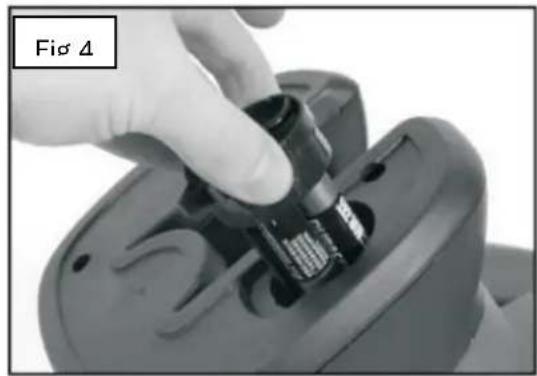
natural_image
Close-up of a hand using a handheld device to adjust or install a component, labeled 'Fig 4' (no other text or symbols visible)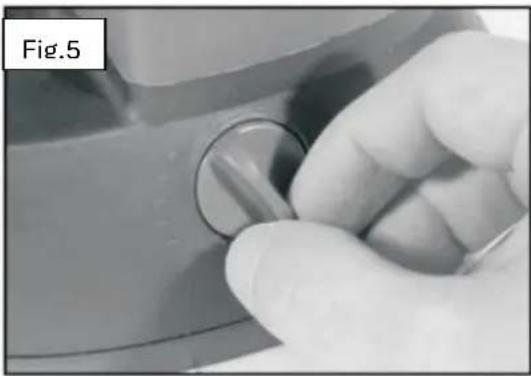
natural_image
Close-up of a hand holding a circular knob on a mechanical component (no text or symbols visible)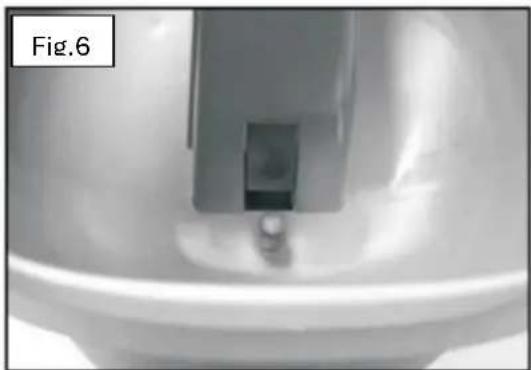
natural_image
Close-up of a mechanical component or fixture with a central bracket and two small protrusions, labeled 'Fig.6' in the top-left corner (no other text or symbols visible)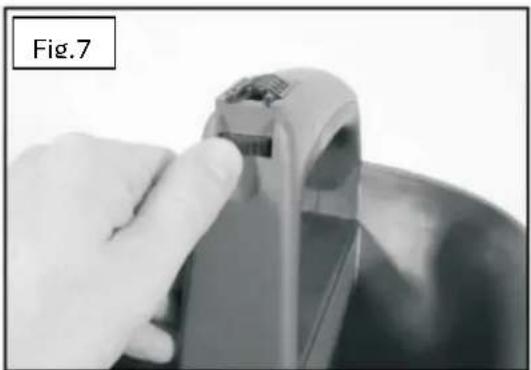
natural_image
Close-up of a hand holding a small electronic device with a handle, labeled Fig.7 (no text or symbols on the device itself)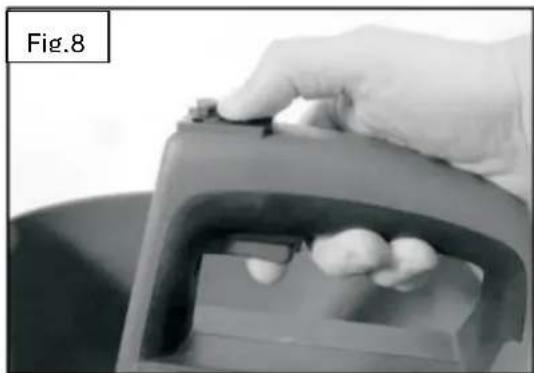
natural_image
Close-up of a hand holding a small object over a container with three white objects inside (no text or symbols visible)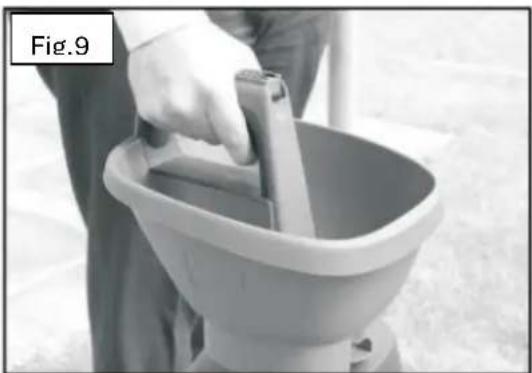
natural_image
Person using a bucket cover to handle a small object, labeled 'Fig.9' in top-left corner (no other text or symbols)Operazione
natural_image
Close-up of a hand holding a black mechanical component, labeled 'Pic.2' in the top-left corner (no other text or symbols visible)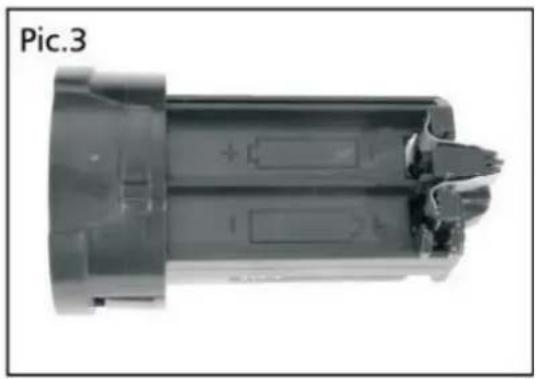
natural_image
Cross-sectional view of a mechanical component (no visible text or symbols)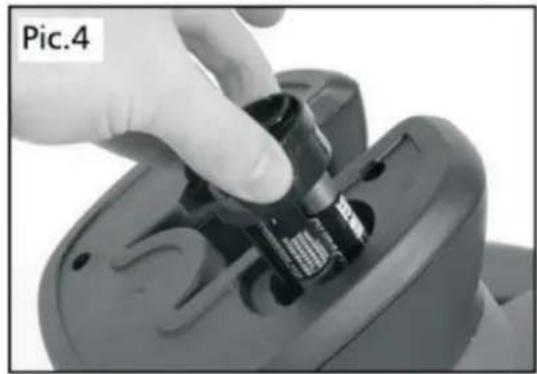
natural_image
Close-up of a hand inserting a small electronic component into a device (no visible text or symbols)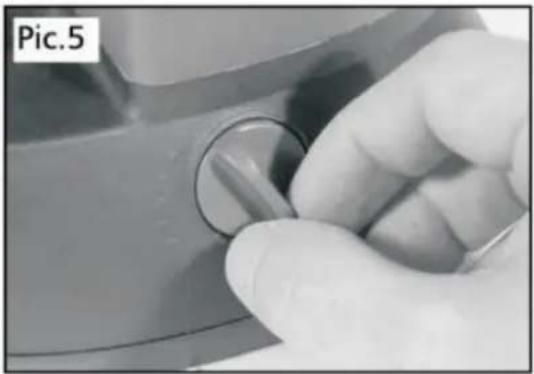
natural_image
Close-up of a hand holding a knob on a surface, no visible text or symbols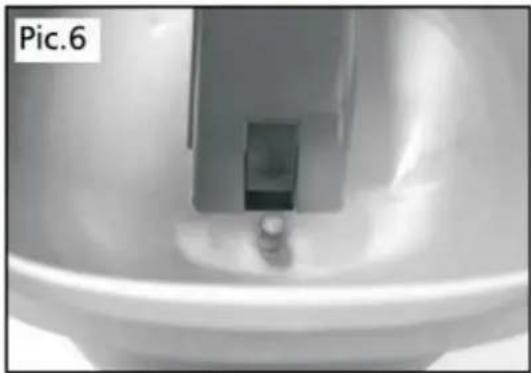
natural_image
Close-up of a metallic mechanical component with a small cylindrical part inserted, no visible text or symbols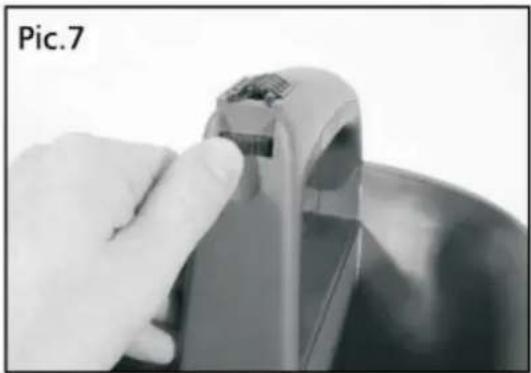
natural_image
Close-up of a hand holding a small electronic device with a metallic handle (no visible text or symbols)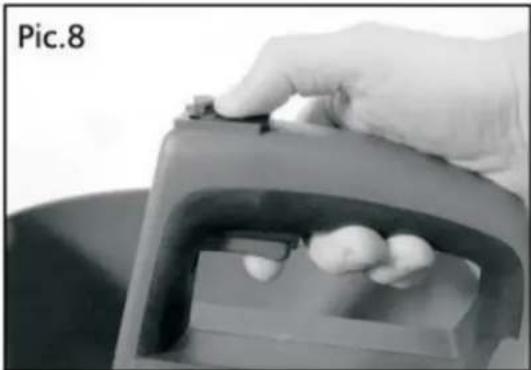
natural_image
Close-up of a hand holding a small object over a container with food items (no visible text or symbols)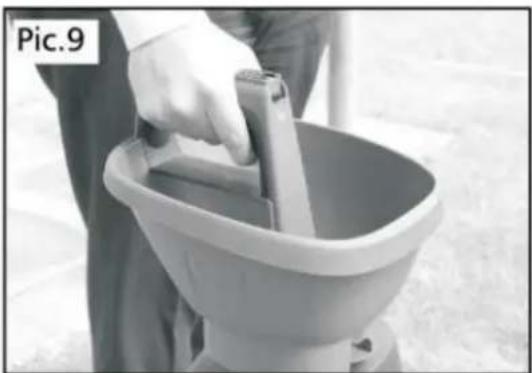
natural_image
Person cleaning a bucket with a handle, no visible text or symbolsServicio
natural_image
Close-up of a hand holding a black mechanical component, labeled 'Pic.2' in the top-left corner (no other text or symbols visible)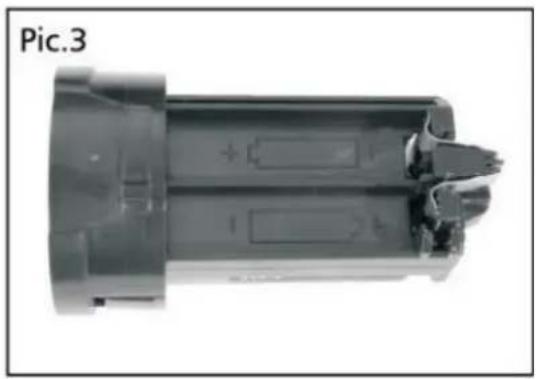
natural_image
Cross-sectional view of a mechanical component (no visible text or symbols)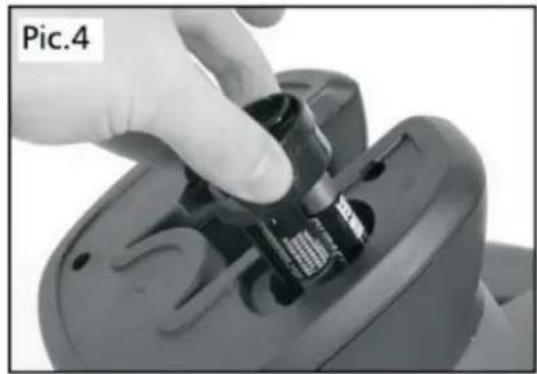
natural_image
Close-up of a hand inserting a small electronic component into a device (no visible text or symbols)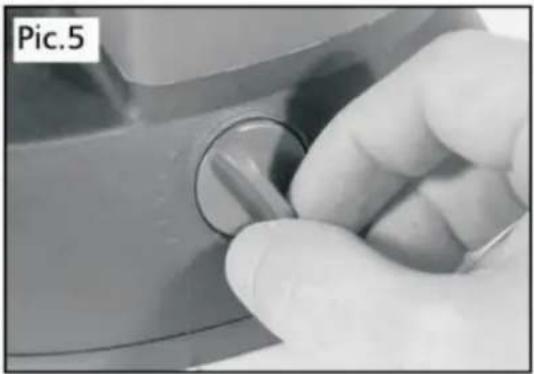
natural_image
Close-up of a hand holding a knob on a mechanical component (no visible text or symbols)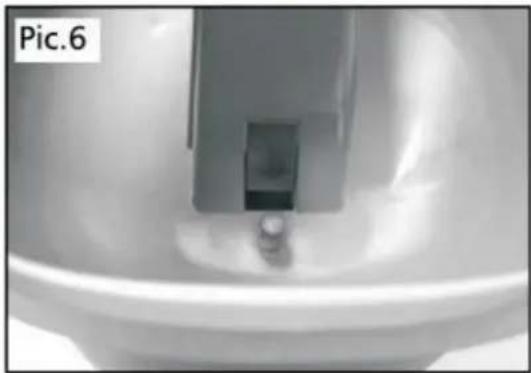
natural_image
Close-up of a metallic mechanical component with a small cylindrical part inserted, no visible text or symbols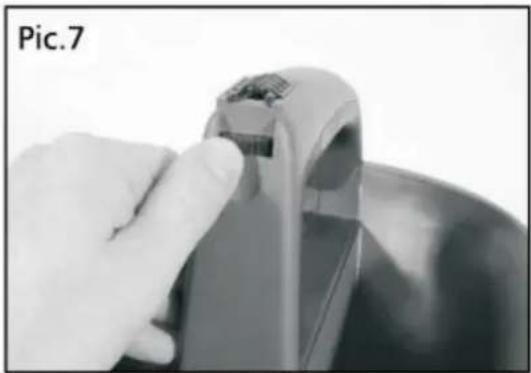
natural_image
Close-up of a hand holding a small electronic device with a metallic handle (no visible text or symbols)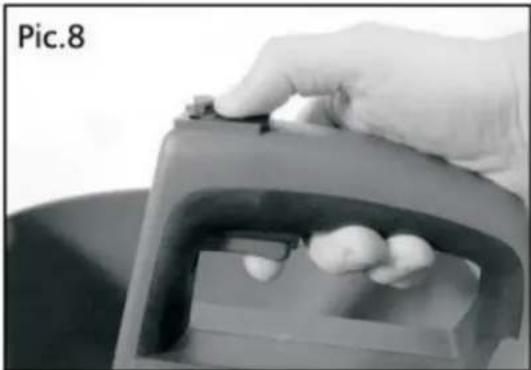
natural_image
Close-up of a hand holding a small object over a container with food items (no visible text or symbols)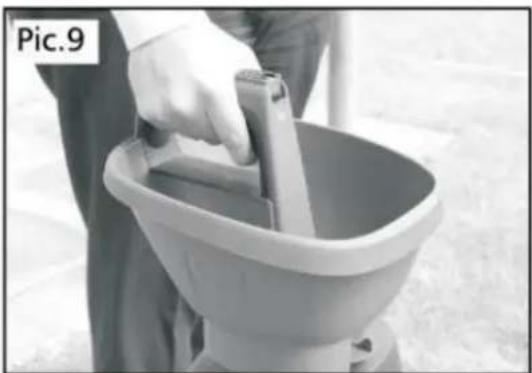
natural_image
Person holding a bucket with a handle, standing in front of a large bowl (no visible text or symbols)Serviço
56. Instalando as baterias
natural_image
Close-up of a hand holding a black mechanical component, labeled 'Pic.2' in the top-left corner (no other text or symbols visible)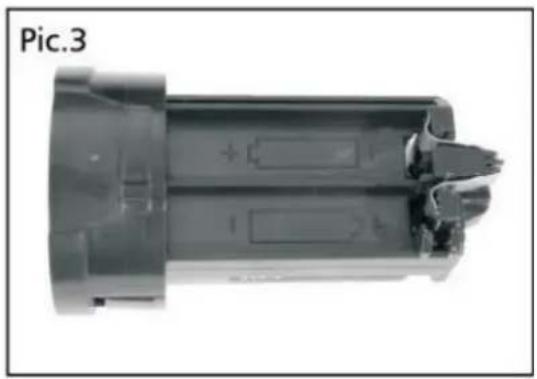
natural_image
Cross-sectional view of a mechanical component (no visible text or symbols)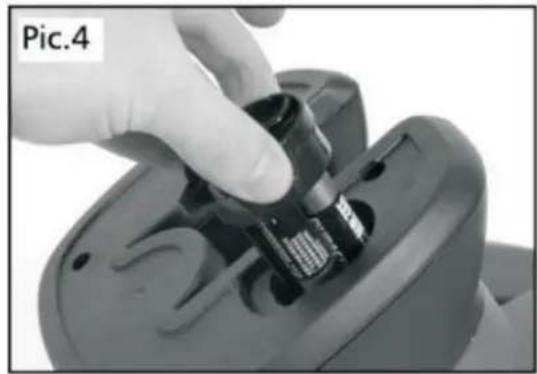
natural_image
Close-up of a hand inserting a small electronic component into a device (no visible text or symbols)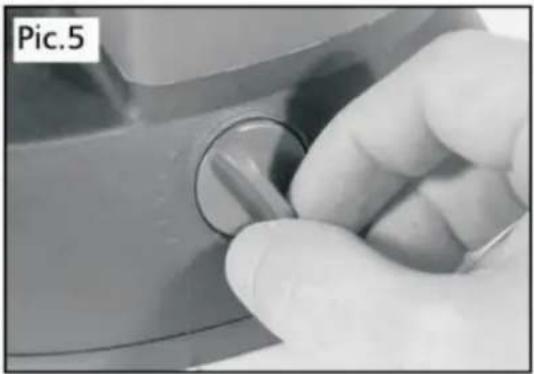
natural_image
Close-up of a hand holding a knob on a surface, no visible text or symbols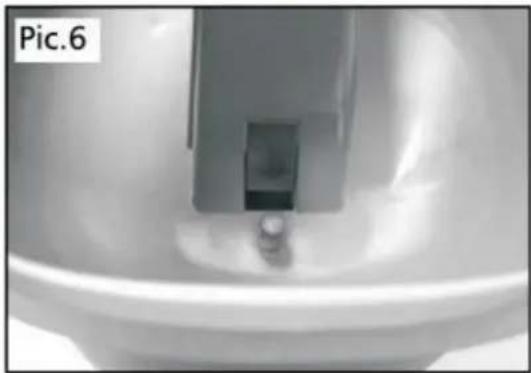
natural_image
Close-up of a metallic mechanical component with a small cylindrical part inserted, no visible text or symbols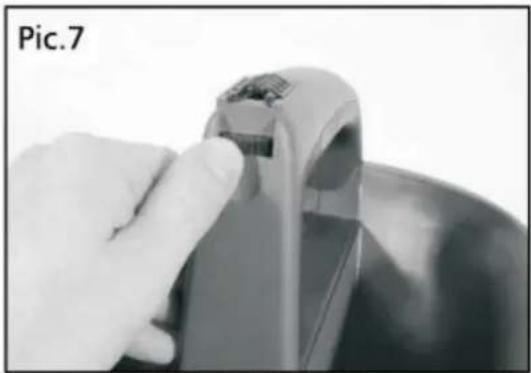
natural_image
Close-up of a hand holding a small electronic device with a metallic handle (no visible text or symbols)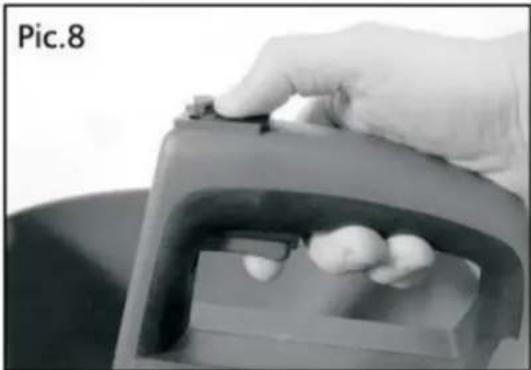
natural_image
Close-up of a hand holding a small object over a container with food items (no visible text or symbols)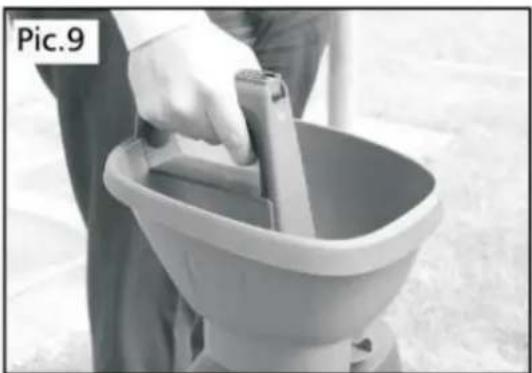
natural_image
Person cleaning a bucket with a handle, no visible text or symbolsDienst
natural_image
Close-up of a hand holding a black mechanical component, labeled 'Pic.2' in the top-left corner (no other text or symbols visible)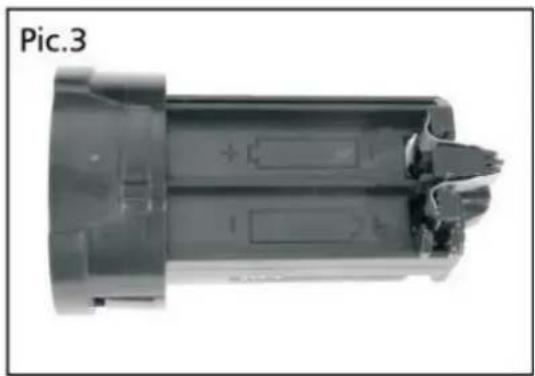
natural_image
Cross-sectional view of a cylindrical electronic component with internal slots and mounting holes (no text or symbols visible)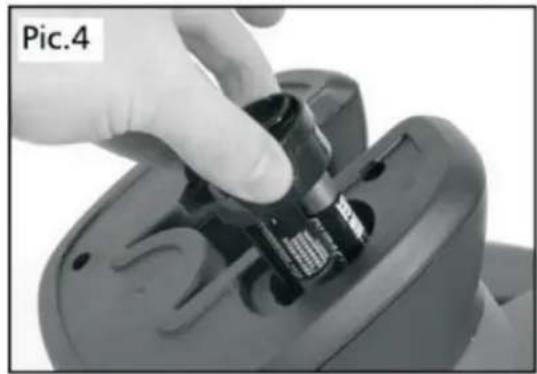
natural_image
Close-up of a hand inserting a small electronic component into a device (no visible text or symbols)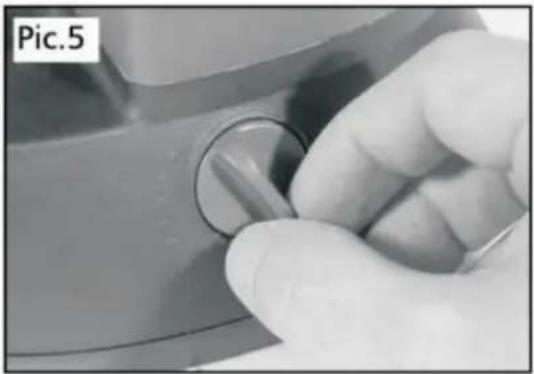
natural_image
Close-up of a hand holding a knob on a mechanical component (no visible text or symbols)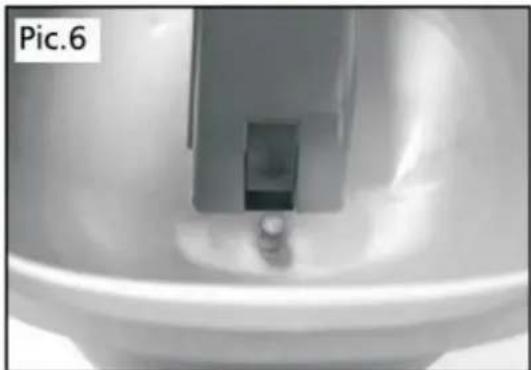
natural_image
Close-up of a mechanical component or fixture with a central bracket and circular base, labeled 'Pic.6' in the top-left corner (no other text or symbols visible)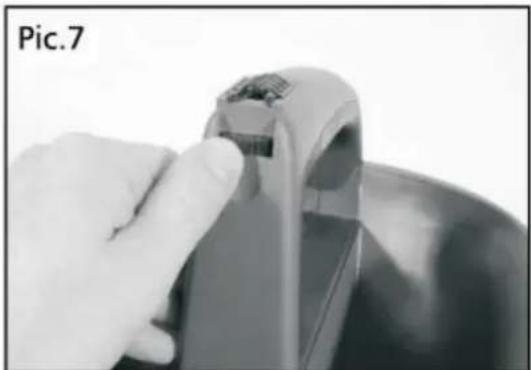
natural_image
Close-up of a hand holding a small electronic device with a metallic handle (no visible text or symbols)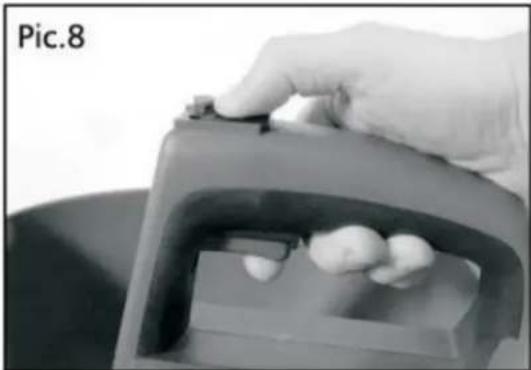
natural_image
Close-up of a hand holding a small object over a container with food items (no visible text or symbols)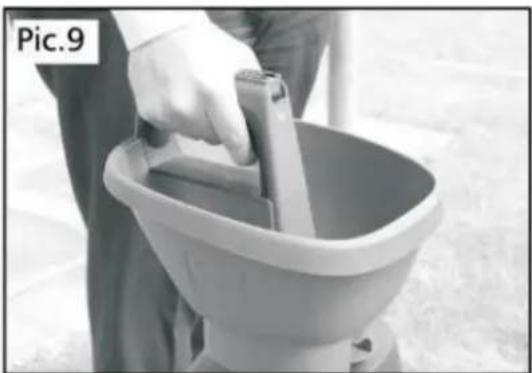
natural_image
Person cleaning a bucket with a handle, no visible text or symbolsService
78. Installera batterierna
POLSKA WERSJA JEZYKOWA
87. prezentacja
natural_image
Close-up of a hand holding a black mechanical component, labeled 'Pic.2' in the top-left corner (no other text or symbols visible)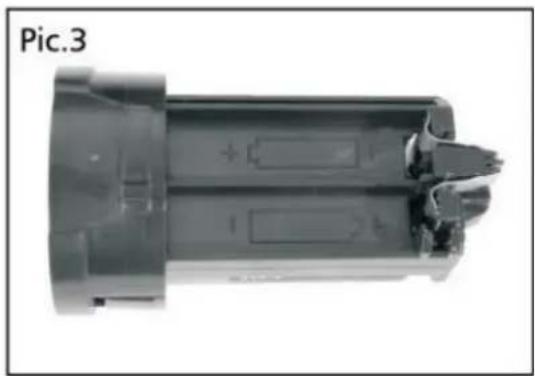
natural_image
Cross-sectional view of a cylindrical electronic component with internal slots and mounting holes (no text or symbols visible)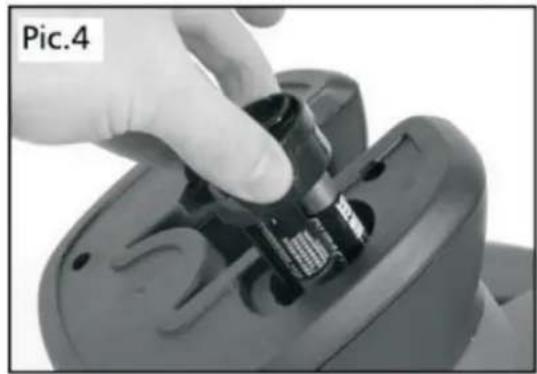
natural_image
Close-up of a hand inserting a small electronic component into a device (no visible text or symbols)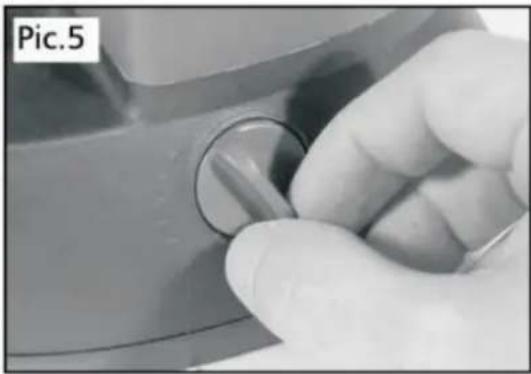
natural_image
Close-up of a hand holding a knob on a surface, no visible text or symbols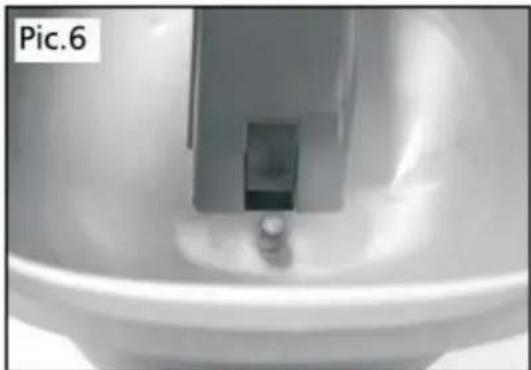
natural_image
Close-up of a mechanical component or fixture with a central bracket and circular base, labeled 'Pic.6' in the top-left corner (no other text or symbols visible)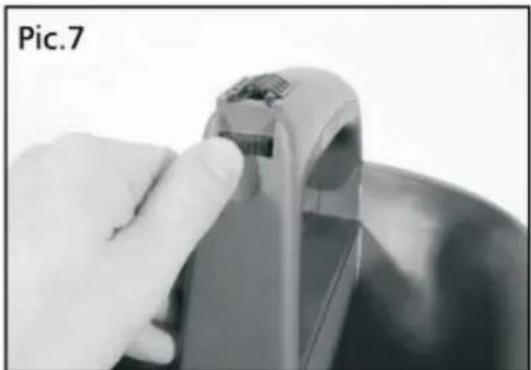
natural_image
Close-up of a hand holding a small electronic device with a metallic handle (no visible text or symbols)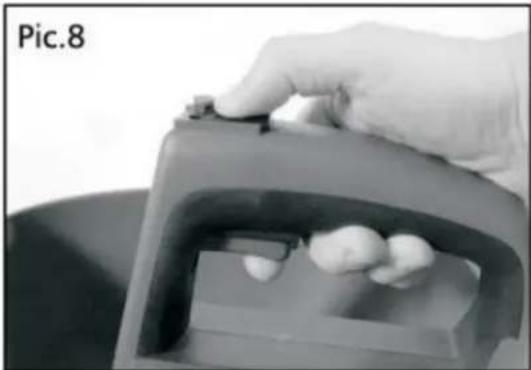
natural_image
Close-up of a hand holding a small object over a container with food items (no visible text or symbols)