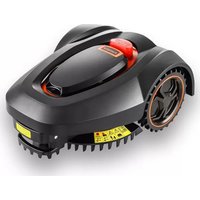
Fuxtec FX-RB218 - Robot mower

FX-RB218 - Robot mower Fuxtec - Free user manual and instructions

Find the device manual for free FX-RB218 Fuxtec in PDF.

English EN Download 💬 AI Question 10 questions ⚙️ Specs
📄

Document temporarily unavailable

The manual is currently being transferred to our new server. It will be accessible again in a few hours. Thank you for your patience.

Pick your language and provide your email: we'll send you a specifically translated version.
Product type Robotic lawnmower
Brand Fuxtec
Model FX-RB218
Battery Lithium 28 V, 2 Ah
Motor Brushless electric motor
Cutting system 3 blades with mulching function
Maximum mowing area 600 m²
Maximum slope angle 20°
Maximum walking speed 0.4 m/s
Charging time 90 minutes
Runtime 45 minutes
Noise level 60 dB(A)
Cutting width 18 cm
Cutting height 20 mm - 60 mm (adjustable)
Cutting modes Straight lines and random mode
Power supply Charging station via mains 230 V AC with adapter
Safety functions Emergency stop button, lift, tilt, rain and contact sensors
Maintenance Dry cleaning (brush/cloth), blade replacement set
Included parts Charging station, cover (optional), adapter, blade set (3), pegs (156), boundary wire 100 m, measuring tool
Software update Via USB stick
Winter storage Dry and frost-free place, recharge every 2 months

Frequently Asked Questions - FX-RB218 Fuxtec

How to install the charging station?
Place the station on a stable and level surface, with the IN arrow pointing towards the work area. Leave a clear space of 2 m in front and 1 m behind. Plug in the mains adapter. The LED should light up flashing green during charging.
How to lay the boundary wire?
Sketch the area. Lay the cable 35 cm from the edge, with angles of at least 100°. Secure it with pegs spaced a maximum of 1 m apart. For islands (e.g., flower beds), make a loop with 5 mm between the incoming and outgoing wires.
What to do if the robot displays error code E1?
E1 means the emergency stop button was activated. Simply restart the robot by pressing START after entering the security code.
How to adjust the cutting height?
Use the selection wheel (mark 1) on top of the robot. The numbers on the wheel indicate the height, from 20 mm to 60 mm.
How to change the security code?
The default code is 0000. To change it, start the robot, stop it after a few meters (code E1), then hold START for 10s until U133 appears. Press SET, enter 0000, confirm, then press SET again and enter your new 4-digit code.
What is the battery lifespan?
Generally, the lithium battery lasts about 5 years depending on use and maintenance. To extend its life, store the robot in a dry place and recharge it every two months in winter.
How to clean the robot?
Always turn off the device before cleaning. Only use a brush or a dry or slightly damp cloth to remove grass and dirt. Never rinse with running water to avoid damaging the electronics.
Can the robot be used in the rain?
The robot detects rain with a sensor and automatically returns to the charging station. It does not mow in the rain. Avoid leaving it under low branches that could activate the sensor in dry weather.
How to update the software?
Download the update onto a blank USB stick. Turn off the robot, insert the stick, then turn it back on. A number flashes on the screen; when it stops, the update is complete. Turn off and on to check.
What to do if the robot does not return correctly to the charging station?
Check that the station is level and the charging contacts are clean (clean with steel wool). Make sure the ground has not sunk and that the IN arrow is correctly oriented towards the work area.

User questions about FX-RB218 Fuxtec

0 question about this device. Answer the ones you know or ask your own.

Ask a new question about this device

The email remains private: it is only used to notify you if someone responds to your question.

No questions yet. Be the first to ask one.

Download the instructions for your Robot mower in PDF format for free! Find your manual FX-RB218 - Fuxtec and take your electronic device back in hand. On this page are published all the documents necessary for the use of your device. FX-RB218 by Fuxtec.

USER MANUAL FX-RB218 Fuxtec

Manual assistant
Powered by Anthropic
Waiting for your message
Product information

Brand : Fuxtec

Model : FX-RB218

Category : Robot mower